Green arrow bug on maps in frames
If you destroy a map in a frame, the green arrow showing where the map is remains on the map.
After placing it a few times, it no longer appears.
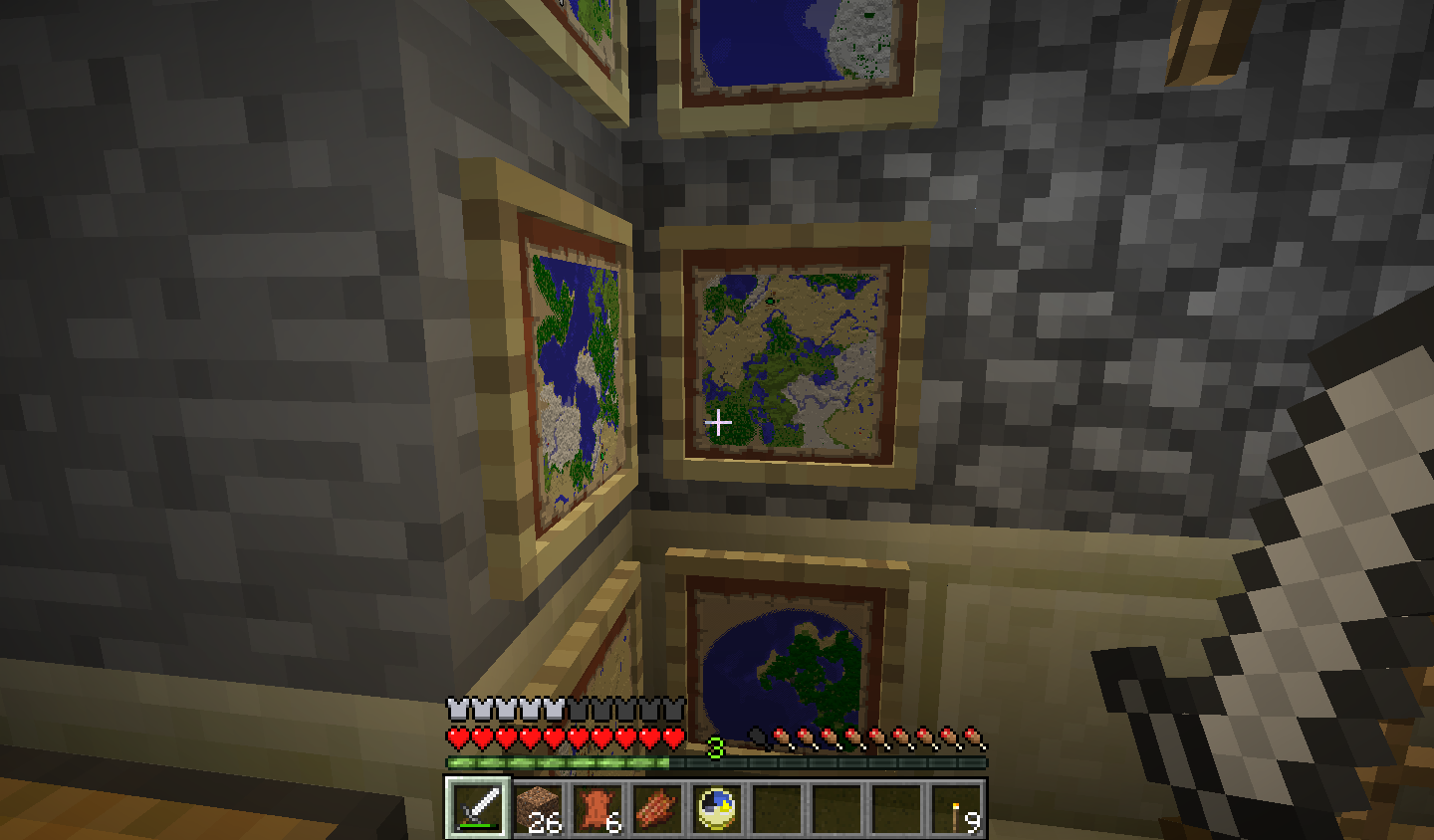
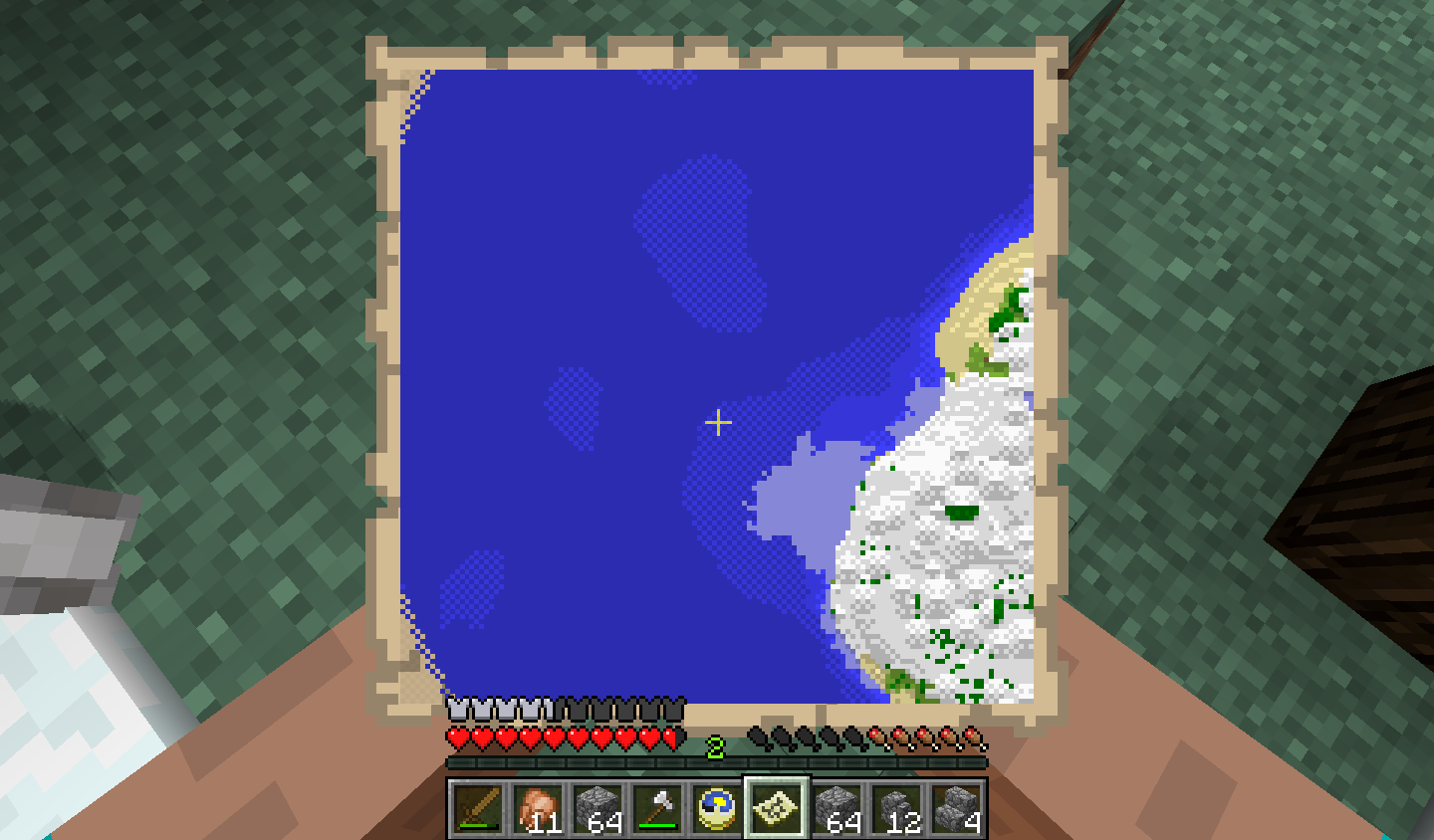
In the attached image, you can see there is no green arrow at the current placement, the two to the south are not there, the one to the north is in a friends house.
Linked Issues
is duplicated by18
 MC-6909map pointer on cloned map disappearsDuplicateMC-9872Multiple Map Facing/Location Icons Displayed On Map After Moving ItDuplicateMC-14833Arrows signifying maps in items frames exists after map/item frame is destroyedDuplicateMC-17502Multiple green pointers on mapDuplicateMC-33254A map doesn't show my positionDuplicateMC-39292*Server* Map points disapearDuplicateMC-40479Map and Item Frame glitch; Player arrow hidden below the mapDuplicateMC-69555No pointer map when normal mapDuplicateMC-72487Maps lose player indicator, persistent green arrowDuplicateMC-75931Map cursor freezes when creating another mapDuplicateMC-108761Green Arrows on Maps dissapear after reloading the gamefileDuplicateMC-118397When you place a map in an item frame, a green icon will appear. But then it disappears when you leave the game and come back.DuplicateMC-754Map cursor disappears/green cursor won't disappearDuplicateMC-1994Maps in items frames remained marked after destroyedDuplicateMC-2012Removing an item frame with a map doesn't remove the markerDuplicateMC-2218Map with item frame excists after destroying it.DuplicateMC-3696Map doesn't work correctly after being put in a FrameDuplicateMC-4764Maps in item frames obtained using Pick Block not updating your positionDuplicate
relates to13
MC-11530Map Item Draws Slowly When Hanging in Item FrameWorks As IntendedMC-252817Placing a map into an item frame and removing it does not remove the green player markerFixedMC-6979The white markers on maps created in the nether or end dimensions don't disappear when viewing the maps in the overworld until the world is reloaded LowMC-8560Map keeps other players on it, even though the other player doesnt have it anymoreInvalidMC-13367Map bugIncompleteMC-1334Copied Map Goes Blank When Another Map is UsedCannot ReproduceMC-1357Logged out players appear on mapsFixedMC-1528Maps in item frames' markers aren't persistentFixedMC-3416Player location marker invisible on map (wrong Z-Order). One-line fix included.FixedMC-3704Maps on item frames become blankIncompleteMC-4068Map Markers Behave UnpredictablyDuplicateMC-4072In game map item artifactingInvalidMC-4168Cloned maps seem to be limited to 3 markersDuplicate
Attachments20







Created Issue:
Green arrow bug on maps in frames
If you destroy a map in a frame, the green arrow showing where the map is remains on the map.
After placing it a few times, it no longer appears.
In the attached image, you can see there is no green arrow at the current placement, the two to the south are not there, the one to the north is in a friends house.
Attachments1
is duplicated by
is duplicated by
is duplicated by
relates to


relates to
relates to

is duplicated by
relates to
relates to
 EvilSeph (Warren Loo)
is duplicated by
is duplicated by
is duplicated by
relates to
youtube.crx
is duplicated by
EvilSeph (Warren Loo)is duplicated by
relates to
is duplicated by

is duplicated by
relates to
is duplicated by

is duplicated by
Okay, but is a snapshot different than the 1.8.8 I already play, and if it is, how do I find it/play it?
is duplicated by
![[Mod] Neko](../../../data/avatars/users/92901.png)
is duplicated by
![[Mojang] Cory Scheviak](../../../data/avatars/users/92893.png) [Mojang] Cory Scheviak
[Mojang] Cory Scheviak
is cloned by
![[Mod] violine1101](../../../data/avatars/users/92858.png)
is duplicated by
MCE-911
is duplicated by
relates to
Also experienced this bug. Every map that is ever added to a frame on the SMP server I'm on exhibits this behavior. Restarting the server works until a map is placed into a frame again.
Related to MC-73
Duplicate of: MC-73 - Please use the search function to see if your bug has already been submitted. Currently 20% of tickets are being closed as duplicate.
I was out walking to place item frames in villages with maps in them so that I could locate the villages from the copy of these maps which I held in my inventory.
So I placed an item frame in the first village and attached a copy of my existing map to the item frame and at this point there were no problems.
I walked on to the next village where I would place my second item frame with another copy of my existing map. I reached the 2nd village and placed an item frame and attached a copy of my existing map to it.
Here is where the problem (BUG) started. I left the 2nd village and noticed that the white marker indicating my position was completly gone on the map I was holding which was another copy of the two that I had placed in the two villages.
So I tried to resolve this by moving back to the 2nd village and removing the item frame there with the map in it. When I did this the green markers was still present on the copy that I held (like reported bug MC-73) but this didn't help, the white marker was still gone.
After that I made more copies of my map to check if the white marker would show up on them but it didn't.
Instead the green markers were still present on all the copies of this map that is, even the marker that I had removed in the 2nd village by removing the item frame. Exactly like bug MC-73.
What I had expected to happen was that when I placed one or more copies of my map in item frames I would see green markers on the copy which I held and of course also my own location (the white marker). And again what happened was that the white marker disappeared on my map after placing two item frames with copies of my map. Additional bug was MC-73 (green marker still present after removing second item frame with map copy in it).
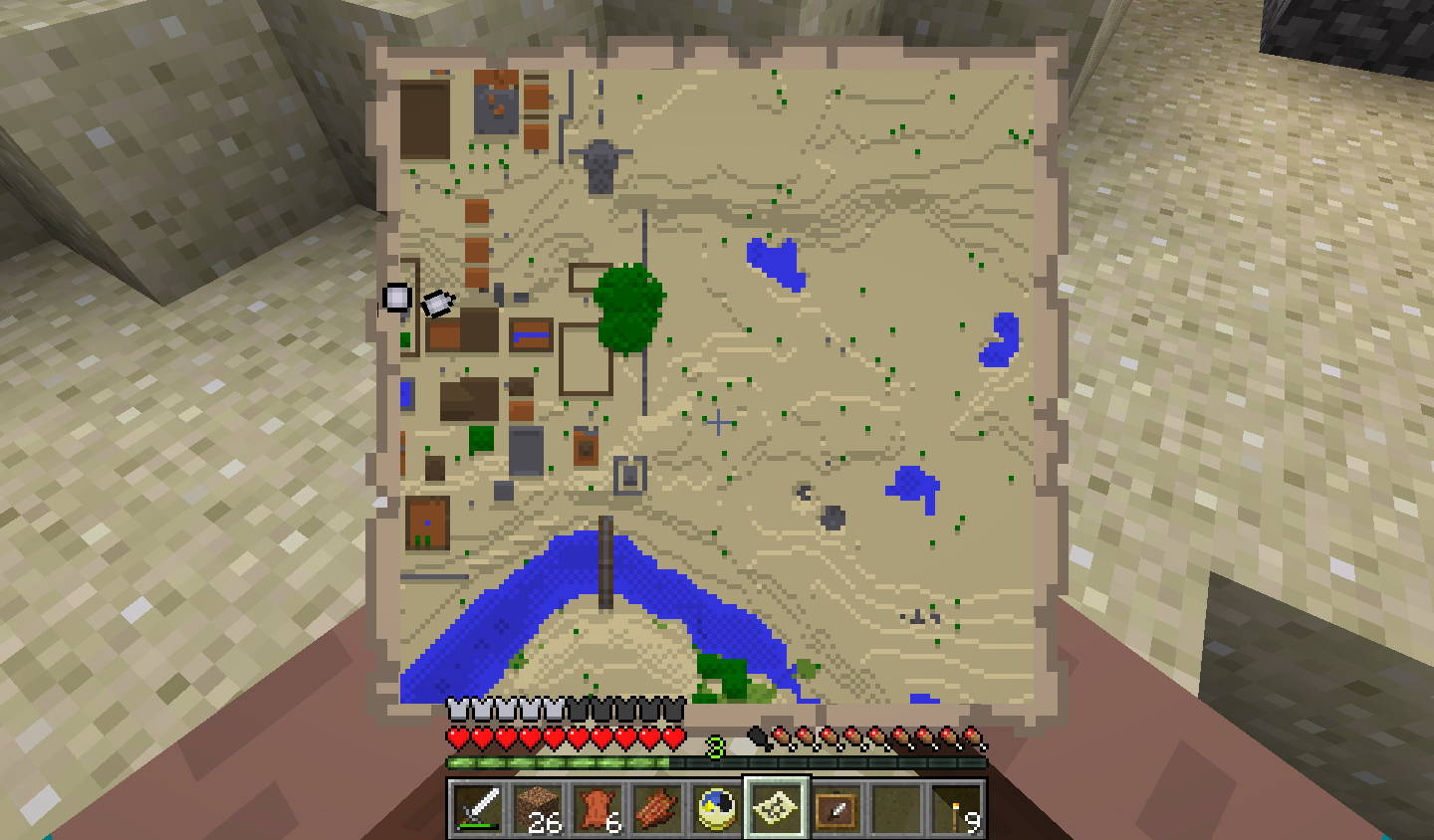
(1. Refers to the image attachment: bug.png)(This image file has been edited in Windows Paint in order to better explain the bug)
-------------------------------------------------------
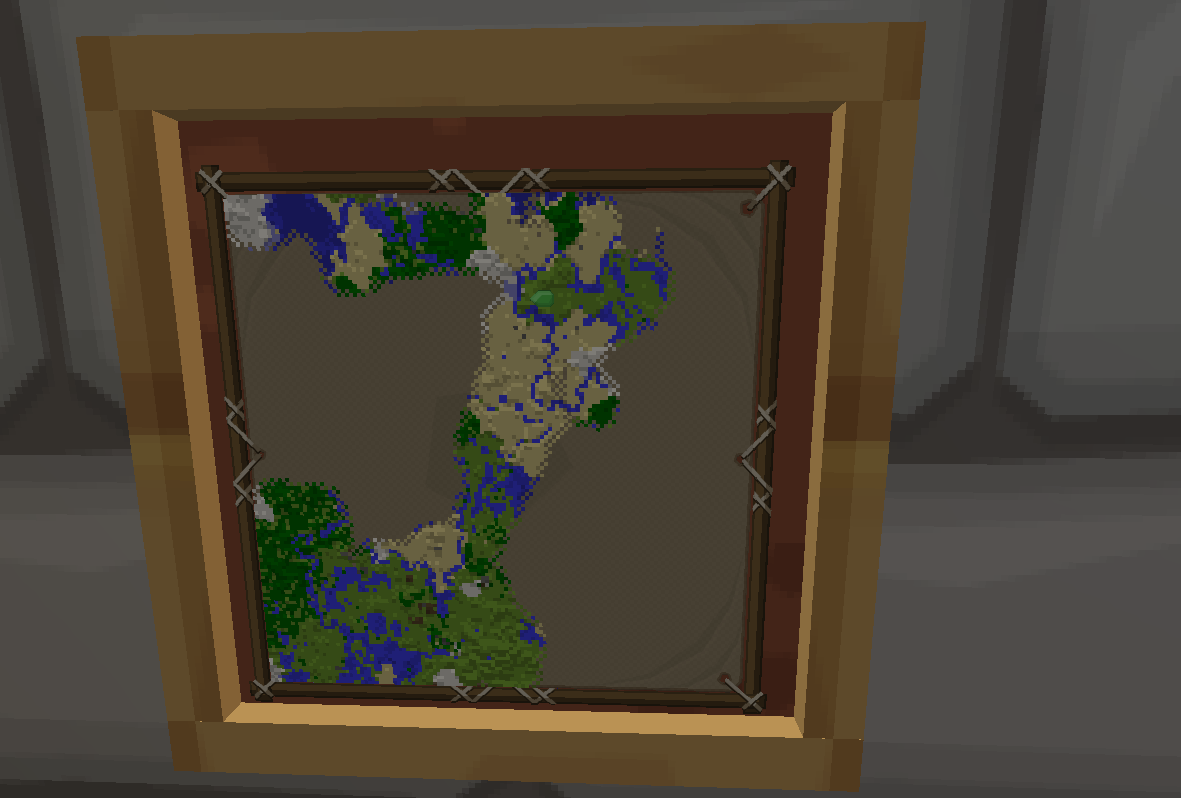
When I logged in again both green markers was gone and the white marker had come back.
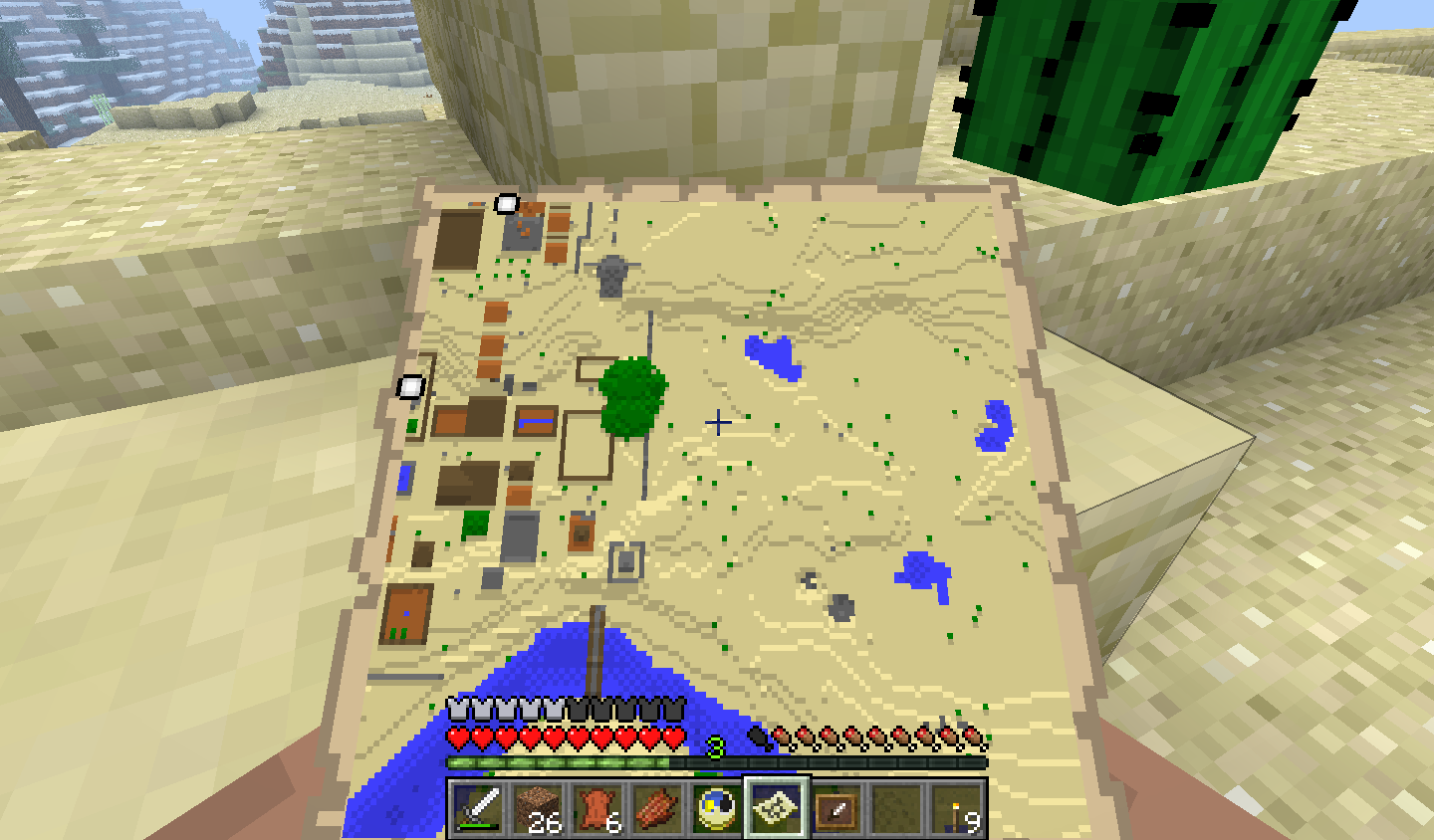
(2. Refers to the image attachment: 2012-12-02_13.57.04.png)
-------------------------------------------------------
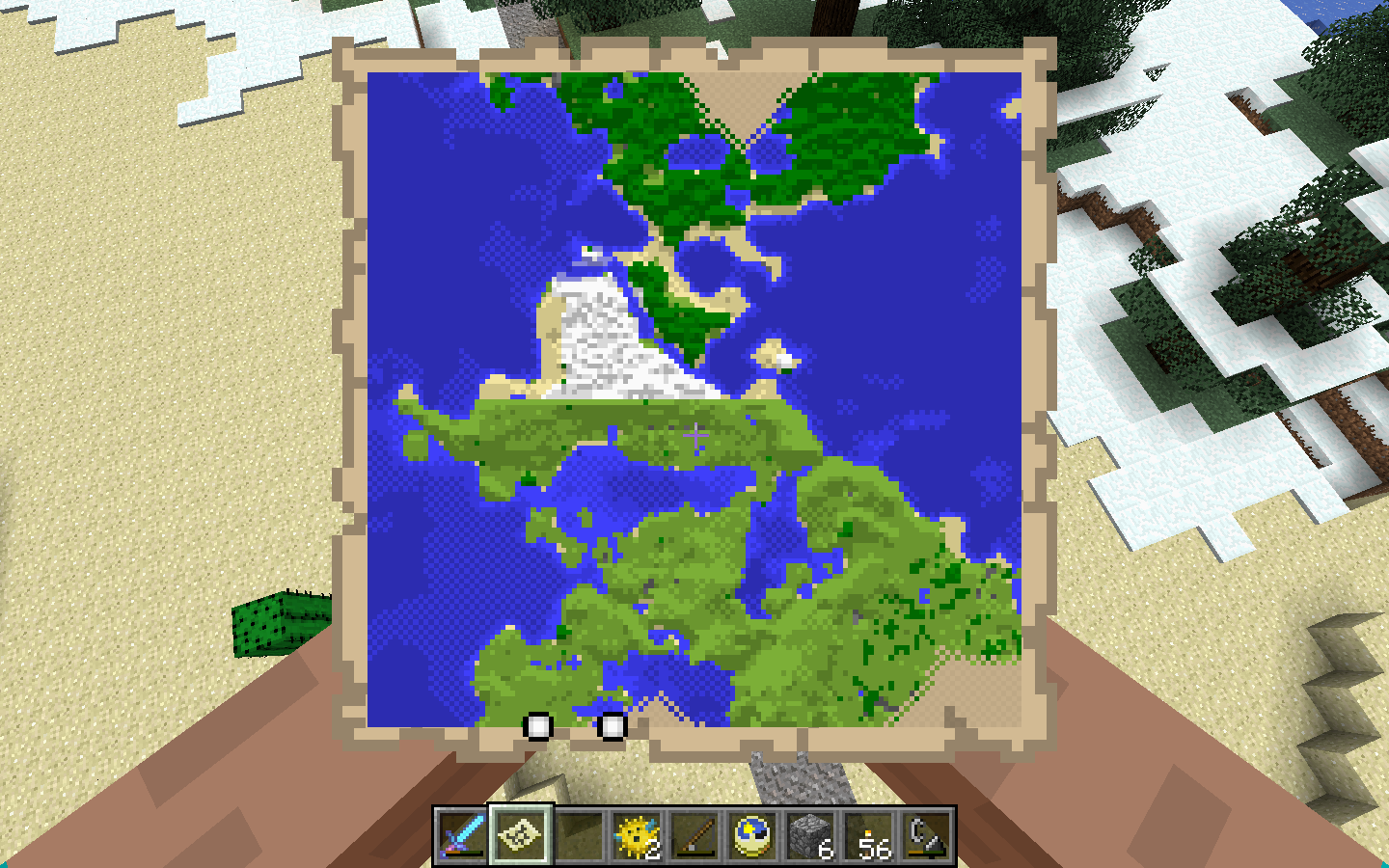
I logged in again and I went to the first village to remove the remaining item frame. I removed it and went for home and I opened the stack of copied maps but now the green marker was still present after removing the last item frame from the first village.
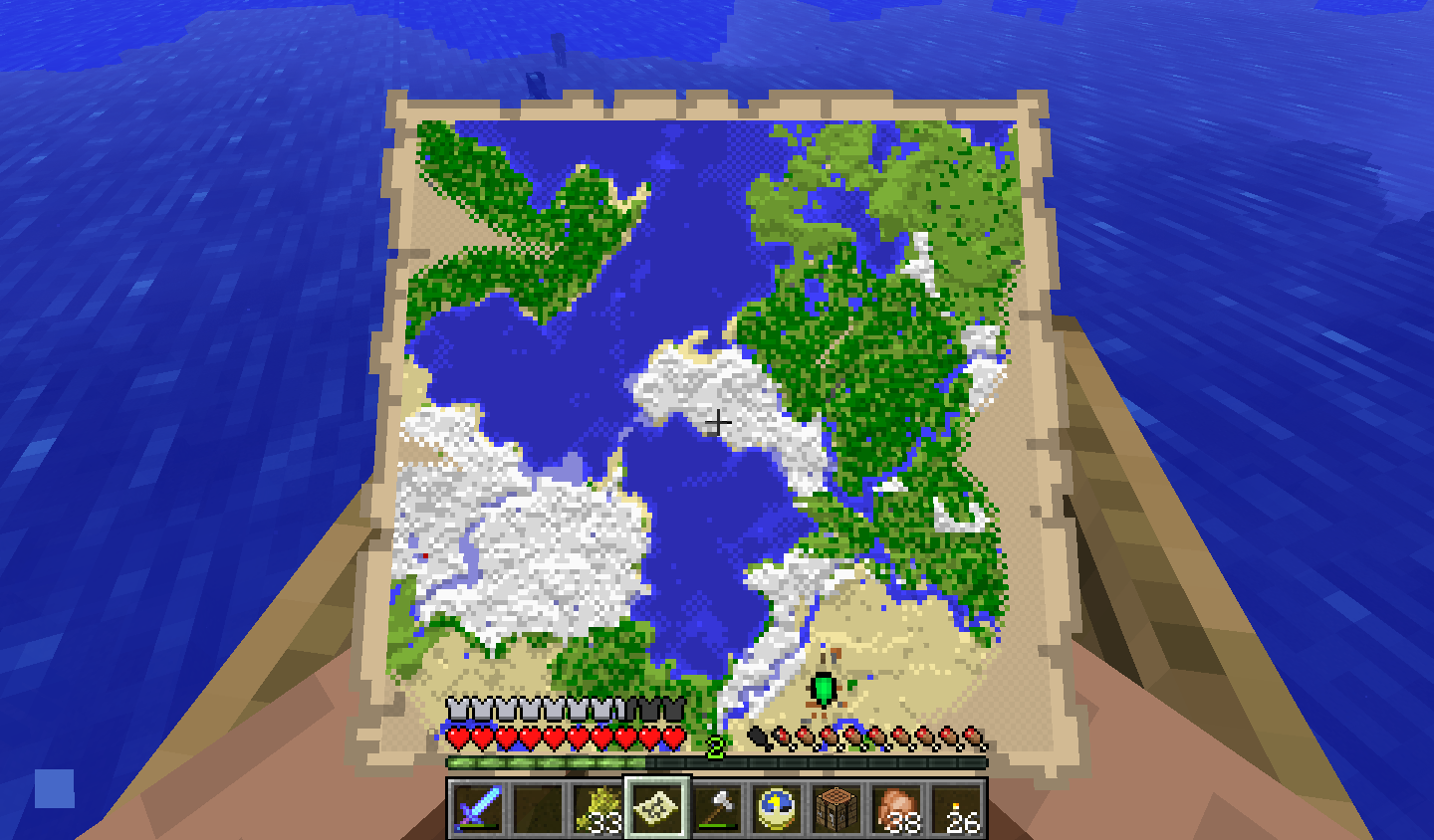
(3. Refers to the image attachment: 2012-12-02_14.59.54.png)
-------------------------------------------------------
I logged in again a fourth time and then as expected the green marker was gone (marking the first village)
(4. Refers to the image attachment: 2012-12-02_15.21.41.png
-------------------------------------------------------
NOTE! The attachment pictures try to explain the bug report in the following order. (1. bug.png) (2. 2012-12-02_13.57.04.png) (3. 2012-12-02_14.59.54.png) (4. 2012-12-02_15.21.41.png)
![[Mod] Torabi](../../../data/assets/gravatar/torabi.png)
Sounds kind of like MC-4068. And MC-73, and MC-754. They're probably all related. Pretty sure it's not an intentional limit, since the new maps are intended to be copyable, servers, can have a lot of players, and a marker shows up if you put a map in an item frame, so they would have to have expected you to need more that 3 makers.
Duplicate of MC-73, please use the search function to see if your bug has already been submitted. Currently over 51% of tickets are being closed as duplicate.
Still an issue, however I don't know if this is a "pick block" issue - but resetting the server host application will bring back your white location arrows for a while. This seems to happen with copied maps a lot.
See comments in MC-73 for similar stories.
Seems like this goes back to MC-73 too.
Issues with copied maps losing locations [green arrows] and player positions [white arrows] are still happening.
Reset your Minecraft server application for a temp fix - it seems to come back.
Duplicate of MC-73, please use the search function to see if your bug has already been submitted. Currently over 55% of tickets are being closed as duplicate.
When placing maps in item frames green arrows (map markers) appear, yay. However, if you put many of the same map in frames green arrows stop appearing on the map. In some cases I can see the additional green arrows with some z-fighting so I guess they are there but are drawn behind the map maybe?
MC-73 was a multiple bug report. The first issue about removal of green arrows when you remove maps was fixed. this issue was not.
edit: whoops, I duplicated MC-4168. please delete/flag whatever.
Duplicate of MC-73 and several others.
Where have you read this is technical support? It's a bug tracker. In fact the issue you described here was a bug fix. See MC-73.
Green arrow staying on the map after removing it from the item frame was a bug.
Original report is MC-73 (but that's closed). Still happens in 1.7.2.
Should have re-opened MC-73 and resolved all as duplicates of that, otherwise the great many votes and watchers there are ignored.
Rocko, This has been around Since v1.4.1 in Oct 2012 when Maps were first added:
see: MC-73
The answer is that Jeb, through the proxy of Talvin81, has deemed that resolving this issue would likely be much more time consuming that the feature is worth. If there really is enough interest, I myself may dig into seeing if I can fix it... but don't hold your breath. 
Since I'm new and not sure were my comment belongs, I'll copy my comment from MC-73 here: I'm still having this problem in Version 1.8.8. A copy map placed in an item frame has green marker when removed and doesn't display current location marker. It goes away when I exit the game and come back, but it's annoying. This issue feels more similar to MC-73 but I noticed people being redirected here, so here I am.
This bug has the same symptoms as MC-73 and MC-142685.
I took a map out of an item frame and it was stuck with the green arrow, and did not refresh. Breaking the item frame or placing it elsewhere did not help. It got fixed by game restart, and I can't reproducing it now.
The world was created 19/5/2019 in the latest snapshot at the time, and the map was in the item frame at least since 1.14.3pre1. I experienced the bug in 1.14.3pre2 today

Regression of MC-73.


Its not a bug its were you placed the map on other item frames
They were REMOVED, they no longer exist in those locations, but the arrow remains.
Also, new arrows for new frames do not get added, and sometimes player arrows do not get shown.
Try it yourself, go place a framed map, and then move it to 5 different locations, it will duplicate once, and then won't after that.
Would it be because you have to have the map in your inventory and be in that area before it will update the map?
If you have a map, put it in a chest or frame, build something, it won't change the map until you are in that area, and also have the map in your inventory.
It's not about the map updating, if you have not paid attention to additions in 1.4, the green arrows indicate where the map is framed. If you remove the frame, this green arrow does not disappear properly.
And if you need video evidence to show what I am referring to... http://www.youtube.com/watch?v=27b7Gcwqw1w
I can confirm that if you place a map inside an item frame at one location and the remove it, and place at another location with the same map, the first green marker will remain until you exit out of the world save in single player.
I had a broken map ( https://mojang.atlassian.net/browse/MC-737 ) and had the same problem. After taking it out of the frame it had a green arrow on it.
Thanks John. In multiplayer, it stays until the server is restarted, obviously .
.
Additionally not all the placed maps will display green arrows. I placed 6 maps in the world and not all of them rendered.
Likely related to
MC-754This is a real bug, as I've experienced it as well .I also found the map will store multiple green arrows form item frames, and they remain until you leave the map or restart MC. It's not a detrimental bug or anything of high priority, but it's still worth noting.
http://img40.imageshack.us/img40/2631/bugreportthis.png
map marker z-fighting:
the left most marker never shows in the map I hold but once I get far enough away from the map in a frame I can see z-fighting. This matches the second part of the bug description where "After placing it a few times, it no longer appears." It was the last map that I placed.
Is this still a concern on Minecraft 1.4.4 Pre-Release? If so, please update the affected versions.
still a bug in 1.4.4.
maps still have green markers for removed maps in frames and z-fighting still happens on markers.
The green arrow turns into a white circle when the place where the map was put is out of the vision, and the white circle also bugs.
The problem persists on 1.4.5, I think.
Running 1.4.5, when placing maps in frames the green arrow doesn't always show after the first one or two. It seems to work better when in survival mode rather then creative (unconfirmed). When placing multiple maps the players white arrow becomes hidden occasionally. The green markers also remain in place when the frames are removed. All of these issues are resolved upon shutting down the game and server. Upon loading they display properly again, until changes are made then they repeat. Hope this helps.
This definitely needs fixed, sometimes the player icon for myself or other players also disappears until server restart. Also after restarting maps actually in frames disappear from the map
the problem is still on version minecraft-13w04a
Surprised that this is still an issue with the latest snapshot.. Hope they fix it soon... Makes for building adventure maps a pain if you place a map in the wrong spot then you have to start all over again..
Can we get a confirmation of whether this happens in 13w10a and an update to the affected versions?
This bug is still on 13w10a. We need to left the game for the green arrow disappear
1.5pre, SMP : Placing a map into an item frame adds a green arrow to the map, at the player's location, pointing in the opposite direction of the player. Doing this again adds another similar arrow to the map, up to a maximum of four. These arrows persist until the server is stopped and restarted: this removes all green markers from all maps, except those are in item frames, which retain one marker at their current location.
i can confirm this , annoying bug and i think easily fixable.
Still happening in 1.5.1
Any fixes beyond Having my server admin restart the server every time it bugs out
It was fixed in 45 minutes after being reported 6 months before. I am amazed!
Was this fixed for 1.5.2? It still isn't working for me :!!!
Fix Version/s: Snapshot 13w18a
My apologies, Tails. I should have clicked that first.
I am still seeing this error in 1.6.2. Have created several maps to hang upon our clubhouse, and proceeded to hang them up.
However, I noticed that my own arrow disappears after several re-logins and the map is now stuck with the single green arrow despite me removing them.
EDIT: attached two screenies showing the stuck green arrow on-map and off-map. Item frame shows original location.
Yes, this bug definitely still exists. It works for a short while and then stop working entirely. I live in the south in the attached map and cannot see myself or the map on the wall.
Maps still not working in 1.6.2.
I also noticed this bug earlier in 1.6.2.
This ticket needs to be reopened please mods. The bug still exists.
In 1.6.4 the green arrow doesn't go away when you remove the map from the item frame.
Still happens in 1.7.2 also.
My particular case:
(not sure which of these make any difference)
Confirmed.
This issue has been around and reported since v1.4 when maps were introduced. It has been incorrectly marked as resolved, and then reopened, at least a dozen times since then.
Not a major issue in SP, but on an MP server, it can really get in the way and makes Maps far less useful.
If the Mojang team has no intention of fixing it, just tell us that, instead of telling us its fixed.
Reopened.
I'd also like to point out that now that framed-maps stretch and allow you to stitch together multiple frames, more people are putting maps in frames. In MP, however, this bug makes these maps unusable. Because framed maps are more desirable in 1.7.x, this bug is becoming more common.
On my server, we are working around this issue by keeping maps either entirely wall mounted, or entirely player held. Map #0-9 are player held maps, and these maps are never mounted on walls. Map # 10-19 are wall mounted copies of Map#0-9. A shell script copies map0.dat-map9.dat to map10.dat-map19.dat during nightly backups. This keeps the wall mounted maps somewhat up-to-date and works around the problem. However, this workaround has the disadvantage that the wall-mounted locations are not available on the player maps, and it's hard to enforce – if a player doesn't understand the process, they can mount a copy in the player range in a frame, and cause a random player to loose their pointer.
Since
MC-33254was moved here. I'd like to add the issue that was described there:Maps also show no longer the current position if the error happens. This is surely related to the issue here,
but makes maps much more unusable than just a buggy green marker…
PS: I could resolve the issue with maps not showing my position. Since the private server I play on changed the Java version from 1.6 to 1.7 it works again.
PPS: Broke again after a while, was many just the server restart?
Just to clarify, there are several manifestations of this bug, which keep being marked as duplicates of this one.
However, this bug was reported as being caused by destroying a frame containing a map, while the cause most are pointing to is a little different.
Steps to reproduce:
1. Make a map.
2. Make a copy of that map.
3. Place either in a frame.
4. Leave the area, select the map in your inventory and take a look at the arrows.
5. Now return and look at the arrows on the map in the frame.
Hopefully this helps.
Thought we would retest since we had not tried it since upgrading to 1.7 on Minecraft nor 1.7 in java, but the bug is still present. Confirmed in MC 1.7.2 using java 1.7 64 bit on windows. Restarting the server helps for a bit, but eventually the bug reasserts itself. We're going back to using the copy map workaround I described earlier, which we have been using since we started framing maps on our server.
Also, note that the biggest problem that happens with this bug is not the extra green pointer, but losing the player pointers. The player pointer appears behind the map rather than over it, and the map does not update as it is moved around. This means while the player is within the map region and away from the edge, they are invisible, and thus the maps are unusable. If a map is in a frame and you are on a MP server, this seems to always happen eventually, but not necessarily immediately. Restarting the server sometimes fixes the problem temporarily.
1.7.x: Maps now display on a full block basis and no longer display player markers
Well... that's sad.
Maps now mostly useless. yay.
On Tue, Nov 26, 2013 at 10:41 AM, [Mod] Talven81 (JIRA) <
The same problem appears in 1.7.3, A perfectly working map (with user position on it) stops working after a frame with a map copy is removed (or some similar action)."Won't Fix", really? That would be quite disappointing…Oops… this issue is indeed about something else which may not be a problem any more. But the problem I was referring too and which was described by some of the issues marked as duplicate of this one is still there and it is better described by
MC-3416andMC-4068.So, for anybody who came here frustrated by disappearing marker on a map – go look at
MC-3416orMC-4068.I'm not sure whether to comment here, on
MC-3416, or start a new thread, but I'm still having this problem in Version 1.8.8. A copy map placed in an item frame has green marker when removed and doesn't display current location marker. It goes away when I exit the game and come back, but it's annoying.Gianna,
Take a closer look at the bug status. "Resolved: Won't Fix." It's a feature Notch built, and had intended on the team finishing, but when it was handed off, nobody gave it the attention it needed. Will never ever work.
Gianna Anania, if you can, please test in the latest snapshot, and if you're still experiencing a problem, please create a new issue. A lot of these old bug reports about maps were marked "Won't Fix" because the functionality of maps changed and the reports were no longer considered relevant. There's a lot of overlap between the existing reports, and they'd be a lot of work to untangle and find what's still relevant to the current version of Minecraft.
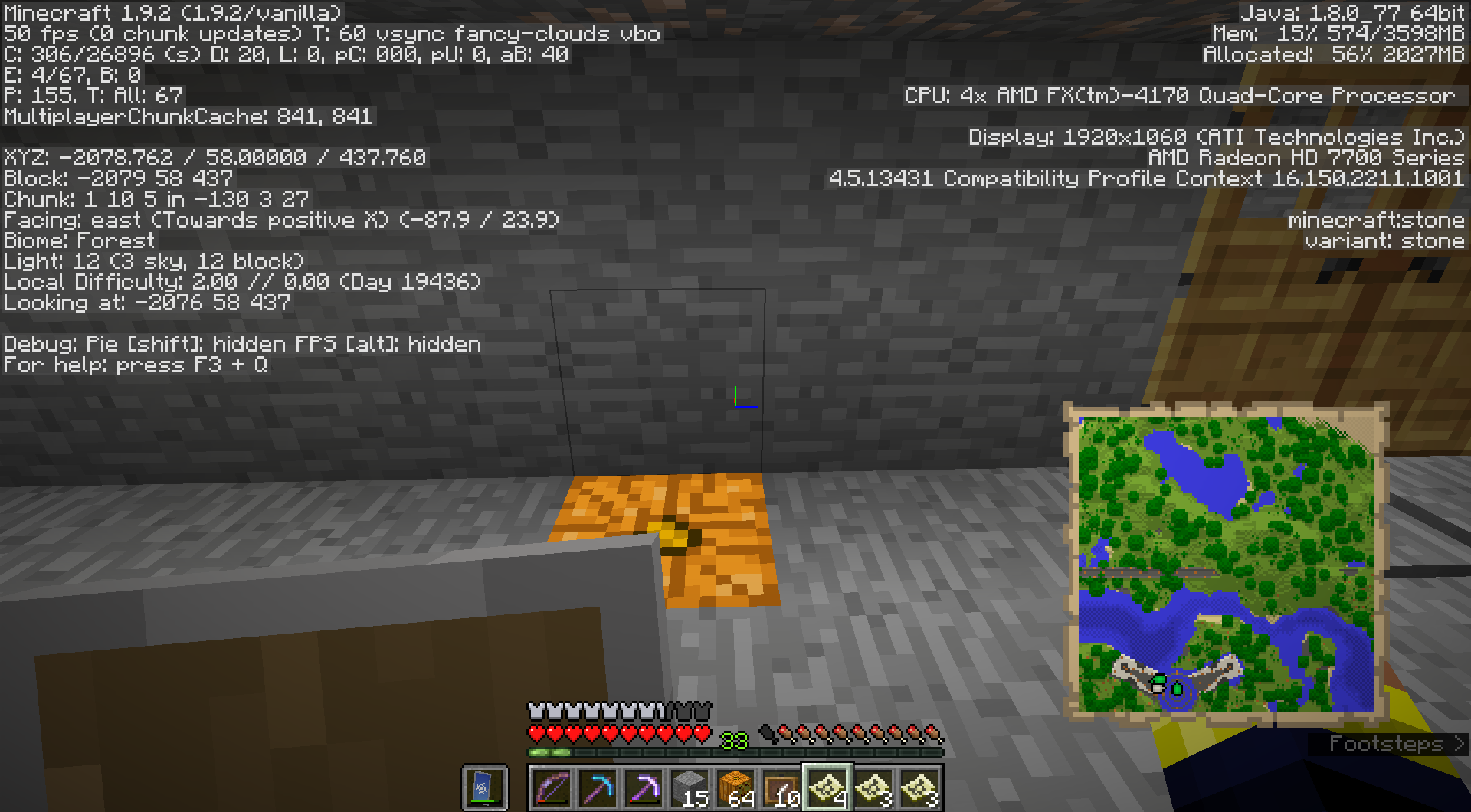
The bug is still present in 1.9.2. I have a map that I put in two different item frames simultaneously, then I rearranged my base and took them both down. Now I still have both the green arrows on the map, despite it not being mounted anywhere.
Running 1.9.2 vanilla
Screenshot showing my map with all the green arrows on it. Note there are currently NO maps in item frames anywhere in this chunk. The map should be showing just the white arrow, no green ones.
still present in the latest snapshot, 16w44a.
Maps in item frames are now properly refreshed and persistent.
Resolved
This is still broken in 1.14.3 pre2. I took a map out of an item frame and it does not refresh, and is stuck with the green arrow.
It got fixed by game restart.
It does not occur 100%, i.e. I can't reproduce it now. Maybe the item frame needs to be there when you load the save, or needs to exist for some time.
MightyPork, please create a new ticket about this then.
It's the same bug, it was closed before being properly fixed. I see no purpose in creating a new ticket.
Apart from the fact that there already exists another (newer) ticket that has been fixed (
MC-142685), we generally don't like to reopen tickets anymore if they have been fixed in one way or another at some point of the game.This ticket exists since 2012. The code base has changed a lot since then, especially the part of code that manages maps. It therefore is unlikely that the issue that you're experiencing is the same as this one, even if it looks like it is.
okay it's
MC-154238Now occurs again in 1.19, 1.19.1 Pre-release 2
Images uploaded from
MC-252817.Now occurs in 1.19.4.