I have had this happen a few more times. The chest displays in the upper right as if it saving and it does not. When I push the XBOX button on the controller the XBOX itself is unresponsive. The only way to resolve the issues is to restart.
This continues to happen. I paused the game on the latest occurrence and it said on the right side that I was disconnected from Xbox live. I was not. I exited and saved and returned to the main menu. No servers were showing on the server tab. It said coming soon. I rejoined the game and it showed me as being connected and I was able to invite friends. I moved to a separate spot within the game and saved and exited. It did not show me in my new spot when I started my game, but the thumbnail for the save showed me in my new spot. I exited the game and returned to the main screen. I pressed Y to switch users, the game froze, crashed and the Xbox powered off.
This issue continues. I had the same problem last night. I was engaged in villager trading with my mending villager. I saved and quit to make sure that it saved. It did not. The items I was trading with the villager in my breeder were still in my inventory and I did not have the mending books. I power cycled the Xbox one and returned to the game. My villagers in my breeder disappeared even through they were there until I saved and closed. I have opened a separate issue on the disappearing villagers (MCPE-26338), but wanted to share here in case it helps with this issue.
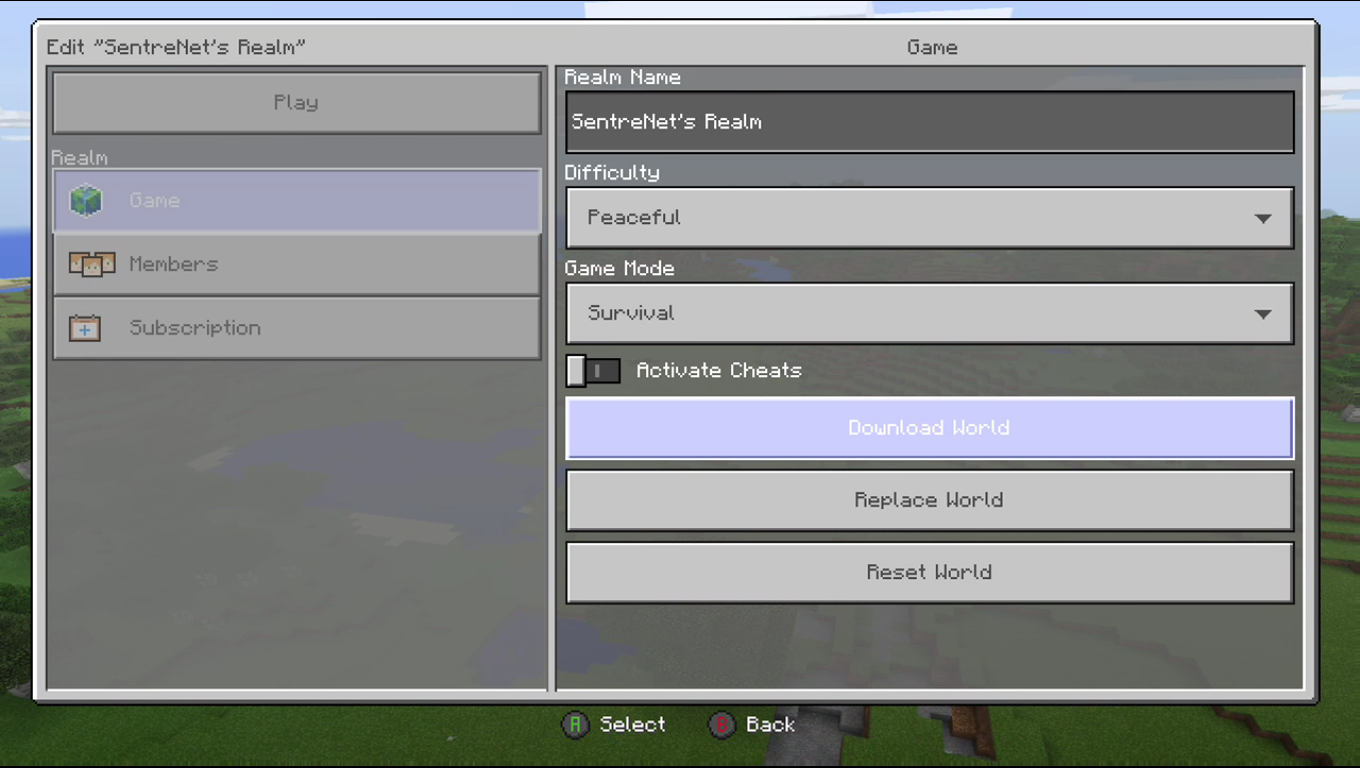
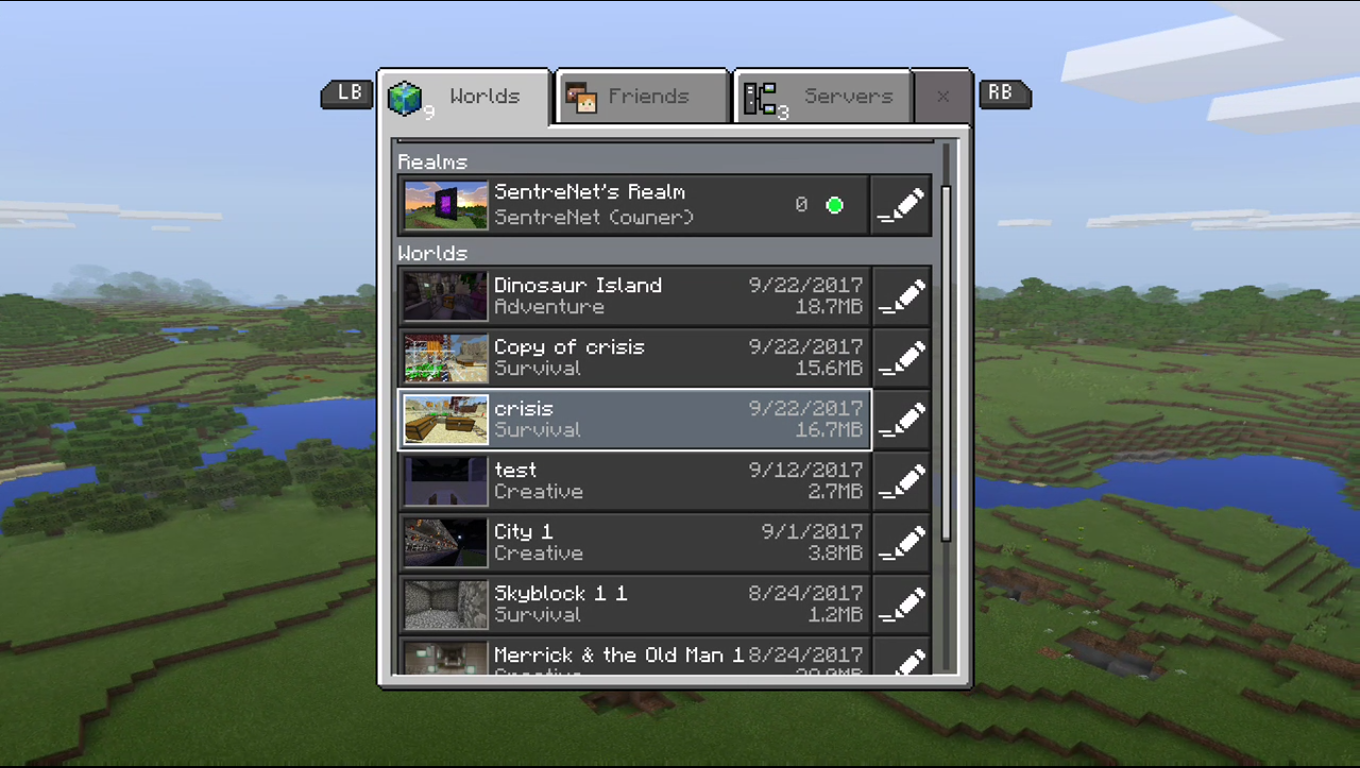
I can download by Realm on the Win 10 version. It will not disappear from the saves list if I close and reopen the app. However, I cannot open it or modify the settings. It simply says syncing user settings and will not progress past that pop up. I am posting this here as they may be related, but will create a separate issue if that is the correct path. Please advise.
I have this issue as well on Xbox one with an ocean monument. I have not attepted this with a woodland mansion and will circle back once i do. Version 1.2.2
I just wanted them to know that I have the same issue on the Xbox version. I have not been able to figure out what triggers it, but will add info here to help with both of our issues.
These two pistons were created at different times. Creating a new piston with a piston created in a previous version will briefly have the count increased as stated above with the resources used to create the piston disappearing along with the piston. Removing the old piston from your inventory will allow new pistons to be created. Bringing the old piston in to your inventory will not stack with the new piston. The new piston was created in 1.2.3
I can record a video of the piston creation issue if that will help
I can reproduce this by switching difficulty level. It does not happen each time, but I can reproduce pretty regularly. Here is a short video of it disappearing: https://www.youtube.com/watch?v=TIMU958NJXQ
As stated above, the only way to restore it is to exit the world and reenter.
I have had this occur during other activities, but have not been able to catch a video yet.
This happens in 1.2.3 on Xbox. Placing the maps in item frames and rotating them will not unlock the achievement. Placing them in item frames without having to rotate them will unlock the achievement. I used locator maps.
My Realm is now expired. When I go to subscription under the settings for my realm it states: You started your subscription in the unknown store. You can only extend your subscription there.
The realm started as a trial on the Xbox and has been renewed multiple times. I was doing 1 month subscriptions and attempted a six month subscription this time.
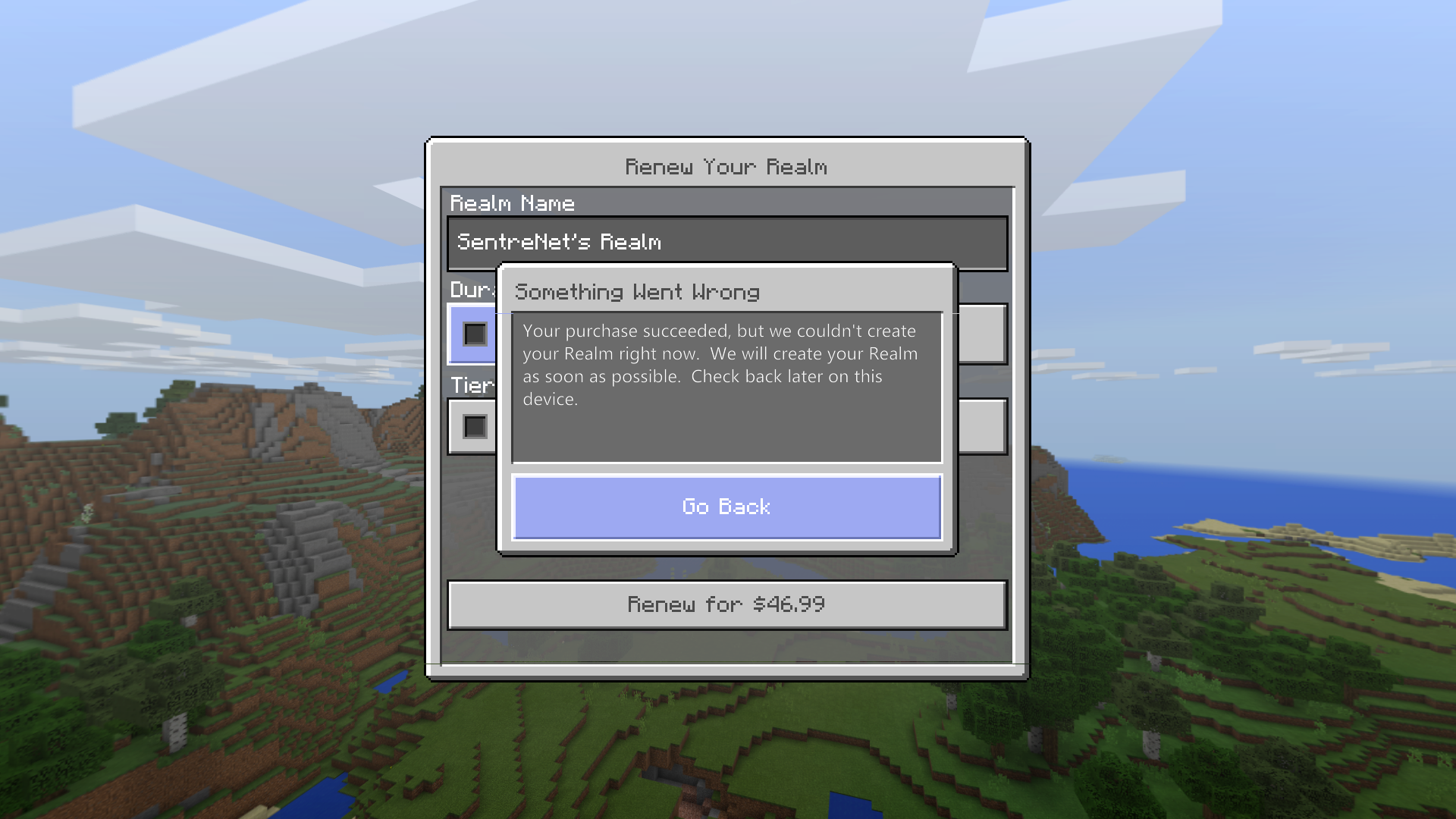
I worked with Xbox support and cancelled my order. I have placed a new order to extend my Realm. I received the attached message, but my Realm extended successfully.
Is this the correct path or should we open cases when this occurs? Thanks!
This does appear to be a bug. The quick placement issue has been fixed, but things we have always been able to do no longer work. This also affects crouching and placing blocks (bridges over lava are scary as it is) and placing gravity blocks (draining a monument is takin forever).
I have this issue on Xbox. I have a comparator that is coming out the back of a dispenser in my chicken farm. There are times where an egg will flow in to the dispenser and the redstone line will just flash. removing the egg and placing it back in will result in the same behavior. The only fix is to remove and replace the comparator.
I have the same issue. Spawning appears better when only having one block deep water that is exposed to the sky. Spawn rates go down in my testing when adding multiple water levels and covering the spawning space (Should be the other way around). Rates are significantly lower than in the console version.
I had the same issue with the map room achievement. I was able to get the achievement by changing the orientation of the wall so that the maps did not have to be rotated.
This may be correct behavior. This is from the wiki: "This is also true in Bedrock editions, except that certain trades don't reward any experience: the first-tier trades of a Farmer, the rotten flesh trade of a Cleric, the pork chop trade of a Butcher, or the string trade of a Fletcher."
This might sound strange, but I have a blaze farm and occasionally I can be shot by blazes. With full diamond enchantment armor I will die from one hit. If I remove my armor, one hit will not kill me. I have been hit several times and will take tons of damage, but will not die with one hit.
Hi All, I had an exchange with Helen (@HelenAngel) and Jay (@Mega_Spud) last night on this case and got the following response:
Regarding mob spawning - the fixes for this should improve it across the board, so all mob spawns should be more balanced again! (Hoping to see this in 1.2.9)
Hi All, I had an exchange with Helen (@HelenAngel) and Jay (@Mega_Spud) last night on this case and got the following response:
Regarding mob spawning - the fixes for this should improve it across the board, so all mob spawns should be more balanced again! (Hoping to see this in 1.2.9)
In the Nether if you set your game to peaceful and return to chunks that you have explored you can briefly see mobs quickly render and disappear. It does seem that they are saved with the chunks when you leave.
I have been able to get all of the achievements. The only one that was strange was the map room. All of the maps have to be placed in the right orientation. You need to place them on a wall that will not require you to rotate them.
I have not been able to reproduce this today. It happened several times yesterday. I had the game set to peaceful when I made the video to clear the mob cap and that is why I did not take damage.
I had this same issue with an ender chest and blocks in a particular are of my build. Relogging corrected the issue for breaking blocks, but my items were gone. I could see the drops if I backed away, but could not retrieve them. This is either related to or a dup of MCPE-32038
Xbox One. I have had this happen going through to the nether as well. Causes issues with pigman close to the portal in the nether when wearing armor with thorns.
We are still having this issue after upgrading to 1.14.32.1. We usually see block lag first and then the server restarts. If members try to log in too quick after the restart, they will get the dialog about world corruption. I have not been able to find a pattern with particular users or activities on the server. What information should I provide to help resolve this?
The content log is only created if there are issues with behavior or resource packs. It will not create the file on server start unless there are issues.
Please reopen this issue. When the server crashes we have members that are losing items or items are being duplicated. I have not been able to find a pattern as to what leads to either outcome.
We have been using BDS since the first release and we have had the view-distance set to 32 since the beginning. I have been fighting the CPU issue for the last few releases and it became unbearable in 1.16.200. I reduced the view-distance to 10 yesterday and we are running significantly better. It has even reduced the impact of logons. CPU utilization has dropped from 100% to an average of 60% with 14 players online last night. We no longer suffered from rubber banding. Block lag was occasional, but no where near what we saw before the change. For us, this improved it.

 MCPE-26338




I have had this same issue.
I have had this happen a few more times. The chest displays in the upper right as if it saving and it does not. When I push the XBOX button on the controller the XBOX itself is unresponsive. The only way to resolve the issues is to restart.
This continues to happen. I paused the game on the latest occurrence and it said on the right side that I was disconnected from Xbox live. I was not. I exited and saved and returned to the main menu. No servers were showing on the server tab. It said coming soon. I rejoined the game and it showed me as being connected and I was able to invite friends. I moved to a separate spot within the game and saved and exited. It did not show me in my new spot when I started my game, but the thumbnail for the save showed me in my new spot. I exited the game and returned to the main screen. I pressed Y to switch users, the game froze, crashed and the Xbox powered off.
There are no Realms in the Beta
Several of us have the same problem - MCPE-25635
Another bug has been created for this issue - MCPE-26049
I am still having this issue with 1.2
I am still having this issue with 1.2
This issue continues. I had the same problem last night. I was engaged in villager trading with my mending villager. I saved and quit to make sure that it saved. It did not. The items I was trading with the villager in my breeder were still in my inventory and I did not have the mending books. I power cycled the Xbox one and returned to the game. My villagers in my breeder disappeared even through they were there until I saved and closed. I have opened a separate issue on the disappearing villagers (
MCPE-26338), but wanted to share here in case it helps with this issue.This is also affecting villagers in my iron farm
I am still having this issue in 1.2.1
I can download by Realm on the Win 10 version. It will not disappear from the saves list if I close and reopen the app. However, I cannot open it or modify the settings. It simply says syncing user settings and will not progress past that pop up. I am posting this here as they may be related, but will create a separate issue if that is the correct path. Please advise.
Changing difficulty will not affect achievements as long as you stay in survival.
I have the same issue with Win10 download. If you download the copy to your Xbox and close and reopen Minecraft does the copy disappear?
https://bugs.mojang.com/browse/MCPE-26557
I have the same issue - https://bugs.mojang.com/browse/MCPE-26338
Still occurs in 1.2.2
I had this issue and was able to fix it by doing a hard reset of the XBox
I have had villager issues as well - https://bugs.mojang.com/browse/MCPE-26338
Confirmed on Xbox as well
I have the same issue - https://bugs.mojang.com/browse/MCPE-26557
I have the same issue.
Same issue on Xbox. I have only been able to obtain name tags through trading and chests.
I have this issue as well on Xbox one with an ocean monument. I have not attepted this with a woodland mansion and will circle back once i do. Version 1.2.2
Does not unlock when entering a woodland mansion using a map from a cartographer on Xbox
This appears to be fixed in 1.2.3
Fixed for me as well for worlds downloaded after 1.2.3. Thank you!
Tom - It looks like the realms download issue was fixed in 1.2.3 - https://bugs.mojang.com/browse/MCPE-26557
Confirmed on XBox
I just wanted them to know that I have the same issue on the Xbox version. I have not been able to figure out what triggers it, but will add info here to help with both of our issues.
I have the stacking issue on Realms on Xbox. This is a world that was created in Bedrock. Here is a video: https://www.youtube.com/watch?v=2eRvVmGpnHA
These two pistons were created at different times. Creating a new piston with a piston created in a previous version will briefly have the count increased as stated above with the resources used to create the piston disappearing along with the piston. Removing the old piston from your inventory will allow new pistons to be created. Bringing the old piston in to your inventory will not stack with the new piston. The new piston was created in 1.2.3
I can record a video of the piston creation issue if that will help
May be the same/related to https://bugs.mojang.com/browse/MCPE-28205
I can reproduce this by switching difficulty level. It does not happen each time, but I can reproduce pretty regularly. Here is a short video of it disappearing: https://www.youtube.com/watch?v=TIMU958NJXQ
As stated above, the only way to restore it is to exit the world and reenter.
I have had this occur during other activities, but have not been able to catch a video yet.
Still occurs in 1.2.3 on Xbox for woodland mansions and ocean monuments.
This happens in 1.2.3 on Xbox. Placing the maps in item frames and rotating them will not unlock the achievement. Placing them in item frames without having to rotate them will unlock the achievement. I used locator maps.
I have this issue on Xbox realms. Release 1.2.3
Disregard. tried it again and it unlocked this time.
My Realm is now expired. When I go to subscription under the settings for my realm it states: You started your subscription in the unknown store. You can only extend your subscription there.
The realm started as a trial on the Xbox and has been renewed multiple times. I was doing 1 month subscriptions and attempted a six month subscription this time.
Skippy is having this issue as well: https://twitter.com/Skippy6Gaming/status/933340228978229248
I have unlocked this in 1.2.5 on Xbox
I worked with Xbox support and cancelled my order. I have placed a new order to extend my Realm. I received the attached message, but my Realm extended successfully.
Is this the correct path or should we open cases when this occurs? Thanks!
Same issue on Xbox. Started in 1.2.3
This does appear to be a bug. The quick placement issue has been fixed, but things we have always been able to do no longer work. This also affects crouching and placing blocks (bridges over lava are scary as it is) and placing gravity blocks (draining a monument is takin forever).
Same issue. My world was not converted.
I have this issue on Xbox. I have a comparator that is coming out the back of a dispenser in my chicken farm. There are times where an egg will flow in to the dispenser and the redstone line will just flash. removing the egg and placing it back in will result in the same behavior. The only fix is to remove and replace the comparator.
First tier trades of a farmer (Carrots, Potatoes and Wheat) do not reward XP in the Bedrock edition: https://minecraft.gamepedia.com/Trading#Brown_Robed_Villager
I have the same issue. Spawning appears better when only having one block deep water that is exposed to the sky. Spawn rates go down in my testing when adding multiple water levels and covering the spawning space (Should be the other way around). Rates are significantly lower than in the console version.
I had the same issue with the map room achievement. I was able to get the achievement by changing the orientation of the wall so that the maps did not have to be rotated.
This may be correct behavior. This is from the wiki: "This is also true in Bedrock editions, except that certain trades don't reward any experience: the first-tier trades of a Farmer, the rotten flesh trade of a Cleric, the pork chop trade of a Butcher, or the string trade of a Fletcher."
https://minecraft.gamepedia.com/Trading#Functionality
The issue exists in local play as well with 1.2.7
How far away from the furnaces are you going? Do they continue to smelt when you stand right next to them?
Toycat covered this in one of his videos. It looks like you have to stay within four chunks of the furnace in bedrock for it to continue to smelt.
This might sound strange, but I have a blaze farm and occasionally I can be shot by blazes. With full diamond enchantment armor I will die from one hit. If I remove my armor, one hit will not kill me. I have been hit several times and will take tons of damage, but will not die with one hit.
Hi All, I had an exchange with Helen (@HelenAngel) and Jay (@Mega_Spud) last night on this case and got the following response:
Regarding mob spawning - the fixes for this should improve it across the board, so all mob spawns should be more balanced again! (Hoping to see this in 1.2.9)
Hi All, I had an exchange with Helen (@HelenAngel) and Jay (@Mega_Spud) last night on this case and got the following response:
Regarding mob spawning - the fixes for this should improve it across the board, so all mob spawns should be more balanced again! (Hoping to see this in 1.2.9)
In the Nether if you set your game to peaceful and return to chunks that you have explored you can briefly see mobs quickly render and disappear. It does seem that they are saved with the chunks when you leave.
There are no Realms in the Beta
Did you just join the beta when you lost access to Realms? There are no Realms in the beta.
I have been able to get all of the achievements. The only one that was strange was the map room. All of the maps have to be placed in the right orientation. You need to place them on a wall that will not require you to rotate them.
The same thing happens with sugarcane.
Did this start after the update on an existing world?
I just updated from 1.2.9 to 1.2.10 and I'm not having this issue.
Not all of the items in the beta made it over. Here is the revised changelog: https://feedback.minecraft.net/knowledgebase/articles/1838503-minecraft-1-2-10-bedrock
For the potato farm are you using a hungry villager for him to throw food at? All of my crop farms are working on 1.2.10
related to/duplicated by: https://bugs.mojang.com/browse/MCPE-30893
What did you use to break it? I cannot produce this without using silk touch on brown or red mushrooms.
I have not been able to reproduce this today. It happened several times yesterday. I had the game set to peaceful when I made the video to clear the mob cap and that is why I did not take damage.
This happens on local single player as well. I can regularly reproduce this while mining and fishing.
I had this same issue with an ender chest and blocks in a particular are of my build. Relogging corrected the issue for breaking blocks, but my items were gone. I could see the drops if I backed away, but could not retrieve them. This is either related to or a dup of
MCPE-32038I have the same issue
MCPE-31341. They will not do anything from sunset to sunrise.You cannot join realms while in the beta
The achievements are version specific and do not cross between versions
Xbox One. I have had this happen going through to the nether as well. Causes issues with pigman close to the portal in the nether when wearing armor with thorns.
Same issue on BDS 1.14.1.4.
We are still having this issue after upgrading to 1.14.32.1. We usually see block lag first and then the server restarts. If members try to log in too quick after the restart, they will get the dialog about world corruption. I have not been able to find a pattern with particular users or activities on the server. What information should I provide to help resolve this?
The content log is only created if there are issues with behavior or resource packs. It will not create the file on server start unless there are issues.
Please reopen this issue. When the server crashes we have members that are losing items or items are being duplicated. I have not been able to find a pattern as to what leads to either outcome.
Thx Ionic. Our world is abt 1.2GB. I'll see if I can trim it for now and if I can figure out a pattern I'll open another bug.
We have been using BDS since the first release and we have had the view-distance set to 32 since the beginning. I have been fighting the CPU issue for the last few releases and it became unbearable in 1.16.200. I reduced the view-distance to 10 yesterday and we are running significantly better. It has even reduced the impact of logons. CPU utilization has dropped from 100% to an average of 60% with 14 players online last night. We no longer suffered from rubber banding. Block lag was occasional, but no where near what we saw before the change. For us, this improved it.