 Nope.
Nope.
- TheRedstoneRazor
- theredstonerazor
- Europe/London
- Yes
- No
 MC-109712
![[Mojang] Nathan Adams](../../../data/assets/gravatar/dinnerbone.png)
![[Mojang] Cory Scheviak](../../../data/avatars/users/92893.png)









Entitydata duplicates items [DUPLICATE OF MC-114879]
The bug
I was working on a custom survival map earlier when I came across this strange bug - When you use /entitydata on items, it sometimes duplicates them!
How to reproduce
I made a quick little video, but I had to shove it on dropbox because of the 10MB limit >_<
Link: https://www.dropbox.com/s/bqyjpazljppkirr/2017-04-04%2021-56-30.mp4?dl=01. Place a command block, and enter a command to change the entitydata of an item
Example:/entitydata @e[type=Item] {tag:{display:{Name:Test}}}2. Drop any block/item
3. Run the command, or put it on a clock
4. Repeat, and you will find that you sometimes pick up 2 items.Sorry if this post is a duplicate, I searched the best I could and didn't find anything on this.
The bug
I was working on a custom survival map earlier when I came across this strange bug - When you use /entitydata on items, it sometimes duplicates them!
How to reproduce
I made a quick little video, but I had to shove it on dropbox because of the 10MB limit >_<
Link: https://www.dropbox.com/s/bqyjpazljppkirr/2017-04-04%2021-56-30.mp4?dl=01. Place a command block, and enter a command to change the entitydata of an item
Example:/entitydata @e[type=Item] {tag:{display:{Name:Test}}}2. Drop any block/item
3. Run the command, or put it on a clock
4. Repeat, and you will find that you sometimes pick up 2 items.EDIT: This has absolutely nothing to do with entitydata! It occurs just from dropping items!
Entitydata duplicates items[DUPLICATE OF MC-114879]
The bug
I was working on a custom survival map earlier when I came across this strange bug - When you use /entitydata on items, it sometimes duplicates them!
How to reproduce
I made a quick little video, but I had to shove it on dropbox because of the 10MB limit >_<
Link: https://www.dropbox.com/s/bqyjpazljppkirr/2017-04-04%2021-56-30.mp4?dl=01. Place a command block, and enter a command to change the entitydata of an item
Example:/entitydata @e[type=Item] {tag:{display:{Name:Test}}}2. Drop any block/item
3. Run the command, or put it on a clock
4. Repeat, and you will find that you sometimes pick up 2 items.EDIT: This has absolutely nothing to do with entitydata! It occurs just from dropping items!
THIS IS NOT A DUPLICATE OF
MC-114879- THAT BUG HAS BEEN FIXEDThe bug
I was working on a custom survival map earlier when I came across this strange bug - When you use /entitydata on items, it sometimes duplicates them!
How to reproduce
I made a quick little video, but I had to shove it on dropbox because of the 10MB limit >_<
Link: https://www.dropbox.com/s/bqyjpazljppkirr/2017-04-04%2021-56-30.mp4?dl=01. Place a command block, and enter a command to change the entitydata of an item
Example:/entitydata @e[type=Item] {tag:{display:{Name:Test}}}2. Drop any block/item
3. Run the command, or put it on a clock
4. Repeat, and you will find that you sometimes pick up 2 items.
![[Mod] Pokechu22](../../../data/avatars/users/92931.png)
@Nope. MC-8 can be a duplicate of this report because this one was created with more details, details that allowed the devs to actually fix the issue. Just because MC-8 was created first doesn't mean it's the best dupe-target for similar issues.
In some cases the content from the newer report will be moved to the older report if the fact that there is an older issue that is the same thing is found, but (especially if there are a lot of linked issues on the newer one and the older one is basically abandoned for 3 years) it won't usually be changed. It doesn't matter, anyways - the issue number is insignificant for most purposes. If having the smallest issue ID mattered, then one could just constantly replace old dupes with other unrelated issues - not necessary and generally a waste of time.

Nope. can you please provide the exact command you used and does it happen all the time or only sometimes?

(If you export such short videos without audio in 720p 30 FPS 8kbps, it should usually fit within the 10 MB limit  )
)
Hello Nope., I tested it, in one of my old test worlds as well as in a clean, fresh world, exactly like your setup, but it does not work for me? I tested in 14a and then also in 13b (the version you posted it in this bugpost), could you please test also in 14a if it still happens for you?
It simply doesn't happen for me, but please do tell if it happens for you still

Definitely not WAI, as you can't see the item. That's an issue. If it's way too low, and you can't tell what it is, it is an error.
Confirmed for 1.10 Release
When I went into my inventory and saw the lack of the new spawn eggs I did wonder where they had gone, and if you leave a game output open in your launcher there is a lot of stuff that leads me to further believe that this is possibly a bug.
Even if this is WAI, I still think we need those spawn eggs back as they were pretty damn useful and the removal of them broke my dungeon I made with the new structure blocks, because I had stray and husk spawners. I might test to see if setting it to a stray/husk via commands will still leave it broken as well.
EDIT:
Through commands you can still set the spawners to be husks/strays, but for some reason inside my dungeon the husks/strays keep disappearing from the spawners, but that's a different bug entirely.
EDIT 2:
Please reopen. There are still none of the new spawn eggs in the game, and I do not see how this report is invalid.
Tyrone, update your game.
Confirmed for 16w44a.
THIS IS MC-4. FIX THE BUG ALREADY.
This is not a duplicate. The other report is a duplicate.
Wrongly marked. This is a duplicate of
MC-8Duplicate of
MC-32813I would just like to point out that this can also happen with lava.
@tryashtar I just checked without entitydata, and this appears to be the case. How silly of me to not check for such a simple thing in the first place!
Can confirm. Was just about to report this.
Please reopen. Although
MC-114879has been fixed, this STILL happens with entitydata.This is fixed, but if you /entitydata an item on the ground then it STILL happens
@CreepersPlayYT ???
Marcono1234
MC-115404explains the bug, and has a video.@Meri Diana I have tested in thoroughly in 14a, and I am still experiencing the issue, but it happens much less often, and definitely only with /entitydata.
I'm not sure what causes it to not happen for you unless it is out of pure chance, although that is a possibility given that the issue is much rarer in 14a.
Just updated the affected versions.
@tryashtar I am able to reproduce the issue in both pre-releases, I used a fresh superflat world with default settings and I found that dropping a full hotbar resulted in multiple of those items being duplicated. Expanding on what Marcono said, I probably get successful results due to the fact I mostly test with multiple types of stone.
Works as intended.
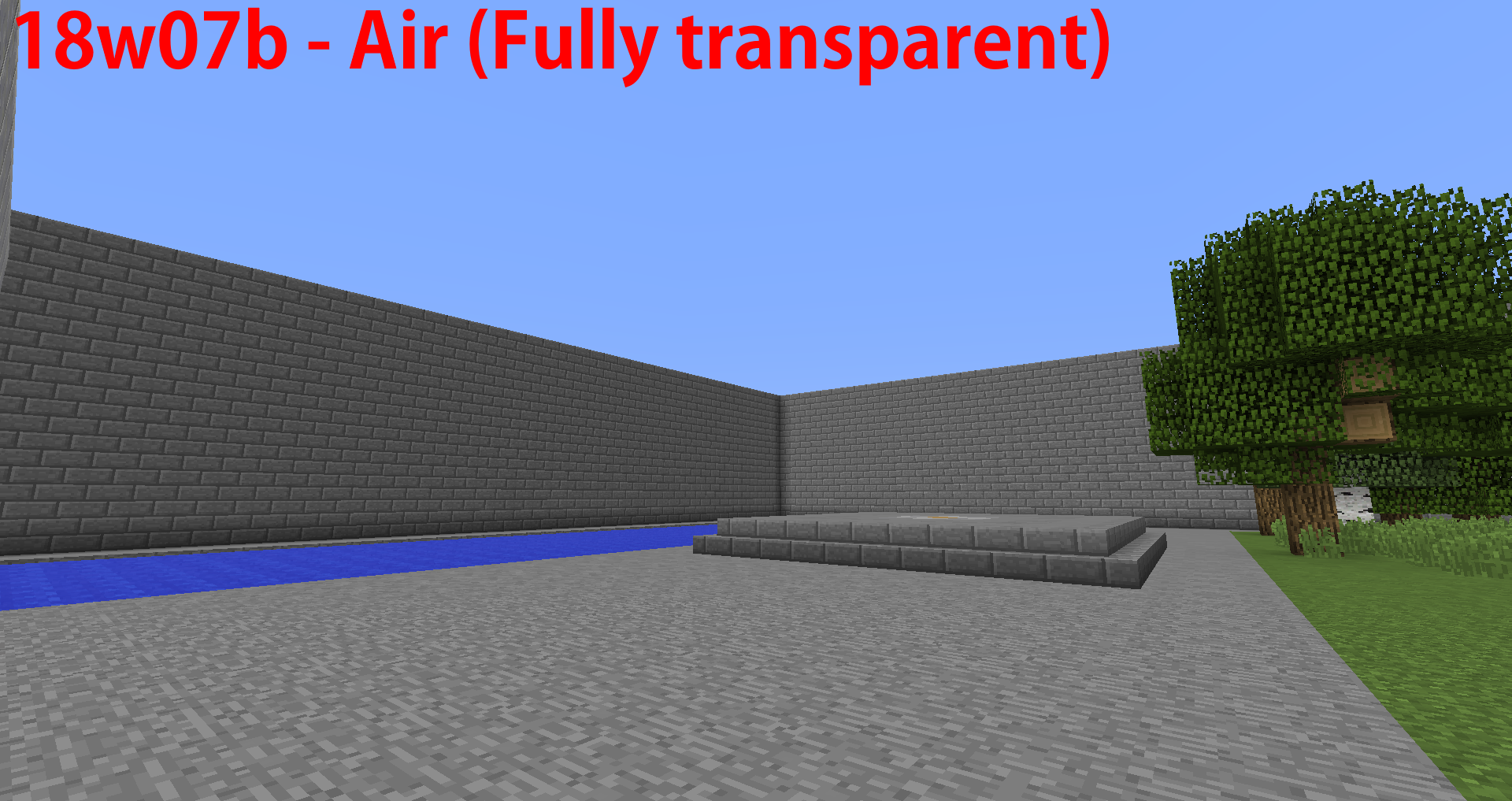
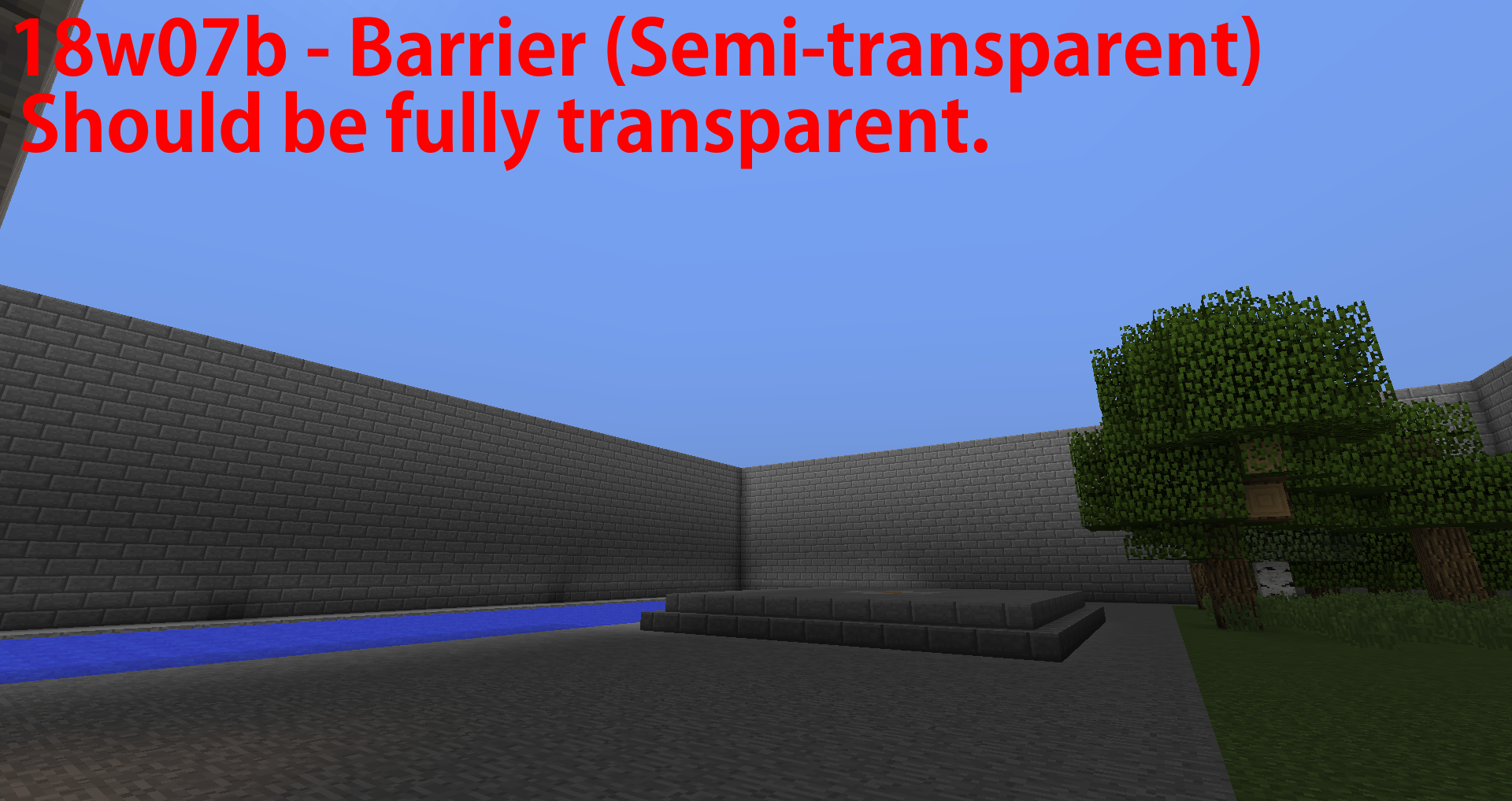
They are considered as semi-transparent, when they should be fully transparent.
Confirmed for 18w07b.
EDIT: Added images.
Please reopen.
Cannot reproduce.
Are your hoppers powered? They lock when powered with redstone.
Confirmed for 18w07b.
A bit weird, sure, but WAI.
Confirmed for 18w08b.
Confirmed for 18w14a/b
Likely WAI.
Oversight, not a bug. You're better off posting this in r/minecraftsuggestions.
Confirmed for 18w20a/b
With all due respect, as I have already said, this issue is specific to this world. I highly doubt that this is down to my own hardware. I would test this seed on another machine but I only own one PC
If I'm incorrect here, then I apologise but this appears to be down to a world generation bug more than anything else.
I found another more conventional crash log that was generated in a separate crash on the same world. I have attached it.
Works as intended I'm afraid. It's a hastily made fix for
MC-146272Works as intended. Badly made fix for
MC-146272, this feature was removed intentionally.also duplicate of
MC-147290Did some testing and there is a reproducible 0.2 second (4 tick) delay between the player pressing the crouch button and the character sneaking
Duplicate of
MC-147290Duplicates
MC-147290Duplicates
MC-147290Cannot reproduce. Trialed opening a barrel in each direction 20 times, texture change and sound was produced on all 120 occasions.
Duplicates
MC-147290. Try shift-clicking the cauldron while not flying, works fine as far as I've testedCaused by the exact same bug as
MC-147264, this is technically a duplicate just under different circumstancesWill just note that this is the exact same bug as
MC-147266. Certain entities cause you to register as being slightly into the block below them when riding, hence why boats only behave like this on land, and there is no effect on taller mobs like horses.Duplicate of
MC-121772, however absolutely nothing to do withMC-140646Confirmed for 1.14.4.
Confirmed for 1.14.4.
More information, the same bug also applies to Skeletons with their bow removed. 1.14+ damage is less than 1.13.2.
This is a feature request, not a bug.
Confirmed for 19w34a.
Confirmed for 19w34a.
Confirmed for 19w34a.
Also may I add that,
MC-155958is a duplicate ofMC-121772. It has nothing to do with this bug.Possibly Works As Intended as a method of subduing them. The bees still flipping would be a bug however.
Duplicate of
MC-159395Confirmed for 19w35a.
Confirmed for 19w35a.
Confirmed for 19w35a.
Confirmed for 19w35a.
Confirmed for 19w35a.
Confirmed for 19w35a.
Your mods are incompatible. Try removing them one by one until the game works again.
This is a bug tracker for the vanilla game. You are running both an unsupported version and an unsupported client. You should ask for advice on a forum.
Works as intended. This is the case for all blocks and collectable entities in the game. Banners are an edge case due to the ominous banner.
1.14.3 is an unsupported version. If you can reproduce the issue in the latest version and tell us how it happened, Mojang at least have something to work from.
I've done some extensive singleplayer testing, and this seems to be the product of a bug and an intended feature.
Bug:
Bees will often (Not 100% of the time) fly directly downwards for a short period upon spawning. This overrides the rest of their AI, including water avoidance.
The amount is entirely random but is most of the time <15 blocks
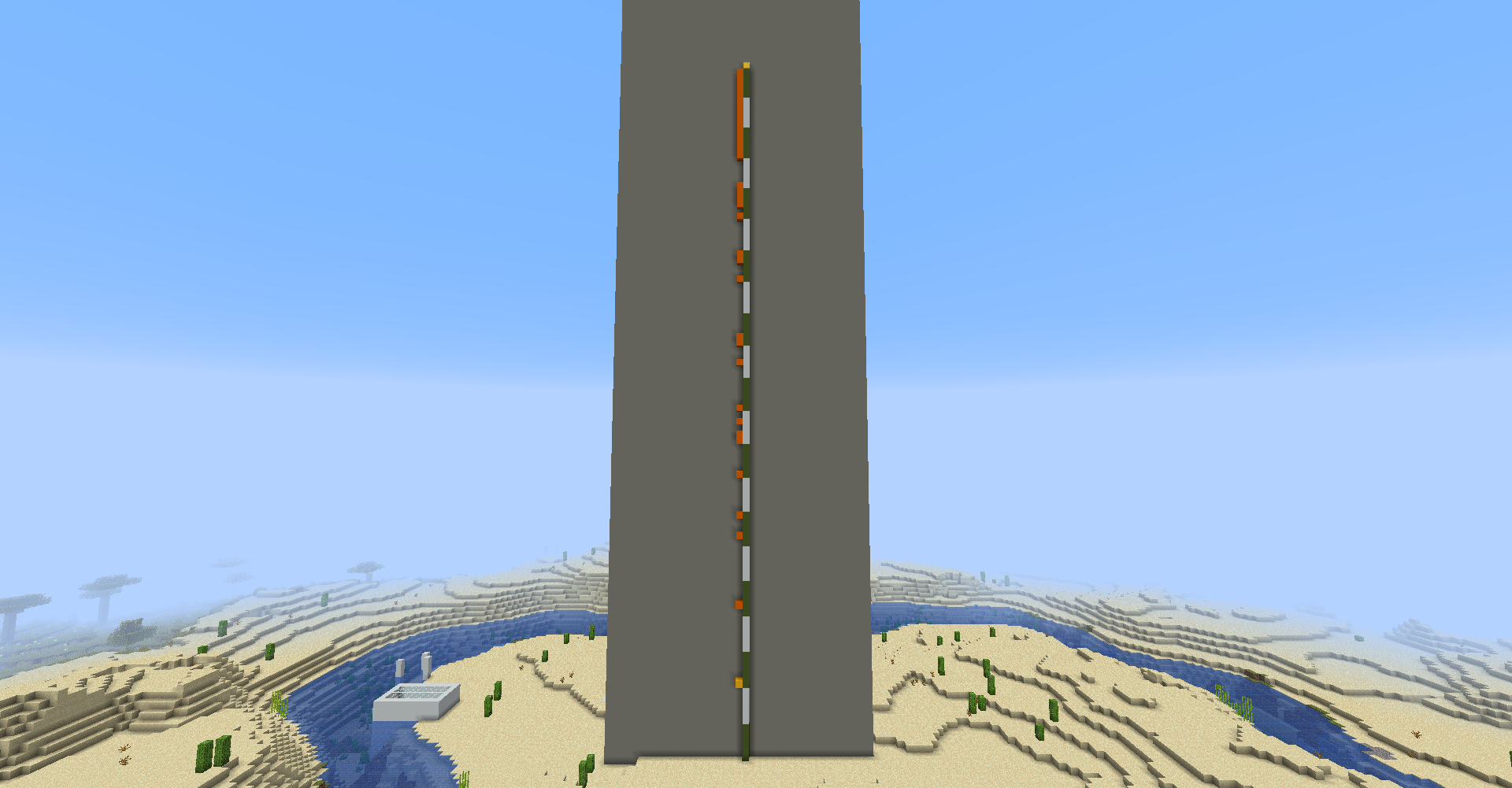
During testing the furthest I have seen a bee fly down was an obscene 95 blocks. I have attached an image.
WAI:
If a bee is more than 1 block below the surface of a body of water, it becomes unable to move at all and drowns because bees can't swim. It may be worth noting that
MC-159350also occurs here.Submit feature requests on the feedback site. This site is for bugs only.
Confirmed for 19w36a.
Confirmed for 19w36a.
Confirmed for 19w38a and 19w38b.
A personal view however, I believe this is in fact WAI, my reasoning being that this would be a very high priority bug if this was not the case as it noticeably affects normal survival game play (even in Hardcore they're so weak you don't really need to sleep). People were complaining that phantoms were too hard, so Mojang nerfed the damage.
Cannot reproduce in 19w38b. Assuming fixed?
Confirmed for 19w36a, 19w37a, 19w38a and 19w38b.
Works as intended. You're regenerating health which uses a lot of hunger. Once you've lost 1.5 hunger you can no longer regenerate health, so hunger goes down more slowly.
Edit: A word
Confirmed for 19w41a.
Confirmed for 19w40a and 19w41a.
Confirmed for 19w41a.
Confirmed for 19w42a.
Confirmed for 19w42a. Only partially fixed.
Duplicate of
MC-163102. You even posted it on that issue. That one should be reopened and this should be closed as duplicate.Works as intended. Redstone signals can only travel up transparent blocks, not down.
Cannot reproduce. You probably reached the piston push limit.
Duplicate of
MC-160457. It's fine, the search system is crap and Mojang refuse to acknowledge it then wonder why over 50% of tickets are duplicates.It still affects the top face of all blocks which make use of biome colours.
The actual progress bar can become stuck on a value too.
Confirmed for 1.14.4. Seems to activate under oddly specific circumstances which I cannot yet determine, however I have only been able to get it to affect items with a modified attack cooldown attribute.
The attack cooldown bar appears but never fills up. The game treats any use of the weapon like spamclicking, only dealing 1 damage per hit. When the bug activates it will affect all items with a modified attack cooldown.
Tested on a vanilla multiplayer server. Relogging or dying seems to temporarily fix the issue.
Confirmed for 1.15 Pre-Release 1
Confirmed for 1.15. Almost guaranteed WAI as people wanted phantoms nerfed and a bug this big wouldn't make it into a full release.
The right face is WAY too dark. Calling it a Won't Fix just moves the problem to the feedback site.
Confirmed for 20w06a.
Possibly WAI as the new logs aren't flammable.
Confirmed for 20w07a and 20w08a.
Confirmed for 20w13a and b.
Contact the person who made the resource pack, not Mojang.
Works as intended. Cave spiders are less than half a block high so they can fit under slabs.
Works as intended. Caves use "cave_air" for some reason and you'll also find "void_air" above the nether. Make a block tag in your datapack under #namespace:air and use that instead
Cannot reproduce, generating fine for me
Update your graphics drivers
Confirmed for 20w15a.
can we just mention how a 16-month old bug with 45 votes hasn't even been assigned a priority by Mojang yet? I love your work, but this is beginning to suggest incompetence as a company.
Works as intended, it's a hacky fix but it's to prevent you outpacing the internal server by moving too quickly. Do /gamerule disableElytraMovementCheck true to prevent this however if you're on multiplayer I wouldn't recommend it for the sake of not crashing your server with elytra.
Are you using any mods or have you modified any world data using external programs? It looks to me like something has changed the ID of a block to try to be a chest, however the capitalized C is causing the game to crash.
Load up the world and hold F3 + C for 10 seconds. Attach the produced crash log to the report.
wait you've already attached a crash log, nvm
It sounds to me like the world was modified using an external program and a block ID has been set to an invalid block, have you modified the world at all or downloaded it from anywhere?
This is a support issue. Visit Mojang's support site.
Reports are only accepted in English. Repost your report if you are fluent in English.
Os relatórios são aceitos apenas em inglês. Reposte seu relatório se você é fluente em inglês.
Contact the developers of World Painter. It's known to be temperamental when using the 1.13+ block format. Even if you haven't edited the location of the crash, the whole world has to be exported when making any changes to the world.
The vanilla datapack provides required content used by the game. If you want to override any part of it, create a datapack with a file under the same path.
This is a technical support issue. Refer to Mojang's support site for assistance.
Update your graphics drivers.
Duplicates
MC-176032. Please search before reporting issues.1.14.4 is an unsupported version and this issue will be closed as invalid.
To answer your issue however, you need to get more RAM or free some up by closing other applications whilst playing the game.
Glancing over the fact that you just admitted to the developers that you pirated the game AND gave them your username, cracked accounts cannot join premium servers and premium accounts cannot join cracked servers.
Non-premium servers are of course unsupported and hence this report will be closed as invalid.
bad bot
Confirmed for 20w17a
Obligatory duplicate of
MC-1Pretty hilarious to see this bug return in the latest version tho
Because it's the same bug. Blackstone cannot be used as a substitute for stone in all recipes. Exactly which recipes are affected is irrelevant here.
1.12.2 is an unsupported version and this sounds like an issue with your keyboard, not the game.
Works as intended, you sink 2 pixels into snow to give it a more realistic "snowy" effect
Works as intended, luck is the outlier and really should be removed from the creative inventory
Cannot reproduce, tried in a fresh 1.16rc-1 world and the portal works fine
Works as Intended. I advise you read up a bit on how redstone works. What's happening there is the leftmost repeater of the three repeaters on the right is powering a dispenser, which is in turn powering the redstone dust next to it, causing the repeater to power itself.
WAI
The entity cap is now being shared between both of you and because you're near an isolated farm there will be a lot more valid spawning spaces near them so they'll get most of the mobs
Even if intentional it's a bad change, the new rendering looks horrible and if this was marked as WAI then it'll just be suggested to be reverted on the feedback site.
Can confirm for 1.16.5. Cats are also unable to breed while in this state.
Can confirm not fixed in 21w20a
Confirmed for 1.16.5 and 21w20a
I suggest you remove the attachments as people like Avoma here go insane at the slightest hint of a client modification. Can confirm for 1.16.5, in a vanilla environment.
Works as intended. You have to right click a candle with a flint and steel to light it.
More than a couple glowing signs cripple even high end hardware. Confirmed for 1.17pre-4.
Confirmed for 1.17rc-1
Not specific to just oceans and rivers, grass generates underground in every biome.
Does not duplicate
MC-30755. This bug regards grass blocks generating underground, which duplicates MC-236613.Confirmed for 21w39a
Can confirm for 21w40a