 Yanis
Yanis
- Yanis48
- yanis48
- Europe/Stockholm
- Yes
- No
 MC-118021
 MCPE-25700
![[Mojang] Nathan Adams](../../../data/assets/gravatar/dinnerbone.png)

![[Mojang] Grum (Erik Broes)](../../../data/assets/gravatar/grum.png)
 WEB-941


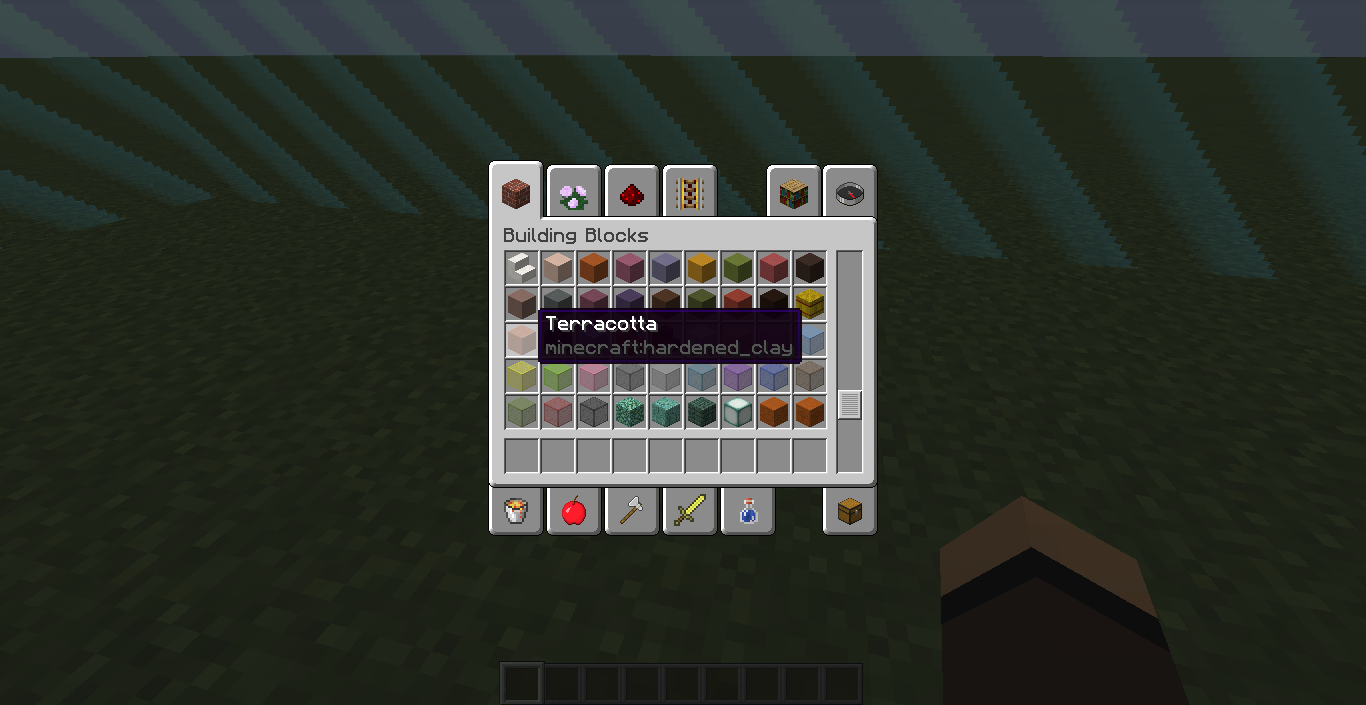
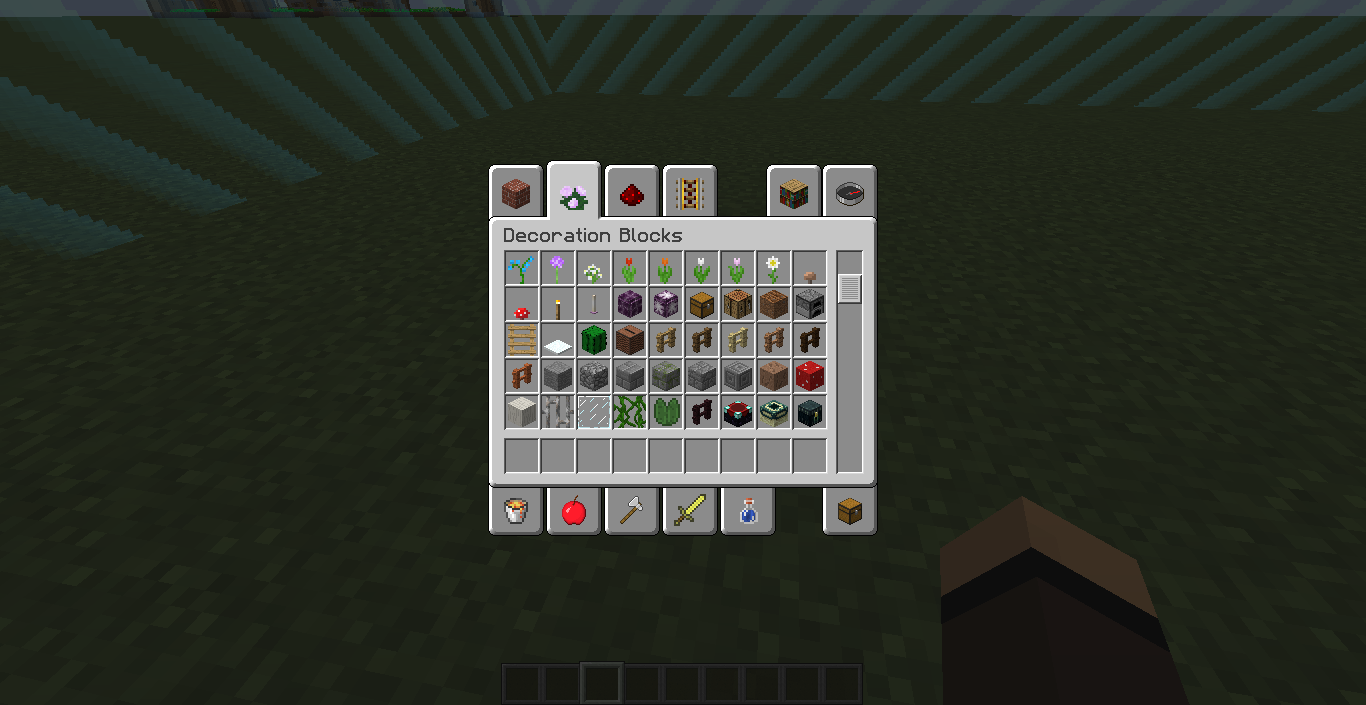








For the first snapshot where parrots appeared, their spawn eggs are misplaced in the creative inventory. I play in English (US) langage
, and it was never fixed.For the first snapshot where parrots appeared, their spawn eggs are misplaced in the creative inventory. I play in English (US) langage. I didn't report this bug before I thought it will be fixed, but I can see it's not.
For the first snapshot where parrots appeared, their spawn eggs are misplaced in the creative inventory. I play in English (US) langage. I didn't report this bug before I thought it will be fixed, but I can see it's not.
For the first snapshot where parrots appeared, their spawn eggs are misplaced in the creative inventory. I play in English (US) langage.
I didn't report this bug before I thought it will be fixed, but I can see it's not.
For the first snapshot where parrots appeared, their spawn eggs are misplaced in the creative inventory. I play in English (US) langage.
I didn't report this bug before because I thought it will be fixed, but I can see it's not.
In the command block GUI, "Use @s to target the executor" doesn't appear
@s description doesn't appear in command blocks
Is @s selector going to be changed? Or deleted maybe?
I mean, this bug is from the first 1.13 snapshot and it's not fixed. It's just a string to display below other selector descriptions, so why it's not fixed yet?
On the page
[https://minecraft.net/en-us/download/server|minecraft.net/en-us/download/server], "see this wiki article for a tutorial" returns to an invalid link.The right page is "http://minecraft.gamepedia.com/Tutorials/Setting_up_a_server"
On the page
https://minecraft.net/en-us/download/server, "see this wiki article for a tutorial" returns to an invalid link.The right page is "http://minecraft.gamepedia.com/Tutorials/Setting_up_a_server"
On the page minecraft.net/en-us/download/server, "see this wiki article for a tutorial" returns to an invalid link.
The right
pageis "http://minecraft.gamepedia.com/Tutorials/Setting_up_a_server"On the page minecraft.net/en-us/download/server, "see this wiki article for a tutorial" returns to an invalid link.
The right link is "http://minecraft.gamepedia.com/Tutorials/Setting_up_a_server"
Dinnerbone i have a Faithful 1.13 resource pack loaded, and languages list is clearly empty
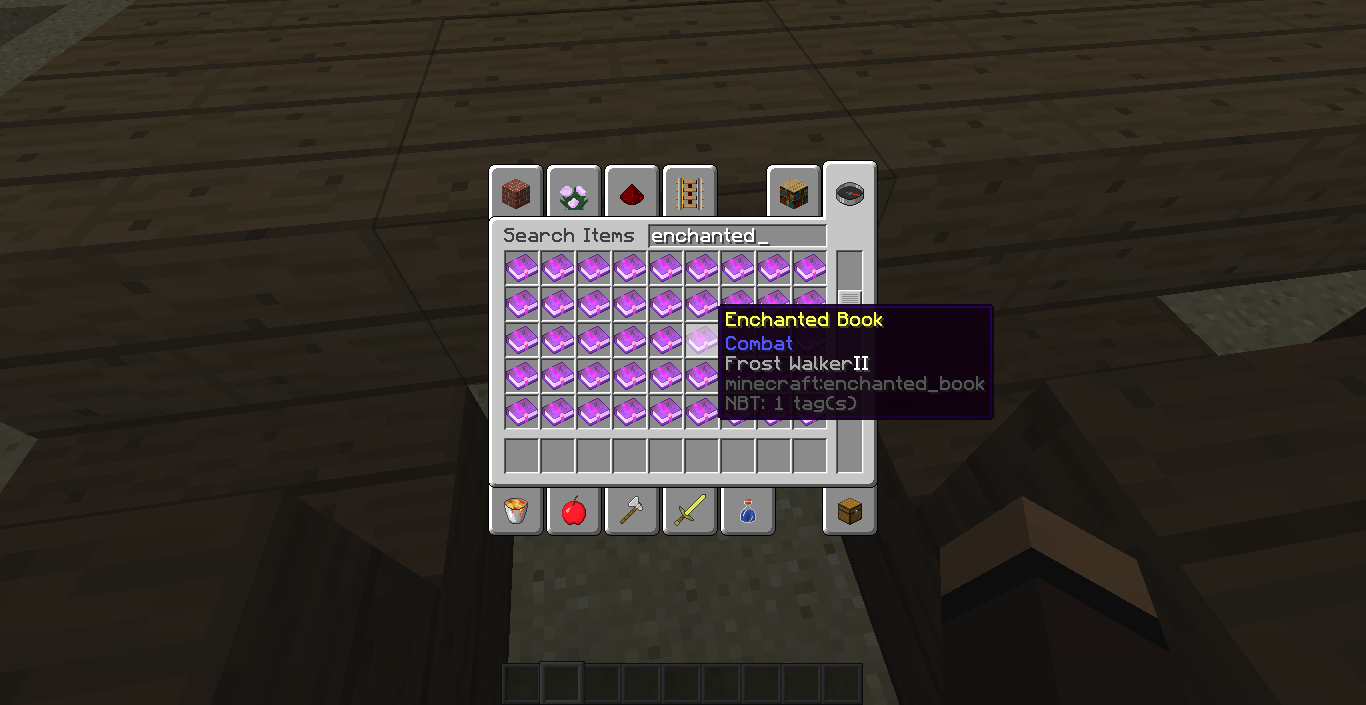
Bug with enchanted books & music discs descriptions due to custom names changes
Enchanted books & music discs descriptions are not colored, and enchanted books ones don't have spaces between the enchantment and the level.
With the new IDs introduced in the flattening snapshot, we got:
- _X_bricks_ for full blocks
- _X_brick_slab_ for slabs
- _X_brick_stairs_ for stairs
However, in the latest snapshot, 3 slabs and 3 stairs were added, and prismarine bricks ones are named prismarinebricksslab and prismarinebricksstairs
Just an inconsistency.With the new IDs introduced in the flattening snapshot, we got:
- X_bricks for full blocks
- X_brick_slab for slabs
- X_brick_stairs for stairs
However, in the latest snapshot, 3 slabs and 3 stairs were added, and prismarine bricks ones are named prismarine_bricksslab and prismarinebricks_stairs
Just an inconsistency.
With the new IDs introduced in the flattening snapshot, we got:
- X_bricks for full blocks
- X_brick_slab for slabs
- X_brick_stairs for stairs
However, in the latest snapshot, 3 slabs and 3 stairs were added, and prismarine bricks ones are named prismarine_bricksslab and prismarinebricks_stairs
Just an inconsistency.With the new IDs introduced in the flattening snapshot, we got:
- X_bricks for full blocks
- X_brick_slab for slabs
- X_brick_stairs for stairs
However, in the latest snapshot, 3 slabs and 3 stairs were added, and prismarine bricks ones are named prismarine_bricks_slab and prismarine_bricks_stairs
Just an inconsistency.
Monster hunting, food,andbreeding advancements are not updatedMonster hunting, food, breeding and Adventuring Time advancements are not updated
These two advancements are not updated:
- "Monsters Hunted" should include the Phantom
- "A Balanced Diet" should include Dried Kelp
- "The Parrots and the Bats" and "Two by Two" should include Turtles
- "Adventuring Time" should include the new ocean variations
These two advancements are not updated:
- "Monsters Hunted" should include the Phantom
- "A Balanced Diet" should include Dried Kelp
- "Adventuring Time" should include the new ocean variations
EDIT - 18w11a:
- "Monsters Hunted" and "Monster Hunter" should include the Drowned
These two advancements are not updated:
- "Monsters Hunted" should include the Phantom
- "A Balanced Diet" should include Dried Kelp
- "Adventuring Time" should include the new ocean variations
EDIT - 18w11a:
- "Monsters Hunted" and "Monster Hunter" should include the Drowned
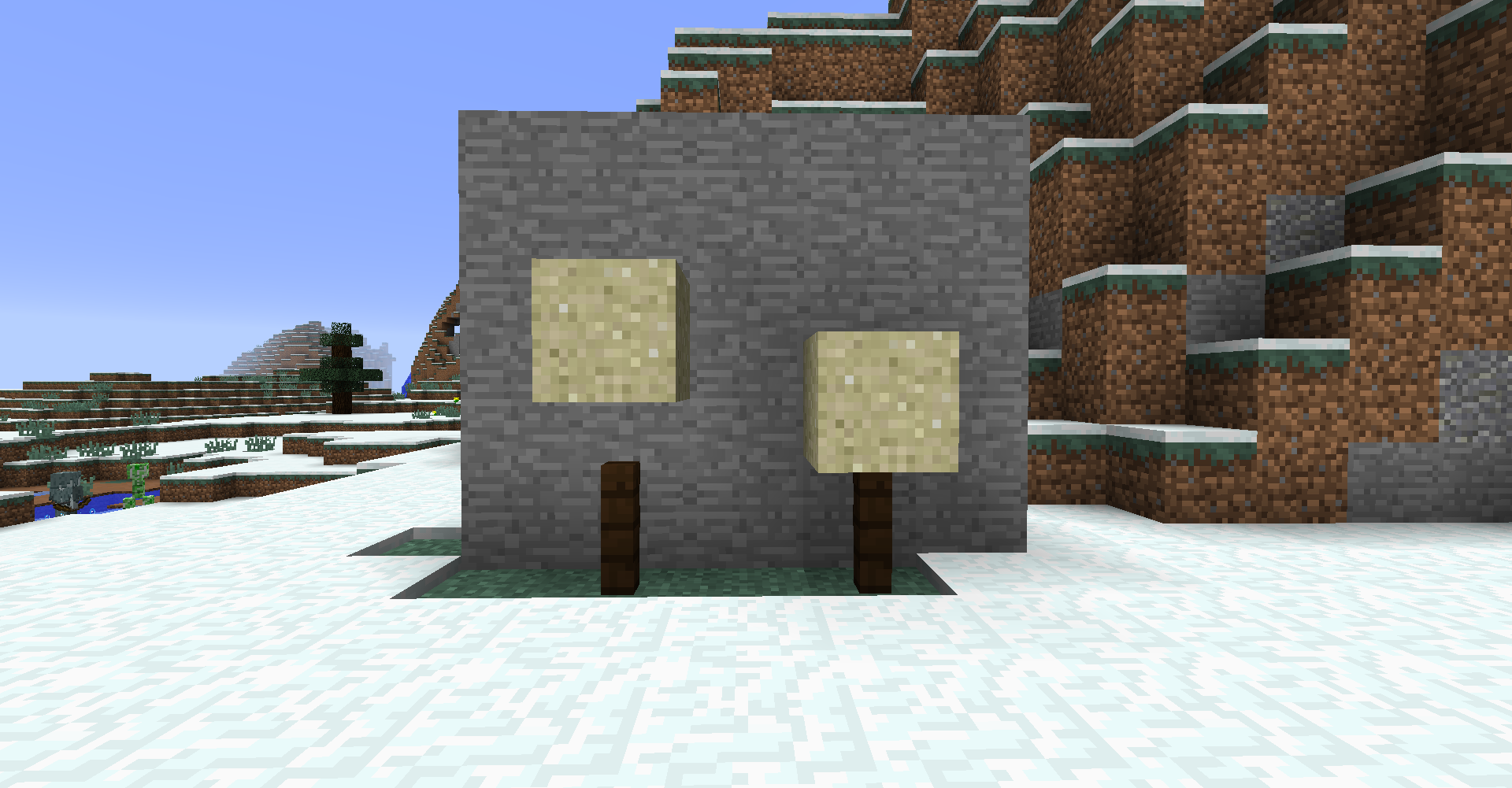
On the first screenshot below, you can see that the falling sand on the left stops his fall on the hitbox of the fence, not the fence itself.
On the
firstscreenshot below, you can see that the falling sand on the left stops his fall on the hitbox of the fence, not the fence itself.
On the screenshot below, you can see that the falling sand on the left stops his fall on the hitbox of the fence, not the fence itself.
On the screenshot below, you can see that the falling sand on the left stops his fall on the hitbox of the fence, not the fence itself.
So the sand is still a falling sand entity and never become a block again.
2018-03-01_15.51.53.png
"Color" NBT tag still uses numerical values instead of nominal ones
All is in the title.
All NBT tags using numerical values before the flattening were replaced by nominal ones (e.g. "enchant" NBT tag). I just noticed "Color" tag does not.It concerns sheeps and shulkers.
EDIT: it seems like enchant NBT ta
All is in the title.
All NBT tags using numerical values before the flattening were replaced by nominal ones (e.g. "enchant" NBT tag). I just noticed "Color" tag does not.It concerns sheeps and shulkers.
EDIT: it seems like enchant NBT tag does not work with nominal values as well
All is in the title.
All NBT tags using numerical values before the flattening were replaced by nominal ones(e.g. "enchant" NBT tag). I just noticed "Color" tag does not.It concerns sheeps and shulkers.
EDIT: it seems like enchant NBT tag does not work with nominal values as well
All is in the title.
Almost all NBT tags using numerical values before the flattening were replaced by nominal ones. I just noticed "Color" tag does not.It concerns sheeps and shulkers.
EDIT: it seems like enchant NBT tag does not work with nominal values as well
"Color" NBT tag still usesnumeral values instead of nominal ones"Color" and "CollarColor" NBT tags still use numeral values instead of nominal ones
All is in the title.
Almost all NBT tags using numerical values before the flattening were replaced by nominal ones. I just noticed "Color" tag doesnot.It concerns sheeps
andshulkers.All is in the title.
Almost all NBT tags using numerical values before the flattening were replaced by nominal ones. I just noticed "Color" and "CollarColor" tags do not.It concerns sheeps, shulkers and wolves.
All is in the title.
Almost all NBT tags using numerical values before the flattening were replaced by nominal ones. I just noticed "Color" and "CollarColor" tags do not.It concerns sheeps, shulkers
andwolves.All is in the title.
Almost all NBT tags using numerical values before the flattening were replaced by nominal ones. I just noticed "Color" and "CollarColor" tags do not.It concerns sheeps, shulkers, wolves and cats (in 1.14 snapshots).
All is in the title.
Almost all NBT tags using numerical values before the flattening were replaced by nominal ones. I just noticed "Color" and "CollarColor" tags do not.It concerns sheeps, shulkers, wolves and cats
(in 1.14 snapshots).
"The End" biome translation usethe"The End" advancement translation string
The official wiki says that bossbar names can be defined by JSON components.
However, it does not work, it only displays the raw string like
{"text":"Bossbar","bold":true}** if I do /bossbar set foo:bar name "{\"text\":\"Bossbar\",\"bold\":true}"
The official wiki says that bossbar names can be defined by JSON components.
However, it does not work, it only displays the raw string like *
{"text":"Bossbar","bold":true}* if I do /bossbar set foo:bar name "{\"text\":\"Bossbar\",\"bold\":true}"
The official wiki says that bossbar names can be defined by JSON components.
However, it does not work, it only displays the raw string like *
{"text":"Bossbar","bold":true}
*if I do /bossbar set foo:bar name "{\"text\":\"Bossbar\",\"bold\":true}"The official wiki says that bossbar names can be defined by JSON components.
However, it does not work, it only displays the raw string like {"text":"Bossbar","bold":true} if I do /bossbar set foo:bar name "{\"text\":\"Bossbar\",\"bold\":true}"
The official wiki says that bossbar names can be defined by JSON components.
However, it does not work, it only displays the raw string like {"text":"Bossbar","bold":true} if I do /bossbar set foo:bar name "{\"text\":\"Bossbar\",\"bold\":true}"
The official wiki says that bossbar names can be defined by JSON components.
However, it does not work, it only displays the raw string like *
{"text":"Bossbar","bold":true}* if I do /bossbar set foo:bar name "{\"text\":\"Bossbar\",\"bold\":true}"
The official wiki says that bossbar names can be defined by JSON components.
However, it does not work, it only displays the raw string like **
{"text":"Bossbar","bold":true}** if I do /bossbar set foo:bar name "{\"text\":\"Bossbar\",\"bold\":true}"
The official wiki says that bossbar names can be defined by JSON components.
However, it does not work, it only displays the raw string like
{"text":"Bossbar","bold":true}**
**if I do /bossbar set foo:bar name "{\"text\":\"Bossbar\",\"bold\":true}"The official wiki says that bossbar names can be defined by JSON components.
However, it does not work, it only displays the raw string like
{"text":"Bossbar","bold":true}
if I do /bossbar set foo:bar name "{\"text\":\"Bossbar\",\"bold\":true}"
Spawn bonus chests are always facing north,but notfacing the playerSpawn bonus chests are always facing north, instead of facing the player
All is in the title, just a crash.
Seems like the crash only happens when we don't have ice in the inventory.
Crash when clicking onnew packed icerecipe in the recipe bookCrash when clicking on a recipe in the recipe book and we don't have the ingredients
All is in the title, just a crash.
Seems like the crash only happens when we don't have
icein the inventory.Description: Rendering screen java.lang.NullPointerException: Rendering screen at col$a.c(SourceFile:109) at col.a(SourceFile:70) at coo.a(SourceFile:306) at cnm.a(SourceFile:83) at cwe.a(SourceFile:796) at cit.c(SourceFile:816) at cit.a(SourceFile:379) at net.minecraft.client.main.Main.main(SourceFile:144)All is in the title, just a crash.
Seems like the crash only happens when we don't have sufficient ingredients in the inventory.
Description: Rendering screen

java.lang.NullPointerException: Rendering screen
	at col$a.c(SourceFile:109)
	at col.a(SourceFile:70)
	at coo.a(SourceFile:306)
	at cnm.a(SourceFile:83)
	at cwe.a(SourceFile:796)
	at cit.c(SourceFile:816)
	at cit.a(SourceFile:379)
	at net.minecraft.client.main.Main.main(SourceFile:144)
Inthe /effect command, the "seconds" argument is applied as ticks after the execution.
How to reproduce
- Type /effect give @p minecraft:saturation 40
- Run the command
- You will see that the effect lasts only 2 seconds, as 20 ticks = 1 second
- If you try with another effect, "40" is properly applied as seconds
When giving the saturation effect via the /effect command, the "seconds" argument is applied as ticks after the execution.
How to reproduce
- Type /effect give @p minecraft:saturation 40
- Run the command
- You will see that the effect lasts only 2 seconds, as 20 ticks = 1 second
- If you try with another effect, "40" is properly applied as seconds
"seconds" argument in /effectgive saturationcommand is applied as ticks"seconds" argument in /effect command is applied as ticks with some effects
When giving
the saturationeffect via the /effect command, the "seconds" argument is applied as ticks after the execution.
How to reproduce
- Type /effect give @p minecraft:saturation 40
- Run the command
- You will see that the effect lasts only 2 seconds, as 20 ticks = 1 second
- If you try with another effect, "40" is properly applied as seconds
When giving some effects via the /effect command, the "seconds" argument is applied as ticks after the execution.
The affected effects are saturation, instant_damage and instant_health (the only 3 effects not having an icon btw).
How to reproduce
- Type /effect give @p minecraft:saturation 40
- Run the command
- You will see that the effect lasts only 2 seconds, as 20 ticks = 1 second
- If you try with another effect, "40" is properly applied as seconds
How to reproduce:
- Get a jigsaw block:
/give @s minecraft:jigsaw
- Open the GUI
- Write some spaces on any row
- Click on "Done"
- Well done, it crashed!
How to reproduce:
- Get a jigsaw block
/give @s minecraft:jigsaw
- Open the GUI
- Write some spaces on any row
- Click on "Done"
- Well done, it crashed!
How to reproduce:
- Get a jigsaw block
/give @s minecraft:jigsaw
- Open the GUI
- Write some spaces on any row
- Click on "Done"
- Well done, it crashed!
How to reproduce:
- Get a jigsaw block (/give @s minecraft:jigsaw)
- Open the GUI
- Write some spaces on any row
- Click on "Done"
- Well done, it crashed!
Resource pack and data pack descriptions can be written with JSON components, including "translate" one.
However, descriptions of the vanilla packs are not defined with translation strings
(found by Liachmodded):
- Description of Default resource pack
- Description of Programmer Art resource pack
- Description of Vanilla data pack
Resource pack and data pack descriptions can now be written with JSON components, including "translate" one (found by Liachmodded).
However, descriptions of the vanilla packs are not defined with translation strings:
- Description of Default resource pack
- Description of Programmer Art resource pack
- Description of Vanilla data pack
Resource pack and data pack descriptions can now be written with JSON components, including "translate" one (found by Liachmodded).
However, descriptions of the vanilla packs are not defined with translation strings:
- Description of Default resource pack
- Description of Programmer Art resource pack
- Description of Vanilla data pack
Resource pack and data pack descriptions can now be written with JSON components, including "translate" one (found by Liachmodded).
However, descriptions of the vanilla packs are not defined with translation strings:
- Description of Default resource pack
- Description of Programmer Art resource pack
- Description of Vanilla data pack
![[Mod] Michael Wobst](../../../data/avatars/users/37868.png)
![[Mod] Neko](../../../data/avatars/users/92901.png)
It's not fixed in 17w47b
Thank you Grum xd
I have other ideas to re-organize the Creative inventory, to make it more clear, but I don't think I can report "bugs" about that.
I agree with you the redirection should work, but few weeks ago minecraft wikis were moved to Amazon Web Services, and I think they gave up this old url
Yeah I summoned the left one, with no NBT data, just /summon ~ ~ ~ item_frame
Hum, right, but it's a little bit strange that the item frame is placed downward no?
Resolved in 18w01a
Indeed it was my resource pack, sorry, first time i saw this pack issue
technically fixed in 18w07b
Yep it's fixed, they updated all the advancements listed here
Yep Cavinator is right, you can reopen it
my bad
Still in 18w14a
Levitation effect still exists, and shulkers' behavior hasn't changed.
Still in 18w14a
Still in 18w14b
@elyg update the string in your language on Crowdin and you will see it in a future snapshot
@ZockerAxel nope, only the 16 vanilla colors (values from 0 to 15) are supported in this tag.
It would be really cool if hex-values were allowed!
The current problem is you have to check the wiki or something to know which value if for which color (especially since we can no longer see it with the metadata of colored blocks). It would be really easier to use nominal values instead.
In the last snapshot (18w14b), there is no igloo anymore for the same seed and coordinates. So i don't know ¯_(ツ)_/¯
This is a duplicate, the bug is already fixed for the next snapshot.
@Alina Volana Yep, that's true, added
How can people actually think: "I'm playing stolen Mojang stuff, but I want Mojang to support it"
@FruBasilicum why is this fixed as WAI? It's not consistent with other non-solid blocks
I believe you Dinnerbone, but it seems like only proofreaders are able to see these strings as they appear "duplicated" for the crowdin system.
How I noticed this is in french, we translated the advancement title, but not the biome, as "The End" is supposed to not be translatable.
What I think is (taking the french translation):
We translated the advancement title as "La fin".
In 1.13, they added 2 additional "The End" strings, but Crowdin detect they have the same display name as the advancement title, so in french it translates them with the same translation and hides them to non-proofreaders.
EDIT: to conclude, I think the real bug is: "The End biome and generator translations are not visible to non-proofreaders"
Still in 18w19a, I don't see pages
Right, thanks!
Seems like i'm wrong, i cannot reproduce it in another world xd
Still in 18w19b
Even if the name does not appear in italic in the inventory, it still appear in italic when selecting the slot of the item in the hotbar (in 18w19b)
I also assume it's fixed actually
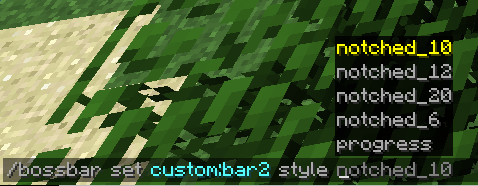
Still happen with the /bossbar command in 18w20c
Duplicate of
MC-129222Thanks!
Translation is:
Entering the End portal block (1x1) while flying cause the player to not fly anymore
Confirmed in 18w21a
I think it's fixed, the game don't freeze anymore in 18w21b.
Is this still an issue with the new block tag "valid_spawn"?
EDIT:
After creating 12 different worlds, appears to be fixed. On a Buffet world type with only the ocean biome, the bonus chest spawned on a non-submerged island. So I think its apparition is managed by "valid_spawn" block tag. @kumasasa
@Michael (Sniping) I'm considering it as a bug because it's inconsistent to spawn behind the bonus chest, or on a side. We should just spawn front of the chest.
@[Mod] tryashtar I don't know tbh
Still fixed
@Dinnerbone, is it intented to not show selector info anymore?
It happens with every recipe if we don't have the ingredients in the inventory actually
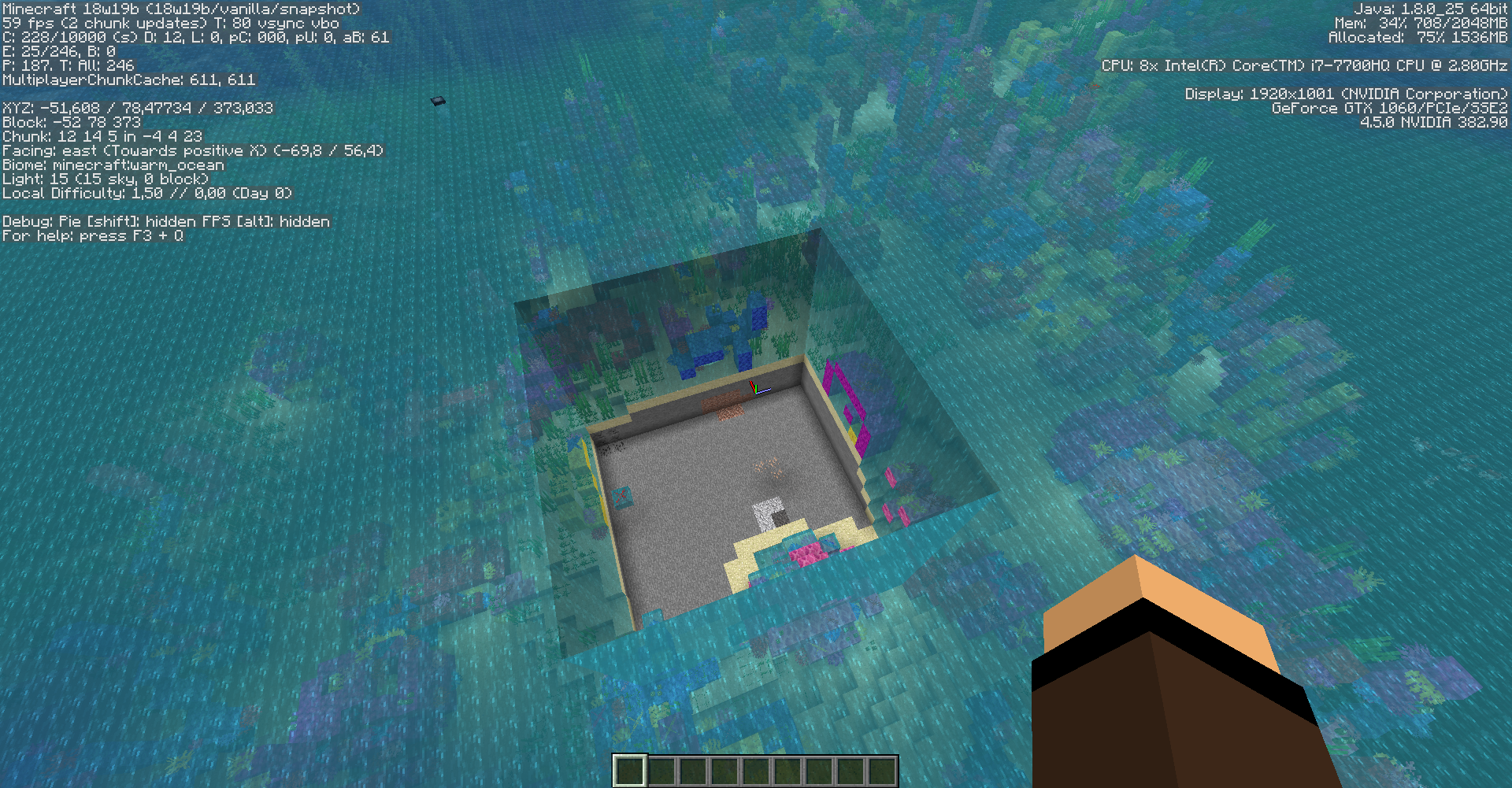
Is this still an issue with all the water changes?
If the language wiki does not exist, just link to the default one (English). Or use a translation string as violine said, it would be a better solution.
The fact is when someone, for example a French player using the launcher in his language, want to search some info about Grass Block, he will enter "Bloc d'herbe" in the wiki search box, but that will obviously not work on the default wiki.
Nice, thanks Josh!
"Future version - 1.14+" can be removed as it is fixed in 1.13.2-pre2
"Future version - 1.14+" can be removed as it is fixed in 1.13.2-pre2
"Future version - 1.14+" can be removed as it is fixed in 1.13.2-pre2
"Future version - 1.14+" can be removed as it is fixed in 1.13.2-pre2
"Future version - 1.14+" can be removed as it is fixed in 1.13.2-pre2
Still the case in the latest snapshot (18w50a)
Translations are submitted and approved by the community, so this bug is invalid. You can upvote or downvote translations on Crowdin.
Toolsmith and weaponsmith villagers translations are here.
Translations are submitted and approved by the community, so this bug is invalid. You can upvote or downvote translations on Crowdin.
Can confirm
Duplicate of
MC-141883Duplicate of
MC-141883In creative mode, swords don't break blocks (for a while now). WAI
Fixed in 19w04b
Pretty sure bells generated in villages, not villagers
Confirmed for 19w09a
It is not. Make sure you don't have any datapacks loaded that can affect stonecutter recipes
This issue is due to the stonecutter container checking if the ingredient item is in an immutable list when transferring slot. If it's not, shift clicking will not work.
Code involved in the issue (19w11b, Fabric-yarn mappings):
Why did you even create this report if it's not the case in the latest snapshot?
Oups I misunderstood the report. Sorry!
Should be resolved as Invalid or Can't reproduce, not WAI. Witches do take damage in lava, they just don't get hurt because of fire resistance.
Doesn't seem fixed in 19w37a
It's in the code actually
Mojang mappings, as this is a deobfuscated field
What do you mean exactly?
It's a registry name, which can be found in the server jar (reports/registries.json)
EDIT: you need to generate the reports, with the following command:
Dear Shnu, related to MC-268183