 MC-155551
Rails, ladders and vines slightly float above/off of the blocks they're placed on
These blocks use flat models, as opposed to them being arranged in a x or # shape like many other blocks. They float above the blocks they're attached to, which is a bit weird.
This would not be fixable by moving their models down to the exact block, as this would more than likely cause unsightly Z-fighting issues. A better fix would be to introduce dedicated 3D models for these blocks. While this would result in very complex models that may be trickier for the game to render, it would eliminate this odd floating, look nicer, and allow for unneeded faces to be culled.
Redstone dust and lily pads are rendered a lot closer to the block it sits on, and the floating is unnoticable in the former case, so other blocks could be made to look like this to fix this also.
How to fix
The resource pack attached to MC-237445 fixes this issue completely, alongside fixing multiple other issues with flat plane models.
Linked Issues
is duplicated by2
 Normal
 Low
Low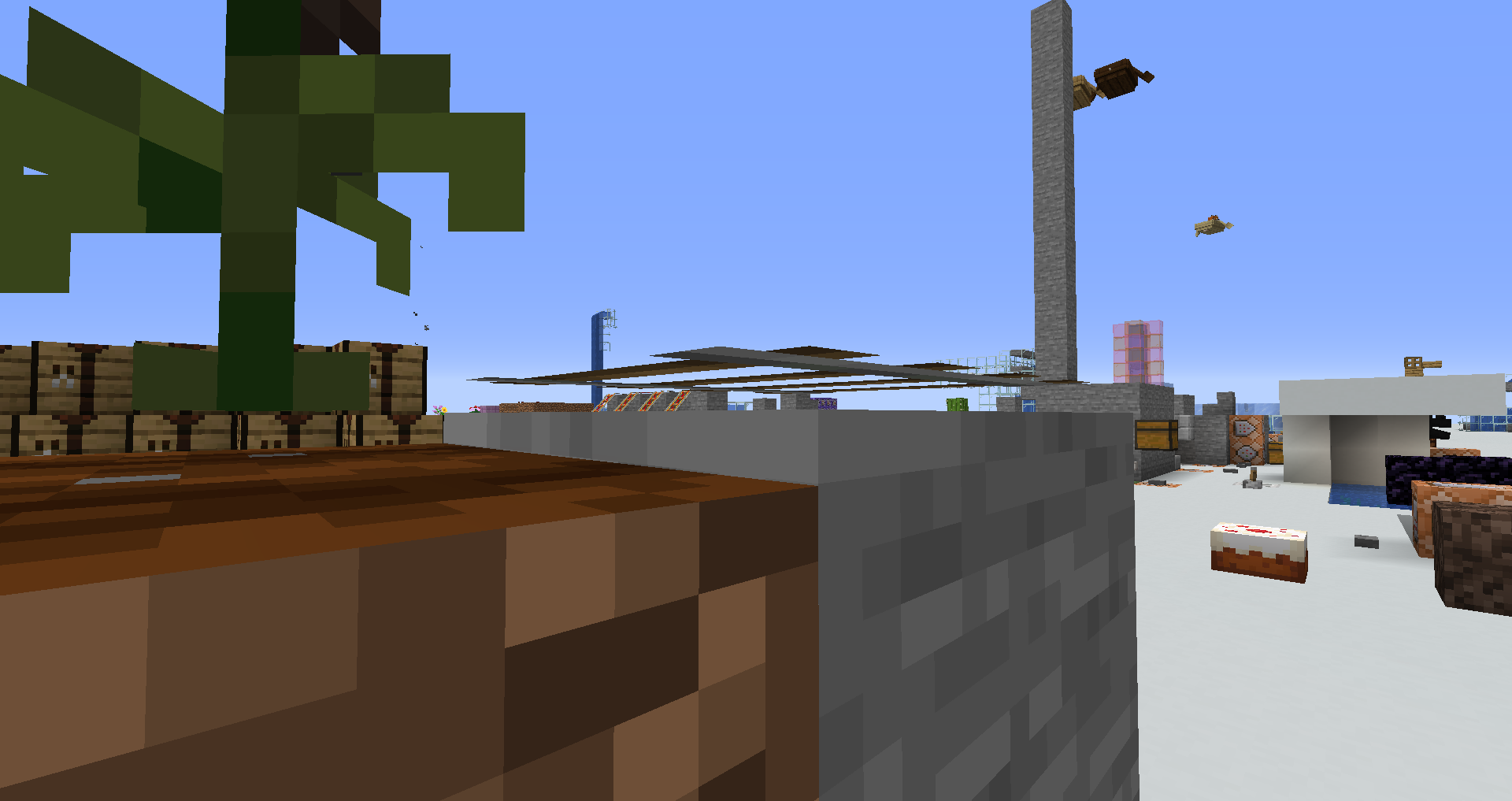
![[Mod] Avoma](../../../data/avatars/users/86198.png)
- Works As Intended
 Connor Steppie
 joan pirra
- 10
- 4
- Community Consensus
- Textures and models
1.14.3 - 1.17.1
1.14.3 19w37a 19w38b 19w39a 19w40a 19w41a 19w42a 19w44a 19w46a 1.15-pre1 1.15-pre2 1.15-pre3 1.15-pre4 1.15-pre6 1.15-pre7 1.15.1-pre1 1.15.2-pre1 1.15.2-pre2 20w06a 20w07a 20w08a 20w09a 20w10a 20w11a 20w12a 20w21a 1.16-pre2 1.16-pre3 20w28a 20w29a 20w30a 1.16.2-pre1 20w46a 20w48a 21w03a 1.16.5 21w06a 21w08b 21w10a 21w16a 21w20a 1.17-pre1 1.17 1.17.1
Created Issue:
rails float adove the ground a little bit
rails float adove the ground a little bit
Environment
rails float adove the ground a little bit
![[Mod] violine1101](../../../data/avatars/users/92858.png)
duplicates
duplicates
relates to
railsfloat adove the ground a little bitRails, ladders, vines, redstone dust and lily pads slightly float above/off of the blocks they're placed on
rails float adove the ground a little bit
These blocks use flat models, as oposed to them being arranged in a x or # shape like many other blocks. They float above the blocks they're attached to, which is a bit weird.
This would not be fixable by moving their models down to the exact block, as this would more than likely cause unsightly Z-fighting issues. A better fix would be to introduce dedicated 3D models for these blocks. While this would result in very complex models that may be trickier for the game to render, it would eliminate this odd floating, look nicer, and allow for unneeded faces to be culled.
These blocks use flat models, as oposed to them being arranged in a x or # shape like many other blocks. They float above the blocks they're attached to, which is a bit weird.
This would not be fixable by moving their models down to the exact block, as this would more than likely cause unsightly Z-fighting issues. A better fix would be to introduce dedicated 3D models for these blocks. While this would result in very complex models that may be trickier for the game to render, it would eliminate this odd floating, look nicer, and allow for unneeded faces to be culled.
[Add to category Textures and models then delete this line]
These blocks use flat models, as opposed to them being arranged in a x or # shape like many other blocks. They float above the blocks they're attached to, which is a bit weird.This would not be fixable by moving their models down to the exact block, as this would more than likely cause unsightly Z-fighting issues. A better fix would be to introduce dedicated 3D models for these blocks. While this would result in very complex models that may be trickier for the game to render, it would eliminate this odd floating, look nicer, and allow for unneeded faces to be culled.
[Add to category Textures and models then delete this line]
These blocks use flat models, as opposed to them being arranged in a x or # shape like many other blocks. They float above the blocks they're attached to, which is a bit weird.This would not be fixable by moving their models down to the exact block, as this would more than likely cause unsightly Z-fighting issues. A better fix would be to introduce dedicated 3D models for these blocks. While this would result in very complex models that may be trickier for the game to render, it would eliminate this odd floating, look nicer, and allow for unneeded faces to be culled.
These blocks use flat models, as opposed to them being arranged in a x or # shape like many other blocks. They float above the blocks they're attached to, which is a bit weird.
This would not be fixable by moving their models down to the exact block, as this would more than likely cause unsightly Z-fighting issues. A better fix would be to introduce dedicated 3D models for these blocks. While this would result in very complex models that may be trickier for the game to render, it would eliminate this odd floating, look nicer, and allow for unneeded faces to be culled.
Rails, ladders, vines, redstone dustand lily pads slightly float above/off of the blocks they're placed on
These blocks use flat models, as opposed to them being arranged in a x or # shape like many other blocks. They float above the blocks they're attached to, which is a bit weird.
This would not be fixable by moving their models down to the exact block, as this would more than likely cause unsightly Z-fighting issues. A better fix would be to introduce dedicated 3D models for these blocks. While this would result in very complex models that may be trickier for the game to render, it would eliminate this odd floating, look nicer, and allow for unneeded faces to be culled.
Redstone dust is rendered a lot closer to the block it sits on, and the floating is unnoticable, so other blocks could be made to look like this to fix this also.
Rails, ladders, vines and lily pads slightly float above/off of the blocks they're placed onRails, ladders and vines slightly float above/off of the blocks they're placed on
These blocks use flat models, as opposed to them being arranged in a x or # shape like many other blocks. They float above the blocks they're attached to, which is a bit weird.
This would not be fixable by moving their models down to the exact block, as this would more than likely cause unsightly Z-fighting issues. A better fix would be to introduce dedicated 3D models for these blocks. While this would result in very complex models that may be trickier for the game to render, it would eliminate this odd floating, look nicer, and allow for unneeded faces to be culled.
Redstone dust
isrendered a lot closer to the block it sits on, and the floating is unnoticable, so other blocks could be made to look like this to fix this also.These blocks use flat models, as opposed to them being arranged in a x or # shape like many other blocks. They float above the blocks they're attached to, which is a bit weird.
This would not be fixable by moving their models down to the exact block, as this would more than likely cause unsightly Z-fighting issues. A better fix would be to introduce dedicated 3D models for these blocks. While this would result in very complex models that may be trickier for the game to render, it would eliminate this odd floating, look nicer, and allow for unneeded faces to be culled.
Redstone dust and lily pads are rendered a lot closer to the block it sits on, and the floating is unnoticable in the former case, so other blocks could be made to look like this to fix this also.
![[Mod] Michael Wobst](../../../data/avatars/users/37868.png)
relates to

![[Helper] Jack McKalling](../../../data/avatars/users/92859.png)
rails float adove the ground a little bit
These blocks use flat models, as opposed to them being arranged in a x or # shape like many other blocks. They float above the blocks they're attached to, which is a bit weird.
This would not be fixable by moving their models down to the exact block, as this would more than likely cause unsightly Z-fighting issues. A better fix would be to introduce dedicated 3D models for these blocks. While this would result in very complex models that may be trickier for the game to render, it would eliminate this odd floating, look nicer, and allow for unneeded faces to be culled.
Redstone dust and lily pads are rendered a lot closer to the block it sits on, and the floating is unnoticable in the former case, so other blocks could be made to look like this to fix this also.
Fixed models forthcoming.
Relates to MC-104092
![[Mod] Chandler](../../../data/assets/gravatar/triwonder81.png)
relates to
These blocks use flat models, as opposed to them being arranged in a x or # shape like many other blocks. They float above the blocks they're attached to, which is a bit weird.
This would not be fixable by moving their models down to the exact block, as this would more than likely cause unsightly Z-fighting issues. A better fix would be to introduce dedicated 3D models for these blocks. While this would result in very complex models that may be trickier for the game to render, it would eliminate this odd floating, look nicer, and allow for unneeded faces to be culled.
Redstone dust and lily pads are rendered a lot closer to the block it sits on, and the floating is unnoticable in the former case, so other blocks could be made to look like this to fix this also.
Fixed models forthcoming.
These blocks use flat models, as opposed to them being arranged in a x or # shape like many other blocks. They float above the blocks they're attached to, which is a bit weird.
This would not be fixable by moving their models down to the exact block, as this would more than likely cause unsightly Z-fighting issues. A better fix would be to introduce dedicated 3D models for these blocks. While this would result in very complex models that may be trickier for the game to render, it would eliminate this odd floating, look nicer, and allow for unneeded faces to be culled.
Redstone dust and lily pads are rendered a lot closer to the block it sits on, and the floating is unnoticable in the former case, so other blocks could be made to look like this to fix this also.
How to fix
The resource pack attached to MC-237445 fixes this issue completely, alongside fixing multiple other issues with flat plane models.
![[Mod] Les3awe](../../../data/avatars/users/79847.png)
is duplicated by
![[Mod] ampolive](../../../data/avatars/users/18949.svg)
is duplicated by
The resource pack attached offers a complete fix for this issue. Mojang have my full permission to (and are encouraged to) replace the affected vanilla model files with the contents of the resource pack.
Download resource pack:

The bug
The "flat" and "curved" rail template models are completely identical, and therefore redundant, since models referring to one template could always just use the other.
How to reproduce
- Navigate to the game jar's models/block/ directory
- Open rail_flat.json
- Open rail_curved.json
- Notice how these models have no differences from each other aside from in name
How to fix
The resource pack attached fixes a handful of bugs with plane models (where the plane is attached to a block) in general - as many issues as could be found. This redundancy is one of them - both the "normal" and "curved" rail template models are merged into a single "template_floor_plane" model (which also fixes MC-212626). Lily pads are made to use a tinted version of this model (fixing MC-162803), the shading is removed (fixing MC-198311 and possibly MC-234118), and all planes are made to be distance 0.1 from their supporting blocks (fixing MC-155551 and MC-212256). MC-214700 is also fixed on the side as well due to including a plane the same as those in this ticket.
These template models should also help eliminate any future discrepancies like those detailed and also be of use to resource pack creators and modders who can reference them instead of having to create a new template each time.
A resource pack which only fixes this single rail issue can be attached on request, but the mass fix resource pack is recommended.

![[Bot] Arisa](../../../data/avatars/users/43007.png)
Thank you for your report!
We're tracking this issue in MC-155551, so this ticket is being resolved and linked as a duplicate.
That ticket has already been resolved as working as intended, which means this is not considered a bug and won't be fixed. Please do not leave a comment on the linked ticket.
If you haven't already, you might like to make use of the search feature to see if the issue has already been mentioned.
Quick Links:
📓 Bug Tracker Guidelines – 💬 Community Support – 📧 Mojang Support
📓 Project Summary – ✍️ Feedback and Suggestions – 📖 Game Wiki
– I am a bot. This action was performed automatically! The ticket was resolved by one of our moderators, and I left this message to give more information to you.
Thank you for your report!
We're tracking this issue in MC-155551, so this ticket is being resolved and linked as a duplicate.
That ticket has already been resolved as working as intended, which means this is not considered a bug and won't be fixed. Please do not leave a comment on the linked ticket.
If you haven't already, you might like to make use of the search feature to see if the issue has already been mentioned.
Quick Links:
📓 Bug Tracker Guidelines – 💬 Community Support – 📧 Mojang Support
📓 Project Summary – ✍️ Feedback and Suggestions – 📖 Game Wiki
Why isn't this "Works as intended" but MC-155551 is?

![[Mod] OcelotOnesie](../../../data/avatars/users/43220.png)
This is intentional, see MC-155551.
Thank you for your report!
We're actually already tracking this issue in
MC-56139, so I resolved and linked this ticket as a duplicate.If you would like to add a vote and any extra information to the main ticket it would be appreciated.
If you haven't already, you might like to make use of the search feature to see if the issue has already been mentioned.
I can confirm that this affects 19w36a and 19w37a, and also that this bug is completely different from
MC-56139- I fail to see why this rather vague sounding report was swiftly declared a duplicate of this other very specific one.Can this ticket be reopened, and can I request ownership of it?
Because apparently I can't read. Reopened.
Changed the reporter. joan pirra, if you want the ticket back, please leave a comment.
Related to MC-2836.
Affects 20w46a
Can confirm in 21w06a.
Can confirm in 1.16.5 and 21w08b.
Can confirm in 21w10a. Video attached.
Can confirm in 21w16a.
Can confirm in 1.17.
Can confirm in 1.17.1.