 MC-26739
Doors won't update with redstone
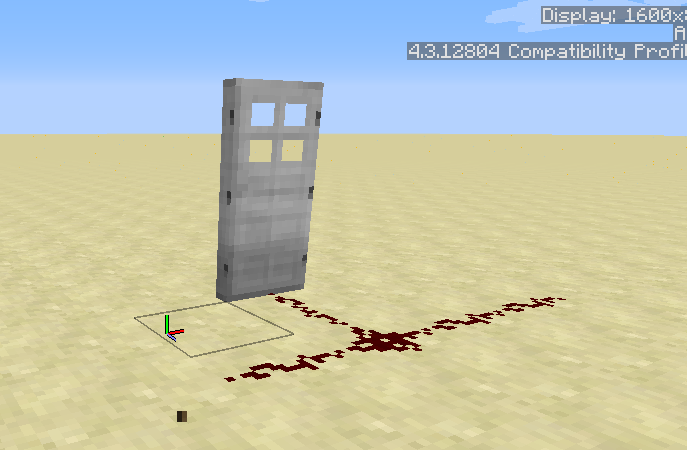
Steps to reproduce:
- Place a door then a block next to it
- Wire some redstone to the block
- Power the block (the door will open)
- Destroy the powered block, the door will not close until the redstone signal is de-activated.
Linked Issues


![[Mojang] Grum (Erik Broes)](../../../data/assets/gravatar/grum.png)
Created Issue:
Doors won't update with redstone
Steps to Reproduce:
1. Place a door then a block next to it
2. Wire some redstone to the block
3. Power the block (the door will open)
4. Destroy the powered block, the door will not close until the redstone signal is de-activated.
Attachments1

Added Assignee: ![[Mojang] Searge (Michael Stoyke)](../../../data/assets/gravatar/searge.png) [Mojang] Searge (Michael Stoyke)
[Mojang] Searge (Michael Stoyke)
[Mojang] Searge (Michael Stoyke)Added Linked Issues:
is duplicated by
relates to
Added Linked Issues:
relates to
Removed Linked Issues:
relates to

Added Affects Versions: 1.8.1-pre3
![[Mod] Torabi](../../../data/assets/gravatar/torabi.png)
Added Affects Versions: 1.8.3
Added Affects Versions: 15w36d
![[Mod] Neko](../../../data/avatars/users/92901.png)

![[Bot] Arisa](../../../data/assets/gravatar/mustek2.png)
![[Mod] Michael Wobst](../../../data/avatars/users/37868.png)
Changed Description:
Steps to Reproduce:
1. Place a door then a block next to it
2. Wire some redstone to the block
3. Power the block (the door will open)
4. Destroy the powered block, the door will not close until the redstone signal is de-activated.Steps to reproduce:
- Place a door then a block next to it
- Wire some redstone to the block
- Power the block (the door will open)
- Destroy the powered block, the door will not close until the redstone signal is de-activated.
Added Affects Versions: 1.11.2

Added Attachments:


Confirmed.
Confirmed for 1.8.
confirmed for 1.8 pre-3
confirmed in Minecraft 1.8.3
Is this still an issue in the most recent versions (i.e. 1.10.2, or 16w42a) of Minecraft?
Still here up through 1.11.2
Confirmed for 17w16b
Can confirm for release 1.12
Solved.