 Sealbudsman
- shufboyardee
- shufboyardee
- America/New_York
- Yes
- No
 MC-4155
![[Mojang] Nathan Adams](../../../data/assets/gravatar/dinnerbone.png)

 MCL-2323
![[Mojang] Grum (Erik Broes)](../../../data/assets/gravatar/grum.png)





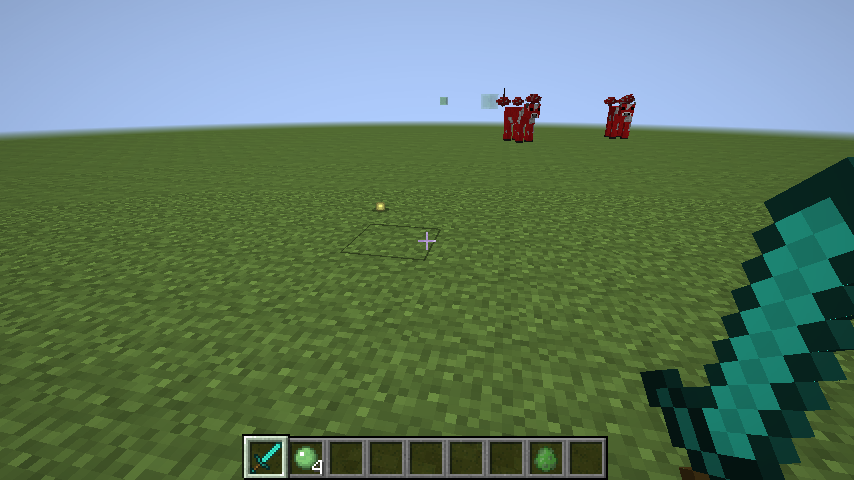

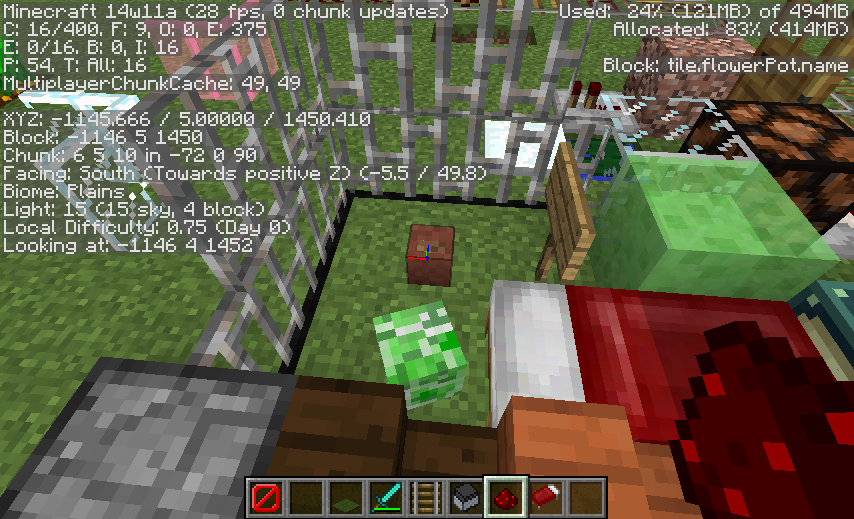
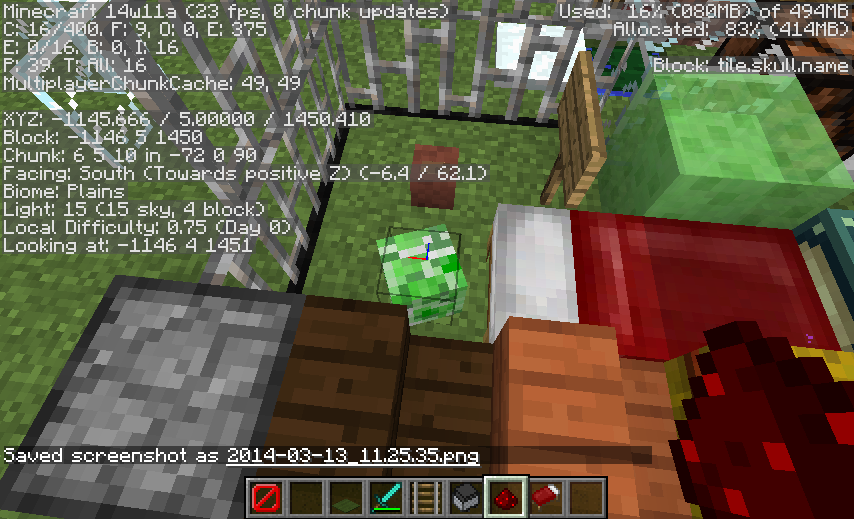


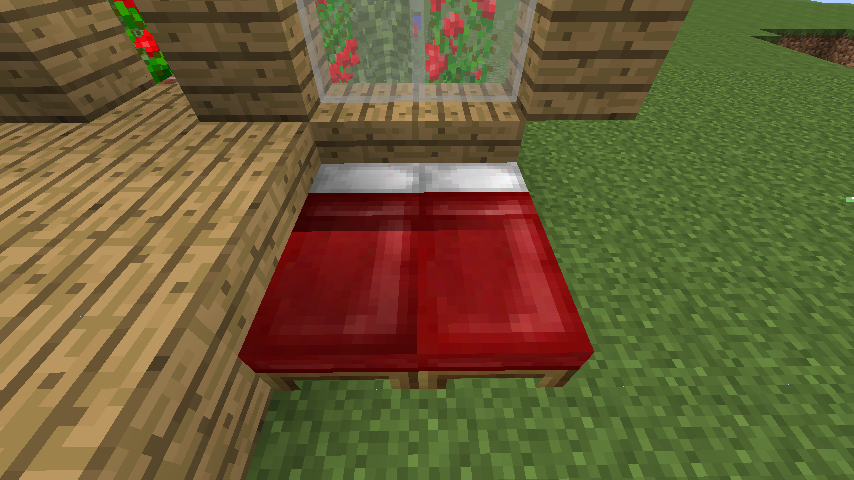



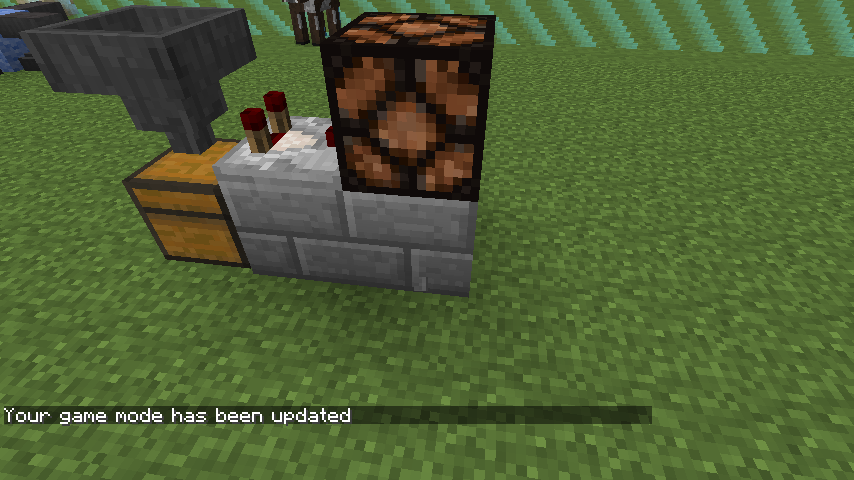
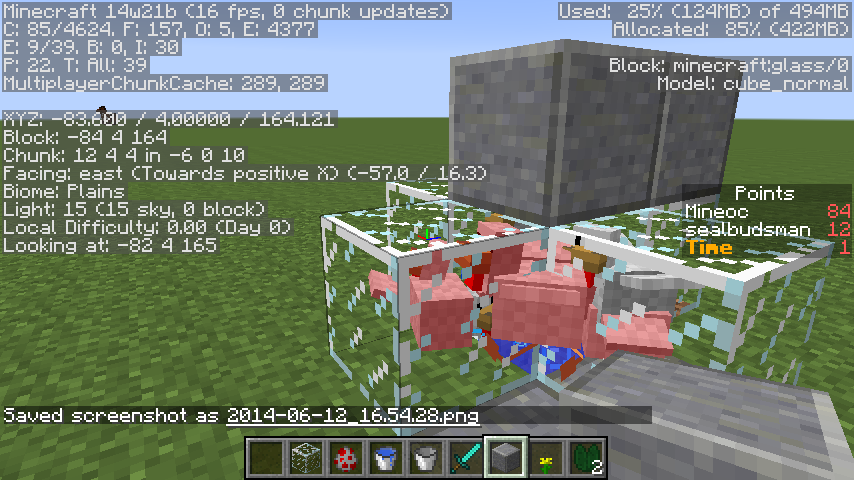
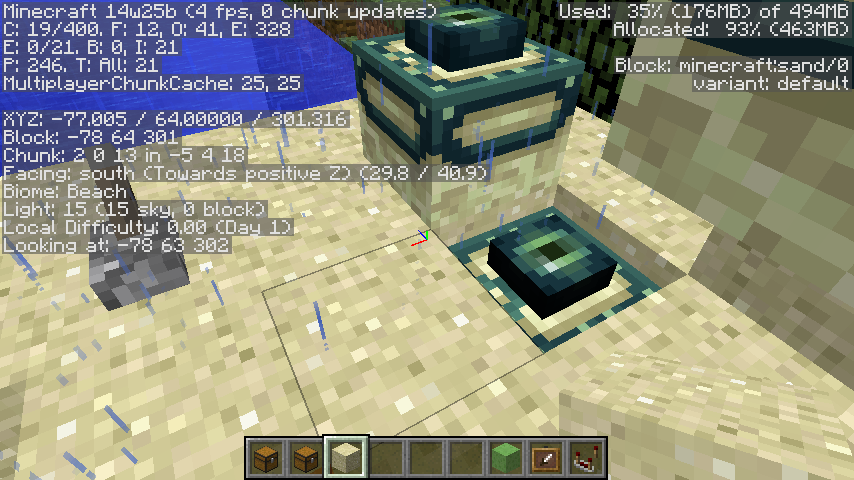

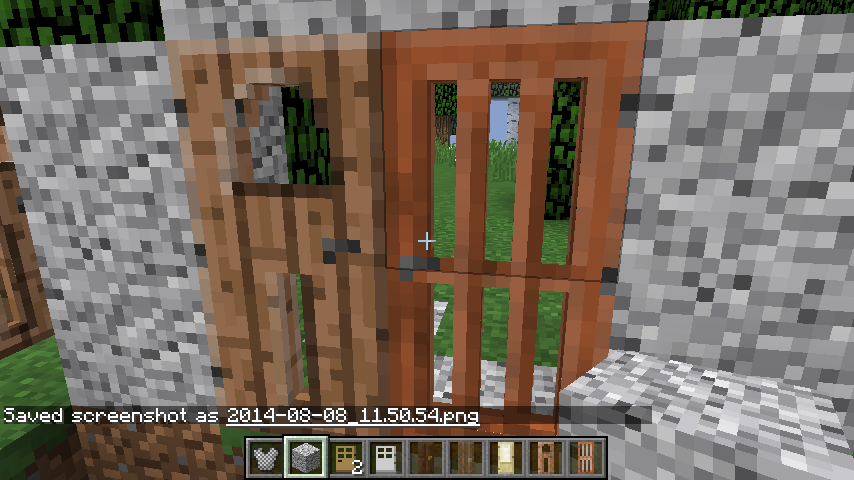

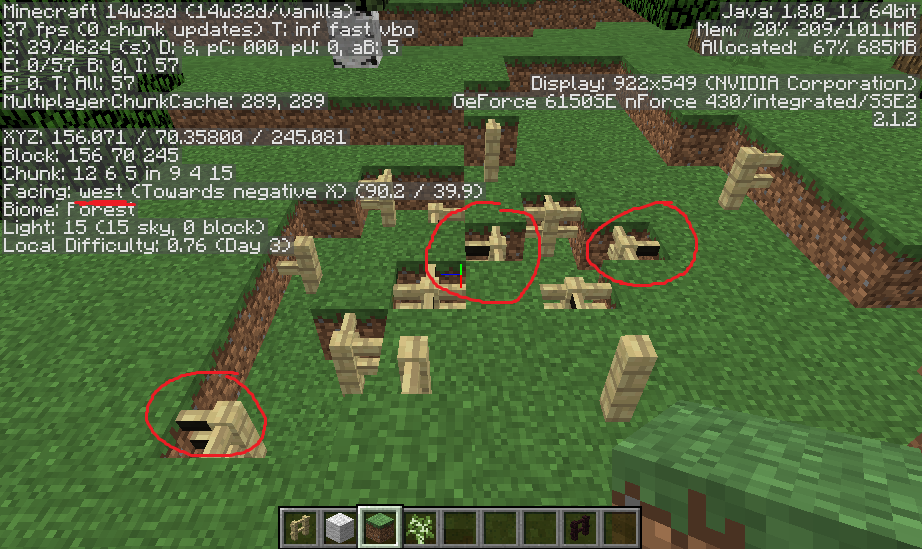


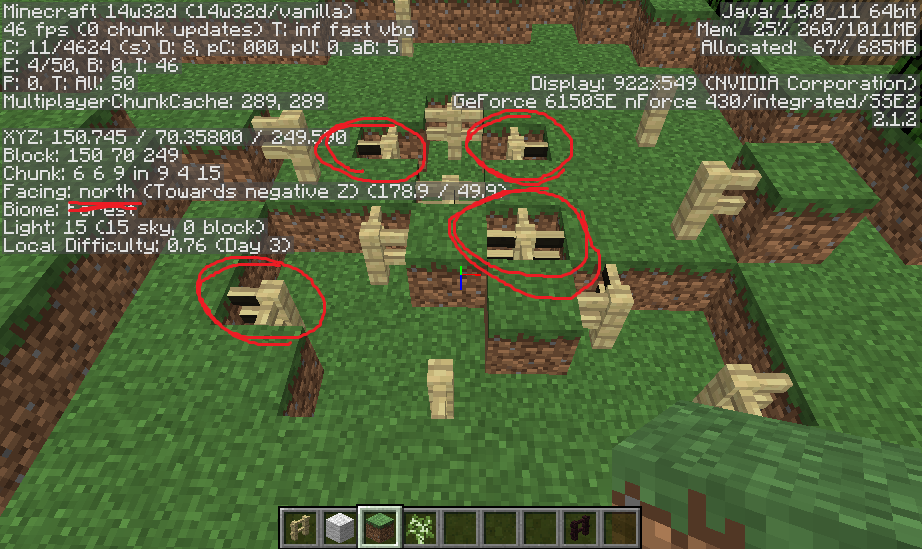
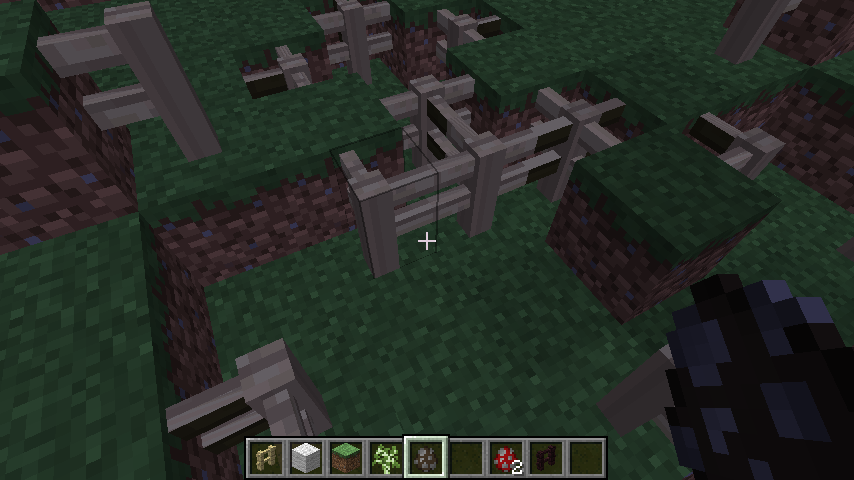



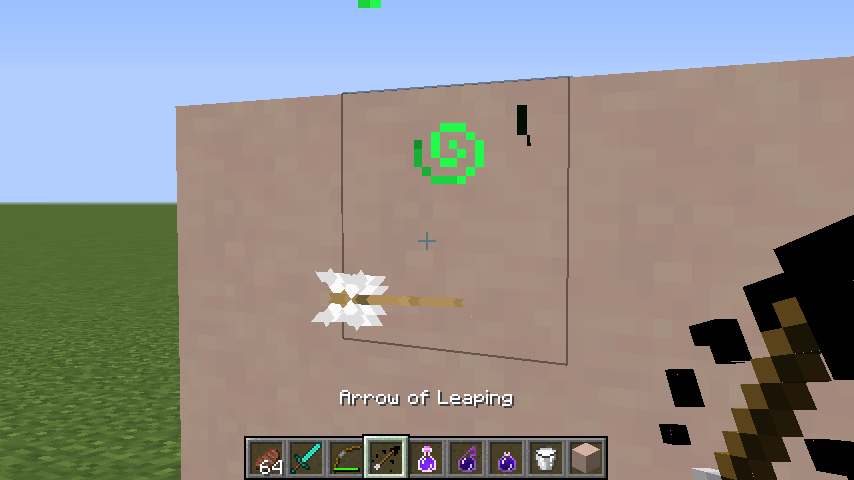


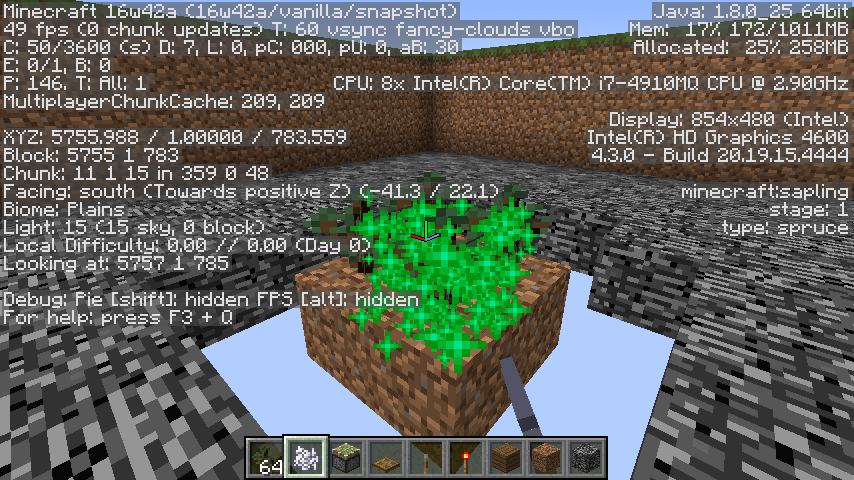
Doors and Trapdoors inside faces missing
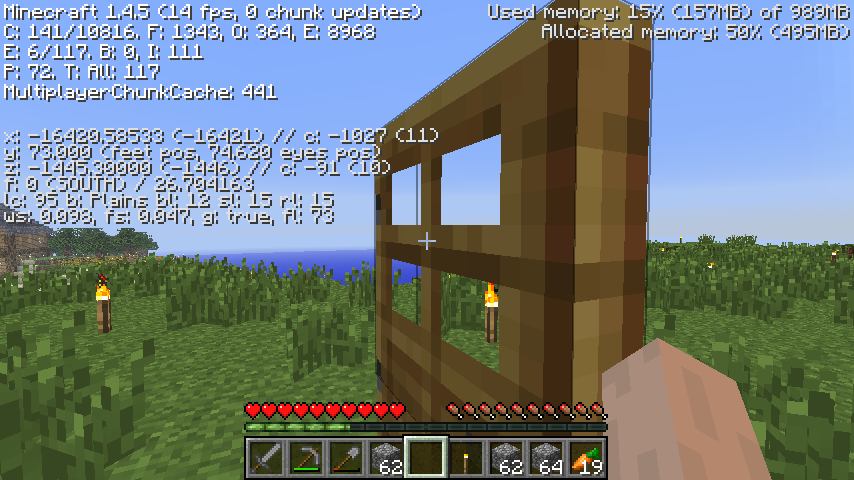
Doors and trapdoors have a convenient grid of four 'windows' in them. Despite that these things are 3 'pixels' thick, looking at the outside edge of them, there is no 3-pixel-thick border to the windows, when you look through them.
This might be intended for better visibility, now that I think about it, but I thought I'd bring it up, since it seemed like I shouldn't be able to see straight *through* a trapdoor window, to see the cobblestone that it's attached to.
It immediately reminded me of
MC-102andMC-3908, but on the other hand, you don't have to put a block next to it for it to occur; it occurs pretty much no matter what is next to the door / trapdoor.
Doors and trapdoors have a convenient grid of four 'windows' in them. Despite that these things are 3 'pixels' thick, looking at the outside edge of them, there is no 3-pixel-thick border to the windows, when you look through them.
This might be intended for better visibility, now that I think about it, but I thought I'd bring it up, since it seemed like I shouldn't be able to see straight
*through*a trapdoor window, to see the cobblestone that it's attached to.It immediately reminded me of
MC-102andMC-3908, but on the other hand, you don't have to put a block next to it for it to occur; it occurs pretty much no matter what is next to the door / trapdoor.
Returning from the nether, two of my portals will place me in the overworld (what seems like) one block above the ground, so I notice myself falling. The chunk I'm in is completely loaded, the ground is present, this isn't one of those 'falling into the void' issues, it's just (i think) one block, as if the portal placed me a little too high up.
They don't do this every time, and so far I haven't been able to make it happen twice in a row with the same portal; I can't find a pattern.
Incidentally these two portals are the ones that don't damage me via [793], though that could be totally unrelated.
The coordinates of the portals:
nether portal at x:-2048 y:120 z:-222/-223, linked to overworld at x:-16380/-16381 y:77 z:-1776
nether portal at x:-2049 y:120 z:-166/-167, linked to overworld at x:-16389/-16390 y:57 z:-1337
(y values are foot position when standing in the portal)
Standard world type, No mods, Windows 7, JRE 7
Standard world type, No mods, Windows 7
,JRE 7Standard world type, No mods, Windows 7 64 bit, AMD 2.80Ghz, JRE 7
Returning from the nether, two of my portals will place me in the overworld (what seems like) one block above the ground, so I notice myself falling. The chunk I'm in is completely loaded, the ground is present, this isn't one of those 'falling into the void' issues, it's just (i think) one block, as if the portal placed me a little too high up.
They don't do this every time, and so far I haven't been able to make it happen twice in a row with the same portal; I can't find a pattern.
Incidentally these two portals are the ones that don't damage me viaMC-793, though that could be totally unrelated.
The coordinates of the portals:nether portal at x:-2048 y:120 z:-222/-223, linked to overworld at x:-16380/-16381 y:77 z:-1776
nether portal at x:-2049 y:120 z:-166/-167, linked to overworld at x:-16389/-16390 y:57 z:-1337
(y values are foot position when standing in the portal)What I expected:
To emerge from the portal, and when the chunk loads, I expected my feet to be placed on the ground.What actually happened:
- There might be a 'falling into the void' visual effect, (pretty common, but isn't the issue here)
- After that, once the chunk I'm in is completely loaded, and the ground is present, at that moment I expect my feet would be placed on the ground.
- Sometimes I am placed a noticeable height above ground.
It doesn't do this every time, and so far I can't find a pattern.
Standardworld type, No mods, Windows 7 64 bit, AMD 2.80Ghz,JRE 7standard/flat, survival/creative alike, No mods, Windows 7 64 bit, AMD 2.80Ghz, JRE 7
Returning from the Nether,places youoneblock in the airReturning from the Nether sometimes places you (about) a block in the air
standard/flat, survival/creative alike, No mods, Windows 7 64 bit, AMD 2.80Ghz, JRE 7
standard/flat, survival/creative alike, no mods, occurs in realms as well
Windows 7 64 bit, AMD 2.80Ghz, JRE 7
also on Ubuntu 13.10 32 bit, Intel, JRE 7, openJDK 7
What I expected:
To emerge from the portal, and when the chunk loads, I expected my feet to be placed on the ground.What actually happened:
- There might be a 'falling into the void' visual effect, (pretty common, but isn't the issue here)
- After that, once the chunk I'm in is completely loaded, and the ground is present, at that moment I expect my feet would be placed on the ground.
- Sometimes I am placed a noticeable height above ground.
- Other players can see my character 'drop' from that small height as I emerge.
It doesn't do this every time, and so far I can't find a pattern.
Returning from the Nether sometimes places you(about)a block in the airReturning from the Nether sometimes places you a fraction of a block in the air
What I expected:
To emerge from the portal, and when the chunk loads, I expected my feet to be placed on the ground.What actually happened:
- There might be a 'falling into the void' visual effect, (pretty common, but isn't the issue here)
- After that, once the chunk I'm in is completely loaded, and the ground is present, at that moment I expect my feet would be placed on the ground.
- Sometimes I am placed a noticeable height above ground.
- Other players can see my character 'drop' from that small height as I emerge.
It doesn't do this every time, and so far I can't find a pattern.
What I expected:
To emerge from the portal, and when the chunk loads, I expected my feet to be placed on the ground.What actually happened:
- There might be a 'falling into the void' visual effect, (pretty common, but isn't the issue here)
- After that, once the chunk I'm in is completely loaded, and the ground is present, at that moment I expect my feet would be placed on the ground.
- Sometimes I am placed a noticeable height above ground.
- Other players can see my character 'drop' from that small height as I emerge.
It doesn't do this every time, and so far I can't find a pattern.
Returning from the Nethersometimes places you a fraction of a block in the airNether Portal sometimes places you a fraction of a block in the air
What I expected was:
To move an item from a stack in inventory to the first slot of the Anvil.What happened instead:
One item went into the first slot, and the stack from which it came was consumed / vanished / eaten.Steps to reproduce:
1) Put a stack of, for example, carrots in an inventory slot, for example, slot 8.
2) Click the anvil to start using it.
3) Mouse over the firstslot, andpress the '8' key.In other interfaces, this would swap the contents of that hovered slot, with the contents of inventory slot 8 – specifically here, you would expect the bunch of carrots to go over. Or maybe just one would go over, and the rest would remain.
4) But instead, you will see, one goes to the anvil, and the rest of the carrots have absconded.
What I expected was:
To move an item from a stack in inventory to the first slot of the Anvil.What happened instead:
One item went into the first slot, and the stack from which it came was consumed / vanished / eaten.Steps to reproduce:
1) Put a stack of, for example, carrots in an inventory slot, for example, slot 8.
2) Click the anvil to start using it.
3) Mouse over the first anvil slot, intending to put the carrot(s) there, and so press the '8' key.In other interfaces, this would swap the contents of that hovered slot, with the contents of inventory slot 8 – specifically here, you would expect the bunch of carrots to go over. Or maybe just one would go over, and the rest would remain.
4) But instead, you will see, one goes to the anvil, and the rest of the carrots have absconded.
What I expected:
I expected the Wither I just created to face in my cardinal direction, or at the very least, for the Wither's orientation to correspond to its totem's orientation.What actually happened:
Withers always spawn facing South.How to reproduce:
Create Withers, and watch which direction they face initially.It is really more an aesthetic thing than anything, I'm sure. Especially for totems where the arms point North-South, where you see the Whither emerge 'sideways'. It seems to detract from the idea that they emerged 'from' that Soul Sand structure.
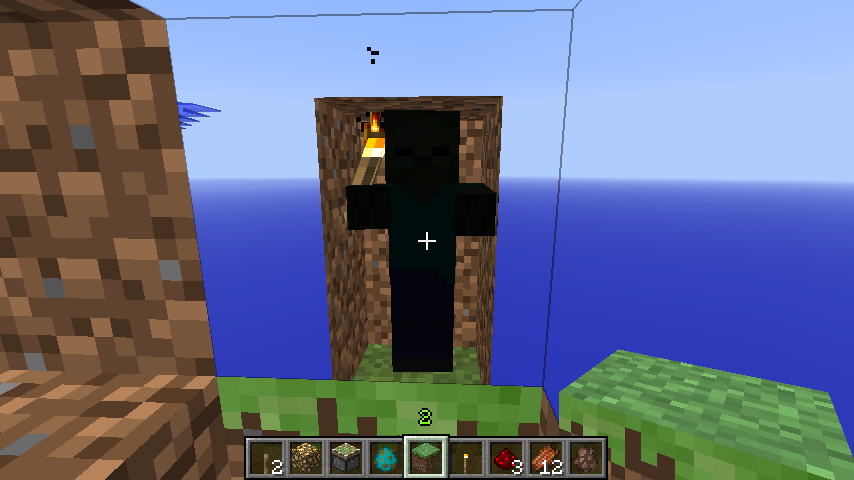
front of setup
To reproduce:
- dig into the ground 3 blocks, and jump in.
- place a torch at eye level.
- cover the space above you.
What you would expect:
- Your character in 3rd person view – or the items in your hand – ought to be pretty well lit.
What you see instead:
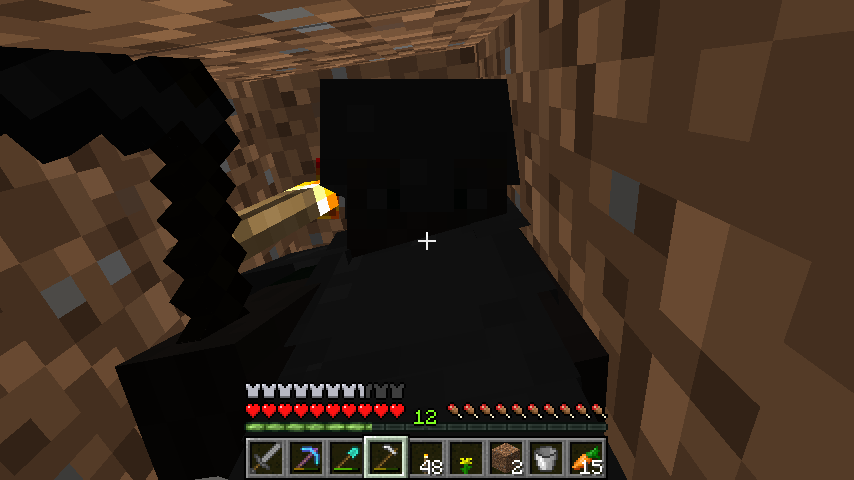
- Your character is dark, as if there were no light at all.
You can place an additional torch at your feet, and it will remain dark. As long as there is a torch at your head, in that 2x1 space, you will remain dark.
Torches and Redstone torches on the wall will have this effect. If however, one of the walls is a lit furnace, an activated redstone ore, or a glowstone, the entity will be lit as usual.
It works with zombies in these confined spaces as well.
You can even make the shaft 3 tall, put the torch 3 high, and jump into it, to see the same effect.
It reminds me a lot of
MC-2799, but whereas that was related to light level of the block, this is more like light level on your player's entity.
To reproduce:
- dig into the ground 3 blocks, and jump in.
- place a torch at eye level.
- cover the space above you.
What you would expect:
- Your character in 3rd person view – or the items in your hand – ought to be pretty well lit.
What you see instead:
- Your character is dark, as if there were no light at all.
You can place an additional torch at your feet, and it will remain dark. As long as there is a torch at your head, in that 2x1 space, you will remain dark.
Torches and Redstone torches on the wall will have this effect. If however, one of the walls is a lit furnace, an activated redstone ore, or a glowstone, the entity will be lit as usual.
It works with zombies in these confined spaces as well.
You can even make the shaft 3 tall, put the torch 3 high, and jump into it, to see the same effect.It reminds me a lot of
MC-2799, but whereas that was related to light level of the block, this is more like light level on your player's entity.To reproduce:
- dig into the ground 3 blocks, and jump in.
- place a torch at eye level.
- cover the space above you.
What you would expect:
- Your character in 3rd person view – or the items in your hand – ought to be pretty well lit.
What you see instead:
- Your character is dark, as if there were no light at all.
You can place an additional torch at your feet, and it will remain dark. As long as there is a torch at your head, in that 2x1 space, you will remain dark.
Torches and Redstone torches on the wall will have this effect. If however, one of the walls is a lit furnace, an activated redstone ore, or a glowstone, the entity will be lit as usual.
You can even make the shaft 3 tall, put the torch 3 high, and jump into it, to see the same effect.
It works with mobs in these confined spaces as well (skeletons, zombies, creepers, slimes that jump etc). Also chickens and pigs will go dark in a 1x1. Blazes and magma cubes will be lit appropriately.
It reminds me a lot of
MC-2799, but whereas that was related to light level of the block, this is more like light level on your player's entity.
To reproduce:
- dig into the ground 3 blocks, and jump in.
- place a torch at eye level.
- cover the space above you.
What you would expect:
- Your character in 3rd person view – or the items in your hand – ought to be pretty well lit.
What you see instead:
- Your character is dark, as if there were no light at all.
You can place an additional torch at your feet, and it will remain dark. As long as there is a torch at your head, in that 2x1 space, you will remain dark.
Torches and Redstone torches on the wall will have this effect. If however, one of the walls is a lit furnace, an activated redstone ore, or a glowstone, the entity will be lit as usual.
You can even make the shaft 3 tall, put the torch 3 high, and jump into it, to see the same effect.
It works with mobs in these confined spaces as well (skeletons, zombies, creepers, slimes that jump etc). Also chickens and pigs will go dark in a 1x1. Blazes and magma cubes will be lit appropriately.
It reminds me a lot of
MC-2799, but whereas that was related to light level of the block, this is more like light level on your player's entity.
- as of 14w06a at least: the thing in your hand in 1st person view is well lit, but your character in 3rd person view is dark.
To reproduce:
- dig into the ground 3 blocks, and jump in.
- place a torch at eye level.
- cover the space above you.
What you would expect:
- Your character in 3rd person view – or the items in your hand – ought to be pretty well lit.
What you see instead:
- Your character is dark, as if there were no light at all.
You can place an additional torch at your feet, and it will remain dark. As long as there is a torch at your head, in that 2x1 space, you will remain dark.
Torches and Redstone torches on the wall will have this effect. If however, one of the walls is a lit furnace, an activated redstone ore, or a glowstone, the entity will be lit as usual.
You can even make the shaft 3 tall, put the torch 3 high, and jump into it, to see the same effect.
It works with mobs in these confined spaces as well (skeletons, zombies, creepers, slimes that jump etc). Also chickens and pigs will go dark in a 1x1. Blazes and magma cubes will be lit appropriately.
It reminds me a lot of
MC-2799, but whereas that was related to light level of the block, this is more like light level on your player's entity.
- as of 14w06a at least: the thing in your hand in 1st person view is well lit, but your character in 3rd person view is dark.
- Night Vision has the effect of lighting up these dark players / mobs.
Whenplayer/mob's headin the same block as torch that's at the top of a 1x1 shaft, entity goes dark.When entity in the same block as torch that's at the top of a 1x1 shaft, entity goes dark.
Whenentityin the same block as torchthat'sat the top of a1x1 shaft, entity goes dark.When a 2x1 tall or 1x1 entity's head is in the same block as torch at the top of a 2x1 shaft, entity goes dark
To reproduce:
- dig into the ground 3 blocks, and jump in.
- place a torch at eye level.
- cover the space above you.
What you would expect:
- Your character in 3rd person view – or the items in your hand – ought to be pretty well lit.
What you see instead:
- Your character is dark, as if there were no light at all.
You can place an additional torch at your feet, and it will remain dark. As long as there is a torch at your head, in that 2x1 space, you will remain dark.
Torches and Redstone torches on the wall will have this effect. If however, one of the walls is a lit furnace, an activated redstone ore, or a glowstone, the entity will be lit as usual.
You can even make the shaft 3 tall, put the torch 3 high, and jump into it, to see the same effect.
It works with mobs in these confined spaces as well (skeletons, zombies, creepers, slimes that jump etc). Also chickens and pigs will go dark in a 1x1. Blazes and magma cubes will be lit appropriately.
It reminds me a lot of
MC-2799, but whereas that was related to light level of the block, this is more like light level on your player's entity.
- as of 14w06a at least: the thing in your hand in 1st person view is well lit, but your character in 3rd person view is dark.
Night Vision has the effect of lighting up these dark players / mobs.To reproduce:
- dig into the ground 3 blocks, and jump in.
- place a torch at eye level.
- cover the space above you.
What you would expect:
- Your character in 3rd person view – or the items in your hand – ought to be pretty well lit.
What you see instead:
- Your character is dark, as if there were no light at all.
Additionally:
- You can place an additional torch at your feet, and it will remain dark. As long as there is a torch at your head, in that 2x1 space, you will remain dark.
- Torches and Redstone torches on the wall will have this effect. If however, one of the walls is a lit furnace, an activated redstone ore, or a glowstone, the entity will be lit as usual.
- You can even make the shaft 3 tall, put the torch 3 high, and jump into it, to see the same effect.
- It works with mobs in these confined spaces as well (skeletons, zombies, creepers, slimes that jump etc). Also chickens and pigs will go dark in a 1x1. Blazes and magma cubes will be lit appropriately.
- Night Vision has the effect of lighting up these dark players / mobs.
It reminds me a lot of
MC-2799, but whereas that was related to light level of the block, this is more like light level on your player's entity.Furthermore:
- as of 14w06a at least: the thing in your hand in 1st person view is well lit, but your character in 3rd person view is dark.
When a2x1 tall or 1x1entity's head isin the same block as torch at the top of a 2x1 shaft,entity goes darkWhen an entity's head is beside a torch in an enclose space, the entity goes dark
When an entity's head is beside a torch in an enclosed space, the entity goes dark
Whenanentity's head is beside a torch in an enclosed space,theentity goes darkWhen player/entity's head is beside a torch in an enclosed space, player/entity goes dark
To reproduce:
- dig into the ground 3 blocks, and jump in.
- place a torch at eye level.
- cover the space above you.
What you would expect:
- Your character in 3rd person view – or the items in your hand – ought to be pretty well lit.
What you see instead:
- Your character is dark, as if there were no light at all.
Additionally:
- You can place an additional torch at your feet, and it will remain dark. As long as there is a torch at your head, in that 2x1 space, you will remain dark.
- Torches and Redstone torches on the wall will have this effect. If however, one of the walls is a lit furnace, an activated redstone ore, or a glowstone, the entity will be lit as usual.
- You can even make the shaft 3 tall, put the torch 3 high, and jump into it, to see the same effect.
- It works with mobs in these confined spaces as well (skeletons, zombies, creepers, slimes that jump etc). Also chickens and pigs will go dark in a 1x1. Blazes and magma cubes will be lit appropriately.
- Night Vision has the effect of lighting up these dark players / mobs.
It reminds me a lot of
MC-2799, but whereas that was related to light level of the block, this is more like light level on your player's entity.Furthermore:
- as of 14w06a at least: the thing in your hand in 1st person view is well lit, but your character in 3rd person view is dark.
When player/entity's head is beside a torch in an enclosed space, player/entity goes darkTorch does not light player in 2x1 space
Torch does not light player in 2x1 spacePlayer renders black in a 1x1 shaft with torch in upper block
Confirmed in 16w05b.
What I expected: I had reasoned that since the presence of a spectator does not trigger the spawning of mobs, that likewise the presence of a spectator would be insufficient reason for mobs such as skeletons and zombies to hang around in the absence of other players.
What I saw: Mobs that typically would despawn when a player moves out of their radius, were hanging around indefinitely as if my presence was preventing them from despawning.
It seems convenient on the one hand that a spectator can camp out inside an enderman for instance and spy on people who might come along
through theshader, or something, but on the other hand it ends up being a giveaway to other players that the otherwise-despawning mob must contain a spectator.What I expected: I had reasoned that since the presence of a spectator does not trigger the spawning of mobs, that likewise the presence of a spectator would be insufficient reason for mobs such as skeletons and zombies to hang around in the absence of other players.
What I saw: Mobs that typically would despawn when a player moves out of their radius, were hanging around indefinitely as if my presence was preventing them from despawning.
It seems convenient on the one hand that a spectator can camp out inside an enderman for instance and spy on people who might come along, with that cool shader, or something, but on the other hand it ends up being a giveaway to other players that the otherwise-despawning mob must contain a spectator.
Moderator noteTo keep hostile mobs in spectator mode, rename them with a name tag (renaming the spawner eggs does not work!)
Hijacking my own ticket: I definitely agree with the several people who have commented below: I'd like this to be changed back! Fun overrides this nit picky way I was suggesting of being consistent.
What I expected: I had reasoned that since the presence of a spectator does not trigger the spawning of mobs, that likewise the presence of a spectator would be insufficient reason for mobs such as skeletons and zombies to hang around in the absence of other players.
What I saw: Mobs that typically would despawn when a player moves out of their radius, were hanging around indefinitely as if my presence was preventing them from despawning.
It seems convenient on the one hand that a spectator can camp out inside an enderman for instance and spy on people who might come along, with that cool shader, or something, but on the other hand it ends up being a giveaway to other players that the otherwise-despawning mob must contain a spectator.
This happens in Singleplayer. Creative or Survival doesn't seem to matter.
Expected:
When loading a world, your hand should be holding the thing currently selected in the hotbar.Actually seen:
Your hand starts out (briefly) holding the thing selected in the hotbar in the last world you were in, then it does the item-switching animation (lower hand holding previous item, raise hand now holding current item).From time to time, it will be more instantaneous, though the previous item will still be momentarily visible.
From time to time also, I won't perceive it happening.
Steps:
1) Have 2 worlds created.
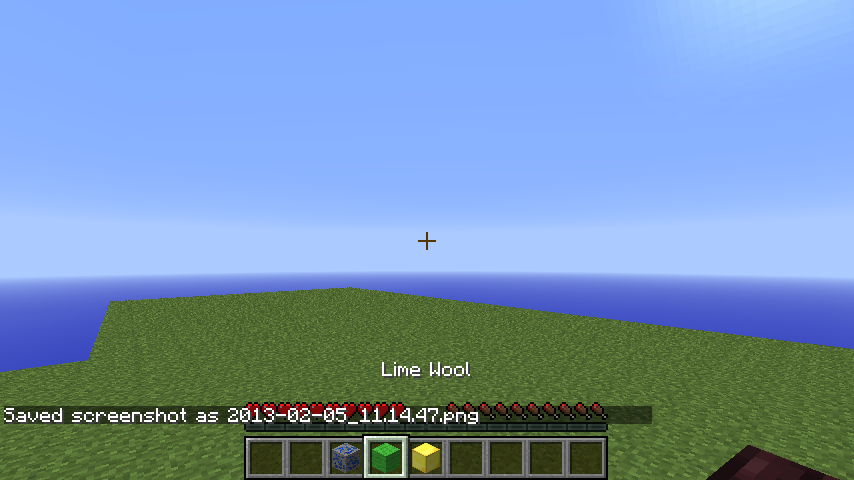
2) In one world, select something from the hotbar so it's held in-hand, e.g. lime wool.
3) Save and quit, open the other world. Select something else in-hand, e.g. nether brick.
4) Save and quit, open the first world again; it will happen at this time.Possibly related to
MC-4474, where the Boss Health Bar also remains from the last world you were in.
This happens in Singleplayer. Creative or Survival doesn't seem to matter.
Expected:
When loading a world, your hand should be holding the thing currently selected in the hotbar.Actually seen:
Your hand starts out (briefly) holding the thing selected in the hotbar in the last world you were in, then it does the item-switching animation (lower hand holding previous item, raise hand now holding current item).From time to time, it will be more instantaneous, though the previous item will still be momentarily visible.
From time to time also, I won't perceive it happening.
Steps:
1) Have 2 worlds created.
2) In one world, select something from the hotbar so it's held in-hand, e.g. lime wool.
3) Save and quit, open the other world. Select something else in-hand, e.g. nether brick.
4) Save and quit, open the first world again; it will happen at this time.
Possibly related toMC-4474, where the Boss Health Baralsoremains from the last world you were in.This happens in Singleplayer. Creative or Survival doesn't seem to matter.
Expected:
When loading a world, your hand should be holding the thing currently selected in the hotbar.Actually seen:
Your hand starts out (briefly) holding the thing selected in the hotbar in the last world you were in, then it does the item-switching animation (lower hand holding previous item, raise hand now holding current item).From time to time, it will be more instantaneous, though the previous item will still be momentarily visible.
From time to time also, I won't perceive it happening.
Steps:
1) Have 2 worlds created.
2) In one world, select something from the hotbar so it's held in-hand, e.g. lime wool.
3) Save and quit, open the other world. Select something else in-hand, e.g. nether brick.
4) Save and quit, open the first world again; it will happen at this time.Reminiscent of
MC-4474, where the Boss Health Bar remains from the last world you were in.
FIXED - When loading a world, the held item from the previously loaded world is briefly visible
FIXED -When loading a world, the held item from the previously loaded world is briefly visible
This happens in Singleplayer. Creative or Survival doesn't seem to matter.
Expected:
When loading a world, your hand should be holding the thing currently selected in the hotbar.Actually seen:
Your hand starts out (briefly) holding the thing selected in the hotbar in the last world you were in, then it does the item-switching animation (lower hand holding previous item, raise hand now holding current item).From time to time, it will be more instantaneous, though the previous item will still be momentarily visible.
From time to time also, I won't perceive it happening.
Steps:
1) Have 2 worlds created.
2) In one world, select something from the hotbar so it's held in-hand, e.g. lime wool.
3) Save and quit, open the other world. Select something else in-hand, e.g. nether brick.
4) Save and quit, open the first world again; it will happen at this time.Reminiscent of
MC-4474, where the Boss Health Bar remains from the last world you were in.This happens in Singleplayer. Creative or Survival doesn't seem to matter.
*Expected*:
When loading a world, your hand should be holding the thing currently selected in the hotbar.Actually seen:
Your hand starts out (briefly) holding the thing selected in the hotbar in the last world you were in, then it does the item-switching animation (lower hand holding previous item, raise hand now holding current item).From time to time, it will be more instantaneous, though the previous item will still be momentarily visible.
From time to time also, I won't perceive it happening.
Steps:
1) Have 2 worlds created.
2) In one world, select something from the hotbar so it's held in-hand, e.g. lime wool.
3) Save and quit, open the other world. Select something else in-hand, e.g. nether brick.
4) Save and quit, open the first world again; it will happen at this time.Reminiscent of
MC-4474, where the Boss Health Bar remains from the last world you were in.
This happens in Singleplayer. Creative or Survival doesn't seem to matter.
*Expected
*:
When loading a world, your hand should be holding the thing currently selected in the hotbar.Actually seen
:
Your hand starts out (briefly) holding the thing selected in the hotbar in the last world you were in, then it does the item-switching animation (lower hand holding previous item, raise hand now holding current item).From time to time, it will be more instantaneous, though the previous item will still be momentarily visible.
From time to time also, I won't perceive it happening.
Steps:
1) Have 2 worlds created.
2) In one world, select something from the hotbar so it's held in-hand, e.g. lime wool.
3) Save and quit, open the other world. Select something else in-hand, e.g. nether brick.
4) Save and quit, open the first world again; it will happen at this time.Reminiscent of
MC-4474, where the Boss Health Bar remains from the last world you were in.This happens in Singleplayer. Creative or Survival doesn't seem to matter.
Expected:
When loading a world, your hand should be holding the thing currently selected in the hotbar.Actually seen:
Your hand starts out (briefly) holding the thing selected in the hotbar in the last world you were in, then it does the item-switching animation (lower hand holding previous item, raise hand now holding current item).
From time to time, it will be more instantaneous, though the previous item will still be momentarily visible.
From time to time also, I won't perceive it happening.
Steps:
1) Have 2 worlds created.
2) In one world, select something from the hotbar so it's held in-hand, e.g. lime wool.
3) Save and quit, open the other world. Select something else in-hand, e.g. nether brick.
4) Save and quit, open the first world again; it will happen at this time.Reminiscent of
MC-4474, where the Boss Health Bar remains from the last world you were in.
This happens in Singleplayer. Creative or Survival doesn't seem to matter.
Expected:
When loading a world, your hand should be holding the thing currently selected in the hotbar.Actually seen:
Your hand starts out (briefly) holding the thing selected in the hotbar in the last world you were in, then it does the item-switching animation (lower hand holding previous item, raise hand now holding current item).
From time to time, it will be more instantaneous, though the previous item will still be momentarily visible.
From time to time also, I won't perceive it happening.
Steps:
1) Have 2 worlds created.
2) In one world, select something from the hotbar so it's held in-hand, e.g. lime wool.
3) Save and quit, open the other world. Select something else in-hand, e.g. nether brick.
4) Save and quit, open the first world again; it will happen at this time.Reminiscent of
MC-4474, where the Boss Health Bar remains from the last world you were in.
This happens in Singleplayer. Creative or Survival doesn't seem to matter.
Expected:
When loading a world, your hand should be holding the thing currently selected in the hotbar.Actually seen:
Your hand starts out (briefly) holding the thing selected in the hotbar in the last world you were in, then it does the item-switching animation (lower hand holding previous item, raise hand now holding current item).
From time to time, it will be more instantaneous, though the previous item will still be momentarily visible.
From time to time also, I won't perceive it happening.
Steps:
1) Have 2 worlds created.
2) In one world, select something from the hotbar so it's held in-hand, e.g. lime wool.
3) Save and quit, open the other world. Select something else in-hand, e.g. nether brick.
4) Save and quit, open the first world again; it will happen at this time.Reminiscent of
MC-4474, where the Boss Health Bar remains from the last world you were in.This is fixed as of 15w31a: as of that snapshot it would start you with an empty hand, and more recently it starts you with hands down, and raises your items.
This happens in Singleplayer. Creative or Survival doesn't seem to matter.
Expected:
When loading a world, your hand should be holding the thing currently selected in the hotbar.Actually seen:
Your hand starts out (briefly) holding the thing selected in the hotbar in the last world you were in, then it does the item-switching animation (lower hand holding previous item, raise hand now holding current item).
From time to time, it will be more instantaneous, though the previous item will still be momentarily visible.
From time to time also, I won't perceive it happening.
Steps:
1) Have 2 worlds created.
2) In one world, select something from the hotbar so it's held in-hand, e.g. lime wool.
3) Save and quit, open the other world. Select something else in-hand, e.g. nether brick.
4) Save and quit, open the first world again; it will happen at this time.Reminiscent of
MC-4474, where the Boss Health Bar remains from the last world you were in.
This is fixed as of 15w31a: as of that snapshot it would start you with an empty hand, and more recently it starts you with hands down, and raises your items.
This happens in Singleplayer
. Creative or Survival doesn't seem to matter.Expected:
When loading a world, your hand should be holding the thing currently selected in the hotbar.Actually seen:
Your hand starts out (briefly) holding the thing selected in the hotbar in the last world you were in, then it does the item-switching animation (lower hand holding previous item, raise hand now holding current item).
From time to time, it will be more instantaneous, though the previous item will still be momentarily visible.From time to time also, I won't perceive it happening.
Steps:
1) Have 2 worlds created.
2) In one world, select something from the hotbar so it's held in-hand, e.g. lime wool.
3) Save and quit, open the other world. Select something else in-hand, e.g. nether brick.
4) Save and quit, open the first world again; it will happen at this time.Reminiscent of
MC-4474, wheretheBoss Health Bar remains from the last world you were in.This happens in Singleplayer, any gamemode.
Expected:
When loading a world, your hand should be holding the thing currently selected in the hotbar.Actually seen:
Your hand starts out (briefly) holding the thing selected in the hotbar in the last world you were in, then it does the item-switching animation (lower hand holding previous item, raise hand now holding current item).It's quick, so to reproduce it, try a few times.
Steps:
1) Have 2 worlds created.
2) In one world, select something from the hotbar so it's held in-hand, e.g. lime wool.
3) Save and quit, open the other world. Select something else in-hand, e.g. nether brick.
4) Save and quit, open the first world again. Your hand will lower the nether brick, and raise the lime wool.
This happens in Singleplayer, any gamemode, especially on lower render distance.
Expected:
When loading a world, your hand should be holding the thing currently selected in the hotbar.Actually seen:
Your hand starts out (briefly) holding the thing selected in the hotbar in the last world you were in, then it does the item-switching animation (lower hand holding previous item, raise hand now holding current item).It's quick, so to reproduce it, try a few times.
Steps:
1) Have 2 worlds created.
2) In one world, select something from the hotbar so it's held in-hand, e.g. lime wool.
3) Save and quit, open the other world. Select something else in-hand, e.g. nether brick.
4) Save and quit, open the first world again. Your hand will lower the nether brick, and raise the lime wool.
To see: Stack 3 barriers, top it off with a Redstone Dust. Go back to the ground: the Redstone Dust isn't visible.
Note:
It was changed in 11a so that Rails were visible from below, so I wasn't sure if Redstone Dust should also be.
To see: Stack 3 barriers, top it off with a Redstone Dust. Go back to the ground: the Redstone Dust isn't visible.
Note:
It was changed in 11a so that Rails were visible from below, so I wasn't sure if Redstone Dust should also be.
To see:
Stack 3 barriers, top it off with a Redstone Dust. Go back to the ground: the Redstone Dust isn't visible.It was changed in 11a so that Rails were visible from below, so I wasn't sure if Redstone Dust should also be.
To see: put a Redstone Dust on a Barrier, and look from underneath: the Redstone Dust isn't visible.
It was changed in 11a so that Rails were visible from below, so I wasn't sure if Redstone Dust should also be.
To see: put a Redstone Dust on a Slime Block (or Barrier), and look from underneath: the Redstone Dust isn't visible.
It was changed in 11a so that Rails were visible from below, so I wasn't sure if Redstone Dust should also be.
Now they don't have shadows, so it's not so noticeable.. but they do still clip into the ground a bit.
The back of a wall-placed torch, spectator mode (visible in other modes as well)
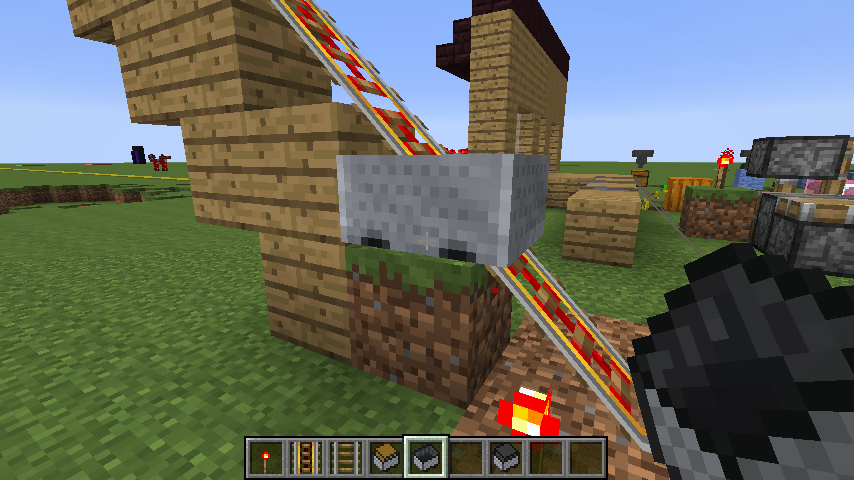
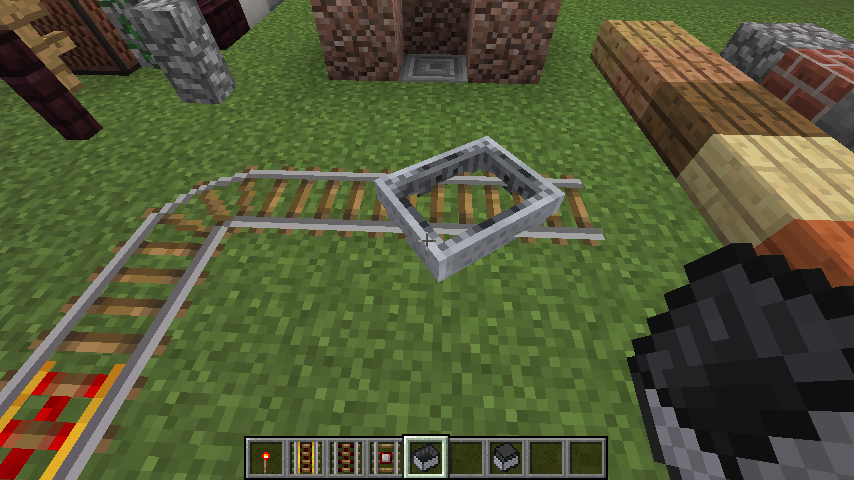
To make:
- Build an uphill track, include some power or detector rails.
- Place a minecart on the slope, over either of those types of rails, when they're in the powered state.
- It glitches through. When it reaches flat ground, it's sunken into the ground, still attached to the track.
(this is not the minecart-sinking-into-the-ground-when-derails bug; it started happening with the new minecart physics.)To make:
- Build an uphill track, include some power or detector rails.
- Place a minecart on the slope, over either of those types of rails, when they're in the powered state.
- It glitches through. When it reaches flat ground, it's sunken into the ground, still attached to the track.
Note; the rails with the problem have very low hitboxes. Not sure if that's at all related.
(this is not the minecart-sinking-into-the-ground-when-derails bug; it started happening with the new minecart physics.)
What I did:
I placed a hopper so it outputs to a chest, then connected a comparator so that its input was that hopper. I tossed in one rotten flesh. Waited for it to pass through to the chest. Then opened the hopper inventory and placed one rotten flesh.What I expected:
I expected each action (tossing one flesh into the hopper, and placing one rotten flesh into the inventory) to briefly activate the comparator while it passed through.What I found:
Placing things one at a time into the hopper inventory will never activate the comparator. Placing a stack of two or more works fine. I consider this to be unexpected.Incidentally, one item coming from a chest ABOVE a hopper and passing through to another chest will activate the comparator, just as tossing one item into the hopper does. That much is as I expected.
It's worked that way since 1.5.1.
What I did:
I placed a hopper so it outputs to a chest, then connected a comparator so that its input was that hopper. I tossed in one rotten flesh. Waited for it to pass through to the chest. Then opened the hopper inventory and placed one rotten flesh.What I expected:
I expected each action (tossing one flesh into the hopper, and placing one rotten flesh into the inventory) tobrieflyactivate the comparatorwhile it passedthrough.What I found:
Placing things one at a time into the hopper inventory willnever activate the comparator. Placing a stack of two or more works fine. I consider this to be unexpected.Incidentally, one item coming from a chest ABOVE a hopper and passing through to another chest will activate the comparator, just as tossing one item into the hopper does. That much is as I expected.
It's worked that way since 1.5.1.
What I did:
I placed a hopper so it outputs to a chest, then connected a comparator so that its input was that hopper. I tossed in one rotten flesh. Waited for it to pass through to the chest. Then opened the hopper inventory and placed one rotten flesh.What I expected:
I expected each action (tossing one flesh into the hopper, and placing one rotten flesh into the inventory) to activate the comparator on its way through.What I found:
Placing things one at a time into the hopper inventory will never activate the comparator, while tossing them in one at a time always does.It's worked that way since 1.5.1.
still in 14w11b.
Could we get this re-opened?
2014-04-30_11.27.58.png
- Break a block in creative mode,
- Switch to spectator mode,
- Click as if to break some block close by.
- You should see a small smattering of particles, lasting a short time.
- You can click about three times, I have found, even clicking several different blocks and block types. After that, there aren't any more particles.
This has been occurring in the 1.8 snapshots for some time now.
I mean it's no huge deal, but still.
Incidentally: this is not exactly MC-46766; that one happens when you switch from survival to spectator.
- Break a block in creative mode,
- Switch to spectator mode,
- Click as if to break some block close by.
- You should see a small smattering of particles, lasting a short time.
You can click about three times, I have found, even clicking several different blocks and block types. After that, there aren't any more particles.
Not sure if others in SMP can see these particles.
This has been occurring in the 1.8 snapshots for some time now.
I mean it's no huge deal, but still.
Incidentally: this is not exactly MC-46766; that one happens when you switch from survival to spectator.
- Break a block in creative mode,
- Switch to spectator mode,
- Click as if to break some block close by.
- You should see a small smattering of particles, lasting a short time.
You can click about three times, I have found, even clicking several different blocks and block types. After that, there aren't any more particles.
Not sure if others in SMP can see these particles.
This has been occurring in the 1.8 snapshots for some time now.
I mean it's no huge deal, but still. It's kind of a shine-and-polish thing to clean this up.
Incidentally: this is not exactly MC-46766; that one happens when you switch from survival to spectator.
If you switch from creative to spectator, you can click and it will show a few block breaking particles.
- Break a block in creative mode,
- Switch to spectator mode,
- Click as if to break some block close by.
- You should see a small smattering of particles, lasting a short time.
You can click about three times, I have found, even clicking several different blocks and block types. After that, there aren't any more particles.
Not sure if others in SMP can see these particles.
This has been occurring in the 1.8 snapshots for some time now.
I mean it's no huge deal, but still. It's kind of a shine-and-polish thing to clean this up.
Incidentally: this is not exactly MC-46766; that one happens when you switch from survival to spectator.
If you
switch from creativeto spectator, you can click and it will show afewblock breaking particles.
- Break a block in creative mode,
- Switch to spectator mode,
- Click as if to break some block close by.
- You should see
a small smattering ofparticles, lasting a short time.You can click about three times, I have found, even clicking several different blocks and block types. After that, there aren't any more particles.
Not sure if others in SMP can see these particles.
This has been occurring in the 1.8 snapshots for some time now.
I mean it's no huge deal, but still. It's kind of a shine-and-polish thing to clean this up.
Incidentally: this is not exactly MC-46766; that one happens when you switch from survival to spectator.
If you break a block in creative and switch to spectator, you can click blocks and it will show a small number of block breaking particles.
- Break a block in creative mode,
- Switch to spectator mode,
- Click as if to break some block close by.
- You should see like 2 block-breaking particles, lasting a short time.
You can click about three times, I have found, even clicking several different blocks and block types. After that, there aren't any more particles.
Not sure if others in SMP can see these particles.
This has been occurring in the 1.8 snapshots for some time now.
I mean it's no huge deal, but still. It's kind of a shine-and-polish thing to clean this up.
Incidentally: this is not exactly MC-46766; that one happens when you switch from survival to spectator.
If you break a block in creative and switch to spectator, you can click blocks and it will show a small number of block breaking particles.
- Break a block in creative mode,
- Switch to spectator mode,
- Click as if to break some block close by.
- You should see like 2 block-breaking particles, lasting a short time.
You can click about three times, I have found, even clicking several different blocks and block types. After that, there aren't any more particles.
Not sure if others in SMP can see these particles.
This has been occurring in the 1.8 snapshots for some time now.
I mean it's no huge deal, but still. It's kind of a shine-and-polish thing to clean this up.
Incidentally: this is not exactly MC-46766; that one happens when you switch from survival to spectator.
How to Reproduce
- Break a block (or try with a sword) in creative mode,
- Switch to spectator mode,
- Click as if to break some block close by: you'll see 2–3 block-breaking particles.
Not sure if others in SMP can see these particles.
How to Reproduce
- Break a block (or try with a sword) in any other mode than spectator mode,
- Switch to spectator mode,
- Click as if to break some block close by: you'll see 2–3 block-breaking particles.
Not sure if others in SMP can see these particles.
How to Reproduce
- Break a block (or try with a sword) in creative mode (survival mode is MC-46766),
- Switch to spectator mode,
- Click as if to break some block close by: you'll see 2–3 block-breaking particles.
Not sure if others in SMP can see these particles.

What i expected to happen was nothing as usual when throwing ender pearls into the Nether portal
What really happened was I got teleported in the overworld to that portal's Nether coordinates
This bug seems to not exist on worlds created in 1.9 but only in worlds created before, i tried on a world created in 1.8.3 and 1.8.8 and the bug happens, so to re-create you would have to create a world in 1.8 or below and then play it on 15w34b, build a nether portal and throw an ender pearl into it. Happens regardless of what version the world is generated.
Very finicky. For me, only happened when standing one block next to (but not inside) the portal, and throwing to a spot just one block on the other side. But not always. – Sealbudsman
See this comment by [Mod] md_5 for suggested fix based on 1.10 MCP
@Sealbudsman: Please write "15w47a" instead of "47a" when mentioning affected versions, otherwise that may slip through some filters.
@Sealbudsman: Is any part of this ticket still a bug in 1.9-pre2?
@Sealbudsman They are probably caused by the same bug.
@[Mod] redstonehelper Passenger rotation keeps changing after getting out of a boat ?
![[Mod] Skylinerw](../../../data/assets/gravatar/skylinerw.png)
@Sealbudsman That's referring to parsing user input for links in chat. This ticket is still valid in that regard since you can use the open_url click event for the text component (which is used for both chat and books). However, this appears to no longer be an issue as links now use Java's URI class (while restricting the scheme to "http" or "https").
![[Mod] Les3awe](../../../data/avatars/users/79847.png)
@Sealbudsman, chiseled bookshelf is WAI.
Source:
The comment.
Is it because you're right at spawn, which is normally protected?
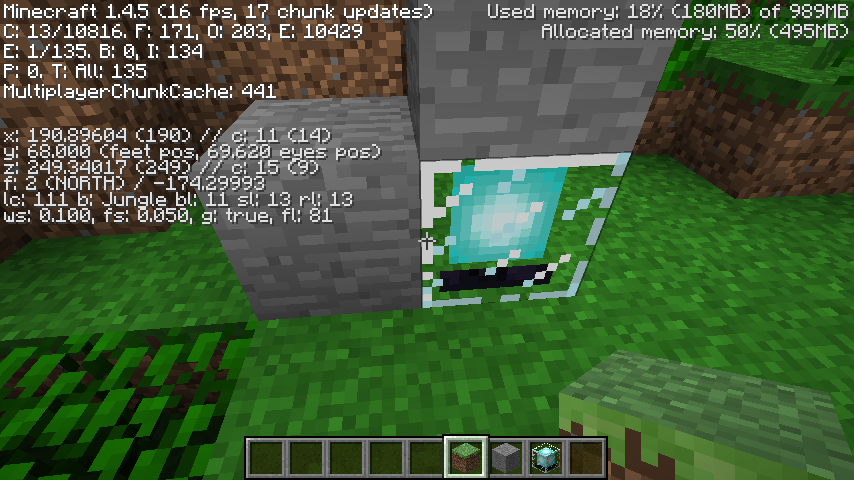
It resembles issue
MC-102, which was fixed in 1.4.2 or 3; but it definitely happens with this block in 1.4.5 (see screenshot).This still happens in 1.4.5, to me, but inconsistently: some portals do me damage, others don't.
For instance the one that damages me, that I know of:
Ones that do not:
(y values are foot position when standing in the portal)
None of these are against walls except the first overworld portal. No nether portal faces a wall.
(No idea if it's related to coordinates, but since certain portals always damage me, and certain portals never do, I figured hey.)
It is counterintuitive, and because of that, just a bit disorienting; stepping into a portal has an increasing swirly animation, so when I appear in the nether I sort of do expect a decreasing swirly animation, instead of the swirls starting at zero and ramping up again. Happens in 1.4.5.
Thank you, Tails. I did look search, but only for trapdoors, so I missed this one.
I have no mods.
I'll see if I can rig up a video.
I was experiencing this a while ago, but the way I fixed it, was to go into my NVidia settings, under 'manage 3D settings', and turned Antialiasing to 'Application-controlled'. You might need to use the section that says 'program settings' rather than 'global settings', and select the particular java.exe that your minecraft is running on, and change the Antialiasing settings there.
I might suggest upgrading to Java 7, and telling us whether it still crashes then?
What I think TS might mean, is that instead of allowing a book to be produced with the conflicting enchantments not added, perhaps it should produce nothing at all, showing the red x over the arrow, like it does when the enchantment is too expensive. Although .. then you couldn't combine a book with enchantments A and B, with another having C and D, to produce a book with A and D, when for instance B and C conflict, as I assume it could now.
The portals that used to damage me, don't anymore as of 1.4.7. Anybody else?
Happens with item frames too: walk up close to one, then turn slowly away, and at some point it'll vanish.
Ghasts and item frames, are these both the same type of thing? Entities or something? Or should the item frames thing be considered to be of a separate cause?
one second, i may have described it improperly. i was going from memory.
My apologies. This happened before 1.4.7 and isn't a problem anymore.
also in 1.4.7.
Thimo, you've got my upvote. I would advise a little confidence in the team; they push out 10 or 20 bug fixes with each snapshot, and during times when they come close to release, when they focus more primarily on bug fixes and not on new features, they've historically put out on the order of 60 to 75 per snapshot. Get your issue voted for.
This happened to me just now in 1.4.7 with an Unbreaking III pickaxe.
The anvils, testing them on 13w05a, will kill zombies and other mobs, from a height of 15 on easy.
Does this in 13w05a.
Also in 13w05a. Oftentimes for me if it is not happening, I stand in front of a map, lot out then in again, and it will start happening. Not sure what criteria makes it stop happening.
Will, I tried doing that, and I'm finding that 'actually breaking' is a hard thing to predict with an Unbreaking tool. On an unenchanted tool, you could accurately say that a durability of 0 means that the next use will break the tool. But an Unbreaking tool can remain at 0 for several uses. To directly answer your suggestion, the glitchy breaks as well as the real breaks all occur when durability is 0. Maybe though, I misunderstand what you might mean by 'actually breaking'?
I updated my driver, and this doesn't occur anymore for me. Snapshots and releases alike. Before, I could reproduce it anytime I wanted. Now I can't at all. NVIDIA GeForce 6150SE nForce 430.
What you say makes sense, Marios. It sounds like a case of client-server sync issues.
The arms must be directed West-East (regardless the Wither always faces south). The one Soul Sand that disappears will be the one underneath the last head you place.
My long-shot bet is that this is misbehaving code, meant to solve the following ambiguous situation: Stack two Soul Sands, and around the top Soul Sand, attach four Soul Sand arms. On those four arms, place heads. You'll see that if you place one in the center, the game has to choose which one to activate, the West-East totem, or the North-South totem. It always activates the North-South totem correctly, and leaves intact the West-East arms. It seems to correspond, which is the only reason I bring it up.
For the 01/Feb/12 5:47 PM photo, the seed is 'sodapop'. Coordinates are x:675, z:353. It is 18 squares in size. The dry 'rivers' are easy to spot because they are light green. They're not riverbed-shaped, they're spot-shaped, like the other river-biomes that occur in marshes.
I'm finding the directions just a little ambiguous, and that might be the trouble here. For step 3, what do you mean by 'scroll'? And for step 2, the part in parentheses is just telling us that you mean the 9-slot hotbar inventory versus the 9x3 big inventory, right?
Feature.
I can confirm. In 1.4.7, the 'edges' of the sword will glisten with enchantment just like the 'face' of the sword.
In 13w05b, the 'edges' look unenchanted. They don't glisten.
This just might have something to do with the recent fix of [6951].
Not only swords. Anything enchantable.
Both when in-hand, and when dropped in Fancy Graphics, will it do this.
Duplicate of [8345]. Although I don't quite know why the technical limitations are as they are, this would be a good feature.
Adma, I know you said it was related to shift-click, but I wonder if you are experiencing the following:
Take a look at http://www.minecraftwiki.net/wiki/Smelting#Recipes. You will see that everything gives 1 exp or less. If you take only 1 item from the furnace, for instance after smelting Gold, where the table says it gives 1 exp, it should give you 1 exp. If for instance you smelt sand into glass, where table says it gives 0.1 exp, that means 10% of the time, it will give you 1 exp. Or if you remove glass 5 at a time, it should give you 1 exp 50% of the time. Or if you remove glass 10 at a time, it should give you 1 exp 100% of the time.
So visually, you'll see no exp sometimes, if it's a low-exp material, and if you remove very little of it from the furnace.
Ten glass at a time, or one gold at a time, ought to always give 1 exp. Check that.
Could you tell us if that works.
Simon, are you sure there is no still or running water above those upside-down stairs? Those blocks drip when water is directly above, though I could not reproduce it with rain.
Interesting.
Roadsguy, good news, they got rid of the ugly horizontal line, just this past snapshot or two.
Is this an effect of lag, then?
Grum, if you are prepared to say you are 100% sure that this always happens via a user firewall/network configuration issue, perhaps then, opening to lan failure could trigger a screen explaining several troubleshooting steps the user could take, similar to how browsers often deal with network failure. Abiding by the principle of giving helpful error messages, and making it clear that system configuration is at the heart of the matter.
It might be appropriate (for the team) to handle corrupt sound files more gracefully. Something along the lines of a silent re-download of that resource, so as not to hinder (let alone crash) gameplay. If such hot swapping is possible.
And apparently I commented on a Fixed thing. Nevermind.
This happened to our server in 1.3.x. It turned out to be that the server hosting our world ran out of space to write the save file to. The hosting had to allot us more disk space; we've not had that problem since.
Yes this duplicates [9237], whereas the issue on 9237 (as it most recently reads) now no longer duplicates [607].. in my reading of it.
In 13w50a this happens. The white cursor seems to be 'behind' the map; if you find the white cursor to be missing, go off-map, and the white dot will move with your location – but the green or blue of the map will overlap it.
I'm finding, on singleplayer, it looks like there is a limit of 4, on 13w05a.
In 13w05a the zombies activate the ore when walking onto the block to break the door, as the OP described, and mobs in general activate it when walking.
I can verify this for 13w05a.
The same thing fundamentally as MC-1794?
also 13w06a
I see what Tails sees: usually translucent, opaque dependent on the angle. In 13w06a. It doesn't seem to depend on graphics settings. Also they change to opaque when in the game menu (ESC), and when in any kind of inventory.
How about in 13x06a?
If you can get a crash report (while in-game, hold F3+C for 10 seconds), I'm sure it would be helpful.
I can see them too, in snow. The black particles we're seeing (or at least the ones I'm seeing) behave like the white ones that I see in other places (1x1, only appear on block edges, appear disappear randomly but only when you move). Also the white ones are reported to be in a variety of colors. That's why I suggested they might be the same thing.
Won't be able to play anymore? Well.. this problem with your computer's video drivers probably isn't going to get any worse than it is. And your computer is well within spec to be able to play. The system really isn't that old, either; odds are Oracle will finally release a Java 1.7 for your system. Not that updated java matters for this particular thing. Anyhow. Have fun.
Thanks, I did see that ..
I'm confused as to how exactly
MC-8797was resolved. It was described there that layers disappear when you remove the supporting layer, and it was marked as fixed by 13w06a. Yet no snow behavior at all (let alone the behavior described) was actually changed. And since no behavior was changed, I made some other snow reports that I considered to be different from 8797.Fair enough.
I'm sure 'void fog' isn't literally supposed to represent a fog in the air, so much as the darkness of the depths. Same way 'fog of war' in RTS type games doesn't represent actual fog, and is just a gameplay thing. In that context, having it within lava and water isn't so consistent.
Ville, that makes sense to me and is easy to understand as far as it goes. But even so, the inconsistent behavior remains: a torch at the top of a 1x1 shaft will 'have no light inside it', whereas a torch anywhere else in a 1x1 shaft will 'have light inside it'.
Agreed, perhaps this will all vanish and go away with 1.5
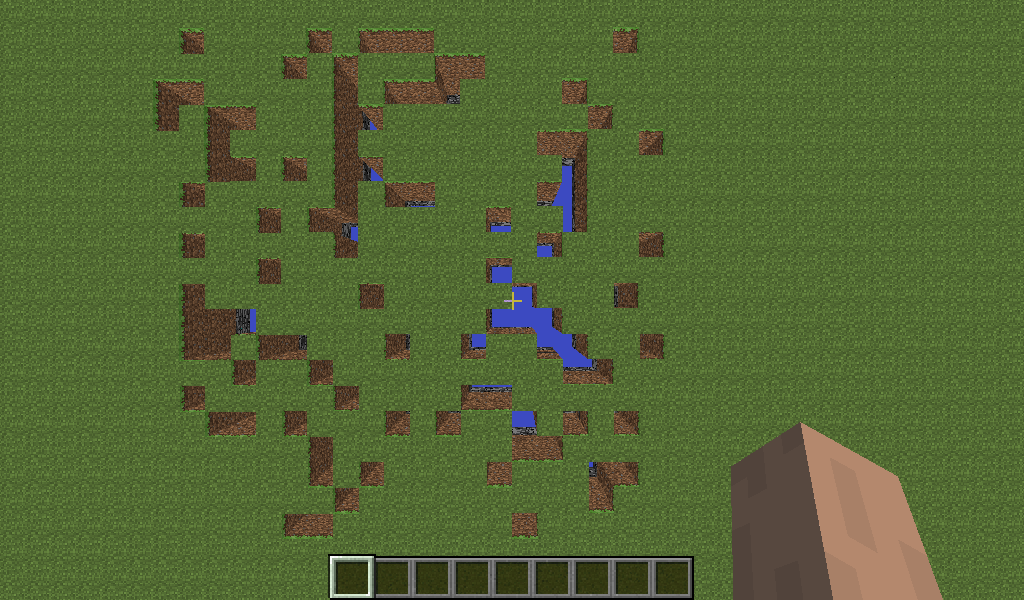
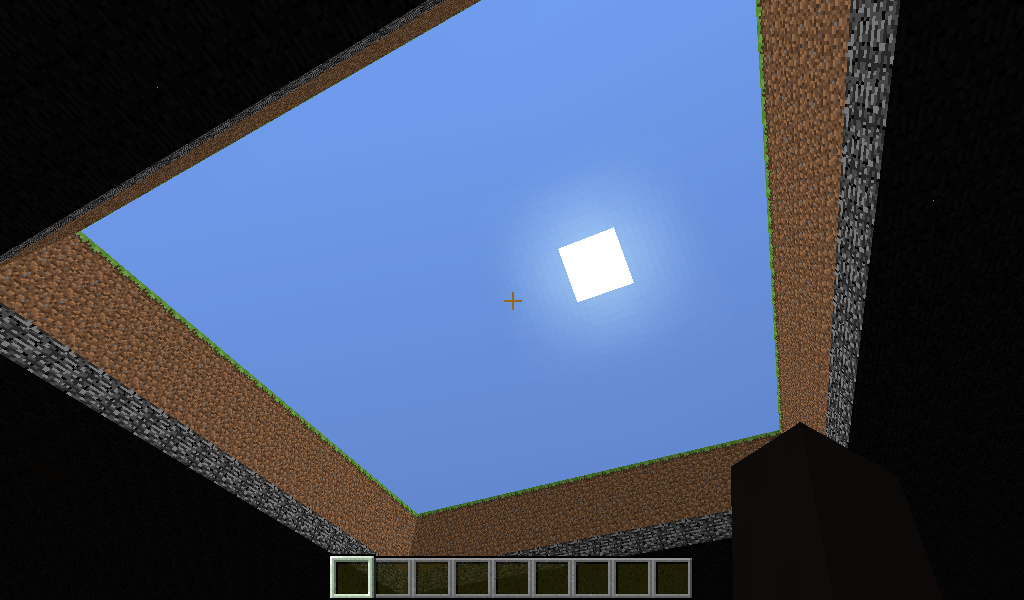
In 13w06a, on a normal flat map, I dug / dropped into the void a bunch of times, in order to find out the region of the spawn point. It turned out to be a 20x20 region, which I then dug out completely (see 2 screenshots) so that all such spots drop you into the void.
Anytime I would spawn, it would be at y=0, as if it thought setting my feet on void would be a good idea. Even before the 20x20 excavation, when it was just riddled with holes, there were still many spots to spawn me on, but often it would spawn me over void.
Incidentally I expected to be able to fly out of the void after spawning in it, but funny thing is, I cannot.
In 13w07a, both these blocks flicker, and both when being pushed and pulled.
also in 1.5.
also in 1.5.
also in 1.5.
still in 1.5.
Still in 1.5.
Still in 1.5.
still in 1.5.
still in 1.5.
In 1.5 I'm not able to reproduce this with chickens or with sheep as Carl Zulauf describes. Anyone else?
and in 1.5.
still in 1.5.
1.5 as well.
Still goes on in 1.5.
Affects 1.5.
I'm not sure I can replicate this is 1.5. But I may be doing it wrong. (Does the 'ghost' TNT fall 'into' the other TNT, occupying the same space until they explode? I can detect no sign of a second TNT) Anybody else?
Still happens in 1.5.
When you relog (as Valentijn indicates), or if you unload the chunk by travelling a distance and then you return, previously invisible paintings appear where you have placed them.
F3+A (reload chunks) and F3+T (reload texture packs) aren't effective to show the invisible paintings. F3+B shows no visible hitboxes for invisible paintings.
Likely Lorenzo was addressing Mojang for a resolution of the bug, not the mods for a resolution of the report.
This was fixed in 14w04a, when they updated frames with the new rotation and comparator interactions. That sentence is completely unintelligible outside its context, but amusingly so, so I am leaving it.
You clearly have pictures of this, but I myself can't reproduce it. It might only be happening on some computers.
The developers might benefit from attaching a crash report (Hold F3+C for 10 seconds, then release) to this ticket, in a case like this.
Also in 07a
This same thing happens to Redstone.
does this still happen in SMP in the 1.8 snapshots?
This issue is still happening to me, from 1.1.1 through 1.3.10. If Matthew Smith or Trey Vermeer or anyone else has been able to solve this, I would greatly appreciate a description of what steps were taken. Thanks much.
Meanwhile, I wonder if the mods would consider reopening this, and marking it with version 1.3.10.
[20:54:43 INFO]: Minecraft Launcher 1.3.9 (through bootstrap 5) started on windows... [20:54:43 INFO]: Refreshing local version list... [20:54:43 INFO]: Current time is Mar 8, 2014 8:54:43 PM [20:54:43 INFO]: System.getProperty('os.name') == 'Windows 7' [20:54:43 INFO]: System.getProperty('os.version') == '6.1' [20:54:43 INFO]: System.getProperty('os.arch') == 'x86' [20:54:43 INFO]: System.getProperty('java.version') == '1.7.0_51' [20:54:43 INFO]: System.getProperty('java.vendor') == 'Oracle Corporation' [20:54:43 INFO]: System.getProperty('sun.arch.data.model') == '32' [20:54:43 INFO]: Refreshing remote version list... [20:54:44 INFO]: Refresh complete. [20:54:44 INFO]: Loaded 0 profile(s); selected '(Default)' [20:54:44 ERROR]: Unhandled exception in executor net.minecraft.launcher.updater.ExceptionalThreadPoolExecutor$ExceptionalFutureTask@35ef07 java.util.concurrent.ExecutionException: java.lang.NoSuchMethodError: org.apache.commons.io.FileUtils.writeStringToFile(Ljava/io/File;Ljava/lang/String;)V at java.util.concurrent.FutureTask.report(Unknown Source) ~[?:1.7.0_51] at java.util.concurrent.FutureTask.get(Unknown Source) ~[?:1.7.0_51] at net.minecraft.launcher.updater.ExceptionalThreadPoolExecutor$ExceptionalFutureTask.done(ExceptionalThreadPoolExecutor.java:57) [launcher.jar:?] at java.util.concurrent.FutureTask.finishCompletion(Unknown Source) [?:1.7.0_51] at java.util.concurrent.FutureTask.setException(Unknown Source) [?:1.7.0_51] at java.util.concurrent.FutureTask.run(Unknown Source) [?:1.7.0_51] at java.util.concurrent.ThreadPoolExecutor.runWorker(Unknown Source) [?:1.7.0_51] at java.util.concurrent.ThreadPoolExecutor$Worker.run(Unknown Source) [?:1.7.0_51] at java.lang.Thread.run(Unknown Source) [?:1.7.0_51] Caused by: java.lang.NoSuchMethodError: org.apache.commons.io.FileUtils.writeStringToFile(Ljava/io/File;Ljava/lang/String;)V at net.minecraft.launcher.profile.ProfileManager.saveProfiles(ProfileManager.java:54) ~[launcher.jar:?] at net.minecraft.launcher.Launcher.showLoginPrompt(Launcher.java:225) ~[launcher.jar:?] at net.minecraft.launcher.Launcher.ensureLoggedIn(Launcher.java:186) ~[launcher.jar:?] at net.minecraft.launcher.Launcher$1.run(Launcher.java:176) ~[launcher.jar:?] at java.util.concurrent.Executors$RunnableAdapter.call(Unknown Source) ~[?:1.7.0_51] ... 4 moreGood catch. in my experience, the launcher needs to be opened twice while an update is available, before the update is finally applied. This paste is from last night when I had just opened it once. I can get a new one later if you think I should.
I imagine it must be that way for the great majority, or there would already be an open bug report for it. Anyhow that is how I come to have a1.3.9 report this late.
I should hasten to add, this "opening twice to update" thing is unrelated to this ticket. it occurs on a few other machines without this particular crash. I wouldn't connect the two.
[15:14:46 INFO]: Minecraft Launcher 1.3.10 (through bootstrap 5) started on windows... [15:14:46 INFO]: Refreshing local version list... [15:14:46 INFO]: Current time is Mar 9, 2014 3:14:46 PM [15:14:46 INFO]: System.getProperty('os.name') == 'Windows 7' [15:14:46 INFO]: System.getProperty('os.version') == '6.1' [15:14:46 INFO]: System.getProperty('os.arch') == 'x86' [15:14:46 INFO]: System.getProperty('java.version') == '1.7.0_51' [15:14:46 INFO]: Refreshing remote version list... [15:14:46 INFO]: System.getProperty('java.vendor') == 'Oracle Corporation' [15:14:46 INFO]: System.getProperty('sun.arch.data.model') == '32' [15:14:46 INFO]: Refresh complete. [15:14:46 INFO]: Loaded 0 profile(s); selected '(Default)' [15:14:46 ERROR]: Unhandled exception in executor net.minecraft.launcher.updater.ExceptionalThreadPoolExecutor$ExceptionalFutureTask@7393a2 java.util.concurrent.ExecutionException: java.lang.NoSuchMethodError: org.apache.commons.io.FileUtils.writeStringToFile(Ljava/io/File;Ljava/lang/String;)V at java.util.concurrent.FutureTask.report(Unknown Source) ~[?:1.7.0_51] at java.util.concurrent.FutureTask.get(Unknown Source) ~[?:1.7.0_51] at net.minecraft.launcher.updater.ExceptionalThreadPoolExecutor$ExceptionalFutureTask.done(ExceptionalThreadPoolExecutor.java:57) [launcher.jar:?] at java.util.concurrent.FutureTask.finishCompletion(Unknown Source) [?:1.7.0_51] at java.util.concurrent.FutureTask.setException(Unknown Source) [?:1.7.0_51] at java.util.concurrent.FutureTask.run(Unknown Source) [?:1.7.0_51] at java.util.concurrent.ThreadPoolExecutor.runWorker(Unknown Source) [?:1.7.0_51] at java.util.concurrent.ThreadPoolExecutor$Worker.run(Unknown Source) [?:1.7.0_51] at java.lang.Thread.run(Unknown Source) [?:1.7.0_51] Caused by: java.lang.NoSuchMethodError: org.apache.commons.io.FileUtils.writeStringToFile(Ljava/io/File;Ljava/lang/String;)V at net.minecraft.launcher.profile.ProfileManager.saveProfiles(ProfileManager.java:54) ~[launcher.jar:?] at net.minecraft.launcher.Launcher.showLoginPrompt(Launcher.java:226) ~[launcher.jar:?] at net.minecraft.launcher.Launcher.ensureLoggedIn(Launcher.java:187) ~[launcher.jar:?] at net.minecraft.launcher.Launcher$1.run(Launcher.java:177) ~[launcher.jar:?] at java.util.concurrent.Executors$RunnableAdapter.call(Unknown Source) ~[?:1.7.0_51] ... 4 moreIt still happens in 14w10c.
The button issue seems fixed in 11a, but the bed issue remains.
There doesn't seem to be a non-resolved Jittery World issue. The Duplicates all point to Duplicates.
Ah yes it is, thanks.
Torches also.
still in 11a
still in 11b.
This duplicates
MC-51037.EDIT – Oh it doesn't.
Also, End Portal Frame Eyes
Oh my, you're right, it is old. Are we totally sure it's intended?
I checked 1.1, 1.2, 1.3, 1.4, 1.5 and 1.6, and they never really move in sunlight – except 1.1 and 1.2 they move around, but they never really aim for shade or water.
Still in 1.3.11
[14:44:24 INFO]: JFX has been detected & successfully loaded [14:44:25 INFO]: Refreshing local version list... [14:44:25 INFO]: Minecraft Launcher 1.3.11 (through bootstrap 5) started on windows... [14:44:25 INFO]: Current time is Mar 13, 2014 2:44:25 PM [14:44:25 INFO]: Refreshing remote version list... [14:44:25 INFO]: System.getProperty('os.name') == 'Windows 7' [14:44:25 INFO]: System.getProperty('os.version') == '6.1' [14:44:25 INFO]: System.getProperty('os.arch') == 'x86' [14:44:25 INFO]: System.getProperty('java.version') == '1.7.0_51' [14:44:25 INFO]: System.getProperty('java.vendor') == 'Oracle Corporation' [14:44:25 INFO]: System.getProperty('sun.arch.data.model') == '32' [14:44:26 INFO]: Refresh complete. [14:44:26 INFO]: Loaded 0 profile(s); selected '(Default)' [14:44:26 ERROR]: Unhandled exception in executor net.minecraft.launcher.updater.ExceptionalThreadPoolExecutor$ExceptionalFutureTask@c5f07d java.util.concurrent.ExecutionException: java.lang.NoSuchMethodError: org.apache.commons.io.FileUtils.writeStringToFile(Ljava/io/File;Ljava/lang/String;)V at java.util.concurrent.FutureTask.report(Unknown Source) ~[?:1.7.0_51] at java.util.concurrent.FutureTask.get(Unknown Source) ~[?:1.7.0_51] at net.minecraft.launcher.updater.ExceptionalThreadPoolExecutor$ExceptionalFutureTask.done(ExceptionalThreadPoolExecutor.java:57) [launcher.jar:?] at java.util.concurrent.FutureTask.finishCompletion(Unknown Source) [?:1.7.0_51] at java.util.concurrent.FutureTask.setException(Unknown Source) [?:1.7.0_51] at java.util.concurrent.FutureTask.run(Unknown Source) [?:1.7.0_51] at java.util.concurrent.ThreadPoolExecutor.runWorker(Unknown Source) [?:1.7.0_51] at java.util.concurrent.ThreadPoolExecutor$Worker.run(Unknown Source) [?:1.7.0_51] at java.lang.Thread.run(Unknown Source) [?:1.7.0_51] Caused by: java.lang.NoSuchMethodError: org.apache.commons.io.FileUtils.writeStringToFile(Ljava/io/File;Ljava/lang/String;)V at net.minecraft.launcher.profile.ProfileManager.saveProfiles(ProfileManager.java:54) ~[launcher.jar:?] at net.minecraft.launcher.Launcher.showLoginPrompt(Launcher.java:226) ~[launcher.jar:?] at net.minecraft.launcher.Launcher.ensureLoggedIn(Launcher.java:187) ~[launcher.jar:?] at net.minecraft.launcher.Launcher$1.run(Launcher.java:177) ~[launcher.jar:?] at java.util.concurrent.Executors$RunnableAdapter.call(Unknown Source) ~[?:1.7.0_51] ... 4 moreHappens also with Slime Blocks. – redstone wire and comparators etc, placed on top a Slime Block.
I have another example for consideration:
If you use this more than a few times, you can start to get lots of Entity Cannot be Found warnings.
That makes total sense. There were things there like mushrooms, seeds and peonies, so yes that all fits.
Would you be able to upload your world file, and let us know the seed?
Do you have any mod for Minecraft installed? If not, try again with the F3+C, and just to be clear, it's both keys pressed together, and this time try 12-15 seconds just in case you were counting too fast. Watch a clock. If still doesn't work, try a different keyboard if you can. When I said 'upload' I meant 'attach'. The 'attach files' button is at the top of this ticket.
They never have, since they were introduced.
Can you provide the seed (command /seed)?
Could I ask, why this was not marked as fixed, if no one has been able to reproduce it lately? I'm a little unclear how it could be all of a sudden incomplete after more than a year of being an open confirmed issue.
I'll vouch that I could not reproduce this in 1.7.5. With the caveat that this bug was always tricky to make happen anyway.
Thanks for your responses, Ezekiel, Jaqi. It sounds good to me.
Still in 11b
Being fixed in 1.7.9 doesn't count as fixed, if the bug was in the 1.8 snapshots. Bug isn't present in any 1.7.x version, but bug is present in 1.8 snapshots starting from 14w06a and through the current 14w11b.
The issue on
MC-35750is when a person moves while crouching and experiences glitchy movement, but this issue is more referring to the animation of crouching itself. Different versions affected too. The workarounds from there didn't address this one.How did you discover that the comparator activates? I figured it doesn't because it doesn't light up. Are you saying there is meant to be a difference in the number of ticks it takes?
It would be:
When angle brackets < > and square brackets [ ] are listed in a command usage, like...
...they just mean player or entity selector is required, and a dataTag is optional (like Ricardo said). But keep in mind, those brackets have nothing to do with what brackets go on the actual command. It's just an abstract thing, telling you what's required and what's not.
To be clear, two things: a real command never has angle brackets, and your command has no dataTags. A dataTag would be surrounded by curly brackets { }. Your command has just the player selector, and a selector is allowed to have square brackets, which yours does.
still in 14w11b.
still in 14w11b. incidentally, also on Win 7.
still in 14w11b.
Still happens in 14w11b.
If you still are able to reproduce this, maybe use the F3 screen in snapshot 11b to identify whether the bad snow cover looks any different from regular snow cover.
could you give some steps, I'm having trouble reproducing this.
They reverted the physics, so this is gone in 17a.
There's a similar bug when you try to shear dyed sheep. I'd hazard a guess, clay too?
Still present in 14w17a; happens with Fancy Graphics.
In 14w17a and 18a,
I think the following are probably different things, given that they don't necessarily happen in Smooth:
Aha. I hadn't checked this out in multiplayer with any non-spectators, I made assumptions. Whoops.
a lot of particles fixed in 14w18a. Clouds, Barriers, still an issue.
Also breaking-block particles of stained glass against water: Easy to see when sand is underwater, and a blue stained glass is in front. Break the glass, and the particles more-or-less take on the color of the sand, as if the water transparency weren't in front of the sand.
still in 18a
still in 18a
still in 18a
still in 18a
still in 18a, also happens with Ender chests and portal blocks..
still in 18a
still in 18a, but now you need to set up the track before bringing in the border.
creepers flee from ocelots in 18a as well
still in 18a
can't do it in 18a, because can't place or break outside there. however you can do it with tnt.
still in 18a
someone in multiplayer has to test this, because in 18a, hostile mobs now despawn in spectator when there are only spectators around (such as in singleplayer)
seems to be fixed as of 18a.
still in 18a
they suffocate in soulsand in 18a as well. minecart issue was fixed separately as of 17a.
still in 18a.
still in 18a
still in 18a
can confirm, fixed in 14w18a
17a, as well.
still in 18a.
screenshot of breaking blue glass against water, taken in 14w18a
A comment on the "Hopper minecart" screenshot above: it shows in gray the area that the minecart will pick up items from, but I have not been able to get a minecart to pick up items from that wider area. I've only seen it pick up items from the red.
I've used boats, which don't stack, and so they don't have the distracting property of scooting around into clumps. To accommodate this, so that the minecart-hopper doesn't fill (and keeps picking things up), I do have it emptying into doublechests below.
All that to say, I've controlled for a few things, and I agree that it should pick things up from the black area, it does pick things up from the red area, but I don't think it ever really picks things up from the gray area.
Still in 1.4.2, also with java 8, and 32 bit system (maybe we could update the 'environment').
[13:59:19 INFO]: Minecraft Launcher 1.4.2 (through bootstrap 5) started on windows... [13:59:19 INFO]: Current time is May 2, 2014 1:59:19 PM [13:59:19 INFO]: System.getProperty('os.name') == 'Windows 7' [13:59:19 INFO]: System.getProperty('os.version') == '6.1' [13:59:19 INFO]: System.getProperty('os.arch') == 'x86' [13:59:19 INFO]: System.getProperty('java.version') == '1.8.0_05' [13:59:19 INFO]: System.getProperty('java.vendor') == 'Oracle Corporation' [13:59:19 INFO]: System.getProperty('sun.arch.data.model') == '32' [13:59:19 INFO]: Refreshing local version list... [13:59:19 INFO]: Refreshing remote version list... [13:59:19 INFO]: JFX is already initialized [13:59:19 INFO]: Refresh complete. [13:59:19 INFO]: Loaded 0 profile(s); selected '(Default)' [13:59:19 ERROR]: Unhandled exception in executor com.mojang.launcher.updater.ExceptionalThreadPoolExecutor$ExceptionalFutureTask@1c1548e java.util.concurrent.ExecutionException: java.lang.NoSuchMethodError: org.apache.commons.io.FileUtils.writeStringToFile(Ljava/io/File;Ljava/lang/String;)V at java.util.concurrent.FutureTask.report(Unknown Source) ~[?:1.8.0_05] at java.util.concurrent.FutureTask.get(Unknown Source) ~[?:1.8.0_05] at com.mojang.launcher.updater.ExceptionalThreadPoolExecutor$ExceptionalFutureTask.done(ExceptionalThreadPoolExecutor.java:57) [launcher.jar:?] at java.util.concurrent.FutureTask.finishCompletion(Unknown Source) [?:1.8.0_05] at java.util.concurrent.FutureTask.setException(Unknown Source) [?:1.8.0_05] at java.util.concurrent.FutureTask.run(Unknown Source) [?:1.8.0_05] at java.util.concurrent.ThreadPoolExecutor.runWorker(Unknown Source) [?:1.8.0_05] at java.util.concurrent.ThreadPoolExecutor$Worker.run(Unknown Source) [?:1.8.0_05] at java.lang.Thread.run(Unknown Source) [?:1.8.0_05] Caused by: java.lang.NoSuchMethodError: org.apache.commons.io.FileUtils.writeStringToFile(Ljava/io/File;Ljava/lang/String;)V at com.mojang.launcher.profile.ProfileManager.saveProfiles(ProfileManager.java:51) ~[launcher.jar:?] at net.minecraft.launcher.SwingUserInterface.showLoginPrompt(SwingUserInterface.java:145) ~[launcher.jar:?] at com.mojang.launcher.Launcher.ensureLoggedIn(Launcher.java:83) ~[launcher.jar:?] at com.mojang.launcher.Launcher$1.run(Launcher.java:73) ~[launcher.jar:?] at java.util.concurrent.Executors$RunnableAdapter.call(Unknown Source) ~[?:1.8.0_05] ... 4 moreOh hey thanks Nathan!
It was 14w10.
Ah yeah, I figured that was the case. Say, do you know who controls what versions are available where, is it Mojang?
Mojang also clearly "use[s] OpenGL functions properly", because with drivers that implement OpenGL properly – the vast majority of the current ones, put out by teams who are good about producing good drivers – Minecraft runs on those just fine. If they weren't using OpenGL properly, you would know because the bug or crash would occur on nearly every machine.
It is the driver. It's on Intel to provide a driver that's up to the OpenGL spec. Minecraft is coded to spec, and the 965 chipset isn't to spec. A game can't code its way around a compatibility failure like that. It's a pretty well-documented issue at this point: search around and you'll see people who can't run various programs they thought they could. Unfortunately it looks like there isn't a newer driver for your card. See this Minecraft hopper page if you are up to trying out a community modded driver. It sucks they sold you a chip without a good driver, but that's Intel and they're the only people who can do anything about it.
Hmm. Anon Ymus, Erros, how have you gotten your results? I've tested:
Aha, try this, I think I might have narrowed it down:
Ooh, go for it. It's your bug report, go ahead update the summary or whatever you want.
Still happening. It still spams the console with "Item entity # has no item?!", which I think is a big component of this bug.
It should be in the description (can miss the bug otherwise):
It happens most often when it's the very first world load after starting the game from the launcher.
And it's still in 14w21b and 1.7.9.
As Ad Verhoeven says, this isn't a bug. Maps keep their center regardless of scale. So, to align bigger maps, the centers of the maps just need to be further apart than if they were smaller maps. I've had no problem creating huge wall maps, it's just a matter of knowing where the map-centers are, for the scale you want.
Can confirm – but (small suggestion) maybe the title can describe more the bug's concrete effects (messes up bouncing), rather than its abstract effects (messes up mechanisms)
Hi Torabi, Joaquin, i'm curious, how did you test this? I'm getting exactly the same behavior in 14w21 as with any other snapshot, with buckets and draining water sources.
Ah. Going off of the attachment image to this report, I think he was having trouble with water source blocks (like that waterfall) that were outside the border, ie, the same issue as mc-54119. Although.. he said it was fixed now, so again I'm unsure.
Might want to reopen – Not fixed in 14w21b (see screenshot).
FVbico: this ticket is about chickens taking damage when jumping; the chickens in your example aren't jumping, are they? The other screenshots have water, which makes them jump (when large numbers of them are crowded).
I'm the original creator of this ticket, and I'm compelled to come out of my silence: I was wrong about the idea I had when I made this ticket. I agree with those others who have said, the fix is less convenient, and face it, definitely less FUN in single player than the way it was before. So I'll join the voices:
Please Nathan, I was wrong, please change it back!
That is true, Mustek, and I totally agree when it comes to competitive minecraft, but this ticket and its change affected only single player minecraft.
In the beginning, i was actually unaware that multiplayer was already functioning with disappearing mobs. I was just extrapolating from my single player creative mode testing, and thought that they weren't. Bad extrapolation on my part. If I had known mobs were already disappearing in multiplayer, I wouldn't have suggested any change.
This sounds like
MC-9232.I am pretty sure they never claimed the biomes would be changed in the Amplified setting. They only demonstrated it making the land really really tall.
THANKS!
still in 25b!
Confirmed for 14w25b
Still remains, in one place: end portal blocks with eyes.
still happens, but this time only with eyes in end portal blocks
Oh, you have to have the frame block against a solid block. In my example (see screenshot) you see one frame-block above ground, not against any full-blocks, and one frame-block flush with the ground, full-blocks on all sides – and it has that darkening effect on the eye. That's been like that since i guess probably 14w11a, that and the similar torch-against-the-wall thing, which is fixed now.
confirmed for 14w26b.
and for 26b.
still in 14w25 thru 26c
still in 14w26c
still in 26c.
14w26c, baby chickens float, but others (cows, pigs, villagers) do not.
I think you may be right. This ticket is mostly for ambient occlusion problems, which are all resolved, but the end portal eye problem really isn't that kind of problem.
still in 27b.
and 28b.. and 29b.. and 30c.. and 32a
I'm still getting a crash in 1.8 snapshots including 14w28b. The instructions to reproduce were a little off.
In step 1 in the above instructions, one should include both the quantity and the damage-value after the player selector, so that the instructions are like this:
1. /give @p dye 1 <some number above 15>
2. Put it on a crafting table with gun powder.
3. game crashes
Would someone be able to fix step 1 in the description? EDIT: <3 Thanks
The top half of the stem does have a missing face.
Not happening in 28b.
cannot reproduce in 28b
can confirm; fixed in 28a.
confirmed in 14w29b.. and 30c
Oh, no no no, this is not fixed, the delay is a half second or more on my machine.
Nope Galaxy_2Alex... just standing on stone, breaking stone, and not coordinate specific.
ACTUALLY... I only get the delay if I break / place things while chunks are loading. Things are fine once the chunks are all loaded.
Fixed as of 25a.
FIXED as of 29b.
For what version was this resolved fixed?
Fixed again in which version, already-released, upcoming?
buggy behavior changed slightly, but degradation and Game Output messages remain in 32a.
Still in 14w32d. Throw this in the description:
Type of fence: direction(s) with a dark face
south-west: south
north-east: north
north-west: west
south-east: east
north-south-west: north+south
north-south-east: north+south
east-west-north: east+west
east-west-south: east+west
north-south-east-west: north+south
confirmed in 14w33a