Advancement frames render translucent pixels as opaque
More loosely relates to these issues: MC-144009 MC-145821 MC-164001 MC-165403
The bug
The textures used for the backgrounds of advancement icons will render any translucent pixels in their texture files as completely opaque.
How to reproduce
- Download and apply the attached resource pack
- Look in the advancements menu
Expected results
The icon backgrounds would be translucent.
Actual results
They are solid opaque squares.
How to fix
Permit translucent textures in this context.
Linked Issues
relates to39
 MC-109447Inconsistency in transparency of GUI PNG files - only some can be transparent + hover-bugsWon't FixMC-165036Boss bars with the notched style are rendered incorrectly if more than one boss bar is activeFixedMC-165182Inventory/GUI textures no longer handle translucent pixels correctlyFixedMC-174732Semi-transparent status effect textures do not render correctly in the inventory or beacon UIFixedMC-192307Accessibility icon does not support semi-transparent pixelFixedMC-200987Title in bossbar breaks HUD opacityFixedMC-251303Transparent boss bars break when more than one is on screenFixedMC-268171Some GUI textures can no longer be transparent in MinecraftFixedMC-268929pack.png does not support translucent pixelsFixedMC-269083Effect background texture in inventory renders translucent pixels as opaqueFixedMC-269085Experience bar and jump bar render translucent pixels as opaqueFixedMC-269440Text fields render translucent pixels as opaqueFixedMC-269441Difficulty lock button renders translucent pixels as opaqueFixedMC-269445Some empty slot icons render translucent pixels as opaqueFixedMC-269619Scroller in Telemetry Data screen renders translucent pixels as opaque, unlike elsewhereFixedMC-269622Previous/Next Page buttons render translucent pixels as opaqueFixedMC-269627Toasts render translucent pixels as opaqueFixedMC-269832Gamemode switcher sprites render translucent pixels as opaqueFixedMC-269834Statistics screen sprites render translucent pixels as opaqueFixedMC-270049Enchanting table buttons and level icons render translucent pixels as opaqueFixedMC-270051Recipe book button renders translucent pixels as opaqueFixedMC-270518Scrollers in block UIs render translucent pixels as opaqueFixedMC-270519"Error" textures in block/entity GUIs do not support translucent texturesFixedMC-270640Anvil text field does not support translucent texturesFixedMC-270678Tabs in recipe book and Creative inventory do not support translucent pixelsFixedMC-270680Buttons in the beacon GUI do not support translucent pixelsFixedMC-270741Realms main menu icons do not render translucent pixels correctly, but accessibility/language icons doFixedMC-270764Recipe book buttons and icons do not render translucent pixels correctlyFixedMC-270765Bundle background does not handle translucent pixels correctlyFixedMC-269755Scroller in Report Player screen renders translucent pixels as opaque, unlike elsewhereFixedMC-269763Scroller in Realms screen renders translucent pixels as opaque, unlike elsewhereFixedMC-269936Transferable list (resource pack, data pack) screen buttons render translucent pixels as opaqueFixedMC-269937World list buttons render translucent pixels as opaqueFixedMC-270563Furnace, blast furnace and smoker smelting progress and burn time indicators do not support translucent texturesFixedMC-270564Brewing stand fuel, bubbles and progress sprites do not support translucent texturesFixedMC-270641Crafter UI sprites do not support translucent pixelsFixedMC-270692Textures for empty slots do not support translucent pixelsFixedMC-270698Loom recipe buttons render translucent pixels as opaqueFixedMC-270726Advancement backgrounds render translucent pixels as opaqueFixed


Created Issue:
Advancement frames handle translucent pixels as opaque
Relates to the following UI translucency issues:
MC-109447MC-165036MC-165182MC-174732MC-192307MC-200987MC-251303MC-268171MC-268929MC-269083MC-269085MC-269440MC-269441MC-269445MC-269619MC-269622MC-269627More loosely relates to these issues: MC-144009
MC-145821MC-164001MC-165403The bug
The textures used for the backgrounds of advancement icons will render any translucent pixels in their texture files as completely opaque.
How to reproduce
- Download and apply the attached resource pack
- Look in the advancements menu
Expected results
The icon backgrounds would be translucent.
Actual results
They are solid opaque squares.
How to fix
Permit translucent textures in this context.
Attachments2
![[Mod] Avoma](../../../data/avatars/users/86198.png)
![[Mod] Greymagic27](../../../data/avatars/users/92875.png)
relates to
relates to
relates to
relates to
Advancement frameshandletranslucent pixels as opaqueAdvancement frames render translucent pixels as opaque
relates to
relates to
relates to
relates to
relates to
![[Bot] Arisa](../../../data/avatars/users/43007.png)
relates to
relates to
Relates to the following UI translucency issues:
MC-109447MC-165036MC-165182MC-174732MC-192307MC-200987MC-251303MC-268171MC-268929MC-269083MC-269085MC-269440MC-269441MC-269445MC-269619MC-269622MC-269627More loosely relates to these issues: MC-144009
MC-145821MC-164001MC-165403The bug
The textures used for the backgrounds of advancement icons will render any translucent pixels in their texture files as completely opaque.
How to reproduce
- Download and apply the attached resource pack
- Look in the advancements menu
Expected results
The icon backgrounds would be translucent.
Actual results
They are solid opaque squares.
How to fix
Permit translucent textures in this context.
More loosely relates to these issues: MC-144009
MC-145821MC-164001MC-165403The bug
The textures used for the backgrounds of advancement icons will render any translucent pixels in their texture files as completely opaque.
How to reproduce
- Download and apply the attached resource pack
- Look in the advancements menu
Expected results
The icon backgrounds would be translucent.
Actual results
They are solid opaque squares.
How to fix
Permit translucent textures in this context.
![[Mod] turbo](../../../data/avatars/users/92867.png)
relates to
![[Mojang] eowyn36](../../../data/avatars/users/18935.svg) [Mojang] eowyn36
[Mojang] eowyn36Discovered while testing MC-269751.
The bug
The textures box_obtained and box_unobtained.png, from textures/gui/sprites/advancements, use what I assume must be nine-slice scaling to accommodate different advancement name lengths. However, this scaling does not appear to be controlled via json files, unlike all other UI sprites which use a scaling system such as buttons, sliders and scroll bars, and adding in your own json files for them causes strange, unexpected graphical results.
How to fix
Get rid of the hardcoded scaling behaviour, switch it over to the json control that all other scaled UI textures use.
Relates to the following UI translucency issues: MC-109447 MC-165036 MC-165182 MC-174732 MC-192307 MC-200987 MC-251303 MC-268171 MC-268929 MC-269083 MC-269085 MC-269440 MC-269441 MC-269445 MC-269619 MC-269622 MC-269627 MC-269751 MC-269755 MC-269763 MC-269832 MC-269834 MC-269936 MC-269937 MC-270049 MC-270051 MC-270518 MC-270519 MC-270563 MC-270564 MC-270640 MC-270641 MC-270678 MC-270680 MC-270692
More loosely relates to these issues: MC-144009 MC-145821 MC-164001 MC-165403
The bug
If textures used for stonecutter recipes contain translucent pixels, these incorrectly render as opaque in-game.
How to reproduce
- Download and apply the attached resource pack
- Put something in a stonecutter
- Observe
Expected results
Translucent buttons.
Actual results
Opaque buttons.
![[Mod] Jiingy](../../../data/avatars/users/91802.png)
The overlay textures for the bogged and stray do not support translucent pixels. When present, they will be rendered totally opaque.
Steps to Reproduce:
- Apply the provided pack:
StrayBoggedTranslucent.zip
- Spawn a stray or bogged
Observed Behavior:
The translucent pixels in the texture will be opaque:
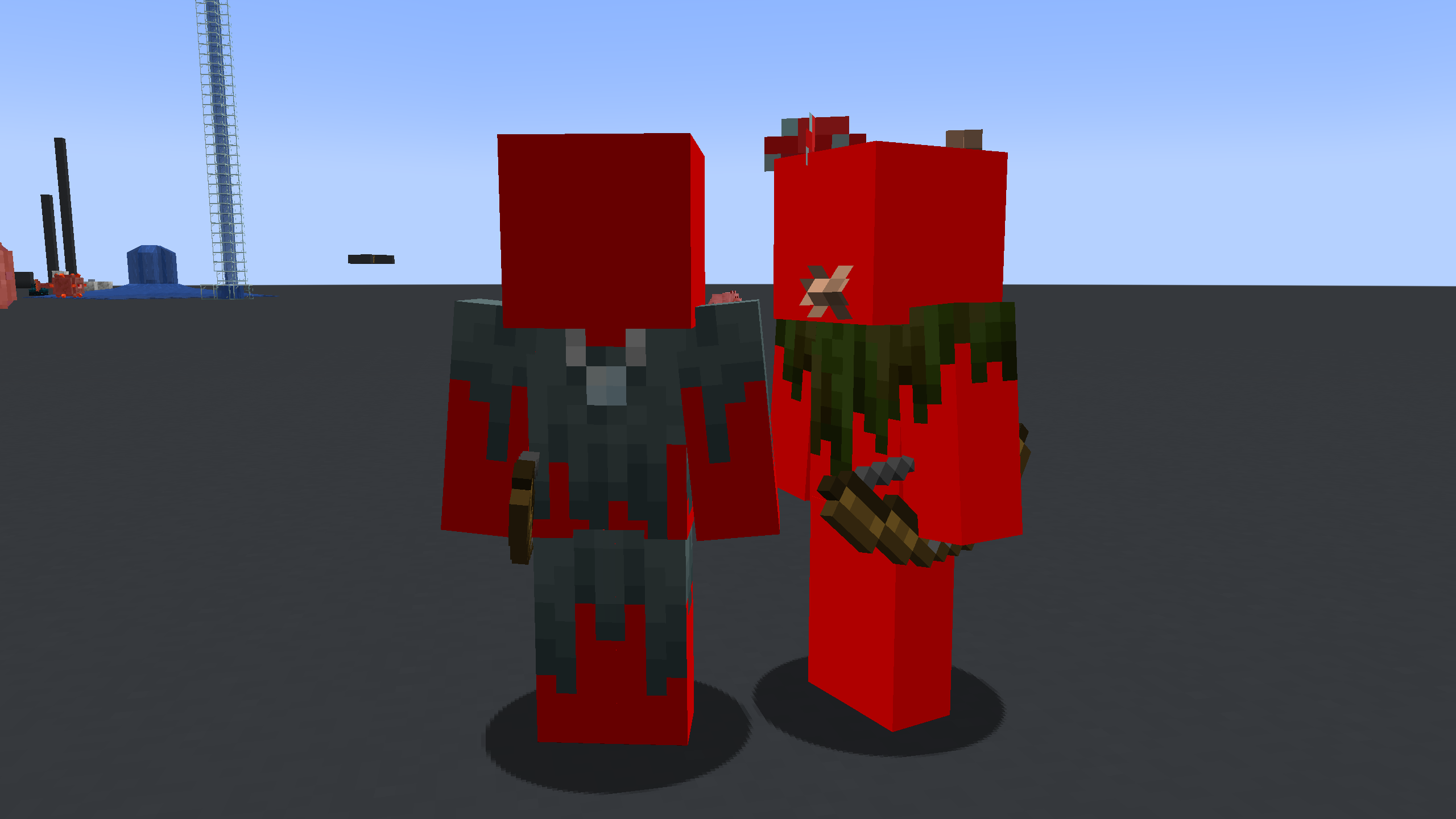
Expected Result:
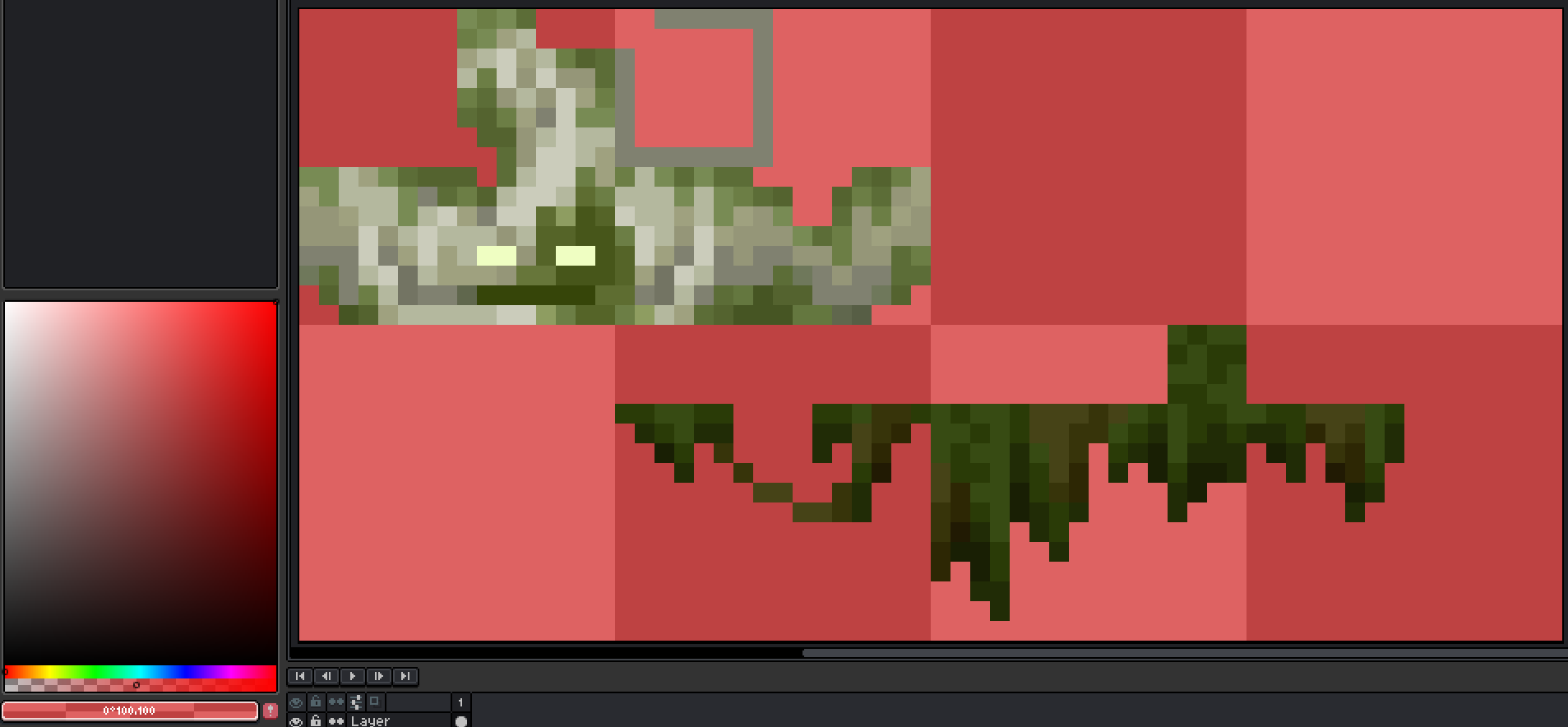
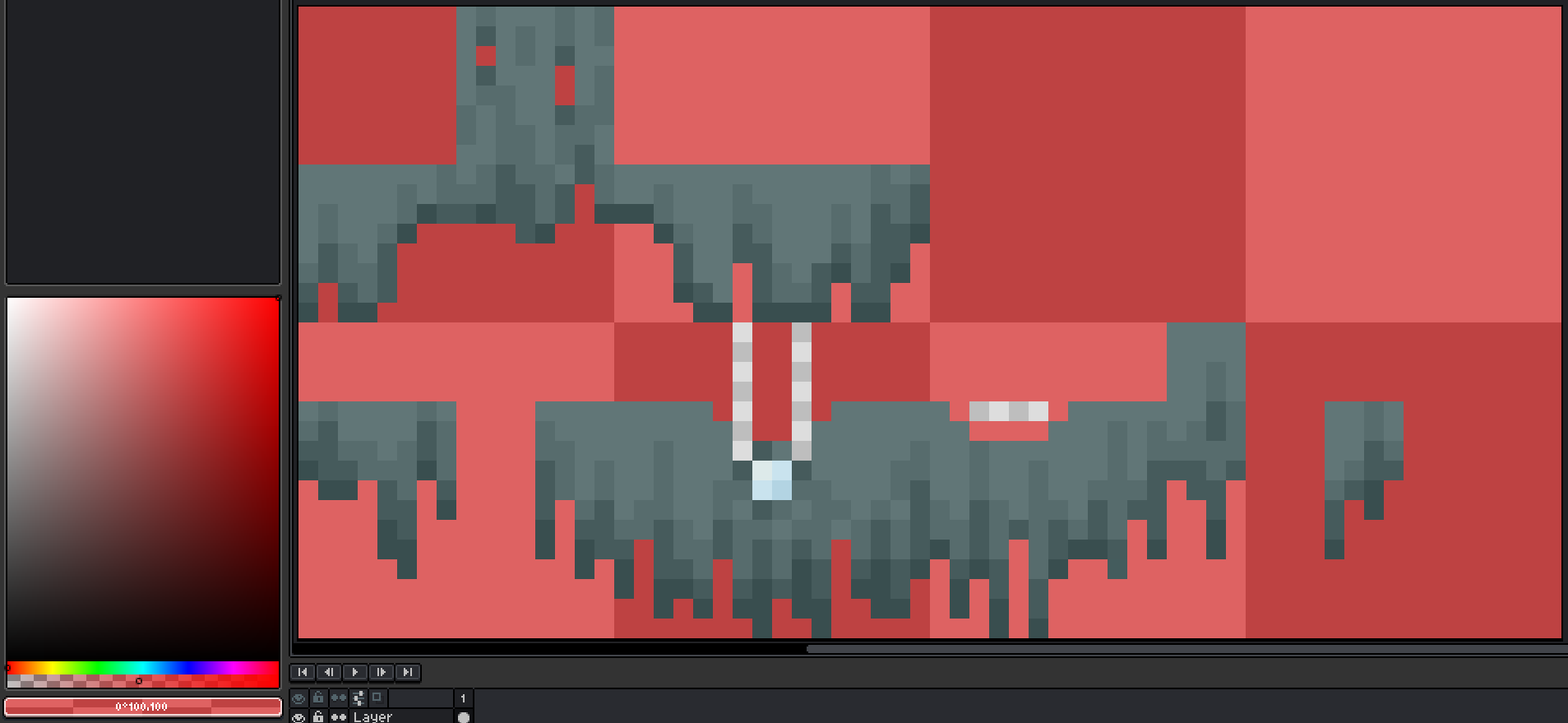
Because the pixels in the texture are translucent, they would be rendered as such.
Notice in the bottom left how the opacity is set to 50%:
Notes:
- Related to translucent pixel issues:
MC-165182MC-174732MC-269440MC-269441MC-269445MC-269622MC-269627MC-269751MC-269832MC-269834MC-269936MC-269937MC-270051MC-270518MC-270519MC-270563MC-270564MC-270640MC-270641MC-270678MC-270680MC-270692MC-270697MC-270698MC-270726MC-270741MC-270764MC-269083MC-167900MC-270765 - Related to fixed translucent pixel issues:
MC-192307MC-200987MC-268171MC-251303MC-269085MC-269619MC-269755MC-269763MC-270049MC-165036