Some textures no longer support transparency
The bug
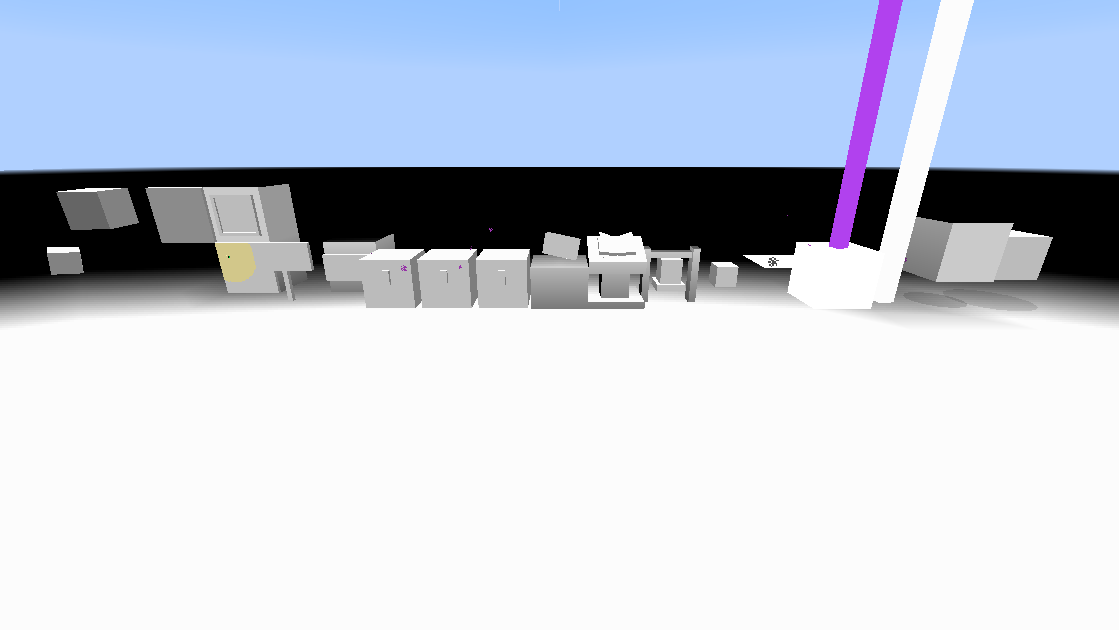
Certain textures no longer can be retextured with a texture that is partially transparent. This affects textures that are completely opaque in the vanilla resource pack, such as:
Signs(20w06a)- Paintings
- Item frames
- Shields (WAI, see
MC-165403) - Beds (Won't Fix, see
MC-167243) - Beacon beam
- Book on the enchanting table
- Conduit
- Trident (entity form)
This list may be incomplete.
Linked Issues
is duplicated by14
 MC-166165Custom item models no longer support transparent texturesDuplicateMC-167805Transparency does not work with paintings.DuplicateMC-167897Paintings do not support transparency in 1.15DuplicateMC-168503Paintings lack transparency in 1.15DuplicateMC-169506Item frames with transparent textures are blackDuplicateMC-170697Item frame, shields, paintings and beds no longer support transparency.DuplicateMC-175069Beacon Beam doesn't support transparencyDuplicateMC-176848Custom model no longer support layer concept of translucent elementsDuplicateMC-184025Paintings no longer support transparency.DuplicateMC-184542Texture pack questionDuplicateMC-189441Transparency issues for paintingsDuplicateMC-204967Paintings do not support partial transparencyDuplicateMC-212262When making the glow lichen texture 50% or less opaque, it turns invisibleDuplicateMC-234145starting in versions 1.15+ custom armor textures will not render as translucentDuplicate
relates to25
MC-144009Particles no longer support translucency LowMC-167900Shulker Head texture doesn't support transparencyFixedMC-98308Armor Opacity / Transparency doesn't work correctly
 NormalMC-110141Carpets are no longer transparentWorks As IntendedMC-116483Transparency Of Arrows Doesn’t Work CorrectlyCannot ReproduceMC-163146Entities without transparency by default ignore transparency in resource packsFixedMC-164582Some items have a black background when using a resource packCannot ReproduceMC-165403Shield texture no longer supports transparencyWorks As IntendedMC-172659Improper fix for x-ray resource packs break player's custom resource packsInvalidMC-270049Enchanting table buttons and level icons render translucent pixels as opaqueFixedMC-270564Brewing stand fuel, bubbles and progress sprites do not support translucent texturesFixedMC-270741Realms main menu icons do not render translucent pixels correctly, but accessibility/language icons doFixedMC-270764Recipe book buttons and icons do not render translucent pixels correctlyFixedMC-270765Bundle background does not handle translucent pixels correctlyFixedMC-163001Certain items have a black backgroundFixedMC-1640123D inventory models transformed into 2D inventory models have a non-transparent backgroundFixedMC-171683Crimson and warped doors can't have transparent texturesFixedMC-192294Transparent elements in UI are broken as of 1.15Awaiting ResponseMC-268171Some GUI textures can no longer be transparent in MinecraftFixedMC-268929pack.png does not support translucent pixelsFixedMC-269083Effect background texture in inventory renders translucent pixels as opaqueFixedMC-269085Experience bar and jump bar render translucent pixels as opaqueFixedMC-269440Text fields render translucent pixels as opaqueFixedMC-269441Difficulty lock button renders translucent pixels as opaqueFixedMC-269445Some empty slot icons render translucent pixels as opaqueFixed
Attachments29















Created Issue:
Custom Textures Involving Invisible Blocks Don't Render Correctly (Ex: Invisible Item Frames)
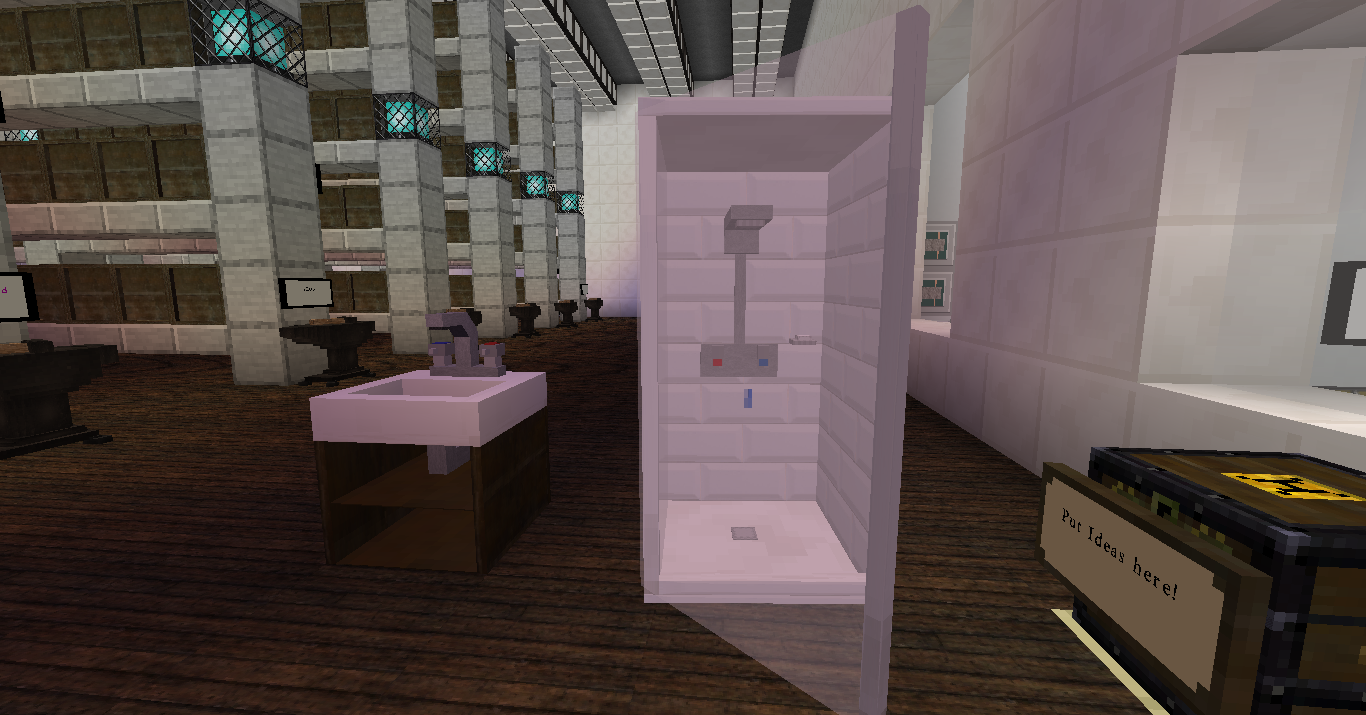
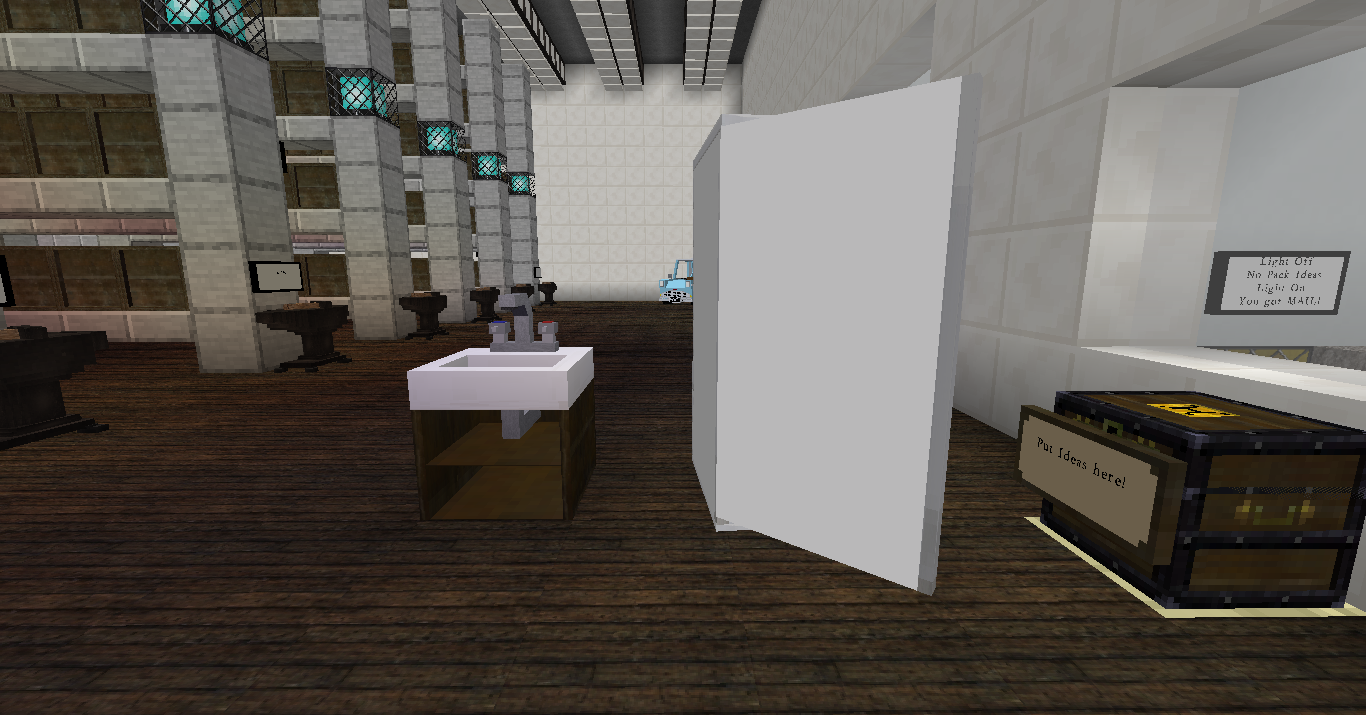
I was working in Hogwarts: Ultimate Project map when I noticed some issues involving the invisible item frame and invisible sign (acacia sign when textures are used). These will be more noticeable in Hogsmeade (tp to location: /tp @p 421 82 868), along the signs on walls (Owl Post, Honeydukes, etc.). They render a background when they shouldn't.
What is supposed to happen: Item frame and Acacia Sign textures in the pack (link listed below, will expire without warning) will show nothing, as if it's invisible. Making it perfect for invisible text.
What happened instead in 19w42a: Acacia signs will have a white background, while Item Frames will render a black background. It is incredibly annoying!
Download link containing the textures mentioned: http://www.mediafire.com/file/nmvfo8ic5e34apo/UNZIP_FILE_FIRST_%2528Y19W41a%2529.zip/file (Link will expire without warning)
Environment
macOS Mojave Patch 5 (macOS 10.14.5)
MacBook Air Early-2015 4 GB RAM 120 GB Storage
Snapshot 19w42a
![[Mod] violine1101](../../../data/avatars/users/92858.png)
relates to
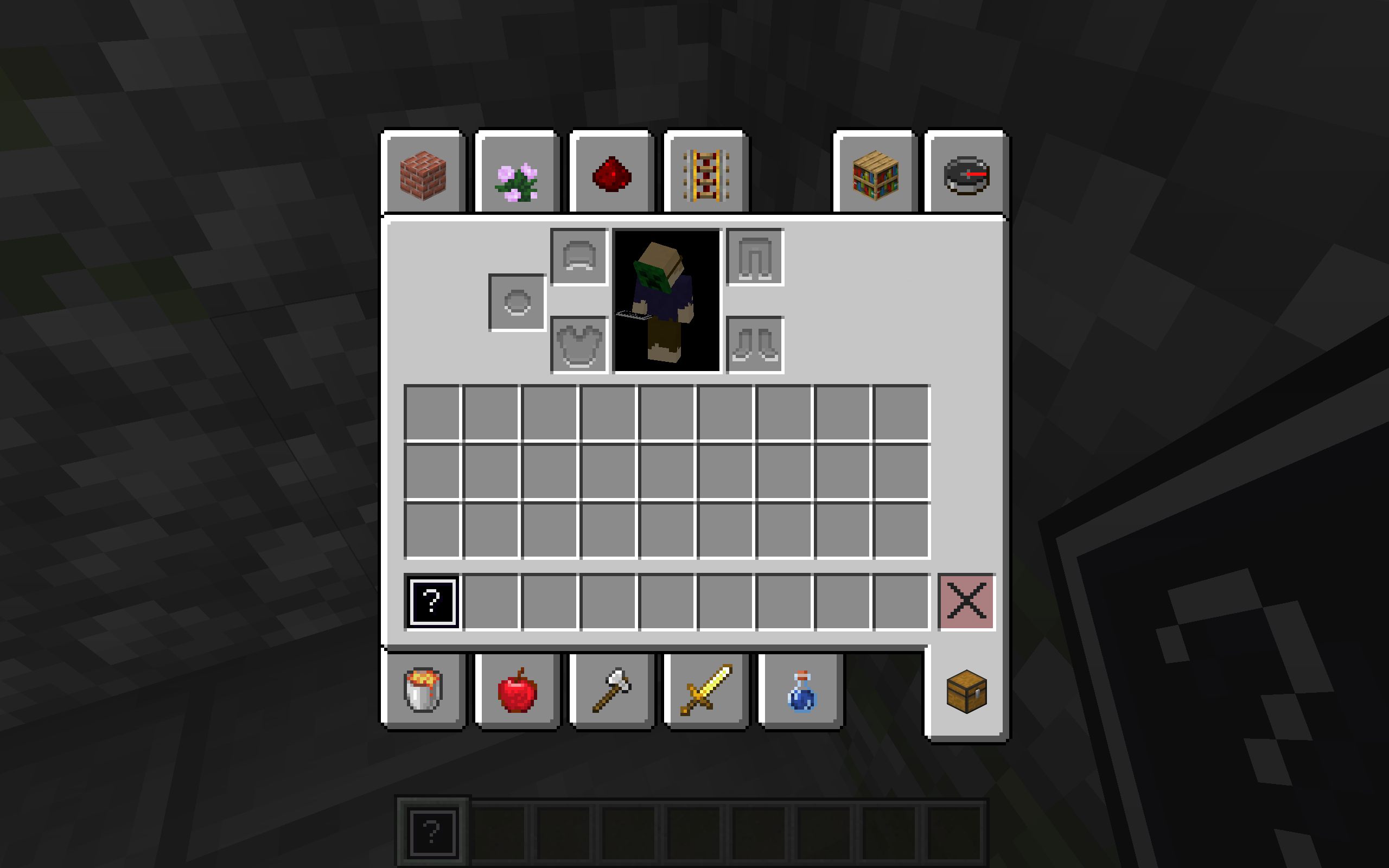
TransparencyInventory_normal.png
I was working in Hogwarts: Ultimate Project map when I noticed some issues involving the invisible item frame and invisible sign (acacia sign when textures are used). These will be more noticeable in Hogsmeade (tp to location: /tp @p 421 82 868), along the signs on walls (Owl Post, Honeydukes, etc.). They render a background when they shouldn't. This issue also applies to paintings.
What is supposed to happen: Item frame and Acacia Sign textures in the pack (link listed below, will expire without warning) will show nothing, as if it's invisible. Making it perfect for invisible text.
What happened instead in 19w42a: Acacia signs will have a white background, while Item Frames will render a black background. It is incredibly annoying!
Download link containing the textures mentioned: http://www.mediafire.com/file/nmvfo8ic5e34apo/UNZIP_FILE_FIRST_%2528Y19W41a%2529.zip/file (Link will expire without warning)
Original Name: Custom Textures Involving Invisible Blocks Don't Render Correctly (Ex: Invisible Item Frames)
I was working in Hogwarts: Ultimate Project map when I noticed some issues involving the invisible item frame and invisible sign (acacia sign when textures are used). These will be more noticeable in Hogsmeade (tp to location: /tp @p 421 82 868), along the signs on walls (Owl Post, Honeydukes, etc.). They render a background when they shouldn't. This issue also applies to paintings.
What is supposed to happen: Item frame and Acacia Sign textures in the pack (link listed below, will expire without warning) will show nothing, as if it's invisible. Making it perfect for invisible text.
What happened instead in 19w42a: Acacia signs will have a white background, while Item Frames will render a black background. It is incredibly annoying!
Download link containing the textures mentioned: http://www.mediafire.com/file/nmvfo8ic5e34apo/UNZIP_FILE_FIRST_%2528Y19W41a%2529.zip/file (Link will expire without warning)
Custom Textures Involving Invisible Blocks Don't Render Correctly (Ex: Invisible Item Frames)Certain textures without transparency by default ignore transparency in custom textures
macOS Mojave Patch 5 (macOS 10.14.5)
MacBook Air Early-2015 4 GB RAM 120 GB Storage
Snapshot 19w42a
relates to
Certaintextures without transparencyby default ignore transparency in custom texturesCertain models with opaque textures by default ignore transparency in custom textures
relates to
![[Mojang] slicedlime](../../../data/assets/gravatar/slicedlime.jpeg)
 Important
relates to
 Very Important
is duplicated by

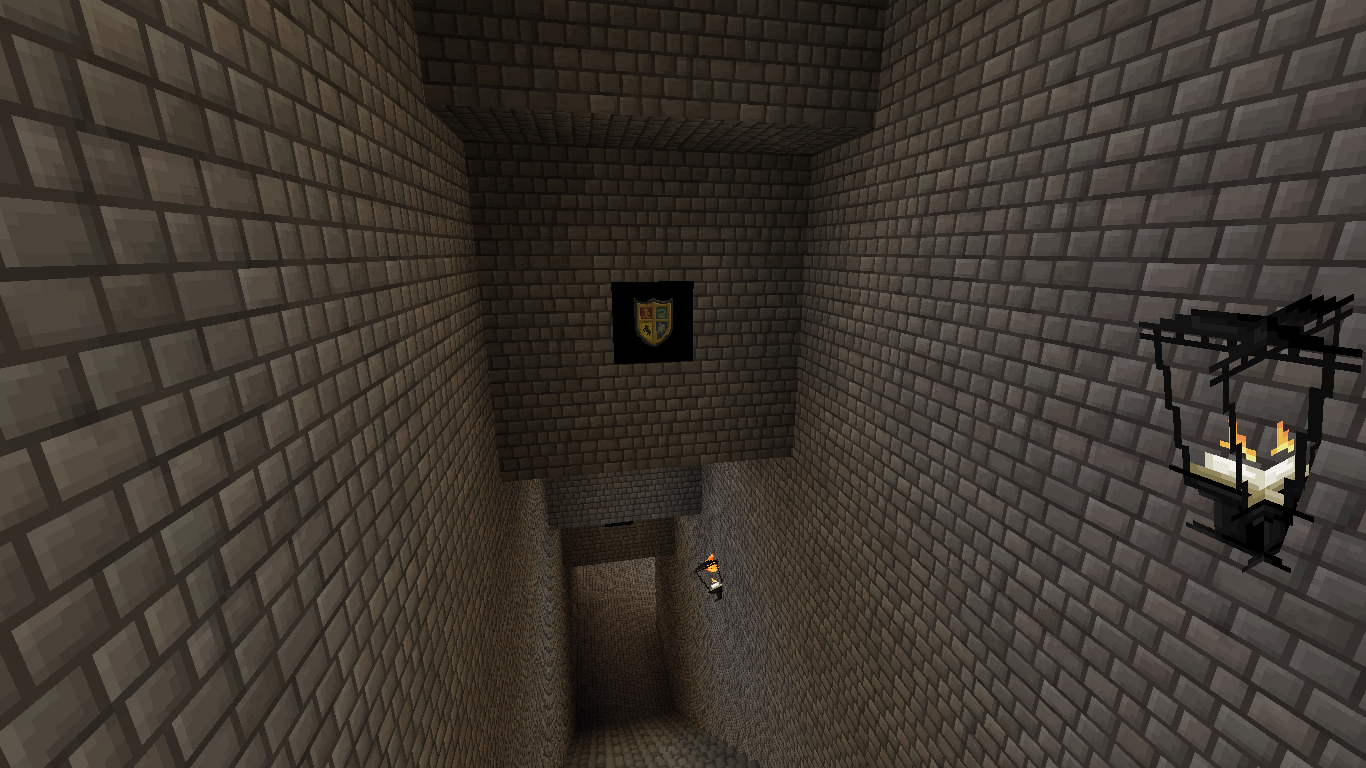
Confirmed this is still present in the 1.15.1-pre1 for paintings. Added additional screenshot showcasing this. Thanks everyone who has looked into this!
![[Mod] Michael Wobst](../../../data/avatars/users/37868.png)
Original Name: Custom Textures Involving Invisible Blocks Don't Render Correctly (Ex: Invisible Item Frames)I was working in Hogwarts: Ultimate Project map when I noticed some issues involving the invisible item frame and invisible sign (acacia sign when textures are used). These will be more noticeable in Hogsmeade (tp to location: /tp @p 421 82 868), along the signs on walls (Owl Post, Honeydukes, etc.). They render a background when they shouldn't. This issue also applies to paintings.
What is supposed to happen: Item frame and Acacia Sign textures in the pack (link listed below, will expire without warning) will show nothing, as if it's invisible. Making it perfect for invisible text.
What happened instead in 19w42a: Acacia signs will have a white background, while Item Frames will render a black background. It is incredibly annoying!
Download link containing the textures mentioned: http://www.mediafire.com/file/nmvfo8ic5e34apo/UNZIP_FILE_FIRST_%2528Y19W41a%2529.zip/file (Link will expire without warning)
The bug
Certain textures no longer can be retextured with a texture that is partially transparent. This affects textures that are completely opaque in the vanilla resource pack, such as:
- Signs
- Paintings
- Item frames
This list may be incomplete.Original description
I was working in Hogwarts: Ultimate Project map when I noticed some issues involving the invisible item frame and invisible sign (acacia sign when textures are used). These will be more noticeable in Hogsmeade (tp to location: /tp @p 421 82 868), along the signs on walls (Owl Post, Honeydukes, etc.). They render a background when they shouldn't. This issue also applies to paintings.
What is supposed to happen: Item frame and Acacia Sign textures in the pack (link listed below, will expire without warning) will show nothing, as if it's invisible. Making it perfect for invisible text.
What happened instead in 19w42a: Acacia signs will have a white background, while Item Frames will render a black background. It is incredibly annoying!
Download link containing the textures mentioned: http://www.mediafire.com/file/nmvfo8ic5e34apo/UNZIP_FILE_FIRST_%2528Y19W41a%2529.zip/file (Link will expire without warning)
The bug
Certain textures no longer can be retextured with a texture that is partially transparent. This affects textures that are completely opaque in the vanilla resource pack, such as:
- Signs
- Paintings
- Item frames
This list may be incomplete.Original description
I was working in Hogwarts: Ultimate Project map when I noticed some issues involving the invisible item frame and invisible sign (acacia sign when textures are used). These will be more noticeable in Hogsmeade (tp to location: /tp @p 421 82 868), along the signs on walls (Owl Post, Honeydukes, etc.). They render a background when they shouldn't. This issue also applies to paintings.
What is supposed to happen: Item frame and Acacia Sign textures in the pack (link listed below, will expire without warning) will show nothing, as if it's invisible. Making it perfect for invisible text.
What happened instead in 19w42a: Acacia signs will have a white background, while Item Frames will render a black background. It is incredibly annoying!
Download link containing the textures mentioned: http://www.mediafire.com/file/nmvfo8ic5e34apo/UNZIP_FILE_FIRST_%2528Y19W41a%2529.zip/file (Link will expire without warning)
The bug
Certain textures no longer can be retextured with a texture that is partially transparent. This affects textures that are completely opaque in the vanilla resource pack, such as:
- Signs
- Paintings
- Item frames
This list may be incomplete.
Original description
I was working in Hogwarts: Ultimate Project map when I noticed some issues involving the invisible item frame and invisible sign (acacia sign when textures are used). These will be more noticeable in Hogsmeade (tp to location: /tp @p 421 82 868), along the signs on walls (Owl Post, Honeydukes, etc.). They render a background when they shouldn't. This issue also applies to paintings.
What is supposed to happen: Item frame and Acacia Sign textures in the pack (link listed below, will expire without warning) will show nothing, as if it's invisible. Making it perfect for invisible text.
What happened instead in 19w42a: Acacia signs will have a white background, while Item Frames will render a black background. It is incredibly annoying!
Download link containing the textures mentioned: http://www.mediafire.com/file/nmvfo8ic5e34apo/UNZIP_FILE_FIRST_%2528Y19W41a%2529.zip/file (Link will expire without warning)
Certain models with opaque textures by default ignoretransparencyin custom texturesSome textures no longer support transparency
The bug
Certain textures no longer can be retextured with a texture that is partially transparent. This affects textures that are completely opaque in the vanilla resource pack, such as:
This list may be incomplete.
Original description
I was working in Hogwarts: Ultimate Project map when I noticed some issues involving the invisible item frame and invisible sign (acacia sign when textures are used). These will be more noticeable in Hogsmeade (tp to location: /tp @p 421 82 868), along the signs on walls (Owl Post, Honeydukes, etc.). They render a background when they shouldn't. This issue also applies to paintings.
What is supposed to happen: Item frame and Acacia Sign textures in the pack (link listed below, will expire without warning) will show nothing, as if it's invisible. Making it perfect for invisible text.
What happened instead in 19w42a: Acacia signs will have a white background, while Item Frames will render a black background. It is incredibly annoying!
Download link containing the textures mentioned: http://www.mediafire.com/file/nmvfo8ic5e34apo/UNZIP_FILE_FIRST_%2528Y19W41a%2529.zip/file (Link will expire without warning)
is duplicated by
![[Mod] SPGoding](../../../data/avatars/users/44622.png)
The bug
Certain textures no longer can be retextured with a texture that is partially transparent. This affects textures that are completely opaque in the vanilla resource pack, such as:
- Signs
- Paintings
- Item frames
- Shields (WAI, see
MC-165403)- Beds (Won't Fix, see
MC-167243)- Beacon beam
This list may be incomplete.
Original description
I was working in Hogwarts: Ultimate Project map when I noticed some issues involving the invisible item frame and invisible sign (acacia sign when textures are used). These will be more noticeable in Hogsmeade (tp to location: /tp @p 421 82 868), along the signs on walls (Owl Post, Honeydukes, etc.). They render a background when they shouldn't. This issue also applies to paintings.
What is supposed to happen: Item frame and Acacia Sign textures in the pack (link listed below, will expire without warning) will show nothing, as if it's invisible. Making it perfect for invisible text.
What happened instead in 19w42a: Acacia signs will have a white background, while Item Frames will render a black background. It is incredibly annoying!
Download link containing the textures mentioned: http://www.mediafire.com/file/nmvfo8ic5e34apo/UNZIP_FILE_FIRST_%2528Y19W41a%2529.zip/file (Link will expire without warning)

Add beacon_beam to the list of things not supporting transparency.
The bug
Certain textures no longer can be retextured with a texture that is partially transparent. This affects textures that are completely opaque in the vanilla resource pack, such as:
- Signs
- Paintings
- Item frames
- Shields (WAI, see
MC-165403)- Beds (Won't Fix, see
MC-167243)- Beacon beam
- Book on the enchanting table
This list may be incomplete.
Original description
I was working in Hogwarts: Ultimate Project map when I noticed some issues involving the invisible item frame and invisible sign (acacia sign when textures are used). These will be more noticeable in Hogsmeade (tp to location: /tp @p 421 82 868), along the signs on walls (Owl Post, Honeydukes, etc.). They render a background when they shouldn't. This issue also applies to paintings.
What is supposed to happen: Item frame and Acacia Sign textures in the pack (link listed below, will expire without warning) will show nothing, as if it's invisible. Making it perfect for invisible text.
What happened instead in 19w42a: Acacia signs will have a white background, while Item Frames will render a black background. It is incredibly annoying!
Download link containing the textures mentioned: http://www.mediafire.com/file/nmvfo8ic5e34apo/UNZIP_FILE_FIRST_%2528Y19W41a%2529.zip/file (Link will expire without warning)
![[Mojang] Adrian Östergård](../../../data/assets/gravatar/nighter.jpeg)
![[Mod] tryashtar](../../../data/avatars/users/41963.png)
is duplicated by
relates to
![[Helper] Johnibur](../../../data/avatars/users/28381.png)
The bug
Certain textures no longer can be retextured with a texture that is partially transparent. This affects textures that are completely opaque in the vanilla resource pack, such as:
- Signs
- Paintings
- Item frames
- Shields (WAI, see
MC-165403)- Beds (Won't Fix, see
MC-167243)- Beacon beam
- Book on the enchanting table
This list may be incomplete.
Original description
I was working in Hogwarts: Ultimate Project map when I noticed some issues involving the invisible item frame and invisible sign (acacia sign when textures are used). These will be more noticeable in Hogsmeade (tp to location: /tp @p 421 82 868), along the signs on walls (Owl Post, Honeydukes, etc.). They render a background when they shouldn't. This issue also applies to paintings.
What is supposed to happen: Item frame and Acacia Sign textures in the pack (link listed below, will expire without warning) will show nothing, as if it's invisible. Making it perfect for invisible text.
What happened instead in 19w42a: Acacia signs will have a white background, while Item Frames will render a black background. It is incredibly annoying!
Download link containing the textures mentioned: http://www.mediafire.com/file/nmvfo8ic5e34apo/UNZIP_FILE_FIRST_%2528Y19W41a%2529.zip/file (Link will expire without warning)
The bug
Certain textures no longer can be retextured with a texture that is partially transparent. This affects textures that are completely opaque in the vanilla resource pack, such as:
Signs(20w06a)- Paintings
- Item frames
- Shields (WAI, see
MC-165403)- Beds (Won't Fix, see
MC-167243)- Beacon beam
- Book on the enchanting table
This list may be incomplete.
Original description
I was working in Hogwarts: Ultimate Project map when I noticed some issues involving the invisible item frame and invisible sign (acacia sign when textures are used). These will be more noticeable in Hogsmeade (tp to location: /tp @p 421 82 868), along the signs on walls (Owl Post, Honeydukes, etc.). They render a background when they shouldn't. This issue also applies to paintings.
What is supposed to happen: Item frame and Acacia Sign textures in the pack (link listed below, will expire without warning) will show nothing, as if it's invisible. Making it perfect for invisible text.
What happened instead in 19w42a: Acacia signs will have a white background, while Item Frames will render a black background. It is incredibly annoying!
Download link containing the textures mentioned: http://www.mediafire.com/file/nmvfo8ic5e34apo/UNZIP_FILE_FIRST_%2528Y19W41a%2529.zip/file (Link will expire without warning)
![[Helper] Misode](../../../data/avatars/users/93314.png)
is duplicated by
is duplicated by
is duplicated by
The bug
Certain textures no longer can be retextured with a texture that is partially transparent. This affects textures that are completely opaque in the vanilla resource pack, such as:
Signs(20w06a)- Paintings
- Item frames
- Shields (WAI, see
MC-165403)- Beds (Won't Fix, see
MC-167243)- Beacon beam
- Book on the enchanting table
This list may be incomplete.
Original description
I was working in Hogwarts: Ultimate Project map when I noticed some issues involving the invisible item frame and invisible sign (acacia sign when textures are used). These will be more noticeable in Hogsmeade (tp to location: /tp @p 421 82 868), along the signs on walls (Owl Post, Honeydukes, etc.). They render a background when they shouldn't. This issue also applies to paintings.
What is supposed to happen: Item frame and
Acacia Sign textures in the pack (link listed below, will expire without warning)will show nothing, as if it's invisible.Making it perfect for invisible text.What happened instead in 19w42a: Acacia signs will have a white background, while Item Frames will render a black background. It is incredibly annoying!
Download link containing the textures mentioned: http://www.mediafire.com/file/nmvfo8ic5e34apo/UNZIP_FILE_FIRST_%2528Y19W41a%2529.zip/file (Link will expire without warning)
The bug
Certain textures no longer can be retextured with a texture that is partially transparent. This affects textures that are completely opaque in the vanilla resource pack, such as:
Signs(20w06a)- Paintings
- Item frames
- Shields (WAI, see
MC-165403)- Beds (Won't Fix, see
MC-167243)- Beacon beam
- Book on the enchanting table
- Conduit
This list may be incomplete.
Original description
I was working in Hogwarts: Ultimate Project map (bit.ly/2wc9G4l) when I noticed some issues involving the invisible item frame and invisible sign (acacia sign when textures are used). These will be more noticeable in Hogsmeade (tp to location: /tp @p 421 82 868), along the signs on walls (Owl Post, Honeydukes, etc.). They render a background when they shouldn't. This issue also applies to paintings.
What is supposed to happen: Item frame and some blocks such as conduits will show nothing, as if it's invisible.
What happened instead in 19w42a and later versions: Item Frames and conduits will render a black background. It is incredibly annoying!
The bug
Certain textures no longer can be retextured with a texture that is partially transparent. This affects textures that are completely opaque in the vanilla resource pack, such as:
Signs(20w06a)- Paintings
- Item frames
- Shields (WAI, see
MC-165403)- Beds (Won't Fix, see
MC-167243)- Beacon beam
- Book on the enchanting table
- Conduit
- Trident (entity form)
This list may be incomplete.
Original description
I was working in Hogwarts: Ultimate Project map (bit.ly/2wc9G4l) when I noticed some issues involving the invisible item frame and invisible sign (acacia sign when textures are used). These will be more noticeable in Hogsmeade (tp to location: /tp @p 421 82 868), along the signs on walls (Owl Post, Honeydukes, etc.). They render a background when they shouldn't. This issue also applies to paintings.
What is supposed to happen: Item frame and some blocks such as conduits will show nothing, as if it's invisible.
What happened instead in 19w42a and later versions: Item Frames and conduits will render a black background. It is incredibly annoying!

is duplicated by
![[Bot] Arisa](../../../data/avatars/users/43007.png)
is duplicated by
The bug
Certain textures no longer can be retextured with a texture that is partially transparent. This affects textures that are completely opaque in the vanilla resource pack, such as:
Signs(20w06a)- Paintings
- Item frames
- Shields (WAI, see
MC-165403)- Beds (Won't Fix, see
MC-167243)- Beacon beam
- Book on the enchanting table
- Conduit
- Trident (entity form)
- Elytras
This list may be incomplete.
Original description
I was working in Hogwarts: Ultimate Project map (bit.ly/2wc9G4l) when I noticed some issues involving the invisible item frame and invisible sign (acacia sign when textures are used). These will be more noticeable in Hogsmeade (tp to location: /tp @p 421 82 868), along the signs on walls (Owl Post, Honeydukes, etc.). They render a background when they shouldn't. This issue also applies to paintings.
What is supposed to happen: Item frame and some blocks such as conduits will show nothing, as if it's invisible.
What happened instead in 19w42a and later versions: Item Frames and conduits will render a black background. It is incredibly annoying!
The bug
Certain textures no longer can be retextured with a texture that is partially transparent. This affects textures that are completely opaque in the vanilla resource pack, such as:
Signs(20w06a)- Paintings
- Item frames
- Shields (WAI, see
MC-165403)- Beds (Won't Fix, see
MC-167243)- Beacon beam
- Book on the enchanting table
- Conduit
- Trident (entity form)
- Elytras
This list may be incomplete.
Original description
I was working in Hogwarts: Ultimate Project map (bit.ly/2wc9G4l) when I noticed some issues involving the invisible item frame and invisible sign (acacia sign when textures are used). These will be more noticeable in Hogsmeade (tp to location: /tp @p 421 82 868), along the signs on walls (Owl Post, Honeydukes, etc.). They render a background when they shouldn't. This issue also applies to paintings.
What is supposed to happen: Item frame and some blocks such as conduits will show nothing, as if it's invisible.
What happened instead in 19w42a and later versions: Item Frames and conduits will render a black background. It is incredibly annoying!
relates to
relates to

relates to
relates to
relates to
relates to
relates to
relates to
relates to
relates to
relates to
relates to
![[Helper] Jack McKalling](../../../data/avatars/users/92859.png)
is duplicated by
is duplicated by
is duplicated by
![[Mod] markderickson](../../../data/avatars/users/18946.svg)
The bug
Certain textures no longer can be retextured with a texture that is partially transparent. This affects textures that are completely opaque in the vanilla resource pack, such as:
Signs(20w06a)- Paintings
- Item frames
- Shields (WAI, see
MC-165403)- Beds (Won't Fix, see
MC-167243)- Beacon beam
- Book on the enchanting table
- Conduit
- Trident (entity form)
This list may be incomplete.
Original description
I was working in Hogwarts: Ultimate Project map (bit.ly/2wc9G4l) when I noticed some issues involving the invisible item frame and invisible sign (acacia sign when textures are used). These will be more noticeable in Hogsmeade (tp to location: /tp @p 421 82 868), along the signs on walls (Owl Post, Honeydukes, etc.). They render a background when they shouldn't. This issue also applies to paintings.
What is supposed to happen: Item frame and some blocks such as conduits will show nothing, as if it's invisible.
What happened instead in 19w42a and later versions: Item Frames and conduits will render a black background. It is incredibly annoying!
relates to
![[Mod] turbo](../../../data/avatars/users/92867.png)
relates to
relates to
relates to
relates to
relates to
relates to
relates to
![[Mod] Greymagic27](../../../data/avatars/users/92875.png)
testing discovered
relates to
relates to
![[Mod] Jiingy](../../../data/avatars/users/91802.png)
@violine1101, New issue ticket is created regarding the issue mentioned above (MC-164001)
This issue relates to MC-164001, which describes how black backgrounds still affect retextured and remodeled blocks and items.
Thank you for your report!
We're actually already tracking this issue in MC-164001, so I resolved and linked this ticket as a duplicate.
If you would like to add a vote and any extra information to the main ticket it would be appreciated.
If you haven't already, you might like to make use of the search feature in the future to see if the issue has already been reported.
Quick Links:
📓 Issue Guidelines – 💬 Community Support – 📧 Customer Support – 📖 Game Wiki
Thank you for your report!
We're actually already tracking this issue in MC-164001, so I resolved and linked this ticket as a duplicate.
If you would like to add a vote and any extra information to the main ticket it would be appreciated.
If you haven't already, you might like to make use of the search feature in the future to see if the issue has already been reported.
Quick Links:
📓 Issue Guidelines – 💬 Community Support – 📧 Customer Support – 📖 Game Wiki
Thank you for your report!
We're actually already tracking this issue in MC-164001, so I resolved and linked this ticket as a duplicate.
If you would like to add a vote and any extra information to the main ticket it would be appreciated.
If you haven't already, you might like to make use of the search feature in the future to see if the issue has already been reported.
Quick Links:
📓 Issue Guidelines – 💬 Community Support – 📧 Customer Support – 📖 Game Wiki
Thank you for your report!
We're actually already tracking this issue in MC-164001, so I resolved and linked this ticket as a duplicate.
If you would like to add a vote and any extra information to the main ticket it would be appreciated.
If you haven't already, you might like to make use of the search feature in the future to see if the issue has already been reported.
Quick Links:
📓 Issue Guidelines – 💬 Community Support – 📧 Customer Support – 📖 Game Wiki
Thank you for your report!
We're actually already tracking this issue in MC-164001, so I resolved and linked this ticket as a duplicate.
If you would like to add a vote and any extra information to the main ticket it would be appreciated.
If you haven't already, you might like to make use of the search feature in the future to see if the issue has already been reported.
Quick Links:
📓 Issue Guidelines – 💬 Community Support – 📧 Customer Support – 📖 Game Wiki

the bug
In brief, the current way of fixing x-ray resource packs does not work as expected, it did not eliminate cheating packs, but instead, hurt the player's ability to create custom resource packs.
I spent two days to investigate the bug, and searching for other bug reports and patch notes, I am sure to present something new, so please don't set the report as a duplicate before you finish reading, thanks for your patience!
History of the bug
Dear Mojang developer, in Minecraft Java Edition 14w04a, Rendering & performance changes:
- Only transparent blocks will now render as transparent (eliminates the use of x-ray texture packs).
That change was aimed to eliminate the use of x-ray resource packs, and it worked for the snapshot itself.
But, only 3 snapshots later, which is in snapshot 14w06a
- Block models in resource packs can now be customized.
- Replaces the files in /assets/minecraft/models/.
- After loading the resource pack, the game may have to be reloaded.
The introduction of custom models allows the player to directly bypass the texture ban, directly create x-ray packs without using any transparent or semi-transparent textures.
I'll leave an x-ray resource pack that I made in the attachments. That's why I set the issue to private.
What does the texture ban cost
It is obvious that MC-164001 is caused by the texture ban.
MC-165182 is also caused by the ban.
MC-142906 and also that one.
MC-45199
MC-17802

As you can see, that was considered as "intended", but now the ban had failed, and became unnecessary and useless. It only causes problems rather than preventing cheating.
All x-ray packs above version 1.8 rely on custom block models to achieve cheating, not alpha channel or texture transparency.


I made the custom X-ray pack for demonstrating in under an hour, and I didn't even include any custom textures in my pack.
Why the texture ban is "not intended"
as I've shown above, the ban is aimed to eliminate the use of X-ray cheating packs. And the intention here is to anti-cheat, not to eliminate possibilities. Now with the ban, x-ray packs can still be made with ease, while custom resources with no intention of cheating are influenced seriously. I am sure that is not your original intention.
Therefore, it is a bug that needs to be fixed
Demo X-ray pack [for1.16 snapshots] in attachments
Conclusion: The ban for alpha channel support of textures did not perform as the way it is intended, the ban causes more lag for custom texture packs [due to the compromises required to make up for the loss of the alpha channel], causes bugs [the related bugs already got 89 votes] and eliminates possibilities [for cool custom block textures, like transparent TV screens.ect].
so it's time to fix the bug and implement a better way of banning x-ray texture packs.
Possible alternative fixes
The easiest fix I can come up with is to ban the alpha channel as well as custom models that are smaller than a full cube for the following blocks only:
- Grass and dirt block
- stone and netherrack
- sand and snow
Since the majority of the world is made up of these blocks, that should be enough to ban easy-to-make x-ray packs, without influencing normal custom packs at the same time.
As for PVP servers, they usually have more advanced anty-cheating plugins, so no need to worry about that. I think that would be a good fix to the current bug.
Thanks for reading through!
Appreciate your time.
Thank you for your report!
We're actually already tracking this issue in MC-164001, so I resolved and linked this ticket as a duplicate.
If you would like to add a vote and any extra information to the main ticket it would be appreciated.
If you haven't already, you might like to make use of the search feature in the future to see if the issue has already been reported.
Quick Links:
📓 Issue Guidelines – 💬 Community Support – 📧 Customer Support – 📖 Game Wiki
Should we merge this into MC-164001?
Thank you for your report!
We're actually already tracking this issue in MC-164001, so I resolved and linked this ticket as a duplicate.
If you would like to add a vote and any extra information to the main ticket it would be appreciated.
If you haven't already, you might like to make use of the search feature in the future to see if the issue has already been reported.
Quick Links:
📓 Issue Guidelines – 💬 Community Support – 📧 Customer Support – 📖 Game Wiki
Thank you for your report!
However, this issue is a Duplicate of MC-164001.
Please use the search function in the future to prevent duplicate reports.
Quick Links:
📓 Issue Guidelines – 💬 Community Support – 📧 Customer Support – 📖 Game Wiki
Thank you for your report!
However, we are already tracking this issue, and this report is a Duplicate of MC-164001, which is a report that has not been resolved yet.
If you want, you can upvote the parent ticket, and enable watching to receive any updates about it - if you believe you have any information that may be important for this issue, please leave a comment on the parent. Please also use the search function in the future to prevent duplicate reports.
Quick Links:
📓 Issue Guidelines – 🛠 Community Support – 📧 Customer Support – ✍️ Feedback and Suggestions – 📖 Game Wiki
💬 Mojira Subreddit – 💬 Mojira Discord

Duplicates MC-164001
Thank you for your report!
We're tracking this issue in MC-164001, so this ticket is being resolved and linked as a duplicate.
If you would like to add a vote and any extra information to the main ticket it would be appreciated.
If you haven't already, you might like to make use of the search feature to see if the issue has already been mentioned.
Quick Links:
📓 Bug Tracker Guidelines – 💬 Community Support – 📧 Mojang Support
📓 Project Summary – ✍️ Feedback and Suggestions – 📖 Game Wiki
– I am a bot. This action was performed automatically! Please report any issues on Discord or Reddit
Thank you for your report!
We're tracking this issue in MC-164001, so this ticket is being resolved and linked as a duplicate.
If you would like to add a vote and any extra information to the main ticket it would be appreciated.
If you haven't already, you might like to make use of the search feature to see if the issue has already been mentioned.
Quick Links:
📓 Bug Tracker Guidelines – 💬 Community Support – 📧 Mojang Support
📓 Project Summary – ✍️ Feedback and Suggestions – 📖 Game Wiki
– I am a bot. This action was performed automatically! The ticket was resolved by one of our moderators, and I left this message to give more information to you.
![[Mod] ampolive](../../../data/avatars/users/18949.svg)
I think this might be MC-164001, though barriers are not listed as affected.
Relates to MC-164001 and MC-163153.
The bug
Cauldrons, water cauldrons, lava cauldrons and powder snow cauldrons render as solid blocks, rather than rendering as "cutout" blocks. This is a problem for two reasons:
- cauldrons did render as "cutout" upon their first implementation
- hoppers, a visually and structurally very similar block, do use cutout rendering
As a result, any transparent pixels which are in a texture that a cauldron block uses will be rendered completely opaque.
How to reproduce
A resource pack is attached to this ticket which replaces the "blockstates" files for cauldrons (including water_cauldron, lava_cauldron and powder_snow_cauldron) and hoppers with the potted fern. Place one of each cauldron type (including empty) and a hopper in close proximity, and apply the resource pack.
Expected results
All of the ferns would appear fern-shaped.
Actual results
The ferns which represent the cauldrons have a solid white rectangle behind them. The hopper correctly does not have this background.
How to fix
All cauldrons should be changed to use the "cutout" render type (with the exception of water cauldrons, which should use the "translucent" render type instead to fix MC-13187).
Duplicates MC-164001
More loosely relates to these issues: MC-144009 MC-145821 MC-164001 MC-165403
The bug
If scroller.png is given a translucent texture, it will correctly render as translucent in most contexts. However, in the Telemetry Data menu, it renders completely opaque, which is notably inconsistent.
How to reproduce
- Download and apply the attached resource pack
- Navigate through menus that have a scroll bar
- Go to the "Telemetry Data" menu
Expected results
All places that use the scroller would render it as translucent.
Actual results
Most do, but Telemetry Data has it as opaque for some reason.
More loosely relates to these issues: MC-144009 MC-145821 MC-164001 MC-165403
The bug
If the buttons used for going to the previous or next pages in a book are given a translucent texture, they will render as completely opaque.
How to reproduce
- Download and apply the attached resource pack
- Open a book and quill
- Optionally, go through pages
Expected results
The buttons would have visible text.
Actual results
They look like solid rectangles.
How to fix
Permit translucency for these textures in this context.
More loosely relates to these issues: MC-144009 MC-145821 MC-164001 MC-165403
The bug
If the backgrounds for toasts translucent texture, they will render as completely opaque.
How to reproduce
- Download and apply the attached resource pack
- Make a toast appear
Expected results
The backgrounds would be translucent.
Actual results
They are opaque.
How to fix
Permit translucency for these textures in this context.
More loosely relates to these issues: MC-144009 MC-145821 MC-164001 MC-165403
The bug
The textures used for the backgrounds of advancement icons will render any translucent pixels in their texture files as completely opaque.
How to reproduce
- Download and apply the attached resource pack
- Look in the advancements menu
Expected results
The icon backgrounds would be translucent.
Actual results
They are solid opaque squares.
How to fix
Permit translucent textures in this context.
More loosely relates to these issues: MC-144009 MC-145821 MC-164001 MC-165403
The bug
If scroller.png is given a translucent texture, it will correctly render as translucent in most contexts. However, in the Report Player menu, it renders completely opaque, which is notably inconsistent.
How to reproduce
- Download and apply the attached resource pack
- Navigate through menus that have a scroll bar
- Go to the "Report Player" menu
Expected results
All places that use the scroller would render it as translucent.
Actual results
Most do, but Report Player has it as opaque for some reason.
More loosely relates to these issues: MC-144009 MC-145821 MC-164001 MC-165403
The bug
If scroller.png is given a translucent texture, it will correctly render as translucent in most contexts. However, in some realms menus, it renders completely opaque, which is notably inconsistent.
How to reproduce
- Download and apply the attached resource pack
- Navigate through menus that have a scroll bar
- Go to Realms
Expected results
All places that use the scroller would render it as translucent.
Actual results
Most do, but this screen has it as opaque for some reason.
More loosely relates to these issues: MC-144009 MC-145821 MC-164001 MC-165403
The bug
selection.png and slot.png, used for the gamemode switcher, will render any translucent pixels in their textures as opaque. This is of particular note since the default textures for both of these use translucent pixels already, and are seemingly unintentionally rendered as solid in-game.
How to reproduce
- Download and apply the attached resource pack
- Use the gamemode switcher
Expected results
Translucent squares.
Actual results
Opaque squares.
More loosely relates to these issues: MC-144009 MC-145821 MC-164001 MC-165403
The bug
None of the textures in gui/sprites/statistics will render as translucent if given textures containing translucent pixels, unlike many other user interface elements.
How to reproduce
- Download and apply the attached resource pack
- Enter the items statistics screen
Expected results
Translucent squares.
Actual results
Opaque squares.
More loosely relates to these issues: MC-144009 MC-145821 MC-164001 MC-165403
The bug
None of the button textures used for the resource pack or data pack screen will render translucent pixels as translucent if provided a texture containing them.
How to reproduce
- Download and apply the attached resource pack
- Re-enter the resource pack screen
Expected results
Translucent triangles.
Actual results
Opaque triangles.
More loosely relates to these issues: MC-144009 MC-145821 MC-164001 MC-165403
The bug
None of the button textures used for the world select menu screen will render translucent pixels as translucent if provided a texture containing them.
How to reproduce
- Download and apply the attached resource pack
- Enter the singleplayer menu
Expected results
Translucent triangles.
Actual results
Opaque triangles.
More loosely relates to these issues: MC-144009 MC-145821 MC-164001 MC-165403
The bug
If the button textures and level icon textures for use in an enchanting table contain translucent pixels, these will be rendered fully opaque in-game.
How to reproduce
- Download and apply the attached resource pack
- Use an enchanting table
Expected results
To be able to see through the buttons (I've included the fixed UI texture from MC-268376).
Actual results
Opaque buttons.
More loosely relates to these issues: MC-144009 MC-145821 MC-164001 MC-165403
The bug
If the recipe book button texture includes translucent pixels, these will be rendered fully opaque in-game.
How to reproduce
- Download and apply the attached resource pack
- Enter the inventory, a crafting table, or furnace/blast furnace/smoker
Expected results
You should be able to see through the recipe book button. I've cut a hole in the inventory textures, so you should be able to see the world behind those buttons as well.
Actual results
A solid, opaque pink/orange rectangle.
More loosely relates to these issues: MC-144009 MC-145821 MC-164001 MC-165403
The bug
The scroll rectangles in the Creative inventory and in loom, stonecutter and villager GUI screens will render any translucent pixels in their textures as fully opaque. This is in contrast to the scrollers in menu screens, which will correctly render any translucent pixels as translucent (except for incongruous cases MC-269619, MC-269755 and MC-269763).
This was previously covered under MC-165182.
How to reproduce
- Download and apply the attached resource pack
- Enter a loom, stonecutter or villager GUI or the Creative inventory
- Look at the scroll bars
Expected results
Translucency.
Actual results
Complete and utter opacity.
More loosely relates to these issues: MC-144009 MC-145821 MC-164001 MC-165403
The bug
The crossed-out arrow textures in cartography table, anvil, smithing table, grindstone and villager GUIs do not permit translucent pixels, rendering them as opaque.
How to reproduce
- Download and apply the attached resource pack
- Enter an anvil, cartography table, grindstone, smithing table or villager GUI
- Try to do something impossible
- Observe
Expected results
A translucent "NOPE".
Actual results
Complete and utter opacity.
More loosely relates to these issues: MC-144009 MC-145821 MC-164001 MC-165403
The bug
The arrow textures and flame textures in furnace, blast furnace and smoker GUIs do not permit translucent pixels, rendering them as opaque.
How to reproduce
- Download and apply the attached resource pack
- Start processing an item in one of the aforementioned blocks
- Observe
Expected results
Translucent textures where the arrow and flames would be.
Actual results
Entirely opaque.
More loosely relates to these issues: MC-144009 MC-145821 MC-164001 MC-165403
The bug
If translucent pixels are present in any of the three UI sprites brewing stands use, they are rendered completely opaque in-game, which is not correct.
The bottle textures are baked into the UI for some reason rather than being separate sprites like all other outline-type textures (MC-74408), and as such are not included.
How to reproduce
- Download and apply the attached resource pack
- Start brewing
- Observe
Expected results
Translucent textures where the fuel, arrow and bubbles would be.
Actual results
Entirely opaque.
More loosely relates to these issues: MC-144009 MC-145821 MC-164001 MC-165403
The bug
If translucent pixels are present in any of the two sprites for the anvil text field, they are rendered completely opaque in-game, which is not correct.
How to reproduce
- Download and apply the attached resource pack
- Enter an anvil
- Observe
Expected results
Translucent textures where the text is.
Actual results
Entirely opaque.
More loosely relates to these issues: MC-144009 MC-145821 MC-164001 MC-165403
The bug
If translucent pixels are present in any of the three sprites the crafter uses for its inventory, they are rendered completely opaque in-game, which is not correct.
How to reproduce
- Download and apply the attached resource pack
- Enter a crafter
- Observe
Expected results
Translucent textures where the arrow is as well as for disabled slots.
Actual results
Entirely opaque.
More loosely relates to these issues: MC-144009 MC-145821 MC-164001 MC-165403
The bug
If the textures used for the tabs in the Creative inventory or recipe book contain translucent pixels, these will be rendered completely opaque in-game.
Images attached to MC-109447 show that this was not previously the case (aside from a bug where the first tab of each would always be opaque).
Tabs in the advancement screen are not affected by this issue, and correctly render as transparent at all times.
How to reproduce
- Download and apply the attached resource pack
- Enter the Creative inventory or recipe book
- Observe
Expected results
Translucent tabs.
Actual results
Entirely opaque.
More loosely relates to these issues: MC-144009 MC-145821 MC-164001 MC-165403
The bug
If the textures used for buttons in the beacon UI contain translucent pixels, these will be rendered completely opaque in-game.
The same also goes for status effect icons, which are otherwise rendered fine in the HUD - see MC-174732.
How to reproduce
- Download and apply the attached resource pack
- Enter a beacon
- Observe
Expected results
Translucent buttons.
Actual results
Entirely opaque.
More loosely relates to these issues: MC-144009 MC-145821 MC-164001 MC-165403
The bug
If textures used for empty slots are given translucent textures, they will incorrectly render as opaque in-game.
This concerns standalone sprites for empty slots - in most cases, the slots are baked into the UI texture (see MC-165182).
Affected slots
- slot.png (used in Statistics and in superflat customization)
- Bundle slots
- Donkey/mule/llama chest slots
The saddle, armor and carpet slots used for horses, donkeys, mules, llamas and camels are also affected by this issue, but this specific case is covered under MC-269445. Making the slot item outline its own texture, and then baking the actual slot shape into the UI texture file (one for each mob), would fix MC-265033 and MC-270530.
How to reproduce
- Download and apply the attached resource pack
- Enter the statistics item menu, the superflat customization menu, a donkey/mule/llama's UI or mouse over a bundle
- Observe
Expected results
Translucent slots.
Actual results
Entirely opaque.
Relates to the following UI translucency issues: MC-109447 MC-165036 MC-165182 MC-174732 MC-192307 MC-200987 MC-251303 MC-268171 MC-268929 MC-269083 MC-269085 MC-269440 MC-269441 MC-269445 MC-269619 MC-269622 MC-269627 MC-269751 MC-269755 MC-269763 MC-269832 MC-269834 MC-269936 MC-269937 MC-270049 MC-270051 MC-270518 MC-270519 MC-270563 MC-270564 MC-270640 MC-270641 MC-270678 MC-270680 MC-270692
More loosely relates to these issues: MC-144009 MC-145821 MC-164001 MC-165403
The bug
If textures used for stonecutter recipes contain translucent pixels, these incorrectly render as opaque in-game.
How to reproduce
- Download and apply the attached resource pack
- Put something in a stonecutter
- Observe
Expected results
Translucent buttons.
Actual results
Opaque buttons.
More loosely relates to these issues: MC-144009 MC-145821 MC-164001 MC-165403
The bug
If textures used for loom recipes contain translucent pixels, these incorrectly render as opaque in-game.
How to reproduce
- Download and apply the attached resource pack
- Put a banner and dye in a loom
- Observe
Expected results
Translucent buttons.
Actual results
Opaque buttons.
Discovered while testing MC-164001.
The bug
When a trident stops ascending and starts descending, it can appear to face straight down for a matter of frames while turning.
How to reproduce
- Hook up a 21-tick repeater clock to an upward facing sticky piston with two slime blocks on top
- Fire a trident into the top slime block
- Activate the clock
- Observe after a while
Expected results
Smooth trident rotation.
Actual results
For an instant at a time during its apex, it flicks into a position facing straight downwards.
More loosely relates to these issues: MC-144009 MC-145821 MC-164001 MC-165403
The bug
If textures used for tiling the background of the advancement window are made translucent, they still render completely opaque in-game. This is unlike the outer window and tabs, which correctly render translucent as expected.
How to reproduce
- Download and apply the attached resource pack
- Enter the advancements window
- Observe
Expected results
Translucent background.
Actual results
Opaque background.
The bug
Both the opaque inner and translucent outer sections of the beacon beam will use the same texture file, making it impossible to give them separate textures.
How to fix
Make beacon beams use two texture files - one for the inner beam, and another for the outer beam.
Ideally, both should support translucent pixels as to fix MC-164001, and the outer beam's translucency should not be hardcoded but instead depend on the alpha values of the texture file.
The bug
Both the opaque inner and translucent outer sections of the end gateway beam will use the same texture file, making it impossible to give them separate textures.
How to fix
Make end gateway beams use two texture files - one for the inner beam, and another for the outer beam.
Ideally, both should support translucent pixels as to fix MC-164001, and the outer beam's translucency should not be hardcoded but instead depend on the alpha values of the texture file.
This bug should be expanded to encompass all textures that don't support transparency on custom textures. Specifically, items with block models do not support transparency if by default they did not have transparency, whereas in 1.14 all block-items supported transparency.
Perhaps a better name for this bug is Certain textures without transparency by default ignore transparency in custom textures.
Here is a list of all things that are different between 1.14 and
19w42a1.15pre-1 when using my resource pack (see attached RP file) which replaces all block, item, and entity textures with a transparent texture with RGBA values (255.0, 255.0, 255.0, 0.0) which is full white with full transparency.Items:
In 1.14, every item supported transparency, including items with block models where in block form transparency was not supported, whereas in 19w42a, these block-items no longer support transparency. See attached screenshots for inventory and entities with items comparison.
Items with block models in the inventoryItem entities with block modelsEntities wearing or holding items with block modelsBlocks:
In 1.14, most opaque blocks did not support transparency. I will leave it up to mods/mojang to decide whether all blocks should support transparency in their texture, similarly for falling block and minecart custom display block behavior whether they should be transparent or not. For now, I will list all inconsistencies where in 1.14 they support transparency while in 19w42a they do not. See attached screenshots for block comparison.
Minecarts with custom display block (all transparent in 1.14, opaque blocks are not transparent in 19w42a)Signs (standing and wall)ChestsTrapped ChestsEnder ChestsEnd Portals (in 1.14 they appear black, in 19w42a they appear white)End Gateways (in 1.14 they appear black, in 19w42a they appear white)This seems to affect block models that have been assigned an item model. For example, my resource pack retextures command blocks to a flat item texture, with a transparent background, and they have a black background instead.
{ "parent": "item/generated", "textures":{ "layer0": "tcc:item/crafting_item" } }Just wanted to note that your case is part of my comment above. Basically any item that originally used a block model will ignore transparency on any texture it has. However, perhaps a better name for the bug is that 'Certain models with opaque textures by default ignore transparency in custom textures' to be more accurate
Ah, I see. I thought you were saying it the other way around, that items with block models wouldn't support transparency, not blocks with item models. Thanks for clearing that up.
In that resource pack/map (new link: https://www.mediafire.com/file/ufz8kx4ay5my3e3/UNZIP_FILE_%28Y19W43a%29.zip/file), the issue mainly is referencing to the issues with Item Frames and with Acacia Signs (if the textures is turned on).
Noticable in coordinates 421 82 868 when using the Hogwarts Map (in the link listed above.)
This issue is confirmed
A number of things have been fixed. A few still remain. All inventory items now display transparency, excluding beds, banners, and shields. All item displays on entities now support transparency. All chest types, signs, and minecart display tiles now support transparency. What remains are item frames, paintings, maps (slight difference but transparency is supported, could be resolved), end gateway beams, beacon beams, books on tables, lectern books, bells, beds, conduits, and falling blocks. I have updated my previous comment with updates.
I have attached two new images for 1.15 comparison. One compares the changes above between 1.14 and 1.15 pre-1. The other compares map transparency, which is slightly different in 1.15pre-1.
@Christopher Lewis, can you link my comment in your bug report? https://bugs.mojang.com/browse/MC-164001?focusedCommentId=592803&page=com.atlassian.jira.plugin.system.issuetabpanels%3Acomment-tabpanel#comment-592803
Confirmed transparencies in paintings still don't work in 1.15 pre 6. The affected versions should be updated so this gets looked at.
Still present in 1.15 full release.
Confirmed this is still effecting 1.15.1-pre1 update. added new screenshot showcasing this as well. Thanks everyone who is working on this!
@Onnowhere one thing that should still be mentioned is, that while all item models of blocks now support transparency again, they no longer support translucency/semi-transparency (which was the case in 1.14)
Problem persists in 1.15.1 full release
The enchanting table book also no longer supports transparency, and should be added to the list.
Still experiencing issues with transparencies in 1.15.2 pre-1 and pre-2
glass also doesn't support transparency anymore, especially if pixel transparency is very high, then, glass doesn't even display it. Try to use stained glass texture at regular galss
Paintings confirmed to still lack transparency in release 1.15.2.
Confirmed to still lack transparency in snapshot 20w06a-20w15a:
Signs can be transparent again
Just discovered that armors are affected too
the trident also doesn't support transparency anymore. the black part on the trident should be transparent
Still seeing this with paintings and beacon beams in 20w17a.
This also happens with shulkers in 20w17a.
Does anyone know if this is still an issue in the latest snapshot?
Can confirm all of these do not support transparency in 20w21a
I believe the menu screen "MINECRAFT" image also doesn't support transparency anymore.
Can confirm this doesn't work in Prerelease 7:
Just tested 1.16-rc1 and can confirm that this is still a problem. Would really love to see this bug fixed so I can use my texture packs again.
Just tried it on 1.16-rc1 and textures on item frames do not support transparency.
We can make it invisible changing the model json but transparency on item frames are not supported.
i have noticed with 1.16.1 that these have come back
Items with block models in the inventoryItem entities with block modelsThis is 1.14 and
This is 1.16 and i have a few other things that have lost their transparency.
I think levers also don't support transparent textures
Confirmed in 1.17.
Any update on this issue? It's been nearly 2 years :pain:
This is still a problem in pre-releases for 1.18
Still a problem in 1.18-pre6
Affects 1.18-pre8
Affects 1.18
Issue can be partially fixed with a modified rendertype_entity_solid core shader.
This allows for transparency in several of the textures above.
Have attached a resourcepack for 1.18 with the included file.
Edit: Allows for transparency in the shield, trident entity, lectern book, enchanting table book, shulker face, beds and paintings.
Beacon Beam can also be fixed using the same method as Nick Beck posted but this time with the
rendertype_beacon_beam.fsh shader
In 1.18.1 and 22w03a.
I believe this is still a problem in newer Minecraft versions.
In 1.18.2 and 22w19a.
@Nick Beck please elaborate, I'm working on a texture pack and would greatly appreciate having transparent paintings so I can have text on the wall without anything behind it but my small brain cannot comprehend what a "rendertype_entity_solid core shader" is. Thanks
@CCracked_evet Just download his fix, look at the file path in that download, and drag it into your texture pack in the same place.
your pack > assets > minecraft > shaders > core > nick's fix.
The transparency of "empty slot" textures is taken into account in the Smithing table interface, but not in the Inventory.
That'd be part of
MC-109447, which is for GUIs, unlike the other aspects listed here.As someone who has reported many other "translucency unsupported" issues, can I become the owner of this report?
This is still an issue in 1.21.1 and in the recent snapshot 24w34a, also Nick Beck's modified rendertype_entity_solid core shader file is no longer functional in 24w34a, I tried to fix it on my own but had no luck.
A lightly tested 24w34a fix. Here's hoping it works for future versions as well.
Place the following file in your resource pack here: assets\minecraft\shaders\core
entity.fsh