 MC-167900
Shulker Head texture doesn't support transparency
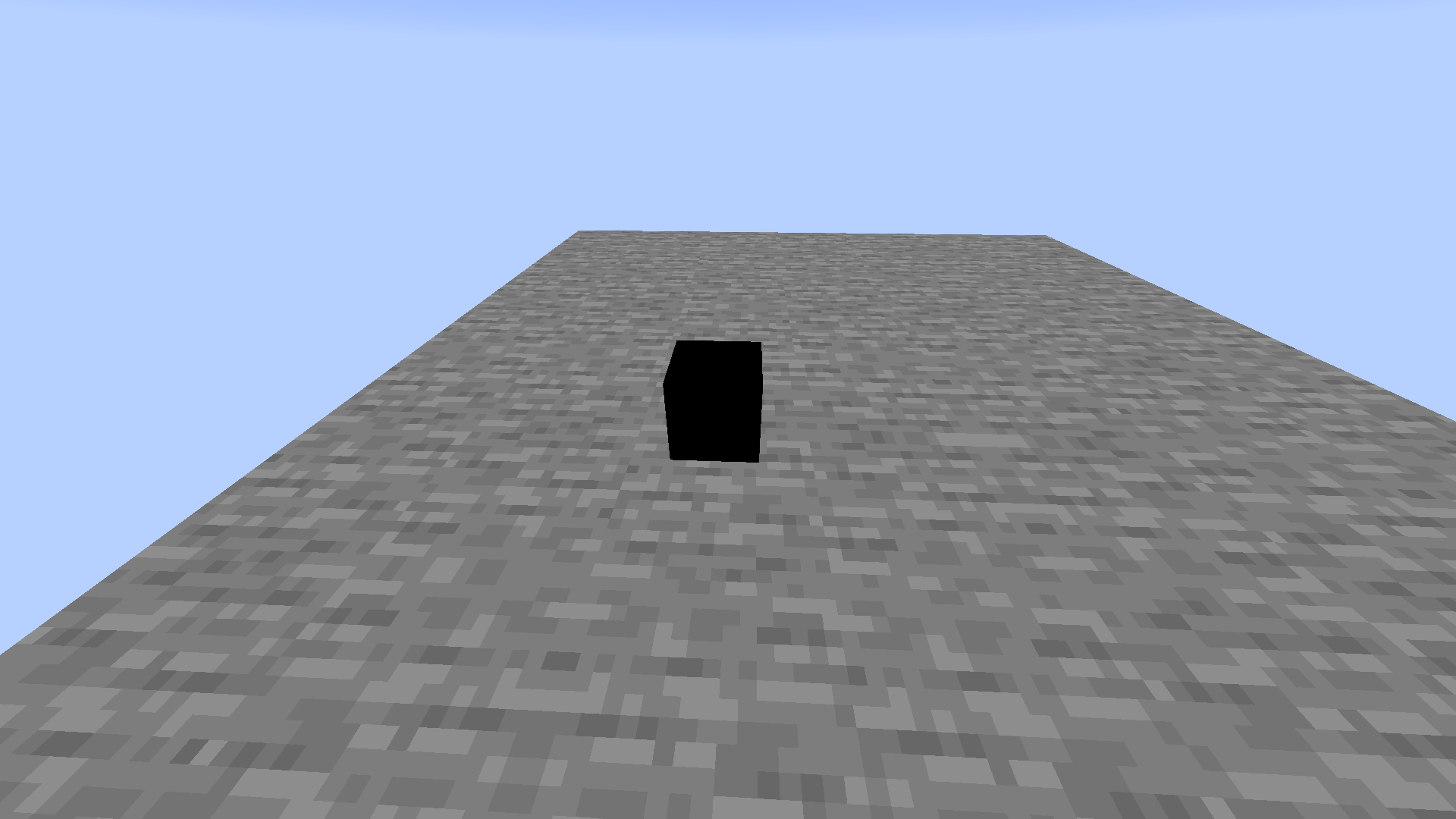
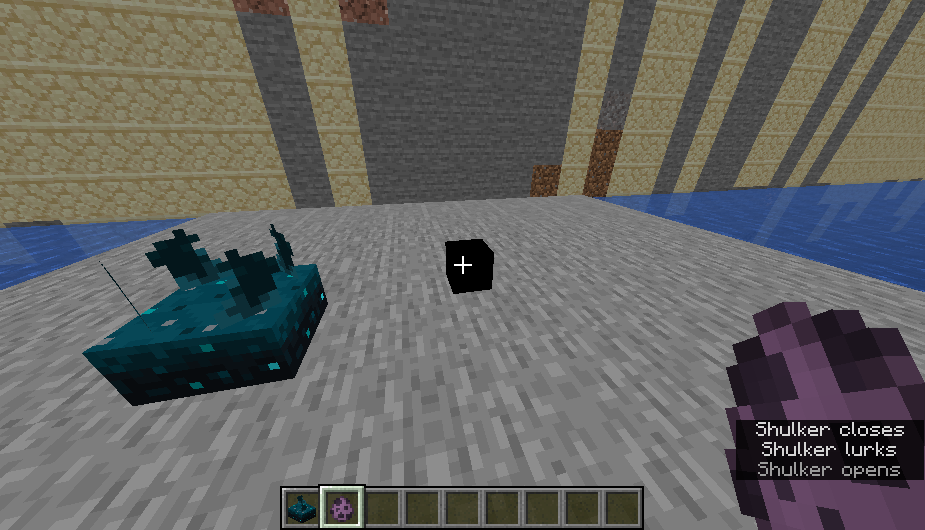
As of Minecraft 1.15, shulker heads no longer support transparency.
In previous versions, replacing the texture with transparent pixels would make the shulker head appear transparent (or completely invisible). This no longer works.
Steps to reproduce
1: Create a resource pack with the shulker head texture deleted (resource pack is attached)
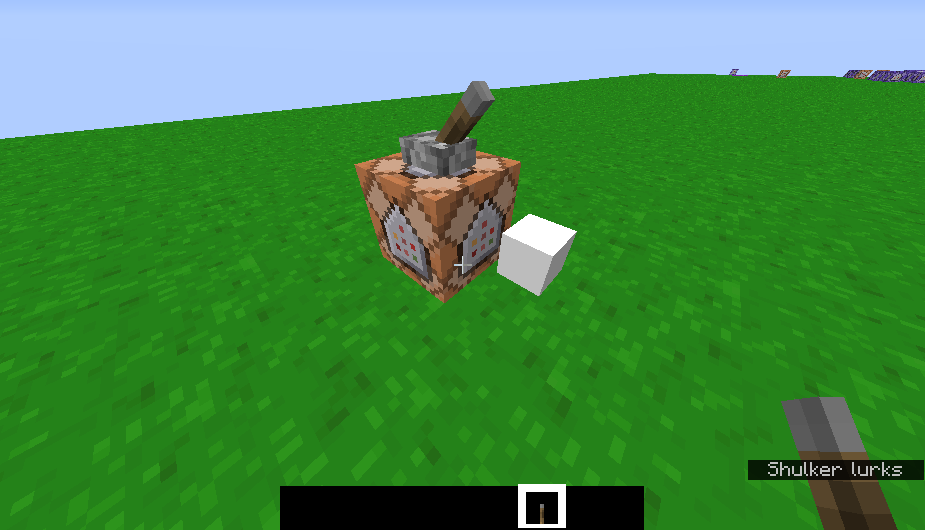
2: Summon an invisible shulker with this command:
/summon minecraft:shulker ~ ~ ~ {active_effects:[{duration:-1,amplifier:0b,id:"minecraft:invisibility"}]}
Linked Issues
 Important




 Low
LowCreated Issue:
Shulker Head texture doesn't support transparency
As of Minecraft 1.15, shulker heads no longer support transparency.
In previous versions, replacing the texture with transparent pixels would make the shulker head appear transparent (or completely invisible). This no longer works.
Steps to reproduce
1: Create a resource pack with the shulker head texture deleted (resource pack is attached)
2: Summon an invisible shulker with this command:
/summon minecraft:shulker ~ ~ ~ {ActiveEffects:[
{Id:14b,Amplifier:0b,Duration:10000}]}
Environment
Windows 10 PC
Attachments2
As of Minecraft 1.15, shulker heads no longer support transparency.
In previous versions, replacing the texture with transparent pixels would make the shulker head appear transparent (or completely invisible). This no longer works.
Steps to reproduce
1: Create a resource pack with the shulker head texture deleted (resource pack is attached)
2: Summon an invisible shulker with this command:
/summon minecraft:shulker ~ ~ ~ {ActiveEffects:[
{Id:14b,Amplifier:0b,Duration:10000}]}
As of Minecraft 1.15, shulker heads no longer support transparency.
In previous versions, replacing the texture with transparent pixels would make the shulker head appear transparent (or completely invisible). This no longer works.
Steps to reproduce
1: Create a resource pack with the shulker head texture deleted (resource pack is attached)
2: Summon an invisible shulker with this command:
/summon minecraft:shulker ~ ~ ~ {ActiveEffects:[{Id:14b,Amplifier:0b,Duration:10000}]}
As of Minecraft 1.15, shulker heads no longer support transparency.
In previous versions, replacing the texture with transparent pixels would make the shulker head appear transparent (or completely invisible). This no longer works.
Steps to reproduce
1: Create a resource pack with the shulker head texture deleted (resource pack is attached)
2: Summon an invisible shulker with this command:
/summon minecraft:shulker ~ ~ ~ {ActiveEffects:[{Id:14b,Amplifier:0b,Duration:10000}]}
Windows 10 PC
Windows 10 PC, vanilla Java 1.15 singleplayer
Windows 10 PC, vanilla Java 1.15
singleplayer
Shulker Head texture doesn't support transparency in 1.15
![[Mod] NeunEinser](../../../data/avatars/users/39263.png)
![[Mojang] Adrian Östergård](../../../data/assets/gravatar/nighter.jpeg)
![[Mod] tryashtar](../../../data/avatars/users/41963.png)
![[Helper] Misode](../../../data/avatars/users/93314.png)
Shulker Head texture doesn't support transparencyin 1.15
![[Mod] Michael Wobst](../../../data/avatars/users/37868.png)

relates to
relates to
relates to
![[Helper] Jack McKalling](../../../data/avatars/users/92859.png)
Windows 10 PC, vanilla Java 1.15
![[Helper] Johnibur](../../../data/avatars/users/28381.png)
I always wonder, Mojang should mark bugs like this as "Work as intended " or "Won't fix" if it doesn't intend to fix it.
![[Mod] ampolive](../../../data/avatars/users/18949.svg)
![[Mod] turbo](../../../data/avatars/users/92867.png)
is duplicated by
![[Bot] Arisa](../../../data/avatars/users/43007.png)
![[Mojang] slicedlime](../../../data/assets/gravatar/slicedlime.jpeg)
![[Mod] Avoma](../../../data/avatars/users/86198.png)
As of Minecraft 1.15, shulker heads no longer support transparency.
In previous versions, replacing the texture with transparent pixels would make the shulker head appear transparent (or completely invisible). This no longer works.
Steps to reproduce
1: Create a resource pack with the shulker head texture deleted (resource pack is attached)
2: Summon an invisible shulker with this command:
/summon minecraft:shulker ~ ~ ~ {ActiveEffects:[{Id:14b,Amplifier:0b,Duration:10000}]}
As of Minecraft 1.15, shulker heads no longer support transparency.
In previous versions, replacing the texture with transparent pixels would make the shulker head appear transparent (or completely invisible). This no longer works.
Steps to reproduce
1: Create a resource pack with the shulker head texture deleted (resource pack is attached)
2: Summon an invisible shulker with this command:
/summon minecraft:shulker ~ ~ ~ {active_effects:[{duration:-1,amplifier:0b,id:"minecraft:invisibility"}]}
![[Mod] j_p_smith](../../../data/avatars/users/92851.png)
See MC-167900.
![[Mod] Jiingy](../../../data/avatars/users/91802.png)
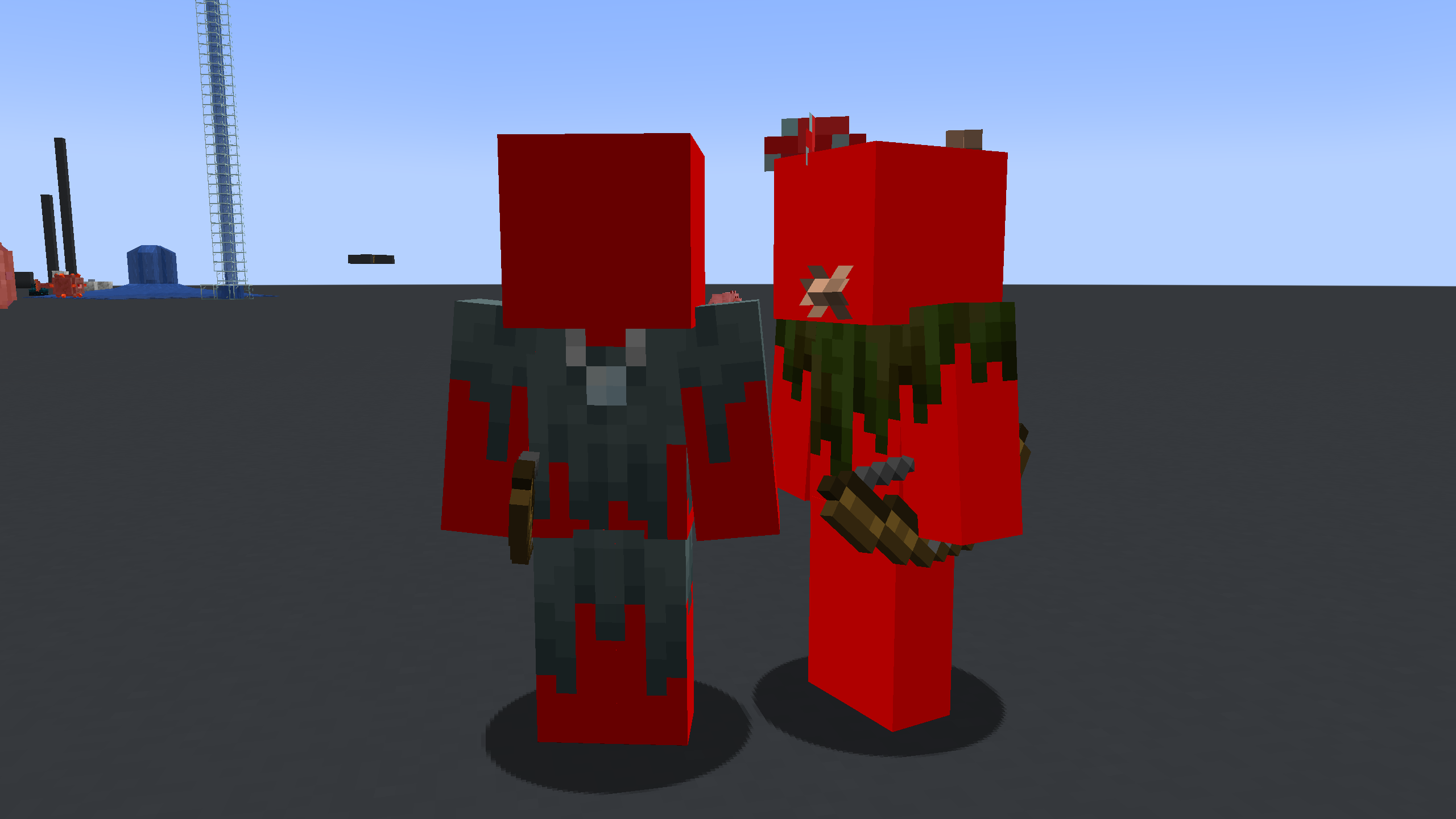
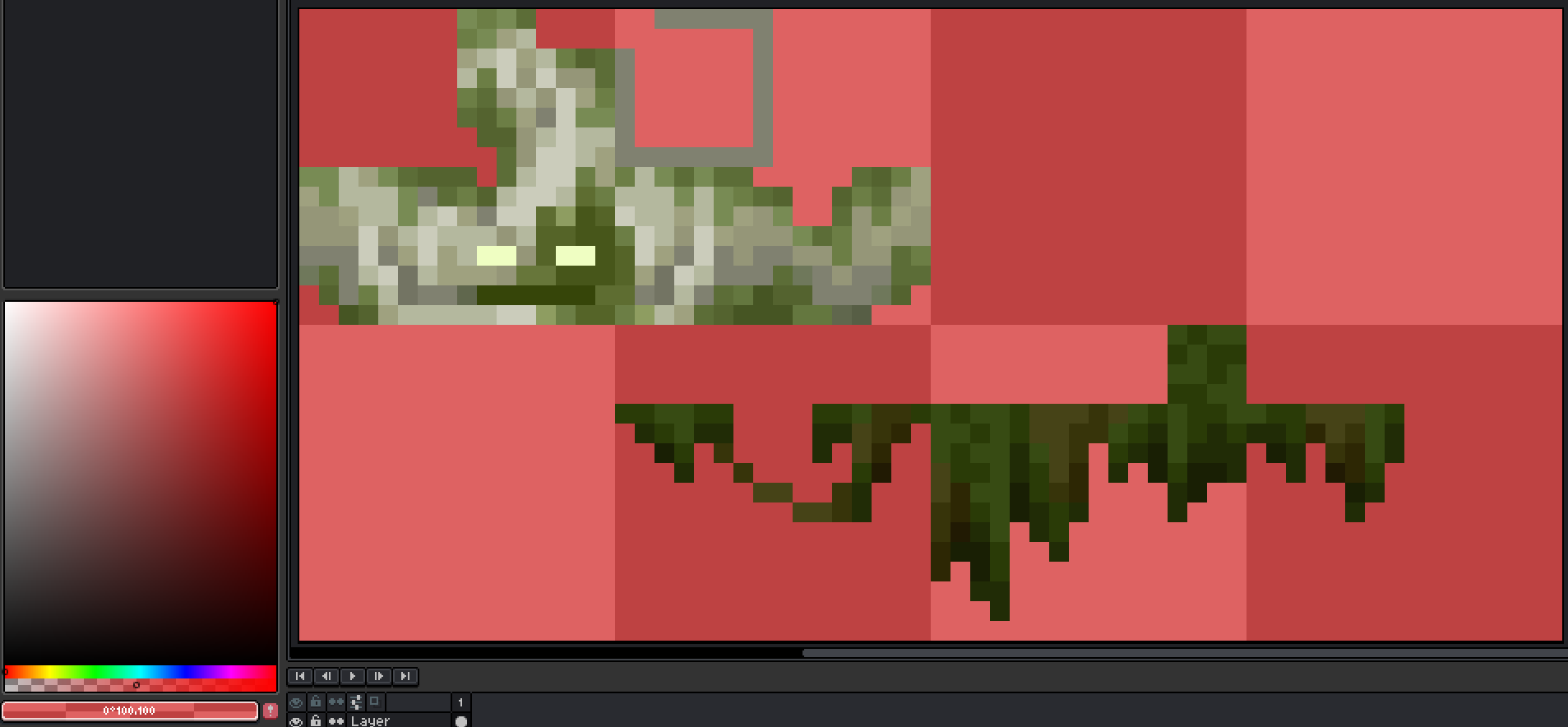
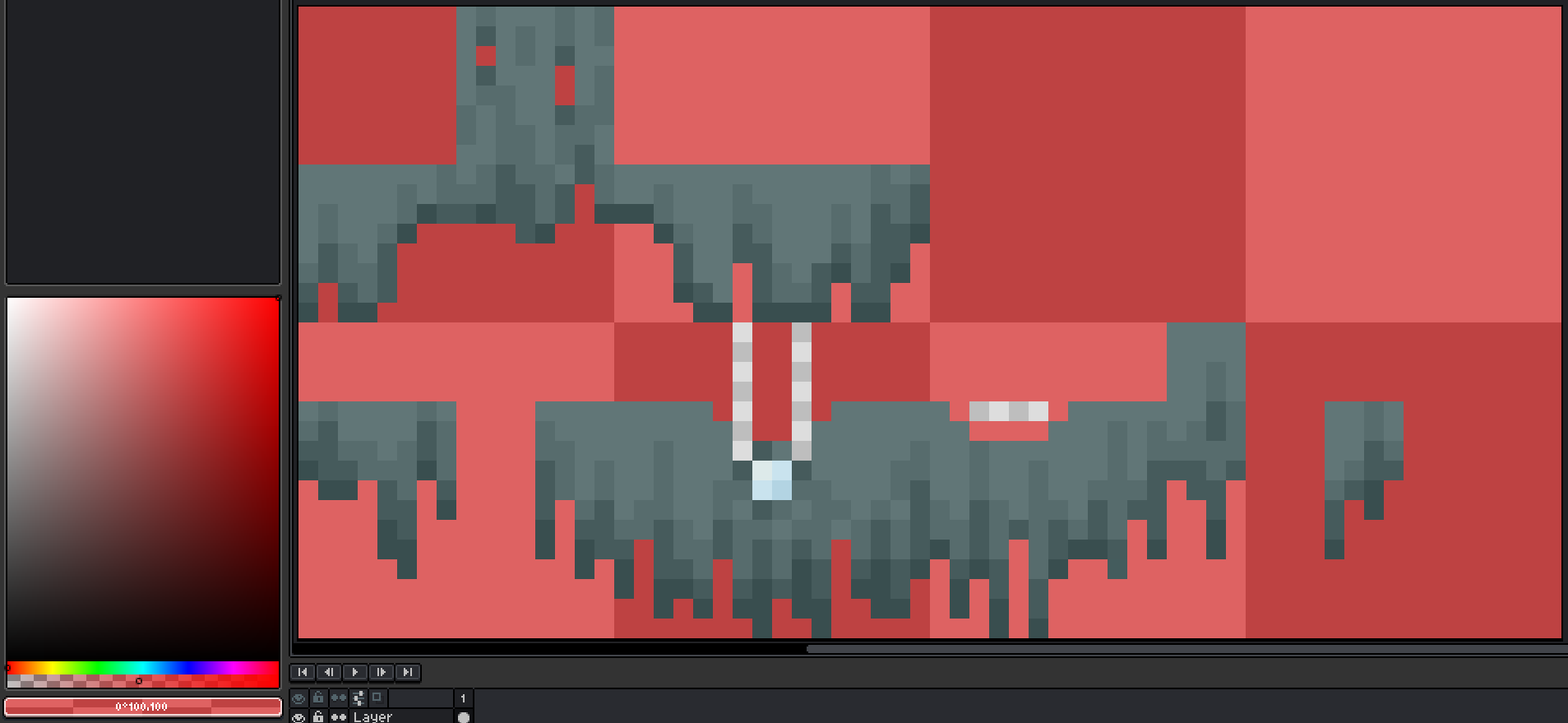
The overlay textures for the bogged and stray do not support translucent pixels. When present, they will be rendered totally opaque.
Steps to Reproduce:
- Apply the provided pack:
StrayBoggedTranslucent.zip
- Spawn a stray or bogged
Observed Behavior:
The translucent pixels in the texture will be opaque:
Expected Result:
Because the pixels in the texture are translucent, they would be rendered as such.
Notice in the bottom left how the opacity is set to 50%:
Notes:
- Related to translucent pixel issues:
MC-165182MC-174732MC-269440MC-269441MC-269445MC-269622MC-269627MC-269751MC-269832MC-269834MC-269936MC-269937MC-270051MC-270518MC-270519MC-270563MC-270564MC-270640MC-270641MC-270678MC-270680MC-270692MC-270697MC-270698MC-270726MC-270741MC-270764MC-269083MC-167900MC-270765 - Related to fixed translucent pixel issues:
MC-192307MC-200987MC-268171MC-251303MC-269085MC-269619MC-269755MC-269763MC-270049MC-165036
Able to reproduce.
In 20w10a
Affects releases: 1.16 - 1.16.1

In 20w45a
Affects: 20w49a

Don't think it will be fixed in 1.17.x =(
Can confirm in 20w51a.
Confirmed 21w03a
Confirmed for 1.18, 1.18.1 &1.18.2
Confirmed in 1.20.1
Fixed in 1.21.2.
May be fixed due to MC-278123 and could get reverted if that bug gets fixed