 MC-62550
Worldborder not correctly initialized for the End and Nether
The bug
The worldborder of the End and the Nether uses the default values when you open a world.
How to reproduce
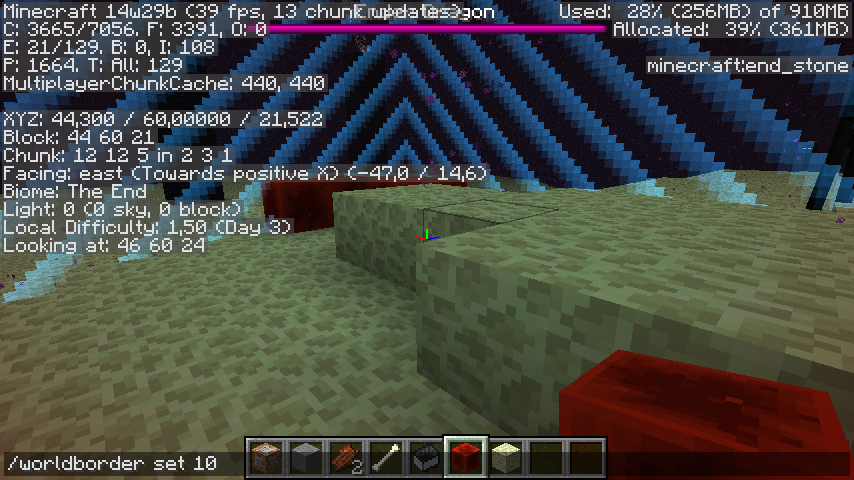
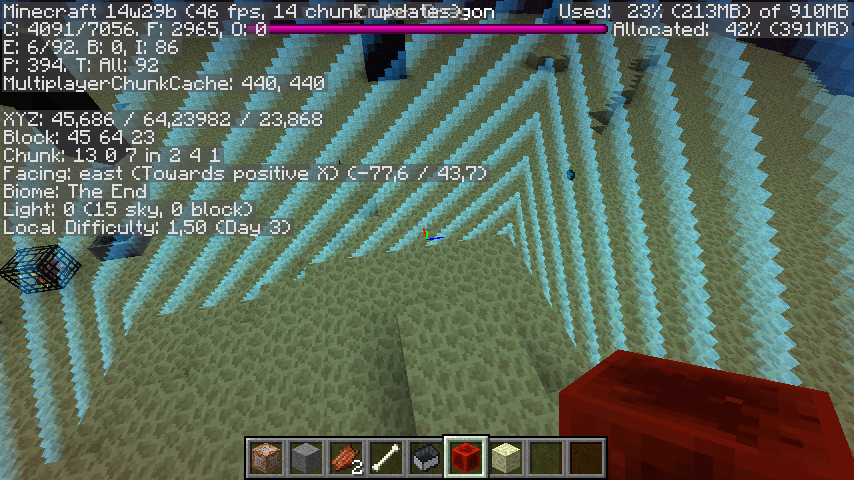
- Go to the End
- Set the worldborder center to your current position while standing at least 10 blocks away from 0, 0
/worldborder center ~ ~
- Close and reopen the world
- Set the worldborder size to 10
/worldborder set 10
- Try to place a block
→ It disappears after you placed it because the End uses 0, 0 as center
Code analysis
Based on 1.11 decompiled using MCP 9.35 rc1
When the worldborder settings are changed all IBorderListener are informed about the changes and when a WorldServerMulti (End and Nether) is created it adds its listener to the worldborder of the "main" server (WorldServer). When a server is created its init() method is called which reads the worldborder settings for the main server. The problem is that when the settings are read the other servers have not been created yet and because of this have not added any listeners. This causes them to use the default values.
Linked Issues

- Fixed
 Marcono1234
![[Mojang] Ulraf](../../../data/avatars/users/43122.png) [Mojang] Ulraf
[Mojang] Ulraf- 25
- 15
- Confirmed
 Normal
- Commands
- block end mojang_internal_1 nether server the_end world-border
14w29b - 1.17.1
14w29b 14w30c 14w31a 1.8-pre2 15w37a 1.9.4 16w20a 1.10 1.11 1.11.2 17w06a 1.12.2 17w43b 17w45b 17w46a 17w47a 1.13.1 1.14 1.14.1 1.14.2-pre1 1.14.2-pre2 1.14.2 1.14.3 1.14.4-pre1 1.14.4-pre3 1.14.4-pre4 1.14.4-pre5 1.14.4-pre6 1.14.4 19w34a 19w35a 19w36a 19w37a 19w38b 19w39a 19w40a 19w41a 19w42a 19w45b 19w46b 1.15-pre1 1.15-pre2 1.15-pre3 1.15-pre4 1.15-pre5 1.15-pre6 1.15-pre7 1.15 1.15.1 1.15.1-pre1 1.15.2-pre1 1.15.2-pre2 1.15.2 20w06a 20w07a 20w08a 20w09a 20w10a 20w11a 20w13a 20w13b 20w15a 20w17a 20w18a 20w19a 20w20a 20w20b 20w21a 1.16-pre3 1.16-rc1 1.16 1.16.1 20w28a 20w30a 1.16.2-pre1 1.16.2-rc1 1.16.2-rc2 1.16.2 1.16.3-rc1 1.16.3 1.16.4-pre1 1.16.4-pre2 1.16.4-rc1 1.16.4 20w46a 20w48a 20w51a 21w03a 1.16.5 21w05a 21w05b 21w06a 21w07a 21w11a 1.17-pre2 1.17.1- 1.18-pre1
Created Issue:
Ghost worldborder
I have no clue what actually happened.
I changed the size and the center changed gamemode and then I had this bug. It seems like the world border is a "ghost worldborder".How to reproduce:
- Download the world
- Place a block at the edge of the worldborder
- Do
/worldborder set 10- Try again to place a block at the worldborder edge
You can't also when you do /setblock it says that the number is too big and it has to be 5
Also when you enter the world it seems first like you are maybe about 20 blocks above
Attachments1
Ghost Worldborder.rar
I have no clue what actually happened.
I changed the size and the centerchangedgamemode and then I had this bug. It seems like the world border is a "ghost worldborder".How to reproduce:
- Download the world
- Place a block at the edge of the worldborder
- Do
/worldborder set 10- Try again to place a block at the worldborder edge
You can't also when you do /setblock it says that the number is too big and it has to be 5
Also when you enter the world it seems first like you are maybe about 20 blocks above
I have no clue what actually happened.
I changed the size and the center, gamemode and then I had this bug. It seems like the world border is a "ghost worldborder".How to reproduce:
- Download the world
- Place a block at the edge of the worldborder
- Do
/worldborder set 10- Try again to place a block at the worldborder edge
You can't also when you do /setblock it says that the number is too big and it has to be 5
Also when you enter the world it seems first like you are maybe about 20 blocks above

Cannot reproduce.
I have no clue what actually happened.
I changed the size and the center, gamemode and then I had this bug. It seems like the world border is a "ghost worldborder".How to reproduce:
- Download the world
- Place a block at the edge of the worldborder
- Do
/worldborder set 10- Try again to place a block at the worldborder edge
You can't also when you do /setblock it says that the number is too big and it has to be 5
Also when you enter the world it seems first like you are maybe about 20 blocks above
Could finally reproduce!!!
- Create a new world
- Go in the end, maybe by using this command:
/setblock ~ ~ ~ end_portal- Perform this command
/worldborder center ~ ~- Then this
/worldborder set 10- Then this one
/worldborder damage amount 0- Close your world and reopen it
- Use this command
/worldborder set 10Try to place a block
I have no clue what actually happened.
I changed the size and the center, gamemode and then I had this bug. It seems like the world border is a "ghost worldborder".How to reproduce:
- Download the world
- Place a block at the edge of the worldborder
- Do
/worldborder set 10- Try again to place a block at the worldborder edge
You can't also when you do /setblock it says that the number is too big and it has to be 5
Also when you enter the world it seems first like you are maybe about 20 blocks above
Could finally reproduce!!!
- Create a new world
- Go in the end, maybe by using this command:
/setblock ~ ~ ~ end_portal- Perform this command
/worldborder center ~ ~- Then this
/worldborder set 10- Then this one
/worldborder damage amount 0- Close your world and reopen it
- Use this command
/worldborder set 10Try to place a block
How to reproduce with the attached world:
- Download the world
- Place a block at the edge of the worldborder
- Do
/worldborder set 10- Try again to place a block at the worldborder edge
You can't also when you do /setblock it says that the number is too big and it has to be 5
Also when you enter the world it seems first like you are maybe about 20 blocks above
Could finally reproduce!!!
- Create a new world
- Go in the end, maybe by using this command:
/setblock ~ ~ ~ end_portal- Perform this command
/worldborder center ~ ~- Then this
/worldborder set 10- Then this one
/worldborder damage amount 0- Close your world and reopen it
- Use this command
/worldborder set 10Try to place a block
How to reproduce with the attached world:
- Download the world
- Place a block at the edge of the worldborder
- Do
/worldborder set 10- Try again to place a block at the worldborder edge
You can't also when you do /setblock it says that the number is too big and it has to be 5
Also when you enter the world it seems first like you are maybe about 20 blocks above
Could finally reproduce!!!
- Create a new world
- Go in the end, maybe by using this command:
/setblock ~ ~ ~ end_portal- Perform this command
/worldborder center ~ ~- Then this
/worldborder set 10- Then this one
/worldborder damage amount 0- Close your world and reopen it
- Use this command
/worldborder set 10Try to place a block
How to reproduce with the attached world:
- Download the world
- Place a block at the edge of the worldborder
- Do
/worldborder set 10- Try again to place a block at the worldborder edge
You can't also when you do /setblock it says that the number is too big and it has to be 5
Also when you enter the world it seems first like you are maybe about 20 blocks above
Could finally reproduce!!!
- Create a new world
- Go in the end, maybe by using this command:
/setblock ~ ~ ~ end_portal- Perform this command
/worldborder center ~ ~- Then this
/worldborder set 10- Then this one
/worldborder damage amount 0- Close your world and reopen it
- Use this command
/worldborder set 10Try to place a block
Relates to:
MC-56162
Cannot reproduce anymore in 14w31a
This is only happening anymore in 14w31a with worlds which had this problem already before, it seems like it is not reproduceable anymore
How to reproduce with the attached world:
- Download the world
- Place a block at the edge of the worldborder
- Do
/worldborder set 10- Try again to place a block at the worldborder edge
You can't also when you do /setblock it says that the number is too big and it has to be 5
Also when you enter the world it seems first like you are maybe about 20 blocks above
Could finally reproduce!!!
- Create a new world
- Go in the end, maybe by using this command:
/setblock ~ ~ ~ end_portal- Perform this command
/worldborder center ~ ~- Then this
/worldborder set 10- Then this one
/worldborder damage amount 0- Close your world and reopen it
- Use this command
/worldborder set 10Try to place a block
Relates to:
MC-56162
This is only happening anymore in 14w31a with worlds which had this problem already before, it seems like it is not reproduceable anymore
How to reproduce with the attached world:
- Download the world
- Place a block at the edge of the worldborder
- Do
/worldborder set 10- Try again to place a block at the worldborder edge
You can't also when you do /setblock it says that the number is too big and it has to be 5
Also when you enter the world it seems first like you are maybe about 20 blocks above
Could finally reproduce!!!
- Create a new world
- Go in the end, maybe by using this command:
/setblock ~ ~ ~ end_portal- Perform this command
/worldborder center ~ ~- Then this
/worldborder set 10- Then this one
/worldborder damage amount 0- Close your world and reopen it
- Use this command
/worldborder set 10Try to place a block
Relates to:
MC-56162Can reproduce again in Minecraft 1.8-pre 2
How to reproduce with the attached world:
- Download the world
- Place a block at the edge of the worldborder
- Do
/worldborder set 10- Try again to place a block at the worldborder edge
You can't also when you do /setblock it says that the number is too big and it has to be 5
Also when you enter the world it seems first like you are maybe about 20 blocks above
Could finally reproduce!!!
- Create a new world
- Go in the end, maybe by using this command:
/setblock ~ ~ ~ end_portal- Perform this command
/worldborder center ~ ~- Then this
/worldborder set 10- Then this one
/worldborder damage amount 0- Close your world and reopen it
- Use this command
/worldborder set 10Try to place a block
Relates to:
MC-56162
I didn't get this message, but maybe the developer can find out, what is wrong
Can reproduce again in Minecraft 1.8-pre 2
How to reproduce with the attached world:
- Download the world
- Place a block at the edge of the worldborder
- Do
/worldborder set 10- Try again to place a block at the worldborder edge
You can't also when you do /setblock it says that the number is too big and it has to be 5
Also when you enter the world it seems first like you are maybe about 20 blocks above
Could finally reproduce!!!
- Create a new world
- Go in the end, maybe by using this command:
/setblock ~ ~ ~ end_portal- Perform this command
/worldborder center ~ ~- Then this
/worldborder set 10- Then this one
/worldborder damage amount 0- Close your world and reopen it
- Use this command
/worldborder set 10Try to place a block
Relates to:
MC-56162Can reproduce again in Minecraft 1.8-pre 2
How to reproduce with the attached world:
- Download the world
- Place a block at the edge of the worldborder
- Do
/worldborder set 10- Try again to place a block at the worldborder edge
You can't also when you do /setblock it says that the number is too big and it has to be 5
Also when you enter the world it seems first like you are maybe about 20 blocks above
Could finally reproduce!!!
- Create a new world
- Go in the end, maybe by using this command:
/setblock ~ ~ ~ end_portal- Perform this command
/worldborder center ~ ~- Then this
/worldborder set 10- Then this one
/worldborder damage amount 0- Close your world and reopen it
- Use this command
/worldborder set 10Try to place a block
Relates to:
MC-56162
Can reproduce again in Minecraft 1.8-pre 2
How to reproduce with the attached world:
Downloadthe world- Place a block at the edge of the worldborder
- Do
/worldborder set 10- Try again to place a block at the worldborder edge
You can't also when you do /setblock it says that the number is too big and it has to be 5
Also when you enter the world it seems first like you are maybe about 20 blocks above
Could finally reproduce!!!
- Create a new world
- Go in the end, maybe by using this command:
/setblock ~ ~ ~ end_portal- Perform this command
/worldborder center ~ ~- Then this
/worldborder set 10- Then this one
/worldborder damage amount 0- Close your world and reopen it
- Use this command
/worldborder set 10Try to place a block
Relates to:
MC-56162h3 .How to reproduce with the attached world
- Download the world
- Place a block at the edge of the worldborder
- Do
/worldborder set 10- Try again to place a block at the worldborder edge
You can't also when you do /setblock it says that the number is too big and it has to be 5
Also when you enter the world it seems first like you are maybe about 20 blocks above
How to reproduce
- Create a new world
- Go in the end, maybe by using this command:
/setblock ~ ~ ~ end_portal- Perform this command
/worldborder center ~ ~- Then this
/worldborder set 10- Then this one
/worldborder damage amount 0- Close your world and reopen it
- Use this command
/worldborder set 10Try to place a block
Relates to:
MC-56162

relates to
h3 .How to reproduce with the attached world
- Download the world
- Place a block at the edge of the worldborder
- Do
/worldborder set 10- Try again to place a block at the worldborder edge
You can't also when you do /setblock it says that the number is too big and it has to be 5
Also when you enter the world it seems first like you are maybe about 20 blocks above
How to reproduce
- Create a new world
- Go in the end, maybe by using this command:
/setblock ~ ~ ~ end_portal- Perform this command
/worldborder center ~ ~- Then this
/worldborder set 10- Then this one
/worldborder damage amount 0- Close your world and reopen it
- Use this command
/worldborder set 10Try to place a block
Relates to:
MC-56162How to reproduce with the attached world
- Download the world
- Place a block at the edge of the worldborder
- Do
/worldborder set 10- Try again to place a block at the worldborder edge
You can't also when you do /setblock it says that the number is too big and it has to be 5
Also when you enter the world it seems first like you are maybe about 20 blocks above
How to reproduce
- Create a new world
- Go in the end, maybe by using this command:
/setblock ~ ~ ~ end_portal- Perform this command
/worldborder center ~ ~- Then this
/worldborder set 10- Then this one
/worldborder damage amount 0- Close your world and reopen it
- Use this command
/worldborder set 10Try to place a block
Relates to:
MC-56162

Ghost worldborderWorldborder not correctly initialized for The End and Nether
How to reproduce with the attached world
Downloadtheworld- Place a block at the edge of the worldborder
- Do
set 10Try again to place a block at the worldborder edgeYou can't also when you do /setblock it says that the number is too big and it has to be 5
Also when you enter the world it seems first like you are maybe about 20 blocks above
How to reproduce
- Create a new world
- Go in the end, maybe by using this command:
/setblock ~ ~ ~ end_portal- Perform this command
/worldborder center ~ ~- Then this
/worldborder set 10- Then this one
/worldborder damage amount 0- Close your world and reopen it
- Use this command
/worldborder set 10Try to place a block
Relates to:MC-56162The bug
The worldborder of the End and the Nether uses the default values when you open a world.
How to reproduce
- Go to the End
- Set the worldborder center to your current position while standing at least 10 blocks away from 0, 0
/worldborder center ~ ~- Close and reopen the world
- Set the worldborder size to for example 10
- Try to place a block
→ It disappears after you placed itCode analysis
Based on 1.11 decompiled using MCP 9.35 rc1
When the worldborder settings are changed all IBorderListener are informed about the changes and when a WorldServerMulti (End and Nether) is created it adds its listener to the worldborder of the "main" server (WorldServer). When a server is created its init() method is called which reads the worldborder settings for the main server. The problem is that when the settings are read the other servers have not been created yet and because of this have not added any listeners. This causes them to use the default values.
Worldborder not correctly initialized forThe End and NetherWorldborder not correctly initialized for the End and Nether
The bug
The worldborder of the End and the Nether uses the default values when you open a world.
How to reproduce
- Go to the End
- Set the worldborder center to your current position while standing at least 10 blocks away from 0, 0
/worldborder center ~ ~- Close and reopen the world
- Set the worldborder size to for example 10
- Try to place a block
→ It disappears after you placed itCode analysis
Based on 1.11 decompiled using MCP 9.35 rc1
When the worldborder settings are changed all IBorderListener are informed about the changes and when a WorldServerMulti (End and Nether) is created it adds its listener to the worldborder of the "main" server (WorldServer). When a server is created its init() method is called which reads the worldborder settings for the main server. The problem is that when the settings are read the other servers have not been created yet and because of this have not added any listeners. This causes them to use the default values.
The bug
The worldborder of the End and the Nether uses the default values when you open a world.
How to reproduce
- Go to the End
- Set the worldborder center to your current position while standing at least 10 blocks away from 0, 0
/worldborder center ~ ~- Close and reopen the world
- Set the worldborder size to 10
/worldborder size 10- Try to place a block
→ It disappears after you placed itCode analysis
Based on 1.11 decompiled using MCP 9.35 rc1
When the worldborder settings are changed all IBorderListener are informed about the changes and when a WorldServerMulti (End and Nether) is created it adds its listener to the worldborder of the "main" server (WorldServer). When a server is created its init() method is called which reads the worldborder settings for the main server. The problem is that when the settings are read the other servers have not been created yet and because of this have not added any listeners. This causes them to use the default values.
The bug
The worldborder of the End and the Nether uses the default values when you open a world.
How to reproduce
- Go to the End
- Set the worldborder center to your current position while standing at least 10 blocks away from 0, 0
/worldborder center ~ ~- Close and reopen the world
- Set the worldborder size to 10
/worldborder size 10- Try to place a block
→ It disappears after you placed itCode analysis
Based on 1.11 decompiled using MCP 9.35 rc1
When the worldborder settings are changed all IBorderListener are informed about the changes and when a WorldServerMulti (End and Nether) is created it adds its listener to the worldborder of the "main" server (WorldServer). When a server is created its init() method is called which reads the worldborder settings for the main server. The problem is that when the settings are read the other servers have not been created yet and because of this have not added any listeners. This causes them to use the default values.
The bug
The worldborder of the End and the Nether uses the default values when you open a world.
How to reproduce
- Go to the End
- Set the worldborder center to your current position while standing at least 10 blocks away from 0, 0
/worldborder center ~ ~- Close and reopen the world
- Set the worldborder size to 10
/worldborder set 10- Try to place a block
→ It disappears after you placed it because the End uses 0, 0 as centerCode analysis
Based on 1.11 decompiled using MCP 9.35 rc1
When the worldborder settings are changed all IBorderListener are informed about the changes and when a WorldServerMulti (End and Nether) is created it adds its listener to the worldborder of the "main" server (WorldServer). When a server is created its init() method is called which reads the worldborder settings for the main server. The problem is that when the settings are read the other servers have not been created yet and because of this have not added any listeners. This causes them to use the default values.
![[Mod] Michael Wobst](../../../data/avatars/users/37868.png)
is duplicated by
MC-114290
relates to
![[Mod] Neko](../../../data/avatars/users/92901.png)
is duplicated by
![[Mojang] Nathan Adams](../../../data/assets/gravatar/dinnerbone.png)

![[Mod] violine1101](../../../data/avatars/users/92858.png)
![[Helper] ZeNico13](../../../data/avatars/users/31913.png)
The bug
The worldborder of the End and the Nether uses the default values when you open a world.
How to reproduce
- Go to the End
- Set the worldborder center to your current position while standing at least 10 blocks away from 0, 0
/worldborder center ~ ~- Close and reopen the world
- Set the worldborder size to 10
/worldborder set 10- Try to place a block
→It disappears after you placed it because the End uses 0, 0 as centerCode analysis
Based on 1.11 decompiled using MCP 9.35 rc1
When the worldborder settings are changed all IBorderListener are informed about the changes and when a WorldServerMulti (End and Nether) is created it adds its listener to the worldborder of the "main" server (WorldServer). When a server is created its init() method is called which reads the worldborder settings for the main server. The problem is that when the settings are read the other servers have not been created yet and because of this have not added any listeners. This causes them to use the default values.
The bug
The worldborder of the End and the Nether uses the default values when you open a world.
How to reproduce
- Go to the End
- Set the worldborder center to your current position while standing at least 10 blocks away from 0, 0
/worldborder center ~ ~- Close and reopen the world
- Set the worldborder size to 10
/worldborder set 10- Try to place a block
→Code analysis
Based on 1.11 decompiled using MCP 9.35 rc1
When the worldborder settings are changed all IBorderListener are informed about the changes and when a WorldServerMulti (End and Nether) is created it adds its listener to the worldborder of the "main" server (WorldServer). When a server is created its init() method is called which reads the worldborder settings for the main server. The problem is that when the settings are read the other servers have not been created yet and because of this have not added any listeners. This causes them to use the default values.
![[Mojang] Adrian Östergård](../../../data/assets/gravatar/nighter.jpeg)
![[Mojang] eowyn36](../../../data/avatars/users/18935.svg) [Mojang] eowyn36[Mojang] eowyn36
[Mojang] eowyn36[Mojang] eowyn36relates to
![[Helper] Johnibur](../../../data/avatars/users/28381.png)
 [Mojang] Ulraf
![[Mojang] slicedlime](../../../data/assets/gravatar/slicedlime.jpeg)
Confirmed.
Cannot place any block after /worldborder set 10 and the blocks placed first are gone.
Getting that in the devconsole when leaving that world:
Confirmed for 1.9.4 Release and 16w20a Snapshot
Confirmed for 1.10 Release
Can confirm for 1.11
In 1.12 the End is fine for me but the Nether is still centered at 0,0
Can confirm for 17w43b snapshot
Confirmed for 17w46a Snapshot, even is worse, the worldborder don't update...
Confirmed for 17w47a snapshot
Still affects 1.14 full release
Still in 1.14.1 Release
Still in 1.14.2 Pre-Release 1 and 1.14.2 Pre-Release 2
Will this ever get fixed? It's seriously hauling my progress on making a custom map with the world border because when you get to the nether you just immediately get killed... Not to mention the nether portal keeps taking me to the wrong location somehow. I mean come on this has been here for 2 years? This really needs to be fixed soon cause it's not fun using the world border in its current state. I'll have to make some workarounds to fix it myself... If I can. There has to be some location I can find where everything works... I even went inside the border in the nether and instead of taking mini damage I immediately died. But through the portal, I took only half a heart... Which implies, the border is not placed in the right spot. So I just have to find where I don't take damage.
Can confirm in 1.17.1.