 MCLG-17
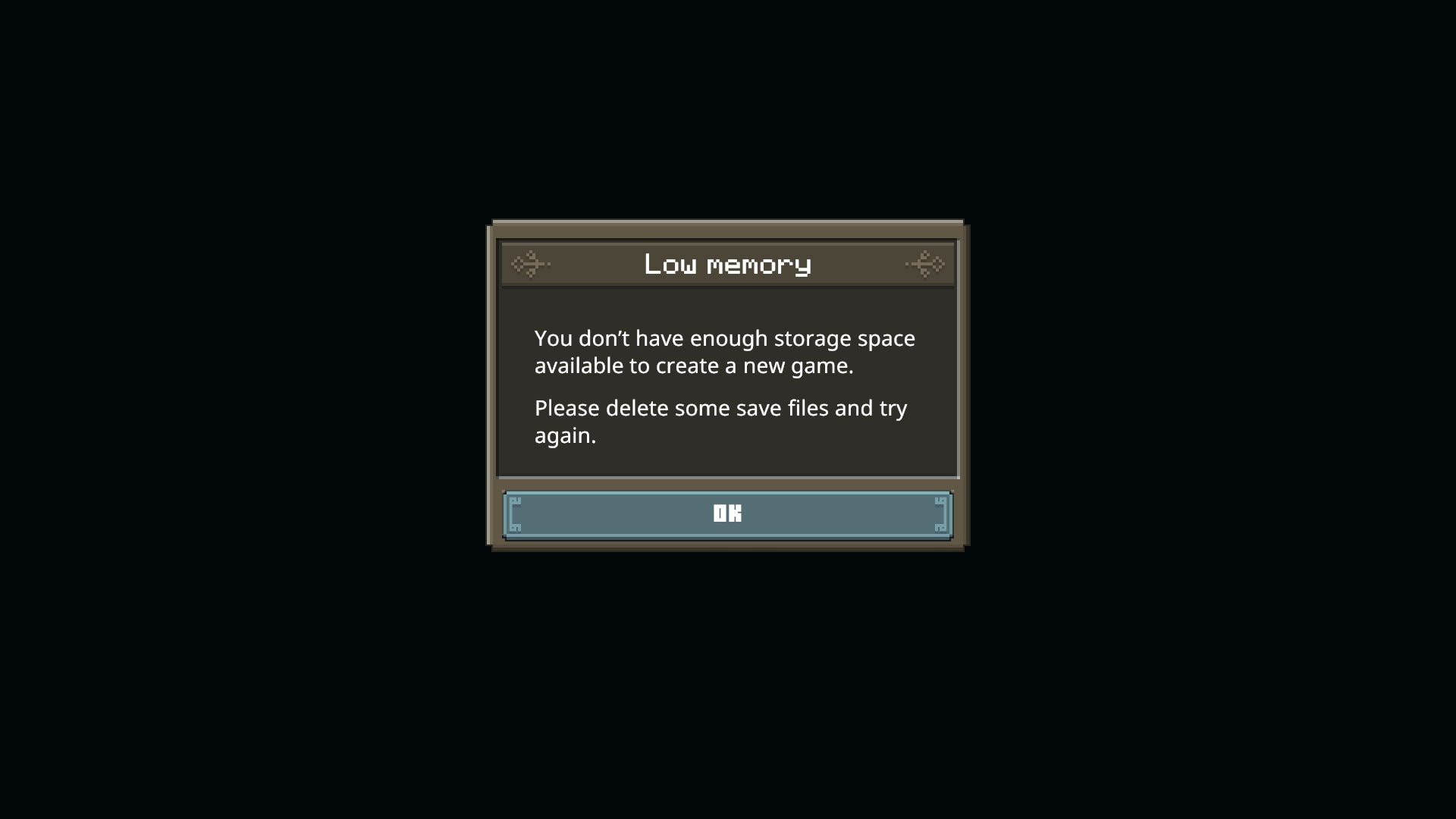
"You do not have enough storage space" error message upon trying to create a save
Unable to create a save to launch a game, a message appears saying that I don’t have enough space to create my save, while I have more than 100 gb available on my hard drive.
Linked Issues
is duplicated by3
 MCPE-55010

Created Issue:
Cannot create a save
Unable to create a save to launch a game, a message appears saying that I don’t have enough space to create my save, while I have more than 100 gb available on my hard drive.
Attachments2

Duplicate of
MCLG-9. This ticket is awaiting your response, there's no need to create a new one! Please simply reply on the old one.
![[Mod] tryashtar](../../../data/avatars/users/41963.png)
is duplicated by
![[Mod] Greymagic27](../../../data/avatars/users/92875.png)
Cannot create a save"You do not have enough storage space" error message upon trying to create a save
is duplicated by
![[Mojang] Mega_Spud (Jay Wells)](../../../data/avatars/users/92696.png)
relates to

![[Mod] GoldenHelmet](../../../data/avatars/users/18951.svg)
relates to
![[Mojang] Big Beak](../../../data/avatars/users/88062.png)
is duplicated by
![[Mod] OcelotOnesie](../../../data/avatars/users/43220.png)
Thank you for your report!
We're tracking this issue in MCLG-17, so this ticket is being resolved and linked as a duplicate.
If you would like to add a vote and any extra information to the main ticket it would be appreciated.
If you haven't already, you might like to make use of the search feature to see if the issue has already been mentioned.
Quick Links:
📓 Bug Tracker Guidelines – 💬 Community Support – 📧 Mojang Support
📓 Project Summary – ✍️ Feedback and Suggestions – 📖 Game Wiki – 📖 FAQs
![[Bot] Arisa](../../../data/avatars/users/43007.png)
Thank you for your report!
We're tracking this issue in MCLG-17, so this ticket is being resolved and linked as a duplicate.
If you would like to add a vote and any extra information to the main ticket it would be appreciated.
If you haven't already, you might like to make use of the search feature to see if the issue has already been mentioned.
Quick Links:
📓 Bug Tracker Guidelines – 💬 Community Support – 📧 Mojang Support
📓 Project Summary – ✍️ Feedback and Suggestions – 📖 Game Wiki – 📖 FAQs
– I am a bot. This action was performed automatically! The ticket was resolved by one of our moderators, and I left this message to give more information to you.
Do you know in what circumstances this bug appears?
i just lunch the game and try to create a save, and i juste turn the text to spech off
Does the hard drive with your operating system installed on it have any free space?
yeah i have only one with my systeme and my game who it have 177 gb free
It seems to be a problem with steam with the game pass the save crete well
Try checking with Minecraft Legends Discord (channel #community-support) to see if they can help you and determine whether the issue is a general bug or specific to you.
Hello, my friend and I recently lost our save that my friend was hosting. Had over 8 hours played day one, on the second day when we started to play I captured a small piglin outpost (the ones you need to zoom in to see on map). Once I completed that output my friend and I received the messaged kicking us back to the main menu. My friend tried loading up the save and received a message stating the save was corrupted. While trying to load the auto save from the night before the save ended up deleting itself.
This is on PC using Xbox game pass. The save lost had over 8 hours played. Not knowing if the game will eat another save, this breaks the enjoyment from the game for me.
Bright spots: Love the game, love the new spin on MC. I am enjoying the tower defense aspect of the game a lot. I look forward to seeing more towers and more minions as MC grows.
Nemata » Contact Minecraft support. Are you sure that your issue is related to this bug report?
@Lunarian I see now that this is for ps4 and for save creation. so you are correct that this is a separate bug.
I am also having this issue on steam, I would also like to add another symptom I believe to be related to this issue, the game always launches with default settings, it says its first time launching, and asks to relink account and you have to do all settings from scratch.
Sounds like another bug ported from Minecraft Bedrock Edition, MCPE-55010.
I got it working! Someone on a steam thread got it through running the game as an administrator through compatibility settings of the .exe.
Glad to hear the compatibility settings were a workaround! A proper fix is in the works for our next update as well.
It is still present for me.
*Game doesn't remember my choices, every time I open up the game it starts with the Settings and the Text to Voice. It doesn't remember linking my account nor the hero skin choice nor the settings.
*Low memory error and can't start a world.
*Can't access the marketplace.
Compatibility settings doesn't fix it nor does the administrator access.
Maragas your issue might be related to
MCLG-64.Regarding
MCLG-106: Does anyone still have this bug on Windows ?