 Lunarian
- Lunarian
- JIRAUSER749739
- Europe/Paris
- Yes
- No
 MCPE-168787
 MC-261154
 Normal
 WEB-6445
![[Mojang] Mega_Spud (Jay Wells)](../../../data/avatars/users/92696.png)
 MCLG-14
![[Mojang] slicedlime](../../../data/assets/gravatar/slicedlime.jpeg)




 REALMS-4529






Hello,
Zombies and skeletons randomly spin with soul sand bubbles column.
Steps:
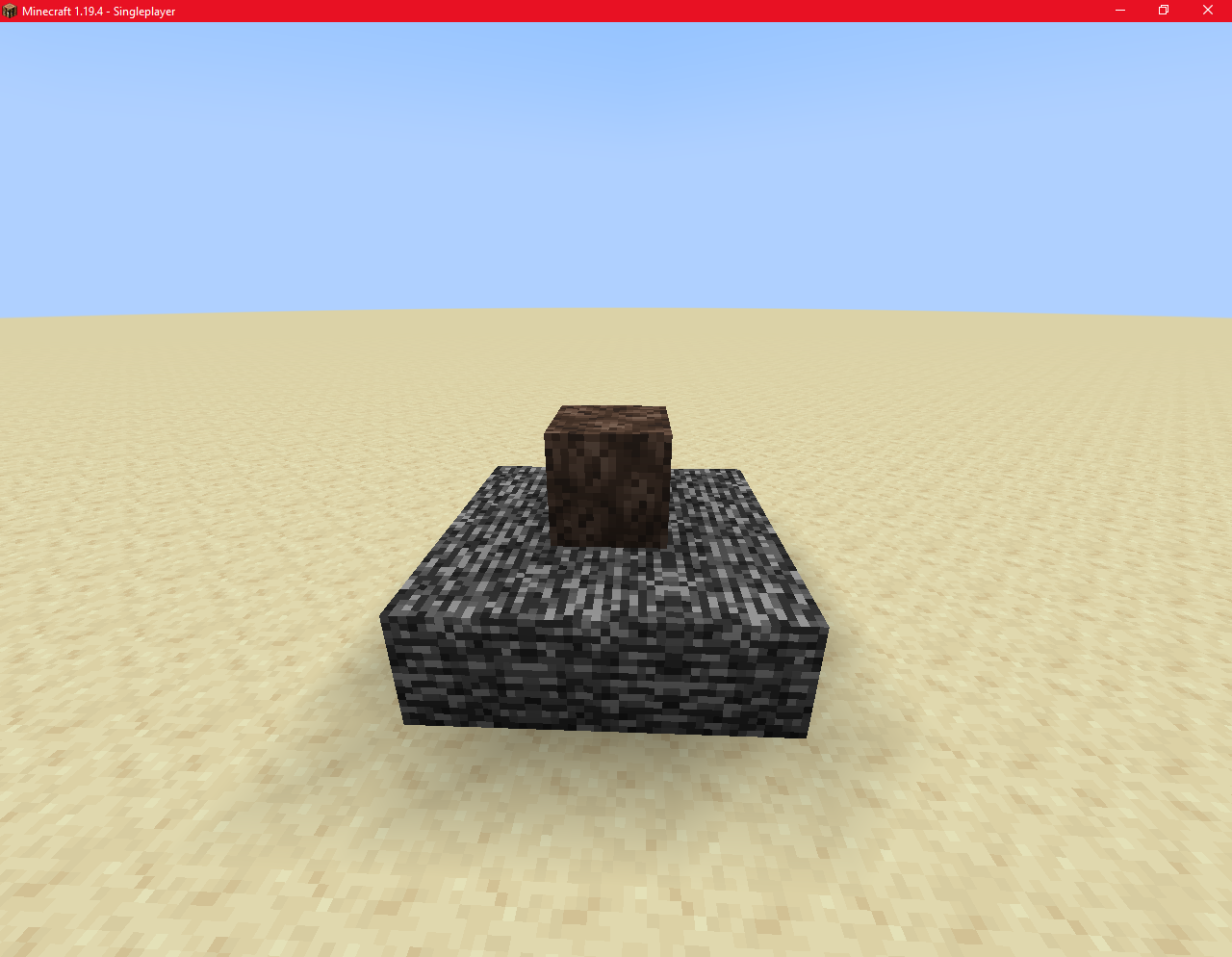

→Build an column (any height) with a single block. Put an soul sand at the bottom.

→Fill with water
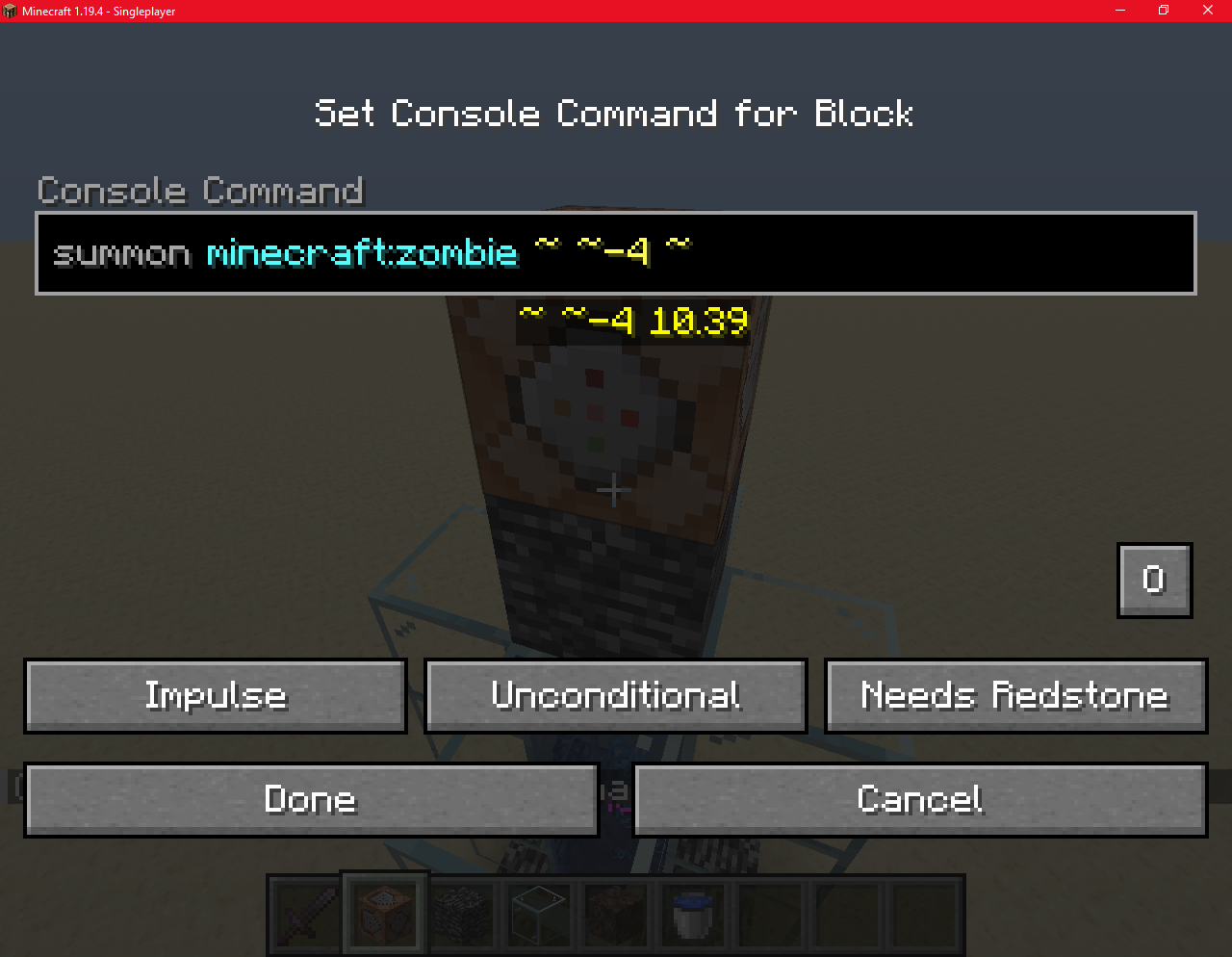
→Use command
summon minecraft:zombie ~ ~-4 ~
→Use Minecraft command block or something else to summon a zombie/skeleton.I've been tried with other mobs (like villagers, chickens, pigs...) but i was unable to do it. Except for skeletons and zombies !
Hello,
Zombies and skeletons randomly spin with soul sand bubbles column.
Unexpected
Unlike other monsters, zombies and skeletons do not behave the same and turn uncontrollably without any reason.
Steps:
→Build an column (any height) with a single block. Put an soul sand at the bottom.
→Fill with water
→Use command
summon minecraft:zombie ~ ~-4 ~
→Use Minecraft command block or something else to summon a zombie/skeleton.I've been tried with other mobs (like villagers, chickens, pigs...) but i was unable to do it. Except for skeletons and zombies !
Hello,
I founded a visual conflict between Minecraft: Bedrock edition and Windows.
How to do this ?
1: Open mouse settings
2: Open "Additional mouse options"
3: Open "Pointer Options"
4: Toggle the "Show location of pointer when i press the CTRL key"
5: press CTRL on Minecraft: bedrock edition and seeNote: i was not able to reproduce this on Java Edition/Minecraft dungeon.
Thank you !
Hello,
I founded a visual conflict between Minecraft: Bedrock edition and Windows.
UNEXPECTED
In several games, this option is not readily visible to avoid interfering with the player's experience, and I believe that should also be the case here.
How to do this ?
1: Open mouse settings
2: Open "Additional mouse options"
3: Open "Pointer Options"
4: Toggle the "Show location of pointer when i press the CTRL key"
5: press CTRL on Minecraft: bedrock edition and seeNote: i was not able to reproduce this on Java Edition/Minecraft dungeon.
Thank you !
Hello,
I found
eda visual conflict between Minecraft: Bedrock edition and Windows.
UNEXPECTED
In several games, this option is not readily visible to avoid interfering with the player's experience, and I believe that should also be the case here.
How to do this ?
1: Open mouse settings
2: Open "Additional mouse options"
3: Open "Pointer Options"
4: Toggle the "Show location of pointer when i press the CTRL key"
5: press CTRL on Minecraft: bedrock edition and seeNote: i was not able to reproduce this on Java Edition/Minecraft dungeon.
Thank you !
Hello,
I found a visual conflict between Minecraft: Bedrock edition and Windows.
UNEXPECTED
In several games, this option is not readily visible to avoid interfering with the player's experience, and I believe that should also be the case here.
How to do this ?
1: Open mouse settings
2: Open "Additional mouse options"
3: Open "Pointer Options"
4: Toggle the "Show location of pointer when i press the CTRL key"
5: press CTRL on Minecraft: bedrock edition and seeNote: i was not able to reproduce this on Java Edition/Minecraft dungeon.
Thank you !
Hello,
I found a visual conflict between Minecraft: Bedrock edition and Windows ".
UNEXPECTED
The circle is displayed.
EXPECTED
Several games hide the circle. It should also be hidden in Minecraft.
How to do this ?
1: Open mouse settings
2: Open "Additional mouse options"
3: Open "Pointer Options"
4: Toggle the "Show location of pointer when i press the CTRL key"
5: press CTRL on Minecraft: bedrock edition and seeNote: i was not able to reproduce this on Java Edition/Minecraft dungeon.
Thank you !
Hello,
I found a visual conflict between Minecraft: Bedrock edition and Windows "Show Location Of Point When I press the CTRL key" setting.
UNEXPECTED
The circle is displayed.
EXPECTED
Several games hide the circle. It should also be hidden in Minecraft.
How to do this ?
1: Open mouse settings
2: Open "Additional mouse options"
3: Open "Pointer Options"
4: Toggle the "Show location of pointer when i press the CTRL key"
5: press CTRL on Minecraft: bedrock edition and seeNote: i was not able to reproduce this on Java Edition/Minecraft dungeon.
Thank you !
Hello,
I found a visual conflict between Minecraft: Bedrock edition and Windows "Show Location Of Point When I press the CTRL key" setting.
UNEXPECTED
The circle is displayed.
EXPECTED
Several games hide the circle. It should also be hidden in Minecraft.
How to do this ?
1: Open mouse settings
2: Open "Additional mouse options"
3: Open "Pointer Options"
4: Toggle the "Show location of pointer when i press the CTRL key"
5: press CTRL on Minecraft: bedrock edition and seeNote: i was not able to reproduce this on Java Edition/Minecraft dungeon.
Thank you !
Hello,
I found a visual conflict between Minecraft: Bedrock edition and Windows "Show Location Of Point When I press the CTRL key" setting.
UNEXPECTED
The circle is displayed.
EXPECTED
Several games hide the circle. It should also be hidden in Minecraft.
How to do this ?
1: Open mouse settings
2: Open "Additional mouse options"
3: Open "Pointer Options"
4: Toggle the "Show location of pointer when i press the CTRL key"
5: press CTRL on Minecraft: bedrock edition and see
I founda visual conflict between Minecraft: Bedrock edition and Windows "Show Location Of Point When I press the CTRL key" setting.
UNEXPECTED
The circle is displayed.
EXPECTED
Several games hide the circle. It should also be hidden in Minecraft.
How to do this ?
1:Open mouse settings
2:Open "Additional mouse options"
3:Open "Pointer Options"
4:Toggle the "Show location of pointer when i press the CTRL key"
5: press CTRL on Minecraft:bedrockeditionand seeThere is a visual conflict between Minecraft: Bedrock edition and Windows "Show Location Of Point When I press the CTRL key" setting.
Observed behavior
The circle is displayed.
Expected result
It should be hidden in Minecraft.
Steps
Open mouse settings
Open "Additional mouse options"
Open "Pointer Options"
Toggle the "Show location of pointer when i press the CTRL key"
Press CTRL on Minecraft: Bedrock Edition
There is a visual conflict between Minecraft: Bedrock edition and Windows "Show Location Of Point When I press the CTRL key" setting.
Observed behavior
The circle is displayed.
Expected result
It should be hidden in Minecraft.
Steps
Open mouse settings
Open "Additional mouse options"
Open "Pointer Options"
Toggle the "Show location of pointer when i press the CTRL key"
Press CTRL on Minecraft: Bedrock EditionThere is a visual conflict between Minecraft: Bedrock edition and Windows "Show Location Of Point When I press the CTRL key" setting.
Observed behavior
The circle is displayed.
Expected result
It should be hidden in Minecraft.
Steps
- Open mouse settings
- Open "Additional mouse options"
- Open "Pointer Options"
- Toggle the "Show location of pointer when i press the CTRL key"
Press CTRL on Minecraft: Bedrock Edition
Hello,
Suspicious gravel is not destroyed if you place a torch too quickly, unlike regular gravel
:Steps
-Place a column of suspicious gravel.
-Destroy the block at the bottom and quickly place a torch, almost instantly.Videos should include:
-Comparison with regular gravel when placing a torch too quickly.
-Comparison with regular gravel when placing a torch normally.Hello,
UNEXPECTED
Suspicious gravel is not destroyed if you place a torch too quickly, unlike regular gravel
Steps
-Place a column of suspicious gravel.
-Destroy the block at the bottom and quickly place a torch, almost instantly.Videos should include:
-Comparison with regular gravel when placing a torch too quickly.
-Comparison with regular gravel when placing a torch normally.
Hello,
UNEXPECTED
Suspicious gravel is not destroyed if you place a torch too quickly, unlike regular gravel
Steps
-Place a column of suspicious gravel.-Destroy the block at the bottom and quickly place a torch, almost instantly.
Videos should include:-Comparison with regular gravel when placing a torch too quickly.
-Comparison with regular gravel when placing a torch normally.Hello,
UNEXPECTED
Suspicious gravel is not destroyed if you place a torch too quickly.
Steps
-Place a column of suspicious gravel.
-Destroy the block at the bottom and quickly place a torch, almost instantly.
Duplicated: MC-175574
Please don't take care of this bug report.
|DUPLICATED] Suspicious Gravel Is Not Destroyed If You Place A Torch Too Quickly
2023-03-22 18-30-13.mp4
Hello,
Unexpected
The sniffer with its head above water shouldn't drown.
Steps
- Build something like this:
- Summon a Sniffer (exemple: in this case, i used "summon minecraft:sniffer ~ ~-4 ~" on a command block.)
Video (to big for uploading)
{}YouTube{}
Hello,
Unexpected
The sniffer with its head above water shouldn't drown.
Steps
- Build something like this:
- Summon a Sniffer (exemple: in this case, i used "summon minecraft:sniffer ~ ~-4 ~" on a command block.)
Video (to big for uploading)
{}YouTube{}
Hello,
Unexpected
The sniffer with its head above water shouldn't drown.
Steps
- Build something like this:
- Summon a Sniffer (exemple: in this case, i used "summon minecraft:sniffer ~ ~-4 ~" on a command block.)
Video
Request
Description of the bug
Sniffer eggs can be pushed using a piston.
Unexpected
The eggs are not destroyed by using a piston.
Expected
Eggs should be destroyed, just like turtle eggs.
Steps:
- Place a piston
- Place a egg in front of this piston
- Use Redstone to activate the piston
Images and videos{}
NOTE
Duplicated -
MC-261168
Description of the bug
Sniffer eggs can be pushed using a piston.
Unexpected
The eggs are not destroyed by using a piston.
Expected
Eggs should be destroyed, just like turtle eggs.
Steps:
- Place a piston
- Place a egg in front of this piston
- Use Redstone to activate the piston
Images and videos{}
[DUPLICATED] The Sniffers eggs can be pushed with a piston while the others cannot.
NOTEDuplicated -
MC-261168
Description of the bug
Sniffer eggs can be pushed using a piston.
Unexpected
The eggs are not destroyed by using a piston.
Expected
Eggs should be destroyed, just like turtle eggs.
Steps:
- Place a piston
- Place a egg in front of this piston
- Use Redstone to activate the piston
Images and videos{}
MISTAKE
Duplicated -
MC-261168
Description of the bug
Sniffer eggs can be pushed using a piston.
Unexpected
The eggs are not destroyed by using a piston.
Expected
Eggs should be destroyed, just like turtle eggs.
Steps:
- Place a piston
- Place a egg in front of this piston
- Use Redstone to activate the piston
Images and videos{}
MISTAKE
Duplicated -
MC-261168
Description of the bug
Sniffer eggs can be pushed using a piston.
Unexpected
The eggs are not destroyed by using a piston.
Expected
Eggs should be destroyed, just like turtle eggs.
Steps:
- Place a piston
- Place a egg in front of this piston
- Use Redstone to activate the piston
Images and videos{}
Description of the bug
{color:#00875a}Gamerule randomTickSpeed dosen't affect{color}
Unexpected
RandomTickSpeed dosen't impact the sniffer's egg{color}
Expected
Should affect the egg!{color}
Steps:
- {color:#00875a}Place sniffer egg{color}
- {color:#00875a}Use "/gamerule randomTickSpeed [hight value]"{color}
{color:#00875a}See !{color}{}{}
Images and videos
Description of the bug
Gamerule randomTickSpeed dosen't affect
Unexpected
RandomTickSpeed dosen't impact the sniffer's egg
Expected
Should affect the egg!{color}
Steps:
- Place sniffer egg
- Use "/gamerule randomTickSpeed [hight value]"
- See !{}{} Images and videos
Description of the bug
Gamerule randomTickSpeed dosen't affect
Unexpected
RandomTickSpeed dosen't impact the sniffer's egg
Expected
Should affect the egg!{color}
Steps:
- Place sniffer egg
- Use "/gamerule randomTickSpeed [hight value]"
- See !{}{}Images and videos
Description of the bug
Gamerule randomTickSpeed dosen't affect
Unexpected
RandomTickSpeed dosen't impact the sniffer's egg
Expected
Should affect the egg!{color}
Steps:
- Place sniffer egg
- Use "/gamerule randomTickSpeed [hight value]"
- See !
Images and videos
Startings Chests Destroyings Blocks
Startings Chests DestroyingsBlocks
Startings Chests Destroy Nearby Blocks
Related
I have not found any reports of similar bugs.
Description of the bug
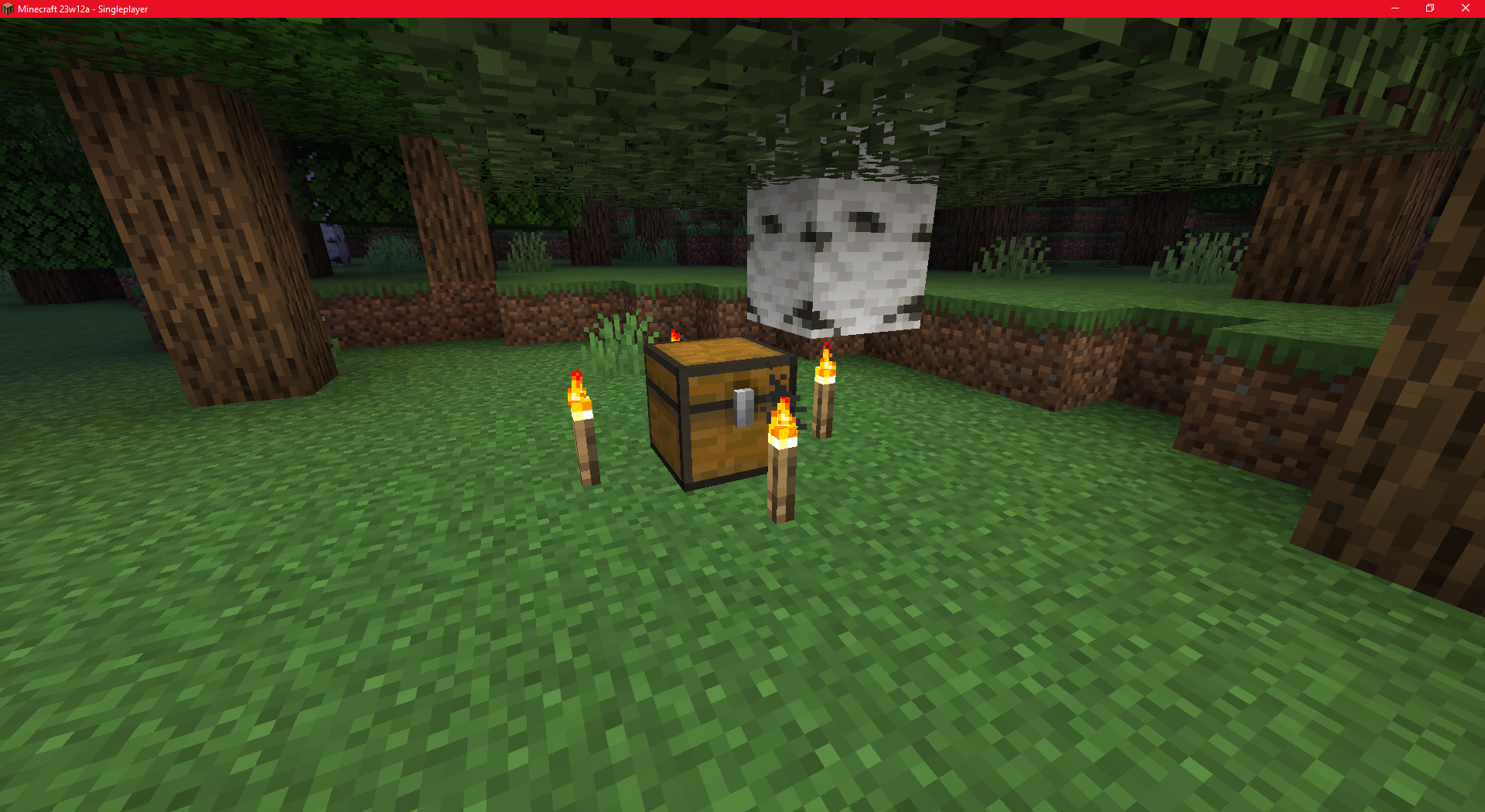
TexSpawning start chest may destroy blocksUnexpected
Starting chests should spawn without affecting the world to make the experience more immersive.
Expected
Starting chests should appear a few blocks away or the torch should not appear. It may be a minor bug, but i think than the details make the game!
Steps:
- Go to Singleplayer
* Click "Create New World"- Go to "World"
* Change "Bonus Chest" OFF → ON
* Click "Create New World"
* Sometimes, you may encounter the bug.
Exemple Seed: -1773151197Note: There is no specific seed, so the chest can appear differently for the same seed. With this seed, in 10 attempts, I encountered the bug 3 times.
Images and videos
Related
I have not found any reports of similar bugs.
Description of the bug
Spawning start chest may destroy blocks
Unexpected
Starting chests should spawn without affecting the world to make the experience more immersive.
Expected
Starting chests should appear a few blocks away or the torch should not appear. It may be a minor bug, but i think than the details make the game!
Steps:
- Go to Singleplayer
- Click "Create New World"
- Go to "World"
- Change "Bonus Chest" OFF → ON
- Click "Create New World"
- Sometimes, you may encounter the bug.
Exemple Seed: -1773151197
Note: There is no specific seed, so the chest can appear differently for the same seed. With this seed, in 10 attempts, I encountered the bug 3 times.
Images and videos
Related
I have not found any reports of similar bugs.
Description of the bug
Spawning start chest may destroy blocks
Unexpected
Starting chests should spawn without affecting the world to make the experience more immersive.
Expected
Starting chests should appear a few blocks away or the torch should not appear. It may be a minor bug, but i think than the details make the game!
Steps:
- Go to Singleplayer
- Click "Create New World"
- Go to "World"
- Change "Bonus Chest" OFF → ON
- Click "Create New World"
- Sometimes, you may encounter the bug.
Exemple Seed: -1773151197
Note: There is no specific seed, so the chest can appear differently for the same seed. With this seed, in 10 attempts, I encountered the bug 3 times.
Images and videos
Related
I have not found any reports of similar bugs.
Description of the bug
Spawning start chest may destroy blocks
Unexpected
Starting chests should spawn without affecting the world to make the experience more immersive.
Expected
Starting chests should appear a few blocks away or the torch should not appear. It may be a minor bug, but i think than the details make the game!
Steps:
- Go to Singleplayer
- Click "Create New World"
- Go to "World"
- Change "Bonus Chest" OFF → ON
- Click "Create New World"
- Sometimes, you may encounter the bug.
Exemple Seed: -1773151197
Note: There is no specific seed, so the chest can appear differently for the same seed. With this seed, in 10 attempts, I encountered the bug 3 times.
Images and videos
Related{}
MC-48453 -Next to this bug
Description of the bug
When I place a book into a Chiseled Bookshelf that already contains an NBT tag (copied with middle-click) with 6 books, the book I placed gets destroyed permanently.
Unexpected
The book should not be consumed.
Expected
The book gets consumed, and the other 6 books reappear.
Steps:
- Rename 6 books to 1, 2, 3, 4, 5, 6.
- Place them in a Chiseled Bookshelf.
- Copy the NBT tag using middle-click.
- Place the new block.
- Switch to survival mode.
- Place a new book (e.g., 7) in the bookshelf. (RELATED: MC-48453)
- The textures reappear, book 7 gets destroyed, and books 1 to 6 remain in the bookshelf.
Images and videos
[YouTube|https://youtu.be/MuYi8p0Nxt4] - steps
Related{}
MC-48453 -Next to this bug
Description of the bug
When I place a book into a Chiseled Bookshelf that already contains an NBT tag (copied with middle-click) with 6 books, the book I placed gets destroyed permanently.
Unexpected
The book should not be consumed.
Expected
The book gets consumed, and the other 6 books reappear.
Steps:
- Rename 6 books to 1, 2, 3, 4, 5, 6.
- Place them in a Chiseled Bookshelf.
- Copy the NBT tag using middle-click.
- Place the new block.
- Switch to survival mode.
- Place a new book (e.g., 7) in the bookshelf. (RELATED: MC-48453)
- The textures reappear, book 7 gets destroyed, and books 1 to 6 remain in the bookshelf.
Images and videos
Hello gra_yen,
Dupllicated withMC-198874.
This bug will be fixed soon.
Edit: Please refer to Dhranios' reply !
Lunarian
Related
❌
Description of the bug
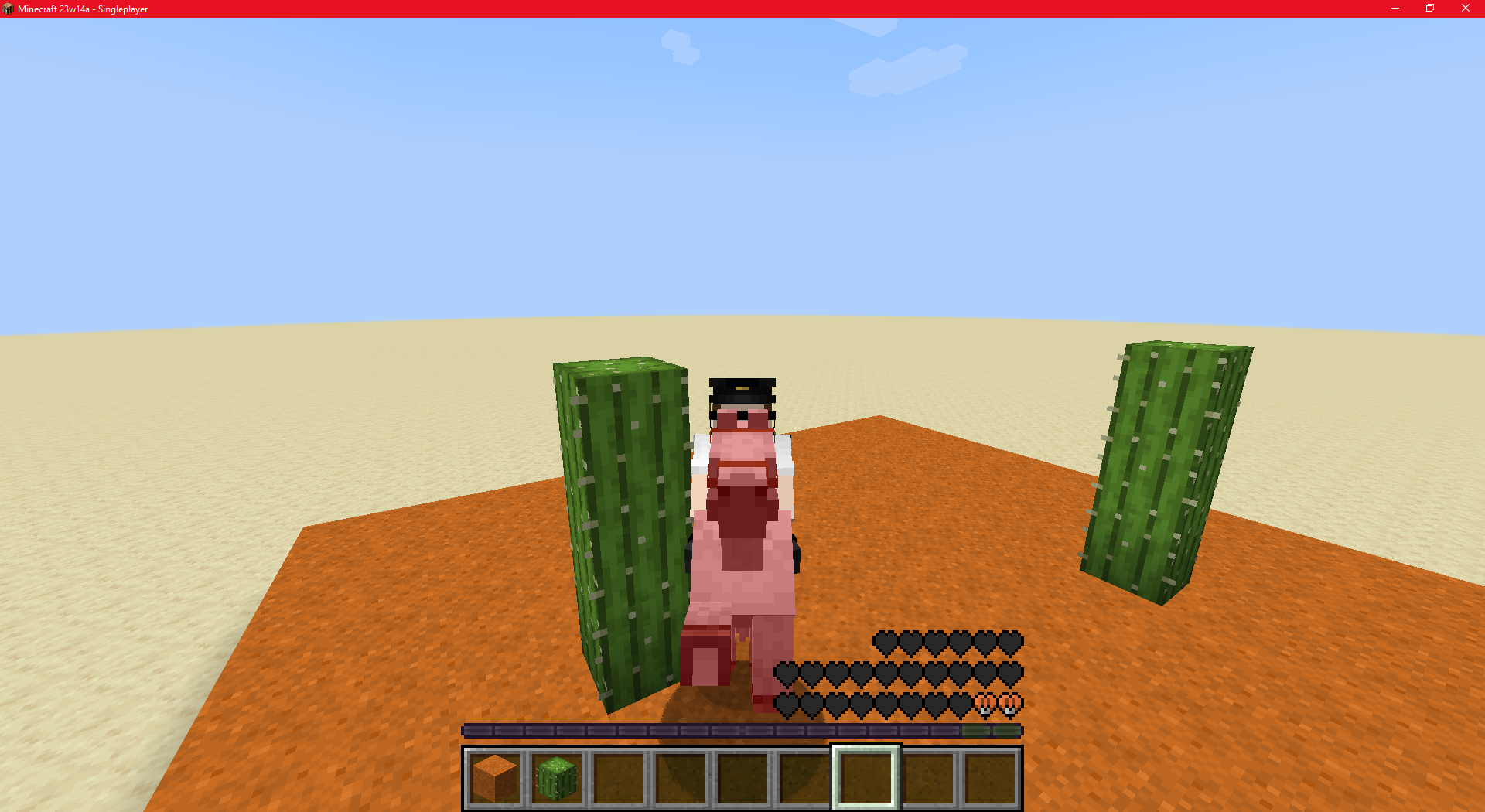
Zoglins attack mounts when the player is in creative mode.
Unexpected
Zoglins attack the player's mount in any mode.
Expected
Zoglins should not attack the player's mount in creative mode.
Steps:
- Summon a mount
- Tame it and ride it
- Summon a Zoglin.
Images and videos
Related
❌
Description of the bug
Zoglins attack mounts when the player is in creative mode.
Unexpected
Zoglins attack the player's mount in any mode.
Expected
Zoglins should not attack the player's mount in creative mode.
Steps:
- Summon a mount
- Tame it and ride it
- Summon a Zoglin.
Images and videos
(Attachements)
Related
❌
Description of the bug
Zoglins attack mounts when the player is in creative mode.
Unexpected
Zoglins attack the player's mount in any mode.
Expected
Zoglins should not attack the player's mount in creative mode.
Steps:
- Summon a mount
- Tame it and ride it
- Summon a Zoglin.
Images and videos
(Attach
ements)
Related
❌
Description of the bug
Zoglins attack mounts when the player is in creative mode.
Unexpected
Zoglins attack the player's mount in any mode.
Expected
Zoglins should not attack the player's mount in creative mode.
Steps:
- Summon a mount
- Tame it and ride it
- Summon a Zoglin.
Images and videos
(Attachments)
Description of the bug
Zoglins attack mounts when the player is in creative mode.
Unexpected
Zoglins attack the player's mount in any mode.
Expected
Zoglins should not attack the player's mount in creative mode.
Steps:
- Summon a mount
- Tame it and ride it
- Summon a Zoglin.
Images and videos
(Attachments)
Description of the bug
Zoglins attack mounts when the player is in creative mode.
Unexpected
Zoglins attack the player's mount in any mode.
Expected
Zoglins should not attack the player's mount in creative mode.
Steps:
- Summon a mount
- Tame it and ride it
- Summon a Zoglin.
Images and videos
(Attachments)
Observed behavior
Zoglins attack the player's mount in any gamemode.
Expected result
Zoglins should not attack the player's mount in creative mode.
Steps
- Summon a mount
- Tame it and ride it
- Summon a Zoglin.
Affects 1.20.1.
My [^server.properties]

Related
Description of the bug
This bug conflicts with Minecraft's visual display, as Windows still displays the circle to locate the mouse.
Unexpected
When I press CTRL to sprint in the game, the circle to locate my mouse is displayed.
Expected
As in several games, the circle should not be displayed.
Steps:
- Open mouse settings
- Open "Additional mouse options"
- Open "Pointer Options"
- Toggle the "Show location of pointer when i press the CTRL key"
- Press CTRL on Minecraft: Java Edition
Images and videos
Related
Description of the bug
This bug conflicts with Minecraft's visual display, as Windows still displays the circle to locate the mouse.
Unexpected
When I press CTRL to sprint in the game, the circle to locate my mouse is displayed.
Expected
As in several games, the circle should not be displayed.
Steps:
- Open mouse settings
- Open "Additional mouse options"
- Open "Pointer Options"
- Toggle the "Show location of pointer when i press the CTRL key"
- Press CTRL on Minecraft: Java Edition
Images and videos

Related
Description of the bug
This bug conflicts with Minecraft's visual display, as Windows still displays the circle to locate the mouse.
Unexpected
When I press CTRL to sprint in the game, the circle to locate my mouse is displayed.
Expected
As in several games, the circle should not be displayed.
Steps:
- Open mouse settings
- Open "Additional mouse options"
- Open "Pointer Options"
- Toggle the "Show location of pointer when i press the CTRL key"
- Press CTRL on Minecraft: Java Edition
Images and videos
Windows
Related
Description of the bug
This bug conflicts with Minecraft's visual display, as Windows still displays the circle to locate the mouse.
Unexpected
When I press CTRL to sprint in the game, the circle to locate my mouse is displayed.
Expected
As in several games, the circle should not be displayed.
Steps:
Openmouse settingsOpen "Additional mouse options"Open "Pointer Options"Toggle the "Show location of pointer whenipress the CTRL key"- Press CTRL on Minecraft: Java Edition
Images and videos
Related
Description of the bug
This bug conflicts with Minecraft's visual display, as Windows still displays the circle to locate the mouse.
Unexpected
When I press CTRL to sprint in the game, the circle to locate my mouse is displayed.
Expected
As in several games, the circle should not be displayed.
Steps:
- Open mouse settings
- Open "Additional mouse options"
- Open "Pointer Options"
- Toggle the "Show location of pointer when I press the CTRL key"
- Press CTRL on Minecraft: Java Edition.
Images and videos
Related
Description of the bug
This bug conflicts with Minecraft's visual display, as Windows still displays the circle to locate the mouse.
Unexpected
When I press CTRL to sprint in the game, the circle to locate my mouse is displayed.
Expected
As in several games, the circle should not be displayed.
Steps:
- Open
mouse settings- Open "Additional mouse options"
- Open "Pointer Options"
- Toggle the "Show location of pointer when I press the CTRL key"
- Press CTRL on Minecraft: Java Edition.
Images and videos
Related
Description of the bug
This bug conflicts with Minecraft's visual display, as Windows still displays the circle to locate the mouse.
Unexpected
When I press CTRL to sprint in the game, the circle to locate my mouse is displayed.
Expected
As in several games, the circle should not be displayed.
Steps:
- Open Mouse settings
- Open "Additional mouse options"
- Open "Pointer Options"
- Toggle the "Show location of pointer when I press the CTRL key"
- Press CTRL on Minecraft: Java Edition.
Images and videos
Related
Description of the bug
This bug conflicts with Minecraft's visual display, as Windows still displays the circle to locate the mouse.
Unexpected
When I press CTRL to sprint in the game, the circle to locate my mouse is displayed.
Expected
As in several games, the circle should not be displayed.
Steps:
- Open Mouse settings
- Open "Additional mouse options"
- Open "Pointer Options"
- Toggle the "Show location of pointer when I press the CTRL key"
- Press CTRL on Minecraft: Java Edition.
Images and videos
Description of the bug
This bug conflicts with Minecraft's visual display, as Windows still displays the circle to locate the mouse.
Observed behavior
When I press CTRL to sprint in the game, the circle to locate my mouse is displayed.
Expected result
The circle should not be displayed.
Steps
- Open Mouse settings
- Open "Additional mouse options"
- Open "Pointer Options"
- Toggle the "Show location of pointer when I press the CTRL key"
- Press CTRL on Minecraft: Java Edition.
Related
❌
Description of the bug
The Minecraft team attribute "deathMessageVisibility" is not working for several entities.
Unexpected
The message when killing entities won't show up except for players.
Expected{}
The message should display as expected by the "deathMessageVisibility" attribute!
Steps:
- Create team using: "/team add TeamName"
* [OPTIONAL] Adjust the team's visibility: "/team modify TeamName prefix {"text":"ExampleVisibility ","color":"yellow"}" and/or "/team modify TeamName ** color yellow".- Use "/summon minecraft:spider ~ ~1 ~ {Team:TeamName,CustomNameVisible:1b}".
* Kill the mob !- Use "/team join TeamName".
- Use "/kill".
- Notice.
Commands:
*/team add TeamName*
*/team modify TeamName prefix {"text":"ExampleVisibility ","color":"yellow"}*
*/team modify TeamName color yellow*
*/summon minecraft:spider ~ ~1 ~ {Team:TeamName,CustomNameVisible:1b}*
Images and videos
Related
❌
Description of the bug
The Minecraft team attribute "deathMessageVisibility" is not working for several entities.
Unexpected
The message when killing entities won't show up except for players.
Expected{}
The message should display as expected by the "deathMessageVisibility" attribute!
Steps:
- Create team using: "/team add TeamName"
[OPTIONAL] Adjust the team's visibility: "/team modify TeamName prefix {"text":"ExampleVisibility ","color":"yellow"}" and/or "/team modify TeamName color yellow".- Use "/summon minecraft:spider ~ ~1 ~ {Team:TeamName,CustomNameVisible:1b}".
* Kill the mob !- Use "/team join TeamName".
* Use "/kill".
* Notice.
Commands:
/team add TeamName
/team modify TeamName prefix {"text":"ExampleVisibility ","color":"yellow"}
/team modify TeamName color yellow
/summon minecraft:spider ~ ~1 ~ {Team:TeamName,CustomNameVisible:1b}/kill
Images and videos
Related
❌
Description of the bug
The Minecraft team attribute "deathMessageVisibility" is not working for several entities.
Unexpected
The message when killing entities won't show up except for players.
Expected{}
The message should display as expected by the "deathMessageVisibility" attribute!
Steps:
- Create team using: "/team add TeamName"
[OPTIONAL] Adjust the team's visibility: "/team modify TeamName prefix {"text":"ExampleVisibility ","color":"yellow"}" and/or "/team modify TeamName color yellow".- Use "/summon minecraft:spider ~ ~1 ~ {Team:TeamName,CustomNameVisible:1b}".
* Kill the mob !- Use "/team join TeamName".
* Use "/kill".
* Notice.
Commands:
/team add TeamName
/team modify TeamName prefix {"text":"ExampleVisibility ","color":"yellow"}
/team modify TeamName color yellow
/summon minecraft:spider ~ ~1 ~ {Team:TeamName,CustomNameVisible:1b}/kill
Images and videos
Related
❌
Description of the bug
The Minecraft team attribute "deathMessageVisibility" is not working for several entities.
Unexpected
The message when killing entities won't show up except for players.
Expected{}
The message should display as expected by the "deathMessageVisibility" attribute!
Steps:
- Create team using: "/team add TeamName"
[OPTIONAL] Adjust the team's visibility: "/team modify TeamName prefix {"text":"ExampleVisibility ","color":"yellow"}" and/or "/team modify TeamName color yellow".- Use "/summon minecraft:spider ~ ~1 ~ {Team:TeamName,CustomNameVisible:1b}".
- Kill the mob !
- Use "/team join TeamName".
- Use /kill.
- Notice
Commands:
/team add TeamName
/team modify TeamName prefix {"text":"ExampleVisibility ","color":"yellow"}
/team modify TeamName color yellow
/summon minecraft:spider ~ ~1 ~ {Team:TeamName,CustomNameVisible:1b}/kill
Images and videos
Related
❌
Description of the bug
The Minecraft team attribute "deathMessageVisibility" is not working for several entities.
Unexpected
The message when killing entities won't show up except for players.
Expected{}
The message should display as expected by the "deathMessageVisibility" attribute!
Steps:
- Create team using: "/team add TeamName"
[OPTIONAL] Adjust the team's visibility: "/team modify TeamName prefix {"text":"ExampleVisibility ","color":"yellow"}" and/or "/team modify TeamName color yellow".- Use "/summon minecraft:spider ~ ~1 ~ {Team:TeamName,CustomNameVisible:1b}".
- Kill the mob !
- Use "/team join TeamName".
- Use /kill.
- Notice
Commands:
/team add TeamName
/team modify TeamName prefix {"text":"ExampleVisibility ","color":"yellow"}
/team modify TeamName color yellow
/summon minecraft:spider ~ ~1 ~ {Team:TeamName,CustomNameVisible:1b}/kill
Images and videos
Related
❌
Description of the bug
The Minecraft team attribute "deathMessageVisibility" is not working for several entities.
Unexpected
The message when killing entities won't show up except for players.
Expected{}
The message should display as expected by the "deathMessageVisibility" attribute!
Steps:
- Create team using: "/team add TeamName"
- [OPTIONAL] Adjust the team's visibility: "/team modify TeamName prefix {"text":"ExampleVisibility ","color":"yellow"}" and/or "/team modify TeamName color yellow".
- Use "/summon minecraft:spider ~ ~1 ~ {Team:TeamName,CustomNameVisible:1b}".
- Kill the mob !
- Use "/team join TeamName".
- Use /kill.
- Notice
Commands:
/team add TeamName
/team modify TeamName prefix {"text":"ExampleVisibility ","color":"yellow"}
/team modify TeamName color yellow
/summon minecraft:spider ~ ~1 ~ {Team:TeamName,CustomNameVisible:1b}/kill
Images and videos
Related
❌
Description of the bug
The Minecraft team attribute "deathMessageVisibility" is not working for several entities.
Unexpected
The message when killing entities won't show up except for players.
Expected{}
The message should display as expected by the "deathMessageVisibility" attribute!
Steps:
- Create team using: "/team add TeamName"
- [OPTIONAL] Adjust the team's visibility: "/team modify TeamName prefix {"text":"ExampleVisibility ","color":"yellow"}" and/or "/team modify TeamName color yellow".
- Use "/summon minecraft:spider ~ ~1 ~ {Team:TeamName,CustomNameVisible:1b}".
- Kill the mob !
- Use "/team join TeamName".
- Use /kill.
- Notice
Commands:
/team add TeamName
/team modify TeamName prefix {"text":"ExampleVisibility ","color":"yellow"}
/team modify TeamName color yellow
/summon minecraft:spider ~ ~1 ~ {Team:TeamName,CustomNameVisible:1b}/kill
Images and videos
Related
❌
Description of the bug
The Minecraft team attribute "deathMessageVisibility" is not working for several entities.
Unexpected
The message when killing entities won't show up except for players.
Expected{}
The message should display as expected by the "deathMessageVisibility" attribute!
Steps:
- Create team using: "/team add TeamName"
* [OPTIONAL] Adjust the team's visibility: "/team modify TeamName prefix {"text":"ExampleVisibility ","color":"yellow"}" and/or "/team modify TeamName color yellow".- Use "/summon minecraft:spider ~ ~1 ~ {Team:TeamName,CustomNameVisible:1b}".
* Kill the mob !- Use "/team join TeamName".
* Use /kill.- Notice
Commands:
/team add TeamName
/team modify TeamName prefix {"text":"ExampleVisibility ","color":"yellow"}
/team modify TeamName color yellow
/summon minecraft:spider ~ ~1 ~ {Team:TeamName,CustomNameVisible:1b}/kill
Images and videos
Related
❌
Description of the bug
The Minecraft team attribute "deathMessageVisibility" is not working for several entities.
Unexpected
The message when killing entities won't show up except for players.
Expected{}
The message should display as expected by the "deathMessageVisibility" attribute!
Steps:
- Create team using: "/team add TeamName"
* [OPTIONAL] Adjust the team's visibility: "/team modify TeamName prefix {"text":"ExampleVisibility ","color":"yellow"}" and/or "/team modify TeamName color yellow".- Use "/summon minecraft:spider ~ ~1 ~ {Team:TeamName,CustomNameVisible:1b}".
* Kill the mob !- Use "/team join TeamName".
* Use /kill.- Notice
Commands:
/team add TeamName
/team modify TeamName prefix {"text":"ExampleVisibility ","color":"yellow"}
/team modify TeamName color yellow
/summon minecraft:spider ~ ~1 ~ {Team:TeamName,CustomNameVisible:1b}/kill
Images and videos
Related
❌
Description of the bug
The Minecraft team attribute "deathMessageVisibility" is not working for several entities.
Unexpected
The message when killing entities won't show up except for players.
Expected{}
The message should display as expected by the "deathMessageVisibility" attribute!
Steps:
- Create team using: "/team add TeamName"
- [OPTIONAL] Adjust the team's visibility: "/team modify TeamName prefix {"text":"ExampleVisibility ","color":"yellow"}" and/or "/team modify TeamName color yellow".
- Use "/summon minecraft:spider ~ ~1 ~ {Team:TeamName,CustomNameVisible:1b}".
- Kill the mob !
- Use "/team join TeamName".
- Use /kill.
- Notice
Commands:
/team add TeamName
/team modify TeamName prefix {"text":"ExampleVisibility ","color":"yellow"}
/team modify TeamName color yellow
/summon minecraft:spider ~ ~1 ~ {Team:TeamName,CustomNameVisible:1b}/kill
Images and videos
Related
❌
Description of the bug
The Minecraft team attribute "deathMessageVisibility" is not working for several entities.
Unexpected
The message when killing entities won't show up except for players.
Expected{}
The message should display as expected by the "deathMessageVisibility" attribute!
Steps:
- Create team using: "/team add TeamName"
- [OPTIONAL] Adjust the team's visibility: "/team modify TeamName prefix {"text":"ExampleVisibility ","color":"yellow"}" and/or "/team modify TeamName color yellow".
- Use "/summon minecraft:spider ~ ~1 ~ {Team:TeamName,CustomNameVisible:1b}".
- Kill the mob !
- Use "/team join TeamName".
- Use /kill.
- Notice
Commands:
/team add TeamName
/team modify TeamName prefix {"text":"ExampleVisibility ","color":"yellow"}
/team modify TeamName color yellow
/summon minecraft:spider ~ ~1 ~ {Team:TeamName,CustomNameVisible:1b}/kill
Images and videos
Related
❌
Description of the bug
The Minecraft team attribute "deathMessageVisibility" is not working for several entities.
Unexpected
The message when killing entities won't show up except for players.
Expected{}
The message should display as expected by the "deathMessageVisibility" attribute!
Steps:
- Create team using: "/team add TeamName"
- [OPTIONAL] Adjust the team's visibility: "/team modify TeamName prefix {"text":"ExampleVisibility ","color":"yellow"}" and/or "/team modify TeamName color yellow".
- Use "/summon minecraft:spider ~ ~1 ~ {Team:TeamName,CustomNameVisible:1b}".
- Kill the mob !
- Use "/team join TeamName".
- Use /kill.
- Notice
Commands:
/team add TeamName
/team modify TeamName prefix {"text":"ExampleVisibility ","color":"yellow"}
/team modify TeamName color yellow
/summon minecraft:spider ~ ~1 ~ {Team:TeamName,CustomNameVisible:1b}/kill
Images and videos
Related
❌
Description of the bug
The Minecraft team attribute "deathMessageVisibility" is not working for several entities.
Unexpected
The message when killing entities won't show up except for players.
Expected{}
The message should display as expected by the "deathMessageVisibility" attribute!
Steps:
- Create team using: "/team add TeamName"
- [OPTIONAL] Adjust the team's visibility: "/team modify TeamName prefix {"text":"ExampleVisibility ","color":"yellow"}" and/or "/team modify TeamName color yellow".
- Use "/summon minecraft:spider ~ ~1 ~ {Team:TeamName,CustomNameVisible:1b}".
- Kill the mob !
- Use "/team join TeamName".
- Use /kill.
- Notice
Commands:
/team add TeamName
/team modify TeamName prefix {"text":"ExampleVisibility ","color":"yellow"}
/team modify TeamName color yellow
/summon minecraft:spider ~ ~1 ~ {Team:TeamName,CustomNameVisible:1b}/kill
Images and videos
Related
❌
Description of the bug
The Minecraft team attribute "deathMessageVisibility" is not working for several entities.
Unexpected
The message when killing entities won't show up except for players.
Expected{}
The message should display as expected by the "deathMessageVisibility" attribute!
Steps:
- Create team using: "/team add TeamName"
- [OPTIONAL]
Adjust the team's visibility: "/team modify TeamName prefix {"text":"ExampleVisibility ","color":"yellow"}" and/or "/team modify TeamName color yellow".- Use "/summon minecraft:spider ~ ~1 ~ {Team:TeamName,CustomNameVisible:1b}".
- Kill the mob !
- Use "/team join TeamName".
- Use /kill.
- Notice
Commands:
/team add TeamName
/team modify TeamName prefix {"text":"ExampleVisibility ","color":"yellow"}
/team modify TeamName color yellow
/summon minecraft:spider ~ ~1 ~ {Team:TeamName,CustomNameVisible:1b}/kill
Images and videos
Related
❌
Description of the bug
The Minecraft team attribute "deathMessageVisibility" is not working for several entities.
Unexpected
The message when killing entities won't show up except for players.
Expected
The message should display as expected by the "deathMessageVisibility" attribute!
Steps:
- Create team using: "/team add TeamName"
- [OPTIONAL] Adjust the team's visibility: "/team modify TeamName prefix {"text":"ExampleVisibility ","color":"yellow"}" and/or "/team modify TeamName color yellow".
- Use "/summon minecraft:spider ~ ~1 ~ {Team:TeamName,CustomNameVisible:1b}".
- Kill the mob !
- Use "/team join TeamName".
- Use /kill.
- Notice
Commands:
/team add TeamName
/team modify TeamName prefix {"text":"ExampleVisibility ","color":"yellow"}
/team modify TeamName color yellow
/summon minecraft:spider ~ ~1 ~ {Team:TeamName,CustomNameVisible:1b}/kill
Images and videos
Related
❌
Description of the bug
The Minecraft team attribute "deathMessageVisibility" is not working for several entities.
Unexpected
The message when killing entities won't show up except for players.
Expected
The message should display as expected by the "deathMessageVisibility" attribute!
Steps:
- Create team using: "/team add TeamName"
- [OPTIONAL] Adjust the team's visibility: "/team modify TeamName prefix {"text":"ExampleVisibility ","color":"yellow"}" and/or "/team modify TeamName color yellow".
- Use "/summon minecraft:spider ~ ~1 ~ {Team:TeamName,CustomNameVisible:1b}".
- Kill the mob !
- Use "/team join TeamName".
- Use /kill.
- Notice
Commands:
/team add TeamName
/team modify TeamName prefix {"text":"ExampleVisibility ","color":"yellow"}
/team modify TeamName color yellow
/summon minecraft:spider ~ ~1 ~ {Team:TeamName,CustomNameVisible:1b}/kill
Images and videos
RELATED
❌Description of the bug
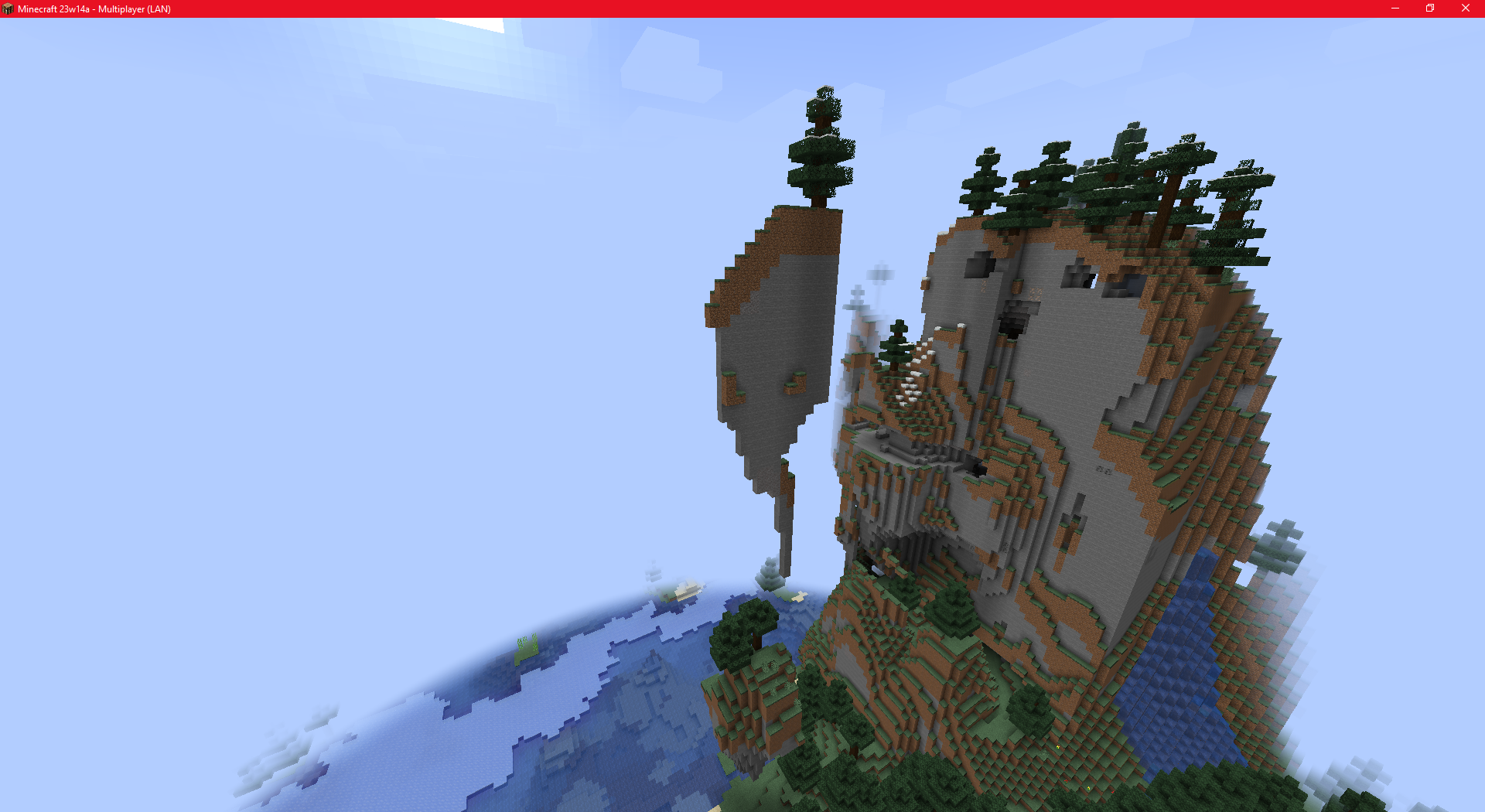
The world generation spawns multiple trees on top of each other (separated by terrain).+*Steps
- Singleplayer
- Create New World
- Seed: 3082161116357707106
Images and videos
RELATED
❌Description of the bug
The world generation spawns multiple trees on top of each other (separated by terrain).+*Steps
- Singleplayer
- Create New World
- Seed: 3082161116357707106
Images and videos
RELATED
❌Description of the bug
The world generation spawns multiple trees on top of each other (separated by terrain).+*Steps
- Singleplayer
- Create New World
- Seed: 3082161116357707106
Images and videos
RELATED
❌Description of the bug
The world generation spawns multiple trees on top of each other (separated by terrain).+*Steps
- Singleplayer
- Create New World
- Seed: 3082161116357707106
Images and videos
RELATED
❌Description of the bug
The world generation spawns multiple trees on top of each other (separated by terrain).+*Steps
- Singleplayer
- Create New World
- Seed: 3082161116357707106
Images and videos
Problem with treegeneration(height).Trees can generate on stacked floating parts of terrain
Trees can generate on stacked floating parts of terrainStacked floating parts of terrain
RELATED
❌Description of the bug
The world generation spawns multipletreeson top of each other (separated by terrain).+*Steps
- Singleplayer
- Create New World
- Seed: 3082161116357707106
Images and videos
RELATED
❌Description of the bug
The world generation spawns multiple parts of terrain on top of each other (separated by trees).Steps
- Singleplayer
- Create New World
- Seed: 3082161116357707106
Images and videos
It is normal to be able to equip a jack-o'-lantern, i think it's WAI.
Edit: Outdated
The game still launches despite the warning being too early. However, the game still unplayable.
Steps
- Go to %path%\Minecraft Legends - Windows\Content
- Launch MinecraftLegends.Windows.exe
- close this window:
- The game show up:
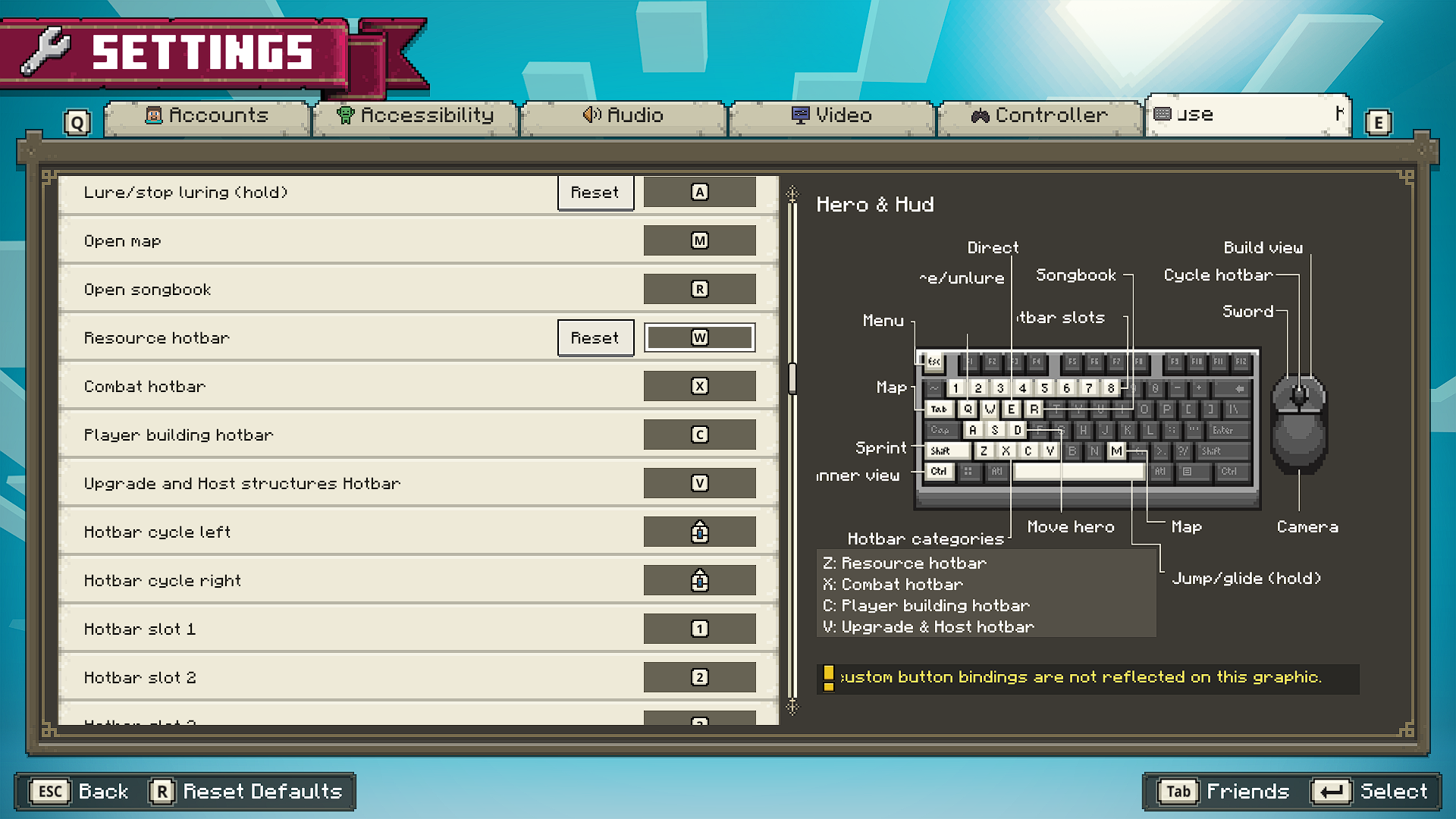
The default key mapping for AZERTY keyboards is mappedas for a QWERTY keyboard.
Steps
- Apply AZERTY keyboard (exemple: french)
- Start the game
- See
If you apply an AZERTY keyboard (e.g. French) and start a game, the default key mapping is often the same as for a QWERTY keyboard.
Steps
- Apply AZERTY keyboard (exemple: french)
- Start the game
- See
If you apply an AZERTY keyboard (e.g. French) and start a game, the default key mapping is often the same as for a QWERTY keyboard.
Steps
- Apply AZERTY keyboard (ex
emple: french)- Start the game
- See
If you apply an AZERTY keyboard (e.g. French) and start a game, the default key mapping is often the same as for a QWERTY keyboard.
Steps
- Apply AZERTY keyboard (example: french)
- Start the game
- See
If you apply an AZERTY keyboard (e.g. French) and start a game, the default key mapping is often the same as for a QWERTY keyboard.
Steps
- Apply AZERTY keyboard (e
xample: french)- Start the game
- See
If you apply an AZERTY keyboard (e.g. French) and start a game, the default key mapping is often the same as for a QWERTY keyboard.
Steps
- Apply AZERTY keyboard (e.g. French)
- Start the game
- See
The bug tracker only supports English. Please do not use any other languages.
Same As
Description of the bug
This bug conflicts with Minecraft Legends visual display, as Windows still displays the circle to locate the mouse..
Unexpected
When I press CTRL in the game, the circle to locate my mouse is displayed.
Expected
As in several games, the circle should not be displayed.
Steps:
- Open Mouse settings
- Open "Additional mouse options"
- Open "Pointer Options"
- Toggle the "Show location of pointer when I press the CTRL key"
- Press CTRL on Minecraft: Legends.
Images and videos
<rn>
Same As
Description of the bug
This bug conflicts with Minecraft Legends visual display, as Windows still displays the circle to locate the mouse..
Unexpected
When I press CTRL in the game, the circle to locate my mouse is displayed.
Expected
As in several games, the circle should not be displayed.
Steps:
- Open Mouse settings
- Open "Additional mouse options"
- Open "Pointer Options"
- Toggle the "Show location of pointer when I press the CTRL key"
- Press CTRL on Minecraft: Legends.
Description of the bug
This bug conflicts with Minecraft Legends visual display, as Windows still displays the circle to locate the mouse..
Unexpected
When I press CTRL in the game, the circle to locate my mouse is displayed.
Expected
As in several games, the circle should not be displayed.
Steps:
- Open Mouse settings
- Open "Additional mouse options"
- Open "Pointer Options"
- Toggle the "Show location of pointer when I press the CTRL key"
- Press CTRL on Minecraft: Legends.
Duplicate of
MCLG-9. This ticket is awaiting your response, there's no need to create a new one! Please simply reply on the old one.
Description of the bug
The wrong dialogue is played, which cuts it off in the middle in the french version of the game.
Video:
<rn>
Dialogue (EN):
FORESIGHT: Thank you for having the courage to come. I am Foresight.
ACTION: I'm Action.
KNOWLEDGE:
We don't have much time, just (CUT)
instead of
And I'm Knowledge.Description of the bug
The wrong dialogue is played, which cuts it off in the middle in the french version of the game.
Video:
bugreport.mp4
Dialogue (EN):
FORESIGHT: Thank you for having the courage to come. I am Foresight.
ACTION: I'm Action.
KNOWLEDGE:
We don't have much time, just (CUT)
instead of
And I'm Knowledge.
Description of the bug
The wrong dialogue is played, which cuts it off in the middle in the french version of the game.
Video:
bugreport.mp4
Dialogue (EN):
FORESIGHT: Thank you for having the courage to come. I am Foresight.
ACTION: I'm Action.
KNOWLEDGE:
We don't have much time, just (CUT)
instead of
And I'm Knowledge.
Description of the bug
The wrong dialogue is played, which cuts it off in the middle in the french version of the game.
Video:
bugreport.mp4
Dialogue (EN):
FORESIGHT: Thank you for having the courage to come. I am Foresight.
ACTION: I'm Action.
KNOWLEDGE:
We don't have much time, just (CUT)
instead of
And I'm Knowledge.
Description of the bug
The wrong dialogue is played, which cuts it off in the middle in the french version of the game.
Video:
bugreport.mp4
Dialogue (EN):
FORESIGHT: Thank you for having the courage to come. I am Foresight.
ACTION: I'm Action.
KNOWLEDGE:
We don't have much time, just (CUT)
instead of
And I'm Knowledge.Description of the bug
The wrong dialogue is played, which cuts it off in the middle in the french version of the game.
Video:
bugreport.mp4
Dialogue (EN):
FORESIGHT: Thank you for having the courage to come. I am Foresight.
ACTION: I'm Action.
KNOWLEDGE:
We don't have much time, just (CUT)
instead of
And I'm Knowledge.
Description of the bug
The wrong dialogue is played, which cuts it off in the middle in the *french *version of the game.
Video:
bugreport.mp4
Dialogue (EN):
FORESIGHT: Thank you for having the courage to come. I am Foresight.
ACTION: I'm Action.
KNOWLEDGE:
We don't have much time, just (CUT)
instead of
And I'm Knowledge.
Description of the bug
The wrong dialogue is played, which cuts it off in the middle in the
*french *version of the game.
Video:
bugreport.mp4
Dialogue (EN):
FORESIGHT: Thank you for having the courage to come. I am Foresight.
ACTION: I'm Action.
KNOWLEDGE:
We don't have much time, just (CUT)
instead of
And I'm Knowledge.
Description of the bug
The wrong dialogue is played, which cuts it off in the middle in the french version of the game.
Video:
bugreport.mp4
Dialogue (EN):
FORESIGHT: Thank you for having the courage to come. I am Foresight.
ACTION: I'm Action.
KNOWLEDGE:
We don't have much time, just (CUT)
instead of
And I'm Knowledge.
Wrong dialogue played,which cuts it off in the middle in french version.The wrong dialogue is played which cuts it off in the middle in the french version of the game.
Description of the bug
The wrong dialogue is played, which cuts it off in the middle in the french version of the game.
Video:
bugreport.mp4
Dialogue (EN):
FORESIGHT: Thank you for having the courage to come. I am Foresight.
ACTION: I'm Action.
KNOWLEDGE
:We don't have much time, just (CUT)
instead of
And I'm Knowledge.
Description of the bug
The wrong dialogue is played, which cuts it off in the middle in the french version of the game.
Video:
bugreport.mp4
Dialogue (EN):
FORESIGHT: Thank you for having the courage to come. I am Foresight.
ACTION: I'm Action.
KNOWLEDGE:
We don't have much time, just (CUT)
instead of
And I'm Knowledge.
Description of the bug
The wrong dialogue is played, which cuts it off in the middle in the french version of the game.
Video:
bugreport.mp4
Dialogue (EN):
FORESIGHT: Thank you for having the courage to come. I am Foresight.
ACTION: I'm Action.
KNOWLEDGE:
We don't have much time, just (CUT)
instead of
And I'm Knowledge.
Description of the bug
The wrong dialogue is played, which cuts it off in the middle in the french version of the game.
Video:
bugreport.mp4
Dialogue (EN):
FORESIGHT: Thank you for having the courage to come. I am Foresight.
ACTION: I'm Action.
KNOWLEDGE:
We don't have much time, just cut
instead of
And I'm Knowledge.
Description of the bug
The wrong dialogue is played, which cuts it off in the middle in the french version of the game.
Video:
bugreport.mp4
Dialogue (EN):
FORESIGHT: Thank you for having the courage to come. I am Foresight.
ACTION: I'm Action.
KNOWLEDGE:
We don't have much time, just cut
instead of
And I'm Knowledge.Description of the bug
The wrong dialogue is played, which cuts it off in the middle in the french version of the game.
Edit: Appear several times.
Video:
bugreport.mp4
Dialogue (EN):
FORESIGHT: Thank you for having the courage to come. I am Foresight.
ACTION: I'm Action.
KNOWLEDGE:
We don't have much time, just cut
instead of
And I'm Knowledge.
Thewrong dialogue is played which cuts it off in the middle in the french version of the game.The dubbing sometimes abruptly interrupts sentences.
Description of the bug
The wrong dialogue is played, which cuts it off in the middle in the french version of the game.
Edit: Appear several times.
Video:
bugreport.mp4
Dialogue (EN):
FORESIGHT: Thank you for having the courage to come. I am Foresight.
ACTION: I'm Action.
KNOWLEDGE:
We don't have much time, just cut
instead of
And I'm Knowledge.
Description of the bug
The wrong dialogue is played, which cuts it off in the middle in some versions of the game.
Affects:
-French
-Russian
E.g. (french):
bugreport.mp4
Dialogue (EN):
FORESIGHT: Thank you for having the courage to come. I am Foresight.
ACTION: I'm Action.
KNOWLEDGE:
We don't have much time, just cut
instead of
And I'm Knowledge.
Refer to Minecraft Legends Arabic translation .
Clicking to display attached files when creating a ticket sometimes gives access to random files that are attached to the opened bug report.
Steps
- Select a bug report with attachements
- Create a new bug report
- Attach a file
- Click on the "Attachement" button
- The files of the bug report appear.
Clicking to display attached files when creating a ticket sometimes gives access to random files that are attached to the opened bug report.
Steps
- Select a bug report with attachements
- Create a new bug report
- Attach a file
- Click on the "Attachement" button
- The files of the bug report appear.
Clicking to display attached files when creating a ticket sometimes gives access to random files that are attached to the opened bug report.
Steps
- Select a bug report with attachements
- Create a new bug report
- Attach a file
- Click on the "Attachement" button
- The files of the bug report appear
.
Very similar to
WEB-6467, just the way of doing it is different.
Clicking to display attached files when creating a ticket makes the button disappear.
Steps
- Select a bug report without attachements
- Create a new bug report
- Attach a file
- Click on the "Attachement" button
- The button disappear
I think it's in progress as shown in this image:

As shown here:
There is no information related to Minecraft Legends (MCLG).
Regarding other elements from the list, I think that the element should be:
<strong>MCLG</strong>: <a href="https://bugs.mojang.com/browse/MCLG" target="_self" data-bi-id="n2m2r1a3">Minecraft Legends</a></li>As shown here:
There is no information related to Minecraft Legends (MCLG).
Regarding other elements from the list, I think that the element should be:
<strong>MCLG</strong>: <a href="https://bugs.mojang.com/browse/MCLG" target="_self" data-bi-id="n2m2r1a3">Minecraft Legends</a></li>

As shown here:
There is no information related to Minecraft Legends (MCLG).
Regarding other elements from the list, I think that the element should be:
<strong>MCLG</strong>: <a href="https://bugs.mojang.com/browse/MCLG" target="_self" data-bi-id="n2m2r1a3">Minecraft Legends</a></li>
As shown here:
There is no information related to Minecraft Legends (MCLG).Regarding other elements from the list, I think that the element should be:
<strong>MCLG</strong>: <a href="https://bugs.mojang.com/browse/MCLG" target="_self" data-bi-id="n2m2r1a3">Minecraft Legends</a></li>As shown here:
There is no information related to Minecraft Legends (MCLG).
> [Mojang Bug Tracker Guidelines and FAQ | Minecraft Help|https://help.minecraft.net/hc/en-us/articles/4408887473421-Mojang-Bug-Tracker-Guidelines-and-FAQ]
Regarding other elements from the list, I think that the element should be:
<strong>MCLG</strong>: <a href="https://bugs.mojang.com/browse/MCLG" target="_self" data-bi-id="n2m2r1a3">Minecraft Legends</a></li>
As shown here:
There is no information related to Minecraft Legends (MCLG).
Regarding other elements from the list, I think that the element should be:
<strong>MCLG</strong>: <a href="https://bugs.mojang.com/browse/MCLG" target="_self" data-bi-id="n2m2r1a3">Minecraft Legends</a></li>
As shown here:
There is no information related to Minecraft Legends (MCLG).
> Mojang Bug Tracker Guidelines and FAQ
Regarding other elements from the list, I think that the element should be:
<strong>MCLG</strong>: <a href="https://bugs.mojang.com/browse/MCLG" target="_self" data-bi-id="n2m2r1a3">Minecraft Legends</a></li>> Mojang Bug Tracker Guidelines and FAQ
As shown here:
There is no information related to Minecraft Legends (MCLG).
Regarding other elements from the list, I think that the element should be:
<strong>MCLG</strong>: <a href="https://bugs.mojang.com/browse/MCLG" target="_self" data-bi-id="n2m2r1a3">Minecraft Legends</a></li>
> Mojang Bug Tracker Guidelines and FAQ
As shown here:
There is no information related to Minecraft Legends (MCLG).
Regarding other elements from the list, I think that the element should be:
<strong>MCLG</strong>: <a href="https://bugs.mojang.com/browse/MCLG" target="_self" data-bi-id="n2m2r1a3">Minecraft Legends</a></li>> Mojang Bug Tracker Guidelines and FAQ
As shown here:
There is no information related to Minecraft Legends (MCLG).
Regarding other elements from the list, I think that the element should be:
<strong>MCLG</strong>: <a href="https://bugs.mojang.com/browse/MCLG" target="_self" data-bi-id="n2m2r1a3">Minecraft Legends</a></li>
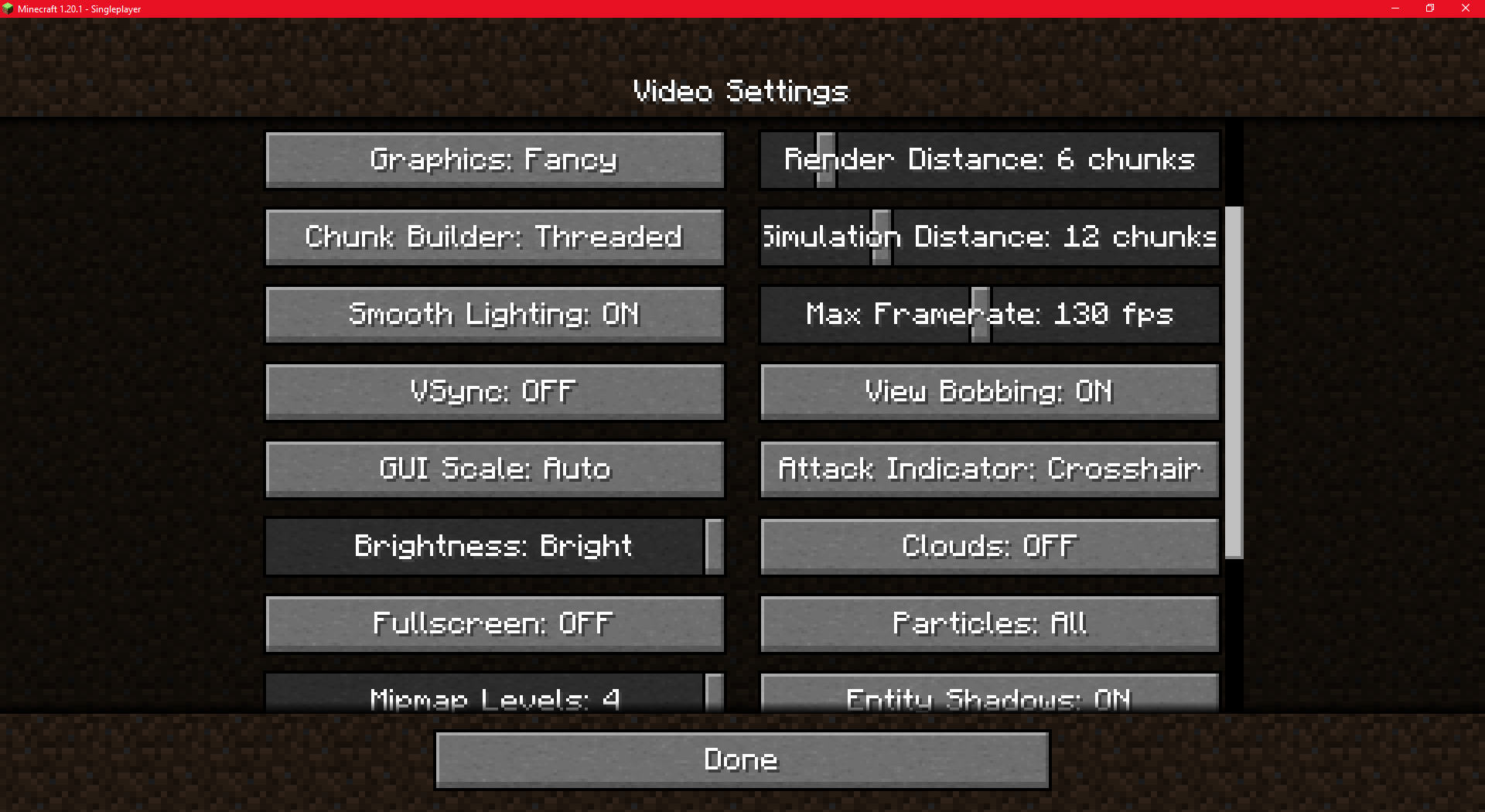

Resources.zip doesn't work for servers(andpossiblyLAN worlds)
Resources.zip was a great edition to single player worlds. However, when a world (with resources.zip) is on a server, custom textures and sounds do not work on servers or LAN worlds. I assumed that each player's game would be prompted with a download for a resource pack (source: resources.zip inside the world file on the server). However, the server just used the default textures and ignored the resource pack. Same thing for LAN worlds, however I have not tested them.
The resources.zip file is not accessible in Minecraft LAN sessions/servers: other players do not have access to this functionality.
Steps
- Create a world with a resources.zip. (pre-made world download).
- Open LAN.
- Connect with another account.
Resources.zip doesn't work forservers andLAN worlds
The resources.zip file is not accessible in Minecraft LAN sessions
/servers:other players do not have access to this functionality.
Steps
- Create a world with a resources.zip. (pre-made world download).
- Open LAN.
- Connect with another account.
The resources.zip file is not accessible in Minecraft LAN sessions other players do not have access to this functionality.
Steps
- Create a world with a resources.zip. (pre-made world download).
- Open LAN.
- Connect with another account.
Note
This bug also affects the servers, but unlike servers, LAN worlds cannot force a resource pack.
The resources.zip file is not accessible
in Minecraft LAN sessions other players do not have access to this functionality.
Steps
- Create a world with a resources.zip. (pre-made world download).
- Open LAN.
- Connect with another account.
Note
This bug also affects the servers, but unlike servers, LAN worlds cannot force a resource pack.The resources.zip file is not accessible to other players except the host in LAN Minecraft sessions.
Steps
- Create a world with a resources.zip. (pre-made world download).
- Open LAN.
- Connect with another account.
Note
This bug also affects the servers, but unlike servers, LAN worlds cannot force a resource pack.


Please attach a video:
If you are on Windows, you can use Windows+Alt+R to open a built-in app for recording game footage. If you are on Mac, you can use Shift+Command+5 to open a built-in
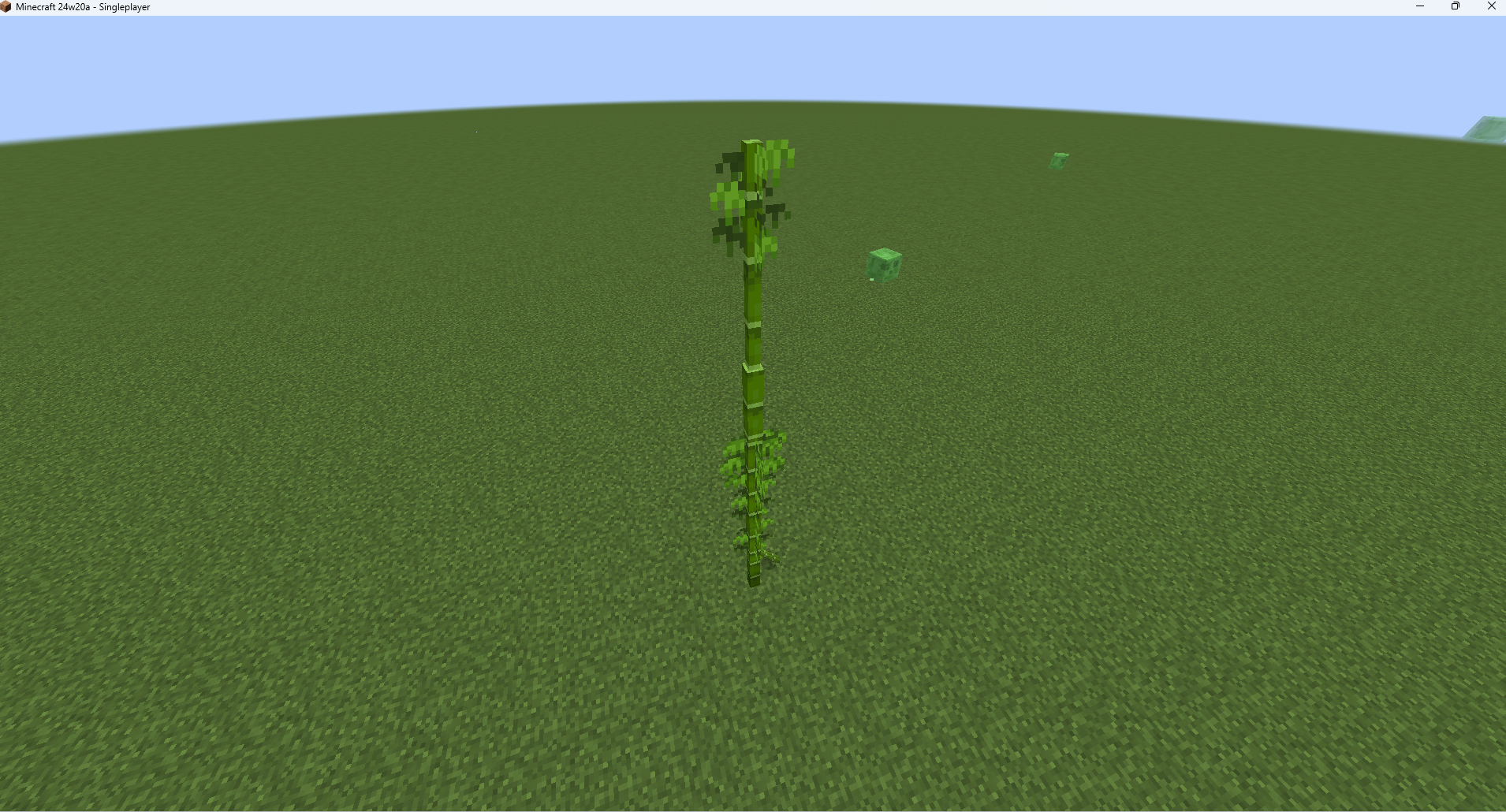

Observed behavior
When an entity joins a team, the team prefix is incorrectly added before the entity's display name in the chat message.Expected
behavior
The join message should not be formatted as it can be confusing in some cases (e.g. if the prefix is the letter "y", the message would read "Added ypLayer to team [Team]").Steps
/team add Team /team modify Team prefix {"text":"Visiblity ","color":"green"} * /team join Team @s OR * /summon minecraft:chicken * /team join Team @e[type=minecraft:chicken,limit=1,distance=..10]Observed behavior
When an entity joins a team, the team prefix is incorrectly added before the entity's display name in the chat message.Expected result
The join message should not be formatted as it can be confusing in some cases (e.g. if the prefix is the letter "y", the message would read "Added ypLayer to team [Team]").Steps
/team add Team /team modify Team prefix {"text":"Visiblity ","color":"green"} * /team join Team @s OR * /summon minecraft:chicken * /team join Team @e[type=minecraft:chicken,limit=1,distance=..10]
The team prefix is included in the entity's team join message

![[Mod] violine1101](../../../data/avatars/users/92858.png)
Lunarian it might be related to the specific macOS version, which version did you try it on?

Thank you for your report!
However, this issue has been temporarily closed as Awaiting Response
- As mentioned by Lunarian, does
MCLG-59decribe your issue? - If not, supply more details about "and sometimes breaks the game"
You might find the Bug Tracker Guidelines helpful when creating a more detailed report. Reports that contain insufficient information may be resolved as Incomplete.
This ticket will automatically reopen when you reply.

Hi Lunarian, how long does ASAP mean? Im a bit anoyed, because i bought the game and played it a day and then i couldn't play it again until now. I'm sorry if I annoy you.

Lunarian Yes, I am.
![[Mod] Greymagic27](../../../data/avatars/users/92875.png)
Please see if community support can help. Use the link that Lunarian has provided
![[Helper] clam lol](../../../data/avatars/users/92852.png)
Lunarian there's only one issue here. Just because it wasn't fully pinned down at the time the report was made is no reason to make a new one.
@Lunarian Can't provide it, as it doesn't output it at all. Launcher itself can't even start the startup stage. The logs are only output by the old launcher, which, except for Minecraft Java Edition, can't run anything....
https://youtu.be/QP4aeQOc7hc
P.s. Can't make a smaller video that weighs less than 10 megabytes
Can confirm 1.19.4.
Can confirm 1.19.4.
Can confirm in 1.19.4 and 23w12a.
Can confirm 1.19.4 and 23w12a. But only the glitch animation problem. (I added video).
PS: the bug isn't so visible, look at carefully btw 6 sec and 9 sec.
Got it. Thank you !
Hello, I got the same bug several times and I fixed it easily.
First of all try to:
You can also (in your launcher):
It should be work.
Have a nice day !
Duplicated:
MC-261168Can confirm 23w12a.
Hello, what do you mean by "crash"? And could you provide us with more information? Thank you!
Hello !
Do you use a Minecraft Premium account?
Added video for 23w12a
Added video for: 23w12a
Added video for: 23w12a
Confirmed for versions up to 23w12a.
Added video for 23w12a.
Hello,
I think it's intentional, as siiftun1857 mentioned. Snowballs don't cause damage but are still effective against these types of entities (item frames, end crystals, ...). Here's a video to illustrate (too large to attach as a file):
YouTube
Therefore, I believe it's WAI (working as intended).
Can confirm: 23w12a.
Added screen.
Can confirm: 23w12a
Video: YouTube
Can confirm: 23w12a
Please mark as duplicate.
Can confirm up to 23w12a.
Added video.
Can confirm up to 23w12a.
Added video.
Hello Zandhapper,
Could you provide more informations ? Do you know how to reproduce this bug?
Hello Cape8207,
I am unable to reproduce the bug.
Please:
Hello DOSVlaDOS,
Please try the following steps:
If it still doesn't work:
The issue should be resolved.
Please note that the Mojang bug tracker cannot be used to report issues related to mods.
Hello Mengarda85,
I am unable to reproduce this bug.
Can you please provide more informations or steps?
Do you use datapacks on your worlds/servers?
Thank you !
Hello YeetTheMemes,
Can you please upload your Minecraft world here ?
Please note that you should ALWAYS exit your world using the ESCAPE menu, as exiting the game or turning off your PC without properly quitting the world can corrupt it permanently and make it unrecoverable.
Can you please:
Hello,
Can confirm for reported version (1.19.71).
Added video.
Note: The bug is difficult to reproduce, it wasn't happening. But after trying for 10 minutes with different blocks, when I placed bedrock, it worked and started to work systematically. However, on the next try, it took me another 10 minutes to get it to work again. I have a hard time understanding the source of the issue.
Hello MatheusFS1661,
I am unable to reproduce the bug. Can you please provide more informations ?
I am unable to reproduce.
Can you please provide more informations ?
Hello Mengarda85,
Is your friend able to see the blocks you have placed? Are you sure that the blocks have been placed? I've tried for a few hours to reproduce the bug on Windows/Xbox/Nintendo Switch yesterday, but i wasn't able to reproduce the issue !
Thank you.
Hello CoolCreeper_YT,
Can you please provide more informations?
Sure, if you have a suggestion to make, please refer to the following link.
Minecraft Feedback
However, your report is invalid without more informations.
Lunarian.
Hello Chloe,
Can you provide visual information such as screenshots or videos?
I am unable to reproduce the bug. However, I still have several alternatives to suggest to you:
Hello,
I am not able to reproduce.
Please provide more informations.
This issue still affects 23w12a.
Hello,
Minecraft clips are in the bug report, defaults skins are used.
However, I can confirm. (Launcher only)
I am unable to reproduce the issue even after trying about 40-45 times.
Its seems like a AMD driver problem.
Please refer to Minecraft Game Crashes, Performance, and Graphics Issues FAQ.
Can confirm from 1.19.4 to 23w13a.
Cannot reproduce. Could you provide mores informations or add a video?
Can confirm in 23w13a.
Can confirm from 23w12a to 23w13a.
Added video for 23w13a.
affects 23w12a and 23w13a.
Affects 23w12a and 23w13a
As requested, please add mores informations.
Likely:
Unexpected: Text
Or:
affects 1.19.4 and 23w12a and 23w13a.
Can confirm. 1.19.4 / 23w13a.
Steps:
Added video 23w13a_MC-261502.mp4
This is the Minecraft Bug Tracker website.
Invalid.
Hello,
Can you please provide more informations (screens/videos)?
As said, if your problem isn't a bug, but an account issue, please refer to Mojang Support.
Hello,
This seems be an technical issue. This is minecraft bug tracker. Please contact Mojang Support.
However, it can be helpful to attach a crash report. (%appdata%\.minecraft\crash-reports\<date>.txt).
Hello,
Invalid
This is Minecraft bug tracker. I am unable to reproduce with a vanilla server.
Please contact Aternos!
I am unable to reproduce. Please provides mores informations (screens/videos).
Can confirm: 23w13a.
Hello,
I am unable to reproduce (i used macOS). Can you please provide more informations (screens/videos).
I'm sorry that you're experiencing issues with Minecraft. However, you are here on the Minecraft Bug Tracker, please contact Mojang Support who will be able to help you recovering your game!
affects 23w13a.
Hello,
Can you please provide more informations (such screens, videos or steps to reproduce) ?
Thank you.
Can confirm
True. This report is different (
MC-260062is not the same issue).Can confirm 23w13a.
Hello,
I can't reproduce since yesterday.
Added video for 1.19.4, Windows 10 last version. MC-261581.mp4
However, i can't confirm. What are you talking about when saying "Windows Vista" and what OS do you use?
Can't reproduce 1.19.4.
Added video. REALMS-4529.mp4
Seems fixed.
Added videos.
REALMS-4528_1.mp4
REALMS-4528_2.mp4
REALMS-4528_3.mp4
I can't reproduce. Could you provide mores informations such screens or videos?
I can't reproduce. Can you please provide mores informations to reproduce this bug ?
I can't reproduce. Could you provide more informations? Such:
Could you provide videos of this bug ?
Edit: Well, i am unable to reproduce. Can be usefull to give us more informations about your graphics driver.
There is no text/image in your bug report. Please update it.
affects 23w13a
Could you provide more informations ? Such videos or steps to reproduce the bug.
Does
MCPE-164304describe your problem?Related to
MC-254588. However, this is MCPE.duplicates
MC-258552Is
MC-260810describing your issue ?Can confirm. Added video MC-261641.mp4 .
.
Is
MC-12301describing your problem ?Could you provide a screenshot of the F3 menu?
Could you please provide mores informations? I can't reproduce. Please add steps to reproduce the bug.
Can confirm in 23w14a.
Is
MC-93148describing your issue ?You are at Y:-60, the limit is Y:-63. I think it's normal that structures aren't generating.
Duplicate of
MC-260898The versions supported by the bug tracker are 1.19.4 and 23w14a. Version 1.7 is no longer supported.
Duplicate of
MC-65652Can confirm. Added MC-261683-nopack.mp4 .
.
Created twice (
REALMS-11246)I can't reproduce. Seems to be a problem with your minecraft. Contact Minecraft Technical Support.
I can't reproduce. Seems to be a problem with your Minecraft. Contact Minecraft Technical Support.
I can't reproduce.
Can confirm
Can't reproduce. Could you add mores informations (such steps/videos/screenshots/...)?
Can't reproduce. Are you using any resource pack ?
Can confirm
Does your request relate to Minecraft: Java Edition?
Are you using any add-on ?
Does
MC-261699describing your issue ?Can't reproduce (1.19.4 and 23w14a. Added video for 23w14a).
Edit: The video needs to be downloaded, there is a sound bug on the site.
Can confirm.
Can't reproduce for Windows 7. Are you sure you have installed Minecraft Launcher from: Minecraft Alternative Downloads ?
This is the Minecraft bug tracker. Please use Minecraft Feedback.
You're right, it's easier thank you.
Edit: Talking about formatting. About the issue: It would seem logical to me that the command also works on entities, but I cannot determine on my own whether this is a WAI issue or not.
I am unable to reproduce. Added video [REMOVED].
Seems correct. I think is WAI, however can comfirm.
Edit: I added a YouTube Video that shows why it is not WAI!
Can confirm (windows 10)
Can't reproduce. Are you using any resource pack/mods ?
Can confirm in 23w14a
Can confirm in 23w14a (gamemode creative)
Can confirm in 23w14a
Can confirm in 23w14a
Can confirm
Please refer to Minecraft: Java Edition Username VS Gamertag FAQ. Category "What are the requirements for creating a username? ". The name "Heroin" potentially referencing the drug of the same name, you cannot use it as a username.
Does it still occur? Because I am not able to reproduce the bug, the links are working as intended.
Does it still occur? I can't reproduce it.
Duplicates
MC-253507This is Minecraft Bug Tracker. Please use Minecraft Support.
You can't use "Heroina" as nickname. Minecraft check if the nickname contains banned words. (Heroin).
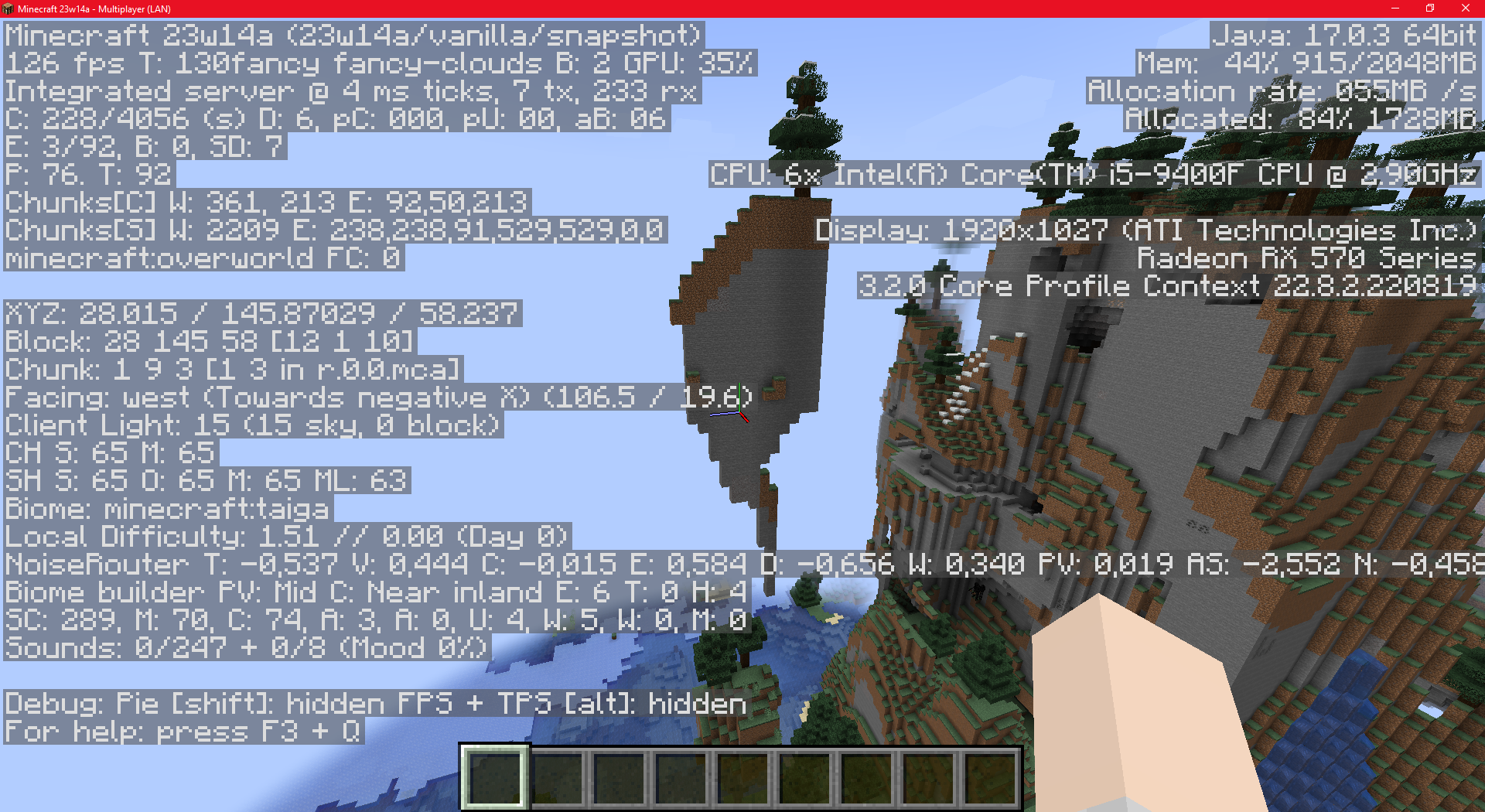
I'm not talking about trees but the terrain generation.
I'm talking about the terrain generation. I think that trees affects this.
The generation is weird. I dont know the origine.
Can confirm. Affects 23w14a.
I am unable to reproduce. Could you please attach a video or explain how the bug appears?
Please attach the full launcher log found in minecraft/launcher_log.txt.
Seems like you have joined too many Discord servers. Please leave one in order to access it.
Can confirm in 23w14a.
Can confirm in 1.19.4 & 23w14a.
Can confirm in 1.19.4 & 23w14a.
Can confirm in 1.19.4 & 23w14a.
Can confirm in 1.19.4 & 23w14a
Do you play on a specific server?
The mentioned versions are no longer supported, the current versions are 1.19.4 and 23w14a.
Use Minecraft Support !
Can confirm in 1.19.4 & 23w14a.
Duplicate of
MC-55347.Edit: Yes, it relates to the servers, however, other tickets such as
MC-94333are also duplicated even though it relates to servers.Can confirm in 23w14a.
@Brain81505 are you using macOS? (This is a Mac OS bug report)
Could you try without mods and update the ticket?
Does your request concern Minecraft: Bedrock Edition or Minecraft Bedrock: Dedicated Servers?
Can confirm.
This site is dedicated to bug reporting and helpers/moderators cannot assist you with technical issues. Please contact Minecraft Technical Support !
Can't reproduce, could you provide more information:
[Briefly describe the bug here] Steps to Reproduce: [Step 1] [Step 2] [Step 3] Observed Results: [Describe what happens] Expected Results: [Describe what should happen] Screenshots/Videos: [Optional: Attach an image or short video] Notes: [Any further information you can provide about the bug, such as explaining any attachments you’re including, when the bug started to occur, how you’ve tested the bug, messages displayed (e.g., error messages), and how the bug impacts gameplay.](template from Mojang Bug Tracker Guidelines and FAQ)
Could you please provide more details? And could you give a more explicit name to your ticket? (template for bugs reports here:
MCLG-1)Can confirm
Regarding the title, I think giving a clear idea of the bug would be better. If all the tickets are called 'allay bug', it can be difficult for Mojang to fix them effectively.
The bug tracker only supports English! Please do not use any other languages.
I can't reproduce. Could you provide us with more information:
[Briefly describe the bug here] Steps to Reproduce: [Step 1] [Step 2] [Step 3] Observed Results: [Describe what happens] Expected Results: [Describe what should happen] Screenshots/Videos attached: [Please attach an image or short video] Notes: [Add any additional information that could be important](Template from
MCLG-1)Note that if it's not a general bug, you can contact Minecraft Technical Support.
Unable to reproduce in Minecraft: Legends after a few tries (Windows). Possibly focused on XBOX?
Edit: Can confirm.
Do you know in what circumstances this bug appears?
Does the hard drive with your operating system installed on it have any free space?
Can confirm, I had to do it several times.
Duplicate of
MCLG-5Can confirm
Could you attach a screenshot of the 'Installation' tab?
Can confirm. Added video MCLG-27.mp4 .
.
Could you attach a screen?
I can't reproduce. Could you provide us with more information:
[Briefly describe the bug here] Steps to Reproduce: [Step 1] [Step 2] [Step 3] Observed Results: [Describe what happens] Expected Results: [Describe what should happen] Screenshots/Videos attached: [Please attach an image or short video] Notes: [Add any additional information that could be important](Template from
MCLG-1)Can confirm
The compass bar does not appear in the first 10-15 seconds of the game, regardless of whether the map is opened or not. Are you sure this is not related?
Can confirm, however is this really a bug ?
Duplicate of
MCLG-28Duplicate of
MCLG-8I can't reproduce. Could you provide us with more information:
[Briefly describe the bug here] Steps to Reproduce: [Step 1] [Step 2] [Step 3] Observed Results: [Describe what happens] Expected Results: [Describe what should happen] Screenshots/Videos attached: [Please attach an image or short video] Notes: [Add any additional information that could be important](Template from
MCLG-1)Can confirm.
Can confirm
Try checking with Minecraft Legends Discord (channel #community-support) to see if they can help you and determine whether the issue is a general bug or specific to you.
A screenshot could be useful, If it's possible.
Can confirm.
Edit: It only affects other languages halfway, but for languages like Chinese, Japanese, etc., the characters are not displayed correctly at all.
A video could be helpful.
Edit: Do the yellow letters refer to the keyboard graphics and not the in-game ones?
"on this graphic". That only concerns this specific graphic. However, it could be WAI for the same reasons in-game. I'm not sure.
The XBOX version is already connected to Microsoft, and Minecraft Legends requires a Microsoft account to play. Likely WAI (Working As Intended).
However, If the game asks for a connection every time, it is indeed a bug.
Is
MCLG-38partially related to your issue ?Windows/Mac OS/Linux?
Can confirm
Is
MCLG-59describing your issue ?Duplicate of
MCLG-8.Is
MCLG-63describing your issue ?Please attach a video if possible.
The report is marked as "Confirmed", as soon as it is fixed, you should receive everything.
I cannot reproduce the bug, however, it is true that these mobs follow us from a slightly greater distance.
Can confirm. However, it is very likely that this is WAI.
Do you play in multiplayer?
Duplicate of
MCLG-28Can confirm (WAI?)
Changed platform to multiple. Thank's
Confirmed: Community consensus by
MCLG-108Can confirm. It happens systematically.
Clairvoyance = Foresight
I can't reproduce. Can you add a video?
Affects Multiple platforms.
Is
MCLG-18describing your issue ?»slbksb1001. This bug report only concerns the displayed message. I think posting your message in
MCLG-56could help.Is your issue concern Minecraft Launcher ?
Can confirm in 23w16a.
Can confirm in 23w16a & 1.19.4.
Can confirm in 23w16a.