 Myldero
- chokoboy3
- chokoboy3
- Europe/Stockholm
- Yes
- No
 MC-91076
 Normal
![[Mojang] Nathan Adams](../../../data/assets/gravatar/dinnerbone.png)
![[Mojang] Searge (Michael Stoyke)](../../../data/assets/gravatar/searge.png)
![[Mojang] Georgii Gavrichev](../../../data/avatars/users/22428.png)

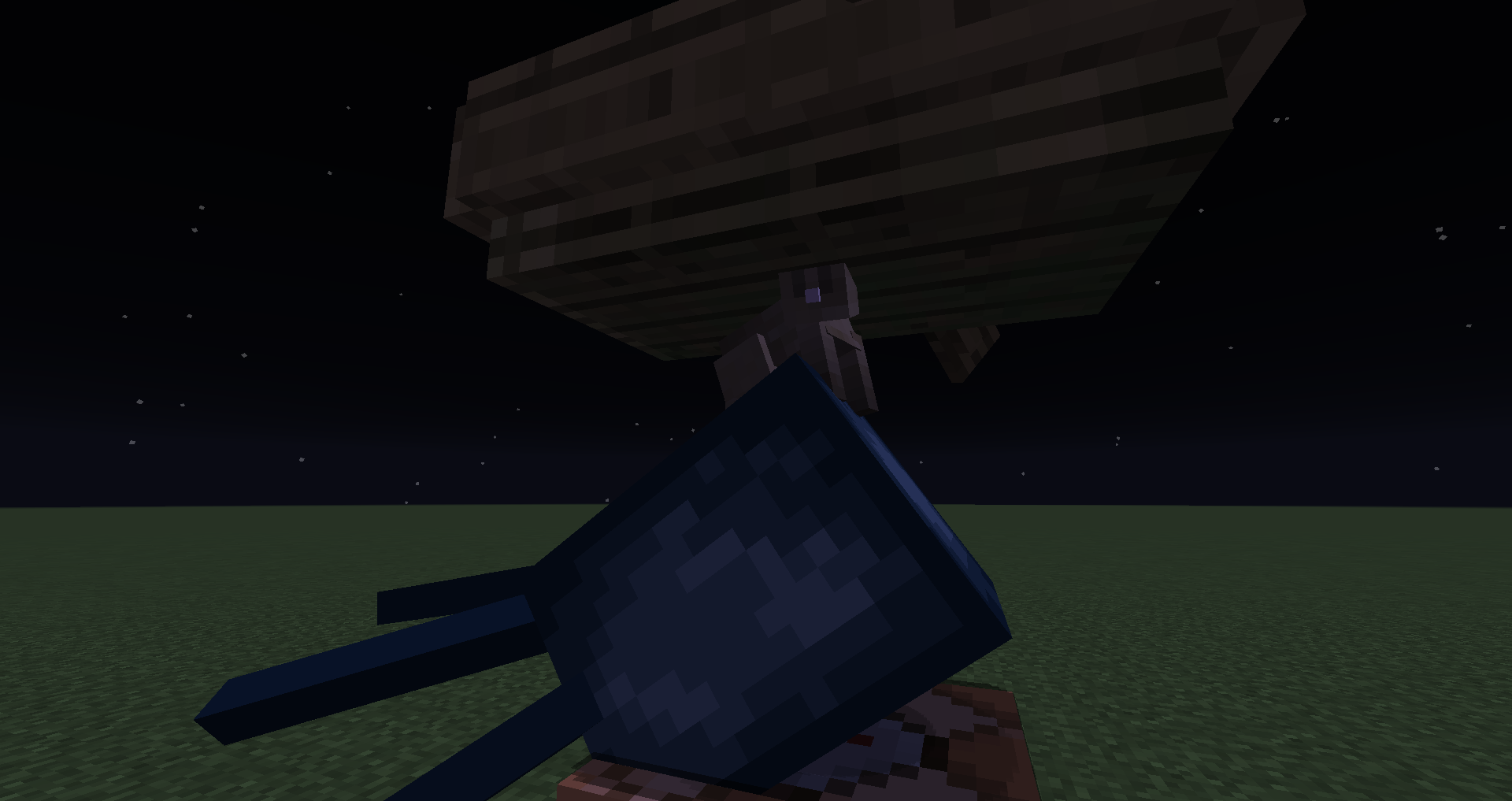







You can easily clip through blocks in creative while flying by going up right under a block and then pressing shift. Then you go through the block above you. If you keep doing this you can basically go through mountains. This is currently only available in creative because you need to be flying to do it.
You can easily clip through blocks in creative while flying by going up right under a block and then pressing shift. Then you go through the block above you. If you keep doing this you can basically go through mountains. This is currently only available in creative because you need to be flying to do it.
15w41a+
Works in 15w41a+
Works in 15w41a+
Works in 15w41a+
Works in and outside of servers.
Works in 15w41a+
Works inand outside of servers.Works in 15w41a+
Works in singleplayer and multiplyer
Works in 15w41a+
Works in singleplayer and multiplayer
Have been confirmed by other players
Steps to reproduce:
{powered:1b}
Make an impulse command block with a chain after it
Power the impulse command block with /blockdata x y zWhat I expected was:
That when the command block was powered the chain would be too.What happened was:
The impulse command block executed but all the command blocks in the chain didn't.
Sidenote: The command kept being executed like it was a repeat command block
Steps to reproduce:
{powered:1b}
Make an impulse command block with a chain after it
Power the impulse command block with /blockdata x y zWhat I expected was:
That when the command block was powered the chain would be too.What happened was:
The impulse command block executed but all the command blocks in the chain didn't.Ignore this. I made a mistake with my command blocks and it turns out that it wont even be powered without a blockupdate.
Steps to reproduce:
{powered:1b}
Make an impulse command block with a chain after it
Power the impulse command block with /blockdata x y zWhat I expected was:
That when the command block was powered the chain would be too.What happened was:
The impulse command block executed but all the command blocks in the chain didn't.Ignore this. I made a mistake with my command blocks and it turns out that it wont even be powered without a blockupdate.
Ignore this. I made a mistake with my command blocks and it turns out that it wont even be powered without a blockupdate.
Steps to reproduce:
{powered:1b}
Make an impulse command block with a chain after it
Power the impulse command block with /blockdata x y zWhat I expected was:
That when the command block was powered the chain would be too.What happened was:
The impulse command block executed but all the command blocks in the chain didn't.
Ignore this. I made a mistake with my command blocks and it turns out that it wont even be powered without a blockupdate.
Steps to reproduce:
{powered:1b}
Make an impulse command block with a chain after it
Power the impulse command block with /blockdata x y zWhat I expected was:
That when the command block was powered the chain would be too.What happened was:
The impulse command block executed but all the command blocks in the chain didn't.
If you summon an entity with a passenger entity with a passenger boat like so:
/summon Zombie ~ ~ ~ {Passengers:[{id:"Zombie",Passengers:[{id:"Boat"}]}]}
Any server will crash if the first entity
cansit in a boat. So for example if you use this command:/summon Squid ~ ~ ~ {Passengers:[{id:"Zombie",Passengers:[{id:"Boat"}]}]}
It will not crash.
The only possible explanation I can think of is that the boat is trying to pull the lower entity on it but because it's technically riding it, it can't. The boat wont try to pull the entity it's riding on in however.
If you summon an entity with a passenger entity with a passenger boat like so:
/summon Zombie ~ ~ ~ {Passengers:[{id:"Zombie",Passengers:[{id:"Boat"}]}]}
Any server will crash if the first entity is able to sit in a boat. So for example if you use this command:
/summon Squid ~ ~ ~ {Passengers:[{id:"Zombie",Passengers:[{id:"Boat"}]}]}
It will not crash.
The only possible explanation I can think of is that the boat is trying to pull the lower entity on it but because it's technically riding it, it can't. The boat wont try to pull the entity it's riding on in however.
If you summon an entity with a passenger entity with a passenger boat like so:
/summon Zombie ~ ~ ~ {Passengers:[{id:"Zombie",Passengers:[{id:"Boat"}]}]}
Any server will crash if the first entity is able to sit in a boat. So for example if you use this command:
/summon Squid ~ ~ ~ {Passengers:[{id:"Zombie",Passengers:[{id:"Boat"}]}]}
It will not crash.
The only possible explanation I can think of is that the boat is trying to pull the lower entity on it, but because it's technically riding it, it can't. It's constantly trying to do this over and over again which causes the crash. The boat wont try to pull the entity it's riding on in however.
If you summon an entity with a passenger entity with a passenger boat like so:
/summon Zombie ~ ~ ~ {Passengers:[{id:"Zombie",Passengers:[{id:"Boat"}]}]}
Any server will crash if the first entity is able to sit in a boat. So for example if you use this command:
/summon Squid ~ ~ ~ {Passengers:[{id:"Zombie",Passengers:[{id:"Boat"}]}]}
It will not crash.
The only possible explanation I can think of is that the boat is trying to pull the lower entity on it, but because it's technically riding it, it can't. It's constantly trying to do this over and over again which causes the crash. The boat wont try to pull the entity it's riding on in however.
If you summon an entity with a passenger entity with a passenger boat like so:
{id:"Boat"}
??/summon Zombie ~ ~ ~ {Passengers:[{id:"Zombie",Passengers:[]}]}??
Any server will crash if the first entity is able to sit in a boat. So for example if you use this command:/summon Squid ~ ~ ~ {Passengers:[{id:"Zombie",Passengers:[{id:"Boat"}]}]}
It will not crash.
The only possible explanation I can think of is that the boat is trying to pull the lower entity on it, but because it's technically riding it, it can't. It's constantly trying to do this over and over again which causes the crash. The boat wont try to pull the entity it's riding on in however.
If you summon an entity with a passenger entity with a passenger boat like so:
{id:"Boat"}
??/summon Zombie ~ ~ ~ {Passengers:[{id:"Zombie",Passengers:[]}]}??
Any server will crash if the first entity is able to sit in a boat. So for example if you use this command:/summon Squid ~ ~ ~ {Passengers:[{id:"Zombie",Passengers:[{id:"Boat"}]}]}
It will not crash.
The only possible explanation I can think of is that the boat is trying to pull the lower entity on it, but because it's technically riding it, it can't. It's constantly trying to do this over and over again which causes the crash. The boat wont try to pull the entity it's riding on in however.
If you summon an entity with a passenger entity with a passenger boat like so:
/summon Zombie ~ ~ ~ {Passengers:[{id:"Zombie",Passengers:[{id:"Boat"}]}]}
Any server will crash if the first entity is able to sit in a boat. So for example if you use this command:
/summon Squid ~ ~ ~ {Passengers:[{id:"Zombie",Passengers:[{id:"Boat"}]}]}
It will not crash.
The only possible explanation I can think of is that the boat is trying to pull the lower entity on it, but because it's technically riding it, it can't. It's constantly trying to do this over and over again which causes the crash. The boat wont try to pull the entity it's riding on in however.
If you summon an entity with a passenger entity with a passenger boat like so:
/summon Zombie ~ ~ ~ {Passengers:[{id:"Zombie",Passengers:[{id:"Boat"}]}]}
Any server will crash if the first entity is able to sit in a boat. So for example if you use this command:
/summon Squid ~ ~ ~ {Passengers:[{id:"Zombie",Passengers:[{id:"Boat"}]}]}
It will not crash.
The only possible explanation I can think of is that the boat is trying to pull the lower entity on it, but because it's technically riding it, it can't. It's constantly trying to do this over and over again which causes the crash. The boat wont try to pull the entity it's riding on in however.
If you summon an entity with a passenger entity with a passenger boat like so:
/summon Zombie ~ ~ ~ {Passengers:[{id:"Zombie",Passengers:[{id:"Boat"}]}]}Any server will crash if the first entity is able to sit in a boat. So for example if you use this command:
/summon Squid ~ ~ ~ {Passengers:[{id:"Zombie",Passengers:[{id:"Boat"}]}]}It will not crash.
The only possible explanation I can think of is that the boat is trying to pull the lower entity on it, but because it's technically riding it, it can't. It's constantly trying to do this over and over again which causes the crash. The boat wont try to pull the entity it's riding on in however.
The smartest way to prevent becoming invisible is to always teleport to spawn chunks before teleporting anywhere else. The glitch is harder to activate in spawn chunks.
The command:
{Pattern:moj,Color:15}
/give @p banner 1 0 {BlockEntityTag:{Base:15}}
Will give you a black banner. Though "Patterns" still works. For example:
/give @p banner 1 0 {BlockEntityTag:{Base:15,Patterns:[]}}
Would give you a black banner with a white pattern.
This does not apply to shields.
As the title says, the last 7 characters in the function's name aren't used for some reason.
If the function is supposed to be test:hello_world (In 1.12.2), it would be test:hello_world.mcf, which probably is short for test:hello_world.mcfunction. I tried renaming my function hello_world.mcfunction to he.mcfwhich worked for some reason. Then when reloading, an error came up because the string was size -1.I expected the function path to just be test:hello_world
As the title says, the last 7 characters in the function's name aren't used for some reason.
If the function is supposed to be test:hello_world (In 1.12.2), it would be test:hello_world.mcf, which probably is short for test:hello_world.mcfunction. I tried renaming my function hello_world.mcfunction to he.mcf which worked for some reason. Then when reloading, an error came up because the string was size -1.I expected the function path to just be test:hello_world
As the title says, the last 7 characters in the function's name aren't used for some reason.
If the function is supposed to be test:hello_world (In 1.12.2), it would be test:hello_world.mcf, which probably is short for test:hello_world.mcfunction. I tried renaming my function hello_world.mcfunction to he.mcfwhich worked for some reason. Thenwhen reloading, an error came up because the string was size-1.I expected the function path to just be test:hello_world
As the title says, the last 7 characters in the function's name aren't used for some reason.
If the function is supposed to be test:hello_world (In 1.12.2), it would become test:hell. I tried making another function with a name under 7 characters long and when reloading, an error came up because the string was size less than 0.I expected the function path to just be test:hello_world
The last 7 characters of function names aren't usedFunctions allow other filetypes than .mcfunction
As the title says, the last 7 characters in the function's name aren't used for some reason.
If the function is supposed to be test:hello_world (In 1.12.2), it would become test:hell. I tried making another function with a name under 7 characters long and when reloading, an error came up because the string was size less than 0.I expected the function path to just be test:hello_world
I tried naming a function test.txt by forgetting to add the .mcfunction at the end but the game still noticed the file. And because "txt" is 7 characters less than "mcfunction", the function name was cut off so it tried to load a function with a name length of less than 0 which caused an error.
I tried naming a function test.txt by forgetting to add the .mcfunction at the end but the game still noticed the file. And because "txt" is 7 characters less than "mcfunction", the function name was cut off so it tried to load a function with a name length of less than 0 which caused an error.
I tried naming a function test.txt by forgetting to add the .mcfunction at the end, but the game still noticed the file. And because "txt" is 7 characters less than "mcfunction", the function name was cut off so it tried to load a function with a name length of less than 0 which caused an error.
Functions and advancements allow other filetypes than .mcfunction
Functions and advancements allow other filetypes than .mcfunction and .json
Functionsandadvancements allow other filetypes than .mcfunction and .jsonFunctions, advancements and loot tables allow other filetypes than .mcfunction and .json
It works for all the other execute if commands so expected it to also work for execute if block. Currently it comes up with an error.
/execute if block ~ ~ ~ stone
It works for all the other execute if commands so expected it to also work for execute if block. Currently it comes up with an error.
/execute if block ~ ~ ~ stone
It works for all the other execute if commands so expected it to also work for execute if block. Currently it comes up with an error.
I tried with the command:
/execute if block ~ ~ ~ stoneError:
Unknown command at position 28: ... ~ ~ stone<--[HERE]
It works for all the other execute if commands so expected it to also work for execute if block. Currently it comes up with an error.
I tried with the command:
/execute if block ~ ~ ~ stoneError:
Unknown command at position 28: ... ~ ~ stone<--[HERE]It works for all the other execute if commands so expected it to also work for execute if block. Currently it comes up with an error.
I tried with the command:/execute if block ~ ~ ~ stoneError:
Unknown command at position 28: ... ~ ~ stone<--[HERE]
What I expected to happen was
I expected the selection to go backwards in the listWhat actually happened was
SHIFT was ignored and it just went forwardsin the listSteps to Reproduce
1. Type out "/setblock ~ ~ ~ " in the chat.
2. Try pressing tab and/or shift+tab
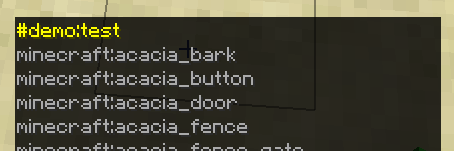
Using the new tags in a command returns the error: java.lang.NullPointerException
Commands that don't work:
/clear @s #minecraft:wool/execute if block ~ ~ ~ #minecraft:wool
Using the new tags in a command returns the error: java.lang.NullPointerException
I tried again on another computer running Ubuntu and interestingly enough, the error was "Unknown block tag 'demo:test'" for an existing tag and java.lang.NullPointerException for a non-existent tag.
Commands that don't work:
/clear @s #minecraft:wool/execute if block ~ ~ ~ #minecraft:wool
On Windows the default block/item tags aren't in the tabcompleteOn Windows the default block/item tags aren't in the tab-completion list
I tried creating a custom tag and it showed in the tab
complete menubut the default ones didn't.
I tried again on another computer running Ubuntu and they were there.I tried creating a custom tag and it showed in the tab-completion list but the default ones didn't.
I tried again on another computer running Ubuntu and they were there.
On Windows the default block/item tags aren't in the tab-completion listThe default block/item tags aren't in the tab-completion list
The following actions don't work whilst looking at a block in adventure mode:
- Opening a written book
- Opening a writable book
- Using an empty map
- Equipping armor
- Drinking a potion
- Eating food
This only occurs in adventure mode and it happens with all blocks (Not just interactable blocks)
What I expected to happen was:
The items would work even though I was looking at a block like it does in 1.12How to reproduce:
- Get one of the items from the list above
- Go into adventure mode
- Look into a block
- Try to use the item by right clicking
The following actions don't work whilst looking at a block in adventure mode:
- Opening a written book
- Opening a writable book
- Using an empty map
- Equipping armor
- Drinking a potion
- Eating food
- Using carrot on a stick
This only occurs in adventure mode and it happens with all blocks (Not just interactable blocks)
What I expected to happen was:
The items would work even though I was looking at a block like it does in 1.12How to reproduce:
- Get one of the items from the list above
- Go into adventure mode
- Look into a block
- Try to use the item by right clicking
The following actions don't work whilst looking at a block in adventure mode:
- Opening a written book
- Opening a writable book
- Using an empty map
- Equipping armor
- Drinking a potion
- Eating food
- Using carrot on a stick
- Shooting with a bow
- Using a fishing rod
- Using a shield
This only occurs in adventure mode and it happens with all blocks (Not just interactable blocks)
What I expected to happen was:
The items would work even though I was looking at a block like it does in 1.12How to reproduce:
- Get one of the items from the list above
- Go into adventure mode
- Look into a block
- Try to use the item by right clicking
The bug
Using /execute if/unless score and testing for players which do not have a score sets 0 for them and the test succeeds.
Expected would be that the comparison failed and no score was set.
This might be related to
MC-122431How to reproduce
- Create a new objective called something like test
- Run the following to set the value to test with
/scoreboard players set value test 0- Run
/execute if score something test = value test run say test
The command runs successfully even though the player "something" hasn't been initialized in the objective "test"
The bug
Using /execute if/unless score and testing for players which do not have a score sets 0 for them and the test succeeds.
Expected would be that the comparison failed and no score was set.
How to reproduce
- Create a new objective called something like test
- Run the following to set the value to test with
/scoreboard players set value test 0- Run
/execute if score something test = value test run say test
Team color doesn't work in playerlist before restarting serverTeam color doesn't work in playerlist before reconnecting
Teams don't have the correct color in tab playerlist before re
starting serverHow to reproduce:
- Create a team:
/team add teamRed- Give that team a color
/team option teamRed color red- Join that team
/team join teamRed @s- Press tab and see that your name is white.
- Try restarting the server (Just reopening the map if on singleplayer)
The playernow hasthe correct color on the tab playerlistTeams don't have the correct color in tab playerlist before reconnecting
How to reproduce:
- Create a team:
/team add teamRed- Give that team a color
/team option teamRed color red- Join that team
/team join teamRed @s- Press tab and see that your name is white.
- Then try reconnecting
- You now have the correct color on the tab playerlist
nametagVisibilityteam option doesn't workSome team options don't work
Playernames are visible even though the player is on a team with the nametagVisibility option turned to "never" (This also occurs for the other options)
How to reproduce:
/team add test /team option test nametagVisibility never /team join test @aEveryone's names are still visible
The following team options don't work:
- collisionRule: Players still push each other when set to never
- nametagVisibility: Players can still see each other's names when set to never
- seeFriendlyInvisibles: Players on the same team can't see an invisible player when set to true
When updating to 18w22a, leaves start disappearing and aren't updated to
leaves[persistent=true]if the arguments were
leaves[check_decay=false,decayable=true]
When updating to 18w22a, leaves start disappearing and aren't updated to
leaves[persistent=true]
if the arguments were
leaves[check_decay=false,decayable=true]
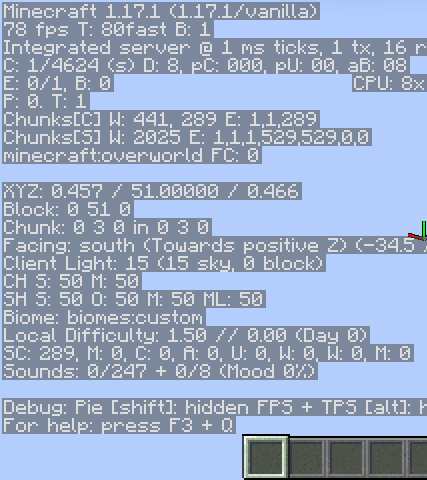
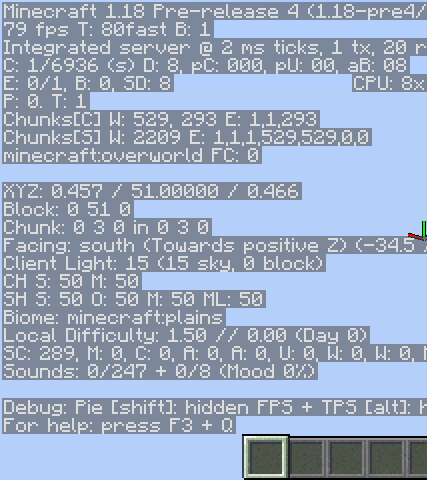
When updating a world from 1.17 using the "Optimize World" feature, the "Level" Compound in which all chunk data is stored in earlier versions, is not deleted. The effect of this is that world size will increase significantly since everything is duplicated. It will only be deleted when the chunk is loaded.
Attached is a pretty-print of chunk (0,0)after optimizinga Void superflat world created in 1.17.1,before opening it in 1.18.When updating a world from 1.17 using the "Optimize World" feature, the "Level" Compound in which all chunk data is stored in earlier versions, is not deleted. The effect of this is that world size will increase significantly since everything is duplicated. It will only be deleted when the chunk is loaded.
Attached is a pretty-print of chunk (0,0) of a Void superflat world created in 1.17.1, after optimizing it in 1.18 pre-6 (before opening it)
![[Mod] Michael Wobst](../../../data/avatars/users/37868.png)
Myldero is that issue still a thing in 1.12.2?
Confirmed for 15w45a
This is different tho. You can't see that you have become invisible for yourself. Other players just can't see you. As if you are not sending certain info to the server. That's the reason it only works in multiplayer. I have seen this happen to multiple servers and it definately wasn't there in 1.8
The bug is still here in 16w03a.
"With the provided setup the player takes suffocation damage"
Confirmed for 16w04a
My setup: http://imgur.com/EDVPzCi
Just go up to the top of the ladder and spam ship while pressing w.
No. But you do take suffocation damage.
This is still a bug in 16w06a. Please update this thread regularly or it might not be fixed before 1.9.
Still there in 1.9 pre-release. Hopefully they'll fix this before next week when the full release comes.
Unless crash reports have changed folder-location then no.
It is not the client that crashes. It's the server. You'll see, if you try it in singleplayer, that no server-sided actions will happen. Command don't work, items don't come when you break blocks, entities don't move, etc. The server logs aren't very helpful either. It just says: [Server thread/INFO]: [@: Object successfully summoned]
This affects 1.9 pre-release 2 too
The server.log is not interesting. As I said it is: [Server thread/INFO]: [@: Object successfully summoned]. The server itself does not know it has been shut down. Everyone will just be timed out. It works like ddos.
In 1.9 pre-release 4 they changed something so now it will only occur if the player is teleported into whole new chunks.
I've made a video to show: https://www.youtube.com/watch?v=NLEH_Mzcm6w
I hate to say it but this bug is still in 1.9 the full release. It seems servers wont update before 1.9.1 :/
And I've found out that if you teleport a player to spawn chunks for at least 1 tick before you teleport them anywhere they will not become invisible. That's a kind of solution but not a fix.
It also seems that elytra flying doesn't work either.
Some symptoms I saw when this bug was occuring to me:
AttributeModifiers don't work, the hat part of the skin doesn't show, elytra doesn't work, invisible to other players, and some sounds don't work. It's basically just all the symptoms that were there before.
I really don't know what triggers the bug. I tested with everything I know and didn't get it to work. So far it just seems to come at random when teleporting to unloaded chunks.
This is fixed in Minecraft 1.12.2
Yes. I've updated the title.
I still experience this bug in 17w47b with the filepath being data/(namespace)/functions/test.txt
If I use /reload it just comes up with the message String index out of range: -3 which is fine, but if I load up the map, the game crashes (Or rather it stops responding, which forces me to kill the process).
A proposed fix is to ignore files that don't have the necessary [a-z0-9/._-] format or correct file extension instead of stopping the entire datapack from being loaded or crashing the game.
Should this be marked as invalid now that the UI has changed?
Relates to
MC-122956andMC-122317Entity names are required to be lowercase and you can only teleport to one entity so the correct command would be
Actually this is unrelated to my hardware. It did not occur in 1.12.2, so it came with 1.13 or perhaps because of LWJGL 3.
Confirmed for 17w50a with
/execute if entity @s[nbt={Motion:[0d,0d,0d]}] run say testConfirmed for 17w50a
Fixed in 18w01a
I don't think so, no. It was very rare but I haven't been able to reproduce it in a while.
Names now use json, so you'll have to change that to
/give @p minecraft:stick{display:{Name:"\"A Stick\""}}It's not because it takes time to reload. The reload-time has no effect on the tabs. The problem is that the tabs are removed after the datapack has been reloaded. Then they won't come back before reopening the inventory. This might be very small and not a priority at all, but it's a bug nonetheless.
This is apparent for all NBT put in a selector, except for an empty NBT string:
/execute if entity @s[nbt={}] run say worked!Confirmed for 18w20c
But leaves with either check_decay or decayable set to false will not decay in past updates. Most of my map fell apart when I updated because of this change
Actually, no matter what arguments the leaves had in 18w21b, they will automatically be set to persistent=false. So even if you placed the block by hand, it'll disappear. Is this intended behaviour?
Indeed I have. I'll enable it again and try to update from a backup.
persistent is set to false after restarting the world. Not just when updating.
This is partly fixed in 1.13-pre2. The only problem is that the outline of the block, you're looking at, doesn't appear.
Works as intended
Command blocks execute their commands from the middle of the block. dx, dy and dz aren't floored to an integer position anymore. So a command run at 5.5 50 5.5 with dx=2,dy=2,dz=2, will target the area 5.5,50.5,5.5 to 7.5,52,7.5
To fix this, you'll have to use /execute align xyz
Confirmed for 19w12a
I believe this is a duplicate of
MC-138053Affects 1.14
Confirmed for 1.14.2 and 1.14.3 pre-2
Confirmed for 1.14.3
This is still a problem in 1.15 pre 1
It seems that now (1.15-pre1) a slow connection is necessary for it to occur regularly, though It's still possible in singleplayer but happens very rarely.
This is not fixed for crafting tables, anvils, enchanting tables, looms, grindstones or cartography tables where the items are technically still in the player's inventory.
As this might be seen as a separate issue, I've created a separate bug report for it:
MC-172496Making an arrow with very high damage will crash the game when hitting a player. This can be used by any player with creative by getting this item and placing it above themselves:
give @s chicken_spawn_egg{EntityTag:{id:"minecraft:arrow",damage:1e100d,pickup:1,crit:1}}
I believe this to be a serious issue allowing players with creative to crash any Minecraft server
Can confirm for 20w21a.
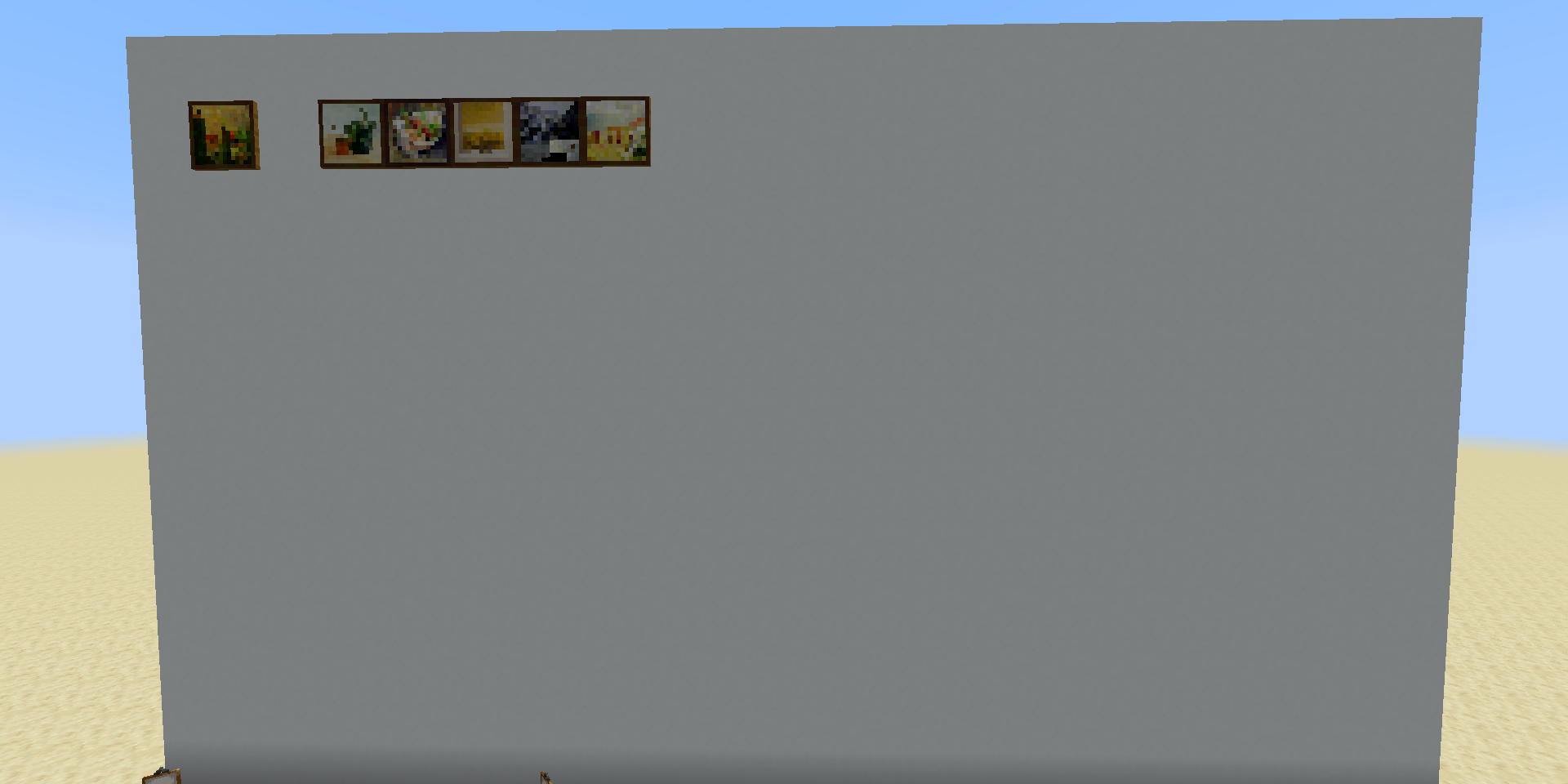
It seems that the painting for the most part isn't killed, it's just made invisible. Though sometimes it is killed and drops as an item.
I did a test with all the possible painting types:
Ran the command:
/execute as @e[type=painting] run data merge entity @s {Invulnerable:1b}It seems 1x1 paintings are the only ones that survive, though one of them was killed. I then did another test to see if 1x1 paintings would always survive:
Ran the command:
/execute as @e[type=painting] run data merge entity @s {Invulnerable:1b}It seems that rarely 1x1 paintings are also turned invisible / killed.
It seems that the issue is that while the server respects world borders in multiple dimensions, the client only recognizes the world border in the overworld even when in another dimension. This means that visually, the world border is always in the position that it is in in the overworld.
If the overworld has a larger world border than the dimension that you are in, you will start taking damage at random and blocks will reappear as you break them, as the server recognizes that you have moved outside the world border but the client allows you to move.
If the overworld has a smaller world border than the dimension that you are in, it just seems like the dimensions have the same world border since the client prevents you from going outside even though it should be entirely possible. If you teleport outside of the world border, you will not take damage in this situation.
Also, it seems that the world border is reset server-side in other dimensions after reopening the world
I can confirm this. In earlier versions, if you spawn a falling block with Time:0 every tick, it would appear as a single falling block which you were able to move by spawning it at different positions. Now, due to the flicker, this is no longer the case.
One solution could be to set Time to -1:
/summon minecraft:falling_block ~ ~ ~ {NoGravity:1,Time:-1}This however will not look as smooth as it did in 1.16 and below and seemingly two falling blocks are sometimes present at the same time when moving the block (Like the flicker with Time set to 0, just offset by 1 tick and harder to notice)
Can confirm
Can confirm in 1.20.4
Can confirm this. Additionally, if you have a scoreboard.dat file with more than 500K entries in PlayerScores, the server will freeze for several seconds trying to save the file