 Splunkon
- COL9gamer
- JIRAUSER704472
- America/Chicago
- Yes
- No
 MCPE-156044MCPE-158599MCPE-158603




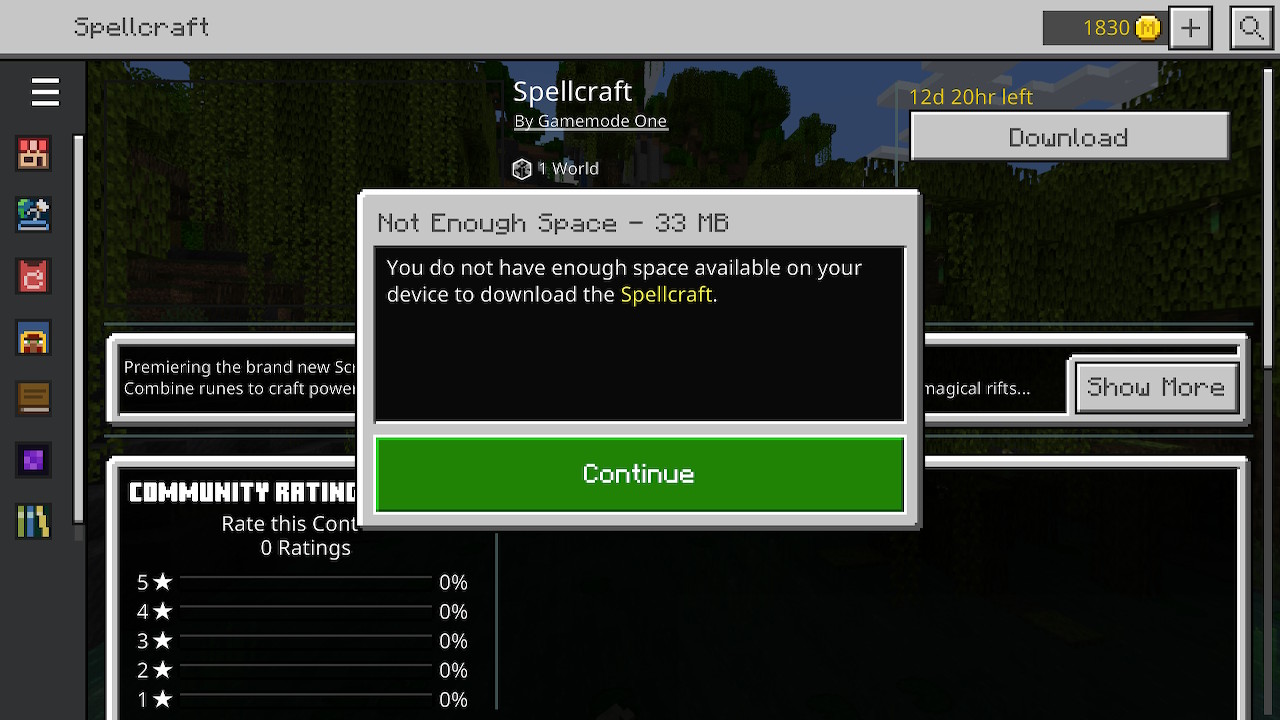


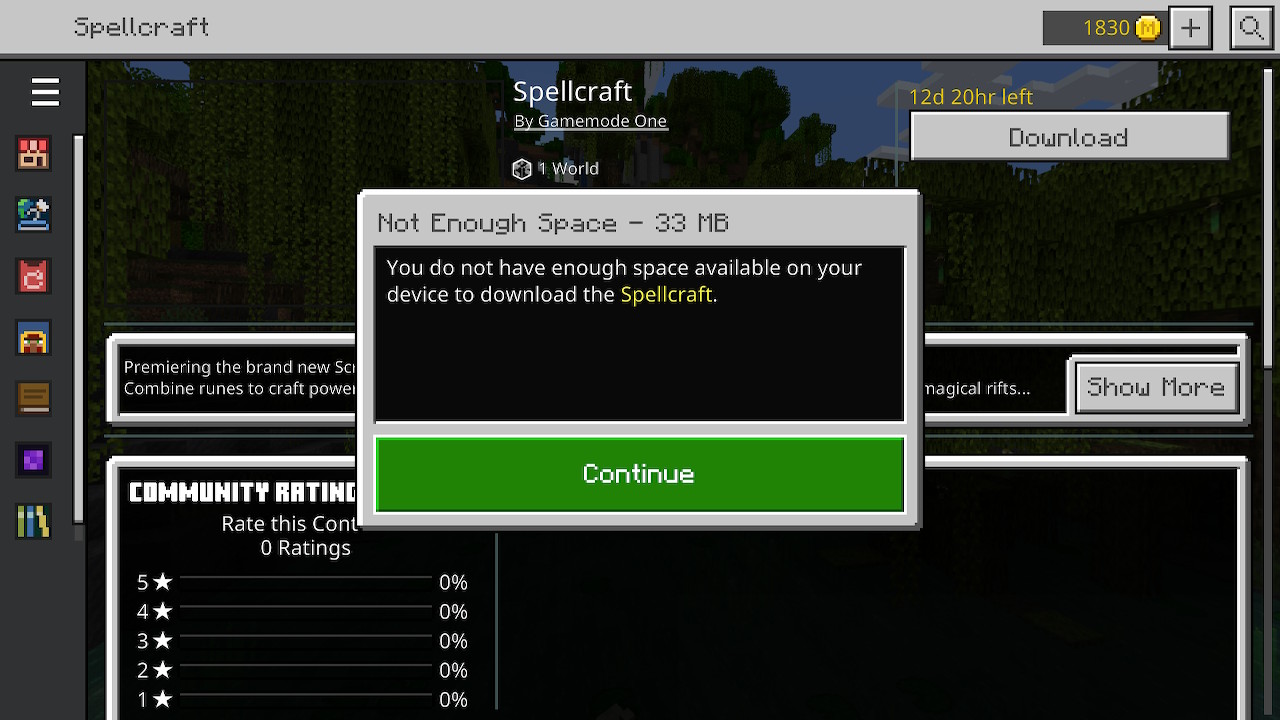

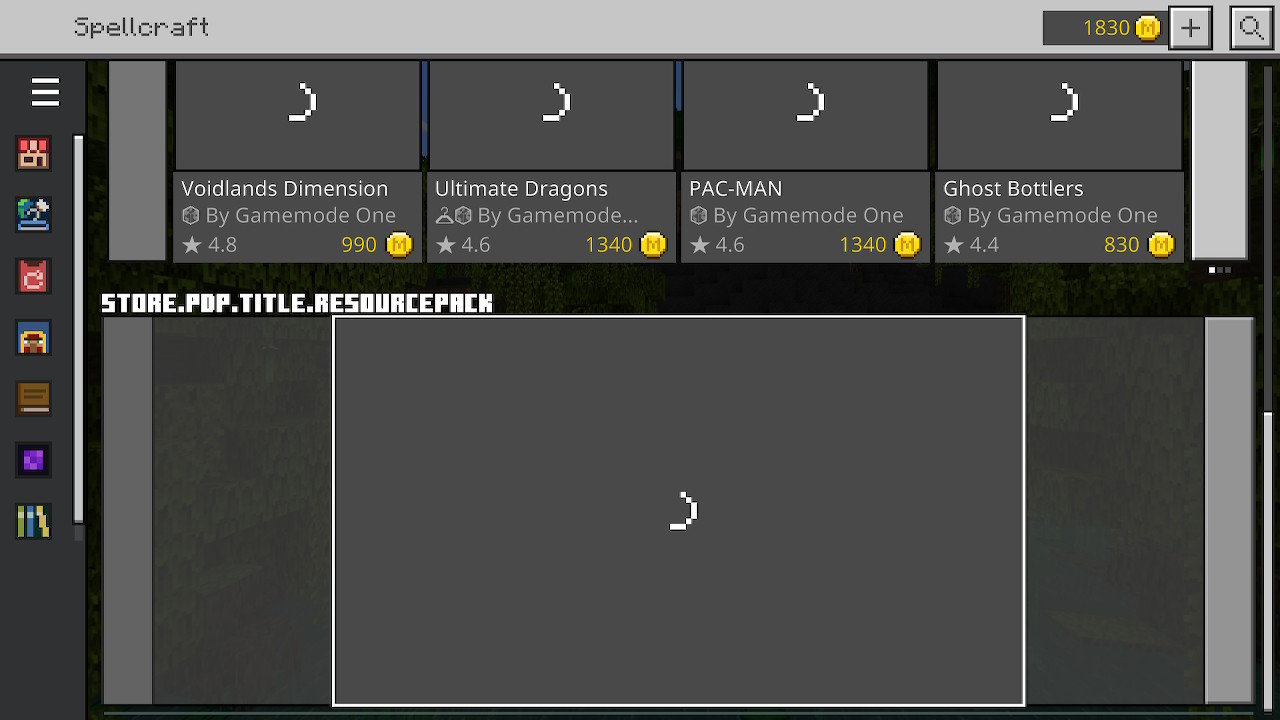
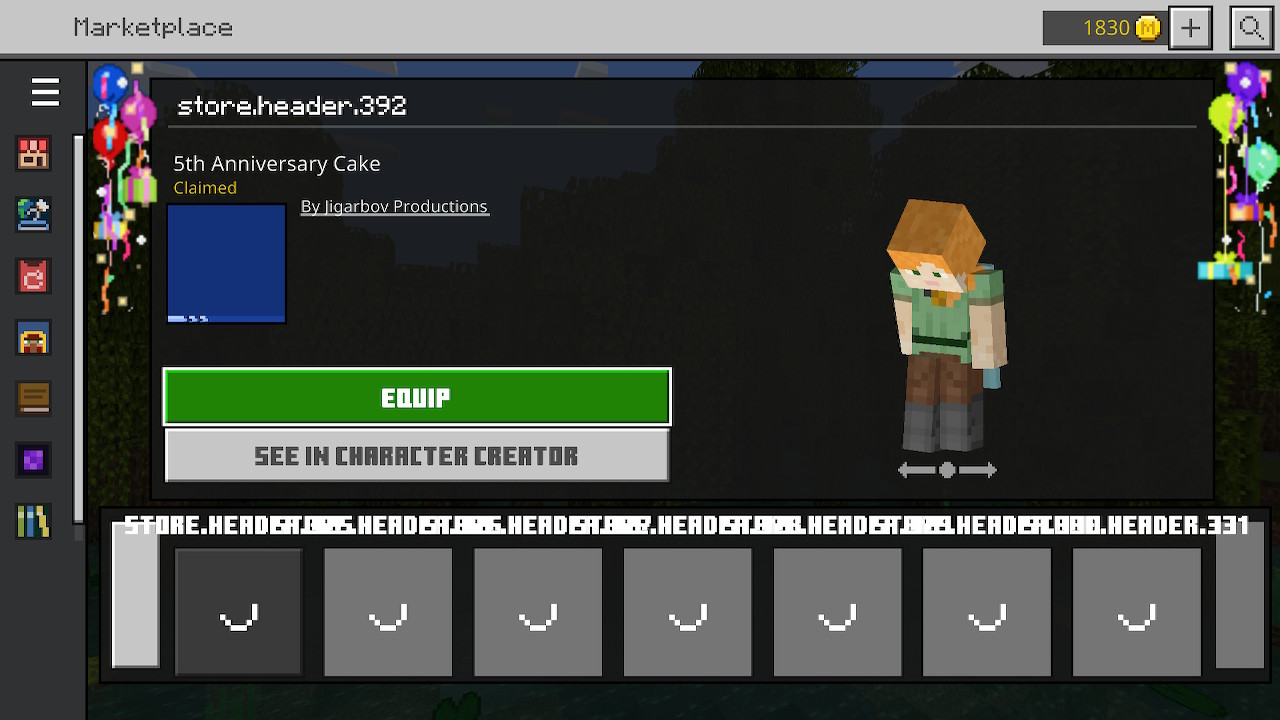







Error occurred whendone downloading realm.Error occurred when importing realm onto my device.
image.jpg
I have the same exact thing happening on my Switch. Are you guys working on this?
What phone do you have and what IOS version are you running? This could affect things.
When playing Minecraft on my Nintendo Switch with no internet connection I cannot play the game for a long while until the game finally figures out I have no internet. When I go to click on a world after the game loads up I have to sit there while it tries to connect to my Microsoft account even though I have no internet. This is very annoying when trying to play in the car or somewhere with no
ninternet because of how long I have to wait.
Minecraft on Nintendo Switchtakes forever to tell me that I have no connection basicallyMinecraft on Nintendo Switch cant play with no internet for a while till the game figures out
Minecraft on Nintendo Switch cant play with no internet for a while till the game figures out I have no internet
When playing Minecraft on my Nintendo Switch with no internet connection I cannot play the game for a long while until the game finally figures out I have no internet. When I go to click on a world after the game loads up I have to sit there while it tries to connect to my Microsoft account even though I have no internet. This is very annoying when trying to play in the car or somewhere with no internet because of how long I have to wait.
When playing Minecraft on my Nintendo Switch with no internet connection I cannot play the game for a long while until the game finally figures out I have no internet. When I go to click on a world after the game loads up I have to sit there while it tries to connect to my Microsoft account even though I have no internet. This is very annoying when trying to play in the car or somewhere with no internet because of how long I have to wait.
Steps to Reproduce:
1. Turn off the WiFi on your Nintendo Switch
2. Load up MinecraftObserved Results:
The game will sit there just loading various things because it's trying to connect to the internet. I can't load up a world until about 2-3 minutes later when it finally decides I have no internet.Expected Results:
I should be able to load up a world with no problem if I don't have internet.
Notes:
It's very weird that this happens because there is no reason for Minecraft to think it can connect to the internet when it's turned off.
Minecraft on Nintendo Switchcant play with no internet for a while till the game figures out I haveno internetMinecraft on Nintendo Switch doesn't let me load up a world until it decides there is no internet
I have updated the description of my bug report.
Minecraft on Nintendo Switchdoesn't let me load up a world until it decides there is no internetMinecraft on Nintendo Switch prevents world loading until internet connection is established
Minecraft on Nintendo Switchprevents world loading until internetconnectionis establishedDelay in Loading Minecraft Worlds on Nintendo Switch When No Internet Connection Detected
Steps to Reproduce:
1. Turn off the WiFion your Nintendo Switch
2. Load up MinecraftObserved Results:
The game will sit there just loading various things because it's trying to connect to the internet. I can't load up a world until about 2-3 minutes later when it finally decides I have no internet.Expected Results:
I should be able to load up a world with no problem if I don't have internet.
Notes:
It's very weird that this happens because there is no reason for Minecraft to think it can connect to the internet when it's turned off.
Steps to Reproduce:
1. Turn on airplane mode on your Nintendo Switch
2. Load up MinecraftObserved Results:
The game will sit there just loading various things because it's trying to connect to the internet. I can't load up a world until about 2-3 minutes later when it finally decides I have no internet.Expected Results:
I should be able to load up a world with no problem if I don't have internet.
Notes:
It's very weird that this happens because there is no reason for Minecraft to think it can connect to the internet when it's turned off.
Delay in Loading Minecraft Worlds on Nintendo Switch WhenNo Internet Connection DetectedDelay in Loading Minecraft Worlds on Nintendo Switch When The Device is Not Connected to The Internet
Steps to Reproduce:
1. Turn on airplane mode on your Nintendo Switch
2. Load up MinecraftObserved Results:
The game will sit therejust loading various things because it's tryingto connect to the internet. I can't load up a world until about 2-3 minutes later when it finally decides I haveno internet.Expected Results:
I should be able to load up a world with no problem if I don't have internet.
Notes:
It's very weird that this happens because there is no reason for Minecraft to think it can connect to the internet when it's turned off.
Steps to Reproduce:
1. Turn on airplane mode on your Nintendo Switch
2. Load up Minecraft
3. Enter a world right after the game loadsObserved Results:
The game will sit there for 30-60 seconds on a loading screen. Even though there is no possible way for the Switch to be connected to the internet since airplane mode is on. This also happens, for example, when I'm in the car and airplane mode is turned off, it will still try to connect to online services even though there is no internet connection.Expected Results:
I should be able to load up a world with no problem if I don't have internet.
Notes:
It's very weird that this happens because there is no reason for Minecraft to think it can connect to the internet when it's turned off.
Steps to Reproduce:
1. Turn on airplane mode on your Nintendo Switch
2. Load up Minecraft
3. Enter a world right after the game loadsObserved Results:
The game will sittherefor 30-60 seconds on a loading screen. Even though there is no possible way for the Switch to be connected to the internet since airplane mode is on. This also happens, for example, when I'm in the car and airplane mode is turned off, it will still try to connect to online services even though there is no internet connection.Expected Results:
I should be able to load up a world with no problem if I don't have internet.
Notes:
It's very weird that this happens because there is no reason for Minecraft to think it can connect to the internet when it's turned off.
Steps to Reproduce:
1. Turn on airplane mode on your Nintendo Switch
2. Load up Minecraft
3. Enter a world right after the game loadsObserved Results:
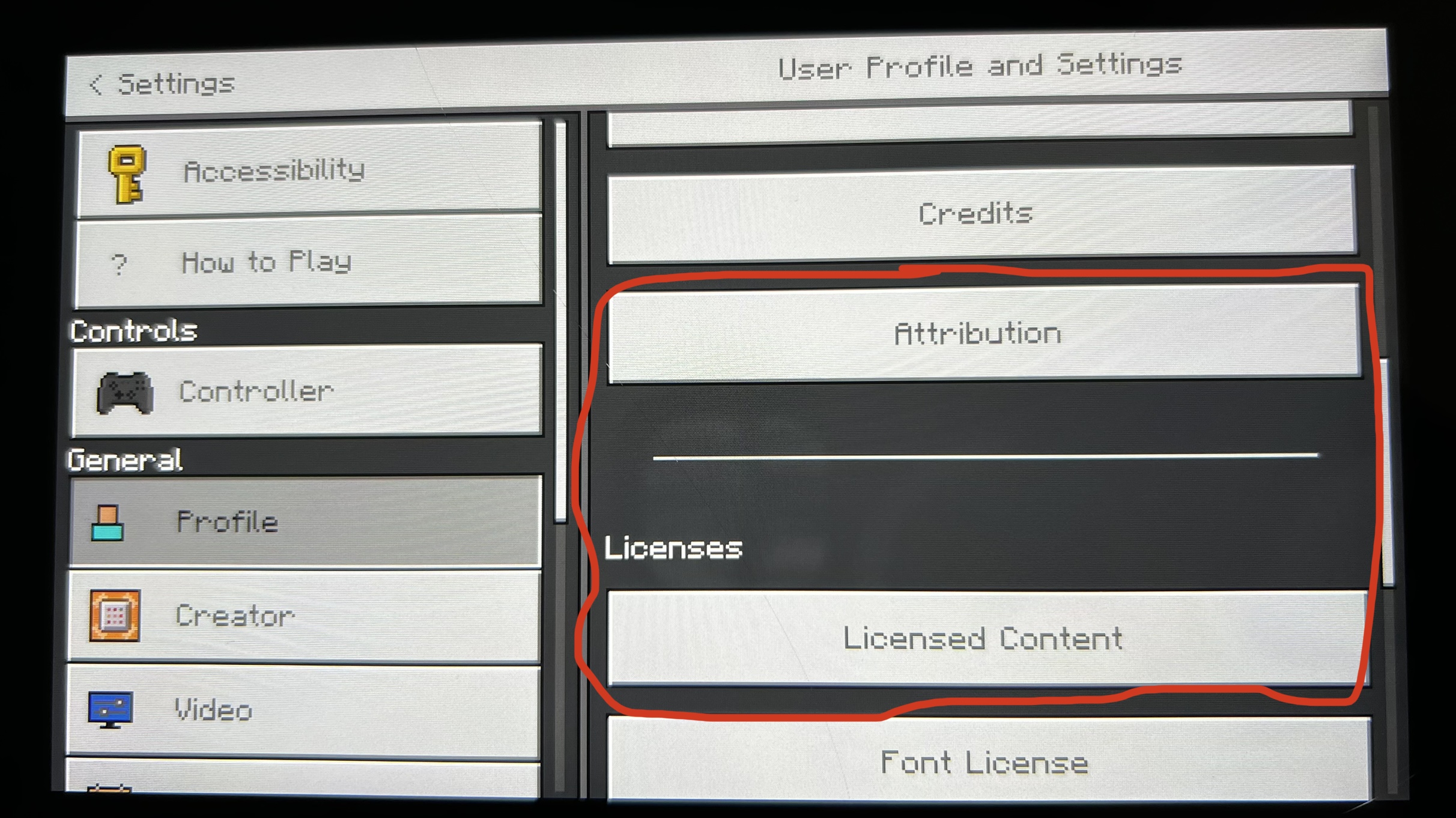
The game will sit for 30-60 seconds on a loading screen. Even though there is no possible way for the Switch to be connected to the internet since airplane mode is on. This also happens, for example, when I'm in the car and airplane mode is turned off, it will still try to connect to online services even though there is no internet connection.See the attached picture showing the screen that it gets stuck on:
Expected Results:
I should be able to load up a world with no problem if I don't have internet.
Notes:
It's very weird that this happens because there is no reason for Minecraft to think it can connect to the internet when it's turned off.
Steps to Reproduce:
1.Turn on airplane mode on your Nintendo Switch2.Load up Minecraft3.Enter a world right after the game loadsObserved Results:
The game will sit for 30-60 seconds on a loading screen. Even though there is no possible way for the Switch to be connected to the internet since airplane mode is on. This also happens, for example, when I'm in the car and airplane mode is turned off, it will still try to connect to online services even though there is no internet connection.See the attached picture showing the screen that it gets stuck on:
Expected Results:
I should be able to load up a world with no problem if I don't have internet.
Notes:
It's very weird that this happens because there is no reason for Minecraft to think it can connect to the internet when it's turned off.
Steps to Reproduce:
1. Turn on airplane mode on your Nintendo Switch
2. If not already, sign into your Microsoft account on your Switch (After signing in close Minecraft then follow the next steps to experience the bug)
3. Load up Minecraft
4. Enter a world right after the game loadsObserved Results:
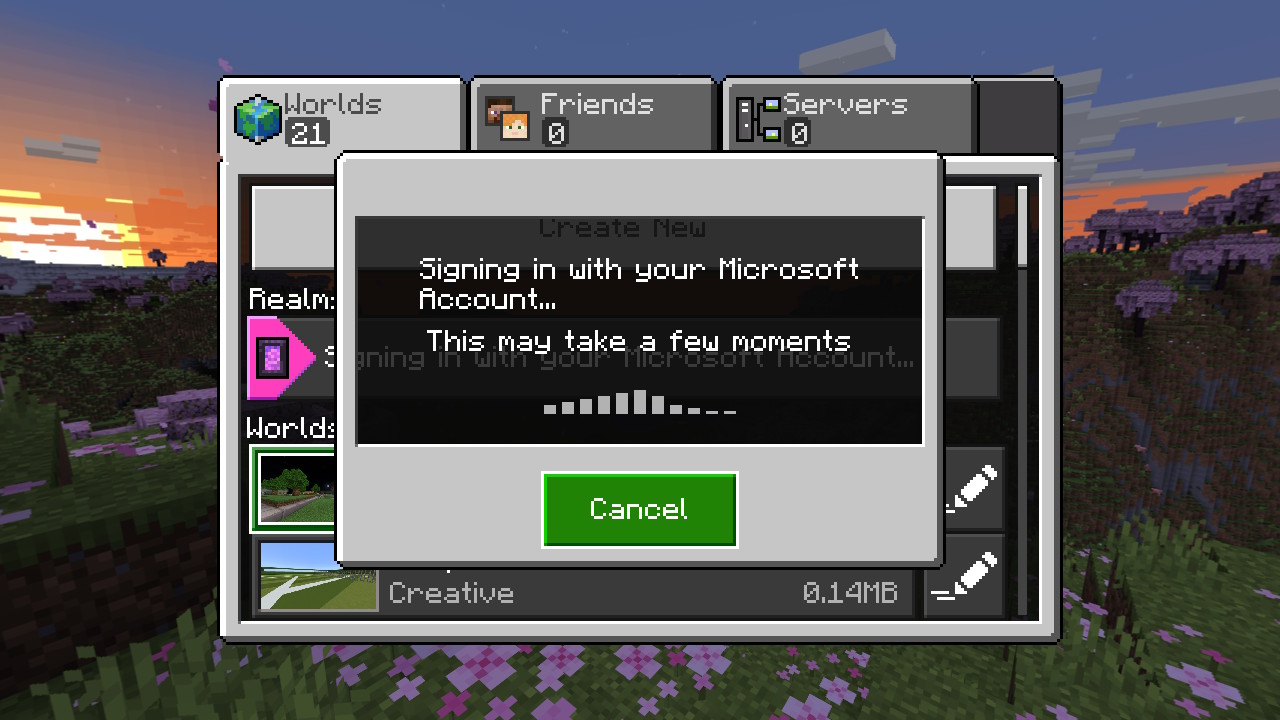
The game will sit for 30-60 seconds on a loading screen. Even though there is no possible way for the Switch to be connected to the internet since airplane mode is on. This also happens, for example, when I'm in the car and airplane mode is turned off, it will still try to connect to online services even though there is no internet connection.See the attached picture showing the screen that it gets stuck on:
Expected Results:
The "signing in with your Microsoft account" part should be skipped when the console isn't connected to a network because it's not possible to sign in.
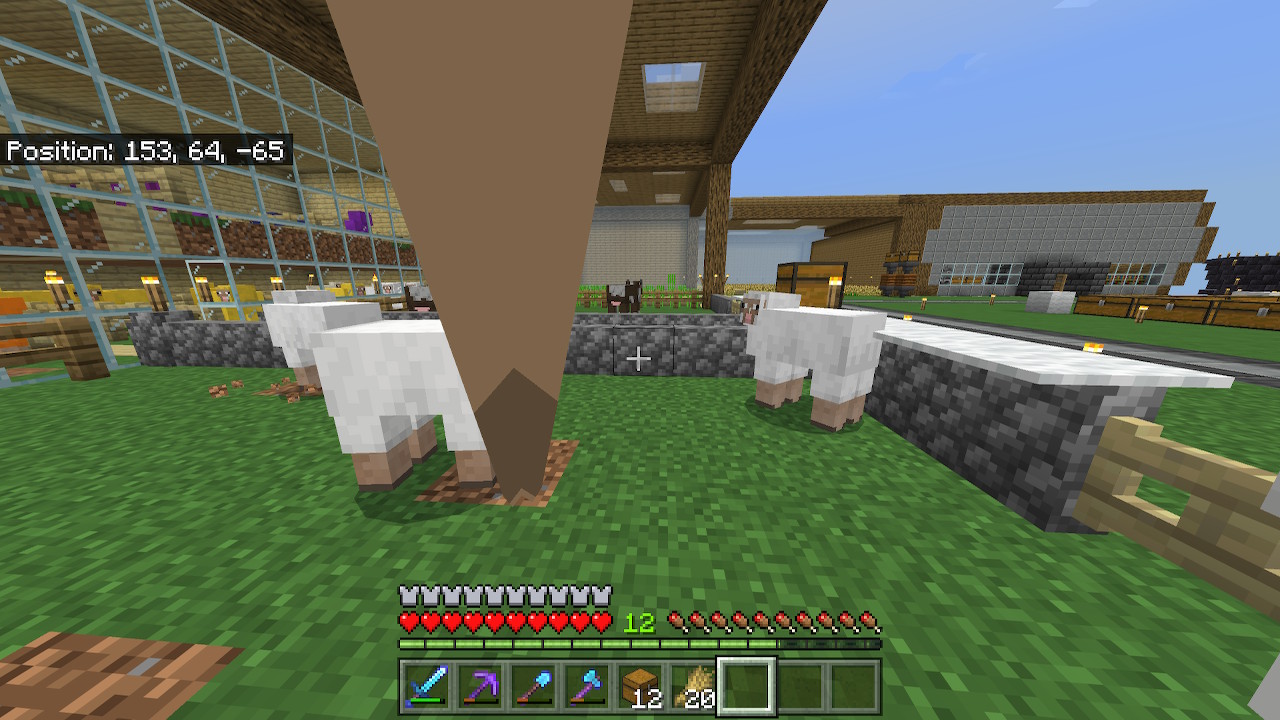
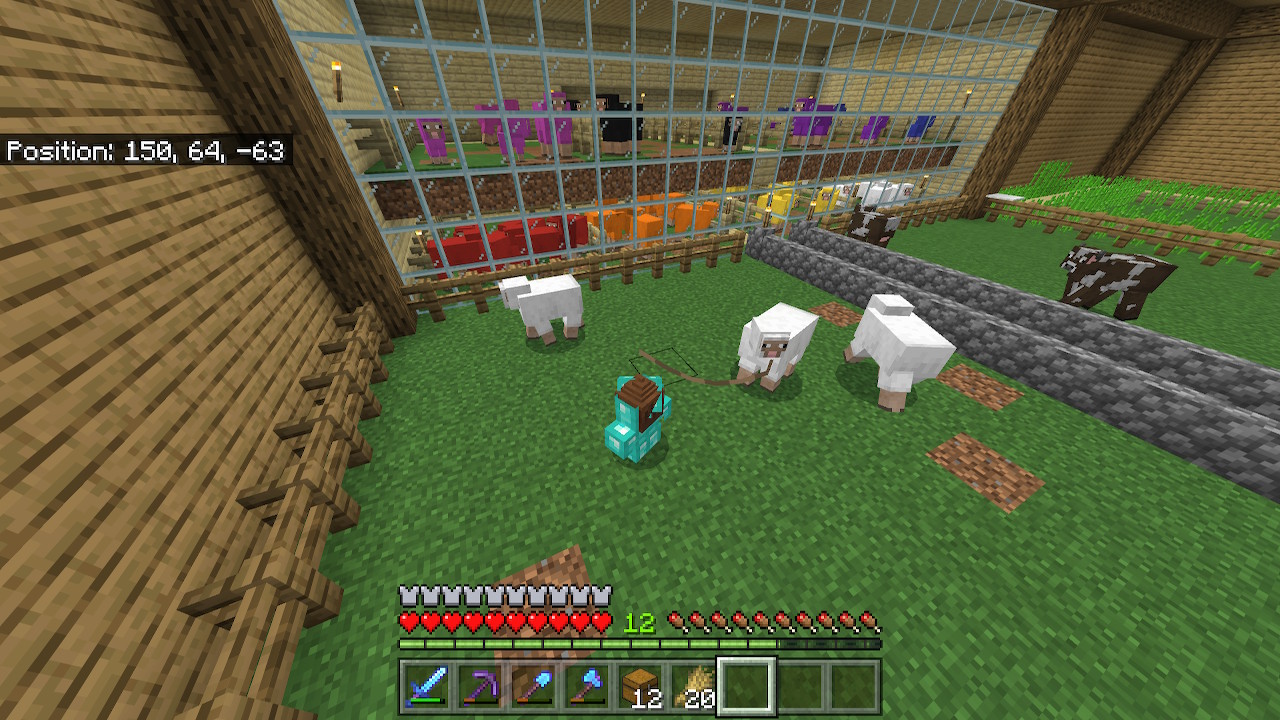
After holding out the correct food for any animal they detect it late. When I pull it out for the first time they respond to it right away and hurry to me. When putting it away and pulling it out a second time they take a while to respond to it again. Note: This goes for any animal that detects their type of food, not just sheep like in my example.
Animals take a long time to detect food held by the player after put away and taken back out
I don’t think so because when scrolling over it, its too quick for anything to happen. The bug that I’m saying is where you pull out the food, the animal detects it and starts running to you, food is put away and put back out and the animals take at least 5 seconds to then run to you.
Did you try to do what it said, if so what was the result?
That’s why I said possible dupe
Affects 1.19.40.20
This is a touch control issue. When I row the boat off a cliff, the leave boat button disappears for the duration of the fall, forcing me to complete the boat's potentially fatal path. A PC or console user could simply press a physical button and fly out via Elytra, and I feel mobile users too deserve at least a chance to save themselves. This issue has so far ruined my plans to make a Shulker farm as I cannot yet be prepared for that kind of accident. I found no setting to fix it either. Can you fix this quickly?
Update to this issue [by Splunkon]: The button does disappear when falling but you can still tap where the button was. It just seems to be a visual glitch with the button not showing.
When I row a boat off a cliff, the "leave boat" button disappears for the duration of the fall.
The button does disappear when falling but you can still tap where the button was. It just seems to be a visual glitch with the button not showing.
Steps to Reproduce:
1. When using the2.
Observed Results:
Expected Results:
When I row a boat off a cliff, the "leave boat" button disappears for the duration of the fall.
The button does disappear when falling but you can still tap where the button was. It just seems to be a visual glitch with the button not showing.
Steps to Reproduce:
1.When using the2.
Observed Results:
Expected Results:
When I row a boat off a cliff, the "leave boat" button disappears for the duration of the fall.
The button does disappear when falling but you can still tap where the button was. It just seems to be a visual glitch with the button not showing.
Steps to Reproduce:
1. Use the "D-Pad & tap to interact" layout2. Hop into a boat
3. Row off a cliff
Observed Results:
The "leave boat" button will disappear while you are falling but will reappear when you reach the ground.
Expected Results:
The "leave boat" button will remain on screen while you're falling.
Notes:
When I row a boat off a cliff, the "leave boat" button disappears for the duration of the fall.
The button does disappear when falling but you can still tap where the button was. It just seems to be a visual glitch with the button not showing.
Steps to Reproduce:
1. Use the "D-Pad & tap to interact" layout2. Hop into a boat
3. Row off a cliff
Observed Results:
The "leave boat" button will disappear while you are falling but will reappear when you reach the ground.
Expected Results:
The "leave boat" button will remain on screen while you're falling.
Notes:
When I row a boat off a cliff, the "leave boat" button disappears for the duration of the fall.
The button does disappear when falling but you can still tap where the button was. It just seems to be a visual glitch with the button not showing.
Steps to Reproduce:
1. Use the "D-Pad & tap to interact" layout2. Hop into a boat
3. Row off a cliff
Observed Results:
The "leave boat" button will disappear while you are falling but will reappear when you reach the ground.
Expected Results:
The "leave boat" button will remain on screen while you're falling.
Notes:
After the new touch control modes were added this was fixed for the "Joystick & tap to interact" layout and the "Joystick & aim crosshair" layout. This is still an issue with the "D-Pad & tap to interact" layout with the same visual glitch
When I row a boat off a cliff, the "leave boat" button disappears for the duration of the fall.
The button does disappear when falling but you can still tap where the button was. It just seems to be a visual glitch with the button not showing.
Steps to Reproduce:
1. Use the "D-Pad & tap to interact" layout2. Hop into a boat
3. Row off a cliff
Observed Results:
The "leave boat" button will disappear while you are falling but will reappear when you reach the ground.
Expected Results:
The "leave boat" button will remain on screen while you're falling.
Notes:
After the new touch control modes were added this was fixed for the "Joystick & tap to interact" layout and the "Joystick & aim crosshair" layout. This is still an issue with the "D-Pad & tap to interact" layout with the same visual glitch.
Update to this issue: After the new touch control modes were added this was fixed for the "Joystick & tap to interact" layout and the "Joystick & aim crosshair" layout. This is still an issue with the "D-Pad & tap to interact" layout with the same visual glitch in 1.19.60
This report is invalid because this is not the place for reporting problems with marketplace content.
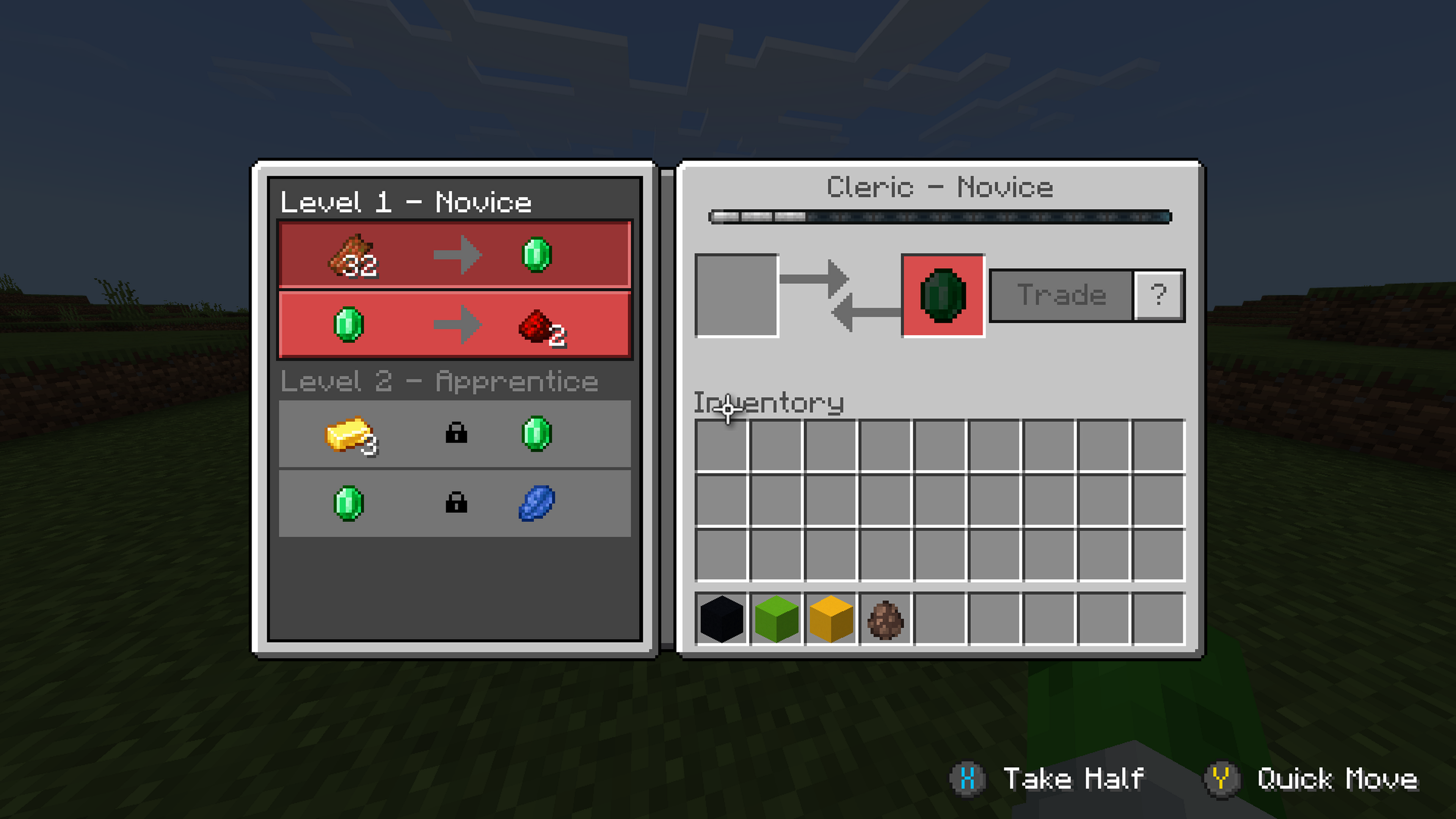
When I go into a villager to trade, the controller hints (that show you which buttons do different things) still show up even though I have them turned off in settings. The controller hints don't show up anywhere else.
Steps to Reproduce:
- Place down a villager
- Go into the villager
Observed Results:{}
The controller hints are shown in the bottom right corner
Expected Results:
The controller hints shouldn't show
because I have themturned off in settings.When I go into a villager to trade, the controller hints (that show you which buttons do different things) still show up even though I have them turned off in settings. The controller hints don't show up anywhere else.
Steps to Reproduce:
- Place down a villager
- Go into the villager
Observed Results:
The controller hints are shown in the bottom right corner
Expected Results:
The controller hints shouldn't show when they are turned off in settings
When I go into a villager to trade, the controller hints (that show you which buttons do
different things) still show up even though I have them turned off in settings. The controller hints don't show up anywhere else.Steps to Reproduce:
Place down a villagerGo into the villagerObserved Results:
The controller hints are shown in the bottom right
cornerExpected Results:
The controller hints shouldn't show when they are turned off in settings
When I go into a villager to trade, the controller hints (that show you which buttons do what) still show up even though I have them turned off in settings. The controller hints don't show up anywhere else.
Steps to Reproduce:
- Have controller hints turned off
- Be using a controller
- Place down a villager
- Go into the villager
- Hover over the inventory and notice that the controller hints show
Observed Results:
The controller hints are shown in the bottom right of the screen.
Expected Results:
The controller hints shouldn't show when they are turned off in settings.
Controller hints show in villager menuevenwhen turned off
Affects 1.19.60
When Suspicious Sand is dropped onto a Daylight Sensor, it drops
Steps to Recreate:
- Place a daylight sensor
- Build a couple of blocks high above the daylight sensor
- Place Suspicious Sand on the stack of blocks and have it drop onto the daylight sensor
Observed Results:
The Suspicious Sand drops and is able to be picked up.
Expected Results:
The Suspicious Sand should not drop.
Notes:
This is also technically a parity issue because this doesn't happen in Java.
When Suspicious Sand is dropped onto a Daylight Sensor, Sign, Banner, Mob Skull, Sculk Sensor, and Campfire, it drops
Steps to Recreate:
- Place a daylight sensor
- Build a couple of blocks high above the daylight sensor
- Place Suspicious Sand on the stack of blocks and have it drop onto the daylight sensor
Observed Results:
The Suspicious Sand drops and is able to be picked up.
Expected Results:
The Suspicious Sand should not drop.
When Suspicious Sand is dropped onto a Daylight Sensor, Sign, Banner, Mob Skull, Sculk Sensor, Conduit, and Campfire, it drops
Steps to Recreate:
- Place a daylight sensor
- Build a couple of blocks high above the daylight sensor
- Place Suspicious Sand on the stack of blocks and have it drop onto the daylight sensor
Observed Results:
The Suspicious Sand drops and is able to be picked up.
Expected Results:
The Suspicious Sand should not drop.
When Suspicious Sand is dropped onto a Daylight Sensor, Sign, Banner, Mob Skull, Sculk Sensor, Conduit, and Campfire, it drops
Steps to Recreate:
- Place a daylight sensor
- Build a couple of blocks high above the daylight sensor
- Place Suspicious Sand on the stack of blocks and have it drop onto the daylight sensor
Observed Results:
The Suspicious Sand drops and is able to be picked up.
Expected Results:
The Suspicious Sand should not drop
, but instead iscompletely destroyed.When Suspicious Sand is dropped onto a Daylight Sensor, Sign, Banner, Mob Skull, Sculk Sensor, Conduit, and Campfire, it drops
Steps to Recreate:
- Place a daylight sensor
- Build a couple of blocks high above the daylight sensor
- Place Suspicious Sand on the stack of blocks and have it drop onto the daylight sensor
Observed Results:
The Suspicious Sand drops and is able to be picked up.
Expected Results:
The Suspicious Sand should not drop and should get completely destroyed.
It doesn't duplicate your report because you are talking about the actual torch flower but I am talking about the seeds and how they are too small.
When using bonemeal to grow a Torchflower, it will grow into
its final form immediatelywhich doesn't match Javawhereit takes at least 2times to grow into the final form.When using bonemeal to grow a Torchflower, it will grow into a full Torchflower using only 1 bonemeal which doesn't match Java. On Java, it takes at least 2 uses of bonemeal to grow into a full Torchflower.
Steps to Reproduce:
- Place some farmland and water
- Get Torchflower seeds and bonemeal
- Plant the Torchflower seeds on the farmland
- Count how many uses of bonemeal it takes to grow into a full Torchflower
- Do the same thing in Java Edition to compare how much it takes
Observed Results:
On Bedrock, it takes 1 bonemeal to grow into a full Torchflower and in Java, it takes at least 2 bonemeal.
Expected Results:
In Bedrock, it should also take at least 2 bonemeal and not grow into a full Torchflower immediately.
When using bonemeal to grow a Torchflower, it will grow into a full Torchflower using only 1 bonemeal which doesn't match Java. On Java, it takes at least 2 uses of bonemeal to grow into a full Torchflower.
Steps to Reproduce:
- Place some farmland and water
- Get Torchflower seeds and bonemeal
- Plant the Torchflower seeds on the farmland
- Count how many uses of bonemeal it takes to grow into a full Torchflower
- Do the same thing in Java Edition to compare how much it takes
Observed Results:
On Bedrock, it takes 1 bonemeal to grow into a full Torchflower and in Java, it takes at least 2 bonemeal.
Expected Results:
In Bedrock, it should also take at least 2 bonemeal and not grow into a full Torchflower immediately.
Notes:
Be sure to look at the videos to see the difference.
The Sniffer's head occasionally glitches. This is purely a visual glitch and seems to happen randomly.
Steps to Reproduce:
- Acquire a Sniffer spawn egg
- Place a sniffer
- Watch until you see the head glitch (It will flicker into a different position then back)
Observed Results:
The Sniffer's head occasionally glitches
Expected Results:
The Sniffer's head shouldn't glitch and should work like all the other mobs animations
Sniffer canEnterMinecartsSniffer can enter minecarts
The Sniffer should not be able to enter minecarts. This
cannot happen onJava.The Sniffer should not be able to enter minecarts. This is a parity issue with Java
Sniffer can enter minecarts in Bedrock
The Monster Spawner won't spawn Ender Dragon or Wither.
Steps to Reproduce: **
- Aquire a wither spawn egg and ender dragon spawn egg using commands (Wither: /give @s wither_spawn_egg | Ender Dragon: /give @s ender
-dragon-spawn-egg)- Place two monster spawners
- Place a wither egg in one and the ender dragon egg in the other
Observed Results:
Neither a Wither or Ender Dragon will spawn.
Expected Results:
A wither and Ender Dragon will spawn.
The Monster Spawner won't spawn Ender Dragon or Wither.
Steps to Reproduce:
- Acquire a wither spawn egg and an ender dragon spawn egg using commands (Wither: /give @s wither_spawn_egg | Ender Dragon: /give @s ender_dragon_spawn_egg)
- Place two monster spawners
- Place a wither egg in one and the ender dragon egg in the other
Observed Results:
Neither a Wither nor Ender Dragon will spawn.
Expected Results:
A wither and Ender Dragon will spawn.
The Monster Spawner won't spawn Ender Dragon or Wither.
Steps to Reproduce:
- Acquire a wither spawn egg and an ender dragon spawn egg using commands (Wither: /give @s wither_spawn_egg | Ender Dragon: /give @s ender_dragon_spawn_egg)
- Place two monster spawners
- Place a wither egg in one and the ender dragon egg in the other
Observed Results:
Neither a Wither nor Ender Dragon will spawn.
Expected Results:
A wither and Ender Dragon
will spawn.The Monster Spawner won't spawn an Ender Dragon or Wither.
Steps to Reproduce:
- Acquire a wither spawn egg and an ender dragon spawn egg using commands (Wither: /give @s wither_spawn_egg | Ender Dragon: /give @s ender_dragon_spawn_egg)
- Place two monster spawners
- Place a wither egg in one and the ender dragon egg in the other
Observed Results:
The Wither will not spawn but is spinning inside the spawner. The Ender Dragon "spawns" the model of an Ender Dragon on top of the spawner but it doesn't move. The Ender Dragon is also spinning inside the Spawner.
Expected Results:
A wither and Ender Dragon should spawn and move around.
Monster Spawner won't spawn an Ender Dragon or Wither.
The Monster Spawner won't spawn an Ender Dragon or Wither.
Steps to Reproduce:
- Acquire a wither spawn egg and an ender dragon spawn egg using commands (Wither: /give @s wither_spawn_egg | Ender Dragon: /give @s ender_dragon_spawn_egg)
- Place two monster spawners
- Place a wither egg in one and the ender dragon egg in the other
Observed Results:
The Wither will not spawn but is spinning inside the spawner. The Ender Dragon "spawns" the model of an Ender Dragon on top of the spawner but it doesn't move. The Ender Dragon is also spinning inside the Spawner.
Expected Results:
A wither and Ender Dragon should spawn and move around.The Monster Spawner won't spawn an Ender Dragon or Wither.
Steps to Reproduce:
- Acquire a wither spawn egg and an ender dragon spawn egg using commands (Wither: /give @s wither_spawn_egg | Ender Dragon: /give @s ender_dragon_spawn_egg)
- Place two monster spawners
- Place a wither egg in one and the ender dragon egg in the other
Observed Results:
The Wither will not spawn but is spinning inside the spawner. The Ender Dragon "spawns" the model of an Ender Dragon on top of the spawner but it doesn't move. The Ender Dragon is also spinning inside the Spawner.
Important!: The Wither will spawn in the Nether and End but not in the overworld. | The Ender Dragon will spawn in the End but not in the Nether or Overworld.
Expected Results:
The Wither and Ender Dragon should spawn and move around no matter the dimension.
I can do it just fine when using a controller.
Workaround:
If you leave and rejoin you will be back where you left off.
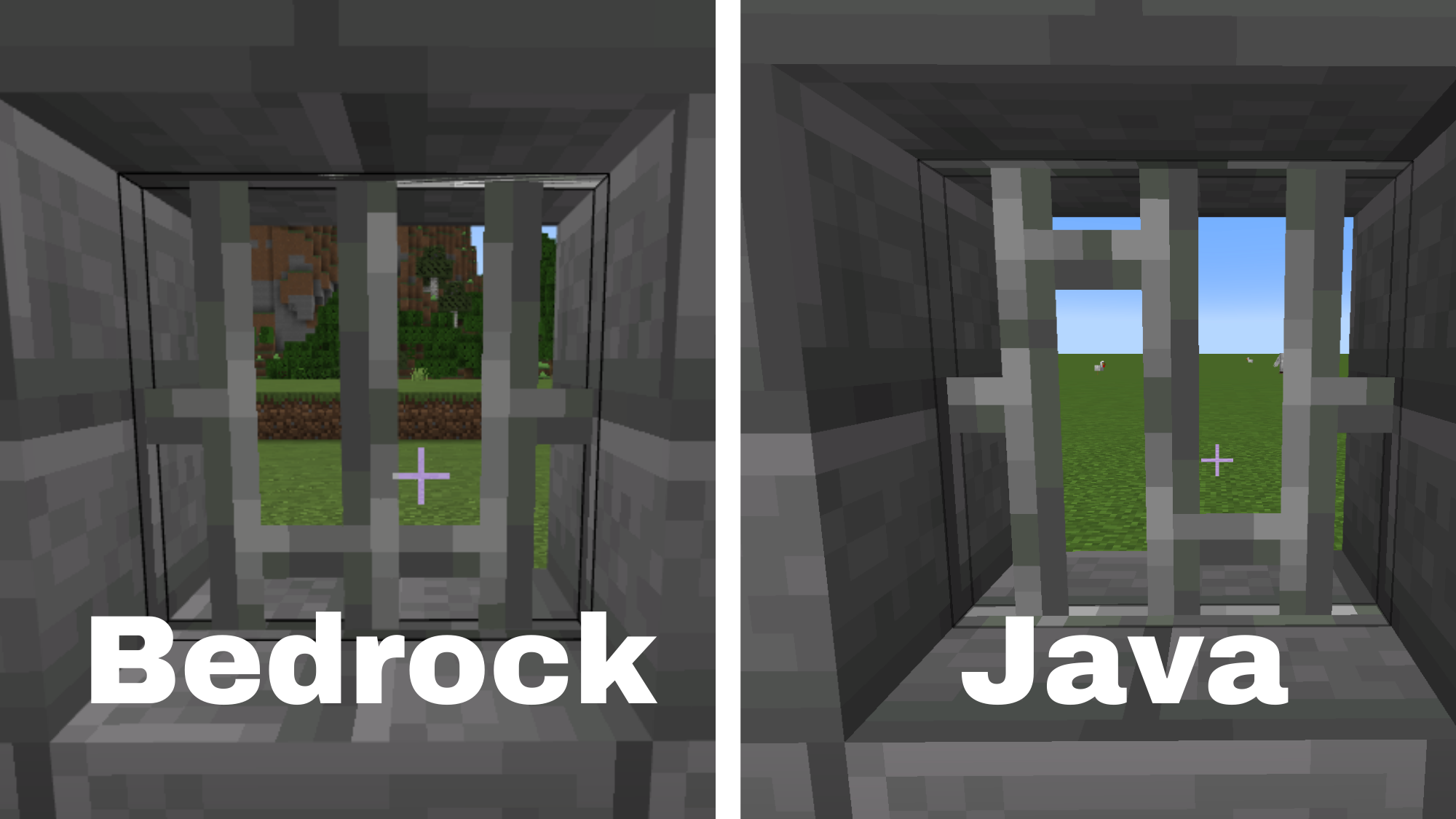
I've noticed that the texture looks mirrored a few days ago and thought this was intentional but I noticed that the Java edition had a different texture when placed. This bug makesIronBars look repetitive in large quantities.The texture mapping for iron bars is incorrect, resulting in them appearing roughly mirror symmetric when viewed from the side, instead of roughly rotationally symmetric like the item texture. This bug makes iron bars look repetitive in large quantities.
Steps to reproduce:
The texture mapping for iron bars is incorrect, resulting in them appearing roughly mirror symmetric when viewed from the side, instead of roughly rotationally symmetric like the item texture. This bug makes iron bars look repetitive in large quantities.
Steps to
reproduce:
The texture mapping for iron bars is incorrect, resulting in them appearing roughly mirror symmetric when viewed from the side, instead of roughly rotationally symmetric like the item texture. This bug makes iron bars look repetitive in large quantities.
Steps to Reproduce:
- Place two solid blocks with a one-block gap between them
- Place an iron bar in the gap
Observed Results:
The iron bars appear Ш-shaped (Refer to attached picture)
Expected Results:
The iron bars should look like the item which is also what they look like on Java edition
Iron Bars have thewrongtexture when placedIron Bars have the incorrect texture when placed in between two blocks
Steps to Reproduce:
- Open up Minecraft on a splitscreen-compatible device (Xbox, Playstation, Switch, etc. No servers)
every time i play splitscreen and somebody pauses their screen or uses inventory,crafting table,furnance ect.. the aiming cursor on the other screens disappears and when they exit out of what they're using the aiming cursor comes back
Steps to Reproduce:
- Open up Minecraft on a splitscreen-compatible device (Xbox, Playstation, Switch, etc. No servers)
every time i play splitscreen and somebody pausestheirscreen or uses inventory,crafting table,furnance ect.. the aiming cursor on the other screens disappears and when they exit out of what they're using the aiming cursor comes backSteps to Reproduce:
- Open up Minecraft on a split-screen-compatible device (Xbox, Playstation, Switch, etc. No servers)
- With a second controller, add a second player to start split-screen
- Have either player open up their inventory or any other menu (Any UI)
Observed Results:
Any players that don't have any menus opened up will see that their crosshair is flickering. When all players in a menu exit the menu, all players' crosshairs will return back to normal.
Expected Results:
The crosshair should stay solid and not flicker when players open up a menu.
Steps to Reproduce:
- Open up Minecraft on a split-screen-compatible device (Xbox, Playstation, Switch, etc. No servers)
- With a second controller, add a second player to start split-screen
- Have either player open up their inventory or any other menu (Any UI)
Observed Results:
Any players that don't have any menus opened up will see that their crosshair is flickering. When all players in a menu exit the menu, all players' crosshairs will return back to normal.
Expected Results:
The crosshair should stay solid and not flicker when players open up a menu.
Notes:
If there are 3 or 4 players playing split-screen, sometimes the crosshairs disappear completely.
Steps to Reproduce:
- Open up Minecraft on a split-screen-compatible device (Xbox, Playstation, Switch, etc. No servers)
- With a second controller, add a second player to start split-screen
- Have either player open up their inventory or any other menu (Any UI)
Observed Results:
Any players that don't have any menus opened up will see that their crosshair is flickering. When all players in a menu exit the menu, all players' crosshairs will return back to normal.
Expected Results:
The crosshair should stay solid and not flicker when players open up a menu.
Notes:
If there are 3 or 4 players playing split-screen, sometimes the crosshairs disappear completely.
Steps to Reproduce:
- Open up Minecraft on a split-screen-compatible device (Xbox, Playstation, Switch, etc. No servers)
- With a second controller, add a second player to start split-screen
- Have either player open up their inventory or any other menu (Any UI)
Observed Results:
Any players that don't have any menus opened up will see that their crosshair is flickering. When all players in a menu exit the menu, all players' crosshairs will return back to normal.
Expected Results:
The crosshair should stay solid and not flicker when players open up a menu.
Notes:
Steps to Reproduce:
- Open up Minecraft on a split-screen-compatible device (Xbox, Playstation, Switch, etc. No servers)
- With a second controller, add a second player to start split-screen
- Have either player open up their inventory or any other menu (Any UI)
Observed Results:
Any players that don't have any menus opened up will see that their crosshair is flickering. When all players in a menu exit the menu, all players' crosshairs will return back to normal.
Expected Results:
The crosshair should stay solid and not flicker when players open up a menu.
Notes:
Steps to Reproduce:
- Open up Minecraft on a split-screen-compatible device (Xbox, Playstation, Switch, etc. No servers)
- With a second controller, add a second player to start split-screen
- Have either player open up their inventory or any other menu (Any UI)
Observed Results:
Any players that don't have any menus opened up will see that their crosshair is flickering. When all players in a menu exit the menu, all players' crosshairs will return back to normal.
If 2 players are in a menu, the other players' crosshairs will disappear but if a 3rd person enters a menu, the player not in a menu will have a crosshair and it will be flashing more intensely.
Here is a video that demonstrates all variations of flashing and no crosshair:
Flashing Crosshair Showcase.mp4Expected Results:
The crosshair should stay solid and not flicker when players open up a menu.
Notes:
Players going into 3rd person also trigger the flashing and/or crosshair disappearing.

Steps to Reproduce:
- Open up Minecraft on a split-screen-compatible device (Xbox, Playstation, Switch, etc. No servers)
- With a second controller, add a second player to start split-screen
- Have either player open up their inventory or any other menu (Any UI)
Observed Results:
Any players that don't have any menus opened up will see that their crosshair is flickering. When all players in a menu exit the menu, all players' crosshairs will return
backto normal.If 2 players are in a menu, the other players' crosshairs will disappear but if a 3rd person enters a menu, the player not in a menu will have a crosshair and it will be flashing more intensely.
Here is a video that demonstrates all variations of flashing and no crosshair:
Flashing Crosshair Showcase.mp4Expected Results:
The crosshair should stay solid and not flicker when players open up a menu.
Notes:
Players going into 3rd person also trigger the flashing and/or crosshair disappearing.
Steps to Reproduce:
- Open up Minecraft on a split-screen-compatible device (Xbox, Playstation, Switch, etc. No servers)
- With a second controller, add a second player to start split-screen
- Have either player open up their inventory or any other menu (Any UI)
Observed Results:
Any players that don't have any menus opened up will see that their crosshair is flickering. When all players in a menu exit the menu, all players' crosshairs will return to normal.
If 2 players are in a menu, the other players' crosshairs will disappear but if a 3rd person enters a menu, the player not in a menu will have a crosshair and it will be flashing more intensely.
Here is a video that demonstrates all variations of flashing and no crosshair:
Flashing Crosshair Showcase.mp4Expected Results:
The crosshair should stay solid and not flicker nor disappear when players open up a menu.
Notes:
Players going into 3rd person also trigger the flashing and/or crosshair disappearing.
![[Mod] EVGENSYPERPRO](../../../data/avatars/users/92853.png)
Splunkon: No. they are different problems

@Splunkon It's not any text configuration, everything happened with the last update of minecraft Bedrock, and I can't play anything because that control configuration always appears first before starting a world, and in the configurations it's the same, I don't know what to do anymore
Can confirm this happens on 1.18.33 on Nintendo Switch.
Same here on my Switch, IOS, and Xbox.
Its because this one is a duplicate of another one. This bug is already being tracked in
MCPE-155921Im having this issue too.
Can you add that the villagers also never go to the workstation that is close to them. Just kinda like with you they always go to one that is way too far out of range.
Its not really a duplicate. It may be the same bug but mine is happening with small skins not regular sized. [Mod] OcelotOnesie
I agree with “\” this is not even close to the other problem. Some mod please open this bug back up.
Can confirm this is not a bug and is intended.
This is working as intended and stated in the 1.19.0.24/25 changelog:
Skulk Shriekers placed by players do not spawn the warden only ones placed during world generation.
This is working as intended because only skulk shriekers placed during world generation will be able to spawn the warden/activate the darkness affect.
Updated affected versions: Preview 1.19.20.20
Updated Platforms: Nintendo Switch, Xbox, IOS (Multiple)
This is also affected in 1.19.20.20
This is working as intended as said in the changelog. The warden will only spawn with skulk shriekers generated naturally not ones placed by the player.
This bug is also apparent in 1.19.20.20
This issue is already being tracked in
MCPE-118539and should be marked as duplicate.If I am understanding this right then this bug is already being tracked in
MCPE-88185and should be marked as duplicate.Could you please provide a video to show more context? Also if this is on realms then it should not be a MCPE ticket.
Does this happen on both realms and in a normal survival world?
Thank you for your report!
We are already tracking this issue at
REALMS-3491so this ticket should be marked as duplicate.This is also an issue in 1.19.2
The ticket I linked also affects regular worlds too.
I’m afraid that is out of my control. If you feel something is wrong then feel free to contact us on the Moira Discord server.
Could please you provide a screenshot showing the issue?
Could you please provide a screenshot or video of the problem?
Update to this issue: The button does disappear when falling but you can still tap where the button was. It just seems to be a visual glitch with the button not showing.
Also this is and issue in 1.19.20.20.
Also apparent in 1.19.20.20
This is also apparent in 1.19.2 and 1.19.20.20
Still apparent in 1.19.20.20
Updated platform: Multiple
Invalid because it does not have to do with Minecraft. It is to do with xbox/microsoft
Have you tried reinstalling the launcher and checked for enough available storage?
Have you downloaded the music pack from the marketplace? If not then the music discs will not play.
Have you reinstalled the launcher, restarted the wifi, checked for enough available storage, and restarted your computer?
Invalid because the custom biomes to do generate so they can't be located.
Resolved in 1.19.20.24 Preview
Resolved in 1.19.20.24 Preview
Affects 1.19.10 - 1.19.11 Hotfix - 1.19.20.24 Preview
Affects 1.19.20.20 Preview and 1.19.20.23 Preview
This is something you can change in settings. I forgot right now here it is but I think if you scroll all the way to the bottom you will see “set respawn radius” here you can change the number. I recommend just settings this at 0 if you want the player to respawn on the exact block. This is not a bug.
FIXED: This bug has beens fixed, it must have been a server issue since it was not mentioned in any of the recent release notes.
Affects: 1.19.22
I don’t think so because when scrolling over it, it's too quick for anything to happen. The bug that I’m saying is where you pull out the food, the animal detects it and starts running to you, food is put away and put back out and the animals take at least 5 seconds to then run to you.
Affects - 1.19.22
This duplicates
REALMS-5465Affects 1.19.22
Affects 1.19.22
Affects 1.19.22
Affects 1.19.22
Affects 1.19.22 - 1.19.40.20
Affects 1.19.22
Affects 1.19.22
I am having the same problem on 1.19.22. I just had to soft reset my Xbox because it wasn't working correctly. After doing this I had to go through the initial setup again then I was back to normal. The problem is all my saves got deleted off my Xbox and that included my Minecraft worlds. If I go to pick a world I have to wait for the syncing things to finish just to play that ONE world. I get the failed to sync error when I try to play (sync) my world which is 500MB.
Affects 1.19.22
Affects 1.19.22 and 1.19.40.20
Affects 1.19.22 and 1.19.40.20
Affects 1.19.22 and 1.19.40.20
Affects 1.19.22 and 1.19.40.20
Affects 1.19.22 and 1.19.40.20
Affects 1.19.20 and 1.19.40.20
I would like to add that this also happens with cave sounds too. Affects 1.19.22 and 1.19.40.20
Affects 1.19.22 and 1.19.40.20
Affects 1.19.22
Affects 1.19.40.20
Affects 1.19.22 and 1.19.40.20
Affects 1.19.22
Affects 1.19.22 and 1.19.40.20
Affects 1.19.22 and 1.19.40.20
Affects 1.19.22
Affects 1.19.22 and 1.19.40.20
Affects 1.19.22 and 1.19.40.20
Affects 1.19.22 and 1.19.40.20
Could you attach some screenshots showing this issue please?
Can I please get a reason why it "works as intended"?
I will note that the Mojang Studios screen will not appear if the app is still open in the background. It will only appear if its the first time opening Minecraft after closing it.
Has this occurred when you have fully closed the app and then reopened it?
Affects 1.19.51
Can you send a video?
Nope, this has been resolved now.
Can you send a video or screenshot of the issue please?
Duplicates MCPE-123918
This is invalid because not all realms have been updated. It will take a few days for all realms to be updates and become joinable.
Affects 1.19.60
Duplicates
MCPE-166763Duplicates
MCPE-166882What is your sensitivity set to? Take a screenshot of this.
Affects 1.19.60
Affects 1.19.60
Duplicates
MCPE-54531Affects 1.19.60
Duplicates MCPE-42912
Invalid because this is a suggestion.
What is wrong with the texture of the Spore Blossom?
Is this still an issue in 1.19.60?
Does this also occur in a normal world or just the map?
Duplicates MCPE-123918
Duplicates MCPE-36190
Affects 1.19.60
This problem seems to have been fixed on Xbox because I couldn't download my around 500 MB world a few months ago. Yesterday, I tried to download it again and I was able to.
Affects 1.19.60
Duplicates REALMS-419
Duplicates
MCPE-155081but it got resolved to "won't fix"Can you please submit a video of this?
Duplicates
MCPE-164589Duplicates
MCPE-130262How much memory (RAM) do you have on your phone? Having low memory can cause things like this to happen.
I'm not able to reproduce this in the latest version (1.19.60)
Duplicates MCPE-42590
Duplicates
MCPE-54531I am confused if you are in version 1.19.60 or 1.19.70.22 Preview because the title and description are saying 1.19.60 but the affects versions does not.
Could you attach a video of the issue?
Have you made sure the villager is linked to the right composter? You can do this by breaking and replacing the composter to see if the particles happen for the composter and the right villager.
Oh sorry, I completely missed the part where you said it doesn't happen in the overworld. I just tested it in the nether and it still doesn't light up things that aren't blocks. So this still occurs in 1.19.60 I would recommend adding that it doesn't occur in the overworld into the "steps to recreate".
Is this still an issue in 1.19.60?
Duplicates MCPE-66933
Is this still an issue in 1.19.60?
Do you have the text size on your phone increased or even have the zoom accessibility feature enabled in your phone?
Duplicates
MCPE-165806Duplicates
MCPE-166763Duplicates
MCPE-166947Duplicates MCPE-36190
Update to this issue:
Steps to reproduce:
Observed Results:
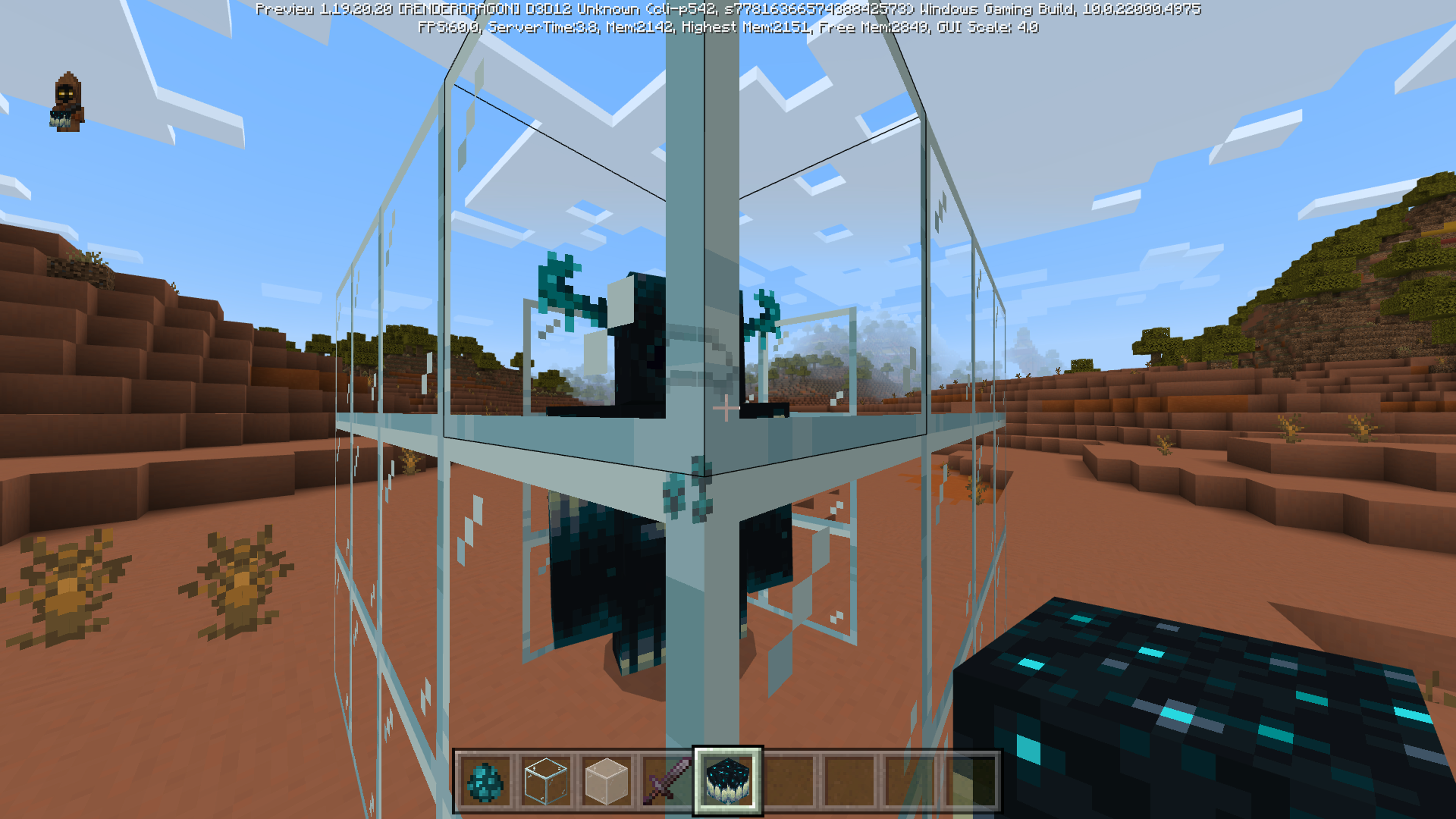
Certain textures of the warden go through non-transparent parts of the glass block.
Expected Results:
The non-transparent parts of glass will block all things behind it and will not be overlapped by other textures. (like the warden)
Update to this issue:
Steps to Reproduce:
Observed Results:
A snowball will drop from the broken snow layers.
Expected Results:
The snow layers should be dropped.
Duplicates
MCPE-99295This was resolved to "works as intended"I added a video which shows how much time it takes for the fog to reach a certain number of blocks.
Yes, this is still an issue in 1.19.60
Duplicates
MCPE-161125Duplicates
MCPE-54855I can confirm this. Platforms: Multiple and it's in 1.19.60
Update to this issue:
Steps to Reproduce:
Observed Results:
Notice how in all the different places the water generates weirdly.
Expected Results:
The water should generate correctly, flow correctly, and should not be floating.
Update to this issue:
Steps to Reproduce:
Observed Results:
When mobs turn the first 90 degrees they turn smoothly but after that, they start turning slowly and jittery.
Expected Results:
Monsters and animals' heads and bodies should turn at the same speed 360 degrees after 90 and the turning should be smooth.
Duplicates
MCPE-115808Invalid. This is a setting you have to change: Settings > Touch > Delayed Block Breaking (Creative Only)
Update to this issue:
Steps to Reproduce:
Observed Results:
The person that doesn't have any menus opened up will see that their crosshair is flickering. When you exit the menu, the crosshair will return back to normal.
Expected Results:
The crosshair should stay solid and not flicker.
Duplicates
MCPE-165806Update:
This seems to have changed. Now it doesn't make a splash sound anywhere above 11 blocks.
Relates to
MC-260066I would like to add that the hitbox is only too big on the Torchflowers that have been grown. Torchflowers placed by the player have a smaller hitbox.
Duplicates
MCPE-163111and that got resolved as invaidDuplicates MCPE-156326
Platforms: Multiple
I can confirm and Platforms: Multiple
Please only include one bug per report.
Platforms: Multiple
Is this still an issue in 1.19.60?
Duplicates
MCPE-164677Duplicates REALMS-474
Please do not duplicate your own report. This is the answer you got, "You would need to follow the official process for joining the partner program, which is beyond the scope of the bug tracker."
Ok I did not see what you had in the parentheses.
Mine have been finding seeds just fine. Sometimes they take a couple of minutes but they are still consistently finding seeds.
Duplicates
MCPE-159285Is this still an issue in 1.19.60?
Can you please provide a video because I can't see whats "odd" about the water?
Has this been fixed after they added the new emote selector?
Duplicates
MCPE-167183It seems that when they are placed on a block then the vines are on the wrong axis as seen by the hitbox. When they are placed in mid-air, their hitbox is the size of a full block.
On block:
Mid-air:
Platforms: Multiple
Invalid
Update:
The breaking turtle eggs now trigger the skulk sensor but everything else still doesn't.
The sign triggers the skulk sensor now.
Update to this issue:
Steps to Reproduce:
Observed Results:
The item slot will highlight for the cooldown even though I have not eaten the fruit.
Expected Results:
The item slot will only start the cooldown after you eat the fruit.
Platforms: Multiple
Duplicates
MCPE-165806Duplicates
MCPE-164677Duplicates
MCPE-164765It is still part of the same issue.
Have you tried removing the texture pack you are using?
Duplicates
MCPE-167186Duplicates
MCPE-156575Workaround:
If you leave and rejoin you will be back where you left off.
Duplicates
MCPE-164765Duplicates
MCPE-164765It is still an issue in the latest version. The version has just been added to the report!
Steps to Reproduce:
Observed Results:
There is z-fighting on the top and bottom of the iron bars where they connect with the blocks.
Expected Results:
There should not be z-fighting.
Affects 1.20.31
Affects 1.20.31
Affects 1.20.31
I would like to point out that the copy coordinates UI does still exist on iOS.
I am requesting ownership because the report hasn't been updated in over a year. I have also attached a video of the issue.
This is no longer an issue in the latest version (1.20.51) because the emote selector no longer displays the images.
Able to reproduce in 1.20.51