 John Dame
- Drith
- drith
- America/Los_Angeles
- Yes
- No
 MC-67673
![[Mojang] Searge (Michael Stoyke)](../../../data/assets/gravatar/searge.png)
![[Mojang] Grum (Erik Broes)](../../../data/assets/gravatar/grum.png)
 Low
Low![[Mod] Avoma](../../../data/avatars/users/86198.png)
![[Mod] Asteraoth](../../../data/avatars/users/92886.png)
![[Mojang] Cory Scheviak](../../../data/avatars/users/92893.png)
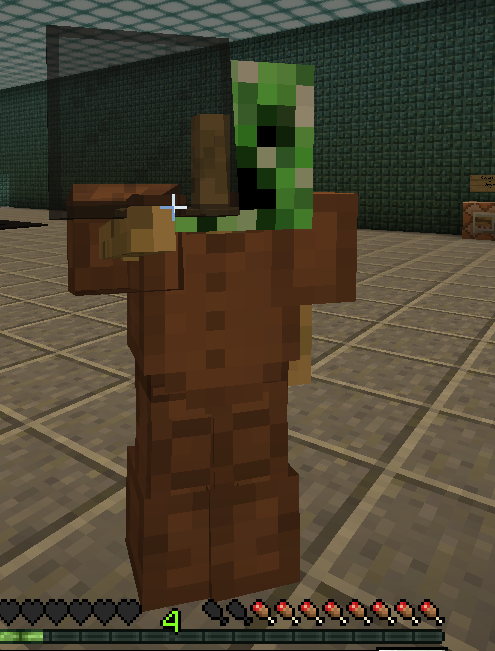
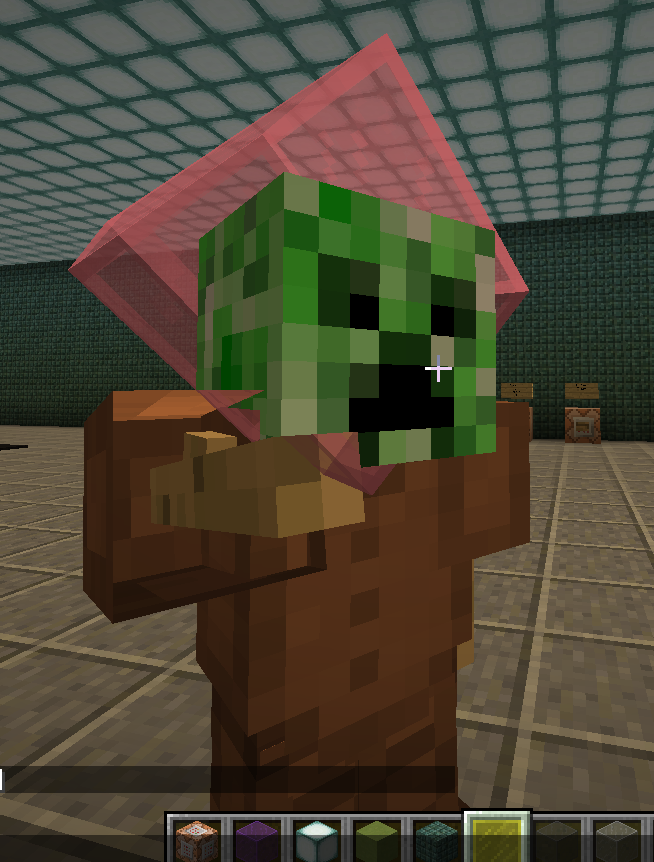



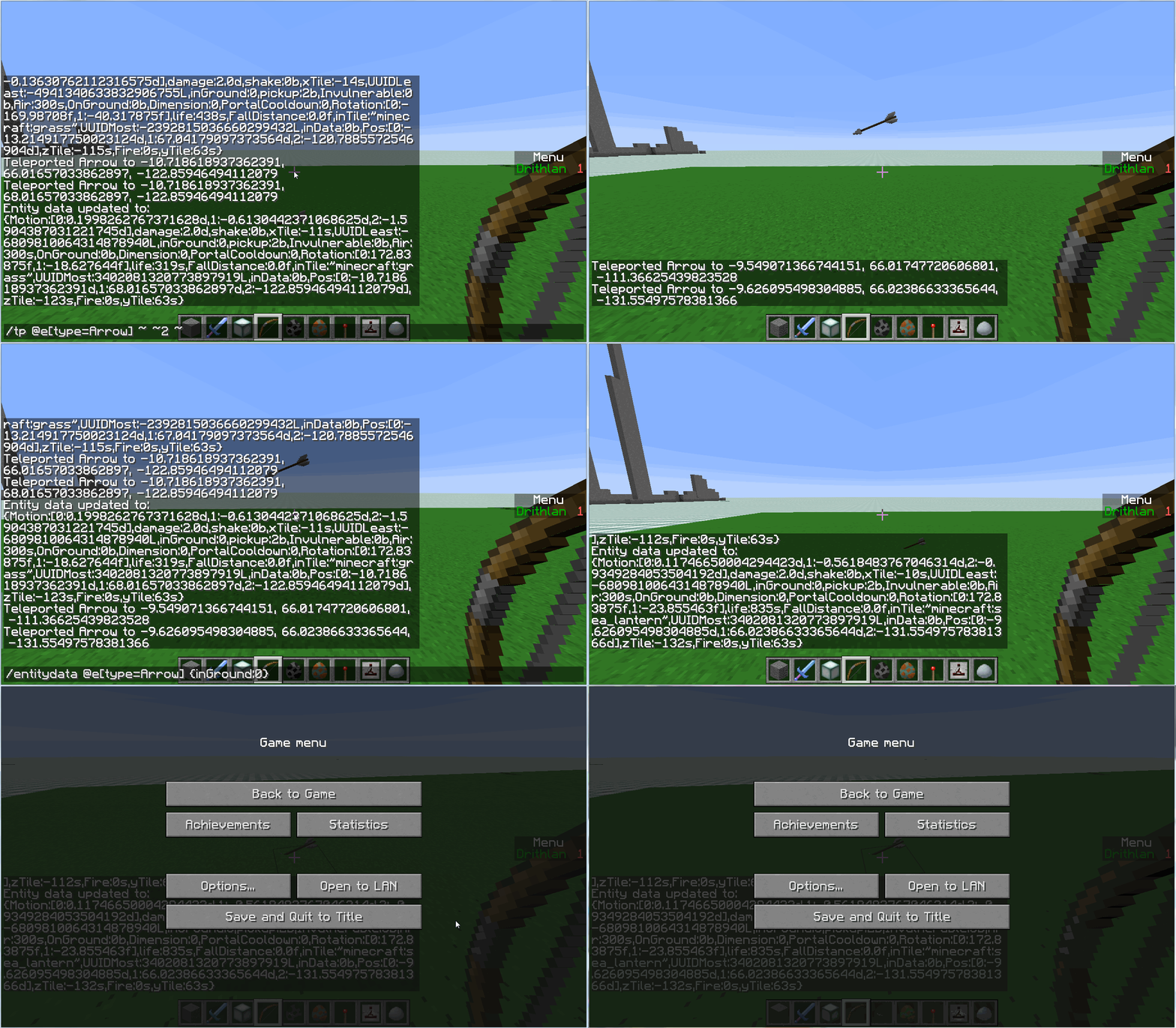
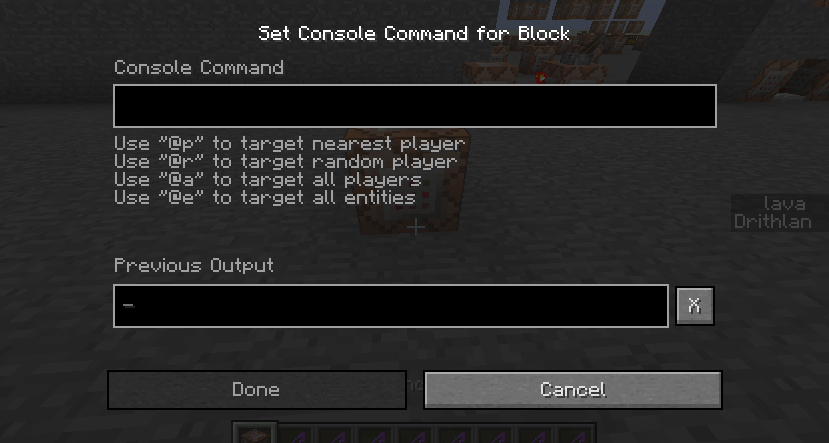


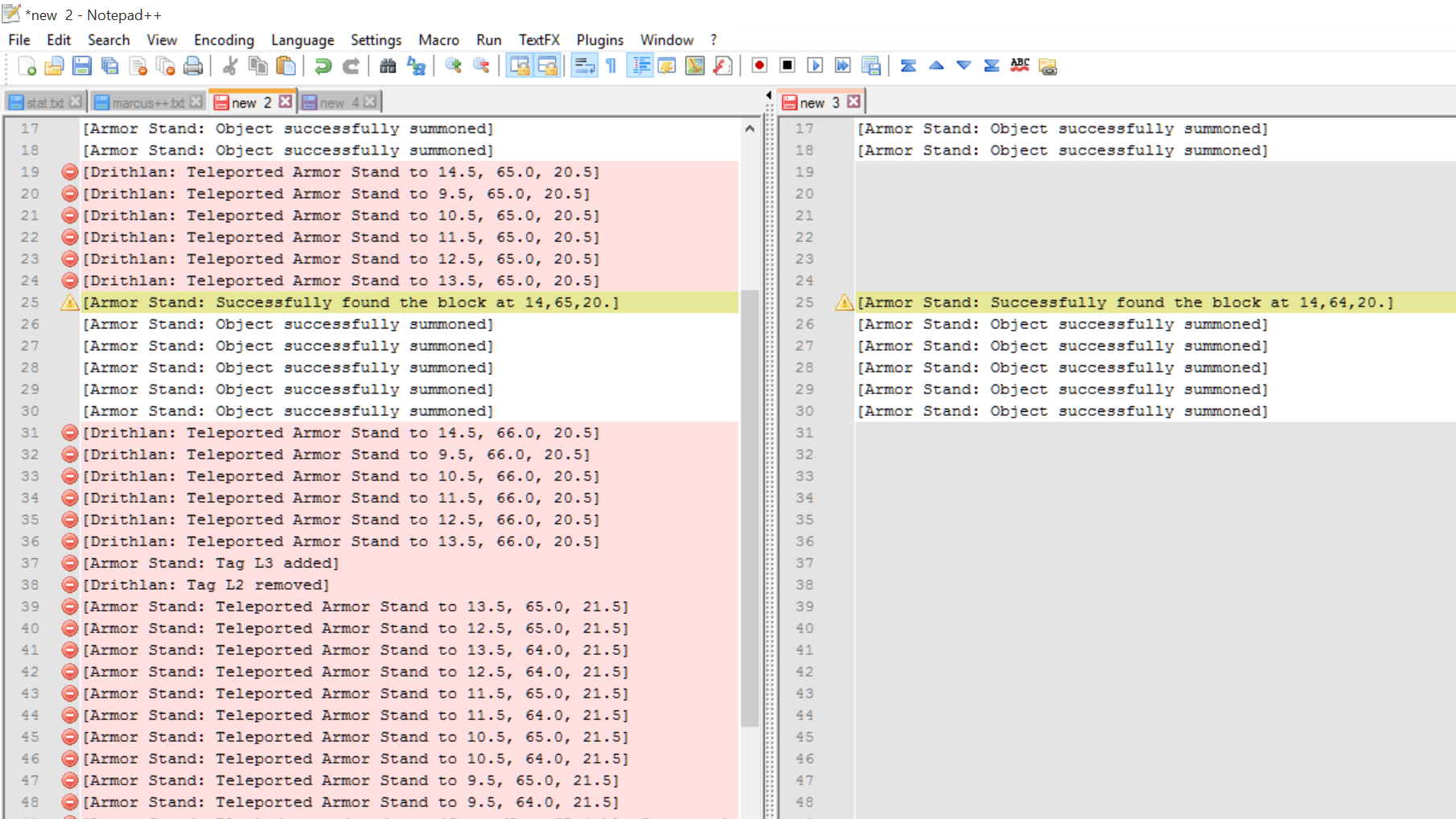




When I fired a bow with Slowness effect on my arrow, would look as if it bounced off of something just in front of me. But the arrow hit where it should of.
Second Attempt results.
To re create make a command block on a fast clock in the overworld And remember the X Y Z cords of the block. Then set the blocks command to "/tp @p[r=5] ~ ~2 ~" then go to the nether. Once in the nether go to the X Y Z cords of the Overworld command block, but in the nether. You will be teleported up 2 blocks once you are within 5 blocks of that location.
Are you trying to connect to someone elses server, or your own? On your own system?
Command in action.
POS.gif
Are you paused via esc menu or paused with another method, that could still be running commands ingame while you are away?
Now noone has answered Are you switching to a SECOND desktop keeping Minecraft at fullscreen on another desktop while you run other process on your second one? Or are you using ONE desktop and minimizing the game to access the apps?
I gave a horse an Armor and Saddle that had +HP Attribute and Yet another Attempt with ones that Had +Speed and neither attempt would affect the horse. I also Tried just holding the Saddle then Armor and the Speed ones made my POV Extend but no speed boost.
This can be recreated by using a command similar to:"/give @p minecraft:diamond_horse_armor 1 0 {AttributeModifiers:[{AttributeName:"generic.maxHealth",Name:"generic.maxHealth",Amount:2,Operation:0,UUIDLeast:894654,UUIDMost:2872}]}"
or"/give @p minecraft:diamond_horse_armor 1 0 {AttributeModifiers:[{AttributeName:"generic.movementSpeed",Name:"generic.movementSpeed",Amount:5,Operation:0,UUIDLeast:894654,UUIDMost:2872}]}"And then equip a tamed horse with them.
I gave a horse an Armor and Saddle that had +HP Attribute and Yet another Attempt with ones that Had +Speed and neither attempt would affect the horse. I also Tried just holding the Saddle then Armor and the Speed ones made my POV Extend but no speed boost.
What I expected was that the bonuses would apply to the horse. They did not.
This can be recreated by using a command similar to:
"/give @p minecraft:diamond_horse_armor 1 0 {AttributeModifiers:[{AttributeName:"generic.maxHealth",Name:"generic.maxHealth",Amount:2,Operation:0,UUIDLeast:894654,UUIDMost:2872}]}"
or"/give @p minecraft:diamond_horse_armor 1 0 {AttributeModifiers:[{AttributeName:"generic.movementSpeed",Name:"generic.movementSpeed",Amount:5,Operation:0,UUIDLeast:894654,UUIDMost:2872}]}"And then equip a tamed horse with them.
Use this "
{ " with code in the middle and " }" at the end.
Before and after the code like so:
This is code.
You should type the EXACT code you used. How are we supposed to help you if you tell us something different than what you did?
I had named an ArmorStand TIM! and when trying to tp only TIM! using the command [code] /tp @e [name=TIM!] ~ ~ ~ [/code] every entity, including the player, was moved.
When used on just regular TIM only the TIM named entities were moved.
I had named an ArmorStand TIM! and when trying to tp only TIM! using the command [code] /tp @e [name=TIM!] ~ ~ ~ [
/code] every entity, including the player, was moved.
When used on just regular TIM only the TIM named entities were moved.I had named an ArmorStand TIM! and when trying to tp only TIM! using the command
[code]
/tp @e [name=TIM!] ~ ~ ~
[code] every entity, including the player, was moved.
When used on just regular TIM only the TIM named entities were moved.
I had named an ArmorStand TIM! and when trying to tp only TIM! using the command
[code]
/tp @e[name=TIM!] ~ ~ ~
[code] every entity, including the player, was moved.
When used on just regular TIM only the TIM named entities were moved.I had named an ArmorStand TIM! and when trying to tp only TIM! using the command
/tp @e[name=TIM!] ~ ~ ~every entity, including the player, was moved.
When used on just regular TIM only the TIM named entities were moved.
This sounds like the UUID of the attributes of each weapon is the same to me. I had a similar problem in the past, and giving each items Attribute a different UUID fixed the issue.

@John Dame: This was a sed command: Globally replace "world" by "dimension"
http://linux.die.net/man/1/sed
Well, latin is in fact fluently readable compared to the syntax of sed

Samuel Klumpers like I said in MC-80973 ArmorStand have always pretermined pose values. So they are never 0.
John Dame The values are floats. The data structure I provided is the one you recieve when using /entitydata.
Did you check the spelling? The correct spelling is
{Invulnerable:1}Okay, I'll stop... Bugging you...with NBT quirks.
I too have noticed this.
Using your method results in the same problem.
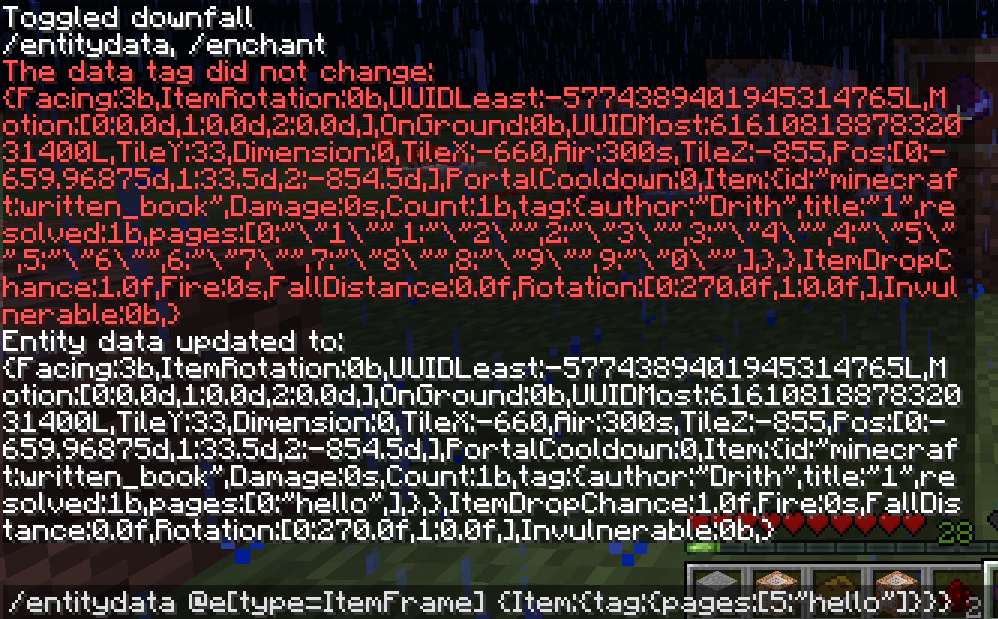
When I used the command: /entitydata @e[type=ItemFrame] {Item:{tag:
{pages:["","","","Hello"]}}}
Pages 1-3 had "null" written over the pages i had as they should not have, and page 4 changed to "Hello" as it should have.
Thanks for clearing that up. Still it would be nice to be able to Edit a Specific page using Commands, That way we could create an "Adventure Log" like item that can update specific pages after a player completes a pre-determined task.
You are kind of missing the description of the problem in your post here....
I'm pretty sure that is working as intended.... There has to be SOME limit.
Yes but 13 =! 14.
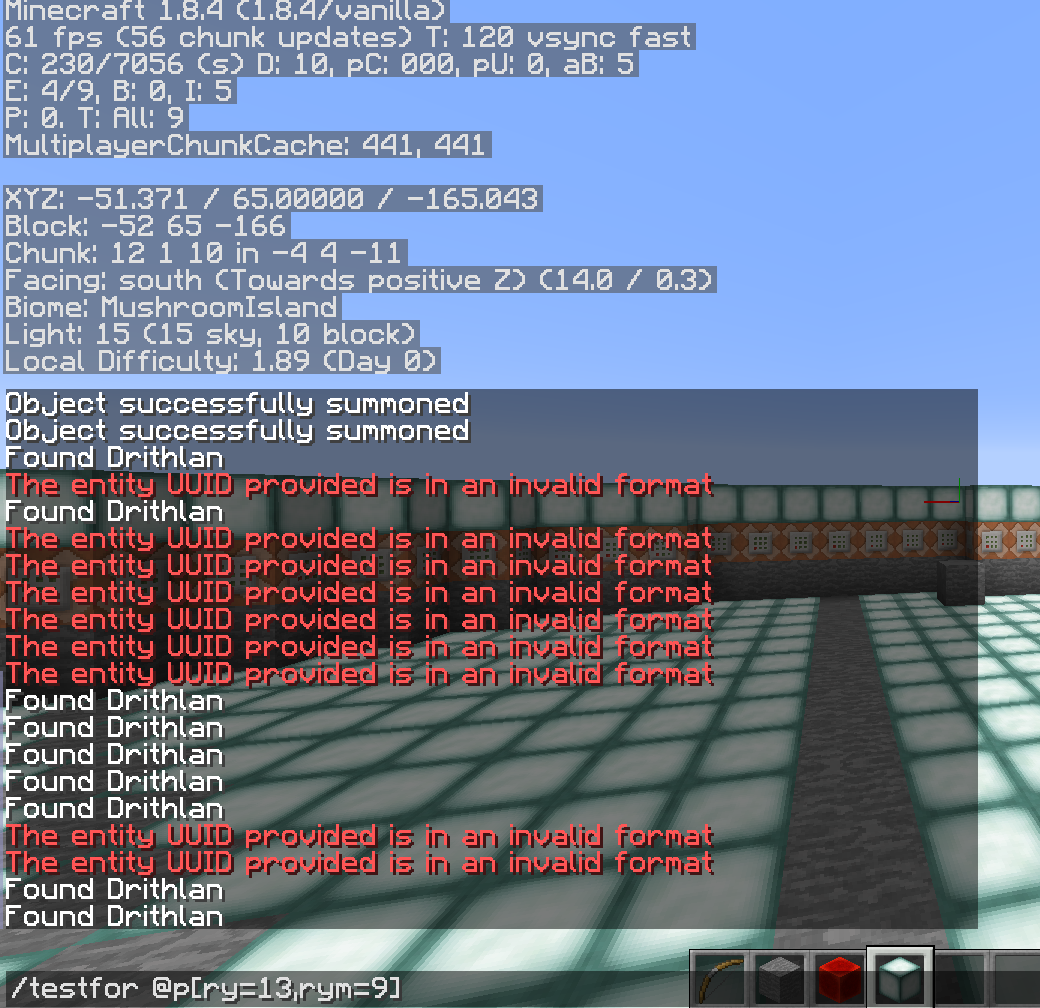
When i use the command "/tp @p ~ ~ ~ 14 ~" then re test for the rotation of 13 it fails. I think the F3 display in my original problem was at something similar to 13.99999999, but displaying it as 14. Since the F3 display doesn't display the decimal past the tenths spot, it must round up or something.
On a side note I cannot use "/testfor @p[ry=13.9]" Nor does "/testfor @p[ry=13.9d]" and "/testfor @p[ry=13.9f]" I always forget which letter is used for this kind of number.
This is still a problem in 1.8.4 also when a player has the slowness effect the line gets further displaced.
Yes FVbico it is. the title of
MC-45046states"Player skin doesn't render at Y:254.3 or more"
Y:254.3 OR MORE
20,000,000 is most definitely more than 254.3
I find it odd that a command block can affect someone in another dimension but cannot MOVE someone TO another dimension. These problems make it hard to use other dimensions when using command blocks in your map making.
A command like
/tp @p[d=1] X Y Z RY RX D (both d and D stand for dimension)
Would be really nice.
I feel sorry for you mods. All of these incomplete Forms must get tiresome....
And that means what exactly Kumasasa? It is latin to me!
It is not supported or else the Models/Textures would render.
So this issue should be marked "Working as intended" should it not?
@Kumasasa
Ah but I know neither Latin nor the syntax of sed (whatever sed is, looking at your link now)
and @FVbico I am sorry I actually am not able to recreate this either :/
@Kumasasa
Ah I now see that world was changed to Dimension in the title.
Ok i finally recreated the issue. If you place the Command block and clock in the overworld spawn chunks the command block will affect you in the nether.
I can confirm that r=-1 works.
@OP
Change your command block to:
"/execute @p[r=5] ~ ~ ~ /tp @p[r=-1] 128 64 0"
And it should work properly.
Actually using "/execute @p[r=-1] ~ ~ ~ /tp @p[r=5] 128 64 0" Causes the command to affect me anywhere in the over world not within 5 of the CB.
If you use "/execute @p[r=5] ~ ~ ~ /execute @p[r=-1,c=1] ~ ~ ~ /tp @p[r=0] 128 64 0" This will execute the command within 5 blocks of the CB at the player only in the same world as the CB and then tp said player where you want.
Try using "/execute @e[type=Item] ~ ~ ~ /scoreboard players set @e[r=0] Launch 1" if you want the item that is executing the command to set its own score. I tested this out myself and it seems to do what you want.
When you set the Arrows entity data to inGround:0 after using the TP command it then regains its momentum. See attached GIF
Does this still happen with the vanilla textures?
Skeletons have hollow heads because the brains/flesh have been removed, as they are SKELETONS. Makes sense for them to be hollow.
Mobs do not spawn on half slabs or stairs.
What menus are you talking about?
It is not invalid as 13.999999999 =! 14 still.
The point I am trying to make is this is reporting a "modified" version of minecraft when you are not using a Vanilla everything. Textures included.
IMO anyways..
Using THis command
{id:wooden_sword,Count:1}"/summon Skeleton ~ ~1 ~ {Equipment:[
,
{id:leather_boots,Count:1},
{id:leather_leggings,Count:1},
{id:leather_chestplate,Count:1},
{id:leather_helmet,Count:1}],DropChances:[1.0F,1.0F,1.0F,1.0F,1.0F]}"
Causes the Items to drop EVERY time. If you change the 1.0F to 2.0F they will drop 100% of the time UNDAMAGED.
If you go here http://mcstacker.bimbimma.com/ This tool helps get the correct syntax of commands.
In 1.8.4
Went to 1.7 and Re-tried
{id:268,Count:1}Using
"/summon Skeleton ~ ~1 ~ {Equipment:[
,
{id:298,Count:1},
{id:299,Count:1},
{id:300,Count:1},
{id:301,Count:1}],DropChances:[1.0F,1.0F,1.0F,1.0F,1.0F]}"
Works as well.
Your problem is you are trying to make a single command block do too much. You should not be stuffing enormous amounts of code into a single command block. They have limits for a reason. If your "Mod in a block" is crashing with one command block then maybe you should use two? Just like when a score in the game reaches its maximum value and then sends said score into the negatives, because there is a limit. You have a 32,767 character limit that should be more than adequate for any use. If not USE TWO.
I am not saying you don't know how to, but what you are doing is stuffing TOO MANY commands into a single command block. Trying to use a single command block like a .zip file. When you activate that 1 block in unpacks the rest. so actually it is NOT a SINGLE COMMAND mod, but a neatly packaged mod, which is ok. What I was trying to say is that it is NOT a bug they gave a command block a set character limit, you went over it and crashed your game. Stay UNDER the LIMIT and you will be fine, if you need to go over 32,000 characters use two.
If you ask me the game is working as intended, as the command blocks do have a set limit. Though if there is any bug it is that the game allows you to add characters over that limit and then crashes, an easy fix would be to make the command block stop input at 32,767 charaters, as it is the limit.
I tried it myself, and cannot reproduce the issue on windows 7. Could it be the server you are trying or as Arisa said are you using the correct version when joining?
It always irked me when people say "SINGLE COMMAND MOD!" when it is really a packaged mod, containing many command blocks/commands. But anyways, I did not know that the command block will stop accepting characters at a point. I hadn't tested that limit, I only tested to the point of crashing.
Then I was wrong
Do you have the same issue on a non modded server? If not then it is the server bugging out.
If it does not happen on a vanilla game then it is not the fault of Mojang, but the server, or the mods you have installed into your game. These mods may have bugged code that does not play well with Vanilla code.
Try reproducing the issue in Vanilla and if you can, resubmit the report.
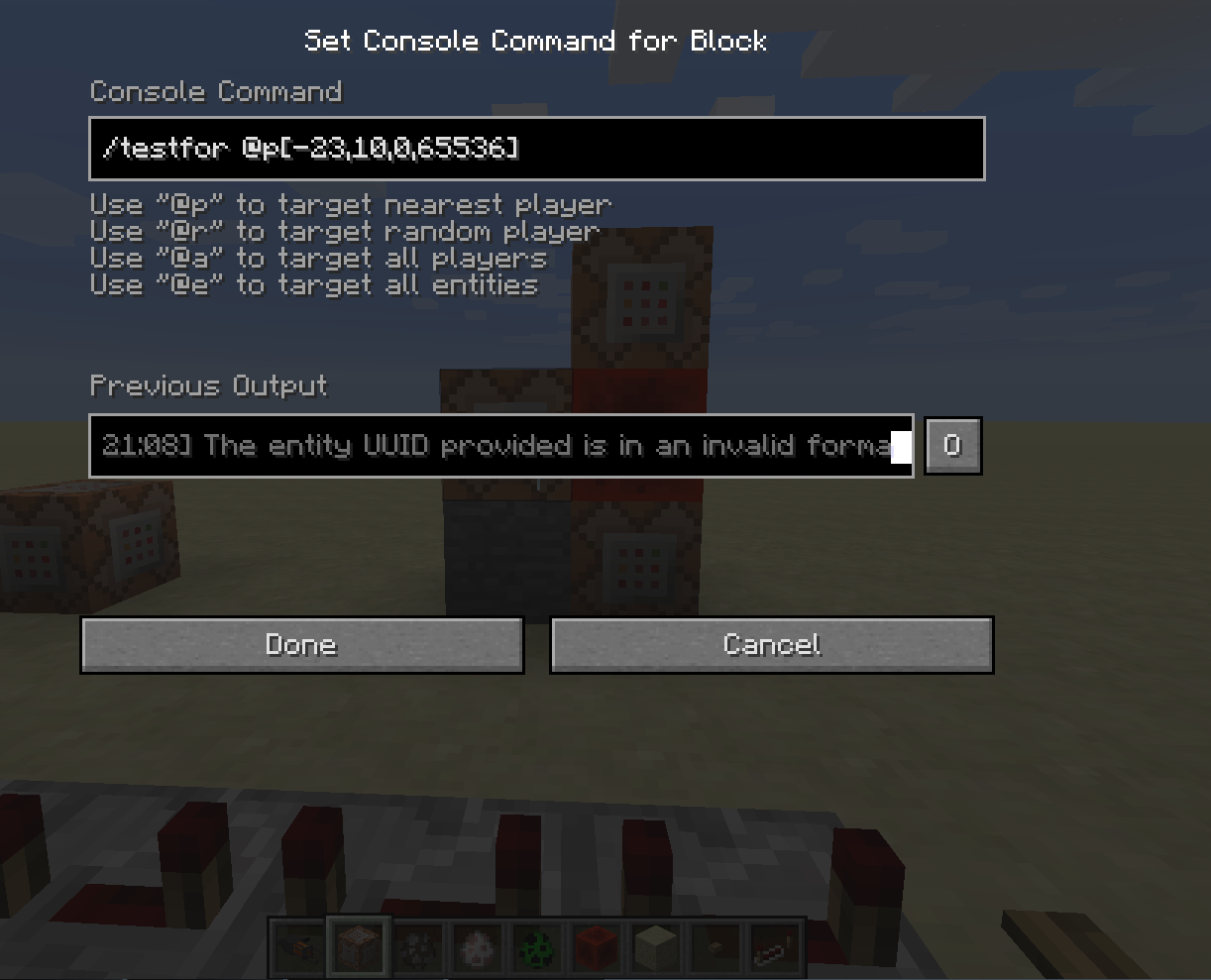
What exactly is "/testfor @p[-23,10,0,65536]" supposed to do?
I get the first 3 digits are the x y z cords missing the "x= y= z= " but what is the 65536? The 65536 is what slows everything down.
I can confirm this happens. But get the error of "[13:21:08] The entity UUID provided is in an invalid format" http://puu.sh/idLu5/144c6b7aaf.png
How old is the sethbling video you are using?
Also my previous post wasn't tested enough and is wrong. If you are testing for a player in an exact block use this:
"/execute @p -23 10 0 /testfor @p[r=0]"
It will execute the command at the location -23,10,0 as the player, then test for the player in a radius of 0. Now that I understand what you are doing. The 65536 confused me.
or
"/testfor @p[-23,10,0,r=0]"
Which is basically the same thing :/
See the gif for the command in action.
That could be your issue a bit has changed since then. But that last command (both of them) work for your issue.
This link ( https://java.com/en/download/ ) will take you to java website you can find an update there. You are currently using 1.7.0 when 1.8.x is most recent.
As for your clock i find moving the series of Repeaters like 1 or 2 blocks further away from the loop should help even things out, (in my experience anyways.)
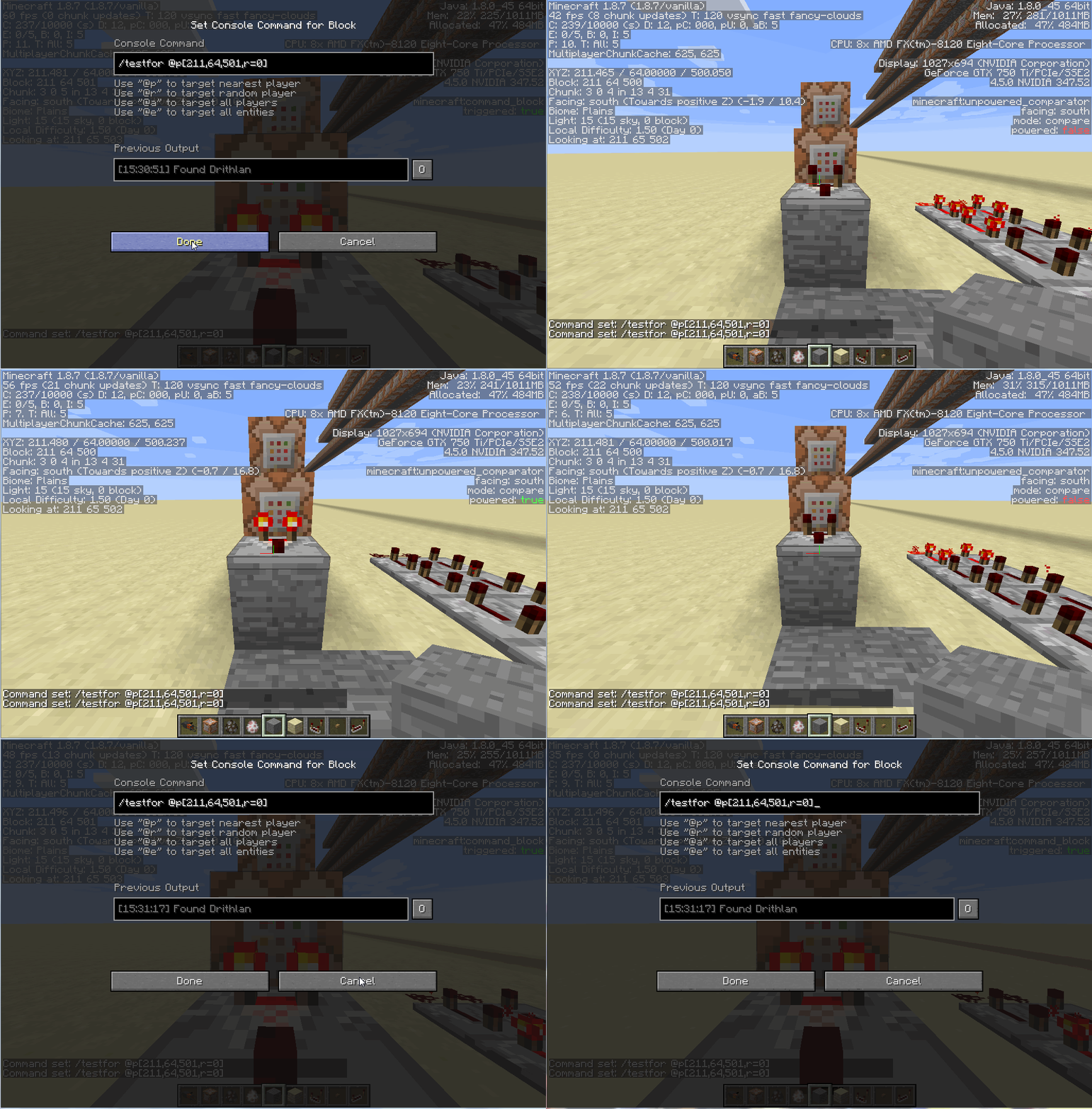
Do you have the command blocks set to track output? If so disable that it may help some. Also If you set limitations to the testfor commands such as
"/execute @p[score_test=0] ~ ~ ~ /testfor @p
{Thing you are testing for}"
This way the command is not ALWAYS running and only runs when it is needed. All you would need to do is set the players score of test to 0 then the command will run the testfor or testforblocks at that point only causing less lag. If i could see the map i would be better able to help you.
I added some screenshots about the tracking output. The difference between the two is the X and O on the bottom right of the photo.
Not every time. But yes I can confirm this.
From my tests the sound happens when I take a couple of steps then run the command.
To recreate:
Set down an ArmorStand and take two steps back away from the ArmorStand run the command and you should hear the sound. Take two steps forward and repeat, same outcome. It seems to happen only on certain step sounds, I'm not too sure though.
But just running the command over and over does nothing. This bug seems to require the player(perhaps even a mob I have not tested) to take steps near the ArmorStand.
A similar bug happens when you use /playsound and then do something to cause block updates you sometimes hear a residual sound.
Could this be a problem with OS X, and the way it handles its fullscreen? What happens when you use Minecrafts built in fullscreen?
No problem, If you want help in server I could use a place to play
Putting it on a clock only produces footstep sounds when I walk then stop, near the ArmorStand.
I also recreated footstep sounds the same way I get the /playsound bug to happen. When you play a sound then enter a command block, when you exit the command block the sound will replay. This also happens when you enter the command block while moving.
If you don't mind what was the issue/fix?
How far into loading the game do you get before it crashes?
I was within 6 blocks of the ArmorStand. Could you add some screenshots of how you set it up maybe if i recreate it as close to yours as i can I can reproduce your issue. Like the type of clock you used, and were you using a default ArmorStand?
So you are switching to a second desktop? Or do you only have 1 desktop? Do you use any other app that uses Java as minecraft does?
If you are using 2 desktops does the issue persist when only using the one Minecraft is on and not loading up the second desktop?
I don't know macs too well It has been a while since I had one, I don't think I can be much more use without more detailed info.
Use
/entitydata @e[r=3] {Pose:{Head:[0.0d,0.0d,0.0d]}}The correct useage of the Pose tag uses double not float. Make sure you put 0.0 or 0.0d
I meant move them further away.
I have tested it many ways, with no success. Try updating your java then try again. Let us know if the problem persists.
The issue is that the Command Block allows us to crash the game by inputting more than the cap, when it should stop inputting once it reaches the cap.
Could you make a gif or video of what is exactly happening? A still doesn't show the problem well enough. I have tried and tried to recreate to no avail.
This really sounds like an issue with OS X and not Minecraft, Sure it is Minecraft interacting with OS X, but If the default fullscreen works and the OS X one doesn't, Then it sounds as if you are using a third party program to go fullscreen. (OS X being the third party)
Upon more testing I find I am wrong and really confused. Sorry I cannot be of help here. when I used /entitydata @e[type=ArmorStand] {Pose:{LeftArm:[0.0,0.0,0.0]}} It said it was updated to 0.0d but upon using /entitydata @e[type=ArmorStand] {} It didn't show the Tag. That is why I posted my previous comment, I should of tested further.
I think it might be the way OS X handles background spaces, mixed with minecrafts/javas handling of Memory/Processes.
But after searching around online for similar issues with other games I come up with nothing. I cannot help you, Best of luck.
Can you recreate the problem? How far away from your house did you die? How did you die? What mode were you in?
It could work again. You just need to re work what the dispenser did. Are you using the Dispenser to place 1 of 9 different command blocks, so you have a sort of Random function to it? How exactly are you using the Dispenser?
Because there is a work around for this issue using this https://www.youtube.com/watch?v=OBaTxN2b4Hs
MC-68403has no mention of Armor Stands or Item frames, are you sure it is the same issue?See the screenshot on how to do it.
entitydata @e[type=ArmorStand] {Marker:1} entitydata @e[type=ArmorStand] {Marker:0}And this one says that they are removed.
Has the OP confirmed that they are indeed gone and not invisible?
As for your second problem it will ONLY work in a command block the command is too long for the chat.
Just tried this myself and got it to work using
The only difference I see is that your command has spaces inside the [ ] after each XYZ.
Bo the modifiers on each item have the same UUID? If so they need to be different.
Both need to have different UUID or only one item will give the bonus. It does not matter if the item name is the same as long as the UUID are different then they will work together.
You cannot place a block above 256, so why should the player/entity be there? The game has an upper limit for a reason, the fact that it has one is more than enough to justify that is working as intended.
Sorry I am dumb and was not aware, you could use true/false I thought it was only 1/0.
And if you have flight you can fly up over 2,000,000,000,000 If you had the time but nothing works that high really.
Then submit the report with screenshots/video from a non modded game.
http://minecraft.gamepedia.com/Commands#setblock
The replace option doesn't replace specific blocks. If you want to replace specific blocks use the /fill command.
There is no invulnerable option for the FallingSand Entity as there is with most entities or this might not even be an issue/bug.
I can confirm this Happens. The Dispenser will Shoot a Duplication of the stack of arrows it chooses. This does not Dupe regular arrows only Potion ones.
Summoning ANYTHING with /summnon crashes game it seems.
If you want to recreate this I can explain how to use the command block program. Or you can test with your own command block program, up to you.
I had also tested this using /say 1, /say 2, etc, in place of all the commands, and it worked as I thought it should. I could move the command blocks orientation with the same order and it would output the proper sequence.
I Had this problem on other creations of mine that I built in a straight line then tried to bend into a smaller design, again keeping the command blocks in order.
No it does not, Those blocks are in place each time I ran the program.
It is not just this build either other builds that I have made have the same issue. When I try to change their shape after finishing the program, they stop working correctly.
I have discovered the issue, The spots, On all the builds, where I bend the chain are Conditional command blocks, and the command block pointing up does not register the previous block as meeting the condition when it does.
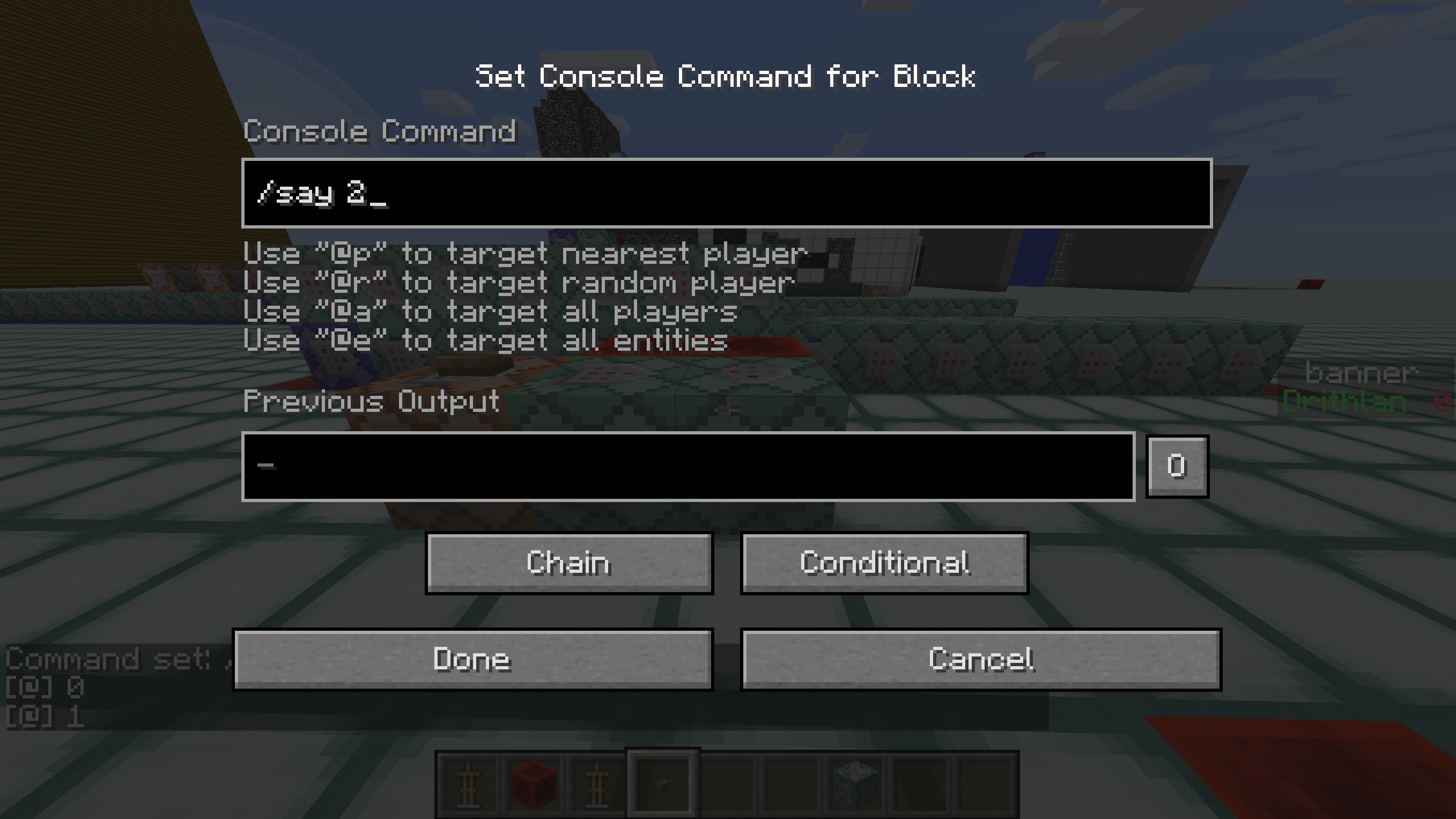
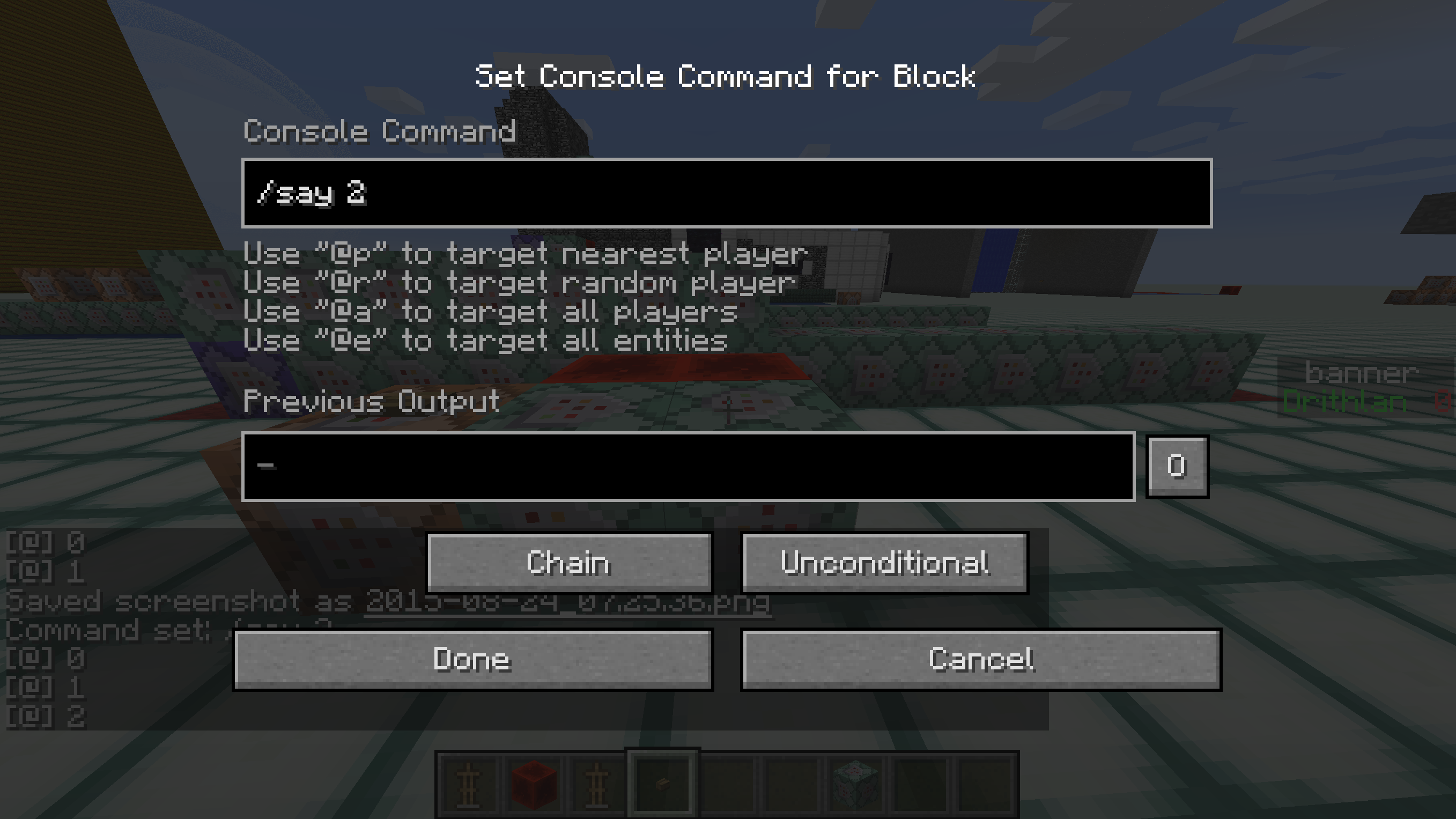
The current screenshots shows the problem. The chat in the background shows the output of the two configurations, The first one shows the output of 0, 1 the third block is set to conditional, the second one shows the output of 0, 1, 2, and is unconditional.
I still feel that this is a bug, It would be illogical for it to not accept the conditional input from any side, as all other command blocks work that way with non-conditional input. This is a bug that breaks the way command blocks chain together.
Thanks.
Shouldn't it be checking the input from the block pointing into it? Not the one sitting behind it, which can be pointing in any direction. Doesn't make sense to me. Not that I am complaining, if this is the way the Devs say this works after seeing this, then that is how it works. I'll work with it.
Missed it completely sorry.
Here is the world, you can try it yourself.
No I tried the same setup in another world, exactly the same, and it worked. In that map it does not for some reason.I also tried without the [tag=] and got the same error. You can see in the screen shot.
eh... heh he heh... I figured out my problem.... at location X=0 Y=0 there is only water. No solid land close enough...
Still it is a weird error for that problem.