 Carl Lystad
- evknucklehead
- evknucklehead
- America/Los_Angeles
- Yes
- No
 MC-10947
 MCL-1262
 Normal


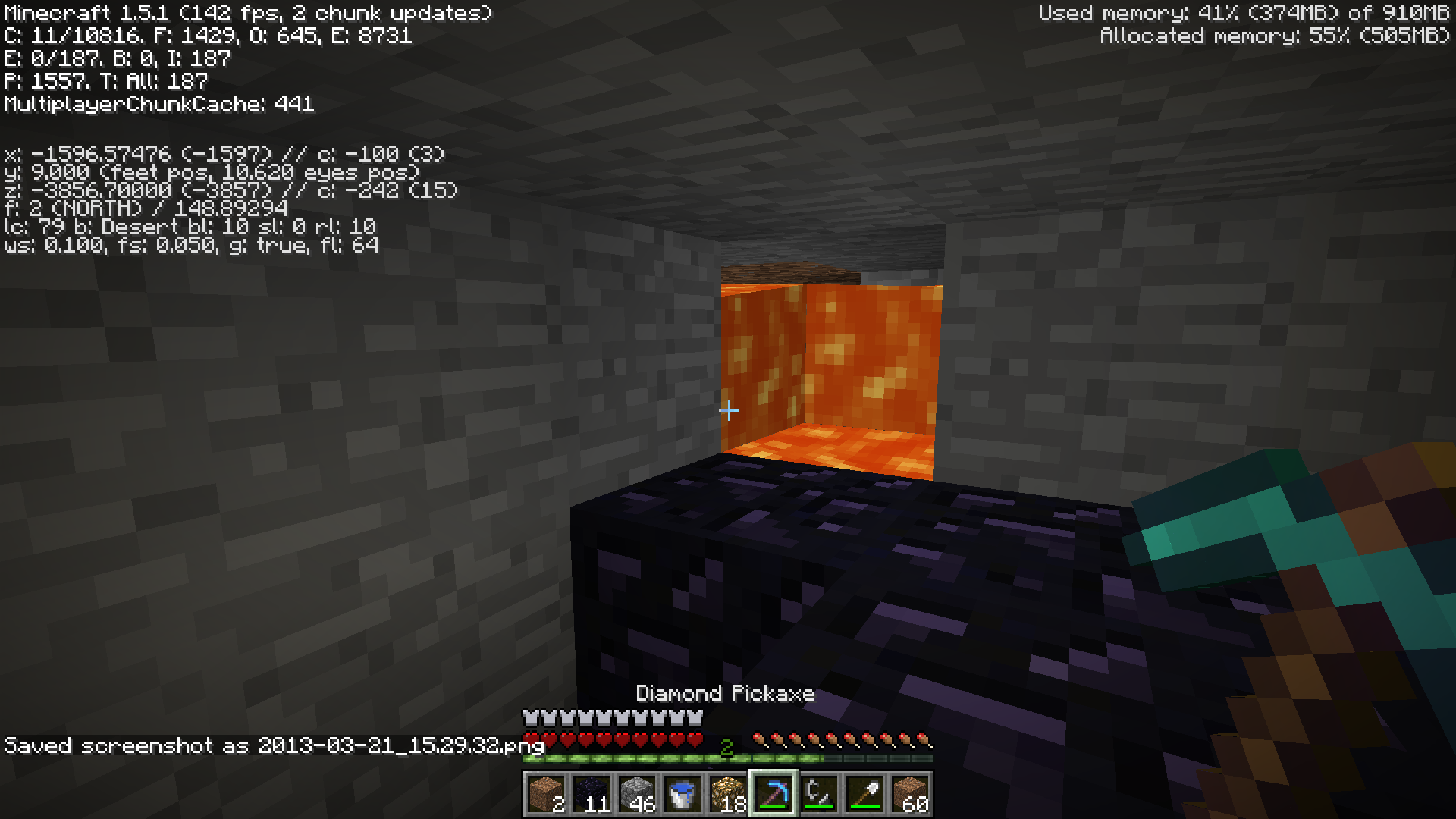
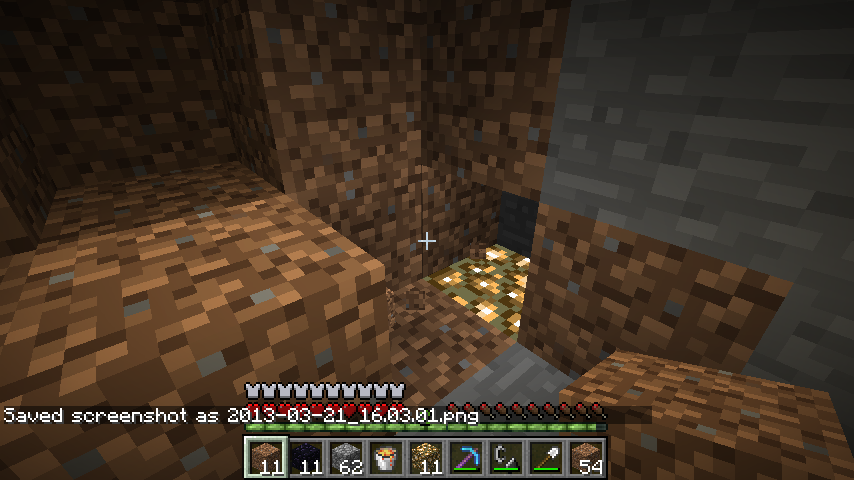


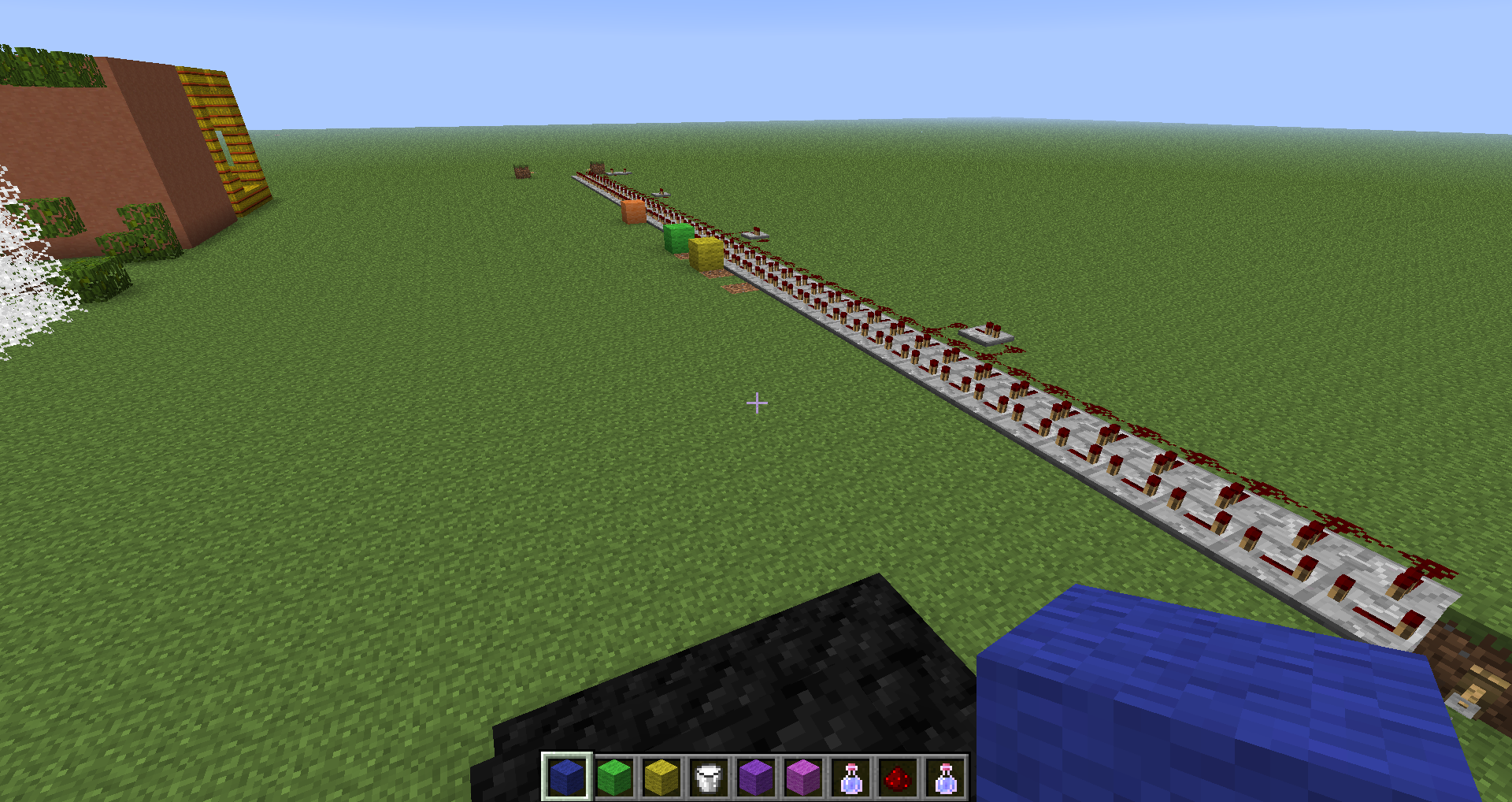



Powered rails exhibit the following unexpected behaviors when being powered by Redstone Blocks and Torches:
1. Placing a block to power a segment of rails and then placing another block to power a rail that is already powered will not extend the distance of the powered segment. (Also happens with Torches placed anywhere except the last active rail in the segment)
2. Under certain conditions, removing a redstone block or torch as a power source will not remove power from the rails, if there is still at least one power source in the active segment.
To test, place a long line of powered rails (at least 20) then place a redstone block or torch next to the first one. Place a torch next to the second-to-last active rail. No additional rails will activate. Remove the torch and place it next to the last active rail. Rails will activate out to the expected distance from the torch. Re-add the previously removed torch, then remove both torches starting with the far torch. The rails will remain powered until all power sources are removed.
Repeat the test with blocks instead of torches, with the second block being placed next to the last active rail instead of the second-to-last rail.
This can be extended for a considerable distance as well as up and down slopes.
Starting with Snapshot 13w10a, void particles seen near the bottom layers will visibly jump to the
right before rising like they normally do.To reproduce, simply get to an area below about layer 7 and observe the particles. Having the area well lit is a good idea.
Starting with Snapshot 13w10a, void particles seen near the bottom layers will visibly jump to the Northwest before rising like they normally do.
To reproduce, simply get to an area below about layer 7 and observe the particles. Having the area well lit is a good idea.
Starting with Snapshot 13w10a, void particles seen near the bottom layers will visibly jump to the Northwest before rising like they normally do.
To reproduce, simply get to an area below about layer 7 and observe the particles. Having the area well lit is a good idea.
Also seems to affect the white particles visible when under water.
VoidParticles glitchy movementSmall Particles glitchy movement
Starting with Snapshot 13w10a, v
oid particles seen near the bottom layers will visibly jump to the Northwest beforerising liketheynormally do.
To reproduce, simply get to an area below about layer 7 and observe the particles. Having the area well lit is a good idea.
Also seems to affect the white particles visible when under water.Starting with Snapshot 13w10a, various small particles will visibly jump to the Northwest before following their normal path.
First seen with Void particles, has since been observed with the small whitish particles seen in water, the dust particles that rise from Mycelium, and droplets from the bottom of blocks with either lava or water above them.
To view the glitch, simply get to where the particular type of particles would appear and note their movement.
Starting with Snapshot 13w10a, various small particles will visibly jump to the Northwest before following their normal path.
First seen with Void particles, has since been observed with the small whitish particles seen in water, the dust particles that rise from Mycelium,
anddroplets from the bottom of blocks with either lava or water above them.To view the glitch, simply get to where the particular type of particles would appear and note their movement.
Starting with Snapshot 13w10a, various small particles will visibly jump to the Northwest before following their normal path.
First seen with Void particles, has since been observed with the small whitish particles seen in water, the dust particles that rise from Mycelium, droplets from the bottom of blocks with either lava or water above them, the larger round bubbles in water, and the droplets of rain when they land.
To view the glitch, simply get to where the particular type of particles would appear and note their movement. Facing either Northeast or Southwest and either straight down or up (for those particles that appear at the bottom of a block) makes this easier.
SmallParticles glitchy movementVarious Particles glitchy movement
Starting with Snapshot 13w10a, various small particles will visibly jump to the Northwest before following their normal path.
First seen with Void particles, has since been observed with the small whitish particles seen in water, the dust particles that rise from Mycelium, droplets from the bottom of blocks with either lava or water above them, the larger round bubbles in water,
andthe droplets of rain when they land.To view the glitch, simply get to where the particular type of particles would appear and note their movement. Facing either Northeast or Southwest and either straight down or up (for those particles that appear at the bottom of a block) makes this easier.
Starting with Snapshot 13w10a, various small particles will visibly jump to the Northwest before following their normal path.
First seen with Void particles, has since been observed with the small whitish particles seen in water, the dust particles that rise from Mycelium, droplets from the bottom of blocks with either lava or water above them, the larger round bubbles in water, the droplets of rain when they land, and the green particles from using Bone Meal on a plant.
To view the glitch, simply get to where the particular type of particles would appear and note their movement. Facing either Northeast or Southwest and either straight down or up (for those particles that appear at the bottom of a block) makes this easier.
Launcher defaults to
firstprofile in list instead of the last used profile like previous launchers (1.0.10, for example).To reproduce:
1. Create a second profile in the launcher (if you don't already have more than one).
2. Launch game with second profile and quit.
3. Reopen launcher.Theprofile selection will be on the first profile in the list, as seen either in the pop up menu or on the Profile Editor tab.Launcher defaults to most recently changed profile in list instead of the last used profile like previous launchers (1.0.10, for example).
To reproduce:
1. Create a second profile in the launcher (if you don't already have more than one).
2. Launch game with second profile and quit.
3. Reopen launcher. Notice which profile is selected. If the second profile is already selected, choose the first profile and repeat steps 2 and 3.
4. Change a setting in the profile that was not being chosen at startup.
5. Select the unchanged profile, launch the game, then quit.
6. Reopen launcher. The profile that was changed in step 4 should be the one selected by the launcher, even though the game was launched with the other profile.
Waternear world border rendering errorEntities near world border rendering error
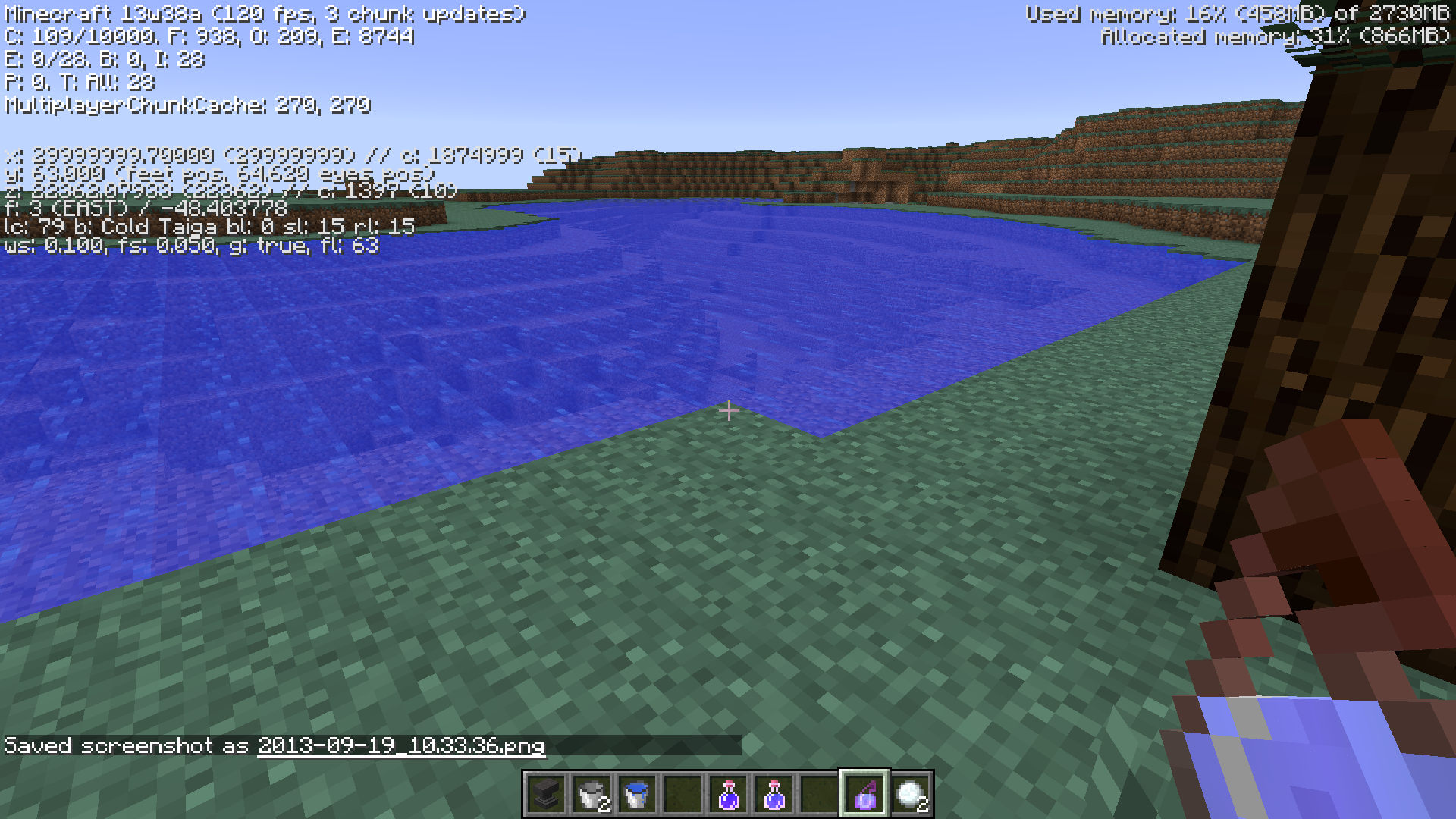
When viewing water near the invisible wall at +/-30,000,000 X/Z, the water will shift back and forth depending on which spot you are looking at.
Attached are two pairs of pictures. The first show water generated beyond the border, the second show water in a nearby river in the Ice Plains/Mountains area about 200 blocks in from the border.
Mipmaps set to 4, chunk distance set to 12, Aniso Filtering at 8, Postprocessing and advanced OpenGL on.
Update: It actually affects all entities in range, not just water.
When viewing water near the invisible wall at +/-30,000,000 X/Z, the water will shift back and forth depending on which spot you are looking at.
Attached are two pairs of pictures. The first show water generated beyond the border, the second show water in a nearby river in the Ice Plains/Mountains area about 200 blocks in from the border.
Mipmaps set to 4, chunk distance set to 12, Aniso Filtering at 8, Postprocessing and advanced OpenGL on, tested with other settings as well, no effect.
Update: It actually affects all entities in range, not just water. Also affects mobs and particles.
Placing Acacia or Oak Roof Wood blocks in the crafting area will produce 4 Oak Wood Planks blocks, just like regular Oak Wood blocks.
I know they're probably still implementing the rest of the block types (slabs, stairs, etc.) associated with these new wood types, this is mostly to make sure they don't forget. Also, I suppose this behavior is acceptable for the Oak Roof wood, as it is another type of Oak.
Likely related to
MC-36364(Roofed Oak and Acacia Trees drop incorrect saplings) andMC-36410(Oak Roof Wood and Acacia wooddon'tchar).Placing Acacia or Oak Roof Wood blocks in the crafting area will produce 4 Oak Wood Planks blocks, just like regular Oak Wood blocks.
I know they're probably still implementing the rest of the block types (slabs, stairs, etc.) associated with these new wood types, this is mostly to make sure they don't forget. Also, I suppose this behavior is acceptable for the Oak Roof wood, as it is another type of Oak.
Likely related to
MC-36364(Roofed Oak and Acacia Trees drop incorrect saplings) andMC-36410(Oak Roof Wood and Acacia wood won't turn into charcoal).
Cactus Hotbar Normal Scale.png
Still happening as of 1.4.4. Have not tried 1.4.5pre yet.
@Kumasasa - Strange, it sure looks from that page that 43:6 is defined as a double slab that uses the stone slab top for all sides, only obtainable through /give or inventory editing. You are right about 43:27, though.
After a quick test in SSP, it appears to be the case with any of the double slab blocks. The block given has the expected appearance in inventory, but its data value gets reset to 0 when placed.
I vaguely remember something related to this being mentioned on the wiki prior to 1.4, but I can't remember where I saw it.
For reference, the command I used was /give <myplayername> 43 6 6 and /give <myplayername> 43 6 5 (6 smooth double slabs and 6 stone brick double slabs)
The fuel source does not need to be swapped, either. Simply unloading the chunk and loading it again is enough to trigger the glitch.
I first noticed it when I used lava buckets to start a bunch of furnaces and went to the Nether to refill the buckets. When I came back, this glitch had appeared.
I can confirm that this is present in 13w09b. It seems to have to do with multiple collisions between the individual entities all adding momentum to each other and transferring that momentum to passing carts.
On a side note, while attempting to test this I encountered a couple of other bugs:
1: If you enter one of the carts that is on the circle track and then get off, you can end up being placed 1 block lower than the level of the track.
2: (possibly related to #1) Entering one of the carts while trying to set up this glitch can cause a crash. (log attached)
PS: It appears the momentum gained is not infinite, as the cart will eventually slow down again, unless one of the glitch carts follows you. Tested by placing a long line of inactive powered rails after the launch rail; average distance when not being pushed was about 40-50 blocks before the cart stopped, being pushed will keep you going well past any powered rails you may have set up.
Crash while attempting to test the glitch. Based on the crash log, it looks like I somehow ended up riding a minecart that was riding a minecart...
The forum post referenced clearly states that this map is not compatible with the 1.5 snapshots...Nevermind. I didn't notice that the one who posted the map posted this issue as well...
Works fine for me. Having armor with the Protection IV enchantment prevents most of the damage from the level II potion and all of the damage from the level I potion. Other factors include distance from the impact site and timing (ie. if the potion activates on the same tick as a regeneration effect occurs, such as from having a full food bar or a regen potion/golden apple/beacon effect active)
I did use search and didn't find that issue. Also, the first part of this report is only mentioned in the comments section of the other report, which from what I understand is not included in the search function.
Still in 13w10a. Redstone Blocks behave like the levers do in Nic's comment.
I'm not completely sure, but I think I caught a glimpse of this recurring in 1.5pre. I had just finished placing a long line of quartz slabs so that I could place a minecart line on them when I saw the slabs twitch in my hotbar. Can't be certain, though, as it was only a brief flash and didn't continue like it did before 1.4.1.Nevermind. Turns out it was a combination of the normal bounce items do when you pick another one up and me being tired and not noticing what was going on...
Based on a quick search, it appears that this is not a Minecraft problem, but a driver problem with certain configurations of AMD graphics hardware. Try reverting to 13.2 (or whatever was the last functional version) until the next driver version becomes available.
Edit: See also
MC-12006I'm sure the Mods will mention it soon enough, but this report is lacking enough information. Things like a crash report and a description of how far you get before the crash, etc.
Also, do you have an AMD graphics card and recently updated the driver? According to
MC-12006, the latest AMD driver (13.3 beta 2) causes crashes in Java/OpenGL applications.From my testing, the items do pass through the hopper, but the transition is too fast for the comparator to catch up. A workaround is to "prime" the center hopper by placing an item in it while the items are flowing. This will allow the comparator to activate and will stay active until the chest and upper hopper are empty. Unfortunately, adding new items to the chest will require another "priming" cycle.
To see the movement through the upper hopper, place the "primer" item in the last slot on the right and you will see the items from the chest showing up on the left.
After further testing, the particle movement is toward the Northwest, meaning the direction you face will affect the direction the particles move.
Edit: That last part is in relation to screen position. My initial report described the movement as jumping to the right on the screen, but further observations showed the real movement.
See also
MC-12006Explanation on set 3:
(a) shows the glitch with the test setup. The two light patches point toward a hidden light source.
(b) shows the blocks behind the glitchy spot. Note the empty space above the glowstone.
(c) shows no glitch when the previously empty spot is filled with a solid block.
If the block removed between a and b is placed again after c, the result is no glitch on any of the blocks. So there seems to be some relation with the transparency of the blocks surrounding the light source in regards to whether the glitch appears or not.
@Devon: Um, since when? And which picture are you referring to?
I noticed on the crash report that there are a lot of paintings in the area. Could that have something to do with the situation? (Yes, paintings count as entities too.)
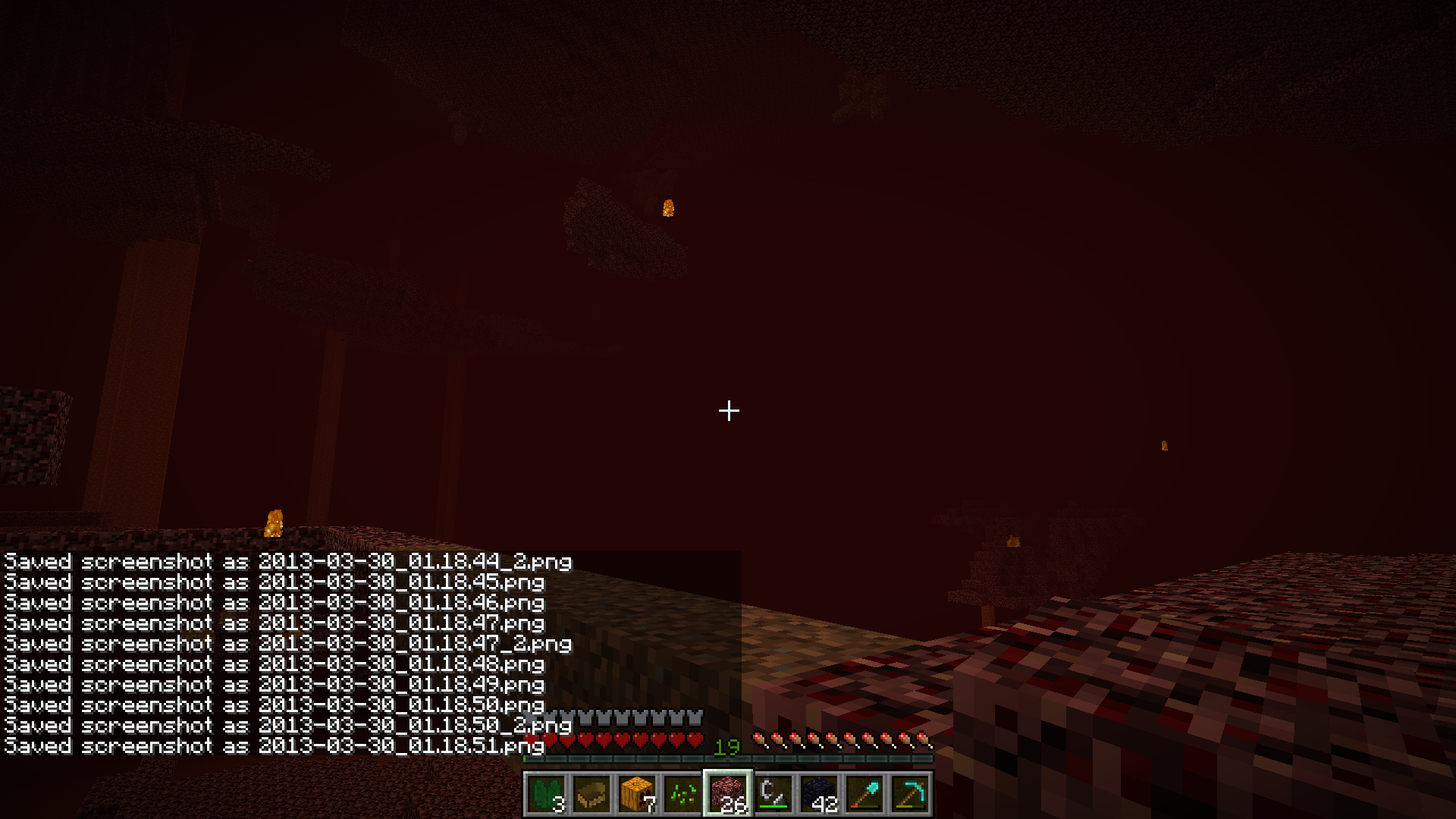
Just had this happen to me, also on 1.5.1. What I saw was one fireball fairly close and additional flickers scattered around the area. This was on Peaceful in a newly generated section of the Nether. (I started my map back in 1.3.2 and had to get to a new area to find any quartz ore.)
Oddly enough, while attempting to take screenshots, the closest fireball would occasionally disappear briefly. Not sure what to make of that.
Managed to catch a screenshot of the distant fireballs. Also, was able to make my way over to the near fireball and hit it away, meaning it was an actual fireball and not a phantom. Next step is to see if I can get closer to where the flickering fireballs seem to be.
Edit: Alright, managed to get to one of the flickering fireballs. Turns out this one is a phantom, and seemingly smaller than a normal fireball. All the other fireballs in the screenshot seem to flash at regular intervals and in unison with the known phantom, which suggests that all the flashing ones are phantoms.
I'm beginning to think the phantoms may be a separate issue with similar causes, but I don't know for certain. As for why the real fireball appeared on Peaceful with no velocity, it is possible that, like skeletons generated by monster spawners, that a ghast is spawning for a split second and is able to create the fireball, but not assign a velocity to the fireball before it despawns, leaving it stuck in midair. Pure speculation, mind you, but still a possible explanation.
Do you have an optical or laser mouse? Sometimes when these are on surfaces that aren't entirely uniform you'll get random jumps in mouse movement, which translates to a spin in game. Happens to me all the time because of the area of the desk I use the mouse on, but is not a minecraft bug. Just a flaw with those types of mouse.
Two things: First, this appears to be intended behavior, based on this line from the wiki:
Second, that radar in the corner in the screenshots is likely to get this flagged as invalid, as that requires a mod, and this tracker is for unmodded minecraft only.
Still present in 13w16a. Issue updated to reflect this.
Still present in 13w16a. Not really surprising though, since it's the first of the 1.6 snapshots.
Just noticed the bug also seems to affect the "bubble" particles visible when under water.
This is because the carpets occupy the space between the bookshelves and the table, like a torch, snow, redstone, etc. would. Whether or not this is intended with the carpets, I'm not sure, but I'm leaning toward yes. Sure would be nice, though.
Can't reproduce it here. Please attach a copy of the crash log that either Minecraft or Java generated when the crash occurred; that will help in determining if it's an actual bug or a setup problem on your system. If it is the latter, there is a separate place for getting help with those. I don't have the link handy, though.
What do you mean by "glitches"? What happens? Chunk loading lag? Ocelots spawning underwater? Color inversion? Zombies spawning in Peaceful?
Created a simple test rig to show the problem; A line of repeaters set to maximum delay triggered by a tripwire at the start, with another bank of repeaters set to latch the first line when the finishing tripwire is triggered. Dirt block shows where the light stopped when sprinting or walking, birch block shows where the line stopped when sprint-jumping the whole length. Will test again after loading 13w19a for comparison.
Comparison picture after testing in 13w19a. Far block is walking (same position as the dirt block from other picture), near block is sprint-jumping (Close to same position as birch block in other picture), middle block is regular sprinting.
Further testing with Speed II effect active showed same results as walking and normal sprinting in 13w21a.
Updated affected versions. Good catch on the Mycelium particles. Hadn't noticed those. Guess I just don't spend enough time in Mushroom Island Biomes.
Had an odd variation on this happen to me: A pair of sheep who had been in the nether for a while and were not touching the portal when I came through would not go back through when I tried to push them. So does the cooldown apply to all mobs regardless of whether it is a mob or player who touches the portal?
Okay, it's looking like all the tiny square particles might be affected. I just noticed the drips from the bottom of a block when lava or water is over it showing the same behavior.
Updated the title and description to reflect this.
Launcher version 0.9 introduced Profiles, along with a new tab to manage them. This is now where you go to change versions.
Additionally, as this pertains more to the launcher than the game itself, it should have gone on the launcher's issue tracker.
Looks like the larger bubbles from when something splashes in the water as well as the little splashes where rain is falling are also affected by this. (How did I not notice the large bubbles before now?)
It also occurs when placing water or lava into a flowing water/lava block.
Looks like the green particles from using Bone Meal have this problem as well.
It seems to be a chunk loading issue, as the same result can be accomplished by simply logging out and back in again, but only if the chunk the horse is in is either 1 or 2 chunks away from the chunk the player starts in. Starting in the same chunk or starting 3 or more chunks away allows the lead to appear normally.
I have screenshots if it will help, but I'll hold off attaching them unless requested.
In 1.6, all ridden entities show their health in place of the hunger bar. Since boats (and minecarts, for that matter) do not have "health", the display remains empty. Getting off the boat will restore the hunger bar.
If the sheep were all in one general area, this issue may be a duplicate of another regarding the Random Number Generator getting seemingly stuck when sheep are created. If not, you were just extremely lucky and this is not a bug. I'll leave it to the mods to decide which.
Based on the screenshots, I would say it's probably a mod or resource pack problem. Either way, the moderators are probably going to flag this as invalid because it is a modded client.
By the way, how did you get that horse upside down?
Normal world generation. See the water just to the right in the screenshot? That's where your little pool came from. This usually happens when a River biome passes through another biome whose altitude at that spot happens to be at y=62 while the others around it are at y=63. I have seen this happen in deserts as well.
I think he meant "he had minecraft too", judging by his use of "2" and "4" in place of "to" and "for" later in the description.
It seems it's not just the first profile in the list that's chosen, but the most recently saved profile. I noticed this when I saved a change to the second profile in the list and it became the new default. Description changed to reflect this.
Looks like it is fixed in Launcher 1.2.1. I was able to switch between profiles several times and each time the launcher remembered which profile I had last used.
Been busy with moving these past couple weeks, so I just got back to testing again.
The void particles now move faster starting with 13w36a, making it even easier to see.
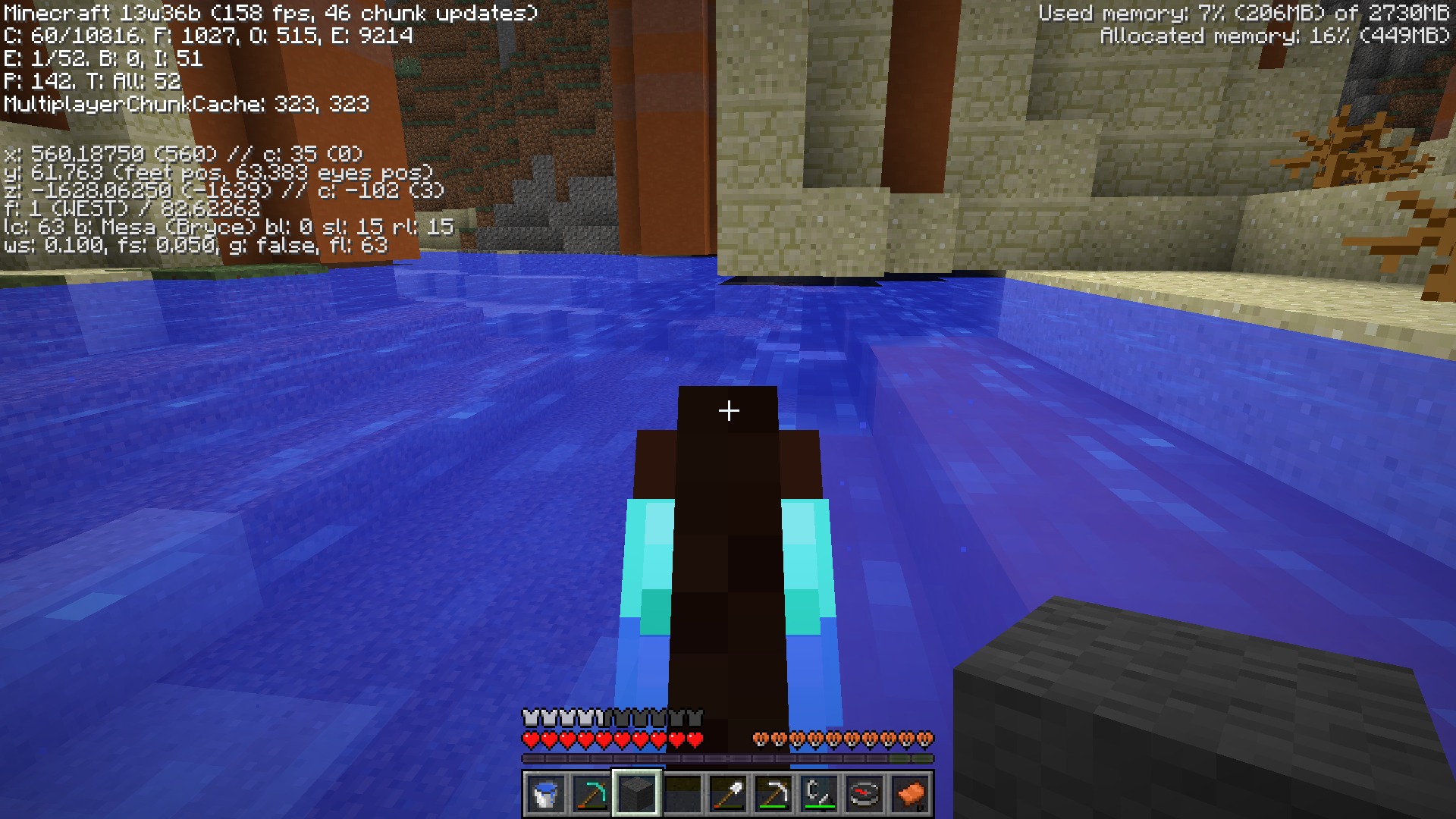
It looks like all the blocks that are supposed to be spawning as hardened clay or stained clay are spawning as air blocks. This applies not only to the main portions of the land, but also to the shorelines and lakes in the area, which have large air pockets underneath them where the clay is probably supposed to be.
Seed is 1290472606737912650
Coordinates are in screenshot.
It also appears that if you keep trying to place one of these glitched items into the same flower pot without doing a block update, the item that was already in the pot will be replaced with the item from your inventory.
In other words, if you keep clicking on the flower pot with a stack of a particular item, you can go through the entire stack and only be able to recover the last item placed in the pot.
EDIT: After further testing, it looks like the item placed in the pot will be replaced even with a block update. I placed a Dandelion in a pot, did a block update, and was able to replace the dandelion with a tulip without breaking the pot.
Of course, this edit might be pointless since it seems the fix is already slated for an upcoming version.
Were the mobs wearing enchanted armor of their own? Are you sure they weren't hitting you at the same time? Or could another mob have been hitting you from behind?
Was there an Extreme Hills biome nearby? Sometimes the emerald generation code will spill over the edge of the biome into neighboring biomes, but usually not more than a few blocks in.
I believe this is intentional because of the two equipment slots horses have; one for saddle, one for horse armor. Shift-clicking either of those two types of items will auto equip if the slot is empty. With Donkeys/Mules with chests, shift clicking will move the items from your inventory to the animal's inventory, just like a regular chest.
What happens when you plant the sugar cane, leave, come back, and watch the canes for a while?
Plants will only grow when the chunk they are in is loaded, which is usually the chunks within a certain radius of the player or within a certain radius of the world spawn (The so-called Spawn Chunks).
I'd say works as intended. You can put the fire out by clicking on it with anything you can carry, or even your bare hands.
Creative mode takes this a step further by extending this to any type of block, except lava and water.
Could be because I started the world in 13w36a but didn't get to those coordinates until 13w36b was posted. Let me take another look.
Edit: Just recreated the world in creative and those coordinates show the same thing as the screenshot. Are you sure you went to the right coordinates?
After further exploration, it looks like it isn't restricted to when the water comes from a river biome. Swamplands and naturally spawning water pools will cause it too. It seems as if the water is getting placed after the columns are in place and simply cutting away the bottom portions.
Regular Mesa and Mesa Plateau don't exhibit this behavior, either.
Okay, further testing shows that it starts much further in (Somewhere between 40000 and 50000) and gets worse the further out you go.
This is not a duplicate of
MC-3718, as this affects everything except blocks (ie Entities, Tiles, and Particles) and is only present in 13w38a so far. 13w37b and 1.6.4 do not show this problem.Please unlink
MC-31653as a duplicate of this one. It may relate to it, as well asMC-3493, but the problem described inMC-31653is new to 13w38a.This is what I was trying to convey with
MC-31653, which was mistakenly labelled as a duplicate of another issue instead of being related to it.What difficulty are you playing at? Zombies will only break down doors if the difficulty is set to Hard.
If you're on the 1.7 snapshots, you can also turn down the sound of enemy mobs separately from the rest of the sounds.
One other thing worth mentioning, the setblock example you gave does include a y value that is outside the maximum y value for a block. See if you encounter the same error with a y value between 0 and 255. Ex: /setblock 1000 100 1000 minecraft:cobblestone 0 replace
Still present in 13w39a and b. Looks to be all shaders at this point. I've observed various results depending on what items are in the hotbar, as well as several variations as to when it happens.Most often, for me, the background for the slot changes to either a single color that happens to be dominant in that item, or if the item is enchanted, the enchantment effect is applied to the whole box. Glass turns solid white when affected.Whoops, this comment applies more to
MC-31669than to this one.From my testing, it looks like:
1: (as has been said before) Any enchanted item will start the bug.
2: The bug will affect other items until it finds
certain blocks or items (I have seen it stop with glass panes)more than one item in a slot.3: If an affected item has transparency, the transparent areas will appear white while the area around the block/item will be the normal hotbar background.
4: If two or more enchanted items are in the hotbar without a stack of items between them, the second and higher item will have the colored background in addition to the enchantment animation.
5: If there is a stack to the left of the enchanted item, the bug will NOT trigger.
Edit 2: Further testing shows only certain blocks and items will cancel the bug. So far that includes Glass Blocks, Glass Panes, and Hardened Clay. Stained clay (only tested with orange so far), smooth stone, and glowstone will not cancel the bug.
Edit 3: Okay, it looks like it's not the type of item or block that will cancel the bug, but whether that item is by itself or in a stack. All observations updated to reflect this.
Appears to be fixed in 13w41a.
Edit: I'm guessing the tweaks they did to transparency rendering had a side effect of fixing this as well. Don't know for sure, though.
Are you sure you're in the right kind of taiga? There are three main varieties now: regular Taiga, which no longer has snow unless at high altitude; Cold Taiga, which is just like the previous Taiga biomes; and Mega Taiga, which features 2x2 giant spruce trees, Moss Stone boulders, the new Podzol, and both varieties of Fern (Classic and Tall).
Of the three, only the Cold Taiga will generate Ice and Snow unless you are at over about 90 blocks up.
I would say Works as Intended, as efficiency only applies to blocks that the tool is normally faster at breaking. Packed Ice, like regular Ice, does not have a specific tool that is faster at breaking it, so efficiency will have no benefit.
Efficiency was changed back around 1.5 (I forget the exact version that changed it, but I think that's right) from its previous behavior, which would have produced the effect you are looking for.
I'm leaning toward intentional behavior here, as similar variations in log heights have always been present in the large jungle trees. It's just more noticeable on Spruce because of the conical top vs. the flat top of jungle trees.
Are you pressing the crouch/sneak key (default: Left-Shift) like the prompt says when you enter the minecart/boat?
Usually caused by lag between the server and client, namely, a block update from the client is missed by the server, so when the client polls the server to make sure the update happened, it sees that it didn't and restores the block. And since single-player has been running on an internal server since 1.3, it can happen there as well, though not nearly as often as it can in multiplayer. Using tools with high Efficiency enchantments and the Haste/Haste II effects active can cause it to happen more often, as the tools will tear through the blocks too fast for the server to keep up.
Recent changes to the network code may have affected this, though. I'm sure they are working on smoothing such glitches out, but it may be impossible to completely eliminate such errors.
Like I said, I know they're probably still working on it. Just wanted to make sure it didn't fall through the cracks somehow.
Also note, according to the Minecraft Wiki, slime spawn rates in swamps are affected by the current phase of the moon, with the most slimes during full moons and no slimes at all during new moons. For more details, check the wiki: http://minecraft.gamepedia.com/Slime
The hotbar image seems to be affected by GUI scale setting, as well. Using normal GUI scale, the bug will follow the descriptions above, but the image will appear as expected when using Large or Auto on a window/screen size large enough to actually use those scale settings. I'm unable to tell whether Small is affected, due to the incredibly tiny icons.Note that even with the larger scale settings, the bug will still appear as described in the inventory screens.Turns out the scale doesn't really have anything to do with the bug.
Note that these shots were taken in Survival, which seems to have different results regarding the inventory than the Creative inventory shows. Also taken with the sun as a backdrop to see the glitch better.Removed the screenshots since the GUI scale doesn't seem to relate to the bug after all.
Cannot confirm (see screenshot).
Please note that you need to get the Taking Inventory achievement before you can get the Getting Wood achievement.
To elaborate, all logs have been given their own end textures to match their plank colors, instead of all logs using the Oak log texture. So, this is the new normal.
(Imagine if the new Acacia wood used the Oak end texture. Suddenly, instead of a medium brown plank coming out of the log, you get orange planks. Quite jarring. Thus, the change to all the logs.)
Correct, dark oak is not supposed to grow from a single sapling. They must be placed 2x2 like you would to get a giant jungle tree or the new giant spruce.
Just means the server hasn't been updated to 1.7.2 yet. There was a lot of network code changed between 1.6.4 and 1.7.2, so you won't be able to connect to that server until it is updated.
Happens with nearly every major update, by the way.
Duplicate of a previous issue that I think was closed as Works as Intended. Can't remember the issue number right now...
Edit: Found it.
MC-30161Cannot reproduce. Perhaps submitting a crash log (Hold F3+C for a few seconds then release to force a crash, attach the resulting log file here.) will shed some light on the issue.
It's called Mip-mapping. Basically, in order to save on texture memory/load times, distant objects use a lower resolution texture than objects nearby, where you can actually see more detail. You can specify how many levels of mip-maps are used in the Video options. Turning them off will force the program to use the full resolution texture for all distances, but may cause performance issues on limited hardware.
Previous versions didn't have mip-mapping available, which is why it appears this way now. Another option is to turn on/up Anisotropic Filtering, also newly added to the Video options, assuming your video card can handle the higher levels.
Confirmed, but, given this is only in creative mode (Tried it in survival with no such duplication), and you can get as many items as you want in creative anyway, I don't see a big priority for this one.
The names aren't that big a deal, as you can still get them from the flowers by those names, as well as by the new flowers (technically speaking, the yellow flower was only known as Flower in-game prior to the introduction of the new flowers, so it was renamed to match the dye). I suppose the texture name is a bit more likely to change, although it could cause issues for resource pack makers updating their pre-1.7 packs.
The stone area you're pointing to is part of the newly revamped Extreme Hills biome. Now these large stone areas will be far more common, and the largely unnavigable landmasses are less frequent. I've actually seen even larger patches of stone in these areas than the one you're showing.
(Edit: as for the large mushrooms, you're looking at the new Roofed Forest biome, which is the second biome to feature naturally growing large mushrooms.)
In short, Works as Intended.
Duplicate of
MC-35881. In short, either update your video drivers or turn mip-maps off.Duplicate of
MC-35881. Basically, update your video drivers or turn mip-maps off.Sounds like the host's external IP address may have changed. Have the host double check their external IP address and compare with what it was previously, and update the clients to use the new IP address.
In any case, this sounds more like a tech support issue than a bug at this point.
After further testing, there seems to be some relation to the enchanted items/hotbar background bug that was fixed during the later snapshots
(I'll look up the issue number in a minute).MC-31669, although there are no shaders active here, like there were in that one, just similar triggers.It also appears that the bug is not limited to GUI scale as I had thought, as I was able to reproduce the bug in the other scale modes as well.
I'm not sure what is triggering the bug in the Creative inventory, but in the Survival inventory it seems that any item higher in the inventory (meaning further left and/or above) than the cactus that has a visible durability bar and no items stacked higher than 1 (in other words, no numbers overlaying the items) will cause the bug to occur. It will continue on to further cacti as long as there are no stacks between the cacti, including the first stack of cacti. Moving the mouse over any of the spots between the cactus and the damaged item, including the damaged item but not including the cactus, will cause the bug to disappear until another damaged item is encountered.
I still need to test the enchanted effect to see if it triggers the bug as well. Another possible cause is items with transparency, which would explain the appearance in the creative inventory, due to the presence of leaves and other items higher on the list.Okay, as mentioned by someone else above, enchanted items (and other items that use the same effect) will trigger the bug. Spawn Eggs, Firework Stars, and Leather Armor also appear to trigger the bug, but not transparent items, clocks, or compasses. Still not sure what it is on the creative inventory that triggers it when on a page that doesn't have any of these on it (blocks, decorations, redstone, transportation) or why it only triggers on the search tab when one of these is visible. Unless it is the title of the tab itself, which is getting cancelled on the Search tab because of the search box, and doesn't appear at all on the survival tab...
Okay, did a little more testing, and it looks like, for me anyway, normal GUI scale does show the glitched cacti regardless of the other conditions, while the larger scales follow the rest of the observations. Still can't tell with the small GUI setting.
Probably related to MC-12558, since they started at around the same time (when the smooth lighting changes went into effect).
By the way, it is lighting not lightning. Lightning is what causes Creepers to turn into Charged Creepers and pigs to turn into Zombie Pigmen.
It is a graphical issue, related to having two different transparent blocks one on top of the other. Forcing the screen to redraw (changing certain video options or pressing F11) or getting closer to the area in question fixes it temporarily.
Are you talking about the music still being heard when you turn it down, or are you talking about the music being at a different part of the song (or another song altogether) when you turn it back up again?
If it's the first one, I cannot reproduce it. Turning the music slider all the way down silences the music.
If it's the second, I don't see a problem with it. It's not like it's causing lag or a drop in frame rate.
Still present in 1.7.2. Additionally, when a torch is held, there is a thin line extending out the side of the torch, along the same line as the division between the top and second from the top pixels in the texture (on either default textures or a 16x16 texture resource pack,
haven't tested other resolution packs yet)Looks like higher resolution packs show the problem even more and with other held items, as well. (Tested with Ravand's 256x256 pack where dropped torches showed a black box at certain points in the rotation and held items with curves showed lines extending from pixel borders)
Duplicate of
MC-37106, which is listed as fixed for the next version.By town, do you mean an NPC village, or a town on a server you play on?
Though this is incomplete, I'm guessing it's a duplicate of the one where fishing rods can't be enchanted with less than 4 levels as the only enchantments the rods can get start at level 4. (Which was closed as Works as Intended)
Torch flames are particles, which are simple 2D sprites, not 3D objects like items and other entities. The torch particles would probably have to be converted to entities somehow, which would likely cause all sorts of lag issues as the server would have to keep track of one for every torch in every loaded chunk. Given the tendency of many survival players to place a ton of torches everywhere they go, this could bring a server to its knees in minutes. Particles are generally handled client-side, because not every player needs to see them and can even turn them way down if their system can't handle a lot of particles.
Besides, this is bordering on a request/suggestion rather than a bug, although I can see it going either way.
I have observed this in 1.7.2 with fancy graphics on, only for much narrower viewing angles. It's only visible right as you cross the chunk boundary.
Also, not far from the location this screenshot was taken, there seems to be a z-fighting glitch along one of the chunk borders. I'm not sure if it's part of this glitch or one of the other z-fighting related issues, though.Yep, it was part of something else.I have found that pressing F11 while the game is loading a singleplayer world will trigger this exception and dump the player to the Multiplayer Server list every time. In earlier versions, doing this would often cause the game to go full screen, but only render in a default window-sized area in the corner of the screen. This might be a clue as to why this bug is occurring for some people.
This actually occurs across every multiple of X=1024 and Z=1024 (0, +/-1024, +/-2048, etc.) and with all semi-transparent blocks against water or portals. The visible direction depends on where you are:
West of x=0 and at x=0 , the glitch is visible from the west when looking at north-south lines.
East of x=0, the glitch is visible from the east.
North of z=0 and at z=0, the glitch is visible from the north when looking at east-west lines.
South of z=0, the glitch is visible from the south.
Here's a series of test images taken on a modified Waterworld superflat preset. A 6x6 base is placed with its center at x=1024,z=1024, followed by a ring around the outside of the next layer. Water is placed in the 4x4 center cavity then covered with another layer of ice. Each shot is taken from one of the corners of the structure facing the opposite corner.
Preset code: 2;7,5x1,5x3,5x12,90x9,79;12
Yep, fixed. All sides look like the NW Corner pic above, like they should.
Hmm. Now when I go under the ice and look up through the water, there are similar glitches visible at certain angles on various blocks. I haven't figured out the pattern yet, but I'll probably open a new issue once I do...
There is still something going on, as the filtering does improve the problem, but doesn't eliminate it completely. In other words, the higher the filtering, the farther away the glitch appears, but it is gone completely if mipmaps are not used, regardless of filter setting.
I think the problem would be lessened if the mipmaps for rails were set up better, such as with more transparency so the blocks underneath the rails would show around the edges, instead of the sudden jump to a flat grey that they show now.
Sounds like a tech support issue more than a bug. Are you able to run any other OpenGL games without problems?
Your most likely culprit is either your processor overheating to the point of the motherboard's thermal protection kicking in, or your video card may be overtaxing your power supply once minecraft gets a large amount of stuff to think about drawing.
Check that your processor's heat sink is clean, seated properly on the processor, and the fan spins freely.
Check your power supply's current capabilities (there is usually a chart or list on the label of the supply) against the requirements for your graphics card (this can usually be found on the card manufacturer's website). Many high-end cards require significant amounts of current, particularly on the +12V line. Obviously this does not apply to laptops and all-in-ones, because these factors are accounted for in the design process.
For more information, check with tech support, as this ticket will probably be resolved as invalid soon (if not while I was typing all this.)
This appears to be fixed as of 13w36a, judging by Mog's comments on
MC-30686. Testing showed that all tree types except 2x2 Jungle trees can grow adjacent to another tree. The 2x2 jungle trees may possible as well, I just haven't had any luck with them yet.Edit: Further testing has shown that the 2x2 jungle trees are possible, though the result is a bit odd looking since the wood blocks will not replace any vines on the side of the existing tree(s)...
I don't see any difference based on my activities in 1.6 or 1.7. Also note that the quality of food affects how long it lasts. A mushroom stew will last longer than a slice of melon when you fill up your bar with them.
On a side note, while I appreciate humor in many settings, I don't feel that this is a place for it. Bug reports need to be clear and concise in order for the devs to figure out what to fix. I'd say save it for the forums and in game.
Sounds like a mouse issue. Whether it's your mouse in particular or the input handling Minecraft is using, I can't tell for sure. I cannot reproduce it myself.
Does this happen consistently? Can you use your mouse in other applications while this is going on? Can you open your inventory, the menu, or the chat box?
I can confirm. Please see attached crash log. Further attempts to open the affected world crash with the same error.
This is not a forum. This is a place to give detailed bug reports to the developers so they can fix specific bugs.
Also, this is a tech support issue, which is not handled here. (Bugs are specific things ranging from cosmetic errors to crashes. Tech support is for individuals having trouble running the game on their particular setup.)
I don't think this is a Minecraft problem, as this is something that either the OS, the Drivers, or the sound library the game is using (paulscode?) should handle. I'm leaning towards the sound library, myself.
Based on my testing, the biomes that support the new flowers have areas within them that will produce certain flowers within that area (probably calculated similarly to how different areas in swamps have different shades of green, even if they don't transition between swampland and swampland M biomes). These calculations seem to be independent of the Y coordinate of the block, probably to facilitate Superflat and AMPLIFIED world types.
Now, when bonemeal is applied to a spot, random non-covered grass blocks within range of the spot will try to grow either 1-block-tall grass or a flower based on whatever type(s) of flower(s) was/were calculated to be growable there. So if a block originally had, say, an Azure Bluet on it, there is a good chance that that will grow there in the future. Also, since the Y coordinate doesn't seem to be a factor, all blocks vertically along that line should produce the same types of flowers.
All in all, this issue seems to be lack of clarity about the game mechanics rather than an actual bug.
Okay, did some more testing, and it seems that there are some differences in the calculations used between chunk generation and bonemeal use, enough that while one flower type may have been in a spot originally, the bonemeal may produce a different suitable flower in that same spot, but seems to always produce that same flower type on subsequent applications or at different y positions with the same x and z position.
Tested by placing a grass block on top of a flower, applying bonemeal to the new grass block, breaking any tall grass that grew and repeating until a flower grew, placing a grass block on top of this new flower, repeat. Sometimes the first new flower was different from the original flower, but all subsequent new flowers matched each other.
The fact that it does give the same flower type in the same spot may or may not be a bug, in light of these tests.
My understanding is that the locking feature was designed primarily for Adventure Maps, where players would not be able to break the chest without a properly created (as in, spawned with the suitable CanDestroy tags, not manually crafted) tool.
That being said, I can see how this would cause problems for people using this for SMP servers. As an alternative, you can simply use Ender Chests for secure storage of individual player items, though this still leaves sharable locked chests vulnerable, and you don't get the benefit of Large chests.
Could go either way, as far as being intended behavior is concerned.
The green villagers were never fully implemented anyway, so maybe they've finally just removed them without mentioning it yet?
@Megan Lee: In your case, it looks like it's not using the Nvidia hardware to render the game, for some reason. The part that's having trouble is the drivers for your CPU's integrated graphics. Try updating the Intel graphics drivers to see if that solves the problem.
@Allyson Gillespe: Same cause as Megan's, the Intel graphics drivers are having problems with the game. Updating those may help this problem. If it doesn't, you may need to wait until Intel releases a new update for your chip.
Are you in first-person mode? It's normal to only see your dominant hand when in first person mode, unless holding certain items in your off hand.
If you're in one of the Third-Person views, it could be a problem with your skin. Try switching to one of the default skins and see if the issue is still occurring. Attaching a screenshot and a debug crash log (hold F3+C for a few seconds) will help narrow down potential causes.
Normally a screenshot of the error report won't do, but this one shows that your graphics drivers don't have the proper OpenGL support to run the game and need to be updated. Make sure to update from the graphics manufacturer's website, not from Windows Update or another driver update service, as those tend to not have complete support for OpenGL. More details are on the support site linked by the bot. (Select "Minecraft", then "Minecraft Troubleshooting", then "Updating video card drivers".)
In this case, the source blocks are only present at the top of the hole, meaning that there's nothing below to create additional source blocks. The upper layer is not trying to fill the center because the existing water paths are treated as drops in elevation, therefore they won't try to take the new path. Placing a block under one of the central source blocks should cause it to fill the center.
My Verdict: Works as Intended.
This quirk has been around for some time now. The usual way of doing it is with a piston clock, though. None of the "duplicated" blocks are actually present, as evidenced by them disappearing when the world is reloaded. I'm sure there's an issue report on this somewhere already.
If it's a problem that's been reported already, then it is a duplicate. Duplicates are marked as resolved and pointed to the issue report they are duplicating. Now, if that issue has been marked resolved and is still occurring for you, make a comment in that issue report stating as such instead of opening a new issue.
Not sure why it's giving an OpenAL error, but the Java (Not JavaScript, as they are completely separate things, despite the similar names) error points to the same problem lots of Intel Graphics users are having, which is caused by outdated drivers.