![[MCQA] kapla](../../../data/avatars/users/10122.svg) [MCQA] kapla
[MCQA] kapla
 REALMS-12402
 MC-266197

tickrate_crafter_bug.mp4
Platforms:
MacOS 14.1.1 | MacOS 13.6 | Linux Ubuntu 20.04 LTS | Win 11 | Win 8.1Steps to reproduce:
As a Host:
1. Launch the Title on Snapshot version 1.20.3 Pre-Release 4 using MSA with Minecraft Java entitlements and Minecraft Stage Realms subscription.
2. Navigate to "Minecraft Realms" and then "Players".
3. Invite additional Client to the Snapshot Realm Server.
4. Start restoring the world backup.
5. Notice that the world is infinitely restoring while the client is connecting to the server.As a Client:
1. Launch the Title on Snapshot version 1.20.3 Pre-Release 4 using MSA with Minecraft Java entitlements and Minecraft Stage Realms subscription.
2. Navigate to "Minecraft Realms" and then select Snapshot Realm Server owned by the Host.
3. While the Host is restoring the world backup try to join Snapshot Realm Server.
4. Notice that the Client is able to join the Snapshot Realm Server while the world is still restoring on the Host side.Observed results:
The Client is able to join Snapshot Realm Server while the server Host is restoring world backup.While the Host is restoring the world backup, the Client:
- Is still able to connect to the server, this results in infinite "Restoring your realm" loading screen on the Host side.
- Has the ability to join the server with world save from the backup but will be kick out of the server after about 2 seconds.
After canceling the world restoration process by the Host the world is restored and both the Host and the Client are able to join the Snapshot Realm Server gracefully.
Expected results:
The Client is not able to join Snapshot Realm Server while the server Host is restoring world backup.Attachments:
'Host_Perspective.mp4'
'Client_Perspective.mp4'
![[Mod] turbo](../../../data/avatars/users/92867.png)
[MCQA] kapla: Your own video shows how it's fixed in 23w44a. Please attach a video showing that the "Transfer Now" button in the Realms menu is not selectable via keyboard navigation in 23w44a.
![[Mod] ampolive](../../../data/avatars/users/18949.svg)
[MCQA] kapla This issue is now tracked in MC-267949.
![[Mod] ManosSef](../../../data/avatars/users/61702.png)
All accounts belonging to Mojang employees, and employees who are part of the quality assurance team (MCQA) don't have consistent name colors. Mojang accounts most often have red names and MCQA accounts most often have yellow names, but this does not apply to all of them.
Expected result:
All Mojang accounts would have a red name and all MCQA accounts would have a yellow name.
Observed result:
These Mojang accounts have a yellow name (as opposed to red, but writing all of the red ones here would take forever):
These MCQA accounts have a yellow name (as expected):
- [MCQA] bardam
- [MCQA] Bartłomiej Słodkowski
- [MCQA] Iwcies
- [MCQA] kapla
- [MCQA] v-magwar
- [MCQA] Mateusz Świecki
- [MCQA] Migruz
- [MCQA] MiPaw
- [MCQA] Nikoo
- [MCQA] Bartłomiej Dziurżyński
- [MCQA] v-weszaj
These MCQA accounts have a red name:
Bug still occurs on version 23w44a, Win 11.
Attachment: 'Transfer Now'_Button_Bug.mp4
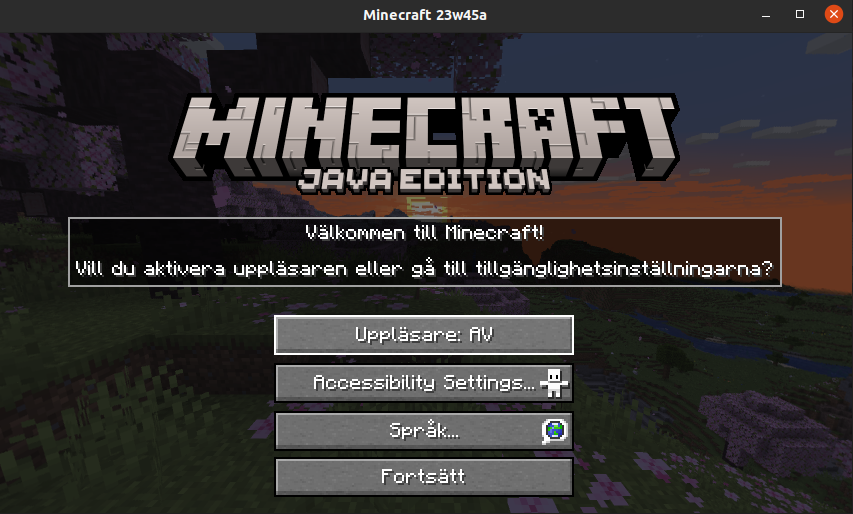
Bug still occurs on version 23w45a.
Attachments:
String_Bug1.png
String_Bug2.png
String_Bug3.png
Hi, could you please provide us with more information about this issue:
1. Expected outcome after running commands from repro steps. Right now after running commands from last repro step we noticed that game spawns two armor stands and do not say 1, is this the correct behavior?
2. How '/gamerule maxCommandChainLenght' commands affect the game and what should it allow/disallow.
Can confirm that bug still occurs. Verified on:
Versions: Snapshot 1.20.3 Pre-release 3.
Platforms: Win 11, Win 10
Can confirm that bug still occurs.
Versions: Snapshot 1.20.3 Pre-release 3.
Platforms: Win 11, Win 10
The commands in "Expected to work" are not working on my end. It works by adding "run" subcommand as you can see in attached video "Execute_tnt_Bug.mp4". Is this the correct behavior?
Retested on:
Version: Release 1.20.3
Platform: Win 11
This issue still occurs.
After using command from repro steps zombie attributes did not change. Additionally command have been tested on other mobs as well and it did not change their attributes.
Could you please provide more information about the issue or use of mentioned command.
Retested on:
Platform: Win 11
Java snapshot version: 24w03a
This issue still occurs.
Baby armadillos still wander far away from their parents, but after a while they find their way towards them.
Retested on:
Platform: Win 11
Java snapshot version: 24w03a
Issue does not occur.
The command provided in repro steps seems to be changed to:
/attribute @s minecraft:player.block_interaction_range base set 10
Retested on:
Platform: Win 11
Java snapshot version: 24w03a
Issue still occurs.
Armadillo cannot be scared while having a passenger, which result in armadillo not being able to roll up.
Retested on:
Platform: Win 11
Java snapshot version: 24w03a
Before fix, Armadillo could move while being in rolled up state while having a passenger and now after fix, Armadillo with a passenger cannot go into a rolled up state at all, which contradicts with the previous behavior.
Potential fix changed the mob behavior and potentially created another, but related issue.
Because of that issue did not get fully fixed and still occurs with changed outcome.
Adding new attachment with current behavior "Armadillo_after_fix.mp4"
Is this intended behavior? If not could you please provide us with more information about the fix for this ticket?
After further investigation of this issue, it has been noticed that it also occurs on Release versions of the Title.
Retested on Release version 1.21 on those platforms: