![[Mod] ManosSef](../../../data/avatars/users/61702.png) [Mod] ManosSef
[Mod] ManosSef
- ManosSef
- manossef
- Europe/Athens
- Yes
- No
 MCL-10952
 MCPE-57477
 MC-167448MC-170469
 MC-176033
![[Mojang] slicedlime](../../../data/assets/gravatar/slicedlime.jpeg)




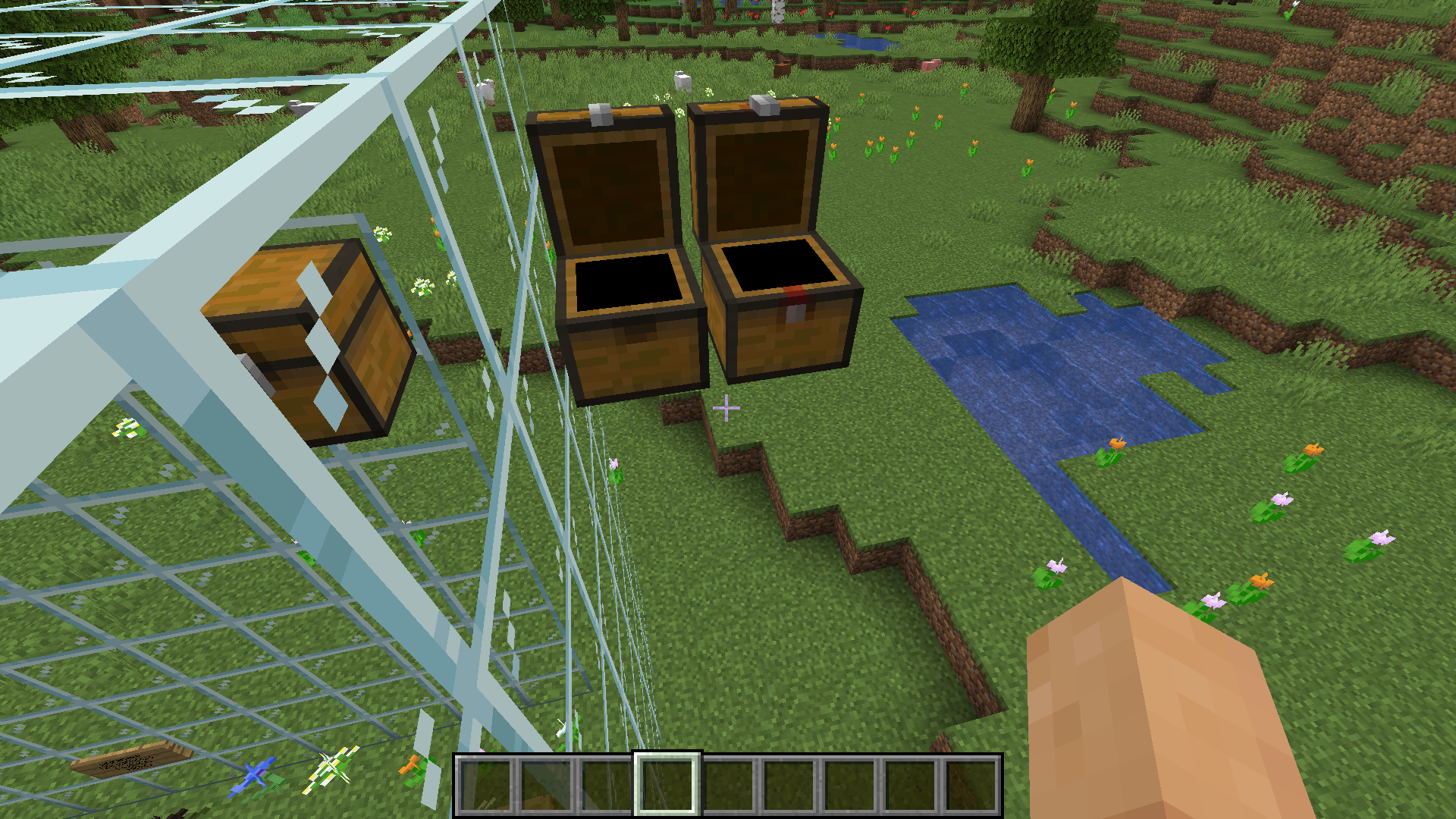












I found a savanna village and on top of a house there was an orange terracotta block among the acacia planks. See image below.
Steps to reproduce:
1. Create a default world with the seed 8689861349976835674. You will spawn
I found a savanna village and on top of a house there was an orange terracotta block among the acacia planks. See image below.
Steps to reproduce:
1. Create a default world with the seed 8689861349976835674. You will spawn
I found a savanna village and on top of a house there was an orange terracotta block among the acacia planks. See image below.
Steps to reproduce:
- Create a default world with the seed 8689861349976835674. You will spawn among a plains, a desert and a savanna with a village.
- Go to x 115 y 80 z 244. The block underneath you isn't an acacia plank. It's an orange terracotta.
In village chests in the
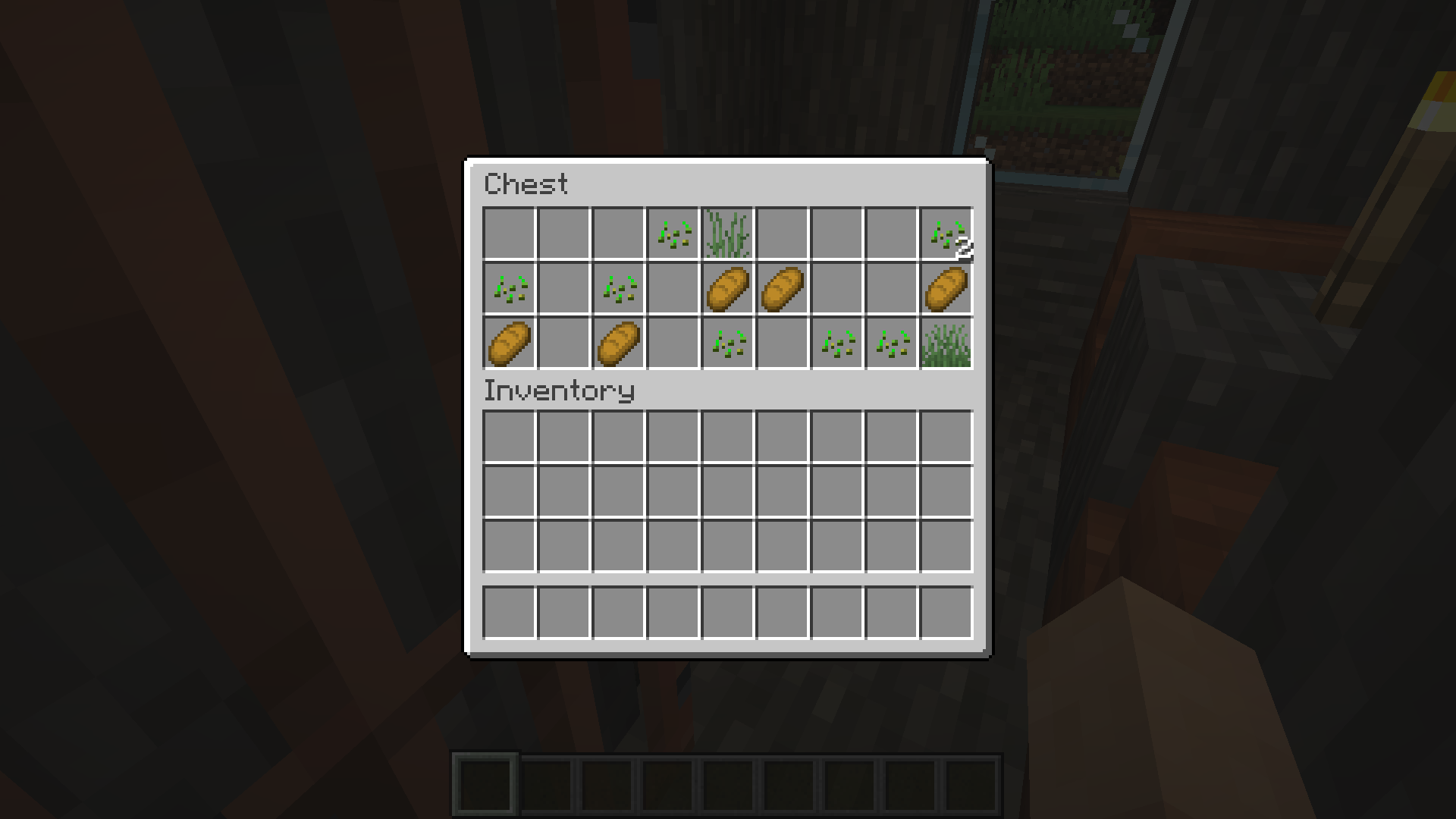
new snapshot 1.14.1 Pre-Release 1, I found grass and tallgrass. See images below.In village chests in the affected versions mentioned above, I found grass and tallgrass. See images below.
Steps to reproduce:
1) Create a default world with the seed 8689861349976835674.
2) Look behind you. There is a savanna village.
3) Look in the chest of each house. In some you will find grass and tallgrass.
I created a world in the affected versions mentioned above, to check for another bug that I had discovered (
MC-151181) and I found a block of water that was still, even with space around it. I removed it and then I placed it back. It started flowing properly. This generation bug didn't happen in Minecraft 1.14.1 Pre-Release 1.Steps to reproduce:
1) Create a default world with the seed 8689861349976835674.
2) Look at your right. You will see a farm of a savanna village.
3) Go there. You will find a block of water with space around it not flowing properly.
I created a world in the affected versions mentioned above, to check for another bug that I had discovered (
MC-151181) and I found a block of water that was still, even with space around it. I removed it and then I placed it back. It started flowing properly. This generation bug didn't happen in Minecraft 1.14.1 Pre-Release 1. It stayed still for a bit, then it started flowing properly.Steps to reproduce:
1) Create a default world with the seed 8689861349976835674.
2) Look at your right. You will see a farm of a savanna village.
3) Go there. You will find a block of water with space around it not flowing properly.
I created a world in the affected versions mentioned above, to check for another bug that I had discovered (
MC-151181) and I found a block of water that was still, even with space around it. I removed it and then I placed it back. It started flowing properly. This generation bug didn't happen in Minecraft 1.14.1 Pre-Release 1. It stayed still for a bit, then it started flowing properly.Steps to reproduce:
1) Create a default world in the affected versions mentioned above with the seed 8689861349976835674.
2) Look at your right. You will see a farm of a savanna village.
3) Go there. You will find a block of water with space around it not flowing properly.
Crafting Glow Sticks applies to 15 of the 16 colors, as black color does not craft anything (of course light grey is bugged but I don't want to talk about THAT).
Edit: How can I delete issues?
Crafting Glow Sticks applies to 15 of the 16 colors, as black color does not craft anything (of course light grey is bugged but I don't want to talk about THAT).
Edit: How can I delete issues? (I want to delete this one.)
Crafting Glow Sticks applies to 15 of the 16 colors, as black color does not craft anything (of course light grey is bugged but I don't want to talk about THAT).
Edit: How can I delete issues? (I want to delete this one.)
Edit 2: I found that when you combine any two glow sticks in a grindstone, it gives you another glitched item called item.glow_stick.black.name. This is probably the black glow stick.
No black Glow StickTwo Glow Sticks in Grindstone give an item.glow_stick.black.name
Crafting GlowSticksapplies to 15 of the 16 colors, as black color does not craft anything (of course light grey is bugged but I don't want to talk about THAT).Edit: How can I delete issues? (I want to delete this one.)
Edit 2: I found that when you combine any two glow sticks in a grindstone, it gives you another glitched item called item.glow_stick.black.name. This is probably the black glow stick.
I found that when you combine any two glow sticks in a grindstone, it gives you another glitched item called item.glow_stick.black.name. This is probably the black glow stick that you can't craft.
Yeah, I thought about that too, but I tried anyways because I didn't know if it was a bug or not.
When the new snapshot 1.14.3 Pre-Release 1 came out, the launcher said its name is 1.14.3-pre1. This is the old snapshot naming system, and when I entered the snapshot, its name was correct. So I think it is a launcher bug. This also causes the F3 menu to say:
Minecraft 1.14.3 Pre-Release 1 ( 1.14.3-pre1 /vanilla/snapshot)
Edit: Also applies to 1.14.3 Pre-Release 2 ("1.14.3-pre2").
When the new snapshot 1.14.3 Pre-Release 1 came out, the launcher said its name is 1.14.3-pre1. This is the old snapshot naming system, and when I entered the snapshot, its name was correct. So I think it is a launcher bug. This also causes the F3 menu to say:
Minecraft 1.14.3 Pre-Release 1 (1.14.3-pre1/vanilla/snapshot)
Edit: Also applies to 1.14.3 Pre-Release 2 and 3 ("1.14.3-pre2", "1.14.3-pre3").
When the new snapshot 1.14.3 Pre-Release 1 came out, the launcher said its name is 1.14.3-pre1. This is the old snapshot naming system, and when I entered the snapshot, its name was correct. So I think it is a launcher bug. This also causes the F3 menu to say:
Minecraft 1.14.3 Pre-Release 1 (1.14.3-pre1/vanilla/snapshot)
Edit: Also applies to 1.14.3 Pre-Release 2 and 3 and 4 ("1.14.3-pre2", "1.14.3-pre3", "1.14.3-pre4").
When the new snapshot 1.14.3 Pre-Release 1 came out, the launcher said its name is 1.14.3-pre1. This is the old snapshot naming system, and when I entered the snapshot, its name was correct. So I think it is a launcher bug. This also causes the F3 menu to say:
Minecraft 1.14.3 Pre-Release 1 (1.14.3-pre1/vanilla/snapshot)
Edit: Also applies to 1.14.3 Pre-Release 2
and3 and 4 ("1.14.3-pre2", "1.14.3-pre3", "1.14.3-pre4").When the new snapshot 1.14.3 Pre-Release 1 came out, the launcher said its name is 1.14.3-pre1. This is the old snapshot naming system, and when I entered the snapshot, its name was correct. So I think it is a launcher bug. This also causes the F3 menu to say:
Minecraft 1.14.3 Pre-Release 1 (1.14.3-pre1/vanilla/snapshot)
Edit: Also applies to 1.14.3 Pre-Release 2, 3 and 4 ("1.14.3-pre2", "1.14.3-pre3", "1.14.3-pre4").
Edit 2: Also applies to 1.14.4 Pre-Release 1 and 2 ("1.14.4-pre1", "1.14.4-pre2").
When the new snapshot 1.14.3 Pre-Release 1 came out, the launcher said its name is 1.14.3-pre1. This is the old snapshot naming system, and when I entered the snapshot, its name was correct. So I think it is a launcher bug. This also causes the F3 menu to say:
Minecraft 1.14.3 Pre-Release 1 (1.14.3-pre1/vanilla/snapshot)
Edit: Also applies to 1.14.3 Pre-Release 2, 3 and 4 ("1.14.3-pre2", "1.14.3-pre3", "1.14.3-pre4").
Edit 2: Also applies to 1.14.4 Pre-Release 1 and
2("1.14.4-pre1", "1.14.4-pre2").When the new snapshot 1.14.3 Pre-Release 1 came out, the launcher said its name is 1.14.3-pre1. This is the old snapshot naming system, and when I entered the snapshot, its name was correct. So I think it is a launcher bug. This also causes the F3 menu to say:
Minecraft 1.14.3 Pre-Release 1 (1.14.3-pre1/vanilla/snapshot)
Edit: Also applies to 1.14.3 Pre-Release 2, 3 and 4 ("1.14.3-pre2", "1.14.3-pre3", "1.14.3-pre4").
Edit 2: Also applies to 1.14.4 Pre-Release 1, 2, 3, 4, 5, 6 and 7 ("1.14.4-pre1", "1.14.4-pre2", "1.14.4-pre3", "1.14.4-pre4", "1.14.4-pre5", "1.14.4-pre6", "1.14.4-pre7").
When a player is in the Nether, the End or in a Flat Overworld, they can throw ender eyes. No eye of ender signal will spawn, but the ender eye is consumed and it is no longer in the player's inventory. I am not sure if this applies to Windows 10 too, but it sure works in Android.
How to reproduce:
1) Go to a Flat world or in the Nether/End of any world.
2) Take some ender eyes.
3) /gamemode s
4) Try to throw
theender eye.When a player is in the Nether, the End or in a Flat Overworld, they can throw ender eyes. No eye of ender signal will spawn, but the ender eye is consumed and it is no longer in the player's inventory. I am not sure if this applies to Windows 10 too, but it sure works in Android.
How to reproduce:
1) Go to a Flat world or in the Nether/End of any world.
2) Take some ender eyes.
3) /gamemode s
4) Try to throw an ender eye.
By releasing a 1.12.1 you will probably solve the problem on my phone where in 1.12.0, in survival, I have infinite health and I deal infinite damage. This didn't happen in beta 1.12.0.13 or in older versions.
When a player is in the Nether, the End or in a Flat Overworld, they can throw ender eyes. No eye of ender signal will spawn, but the ender eye is consumed and it is no longer in the player's inventory. I am not sure if this applies to Windows 10 too, but it sure works in Android.
How to reproduce:
1) Go to a Flat world or in the Nether/End of any world.
2) Take some ender eyes.
3) /gamemode s
4) Try to throw an ender eye.
Edit: I no longer think that this is a bug in Flat worlds.
I have made an add-on that contains a behavior pack and a resource pack. In the behavior pack manifest I have typed the tag "dependencies" so that it depends on the resource pack. I have written the correct UUID in the "dependencies" tag, but in game it says that this dependency is missing. However, when I create a new world and put the behavior pack, the resource pack is automatically selected too, as usually.
I have made an add-on that contains a behavior pack and a resource pack. In the behavior pack manifest I have typed the tag "dependencies" so that it depends on the resource pack. I have written the correct UUID in the "dependencies" tag, but
in gameit says that this dependency is missing. However, when I create a new world and put the behavior pack, the resource pack is automatically selected too, as usually.I have made an add-on that contains a behavior pack and a resource pack. In the behavior pack manifest I have typed the tag "dependencies" so that it depends on the resource pack. I have written the correct UUID in the "dependencies" tag, but when I am in the settings and click "Storage" it says that this dependency is missing. However, when I create a new world and put the behavior pack, the resource pack is automatically selected too, as usually.
All glow sticks and sparklers are almost the same
All glow sticks and sparklers in 1.13.0 betas in the inventory and in the chests have the red glow stick/blue sparkler texture and are called "item.glow_stick.black.name"/"item.sparkler.black.name" even if crafted with different colors. But in their rendering they have their correct color. When used, they get the name "Red Glow Stick"/"Purple Sparkler" and the color in their rendering is still correct. All glow sticks/sparklers are literally the same. Fix it please! I used to like glow sticks a lot (however this does not apply to sparklers)!
When a (trapped) chest is 8 blocks above the ground and the player jumps to reach it. The chest GUI opens, the player puts/takes items in/from the chest, and the player clicks Esc to close the GUI. But the chest neither closes nor makes any closing sound.
How to reproduce:
- Place a (trapped) chest 8 blocks above the ground.
- Stand underneath the chest.
- Jump to open it.
- Put/take items in/from the chest.
- Close the GUI.
What I expected to happen was:
The chest would close and make a closing sound.
What actually happened was:
The chest remained open and did not make a sound.
When a (trapped) chest is 8 blocks above the ground and the player jumps to reach it
. The chest GUI opens, the player puts/takes items in/from the chest, and the player clicks Esc to close the GUI. But the chest neither closes nor makes any closing sound.How to reproduce:
- Place a (trapped) chest 8 blocks above the ground.
- Stand underneath the chest.
- Jump to open it.
- Put/take items in/from the chest.
- Close the GUI.
What I expected to happen was:
The chest would close and make a closing sound.
What actually happened was:
The chest remained open and did not make a sound.
When a (trapped) chest is 8 blocks above the ground and the player jumps to reach it, the chest GUI opens, the player puts/takes items in/from the chest, and the player clicks Esc to close the GUI. But the chest neither closes nor makes any closing sound.
How to reproduce:
- Place a (trapped) chest 8 blocks above the ground.
- Stand underneath the chest.
- Jump to open it.
- Put/take items in/from the chest.
- Close the GUI.
What I expected to happen was:
The chest would close and make a closing sound.
What actually happened was:
The chest remained open and did not make a sound.
When a (trapped) chest is 8 blocks above the ground and the player jumps to reach it, the chest GUI opens, the player
puts/takes items in/from the chest, and the playerclicksEsc to close the GUI. But the chestneither closes nor makes any closing sound.How to reproduce:
- Place a (trapped) chest 8 blocks above the ground.
- Stand underneath the chest.
- Jump to open it.
Put/take items in/from the chest.- Close the GUI.
What I expected to happen was:
The chest would close and make a closing sound.
What actually happened was:
The chest
remained open and did not make a sound.When a (trapped) chest is 8 blocks above the ground and the player jumps to reach it, the chest GUI opens, the player stays in the GUI for a long time, they hear a closing sound and click Esc to close the GUI. But the chest doesn't close when the GUI is closed.
How to reproduce:
- Place a (trapped) chest 8 blocks above the ground.
- Stand underneath the chest.
- Jump to open it.
- Interact with the items and stay in the GUI until you hear a closing sound.
- Close the GUI.
What I expected to happen was:
The chest would close and make a closing sound when closed.
What actually happened was:
The chest made a sound before the GUI was closed and when the GUI is closed the chest remains open.
When a (trapped) chest is 8 blocks above the ground and the player jumps to reach it, the chest GUI opens, the player stays in the GUI for a long time, they hear a closing sound and click Esc to close the GUI. But the chest doesn't close when the GUI is closed.
How to reproduce:
- Place a (trapped) chest 8 blocks above the ground.
- Stand underneath the chest.
- Jump to open it.
Interact with the items and stay in the GUI until you hear a closing sound.- Close the GUI.
What I expected to happen was:
The chest would close and make a closing sound when closed.
What actually happened was:
The chest made a sound before the GUI was closed and when the GUI is closed the chest remains open.
When a (trapped) chest is 8 blocks above the ground and the player jumps to reach it, the chest GUI opens, the player stays in the GUI for a long time, they hear a closing sound and click Esc to close the GUI. But the chest doesn't close when the GUI is closed.
How to reproduce:
- Place a (trapped) chest 8 blocks above the ground.
- Stand underneath the chest.
- Jump to open it.
- Stay in the GUI until you hear a closing sound. (With subtitles enabled, wait until you see Chest closes.)
- Close the GUI.
What I expected to happen was:
The chest would close and make a closing sound when closed.
What actually happened was:
The chest made a sound before the GUI was closed and when the GUI is closed the chest remains open.
It is the first time I report a non-duplicate bug that is not dumb!
I've created a skin pack to keep my skin because I don't want to put it as "custom skin". It worked fine until 1.13.0.9 came out, where the skin pack showed up in game, but it was blank. See image.
However, this same skin pack (not the one attached below) WORKS in 1.14.0.3. Mojang, please resolve this ticket as "Fixed" with fix version/s 1.14.0.3.
I've created a skin pack to keep my skin because I don't want to put it as "custom skin". It worked fine until 1.13.0.9 came out, where the skin pack showed up in game, but it was blank. See image.
However, this same skin pack (not the one attached below) WORKS in 1.14.0.3. Mojang, please resolve this ticket as "Fixed" with fix version/s 1.14.0.3 Beta.
[FIXED IN 1.14.0.3] Skin pack not working
I was in a cave in a complete darkness, trying to find ores and monsters (I was in creative, I like to get into caves I find in creative worlds), and I found a skeleton. The bow he was holding was too clear and too lit, but the skeleton himself was dark.
How to reproduce:
- Create a world in 19w38b.
- Find a cave in the surface of your world.
- Enter it and try to find a skeleton.
- Make sure that you have no light sources around you and that it is absolute darkness.
- Look closely at the skeleton's bow.
What I expected to happen was:The bow would not be very clear and that it would be dark.
What actually happened was:
The bow was as clear as if there was light level 15 around the skeleton.
I was in a cave in a complete darkness, trying to find ores and monsters (I was in creative, I like to get into caves I find in creative worlds), and I found a skeleton. The bow he was holding was too clear and too lit, but the skeleton himself was dark.
I just realized this has already been reported.
Please resolve this ticket as a duplicate of MC-161274.
When you press shift + F3 the debug pie will show up in the debug screen. But when you press Esc to pause, the pie will show up even in the options menu!
How to reproduce:
- Enter a world
in 19w39a.- Press Shift + F3.
- Press Esc.
- Go to the options menu and do whatever.
What I expected to happen was:
The debug pie would disappear along with the whole debug screen and everything in the world.
What actually happened was:
The debug pie wouldn't disappear when I got in the options menu.
I will never upload a good issue that hasn't been reported already 😭😭😭😭😭😭😭😭😭😭!
If you open up your debug screen in any of the 1.15 snapshots, you will see that in the right side of the screen it does not show the GLU info but just some code names.
How to reproduce:
- Go to a world in 19w34a or newer.
- Open up the debug screen.
- Look at the right side of the screen.
What I expected to happen was:
It would show me my graphics card version.
What actually happened was:
It just showed code names such as "GLU.getVendor".
(Sorry if anything here was wrong about graphics card and such. I am not familiar with computer hardware.)
In the images below the first one is what it shows in 1.15 and the second in 1.14.4.
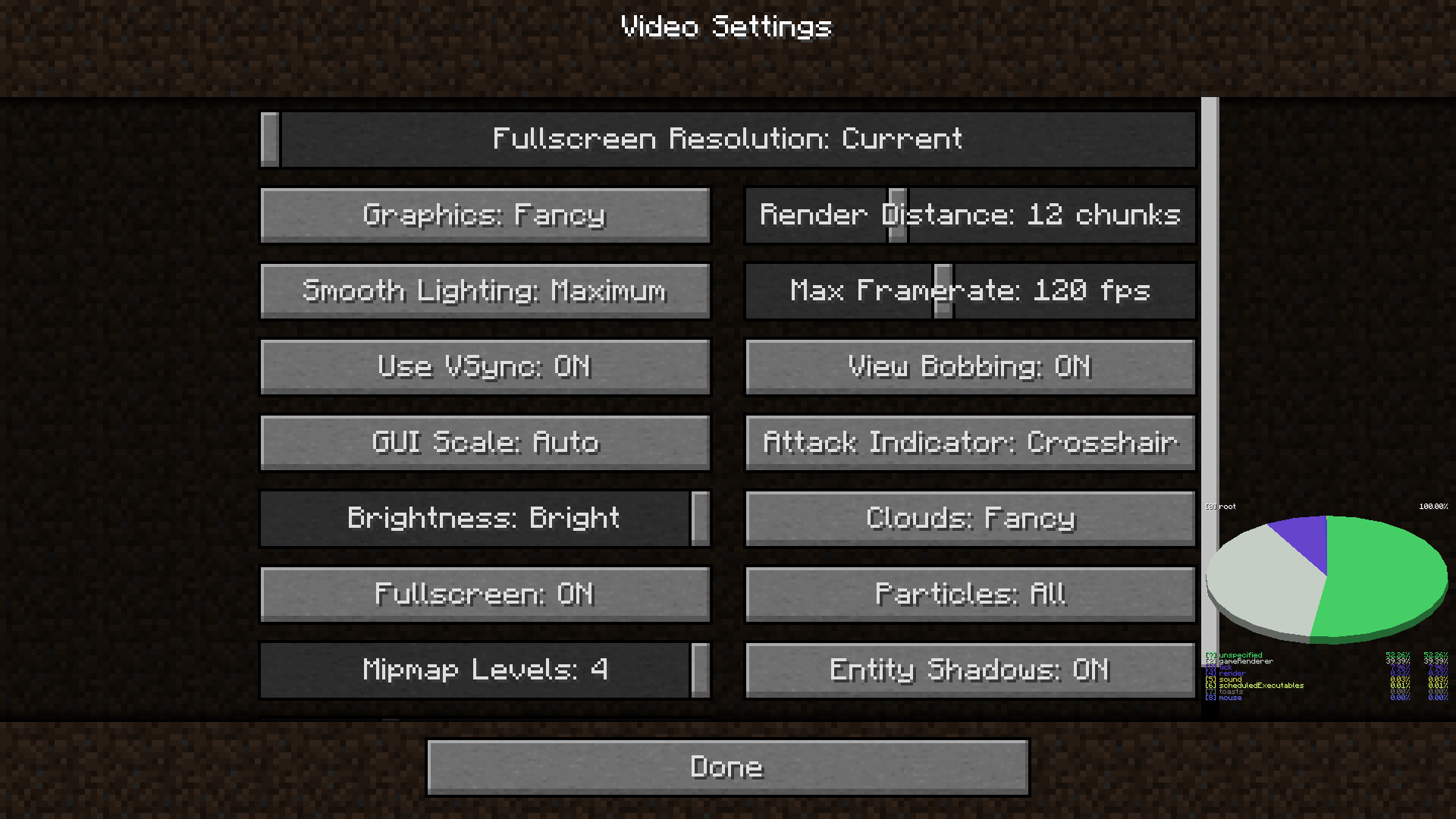
I tried to play Minecraft without the mouse, selecting everything with Tab and Enter, so I had set my GUI scale to 2 and I wanted to set it to Auto. I went to the Video Settings, I hit Tab enough times to reach the button and I clicked Enter to change it. Although the number DID change, the actual GUI scale DIDN'T change, so I continued to hit Enter but it still didn't change. I hit Tab until I reached the Done button to see if that would work, but it didn't. When I got back into the Video Settings, the number was still wrong.
How to reproduce:
- Go to your Video Settings.
- Hit Tab several times until you reach the GUI scale button.
- Hit Enter to change the GUI scale.
What I expected to happen was:
Both the number and the actual GUI scale would change.
What actually happened was:
The number changed and the actual GUI scale remained unchanged.
Note: Even with the completely broken GUI scale slider in 22w12a, the bug still persists!
GUI scale does not update when you change itthrough taband without the mouseGUI scale does not update when you change it by using the tab key and without the mouse
GUI scale does not update when you change it by using thetab keyand without the mouseGUI scale does not update when you change it by using the keyboard and without the mouse
GUI scale does not update whenyouchangeit byusing the keyboard and without the mouseGUI scale does not update when changed using the keyboard and without the mouse
GUI scale does not visually update when the option is changed using the keyboard and without the mouse
I tried to play Minecraft without the mouse, selecting everything with Tab and Enter, so I had set my GUI scale to 2 and I wanted to set it to Auto. I went to the Video Settings, I hit Tab enough times to reach the button and I clicked Enter to change it. Although the number DID change, the actual GUI scale DIDN'T change, so I continued to hit Enter but it still didn't change. I hit Tab until I reached the Done button to see if that would work, but it didn't. When I got back into the Video Settings, the number was still wrong.
How to reproduce:
- Go to your Video Settings.
- Hit Tab several times until you reach the GUI scale button.
- Hit Enter to change the GUI scale.
What I expected to happen was:
Both the number and the actual GUI scale would change.
What actually happened was:
The number changed and the actual GUI scale remained unchanged.
Note: Even with the completely broken GUI scale slider in 22w12a, the bug still persists!
![[MCPE Mod] Auldrick](../../../data/avatars/users/10122.svg)
Alexis Carter: In the case of your skin pack, the problem is an error in your en_US.lang file. The lines for the localized skin names should start with "skin.CustomPACK", but you have them as "skinpack.CustomPACK". If you correct that, it should fix your problem. Note: Don't change the entry for the pack's localized name, that one is correct.
[Mod] ManosSef: I had similar results in early development of my own custom skin pack. My problem disappeared before I could figure out exactly what I did wrong, but it was something wrong in the pack structure or JSON files. You might want to download Alexis' pack and compare it with your own. (Don't forget to edit the en_US.lang file as described above.)
CarJem Generations: That's a different bug, which we're tracking as MCPE-32089. You might like to upvote and comment there. Note that you can remove a skin pack (in Windows 10) by navigating to the com.mojang folder, opening subfolder skin_packs, and deleting the folder for the skin pack you want to remove. Having a way to delete it in-game sounds like a feature request. You may want to suggest it on the Feedback site.
[Mod] ManosSef: Although custom skin packs aren't officially supported yet, I'm told that the intention was that they should be upward compatible, and you're not the only person having this problem so we've passed this on to the developers for a fix. However, there's a new skin pack format for 1.13.0, which means the game has to upgrade older packs when it loads them. If an older pack had a minor flaw (which could easily happen, since there was no documentation on how to make them) that earlier releases didn't care about, it might be causing the upgrade to fail in this release. If that's the case, it would be very hard for the developers to fix the bug without knowing what the flaw was that triggered it. To know that, we'd need to get a copy of your skin pack. So if you're willing to make it publicly available, we'd really appreciate you attaching it to this report.

Confirmed for 1.16-pre2.
[Mod] ManosSef, I'm unable to get it even hitting the player with a firework. Could you give repro steps?
[Mod] ManosSef I have updated your description of the report. Please don't make descriptions "see title" as those are not helpful.

[Mod] ManosSef, now I get what you're saying. You're right, that's how it works on Bedrock Edition. Infested blocks on Bedrock Edition take the same time to break with any tool or with your fist, since they're not really stone anymore, but rather disguised "monster eggs". So if you mine an infested block with your fist, it takes as much time to break as with a pickaxe, and it takes half the time you need to break a stone block with your fist. So if you're using a pickaxe, it will take relatively longer to break, but if you're using your fist or any other tool, you will break it faster than regular stone.

[Mod] ManosSef, if you're refering to ocean biomes in large portions of land then it should probably be made into a new report (w/ seed & coords).
[Mod] ManosSef I was still able to reproduce this in 21w41a. Biomes such as jungle still generate without grass blocks, trees etc.
[Mod] ManosSef That might be worth a separate report.

[Mod] ManosSef Yeah true, but if you read the report's title you will notice it also says world border, indicating that the sniffer (for example) can go through the world border too.

[Mod] ManosSef I can confirm this in 1.21-pre2. The sound I hear is similar to the one in the video.
Cannot reproduce either. The only unique thing that happens is that the top half of the bed spawns inside the mob, which is the same issue [Mod] ManosSef described.
This is an intended feature, as per the issue [Mod] ManosSef mentioned.
[Mod] ManosSef, the loot table appears to be entirely unused. To reproduce, run /place template minecraft:trial_chambers/corridor/end_2 and try to open the chest in spectator mode.

[Mod] ManosSef I just recently discovered, I'm not sure this is actually a duplicate of that report, as this behavior is controlled by the attribute sneaking_speed, which, when above 0.8, allows this to occur.
Should I create a new report?

[Mod] ManosSef Which of these criteria does the report not meet, given the note in the description?
If it really is somehow invalid right now, would it be considered valid if a Bedrock update releases to the swamp flora generation as well (in a preview) and still has a different generation compared to Java?
I think I found the reason why that block is there. All blocks under it are orange terracottas too, so I don't think it's a bug anymore.
Khamanei Ainsworth the whole page was edited. Please delete your comment because it was for the old version of this page.
But in the Nether or the End the ender eyes shouldn't be consumed and they should just stay in the player's inventory, shouldn't they?
But its texture includes the bottle texture, so it is meant to change so that newcomers don't wonder what is going on if they enable this resource pack.
I said that I didn't think this was a bug in Flat worlds because it happens, but anyways ender eyes are useless in Flat worlds so I meant that I thought it was intended for Flat worlds.
I think that you also need to be at least 2 and at most 4 seconds in the GUI, but I can recreate the bug very easily.
Confirmed in 1.13.0.16
I finally found out how EXACTLY this is happening. See new description.
I know, but I had reported the bug before I knew there was gonna be a flattening.
I'll try to reproduce it and I will attach the crash report. I don't know when this will happen though.
I found it again! Crash report attached.
Shroomlight breaks with an axe
Thanks a lot! I was struggling to find out how this bug was working.
What exactly is fixed? When I tried it, it showed "ManosSef fell from a high place". How exactly can I reproduce the bug?
This is because these enchanted books have the Enchantments NBT tag, not the StoredEnchantments one. This also explains why the name of the book is blue and not yellow.
@Vector_2_1 Stone Stairs use the stone.png texture, which changes in the programmer art resource pack, this is why this also changes.
Fabian Röling In this video (https://www.youtube.com/watch?v=YbuWmY0p6a4) which you commented above, Etho played in 13w04a. In 13w02a-13w04a, falling death messages worked in an interesting way:
There were two types of messages, " [player] 'first' " and " [player] 'first' and 'last' ".
<first> could be:
<last> could be:
I've done the math. There were 352 different death messages.
(Well, technically there were 416 because the verb "blown" existed twice in en_US.lang.)
Works as Intended. This is what happens with beds too.
Maybe intended. This death message appears when a respawn block is placed in the wrong dimension.
Most sounds in Minecraft have sets of different sounds to select from every time. For example when you break a glass block you don't hear the same sound every time.
The difference is that this does not say anything about respawn anchors.
This happens because the health of the player is not set to 20 after respawning and stays 0.
Maybe it works with a renamed crossbow because all .item death messages need a renamed item. It just needs a translation.
This death message appears when the player is hurt by a player or mob then killed by a firework. It isn't how you describe it.
A new death message has been found!
I will add a video to prove that it works when I find the time (at most tomorrow).
Video added.
There is no "bastion_remnant" value in net.minecraft.world.level.levelgen.flat.FlatLevelGeneratorSettings.java file, so it is not yet possible to enable bastion remnants in superflat worlds.
They ARE implemented into superflat presets, as "ruined_portal".
Oops, sorry, I was too fast when I wanted to create this issue and I forgot to search for it.
I generated a superflat world with ruined portals and an overworld biome and it didn't crash. When I tested with nether wastes it crashed.
Note that it didn't crash when I tried it with an overworld biome.
The exclamation point appears in the subtitle of the most exciting sound in the game, the sound of an end portal opening, ready for the player to jump in and fight the ender dragon!
Oh, maybe it works as intended. In 20w14infinite, there is a /debugdim command. I used it in the nether, and it said that its biome source type was minecraft:multi_noise, and it listed the four (then) nether biomes with some parameters. So I think this is what is used as what I thought the minecraft:vanilla_layered type was used for.
The assets have changed in newer snapshots and the old snapshots check the same files that have been changed. That's why this happens in old snapshots.
Do not resolve this as a duplicate. It has more information than any other similar ticket I found, and it also has the cause of the problem.
Floating islands setting for some reason uses the "minecraft:end" setting instead of the "minecraft:floating_islands" one.
Caves setting for some reason uses the "minecraft:nether" setting instead of the "minecraft:caves" one.
It has worsened in 20w21a. Now it isn't only the text, it's the whole tooltip that is overlapped!
The rendering problems in this snapshot have worsened
MC-167448.Did you select my issue at random?
(Btw thanks, I like it when my issues fill with duplicates.)
Yeah but for "Two by Two" and the like, the criteria that you have achieved don't get revoked.
Invalid, there's three bugs in the same ticket.
@Kathy McGill now that I looked into the Minecraft code I am sure there is no other death message. The last one nobody knows about is "death.attack.dryout", which fish are supposed to get when they die out of the water, but there is no way of making this appear.
Cancel my previous comment. We will forever keep finding death messages. Now I found a "death.attack.sting.item" one.
In 20w21a, structure options were removed from superflat presets. If you write 'decoration', click OK and then click Customize again, you will see the 'decoration' word having been removed.
In 20w21a, structure options were removed from superflat presets. If you write 'stronghold', click OK and then click Customize again, you will see the 'stronghold' word having been removed.
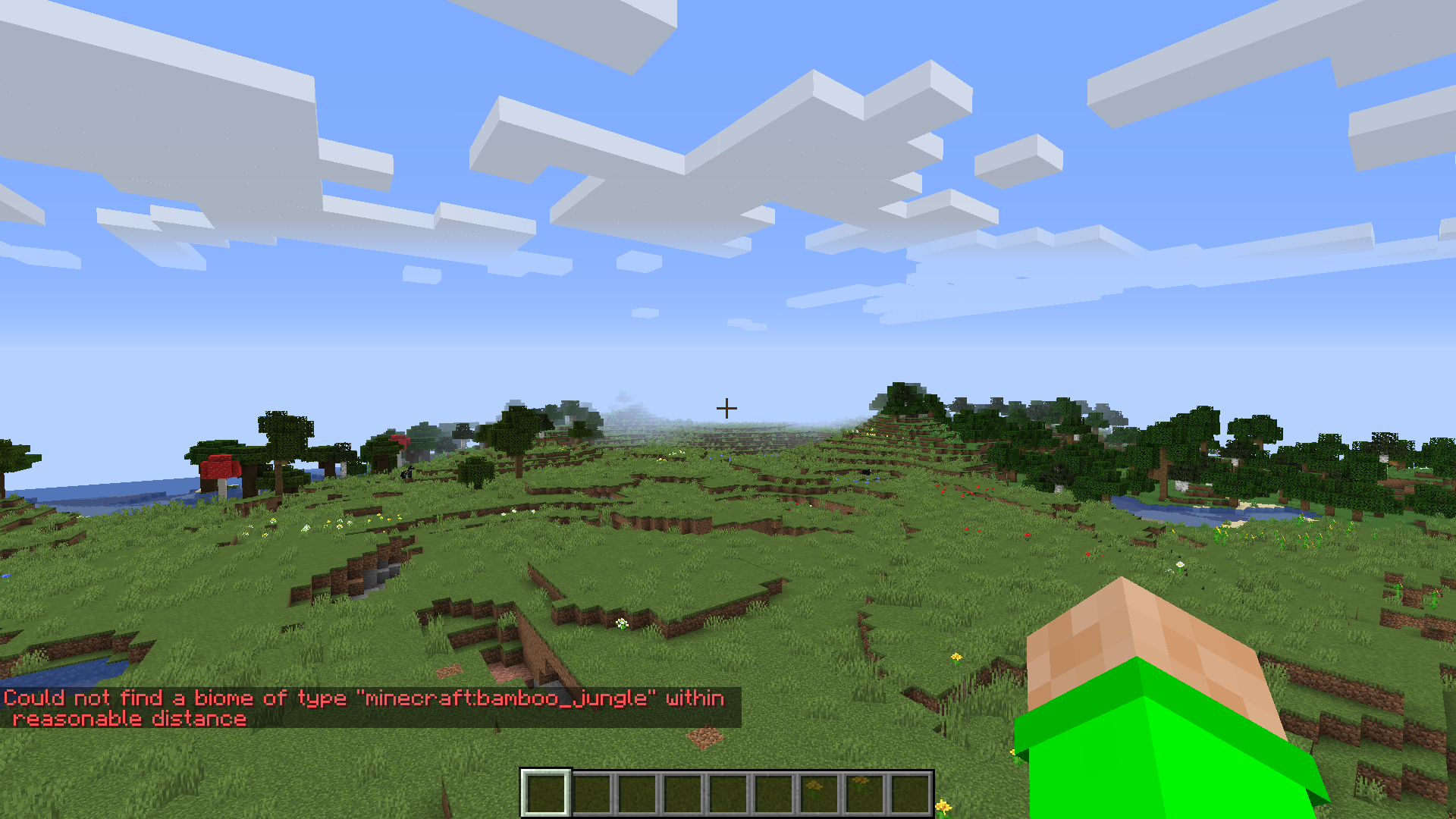
Also, bamboo jungles don't seem to generate anymore, I found that way back on April 1st, in 20w14~, where I used the /debugdim command, and it generated all biome files except for bamboo jungles and bamboo jungle hills.
Are you out of your mind? I just got into the code and bamboo jungles literally aren't coded to generate!
MC-188953is a completely different bug! Why is it a duplicate of this?That is not a bamboo jungle!
@kuemmi and @Galaxy_2Alex you were right. But I didn't find them in the code and I saw some other bug reports. Sorry for being rude.
Okay then, resolve as Invalid, not as Duplicate.
I'll go attach it there then.
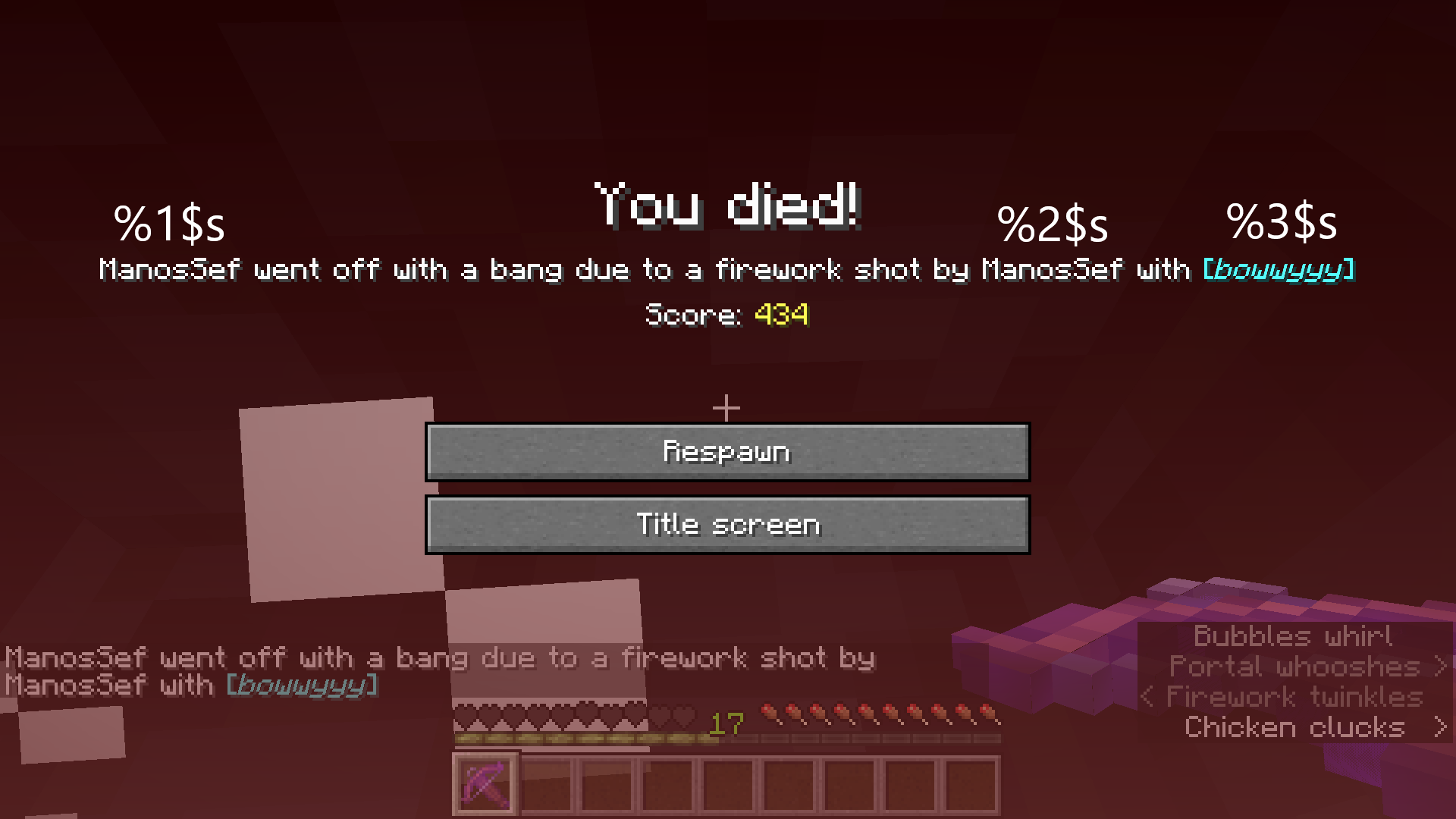
Wow, fixed in pre5. Pre-releases get released very fast.
This death message doesn't exist anymore. The %2$s (<Player 2>) variable is now in the death.attack.fireworks death message, even though it isn't included in the vanilla translation.
This death message doesn't exist anymore. The %2$s (<Player 2>) variable is now in the death.attack.fireworks death message, even though it isn't included in the vanilla translation.
Why is this invalid?
Duplicate. Sorry. I just noticed. MC-162693.
INVALID as it affects 1.8.9, a very outdated and unsupported version.
I am sorry, but the mods will say the same thing.
What graphics mode are you in? Fast, fancy or fabulous?
The crash says 1.15.2. Does this happen in 1.16.1 or 1.16.2-pre1?
The bee needs to have a RENAMED ITEM in its hand (commands only).
I will import a data pack I made to reproduce the bug in 1.16.2 later today.
Maybe you could attach the crash report so that the developers can see where the problem is?
Of course it is intentional, because shulker boxes contain 27 times the size of a bundle.
Seems to be fixed since 20w45a, but I will test again to make sure.
Well you have been living under a rock. The bug tracker now accepts parity issues, and this is one.
This has been fixed in 20w49a.
Duplicate of MC-206881. Shoot.
Works as Intended?! Then how am I gonna make an advancement for 10 mushroom stew?
Green axolotl is not unused, it hasn't even been added at all!
Every mob can enter a boat.
It is the texture which appears between the axolotl's head and the "torso", even though it is very difficult to see in-game, you actually can see it. So I think this is invalid.
Iouie E mills, what did you check?
This happened to me almost two years ago. Just log out of the launcher and log back in.
The installation directory option only saves that specific installation in that directory. Stuff like assets and libraries and version .jar files are always saved in C;\Users\'user'\AppData\Roaming\.minecraft in Windows.
Log out of the launcher and log back in. You should be able to play the paid version if you have actually paid for it.
Even if they were supported, there exists no such thing as a "giant drowned".
This is what fish buckets looked like in 1.13, so I think this is invalid instead of duplicate.
Confirmed for 20w51a.
Could be fixed if the area effect cloud entity had an NBT tag called "IsDragonBreath" which is set to 1b only for clouds created by dragon fireballs. Also confirmed in 20w51a.
Yeah that's what I found as well.
I found out that this was fixed in 20w45a.
Oh yes. I had forgotten that.
Well, if you found this item in a world without Education Edition enabled, then this ticket is not a duplicate.
I don't understand how 4 death messages are "hundreds", but confirmed in 1.16.5 and 21w06a.
I have found that it only happens if you cast it once. When cast and reeled in, what is described in this ticket happens word for word.
No it's not shot by wither skull, it is shot by a skull from wither using item name
Yes. Shoot, I created a duplicate again.
Why is 1.16.5 marked as affected since there is no glow lichen block there?
By changing the biome from mountains to extreme_hills, you made it worse. "generator-settings" needs proper JSON since 1.13. When I put proper JSON in generator-settings, it worked fine.
Yes I knew that but I just wanted to correct your previous comment.
Thanks, uyp! I've been using your technique for a while now, and I can say, I will never use the "count" tag in advancements again! (well, maybe I will, but only if I don't have much time to make a good datapack)
The new rendering engine has fixed this bug completely. Fix version is 21w10a.
The issue fixes itself when toggling fullscreen. But it occurs again after you change the world type to something else. Screenshot attached.
I attached the datapack I was using when I found the issue. It adds quartz_bricks to all block and item tags.
Invalid. The infested blocks did not become "rocks", they take half the time to mine than it would if you mined regular blocks with your fist.
This happens because you guys tried to mine infested blocks with a PICKAXE. The changelog did not mention that infested blocks now break faster using a pickaxe so they compare it to the mining time of normal blocks without a pickaxe.
@Kai Maldonado they don't take twice the time in java either.
Just did.
@Aidan T Wilson so you think we need one ticket for all such cases?
That happened to me as well, but I managed to run the game on my third attempt.
Okay I will.
Just did. Sorry for bad quality, I had it in windowed mode.
When I added it with a resource pack, I even tried to use \n and it didn't work either.
The bug is that they exist. They are just there to take up more bytes.
I am not really sure if I should believe the affected versions field. Oh wait, the environment field says 2012... um, invalid.
Wait no the description says latest server...
MC-121048is kind of the same issue; it describes how the issue works, while this ticket shows the result.In general, this works if a data pack changes vanilla biomes and the world type is buffet.
Tlauncher is not supported but okay I guess.
The cause of this issue is that surface builders for every biome are not used correctly on the terrain, so all biomes use the default dimension block (netherrack) as the surface block.
The opposite also happens. Rays Works has found a mushroom island without the mushroom fields biome.
People are gonna get confused, so I'm gonna clarify for you: the json file is a world settings file to be used with the import settings button, not a datapack.
Also, you can just make a single biome world with an ocean biome.
Intended. Each biome has a lot of different sets of noises where it can generate, for more variety. If this wasn't the case, the overworld biome distribution would be as boring as the nether's.
Well turtles spawned because there was a beach biome there. The issue is that the beach biome is there.
If you're talking about the giant cliff next to the ocean, it's a feature that sometimes generates. If you're talking about the mountain on it, I don't really know.
The cause of this issue is that the game sorts the biome IDs in alphabetical order instead of their translations.
I have experienced this issue before, but there is like a very specific way to trigger it.
Can confirm.
@Vladimir the Minecraft Warrior that's because diamond ore generates up to 96 blocks "above bottom" which means that in a normal world it generates from y=-64 to y=16. In a floating islands world, where the noise bottom (not the real bottom at y=-64) is at y=0, diamond ore generates up to y=96. It's a different issue. Maybe I need to report it.
Yeah because caves were broken before this snapshot as well. That's why the nether was broken. But it was broken in a different way.
MC-237181was technically fixed in 21w41a.Technically fixed in 21w41a. Still happens, but in a different way. Details in MC-239041.
Since when?
Okay, turns out I am just the one whose knowledge is still back in the snapshots. I just checked the wiki and it is intended. It once wasn't though, I know it. Just resolve this as WAI.
@Anthony Cicinelli yeah I know but it's not the same issue anymore. The cause of this one has been fixed. The new cause is MC-239041.
Also affects the caves world type.
This is actually also a duplicate of
MC-236723.Wrong project. This is MCL. You should post this is MC.
How the heck was I the first to report this yet someone duplicated it in less than 12 hours? I am really lucky these days.
Well, I believe that since the programmer art resource pack has all the old textures of the game in it, the old button color when it is selected should be in it too. To me, that is not the issue, since this pack is made so that every single old texture returns. But, the text turning yellow has nothing to do with resource packs, as it was hardcoded in the game before it was removed. I don't know how they would fix this, but I think the buttons turning blue without the text turning yellow doesn't really capture that look the old buttons had when they were selected. If I want to switch my textures back to the old ones in order to feel the old Minecraft experience without actually launching an older version, I want to have the full experience. This ticket specifically focuses on the text not turning yellow.
To be honest, if I were Mojang reading this comment and understanding its concerns, I would resolve this ticket as Won't Fix instead of WAI.
No, but I checked the code and it says that when excitedze is typed into the search bar in the recipe book, it changes the language to en_pt, without checking if such language exists. As the British would say, that code is a bodge. Mojang is eliminating the weirdest crashes out of the game, and this technically is one of them.
Think about the "death.attack.dryout" death message. Before 1.17.1, it was technically possible to get it, since there was code for a "dryout" damage type since 1.13. That one should also have been fixed earlier than 1.17.1, but I never reported it since I thought someone would say the exact same thing: "there is no way to see that without modding."
Sorry if this comment sounds angry, I am not angry, just passionate about my opinion.
Personally, I don't think these reproduction steps are modding. The game itself, when launched, does not say "Modded", because I didn't change anything in the client.jar file. Changing the asset index is not modding for me. Mojang does it every single snapshot, and every change they make to the asset index is retroactively applied to all previous snapshots for the same update. Running 21w37a for example will be different now than what it was when it was released, even though Mojang didn't reupload it or change it or anything. It just happens because it checks the same asset index that the latest snapshot does, which changes every time a snapshot is released.
If you have a counterargument, I will seriously consider it while rethinking if this is a valid issue. Please post your thoughts if you have any.
Confirmed in 1.18.2.
Can confirm in 22w12a. Additionally, if this issue affects a boat with a chest, the chest's contents disappear entirely from the world.
You have to drag the datapacks themselves, not a folder containing them.
Confirmed for 22w12a.
It turns out this is an issue only with Microsoft Zira - English (United States) as the narrator voice. I don't know how or why, but it sounds normally with any other voice.
Just invalidate this. It's probably just some text-to-speech bugging out.
There is also the GameType tag, which also refers to a gamemode. It has been named that way since Notch's days, and they have no reason to change it.
Confirmed for 22w15a. Since nobody has been updating this, can I request ownership? I promise I will update it consistently.
Intentional. An advancement that doesn't have multiple requirements, like Adventuring Time (which says 0/52 when you don't have it) cannot reset when it is edited.
Duplicate of
MC-250954.Cannot confirm. The trigger activated just fine for me.
I never said the datapack was needed, by the way.
Confirmed for 22w19a, also affects "Birthday Song."
This issue is invalid. For all damage types other than fall damage, this bug does not exist, the death message does include the bee. For fall damage, this is a duplicate of
MC-173511.The death message <playername> fell from a high place whilst trying to escape <mob> doesn't exist anyway. It doesn't happen for any mob.
The "whilst fighting <mob>" variants of normal death messages only exist for environmental damage types. "fireworks" used to be an environmental damage type, so it had this death message. However, since 1.16, it has been changed to a damage type directly from players or mobs, which don't have "whilst fighting" variants. It now has the "<player> went off with a bang due to a firework rocket fired from <item> by <player/mob>" variant (the renamed item variant for short) just like every other direct player/mob damage type.
Works as Intended. Drowned only notice the player if it is night time or if the player enters water while the drowned is in water.
So what is the bug?
Well, no, I just thought that since this was always the case, it should be intended. Otherwise, they would notice while, like, playing the game for five minutes.
Can confirm for 1.19 Pre-release 2. I am still offering to update this ticket consistently if I obtain ownership of it.
Can confirm for 1.19.1 Pre-release 4. May I request ownership?
@Robert Macedolian
"Do not cite the deep magic to me witch. I was there when it was written."
I wrote the death messages page on the wiki. I think I know when a death message should appear.
This is actually a duplicate of
MC-121048since all damage sources other than falling are not affected.Can confirm in 1.19.2. Can I request ownership, since the reporter has not updated the ticket?
The fact that you created a world in the new snapshot is completely unrelated to the issue.
If this is intentional, the iconic "blew up" death message is now impossible to get!
Seems to be fixed in 22w45a.
It's not because of netherite boots, it's because you are switching the item with an item of the same type.
Also, how long did it take you to write all of that in the "Environment" section? That must have taken a full hour or something.
Can confirm that this "bug" has been fixed in 23w03a, due to the fix for

MC-121048.Duplicate of
MC-260047.Every block entity is invisible as a falling block. I am pretty sure this has been reported already though.
If you run the server and THEN turn on experimental packs, the biome will not spawn. Please try to recreate the issue by deleting and regenerating the world on your server, while the pack is already enabled.
Can confirm for 1.19.4.
Can confirm in 23w16a.
Can confirm in 23w16a.
I am unfortunately not on my computer right now, so I can't attach the world at the moment. Please expect it in around 7 hours from now. I will attach it, I promise.
The world was way too big to upload, but I tested it and it works with any old world.
If you got "doomed to fall", you did it wrong. From my experience, this bug is not present in 1.19.4.
Generate a default world with the same seed. If the world is still mostly ocean, then this is actually a duplicate of
MC-236884.The cooldown can't have prevented you from mining, try holding down your mouse button while mining and you won't see the problem.
One piece of rotten flesh never immediately makes a puppy grow up, you actually need a lot of it.
Yes, it actually is the same as MC-231097. You just haven't thought about it enough.
Make sure you place your resource pack above "Default" in the resource pack screen.
This is completely intended. The developers didn't want you to easily disallow a warden from spawning.
This "bug" has happened since 1.18.2 and has to do with the custom world data present in the world file before 1.18.2. This is actually how it's supposed to work.
Fixed in 1.20-pre1.
"death.attack.genericKill.player" doesn't count, it can appear without /damage
Can confirm in 1.20-pre2.
Seems to be fixed in 1.20-pre3. My theory is that the fix for
MC-181280fixed this too.Can confirm in 1.20.
Oh my god it is impossible to search for a specific issue with this search system.
Oh well, it turns out I never know which keywords to use in my searches lol
Can confirm in 1.20.1.
Can confirm in 23w32a.
Maybe you actually lagged out the game by using /tick too much lol
To be honest this kind of glitchiness is expected when Mojang suddenly adds a way to literally stop the game from running
Cannot reproduce. When I hit a mob after freezing the game, the mob turns red but doesn't change its position (legs moving is very much intended).
You have to enable the Update 1.21 in the Experiments menu when you create a world to see the new blocks. Also, there haven't been any 1.21 snapshots yet; the snapshot series we're going through right now is for 1.20.3, and Mojang also adds 1.21 features hidden behind Experiments for early testing.
Invalid. This issue would go under the MCPE project and even then, this is not the place for technical support.
Invalid. The top chat message is the translation of "Chilenderino was killed", the actual death message, while the bottom chat message is the translation of "Killed Chilenderino", the command feedback of /kill. If you want the two messages to be different in your language, then this is a language translation issue and you should refer to the official Minecraft translation project on Crowdin.
Oh, EliteHog's video didn't immediately show up for me, so I added my own anyway lol
The background is gray when the menu is scrollable. If you don't see the scroll bar, that means your window resolution and/or GUI scale make the menu small enough so the entirety of it can fit on the screen. If you make the window smaller you will notice the scroll bar.
I want to add that this issue only applies in Survival mode.
Oh wow, we have now reached a point where all death messages mentioned here can be reproduced. This ticket has no reason to still be open.
All death messages mentioned can be reproduced:
Steps for "<player> was killed by even more magic":
MC-260877, which summons a mob with around 150,000 characters.Steps for "<player> fell too far and was finished by <player/mob>":
Steps for "death.fell.accident.water":
Steps for "<player> was doomed to fall":
Can confirm.