 kmb
kmb
- kmb600
- kmb600
- America/New_York
- Yes
- No
 MCPE-57025MCPE-117814
 MC-248178
 Low
Low REALMS-11562
![[Mojang] Gnembon](../../../data/avatars/users/93709.png)

















Fixed in 1.14.0.2 Beta
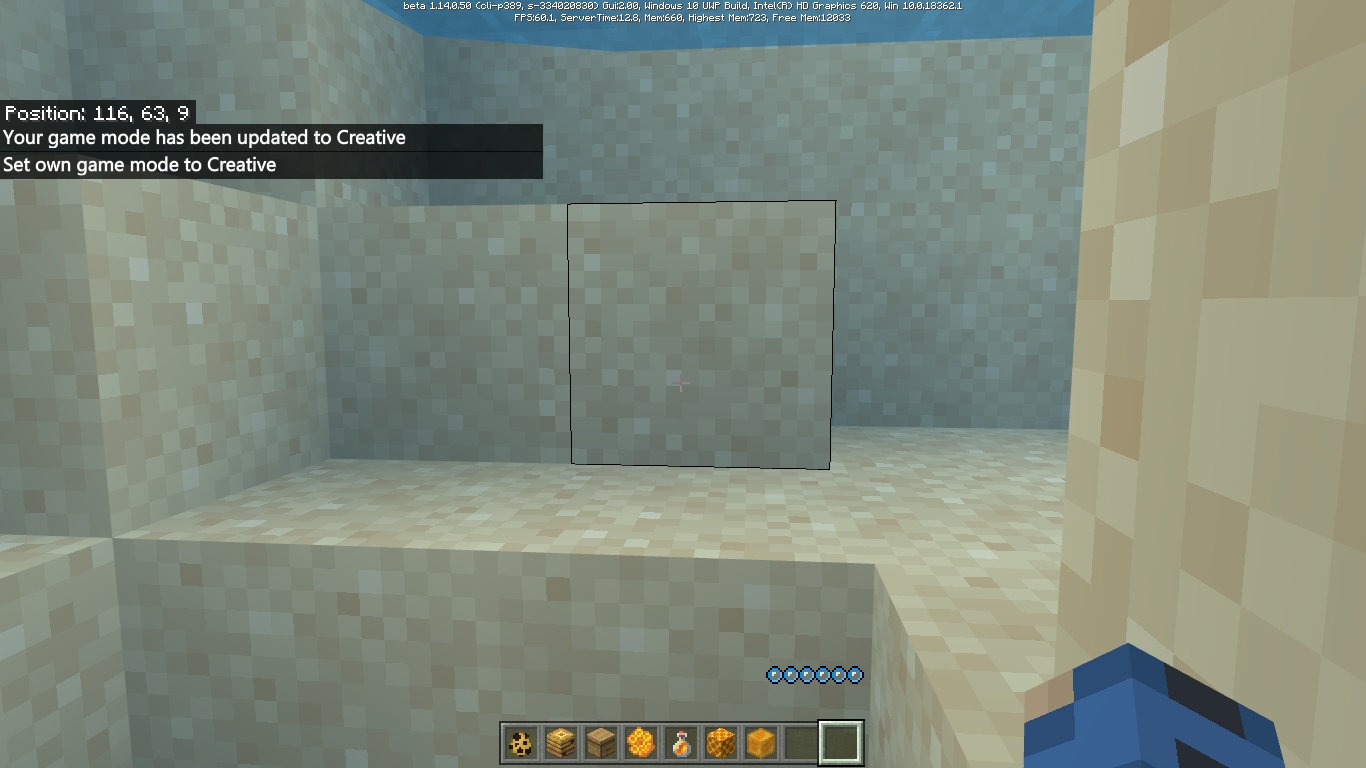
The oxygen bar will still be there above the hotbar when you switch from Survival to Creative while underwater
Steps to Reproduce:
- Set gamemode to Survival
- Go underwater, where the oxygen bar will show
- Switch to Creative
- The oxygen bar will still be there above the hotbar and the bubbles will begin to regenerate
and once the oxygen bar fills up, it will disappearThe oxygen bar will still be there above the hotbar when you switch from Survival to Creative while underwater
Steps to Reproduce:
- Set gamemode to Survival
- Go underwater, where the oxygen bar will show
- Switch to Creative
- The oxygen bar will still be there above the hotbar and the bubbles will begin to regenerate
- Once the oxygen bar fills up, it will disappear
Oxygen bar stillappearswhen switching from Survival to Creative while underwaterOxygen bar is still visible when switching from Survival to Creative while underwater
The oxygen bar will still be there above the hotbar when you switch from Survival to Creative while underwater
Steps to Reproduce:
- Set gamemode to Survival
- Go underwater, where the oxygen bar will show
- Switch to Creative
- The oxygen bar will still be there above the hotbar and the bubbles will begin to regenerate
- Once the oxygen bar fills up, it will disappear
The oxygen bar will still be there above the hotbar when you switch from Survival to Creative while underwater
Steps to Reproduce:
- Set gamemode to Survival
- Go underwater, where the oxygen bar will show
- Switch to Creative
- The oxygen bar will still be there above the hotbar and the bubbles will begin to regenerate
- Once the oxygen bar fills up, it will disappear
I'm having this issue too on Windows 10 v1.14.20, and I can confirm that pistons will not work with slime blocks either
Banners will not render in your hand while in first person view
Steps to Reproduce:
- Be in 1st person view
- Hold a banner in your hand
**Observe the banner not showing in your hand
This bug affects most baby mobs, ghasts, shulkers, and evokers.
1. Most baby mobs are missing their heads (
MCPE-100254)2. Ghasts
are completely invisible.3. Shulkers are missing their entire body except for its head
4. Evokers have no arms.
This bug affects most baby mobs, ghasts, shulkers, and evokers.
1. Most baby mobs are missing their heads (
MCPE-100254)2. Ghasts have no body at all.
3. Shulkers are missing their entire body except for its head
4. Evokers have no arms.
This bug affects most baby mobs, ghasts, shulkers, and evokers.
1. Most baby mobs are missing their heads (
MCPE-100254)2. Ghasts have no body at all.
3. Shulkers are missing their entire body except for
itshead4. Evokers have no arms.
This bug affects most baby mobs, ghasts, shulkers, and evokers.
1. Most baby mobs are missing their heads (
MCPE-100254)2. Ghasts have no body at all.
3. Shulkers are missing their entire body except for their heads.
4. Evokers have no arms.
This bug affects most baby mobs, ghasts, shulkers, and evokers.
1. Most baby mobs are missing their heads (
MCPE-100254)2. Ghasts have no body at all.
3. Shulkers are missing their entire body except for their head
s.4. Evokers have no arms.
affects 1.16.100.53
affects 1.16.100.54
affects 1.16.100.57
affects 1.16.20.52
affects 1.16.100.50
affects 1.16.100.51
affects 1.16.100.52
affects 1.16.20.50
affects 1.16.20.52
affects 1.16.20.54
affects 1.16.100.52
affects 1.16.100.53
affects 1.16.100.54
affects 1.16.20.50
affects 1.16.100.52
affects 1.16.100.53
affects 1.16.20.54
affects 1.16.20.50
affects 1.16.20.52
affects 1.16.20.54
affects 1.16.100.52
affects 1.16.100.53
affects 1.16.100.54
affects 1.16.100.53
affects 1.16.100.57
affects 1.16.200.51
affects 1.16.100.53
affects 1.16.20.52
affects 1.16.200.52
affects 1.16.100.52
affects 1.16.20.50
affects 1.16.100.57
affects 1.16.100.59
affects 1.16.100.53
affects 1.16.20.52
affects 1.16.100.50
affects 1.16.100.57
affects 1.16.100.59
affects 1.16.0.67
affects 1.16.0.68
affects 1.16.20.50
affects 1.16.20.53
affects 1.16.100.51
affects 1.16.100.53
affects 1.16.0.64
affects 1.16.0.66
affects 1.16.0.68
affects 1.16.20.50
affects 1.16.20.52
affects 1.16.100.51
affects 1.16.100.53
affects 1.16.100.54
affects 1.16.100.57
affects 1.16.100.59
affects 1.16.100.54
affects 1.16.100.51
affects 1.16.100.50
affects 1.16.100.53
affects 1.16.100.57
affects 1.16.0.66
affects 1.16.0.68
affects 1.16.20.50
affects 1.16.20.52
affects 1.16.20.54
affects 1.16.100.50
affects 1.16.100.57
affects 1.16.100.59
affects 1.16.100.54
affects 1.16.100.53
affects 1.16.0.64
affects 1.16.0.66
affects 1.16.0.68
affects 1.16.20.50
affects 1.16.20.52
affects 1.16.20.53
affects 1.16.20.54
affects 1.16.100.50
affects 1.16.100.51
affects 1.16.100.52
affects 1.16.100.53
affects 1.16.100.51
affects 1.16.100.50
affects 1.16.20.54
affects 1.16.100.57
affects 1.16.100.53
affects 1.16.100.51
affects 1.16.100.50
affects 1.16.20.54
affects 1.16.20.50
affects 1.16.100.57
affects 1.16.100.54
affects 1.16.100.53
affects 1.16.100.51
affects 1.16.100.50
affects 1.16.100.58
affects 1.16.100.59
affects 1.16.100.54
affects 1.16.100.57
affects 1.16.100.53
affects 1.16.100.51
affects 1.16.100.50
affects 1.16.20.50
affects 1.16.0.64
affects 1.16.100.57
affects 1.16.100.52
affects 1.16.100.51
affects 1.16.100.50
affects 1.16.20.54
affects 1.16.20.52
affects 1.16.100.57
Affects 1.16.0.55
still present in 1.16.0.59
still present in 1.16.0.60
affects 1.16.0.63
affects 1.16.0.64
affects 1.16.0.66
affects 1.16.0.67
affects 1.16.20.50
affects 1.16.100.57
affects 1.16.100.59
affects 1.16.0
affects 1.16.100.53
affects 1.16.100.51
affects 1.16.100.51
affects 1.16.100.50
affects 1.16.20.54
affects 1.16.20.50
affects 1.16.100.54
affects 1.16.100.57
affects 1.16.100.54
affects 1.16.100.53
affects 1.16.100.52
affects 1.16.100.51
affects 1.16.100.50
affects 1.16.20.53
affects 1.16.20.52
affects 1.16.100.59
affects 1.16.0.63
affects 1.16.100.54
affects 1.16.100.53
affects 1.16.100.54
affects 1.16.100.55
affects 1.16.100.59
affects 1.16.100.57
affects 1.16.20.52
affects 1.16.20.53
affects 1.16.20.54
affects 1.16.100.50
affects 1.16.100.51
affects 1.16.100.52
affects 1.16.100.59
affects 1.16.100.50
affects 1.16.100.51
affects 1.16.100.59
affects 1.16.100.59
affects 1.16.100.50
affects 1.16.100.51
affects 1.16.100.54
affects 1.16.100.56
affects 1.16.100.59
affects 1.16.200.51
affects 1.16.20.52
affects 1.16.100.50
affects 1.16.0.68
affects 1.16.20.50
affects 1.16.100.59
affects 1.16.100.51
affects 1.16.100.52
affects 1.16.100.59
affects 1.16.0.68
affects 1.16.20.50
affects 1.16.20.54
affects 1.16.0.64
affects 1.16.0.66
affects 1.16.0.67
affects 1.16.20.50
affects 1.16.20.52
affects 1.16.100.50
affects 1.16.100.51
affects 1.16.100.52
affects 1.16.20.52
affects 1.16.100.50
affects 1.16.100.51
affects 1.16.100.52
affects 1.16.100.50
affects 1.16.100.51
affects 1.16.100.51 on Windows 10
affects 1.16.200.52
affects 1.16.20.52
affects 1.16.20.53
affects 1.16.20.54
cannot reproduce this issue with any rails on 1.16.200.51 (Windows 10)
Steps to Reproduce:
1. Obtain a goat spawn egg
2. Quick move the goat spawn egg from the hotbar into your inventory
**Additional Notes:
This issue has affected other newly added spawn eggs in previous versions, such as the bee spawn egg (https://bugs.mojang.com/browse/MCPE-53542) and the hoglin & piglin spawn eggs (https://bugs.mojang.com/browse/MCPE-65406)
Steps to Reproduce:
1. Obtain a goat spawn egg
2. Quick move the goat spawn egg from the hotbar into your inventory
**Additional Notes:
This issue has affected other newly added spawn eggs in previous versions, such as the bee spawn egg (https://bugs.mojang.com/browse/MCPE-53542) and the hoglin & piglin spawn eggs (https://bugs.mojang.com/browse/MCPE-65406)
![[Mod] EVGENSYPERPRO](../../../data/avatars/users/92853.png)
Can you confirm on which device? And the leaves are blinking from another report (in the attached)
I am very grateful to you for confirming my reports (in the new version), however, the moderators in the bedrock version do not install these versions and I do it myself. I confirm all my reports within 2-3 days after the release of the version, so all my reports in any case are transferred to new versions. It would be wiser to confirm reports from people who do not update their reports.
Thank.
![[MCPE Mod] Auldrick](../../../data/avatars/users/10122.svg)
kmb: Thanks for helping! I appreciate that you're editing your earlier comments with new affected versions to try and limit comment spam on the site. However, for this particular purpose we would rather you create a new comment for a new affected version, if it's convenient. The reason is that we have a bot that detects comments of the form "affects <version#>" and does the update for us, and it doesn't catch edits to older comments. (It's also momentarily confounding to see a comment dated December and mentioning a release that came out after that date.)
Oops! My bad. Thanks, GoldenHelmet!
kmb: I guess you can go back to updating your comments, if you prefer that.
kmb: Just as info: It never hurts to have up to date info on a report, of course, but it's not always important to test every single release for the bug. As long as the affected versions include either the current full release or the current Beta release, the report is in no danger of being canceled. In fact, they usually don't even look at reports that have been updated in the last 6 months, even by adding a comment, when they try to cull the obsolete ones. So while we appreciate your diligent testing, it would be fine if you want to save yourself some effort by not testing every bug in every new release.
One other thing: Please don't leave the word "Beta" off the release number, as that could cause an ambiguity problem later when viewing archived reports.
![[Mod] LateLag](../../../data/avatars/users/92884.png)
kmb - Updated the description with the seed from the other screenshot, that one still works.
kmb
The latest affected version is 1.18.0.23. In 1.18.0.24, all the seeds were mixed, but I saw a similar generation already in 1.18.0.25. I'll provide a new example for 1.18.0.25 later.

kmb I did reproduce found over the same seed in Latest Preview
Preview version: 1.21.10.21
Seed: -7325843019625900556, -1026 -12 -1030
kmb, its summary is probably a bit misleading, but this issue is about breaking heavy core with your hand or incorrect tools, not with pickaxes.
Still an issue in 1.21.10.21.
Confirmed for 1.12.0
Still affects 1.12.0
Still happening in 1.14.0.50
Confirmed for 1.14.0.50 on Windows 10
Since 1.13 some of my villagers have been despawning as well, and I am 99% certain that they weren't killed since the entire village is protected by walls and is completely lit up. At first I thought they were stuck somewhere but I have looked everywhere and now I've concluded that they have just simply despawned for no reason.
And this happened again like literally today (on v1.14.1) as I had a cleric villager and a couple fisherman villagers that were present a few days ago but as of today they are nowhere to be found.
Can confirm on 1.14.1
For me, after restoring the game, the armor only disappears once I start sprinting
Hovering over the items after searching but before pressing enter seems to display the correct names of the updated search results but the previous search results are still shown
Seems to be fixed for me in 1.16.0.58 (Windows 10)
affects 1.16.0.58
zombified piglins still take fire damage in 1.16.0.58
@Jacob Lane you are correct
The bee spawn egg no longer turns red when quick-moved in the inventory, now the piglin, hoglin, zoglin, and strider spawn eggs do that
Pretty sure this issue is fixed
I'm not hearing the sound play anymore as of 1.16.0.59 (on Windows 10), so this could potentially be fixed?
still present in 1.16.0.59
still present in 1.16.0.59
seems to be fixed for me now in 1.16.0.59
still present in 1.16.0.59
still present in 1.16.0.59
still present in 1.16.0.59
affects 1.16.0.60
affects 1.16.0.60
I'm on Windows 10 and the particles are showing for me, though they're flickering randomly for some reason
issue present in 1.16.0.61
affects 1.16.0.61
I think this is fixed in 1.16.0.61
affects 1.16.0.61
affects 1.16.0.63
So rabbits are able to hop around now as of 1.16.0.64, however they still move way too slowly when trying to run away from the player in Survival, allowing you to kill them very easily
affects 1.16.0.64
affects 1.16.0.64
affects 1.16.0.66
affects 1.16.0.66
affects 1.16.0.66
affects 1.16.0.66
affects 1.16.0.67
affects 1.16.0.67
affects 1.16.0.67
affects 1.16.0.67
affects 1.16.0.67
affects 1.16.0.67
affects 1.16.0.68
affects 1.16.0.68
affects 1.16.0
affects 1.16.210
affects 1.16.0
affects 1.16.0
affects 1.16.0
you can also place a block underneath the floating stem, making it completely invisible (but you can still see the hitbox)
affects 1.16.0
affects 1.16.0
affects 1.16.0
affects 1.16.0
affects 1.16.0
affects 1.16.0
affects 1.16.0
affects 1.16.0
affects 1.16.0 I think (when I try to enchant a fishing rod with no bookshelves around the enchantment table I only get the bottom most selection)
affects 1.16.20.50
affects 1.16.20.50
affects 1.16.20.50
affects 1.16.20.50
affects 1.16.20.50
affects 1.16.20.50
affects 1.16.1
affects 1.16.210
affects 1.16.210
affects 1.16.1
affects 1.16.1
affects 1.17.0
affects 1.16.1
affects 1.16.1
affects 1.16.1
affects 1.16.1
affects 1.16.1
affects 1.16.200
affects 1.17.10
affects 1.17.10
affects 1.17.10
affects 1.16.20.52
affects 1.16.20.52
affects 1.16.20.52
affects 1.16.20.52
affects 1.16.20.52
affects 1.16.20.52
affects 1.16.20.52
movement of rabbits is completely broken again (playing on 1.16.20.52 beta), they barely move at all now
affects 1.16.20.52
affects 1.16.20.52
affects 1.16.20.52
affects 1.16.20.52
affects 1.16.20.53
affects 1.16.20.53
affects 1.16.20.53
affects 1.16.20.54
affects 1.16.20.54
affects 1.16.20.54
affects 1.16.20.54
affects 1.16.20.54
affects 1.16.20.54
affects 1.16.20.54
Can confirm in 1.16.100.50 on Windows 10
Does not seem to be occurring for me anymore in 1.16.100.50 on Windows 10
affects 1.16.100.50
affects 1.16.100.50
affects 1.16.100.50
affects 1.16.100.50
affects 1.16.100.50
I can no longer reproduce this issue in 1.16.100.51 on Windows 10
affects 1.16.100.51
affects 1.16.100.51
affects 1.16.100.51
affects 1.16.100.51
affects 1.16.100.51
can confirm in 1.16.100.51 on Windows 10
from my experience (in Survival), phantoms will often swoop down but quickly rise back up again; only rarely do they actually swoop all the way down and attack the player
affects 1.17.0.58
affects 1.16.100.52
affects 1.16.100.52
affects 1.16.100.52
affects 1.16.100.52
affects 1.16.100.52
affects 1.16.100.52
affects 1.16.100.52
affects 1.16.100.52
affects 1.16.100.52
affects 1.16.100.52
affects 1.17.20.23
affects 1.16.100.52
can confirm for 1.16.100.53 beta (Windows 10)
Can confirm for 1.16.100.53 beta on Windows 10. Another thing I'd like to note is that placing boats on the surface of water will make them sink a little bit into the water (they will sink more if you enter the boat from a higher position). Pressing forward will make them go back to the surface of the water and make them work normally.
affects 1.16.100.53
affects 1.16.100.53
affects 1.16.100.53
affects 1.16.100.53
affects 1.16.100.56
affects 1.16.100.53
affects 1.16.100.53
affects 1.16.100.53
can confirm for 1.16.40 on Windows 10
affects 1.16.210.56
Piglins still cannot equip shields in 1.16.100.54
affects 1.16.100.54
affects 1.16.100.54
affects 1.17.10.21
affects 1.17.20.22
affects 1.16.100.57
affects 1.16.200.57
affects 1.16.100.60
affects 1.17.10.23
affects 1.16.230.56
affects 1.16.100.56; also elytra no longer show up on piglins' backs
affects 1.16.100.56
Tripwire hooks now no longer work at all in 1.16.100.56...
The "x" button can also be found on the world loading screen (but it doesn't do anything when you click it)
affects 1.17.10.23
affects 1.16.100.57
affects 1.16.100.57
As of v1.16.100.57, rabbits now no longer move very slowly and seem to have their original speed back, however their running away behavior is very inconsistent as they seem to go around in circles every now and then when trying to run away from the player
affects 1.16.200.51
In addition, the grey background behind the "Enchantment Cost: " text (which was recently added) is not present in Pocket UI
The text now reads "Holiday Creator Features" in 1.16.100.58 for me
affects 1.17.30.20
affects 1.16.100.58
affects 1.16.210.50
affects 1.17.0.56
affects 1.16.210.51
still affects Dark Oak Sign in 1.16.100.59
No longer occurs in 1.16.100.59
No longer occurs in 1.16.100.59
affects 1.16.100.59
affects 1.16.200.57
affects 1.16.220.50
affects 1.17.0.52
(Windows 10 - v1.16.200.51) For me, soul fire does deal 2 damage (1 heart) a second so I think that's all fixed but soul campfires will still do 1 damage (half a heart) like regular fire and regular campfires
affects 1.17.20.23
affects 1.17.0.52
affects 1.17.20.23
Dark oak signs and shulker boxes seem to now be named correctly in 1.16.100.60
affects 1.16.210.58
affects 1.16.210.51
affects 1.16.220.51
affects 1.16.200.51
No longer occurs in 1.16.200.51, however when you break the first half of the double chest, the remaining single chest's closing animation will automatically end and instantly become closed
affects 1.16.200.56
affects 1.16.200.56
uh, soul campfires still kill me in the same amount of time as regular campfires (10s each) do in version 1.16.200.51 so I think it's still an issue
affects 1.16.210.50
affects 1.16.200.51 (piglins cannot equip shields)
affects 1.16.200.56
affects 1.16.200.51 - Rabbits are now running away from the player but their running behavior is still inconsistent (they sometimes go around in circles when running)
affects 1.17.20.22
affects 1.16.210.53
affects 1.17.20.22
affects 1.16.210.60
affects 1.17.10.21
affects 1.16.220.51
affects 1.17.10.23
affects 1.16.200.57
affects 1.17.20.22
affects 1.17.0.56