 likemojang2
- likemojang2
- likemojang2
- Asia/Macau
- No
- No
 MC-132471MC-132511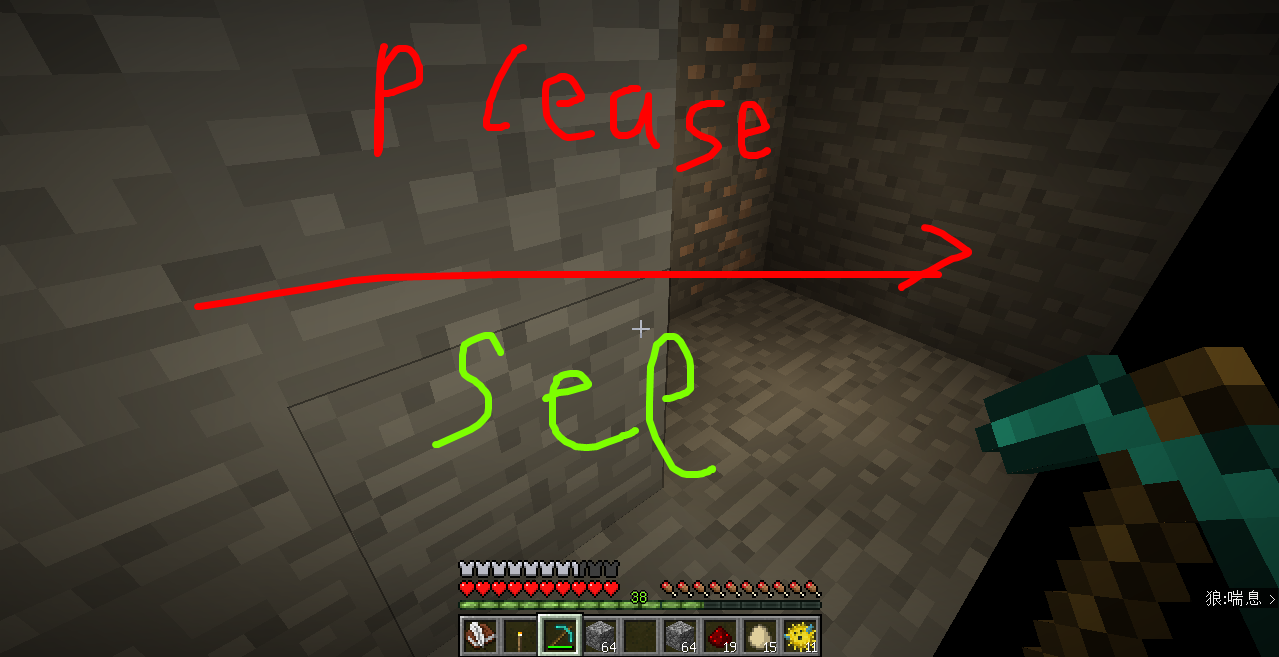




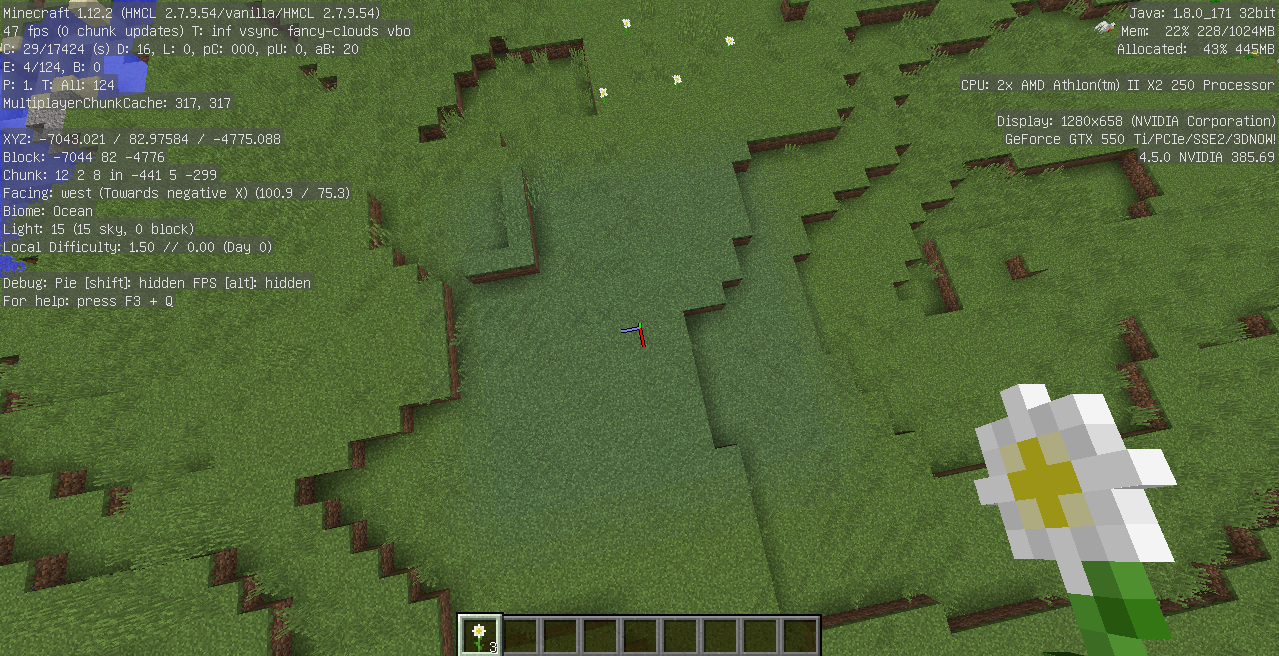
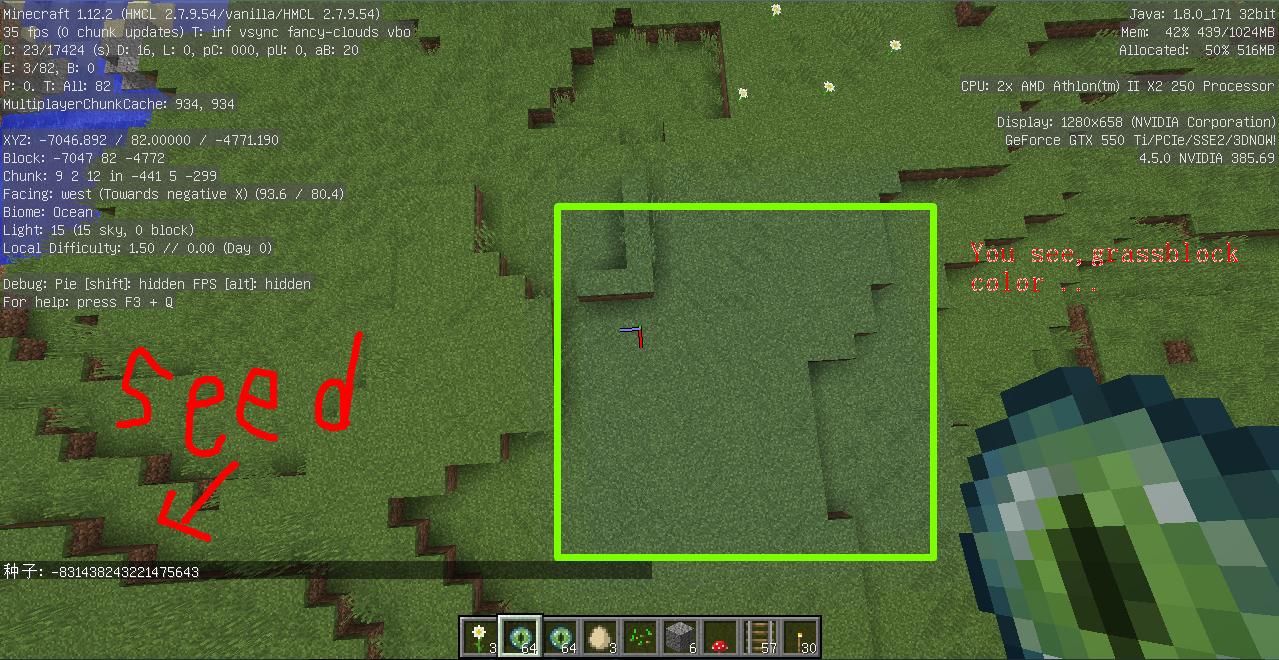


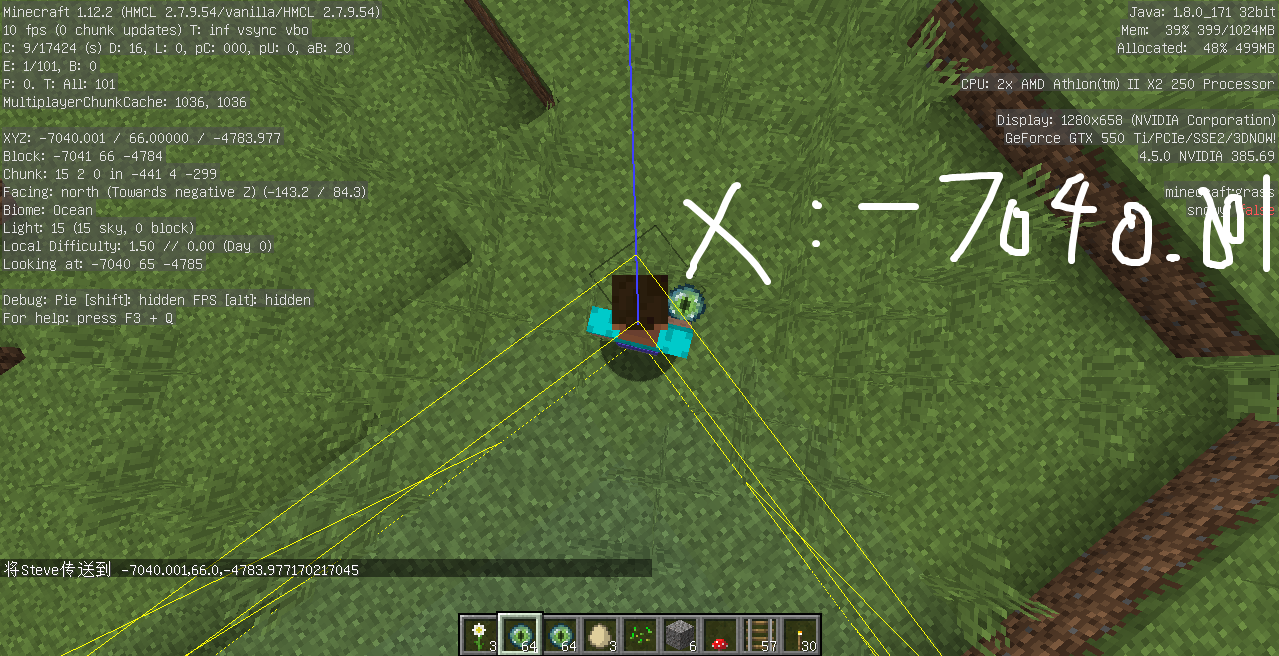


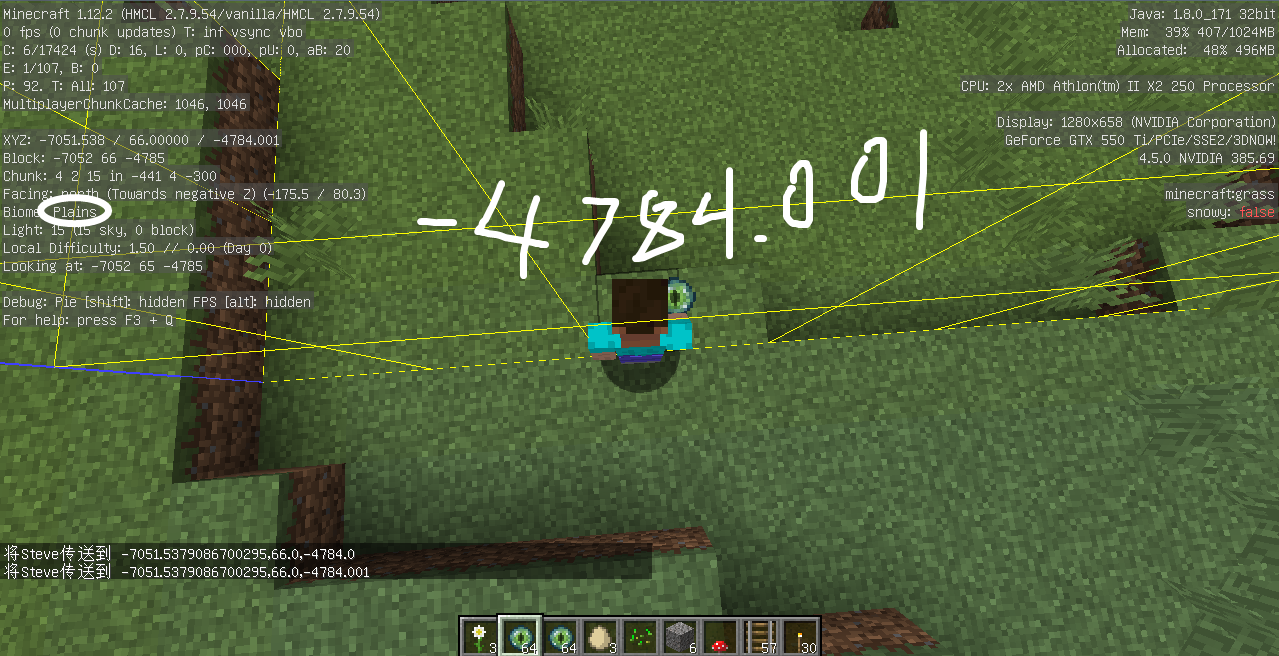



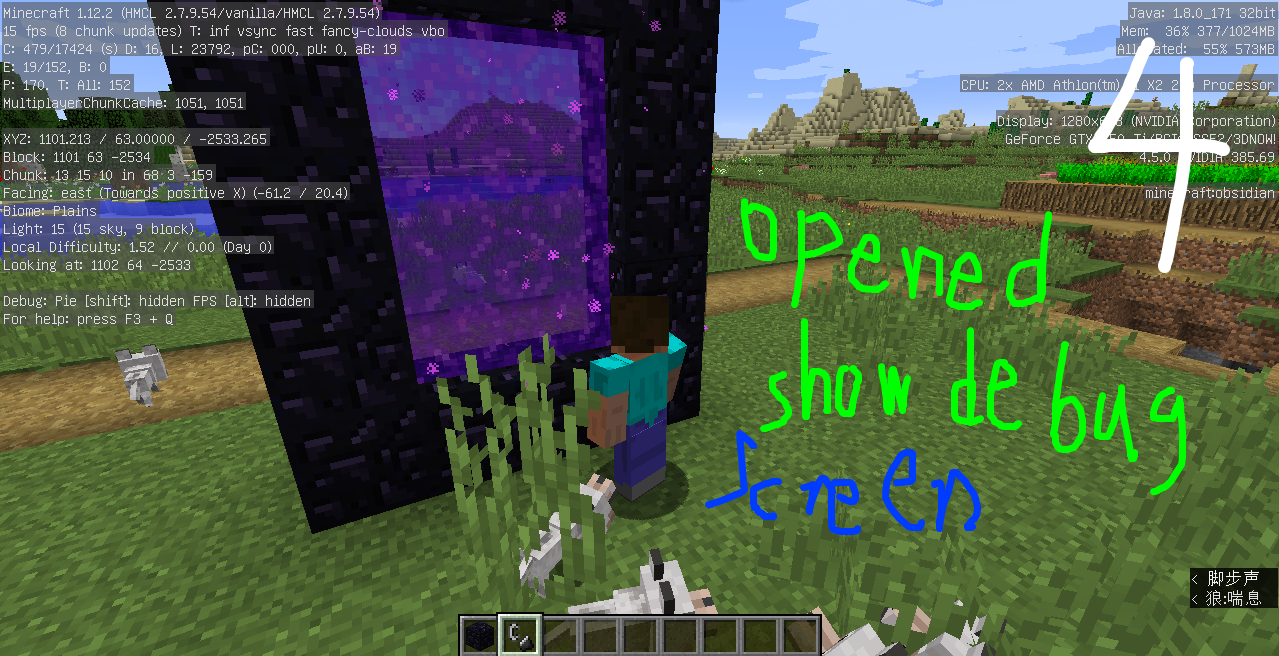
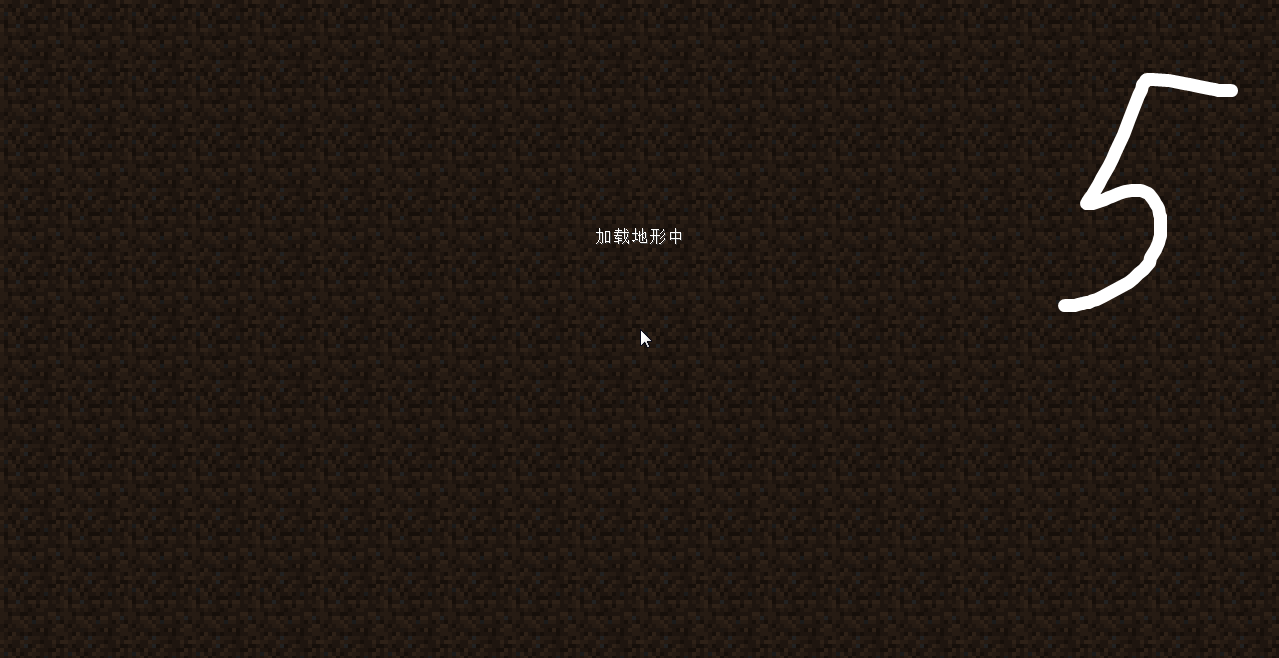
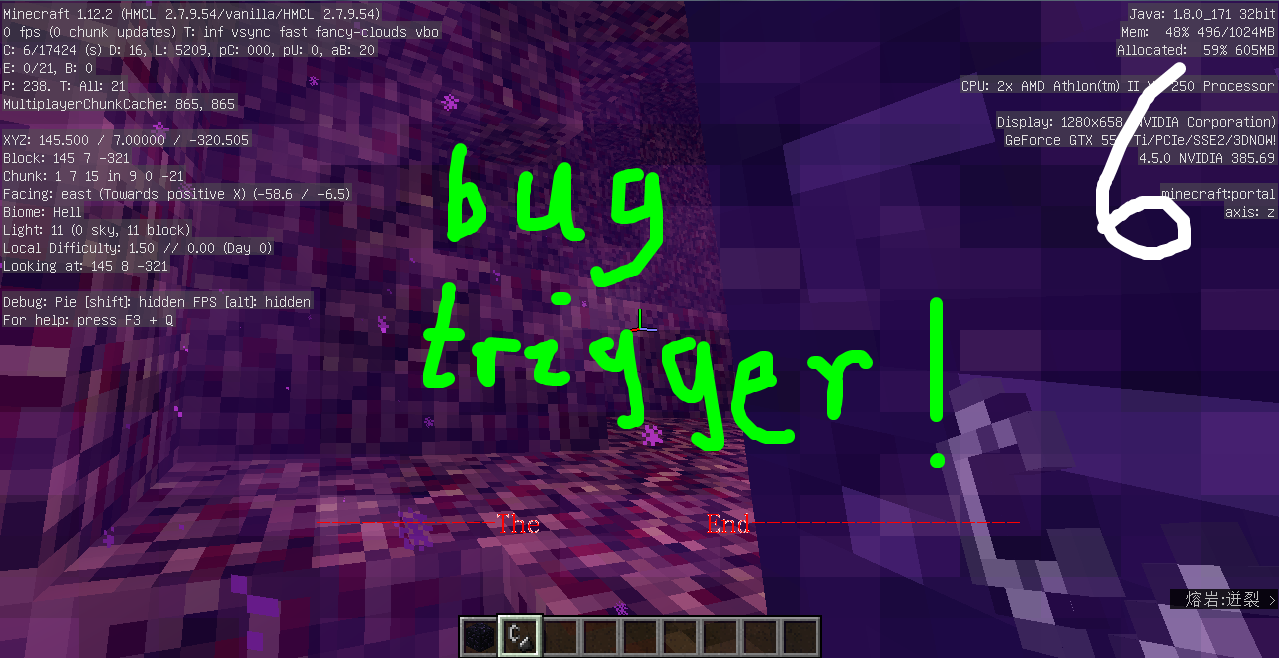
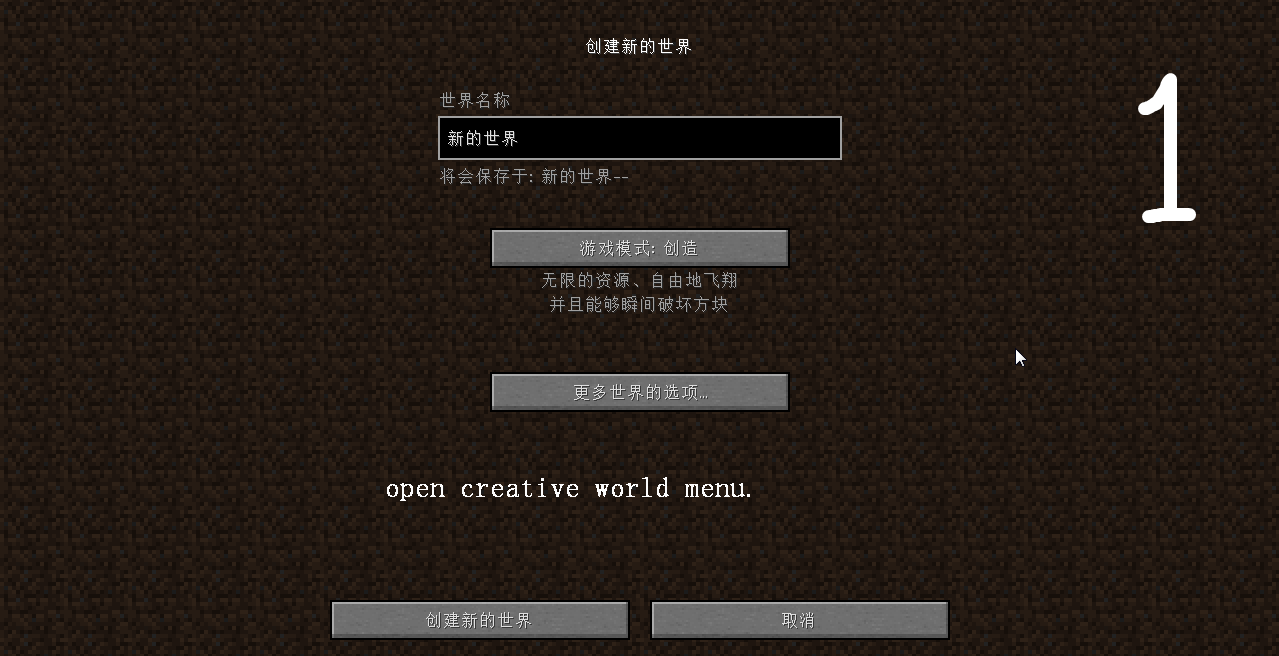

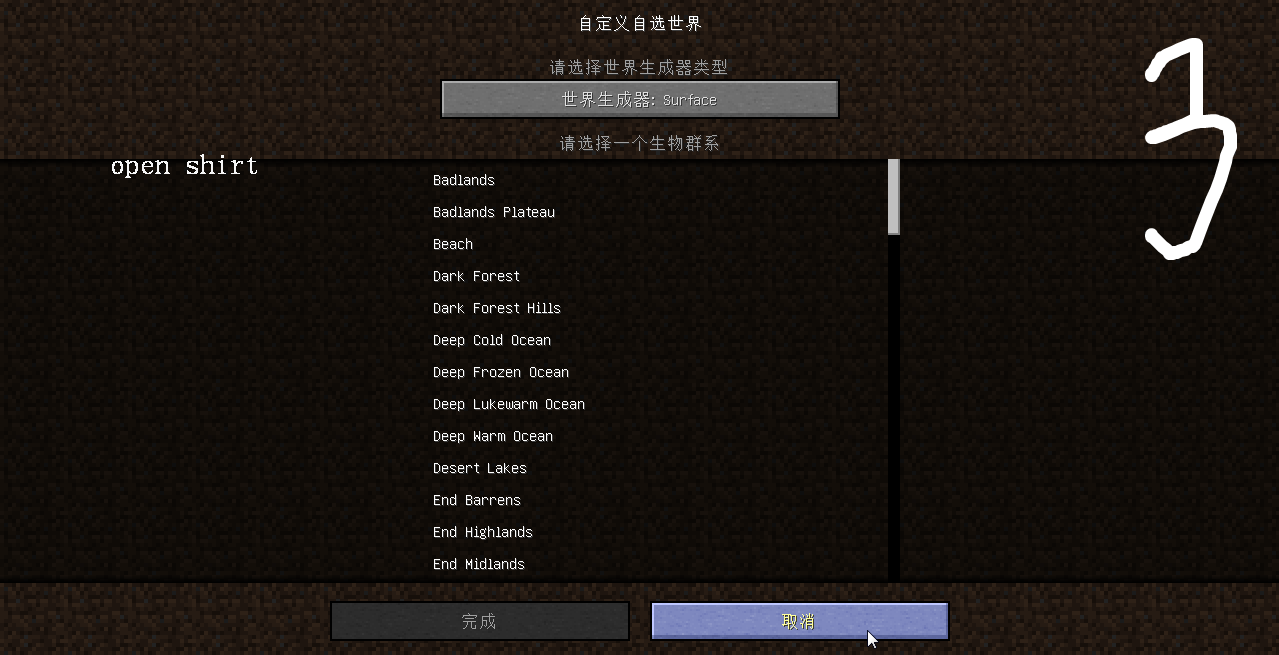
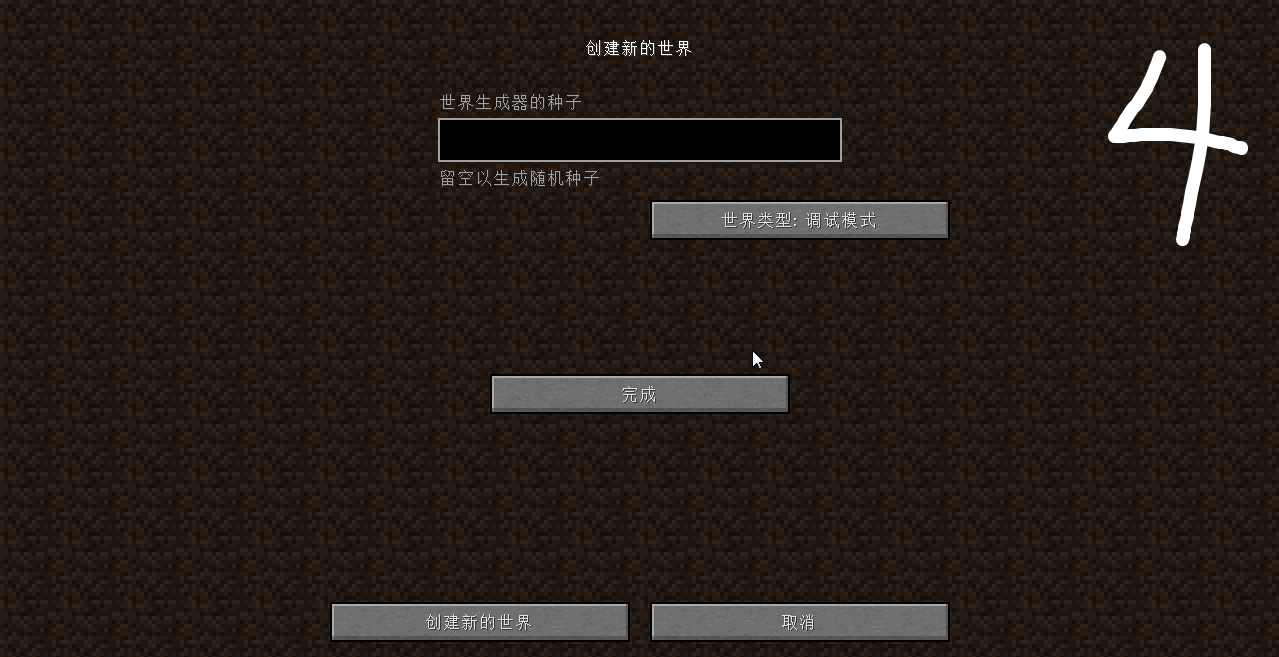

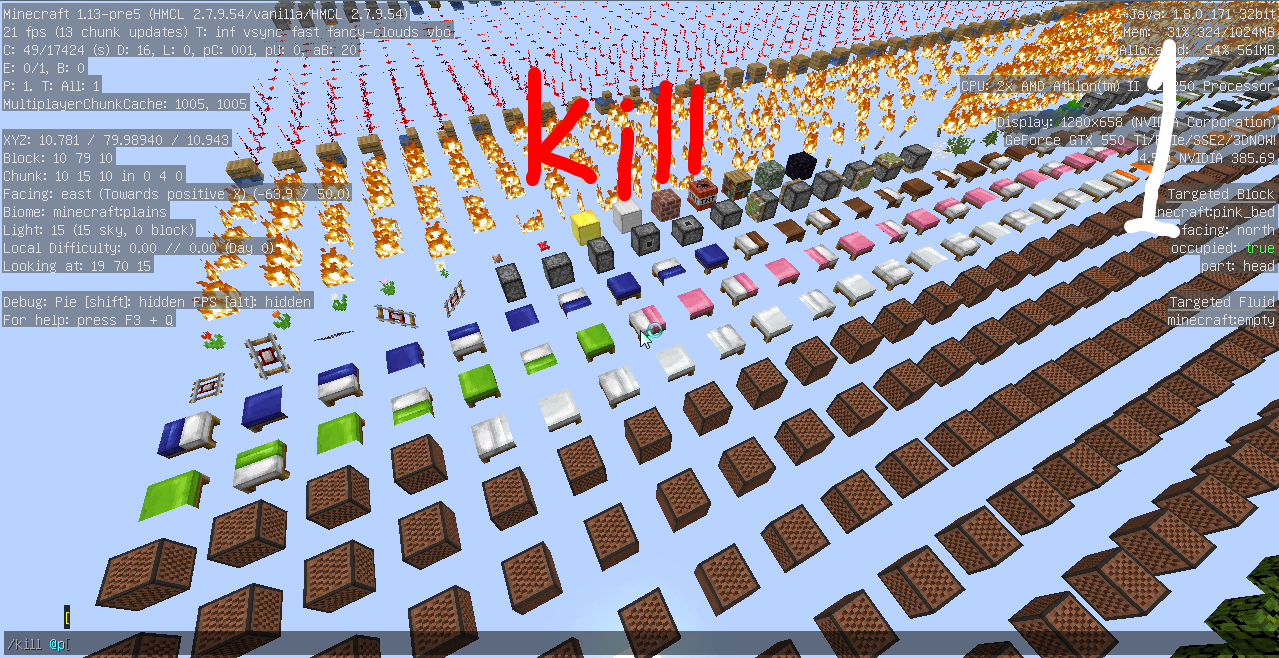
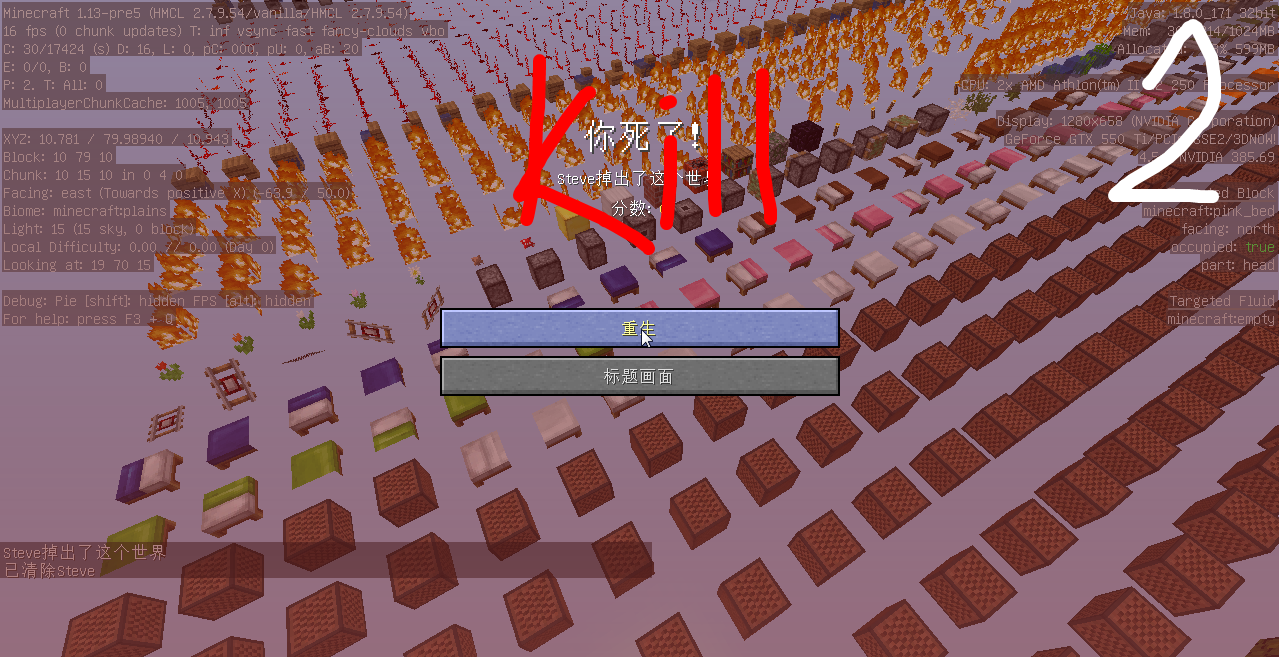
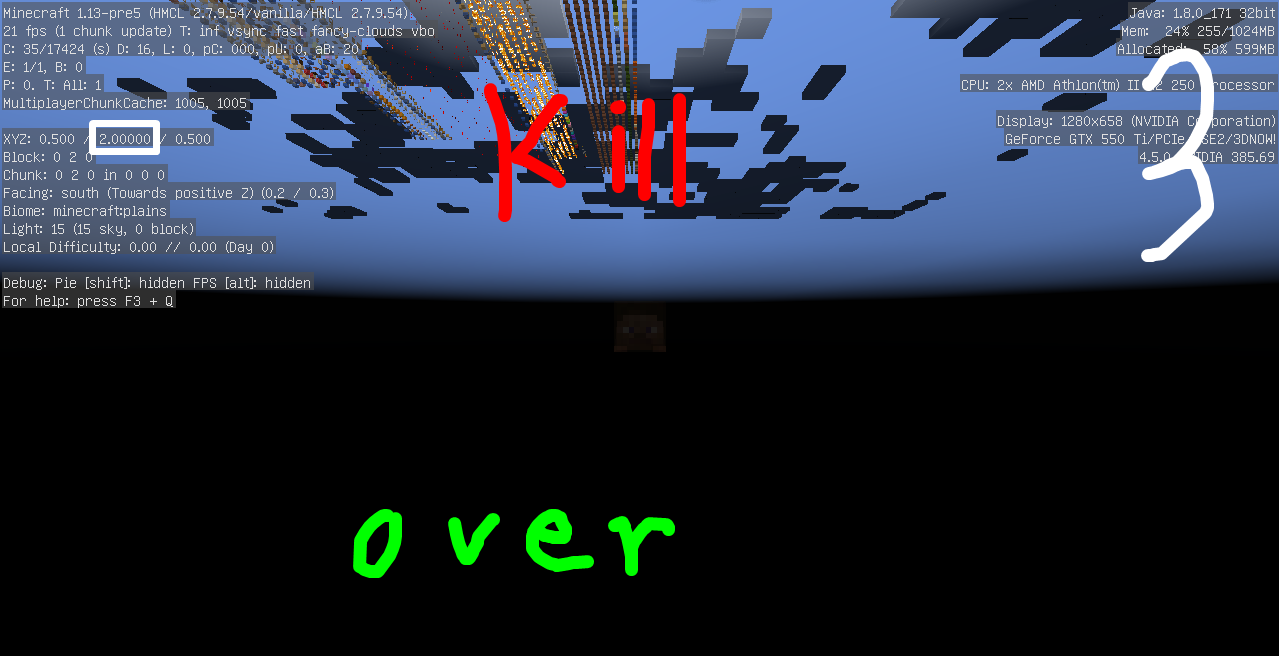
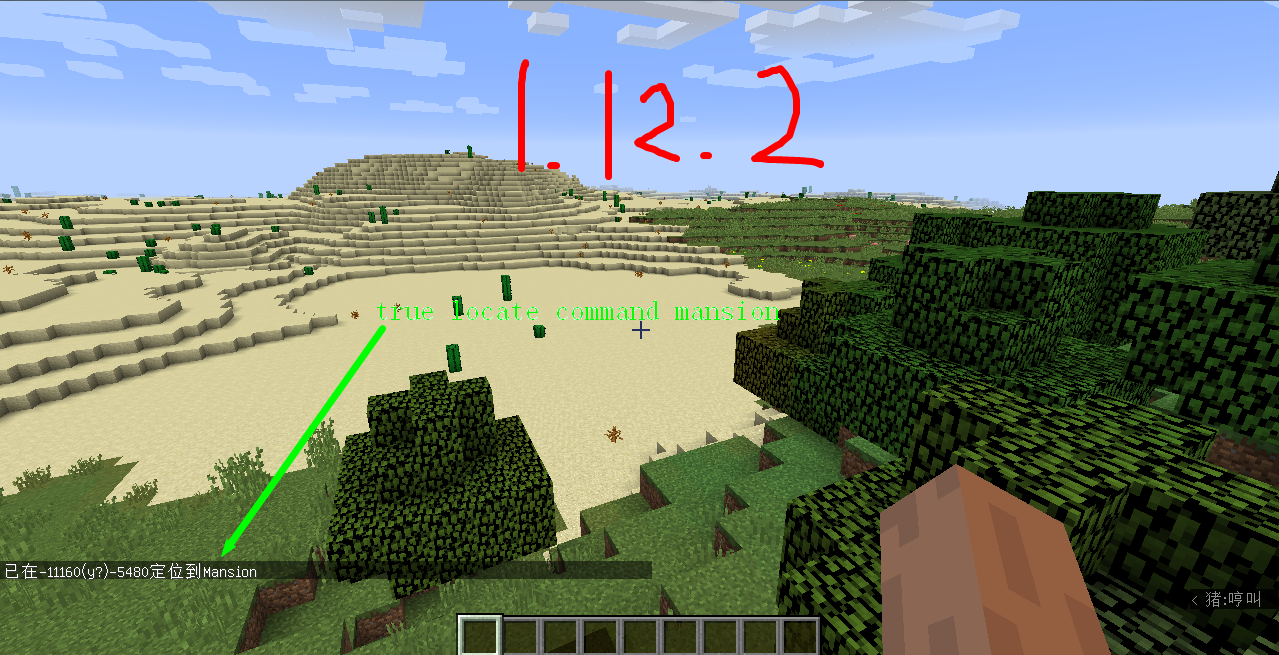
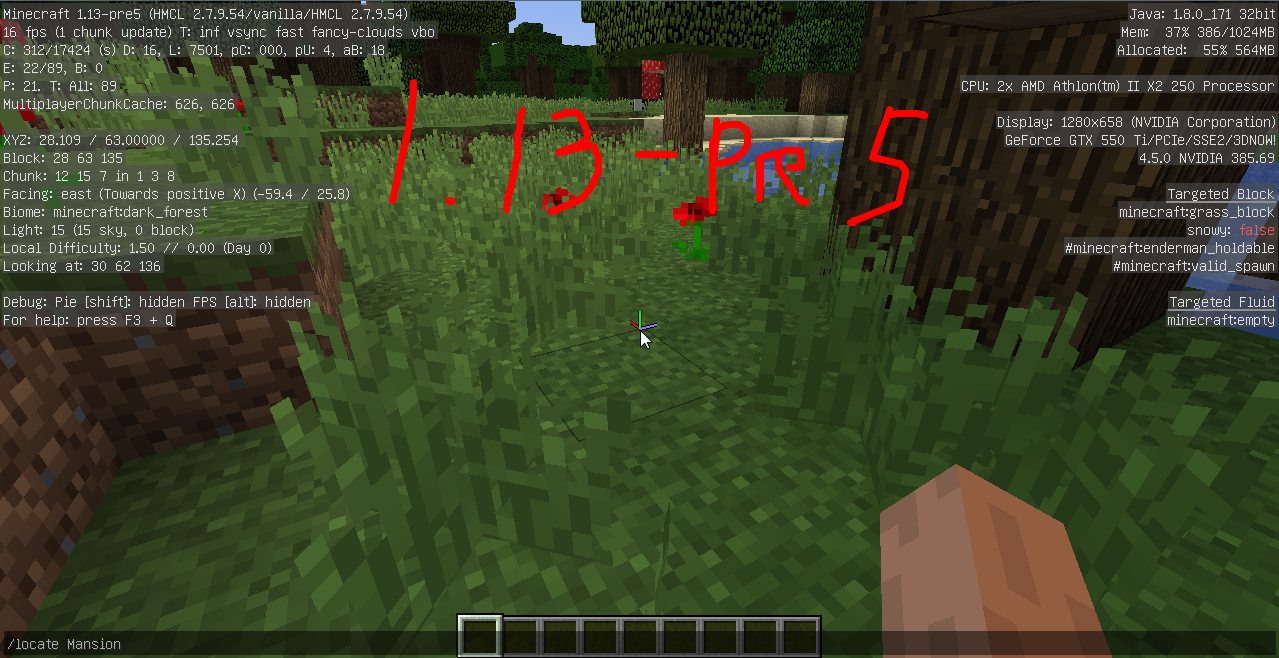

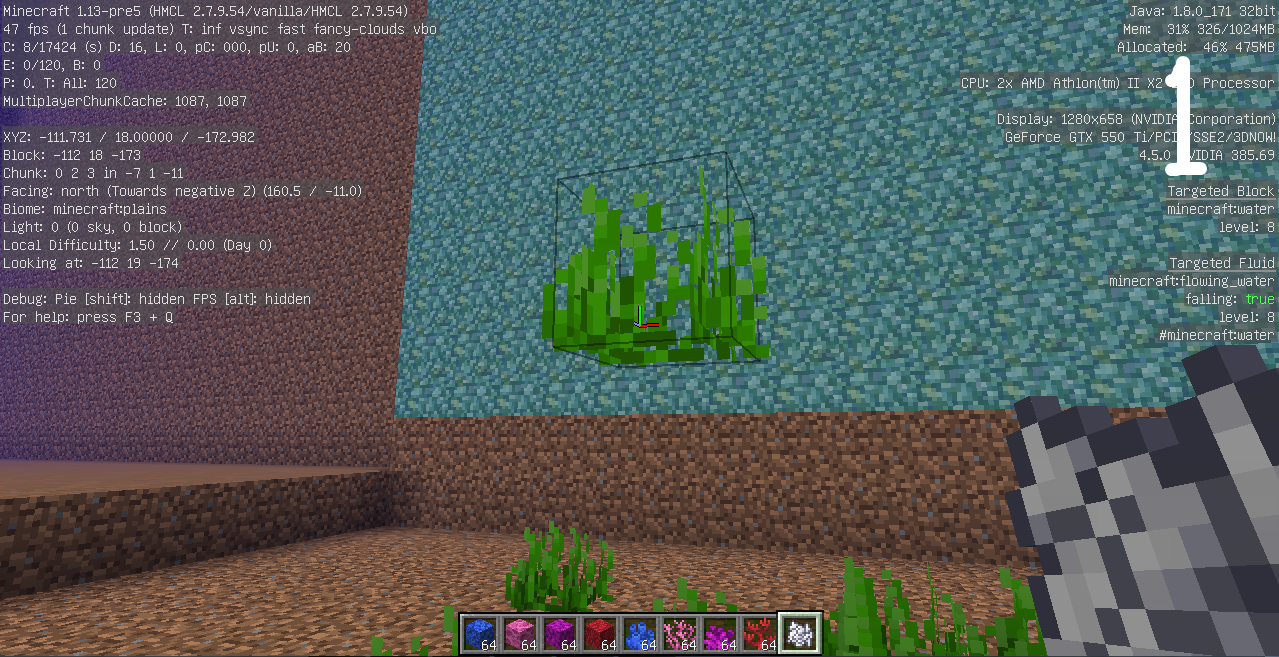
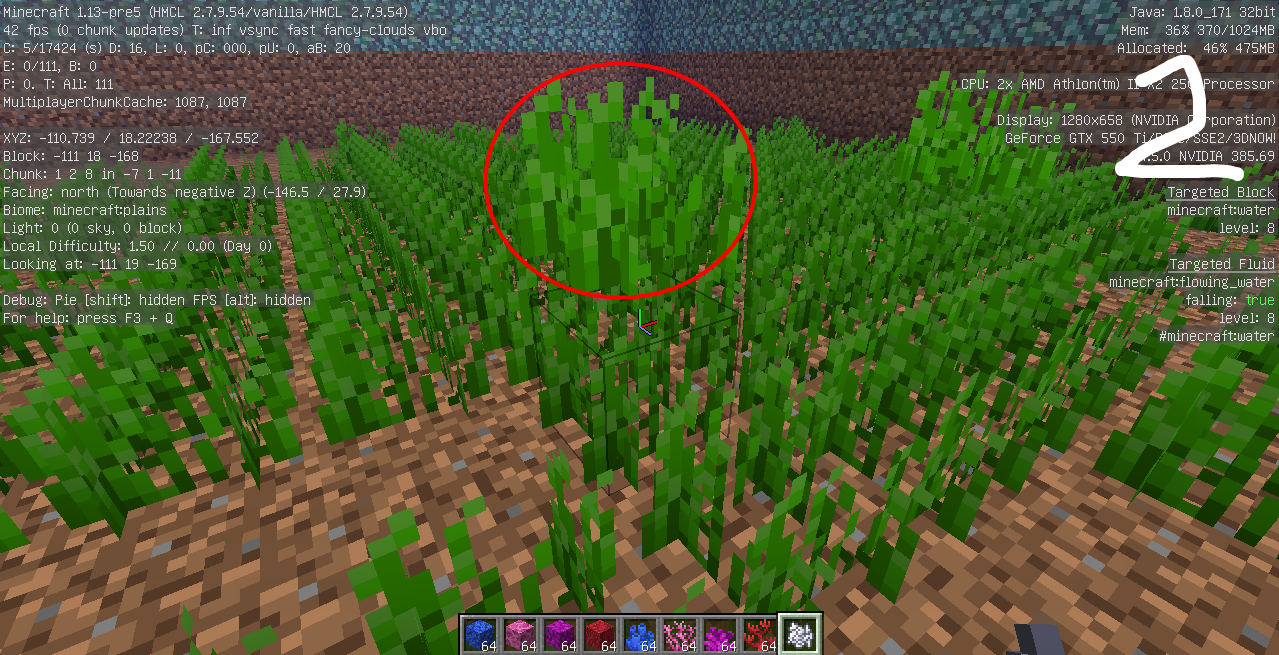


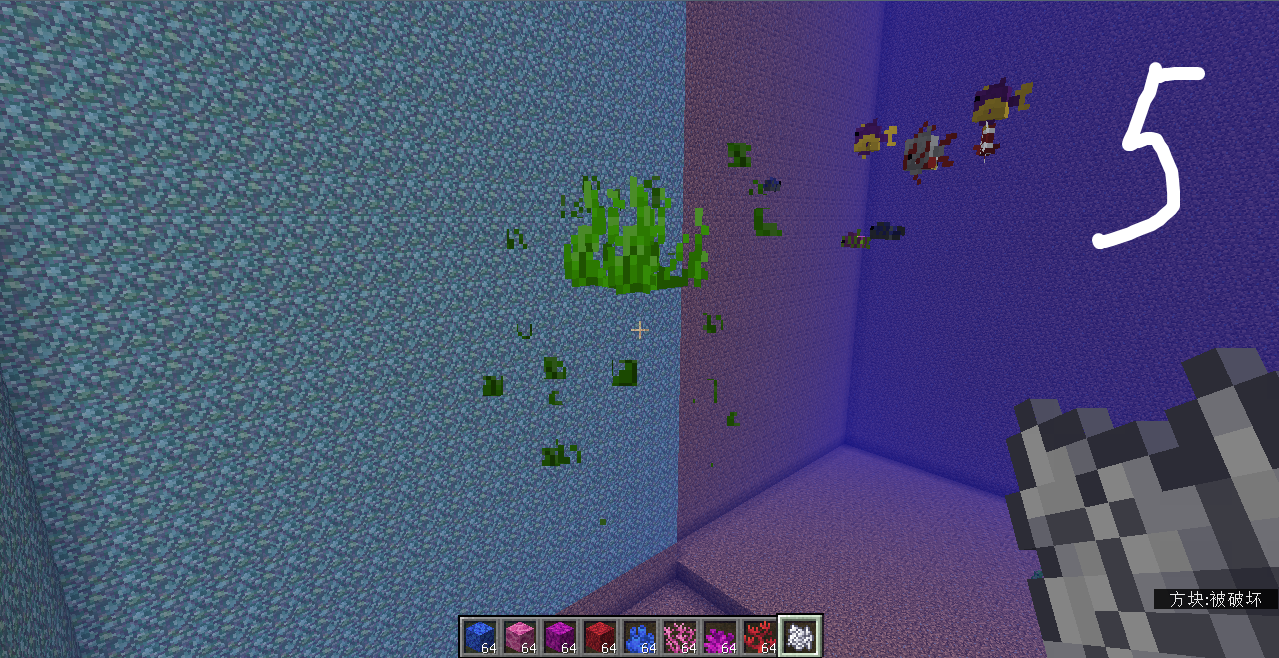
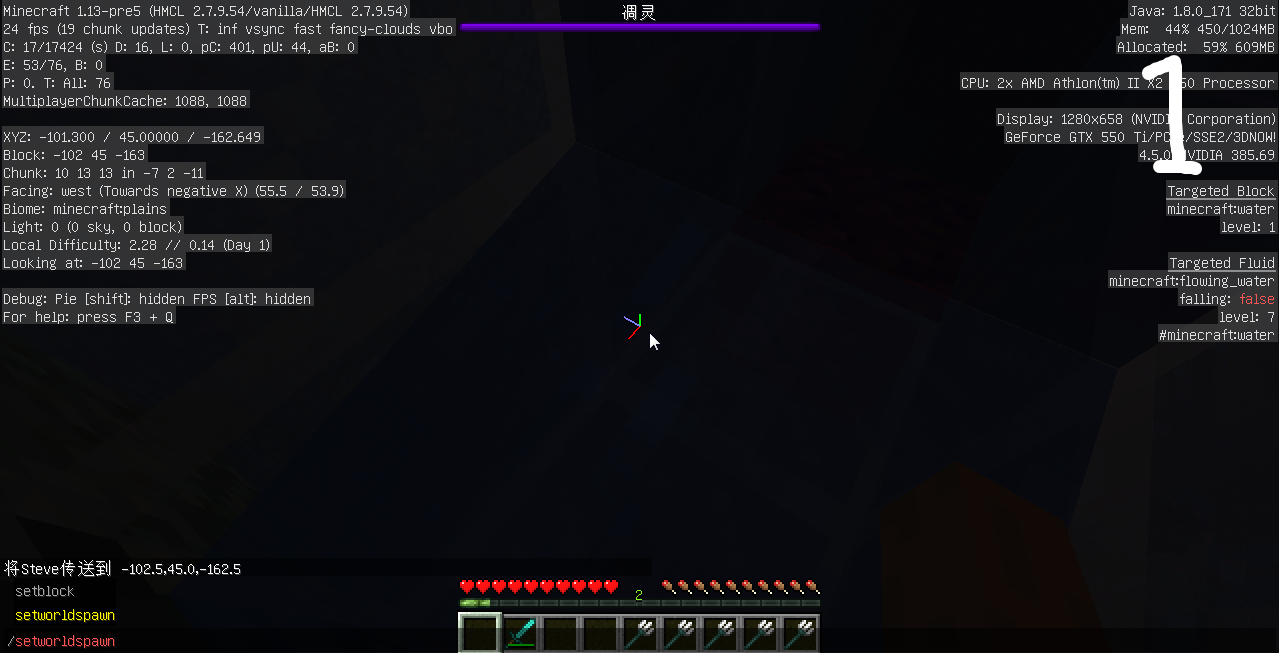

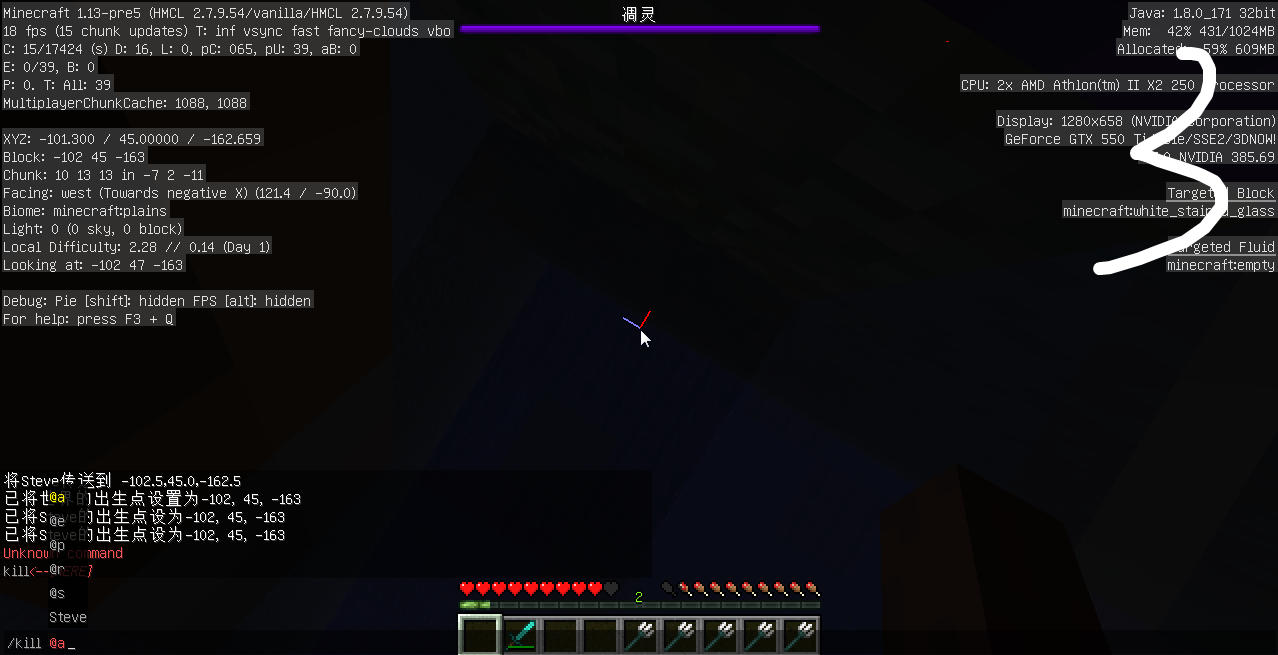
Put the summary of the bug you're having here
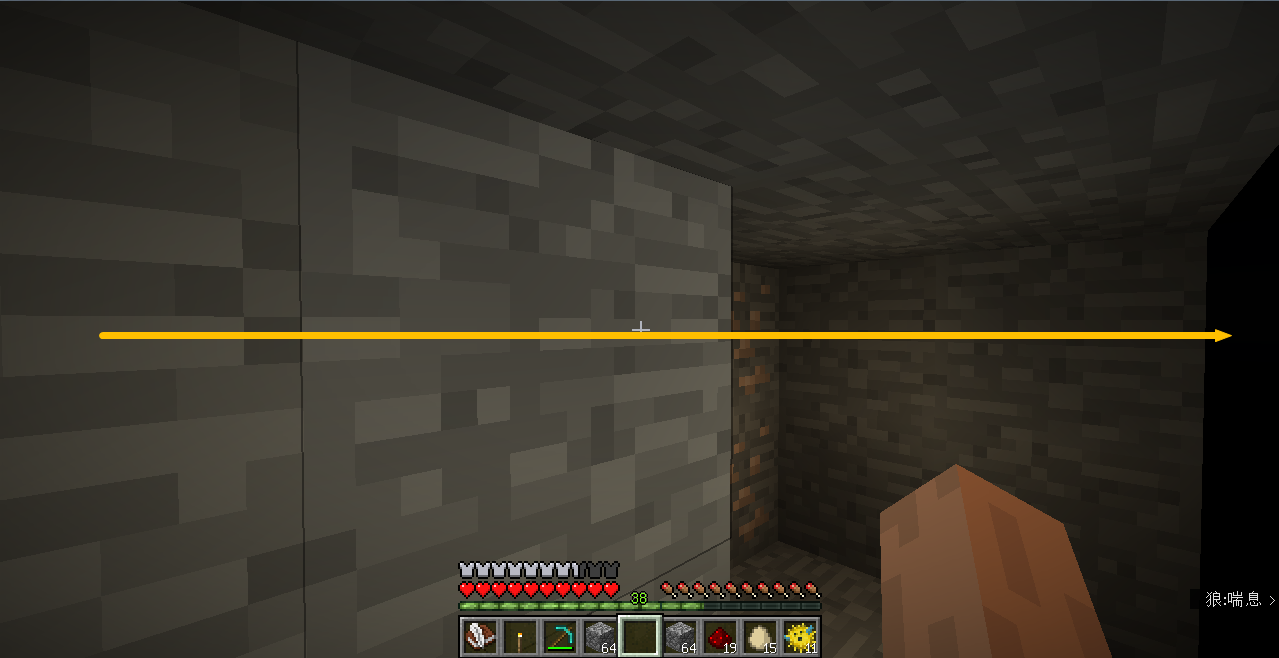
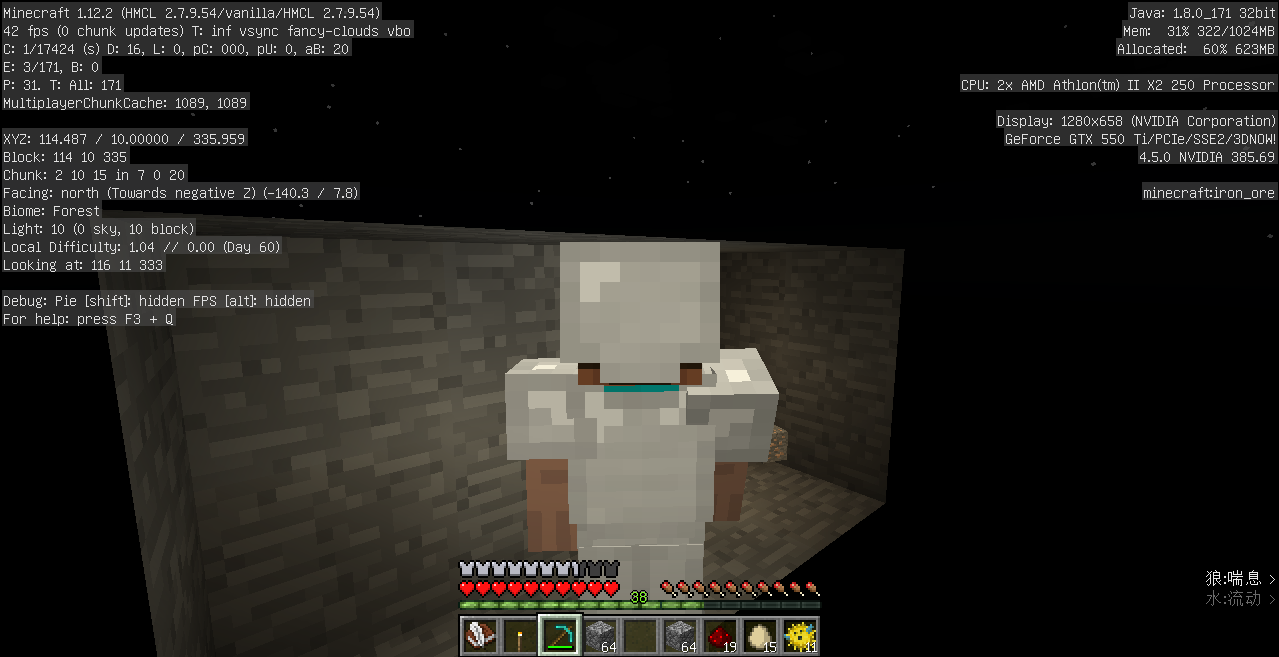
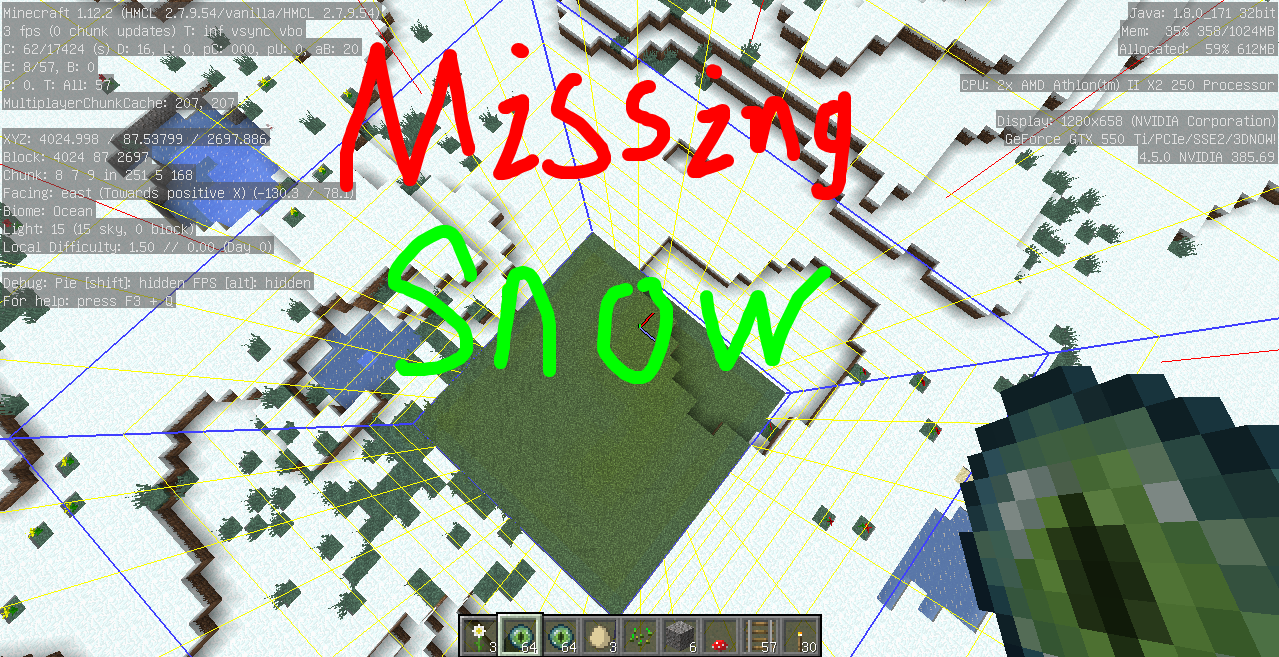
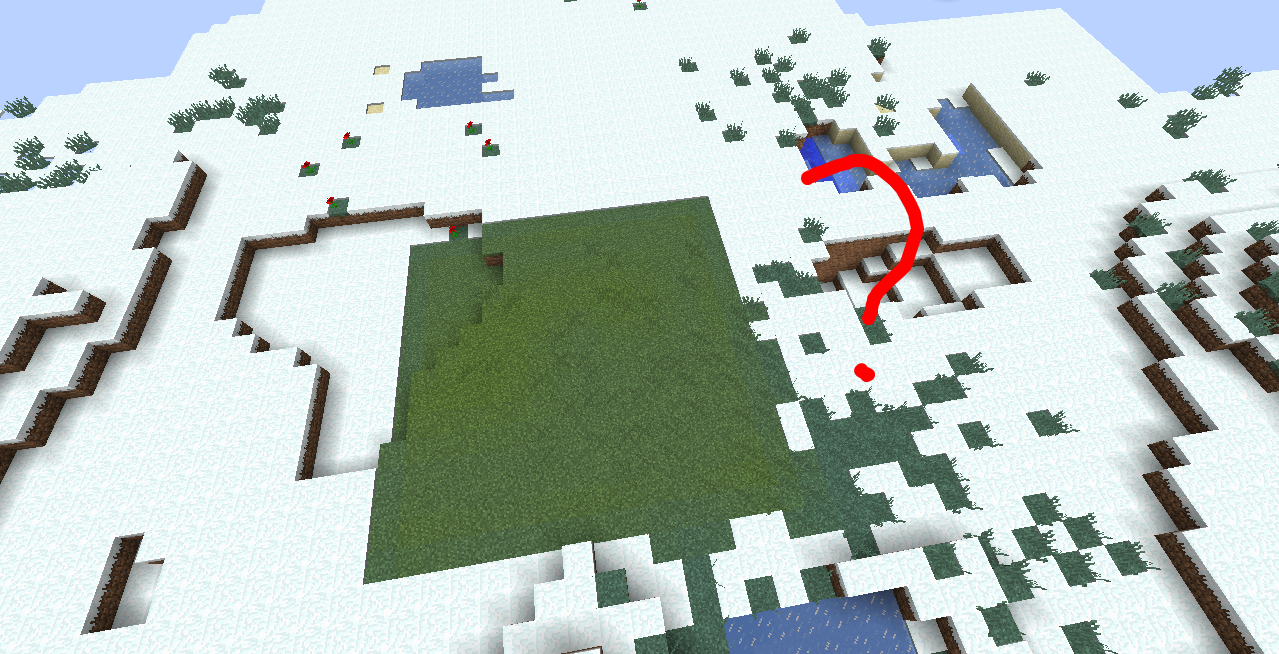
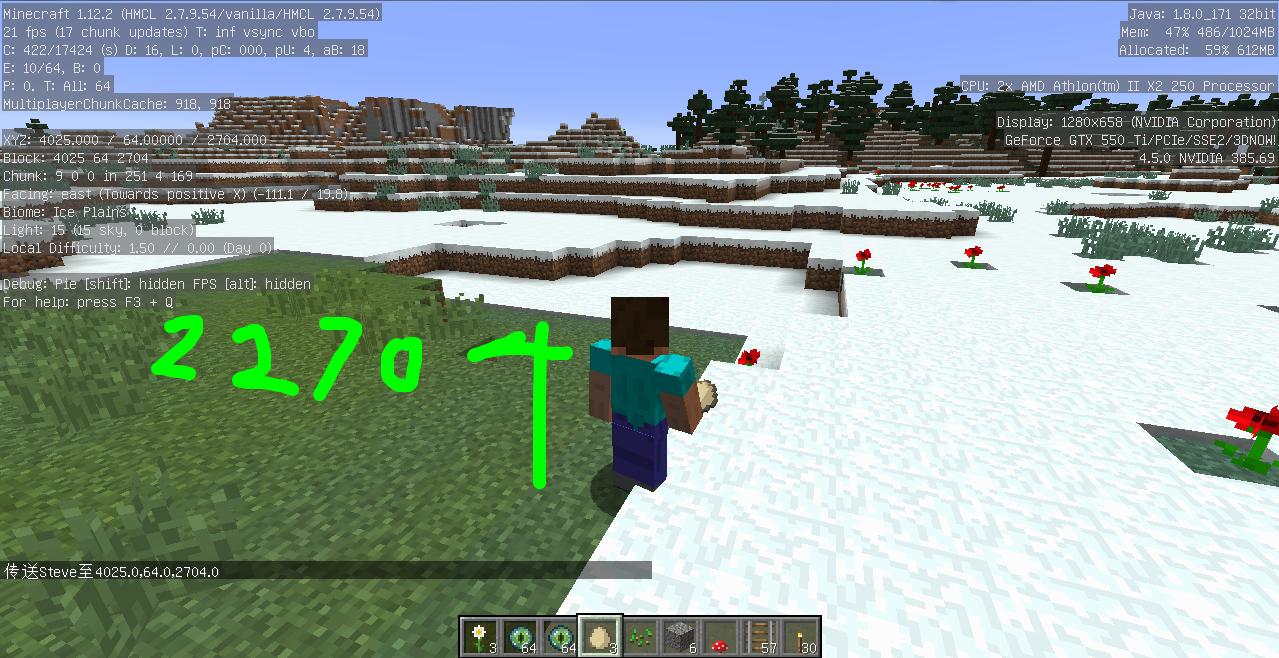
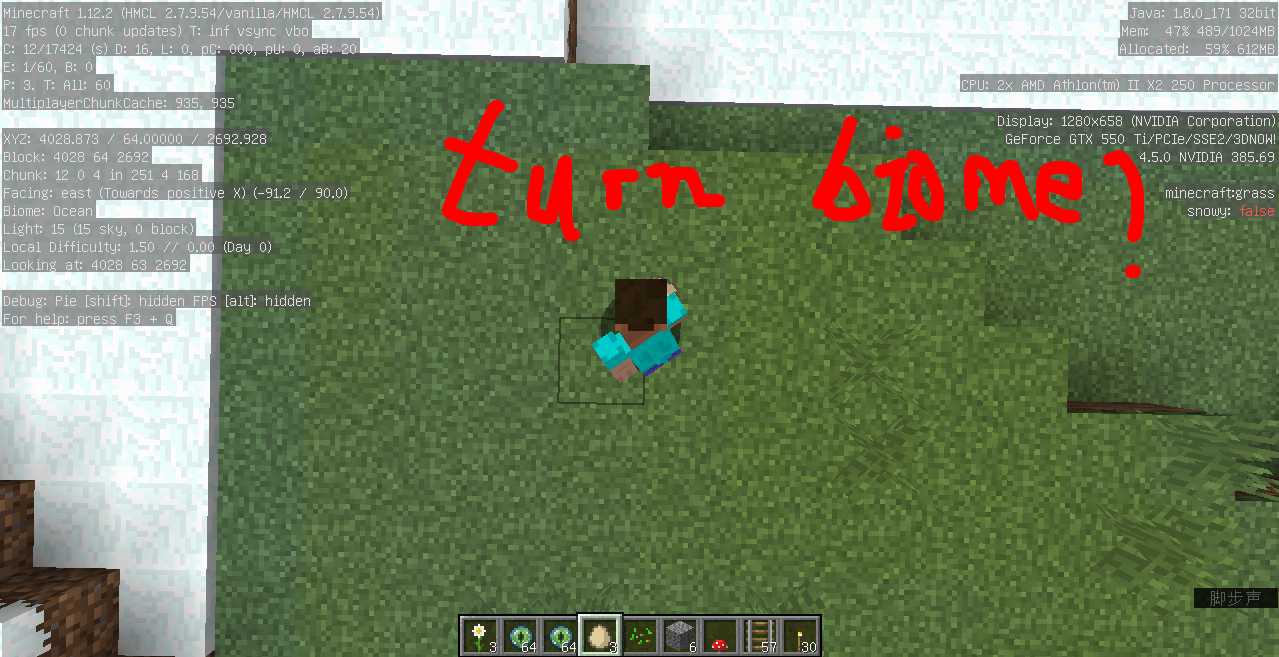
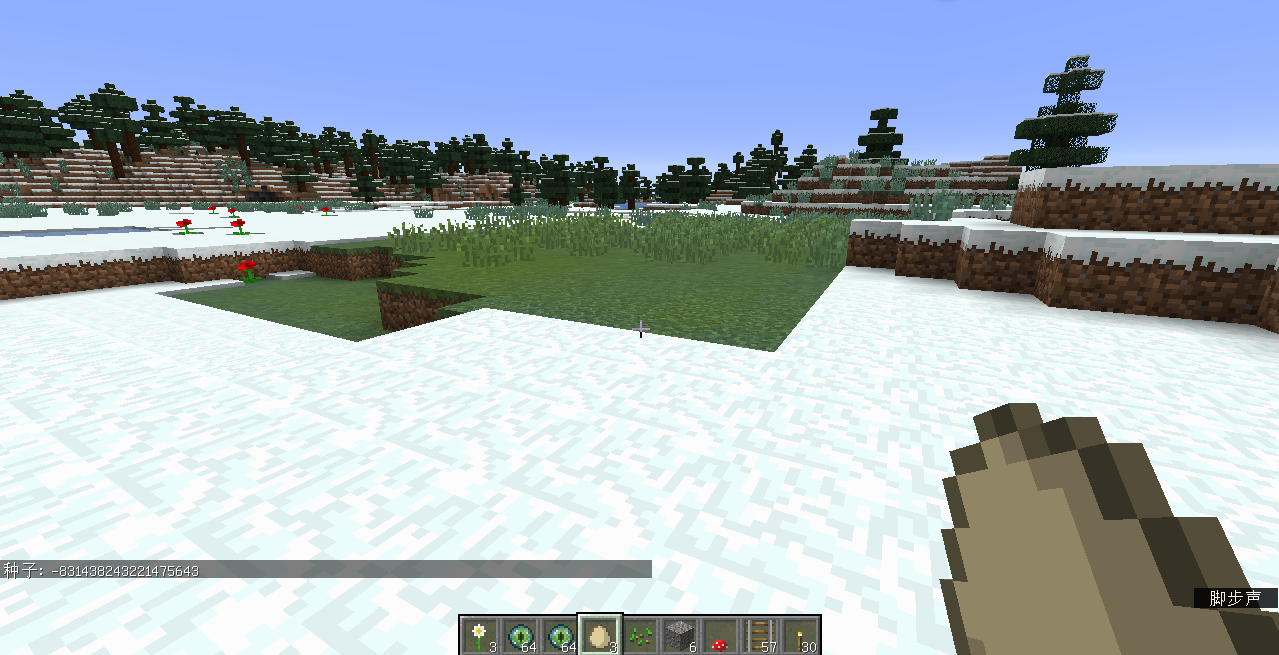
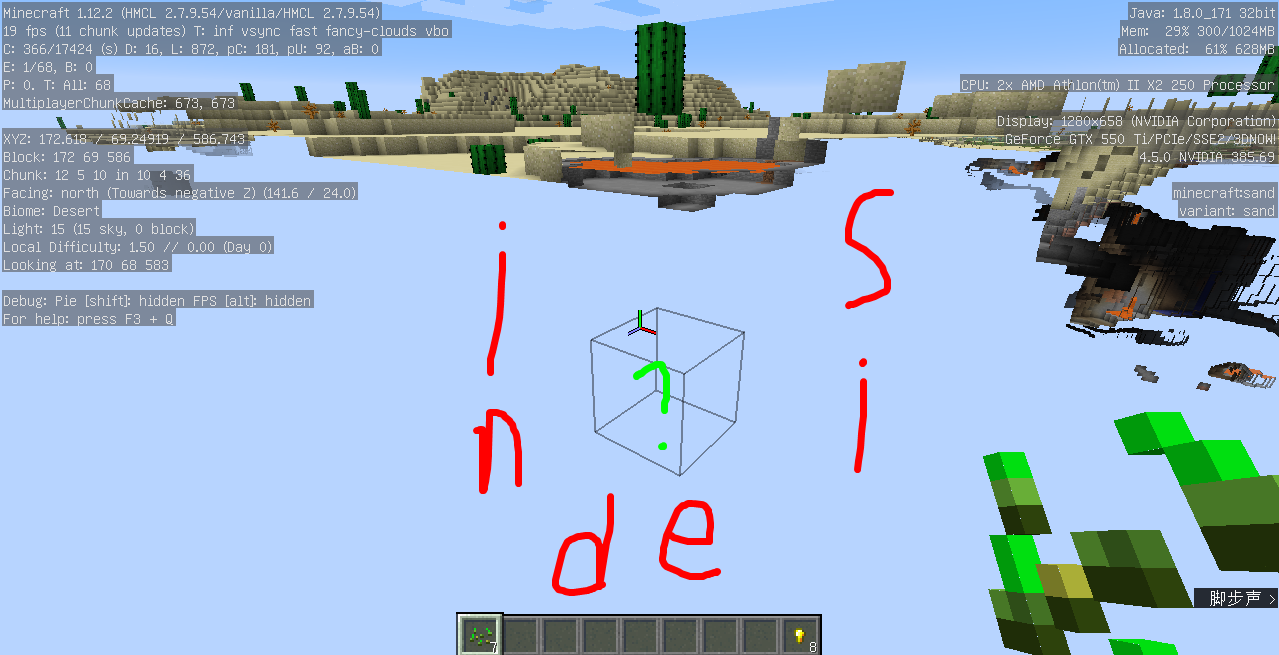
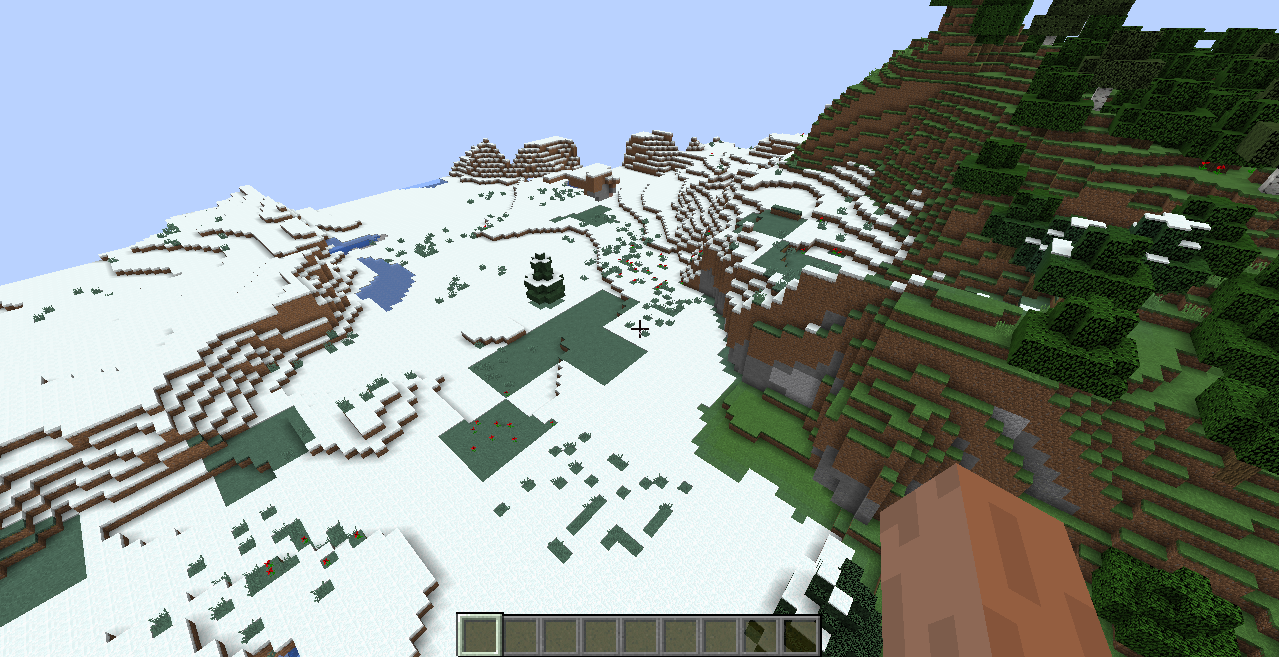
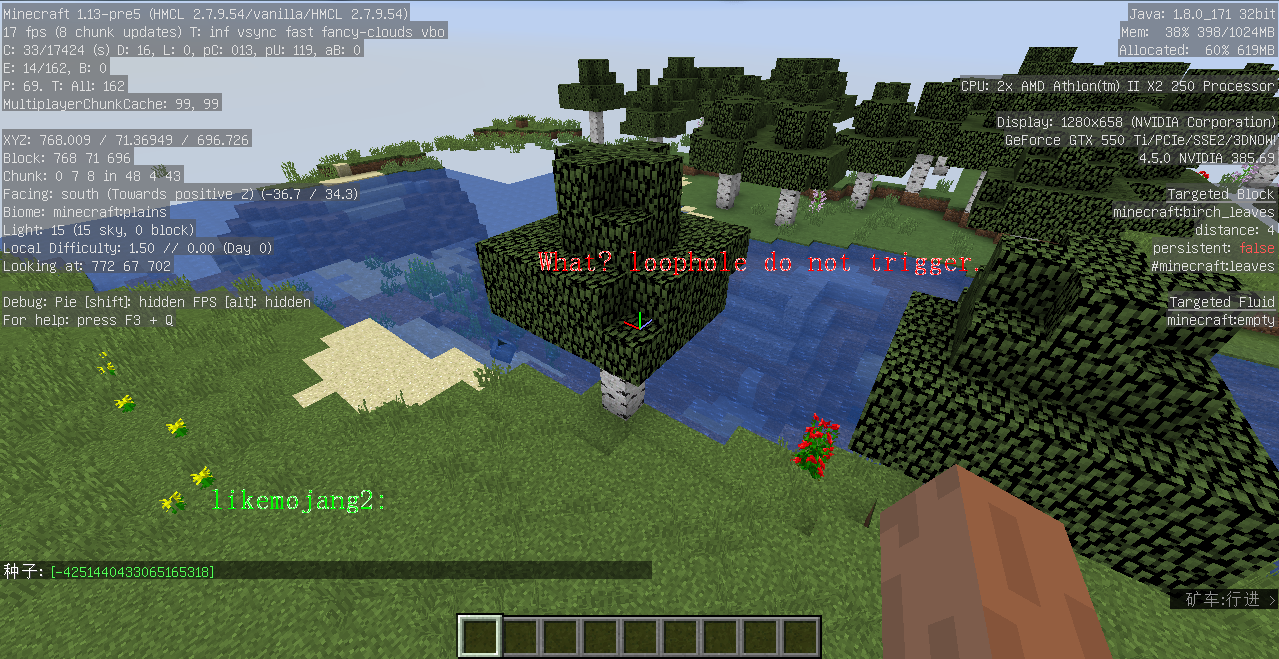
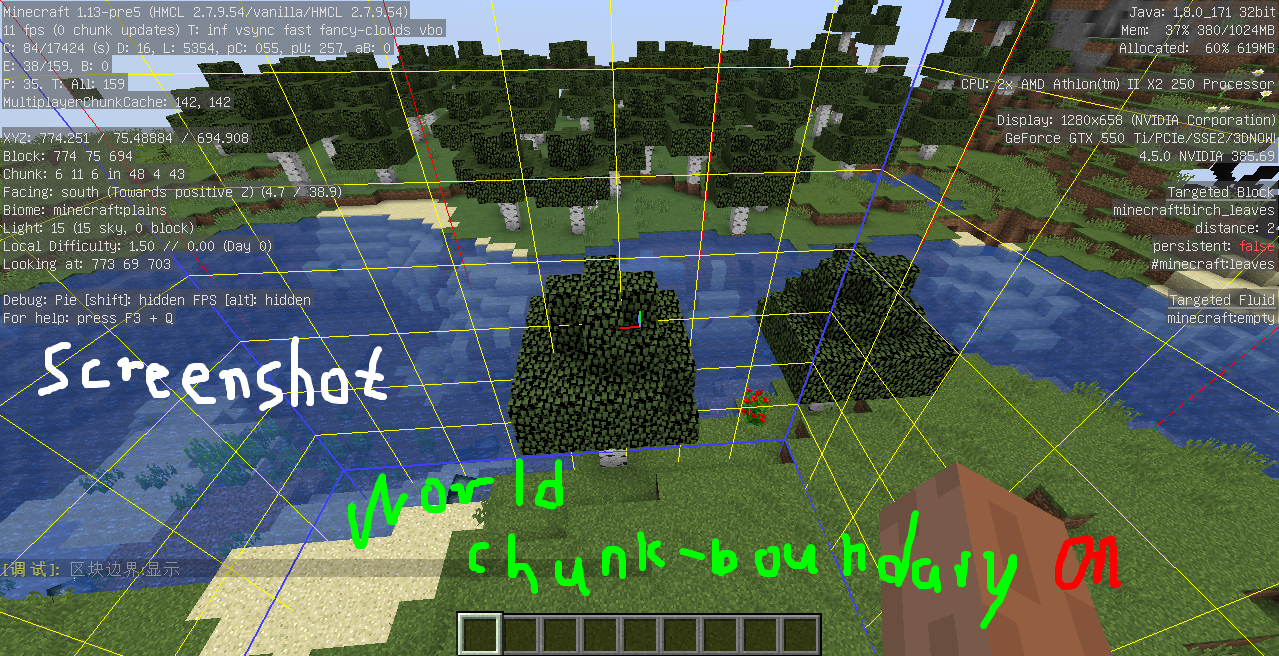
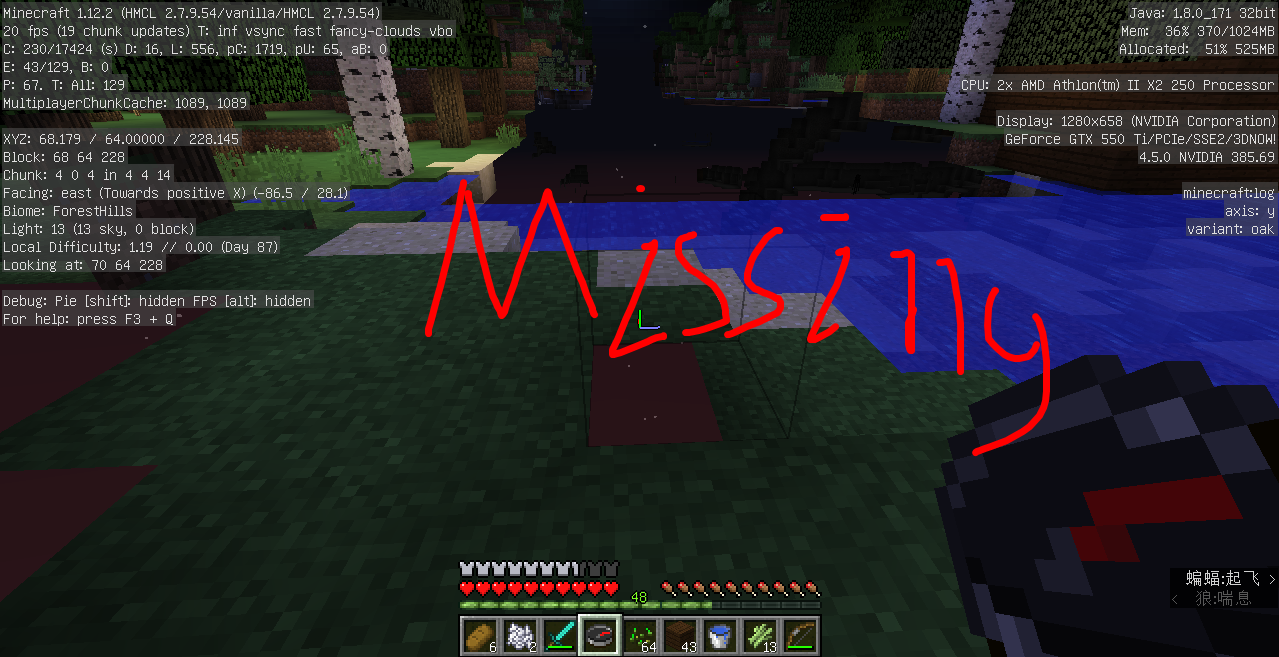
When mine was low at sea level, I found a leak. The stone is hidden, and the third person is more aware of it.
**What I expected to happen was...:
Stone will not hide, let me work the normal mine.
**What actually happened was...:**
The stone is hidden, and the third person is more aware of it.
**Steps to Reproduce:**
1.Dig below Y=63
2.Then the conversion angle
3.You can see the stone being hidden
The appendix can clearly express this unexpected loophole
Put the summary of the bug you're having here
One of the shots:
When mine was low at sea level, I found a leak. The stone is hidden, and the third person is more aware of it.
What I expected to happen was...:
Stone will not hide, let me work the normal mine.
What actually happened was...:
The stone is hidden, and the third person is more aware of it.
Steps to Reproduce:
1.Dig below Y=63
2.Then the conversion angle
3.You can see the stone being hidden
The appendix can clearly express this unexpected loophole
Two of the lens:
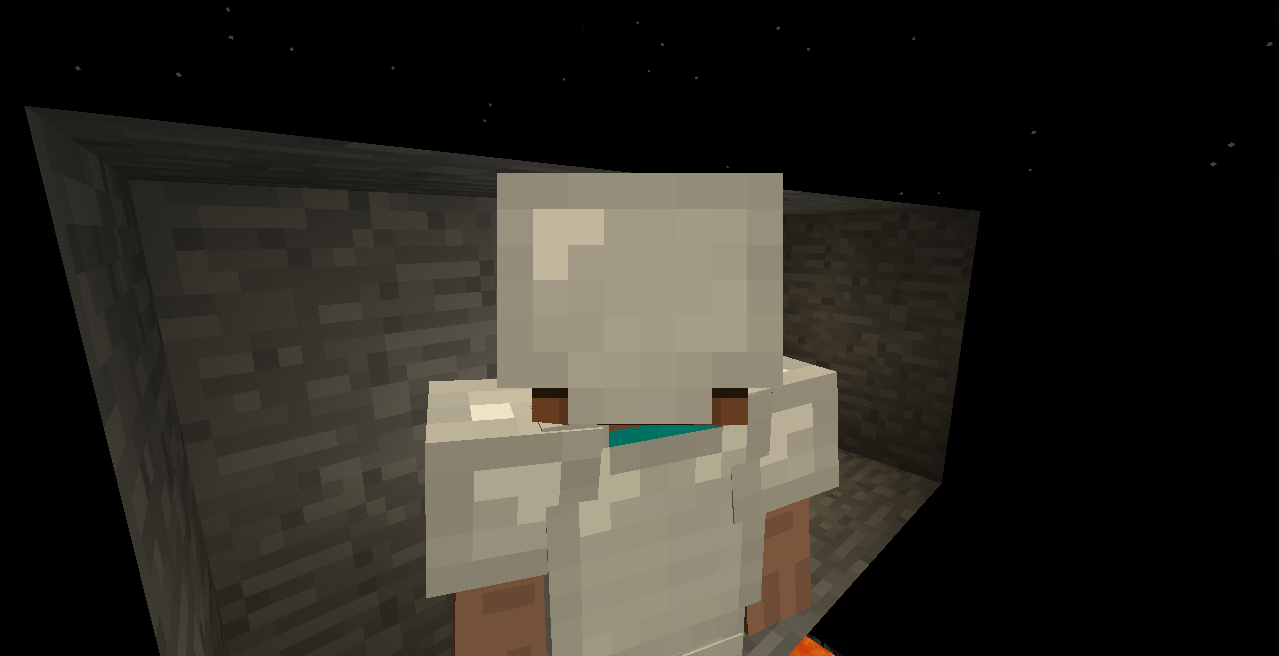
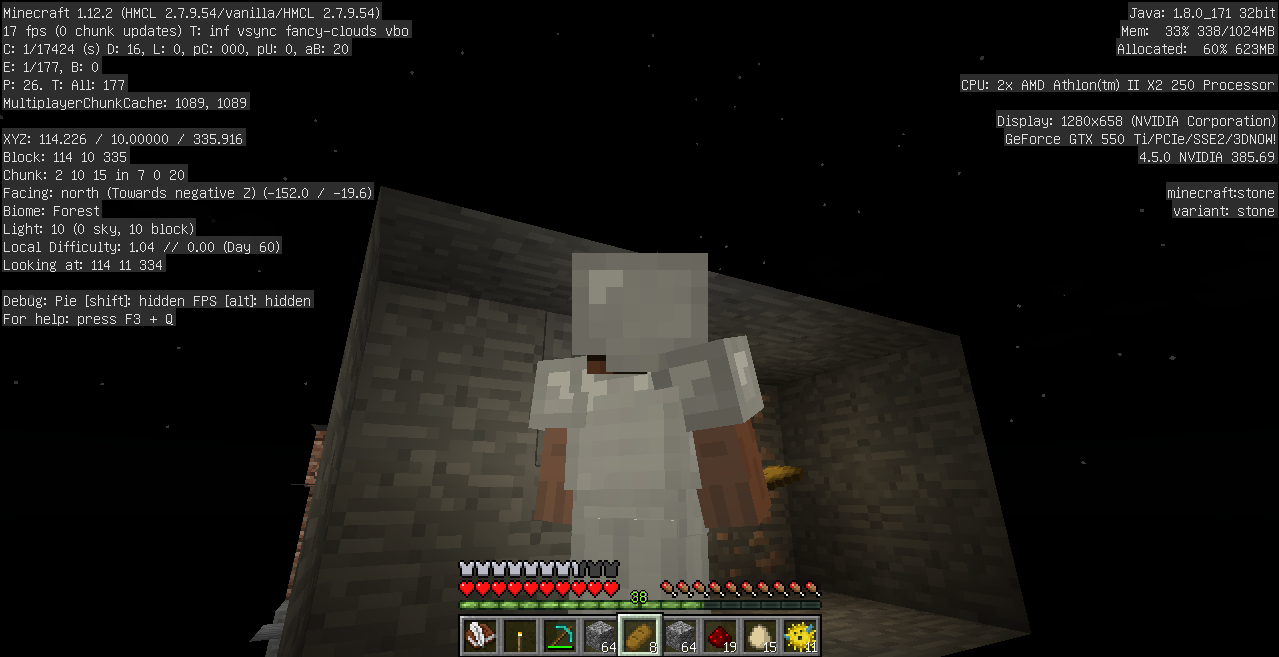
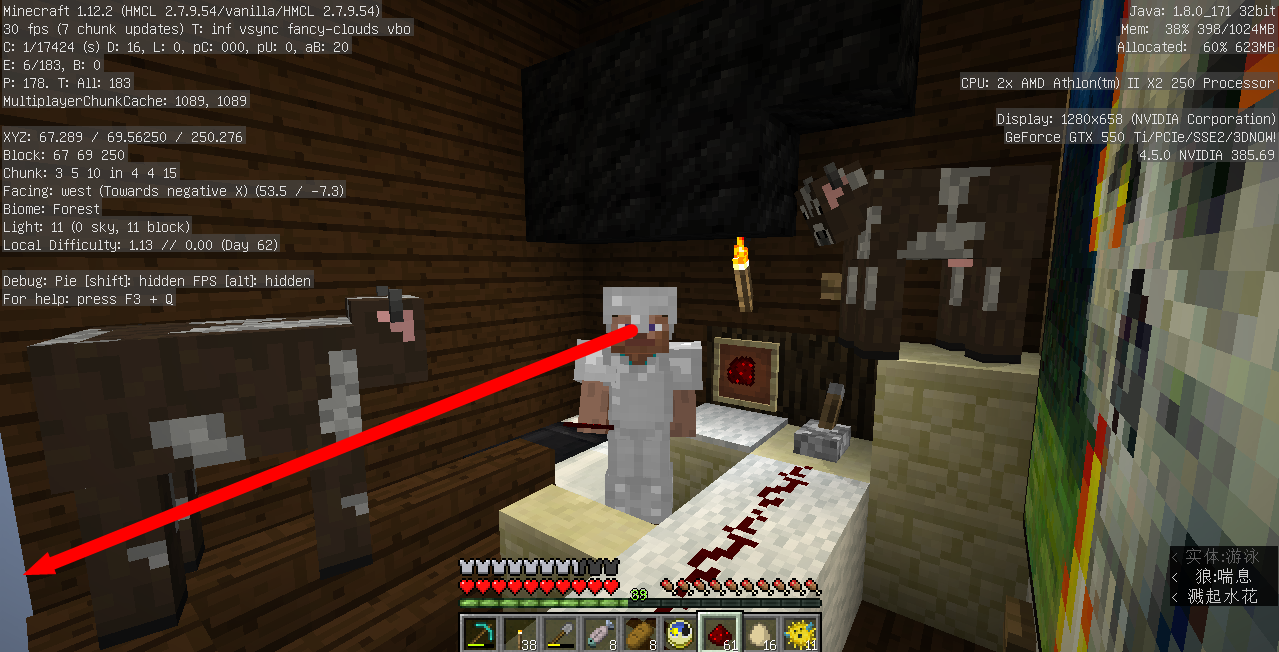
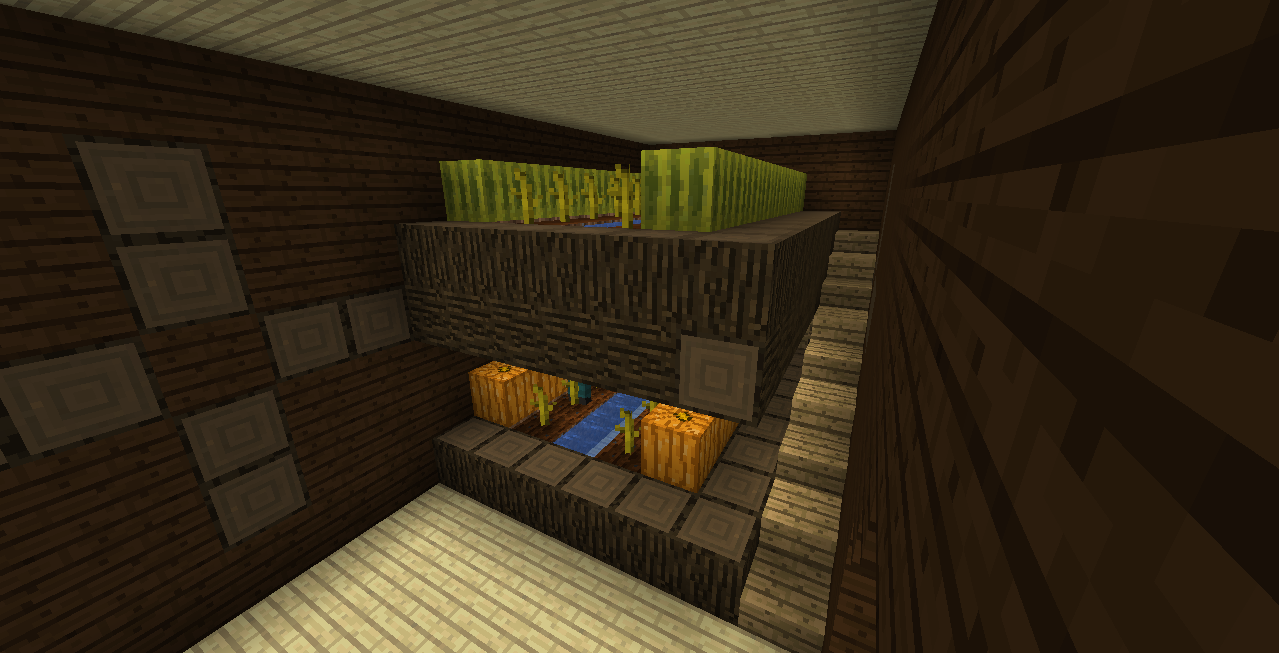
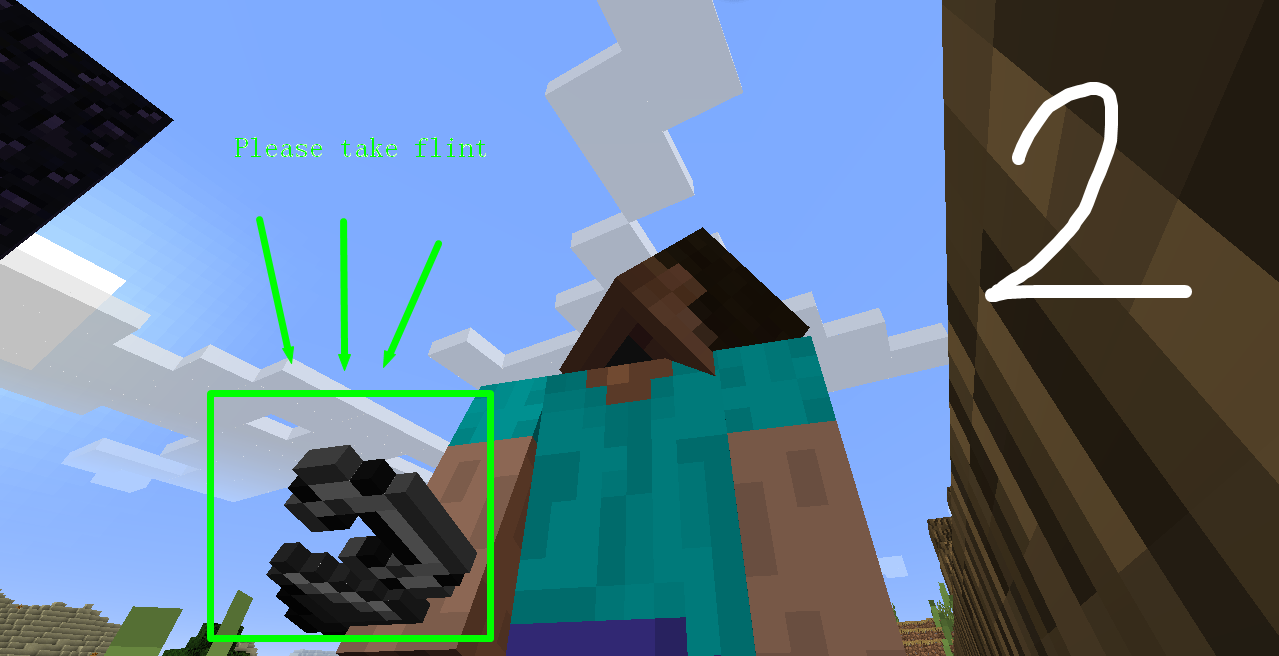
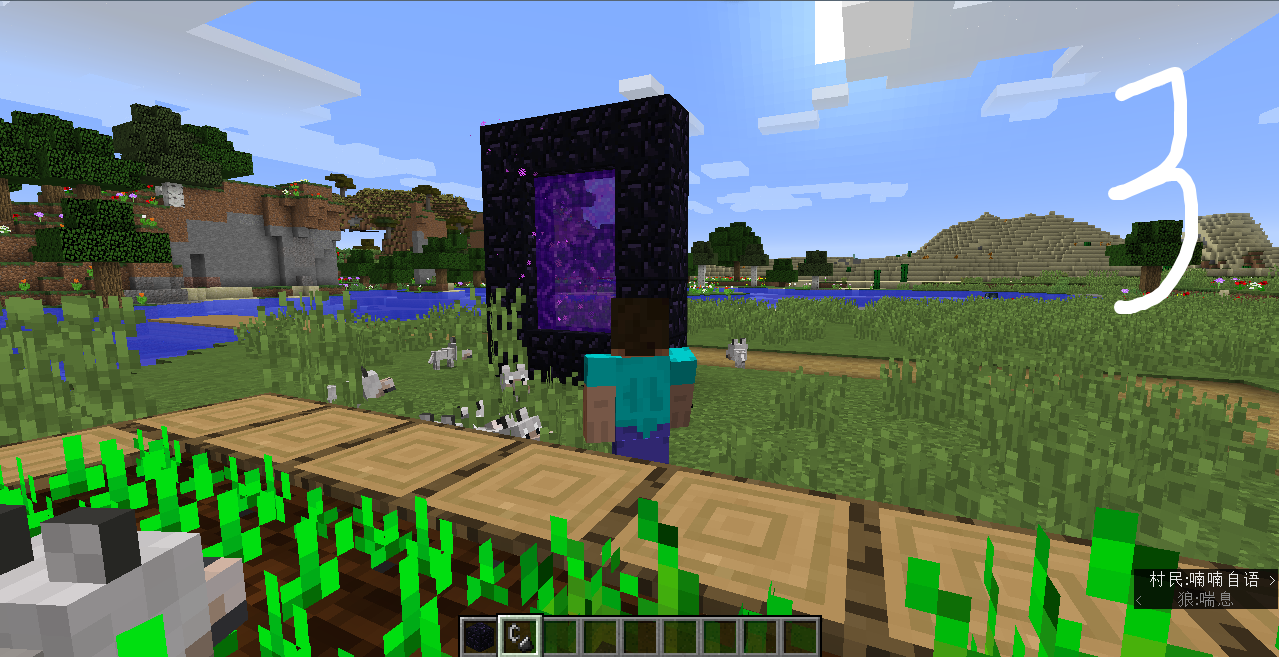
Houses can be found hidden in the enclosed space.
Put the summary of the bug you're having here
One of the shots:
When mine was low at sea level, I found a leak. The stone is hidden, and the third person is more aware of it.
What I expected to happen was...:
Stone will not hide, let me work the normal mine.
What actually happened was...:
The stone is hidden, and the third person is more aware of it.
Steps to Reproduce:
1.Dig below Y=63
2.Then the conversion angle
3.You can see the stone being hidden
The appendix can clearly express this unexpected loophole
Two of the lens:
Houses can be found hidden in the enclosed space.(this loophole is rarely found, because it is not enclosed space)
Put the summary of the bug you're having here
One of the shots:
When mine was low at sea level, I found a leak. The stone is hidden, and the third person is more aware of it.
What I expected to happen was...:
Stone will not hide, let me work the normal mine.
What actually happened was...:
The stone is hidden, and the third person is more aware of it.
Steps to Reproduce:
1.Dig below Y=63
2.Then the conversion angle
3.You can see the stone being hidden
The appendix can clearly express this unexpected loophole
Two of the lens:
Houses can be found hidden in the enclosed space.(this loophole is rarely found, because it is not enclosed space)
Steps to Reproduce:
1. Put a step by step guide on how to trigger the bug here2.one of the len How do you do it
3.being bug. block invisibleblocks (you can see house bug.png)
The bug
Put the summary of the bug you're having here
One of the shots:
When mine was low at sea level, I found a leak. The stone is hidden, and the third person is more aware of it.
What I expected to happen was...:
Stone will not hide, let me work the normal mine.
What actually happened was...:
The stone is hidden, and the third person is more aware of it.
Steps to Reproduce:
1.Dig below Y=63
2.Then the conversion angle
3.You can see the stone being hidden
The appendix can clearly express this unexpected loophole
Two of the lens:
Houses can be found hidden in the enclosed space.(this loophole is rarely found, because it is not enclosed space)
Steps to Reproduce:
1. Put a step by step guide on how to trigger the bug here2.one of the len How do you do it
3.being bug. block invisibleblocks (you can see house bug.png)
The bug
Put the summary of the bug you're having here
One of the shots:
When mine was low at sea level, I found a leak. The stone is hidden, and the third person is more aware of it.
What I expected to happen was...:
Stone will not hide, let me work the normal mine.
What actually happened was...:
The stone is hidden, and the third person is more aware of it.
Steps to Reproduce:
1.Dig below Y=63
2.Then the conversion angle
3.You can see the stone being hidden
The appendix can clearly express this unexpected loophole
Two of the lens:
Houses can be found hidden in the enclosed space.(this loophole is rarely found, because it is not enclosed space)
Steps to Reproduce:
1. Put a step by step guide on how to trigger the bug here2.one of the len How do you do it
3.being bug. block invisibleblocks (you can see house bug.png)
The bug
Put the summary of the bug you're having here
One of the shots:
When mine was low at sea level, I found a leak. The stone is hidden, and the third person is more aware of it.
What I expected to happen was...:
Stone will not hide, let me work the normal mine.
What actually happened was...:
The stone is hidden, and the third person is more aware of it.
Steps to Reproduce:
1.Dig below Y=63
2.Then the conversion angle
3.You can see the stone being hidden
The appendix can clearly express this unexpected loophole
Two of the lens:
Houses can be found hidden in the enclosed space.(this loophole is rarely found, because it is not enclosed space)
Steps to Reproduce:
1. Put a step by step guide on how to trigger the bug here2.one of the len How do you do it
3.being bug. block invisibleblocks (you can see screenshot+)+
The bug
Put the summary of the bug you're having here
One of the shots:
When mine was low at sea level, I found a leak. The stone is hidden, and the third person is more aware of it.
What I expected to happen was...:
Stone will not hide, let me work the normal mine.
What actually happened was...:
The stone is hidden, and the third person is more aware of it.
Steps to Reproduce:
1.Dig below Y=63
2.Then the conversion angle
3.You can see the stone being hidden
The appendix can clearly express this unexpected loophole
Two of the lens:
Houses can be found hidden in the enclosed space.(this loophole is rarely found, because it is not enclosed space)
Steps to Reproduce:
1. Put a step by step guide on how to trigger the bug here2.one of the len How do you do it
3.
being bug. block invisibleblocks (you can see screenshot+)+The bug
Put the summary of the bug you're having here
One of the shots:
When mine was low at sea level, I found a leak. The stone is hidden, and the third person is more aware of it.
What I expected to happen was...:
Stone will not hide, let me work the normal mine.
What actually happened was...:
The stone is hidden, and the third person is more aware of it.
Steps to Reproduce:
1.Dig below Y=63
2.Then the conversion angle
3.You can see the stone being hidden
The appendix can clearly express this unexpected loophole
Two of the lens:
Houses can be found hidden in the enclosed space.(this loophole is rarely found, because it is not enclosed space)
Steps to Reproduce:
1. Put a step by step guide on how to trigger the bug here2.one of the len How do you do it
3.This bug appears. block invisibleblocks (you can see screenshot+)+
The bug
Put the summary of the bug you're having here
One of theshots:When mine was low at sea level, I found a leak. The stone is hidden, and the third person is more aware of it.
What I expected to happen was...:
Stone will not hide, let me work the normal mine.
What actually happened was...:
The stone is hidden, and the third person is more aware of it.
Steps to Reproduce:
1.Dig below Y=63
2.Then the conversion angle
3.You can see the stone being hidden
The appendix can clearly express this unexpected loophole
Two of the lens:Houses can be found hidden in the enclosed space.(this loophole is rarely found, because it is not enclosed space)
Steps to Reproduce:
1. Put a step by step guide on how to trigger the bug here2.one of the len How do you do it
3.This bug appears. block invisibleblocks (you can see screenshot+)+
The bug
Put the summary of the bug you're having here
The first shot
When mine was low at sea level, I found a leak. The stone is hidden, and the third person is more aware of it.
What I expected to happen was...:
Stone will not hide, let me work the normal mine.
What actually happened was...:
The stone is hidden, and the third person is more aware of it.
Steps to Reproduce:
1.Dig below Y=63
2.Then the conversion angle
3.You can see the stone being hidden
The appendix can clearly express this unexpected loophole
Second shots
Houses can be found hidden in the enclosed space.(this loophole is rarely found, because it is not enclosed space)
Steps to Reproduce:
1. Put a step by step guide on how to trigger the bug here2.one of the len How do you do it
3.This bug appears. block invisibleblocks (you can see screenshot+)+
The bug
Put the summary of the bug you're having here
The first shot
When mine was low at sea level, I found a leak. The stone is hidden, and the third person is more aware of it.
What I expected to happen was...:
Stone will not hide, let me work the normal mine.
What actually happened was...:
The stone is hidden, and the third person is more aware of it.
Steps to Reproduce:
1.Dig below Y=63
2.Then the conversion angle
3.You can see the stone being hidden
The appendix can clearly express this unexpected loophole
Second shots
Houses can be found hidden in the enclosed space.(this loophole is rarely found, because it is not enclosed space)
Steps to Reproduce:
1. Put a step by step guide on how to trigger the bug here2.one of the len How do you do it
3.This bug appears. block invisibleblocks (you can see screenshot
+)+The bug
Put the summary of the bug you're having here
The first shot
When mine was low at sea level, I found a leak. The stone is hidden, and the third person is more aware of it.
What I expected to happen was...:
Stone will not hide, let me work the normal mine.
What actually happened was...:
The stone is hidden, and the third person is more aware of it.
Steps to Reproduce:
1.Dig below Y=63
2.Then the conversion angle
3.You can see the stone being hidden
The appendix can clearly express this unexpected loophole
Second shots
Houses can be found hidden in the enclosed space.(this loophole is rarely found, because it is not enclosed space)
Steps to Reproduce:
1. Put a step by step guide on how to trigger the bug here2.one of the len How do you do it
3.This bug appears. block invisibleblocks (you can see screenshot)
The bug
Put the summary of the bug you're having here
The first shot
When mine was low at sea level, I found a leak. The stone is hidden, and the third person is more aware of it.
What I expected to happen was...:
Stone will not hide, let me work the normal mine.
What actually happened was...:
The stone is hidden, and the third person is more aware of it.
Steps to Reproduce:
1.Dig below Y=63
2.Then the conversion angle
3.You can see the stone being hidden
The appendix can clearly express this unexpected loophole
Second shots
Houses can be found hidden in the enclosed space.(this loophole is rarely found, because it is not enclosed space)
Steps to Reproduce:
1. Put a step by step guide on how to trigger the bug here2.one of the len How do you do it
3.This bug appears. block invisibleblocks (you can see screenshot)
The bug
Put the summary of the bug you're having here
The first shot
When mine was low at sea level, I found a leak. The stone is hidden, and the third person is more aware of it.
What I expected to happen was...:
Stone will not hide, let me work the normal mine.
What actually happened was...:
The stone is hidden, and the third person is more aware of it.
Steps to Reproduce:
1.Dig below Y=63
2.Then the conversion angle
3.You can see the stone being hidden
The appendix can clearly express this unexpected loophole
Second shots
Houses can be found hidden in the enclosed space.(this loophole is rarely found, because it is not enclosed space) inside house hiding block bug in under Step
Steps to Reproduce:
1. Put a step by step guide on how to trigger the bug here2.one of the len How do you do it
3.This bug appears. block invisibleblocks (you can see screenshot)
The bug
Put the summary of the bug you're having here
The first shot
When mine was low at sea level, I found a leak. The stone is hidden, and the third person is more aware of it.
What I expected to happen was...:
Stone will not hide, let me work the normal mine.
What actually happened was...:
The stone is hidden, and the third person is more aware of it.
Steps to Reproduce:
1.Dig below Y=63
2.Then the conversion angle
3.You can see the stone being hidden
The appendix can clearly express this unexpected loophole
Second shots
Houses can be found hidden in the enclosed space.(this loophole is rarely found, because it is not enclosed space) inside house hiding block bug in under Step!
Steps to Reproduce:
1. Put a step by step guide on how to trigger the bug here2.one of the len How do you do it
3.This bug appears. block invisibleblocks (you can see screenshot)
The bug
Put the summary of the bug you're having here
The first shot (mine stone bug)
When mine was low at sea level, I found a leak. The stone is hidden, and the third person is more aware of it.
What I expected to happen was...:
Stone will not hide, let me work the normal mine.
What actually happened was...:
The stone is hidden, and the third person is more aware of it.
Steps to Reproduce:
1.Dig below Y=63
2.Then the conversion angle
3.You can see the stone being hidden
The appendix can clearly express this unexpected loophole
Second shots(house inside player bug)
Houses can be found hidden in the enclosed space.(this loophole is rarely found, because it is not enclosed space) inside house hiding block bug in under Step!
Steps to Reproduce:
1. Put a step by step guide on how to trigger the bug here2.one of the len How do you do it
3.This bug appears. block invisibleblocks (you can see screenshot)
1.When I was going to dig the diamonds
2.me inside house
The bug
Put the summary of the bug you're having here
The first shot(mine stone bug)When mine was low at sea level, I found a leak. The stone is hidden, and the third person is more aware of it.
What I expected to happen was...:
Stone will not hide, let me work the normal mine.
What actually happened was...:
The stone is hidden, and the third person is more aware of it.
Steps to Reproduce:
1.Dig below Y=63
2.Then the conversion angle
3.You can see the stone being hidden
The appendix can clearly express this unexpected loophole
Second shots(house inside player bug)Houses can be found hidden in the enclosed space.(this loophole is rarely found, because it is not enclosed space) inside house hiding block bug in under Step!
Steps to Reproduce:
1. Put a step by step guide on how to trigger the bug here2.
one of the lenHow do you do it3.This bug appears. block invisibleblocks (you can see screenshot)
The bug
Put the summary of the bug you're having here
1. (mine stone bug)
When mine was low at sea level, I found a leak. The stone is hidden, and the third person is more aware of it.
What I expected to happen was...:
Stone will not hide, let me work the normal mine.
What actually happened was...:
The stone is hidden, and the third person is more aware of it.
Steps to Reproduce:
1.Dig below Y=63
2.Then the conversion angle
3.You can see the stone being hidden
The appendix can clearly express this unexpected loophole
2.house inside player bug (screen blocks being invisibleblock)
Houses can be found hidden in the enclosed space.(this loophole is rarely found, because it is not enclosed space) inside house hiding block bug in under Step!
Steps to Reproduce:
1. Put a step by step guide on how to trigger the bug here2.being-1 How do you do it
3.This bug appears. block invisibleblocks (you can see screenshot)
The bug
Put the summary of the bug you're having here
1. (mine stone bug)
When mine was low at sea level, I found a leak. The stone is hidden, and the third person is more aware of it.
What I expected to happen was...:
Stone will not hide, let me work the normal mine.
What actually happened was...:
The stone is hidden, and the third person is more aware of it.
Steps to Reproduce:
1.Dig below Y=63
2.Then the conversion angle
3.You can see the stone being hiddenThe appendix can clearly express this unexpected loophole
2.house inside player bug (screen blocks being invisibleblock)
Houses can be found hidden in the enclosed space.(this loophole is rarely found, because it is not enclosed space) inside house hiding block bug in under Step!
Steps to Reproduce:
1. Put a step by step guide on how to trigger the bug here2.being-1 How do you do it
3.This bug appears. block invisibleblocks (you can see screenshot)
The bug
Put the summary of the bug you're having here
1. (mine stone bug)
When mine was low at sea level, I found a leak. The stone is hidden, and the third person is more aware of it.
What I expected to happen was...:
Stone will not hide, let me work the normal mine.
What actually happened was...:
The stone is hidden, and the third person is more aware of it.
Steps to Reproduce:
1.Put a step by step guide on how to trigger the bug here
2.Dig below Y=63
3.Then the conversion angle
4.You can see the stone being hidden
The appendix can clearly express this unexpected loophole
2.house inside player bug (screen blocks being invisibleblock)
Houses can be found hidden in the enclosed space.(this loophole is rarely found, because it is not enclosed space) inside house hiding block bug in under Step!
Steps to Reproduce:
1. Put a step by step guide on how to trigger the bug here2.being-1 How do you do it
3.This bug appears. block invisibleblocks (you can see screenshot)
The bug
Put the summary of the bug you're having here
1.
(mine stone bug)When mine was low at sea level, I found a leak. The stone is hidden, and the third person is more aware of it.
What I expected to happen was...:
Stone will not hide, let me work the normal mine.
What actually happened was...:
The stone is hidden, and the third person is more aware of it.
Steps to Reproduce:
1.Put a step by step guide on how to trigger the bug here
2.Dig below Y=63
3.Then the conversion angle
4.You can see the stone being hidden
The appendix can clearly express this unexpected loophole
2.house inside player bug (screen blocks being invisibleblock)
Houses can be found hidden in the enclosed space.(this loophole is rarely found, because it is not enclosed space) inside house hiding block bug in under Step!
Steps to Reproduce:
1. Put a step by step guide on how to trigger the bug here2.being-1 How do you do it
3.This bug appears. block invisibleblocks (you can see screenshot)
The bug
Put the summary of the bug you're having here
1. mine stone bug(invisibleblock many)
When mine was low at sea level, I found a leak. The stone is hidden, and the third person is more aware of it.
What I expected to happen was...:
Stone will not hide, let me work the normal mine.
What actually happened was...:
The stone is hidden, and the third person is more aware of it.
Steps to Reproduce:
1.Put a step by step guide on how to trigger the bug here
2.Dig below Y=63
3.Then the conversion angle
4.You can see the stone being hidden
The appendix can clearly express this unexpected loophole
2.house inside player bug (screen blocks being invisibleblock)
Houses can be found hidden in the enclosed space.(this loophole is rarely found, because it is not enclosed space) inside house hiding block bug in under Step!
Steps to Reproduce:
1. Put a step by step guide on how to trigger the bug here2.being-1 How do you do it
3.This bug appears. block invisibleblocks (you can see screenshot)
The bug
Put the summary of the bug you're having here
1. mine stone bug(invisibleblock many)
When mine was low at sea level, I found a leak. The stone is hidden, and the third person is more aware of it.
What I expected to happen was...:
Stone will not hide, let me work the normal mine.
What actually happened was...:
The stone is hidden, and the third person is more aware of it.
Steps to Reproduce:
1.Put a step by step guide on how to trigger the bug here
2.Dig below Y=63
3.Then the conversion angle
4.You can see the stone being hidden
The appendix can clearly express this unexpected loophole
2.house inside player bug (screen blocks being invisibleblock)
Houses can be found hidden in the enclosed space.(this loophole is rarely found, because it is not enclosed space) inside house hiding block bug in under Step!
Steps to Reproduce:
1. Put a step by step guide on how to trigger the bug here2.
being-1 How do you do it3.This bug appears. block invisibleblocks (you can see screenshot)
The bug
Put the summary of the bug you're having here
1. mine stone bug(invisibleblock many)
When mine was low at sea level, I found a leak. The stone is hidden, and the third person is more aware of it.
What I expected to happen was...:
Stone will not hide, let me work the normal mine.
What actually happened was...:
The stone is hidden, and the third person is more aware of it.
Steps to Reproduce:
1.Put a step by step guide on how to trigger the bug here
2.Dig below Y=63
3.Then the conversion angle
4.You can see the stone being hidden
The appendix can clearly express this unexpected loophole
2.house inside player bug (screen blocks being invisibleblock)
Houses can be found hidden in the enclosed space.(this loophole is rarely found, because it is not enclosed space) inside house hiding block bug in under Step!
Steps to Reproduce:
1. Put a step by step guide on how to trigger the bug here2.I said-1 How do you do it
3.This bug appears. block invisibleblocks (you can see screenshot)
Problem 2 bug INVISIBLEBLOCK SCREEN
The bug
Put the summary of the bug you're having here
1. mine stone bug(invisibleblock many)
When mine was low at sea level, I found a leak. The stone is hidden, and the third person is more aware of it.
What I expected to happen was...:
Stone will not hide, let me work the normal mine.
What actually happened was...:
The stone is hidden, and the third person is more aware of it.
Steps to Reproduce:
1.Put a step by step guide on how to trigger the bug here
2.Dig below Y=63
3.Then the conversion angle
4.You can see the stone being hidden
The appendix can clearly express this unexpected loophole
2.house inside player bug (screen blocks being invisibleblock)
Houses can be found hidden in the enclosed space.(this loophole is rarely found, because it is not enclosed space) inside house hiding block bug in under Step!
Steps to Reproduce:
1. Put a step by step guide on how to trigger the bug here2.I said-1 How do you do it
3.This bug appears. block invisibleblocks (you can see screenshot)
Problem 2 bug INVISIBLEBLOCK SCREEN
The bug
Put the summary of the bug you're having here
1. mine stone bug(invisibleblock many)
When mine was low at sea level, I found a leak. The stone is hidden, and the third person is more aware of it.
What I expected to happen was...:
Stone will not hide, let me work the normal mine.
What actually happened was...:
The stone is hidden, and the third person is more aware of it.
Steps to Reproduce:
1.Put a step by step guide on how to trigger the bug here
2.Dig below Y=63
3.Then the conversion angle
4.You can see the stone being hidden
The appendix can clearly express this unexpected loophole
2.house inside player bug (screen blocks being invisibleblock)
Houses can be found hidden in the enclosed space.(this loophole is rarely found, because it is not enclosed space) inside house hiding block bug in under Step!
Steps to Reproduce:
1. Put a step by step guide on how to trigger the bug here2.I said-1 How do you do it
3.This bug appears. block invisibleblocks (you can see screenshot)
The bug
Put the summary of the bug you're having here
1. mine stone bug(invisibleblock many)
When mine was low at sea level, I found a leak. The stone is hidden, and the third person is more aware of it.
What I expected to happen was...:
Stone will not hide, let me work the normal mine.
What actually happened was...:
The stone is hidden, and the third person is more aware of it.
Steps to Reproduce:
1.Put a step by step guide on how to trigger the bug here
2.Dig below Y=63
3.Then the conversion angle
4.You can see the stone being hidden
The appendix can clearly express this unexpected loophole
2.house inside player bug (screen blocks being invisibleblock)
Houses can be found hidden in the enclosed space.(this loophole is rarely found, because it is not enclosed space) inside house hiding block bug in under Step!
Steps to Reproduce:
1. Put a step by step guide on how to trigger the bug here2.I said-1 How do you do it
3.This bug appears. block invisibleblocks (you can see screenshot)
The bug
Put the summary of the bug you're having here
2 bug invisible blocks
1. mine stone bug(invisibleblock many)
When mine was low at sea level, I found a leak. The stone is hidden, and the third person is more aware of it.
What I expected to happen was...:
Stone will not hide, let me work the normal mine.
What actually happened was...:
The stone is hidden, and the third person is more aware of it.
Steps to Reproduce:
1.Put a step by step guide on how to trigger the bug here
2.Dig below Y=63
3.Then the conversion angle
4.You can see the stone being hidden
The appendix can clearly express this unexpected loophole
2.house inside player bug (screen blocks being invisibleblock)
Houses can be found hidden in the enclosed space.(this loophole is rarely found, because it is not enclosed space) inside house hiding block bug in under Step!
Steps to Reproduce:
1. Put a step by step guide on how to trigger the bug here2.I said-1 How do you do it
3.This bug appears. block invisibleblocks (you can see screenshot)
the 1 report
The bug
Put the summary of the bug you're having here
2 bug invisible blocks
1. mine stone bug(invisibleblock many)
When mine was low at sea level, I found a leak. The stone is hidden, and the third person is more aware of it.
What I expected to happen was...:
Stone will not hide, let me work the normal mine.
What actually happened was...:
The stone is hidden, and the third person is more aware of it.
Steps to Reproduce:
1.Put a step by step guide on how to trigger the bug here
2.Dig below Y=63
3.Then the conversion angle
4.You can see the stone being hidden
The appendix can clearly express this unexpected loophole
2.house inside player bug (screen blocks being invisibleblock)
Houses can be found hidden in the enclosed space.(this loophole is rarely found, because it is not enclosed space) inside house hiding block bug in under Step!
Steps to Reproduce:
1. Put a step by step guide on how to trigger the bug here2.I said-1 How do you do it
3.This bug appears. block invisibleblocks (you can see screenshot)
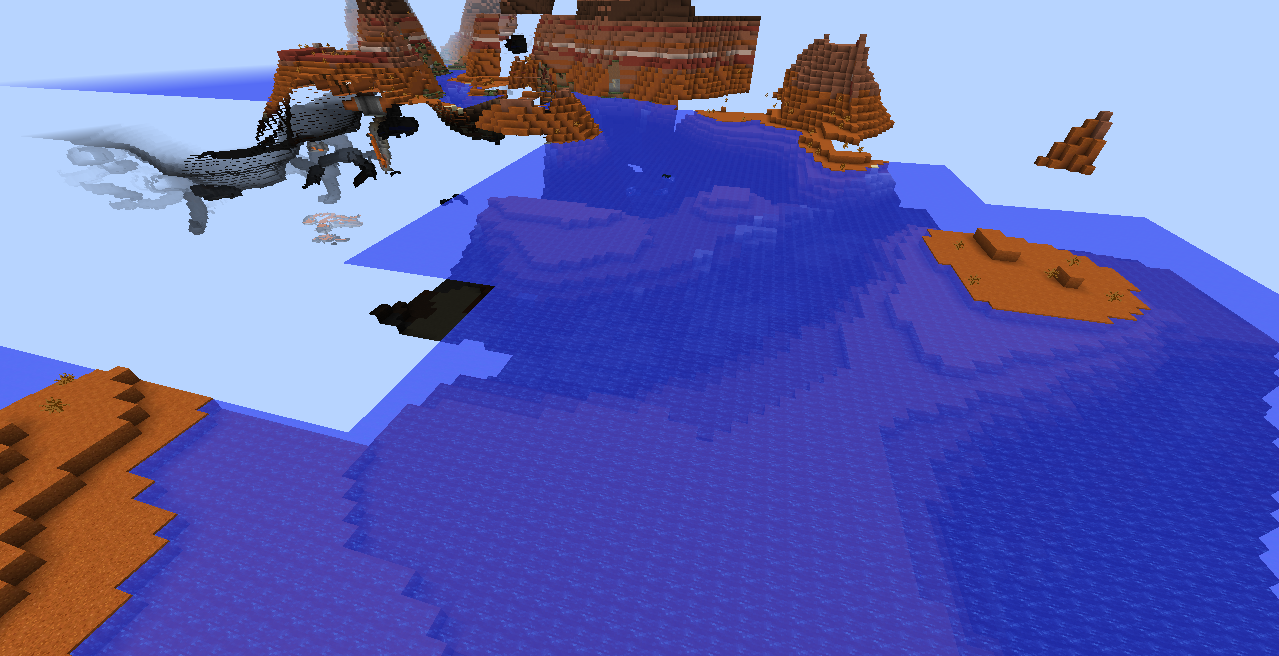
Chunk bug10.png
*I saw the pre release version 1.13pre-4 of the water renewal yesterday, so I went to play and crashed.*When I just joined the game (1.13-pre4)[11:22:41] [Client thread/INFO]: <player>
[11:22:44] [Client thread/WARN]: Skipping bad option: lastServer:
[11:22:45] [Client thread/INFO]: LWJGL Version: 3.1.6 build 14
[11:22:55] [Client thread/INFO]: [STDERR]: [LWJGL] Failed to load a library. Possible solutions:
a) Add the directory that contains the shared library to -Djava.library.path or -Dorg.lwjgl.librarypath.
b) Add the JAR that contains the shared library to the classpath.
[11:22:55] [Client thread/INFO]: [STDERR]: [LWJGL] Enable debug mode with -Dorg.lwjgl.util.Debug=true for better diagnostics.
[11:22:55] [Client thread/INFO]: [STDERR]: [LWJGL] Enable the SharedLibraryLoader debug mode with -Dorg.lwjgl.util.DebugLoader=true for better diagnostics.then,game crash
---- Minecraft Crash Report ----
// This doesn't make any sense!
Time: 18-6-27 上午11:22
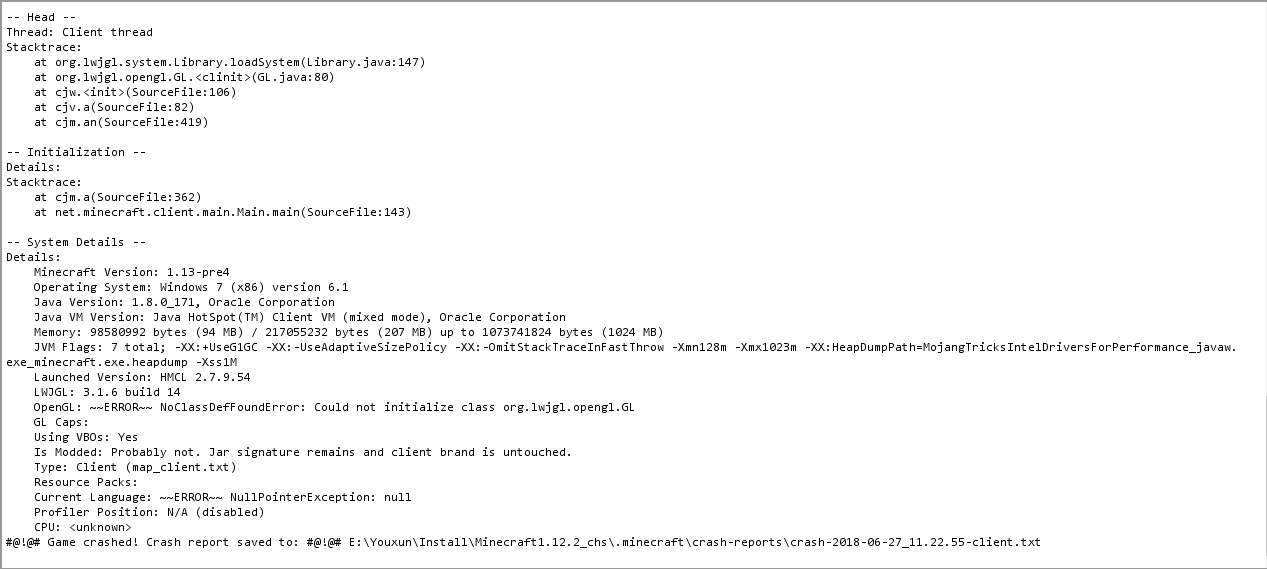
Description: Initializing gamejava.lang.UnsatisfiedLinkError: Failed to locate library: lwjgl_opengl32.dll
at org.lwjgl.system.Library.loadSystem(Library.java:147)
at org.lwjgl.opengl.GL.<clinit>(GL.java:80)
at cjw.<init>(SourceFile:106)
at cjv.a(SourceFile:82)
at cjm.an(SourceFile:419)
at cjm.a(SourceFile:362)
at net.minecraft.client.main.Main.main(SourceFile:143)A detailed walkthrough of the error, its code path and all known details is as follows:
---------------------------------------------------------------------------------------– Head –
Thread: Client thread
Stacktrace:
at org.lwjgl.system.Library.loadSystem(Library.java:147)
at org.lwjgl.opengl.GL.<clinit>(GL.java:80)
at cjw.<init>(SourceFile:106)
at cjv.a(SourceFile:82)
at cjm.an(SourceFile:419)– Initialization –
Details:
Stacktrace:
at cjm.a(SourceFile:362)
at net.minecraft.client.main.Main.main(SourceFile:143)– System Details –
Details:
Minecraft Version: 1.13-pre4
Operating System: Windows 7 (x86) version 6.1
Java Version: 1.8.0_171, Oracle Corporation
Java VM Version: Java HotSpot(TM) Client VM (mixed mode), Oracle Corporation
Memory: 98580992 bytes (94 MB) / 217055232 bytes (207 MB) up to 1073741824 bytes (1024 MB)
JVM Flags: 7 total; -XX:+UseG1GC -XX:-UseAdaptiveSizePolicy -XX:-OmitStackTraceInFastThrow -Xmn128m -Xmx1023m -XX:HeapDumpPath=MojangTricksIntelDriversForPerformance_javaw.exe_minecraft.exe.heapdump -Xss1M
Launched Version: HMCL 2.7.9.54
LWJGL: 3.1.6 build 14
OpenGL: ~ERROR~ NoClassDefFoundError: Could not initialize class org.lwjgl.opengl.GL
GL Caps:
Using VBOs: Yes
Is Modded: Probably not. Jar signature remains and client brand is untouched.
Type: Client (map_client.txt)
Resource Packs:
Current Language: ~ERROR~ NullPointerException: nullProfiler Position: N/A (disabled)
CPU: <unknown>
#@Unable to render embedded object: File (@# Game crashed) not found. Crash report saved to: #@!@# E:\Youxun\Install\Minecraft1.12.2_chs\.minecraft\crash-reports\crash-2018-06-27_11.22.55-client.txtThe end! Thank you.
I saw the pre release version 1.13pre-4 of the water renewal yesterday, so I went to play and crashed.*When I just joined the game (1.13-pre4)
[11:22:41] [Client thread/INFO]: <player>
[11:22:44] [Client thread/WARN]: Skipping bad option: lastServer:
[11:22:45] [Client thread/INFO]: LWJGL Version: 3.1.6 build 14
[11:22:55] [Client thread/INFO]: [STDERR]: [LWJGL] Failed to load a library. Possible solutions:
a) Add the directory that contains the shared library to -Djava.library.path or -Dorg.lwjgl.librarypath.
b) Add the JAR that contains the shared library to the classpath.
[11:22:55] [Client thread/INFO]: [STDERR]: [LWJGL] Enable debug mode with -Dorg.lwjgl.util.Debug=true for better diagnostics.
[11:22:55] [Client thread/INFO]: [STDERR]: [LWJGL] Enable the SharedLibraryLoader debug mode with -Dorg.lwjgl.util.DebugLoader=true for better diagnostics.then,game crash
---- Minecraft Crash Report ----
// This doesn't make any sense!
Time: 18-6-27 上午11:22
Description: Initializing gamejava.lang.UnsatisfiedLinkError: Failed to locate library: lwjgl_opengl32.dll
at org.lwjgl.system.Library.loadSystem(Library.java:147)
at org.lwjgl.opengl.GL.<clinit>(GL.java:80)
at cjw.<init>(SourceFile:106)
at cjv.a(SourceFile:82)
at cjm.an(SourceFile:419)
at cjm.a(SourceFile:362)
at net.minecraft.client.main.Main.main(SourceFile:143)A detailed walkthrough of the error, its code path and all known details is as follows:
---------------------------------------------------------------------------------------– Head –
Thread: Client thread
Stacktrace:
at org.lwjgl.system.Library.loadSystem(Library.java:147)
at org.lwjgl.opengl.GL.<clinit>(GL.java:80)
at cjw.<init>(SourceFile:106)
at cjv.a(SourceFile:82)
at cjm.an(SourceFile:419)– Initialization –
Details:
Stacktrace:
at cjm.a(SourceFile:362)
at net.minecraft.client.main.Main.main(SourceFile:143)– System Details –
Details:
Minecraft Version: 1.13-pre4
Operating System: Windows 7 (x86) version 6.1
Java Version: 1.8.0_171, Oracle Corporation
Java VM Version: Java HotSpot(TM) Client VM (mixed mode), Oracle Corporation
Memory: 98580992 bytes (94 MB) / 217055232 bytes (207 MB) up to 1073741824 bytes (1024 MB)
JVM Flags: 7 total; -XX:+UseG1GC -XX:-UseAdaptiveSizePolicy -XX:-OmitStackTraceInFastThrow -Xmn128m -Xmx1023m -XX:HeapDumpPath=MojangTricksIntelDriversForPerformance_javaw.exe_minecraft.exe.heapdump -Xss1M
Launched Version: HMCL 2.7.9.54
LWJGL: 3.1.6 build 14
OpenGL: ~ERROR~ NoClassDefFoundError: Could not initialize class org.lwjgl.opengl.GL
GL Caps:
Using VBOs: Yes
Is Modded: Probably not. Jar signature remains and client brand is untouched.
Type: Client (map_client.txt)
Resource Packs:
Current Language: ~ERROR~ NullPointerException: nullProfiler Position: N/A (disabled)
CPU: <unknown>
#@Unable to render embedded object: File (@# Game crashed) not found. Crash report saved to: #@!@# E:\Youxun\Install\Minecraft1.12.2_chs\.minecraft\crash-reports\crash-2018-06-27_11.22.55-client.txtThe end! Thank you.
I saw the pre release version 1.13pre
-4 of the water renewal yesterday, so I went to play and crashed.*When I just joined the game (1.13-pre4)[11:22:41] [Client thread/INFO]: <player>
[11:22:44] [Client thread/WARN]: Skipping bad option: lastServer:
[11:22:45] [Client thread/INFO]: LWJGL Version: 3.1.6 build 14
[11:22:55] [Client thread/INFO]: [STDERR]: [LWJGL] Failed to load a library. Possible solutions:
a) Add the directory that contains the shared library to -Djava.library.path or -Dorg.lwjgl.librarypath.
b) Add the JAR that contains the shared library to the classpath.
[11:22:55] [Client thread/INFO]: [STDERR]: [LWJGL] Enable debug mode with -Dorg.lwjgl.util.Debug=true for better diagnostics.
[11:22:55] [Client thread/INFO]: [STDERR]: [LWJGL] Enable the SharedLibraryLoader debug mode with -Dorg.lwjgl.util.DebugLoader=true for better diagnostics.then,game crash
---- Minecraft Crash Report ----
// This doesn't make any sense!
Time: 18-6-27 上午11:22
Description: Initializing gamejava.lang.UnsatisfiedLinkError: Failed to locate library: lwjgl_opengl32.dll
at org.lwjgl.system.Library.loadSystem(Library.java:147)
at org.lwjgl.opengl.GL.<clinit>(GL.java:80)
at cjw.<init>(SourceFile:106)
at cjv.a(SourceFile:82)
at cjm.an(SourceFile:419)
at cjm.a(SourceFile:362)
at net.minecraft.client.main.Main.main(SourceFile:143)A detailed walkthrough of the error, its code path and all known details is as follows:
---------------------------------------------------------------------------------------– Head –
Thread: Client thread
Stacktrace:
at org.lwjgl.system.Library.loadSystem(Library.java:147)
at org.lwjgl.opengl.GL.<clinit>(GL.java:80)
at cjw.<init>(SourceFile:106)
at cjv.a(SourceFile:82)
at cjm.an(SourceFile:419)– Initialization –
Details:
Stacktrace:
at cjm.a(SourceFile:362)
at net.minecraft.client.main.Main.main(SourceFile:143)– System Details –
Details:
Minecraft Version: 1.13-pre4
Operating System: Windows 7 (x86) version 6.1
Java Version: 1.8.0_171, Oracle Corporation
Java VM Version: Java HotSpot(TM) Client VM (mixed mode), Oracle Corporation
Memory: 98580992 bytes (94 MB) / 217055232 bytes (207 MB) up to 1073741824 bytes (1024 MB)
JVM Flags: 7 total; -XX:+UseG1GC -XX:-UseAdaptiveSizePolicy -XX:-OmitStackTraceInFastThrow -Xmn128m -Xmx1023m -XX:HeapDumpPath=MojangTricksIntelDriversForPerformance_javaw.exe_minecraft.exe.heapdump -Xss1M
Launched Version: HMCL 2.7.9.54
LWJGL: 3.1.6 build 14
OpenGL: ~ERROR~ NoClassDefFoundError: Could not initialize class org.lwjgl.opengl.GL
GL Caps:
Using VBOs: Yes
Is Modded: Probably not. Jar signature remains and client brand is untouched.
Type: Client (map_client.txt)
Resource Packs:
Current Language: ~ERROR~ NullPointerException: nullProfiler Position: N/A (disabled)
CPU: <unknown>
#@Unable to render embedded object: File (@# Game crashed) not found. Crash report saved to: #@!@# E:\Youxun\Install\Minecraft1.12.2_chs\.minecraft\crash-reports\crash-2018-06-27_11.22.55-client.txtThe end! Thank you.
I saw the pre release version 1.13-pre4 of the water renewal yesterday, so I went to play and crashed.*When I just joined the game (1.13-pre4)
[11:22:41] [Client thread/INFO]: <player>
[11:22:44] [Client thread/WARN]: Skipping bad option: lastServer:
[11:22:45] [Client thread/INFO]: LWJGL Version: 3.1.6 build 14
[11:22:55] [Client thread/INFO]: [STDERR]: [LWJGL] Failed to load a library. Possible solutions:
a) Add the directory that contains the shared library to -Djava.library.path or -Dorg.lwjgl.librarypath.
b) Add the JAR that contains the shared library to the classpath.
[11:22:55] [Client thread/INFO]: [STDERR]: [LWJGL] Enable debug mode with -Dorg.lwjgl.util.Debug=true for better diagnostics.
[11:22:55] [Client thread/INFO]: [STDERR]: [LWJGL] Enable the SharedLibraryLoader debug mode with -Dorg.lwjgl.util.DebugLoader=true for better diagnostics.then,game crash
---- Minecraft Crash Report ----
// This doesn't make any sense!
Time: 18-6-27 上午11:22
Description: Initializing gamejava.lang.UnsatisfiedLinkError: Failed to locate library: lwjgl_opengl32.dll
at org.lwjgl.system.Library.loadSystem(Library.java:147)
at org.lwjgl.opengl.GL.<clinit>(GL.java:80)
at cjw.<init>(SourceFile:106)
at cjv.a(SourceFile:82)
at cjm.an(SourceFile:419)
at cjm.a(SourceFile:362)
at net.minecraft.client.main.Main.main(SourceFile:143)A detailed walkthrough of the error, its code path and all known details is as follows:
---------------------------------------------------------------------------------------– Head –
Thread: Client thread
Stacktrace:
at org.lwjgl.system.Library.loadSystem(Library.java:147)
at org.lwjgl.opengl.GL.<clinit>(GL.java:80)
at cjw.<init>(SourceFile:106)
at cjv.a(SourceFile:82)
at cjm.an(SourceFile:419)– Initialization –
Details:
Stacktrace:
at cjm.a(SourceFile:362)
at net.minecraft.client.main.Main.main(SourceFile:143)– System Details –
Details:
Minecraft Version: 1.13-pre4
Operating System: Windows 7 (x86) version 6.1
Java Version: 1.8.0_171, Oracle Corporation
Java VM Version: Java HotSpot(TM) Client VM (mixed mode), Oracle Corporation
Memory: 98580992 bytes (94 MB) / 217055232 bytes (207 MB) up to 1073741824 bytes (1024 MB)
JVM Flags: 7 total; -XX:+UseG1GC -XX:-UseAdaptiveSizePolicy -XX:-OmitStackTraceInFastThrow -Xmn128m -Xmx1023m -XX:HeapDumpPath=MojangTricksIntelDriversForPerformance_javaw.exe_minecraft.exe.heapdump -Xss1M
Launched Version: HMCL 2.7.9.54
LWJGL: 3.1.6 build 14
OpenGL: ~ERROR~ NoClassDefFoundError: Could not initialize class org.lwjgl.opengl.GL
GL Caps:
Using VBOs: Yes
Is Modded: Probably not. Jar signature remains and client brand is untouched.
Type: Client (map_client.txt)
Resource Packs:
Current Language: ~ERROR~ NullPointerException: nullProfiler Position: N/A (disabled)
CPU: <unknown>
#@Unable to render embedded object: File (@# Game crashed) not found. Crash report saved to: #@!@# E:\Youxun\Install\Minecraft1.12.2_chs\.minecraft\crash-reports\crash-2018-06-27_11.22.55-client.txtThe end! Thank you.
*I saw the pre release version 1.13-pre4 of the water renewal yesterday, so I went to play and crashed.*When I just joined the game (1.13-pre4)
[11:22:41] [Client thread/INFO]: <player>
[11:22:44] [Client thread/WARN]: Skipping bad option: lastServer:
[11:22:45] [Client thread/INFO]: LWJGL Version: 3.1.6 build 14
[11:22:55] [Client thread/INFO]: [STDERR]: [LWJGL] Failed to load a library. Possible solutions:
a) Add the directory that contains the shared library to -Djava.library.path or -Dorg.lwjgl.librarypath.
b) Add the JAR that contains the shared library to the classpath.
[11:22:55] [Client thread/INFO]: [STDERR]: [LWJGL] Enable debug mode with -Dorg.lwjgl.util.Debug=true for better diagnostics.
[11:22:55] [Client thread/INFO]: [STDERR]: [LWJGL] Enable the SharedLibraryLoader debug mode with -Dorg.lwjgl.util.DebugLoader=true for better diagnostics.then,game crash
---- Minecraft Crash Report ----
// This doesn't make any sense!
Time: 18-6-27 上午11:22
Description: Initializing gamejava.lang.UnsatisfiedLinkError: Failed to locate library: lwjgl_opengl32.dll
at org.lwjgl.system.Library.loadSystem(Library.java:147)
at org.lwjgl.opengl.GL.<clinit>(GL.java:80)
at cjw.<init>(SourceFile:106)
at cjv.a(SourceFile:82)
at cjm.an(SourceFile:419)
at cjm.a(SourceFile:362)
at net.minecraft.client.main.Main.main(SourceFile:143)A detailed walkthrough of the error, its code path and all known details is as follows:
---------------------------------------------------------------------------------------– Head –
Thread: Client thread
Stacktrace:
at org.lwjgl.system.Library.loadSystem(Library.java:147)
at org.lwjgl.opengl.GL.<clinit>(GL.java:80)
at cjw.<init>(SourceFile:106)
at cjv.a(SourceFile:82)
at cjm.an(SourceFile:419)– Initialization –
Details:
Stacktrace:
at cjm.a(SourceFile:362)
at net.minecraft.client.main.Main.main(SourceFile:143)– System Details –
Details:
Minecraft Version: 1.13-pre4
Operating System: Windows 7 (x86) version 6.1
Java Version: 1.8.0_171, Oracle Corporation
Java VM Version: Java HotSpot(TM) Client VM (mixed mode), Oracle Corporation
Memory: 98580992 bytes (94 MB) / 217055232 bytes (207 MB) up to 1073741824 bytes (1024 MB)
JVM Flags: 7 total; -XX:+UseG1GC -XX:-UseAdaptiveSizePolicy -XX:-OmitStackTraceInFastThrow -Xmn128m -Xmx1023m -XX:HeapDumpPath=MojangTricksIntelDriversForPerformance_javaw.exe_minecraft.exe.heapdump -Xss1M
Launched Version: HMCL 2.7.9.54
LWJGL: 3.1.6 build 14
OpenGL: ~ERROR~ NoClassDefFoundError: Could not initialize class org.lwjgl.opengl.GL
GL Caps:
Using VBOs: Yes
Is Modded: Probably not. Jar signature remains and client brand is untouched.
Type: Client (map_client.txt)
Resource Packs:
Current Language: ~ERROR~ NullPointerException: nullProfiler Position: N/A (disabled)
CPU: <unknown>
#@Unable to render embedded object: File (@# Game crashed) not found. Crash report saved to: #@!@# E:\Youxun\Install\Minecraft1.12.2_chs\.minecraft\crash-reports\crash-2018-06-27_11.22.55-client.txtThe end! Thank you.
*I saw the pre release version 1.13-pre4 of the water renewal yesterday, so I went to play and crashed.*When I just joined the game (1.13-pre4)
[11:22:41] [Client thread/INFO]: <player>
[11:22:44] [Client thread/WARN]: Skipping bad option: lastServer:
[11:22:45] [Client thread/INFO]: LWJGL Version: 3.1.6 build 14
[11:22:55] [Client thread/INFO]: [STDERR]: [LWJGL] Failed to load a library. Possible solutions:
a) Add the directory that contains the shared library to -Djava.library.path or -Dorg.lwjgl.librarypath.
b) Add the JAR that contains the shared library to the classpath.
[11:22:55] [Client thread/INFO]: [STDERR]: [LWJGL] Enable debug mode with -Dorg.lwjgl.util.Debug=true for better diagnostics.
[11:22:55] [Client thread/INFO]: [STDERR]: [LWJGL] Enable the SharedLibraryLoader debug mode with -Dorg.lwjgl.util.DebugLoader=true for better diagnostics.then,game crash
Steps to Reproduce:**
1.open your launcher
2.download 1.13-pre4 version
3.download After completion,open 1.13-pre4
4.Then...1.13-pre4 crash
---- Minecraft Crash Report ----
// This doesn't make any sense!
Time: 18-6-27 上午11:22
Description: Initializing gamejava.lang.UnsatisfiedLinkError: Failed to locate library: lwjgl_opengl32.dll
at org.lwjgl.system.Library.loadSystem(Library.java:147)
at org.lwjgl.opengl.GL.<clinit>(GL.java:80)
at cjw.<init>(SourceFile:106)
at cjv.a(SourceFile:82)
at cjm.an(SourceFile:419)
at cjm.a(SourceFile:362)
at net.minecraft.client.main.Main.main(SourceFile:143)A detailed walkthrough of the error, its code path and all known details is as follows:
---------------------------------------------------------------------------------------– Head –
Thread: Client thread
Stacktrace:
at org.lwjgl.system.Library.loadSystem(Library.java:147)
at org.lwjgl.opengl.GL.<clinit>(GL.java:80)
at cjw.<init>(SourceFile:106)
at cjv.a(SourceFile:82)
at cjm.an(SourceFile:419)– Initialization –
Details:
Stacktrace:
at cjm.a(SourceFile:362)
at net.minecraft.client.main.Main.main(SourceFile:143)– System Details –
Details:
Minecraft Version: 1.13-pre4
Operating System: Windows 7 (x86) version 6.1
Java Version: 1.8.0_171, Oracle Corporation
Java VM Version: Java HotSpot(TM) Client VM (mixed mode), Oracle Corporation
Memory: 98580992 bytes (94 MB) / 217055232 bytes (207 MB) up to 1073741824 bytes (1024 MB)
JVM Flags: 7 total; -XX:+UseG1GC -XX:-UseAdaptiveSizePolicy -XX:-OmitStackTraceInFastThrow -Xmn128m -Xmx1023m -XX:HeapDumpPath=MojangTricksIntelDriversForPerformance_javaw.exe_minecraft.exe.heapdump -Xss1M
Launched Version: HMCL 2.7.9.54
LWJGL: 3.1.6 build 14
OpenGL: ~ERROR~ NoClassDefFoundError: Could not initialize class org.lwjgl.opengl.GL
GL Caps:
Using VBOs: Yes
Is Modded: Probably not. Jar signature remains and client brand is untouched.
Type: Client (map_client.txt)
Resource Packs:
Current Language: ~ERROR~ NullPointerException: nullProfiler Position: N/A (disabled)
CPU: <unknown>
#@Unable to render embedded object: File (@# Game crashed) not found. Crash report saved to: #@!@# E:\Youxun\Install\Minecraft1.12.2_chs\.minecraft\crash-reports\crash-2018-06-27_11.22.55-client.txtThe end! Thank you.
*I saw the pre release version 1.13-pre4 of the water renewal yesterday, so I went to play and crashed.*When I just joined the game (1.13-pre4)
[11:22:41] [Client thread/INFO]: <player>
[11:22:44] [Client thread/WARN]: Skipping bad option: lastServer:
[11:22:45] [Client thread/INFO]: LWJGL Version: 3.1.6 build 14
[11:22:55] [Client thread/INFO]: [STDERR]: [LWJGL] Failed to load a library. Possible solutions:
a) Add the directory that contains the shared library to -Djava.library.path or -Dorg.lwjgl.librarypath.
b) Add the JAR that contains the shared library to the classpath.
[11:22:55] [Client thread/INFO]: [STDERR]: [LWJGL] Enable debug mode with -Dorg.lwjgl.util.Debug=true for better diagnostics.
[11:22:55] [Client thread/INFO]: [STDERR]: [LWJGL] Enable the SharedLibraryLoader debug mode with -Dorg.lwjgl.util.DebugLoader=true for better diagnostics.then,game crash
Steps to Reproduce:**
1.open your launcher
2.download 1.13-pre4 version
3.download After completion,open 1.13-pre4
4.Then...1.13-pre4 crash
---- Minecraft Crash Report ----
// This doesn't make any sense!
Time: 18-6-27 上午11:22
Description: Initializing gamejava.lang.UnsatisfiedLinkError: Failed to locate library: lwjgl_opengl32.dll
at org.lwjgl.system.Library.loadSystem(Library.java:147)
at org.lwjgl.opengl.GL.<clinit>(GL.java:80)
at cjw.<init>(SourceFile:106)
at cjv.a(SourceFile:82)
at cjm.an(SourceFile:419)
at cjm.a(SourceFile:362)
at net.minecraft.client.main.Main.main(SourceFile:143)A detailed walkthrough of the error, its code path and all known details is as follows:
---------------------------------------------------------------------------------------– Head –
Thread: Client thread
Stacktrace:
at org.lwjgl.system.Library.loadSystem(Library.java:147)
at org.lwjgl.opengl.GL.<clinit>(GL.java:80)
at cjw.<init>(SourceFile:106)
at cjv.a(SourceFile:82)
at cjm.an(SourceFile:419)– Initialization –
Details:
Stacktrace:
at cjm.a(SourceFile:362)
at net.minecraft.client.main.Main.main(SourceFile:143)– System Details –
Details:
Minecraft Version: 1.13-pre4
Operating System: Windows 7 (x86) version 6.1
Java Version: 1.8.0_171, Oracle Corporation
Java VM Version: Java HotSpot(TM) Client VM (mixed mode), Oracle Corporation
Memory: 98580992 bytes (94 MB) / 217055232 bytes (207 MB) up to 1073741824 bytes (1024 MB)
JVM Flags: 7 total; -XX:+UseG1GC -XX:-UseAdaptiveSizePolicy -XX:-OmitStackTraceInFastThrow -Xmn128m -Xmx1023m -XX:HeapDumpPath=MojangTricksIntelDriversForPerformance_javaw.exe_minecraft.exe.heapdump -Xss1M
Launched Version: HMCL 2.7.9.54
LWJGL: 3.1.6 build 14
OpenGL: ~ERROR~ NoClassDefFoundError: Could not initialize class org.lwjgl.opengl.GL
GL Caps:
Using VBOs: Yes
Is Modded: Probably not. Jar signature remains and client brand is untouched.
Type: Client (map_client.txt)
Resource Packs:
Current Language: ~ERROR~ NullPointerException: nullProfiler Position: N/A (disabled)
CPU: <unknown>
#@Unable to render embedded object: File (@# Game crashed) not found. Crash report saved to: #@!@# E:\Youxun\Install\Minecraft1.12.2_chs\.minecraft\crash-reports\crash-2018-06-27_11.22.55-client.txtThe end! Thank you.
I saw the pre release version 1.13-pre4 of the water renewal yesterday, so I went to play and crashed.When I just joined the game (1.13-pre4)
[11:22:41] [Client thread/INFO]: <player>
[11:22:44] [Client thread/WARN]: Skipping bad option: lastServer:
[11:22:45] [Client thread/INFO]: LWJGL Version: 3.1.6 build 14
[11:22:55] [Client thread/INFO]: [STDERR]: [LWJGL] Failed to load a library. Possible solutions:
a) Add the directory that contains the shared library to -Djava.library.path or -Dorg.lwjgl.librarypath.
b) Add the JAR that contains the shared library to the classpath.
[11:22:55] [Client thread/INFO]: [STDERR]: [LWJGL] Enable debug mode with -Dorg.lwjgl.util.Debug=true for better diagnostics.
[11:22:55] [Client thread/INFO]: [STDERR]: [LWJGL] Enable the SharedLibraryLoader debug mode with -Dorg.lwjgl.util.DebugLoader=true for better diagnostics.then,game crash
Steps to Reproduce:**
1.open your launcher
2.download 1.13-pre4 version
3.download After completion,open 1.13-pre4
4.Then...1.13-pre4 crash
---- Minecraft Crash Report ----
// This doesn't make any sense!
Time: 18-6-27 上午11:22
Description: Initializing gamejava.lang.UnsatisfiedLinkError: Failed to locate library: lwjgl_opengl32.dll
at org.lwjgl.system.Library.loadSystem(Library.java:147)
at org.lwjgl.opengl.GL.<clinit>(GL.java:80)
at cjw.<init>(SourceFile:106)
at cjv.a(SourceFile:82)
at cjm.an(SourceFile:419)
at cjm.a(SourceFile:362)
at net.minecraft.client.main.Main.main(SourceFile:143)A detailed walkthrough of the error, its code path and all known details is as follows:
---------------------------------------------------------------------------------------– Head –
Thread: Client thread
Stacktrace:
at org.lwjgl.system.Library.loadSystem(Library.java:147)
at org.lwjgl.opengl.GL.<clinit>(GL.java:80)
at cjw.<init>(SourceFile:106)
at cjv.a(SourceFile:82)
at cjm.an(SourceFile:419)– Initialization –
Details:
Stacktrace:
at cjm.a(SourceFile:362)
at net.minecraft.client.main.Main.main(SourceFile:143)– System Details –
Details:
Minecraft Version: 1.13-pre4
Operating System: Windows 7 (x86) version 6.1
Java Version: 1.8.0_171, Oracle Corporation
Java VM Version: Java HotSpot(TM) Client VM (mixed mode), Oracle Corporation
Memory: 98580992 bytes (94 MB) / 217055232 bytes (207 MB) up to 1073741824 bytes (1024 MB)
JVM Flags: 7 total; -XX:+UseG1GC -XX:-UseAdaptiveSizePolicy -XX:-OmitStackTraceInFastThrow -Xmn128m -Xmx1023m -XX:HeapDumpPath=MojangTricksIntelDriversForPerformance_javaw.exe_minecraft.exe.heapdump -Xss1M
Launched Version: HMCL 2.7.9.54
LWJGL: 3.1.6 build 14
OpenGL: ~ERROR~ NoClassDefFoundError: Could not initialize class org.lwjgl.opengl.GL
GL Caps:
Using VBOs: Yes
Is Modded: Probably not. Jar signature remains and client brand is untouched.
Type: Client (map_client.txt)
Resource Packs:
Current Language: ~ERROR~ NullPointerException: nullProfiler Position: N/A (disabled)
CPU: <unknown>
#@Unable to render embedded object: File (@# Game crashed) not found. Crash report saved to: #@!@# E:\Youxun\Install\Minecraft1.12.2_chs\.minecraft\crash-reports\crash-2018-06-27_11.22.55-client.txtThe end! Thank you.
I saw the pre release version 1.13-pre4 of the water renewal yesterday, so I went to play and crashed.When I just joined the game (1.13-pre4)
[11:22:41] [Client thread/INFO]: <player>
[11:22:44] [Client thread/WARN]: Skipping bad option: lastServer:
[11:22:45] [Client thread/INFO]: LWJGL Version: 3.1.6 build 14
[11:22:55] [Client thread/INFO]: [STDERR]: [LWJGL] Failed to load a library. Possible solutions:
a) Add the directory that contains the shared library to -Djava.library.path or -Dorg.lwjgl.librarypath.
b) Add the JAR that contains the shared library to the classpath.
[11:22:55] [Client thread/INFO]: [STDERR]: [LWJGL] Enable debug mode with -Dorg.lwjgl.util.Debug=true for better diagnostics.
[11:22:55] [Client thread/INFO]: [STDERR]: [LWJGL] Enable the SharedLibraryLoader debug mode with -Dorg.lwjgl.util.DebugLoader=true for better diagnostics.then,game crash
Steps to Reproduce:**
1.open your launcher
2.download 1.13-pre4 version
3.download After completion,open 1.13-pre4
4.Then...1.13-pre4 crash
---- Minecraft Crash Report ----
// This doesn't make any sense!
Time: 18-6-27 上午11:22
Description: Initializing gamejava.lang.UnsatisfiedLinkError: Failed to locate library: lwjgl_opengl32.dll
at org.lwjgl.system.Library.loadSystem(Library.java:147)
at org.lwjgl.opengl.GL.<clinit>(GL.java:80)
at cjw.<init>(SourceFile:106)
at cjv.a(SourceFile:82)
at cjm.an(SourceFile:419)
at cjm.a(SourceFile:362)
at net.minecraft.client.main.Main.main(SourceFile:143)A detailed walkthrough of the error, its code path and all known details is as follows:
---------------------------------------------------------------------------------------– Head –
Thread: Client thread
Stacktrace:
at org.lwjgl.system.Library.loadSystem(Library.java:147)
at org.lwjgl.opengl.GL.<clinit>(GL.java:80)
at cjw.<init>(SourceFile:106)
at cjv.a(SourceFile:82)
at cjm.an(SourceFile:419)– Initialization –
Details:
Stacktrace:
at cjm.a(SourceFile:362)
at net.minecraft.client.main.Main.main(SourceFile:143)– System Details –
Details:
Minecraft Version: 1.13-pre4
Operating System: Windows 7 (x86) version 6.1
Java Version: 1.8.0_171, Oracle Corporation
Java VM Version: Java HotSpot(TM) Client VM (mixed mode), Oracle Corporation
Memory: 98580992 bytes (94 MB) / 217055232 bytes (207 MB) up to 1073741824 bytes (1024 MB)
JVM Flags: 7 total; -XX:+UseG1GC -XX:-UseAdaptiveSizePolicy -XX:-OmitStackTraceInFastThrow -Xmn128m -Xmx1023m -XX:HeapDumpPath=MojangTricksIntelDriversForPerformance_javaw.exe_minecraft.exe.heapdump -Xss1M
Launched Version: HMCL 2.7.9.54
LWJGL: 3.1.6 build 14
OpenGL: ~ERROR~ NoClassDefFoundError: Could not initialize class org.lwjgl.opengl.GL
GL Caps:
Using VBOs: Yes
Is Modded: Probably not. Jar signature remains and client brand is untouched.
Type: Client (map_client.txt)
Resource Packs:
Current Language: ~ERROR~ NullPointerException: nullProfiler Position: N/A (disabled)
CPU: <unknown>
#@Unable to render embedded object: File (@# Game crashed) not found. Crash report saved to: #@!@# E:\Youxun\Install\Minecraft1.12.2_chs\.minecraft\crash-reports\crash-2018-06-27_11.22.55-client.txtThe end! Thank you.
Put the summary of the bug you're having here
I saw the pre release version 1.13-pre4 of the water renewal yesterday, so I went to play and crashed.When I just joined the game (1.13-pre4)
[11:22:41] [Client thread/INFO]: <player>
[11:22:44] [Client thread/WARN]: Skipping bad option: lastServer:
[11:22:45] [Client thread/INFO]: LWJGL Version: 3.1.6 build 14
[11:22:55] [Client thread/INFO]: [STDERR]: [LWJGL] Failed to load a library. Possible solutions:
a) Add the directory that contains the shared library to -Djava.library.path or -Dorg.lwjgl.librarypath.
b) Add the JAR that contains the shared library to the classpath.
[11:22:55] [Client thread/INFO]: [STDERR]: [LWJGL] Enable debug mode with -Dorg.lwjgl.util.Debug=true for better diagnostics.
[11:22:55] [Client thread/INFO]: [STDERR]: [LWJGL] Enable the SharedLibraryLoader debug mode with -Dorg.lwjgl.util.DebugLoader=true for better diagnostics.What I expected to happen was...:
*g*ame not crash,Can make me play games normally
What actually happened was...:
The game crumbled
Steps to Reproduce:
1.open your launcher
2.download 1.13-pre4 version
3.download After completion,open 1.13-pre4
4.Then...1.13-pre4 crash
---- Minecraft Crash Report ----
// This doesn't make any sense!
Time: 18-6-27 上午11:22
Description: Initializing gamejava.lang.UnsatisfiedLinkError: Failed to locate library: lwjgl_opengl32.dll
at org.lwjgl.system.Library.loadSystem(Library.java:147)
at org.lwjgl.opengl.GL.<clinit>(GL.java:80)
at cjw.<init>(SourceFile:106)
at cjv.a(SourceFile:82)
at cjm.an(SourceFile:419)
at cjm.a(SourceFile:362)
at net.minecraft.client.main.Main.main(SourceFile:143)A detailed walkthrough of the error, its code path and all known details is as follows:
---------------------------------------------------------------------------------------– Head –
Thread: Client thread
Stacktrace:
at org.lwjgl.system.Library.loadSystem(Library.java:147)
at org.lwjgl.opengl.GL.<clinit>(GL.java:80)
at cjw.<init>(SourceFile:106)
at cjv.a(SourceFile:82)
at cjm.an(SourceFile:419)– Initialization –
Details:
Stacktrace:
at cjm.a(SourceFile:362)
at net.minecraft.client.main.Main.main(SourceFile:143)– System Details –
Details:
Minecraft Version: 1.13-pre4
Operating System: Windows 7 (x86) version 6.1
Java Version: 1.8.0_171, Oracle Corporation
Java VM Version: Java HotSpot(TM) Client VM (mixed mode), Oracle Corporation
Memory: 98580992 bytes (94 MB) / 217055232 bytes (207 MB) up to 1073741824 bytes (1024 MB)
JVM Flags: 7 total; -XX:+UseG1GC -XX:-UseAdaptiveSizePolicy -XX:-OmitStackTraceInFastThrow -Xmn128m -Xmx1023m -XX:HeapDumpPath=MojangTricksIntelDriversForPerformance_javaw.exe_minecraft.exe.heapdump -Xss1M
Launched Version: HMCL 2.7.9.54
LWJGL: 3.1.6 build 14
OpenGL: ~ERROR~ NoClassDefFoundError: Could not initialize class org.lwjgl.opengl.GL
GL Caps:
Using VBOs: Yes
Is Modded: Probably not. Jar signature remains and client brand is untouched.
Type: Client (map_client.txt)
Resource Packs:
Current Language: ~ERROR~ NullPointerException: nullProfiler Position: N/A (disabled)
CPU: <unknown>
#@Unable to render embedded object: File (@# Game crashed) not found. Crash report saved to: #@!@# E:\Youxun\Install\Minecraft1.12.2_chs\.minecraft\crash-reports\crash-2018-06-27_11.22.55-client.txtThe end! Thank you.
Put the summary of the bug you're having here
I saw the pre release version 1.13-pre4 of the water renewal yesterday, so I went to play and crashed.When I just joined the game (1.13-pre4)
[11:22:41] [Client thread/INFO]: <player>
[11:22:44] [Client thread/WARN]: Skipping bad option: lastServer:
[11:22:45] [Client thread/INFO]: LWJGL Version: 3.1.6 build 14
[11:22:55] [Client thread/INFO]: [STDERR]: [LWJGL] Failed to load a library. Possible solutions:
a) Add the directory that contains the shared library to -Djava.library.path or -Dorg.lwjgl.librarypath.
b) Add the JAR that contains the shared library to the classpath.
[11:22:55] [Client thread/INFO]: [STDERR]: [LWJGL] Enable debug mode with -Dorg.lwjgl.util.Debug=true for better diagnostics.
[11:22:55] [Client thread/INFO]: [STDERR]: [LWJGL] Enable the SharedLibraryLoader debug mode with -Dorg.lwjgl.util.DebugLoader=true for better diagnostics.What I expected to happen was...:
*g*ame not crash,Can make me play games normallyWhat actually happened was...:
The game crumbled
Steps to Reproduce:
1.open your launcher
2.download 1.13-pre4 version
3.download After completion,open 1.13-pre4
4.Then...1.13-pre4 crash
---- Minecraft Crash Report ----
// This doesn't make any sense!
Time: 18-6-27 上午11:22
Description: Initializing gamejava.lang.UnsatisfiedLinkError: Failed to locate library: lwjgl_opengl32.dll
at org.lwjgl.system.Library.loadSystem(Library.java:147)
at org.lwjgl.opengl.GL.<clinit>(GL.java:80)
at cjw.<init>(SourceFile:106)
at cjv.a(SourceFile:82)
at cjm.an(SourceFile:419)
at cjm.a(SourceFile:362)
at net.minecraft.client.main.Main.main(SourceFile:143)A detailed walkthrough of the error, its code path and all known details is as follows:
---------------------------------------------------------------------------------------– Head –
Thread: Client thread
Stacktrace:
at org.lwjgl.system.Library.loadSystem(Library.java:147)
at org.lwjgl.opengl.GL.<clinit>(GL.java:80)
at cjw.<init>(SourceFile:106)
at cjv.a(SourceFile:82)
at cjm.an(SourceFile:419)– Initialization –
Details:
Stacktrace:
at cjm.a(SourceFile:362)
at net.minecraft.client.main.Main.main(SourceFile:143)– System Details –
Details:
Minecraft Version: 1.13-pre4
Operating System: Windows 7 (x86) version 6.1
Java Version: 1.8.0_171, Oracle Corporation
Java VM Version: Java HotSpot(TM) Client VM (mixed mode), Oracle Corporation
Memory: 98580992 bytes (94 MB) / 217055232 bytes (207 MB) up to 1073741824 bytes (1024 MB)
JVM Flags: 7 total; -XX:+UseG1GC -XX:-UseAdaptiveSizePolicy -XX:-OmitStackTraceInFastThrow -Xmn128m -Xmx1023m -XX:HeapDumpPath=MojangTricksIntelDriversForPerformance_javaw.exe_minecraft.exe.heapdump -Xss1M
Launched Version: HMCL 2.7.9.54
LWJGL: 3.1.6 build 14
OpenGL: ~ERROR~ NoClassDefFoundError: Could not initialize class org.lwjgl.opengl.GL
GL Caps:
Using VBOs: Yes
Is Modded: Probably not. Jar signature remains and client brand is untouched.
Type: Client (map_client.txt)
Resource Packs:
Current Language: ~ERROR~ NullPointerException: nullProfiler Position: N/A (disabled)
CPU: <unknown>
#@Unable to render embedded object: File (@# Game crashed) not found. Crash report saved to: #@!@# E:\Youxun\Install\Minecraft1.12.2_chs\.minecraft\crash-reports\crash-2018-06-27_11.22.55-client.txtThe end! Thank you.
Put the summary of the bug you're having here
I saw the pre release version 1.13-pre4 of the water renewal yesterday, so I went to play and crashed.When I just joined the game (1.13-pre4)
[11:22:41] [Client thread/INFO]: <player>
[11:22:44] [Client thread/WARN]: Skipping bad option: lastServer:
[11:22:45] [Client thread/INFO]: LWJGL Version: 3.1.6 build 14
[11:22:55] [Client thread/INFO]: [STDERR]: [LWJGL] Failed to load a library. Possible solutions:
a) Add the directory that contains the shared library to -Djava.library.path or -Dorg.lwjgl.librarypath.
b) Add the JAR that contains the shared library to the classpath.
[11:22:55] [Client thread/INFO]: [STDERR]: [LWJGL] Enable debug mode with -Dorg.lwjgl.util.Debug=true for better diagnostics.
[11:22:55] [Client thread/INFO]: [STDERR]: [LWJGL] Enable the SharedLibraryLoader debug mode with -Dorg.lwjgl.util.DebugLoader=true for better diagnostics.What I expected to happen was...:
game not crash,Can make me play games normally
What actually happened was...:
The game crumbled
Steps to Reproduce:
1.open your launcher
2.download 1.13-pre4 version
3.download After completion,open 1.13-pre4
4.Then...1.13-pre4 crash
---- Minecraft Crash Report ----
// This doesn't make any sense!
Time: 18-6-27 上午11:22
Description: Initializing gamejava.lang.UnsatisfiedLinkError: Failed to locate library: lwjgl_opengl32.dll
at org.lwjgl.system.Library.loadSystem(Library.java:147)
at org.lwjgl.opengl.GL.<clinit>(GL.java:80)
at cjw.<init>(SourceFile:106)
at cjv.a(SourceFile:82)
at cjm.an(SourceFile:419)
at cjm.a(SourceFile:362)
at net.minecraft.client.main.Main.main(SourceFile:143)A detailed walkthrough of the error, its code path and all known details is as follows:
---------------------------------------------------------------------------------------– Head –
Thread: Client thread
Stacktrace:
at org.lwjgl.system.Library.loadSystem(Library.java:147)
at org.lwjgl.opengl.GL.<clinit>(GL.java:80)
at cjw.<init>(SourceFile:106)
at cjv.a(SourceFile:82)
at cjm.an(SourceFile:419)– Initialization –
Details:
Stacktrace:
at cjm.a(SourceFile:362)
at net.minecraft.client.main.Main.main(SourceFile:143)– System Details –
Details:
Minecraft Version: 1.13-pre4
Operating System: Windows 7 (x86) version 6.1
Java Version: 1.8.0_171, Oracle Corporation
Java VM Version: Java HotSpot(TM) Client VM (mixed mode), Oracle Corporation
Memory: 98580992 bytes (94 MB) / 217055232 bytes (207 MB) up to 1073741824 bytes (1024 MB)
JVM Flags: 7 total; -XX:+UseG1GC -XX:-UseAdaptiveSizePolicy -XX:-OmitStackTraceInFastThrow -Xmn128m -Xmx1023m -XX:HeapDumpPath=MojangTricksIntelDriversForPerformance_javaw.exe_minecraft.exe.heapdump -Xss1M
Launched Version: HMCL 2.7.9.54
LWJGL: 3.1.6 build 14
OpenGL: ~ERROR~ NoClassDefFoundError: Could not initialize class org.lwjgl.opengl.GL
GL Caps:
Using VBOs: Yes
Is Modded: Probably not. Jar signature remains and client brand is untouched.
Type: Client (map_client.txt)
Resource Packs:
Current Language: ~ERROR~ NullPointerException: nullProfiler Position: N/A (disabled)
CPU: <unknown>
#@Unable to render embedded object: File (@# Game crashed) not found. Crash report saved to: #@!@# E:\Youxun\Install\Minecraft1.12.2_chs\.minecraft\crash-reports\crash-2018-06-27_11.22.55-client.txtThe end! Thank you.
Put the summary of the bug you're having here
I saw the pre release version 1.13-pre4 of the water renewal yesterday, so I went to play and crashed.When I just joined the game (1.13-pre4)
[11:22:41] [Client thread/INFO]: <player>
[11:22:44] [Client thread/WARN]: Skipping bad option: lastServer:
[11:22:45] [Client thread/INFO]: LWJGL Version:3.1.6 build 14
[11:22:55] [Client thread/INFO]: [STDERR]: [LWJGL] Failed to load a library. Possible solutions:
a) Add the directory that contains the shared library to -Djava.library.path or -Dorg.lwjgl.librarypath.
b) Add the JAR that contains the shared library to the classpath.
[11:22:55] [Client thread/INFO]: [STDERR]: [LWJGL] Enable debug mode with -Dorg.lwjgl.util.Debug=true for better diagnostics.
[11:22:55] [Client thread/INFO]: [STDERR]: [LWJGL] Enable the SharedLibraryLoader debug mode with -Dorg.lwjgl.util.DebugLoader=true for better diagnostics.What I expected to happen was...:
game not crash,Can make me play games normally
What actually happened was...:
The game crumbled
Steps to Reproduce:
1.open your launcher
2.download 1.13-pre4 version
3.download After completion,open 1.13-pre4
4.Then...1.13-pre4 crash
---- Minecraft Crash Report ----
// This doesn't make any sense!
Time: 18-6-27 上午11:22
Description: Initializing gamejava.lang.UnsatisfiedLinkError: Failed to locate library: lwjgl_opengl32.dll
at org.lwjgl.system.Library.loadSystem(Library.java:147)
at org.lwjgl.opengl.GL.<clinit>(GL.java:80)
at cjw.<init>(SourceFile:106)
at cjv.a(SourceFile:82)
at cjm.an(SourceFile:419)
at cjm.a(SourceFile:362)
at net.minecraft.client.main.Main.main(SourceFile:143)A detailed walkthrough of the error, its code path and all known details is as follows:
---------------------------------------------------------------------------------------– Head –
Thread: Client thread
Stacktrace:
at org.lwjgl.system.Library.loadSystem(Library.java:147)
at org.lwjgl.opengl.GL.<clinit>(GL.java:80)
at cjw.<init>(SourceFile:106)
at cjv.a(SourceFile:82)
at cjm.an(SourceFile:419)– Initialization –
Details:
Stacktrace:
at cjm.a(SourceFile:362)
at net.minecraft.client.main.Main.main(SourceFile:143)– System Details –
Details:
Minecraft Version: 1.13-pre4
Operating System: Windows 7 (x86) version 6.1
Java Version: 1.8.0_171, Oracle Corporation
Java VM Version: Java HotSpot(TM) Client VM (mixed mode), Oracle Corporation
Memory: 98580992 bytes (94 MB) / 217055232 bytes (207 MB) up to 1073741824 bytes (1024 MB)
JVM Flags: 7 total; -XX:+UseG1GC -XX:-UseAdaptiveSizePolicy -XX:-OmitStackTraceInFastThrow -Xmn128m -Xmx1023m -XX:HeapDumpPath=MojangTricksIntelDriversForPerformance_javaw.exe_minecraft.exe.heapdump -Xss1M
Launched Version: HMCL 2.7.9.54
LWJGL: 3.1.6 build 14
OpenGL: ~ERROR~ NoClassDefFoundError: Could not initialize class org.lwjgl.opengl.GL
GL Caps:
Using VBOs: Yes
Is Modded: Probably not. Jar signature remains and client brand is untouched.
Type: Client (map_client.txt)
Resource Packs:
Current Language: ~ERROR~ NullPointerException: nullProfiler Position: N/A (disabled)
CPU: <unknown>
#@Unable to render embedded object: File (@# Game crashed) not found. Crash report saved to: #@!@# E:\Youxun\Install\Minecraft1.12.2_chs\.minecraft\crash-reports\crash-2018-06-27_11.22.55-client.txtThe end! Thank you.
Put the summary of the bug you're having here
I saw the pre release version 1.13-pre4 of the water renewal yesterday, so I went to play and crashed.When I just joined the game (1.13-pre4)
[11:22:41] [Client thread/INFO]: <player>
[11:22:44] [Client thread/WARN]: Skipping bad option: lastServer:
[11:22:45] [Client thread/INFO]: LWJGL Version: 3.1.6 build 14
[11:22:55] [Client thread/INFO]: [STDERR]: [LWJGL] Failed to load a library. Possible solutions:
a) Add the directory that contains the shared library to -Djava.library.path or -Dorg.lwjgl.librarypath.
b) Add the JAR that contains the shared library to the classpath.
[11:22:55] [Client thread/INFO]: [STDERR]: [LWJGL] Enable debug mode with -Dorg.lwjgl.util.Debug=true for better diagnostics.
[11:22:55] [Client thread/INFO]: [STDERR]: [LWJGL] Enable the SharedLibraryLoader debug mode with -Dorg.lwjgl.util.DebugLoader=true for better diagnostics.What I expected to happen was...:
game not crash,Can make me play games normally
What actually happened was...:
The game crumbled
Steps to Reproduce:
1.open your launcher
2.download 1.13-pre4 version
3.download After completion,open 1.13-pre4
4.Then...1.13-pre4 crash
---- Minecraft Crash Report ----
// This doesn't make any sense!
Time: 18-6-27 上午11:22
Description: Initializing gamejava.lang.UnsatisfiedLinkError: Failed to locate library: lwjgl_opengl32.dll
at org.lwjgl.system.Library.loadSystem(Library.java:147)
at org.lwjgl.opengl.GL.<clinit>(GL.java:80)
at cjw.<init>(SourceFile:106)
at cjv.a(SourceFile:82)
at cjm.an(SourceFile:419)
at cjm.a(SourceFile:362)
at net.minecraft.client.main.Main.main(SourceFile:143)A detailed walkthrough of the error, its code path and all known details is as follows:
---------------------------------------------------------------------------------------– Head –
Thread: Client thread
Stacktrace:
at org.lwjgl.system.Library.loadSystem(Library.java:147)
at org.lwjgl.opengl.GL.<clinit>(GL.java:80)
at cjw.<init>(SourceFile:106)
at cjv.a(SourceFile:82)
at cjm.an(SourceFile:419)– Initialization –
Details:
Stacktrace:
at cjm.a(SourceFile:362)
at net.minecraft.client.main.Main.main(SourceFile:143)– System Details –
Details:
Minecraft Version: 1.13-pre4
Operating System: Windows 7 (x86) version 6.1
Java Version: 1.8.0_171, Oracle Corporation
Java VM Version: Java HotSpot(TM) Client VM (mixed mode), Oracle Corporation
Memory: 98580992 bytes (94 MB) / 217055232 bytes (207 MB) up to 1073741824 bytes (1024 MB)
JVM Flags: 7 total; -XX:+UseG1GC -XX:-UseAdaptiveSizePolicy -XX:-OmitStackTraceInFastThrow -Xmn128m -Xmx1023m -XX:HeapDumpPath=MojangTricksIntelDriversForPerformance_javaw.exe_minecraft.exe.heapdump -Xss1M
Launched Version: HMCL 2.7.9.54
LWJGL: 3.1.6 build 14
OpenGL: ~ERROR~ NoClassDefFoundError: Could not initialize class org.lwjgl.opengl.GL
GL Caps:
Using VBOs: Yes
Is Modded: Probably not. Jar signature remains and client brand is untouched.
Type: Client (map_client.txt)
Resource Packs:
Current Language: ~ERROR~ NullPointerException: nullProfiler Position: N/A (disabled)
CPU: <unknown>
#@Unable to render embedded object: File (@# Game crashed) not found. Crash report saved to: #@!@# E:\Youxun\Install\Minecraft1.12.2_chs\.minecraft\crash-reports\crash-2018-06-27_11.22.55-client.txtThe end! Thank you.
playing version 1.13-pre4 being crash
the 2 report [11:22:41] [Client thread/INFO]: <player> [11:22:44] [Client thread/WARN]: Skipping bad option: lastServer: [11:22:45] [Client thread/INFO]: LWJGL Version: *3.1.6* build 14 [11:22:55] [Client thread/INFO]: [STDERR]: [LWJGL] Failed to load a library. Possible solutions: a) Add the directory that contains the shared library to -Djava.library.path or -Dorg.lwjgl.librarypath. b) Add the JAR that contains the shared library to the classpath. [11:22:55] [Client thread/INFO]: [STDERR]: [LWJGL] Enable debug mode with -Dorg.lwjgl.util.Debug=true for better diagnostics. [11:22:55] [Client thread/INFO]: [STDERR]: [LWJGL] Enable the SharedLibraryLoader debug mode with -Dorg.lwjgl.util.DebugLoader=true for better diagnostics.---- Minecraft Crash Report ---- // This doesn't make any sense! Time: 18-6-27 上午11:22 Description: Initializing game java.lang.UnsatisfiedLinkError: Failed to locate library: lwjgl_opengl32.dll at org.lwjgl.system.Library.loadSystem(Library.java:147) at org.lwjgl.opengl.GL.<clinit>(GL.java:80) at cjw.<init>(SourceFile:106) at cjv.a(SourceFile:82) at cjm.an(SourceFile:419) at cjm.a(SourceFile:362) at net.minecraft.client.main.Main.main(SourceFile:143) A detailed walkthrough of the error, its code path and all known details is as follows: --------------------------------------------------------------------------------------- – Head – Thread: Client thread Stacktrace: at org.lwjgl.system.Library.loadSystem(Library.java:147) at org.lwjgl.opengl.GL.<clinit>(GL.java:80) at cjw.<init>(SourceFile:106) at cjv.a(SourceFile:82) at cjm.an(SourceFile:419) – Initialization – Details: Stacktrace: at cjm.a(SourceFile:362) at net.minecraft.client.main.Main.main(SourceFile:143) – System Details – Details: Minecraft Version: 1.13-pre4 Operating System: Windows 7 (x86) version 6.1 Java Version: 1.8.0_171, Oracle Corporation Java VM Version: Java HotSpot(TM) Client VM (mixed mode), Oracle Corporation Memory: 98580992 bytes (94 MB) / 217055232 bytes (207 MB) up to 1073741824 bytes (1024 MB) JVM Flags: 7 total; -XX:+UseG1GC -XX:-UseAdaptiveSizePolicy -XX:-OmitStackTraceInFastThrow -Xmn128m -Xmx1023m -XX:HeapDumpPath=MojangTricksIntelDriversForPerformance_javaw.exe_minecraft.exe.heapdump -Xss1M Launched Version: HMCL 2.7.9.54 LWJGL: 3.1.6 build 14 OpenGL: ~~ERROR~~ NoClassDefFoundError: Could not initialize class org.lwjgl.opengl.GL GL Caps: Using VBOs: Yes Is Modded: Probably not. Jar signature remains and client brand is untouched. Type: Client (map_client.txt) Resource Packs: Current Language: ~~ERROR~~ NullPointerException: null Profiler Position: N/A (disabled) CPU: <unknown>
[11:22:41] [Client thread/INFO]: <player> [11:22:44] [Client thread/WARN]: Skipping bad option: lastServer: [11:22:45] [Client thread/INFO]: LWJGL Version:*3.1.6*build 14 [11:22:55] [Client thread/INFO]: [STDERR]: [LWJGL] Failed to load a library. Possible solutions: a) Add the directory that contains the shared library to -Djava.library.path or -Dorg.lwjgl.librarypath. b) Add the JAR that contains the shared library to the classpath. [11:22:55] [Client thread/INFO]: [STDERR]: [LWJGL] Enable debug mode with -Dorg.lwjgl.util.Debug=true for better diagnostics. [11:22:55] [Client thread/INFO]: [STDERR]: [LWJGL] Enable the SharedLibraryLoader debug mode with -Dorg.lwjgl.util.DebugLoader=true for better diagnostics.---- Minecraft Crash Report ---- // This doesn't make any sense! Time: 18-6-27 上午11:22 Description: Initializing game java.lang.UnsatisfiedLinkError: Failed to locate library: lwjgl_opengl32.dll at org.lwjgl.system.Library.loadSystem(Library.java:147) at org.lwjgl.opengl.GL.<clinit>(GL.java:80) at cjw.<init>(SourceFile:106) at cjv.a(SourceFile:82) at cjm.an(SourceFile:419) at cjm.a(SourceFile:362) at net.minecraft.client.main.Main.main(SourceFile:143) A detailed walkthrough of the error, its code path and all known details is as follows: --------------------------------------------------------------------------------------- – Head – Thread: Client thread Stacktrace: at org.lwjgl.system.Library.loadSystem(Library.java:147) at org.lwjgl.opengl.GL.<clinit>(GL.java:80) at cjw.<init>(SourceFile:106) at cjv.a(SourceFile:82) at cjm.an(SourceFile:419) – Initialization – Details: Stacktrace: at cjm.a(SourceFile:362) at net.minecraft.client.main.Main.main(SourceFile:143) – System Details – Details: Minecraft Version: 1.13-pre4 Operating System: Windows 7 (x86) version 6.1 Java Version: 1.8.0_171, Oracle Corporation Java VM Version: Java HotSpot(TM) Client VM (mixed mode), Oracle Corporation Memory: 98580992 bytes (94 MB) / 217055232 bytes (207 MB) up to 1073741824 bytes (1024 MB) JVM Flags: 7 total; -XX:+UseG1GC -XX:-UseAdaptiveSizePolicy -XX:-OmitStackTraceInFastThrow -Xmn128m -Xmx1023m -XX:HeapDumpPath=MojangTricksIntelDriversForPerformance_javaw.exe_minecraft.exe.heapdump -Xss1M Launched Version: HMCL 2.7.9.54 LWJGL: 3.1.6 build 14 OpenGL: ~~ERROR~~ NoClassDefFoundError: Could not initialize class org.lwjgl.opengl.GL GL Caps: Using VBOs: Yes Is Modded: Probably not. Jar signature remains and client brand is untouched. Type: Client (map_client.txt) Resource Packs: Current Language: ~~ERROR~~ NullPointerException: null Profiler Position: N/A (disabled) CPU: <unknown>the 2 report [11:22:41] [Client thread/INFO]: <player> [11:22:44] [Client thread/WARN]: Skipping bad option: lastServer: [11:22:45] [Client thread/INFO]: LWJGL Version: 3.1.6 build 14 [11:22:55] [Client thread/INFO]: [STDERR]: [LWJGL] Failed to load a library. Possible solutions: a) Add the directory that contains the shared library to -Djava.library.path or -Dorg.lwjgl.librarypath. b) Add the JAR that contains the shared library to the classpath. [11:22:55] [Client thread/INFO]: [STDERR]: [LWJGL] Enable debug mode with -Dorg.lwjgl.util.Debug=true for better diagnostics. [11:22:55] [Client thread/INFO]: [STDERR]: [LWJGL] Enable the SharedLibraryLoader debug mode with -Dorg.lwjgl.util.DebugLoader=true for better diagnostics.---- Minecraft Crash Report ---- // This doesn't make any sense! Time: 18-6-27 上午11:22 Description: Initializing game java.lang.UnsatisfiedLinkError: Failed to locate library: lwjgl_opengl32.dll at org.lwjgl.system.Library.loadSystem(Library.java:147) at org.lwjgl.opengl.GL.<clinit>(GL.java:80) at cjw.<init>(SourceFile:106) at cjv.a(SourceFile:82) at cjm.an(SourceFile:419) at cjm.a(SourceFile:362) at net.minecraft.client.main.Main.main(SourceFile:143) A detailed walkthrough of the error, its code path and all known details is as follows: --------------------------------------------------------------------------------------- – Head – Thread: Client thread Stacktrace: at org.lwjgl.system.Library.loadSystem(Library.java:147) at org.lwjgl.opengl.GL.<clinit>(GL.java:80) at cjw.<init>(SourceFile:106) at cjv.a(SourceFile:82) at cjm.an(SourceFile:419) – Initialization – Details: Stacktrace: at cjm.a(SourceFile:362) at net.minecraft.client.main.Main.main(SourceFile:143) – System Details – Details: Minecraft Version: 1.13-pre4 Operating System: Windows 7 (x86) version 6.1 Java Version: 1.8.0_171, Oracle Corporation Java VM Version: Java HotSpot(TM) Client VM (mixed mode), Oracle Corporation Memory: 98580992 bytes (94 MB) / 217055232 bytes (207 MB) up to 1073741824 bytes (1024 MB) JVM Flags: 7 total; -XX:+UseG1GC -XX:-UseAdaptiveSizePolicy -XX:-OmitStackTraceInFastThrow -Xmn128m -Xmx1023m -XX:HeapDumpPath=MojangTricksIntelDriversForPerformance_javaw.exe_minecraft.exe.heapdump -Xss1M Launched Version: HMCL 2.7.9.54 LWJGL: 3.1.6 build 14 OpenGL: ~~ERROR~~ NoClassDefFoundError: Could not initialize class org.lwjgl.opengl.GL GL Caps: Using VBOs: Yes Is Modded: Probably not. Jar signature remains and client brand is untouched. Type: Client (map_client.txt) Resource Packs: Current Language: ~~ERROR~~ NullPointerException: null Profiler Position: N/A (disabled) CPU: <unknown>
the 2 report warning!This title cannot be removed. [11:22:41] [Client thread/INFO]: <player> [11:22:44] [Client thread/WARN]: Skipping bad option: lastServer: [11:22:45] [Client thread/INFO]: LWJGL Version: 3.1.6 build 14 [11:22:55] [Client thread/INFO]: [STDERR]: [LWJGL] Failed to load a library. Possible solutions: a) Add the directory that contains the shared library to -Djava.library.path or -Dorg.lwjgl.librarypath. b) Add the JAR that contains the shared library to the classpath. [11:22:55] [Client thread/INFO]: [STDERR]: [LWJGL] Enable debug mode with -Dorg.lwjgl.util.Debug=true for better diagnostics. [11:22:55] [Client thread/INFO]: [STDERR]: [LWJGL] Enable the SharedLibraryLoader debug mode with -Dorg.lwjgl.util.DebugLoader=true for better diagnostics.---- Minecraft Crash Report ---- // This doesn't make any sense! Time: 18-6-27 上午11:22 Description: Initializing game java.lang.UnsatisfiedLinkError: Failed to locate library: lwjgl_opengl32.dll at org.lwjgl.system.Library.loadSystem(Library.java:147) at org.lwjgl.opengl.GL.<clinit>(GL.java:80) at cjw.<init>(SourceFile:106) at cjv.a(SourceFile:82) at cjm.an(SourceFile:419) at cjm.a(SourceFile:362) at net.minecraft.client.main.Main.main(SourceFile:143) A detailed walkthrough of the error, its code path and all known details is as follows: --------------------------------------------------------------------------------------- – Head – Thread: Client thread Stacktrace: at org.lwjgl.system.Library.loadSystem(Library.java:147) at org.lwjgl.opengl.GL.<clinit>(GL.java:80) at cjw.<init>(SourceFile:106) at cjv.a(SourceFile:82) at cjm.an(SourceFile:419) – Initialization – Details: Stacktrace: at cjm.a(SourceFile:362) at net.minecraft.client.main.Main.main(SourceFile:143) – System Details – Details: Minecraft Version: 1.13-pre4 Operating System: Windows 7 (x86) version 6.1 Java Version: 1.8.0_171, Oracle Corporation Java VM Version: Java HotSpot(TM) Client VM (mixed mode), Oracle Corporation Memory: 98580992 bytes (94 MB) / 217055232 bytes (207 MB) up to 1073741824 bytes (1024 MB) JVM Flags: 7 total; -XX:+UseG1GC -XX:-UseAdaptiveSizePolicy -XX:-OmitStackTraceInFastThrow -Xmn128m -Xmx1023m -XX:HeapDumpPath=MojangTricksIntelDriversForPerformance_javaw.exe_minecraft.exe.heapdump -Xss1M Launched Version: HMCL 2.7.9.54 LWJGL: 3.1.6 build 14 OpenGL: ~~ERROR~~ NoClassDefFoundError: Could not initialize class org.lwjgl.opengl.GL GL Caps: Using VBOs: Yes Is Modded: Probably not. Jar signature remains and client brand is untouched. Type: Client (map_client.txt) Resource Packs: Current Language: ~~ERROR~~ NullPointerException: null Profiler Position: N/A (disabled) CPU: <unknown>
Put the summary of the bug you're having here
I was transported at a distance from the birth point, where a loophole occurred. But there will be no sea in the plain.
What I expected to happen was...:
There will be no "sudden" flaw in a straw cube material. There is no beach here.
What actually happened was...:
In the 1
block, this is a "sea", and I have seen no sand "beach" groups near the edge of the map, and there is a light green grass block.Steps to Reproduce:
1.Create the world, select the seed -831438243221475643
2.Transfer to the coordinates X:-7046 Y:82 Z:-4771
3.Look at the grass square below
4.turn on the debug screen to show the "marine" biome
Put the summary of the bug you're having here
I was transported at a distance from the birth point, where a loophole occurred. But there will be no sea in the plain.
What I expected to happen was...:
There will be no "sudden" flaw in a straw cube material. There is no beach here.
What actually happened was...:
In the 1 chunk, this is a "sea", and I have seen no sand "beach" groups near the edge of the map, and there is a light green grass block.
Steps to Reproduce:
1.Create the world, select the seed -831438243221475643
2.Transfer to the coordinates X:-7046 Y:82 Z:-4771
3.Look at the grass square below
4.turn on the debug screen to show the "marine" biome
Put the summary of the bug you're having here
I was transported at a distance from the birth point, where a loophole occurred. But there will be no sea in the plain.
What I expected to happen was...:
There will be no "sudden" flaw in a straw cube material. There is no beach here.
What actually happened was...:
In the 1 chunk, this is a "sea", and I have seen no sand "beach" groups near the edge of the map, and there is a light green grass block.
Steps to Reproduce:
1.Create the world, select the seed -831438243221475643
2.Transfer to the coordinates X:-7046 Y:82 Z:-4771
3.Look at the grass square below
4.turn on the debug screen to show the "marine" biome
Summary: This loophole is rarely noticed, because the loophole is relatively rare and needs to be seen in the distance to see the grass cube
The plains in the biome show the "marine" biota.Some rare biome "Oceans" occupy a chunk in the plains.
Some rare biome "Oceans" occupy a chunk in the plains.(vulnerabilities are rare. Holes can be seen only in the distance)
Put the summary of the bug you're having here
I was transported at a distance from the birth point, where a loophole occurred. But there will be no sea in the plain.
What I expected to happen was...:
There will be no "sudden" flaw in a straw cube material. There is no beach here.
What actually happened was...:
In the 1 chunk, this is a "sea", and I have seen no sand "beach" groups near the edge of the map, and there is a light green grass block.
Steps to Reproduce:
1.Create the world, select the seed -831438243221475643
2.Transfer to the coordinates X:-7046 Y:82 Z:-4771
3.Look at the grass square below
4.turn on the debug screen to show the "marine" biome
Summary: This loophole is rarely noticed, because the loophole is relatively rare and needs to be seen in the distance to see the grass cube (This bug will appear rarely.
x10000)
Put the summary of the bug you're having here
I was transported at a distance from the birth point, where a loophole occurred. But there will be no sea in the plain.
What I expected to happen was...:
There will be no "sudden" flaw in a straw cube material. There is no beach here.
What actually happened was...:
In the 1 chunk, this is a "sea", and I have seen no sand "beach" groups near the edge of the map, and there is a light green grass block.
Steps to Reproduce:
1.Create the world, select the seed -831438243221475643
2.Transfer to the coordinates X:-7046 Y:82 Z:-4771
3.Look at the grass square below
4.turn on the debug screen to show the "marine" biome
Summary: This loophole is rarely noticed, because the loophole is relatively rare and needs to be seen in the distance to see the grass cube (This bug will appear rarely.
Put the summary of the bug you're having here
I was transported at a distance from the birth point, where a loophole occurred. But there will be no sea in the plain.
What I expected to happen was...:
There will be no "sudden" flaw in a straw cube material. There is no beach here.
What actually happened was...:
In the 1 chunk, this is a "sea", and I have seen no sand "beach" groups near the edge of the map, and there is a light green grass block.
Steps to Reproduce:
1.Create the world, select the seed -831438243221475643
2.Transfer to the coordinates X:-7046 Y:82 Z:-4771
3.Look at the grass square below
4.turn on the debug screen to show the "marine" biome
Summary: This loophole is rarely noticed, because the loophole is relatively rare and needs to be seen in the distance to see the grass cube (This bug will appear rarely. )
In the distance
1 chunk-bug
Put the summary of the bug you're having here
I was transported at a distance from the birth point, where a loophole occurred. But there will be no sea in the plain.
What I expected to happen was...:
There will be no "sudden" flaw in a straw cube material. There is no beach here.
What actually happened was...:
In the 1 chunk, this is a "sea", and I have seen no sand "beach" groups near the edge of the map, and there is a light green grass block.
Steps to Reproduce:
1.Create the world, select the seed -831438243221475643
2.Transfer to the coordinates X:-7046 Y:82 Z:-4771
3.Look at the grass square below
4.turn on the debug screen to show the "marine" biome
Summary: This loophole is rarely noticed, because the loophole is relatively rare and needs to be seen in the distance to see the grass cube (This bug will appear rarely. )
Put the summary of the bug you're having here
I was transported at a distance from the birth point, where a loophole occurred. But there will be no sea in the plain.
What I expected to happen was...:
There will be no "sudden" flaw in a straw cube material. There is no beach here.
What actually happened was...:
In the 1 chunk, this is a "sea", and I have seen no sand "beach" groups near the edge of the map, and there is a light green grass block.
Steps to Reproduce:
1.Create the world, select the seed -831438243221475643
2.use command: X:-7046 Y:82 Z:-4771 ( /tp -7046 82 -4771 or /tp @p -7046 82 -4771)
3.Look at the grass square below
4.turn on the debug screen to show the "marine" biome
Summary: This loophole is rarely noticed, because the loophole is relatively rare and needs to be seen in the distance to see the grass cube (This bug will appear rarely. )
Put the summary of the bug you're having here
I was transported at a distance from the birth point, where a loophole occurred. But there will be no sea in the plain.
What I expected to happen was...:
There will be no "sudden" flaw in a straw cube material. There is no beach here.
What actually happened was...:
In the 1 chunk, this is a "sea", and I have seen no sand "beach" groups near the edge of the map, and there is a light green grass block.
Steps to Reproduce:
1.Create the world, select the seed -831438243221475643
2.use command: X:-7046 Y:82 Z:-4771 ( /tp -7046 82 -4771 or /tp @p -7046 82 -4771)
3.Look at the grass square below
4.turn on the debug screen to show the "marine" biome
Summary: This loophole is rarely noticed, because the loophole is relatively rare and needs to be seen in the distance to see the grass cube (This bug will appear rarely. )
Put the summary of the bug you're having here
I was transported at a distance from the birth point, where a loophole occurred. But there will be no sea in the plain.
What I expected to happen was...:
There will be no "sudden" flaw in a straw cube material. There is no beach here.
What actually happened was...:
In the 1 chunk, this is a "sea", and I have seen no sand "beach" groups near the edge of the map, and there is a light green grass block.
Steps to Reproduce:
1.Create the world, select the seed -831438243221475643
2.please loading world
3When the load is finished, please use command: X:-7046 Y:82 Z:-4771 ( /tp -7046 82 -4771 or /tp @p -7046 82 -4771)
3.Look at the grass square below
4.turn on the debug screen to show the "marine" biome
Summary: This loophole is rarely noticed, because the loophole is relatively rare and needs to be seen in the distance to see the grass cube (This bug will appear rarely. )
Put the summary of the bug you're having here
I was transported at a distance from the birth point, where a loophole occurred. But there will be no sea in the plain.
What I expected to happen was...:
There will be no "sudden" flaw in a straw cube material. There is no beach here.
What actually happened was...:
In the 1 chunk, this is a "sea", and I have seen no sand "beach" groups near the edge of the map, and there is a light green grass block.
Steps to Reproduce:
1.Create the world, select the seed -831438243221475643
2.please loading world
3When the load is finished, please use command: X:-7046 Y:82 Z:-4771 ( /tp -7046 82 -4771 or /tp @p -7046 82 -4771)
3.Look at the grass square below
4.turn on the debug screen to show the "marine" biomeSummary: This loophole is rarely noticed, because the loophole is relatively rare and needs to be seen in the distance to see the grass cube (This bug will appear rarely. )
Put the summary of the bug you're having here
I was transported at a distance from the birth point, where a loophole occurred. But there will be no sea in the plain.
What I expected to happen was...:
There will be no "sudden" flaw in a straw cube material. There is no beach here.
What actually happened was...:
In the 1 chunk, this is a "sea", and I have seen no sand "beach" groups near the edge of the map, and there is a light green grass block.
Steps to Reproduce:
1.Put a step by step guide on how to trigger the bug here
2.Create the world, select the seed -831438243221475643
3.please loading world
4.When the load is finished, please use command: X:-7046 Y:82 Z:-4771 ( /tp -7046 82 -4771 or /tp @p -7046 82 -4771)
5.Look at the grass square below
6.turn on the debug screen to show the "marine" biome
Summary: This loophole is rarely noticed, because the loophole is relatively rare and needs to be seen in the distance to see the grass cube (This bug will appear rarely. )
Put the summary of the bug you're having here
I was transported at a distance from the birth point, where a loophole occurred. But there will be no sea in the plain.
What I expected to happen was...:
There will be no "sudden" flaw in a straw cube material. There is no beach here.
What actually happened was...:
In the 1 chunk, this is a "sea", and I have seen no sand "beach" groups near the edge of the map, and there is a light green grass block.
Steps to Reproduce:
1.Put a step by step guide on how to trigger the bug here
2.Create the world, select the seed -831438243221475643
3.please loading world
4.When the load is finished, please use command: X:-7046 Y:82 Z:-4771 ( /tp -7046 82 -4771 or /tp @p -7046 82 -4771)
5.Look at the grass square below
6.turn on the debug screen to show the "marine" biome
Summary: This loophole is rarely noticed, because the loophole is relatively rare and needs to be seen in the distance to see the grass cube (This bug will appear rarely. )
Put the summary of the bug you're having here
This loophole looks a bit wrong, and I notice the grass cube texture
I was transported at a distance from the birth point, where a loophole occurred. But there will be no sea in the plain.
What I expected to happen was...:
There will be no "sudden" flaw in a straw cube material. There is no beach here.
What actually happened was...:
In the 1 chunk, this is a "sea", and I have seen no sand "beach" groups near the edge of the map, and there is a light green grass block.
Steps to Reproduce:
1.Put a step by step guide on how to trigger the bug here
2.Create the world, select the seed -831438243221475643
3.please loading world
4.When the load is finished, please use command: X:-7046 Y:82 Z:-4771 ( /tp -7046 82 -4771 or /tp @p -7046 82 -4771)
5.Look at the grass square below
6.turn on the debug screen to show the "marine" biome
Summary: This loophole is rarely noticed, because the loophole is relatively rare and needs to be seen in the distance to see the grass cube (This bug will appear rarely. )
Put the summary of the bug you're having here
This loophole looks a bit wrong, and I notice the grass cube texture
I was transported at a distance from the birth point, where a loophole occurred. But there will be no sea in the plain.
What I expected to happen was...:
There will be no "sudden" flaw in a straw cube material. There is no beach here.
What actually happened was...:
In the 1 chunk, this is a "sea", and I have seen no sand "beach" groups near the edge of the map, and there is a light green grass block.
Steps to Reproduce:
1.Put a step by step guide on how to trigger the bug here
2.Create the world, select the seed -831438243221475643
3.please loading world
4.When the load is finished, please use command: X:-7046 Y:82 Z:-4771 ( /tp -7046 82 -4771 or /tp @p -7046 82 -4771)
5.Look at the grass square below
6.turn on the debug screen to show the "marine" biome
Summary: This loophole is rarely noticed, because the loophole is relatively rare and needs to be seen in the distance to see the grass cube (This bug will appear rarely. )
Put the summary of the bug you're having here
This loophole looks a bit wrong, and I notice the grass cube texture
I was transported at a distance from the birth point, where a loophole occurred. But there will be no sea in the plain.
What I expected to happen was...:
There will be no "sudden" flaw in a straw cube material. There is no beach here.
What actually happened was...:
In the 1 chunk, this is a "sea", and I have seen no sand "beach" groups near the edge of the map, and there is a light green grass block.
Steps to Reproduce:
1.Put a step by step guide on how to trigger the bug here
2.Create the world, select the seed -831438243221475643
3.please loading world
4.When the load is finished, please use command: X:-7046 Y:82 Z:-4771 ( /tp -7046 82 -4771 or /tp @p -7046 82 -4771)
5.Look at the grass square below
6.turn on the debug screen to show the "marine" biome
Summary: This loophole is rarely noticed, because the loophole is relatively rare and needs to be seen in the distance to see the grass cube (I have two screenshots as attachments)
Put the summary of the bug you're having here
This loophole looks a bit wrong, and I notice the grass cube texture
I was transported at a distance from the birth point, where a loophole occurred. But there will be no sea in the plain.
What I expected to happen was...:
There will be no "sudden" flaw in a straw cube material. There is no beach here.
What actually happened was...:
In the 1 chunk, this is a "sea", and I have seen no sand "beach" groups near the edge of the map, and there is a light green grass block.
Steps to Reproduce:
1.Put a step by step guide on how to trigger the bug here
2.Create the world, select the seed -831438243221475643
3.please loading world
4.When the load is finished, please use command: X:-7046 Y:82 Z:-4771 ( /tp -7046 82 -4771 or /tp @p -7046 82 -4771)
5.Look at the grass square below
6.turn on the debug screen to show the "marine" biome
7.*open chunkedge (F3+N),then run edge nearby(please inside),then go to chunk outside
Summary: This loophole is rarely noticed, because the loophole is relatively rare and needs to be seen in the distance to see the grass cube (I have two screenshots as attachments)
Put the summary of the bug you're having here
This loophole looks a bit wrong, and I notice the grass cube texture
I was transported at a distance from the birth point, where a loophole occurred. But there will be no sea in the plain.
What I expected to happen was...:
There will be no "sudden" flaw in a straw cube material. There is no beach here.
What actually happened was...:
In the 1 chunk, this is a "sea", and I have seen no sand "beach" groups near the edge of the map, and there is a light green grass block.
Steps to Reproduce:
1.Put a step by step guide on how to trigger the bug here
2.Create the world, select the seed -831438243221475643
3.please loading world
4.When the load is finished, please use command: X:-7046 Y:82 Z:-4771 ( /tp -7046 82 -4771 or /tp @p -7046 82 -4771)
5.Look at the grass square below
6.turn on the debug screen to show the "marine" biome
7.*open chunkedge (F3+N),then run edge nearby(please inside),then go to chunk outside
*8.Move towards the X:-4783.999 of the block boundary and then go to X:-4784.000 and then to X:-4784.001
Summary: This loophole is rarely noticed, because the loophole is relatively rare and needs to be seen in the distance to see the grass cube (I have two screenshots as attachments)
Put the summary of the bug you're having here
This loophole looks a bit wrong, and I notice the grass cube texture
I was transported at a distance from the birth point, where a loophole occurred. But there will be no sea in the plain.
What I expected to happen was...:
There will be no "sudden" flaw in a straw cube material. There is no beach here.
What actually happened was...:
In the 1 chunk, this is a "sea", and I have seen no sand "beach" groups near the edge of the map, and there is a light green grass block.
Steps to Reproduce:
1.Put a step by step guide on how to trigger the bug here
2.Create the world, select the seed -831438243221475643
3.please loading world
4.When the load is finished, please use command: X:-7046 Y:82 Z:-4771 ( /tp -7046 82 -4771 or /tp @p -7046 82 -4771)
5.Look at the grass square below
6.turn on the debug screen to show the "marine" biome
7.*open chunkedge (F3+N),then run edge nearby(please inside),then go to chunk outside
*8.Move towards the X:-4783.999 of the block boundary and then go to X:-4784.000 and then to X:-4784.001
Summary: This loophole is rarely noticed, because the loophole is relatively rare and needs to be seen in the distance to see the grass cube (I have
twoscreenshots as attachments)Put the summary of the bug you're having here
This loophole looks a bit wrong, and I notice the grass cube texture
I was transported at a distance from the birth point, where a loophole occurred. But there will be no sea in the plain.
What I expected to happen was...:
There will be no "sudden" flaw in a straw cube material. There is no beach here.
What actually happened was...:
In the 1 chunk, this is a "sea", and I have seen no sand "beach" groups near the edge of the map, and there is a light green grass block.
Steps to Reproduce:
1.Put a step by step guide on how to trigger the bug here
2.Create the world, select the seed -831438243221475643
3.please loading world
4.When the load is finished, please use command: X:-7046 Y:82 Z:-4771 ( /tp -7046 82 -4771 or /tp @p -7046 82 -4771)
5.Look at the grass square below
6.turn on the debug screen to show the "marine" biome
7.*open chunkedge (F3+N),then run edge nearby(please inside),then go to chunk outside
*8.Move towards the X:-4783.999 of the block boundary and then go to X:-4784.000 and then to X:-4784.001
Summary: This loophole is rarely noticed, because the loophole is relatively rare and needs to be seen in the distance to see the grass cube (I have 8 screenshots as attachments)
Put the summary of the bug you're having here
This loophole looks a bit wrong, and I notice the grass cube texture
I was transported at a distance from the birth point, where a loophole occurred. But there will be no sea in the plain.
What I expected to happen was...:
There will be no "sudden" flaw in a straw cube material. There is no beach here.
What actually happened was...:
In the 1 chunk, this is a "sea", and I have seen no sand "beach" groups near the edge of the map, and there is a light green grass block.
Steps to Reproduce:
1.Put a step by step guide on how to trigger the bug here
2.Create the world, select the seed -831438243221475643
3.please loading world
4.When the load is finished, please use command: X:-7046 Y:82 Z:-4771 ( /tp -7046 82 -4771 or /tp @p -7046 82 -4771)
5.Look at the grass square below
6.turn on the debug screen to show the "marine" biome
The following can be tried
7.*open chunkedge (F3+N),then run edge nearby(please inside),then go to chunk outside
*8.Move towards the X:-4783.999 of the block boundary and then go to X:-4784.000 and then to X:-4784.001
Summary: This loophole is rarely noticed, because the loophole is relatively rare and needs to be seen in the distance to see the grass cube (I have 8 screenshots as attachments)
Put the summary of the bug you're having here
This loophole looks a bit wrong, and I notice the grass cube texture
I was transported at a distance from the birth point, where a loophole occurred. But there will be no sea in the plain.
What I expected to happen was...:
There will be no "sudden" flaw in a straw cube material. There is no beach here.
What actually happened was...:
In the 1 chunk, this is a "sea", and I have seen no sand "beach" groups near the edge of the map, and there is a light green grass block.
Steps to Reproduce:
1.Put a step by step guide on how to trigger the bug here
2.Create the world, select the seed -831438243221475643
3.please loading world
4.When the load is finished, please use command: X:-7046 Y:82 Z:-4771 ( /tp -7046 82 -4771 or /tp @p -7046 82 -4771)
5.Look at the grass square below
6.turn on the debug screen to show the "marine" biome
The following can be tried (this is to open the debug screen)
7.*open chunkedge (F3+N),then run edge nearby(please inside),then go to chunk outside
*8.Move towards the X:-4783.999 of the block boundary and then go to X:-4784.000 and then to X:-4784.001
Summary: This loophole is rarely noticed, because the loophole is relatively rare and needs to be seen in the distance to see the grass cube (I have 8 screenshots as attachments)
Put the summary of the bug you're having here
This loophole looks a bit wrong, and I notice the grass cube texture
I was transported at a distance from the birth point, where a loophole occurred. But there will be no sea in the plain.
What I expected to happen was...:
There will be no "sudden" flaw in a straw cube material. There is no beach here.
What actually happened was...:
In the 1 chunk, this is a "sea", and I have seen no sand "beach" groups near the edge of the map, and there is a light green grass block.
Steps to Reproduce:
1.Put a step by step guide on how to trigger the bug here
2.Create the world, select the seed -831438243221475643
3.please loading world
4.When the load is finished, please use command: X:-7046 Y:82 Z:-4771 ( /tp -7046 82 -4771 or /tp @p -7046 82 -4771)
5.Look at the grass square below
6.turn on the debug screen to show the "marine" biome
The following can be tried (this is to open the debug screen)
7.
*open chunkedge (F3+N),then run edge nearby(please inside),then go to chunk outside*8.Move towards the X:-4783.999 of the block boundary and then go to X:-4784.000 and then to X:-4784.001
Summary: This loophole is rarely noticed, because the loophole is relatively rare and needs to be seen in the distance to see the grass cube (I have 8 screenshots as attachments)
Put the summary of the bug you're having here
This loophole looks a bit wrong, and I notice the grass cube texture
I was transported at a distance from the birth point, where a loophole occurred. But there will be no sea in the plain.
What I expected to happen was...:
There will be no "sudden" flaw in a straw cube material. There is no beach here.
What actually happened was...:
In the 1 chunk, this is a "sea", and I have seen no sand "beach" groups near the edge of the map, and there is a light green grass block.
Steps to Reproduce:
1.Put a step by step guide on how to trigger the bug here
2.Create the world, select the seed -831438243221475643
3.please loading world
4.When the load is finished, please use command: X:-7046 Y:82 Z:-4771 ( /tp -7046 82 -4771 or /tp @p -7046 82 -4771)
5.Look at the grass square below
6.
turn on thedebugscreento show the "marine" biomeThe following can be tried (this is to open the debug screen)
7.open chunkedge (F3+N),then run edge nearby(please inside),then go to chunk outside
*8.Move towards the X:-4783.999 of the block boundary and then go to X:-4784.000 and then to X:-4784.001
Summary: This loophole is rarely noticed, because the loophole is relatively rare and needs to be seen in the distance to see the grass cube (I have 8 screenshots as attachments)
Put the summary of the bug you're having here
This loophole looks a bit wrong, and I notice the grass cube texture
I was transported at a distance from the birth point, where a loophole occurred. But there will be no sea in the plain.
What I expected to happen was...:
There will be no "sudden" flaw in a straw cube material. There is no beach here.
What actually happened was...:
In the 1 chunk, this is a "sea", and I have seen no sand "beach" groups near the edge of the map, and there is a light green grass block.
Steps to Reproduce:
1.Put a step by step guide on how to trigger the bug here
2.Create the world, select the seed -831438243221475643
3.please loading world
4.When the load is finished, please use command: X:-7046 Y:82 Z:-4771 ( /tp -7046 82 -4771 or /tp @p -7046 82 -4771)
5.Look at the grass square below
6.opened show debugscreen
The following can be tried (this is to open the debug screen)
7.open chunkedge (F3+N),then run edge nearby(please inside),then go to chunk outside
*8.Move towards the X:-4783.999 of the block boundary and then go to X:-4784.000 and then to X:-4784.001
Summary: This loophole is rarely noticed, because the loophole is relatively rare and needs to be seen in the distance to see the grass cube (I have 8 screenshots as attachments)
Put the summary of the bug you're having here
This loophole looks a bit wrong, and I notice the grass cube texture
I was transported at a distance from the birth point, where a loophole occurred. But there will be no sea in the plain.
What I expected to happen was...:
There will be no "sudden" flaw in a straw cube material. There is no beach here.
What actually happened was...:
In the 1 chunk, this is a "sea", and I have seen no sand "beach" groups near the edge of the map, and there is a light green grass block.
Steps to Reproduce:
1.Put a step by step guide on how to trigger the bug here
2.Create the world, select the seed -831438243221475643
3.please loading world
4.When the load is finished, please use command: X:-7046 Y:82 Z:-4771 ( /tp -7046 82 -4771 or /tp @p -7046 82 -4771)
5.Look at the grass square below
6.opened show debugscreen
The following can be tried (this is to open the debug screen)
7.open chunkedge (F3+N),then run edge nearby(please inside),then go to chunk outside
*8.Move towards the X:-4783.999 of the block boundary and then go to X:-4784.000 and then to X:-4784.001
Summary: This loophole is rarely noticed, because the loophole is relatively rare and needs to be seen in the distance to see the grass cube (I have 8 screenshots as attachments)
Put the summary of the bug you're having here
This loophole looks a bit wrong, and I notice the grass cube texture
I was transported at a distance from the birth point, where a loophole occurred. But there will be no sea in the plain.
What I expected to happen was...:
There will be no "sudden" flaw in a straw cube material. There is no beach here.
What actually happened was...:
In the 1 chunk, this is a "sea", and I have seen no sand "beach" groups near the edge of the map, and there is a light green grass block.
Steps to Reproduce:
1.Put a step by step guide on how to trigger the bug here
2.Create the world, select the seed -831438243221475643
3.please loading world
4.When the load is finished, please use command: X:-7046 Y:82 Z:-4771 ( /tp -7046 82 -4771 or /tp @p -7046 82 -4771)
5.Look at the grass square below
6.opened show debugscreen
The following can be tried (this is to open the debug screen)
7.open chunkedge (F3+N),then run edge nearby(please inside),then go to chunk outside
*8.Move towards the X:-4783.999 of the block boundary and then go to X:-4784.000 and then to X:-4784.001 (try teleport command)
Summary: This loophole is rarely noticed, because the loophole is relatively rare and needs to be seen in the distance to see the grass cube (I have 8 screenshots as attachments)
Put the summary of the bug you're having here
This loophole looks a bit wrong, and I notice the grass cube texture
I was transported at a distance from the birth point, where a loophole occurred. But there will be no sea in the plain.
What I expected to happen was...:
There will be no "sudden" flaw in a straw cube material. There is no beach here.
What actually happened was...:
In the 1 chunk, this is a "sea", and I have seen no sand "beach" groups near the edge of the map, and there is a light green grass block.
Steps to Reproduce:
1.Put a step by step guide on how to trigger the bug here
2.Create the world, select the seed -831438243221475643
3.please loading world
4.When the load is finished, please use command: X:-7046 Y:82 Z:-4771 ( /tp -7046 82 -4771 or /tp @p -7046 82 -4771)
5.Look at the grass square below
6.opened show debugscreen
The following can be tried (this is to open the debug screen)
7.open chunkedge (F3+N),then run edge nearby(please inside),then go to chunk outside
*8.Movetowards the X:-4783.999 of the block boundary and then go to X:-4784.000 and then to X:-4784.001 (try teleport command)Summary: This loophole is rarely noticed, because the loophole is relatively rare and needs to be seen in the distance to see the grass cube (I have 8 screenshots as attachments)
Put the summary of the bug you're having here
This loophole looks a bit wrong, and I notice the grass cube texture
I was transported at a distance from the birth point, where a loophole occurred. But there will be no sea in the plain.
What I expected to happen was...:
There will be no "sudden" flaw in a straw cube material. There is no beach here.
What actually happened was...:
In the 1 chunk, this is a "sea", and I have seen no sand "beach" groups near the edge of the map, and there is a light green grass block.
Steps to Reproduce:
1.Put a step by step guide on how to trigger the bug here
2.Create the world, select the seed -831438243221475643
3.please loading world
4.When the load is finished, please use command: X:-7046 Y:82 Z:-4771 ( /tp -7046 82 -4771 or /tp @p -7046 82 -4771)
5.Look at the grass square below
6.opened show debugscreen
The following can be tried (this is to open the debug screen)
7.open chunkedge (F3+N),then run edge nearby(please inside),then go to chunk outside
(More accurate steps) 8.Move towards the X:-4783.999 of the block boundary and then go to X:-4784.000 and then to X:-4784.001 (try teleport command)
Summary: This loophole is rarely noticed, because the loophole is relatively rare and needs to be seen in the distance to see the grass cube (I have 8 screenshots as attachments)
Some rare biome "Oceans" occupy a chunk in the plains.(vulnerabilities are rare. Holes can be seen only in the distance)Some rare biome "Oceans" occupy a chunk in the plains.(Need to open the debug screen)
Put the summary of the bug you're having here
This loophole looks a bit wrong, and I notice the grass cube texture
I was transported at a distance from the birth point, where a loophole occurred. But there will be no sea in the plain.
What I expected to happen was...:
There will be no "sudden" flaw in a straw cube material. There is no beach here.
What actually happened was...:
In the 1 chunk, this is a "sea", and I have seen no sand "beach" groups near the edge of the map, and there is a light green grass block.
Steps to Reproduce:
1.Put a step by step guide on how to trigger the bug here
2.Create the world, select the seed -831438243221475643
3.please loading world
4.When the load is finished, please use command: X:-7046 Y:82 Z:-4771 ( /tp -7046 82 -4771 or /tp @p -7046 82 -4771)
5.Look at the grass square below
6.opened show debugscreen
The following can be tried (this is to open the debug screen)
7.open chunkedge (F3+N),then run edge nearby(please inside),then go to chunk outside
(
More accurate steps)8.Movetowards the X:-4783.999of the block boundary and then go toX:-4784.000 and then to X:-4784.001(try teleport command)Summary: This loophole is rarely noticed, because the loophole is relatively rare and needs to be seen in the distance to see the grass cube (I have 8 screenshots as attachments)
Put the summary of the bug you're having here
This loophole looks a bit wrong, and I notice the grass cube texture
I was transported at a distance from the birth point, where a loophole occurred. But there will be no sea in the plain.
What I expected to happen was...:
There will be no "sudden" flaw in a straw cube material. There is no beach here.
What actually happened was...:
In the 1 chunk, this is a "sea", and I have seen no sand "beach" groups near the edge of the map, and there is a light green grass block.
Steps to Reproduce:
1.Put a step by step guide on how to trigger the bug here
2.Create the world, select the seed -831438243221475643
3.please loading world
4.When the load is finished, please use command: X:-7046 Y:82 Z:-4771 ( /tp -7046 82 -4771 or /tp @p -7046 82 -4771)
5.Look at the grass square below
6.opened show debugscreen
The following can be tried (this is to open the debug screen)
7.open chunkedge (F3+N),then run edge nearby(please inside),then go to chunk outside
(more accurate steps) 8.Move towards the X:-4783.999(ocean biome)of the block boundary and then go to X:-4784.000 (ocean biome) and then to X:-4784.001(Plains biome) (try teleport command)
Summary: This loophole is rarely noticed, because the loophole is relatively rare and needs to be seen in the distance to see the grass cube (I have 8 screenshots as attachments)
Put the summary of the bug you're having here
This loophole looks a bit wrong, and I notice the grass cube texture
I was transported at a distance from the birth point, where a loophole occurred. But there will be no sea in the plain.
What I expected to happen was...:
There will be no "sudden" flaw in a straw cube material. There is no beach here.
What actually happened was...:
In the 1 chunk, this is a "sea", and I have seen no sand "beach" groups near the edge of the map, and there is a light green grass block.
Steps to Reproduce:
1.Put a step by step guide on how to trigger the bug here
2.Create the world, select the seed -831438243221475643
3.please loading world
4.When the load is finished, please use command: X:-7046 Y:82 Z:-4771 ( /tp -7046 82 -4771 or /tp @p -7046 82 -4771)
5.Look at the grass square below
6.opened show debugscreen
The following can be tried (this is to open the debug screen)
7.open chunkedge (F3+N),then run edge nearby(please inside),then go to chunk outside
(more accurate steps) 8.Move towards the X:-4783.999(ocean biome)of the block boundary and then go to X:-4784.000 (ocean biome) and then to X:-4784.001(Plains biome) (try teleport command)
Summary: This loophole is rarely noticed, because the loophole is relatively rare and needs to be seen in the distance to see the grass cube (I have 8 screenshots as attachments)
MC-132234has been copied (if this loophole is over, you can also see this, which is about ice sheets)
Put the summary of the bug you're having here
This loophole looks a bit wrong, and I notice the grass cube texture
I was transported at a distance from the birth point, where a loophole occurred. But there will be no sea in the plain.
What I expected to happen was...:
There will be no "sudden" flaw in a straw cube material. There is no beach here.
What actually happened was...:
In the 1 chunk, this is a "sea", and I have seen no sand "beach" groups near the edge of the map, and there is a light green grass block.
Steps to Reproduce:
1.Put a step by step guide on how to trigger the bug here
2.Create the world, select the seed -831438243221475643
3.please loading world
4.When the load is finished, please use command: X:-7046 Y:82 Z:-4771 ( /tp -7046 82 -4771 or /tp @p -7046 82 -4771)
5.Look at the grass square below
6.opened show debugscreen
The following can be tried (this is to open the debug screen)
7.open chunkedge (F3+N),then run edge nearby(please inside),then go to chunk outside
(more accurate steps) 8.Move towards the X:-4783.999(ocean biome)of the block boundary and then go to X:-4784.000 (ocean biome) and then to X:-4784.001(Plains biome) (try teleport command)
Summary: This loophole is rarely noticed, because the loophole is relatively rare and needs to be seen in the distance to see the grass cube (I have 8 screenshots as attachments)
MC-132234has been copied (if this loophole is over, you can also see this, which is about ice sheets)Put the summary of the bug you're having here
This loophole looks a bit wrong, and I notice the grass cube texture
I was transported at a distance from the birth point, where a loophole occurred. But there will be no sea in the plain.
What I expected to happen was...:
There will be no "sudden" flaw in a straw cube material. There is no beach here.
What actually happened was...:
In the 1 chunk, this is a "sea", and I have seen no sand "beach" groups near the edge of the map, and there is a light green grass block.
Steps to Reproduce:
1.Put a step by step guide on how to trigger the bug here
2.Create the world, select the seed -831438243221475643
3.please loading world
4.When the load is finished, please use command: X:-7046 Y:82 Z:-4771 ( /tp -7046 82 -4771 or /tp @p -7046 82 -4771)
5.Look at the grass square below
6.opened show debugscreen
The following can be tried (this is to open the debug screen)
7.open chunkedge (F3+N),then run edge nearby(please inside),then go to chunk outside
(more accurate steps) 8.Move towards the X:-4783.999(ocean biome)of the block boundary and then go to X:-4784.000 (ocean biome) and then to X:-4784.001(Plains biome) (try teleport command)
Summary: This loophole is rarely noticed, because the loophole is relatively rare and needs to be seen in the distance to see the grass cube (I have 8 screenshots as attachments)
A copy of a loophole:MC-132234
Put the summary of the bug you're having here
This loophole looks a bit wrong, and I notice the grass cube texture
I was transported at a distance from the birth point, where a loophole occurred. But there will be no sea in the plain.
What I expected to happen was...:
There will be no "sudden" flaw in a straw cube material. There is no beach here.
What actually happened was...:
In the 1 chunk, this is a "sea", and I have seen no sand "beach" groups near the edge of the map, and there is a light green grass block.
Steps to Reproduce:
1.Put a step by step guide on how to trigger the bug here
2.Create the world, select the seed -831438243221475643
3.please loading world
4.When the load is finished, please use command: X:-7046 Y:82 Z:-4771 ( /tp -7046 82 -4771 or /tp @p -7046 82 -4771)
5.Look at the grass square below
6.opened show debugscreen
The following can be tried (this is to open the debug screen)
7.open chunkedge (F3+N),then run edge nearby(please inside),then go to chunk outside
(more accurate steps) 8.Move towards the X:-4783.999(ocean biome)of the block boundary and then go to X:-4784.000 (ocean biome) and then to X:-4784.001(Plains biome) (try teleport command)
Summary: This loophole is rarely noticed, because the loophole is relatively rare and needs to be seen in the distance to see the grass cube (I have 8 screenshots as attachments)
A copy of a loophole
:MC-132234Put the summary of the bug you're having here
This loophole looks a bit wrong, and I notice the grass cube texture
I was transported at a distance from the birth point, where a loophole occurred. But there will be no sea in the plain.
What I expected to happen was...:
There will be no "sudden" flaw in a straw cube material. There is no beach here.
What actually happened was...:
In the 1 chunk, this is a "sea", and I have seen no sand "beach" groups near the edge of the map, and there is a light green grass block.
Steps to Reproduce:
1.Put a step by step guide on how to trigger the bug here
2.Create the world, select the seed -831438243221475643
3.please loading world
4.When the load is finished, please use command: X:-7046 Y:82 Z:-4771 ( /tp -7046 82 -4771 or /tp @p -7046 82 -4771)
5.Look at the grass square below
6.opened show debugscreen
The following can be tried (this is to open the debug screen)
7.open chunkedge (F3+N),then run edge nearby(please inside),then go to chunk outside
(more accurate steps) 8.Move towards the X:-4783.999(ocean biome)of the block boundary and then go to X:-4784.000 (ocean biome) and then to X:-4784.001(Plains biome) (try teleport command)
Summary: This loophole is rarely noticed, because the loophole is relatively rare and needs to be seen in the distance to see the grass cube (I have 8 screenshots as attachments)
A copy of a loophole MC-132234
Put the summary of the bug you're having here
This loophole looks a bit wrong, and I notice the grass cube texture
I was transported at a distance from the birth point, where a loophole occurred. But there will be no sea in the plain.
What I expected to happen was...:
There will be no "sudden" flaw in a straw cube material. There is no beach here.
What actually happened was...:
In the 1 chunk, this is a "sea", and I have seen no sand "beach" groups near the edge of the map, and there is a light green grass block.
Steps to Reproduce:
1.Put a step by step guide on how to trigger the bug here
2.Create the world, select the seed -831438243221475643
3.please loading world
4.When the load is finished, please use command: X:-7046 Y:82 Z:-4771 ( /tp -7046 82 -4771 or /tp @p -7046 82 -4771)
5.Look at the grass square below
6.opened show debugscreen
The following can be tried (this is to open the debug screen)
7.open chunkedge (F3+N),then run edge nearby(please inside),then go to chunk outside
(more accurate steps) 8.Move towards the X:-4783.999(ocean biome)of the block boundary and then go to X:-4784.000 (ocean biome) and then to X:-4784.001(Plains biome) (try teleport command)
Summary: This loophole is rarely noticed, because the loophole is relatively rare and needs to be seen in the distance to see the grass cube (I have 8 screenshots as attachments)
A copy of a loophole MC-132234
Put the summary of the bug you're having here
This loophole looks a bit wrong, and I notice the grass cube texture
I was transported at a distance from the birth point, where a loophole occurred. But there will be no sea in the plain.
What I expected to happen was...:
There will be no "sudden" flaw in a straw cube material. There is no beach here.
What actually happened was...:
In the 1 chunk, this is a "sea", and I have seen no sand "beach" groups near the edge of the map, and there is a light green grass block.
Steps to Reproduce:
1.Put a step by step guide on how to trigger the bug here
2.Create the world, select the seed -831438243221475643
3.please loading world
4.When the load is finished, please use command: X:-7046 Y:82 Z:-4771 ( /tp -7046 82 -4771 or /tp @p -7046 82 -4771)
5.Look at the grass square below
6.opened show debugscreen
The following can be tried (this is to open the debug screen)
7.open chunkedge (F3+N),then run edge nearby(please inside),then go to chunk outside
(more accurate steps) 8.Move towards the X:-4783.999(ocean biome)of the block boundary and then go to X:-4784.000 (ocean biome) and then to X:-4784.001(Plains biome) (try teleport command)
Summary: This loophole is rarely noticed, because the loophole is relatively rare and needs to be seen in the distance to see the grass cube (I have 8 screenshots as attachments)
A copy of a loophole
MC-132234
Put the summary of the bug you're having here
This loophole looks a bit wrong, and I notice the grass cube texture
I was transported at a distance from the birth point, where a loophole occurred. But there will be no sea in the plain.
What I expected to happen was...:
There will be no "sudden" flaw in a straw cube material. There is no beach here.
What actually happened was...:
In the 1 chunk, this is a "sea", and I have seen no sand "beach" groups near the edge of the map, and there is a light green grass block.
Steps to Reproduce:
1.Put a step by step guide on how to trigger the bug here
2.Create the world, select the seed -831438243221475643
3.please loading world
4.When the load is finished, please use command: X:-7046 Y:82 Z:-4771 ( /tp -7046 82 -4771 or /tp @p -7046 82 -4771)
5.Look at the grass square below
6.opened show debugscreen
The following can be tried (this is to open the debug screen)
7.open chunkedge (F3+N),then run edge nearby(please inside),then go to chunk outside
(more accurate steps) 8.Move towards the X:-4783.999(ocean biome)of the block boundary and then go to X:-4784.000 (ocean biome) and then to X:-4784.001(Plains biome) (try teleport command)
Summary: This loophole is rarely noticed, because the loophole is relatively rare and needs to be seen in the distance to see the grass cube (I have 8 screenshots as attachments)
A copy of a loopholeMC-132234Put the summary of the bug you're having here
This loophole looks a bit wrong, and I notice the grass cube texture
I was transported at a distance from the birth point, where a loophole occurred. But there will be no sea in the plain.
What I expected to happen was...:
There will be no "sudden" flaw in a straw cube material. There is no beach here.
What actually happened was...:
In the 1 chunk, this is a "sea", and I have seen no sand "beach" groups near the edge of the map, and there is a light green grass block.
Steps to Reproduce:
1.Put a step by step guide on how to trigger the bug here
2.Create the world, select the seed -831438243221475643
3.please loading world
4.When the load is finished, please use command: X:-7046 Y:82 Z:-4771 ( /tp -7046 82 -4771 or /tp @p -7046 82 -4771)
5.Look at the grass square below
6.opened show debugscreen
The following can be tried (this is to open the debug screen)
7.open chunkedge (F3+N),then run edge nearby(please inside),then go to chunk outside
(more accurate steps) 8.Move towards the X:-4783.999(ocean biome)of the block boundary and then go to X:-4784.000 (ocean biome) and then to X:-4784.001(Plains biome) (try teleport command)
Summary: This loophole is rarely noticed, because the loophole is relatively rare and needs to be seen in the distance to see the grass cube (I have 8 screenshots as attachments)
Duplicate:
MC-132234
Put the summary of the bug you're having here
This loophole looks a bit wrong, and I notice the grass cube texture
I was transported at a distance from the birth point, where a loophole occurred. But there will be no sea in the plain.
What I expected to happen was...:
There will be no "sudden" flaw in a straw cube material. There is no beach here.
What actually happened was...:
In the 1 chunk, this is a "sea", and I have seen no sand "beach" groups near the edge of the map, and there is a light green grass block.
Steps to Reproduce:
1.Put a step by step guide on how to trigger the bug here
2.Create the world, select the seed -831438243221475643
3.please loading world
4.When the load is finished, please use command: X:-7046 Y:82 Z:-4771 ( /tp -7046 82 -4771 or /tp @p -7046 82 -4771)
5.Look at the grass square below
6.opened show debugscreen
The following can be tried (this is to open the debug screen)
7.open chunkedge (F3+N),then run edge nearby(please inside),then go to chunk outside
(more accurate steps) 8.Move towards the X:-4783.999(ocean biome)of the block boundary and then go to X:-4784.000 (ocean biome) and then to X:-4784.001(Plains biome) (try teleport command)
Summary: This loophole is rarely noticed, because the loophole is relatively rare and needs to be seen in the distance to see the grass cube (I have 8 screenshots as attachments)
Duplicate:
MC-132234Put the summary of the bug you're having here
This loophole looks a bit wrong, and I notice the grass cube texture
I was transported at a distance from the birth point, where a loophole occurred. But there will be no sea in the plain.
What I expected to happen was...:
There will be no "sudden" flaw in a straw cube material. There is no beach here.
What actually happened was...:
In the 1 chunk, this is a "sea", and I have seen no sand "beach" groups near the edge of the map, and there is a light green grass block.
Steps to Reproduce:
1.Put a step by step guide on how to trigger the bug here
2.Create the world, select the seed -831438243221475643
3.please loading world
4.When the load is finished, please use command: X:-7046 Y:82 Z:-4771 ( /tp -7046 82 -4771 or /tp @p -7046 82 -4771)
5.Look at the grass square below
6.opened show debugscreen
The following can be tried (this is to open the debug screen)
7.open chunkedge (F3+N),then run edge nearby(please inside),then go to chunk outside
(more accurate steps) 8.Move towards the X:-4783.999(ocean biome)of the block boundary and then go to X:-4784.000 (ocean biome) and then to X:-4784.001(Plains biome) (try teleport command)
Summary: This loophole is rarely noticed, because the loophole is relatively rare and needs to be seen in the distance to see the grass cube (I have 8 screenshots as attachments)
Look at it after you see it
MC-132234
the 3 report
Put the summary of the bug you're having here
This loophole looks a bit wrong, and I notice the grass cube texture
I was transported at a distance from the birth point, where a loophole occurred. But there will be no sea in the plain.
What I expected to happen was...:
There will be no "sudden" flaw in a straw cube material. There is no beach here.
What actually happened was...:
In the 1 chunk, this is a "sea", and I have seen no sand "beach" groups near the edge of the map, and there is a light green grass block.
Steps to Reproduce:
1.Put a step by step guide on how to trigger the bug here
2.Create the world, select the seed -831438243221475643
3.please loading world
4.When the load is finished, please use command: X:-7046 Y:82 Z:-4771 ( /tp -7046 82 -4771 or /tp @p -7046 82 -4771)
5.Look at the grass square below
6.opened show debugscreen
The following can be tried (this is to open the debug screen)
7.open chunkedge (F3+N),then run edge nearby(please inside),then go to chunk outside
(more accurate steps) 8.Move towards the X:-4783.999(ocean biome)of the block boundary and then go to X:-4784.000 (ocean biome) and then to X:-4784.001(Plains biome) (try teleport command)
Summary: This loophole is rarely noticed, because the loophole is relatively rare and needs to be seen in the distance to see the grass cube (I have 8 screenshots as attachments)
Look at it after you see it
MC-132234
Put the summary of the bug you're having here
When I formed snow puppets on the snow, I found a square grassland not far away.
What I expected to happen was...:
There are no more nudity in the snow on the snow
What actually happened was...:
There is a loophole with two biome in the snow. Another X coordinate in the plain shows the marine biome, and the other indicates plains, which pass through the margins of the blocks are snowfields.
**Steps to Reproduce:
**1.create a world, choose seed -831438243221475643
2.waiting for the world to load
3.after loading, please use the command ( /tp 4028 64 2692 )4.How did
MC-132213exploit? Look at the steps here! (MC-132213It's a display Grass square texture biological group error)This loophole is rare because it is hard to notice the bare grass texture
Put the summary of the bug you're having here
When I formed snow puppets on the snow, I found a square grassland not far away.
What I expected to happen was...:
There are no more nudity in the snow on the snow
What actually happened was...:
There is a loophole with two biome in the snow. Another X coordinate in the plain shows the marine biome, and the other indicates plains, which pass through the margins of the blocks are snowfields.
Steps to Reproduce:
1.create a world, choose seed -831438243221475643
2.waiting for the world to load
3.after loading, please use the command ( /tp 4028 64 2692 )4.How did
MC-132213exploit? Look at the steps here! (MC-132213It's a display Grass square texture biological group error)This loophole is rare because it is hard to notice the bare grass texture
Put the summary of the bug you're having here
When I formed snow puppets on the snow, I found a square grassland not far away.
What I expected to happen was...:
There are no more nudity in the snow on the snow
What actually happened was...:
There is a loophole with two biome in the snow. Another X coordinate in the plain shows the marine biome, and the other indicates plains, which pass through the margins of the blocks are snowfields.
Steps to Reproduce:
1.create a world, choose seed -831438243221475643
2.waiting for the world to load
3.after loading, please use the command ( /tp 4028 64 2692 )4.How did
MC-132213exploit? Look at the steps here! (MC-132213It's a display Grass square texture biological group error)This loophole is rare because it is hard to notice the bare grass texture
I have 7 screenshots as an attachment
Before you look at this vulnerability, look at
MC-132213!Put the summary of the bug you're having here
When I formed snow puppets on the snow, I found a square grassland not far away.
What I expected to happen was...:
There are no more nudity in the snow on the snow
What actually happened was...:
There is a loophole with two biome in the snow. Another X coordinate in the plain shows the marine biome, and the other indicates plains, which pass through the margins of the blocks are snowfields.
Steps to Reproduce:
1.create a world, choose seed -831438243221475643
2.waiting for the world to load
3.after loading, please use the command ( /tp 4028 64 2692 )4.How did
MC-132213exploit? Look at the steps here! (MC-132213It's a display Grass square texture biological group error)This loophole is rare because it is hard to notice the bare grass texture
I have 7 screenshots as an attachment
Before you look at this vulnerability, look at
MC-132213!Put the summary of the bug you're having here
When I formed snow puppets on the snow, I found a square grassland not far away.
What I expected to happen was...:
There are no more nudity in the snow on the snow
What actually happened was...:
There is a loophole with two biome in the snow. Another X coordinate in the plain shows the marine biome, and the other indicates plains, which pass through the margins of the blocks are snowfields.
Steps to Reproduce:
1.create a world, choose seed -831438243221475643
2.waiting for the world to load
3.after loading, please use the command ( /tp 4028 64 2692 )4.How did
MC-132213exploit? Look at the steps here! (MC-132213It's a display Grass square texture biological group error)This loophole is rare because it is hard to notice the bare grass texture
I have 7 screenshots as an attachment
Before you look at this vulnerability, look at
MC-132213!What. What's going on in this beautiful snow?
Put the summary of the bug you're having here
When I formed snow puppets on the snow, I found a square grassland not far away.
What I expected to happen was...:
There are no more nudity in the snow on the snow
What actually happened was...:
There is a loophole with two biome in the snow. Another X coordinate in the plain shows the marine biome, and the other indicates plains, which pass through the margins of the blocks are snowfields.
Steps to Reproduce:
1.create a world, choose seed -831438243221475643
2.waiting for the world to load
3.after loading, please use the command ( /tp 4028 64 2692 )4.How did
MC-132213exploit? Look at the steps here! (MC-132213It's a display Grass square texture biological group error)This loophole is rare because it is hard to notice the bare grass texture
I have 7 screenshots as an attachment
Before you look at this vulnerability, look at
MC-132213!What. What's going on in this beautiful snow?
Put the summary of the bug you're having here
When I formed snow puppets on the snow, I found a square grassland not far away.
What I expected to happen was...:
There are no more nudity in the snow on the snow
What actually happened was...:
There is a loophole with two biome in the snow. Another X coordinate in the plain shows the marine biome, and the other indicates plains, which pass through the margins of the blocks are snowfields.
data:
Seed coordinate missing Biome -831438243221475643 X:4028 Y:64 Z:2692 snow(1chunk) ice_plains
Steps to Reproduce:
1.create a world, choose seed -831438243221475643
2.waiting for the world to load
3.after loading, please use the command ( /tp 4028 64 2692 )4.How did
MC-132213exploit? Look at the steps here! (MC-132213It's a display Grass square texture biological group error)This loophole is rare because it is hard to notice the bare grass texture
I have 7 screenshots as an attachment
Before you look at this vulnerability, look at
MC-132213!What. What's going on in this beautiful snow?
Put the summary of the bug you're having here
When I formed snow puppets on the snow, I found a square grassland not far away.
What I expected to happen was...:
There are no more nudity in the snow on the snow
What actually happened was...:
There is a loophole with two biome in the snow. Another X coordinate in the plain shows the marine biome, and the other indicates plains, which pass through the margins of the blocks are snowfields.
data:
Seed coordinate missing Biome -831438243221475643 X:4028 Y:64 Z:2692 snow(1chunk) ice_plains flow stepTeach you how to find this loophole
Steps to Reproduce:
1.create a world, choose seed -831438243221475643
2.waiting for the world to load
3.after loading, please use the command ( /tp 4028 64 2692 )4.How did
MC-132213exploit? Look at the steps here! (MC-132213It's a display Grass square texture biological group error)This loophole is rare because it is hard to notice the bare grass texture
I have 7 screenshots as an attachment
Before you look at this vulnerability, look at
MC-132213!What. What's going on in this beautiful snow?
Put the summary of the bug you're having here
When I formed snow puppets on the snow, I found a square grassland not far away.
What I expected to happen was...:
There are no more nudity in the snow on the snow
What actually happened was...:
There is a loophole with two biome in the snow. Another X coordinate in the plain shows the marine biome, and the other indicates plains, which pass through the margins of the blocks are snowfields.
data:
Seed coordinate missing Biome -831438243221475643 X:4028 Y:64 Z:2692 snow(1chunk) ice_plains flow stepTeach you how to find this loophole
Steps to Reproduce:
1.create a world, choose seed -831438243221475643
2.waiting for the world to load
3.after loading, please use the command ( /tp 4028 64 2692 )4.How did
MC-132213exploit? Look at the steps here! (MC-132213It's a display Grass square texture biological group error)This loophole is rare because it is hard to notice the bare grass texture
I have 7 screenshots as an attachment
Look at it after you see it
MC-132213
Snowland have plains biome and ocean biome (Duplicate:MC-132213)
Snowland 1 chunk plains and ocean (Chunk wrong)
Before you look at this vulnerability, look at
MC-132213!What. What's going on in this beautiful snow?
Put the summary of the bug you're having here
When I formed snow puppets on the snow, I found a square grassland not far away.
What I expected to happen was...:
There are no more nudity in the snow on the snow
What actually happened was...:
There is a loophole with two biome in the snow. Another X coordinate in the plain shows the marine biome, and the other indicates plains, which pass through the margins of the blocks are snowfields.
data:
Seed coordinate missing Biome -831438243221475643 X:4028 Y:64 Z:2692 snow(1chunk) ice_plains flow stepTeach you how to find this loophole
Steps to Reproduce:
1.create a world, choose seed -831438243221475643
2.waiting for the world to load
3.after loading, please use the command ( /tp 4028 64 2692 )4.How did
MC-132213exploit? Look at the steps here! (MC-132213It's a display Grass square texture biological group error)This loophole is rare because it is hard to notice the bare grass texture
I have 7 screenshots as an attachment
Look at it after you see it
MC-132213Copy: MC-132213 (MC-132213 Grass block texture is a Biomed display error_chunk)
Before you look at this vulnerability, look at
MC-132213!What. What's going on in this beautiful snow?
Put the summary of the bug you're having here
When I formed snow puppets on the snow, I found a square grassland not far away.
What I expected to happen was...:
There are no more nudity in the snow on the snow
What actually happened was...:
There is a loophole with two biome in the snow. Another X coordinate in the plain shows the marine biome, and the other indicates plains, which pass through the margins of the blocks are snowfields.
data:
Seed coordinate missing Biome -831438243221475643 X:4028 Y:64 Z:2692 snow(1chunk) ice_plains flow stepTeach you how to find this loophole
Steps to Reproduce:
1.create a world, choose seed -831438243221475643
2.waiting for the world to load
3.after loading, please use the command ( /tp 4028 64 2692)4.How did
MC-132213exploit? Look at the steps here! (MC-132213It's a display Grass square texture biological group error)This loophole is rare because it is hard to notice the bare grass texture
I have 7 screenshots as an attachment
Look at it after you see it
MC-132213Copy: MC-132213 (MC-132213 Grass block texture is a Biomed display error_chunk)Before you look at this vulnerability, look at
MC-132213!What. What's going on in this beautiful snow?
Put the summary of the bug you're having here
When I formed snow puppets on the snow, I found a square grassland not far away.
What I expected to happen was...:
There are no more nudity in the snow on the snow
What actually happened was...:
There is a loophole with two biome in the snow. Another X coordinate in the plain shows the marine biome, and the other indicates plains, which pass through the margins of the blocks are snowfields.
data:
Seed coordinate missing Biome -831438243221475643 X:4028 Y:64 Z:2692 snow(1chunk) ice_plains flow stepTeach you how to find this loophole
Steps to Reproduce:
1.create a world, choose seed -831438243221475643
2.waiting for the world to load
3.after loading, please use the command ( /tp @p 4028 64 2692 or /teleport @p 4028 64 2692 )4.How did
MC-132213exploit? Look at the steps here! (MC-132213It's a display Grass square texture biological group error)This loophole is rare because it is hard to notice the bare grass texture
I have 7 screenshots as an attachment
Look at it after you see it
MC-132213Copy: MC-132213 (MC-132213 Grass block texture is a Biomed display error_chunk)
Before you look at this vulnerability, look at
MC-132213!What. What's going on in this beautiful snow?
Put the summary of the bug you're having here
When I formed snow puppets on the snow, I found a square grassland not far away.
What I expected to happen was...:
There are no more nudity in the snow on the snow
What actually happened was...:
There is a loophole with two biome in the snow. Another X coordinate in the plain shows the marine biome, and the other indicates plains, which pass through the margins of the blocks are snowfields.
data:
Seed coordinate missing Biome -831438243221475643X:4028 Y:64 Z:2692snow(1chunk)ice_plainsflow stepTeach you how to find this loophole
Steps to Reproduce:
1.create a world, choose seed -831438243221475643
2.waiting for the world to load
3.after loading, please use the command ( /tp @p 4028 64 2692 or /teleport @p 4028 64 2692 )4.How did
MC-132213exploit? Look at the steps here! (MC-132213It's a display Grass square texture biological group error)This loophole is rare because it is hard to notice the bare grass texture
I have 7 screenshots as an attachment
Look at it after you see it
MC-132213Copy: MC-132213 (MC-132213 Grass block texture is a Biomed display error_chunk)Before you look at this vulnerability, look at
MC-132213!What. What's going on in this beautiful snow?
Put the summary of the bug you're having here
When I formed snow puppets on the snow, I found a square grassland not far away.
What I expected to happen was...:
There are no more nudity in the snow on the snow
What actually happened was...:
There is a loophole with two biome in the snow. Another X coordinate in the plain shows the marine biome, and the other indicates plains, which pass through the margins of the blocks are snowfields.
data:
Seed coordinate missing Biome problem-biome -831438243221475643 X:4028 Y:64 Z:2692 snow(1chunk) ice_plains ocean,plains flow stepTeach you how to find this loophole
Steps to Reproduce:
1.create a world, choose seed -831438243221475643
2.waiting for the world to load
3.after loading, please use the command ( /tp @p 4028 64 2692 or /teleport @p 4028 64 2692 )4.How did
MC-132213exploit? Look at the steps here! (MC-132213It's a display Grass square texture biological group error)This loophole is rare because it is hard to notice the bare grass texture
I have 7 screenshots as an attachment
Look at it after you see it
MC-132213Copy: MC-132213 (MC-132213 Grass block texture is a Biomed display error_chunk)
@Kumasasa Are you sure this is not a loophole?
See.

Being not snow 1 chunk! Bad......
Before you look at this vulnerability, look at
MC-132213!What. What's going on in this beautiful snow?
Put the summary of the bug you're having here
When I formed snow puppets on the snow, I found a square grassland not far away.
What I expected to happen was...:
There are no more nudity in the snow on the snow
What actually happened was...:
There is a loophole with two biome in the snow. Another X coordinate in the plain shows the marine biome, and the other indicates plains, which pass through the margins of the blocks are snowfields.
data:
Seed coordinate missing Biome problem-biome -831438243221475643 X:4028 Y:64 Z:2692 snow(1chunk) ice_plains ocean,plains flow stepTeach you how to find this loophole
Steps to Reproduce:
1.create a world, choose seed -831438243221475643
2.waiting for the world to load
3.after loading, please use the command ( /tp @p 4028 64 2692 or /teleport @p 4028 64 2692 )4.How did
MC-132213exploit? Look at the steps here! (MC-132213It's a display Grass square texture biological group error)This loophole is rare because it is hard to notice the bare grass texture
I have 7 screenshots as an attachment
Look at it after you see it
MC-132213Copy: MC-132213 (MC-132213 Grass block texture is a Biomed display error_chunk)
Being not snow 1 chunk! Bad......
Before you look at this vulnerability, look at
MC-132213!What. What's going on in this beautiful snow?
Put the summary of the bug you're having here
When I formed snow puppets on the snow, I found a square grassland not far away.
What I expected to happen was...:
There are no more nudity in the snow on the snow
What actually happened was...:
There is a loophole with two biome in the snow. Another X coordinate in the plain shows the marine biome, and the other indicates plains, which pass through the margins of the blocks are snowfields.
data:
Seed coordinate missing Biome problem-biome -831438243221475643 X:4028 Y:64 Z:2692 snow(1chunk) ice_plains ocean,plains flow stepTeach you how to find this loophole
Steps to Reproduce:
1.create a world, choose seed -831438243221475643
2.waiting for the world to load
3.after loading, please use the command ( /tp @p 4028 64 2692 or /teleport @p 4028 64 2692 )4.How did
MC-132213exploit? Look at the steps here! (MC-132213It's a display Grass square texture biological group error)This loophole is rare because it is hard to notice the bare grass texture
I have 7 screenshots as an attachment
Look at it after you see it
MC-132213Being not snow 1 chunk! Bad......
Before you look at this vulnerability, look at
MC-132213!What. What's going on in this beautiful snow?
Put the summary of the bug you're having here
When I formed snow puppets on the snow, I found a square grassland not far away.
What I expected to happen was...:
There are no more nudity in the snow on the snow
What actually happened was...:
There is a loophole with two biome in the snow. Another X coordinate in the plain shows the marine biome, and the other indicates plains, which pass through the margins of the blocks are snowfields.
data:
Seed coordinate missing Biome problem-biome -831438243221475643 X:4028 Y:64 Z:2692 snow(1chunk) ice_plains ocean,plains flow stepTeach you how to find this loophole
Steps to Reproduce:
1.create a world, choose seed -831438243221475643
2.waiting for the world to load
3.after loading, please use the command ( /tp @p 4028 64 2692 or /teleport @p 4028 64 2692 )4.How did
MC-132213exploit? Look at the steps here! (MC-132213It's a display Grass square texture biological group error)This loophole is rare because it is hard to notice the bare grass texture
I have 7 screenshots as an attachment
Look at it after you see it
MC-132213
Being not snow 1 chunk! Bad......
Before you look at this vulnerability, look at
MC-132213!What. What's going on in this beautiful snow?
Put the summary of the bug you're having here
When I formed snow puppets on the snow, I found a square grassland not far away.
What I expected to happen was...:
There are no more nudity in the snow on the snow
What actually happened was...:
There is a loophole with two biome in the snow. Another X coordinate in the plain shows the marine biome, and the other indicates plains, which pass through the margins of the blocks are snowfields.
data:
Seed coordinate missing Biome problem-biome -831438243221475643 X:4028 Y:64 Z:2692 snow(1chunk) ice_plains ocean,plains flow stepTeach you how to find this loophole
Steps to Reproduce:
1.create a world, choose seed -831438243221475643
2.waiting for the world to load
3.after loading, please use the command ( /tp @p 4028 64 2692 or /teleport @p 4028 64 2692 )4.How did
MC-132213exploit? Look at the steps here! (MC-132213It's a display Grass square texture biological group error)This loophole is rare because it is hard to notice the bare grass texture
I have 7 screenshots as an attachment
Look at it after you see it
MC-132213under is loophole summary
Summary part 1Because I wanted to play snowball with my players on the snow, I opened a multiplayer game, but... I used the same seed to send it here because there was a wide field of vision. But... Unexpectedly, I saw a square grass block, 2 blocks of marine and plain loopholes (
MC-132213more precise). Because there was no sand at all, and the texture was also carried out by two pieces of sand that did not generate sand instantly. A large number of players (usually 70% of the players) have seen this loophole, so why is it still invalid?
Being not snow 1 chunk! Bad......
Before you look at this vulnerability, look at
MC-132213!What. What's going on in this beautiful snow?
Put the summary of the bug you're having here
When I formed snow puppets on the snow, I found a square grassland not far away.
What I expected to happen was...:
There are no more nudity in the snow on the snow
What actually happened was...:
There is a loophole with two biome in the snow. Another X coordinate in the plain shows the marine biome, and the other indicates plains, which pass through the margins of the blocks are snowfields.
data:
Seed coordinate missing Biome problem-biome -831438243221475643 X:4028 Y:64 Z:2692 snow(1chunk) ice_plains ocean,plains flow stepTeach you how to find this loophole
Steps to Reproduce:
1.create a world, choose seed -831438243221475643
2.waiting for the world to load
3.after loading, please use the command ( /tp @p 4028 64 2692 or /teleport @p 4028 64 2692 )4.How did
MC-132213exploit? Look at the steps here! (MC-132213It's a display Grass square texture biological group error)This loophole is rare because it is hard to notice the bare grass texture
I have 7 screenshots as an attachment
Look at it after you see it
MC-132213under is loophole summary
Summary part 1Because I wanted to play snowball with my players on the snow, I opened a multiplayer game, but... I used the same seed to send it here because there was a wide field of vision. But... Unexpectedly, I saw a square grass block, 2 blocks of marine and plain loopholes (
MC-132213more precise). Because there was no sand at all, and the texture was also carried out by two pieces of sand that did not generate sand instantly. A large number of players (usually 70% of the players) have seen this loophole, so why is it still invalid?Being not snow 1 chunk! Bad......
Before you look at this vulnerability, look at
MC-132213!What. What's going on in this beautiful snow?
Put the summary of the bug you're having here
When I formed snow puppets on the snow, I found a square grassland not far away.
What I expected to happen was...:
There are no more nudity in the snow on the snow
What actually happened was...:
There is a loophole with two biome in the snow. Another X coordinate in the plain shows the marine biome, and the other indicates plains, which pass through the margins of the blocks are snowfields.
data:
Seed coordinate missing Biome problem-biome -831438243221475643 X:4028 Y:64 Z:2692 snow(1chunk) ice_plains ocean,plains flow stepTeach you how to find this loophole
Steps to Reproduce:
1.create a world, choose seed -831438243221475643
2.waiting for the world to load
3.after loading, please use the command ( /tp @p 4028 64 2692 or /teleport @p 4028 64 2692 )4.How did
MC-132213exploit? Look at the steps here! (MC-132213It's a display Grass square texture biological group error)This loophole is rare because it is hard to notice the bare grass texture
I have 7 screenshots as an attachment
Look at it after you see it
MC-132213under is loophole summary
Summary part 1Because I wanted to play snowball with my players on the snow, I opened a multiplayer game, but... I used the same seed to send it here because there was a wide field of vision. But... Unexpectedly, I saw a square grass block, 2 blocks of marine and plain loopholes (
MC-132213more precise). Because there was no sand at all, and the texture was also carried out by two pieces of sand that did not generate sand instantly. A large number of players (usually 70% of the players) have seen this loophole, so why is it still invalid?Summary part 2Since it is snow, why is there such a leak and the lost snow? After losing the snow, I saw that the later version (1.8) could be seen. Not just that, not to mention 1.13 of these things. So there was no such flaw in the ice tower, and it happened in the snow.
Being not snow 1 chunk! Bad......
Before you look at this vulnerability, look at
MC-132213!What. What's going on in this beautiful snow?
Put the summary of the bug you're having here
When I formed snow puppets on the snow, I found a square grassland not far away.
What I expected to happen was...:
There are no more nudity in the snow on the snow
What actually happened was...:
There is a loophole with two biome in the snow. Another X coordinate in the plain shows the marine biome, and the other indicates plains, which pass through the margins of the blocks are snowfields.
data:
Seed coordinate missing Biome problem-biome -831438243221475643 X:4028 Y:64 Z:2692 snow(1chunk) ice_plains ocean,plains flow stepTeach you how to find this loophole
Steps to Reproduce:
1.create a world, choose seed -831438243221475643
2.waiting for the world to load
3.after loading, please use the command ( /tp @p 4028 64 2692 or /teleport @p 4028 64 2692 )4.How did
MC-132213exploit? Look at the steps here! (MC-132213It's a display Grass square texture biological group error)This loophole is rare because it is hard to notice the bare grass texture
I have 7 screenshots as an attachment
Look at it after you see it
MC-132213under is loophole summary
Summary part 1Because I wanted to play snowball with my players on the snow, I opened a multiplayer game, but... I used the same seed to send it here because there was a wide field of vision. But... Unexpectedly, I saw a square grass block, 2 blocks of marine and plain loopholes (
MC-132213more precise). Because there was no sand at all, and the texture was also carried out by two pieces of sand that did not generate sand instantly. A large number of players (usually 70% of the players) have seen this loophole, so why is it still invalid?Summary part 2Since it is snow, why is there such a leak and the lost snow? After losing the snow, I saw that the later version (1.8) could be seen. Not just that, not to mention 1.13 of these things. So there was no such flaw in the ice tower, and it happened in the snow.
Being not snow 1 chunk! Bad......
Before you look at this vulnerability, look at
MC-132213!What. What's going on in this beautiful snow?
Put the summary of the bug you're having here
When I formed snow puppets on the snow, I found a square grassland not far away.
What I expected to happen was...:
There are no more nudity in the snow on the snow
What actually happened was...:
There is a loophole with two biome in the snow. Another X coordinate in the plain shows the marine biome, and the other indicates plains, which pass through the margins of the blocks are snowfields.
data:
Seed coordinate missing Biome problem-biome -831438243221475643 X:4028 Y:64 Z:2692 snow(1chunk) ice_plains ocean,plains flow stepTeach you how to find this loophole
Steps to Reproduce:
1.create a world, choose seed -831438243221475643
2.waiting for the world to load
3.after loading, please use the command ( /tp @p 4028 64 2692 or /teleport @p 4028 64 2692 )4.How did
MC-132213exploit? Look at the steps here! (MC-132213It's a display Grass square texture biological group error)This loophole is rare because it is hard to notice the bare grass texture
I have 7 screenshots as an attachment
Look at it after you see it
MC-132213under is loophole summary
Summary part 1Because I wanted to play snowball with my players on the snow, I opened a multiplayer game, but... I used the same seed to send it here because there was a wide field of vision. But... Unexpectedly, I saw a square grass block, 2 blocks of marine and plain loopholes (
MC-132213more precise). Because there was no sand at all, and the texture was also carried out by two pieces of sand that did not generate sand instantly. A large number of players (usually 70% of the players) have seen this loophole, so why is it still invalid?Summary part 2Since it is snow, why is there such a leak and the lost snow? After losing the snow, I saw that the later version (1.8) could be seen. Not just that, not to mention 1.13 of these things. So there was no such flaw in the ice tower, and it happened in the snow.
Summary part 3
*The vulnerability that had happened was also affected, Minecraft Wiki said that 60% of the world's main land was covered by the ocean. Then the block is one of the "1%" components, and this flaw is especially rare, but it's more likely to appear on the snow, because you can see the bare snow. On the plain, you need to see the grass cube biome (MC-132213). A block found in light green is a marine biome even though it is a loophole. Therefore, in the snow field, grassland is not only produced in one block!*
Being not snow 1 chunk! Bad......
Before you look at this vulnerability, look at
MC-132213!What. What's going on in this beautiful snow?
Put the summary of the bug you're having here
When I formed snow puppets on the snow, I found a square grassland not far away.
What I expected to happen was...:
There are no more nudity in the snow on the snow
What actually happened was...:
There is a loophole with two biome in the snow. Another X coordinate in the plain shows the marine biome, and the other indicates plains, which pass through the margins of the blocks are snowfields.
data:
Seed coordinate missing Biome problem-biome -831438243221475643 X:4028 Y:64 Z:2692 snow(1chunk) ice_plains ocean,plains flow stepTeach you how to find this loophole
Steps to Reproduce:
1.create a world, choose seed -831438243221475643
2.waiting for the world to load
3.after loading, please use the command ( /tp @p 4028 64 2692 or /teleport @p 4028 64 2692 )4.How did
MC-132213exploit? Look at the steps here! (MC-132213It's a display Grass square texture biological group error)This loophole is rare because it is hard to notice the bare grass texture
I have 7 screenshots as an attachment
Look at it after you see it
MC-132213under is loophole summary
Summary part 1Because I wanted to play snowball with my players on the snow, I opened a multiplayer game, but... I used the same seed to send it here because there was a wide field of vision. But... Unexpectedly, I saw a square grass block, 2 blocks of marine and plain loopholes (
MC-132213more precise). Because there was no sand at all, and the texture was also carried out by two pieces of sand that did not generate sand instantly. A large number of players (usually 70% of the players) have seen this loophole, so why is it still invalid?Summary part 2Since it is snow, why is there such a leak and the lost snow? After losing the snow, I saw that the later version (1.8) could be seen. Not just that, not to mention 1.13 of these things. So there was no such flaw in the ice tower, and it happened in the snow.
Summary part 3
*The vulnerability that had happened was also affected, Minecraft Wiki said that 60% of the world's main land was covered by the ocean. Then the block is one of the "1%" components, and this flaw is especially rare, but it's more likely to appear on the snow, because you can see the bare snow. On the plain, you need to see the grass cube biome (MC-132213). A block found in light green is a marine biome even though it is a loophole. Therefore, in the snow field, grassland is not only produced in one block!*Being not snow 1 chunk! Bad......
Before you look at this vulnerability, look at
MC-132213!What. What's going on in this beautiful snow?
Put the summary of the bug you're having here
When I formed snow puppets on the snow, I found a square grassland not far away.
What I expected to happen was...:
There are no more nudity in the snow on the snow
What actually happened was...:
There is a loophole with two biome in the snow. Another X coordinate in the plain shows the marine biome, and the other indicates plains, which pass through the margins of the blocks are snowfields.
data:
Seed coordinate missing Biome problem-biome -831438243221475643 X:4028 Y:64 Z:2692 snow(1chunk) ice_plains ocean,plains flow stepTeach you how to find this loophole
Steps to Reproduce:
1.create a world, choose seed -831438243221475643
2.waiting for the world to load
3.after loading, please use the command ( /tp @p 4028 64 2692 or /teleport @p 4028 64 2692 )4.How did
MC-132213exploit? Look at the steps here! (MC-132213It's a display Grass square texture biological group error)This loophole is rare because it is hard to notice the bare grass texture
I have 7 screenshots as an attachment
Look at it after you see it
MC-132213under is loophole summary
Summary part 1Because I wanted to play snowball with my players on the snow, I opened a multiplayer game, but... I used the same seed to send it here because there was a wide field of vision. But... Unexpectedly, I saw a square grass block, 2 blocks of marine and plain loopholes (
MC-132213more precise). Because there was no sand at all, and the texture was also carried out by two pieces of sand that did not generate sand instantly. A large number of players (usually 70% of the players) have seen this loophole, so why is it still invalid?Summary part 2:
Since it is snow, why is there such a leak and the lost snow? After losing the snow, I saw that the later version (1.8) could be seen. Not just that, not to mention 1.13 of these things. So there was no such flaw in the ice tower, and it happened in the snow.
Summary part 3
The vulnerability that had happened was also affected, Minecraft Wiki said that 60% of the world's main land was covered by the ocean. Then the block is one of the "1%" components, and this flaw is especially rare, but it's more likely to appear on the snow, because you can see the bare snow. On the plain, you need to see the grass cube biome (
MC-132213). A block found in light green is a marine biome even though it is a loophole. Therefore, in the snow field, grassland is not only produced in one block!
Being not snow 1 chunk! Bad......
Before you look at this vulnerability, look at
MC-132213!What. What's going on in this beautiful snow?
Put the summary of the bug you're having here
When I formed snow puppets on the snow, I found a square grassland not far away.
What I expected to happen was...:
There are no more nudity in the snow on the snow
What actually happened was...:
There is a loophole with two biome in the snow. Another X coordinate in the plain shows the marine biome, and the other indicates plains, which pass through the margins of the blocks are snowfields.
data:
Seed coordinate missing Biome problem-biome -831438243221475643 X:4028 Y:64 Z:2692 snow(1chunk) ice_plains ocean,plains flow stepTeach you how to find this loophole
Steps to Reproduce:
1.create a world, choose seed -831438243221475643
2.waiting for the world to load
3.after loading, please use the command ( /tp @p 4028 64 2692 or /teleport @p 4028 64 2692 )4.How did
MC-132213exploit? Look at the steps here! (MC-132213It's a display Grass square texture biological group error)This loophole is rare because it is hard to notice the bare grass texture
I have 7 screenshots as an attachment
Look at it after you see it
MC-132213under is loophole summary
Summary part 1Because I wanted to play snowball with my players on the snow, I opened a multiplayer game, but... I used the same seed to send it here because there was a wide field of vision. But... Unexpectedly, I saw a square grass block, 2 blocks of marine and plain loopholes (
MC-132213more precise). Because there was no sand at all, and the texture was also carried out by two pieces of sand that did not generate sand instantly. A large number of players (usually 70% of the players) have seen this loophole, so why is it still invalid?Summary part 2:
Since it is snow, why is there such a leak and the lost snow? After losing the snow, I saw that the later version (1.8) could be seen. Not just that, not to mention 1.13 of these things. So there was no such flaw in the ice tower, and it happened in the snow.
Summary part 3
The vulnerability that had happened was also affected, Minecraft Wiki said that 60% of the world's main land was covered by the ocean. Then the block is one of the "1%" components, and this flaw is especially rare, but it's more likely to appear on the snow, because you can see the bare snow. On the plain, you need to see the grass cube biome (MC-132213). A block found in light green is a marine biome even though it is a loophole. Therefore, in the snow field, grassland is not only produced in one block!
Being not snow 1 chunk! Bad......
Before you look at this vulnerability, look at
MC-132213!What. What's going on in this beautiful snow?
Put the summary of the bug you're having here
When I formed snow puppets on the snow, I found a square grassland not far away.
What I expected to happen was...:
There are no more nudity in the snow on the snow
What actually happened was...:
There is a loophole with two biome in the snow. Another X coordinate in the plain shows the marine biome, and the other indicates plains, which pass through the margins of the blocks are snowfields.
data:
Seed coordinate missing Biome problem-biome -831438243221475643 X:4028 Y:64 Z:2692 snow(1chunk) ice_plains ocean,plains flow stepTeach you how to find this loophole
Steps to Reproduce:
1.create a world, choose seed -831438243221475643
2.waiting for the world to load
3.after loading, please use the command ( /tp @p 4028 64 2692 or /teleport @p 4028 64 2692 )4.How did
MC-132213exploit? Look at the steps here! (MC-132213It's a display Grass square texture biological group error)This loophole is rare because it is hard to notice the bare grass texture
I have 7 screenshots as an attachment
Look at it after you see it
MC-132213under is loophole summary
Summary part 1Because I wanted to play snowball with my players on the snow, I opened a multiplayer game, but... I used the same seed to send it here because there was a wide field of vision. But... Unexpectedly, I saw a square grass block, 2 blocks of marine and plain loopholes (
MC-132213more precise). Because there was no sand at all, and the texture was also carried out by two pieces of sand that did not generate sand instantly. A large number of players (usually 70% of the players) have seen this loophole, so why is it still invalid?Summary part 2:
Since it is snow, why is there such a leak and the lost snow? After losing the snow, I saw that the later version (1.8) could be seen. Not just that, not to mention 1.13 of these things. So there was no such flaw in the ice tower, and it happened in the snow.
Summary part 3
The vulnerability that had happened was also affected, Minecraft Wiki said that 60% of the world's main land was covered by the ocean. Then the block is one of the "1%" components, and this flaw is especially rare, but it's more likely to appear on the snow, because you can see the bare snow. On the plain, you need to see the grass cube biome (
MC-132213). A block found in light green is a marine biome even though it is a loophole. Therefore, in the snow field, grassland is not only produced in one block!Summary part 4
Think about it in a different way! If you look at it again, you can succeed and you can see it! But I seem to say there is something wrong with this loophole. Yesterday,
MC-132213reviews looked at it. Someone said I was "and it's not like a loophole." this is actually a loophole. Think about it from another angle. Maybe all Minecraft players can see it.------------------------------------------
Over------------------------------------------------------
the 4 report
Being not snow 1 chunk! Bad......
Before you look at this vulnerability, look at
MC-132213!What. What's going on in this beautiful snow?
Put the summary of the bug you're having here
When I formed snow puppets on the snow, I found a square grassland not far away.
What I expected to happen was...:
There are no more nudity in the snow on the snow
What actually happened was...:
There is a loophole with two biome in the snow. Another X coordinate in the plain shows the marine biome, and the other indicates plains, which pass through the margins of the blocks are snowfields.
data:
Seed coordinate missing Biome problem-biome -831438243221475643 X:4028 Y:64 Z:2692 snow(1chunk) ice_plains ocean,plains flow stepTeach you how to find this loophole
Steps to Reproduce:
1.create a world, choose seed -831438243221475643
2.waiting for the world to load
3.after loading, please use the command ( /tp @p 4028 64 2692 or /teleport @p 4028 64 2692 )4.How did
MC-132213exploit? Look at the steps here! (MC-132213It's a display Grass square texture biological group error)This loophole is rare because it is hard to notice the bare grass texture
I have 7 screenshots as an attachment
Look at it after you see it
MC-132213under is loophole summary
Summary part 1Because I wanted to play snowball with my players on the snow, I opened a multiplayer game, but... I used the same seed to send it here because there was a wide field of vision. But... Unexpectedly, I saw a square grass block, 2 blocks of marine and plain loopholes (
MC-132213more precise). Because there was no sand at all, and the texture was also carried out by two pieces of sand that did not generate sand instantly. A large number of players (usually 70% of the players) have seen this loophole, so why is it still invalid?Summary part 2:
Since it is snow, why is there such a leak and the lost snow? After losing the snow, I saw that the later version (1.8) could be seen. Not just that, not to mention 1.13 of these things. So there was no such flaw in the ice tower, and it happened in the snow.
Summary part 3
The vulnerability that had happened was also affected, Minecraft Wiki said that 60% of the world's main land was covered by the ocean. Then the block is one of the "1%" components, and this flaw is especially rare, but it's more likely to appear on the snow, because you can see the bare snow. On the plain, you need to see the grass cube biome (
MC-132213). A block found in light green is a marine biome even though it is a loophole. Therefore, in the snow field, grassland is not only produced in one block!Summary part 4
Think about it in a different way! If you look at it again, you can succeed and you can see it! But I seem to say there is something wrong with this loophole. Yesterday,
MC-132213reviews looked at it. Someone said I was "and it's not like a loophole." this is actually a loophole. Think about it from another angle. Maybe all Minecraft players can see it.------------------------------------------
Over------------------------------------------------------
I saw a grass cube like a few square blocks of X, and those snow were missing, bare grass square, and it was square! It's too suspicious, because it's a loophole!
Step to
reproduce:1.Create the world
2.Select seed 1158794505581829947
3.Wait for the world to load
4.use command /tp @p 18799 96 18069
I saw a grass cube like a few square blocks of X, and those snow were missing, bare grass square, and it was square! It's too suspicious, because it's a loophole!
Steps to Reproduce:
1.Create the world
2.Select seed 1158794505581829947
3.Wait for the world to load
4.use command /tp @p 18799 96 18069
I saw a grass cube like a few square blocks of X, and those snow were missing, bare grass square, and it was square! It's too suspicious, because it's a loophole!
Steps to Reproduce:1.Create the world
2.Select seed 1158794505581829947
3.Wait for the world to load
4.use command /tp @p 18799 96 18069
I saw a grass cube like a few square blocks of X, and those snow were missing, bare grass square, and it was square! It's too suspicious, because it's a loophole!
What I expected to happen was...:**
There will be no bare snow squares and become more real.
What actually happened was...:
There is snow on the snow, and the appearance of square (8x8 Square) appears.
Steps to Reproduce:
1.Create the world
2.Select seed 1158794505581829947
3.Wait for the world to load
4.use command /tp @p 18799 96 18069
5.Pay attention to the front high energy!The vulnerability is triggered.
I saw a grass cube like a few square blocks of X, and those snow were missing, bare grass square, and it was square! It's too suspicious, because it's a loophole!
What I expected to happen was...:**
There will be no bare snow squares and become more real.
What actually happened was...:
There is snow on the snow, and the appearance of square (8x8 Square) appears.
Steps to Reproduce:
1.Create the world
2.Select seed 1158794505581829947
3.Wait for the world to load
4.use command /tp @p 18799 96 18069
5.Pay attention to the front high energy!The vulnerability is triggered.
I saw a grass cube like a few square blocks of X, and those snow were missing, bare grass square, and it was square! It's too suspicious, because it's a loophole!
What I expected to happen was...:
There will be no bare snow squares and become more real.
What actually happened was...:
There
issnow on the snow, and the appearance of square (8x8 Square) appears.Steps to Reproduce:
1.Create the world
2.Select seed 1158794505581829947
3.Wait for the world to load
4.use command /tp @p 18799 96 18069
5.Pay attention to the front high energy!The vulnerability is triggered.
I saw a grass cube like a few square blocks of X, and those snow were missing, bare grass square, and it was square! It's too suspicious, because it's a loophole!
What I expected to happen was...:
There will be no bare snow squares and become more real.
What actually happened was...:
There will be no snow on the snow. The grass squares will be exposed in square form.
Steps to Reproduce:
1.Create the world
2.Select seed 1158794505581829947
3.Wait for the world to load
4.use command /tp @p 18799 96 18069
5.Pay attention to the front high energy!The vulnerability is triggered.
the 5 report
I saw a grass cube like a few square blocks of X, and those snow were missing, bare grass square, and it was square! It's too suspicious, because it's a loophole!
What I expected to happen was...:
There will be no bare snow squares and become more real.
What actually happened was...:
There will be no snow on the snow. The grass squares will be exposed in square form.
Steps to Reproduce:
1.Create the world
2.Select seed 1158794505581829947
3.Wait for the world to load
4.use command /tp @p 18799 96 18069
5.Pay attention to the front high energy!The vulnerability is triggered.
When I went to hell
Entering the hell gate will result in a significant drop in FPS in the game.
Put the summary of the bug you're having here
I found this loophole in November 2017. In November 2017, when I played creative mode with player AYSG_109, I built the gates of hell and went into AYSG_109. Then, when I first challenged AYSG_109 in the challenge of falling (Biology), the FPS dropped.
What I expected to happen was...:**
what you thought should happen here?
FPS should be smooth, allowing me to play games normally.
**What actually happened was...:**
When I played with AYSG_109, I built the hell gate and went in. After half a minute, I think there will be no response to the game. When I open the debug screen. Let alone open it, only under 10FPS!!!
**Steps to Reproduce:
**1.Building a hell door2.Take out your fire stone
3.Ignite the hell gate
4.open the debug screen
、5.into hell
6. you can see that FPS has been greatly reduced, and the block loading has reached more than 50 (50 chunk updates).
Summary:This loophole must wait half a minute before we can solve the problem of upgrading FPS. I want to urge this FPS solution
In the picture, you will see FPS below 10, which is far from ideal
Put the summary of the bug you're having here
I found this loophole in November 2017. In November 2017, when I played creative mode with player AYSG_109, I built the gates of hell and went into AYSG_109. Then, when I first challenged AYSG_109 in the challenge of falling (Biology), the FPS dropped.
What I expected to happen was...:
what you thought should happen here?
FPS should be smooth, allowing me to play games normally.
What actually happened was...:
When I played with AYSG_109, I built the hell gate and went in. After half a minute, I think there will be no response to the game. When I open the debug screen. Let alone open it, only under 10FPS!!!
Steps to Reproduce:
1.Building a hell door
2.Take out your fire stone
3.Ignite the hell gate
4.open the debug screen
5.into hell
6. you can see that FPS has been greatly reduced, and the block loading has reached more than 50 (50 chunk updates).
Summary:This loophole must wait half a minute before we can solve the problem of upgrading FPS. I want to urge this FPS solution
In the picture, you will see FPS below 10, which is far from idealPut the summary of the bug you're having here
I found this loophole in November 2017. In November 2017, when I played creative mode with player AYSG_109, I built the gates of hell and went into AYSG_109. Then, when I first challenged AYSG_109 in the challenge of falling (Biology), the FPS dropped.
What I expected to happen was...:
what you thought should happen here?
FPS should be smooth, allowing me to play games normally.
What actually happened was...:
When I played with AYSG_109, I built the hell gate and went in. After half a minute, I think there will be no response to the game. When I open the debug screen. Let alone open it, only under 10FPS!!!
Steps to Reproduce:
1.Building a hell door
2.Take out your fire stone
3.Ignite the hell gate
4.open the debug screen
5.into hell
6. you can see that FPS has been greatly reduced, and the block loading has reached more than 50 (50 chunk updates).
Summary:This loophole must wait half a minute before we can solve the problem of upgrading FPS. I want to urge this FPS solution
The six screenshots are attachments, which are arranged in a sequence of steps
Put the summary of the bug you're having here
I found this loophole in November 2017. In November 2017, when I played creative mode with player AYSG_109, I built the gates of hell and went into AYSG_109. Then, when I first challenged AYSG_109 in the challenge of falling (Biology), the FPS dropped.
What I expected to happen was...:
what you thought should happen here?
FPS should be smooth, allowing me to play games normally.
What actually happened was...:
When I played with AYSG_109, I built the hell gate and went in. After half a minute, I think there will be no response to the game. When I open the debug screen. Let alone open it, only under 10FPS!!!
Steps to Reproduce:
1.Building a hell door
2.Take out your fire stone
3.Ignite the hell gate
4.open the debug screen
5.into hell
6. you can see that FPS has been greatly reduced, and the block loading has reached more than 50 (50 chunk updates).
Summary:This loophole must wait half a minute before we can solve the problem of upgrading FPS. I want to urge this FPS solution
The six screenshots are attachments, which are arranged in a sequence of steps
You still care about yourself first!
Put the summary of the bug you're having here
I found this loophole in November 2017. In November 2017, when I played creative mode with player AYSG_109, I built the gates of hell and went into AYSG_109. Then, when I first challenged AYSG_109 in the challenge of falling (Biology), the FPS dropped.
What I expected to happen was...:
what you thought should happen here?
FPS should be smooth, allowing me to play games normally.
What actually happened was...:
When I played with AYSG_109, I built the hell gate and went in. After half a minute, I think there will be no response to the game. When I open the debug screen. Let alone open it, only under 10FPS!!!
Steps to Reproduce:
1.Building a hell door
2.Take out your fire stone
3.Ignite the hell gate
4.open the debug screen
5.into hell
6. you can see that FPS has been greatly reduced, and the block loading has reached more than 50 (50 chunk updates).
Summary:This loophole must wait half a minute before we can solve the problem of upgrading FPS. I want to urge this FPS solution
The six screenshots are attachments, which are arranged in a sequence of steps
When I went to hell
When I went to hell, I had a FPS low frame
You still care about yourself first!
Put the summary of the bug you're having here
I found this loophole in November 2017. In November 2017, when I played creative mode with player AYSG_109, I built the gates of hell and went into AYSG_109. Then, when I first challenged AYSG_109 in the challenge of falling (Biology), the FPS dropped.
What I expected to happen was...:
what you thought should happen here?
FPS should be smooth, allowing me to play games normally.
What actually happened was...:
When I
played with AYSG_109, I built thehellgate and went in. After half a minute, I think there will be no response to the game. When I open the debug screen. Let alone open it, only under 10FPS!!!Steps to Reproduce:
1.Building a hell door
2.Take out your fire stone
3.Ignite the hell gate
4.open the debug screen
5.into hell
6. you can see that FPS has been greatly reduced, and the block loading has reached more than 50 (50 chunk updates).
Summary:This loophole must wait half a minute before we can solve the problem of upgrading FPS. I want to urge this FPS solution
The six screenshots are attachments, which are arranged in a sequence of steps
You still care about yourself first!
Put the summary of the bug you're having here
I found this loophole in November 2017. In November 2017, when I played creative mode with player AYSG_109, I built the gates of hell and went into AYSG_109. Then, when I first challenged AYSG_109 in the challenge of falling (Biology), the FPS dropped.
What I expected to happen was...:
what you thought should happen here?
FPS should be smooth, allowing me to play games normally.
What actually happened was...:
When I went to hell, I thought I had more than 30fps, and I went in. 10fps!
Steps to Reproduce:
1.Building a hell door
2.Take out your fire stone
3.Ignite the hell gate
4.open the debug screen
5.into hell
6. you can see that FPS has been greatly reduced, and the block loading has reached more than 50 (50 chunk updates).
Summary:This loophole must wait half a minute before we can solve the problem of upgrading FPS. I want to urge this FPS solution
The six screenshots are attachments, which are arranged in a sequence of steps
You still care about yourself first!
Put the summary of the bug you're having here
I found this loophole in November 2017. In November 2017, when I played creative mode with player AYSG_109, I built the gates of hell and went into AYSG_109. Then, when I first challenged AYSG_109 in the challenge of falling (Biology), the FPS dropped.
What I expected to happen was...:
what you thought should happen here?
FPS should be smooth, allowing me to play games normally.
What actually happened was...:
When I went to hell, I thought I had more than 30fps, and I went in. 10fps!
Steps to Reproduce:
1.Building a hell door
2.Take out your fire stone
3.Ignite the hell gate
4.open the debug screen
5.into hell
6. you can see that FPS has been greatly reduced, and the block loading has reached more than 50 (50 chunk updates).
Summary:This loophole must wait half a minute before we can solve the problem of upgrading FPS. I want to urge this FPS solution
The six screenshots are attachments, which are arranged in a sequence of steps
This person's online state: Online
You still care about yourself first!
Put the summary of the bug you're having here
I found this loophole in November 2017. In November 2017, when I played creative mode with player AYSG_109, I built the gates of hell and went into AYSG_109. Then, when I first challenged AYSG_109 in the challenge of falling (Biology), the FPS dropped.
What I expected to happen was...:
what you thought should happen here?
FPS should be smooth, allowing me to play games normally.
What actually happened was...:
When I went to hell, I thought I had more than 30fps, and I went in. 10fps!
Steps to Reproduce:
1.Building a hell door
2.Take out your fire stone
3.Ignite the hell gate
4.open the debug screen
5.into hell
6. you can see that FPS has been greatly reduced, and the block loading has reached more than 50 (50 chunk updates).
Summary:This loophole must wait half a minute before we can solve the problem of upgrading FPS. I want to urge this FPS solution
The six screenshots are attachments, which are arranged in a sequence of steps
This person's online state: Online
You still care about yourself first!
Put the summary of the bug you're having here
I found this loophole in November 2017. In November 2017, when I played creative mode with player AYSG_109, I built the gates of hell and went into AYSG_109. Then, when I first challenged AYSG_109 in the challenge of falling (Biology), the FPS dropped.
What I expected to happen was...:
what you thought should happen here?
FPS should be smooth, allowing me to play games normally.
What actually happened was...:
When I went to hell, I thought I had more than 30fps, and I went in. 10fps!
Steps to Reproduce:
1.Building a hell door
2.Take out your fire stone
3.Ignite the hell gate
4.open the debug screen
5.into hell
6. you can see that FPS has been greatly reduced, and the block loading has reached more than 50 (50 chunk updates).
Summary:This loophole must wait half a minute before we can solve the problem of upgrading FPS. I want to urge this FPS solution
The six screenshots are attachments, which are arranged in a sequence of steps
This person's online state: Online
You still care about yourself first!
Put the summary of the bug you're having here
I found this loophole in November 2017. In November 2017, when I played creative mode with player AYSG_109, I built the gates of hell and went into AYSG_109. Then, when I first challenged AYSG_109 in the challenge of falling (Biology), the FPS dropped.
What I expected to happen was...:
what you thought should happen here?
FPS should be smooth, allowing me to play games normally.
What actually happened was...:
When I went to hell, I thought I had more than 30fps, and I went in. 10fps!
Steps to Reproduce:
1.Building a hell door
2.Take out your fire stone
3.Ignite the hell gate
4.open the debug screen
5.into hell
6. you can see that FPS has been greatly reduced, and the block loading has reached more than 50 (50 chunk updates).
Summary:This loophole must wait half a minute before we can solve the problem of upgrading FPS. I want to urge this FPS solution
The six screenshots are attachments, which are arranged in a sequence of steps
This person's online state: Online
the 6 report
You still care about yourself first!
Put the summary of the bug you're having here
I found this loophole in November 2017. In November 2017, when I played creative mode with player AYSG_109, I built the gates of hell and went into AYSG_109. Then, when I first challenged AYSG_109 in the challenge of falling (Biology), the FPS dropped.
What I expected to happen was...:
what you thought should happen here?
FPS should be smooth, allowing me to play games normally.
What actually happened was...:
When I went to hell, I thought I had more than 30fps, and I went in. 10fps!
Steps to Reproduce:
1.Building a hell door
2.Take out your fire stone
3.Ignite the hell gate
4.open the debug screen
5.into hell
6. you can see that FPS has been greatly reduced, and the block loading has reached more than 50 (50 chunk updates).
Summary:This loophole must wait half a minute before we can solve the problem of upgrading FPS. I want to urge this FPS solution
The six screenshots are attachments, which are arranged in a sequence of steps
I was playing the world of debugging
Put the summary of the bug you're having here
This question still made me somewhat "envious", so I saw a very low place.
What I expected to happen was...:
It will not be born under the barrier so that it can be quickly viewed after flight.
**What actually happened was...:**
The problem was seen, so I was born below the barrier, Y=2.
Steps to Reproduce:
1.Open the creation of the world option
2. click more options
3. select the optional mode, and then hold the shirt key
4. click on the world type, and then you can see "debug mode".
5. click create the world, and wait for the world to load
6. after the load is loaded, open the debug screen
Put the summary of the bug you're having here
This question still made me somewhat "envious", so I saw a very low place.
What I expected to happen was...:
It will not be born under the barrier so that it can be quickly viewed after flight.
What actually happened was...:
The problem was seen, so I was born below the barrier, Y=2.
Steps to Reproduce:
1.Open the creation of the world option
2. click more options
3. select the optional mode, and then hold the shirt key
4. click on the world type, and then you can see "debug mode".
5. click create the world, and wait for the world to load
6. after the load is loaded, open the debug screen
This person's online state: online
Put the summary of the bug you're having here
This question still made me somewhat "envious", so I saw a very low place.
What I expected to happen was...:
It will not be born under the barrier so that it can be quickly viewed after flight.
What actually happened was...:
The problem was seen, so I was born below the barrier, Y=2.
Steps to Reproduce:
1.Open the creation of the world option
2. click more options
3. select the optional mode, and then hold the shirt key
4. click on the world type, and then you can see "debug mode".
5. click create the world, and wait for the world to load
6. after the load is loaded, open the debug screen
This person's online state: online
I was playing the world of debugging
Put the summary of the bug you're having hereThis question still made me somewhat "envious", so I saw a very low place.
What I expected to happen was...:It will not be born under the barrier so that it can be quickly viewed after flight.
What actually happened was...:
The problem was seen, so I was born below the barrier, Y=2.
Steps to Reproduce:
1.Open the creation of the world option
2. click more options
3. select the optional mode, and then hold the shirt key
4. click on the world type, and then you can see "debug mode".
5. click create the world, and wait for the world to load
6. after the load is loaded, open the debug screen
This question still made me somewhat "envious", so I saw a very low place.
What I expected to happen was...:
It will not be born under the barrier so that it can be quickly viewed after flight.
What actually happened was...:
The problem was seen, so I was born below the barrier, Y=2.
Steps to Reproduce:
1.Open the creation of the world option
2. click more options
3. select the optional mode, and then hold the shirt key
4. click on the world type, and then you can see "debug mode".
5. click create the world, and wait for the world to load
6. after the load is loaded, open the debug screen
This question still made me somewhat "envious", so I saw a very low place.
What I expected to happen was...:
It will not be born under the barrier so that it can be quickly viewed after flight.
What actually happened was...:
The problem was seen, so I was born below the barrier, Y=2.
Steps to Reproduce:
1.Open the creation of the world option
2. click more options
3. select the optional mode, and then hold the shirt key
4. click on the world type, and then you can see "debug mode".
5. click create the world, and wait for the world to load
6. after the load is loaded, open the debug screen
Be careful. This vulnerability report may be considered invalid. Please put a copy here.
This question still made me somewhat "envious", so I saw a very low place.
What I expected to happen was...:
It will not be born under the barrier so that it can be quickly viewed after flight.
What actually happened was...:
The problem was seen, so I was born below the barrier, Y=2.
Steps to Reproduce:
1.Open the creation of the world option
2. click more options
3. select the optional mode, and then hold the shirt key
4. click on the world type, and then you can see "debug mode".
5. click create the world, and wait for the world to load
6. after the load is loaded, open the debug screen
Be careful. This vulnerability report may be considered invalid. Please put a copy here.
This question still made me somewhat "envious", so I saw a very low place.
What I expected to happen was...:
It will not be born under the barrier so that it can be quickly viewed after flight.
What actually happened was...:
The problem was seen, so I was born below the barrier, Y=2.
Steps to Reproduce:
1.Open the creation of the world option
2. click more options
3. select the optional mode, and then hold the shirt key
4. click on the world type, and then you can see "debug mode".
5. click create the world, and wait for the world to load
6. after the load is loaded, open the debug screen
And there's another way, kill
1. ensure that you are above Y=60
2. use kill
3. press rebirth, you will be born at Y=2
Be careful. This vulnerability report may be considered invalid. Please put a copy here.
This question still made me somewhat "envious", so I saw a very low place.
What I expected to happen was...:
It will not be born under the barrier so that it can be quickly viewed after flight.
What actually happened was...:
The problem was seen, so I was born below the barrier, Y=2.
Steps to Reproduce:
1.Open the creation of the world option
2. click more options
3. select the optional mode, and then hold the shirt key
4. click on the world type, and then you can see "debug mode".
5. click create the world, and wait for the world to load
6. after the load is loaded, open the debug screen
And there's another way, kill
1. ensure that you are above Y=60
2. use kill
3. press rebirth, you will be born at Y=2
Be careful. This vulnerability report may be considered invalid. Please put a copy here.
This question still made me somewhat "envious", so I saw a very low place.
What I expected to happen was...:
It will not be born under the barrier so that it can be quickly viewed after flight.
What actually happened was...:
The problem was seen, so I was born below the barrier, Y=2.
Steps to Reproduce:
1.Open the creation of the world option
2. click more options
3. select the optional mode, and then hold the shirt key
4. click on the world type, and then you can see "debug mode".
5. click create the world, and wait for the world to load
6. after the load is loaded, open the debug screen
And there's another way, kill
1. ensure that you are above Y=60
2. use kill ( /kill @p )
3. press rebirth, you will be born at Y=2
In the debug world, the birth point is at Y=2 And after debugging kill in the world
the 7 report
Be careful. This vulnerability report may be considered invalid. Please put a copy here.
This question still made me somewhat "envious", so I saw a very low place.
What I expected to happen was...:
It will not be born under the barrier so that it can be quickly viewed after flight.
What actually happened was...:
The problem was seen, so I was born below the barrier, Y=2.
Steps to Reproduce:
1.Open the creation of the world option
2. click more options
3. select the optional mode, and then hold the shirt key
4. click on the world type, and then you can see "debug mode".
5. click create the world, and wait for the world to load
6. after the load is loaded, open the debug screen
And there's another way, kill
1. ensure that you are above Y=60
2. use kill ( /kill @p )
3. press rebirth, you will be born at Y=2
the 8 report
I can't search where the woodland mansion is. Since I used the /locate command, I have seen no search. The 1.12.2 version is still good.
Steps to Reproduce:
1. Open the chat bar
2. Enter the /locate command
3. First press the space, then type Mansion (or use Tab to complete)
4.Press the largest key (not space) in the keyboard.
5.After a while, he said, "no search."
The following is a comparison between 1.12.2 and 1.13-pre5 version. Summary: 1.13 all pre release versions also have this vulnerability
Summary: 1.13 all pre release versions also have this vulnerability
If you are in the 4 grid below the bottom of the sea, do not press the W key, keep swimming on the ground.
What I expected to happen was...:
You will not swim on the bottom of the sea but stand.
What actually happened was...:
You will continue to swim on the floor of the sea.
Steps to Reproduce:
1. find a sea
2. jump down the sea
3. hold down the W key and the Ctrl key
4. After three seconds, please release the press button,And wait for you to come to the ground
5. Open the third person perspective
The following four screenshots are attached as attachments
It's hard for players to go up from the ocean
If you are in the 4 grid below the bottom of the sea, do not press the W key, keep swimming on the ground.
What I expected to happen was...:
You will not swim on the bottom of the sea but stand.
What actually happened was...:
You will continue to swim on the floor of the sea.
Steps to Reproduce:
1. find a sea
2. jump down the sea
3. hold down the W key and the Ctrl key
4. After three seconds, please release the press button,And wait for you to come to the ground
5. Open the third person perspective
The following
fourscreenshots are attached as attachmentsIt's hard for players to go up from the ocean
If you are in the 4 grid below the bottom of the sea, do not press the W key, keep swimming on the ground.
What I expected to happen was...:
You will not swim on the bottom of the sea but stand.
What actually happened was...:
You will continue to swim on the floor of the sea.
Steps to Reproduce:
1. find a sea
2. jump down the sea
3. hold down the W key and the Ctrl key
4. After three seconds, please release the press button,And wait for you to come to the ground
5. Open the third person perspective
The following 5 screenshots are attached as attachments
It's hard for players to go up from the ocean
If you are in the 4 grid below the bottom of the sea, do not press the W key, keep swimming on the ground.
What I expected to happen was...:
You will not swim on the bottom of the sea but stand.
What actually happened was...:
You will continue to swim on the floor of the sea.
Steps to Reproduce:
1. find a sea
2. jump down the sea
3. hold down the W key and the Ctrl key
4. After three seconds, please release the press button,And wait for you to come to the ground
5. Open the third person perspective
The following 5 screenshots are attached as attachmentsIt's hard for players to go up from the ocean
If you are in the 4 grid below the bottom of the sea, do not press the W key, keep swimming on the ground.
What I expected to happen was...:
You will not swim on the bottom of the sea but stand.
What actually happened was...:
You will continue to swim on the floor of the sea.
Steps to Reproduce:
1. find a sea
2. jump down the sea
3. hold down the W key and the Ctrl key
4. After three seconds, please release the press button,And wait for you to come to the ground
5. Open the third person perspective
Because the picture is deleted, players can't see the picture.
It's hard for players to go up from the ocean
If you are in the 4 grid below the bottom of the sea, do not press the W key, keep swimming on the ground.
What I expected to happen was...:
You will not swim on the bottom of the sea but stand.
What actually happened was...:
You will continue to swim on the floor of the sea.
Steps to Reproduce:
1. find a sea
2. jump down the sea
3. hold down the W key and the Ctrl key
4. After three seconds, please release the press button,And wait for you to come to the ground
5. Open the third person perspective
Because the picture is deleted, players can't see the picture.(The picture will be added at 20:00 in Beijing time)
It's hard for players to go up from the ocean
If you are in the 4 grid below the bottom of the sea, do not press the W key, keep swimming on the ground.
What I expected to happen was...:
You will not swim on the bottom of the sea but stand.
What actually happened was...:
You will continue to swim on the floor of the sea.
Steps to Reproduce:
1. find a sea
2. jump down the sea
3. hold down the W key and the Ctrl key
4. After three seconds, please release the press button,And wait for you to come to the ground
5. Open the third person perspective
Because the picture is deleted, players can't see the picture.(
The picture will be added at 20:00 in Beijing time)It's hard for players to go up from the ocean
If you are in the 4 grid below the bottom of the sea, do not press the W key, keep swimming on the ground.
What I expected to happen was...:
You will not swim on the bottom of the sea but stand.
What actually happened was...:
You will continue to swim on the floor of the sea.
Steps to Reproduce:
1. find a sea
2. jump down the sea
3. hold down the W key and the Ctrl key
4. After three seconds, please release the press button,And wait for you to come to the ground
5. Open the third person perspective
Because the picture is deleted, players can't see the picture.(due to yesterday's survival mode, the picture will no longer be added)
It's hard for players to go up from the ocean
the 9 report
If you are in the 4 grid below the bottom of the sea, do not press the W key, keep swimming on the ground.
What I expected to happen was...:
You will not swim on the bottom of the sea but stand.
What actually happened was...:
You will continue to swim on the floor of the sea.
Steps to Reproduce:
1. find a sea
2. jump down the sea
3. hold down the W key and the Ctrl key
4. After three seconds, please release the press button,And wait for you to come to the ground
5. Open the third person perspective
Because the picture is deleted, players can't see the picture.(due to yesterday's survival mode, the picture will no longer be added)
It's hard for players to go up from the ocean
I was trying to build a loophole when I was building seaweed.
The seaweed is reproduced at this time and will be empty. If you use bone meal to reproduce, floating seaweed squares will emit particles and the next seaweed square will float.
Material Science:
Seagrass bone
Steps to Reproduce:
1. Take out your material
2. try to use bone meal in a place where the water is open.
3. after seagrass breeding, please click on seaweed pieces (using bone meal).
4. sea grass square floating space
5(Can try). Click on the floating seaweed, you can see the particles come out, and the original seaweed square disappeared, updated to another coordinate
.This loophole tries to suggest using it in creative mode, because survival mode will waste 1-2 of your bone meal
.
the 10 report
I was trying to build a loophole when I was building seaweed.
The seaweed is reproduced at this time and will be empty. If you use bone meal to reproduce, floating seaweed squares will emit particles and the next seaweed square will float.
Material Science:
Seagrass bone
Steps to Reproduce:
1. Take out your material
2. try to use bone meal in a place where the water is open.
3. after seagrass breeding, please click on seaweed pieces (using bone meal).
4. sea grass square floating space
5(Can try). Click on the floating seaweed, you can see the particles come out, and the original seaweed square disappeared, updated to another coordinate
This loophole tries to suggest using it in creative mode, because survival mode will waste 1-2 of your bone meal
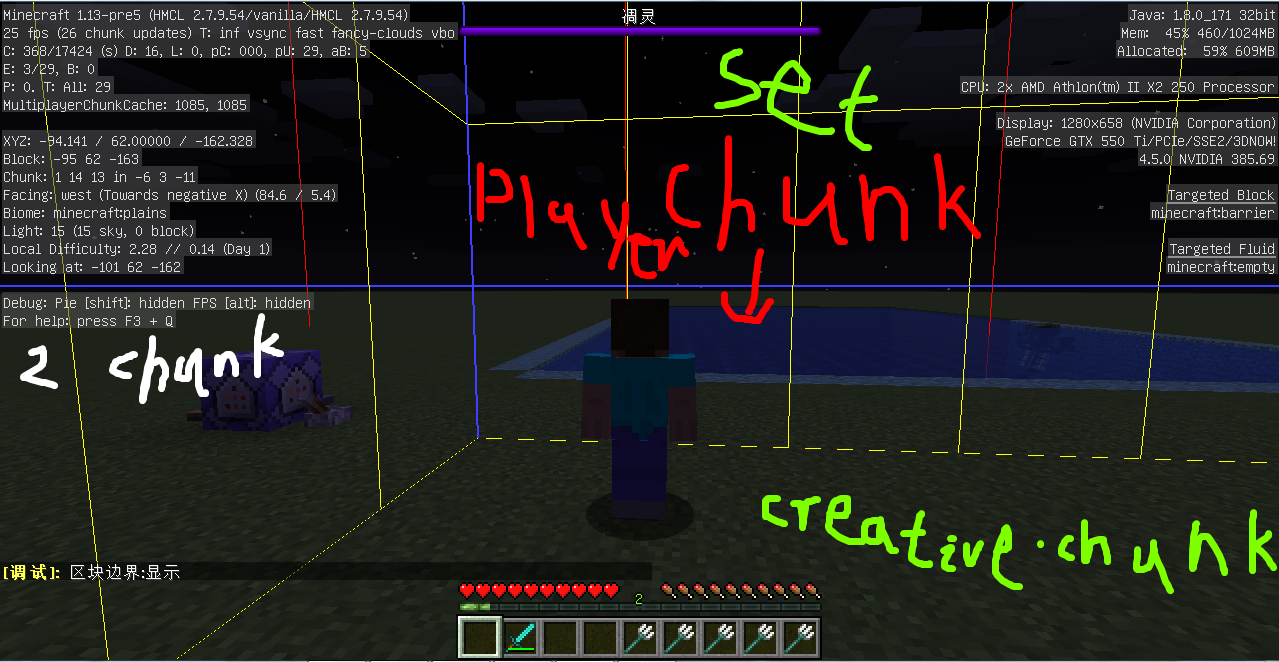
the 11 report
When I was fighting underwater and withering, I set the birthing point of the world. But after I died and I was born again, I was born in the world's birth place
What I expected to happen was...:
After I died, I was born at the birth point of the world I set up.
What actually happened was...:
The world birth point I set up is not effective. After I died, I was not born again in the world born point I set up, but the birth point after the creation of the world.
Steps to Reproduce:
1.set the world births at a distance from the birth place of the creation world
2. When you set it up, open the chat bar
3. using the Kill Command
4. click rebirth key after death
5. opening the debug screen, you can see that you are not born at the birth point you set up, but the birth point of the world
Five pictures as attachments, sequential representation
This problem, however, occurred in the pre release version of 1.13-pre5 and does not appear in 1.12.2
When I was exploring the forest, I saw a strange tree, it was a balloon shaped, and no oak was generated.
Data
Seed 7576366810626656498
Screenshot 1
Coordinate X:120 Y:63 Z:-88
Biome forest
Screenshot 2
*Coordinate:*X
When I was exploring the forest, I saw a strange tree, it was a balloon shaped, and no oak was generated.
Data
Seed 7576366810626656498
Screenshot 1
Coordinate X:120 Y:63 Z:-88
Biome forest
Screenshot 2
*Coordinate:*X
When I was exploring the forest, I saw a strange tree, it was a balloon shaped, and no oak was generated.
Data
Seed 7576366810626656498
Screenshot 1
Coordinate X:120 Y:63 Z:-88
Biome forest
Screenshot 2
Coordinate X:263 Y:63 Z:612
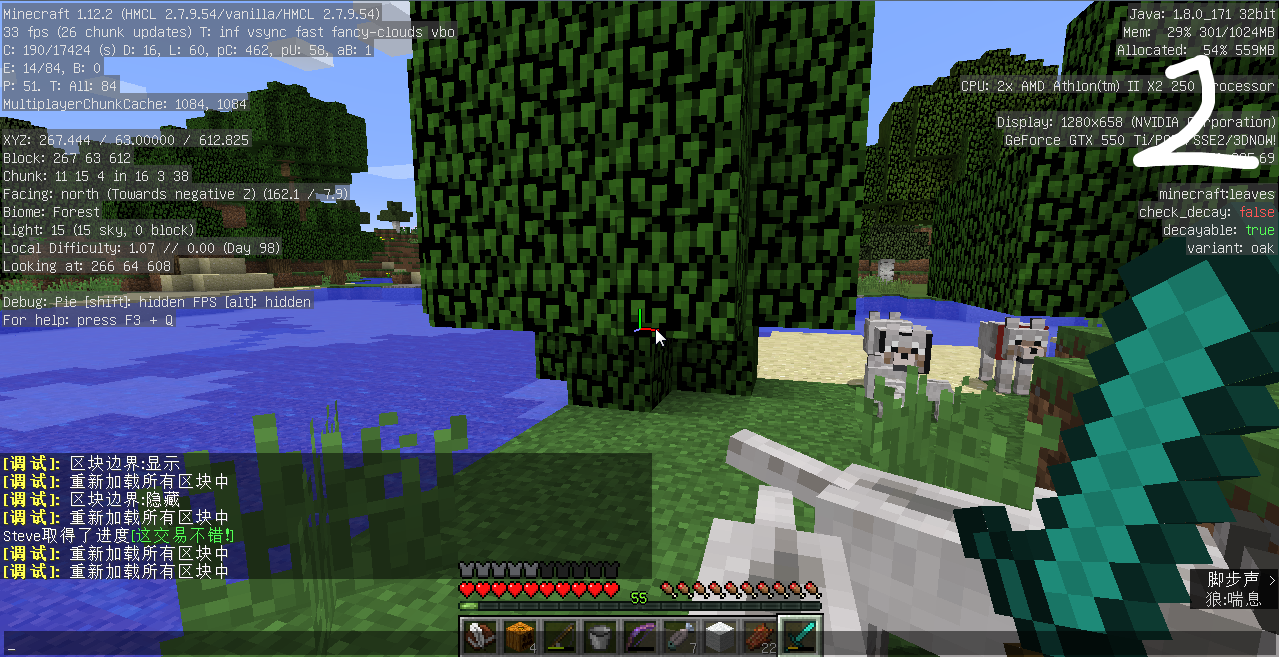
When I was exploring the forest, I saw a strange tree, it was a balloon shaped, and no oak was generated.
Data
Seed 7576366810626656498
Screenshot 1
Coordinate X:120 Y:63 Z:-88
Biome forest
Screenshot 2
Coordinate X:263 Y:63 Z:612
In the comment area, there is a picture of snapshot 18w15a, which is outdated, but this Treebug is also the same as this vulnerability picture

When I was exploring the forest, I saw a strange tree, it was a balloon shaped, and no oak was generated.
Data
Seed 7576366810626656498
Screenshot 1
Coordinate X:120 Y:63 Z:-88
Biome forest
Screenshot 2
Coordinate X:263 Y:63 Z:612
In the comment area, there is a picture of snapshot 18w15a, which is outdated, but this Treebug is also the same as this vulnerability picture
Alpha v1.1.2 version of the picture is released, provided by Matthew Hunter's message!
the 12 report
When I was exploring the forest, I saw a strange tree, it was a balloon shaped, and no oak was generated.
Data
Seed 7576366810626656498
Screenshot 1
Coordinate X:120 Y:63 Z:-88
Biome forest
Screenshot 2
Coordinate X:263 Y:63 Z:612
In the comment area, there is a picture of snapshot 18w15a, which is outdated, but this Treebug is also the same as this vulnerability picture
Alpha v1.1.2 version of the picture is released, provided by Matthew Hunter's message!
the 12 report
When I was exploring the forest, I saw a strange tree, it was a balloon shaped, and no oak was generated.
Data
Seed 7576366810626656498
Screenshot 1
Coordinate X:120 Y:63 Z:-88
Biome forest
Screenshot 2
Coordinate X:263 Y:63 Z:612
In the comment area, there is a picture of snapshot 18w15a, which is outdated, but this Treebug is also the same as this vulnerability picture (Don't understand? Look at the comments below. )
Alpha v1.1.2 version of the picture is released, provided by Matthew Hunter's message!
the 13 report
Note: this vulnerability is only applicable to survival mode!
Indeed, most of the loopholes I reported earlier are mostly invalid. Now I've reported thirteenth holes.
But I found a boring loophole. Want to know what this is? When the block is destroyed, it will reappear and then fall.
What I expected to happen was...:**
Destroy the chunk and drop the item directly
**What actually happened was...:**
**After destroying the cube, you will again appear the cube you destroyed and drop the object again.Steps to Reproduce:
1. create the world, choose the "survival mode"
2. waiting for the world to load
3. after the load is completed, you need to find a tree.
4. destroy the tree square.
5. you can see that the trees have to wait for about 10 seconds before they fallthe 13 report
This leak will occasionally appear
Note: this vulnerability is only applicable to survival mode!
Indeed, most of the loopholes I reported earlier are mostly invalid. Now I've reported thirteenth holes.
But I found a boring loophole. Want to know what this is? When the block is destroyed, it will reappear and then fall.
What I expected to happen was...:
Destroy the chunk and drop the item directly
**What actually happened was...:
After destroying the cube, you will again appear the cube you destroyed and drop the object again.
Steps to Reproduce:
1. create the world, choose the "survival mode"
2. waiting for the world to load
3. after the load is completed, you need to find a tree.
4. destroy the tree square.
5. you can see that the trees have to wait for about 10 seconds before they fall
the 13 report
This leak will occasionally appear
Note: this vulnerability is only applicable to survival mode!
Indeed, most of the loopholes I reported earlier are mostly invalid. Now I've reported thirteenth holes.
But I found a boring loophole. Want to know what this is? When the block is destroyed, it will reappear and then fall.
What I expected to happen was...:
Destroy the chunk and drop the item directly
**What actually happened was...:
After destroying the cube, you will again appear the cube you destroyed and drop the object again.
Steps to Reproduce:
1. create the world, choose the "survival mode"
2. waiting for the world to load
3. after the load is completed, you need to find a tree.
4. destroy the tree square.
5. you can see that the trees have to wait for about 10 seconds before they fall
the 13 report
This leak will occasionally appear
Note: this vulnerability is only applicable to survival mode!
Indeed, most of the loopholes I reported earlier are mostly invalid. Now I've reported thirteenth holes.
But I found a boring loophole. Want to know what this is? When the block is destroyed, it will reappear and then fall.
What I expected to happen was...:
Destroy the chunk and drop the item directly
What actually happened was...:
After destroying the cube, you will again appear the cube you destroyed and drop the object again.
Steps to Reproduce:
1. create the world, choose the "survival mode"
2. waiting for the world to load
3. after the load is completed, you need to find a tree.
4. destroy the treesquare.
5. you can see that the trees have to wait for about 10 seconds before they fallthe 13 report
This leak will occasionally appear
Note: this vulnerability is only applicable to survival mode!
Indeed, most of the loopholes I reported earlier are mostly invalid. Now I've reported thirteenth holes.
But I found a boring loophole. Want to know what this is? When the block is destroyed, it will reappear and then fall.
What I expected to happen was...:
Destroy the chunk and drop the item directly
What actually happened was...:
After destroying the cube, you will again appear the cube you destroyed and drop the object again.
Steps to Reproduce:
1. create the world, choose the "survival mode"
2. waiting for the world to load
3. after the load is completed, you need to find a tree.
4. destroy the tree block.
5. you can see that the trees have to wait for about 10 seconds before they fall
When I was adventurous in the village, I found my landform loophole by shining my eyes. I saw that the farm in the village was cut half, which is clearly a loophole. (it can be used in creative mode, because it's far from your birth point)
Data:
Coordinate X:318 Y:70 Z:151
Seed -3788946094621686098
Locate Taiga-Village (farm)
Biome Taiga
_(2-3screen)_Plains_(1screen)_I used the chunk boundary function, because this is more detailed
When I was adventurous in the village, I found my landform loophole by shining my eyes. I saw that the farm in the village was cut half, which is clearly a loophole. (it can be used in creative mode, because it's far from your birth point)
Data:
Coordinate X:318 Y:70 Z:151
Seed -3788946094621686098
Locate Taiga-Village (farm)
Biome Taiga(2-3screen) Plains(1screen)
I used the chunk boundary function, because this is more detailed
When I was adventurous in the village, I found my landform loophole by shining my eyes. I saw that the farm in the village was cut half, which is clearly a loophole. (it can be used in creative mode, because it's far from your birth point)
Data:
Coordinate X:318 Y:70 Z:151
Seed -3788946094621686098
Locate Taiga-Village (farm)
Biome Taiga(2-3screen) Plains(1screen)
I using chunk-boundary
the 14 report
When I was adventurous in the village, I found my landform loophole by shining my eyes. I saw that the farm in the village was cut half, which is clearly a loophole. (it can be used in creative mode, because it's far from your birth point)
Data:
Coordinate X:318 Y:70 Z:151
Seed -3788946094621686098
Locate Taiga-Village (farm)
Biome Taiga(2-3screen) Plains(1screen)
I using chunk-boundary
the 14 report
When I was adventurous in the village, I found my landform loophole by shining my eyes. I saw that the farm in the village was cut half, which is clearly a loophole. (it can be used in creative mode, because it's far from your birth point)
Data:
Coordinate X:318 Y:70 Z:151
Seed -3788946094621686098
Locate Taiga-Village (vilage farm)
Biome Taiga (2-3screen) Plains (1screen)
I using chunk-boundary
the 14 report
When I was adventurous in the village, I found my landform loophole by shining my eyes. I saw that the farm in the village was cut half, which is clearly a loophole. (it can be used in creative mode, because it's far from your birth point)
Data:
Coordinate X:318 Y:70 Z:151
Seed -3788946094621686098
Locate Taiga-Village (vilage farm)
Biome Taiga (2-3screen) Plains (1screen)
I using chunk-boundary
the 14 report
When I was adventurous in the village, I found my landform loophole by shining my eyes. I saw that the farm in the village was cut half, which is clearly a loophole. (it can be used in creative mode, because it's far from your birth point)
Data:
Coordinate X:318 Y:70 Z:151
Seed -3788946094621686098
Locate Taiga-Village (vilage farm)
Biome Taiga (2-3screen) Plains (1screen)
Chunk-error biome Plains
I using chunk-boundary
The chunk is wrong and the village farm is cut,
The chunk is wrong and the village farm is cut,The chunk is wrong and the village farm is cut,It also affects villagers' roads and villagers' farms
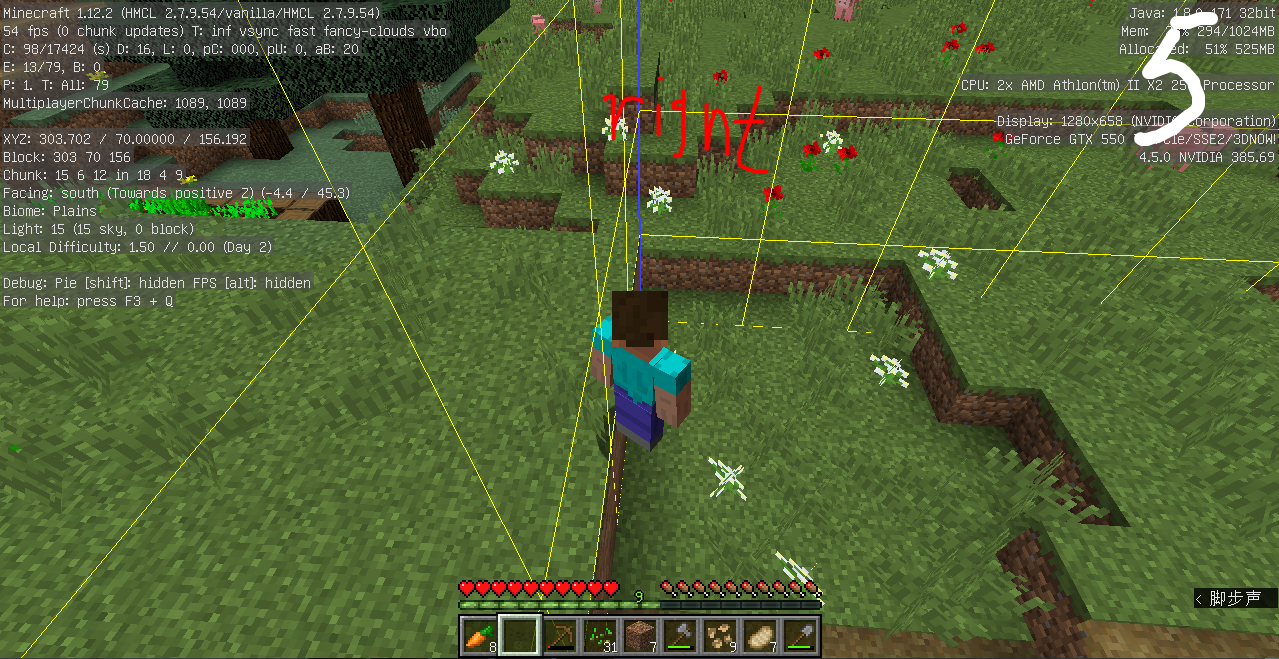
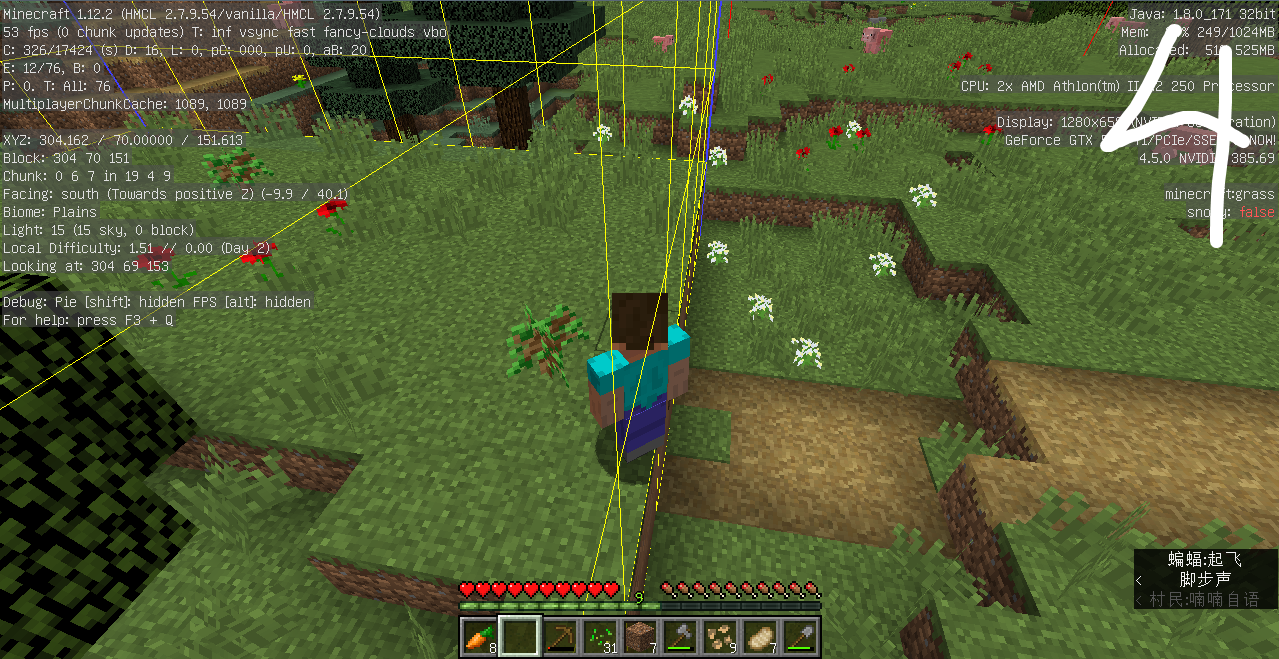
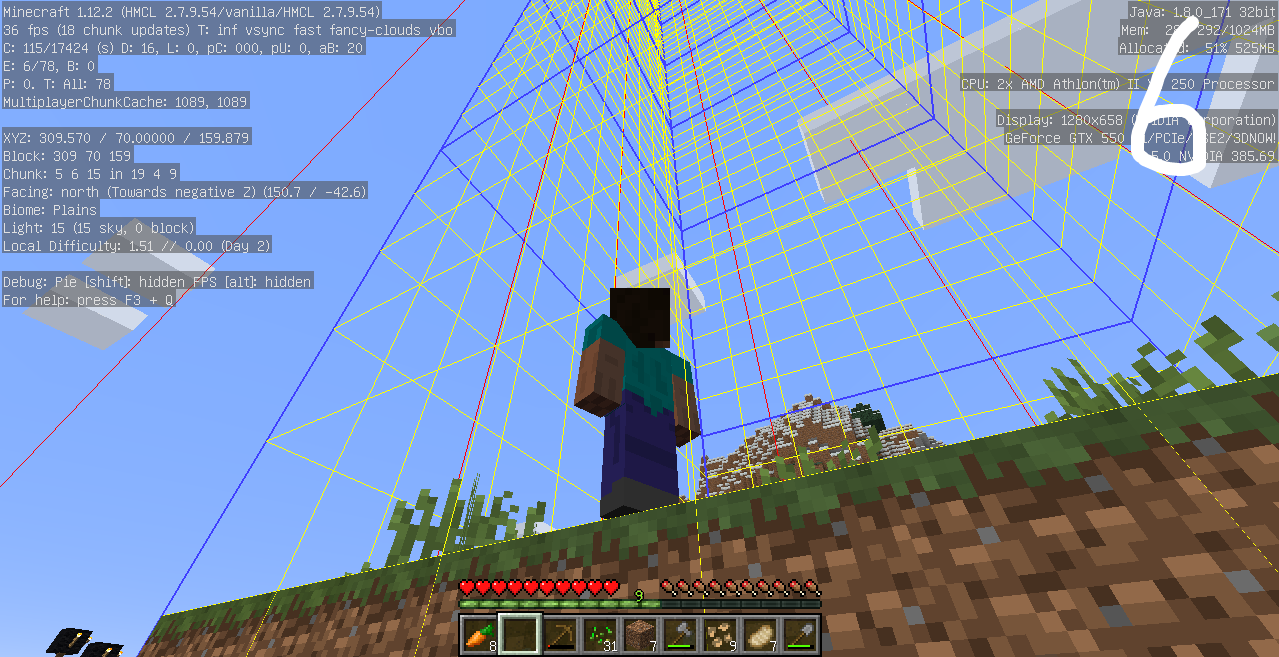
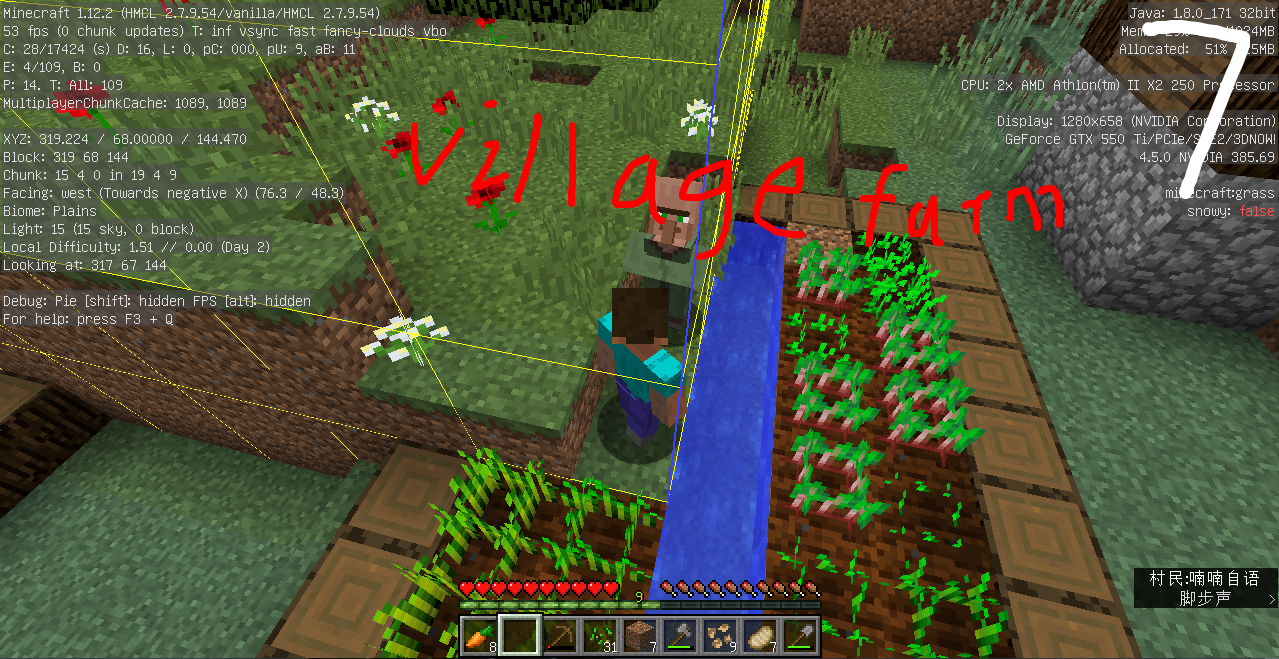
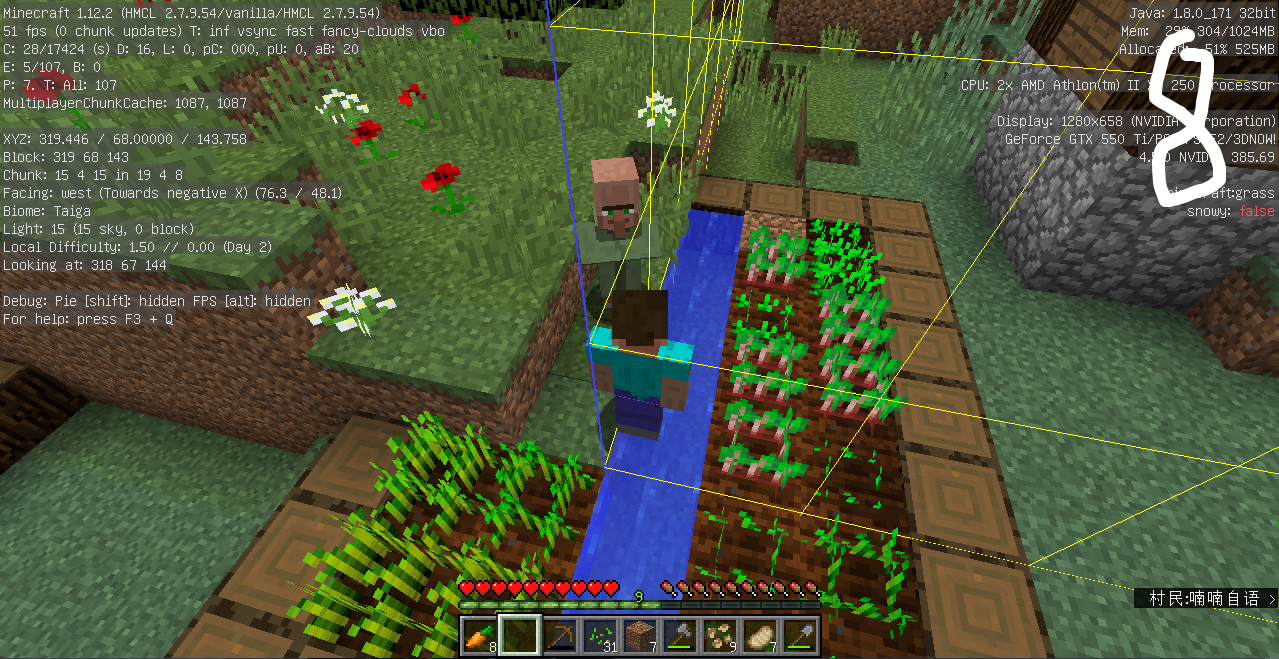
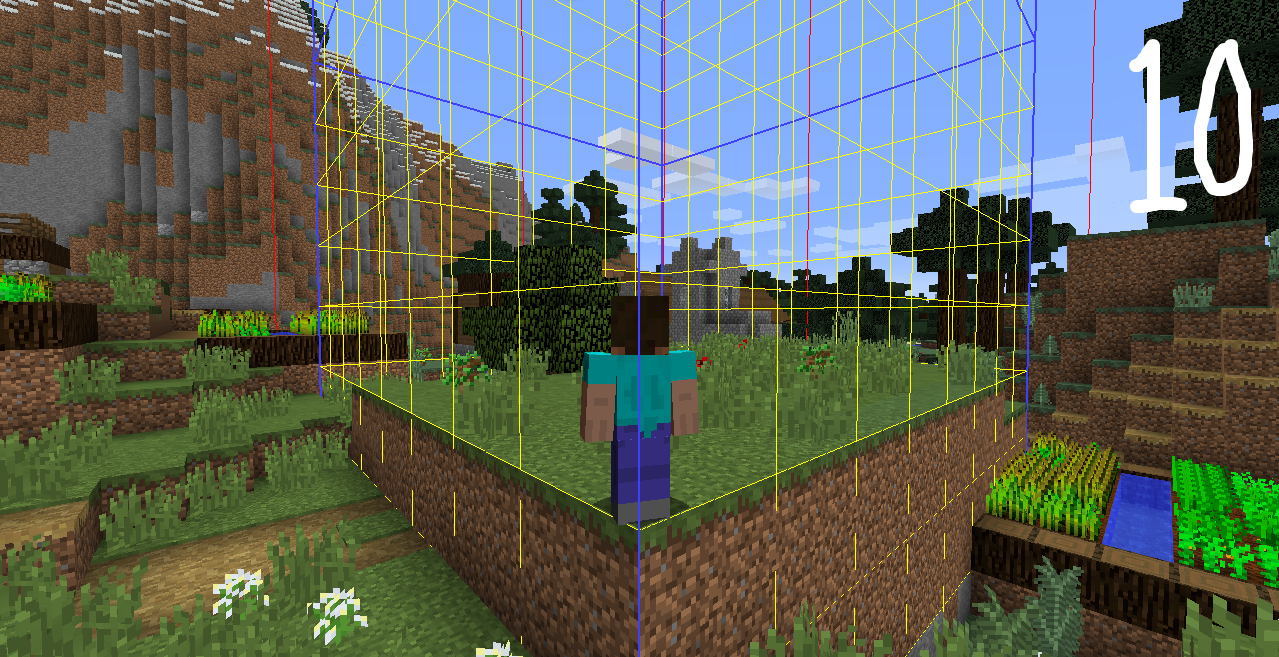


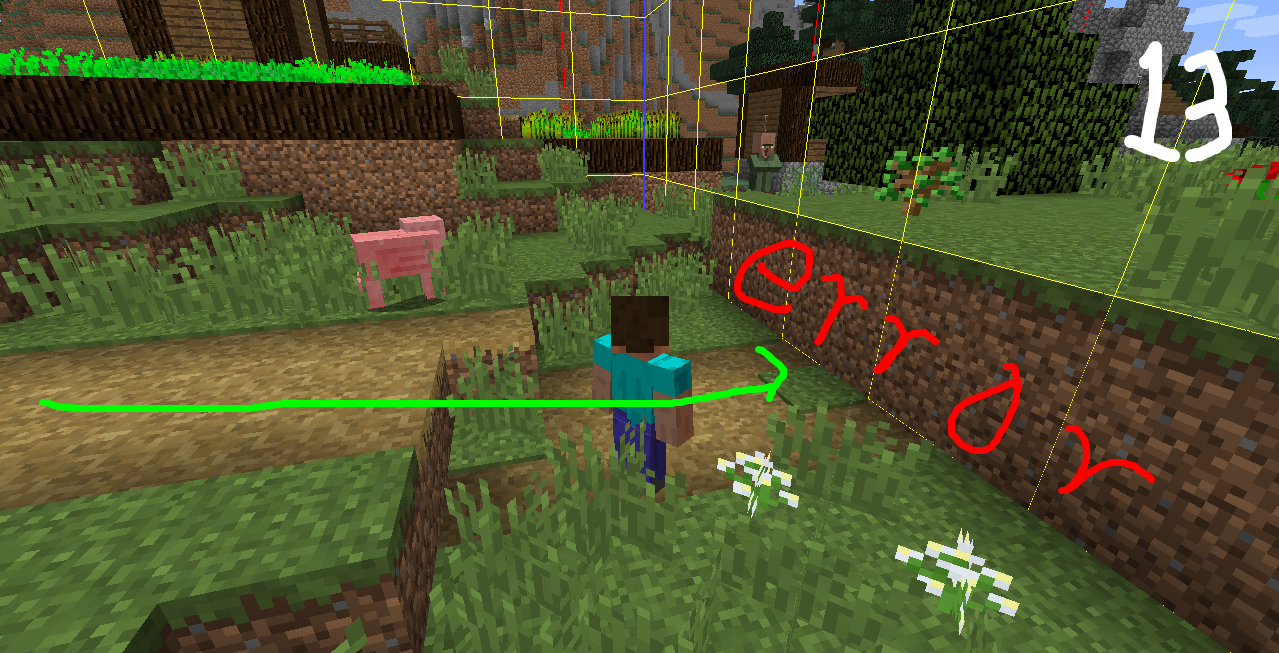
the 14 report
When I was adventurous in the village, I found my landform loophole by shining my eyes. I saw that the farm in the village was cut half, which is clearly a loophole. (it can be used in creative mode, because it's far from your birth point)
Data:Coordinate X:318 Y:70 Z:151
Seed -3788946094621686098
Locate Taiga-Village (vilage farm)
Biome Taiga (2-3screen) Plains (1screen)
Chunk-error biome Plains
I using chunk-boundary
the 14 report
When I was adventurous in the village, I found my landform loophole by shining my eyes. I saw that the farm in the village was cut half, which is clearly a loophole. (it can be used in creative mode, because it's far from your birth point)
Data (Because another Archive (the same seed) did not happen, this is only used for screenshots.)
Coordinate X:318 Y:70 Z:151
Seed -3788946094621686098
Locate Taiga-Village (vilage farm)
Biome Taiga (2-3screen) Plains (1screen)
Chunk-error biome Plains
I using chunk-boundary


the 15 report
This is my fifteenth vulnerability report. I have a vulnerability in the 1.13 release.
This is a loophole in tropical fish, so it will disappear after a while.
What I expected to happen was...:
I think tropical fish are lovely, they will not disappear and they can add colors to the ocean.
What actually happened was...:
The tropical fish disappeared
Material: Command square, tropical fish with weird eggs
Steps to Reproduce:
1. take out the list
2. place the command block
3. input command: /team add (Name) Note: name can choose one by itself.
4. after the input is good, enter the command /team join @e[type=tropical_fish] in the command box.
5. then, brush the tropical fish out into the ocean.
6. after a while, you will find that the number of XX members has been reduced by 1-3. For example: 93 over a period of 91.In fact, tropical fish is friendly and not hostile. How can he disappear? Hasten to fix this hole!
The picture "sometime" represents the process, 02 after the 03, the next number of pictures (6), the more you look at the next one, you can see the number of tropical fish being less and less
the 15 report
*Warning! The loophole was closed to void, but as part of the vulnerability, Minecraft wiki said tropical fish were friendly, not hostile.*
This is my fifteenth vulnerability report. I have a vulnerability in the 1.13 release.
This is a loophole in tropical fish, so it will disappear after a while.
What I expected to happen was...:
I think tropical fish are lovely, they will not disappear and they can add colors to the ocean.
What actually happened was...:
The tropical fish disappeared
Material: Command square, tropical fish with weird eggsSteps to Reproduce:
1. take out the list
2. place the command block
3. input command: /team add (Name) Note: name can choose one by itself.
4. after the input is good, enter the command /team join @e[type=tropical_fish] in the command box.
5. then, brush the tropical fish out into the ocean.
6. after a while, you will find that the number of XX members has been reduced by 1-3. For example: 93 over a period of 91.In fact, tropical fish is friendly and not hostile. How can he disappear? Hasten to fix this hole!
The picture "sometime" represents the process, 02 after the 03, the next number of pictures (6), the more you look at the next one, you can see the number of tropical fish being less and less
the 15 report
*Warning! The loophole was closed to void, but as part of the vulnerability, Minecraft wiki said tropical fish were friendly, not hostile.*
This is my fifteenth vulnerability report. I have a vulnerability in the 1.13 release.
This is a loophole in tropical fish, so it will disappear after a while.
What I expected to happen was...:
I think tropical fish are lovely, they will not disappear and they can add colors to the ocean.
What actually happened was...:
The tropical fish disappeared
Material: Command square, tropical fish with weird eggsSteps to Reproduce:
1. take out the list
2. place the command block
3. input command: /team add (Name) Note: name can choose one by itself.
4. after the input is good, enter the command /team join @e[type=tropical_fish] in the command box.
5. then, brush the tropical fish out into the ocean.
6. after a while, you will find that the number of XX members has been reduced by 1-3. For example: 93 over a period of 91.In fact, tropical fish is friendly and not hostile. How can he disappear? Hasten to fix this hole!
The picture "sometime" represents the process, 02 after the 03, the next number of pictures (6), the more you look at the next one, you can see the number of tropical fish being less and less
the 15 report
Warning! The loophole was closed to void, but as part of the vulnerability, Minecraft wiki said tropical fish were friendly, not hostile.
This is my fifteenth vulnerability report. I have a vulnerability in the 1.13 release.
This is a loophole in tropical fish, so it will disappear after a while.
What I expected to happen was...:
I think tropical fish are lovely, they will not disappear and they can add colors to the ocean.
What actually happened was...:
The tropical fish disappeared
Material: Command square, tropical fish with weird eggs
Steps to Reproduce:
1. take out the list
2. place the command block
3. input command: /team add (Name) Note: name can choose one by itself.
4. after the input is good, enter the command /team join @e[type=tropical_fish] in the command box.
5. then, brush the tropical fish out into the ocean.
6. after a while, you will find that the number of XX members has been reduced by 1-3. For example: 93 over a period of 91.In fact, tropical fish is friendly and not hostile. How can he disappear? Hasten to fix this hole!
The picture "sometime" represents the process, 02 after the 03, the next number of pictures (6), the more you look at the next one, you can see the number of tropical fish being less and less
the 15 report
Warning! The loophole was closed to void, but as part of the vulnerability, Minecraft wiki said tropical fish were friendly, not hostile.
This is my fifteenth vulnerability report. I have a vulnerability in the 1.13 release.
This is a loophole in tropical fish, so it will disappear after a while.
What I expected to happen was...:
I think tropical fish are lovely, they will not disappear and they can add colors to the ocean.
What actually happened was...:
The tropical fish disappeared
Material: Command square, tropical fish with weird eggsSteps to Reproduce:
1. take out the list
2. place the command block
3. input command: /team add (Name) Note: name can choose one by itself.
4. after the input is good, enter the command /team join @e[type=tropical_fish] in the command box.
5. then, brush the tropical fish out into the ocean.
6. after a while, you will find that the number of XX members has been reduced by 1-3. For example: 93 over a period of 91.In fact, tropical fish is friendly and not hostile. How can he disappear? Hasten to fix this hole!
The picture "sometime" represents the process, 02 after the 03, the next number of pictures (6), the more you look at the next one, you can see the number of tropical fish being less and less
the 15 report
Warning! The loophole was closed to void, but as part of the vulnerability, Minecraft wiki said tropical fish were friendly, not hostile.If you don't know, please look at the comments below!
This is my fifteenth vulnerability report. I have a vulnerability in the 1.13 release.
This is a loophole in tropical fish, so it will disappear after a while.
What I expected to happen was...:
I think tropical fish are lovely, they will not disappear and they can add colors to the ocean.
What actually happened was...:
The tropical fish disappeared
Material: Command square, tropical fish with weird eggs
Steps to Reproduce:
1. take out the list
2. place the command block
3. input command: /team add (Name) Note: name can choose one by itself.
4. after the input is good, enter the command /team join @e[type=tropical_fish] in the command box.
5. then, brush the tropical fish out into the ocean.
6. after a while, you will find that the number of XX members has been reduced by 1-3. For example: 93 over a period of 91.In fact, tropical fish is friendly and not hostile. How can he disappear? Hasten to fix this hole!
The picture "sometime" represents the process, 02 after the 03, the next number of pictures (6), the more you look at the next one, you can see the number of tropical fish being less and less
the 15 report
Warning! The loophole was closed to void, but as part of the vulnerability, Minecraft wiki said tropical fish were friendly, not hostile.If you don't know, please look at the comments below!
This is my fifteenth vulnerability report. I have a vulnerability in the 1.13 release.
This is a loophole in tropical fish, so it will disappear after a while.
What I expected to happen was...:
I think tropical fish are lovely, they will not disappear and they can add colors to the ocean.
What actually happened was...:
The tropical fish disappeared
Material: Command square, tropical fish with weird eggs
Steps to Reproduce:
1. take out the list
2. place the command block
3. input command: /team add (Name) Note: name can choose one by itself.
4. after the input is good, enter the command /team join @e[type=tropical_fish] in the command box.
5. then, brush the tropical fish out into the ocean.
6. after a while, you will find that the number of XX members has been reduced by 1-3. For example: 93 over a period of 91.In fact, tropical fish is friendly and not hostile. How can he disappear? Hasten to fix this hole!
The picture "sometime" represents the process, 02 after the 03, the next number of pictures (6), the more you look at the next one, you can see the number of tropical fish being less and less
the 15 report
This is my fifteenth vulnerability report. I have a vulnerability in the 1.13 release.
This is a loophole in tropical fish, so it will disappear after a while.
What I expected to happen was...:
I think tropical fish are lovely, they will not disappear and they can add colors to the ocean.
What actually happened was...:
The tropical fish disappeared
Material: Command square, tropical fish with weird eggs
Steps to Reproduce:
1. take out the list
2. place the command block
3. input command: /team add (Name) Note: name can choose one by itself.
4. after the input is good, enter the command /team join @e[type=tropical_fish] in the command box.
5. then, brush the tropical fish out into the ocean.
6. after a while, you will find that the number of XX members has been reduced by 1-3. For example: 93 over a period of 91.In fact, tropical fish is friendly and not hostile. How can he disappear? Hasten to fix this hole!
The picture "sometime" represents the process, 02 after the 03, the next number of pictures (6), the more you look at the next one, you can see the number of tropical fish being less and less
the 15 report
This is my fifteenth vulnerability report. I have a vulnerability in the 1.13 release.
This is a loophole in tropical fish, so it will disappear after a while.
What I expected to happen was...:
I think tropical fish are lovely, they will not disappear and they can add colors to the ocean.
What actually happened was...:
The tropical fish disappeared
Material: Command square, tropical fish with weird eggs
Steps to Reproduce:
1. take out the list
2. place the command block
3. input command: /team add (Name) Note: name can choose one by itself.
4. after the input is good, enter the command /team join @e[type=tropical_fish] in the command box.
5. then, brush the tropical fish out into the ocean.
6. after a while, you will find that the number of XX members has been reduced by 1-3. For example: 93 over a period of 91.In fact, tropical fish is friendly and not hostile. How can he disappear? Hasten to fix this hole!
The picture "sometime" represents the process, 02 after the 03, the next number of pictures (6), the more you look at the next one, you can see the number of tropical fish being less and less
the 15 report
Minecraft wiki says tropical fish are friendly, not hostile.
This is my fifteenth vulnerability report. I have a vulnerability in the 1.13 release.
This is a loophole in tropical fish, so it will disappear after a while.
What I expected to happen was...:
I think tropical fish are lovely, they will not disappear and they can add colors to the ocean.
What actually happened was...:
The tropical fish disappeared
Material: Command square, tropical fish with weird eggs
Steps to Reproduce:
1. take out the list
2. place the command block
3. input command: /team add (Name) Note: name can choose one by itself.
4. after the input is good, enter the command /team join @e[type=tropical_fish] in the command box.
5. then, brush the tropical fish out into the ocean.
6. after a while, you will find that the number of XX members has been reduced by 1-3. For example: 93 over a period of 91.In fact, tropical fish is friendly and not hostile. How can he disappear? Hasten to fix this hole!
The picture "sometime" represents the process, 02 after the 03, the next number of pictures (6), the more you look at the next one, you can see the number of tropical fish being less and less
the 15 report
Minecraft wiki says tropical fish are friendly, not hostile.
This is my fifteenth vulnerability report. I have a vulnerability in the 1.13 release.
This is a loophole in tropical fish, so it will disappear after a while.
What I expected to happen was...:
I think tropical fish are lovely, they will not disappear and they can add colors to the ocean.
What actually happened was...:
The tropical fish disappeared
Material: Command square, tropical fish with weird eggs
Steps to Reproduce:
1. take out the list
2. place the command block
3. input command: /team add (Name) Note: name can choose one by itself.
4. after the input is good, enter the command /team join @e[type=tropical_fish] in the command box.
5. then, brush the tropical fish out into the ocean.
6. after a while, you will find that the number of XX members has been reduced by 1-3. For example: 93 over a period of 91.In fact, tropical fish is friendly and not hostile. How can he disappear? Hasten to fix this hole!
The picture "sometime" represents the process, 02 after the 03, the next number of pictures (6), the more you look at the next one, you can see the number of tropical fish being less and less
the 15 report
Minecraft wiki says tropical fish are friendly, not hostile.
I hope Mojang can fix this hole!
This is my fifteenth vulnerability report. I have a vulnerability in the 1.13 release.
This is a loophole in tropical fish, so it will disappear after a while.
What I expected to happen was...:
I think tropical fish are lovely, they will not disappear and they can add colors to the ocean.
What actually happened was...:
The tropical fish disappeared
Material: Command square, tropical fish with weird eggs
Steps to Reproduce:
1. take out the list
2. place the command block
3. input command: /team add (Name) Note: name can choose one by itself.
4. after the input is good, enter the command /team join @e[type=tropical_fish] in the command box.
5. then, brush the tropical fish out into the ocean.
6. after a while, you will find that the number of XX members has been reduced by 1-3. For example: 93 over a period of 91.In fact, tropical fish is friendly and not hostile. How can he disappear? Hasten to fix this hole!
The picture "sometime" represents the process, 02 after the 03, the next number of pictures (6), the more you look at the next one, you can see the number of tropical fish being less and less
the 21 report
When I was building the henhouse, I built the blacksmith shop on the side, with magma on it. Then it burns oak naturally, and the texture is wrong. The texture of the fire is not close to the square, but the air. The loophole is wrong, so there is no wall (flammable) beside the fire. Why can the fire floating?
Similar to this vulnerability is
MC-132535
the 22 report
My twenty-second report!
Be careful! The following comments are necessary for you to try. Either you try, or you don't try. But those two people who speak at 12 in the morning must try!
blocks
by trident destroy
What I expected to happen was...:
Trident can destroy the square
What actually happened was...:
The Trident will not destroy the square, it will only show the particles
Steps to Reproduce:
Material: Trident, blocks
1. take out the above list
2. place any square (best use third kinds)
3. use Trident to destroy the blockWarning! This vulnerability is used only to create patterns
The following is the contrast between the 18w16a and 1.13-pre5 damage squares
the 23 report
Twenty-third reports? Yes, I've reported 23 copies.
When I place the fire with the setblock command, the fire will float and cause the fire texture mistake.
tryed please see following
Steps to Reproduce:
1. place a flammable on the ground 2
2. place a block beside the combustibles
3. aim at the placed square, open the chat bar
4. enter "/setblock ~ ~ ~ fire" in the chat bar
5. you can find that the fire is floatingThe following annex is the contrast between the two versions
the 23 report
Twenty-third reports? Yes, I've reported 23 copies.
When I place the fire with the setblock command, the fire will float and cause the fire texture mistake.
tryed please see following
Steps to Reproduce:
1. place a flammable on the ground 2
2. place a block beside the combustibles
3. aim at the placed square, open the chat bar
4. enter "/setblock ~ ~ ~ fire" in the chat bar
5. you can find that the fire is floatingThe following annex is the contrast between the two versions
Similar to this vulnerability is
MC-132517
the 23 report
Twenty-third reports? Yes, I've reported 23 copies.
When I place the fire with the setblock command, the fire will float and cause the fire texture mistake.
tryed please see following
Steps to Reproduce:
1. place a flammable on the ground 2
2. place a block beside the combustibles
3. aim at the placed square, open the chat bar
4. enter "/setblock ~ ~ ~ fire" in the chat bar
5. you can find that the fire is floatingThe following annex is the contrast between the two versions
Similar to this vulnerability is
MC-132517the 23 report
Twenty-third reports? Yes, I've reported 23 copies.
Warning: this vulnerability is considered invalid. 1.12.2 and 1.13-pre5 can be used as attachments. Don't understand? Look at the comments)
When I place the fire with the setblock command, the fire will float and cause the fire texture mistake.
tryed please see following
Steps to Reproduce:
1. place a flammable on the ground 2
2. place a block beside the combustibles
3. aim at the placed square, open the chat bar
4. enter "/setblock ~ ~ ~ fire" in the chat bar
5. you can find that the fire is floatingThe following annex is the contrast between the two versions
Similar to this vulnerability is
MC-132517
the 23 report
Twenty-third reports? Yes, I've reported 23 copies.
Warning: this vulnerability is considered invalid. 1.12.2 and 1.13-pre5 can be used as attachments. (Don't understand? Look at the comments)
When I place the fire with the setblock command, the fire will float and cause the fire texture mistake.
tryed please see following
Steps to Reproduce:
1. place a flammable on the ground 2
2. place a block beside the combustibles
3. aim at the placed square, open the chat bar
4. enter "/setblock ~ ~ ~ fire" in the chat bar
5. you can find that the fire is floatingThe following annex is the contrast between the two versions
Similar to this vulnerability is
MC-132517


likemojang2, you can stop updating this ticket. It's already resolved as invalid because you're working with modded software.
![[Mod] Neko](../../../data/avatars/users/92901.png)
likemojang2: Please stop spamming nonsense.
Pierrot Charles, no need to be sorry, there is absolutely nothing wrong in saying "Dupe of MC-XXX".
At least you're helpful in contrast to likemojang2 who's flooding the bug tracker with duplicates and spitting out impertinent comments.
likemojang2, I assume that English isn't you mother toungue (so it isn't mine), but if there is the slightest chance of a misunderstanding don't blame others to be impolite and using swears.

Duplicate of MC-97820.
Anyways, this issue is invalid. Try using this command:
/gamerule spawnRadius 0
@likemojang2 another duplicate, use the search function!!
@likemojang2 your question was: Is XXX invalid? How is that possible?
The answer is: this is not a bug, this is an option that can be configured by using a comand.

@likemojang2 Please don't make so many fragmented comments, not only because people who watch this issue receive endless e-mails, but also because we don't get what you mean in some sentences you say ("What."; "So to say...") or that some of your comments are reduntant and may as well be collapsed into one single comment ("You can say that this loophole is invalid, but...Can you fix it in the future version?"), or sometimes, not exist ("My comments on the hair are just a show of bug!").
Note: I don't mean anything related to criticism; I'm just giving you a reminder.
@likemojang2, read the message that @[Mod] Michael Wobst posted, and stop asking or discussing this issue because it's resolved as invalid.
@likemojang2, please, you are creating tons of issues while using a MODIFIED LAUNCHER, read and understand what the Moderators/Users tell you.
@likemojang2 So this "loophole" is with your game, right?
@likemojang2 (我刚知道你会说中文)
能告诉我你在18w15a里创造的世界的种子吗?我用了你在概述里提供的种子7576366810626656498,但是在同一个坐标下生成的地形完全不同。
还有,注意你的语言(并且外国人不懂什么叫MMP)。
likemojang2, we're not stupid. MMP means "Son of a Bitch".
go to
MC-131926.What does it mean, I can't understand it (chat give Kumasasa)
1.13-pre4 has been updated, but there are still holes in this...
1.13-pre4 update,this affact version,too.
I can't open 1.13-pre1 and 1.13-pre4, but always crumble. Snapshot is also 18w19 (a/b/c) and 18w20 (a/b) and 18w21 (a/b/c) are not open.
Is lwjgl a problem of version or memory?
My version 1.13-pre2 and 1.13-pre3 are open, but 1.13-pre4 can't be opened, what?
This bug is sure to be found in
MC-131926Wait, why don't you choose to describe it?
If you try, you can copy me (Chating AJMFactsheets)
I see this is a loophole, and there is no sand on the edge (chating Matthew Hunter?)
I've updated it again. This time, 7-8 steps need to turn on the debug screen
Look at it after you see it
MC-132234Look at it after you see it
MC-132213or exit.@Matthew Hunter Are you sure this is not a loophole?
ok.I use the Minecraft starter later (project) ;D
I was the former loophole reporter
Because 70% of this vision is not blocked, it is easier to see.
@Mattehew Hunter
MC-132234go to isWhy don't you describe it?
If there is no description, it may be invalid.
Well, that's right.

I also found this loophole, looking at my screenshot
Is it the problem that I didn't turn on the debug screen @Pau Oilvares
Oh, I see. Thank you! This is a bit of a problem, because some players have triggers.
This loophole should be repaired, too, right?
This is a variant of
MC-132234, but less than one chunk (0.5).Where are your coordinates and your seeds
What about your coordinates? Is it near the birth point
free roaming? What the hell?
Oh, I've all reported 5 times
Because other players have to try!
MC-132045,MC-132139,MC-132213,MC-132234,MC-132332It's all the loopholes that I reported, five reportsI confirmed it. I only reported 5
Let me try to see if I can see it.
It's not right! My vulnerability is not triggered, you have a trigger
Oh my god! Growing seaweed in the air!
The trigger is whether a vulnerability is triggered
You may be the problem of loading the chunk. I didn't trigger
Flip-flops are used by /scoreboard. Triggers and triggers mean the same, but I am not good at English. I am only in grade three.
Opening the boundary of the chunk
The generation of chunks is cut by blocks after the end blocks, so this is a chunk vulnerability.
@Christian Rau I didn't have a loophole, and he happened
Oh, yes, I created a new report. His name is
MC-132349Oh, yes, I created a new report. His name is
MC-132349Have you ever found this loophole
In fact, I did not mention the loopholes that occurred, and the survival mode also took place
I think so, too.
This loophole can be found as soon as it enters the hells. Either you enter, or think about it in a different way.
I'm going to bed, good night!
What does null and void mean? Oh, that's right. I get up now, good morning!
If you follow my steps, you can see this loophole.
What are you talking about? @Matthew Hunter
My new report is called
MC-132349@Matthew Hunter good morning!
The problem itself is a loophole, sometimes it will not respond for 1 minutes, sometimes it will crash.
:)oh!
Good morning!
News: the latest filter can come to me to use filters, but only for users who log on.
What do you mean by that?
Good noon!
I created a
MC-132395in the morningI'm online! You can help.
But why hasn't it been solved for three hours?
data:
Are you an administrator, please. @Matthew Hunter
I have lunch first, and I'll be back at 12:13.
I have finished. I eat noodles today!
Modded? Well... You want to think about it in a different way.
I think there's a copy. What's that called? MC-XXXXXX more accurate, because I don't know what version.
No medicine can be saved! You still give a copy, let me have some details
You want to know what I'm saying, because... It's going to be repaired.
In the 1.12.2 version, this high birth point was good.
He was born on the Y=60 (on the barrier)
But, by the time of the 1.13 prerelease...
This vulnerability is triggered! Oh, don't mention it, because I was born in the void (Y=2) below the barrier.
Not to mention whether other players have happened. When other players go to see the block data value, this loophole is created!
I want to know that you should think and try in a different way, instead of thinking that my loophole is invalid, right?
If you can be willing to try, see the debugging world, believe you.
I'll show you an information review below.(funny)
I'm going to watch a "Minecraft program"!
DDA da da da da da! The wonderful Minecraft information channel starts at 12:45!
The forty-seventh issue: I know that our waters are updated very well, so I see dolphins, seaweed and coral in it, making the sea bottom colorful.
"Ah!" The latest pre release to 1.13-pre5, updated in July 10th version of the water version of the computer! So little friends should pay attention to it, and 1 weeks, 3 days will be out! This may be an inaccurate date.
Funny! Duuuuu...
Ah, so the hand travel version was early (July 6th). It's too early, because...
ok! Wait, why is my previous vulnerability report invalid?
Oh, that's the way it is. So... Why, I use a vanilla version?
I forgot to have a way to do it
I added 3 pictures to this appendix
Oh, I see. Just now I thought of another way to forget to tell you in advance. Sorry.
Solve fast. You are really something!
I also discovered this loophole, which was discovered in May.
Please be polite. @pierrot charies
Fall into contemplation...
He should say "duplicate" instead of saying "dupe" to me. I will forgive him this time!
Because the picture is deleted, players can't see the picture.(The picture will be added at 20:00 in Beijing time)
Oh, but I want to join the picture
t's all right. There's nothing wrong with it.
By the way, can I add my picture at
MC-132405He just swears and I forgive him
Oh, that's the case
Is
MC-97820invalid? How is that possible?I also found this loophole, just 1.13-pre5's
The setting of the Chunk is different at the birth point. I made a contrast to two chunks and looked at the screenshot.
So I think that's why it's the next hole.
I think so, but the search function...
Sometimes the loopholes I report are invalid. When others report short articles, they will be invalid.
This is the birth point of my birth after the birth of the world and the rebirth after the creation of the world.
Well, I think so. I'm playing with the survival mode.
This is a tree without oak, only a ballooning leaf, which is a loophole.
Let me send you a picture. Let's see it.
This is the picture of the snapshot 18w15a, which has expired
What.
My comments on the hair are just a show of bug!
The other two pictures (pictures of weird1 and weird2 are not obsolete).
:)I do not think that the loopholes are invalid. I share the same picture with 18w15a.
You can say that this loophole is invalid, but...
Can you fix it in the future version?
Can you fix it in the future version?
Alpha version? I played it, but I never saw such a tree.
I'll send you Alpha panoramic pictures at one o'clock in the afternoon
Where can I find it? I didn't see the tree. (Alpha v1.1.2)
So to say...
So I'm testing whether I discovered this vulnerability in alpha, but I didn't see that tree in the alpha version.
what? my playing minecraft.
As long as I start at the beginning of the survival mode, this loophole will appear.
What is the link I've just seen is invalid
What?
What?
These pictures also have errors in biological groups. This also affects villagers' roads, village farms.
Well... That's what happened.
emmm......
Reply: my file size is below 1MB.
I just played my world
?
emmm...
I think so, but it's a loophole! This vulnerability should be repaired.
Minecraft wiki says tropical fish are friendly rather than hostile!!!
Create a lot of problems? I only created 15 reports
I can say that this loophole has a lot of ideas... But...
You'll try it again!
what?
@Pau Olivares Emmm... Count again!
I forgot my hair on the ninth picture
missing!!!
ok
Yes, it's too late to go to bed. It's already 00:10 midnight.@Pau Olivares
Well, now I will not try. I will try again sometime tomorrow.@D
There is another way. If you go away, the tropical fish will disappear to 0 immediately, while friendly passive creatures (such as chickens) will not disappear as you walk away.
me,too.
ok
Maybe you don't have a fault
The impact version is wrong,
D Have you seen it in the "treebug" file?
Don't discuss the modified starter!
Until now, I haven't solved the problem for seven hours.
MMP! Don't you know, 18w15a's picture is just to show this vulnerability! @Matthew
I don't think there's anything important, but... I have to use this starter.
Please look again. Maybe the starter will...
So soon it's solved?
what?
Are you Chinese?
It's bug, because I tested it in the 18w16a version.
I've seen Minecraft wiki, but in history I didn't say "Trident no longer destroys blocks".
Are you Chinese
Only for display!@D
MMP is a warning.@Howard Chang
history DO NOT SAID. Look at the pictures by yourself.
......mmp!
MMP! Trident can't destroy blocks (creation mode) is really bug.@Matthew
I also found this loophole
哇!你也是中国人。我也是中国人诶!
By the way, where are your seeds and your coordinates?
I think so, too.
mmp......
mmp......
1.12.2 and 1.13-pre5, please try again.@user-f2760
Duplicate:MC-132517
Please try again.
mmp......@Pau Olivares @Matthew
This is a mistake. The two people who just said at 12 in the morning gave me a try!!!
...
ok.Therefore, I want them to sober up what I said.