 D
D
- HowardCChina
- howardcchina
- Asia/Shanghai
- Yes
- No
 MC-128042
![[Mojang] Agnes Larsson](../../../data/avatars/users/10122.svg)
 MCL-9280MC-129092
 WEB-1026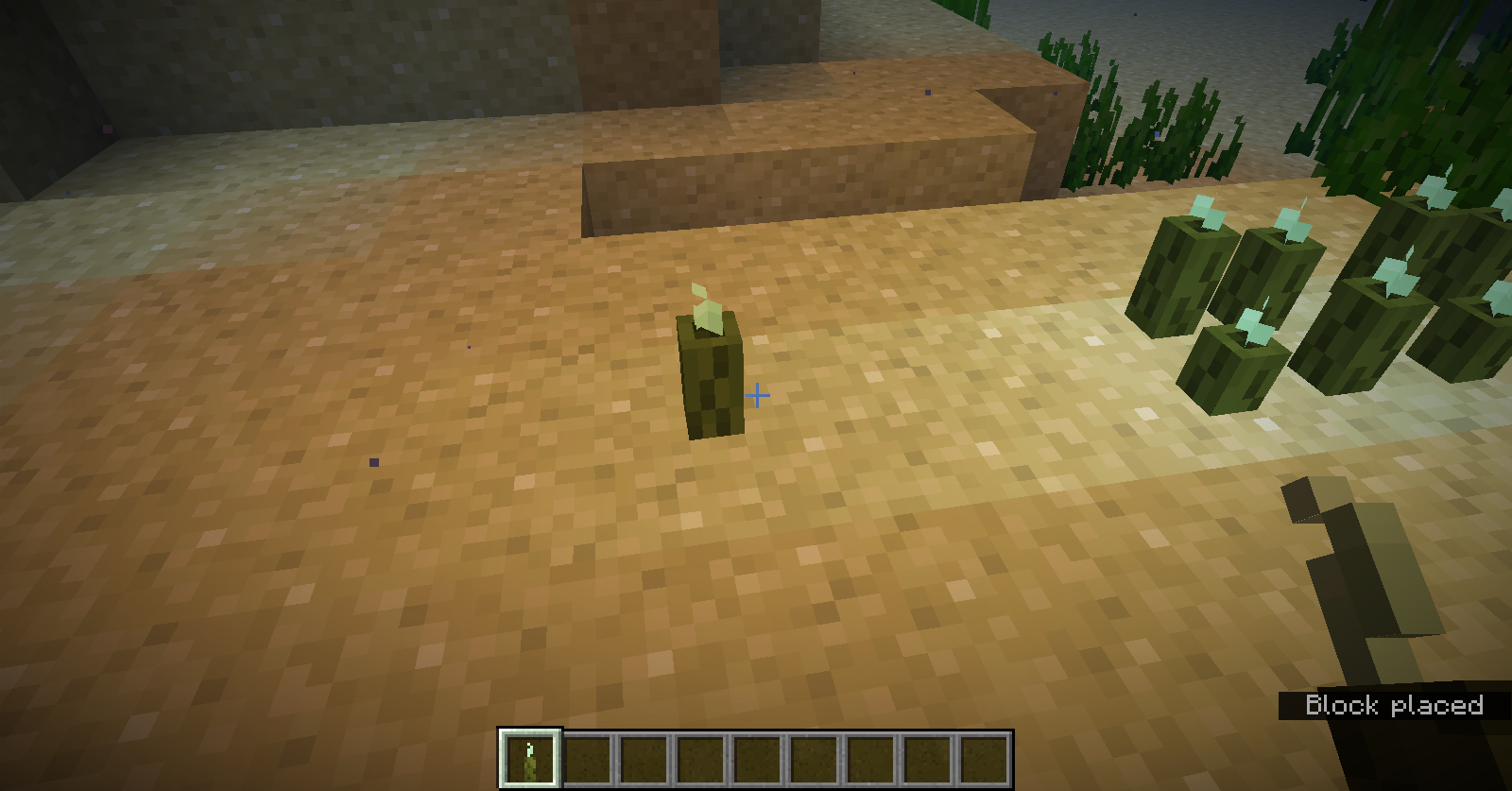












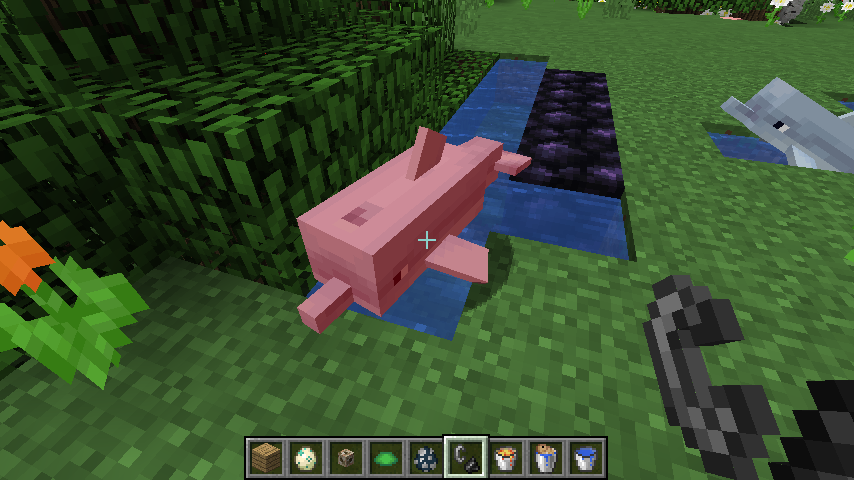






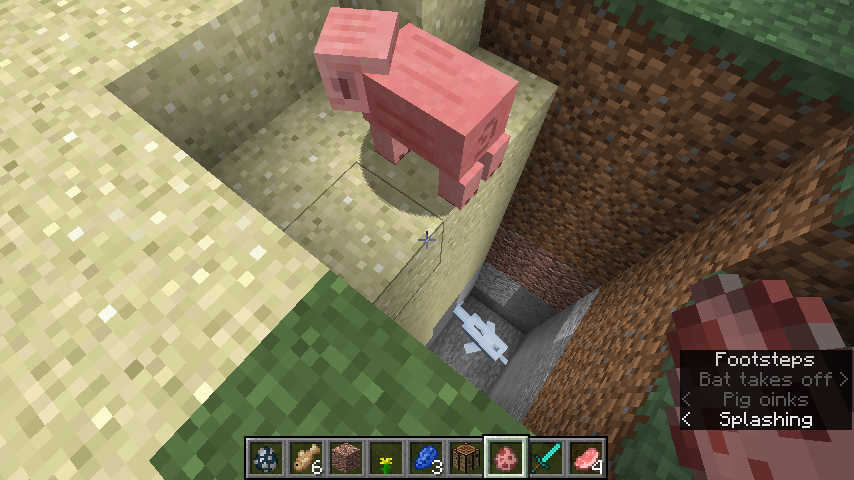
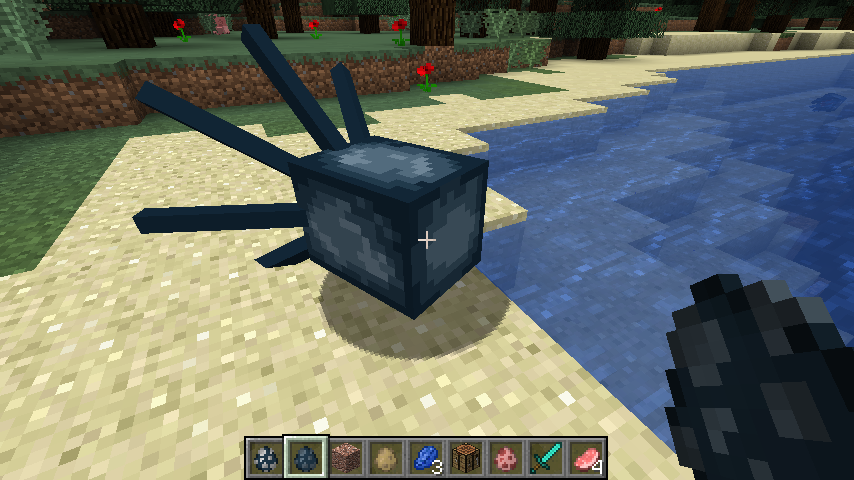

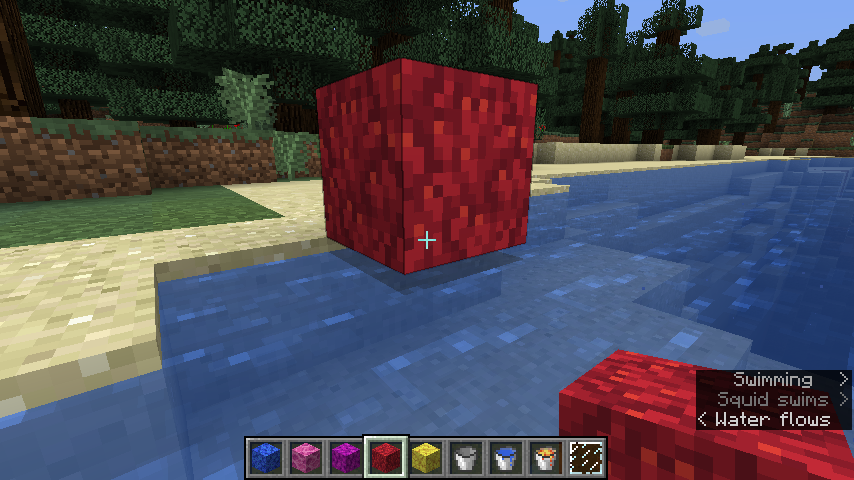



The instructions /gamemode 0/1/2 no longer works
The instructions /gamemode 0/1/2 no longer work, only /gamemode survival/creative/adventure do, which cause inconvenience of switching gamemodes while playing.
OK, fine, thank you. Making sure it wasn't an accident is also satisfying. It just sucked when I urgently needed the instruction to work in the latest versions before finding out that it didn't.
The instructions /gamemode 0/1/2/3/s/c/a/sp no longer work, only /gamemode survival/creative/adventure/spectator do, which cause inconvenience of switching gamemodes while playing.
Bookshelves have four sides of books, instead ofnormallytwoBookshelves have four sides of books, instead of IRL two
Bookshelves have four sides of books, instead ofIRL twoBookshelves have four sides of books, instead of two in a normal way
The original sea picklesmove when another pickle is placedwithin the same blockThe original sea pickles change place when another pickle is put within the same block
Sea pickles are supposed to work just like turtle eggs, right? You put one, and then place another one, and the latter will form next to the former one, while the former one stays still. But the case for sea pickles is that the original ones keep changing place when another one is put within the same block. It doesn't seem to work as intended.
Sea pickles are supposed to work just like turtle eggs, right? You put one, and then place another one, and the latter will form next to the former one, while the former one stays still. But the case for sea pickles is that the original ones keep changing place when another one is put within the same block. It doesn't seem to work as intended.
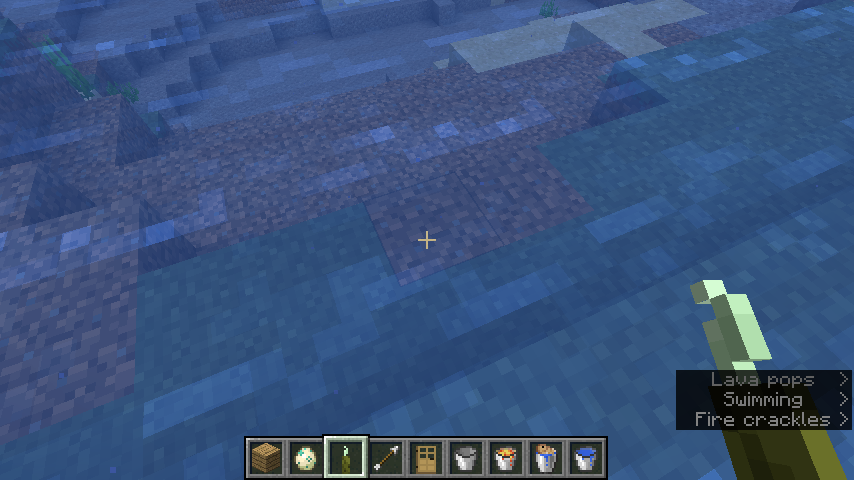
The first screenshot below shows what happened when I put another pickle within the block the cross mark points at in the second screenshot.
Sea pickles are supposed to work just like turtle eggs, right? You put one, and then place another one, and the latter will form next to the former one, while the former one stays still. But the case for sea pickles is that the original ones keep changing place when another one is put within the same block. It doesn't seem to work as intended.
Thefirstscreenshot below shows what happened when I put another pickle within the block the cross mark points at in thesecondscreenshot.Sea pickles are supposed to work just like turtle eggs, right? You put one, and then place another one, and the latter will form next to the former one, while the former one stays still. But the case for sea pickles is that the original ones keep changing place when another one is put within the same block. It doesn't seem to work as intended.
The second screenshot below shows what happened when I put another pickle within the block the cross mark points at in the first screenshot.
Sea pickles are supposed to work just like turtle eggs, right? You put one, and then place another one, and the latter will form next to the former one, while the former one stays still. But the case for sea pickles is that the original ones keep changing place when another one is put within the same block. It doesn't seem to be working as intended.
The second screenshot below shows what happened when I put another pickle within the block the cross mark points at in the first screenshot.
Sea pickles are supposed to work just like turtle eggs, right? You put one, and then place another one, and the latter will form next to the former one, while the former one stays still. But the case for sea pickles is that the original ones keep changing
placewhen another one is put within the same block. It doesn't seem to be working as intended.
The second screenshot below shows what happened when I put another pickle within the block the cross mark points at in the first screenshot.Sea pickles are supposed to work just like turtle eggs, right? You put one, and then place another one, and the latter will form next to the former one, while the former one stays still. But the case for sea pickles is that the original ones keep changing location when another one is put within the same block. It doesn't seem to be working as intended.
The second screenshot below shows what happened when I put another pickle within the block the cross mark points at in the first screenshot.
Theoriginal sea pickles change placewhen another pickle is put within the same blockThe locations of the original sea kelps keep changing when another pickle is put within the same block
Sea pickles are supposed to work just like turtle eggs, right? You put one, and then place another one, and the latter will form next to the former one, while the former one stays still. But the case for sea pickles is that the original ones keep changing
locationwhen another one is put within the same block. It doesn't seem to be working as intended.
The second screenshot below shows what happened when I put another pickle within the block the cross mark points at in the first screenshot.Sea pickles are supposed to work just like turtle eggs, right? You put one, and then place another one, and the latter will form next to the former one, while the former one stays still. But the case for sea pickles is that the original ones' locations keep changing when another one is put within the same block. It doesn't seem to be working as intended.
The second screenshot below shows what happened when I put another pickle within the block the cross mark points at in the first screenshot.
The locations of theoriginalsea kelps keep changing when another pickle is put within the same blockThe locations of the pre-planted sea kelps keep changing when another pickle is put within the same block
Sea pickles are supposed to work just like turtle eggs, right? You put one, and then place another one, and the latter will form next to the former one, while the former one stays still. But the case for sea pickles is that the
originalones' locations keep changing when another one is put within the same block. It doesn't seem to be working as intended.
The second screenshot below shows what happened when I put another pickle within the block the cross mark points at in the first screenshot.Sea pickles are supposed to work just like turtle eggs, right? You put one, and then place another one, and the latter will form next to the former one, while the former one stays still. But the case for sea pickles is that the pre-planted ones' locations keep changing when another one is put within the same block. It doesn't seem to be working as intended.
The second screenshot below shows what happened when I put another pickle within the block the cross mark points at in the first screenshot.
The locations of the pre-planted seakelps keep changing when anotherpickle is put within the same blockThe locations of the pre-planted sea pickles keep changing when another one is put within the same block
Nearly amazed that there isn't currently any duplicate of this issue XD
As far as I'm concerned this issue is very easy to find out and consider as a bug, so as to report it.
Thelocationsof the pre-planted sea pickles keep changing when another one is put within the same blockThe hitbox of the pre-planted sea pickles keep changing when another one is put within the same block
Thehitboxof the pre-planted sea pickles keep changing when another one is put within the same blockThe locations of the pre-planted sea pickles keep changing when another one is put within the same block
As far as I'm concerned all lights in water are lights, right? I think the light emitted by sea pickles is supposed to be gradually strengthening too when a person dives into water, instead of reaching its maximum intensity the exact moment he/she touches water, which happens in 18w14b.
Sorry if it's another issue which works as intended.As far as I'm concerned all lights in water are lights, right? I think the light emitted by sea pickles is supposed to be gradually strengthening too when a person dives into water, instead of reaching its maximum intensity the exact moment he/she touches water, which happens in 18w14b.
I don't know if other lights such as magma blocks or sea lanterns have the same issue.
Sorry if it's another issue which works as intended.
OK, thanks.
By the way, can I use the Mojang Support Center to make a feature request? Reddit's sometimes not loaded by my browser. Thank you!
I have to copy this issue again, to show my strong discontent with this issue. Bookshelves are not supposed to be like these! Below is what I said in my first report about this issue. Sincerely hope that you can reconsider about the texture of bookshelves.
Before reading the whole paragraph you may instantly inform me that this is not a bug, but I still consider it as one, because a normal person in real life can neither spot a similar-looking bookshelf nor take a book from one if they indeed see one in an impossible way. I know Minecraft may violate the most basic physical laws IRL, but at least you don't want to create an in-game product which is eccentric to look at, right? Absolutely no aggressive meanings between the lines. But as far as I'm concerned, a bookshelf which has two sides of books, and can always look on to you (caters to the direction you are facing) is much more better to appreciate. Thank you! Hope you can take my suggestion into consideration, and sorry for the time I take from you.
I have to copy this issue again, to show my strong discontent with this issue. Bookshelves are not supposed to be like these! Below is what I said in my first report about this issue. Sincerely hope that you can reconsider about the texture of bookshelves.
Before reading the whole paragraph you may instantly inform me that this is not a bug, but I still consider it as one, because a normal person in real life can neither spot a similar-looking bookshelf nor take a book from one if they indeed see one in an impossible way. I know Minecraft may violate the most basic physical laws IRL, but at least you don't want to create an in-game product which is eccentric to look at, right? Absolutely no aggressive meanings between the lines. But as far as I'm concerned, a bookshelf which has two sides of books, and can always look on to you (caters to the direction you are facing) is much more better to appreciate. Thank you! Hope you can take my suggestion into consideration, and sorry for the time I take from you.
I have to copy this issue again, to show my strong discontent with this issue. Bookshelves are not supposed to be like these! Below is what I said in my first report about this issue. Sincerely hope that you can reconsider about the texture of bookshelves.
Before reading the whole paragraph you may instantly inform me that this is not a bug, but I still consider it as one, because a normal person in real life can neither spot a similar-looking bookshelf nor take a book from one if they indeed see one in an impossible way. I know Minecraft may violate the most basic physical laws IRL, but at least you don't want to create an in-game product which is eccentric to look at, right? Absolutely no aggressive meanings between the lines. But as far as I'm concerned, a bookshelf which has two sides of books, and can always look on to you (caters to the direction you are facing) is much more better to appreciate. Thank you! Hope you can take my suggestion into consideration, and sorry for the time I take from you.
Reopen this issue: Bookshelves have four sides of books, instead of IRL two (just please browse through my description before resolving it as working as intended!)
I have to copy this issue again, to show my strong discontent with this issue. Bookshelves are not supposed to be like these! Below is what I said in my first report about this issue. Sincerely hope that you can reconsider about the texture of bookshelves. Still if you can provide me with a better way to get this suggestion feedbacked, I'll appreciate it.
Before reading the whole paragraph you may instantly inform me that this is not a bug, but I still consider it as one, because a normal person in real life can neither spot a similar-looking bookshelf nor take a book from one if they indeed see one in an impossible way. I know Minecraft may violate the most basic physical laws IRL, but at least you don't want to create an in-game product which is eccentric to look at, right? Absolutely no aggressive meanings between the lines. But as far as I'm concerned, a bookshelf which has two sides of books, and can always look on to you (caters to the direction you are facing) is much more better to appreciate. Thank you! Hope you can take my suggestion into consideration, and sorry for the time I take from you.
Reopen this issue: Bookshelves have four sides of books, instead of IRL two(just please browse through my description before resolving it as working as intended!)
Reopen this issue: Bookshelves have four sides of books, instead ofIRL twoReopen this issue: Bookshelves have four sides of books, instead of two in a normal way
This sounds like a feature suggestion. You'd better go to reddit (r/minecraftsuggestions) to get it feedbacked XD
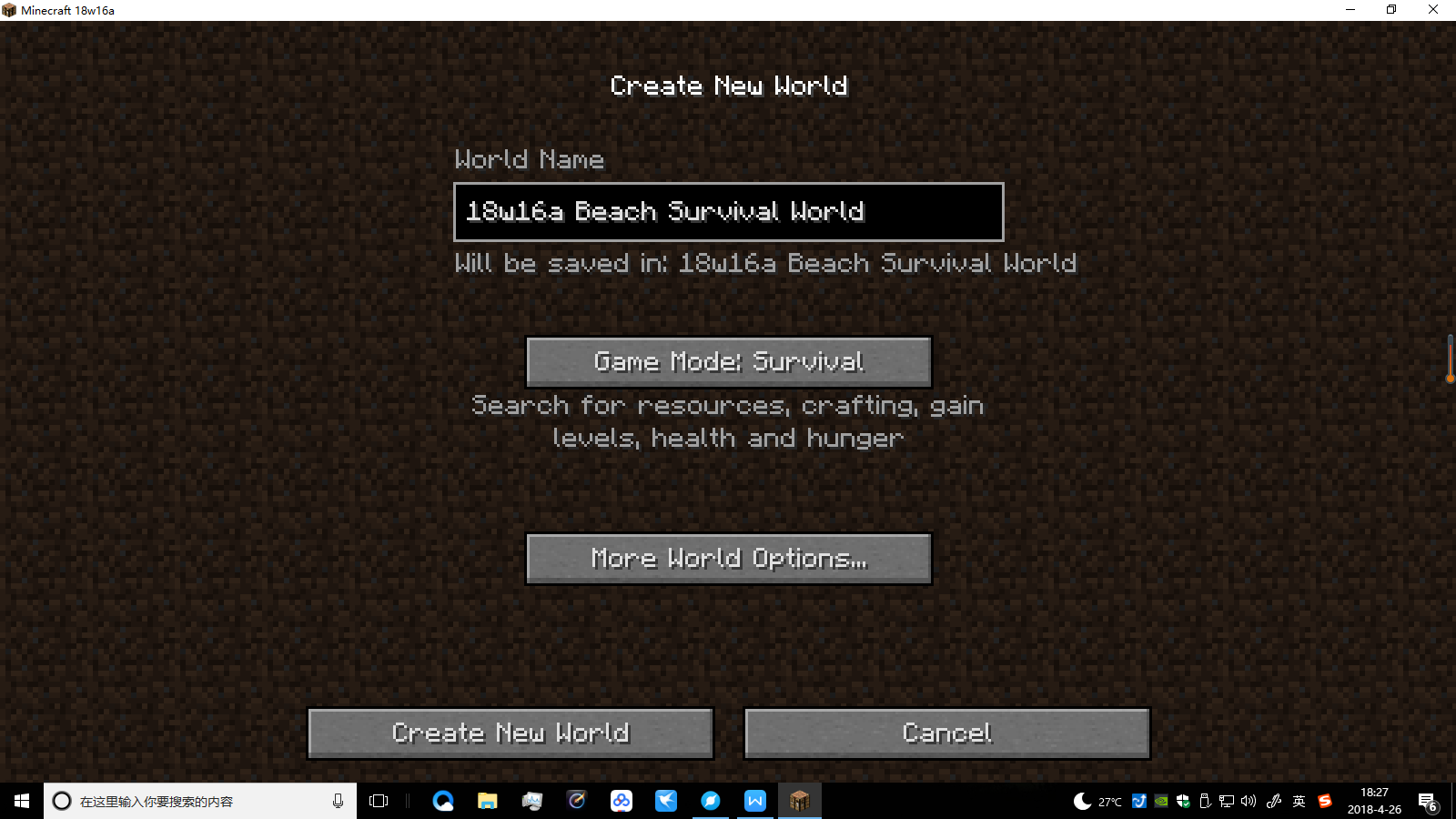
The "Will be saved in" line exceeds the width of "world name" frame,whenthe world name is too longWhen creating worlds, the "Will be saved in" line exceeds the width of "world name" frame, if the world name is too long
When creating worlds, the "Will be saved in" line exceeds the width of "world name" frame, if the world name is too longWhen creating worlds, the "will be saved in" line exceeds the width of "world name" frame, if the world name is too long
When creating worlds, the "will be saved in" line exceeds the width of "world name" frame, or even exceeds the frame of the game app, if the world name is too long
When creating worlds, the "will be saved in" line exceeds the width of "world name" frame,or even exceeds the frame of the game app,if the world name is too long
When creating worlds, the "will be saved in" line exceeds the width of "world name" frame (or even the frame of the game app), if the world name is too long
When creating worlds, the "will be saved in" line exceeds the width of "world name" frame(or even the frame of the game app), if the world name is too long


When creating worlds, the "will be saved in" line exceeds the width of "world name" frame, if the world name is too longThe "will be saved in" line exceeds the width of "world name" frame, if the world name is too long
The "will be saved in" line exceeds the width of "world name" frame,if the world name is too long
The "will be saved in" line exceeds the width of "world name" frame if the world name is too long"Will be saved in" line exceeds the width of "world name" frame if the world name is too long
"Will be saved in" line exceeds the width of "world name" frame ifthe world name istoo long"Will be saved in: (name)" line exceeds the width of "world name" frame if too long
I
t's notreally a bug, but the news bulletin is a little bit old.
Hope that you can update the news bulletin soon.I don't know if it's really a bug, but the news bulletin is a little bit old.
Hope that you can update the news bulletin soon.
I don't know if it's really a bug, but the news bulletin is a little bit old.
Hope that you can update the news bulletin soon.The news bulletin is a little bit old. Hope that you can update the news bulletin soon.
Does anyone take care of this issue anymore? This can be fixed instantly online if I'm not mistaken.
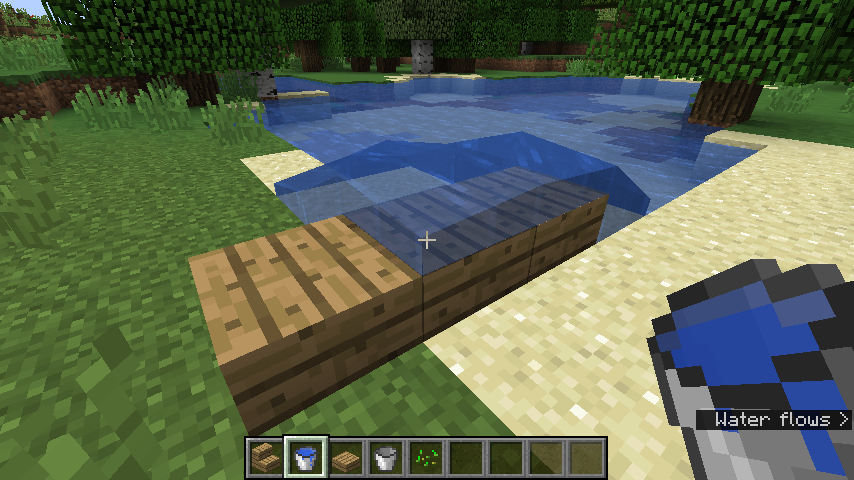
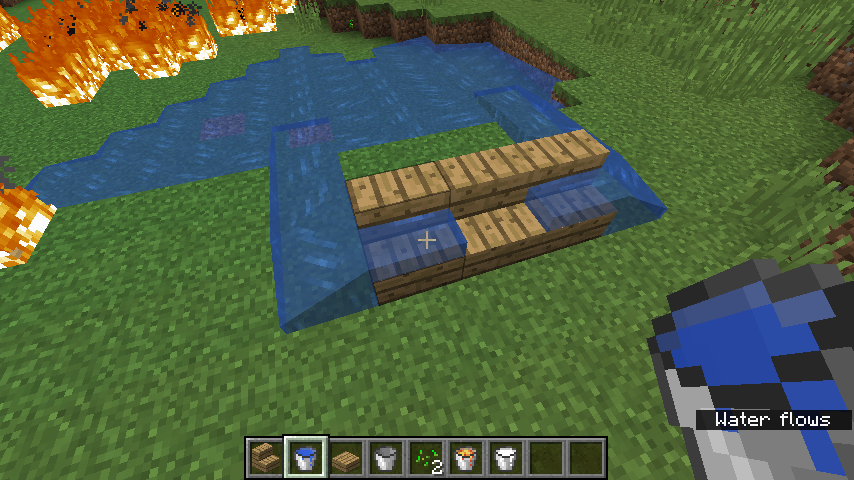
Water whose source is on a slab doesn't flow into other slabs beside it
Water whose source is on a slabdoesn't flow into other slabs beside itWater whose source is on a stair doesn't flow into other stairs beside it
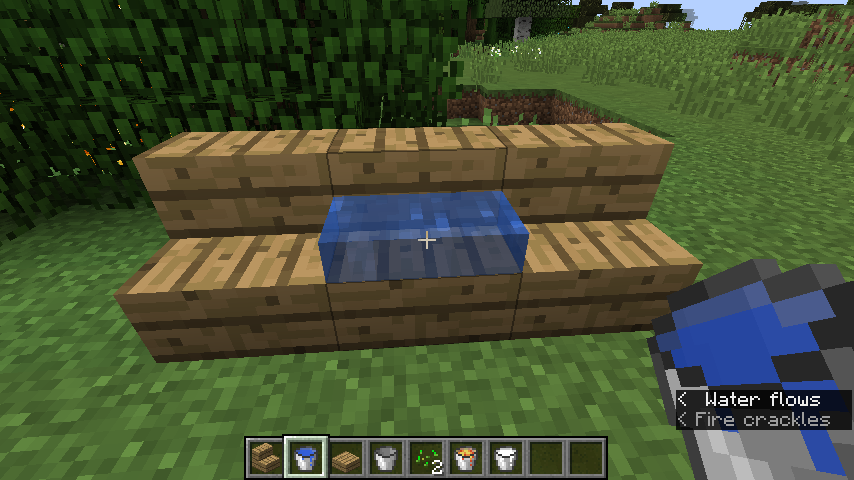
The crossmarks in the screenshots below are pointing at the water source blocks.
2018-04-28_23.25.03.png
Water whose source is on a stair doesn't flow intootherstairs beside itWater whose source is on a stair doesn't flow into non-waterlogged stairs beside it
Water whose source is on a stair doesn't flow intonon-waterloggedstairs beside it
Water whose source is on a stair doesn't flow into non-waterlogged stairs beside it
Water whose source is on a stair doesn't flow intonon-waterloggedstairs beside it
Water sources on slabs spread to non-waterlogged slabs/stairs beside in one direction and not in the other
Water sources on slabs spread tonon-waterloggedslabs/stairs beside in one direction and not in the other
Water sources on slabs spread to non-waterlogged slabs/stairs beside in one direction and not in the other
Water sources on slabs spread tonon-waterloggedslabs/stairs beside in one direction and not in the other
Water on a stair/slab with no stairs/slabs beside only flow down in one direction and not in the other(s)
Water on a stair/slab with no stairs/slabs beside only flow down in *one direction* and not in the other(s)
Seen in the screenshot.
UPDATE: My argument in this ticket is the one direction part, not the flow down part.
Seen in the screenshot.
UPDATE: My argument in this ticket is the " one direction " part, not the " flow down " part.
Seen in the screenshot.
UPDATE: My argument in this ticket is the
"one direction " part, not the"flow down"part.
Seen in the screenshot.UPDATE: My argument in this ticket is the "one direction "* part, not the "flow down" part.
Seen in the screenshot.
UPDATE: My argument in this ticket is the "one direction
"*part, not the "flow down" part.
Seen in the screenshot.UPDATE: My argument in this ticket is the "one direction" part, not the "flow down" part.
Seen in the screenshot.
UPDATE: My argument in this ticket is the "one direction" part, not the "flow down" part.
Seen in the screenshot.Seen in the screenshot.
Water on a stair/slab with no stairs/slabs beside only flow down in*one direction*and not in the other(s)
Haha, finally found a duplicate of my issue (
MC-128042). Frankly speaking, I'm glad that not only me noticed the problem and got it feedbacked.
Ah oh. Sorry. My understanding wrong for the term 'hitbox'.
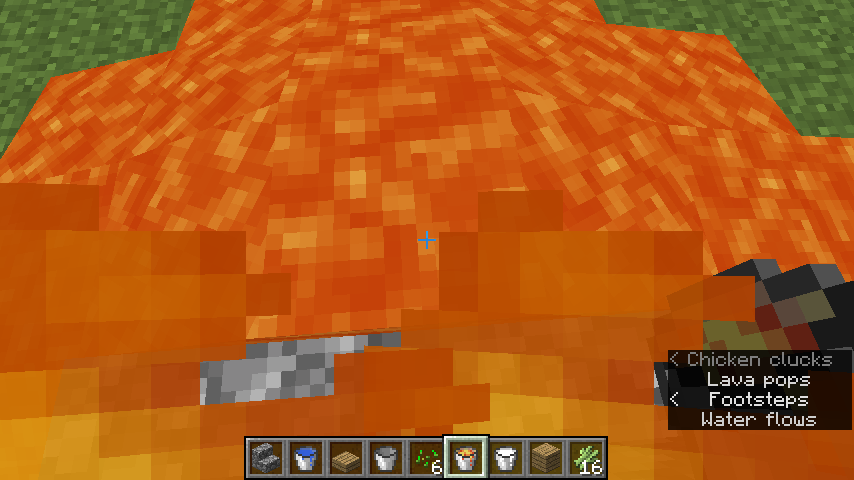
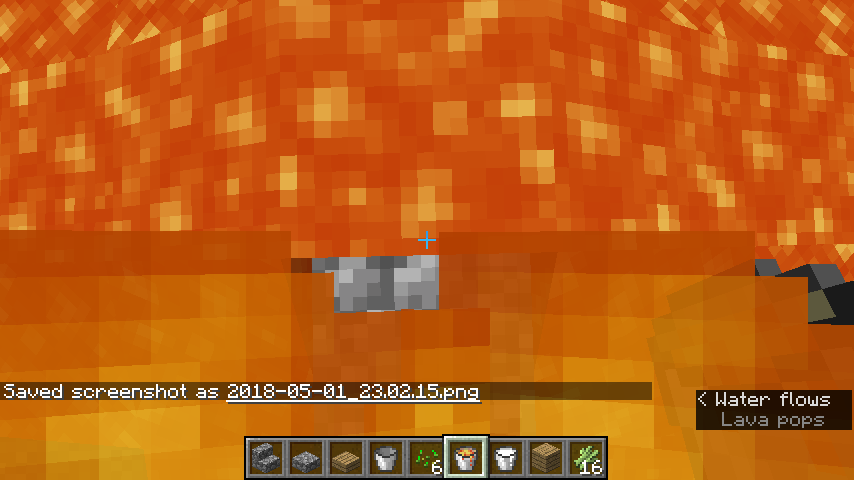
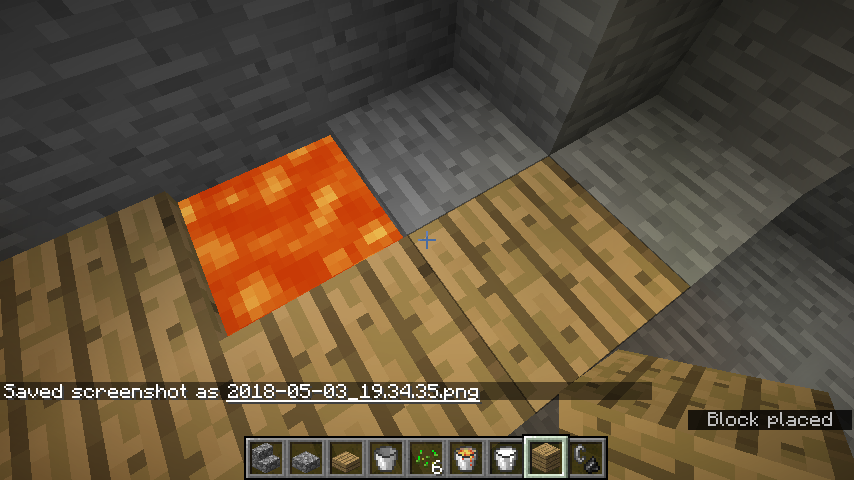
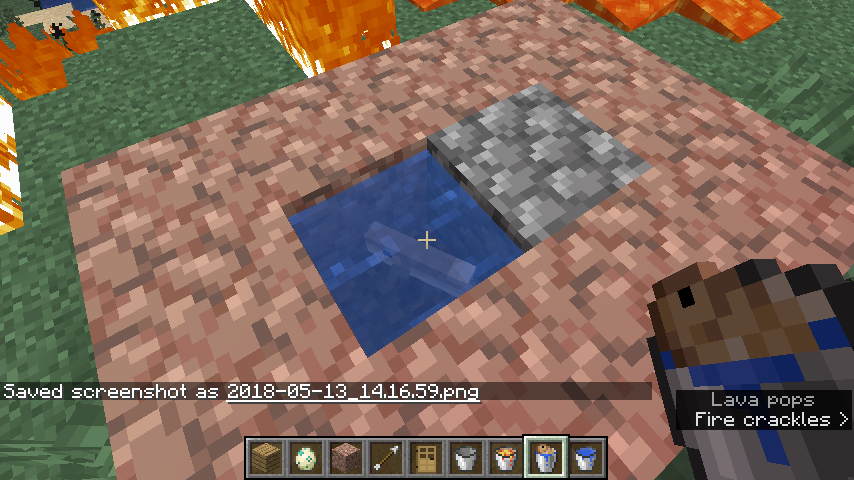
Said in the summary. This also happened when the player is standing on a slab, and on the side beside a lava source block.
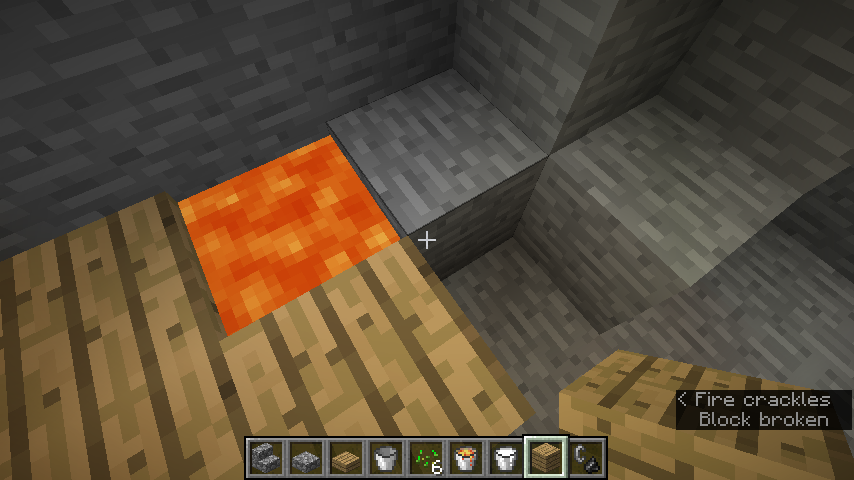
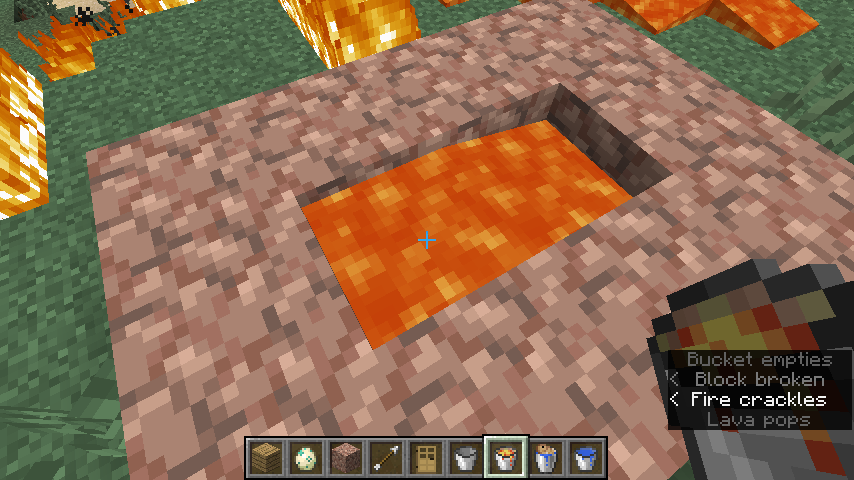
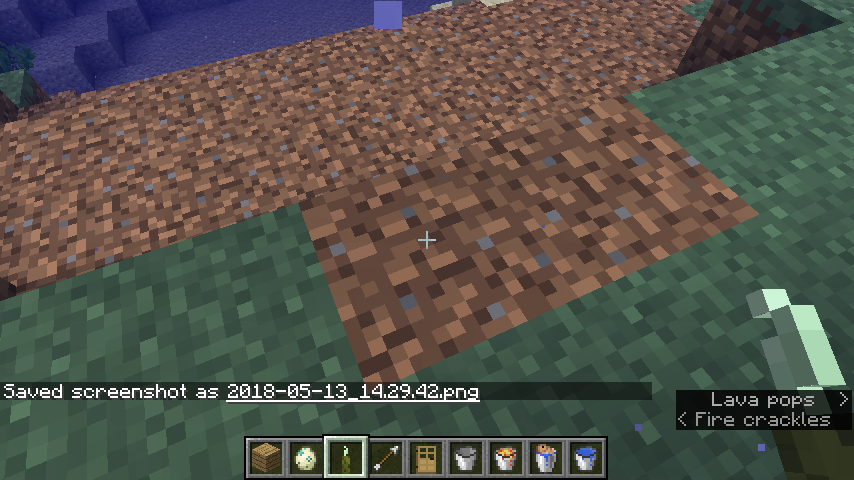
Said in the summary, seen in screenshots 3 & 4.
Screenshots 1 & 2 indicate that the same kind of issue also happens when the player is standing on a slab, and on the side beside a lava source block.
Player begins burning if standing on the lower side of a stair, and the lower side is beside a lava source block
Said in the summary, seen in screenshots 3 & 4.
Screenshots 1 & 2 indicate that the same kind of issue also happens when the player is standing on a slab, and on the half side beside a lava source block.
I'm not in the lava. I'm on one side of the stair/slab which attaches to lava.
As said in the title.
As said in the title. You can only press "Enter" to search for issues.
On JIRA website, when pressing "current issues" of a user, the search results are always based on "assignee = (username) AND resolution is EMPTY"
Bots sometimes change the issue's resolving status unmeaningfully, for instance from "OPEN" to "OPEN", and so on.


Bots sometimes change the issue's resolving status unmeaningfully, for instance from "OPEN" to "OPEN", and so on.
On JIRA website, when an issue's "confirmation status" or one of other statuses is changed, an unmeaningful transition is recorded
On JIRA website, when an issue's "confirmation status" or one of other statuses except the resolving status is changed, an unmeaningful transition of the resolving status is recorded
When an issue's "confirmation status" is changed, the resolving status remains the same, but an unmeaningful transition
is recorded.When an issue's "confirmation status" or one of other statuses except the resolving status is changed, the resolving status remains the same, but an unmeaningful transition of the resolving status is recorded. Screenshots below are an example of a change of "confirmation status" making the resolving status being transitted unmeaningfully.
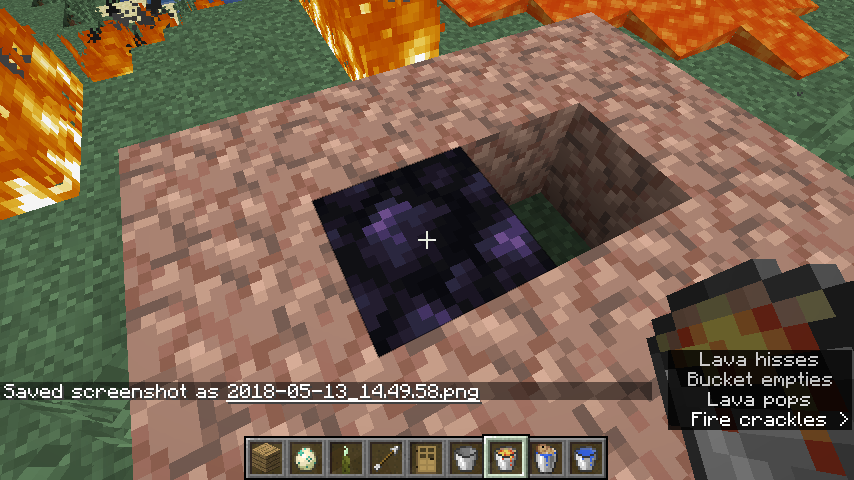
Put water into a 1*1*1 block (
which meanswater cannot flow out of the source block), and then place lava in the same block. The water block changes into lava block instead of obsidian.Put water into a 1*1*1 block (in other words, water cannot flow out of the source block), and then place lava within the same block. The water block changes into lava block instead of obsidian.
Put water into a 1*1*1 block (in other words, water cannot flow out of the source block), and then p
lacelava within the same block. The water block changes into lava block instead of obsidian.Put water into a 1*1*1 block (in other words, water cannot flow out of the source block), and then put lava within the same block. The water block changes into lava block instead of obsidian.
Sorry for creating a duplicate. But so far I don't understand why is it intended? Shouldn't water/lava become obsidian all the time when lava/water is directly poured onto it? Why is it not happening when water/lava is a single source block? In my opinion there's no reasonable account for it.
As said.
As said.
EDIT: I can't really make a summary of the ways to reproduce. The time when lava hardly burns down anything seems to come randomly.
I already made a response.
As said.
EDIT: I can't really make a summary of the ways to reproduce. The time when lava hardly burns down anything seems to come randomly.As said.
I can't really make a summary of the ways to reproduce. The time when lava hardly burns down anything seems to come randomly.
I can't really make a summary of the ways to reproduce. The time when lava hardly burns down anything seems to come randomly.
I can't really make a summary of the ways to reproduce. The time when lava hardly burns down anything seems to come randomly.
I can't really make a summary of the ways to reproduce. The time when lava hardly burns down anything seems to come randomly.
Sorry for creating a duplicate
MC-129434. But so far I don't understand why is it working so? Shouldn't water/lava become obsidian all the time when lava/water is directly poured onto it? Why is it not happening when water/lava is a single source block? In my opinion there's no reasonable account for it.
DUDES I'M QUESTIONING WHY THIS IS INTENDED? If you devs or mods marked it as WAI, then you must have a reasonable explanation of why it is intended. The issue VIOLATES THE BASIC RULE of how water and lava should react when in contact! I asked about this in numerous tickets (including my own duplicates of this
MC-8930), but no one has responsed to me. Please, WHY IS THIS INTENDED? I don't see ANY reasonable account for it. Can somebody explain it to me? The issue troubles me a lot when I'm playing. Thank you!
If it isn't working as intended then you should REOPEN THIS ISSUE!
Sorry for creating a duplicate
MC-129434. But so far I don't understand why is it working so? Shouldn't water/lava become obsidian all the time when lava/water is directly poured onto it? Why is it not happening when water/lava is a single source block? In my opinion there's no reasonable account for it.
Sorry for creating duplicates. But so far I don't understand why is it working so? Shouldn't water/lava become obsidian all the time when lava/water is directly poured onto it? Why is it not happening when water/lava is a single source block? In my opinion there's no reasonable account for it.
Shown in the screenshot. When the color of water in-game is designed to vary and not be standard blue, the water's color in the background picture behind the start menu should also be changed.
Shown in the screenshot. When the color of water in-game is designed to vary and not be standard blue, the water's color in the background picture behind the start menu should also be changed.
The colour of water in the background picture behind the start menu of the latest snapshot is still standard blue
Shown in the screenshot. When the colour of water in-game is designed to vary and not be standard blue, the water's colour in the background picture behind the start menu should also be changed.
Shown in the screenshot.
Whenthe colour of water in-game is designed to vary and not be standard blue, the water's colour in the background picture behind the start menu should also be changed.Shown in the screenshot. Now that the colour of water in-game is designed to vary and not be standard blue, the water's colour in the background picture behind the start menu should also be changed.
The colour of water in the background picture behind thestart menuof the latest snapshot is still standard blueThe colour of water in the background picture behind the title screen of the latest snapshot is still standard blue
Shown in the screenshot. Now that the colour of water in-game is designed to vary and not be standard blue, the water's colour in the background picture behind the
start menushould also be changed.Shown in the screenshot. Now that the colour of water in-game is designed to vary and not be standard blue, the water's colour in the background picture behind the title screen should also be changed.
Shown in the screenshot. Now that the colour of water in-game is designed to vary and not be standard blue, the water's colour in the background picture behind the title screen should also be changed. Also, if underwater caves and some of the other changes in Update Aquatic are already added then they should too be embodied in the title screen panorama.
The colour of water in thebackground picture behind thetitle screen of the latest snapshot is still standard blueThe colour of water in the title screen panorama of the latest snapshot is still standard blue
Shown in the screenshot. Now that the colour of water in-game is designed to vary and not be standard blue, the water's colour in the
background picture behind thetitle screen should also be changed. Also, if underwater caves and some of the other changes in Update Aquatic are already added then they should too be embodied in thetitle screenpanorama.Shown in the screenshot. Now that the colour of water in-game is designed to vary and not be standard blue, the water's colour in the title screen panorama should also be changed. Also, if underwater caves and some of the other changes in Update Aquatic are already added then they should too be embodied in the panorama.
Shown in the screenshot. Now that the colour of water in-game is designed to vary and not be standard blue, the water's colour in the title screen panorama should also be changed. Also, if
underwater caves and some of the other changes in Update Aquatic are already added then they should too be embodied in the panorama.Shown in the screenshot. Now that the colour of water in-game is designed to vary and not be standard blue, the water's colour in the title screen panorama should also be changed. Also, if the light emitted by sea pickles and some of the other changes in Update Aquatic are already added then they should too be embodied in the panorama.
Thecolour of water in thetitle screen panoramaof the latest snapshot is still standard blueThe title screen panorma hasn't been updated yet
Shown in the screenshot. Now that the colour of water in-game is designed to vary and not be standard blue,
the water's colour in the title screen panorama should also be changed. Also, ifthe light emitted by sea pickles and some of the other changes in Update Aquaticare already added thentheyshouldtoo beembodied in the panorama.Shown in the screenshot. Now that the colour of water in-game is designed to vary and not be standard blue, and the light emitted by sea pickles and some of the other changes in Update Aquatic have already been added, the title screen panorama should also be changed, with the new features embodied in it.
Still I mentioned them in the description just now.
I also have that idea, but since I'm not quite familiar with some of the other changes in Update Aquatic, I'm afraid I can't make a clear description of how things should be changed XD
Shown in the screenshot. Now that the colour of water in-game is designed to vary and not be standard blue, and the light emitted by sea pickles and some of the other changes in Update Aquatic have already been added, the title screen panorama should also be
changed, with the new features embodied in it.Shown in the screenshot. Now that the colour of water in-game is designed to vary and not be standard blue, and the light emitted by sea pickles and some of the other changes in Update Aquatic have already been added, the title screen panorama should also be updated, with the new features embodied in it.
Shown in the screenshot. Now that the colour of water
in-gameis designed to vary and not be standard blue, and the light emitted by sea pickles and some of the other changes in Update Aquatic have already been added, the title screen panorama should also be updated, with the new features embodied in it.
Shown in the screenshot. Now that the colour of water is designed to vary depending on the biome it's in and not be standard blue, and the light emitted by sea pickles and some of the other changes in Update Aquatic have already been added, the title screen panorama should also be updated, with the new features embodied in it.
Shown in the screenshot. Now that the colour of water is designed to vary depending on the biome it's in
and not bestandard blue, and the light emitted by sea pickles and some of the other changes in Update Aquatic have already been added, the title screen panorama should also be updated, with the new features embodied in it.Shown in the screenshot. Now that the colour of water is designed to vary depending on the biome it's in instead of being standard blue, and the light emitted by sea pickles and some of the other changes in Update Aquatic have already been added, the title screen panorama should also be updated, with the new features embodied in it.
The title screen panorama hasn't been updated with features in Update Aquatic
Shown in the screenshot. Now that the colour of water is designed to vary depending on the biome it's in instead of being standard blue, and the light emitted by sea pickles and some of the other changes in Update Aquatic have already been added, the title screen panorama should also be updated, with the new features embodied in it.
Shown in the screenshot. Now that the colour of water is designed to vary depending on the biome it's in instead of being standard blue, and the light emitted by sea pickles and some of the other changes in Update Aquatic have already been added, the title screen panorama should also be updated, with the new features embodied in it.
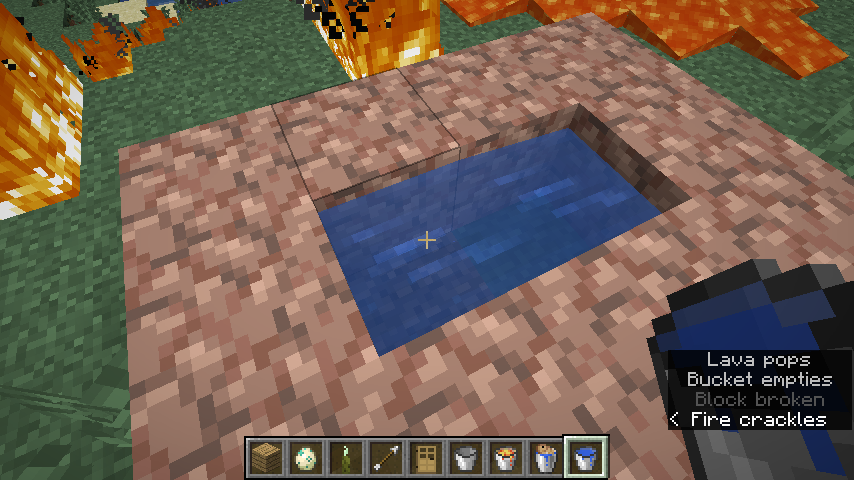
The second screenshot shows what happened when a fish bucket is poured into lava.
Let's just assume the block where water with fish was poured into is called Block 1, and the block beside is called Block 2.
What I expected:
**Block 1 turning into obsidian, and the fish dying (appearing in the lava in Block 2 and then being burned to death), while the lava in Block 2 staying still.
What actually happened:
Block 1 turning into water (the fish living and swimming as normal), and Block 2 turning into cobblestone.
How to reproduce:
It's obvious upon seeing the screenshots.
I don't know if it's intended. But the reaction is indeed abnormal.
The second screenshot shows what happened when a fish bucket is poured into lava.
Let's just assume the block where water with fish was poured into is called Block 1, and the block beside is called Block 2.
What I expected:
**Block 1 turning into obsidian, and the fish dying (appearing in the lava in Block 2 and then being burned to death), while the lava in Block 2 staying still.
What actually happened:
Block 1 turning into water (the fish living and swimming as normal), and Block 2 turning into cobblestone.
How to reproduce:
It's obvious upon seeing the screenshots.
I don't know if it's intended. But the reaction is indeed abnormal.
The
secondscreenshot shows what happened when a fish bucket is poured into lava.Let's just assume the block where water with fish was poured into is called Block 1, and the block beside is called Block 2.
What I expected:
**Block 1 turning into obsidian, and the fish dying (appearing in the lava in Block 2 and then being burned to death), while the lava in Block 2 staying still.
What actually happened:
Block 1 turning into water (the fish living and swimming as normal), and Block 2 turning into cobblestone.
How to reproduce:
It's obvious upon seeing the screenshots.
I don't know if it's intended. But the reaction is indeed abnormal.
The first screenshot shows what happened when a fish bucket is poured into lava.
Let's just assume the block where water with fish was poured into is called Block 1, and the block beside is called Block 2.
What I expected:
**Block 1 turning into obsidian, and the fish dying (appearing in the lava in Block 2 and then being burned to death), while the lava in Block 2 staying still.
What actually happened:
Block 1 turning into water (the fish living and swimming as normal), and Block 2 turning into cobblestone.
How to reproduce:
It's obvious upon seeing the screenshots.
I don't know if it's intended. But the reaction is indeed abnormal.
The first screenshot shows what happened when a fish bucket is poured into lava shown in the second screenshot.
Let's just assume the block where water with fish was poured into is called Block 1, and the block beside is called Block 2.
What I expected:
**Block 1 turning into obsidian, and the fish dying (appearing in the lava in Block 2 and then being burned to death), while the lava in Block 2 staying still.
What actually happened:
Block 1 turning into water (the fish living and swimming as normal), and Block 2 turning into cobblestone.
How to reproduce:
It's obvious upon seeing the screenshots.
I don't know if it's intended. But the reaction is indeed abnormal.
The first screenshot shows what happened when a fish bucket is poured into lava shown in the second screenshot.
Let's just assume the block where water with fish was poured into is called Block 1, and the block beside is called Block 2.
What I expected:
**Block 1 turning into obsidian, and the fish dying (appearing in
thelava in Block 2 and then being burned to death), while the lava in Block 2 staying still.What actually happened:
Block 1 turning into water (the fish living and swimming as normal), and Block 2 turning into cobblestone.
How to reproduce:
It's obvious upon seeing the screenshots.
I don't know if it's intended. But the reaction is indeed abnormal.
The first screenshot shows what happened when a fish bucket is poured into lava shown in the second screenshot.
Let's just assume the block where water with fish was poured into is called Block 1, and the block beside is called Block 2.
What I expected:
**Block 1 turning into obsidian, and the fish dying (appearing in lava in Block 2 and then being burned to death), while the lava in Block 2 staying still.What actually happened:
Block 1 turning into water (the fish living and swimming as normal), and Block 2 turning into cobblestone.
How to reproduce:
It's obvious upon seeing the screenshots.
I don't know if it's intended. But the reaction is indeed abnormal.
The first screenshot shows what happened when a fish bucket is poured into lava shown in the second screenshot.
Let's just assume the block where water with fish was poured into is called Block 1, and the block beside is called Block 2.
What I expected:
Block 1 turning into obsidian, and
the fish dying (appearing in lava in Block 2 and then being burned to death), while the lava in Block 2 staying still.What actually happened:
Block 1 turning into water (the fish living and swimming as normal), and Block 2 turning into cobblestone.
How to reproduce:
It's obvious upon seeing the screenshots.
I don't know if it's intended. But the reaction is indeed abnormal.
The first screenshot shows what happened when a fish bucket is poured into lava shown in the second screenshot.
Let's just assume the block where water with fish was poured into is called Block 1, and the block beside is called Block 2.
What I expected:
Block 1 turning into obsidian, and lava in Block 2 disappearing (the fish being in Block 2 and generally suffocating to death).
What actually happened:
Block 1 turning into water (the fish living and swimming as normal), and Block 2 turning into cobblestone.
How to reproduce:
It's obvious upon seeing the screenshots.
I don't know if it's intended. But the reaction is indeed abnormal.
The first screenshot shows what happened when a fish bucket is poured into lava shown in the second screenshot.
Let's just assume the
block where water with fish was poured intois called Block 1, and theblock besideis called Block 2.What I expected:
Block 1 turning into obsidian, and lava in Block 2 disappearing (the fish being in Block 2 and generally suffocating to death).
What actually happened:
Block 1 turning into water (the fish living and swimming as normal), and Block 2 turning into cobblestone.
How to reproduce:
It's obvious upon seeing the screenshots.
I don't know if it's intended. But the reaction is indeed abnormal.
The first screenshot shows what happened when a fish bucket is poured into lava shown in the second screenshot.
Let's just assume the water source block is called Block 1, and the flowing water block is called Block 2.
What I expected:
Block 1 turning into obsidian, and lava in Block 2 disappearing (the fish being in Block 2 and generally suffocating to death).
What actually happened:
Block 1 turning into water (the fish living and swimming as normal), and Block 2 turning into cobblestone.
How to reproduce:
It's obvious upon seeing the screenshots.
I don't know if it's intended. But the reaction is indeed abnormal.
But the flowing water didn't react with lava. The water source block did. And because of lacking source block, the flowing water disappeared.
In the screenshot it rotated row after row but didn't get down to the pool. Its hitbox is indeed wider than one block, but
heshould have the ability of getting into the wider pool.In the screenshot it rotated row after row but didn't get down to the pool. Its hitbox is indeed wider than one block, but it should still have the ability of getting into the wider pool.
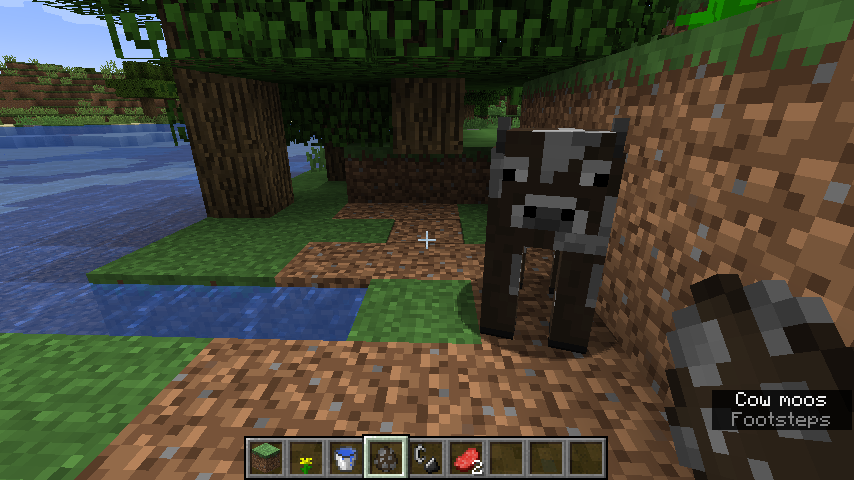
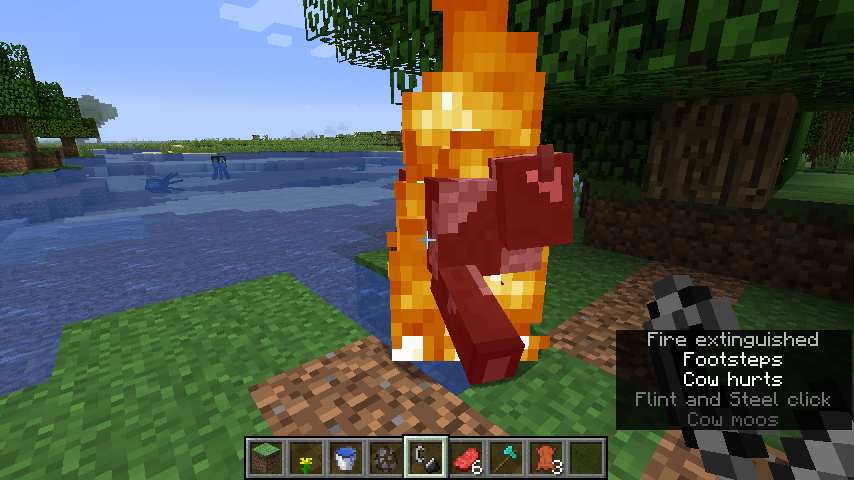
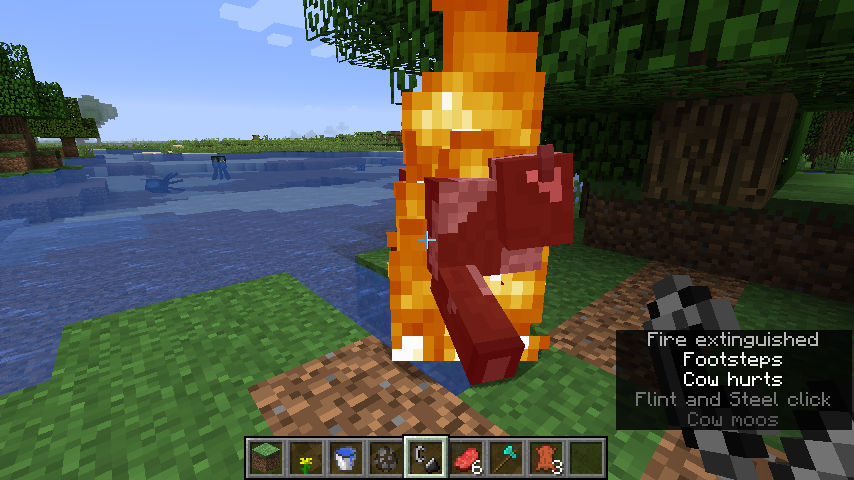
In the screenshot, when the cow runs onto a 1*1 block of water it rotated row after row but didn't get down to the pool. Its hitbox is indeed wider than one block, but it should still have the ability of getting into the wider pool.
In the screenshot, when the cow runs onto a 1*1 block of water (three sides of it are surrounded by grass, and the other is conneted to a pool), it rotated row after row but didn't get down to the pool. Its hitbox is indeed wider than one block, but it should still have the ability of getting into the wider pool.
Cow doesn't go into water when on firesometimesCow doesn't go into water when on fire when runs onto a 1*1 block of water
Cow doesn't go into waterwhen on firewhen runs onto a 1*1 block of waterWhen on fire, cow doesn't go into water, when runs onto a 1*1 block of water
D, Java 8 works fine in launching modded Minecraft; Java 10 will fail to load any modded Minecraft.

Well, now I will not try. I will try again sometime tomorrow.@D
D Have you seen it in the "treebug" file?
As @D said, mobs cannot jump more than one block high.
Only for display!@D

Howard Chang, I also told you this: No need to update resolved issues unless your information is relevant to it.
Was this information relevant to this ticket?
You're not in the position to tell people what to do and what not to do.
Pau Olivares, D, please stop both acting like mods on this tracker.
But you can't just instantly teleport a mob-like block to a different place while it's still being planted on the ground! Seems weird a little, not friendly to look at.
As far as I'm concerned, this generation is pretty normal. It's said that shipwrecks can generate with part of it above water.
Thank you very much!
So the fire just blows out instantly when the coal is used up?
It is quite intentional, just because you chose the Ender generator (which I prefer to call) instead of the normal one XD. The Ender generator is supposed to be generating everything on the model of the floating islands in the End, right? So it's not surprising at all.
This is not incomplete. Bots please don't parade your abilities XD
Administrators please reopen this issue, as it is valid.
Duplicates
MC-124895. Sorry! XDWhy is it working as intended? I don't see any reason for this kind of sea pickle model.
Sorry, I learnt that this was a duplicate of
MC-895just now. I searched "four" instead of "4". My apology for it.Wait I don't believe that this is a duplicate of
MC-128933! Please look into this issue more carefully!Absolutely not! My issue is about water spreading instead of water-sources-creating!
I admit this, but isn't that intended to be changed in the future? In other words I believe this is just an acknowledged bug, and not a feature working as intended.
OK. But it's kind of a contradiction that the waterlogged stair in the first screenshot doesn't make water flow out onto grass, but the waterlogged stairs in the second screenshot do (and only to the back of the stair, not the front of it). Why's that working?
But this issue deals with a single stair, and the water is only flowing down in one direction!
I updated this issue to make it also deal with slabs.
But the water can flow down four directions of slabs (two for stairs). All these directions fit what you call "flow down". So why is the water only flowing down in one direction?
In
MC-128700's first screenshot when a slab is made to be a water source block, the water spread four directions around, but in my screenshot it doesn't.But why does the water on slabs in
MC-128700's first screenshot working well?There're no holes nearby in my screenshot!
OK forget about the holes. Let me just ask that why does the coordinate thing affect the flowing directions of water whose source is on a water-logged block?
How about this issue? Is it working as intended?
I mean, the comment above is for administrators.
嗨,你也是中国人吗?
Somebody help me? FVbico commented on this issue earlier:
this game mechanic only works with full block spaces, the water is not on a highercoordinate when it’s in another block.
So how does the coordinate thing affect the flowing directions of water whose source is on a water-logged block?
And I still don't see why this is a duplicate of
MC-129031. The point I'm stressing in this issue is that in a normal way the water can flow down four directions of slabs (two for stairs), not things about water flowing down or not. All these directions fit what is called "flowing down". So why is the water only flowing down in one direction?I'm not sure if it's right, but as far as I'm concerned this issue is largely possible to be a duplicate of
MC-126181, or another issue, since I've seen the same issue before. XD(I know that this issue tracker is not a discussion forum, but I still want to clarify some things here)
Hi FVbico, Neko and other moderators and helpers, for the first thing I want to thank you sincerely for removing my doubts patiently. Still, there're two issues I don't fully understand. I know that in your mind maybe I'm currently being a nuisance, but I still hope that you can annotate on my questions thoroughly so that I will not use these very issues to bother the issue tracker furthermore. Thank you!
1. About
MC-129031: I'm not really a master in English, so I don't know why water flowing to the side of the stair is called "flowing down", and that water flowing directly to the front of the stair is not called "flowing down". Note that I'm not talking about water surmounting the upper side of the stair before flowing to the back, or spreading to other waterlogged blocks (I already knew that it is intended to not have this feature); I'm just talking about two cases of the words "flowing down" in my mind. I don't know but it doesn't seem to be intended that water won't ever flow directly to the front. Even if it does, it never violates anything like built-in-advance contraptions and so on, so is there problem with it?2. About
MC-129034: I understand your explanation on the coordinate thing, so is it actually a bug? Or should water always flow to one side and that it’ll never be changed?OK, I finally understood what was happening behind the game. Sorry for my long-windedness, and thank you for your assistance!
I searched for it and nobody reported it happening in Java Edition.
I'm not in the lava. I'm on one side of the stair/slab which attaches to lava.
Also this is in creative mode, so the player shouldn't be on fire whenever he doesn't touch lava.
OK, thanks.
By the way, can I use the Mojang Support Center to make a feature request? Reddit's sometimes not loaded by my browser. Thank you!
You'd better use the Minecraft Launcher project to report this XD.
And this issue tracker seems to not support non-vanilla stuff.
Then where do you suggest the fish should go? XD
OK. It's true, seen from the third-person perspective. Thanks!
I'm not using cauldron very much, but isn't it used to brew potions? I'm afraid you can't make fish an ingredient during the brewing procedure which needs a cauldron (correct me if I'm wrong).
So this maybe why players aren't able to pour a bucket of water with fish into a cauldron. Removing water from the bucket results in separation of water and fish, leading to suffocation of the pathetic passive mob which cannot go in the cauldron. Which is something Mojang doesn't want you to bring about.
This is all based on an assumption that fishes cannot be placed in cauldrons. If a feature that fishes capable of going into cauldrons can indeed be added and it doesn't affect anything serious, then forget about my lengthy speech XD
OK I believe you're right, thank you. But I still want to satisfy my curiosity by asking, for example, what did [Bot] Arisa do when making the transition in
MC-128994?Yeah but when I want to view the issues reported by another particular person, I have to modify the search criteria after clicking "current issues". What I want to say is that this step can be omitted if the original search criteria is changed.
Thank you very much! I didn't take much consideration into that.
I see. Thanks very much!
Also, the version you're having problem with is 18w16a. 18w18a never exists, no snapshots were released in the 18th week of 2018, and the 18th week of 2018 is dead already.
The difficulty of fixing this bug for cauldrons and beds is that the blank spaces under them vary from different perspectives, so extreme amount of calculation in-game is acquired in order to let the targeting work as you said. On the other hand anvils don't have the same issue, for the spaces around anvils are always the same from whatever way you look (I don't know much about hoppers), so the same kind of bug for it was easily fixed.
Thanks for updating the bulletin.
By the way, I have finally come to know what does "done" mean
Do you mean undead mobs drowning? That's a new feature in 18w19a. XD
I mean, the blank spaces for anvils are around them, but those for cauldrons and beds are largely inside (under) themselves.
Wow, this is the one and only "Done" issue in project MCL!
Doesn't contain enough information for Mojang to diagnose the problem. You may also attach the crash report.
Does the bot actually know what he/she has done?
No I don't think this is a normal way water should be working.
But if lava is poured down to water, then the water source is turned into obsidian and the flowing water beside disappears. May I ask why do the things change when the order is reversed, thus, water is poured down to lava?
Whatever. But why are
MC-8930and my duplicates intended? The issues violate the basic rule of how lava and water should react when in contact.The block the player is pointing at doesn't have the slender cubic frame when the player is completely in water.
Josh74000MC, is that any difference, compared with my issue? I'm sorry for my awful English
Does anyone take care of this issue?
Wow how did you figure it out
(I figure we're having a conversation of nonsense here XD)
Sorry for creating a duplicate. But so far I don't understand why is it intended? Shouldn't water/lava become obsidian all the time when lava/water is directly poured onto it? Why is it not happening when water/lava is a single source block? In my opinion there's no reasonable account for it.
Somebody help me? I don't understand why is it intended? Shouldn't water/lava become obsidian all the time when lava/water is directly poured onto it? Why is it not happening here? In my opinion there's no reasonable account for it.
Thanks!
Updated.
I bet it is intended XD
See the changelog on https://minecraft.net/zh-hans/article/minecraft-snapshot-18w11a:
Still, shipwrecks found near beaches IRL are not that weird.
I also reported this issue in
MC-129434andMC-129543. They were resolved as duplicates ofMC-8930, that didn't annoy me. What actually annoyed me was thatMC-8930had been resolved as working as intended. I really can't understand why the thing works so. From any sense this doesn't follow the basic rule of reaction of contacted water and lava. I have been exclaiming my discontent and asking about the reason of the resolution all the time, but not a single person has replied me. I don't how why's that so. This is obviously a bug and once again, I really don't understand whyMC-8930was resolved as intended.Isn't this duplicating
MC-129708instead ofMC-129854?Isn't this a duplicate of
WEB-976? I'm sorry that I didn't search carefully.If you're getting a Minecraft Bedrock issue feedbacked, then you should go to the MCPE project! You can include the affected versions there. https://bugs.mojang.com/projects/MCPE/issues
Thank you for updating this issue, Kumasasa!
Duplicate of
MC-129708.而且我恐怕前两个问题已经有人报告过了
I learned that
MC-128249was originally about dolphins but was later changed to drowneds. So in that way should thisMC-129940be marked as a duplicate of that one? XDIf I were a dev I suppose I would intentionally keep this feature.
Whether this's in the original game plan or not, this feature is always interesting XD
Bug reports are only accepted in English.
Personally I don't quite understand what you mean XD
Did you use some kind of online/offline translation tool?
For another thing, I'm afraid that once resolved as Invalid, the issue has a chance of not to be continually cared of by the person who resolved it, [Mod] Michael Wobst, or other staffs working at this site, so I bet you'd better create a new report of the same issue. XD
Michael Wobst, why don't you move this ticket to the corresponding project? XD
Ah oh. Sorry!
In fact it's a duplicate of
MC-127443(my first ticket!). It's said that the numeral and shorthand commands were removed.But the lava/water is still there when water/lava is being placed! The lava/water shouldn't disappear when water/lava is being placed.
Also why is it happening with a single source block and not happening with water/lava in a larger range?
OK fine. Now that you say so, I'm gonna put this issue on ice although I still don't fully understand why it is replacing the source block instead of solidifying it; but I'll continue to keep track of things relate to this issue.
Duplicates
MC-130270.Besides, I just looked into the panoramas in older versions and found out that they are all very very old. They're all very monotonous, having barely anything except grass, trees, sand, and water. It seems that Mojang hasn't been updating the panorama for a long time.
You still say that it's possible to code it in. So why didn't Mojang consider about coding it in? This is a perfectly normal feature.
The unreleased versions are for marking the fix version/s.
Affects ALL OLD versions.
I know. I'm just stressing it's high time that this issue has been taken care of.
Exactly. My folder path contains Chinese characters. Thank you!
The texture of the pufferfish bucket has additional blue water pixels under the pufferfish in the left. Is that a bug? I'm not sure. Maybe it's not because the pufferfish covers all pixels in its horizontal lines, which means they don't have space for water-blue pixels, and thus the water-blue pixels are put under the pufferfish?
It takes time. But indeed valid bugs can remain unassigned for an extremely long period of time, which I don't understand either, like my valid ones:
MC-128969andMC-129542. I'm even worried that these bugs won't be fixed until the stable release of 1.13.Bug reports are only accepted in English.
Is there any screenshot? How do other properties with it work? Can you sleep on it? The spawning point re-setting working well? etc
Although I don't quite understand the technical terms, I also sense that this is probably not a duplicate. I bet it would be better if mods can also look into the issues resolved by bots as duplicates, just in case they're not.
This is not even a crash. Mods may reopen the issue.
For reporter symvizan: still next time, please put the description into the "description" area rather than "environment", which can effectively prevent the bots from resolving the issue incorrectly.
Well why isn't this duplicating
MC-8930?Duplicates
MC-130489.Indeed, vanilla.
This issue is exactly the same with
MCL-9435andMCL-9434, so why does this issue duplicateMCL-6859while those two duplicatesMCL-5546?I was not. I spawned the donkey on the ground, but it flowed up.
The first part is intended.
Also do not squeeze two issues into one ticket. Make separate tickets instead.
OK. I just thought you may mark this ticket as a clone of MC-129612, and forward-resolving the issue to it.
Why are there no duplicate links? XD
I see. Thanks!
MC-129219was already marked fixed in 18w21b. You can still reproduce it?Regarding what I mean, yeah, tryashtar, you're right. My original wish isn't a panorama which only includes Update Aquatic features; I want the panorama to embody the standard Minecraft world, but with the colour of water and all the changes in Update Aquatic updated.
Maybe related to
MC-46667?But in
MC-46667the moderators said that although the figure on the debug screen was incorrect, the actual light level used for mob-spawning was not. So... I don't really know what's going on with your situation, given that the light level for mob-spawning isn't correct as well XDI figure this very issue has no relation with
MC-129725.This
MC-131136says things act like there is no light while there's light obviously;MC-129725states things act like there is light while there's no light.Also
MC-131136focuses specifically on stairs, and maybe slabs have the same issue as well.I believe this is a duplicate of
MC-3927.If it's the resource pack, then this ticket should be re-marked as Invalid, I suggest XD
This description does not quite follow the standard grammar. Jason, or moderators would you please change it to something like "Sitting in a boat placed underwater gives the player limitless oxygen"?
Would you please reproduce this issue in your Minecraft and attach some screenshots recording the scenes before and after the incident happens?
Please attach the file .minecraft/launcher_log.txt.
The rules of world generation has been modified completely in 1.13 snapshots, so it's completely normal that things aren't generated as they originally are in 1.12.2. If the same world generates the same in different & recent 1.13 snapshots, then it's OK.
I believe this's a duplicate of
MC-125351.This is
MC-51573. Which meansMC-51573hasn't been fixed at all?I can't really make a summary of the ways to reproduce. The time when lava hardly burns down anything seems to come randomly.
What, Java 10 is already out??
Also your Minecraft is modded so... if the vanilla version works fine , then probably you should ask the mod developers for help?
I believe this is a duplicate of
MC-130486.Did you place the fence in water or surround the fence with water? If latter, then it's intended – See Neko's first comment under
MC-129009.I also believe it's not intended. It's very difficult for the player to continue playing (attacking the ender dragon) without dying once they encounter the issue.
A duplicate of MC-127108?
What if the vanilla Minecraft is bugged so that it can no longer compatible with mods? The mods don't get wrong; the part relevant to be compatible with mods in vanilla Minecraft does.
jack durie, he's probably asking you to firstly reproduce this issue again, and then attach launcher_log.txt to this ticket.
Why crash the game?
A duplicate of MC-108082?
See what user-f2760 said under
MC-112268:I agree but since underwater treasures are very rare too (correct me if I'm wrong), locating treasures too far away means searching the unloaded chunks, which means further chunks should be loaded to locate treasures. That may cause time lag and degrade performance.
Also, see what Papi Avor said under MC-108082:
Wait, are you sure this one duplicates
MC-130486- Side of water and lava not rendered besides non-full-height blocks?So... "
MCPE-32031- Swim down is broken. More like swimming through molasses than water." was already marked as "Fixed".If you do nothing than just go into water, sinking slowly is probably intended; however, I don't think if you sprint /crouch you sink at the same speed, because it's totally normal that you can use your own force to drag yourself down to the bottom.
See
MCPE-32015,MCPE-32031andMCPE-32111for further reference.Yeah. PLEASE DON'T COPY YOUR OWN TICKETS, as I've got some serious criticism from the moderators by doing so.
Please put your description into the "Description" box correctly, so that the possibility for [Bot] Arisa to wrongly diagnose the issue can be lower.
The biome is still called "Sunflower Plains", but the biome's ID name is "minecraft:mutated_plains", which is shown in the debug screen as you've already seen. This is should be a bug with inconsistent IDs, which means this ticket can also be said as a duplicate of "
MC-123540- Some ids are unintuitive".This is probably a duplicate of "
MC-125807- Block ids are inserted wrongly into chunk section block palettes".See the screenshots there and you can see similar situations (trees with ores as leaves, etc.).
Nothing is supposed to drop in creative mode, whether using hand or tools to break them. If something drops, then it's definitely a bug.
Oh. I have always thought this is intended. Too regular.
May I inquire about any difference between "Community Consensus" and "Confirmed"?
Ah oh. Why is this duplicating an issue from MCPE?
Wow. I looked into this issue's history and found out you really did very hard/excellent on this report!
Maybe this issue focuses on the disappearance of the skin when slim is choosed?
No. Scarcely happens now.
Better: "When the resource file has a Chinese name, ..."
Where is it? There's no grass blocks which have the snowy top texture but don't have snow on them!
I looked everywhere. See my screenshot.
I'm sorry.
OK, my fault. Also treated them as gravel.
Only I think this can be very funny and interesting?
But I'm confused why does the top texture changed grey instead of white?
I'm afraid "Affects", "all", "versions" are not three labels you wanted to add to this report
"The hell" is actually called "the nether" commonly and technically.
Actually this has something to do with vanilla Minecraft if it indeed happened.
This issue is included in
MC-125351- Some blocks still show air around them when surrounded by water/cannot be waterlogged.@[Mod] violine1101 OK, so may I use that ("dolphins don't save how long they have been out of water") as the description?
Do those leave blocks decay?
@likemojang2 Please don't make so many fragmented comments, not only because people who watch this issue receive endless e-mails, but also because we don't get what you mean in some sentences you say ("What."; "So to say...") or that some of your comments are reduntant and may as well be collapsed into one single comment ("You can say that this loophole is invalid, but...Can you fix it in the future version?"), or sometimes, not exist ("My comments on the hair are just a show of bug!").
Note: I don't mean anything related to criticism; I'm just giving you a reminder.
Also, two tips on this issue:
1) You may confirm whether there's log hidden inside the leaves. If yes, then the generation of this tree is WAI because this kind of oak tree has its reasons to exist; if no, then it's indeed a loophole.
2) The world generation rules in 1.12/1.13 development series and in Alpha series can be very different. If in Alpha series you're using the same seed and teleporting to the same coordinate then it's completely normal that there isn't a tree in the same place. So that doesn't mean this issue doesn't exist in Alpha series. But outdated versions have no relation with fixing bugs in the latest version! If it's indeed a bug (the oak tree has nothing but leaves on it) happening in vanilla 1.13-pre5, then you should apply for re-opening the ticket. If it's not a bug (there's log hidden inside the leaves), then... it's not a bug.
Please search before reporting issues.
For example, for this one, just key in "Q delete" in the search box, and you'll soon discover
MC-116618.Well, I tested both situations in 1.13-pre5, and I didn't encounter this kind of oak tree.


At the first coordinate 120 63 -88, I saw there was a normal oak tree in the same place:
At the second coordinate 263 63 612, I didn't actually see there was a tree in the same place:
It seems that your game is indeed modded.OK, maybe not, because the world generation rules in 1.12 and 1.13-pre5 differ. Let me check in 18w15a in the same place as in your screenshot.
I didn't see that terrain in 18w15a at the same coordinate. Did you use the same seed in 18w15a as in 1.12.2?
@likemojang2 So this "loophole" is with your game, right?
I don't know which seed you're using in the screenshot. This is not 7576366810626656498, because in that world I didn't even see there was a mountain. Would you re-start your world in 18w15a and execute /seed?
Intended? Because most mobs cannot jump more than one block high...
The texture is intended (because I always see fire in this texture), but... I'm not sure why lava stored inside can burn wood outside.
(Wow. We were just talking over
MC-132417when you createdMC-132517!)@Matthew, how can you know that the game is modified?
That maybe important. You don't actually know what does the modified launcher modify in your game. Maybe it modifies something you think is irrelevant to your original intent, but the modification still happens there.
@likemojang2 (我刚知道你会说中文)
能告诉我你在18w15a里创造的世界的种子吗?我用了你在概述里提供的种子7576366810626656498,但是在同一个坐标下生成的地形完全不同。
还有,注意你的语言(并且外国人不懂什么叫MMP)。
在我理解,这个汇报中应该反映了两个问题:
1)火的材质出现错误;
2)被隔离的熔岩仍然能烧着树干方块。
建议你在一个汇报中只提及一个问题,或者,如果我理解错了,确实只提及了一个问题,那么建议你更明确的指出问题在哪儿。
显然是的。
In advance: I'm sorry if this is a duplicate, but searching issues like this can be really difficult.
@Matthew How to become a helper? (I saw you had just become a helper recently)
@Matthew Who can make this invitation then?
@user-a4a49 Try "/locate endcity", and you can soon find
MC-126831. Be sure to browse through the entire list.Please don't put the screenshot in the "Environment" section. "Environment" are only for typing down operating systems, hardwares, Java version, etc. Attach the screenshot directly in the "Attachment" section instead.
You still haven't attached the right log. Simply open .minecraft folder and you'll see launcher_log.txt. Don't need to enter other folders.
Cannot reproduce as well. My creepers run away from cats.
I understand now.
I will.
Can anyone explain what does "CHK" mean?
Maybe
MCL-6280describes your issue?OK. So how do you suggest I solve this issue by myself? (a plain question, not containing any criticism, in case you understand it wrong )
)
OK.
@Pau Olivares It shouldn't be a Java Edition issue. As you may already know, the MC project deals with bugs found in the latest release/development version so that Mojang staffs can improve developing products in the future. Also, the game files themselves shouldn't have problems because they work normally in the past. Instead, the launcher should be launching the games wrongly so that this issue occurs. Or that maybe those sound files of older versions just don't exist, but it still shouldn't be dealt with in https://bugs.mojang.com/projects/MC as explained above.
This should be a bug as "world" in Minecraft basically means "a folder of map saves". Transporting to a different dimension is not joining a world.
(Switching back to English because it's the official language on this bug tracker)
Please search before reporting issues: enter "joining world portal" in the search box and you'll immediately see
MC-132380. The same issue was already reported inMC-132380, so the developers will take care of the issue there, so you needn't create a new report implying the same bug. The way of deciding the most effective searching criteria can be common in all cases: find key words of your bug and use them to search.Also, please put all situations the bug is present into your summary. You indicated two situations where this bug exists: entering a different dimension & re-birthing. It's better to make "Joining World" will appear when entering a different dimension and re-birthing the summary, so that the developers can easily capture all situations where the bug is present. (Well, I still don't know from your words if the 5-7 steps indicate "Joining World" will appear when re-birthing is a bug, or that you simply just want to make a contrast that "Joining World" should exist when re-birthing, not when entering a different dimension. If the latter, then the summary shouldn't be changed in this specific case. But, please, imply your meanings more clearer. )
)
If you don't understand what I said then feel free to ask. I cannot ensure that my English is 100% accurate too.
Grammatically: (below are abstracted from Wikipedia)
Or, in Chinese, vulnerability means "脆弱性; 弱点". It's not the same as "bug".
Also, "loophole" is not the same as "bug" too.
In Chinese, "loophole" means "(法律上的,能被别人抓住并利用的)漏子/空子", or specifically, “枪眼”. It's also not the same of common "bug"s we encounter.
@Tez Tenten, I'm afraid there isn't a way to do this. Just don't use your real full name & your most-commonly-used username if you don't want to show them, that's an effective way to do it.
Please make your description tidier so that everyone is easy to capture every section you said.
For example,
The bug:
canBreatheUnderwater() for gaurdian returns false instead they hard code the air time supply and don't bother with their own boolean system for EntityLiving.canBreatheUnderwater(). It should always return true but, it's always false
This is causing mod incompatibilities with vanilla itself.
How to fix:
Simple override the method in entity guardian to true it should take them < 1 minuet to do on their side so there should be no reason to put this to lower priorities since it can be fixed within 60 seconds.
Do you mean the in-real-life dolphins?
...
Please put the crash report into the "Description" box rather than "Environment". "Environment" is only for inputing the operating system/Java version you're using, etc.
Possibly cloning
MC-130140?Please put the description into the "Description" box rather than "Environment". "Environment" is only for inputing the operating system/Java version you're using, etc.
You shouldn't put the environment into "Description". You already put the crash report into "Description", why modify it again? Put the environment into "Environment" instead.
This is a duplicate of
MC-132642.Please search before reporting an issue to see if it has already been reported.
The font is very similar to that of
MC-132642. Don't know if the causes are the same.Setting the language & Clicking resource packs - Do these two have any similarity? I don't see any. Why combine them into one ticket?
Also, as a reminder, please don't squeeze multiple issues into one report. Although they all happen on slimes, the issues themselves are different from each other. Report one issue per ticket instead.
Do you mean clicking "Resource Packs" crashes the game? That's included in
MC-132665.Please put the description into "Description" box rather than "Environment". "Environment" is only for inputing which operating system/Java version you're using. Also, reports with empty "Description" can easily be diagnosed as "Incomplete" or "Awaiting Response" by the bots.
Let's take our discussion to MC-132671 as this one is already resolved.
(From
MC-132311)So you meant in 1.13-pre5 there had been no "Moistness" tag, but the dolphins had still taken damage after a while out of water? How was that working?
I actually don't understand what you mean by "classic". "Classic" is not a verb at all.