 Andy (Romaq) Smith
- RomaqRosher
- romaqrosher
- America/Los_Angeles
- Yes
- No
 MC-90363
![[Mojang] Grum (Erik Broes)](../../../data/assets/gravatar/grum.png)
 MCPE-29280
![[Mojang] slicedlime](../../../data/assets/gravatar/slicedlime.jpeg)
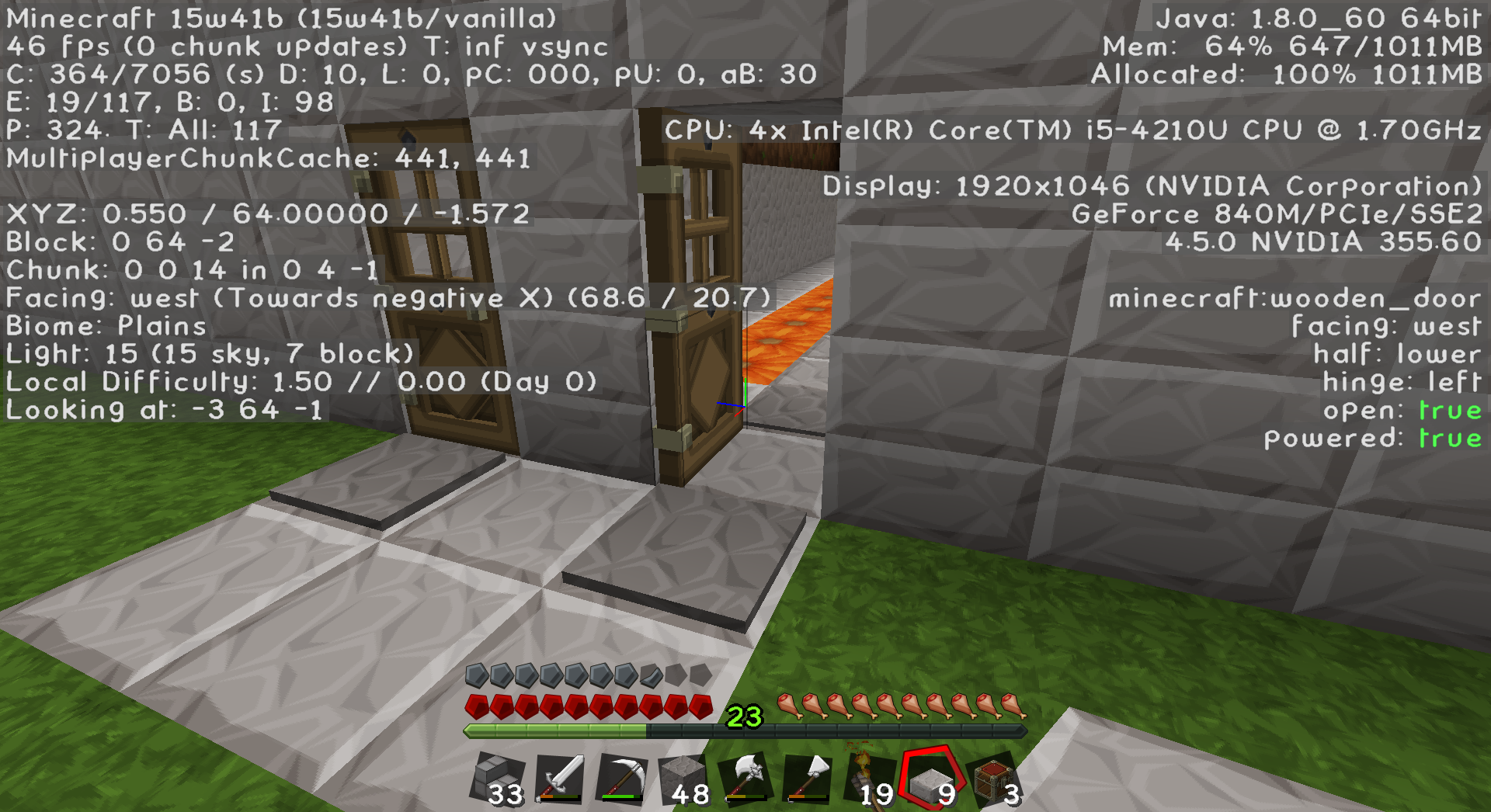
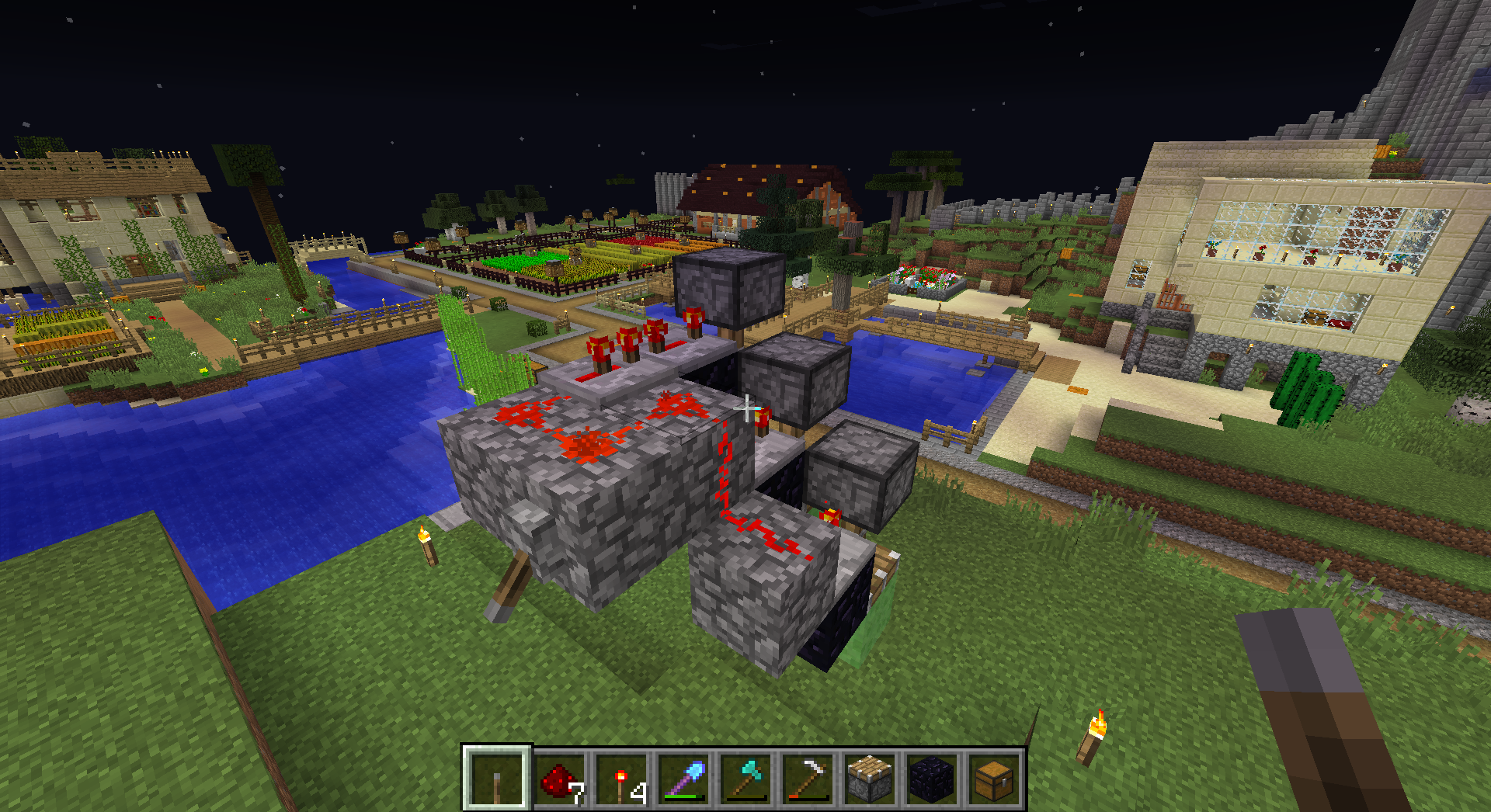
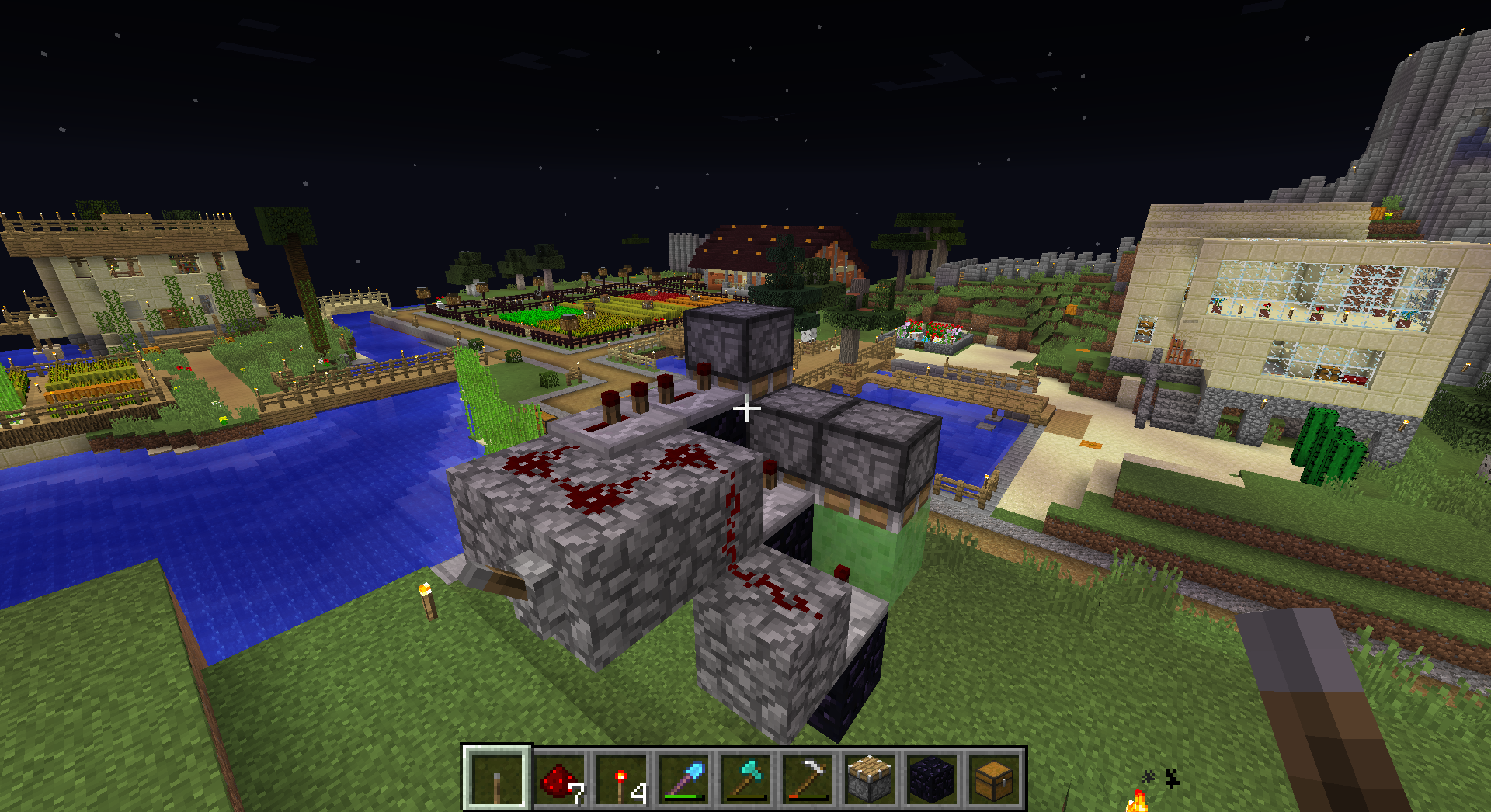
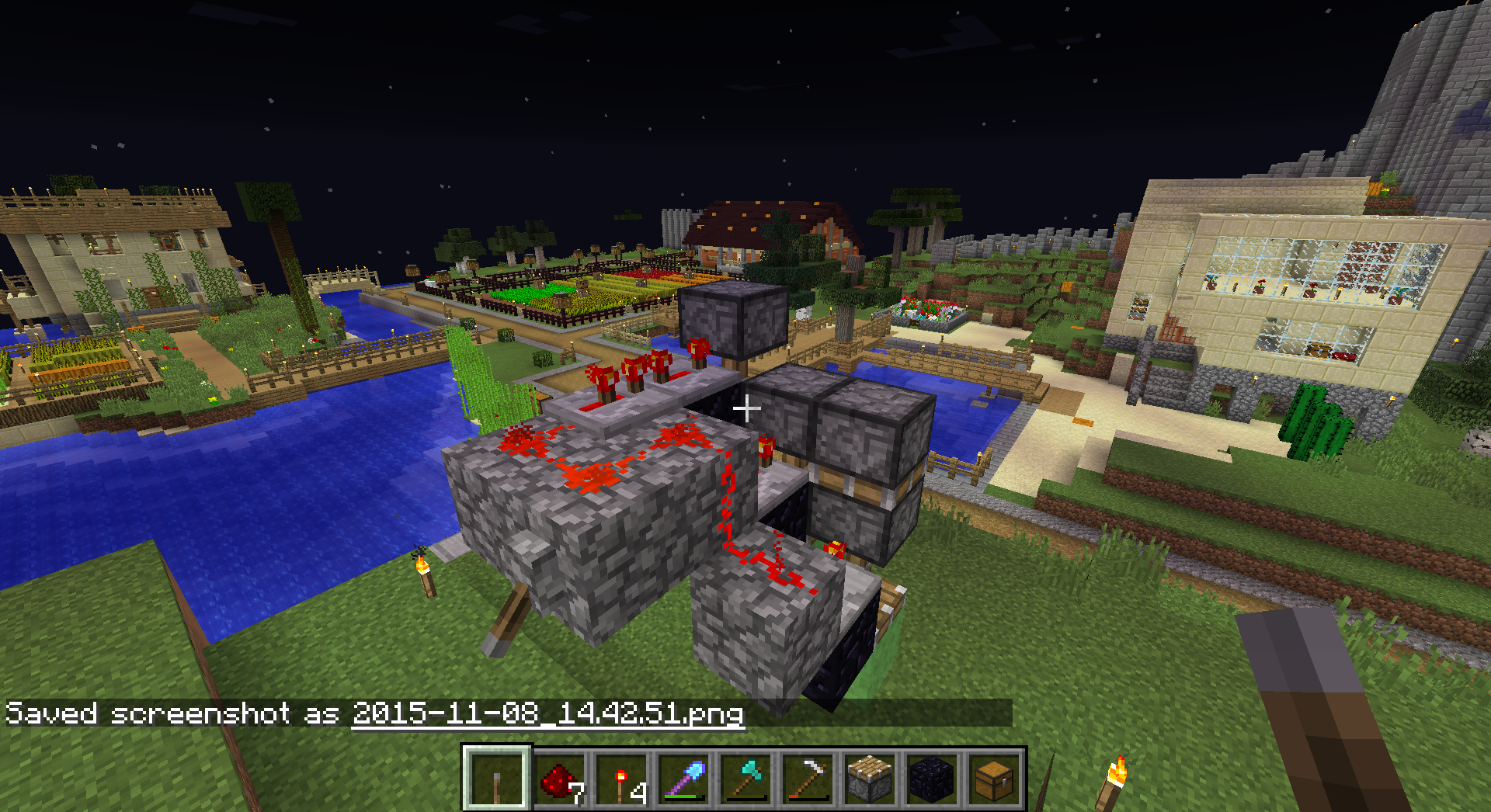
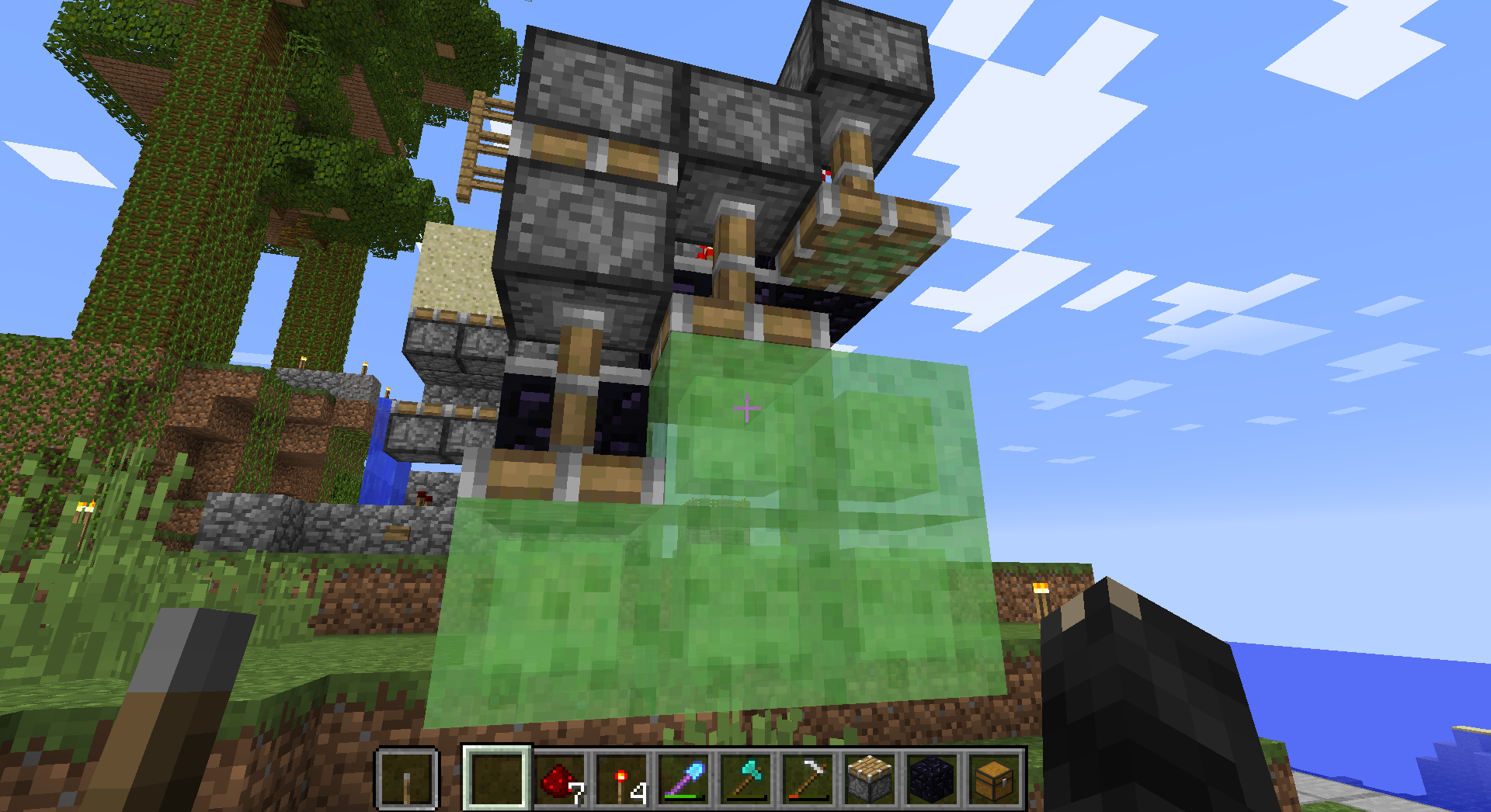





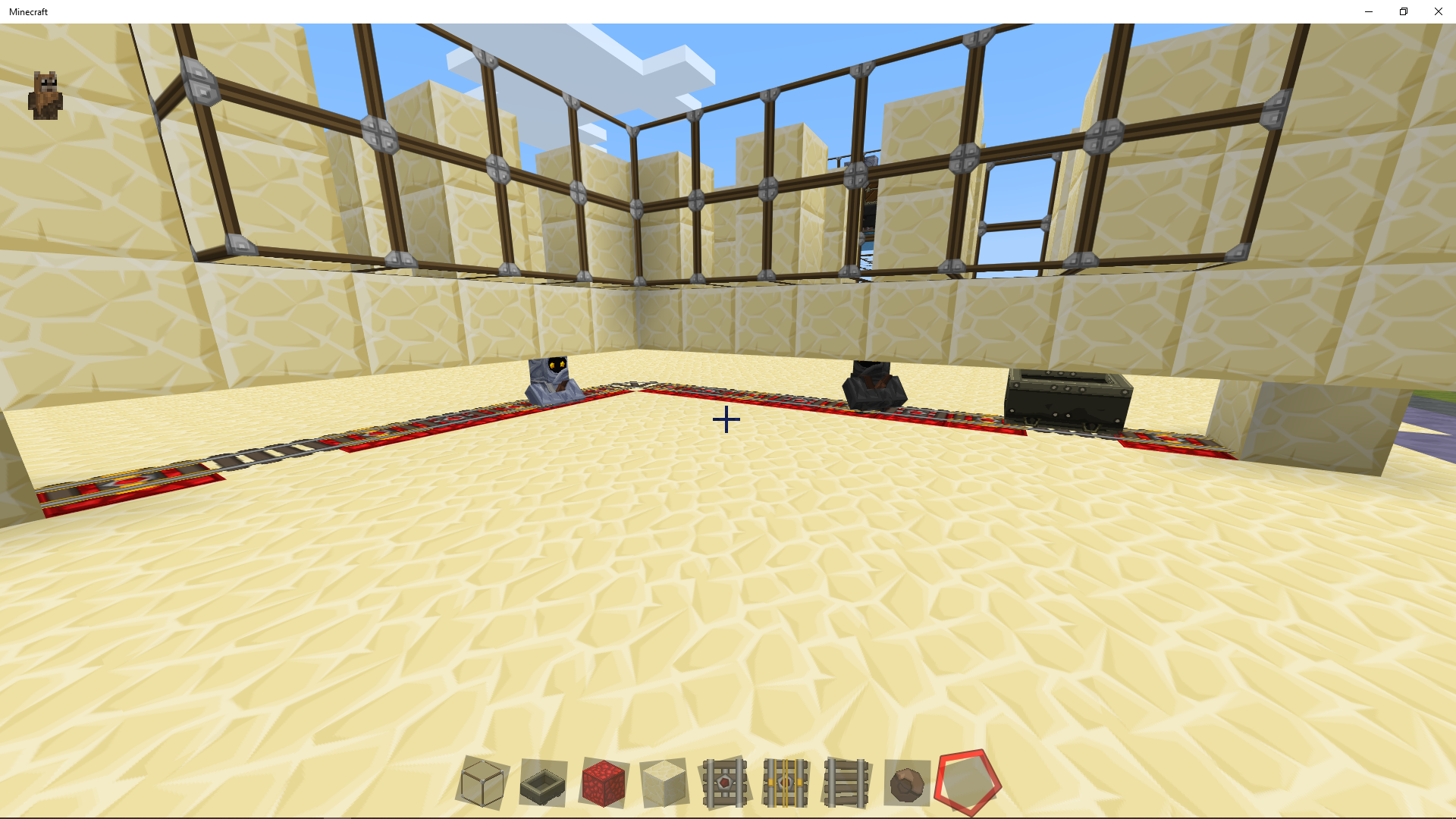



I was attempting to make a slime block gate based on https://youtu.be/F7JkZvsG5WM and in the middle of the video there is a test showing just the redstone portion. I used cobble for parts not touching the gate.
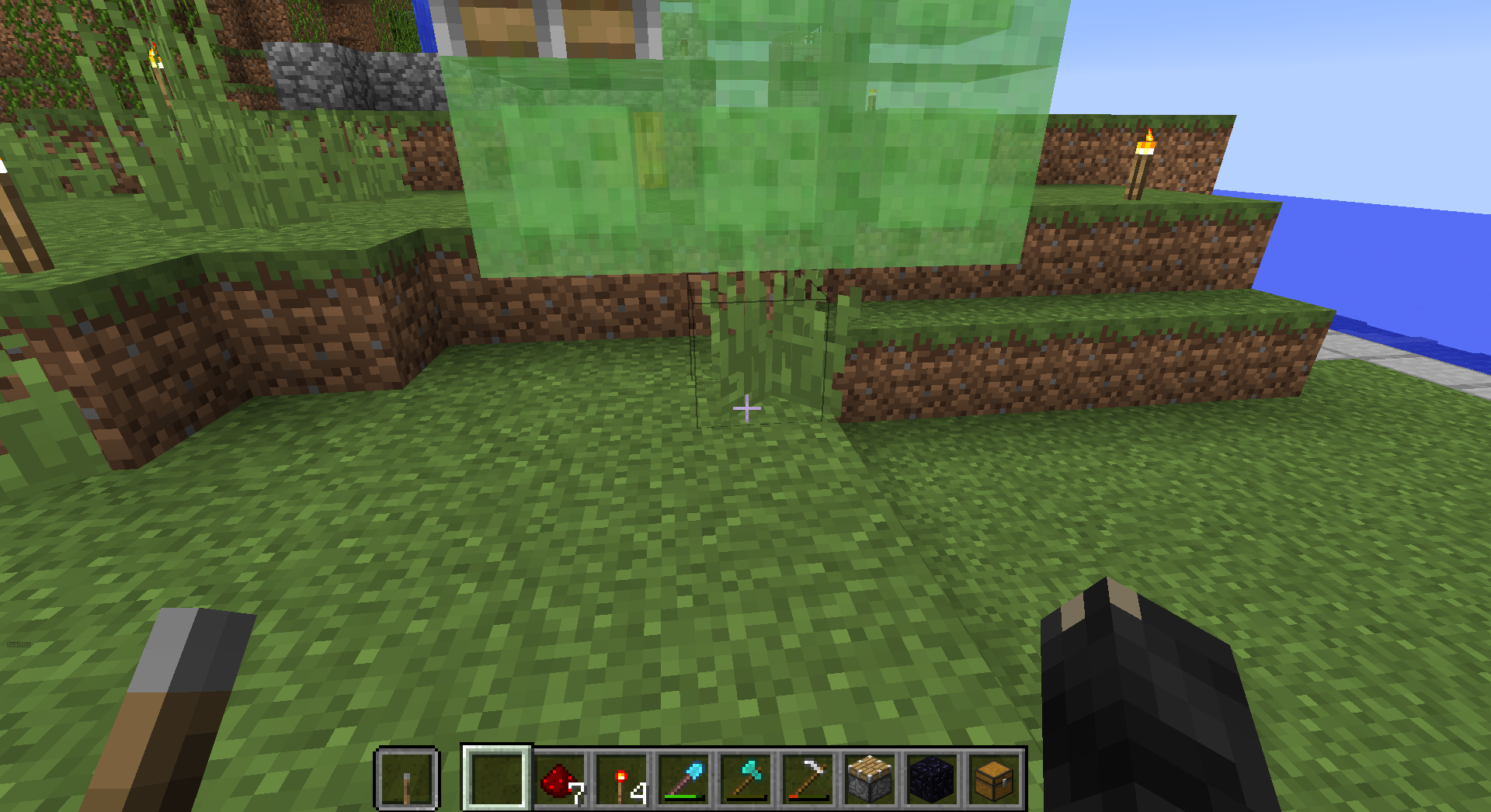
In the following three images, switching to lower extends all but the last piston, though the repeater delays are set correctly. Toggling back off doesn't retract properly, toggling it on again creates a duplicate sticky piston. When I initially tried this, I missed some cobble st
ick to the piston, and it appeared to duplicate the cobble as well. However, I removed the cobble to see if that was a factor, and the screenshots show what I can duplicate.I was attempting to make a slime block gate based on https://youtu.be/F7JkZvsG5WM and in the middle of the video there is a test showing just the redstone portion. I used cobble for parts not touching the gate.
In the following three images, switching to lower extends all but the last piston, though the repeater delays are set correctly. Toggling back off doesn't retract properly, toggling it on again creates a duplicate sticky piston. When I initially tried this, I missed some cobble stuck to the piston, and it appeared to duplicate the cobble as well. However, I removed the cobble to see if that was a factor, and the screenshots show what I can duplicate.
This appears to happen in both 16w43a and 16w44a. I first noticed the problem specific to Llamas when my wife and I were playing the server running on my machine. My client kept crashing while hers did not. I could not produce a crash report because my client would freeze on my computer, though the server kept running fine for my wife.
She suggested I note I am running the "Launcher Beta", she is running the "old Launcher".
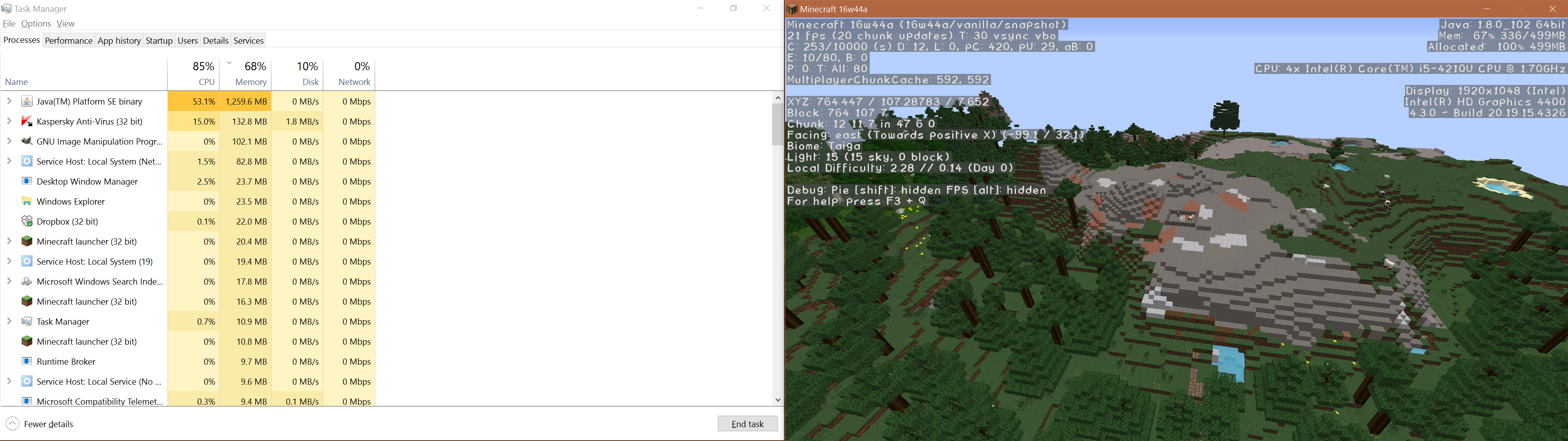
The following images are in sequence as a "Screencapture" of my dual monitor system. For the first image, I waited until memory quiesced around 1G before taking the first image around spawn.
The second image is within sight of the llamas in a pen, memory is at 1.2G, and the F3 screen shows memory is completely allocated.
The third image memory use actually went down, though it still shows "completely allocated" in F3.
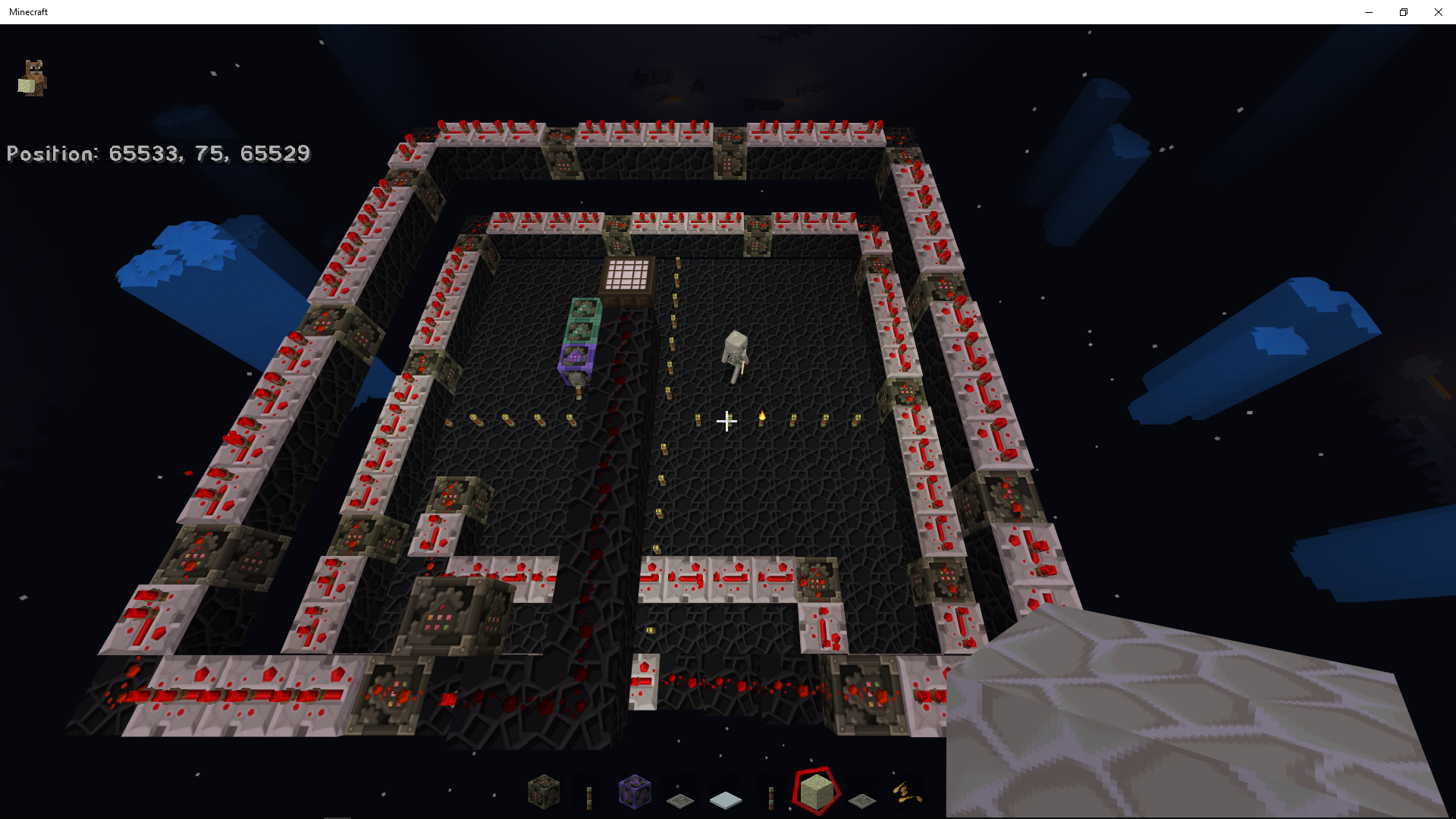
I have a period I can interact with the Llamas, in this case I just started moving around them. Just before the last image, control of my view became "drunk and spinny", like the mouse wasn't responding to control while still "moving". Then the screen froze and I did a screen capture at this point for the final image.
All four of these images were in single-player mode under the current 16w44a snapshot. At the time, my wife and I planned to take the Llamas to spawn, but because I can reliably and consistently crash around Llamas but appear to have no other such crashes, we left the Llamas at a location I can get back to without interfering with our normal game play.
Since the game freezes, I can not produce a "crash text file" that would be of more use. I note her client on her separate computer continues to run fine during my client crashes with the server running on my computer, so this appears to be a client-side issue. Her hardware is not exactly the same as mine, though it is the same Lenovo brand and the same memory configuration. I believe I had the same issue under both the game supplied Java and my C:\Program Files\Java\jdk1.8.0_102, but if it is thought this could be the Java version, I can explicitly test this making sure I am ONLY using the supplied run-time Java.
If there is a specific F3 screen I can test with and screen-capture concurrent log output to help find the problem, I would be glad to do so. So far, I can crash pretty reliably just being in close proximity to Llamas without further interaction and in Survival, Creative, and Spectator mode.
This appears to happen in both 16w43a and 16w44a. I first noticed the problem specific to Llamas when my wife and I were playing the server running on my machine. My client kept crashing while hers did not. I could not produce a crash report because my client would freeze on my computer, though the server kept running fine for my wife.
She suggested I note I am running the "Launcher Beta", she is running the "old Launcher".
The following images are in sequence as a "Screencapture" of my dual monitor system. For the first image, I waited until memory quiesced around 1G before taking the first image around spawn.
The second image is within sight of the llamas in a pen, memory is at 1.2G, and the F3 screen shows memory is completely allocated.
The third image memory use actually went down, though it still shows "completely allocated" in F3.
I have a period I can interact with the Llamas, in this case I just started moving around them. Just before the last image, control of my view became "drunk and spinny", like the mouse wasn't responding to control while still "moving". Then the screen froze and I did a screen capture at this point for the final image.
All four of these images were in single-player mode under the current 16w44a snapshot. At the time, my wife and I planned to take the Llamas to spawn, but because I can reliably and consistently crash around Llamas but appear to have no other such crashes, we left the Llamas at a location I can get back to without interfering with our normal game play.
Since the game freezes, I can not produce a "crash text file" that would be of more use. I note her client on her separate computer continues to run fine during my client crashes with the server running on my computer, so this appears to be a client-side issue. Her hardware is not exactly the same as mine, though it is the same Lenovo brand and the same memory configuration. I believe I had the same issue under both the game supplied Java and my C:\Program Files\Java\jdk1.8.0_102, but if it is thought this could be the Java version, I can explicitly test this making sure I am ONLY using the supplied run-time Java.
If there is a specific F3 screen I can test with and screen-capture concurrent log output to help find the problem, I would be glad to do so. So far, I can crash pretty reliably just being in close proximity to Llamas without further interaction and in Survival, Creative, and Spectator mode.
***********EDIT 11/5/16***************
I put the snapshot on a separate paid service, then went bouncing around the llamas again. I could not get it to crash as before. So "server + client same machine" crashes, "single-player" crashes on my setup, but with the server on another host it appears I can interact with llamas. The next thing for me to try is the single-player on my own machine again to confirm the freeze, then my wife's machine with the same world. I would welcome other suggestions or an F3 screen that might provide more useful data.
2018-03-06_19.54.51.png
Torches can be placed on top of fences, but not on iron bars or glass walls. This may be intended behavior, but I couldn't find it in the bug tracker and since my initial reaction was "surprise", I decided it was a 'bug' until declared 'Works As Intended." If this is a duplicate I couldn't locate under "torches iron bars", my apologies.
Torches can be placed on top of fences, but not on iron bars or glass walls. This may be intended behavior, but I couldn't find it in the bug tracker and since my initial reaction was "surprise", I decided it was a 'bug' until declared 'Works As Intended." If this is a duplicate I couldn't locate under "torches iron bars", my apologies.
Torches can be placed on top of fences, but not on iron bars or glass
walls. This may be intended behavior, but I couldn't find it in the bug tracker and since my initial reaction was "surprise", I decided it was a 'bug' until declared 'Works As Intended." If this is a duplicate I couldn't locate under "torches iron bars", my apologies.Torches can be placed on top of fences, but not on iron bars or glass panes. This may be intended behavior, but I couldn't find it in the bug tracker and since my initial reaction was "surprise", I decided it was a 'bug' until declared 'Works As Intended." If this is a duplicate I couldn't locate under "torches iron bars", my apologies.
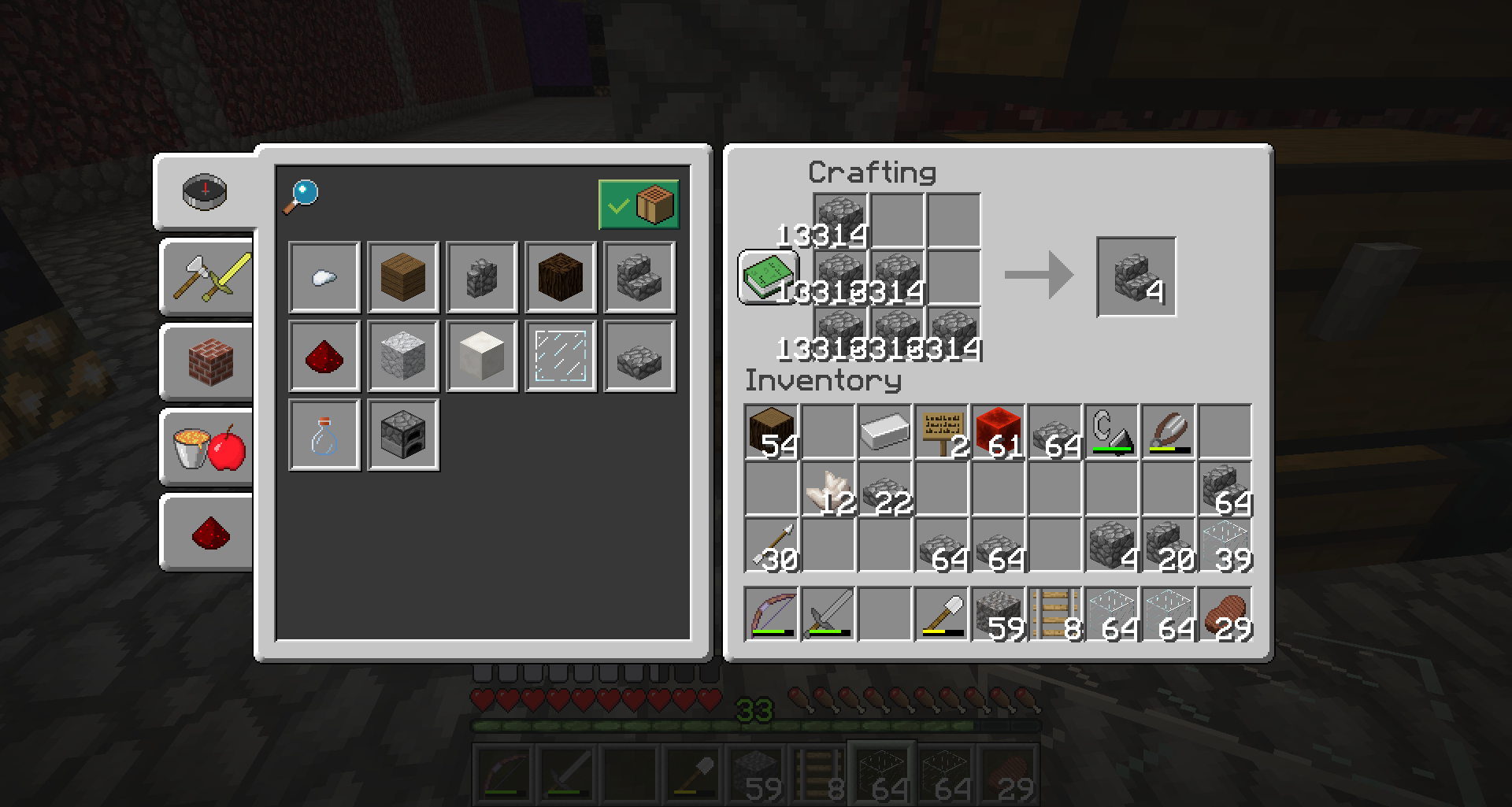
I have my craftbook open and I shift-click on the recipe. It properly puts the stacks on the crafting table. When I right-click to fetch one-at-a-time, the crafting table correctly gives me the one item, but then it puts "ghost duplicate stacks" on the craft table going up to the tens of thousands. When I stop crafting my "one-sies" and either close the craft table or try to pick up the stacks, the "ghost glitches" collapse. I can never actually pull "dupes" out of this, but it looks like the client is screwing up the "stack left over" tally and server corrects the amount to avoid actual duping.
I have my craftbook open and I shift-click on the recipe. It properly puts the stacks on the crafting table. When I right-click to fetch one-at-a-time, the crafting table correctly gives me the one item, but then it puts "ghost duplicate stacks" on the craft table going up to the tens of thousands. When I stop crafting my "one-sies" and either close the craft table or try to pick up the stacks, the "ghost glitches" collapse. I can never actually pull "dupes" out of this, but it looks like the client is screwing up the "stack left over" tally and server corrects the amount to avoid actual duping.
Per
MC-134974, My wife, a friend and I are in a slime chunk. We couldn't see something, but it appeared to be attacking us. We realized the "attack" would happen when we entered certain blocks. We couldn't place sand on the "invisible attack" blocks, but we could drop sand. After mining up the sand, we would continue to be "attacked" entering the same area. Attempts to set all entities glowing did not reveal these invisible "attackers".When we rolled back to 1.13.0, those same areas had living small slimes. Searching, we found
MC-134974but no reference to "invisible" entities. This issue may be specific to slimes and not other entities. If appropriate, we can attempt to duplicate this and send a worldfile, but this may be resolved with fixingMC-134974.
Per
MC-134974, My wife, a friend and I are in a slime chunk. We couldn't see something, but it appeared to be attacking us. We realized the "attack" would happen when we entered certain blocks. We couldn't place sand on the "invisible attack" blocks, but we could drop sand. After mining up the sand, we would continue to be "attacked" entering the same area. Attempts to set all entities glowing did not reveal these invisible "attackers".When we rolled back to 1.13.0, those same areas had living small slimes. Searching, we found
MC-134974but no reference to "invisible" entities. This issue may be specific to slimes and not other entities. If appropriate, we can attempt to duplicate this and send a worldfile, but this may be resolved with fixingMC-134974.
Crasstessellating block grassCrash tessellating block grass
Andy (Romaq) Smith: You'll want to create a separate ticket for that.

![[Mod] EVGENSYPERPRO](../../../data/avatars/users/92853.png)
Andy (Romaq) Smith But that issue is most probably a server issue, reported by [~@----] here MC-97445 (private ticket). This ticket here is more or less a client issue.

@Andy (Romaq) Smith I cannot confirm what you are describing for 1.12-pre6. For me the second line is displayed correctly.
Edit: I suspect you are using it with a modded version of Minecraft since you are using minecraft:tp instead of tp or /tp. Modded versions are not supported here.
Andy (Romaq) Smith, not necessary. there is already a 18w22a crash report attached.

Andy (Romaq) Smith For clarification: I personally also don't care if a Marker-true-armor stand which can only be created by Creative means anyway is "lit" or "unlit" inside a piston. It's just a very simple and quick setup I have in one of my bugtest worlds for an older and different piston-/armor stand-bug, thanks to which I also noticed that pistons are not transparent anymore when not extended back when this happened for the first time.
My concern is directed solely towards a possible lag issue for Minecraft Survival, and I haven't seen any mapmaker complaining about an "unlit armor stand inside piston" yet.
Andy (Romaq) Smith, my solution has been to remove all composters (the villagers will not even attempt to reproduce once they run out of food), then killing all the villagers I don't want. If the admin doesn't have a way to kill specific villagers, you guys can save the villagers you want to keep by trapping them into boats, then mass-killing the rest by ringing the bell (or wait until night time) and lava bucket'ing whichever houses the villagers decide to go into.
Using "F3" and switching between spectator mode/ creative so I survive, it looks like the "new" portal is placed correctly in a safe area, but the player is being teleported to the destination it starts the search for a safe place. For example, if I step through a portal in overworld at 0 58 0, the new portal gets created at 9 45 -1 (correctly in a "safe" spot, a decent enough air pocket) but the player is STILL teleported to 0 58 0 in the nether, suffocating to death if not in creative.
As a workaround, I'm going to make my own air pocket and build a gate to see if that works.
(EDIT) Work-around confirmed. Build a gate, step through in creative, switch to spectator mode and F3 to see your 'intended' destination even if you are in a wall. Find a "safe" spot to go back to creative, work your way to the 'intended' destination, MAKE the air pocket and "safe" destination, make the gate, and it works properly. Destroying the "expected" gate it won't teleport you to is optional, of course.
Bug reset the pressure plate when the server reset.
Still being fished up 15w41b.
My sense of it, it does create the portal in a "safe" location, it just puts you at the location where it STARTS looking, but the 1 to 8 ratio is still correctly done to the fault it PUTS you at that, rather than the "safe" location where a gate was created for you.
1) Create gate at 0 0.
2) Step through in creative mode.
3) Notice you are in netherrack or lava, or otherwise "bad" location, but 'safe' in creative, and at 0 0 in the Nether.
4) Switch to spectator.
5) Look around and you'll likely spot a gate in a "safe" location.
6) Go to the gate in the "safe" location while spectator.
7) Switch to creative and use the gate.
8) Find yourself at the 8/1 distance away from 0 0, 8 blocks for every block distant the "safe" gate in the Nether was... but NOT where you put the original gate you placed at 0 0, as you should be.
So gates are being created, and at "safe" locations. You just are not being PUT at the safe location created, or at an existing gate.
Yeah, please close this one. As a "guess", I think my server dropped ticks then refused to reset the plate. If it reoccurs, I'll post a note to reopen this. Thank you!
Hopefully rebooting the server every twelve hours will keep things clean. Even more hopefully, the server will become stable (or I'll be able to afford TWO gig for it) so oddball stuff like this will stop happening.
How do we get this issue reopened? I'm having severe server lag in 1G memory, no more than four players at a time, even NO players my console is still getting spammed. This snip is just after a "boot after crash":
17.10 10:29:54 [Server] Server thread/WARN Tried to add entity Item with pending removal and duplicate UUID edf35989-60ca-4d45-ade1-29a197a04f4d
17.10 10:29:00 [Server] Server thread/WARN Can't keep up! Did the system time change, or is the server overloaded? Running 2772ms behind, skipping 55 tick(s)
We have a minimal redstone, the world simply isn't that big. This is a show-stopper bug in my opinion. How do we reopen this report?
Version: 15w42a, had the same issue from 15w41b
Oh, looks like this one and
MC-88922are related, I'm not sure which one is the correct one to follow. My issue isn't the "spam being reported in logs", my concern is the fundamental error being reported causing the tick lag. I want to stop the "spam" by NOT having my server confused to the point of crashing.Sorry, thank you. I couldn't find
MC-90011on my initial search for it.I also note your facing is at right angles to both... if you put the boat north of the shore, and get on the boat, the boat faces south... YOU face East and have to turn "forward" to face south, then begin directing the boat.
This time I was there while it happened. The last thing lightning did was strike my barn with its huge wooden roof, set it on fire, then went to "clear" weather. I didn't think to turn it back to "rain" quickly enough, and it tore a huge chunk out of my barn.
At this point, I'm kinda getting upset. I've already repaired my wooden barn TODAY. If this were ONCE in a HUGE while, and only a FEW blocks, yeah, yeah, yuck it up.
Putting a target on my wooden barn and burning it twice in a day... that's a bug.
Ok, thanks. It was just getting to feel personal, like the server had it in for me. :-p I'll chalk it up to being spoiled by default settings with Spigot, patch up my barn and get the word out to the others not to build top layer (roofs, fences) using wood unless it is stuff they don't care too much about.
Rolling back to the last snapshot. Glad I made a backup!
Do I understand correctly the way this was "fixed" likely means a release 15w43b soon-ish?
Confirmed, ongoing issue.
JUST after boot...
22.10 17:36:28 [Server] Query Listener #1/INFO Query running on 162.244.164.11:56141
22.10 17:36:32 [Server] Server thread/WARN Can't keep up! Did the system time change, or is the server overloaded? Running 2353ms behind, skipping 47 tick(s)
I already removed any command blocks that might be hogging ticks. We don't have very much redstone, no command blocks as mentioned, nobody logged in yet, but we've only four players at most. MCProHosting, Stone plan (1 Gb). This is an ongoing issue with 1.9 snapshots, this latest was 15w43b.
Yes! Yes, it does, and BLESS YOU! I applied this resolution to both mine and my wife's setup. I'm not sure if you want to call this issue a duplicate of
MC-83488, though you are welcome to do so and we can put the focus on getting that underlying issue resolved. Thank you so very much!Redstone appears affected also.
I see this was reopened, I'm not sure why, but that's cool. I still think this was a "server gets confused on redstone status", and this is a symptom of a deeper problem I can't get to. I'll certainly keep an eye here, and won't mind if it is closed again.
Ah! Cool, thank you.
I would think the player positioning would be a part of the same code, and having the player view position fixed at the same time as "boat placed backwards" would be useful.
I didn't see at the time I reported, but this also duplicate the slime blocks. Dirt is close to the bottom of the extension, and the ground may have also been in the way. I will try to find out more info if this appears to be something entirely new.
The slime blocks were duplicated, the grass/ ground may be an issue.
OOog! I return to look at it later, and it has the correct count of blocks even though I didn't do anything to correct it. I toggle the switch, and the "dupe bug" is gone, the pistons no longer move from slimeblocks (which may be new but expected behavior, I don't know yet). So until I can duplicate this again, I simply don't know. It may be related to other update issues where the server is confused about what blocks are actually updated.
I can attempt to duplicate this and see if I can get actual "dupe items" when the server has more people on it and is more "busy".
AND I can't duplicate the bug after all, or get dupe diamonds or gold off of it. I have to wonder if it is a "lag glitch" I observed, or "confused state" of the server like some other bugs noted such as the one with the pressure plate. After a server reboot, while the pistons are not being moved by the slime block (1.9 "feature/ fix"?), the test system behaves as I would expect with pistons unable to be pushed or pulled.
Everyone should keep in mind there are two distinct problems:
1) My log is getting spammed from something causing lag.
2) Something is causing lag.
#1 is "working as intended". Something is causing lag, and you are getting told about it. Getting told about it is "working as intended". Yes, it is annoying to be told about it so much, and it would be nice to have this go away, but we need to be told something is "wrong".
#2 is the "something is wrong". We have lag. Horrible, massive lag on the later snapshots that make running versions later than 15w47c impossible for heavily used servers such as snapshot.justsurvival.net.
Having the "spam" go away does nothing to solve the "we can't run the current snapshots" problem. This problem needs to be resolved before 1.9 goes out the door.
Perhaps the title and description to
MC-93093should be changed to reflect the need for better "spam control" throttling as a general issue, andMC-94438could be specific to the packet queuing that has made December snapshots unusable for larger servers?I am certain if Unknown2k told us, "We are running 16w01 for 10 min. to get profile data for Mojang, please bear with us," we would do our best to provide "real world/ in the wild" data to confirm there really is a problem, and help isolate and get a specific target to do the bug fix. The problem should seriously affect Realms as a use case.
I'm a bit confused. How does Mojang get "under realworld use-case testing" to find and fix problems unless the software is getting "under realworld use"? In this case, the staff of the server is under no illusions about the stability of the server, and they are very diligent to communicate with us (the players) about the state of the snapshot and to suggest a Spigot server if the player wants "stability".
Or does Mojang not really care to have their server perform under "real use", preferring to leave good server performance to a third party? That doesn't make sense to me, given Mojang now offers Realms. I'm sure paying Realms customers would prefer not being the first to test 1.9 server "realworld".
Rather than saying, "Snapshots must not be used in public servers", perhaps it would be good to encourage use on the bleeding edge with a sense of proportion and perspective, and more than a bit of humor. We do that, we are consistent about it, and we really want to help build a better product. Waiting on Spigot to clean up Mojang's mess on the server side is really a poor answer.
Just a thought for consideration, since real world servers having real world issues are complex. I imagine a conversation like the following. I have no idea if anything mentioned here is, in fact, anything to do with anything. Just the issue of how complex all this can be, and the kind of patience and questions it will take to resolve the problem.
Mojang: Oh! There's your problem, you are protecting way too much area at spawn! That setting was never meant to be used that way. Lower it, and you'll be fine.
Snapshot: That's the area we need to protect while providing services to our player base you don't easily provide in Vanilla.
Mojang: Well, why don't you try Thing X to do that, and it will be easier on the server and work just fine.
Snapshot: We did do it that way up to the point where some idiots trashed the area because of a hack.
Mojang: Oh, well that hack was fixed in version 15w##a, a later snapshot than you are running.
Snapshot: We are not running it because the block lag was so horrible after version 15w47c made it unplayable with more than 'Y' players. So we update... how can we test to make sure this is really fixed under conditions we can control?
Mojang: I know the specific hack used and we have a test rig. With your permission, I can attempt to use it on your server after the update.
Snapshot: Ok, let's do this thing
— one test later —
Mojang: Oh! We did fix it, but this Z thing you are doing makes the fix not work properly. We didn't know that. Let's try ...
And so on. Real world conditions with "normal use" players including idiots who attack the server on a regular basis simply because it is there, it is popular, and it is well run. A perfect opportunity for Mojang to figure out what combination of real world issues require real-world settings that make the snapshots after 15w47c unplayable. I don't represent Snapshot, I'm just a player who prefers missing the latest bugfixes in updated snapshots to having our server unplayable, but that's like saying I'd rather have a kick in the rear to a kick in the groin.
We upgraded to 16w04a... 13 players online, eating takes 30 seconds or more, going through a portal takes several minutes, and other symptoms. We will have to revert to 15w47c again to keep the server playable. If there is some specific profiling Unknown2k can do, and then forward the data privately to Mojang, we players would be happy to "do our normal thing" and help zero in on a target for the problems that keep us bouncing back to 15w47c.
Unknown2k does not follow this thread closely, as he has his server to manage among other things. But if there is some specific settings we can use for profiling the current 16w* series snapshot, and then forward this info to a non-public email, I can poke Unknown2k to look here so the Devs can have data to work with. We have been running the updated snapshot every release week for several hours, then rolling it right back when the game becomes unplayable. As the release cycle nears completion, we are very interested in having this issue resolved on release.
16w07a, gradually got worse on lag with only a dozen people, then did a solid crash. Attempts to restart wouldn't bring it back up. We reverted back to 15w47c.
Unknown2k can post a crash report to get some useful technical data. We would love to know what useful, specific data we can provide to get past 15w47c on our upgrade path. Again, 1) What debug setting/ profile mode would help get useful performance data before the game becomes unplayable, and 2) How can we get this information to Mojang so we don't publicly reveal player base locations and other private info from a public Vanilla Grief/ Raid server.
(Again with the disclaimer, I am not staff, just a highly motivated and interested common player on this public server)
Unknown2k has been continuously running PreRelease 2 since 19 FEB 2016. We've had lag spikes, but we are dealing with it and they do not appear all that different from 15w47c performance. We also note Spigot plans to release the day after 1.9 next week, which we expect to further enhance performance. If we find we need to revert before or on the 1.9 release, I will note it here.
We do hope in the future that the Spigot "Timings" report may be built into Vanilla, along with some way for us to grasp and report problems such as caused Unknown2k to file the original report. We also hope there is some means built into bug reporting to upload such reports or logs without having them publicly viewable. It is a horrible thing to make visible player login locations on a public grief/ raid server. But we still want to support the Minecraft product with useful data to find and fix problems.
Unknown2k has been running 1.9 Vanilla since its release. The major problem has been DDOS attacks and the swarm of new players, some not following posted rules. While it has been laggy at times, it did have 83 players on it at one point. Unknown2k would have to post to say if it is resolved in his estimation compared to what we've been seeing, but we are running and it has been playable. We do plan to migrate to Spigot later this week.
Thank you for the support on this issue.
--RomaqRosher (Not staff, a just helpful player of the server)
F3's pie chart is great for telling you what is going on with client side lag, or "everything as a whole" in single player. It is a pity an /op can't get the server's perception of lag the same way. Or something of the data provided in Spigot /timings.
Flagged "Resolved"... no, not really. I am testing the new BETA launcher. Oh yeah, I had to look up this NOT YET FIXED-FLAGGED RESOLVED bug report to see how to "PATCH NOT YET FIXED" bug on the BETA. If someone else talks about this problem, I'll have to refer them to this NOT REALLY RESOLVED bug report.
I had a player head revert on Snapshot 16w43a, one was my wife's and the other was my own on a server reboot. My wife's reverted, mine stayed the same. It could be because my laptop REALLY is NOT up to the task of being a server and I'm doing it anyway, and a "slow skin lookup failure" may be to blame. I'm not clear how all of this is supposed to work. It might be the problem is with my system not being up to the task, but if anyone is still following this bug it would be useful to verify this bug CAN NOT be reproduced. I hope.
I'm going to reset her player skull and throw a few others around and keep an eye on it, report here if I have more reverts and I'll report more the conditions and if it only "one or two" in a set or it's the entire set.
EDIT: Further testing... /give @p skull 1 3
{SkullOwner:"MommaMae"}While my wife is not logged in, the command gives the skull right away as a Steve Head with MommaMae's name.
After she logged in, giving myself yet another MommaMae head corrected ALL instances of her player head. I'll try other player heads from the list of custom heads, but I'll wait to further edit this or send further replies until someone finds something unusual in testing. Again, given how my computer is complaining about missed ticks, there may be nothing wrong here. I just want to be sure we have our custom player heads in MC 1.11.
This bug appears in the current snapshot 16w44a for my wife, but not for me. I have screen captures if this is useful, though I can't see how to add those at the moment.
Standard stuff: Put two worn bows in the four-panel inventory. A third bow appears with more durability on it.
Expected: Both worn bows vanish, enchants are stripped, one bow with a bit more durability on it.
Seen: One bow pops back into inventory, the other bow appears on the cursor in place of the higher-durability bow. Place the second bow into the inventory. That bow pops back out of the inventory as if left in the personal crafting window.
It doesn't matter if you pick or shift-click the "repaired" bow out, it still "fake" repairs leaving you with the two uncombined bows, one popping onto the floor.
She also appears to have trouble with dropping items onto an anvil, but shift-clicking it in will work for her.
I do not have the same trouble on my client on a different machine, though I observe the bug when I use her client.
If it matters, she is using the "old" launcher, and I confirmed she is using the "runtime" java from Mojang. I am using the new Beta launcher, C:\Program Files\Java\jdk1.8.0_102\bin\javaw.exe
I will turn off the JDK and try this using the "runtime" java from Mojang to see if I get the bug.
UPDATE: Turning off my personal install of the JDK (so I am using the Mojang Java) does not reproduce the bug. I do confirm "Touchscreen Mode" is OFF for both of us.
My wife reports this is fixed in MC 1.11-pre1, it does not behave for her now as it did the prior snapshot, yay!
EDIT: Nevermind, https://bugs.mojang.com/browse/MC-115145 is for the current incarnation of this bug.
This bug is making an appearance again with 17w13b on the first connection, then allows a second connection. It happened once yesterday, then again today. It seems this occurs after a server reboot.
The Server Log only reports the following on the exception:
01.04 11:00:50 [Server] User Authenticator #8/INFO UUID of player RomaqRosher is _________________
01.04 11:00:50 [Connect] User RomaqRosher, IP _________________________
01.04 11:00:50 [Server] Server thread/INFO RomaqRosher joined the game
01.04 11:00:50 [Multicraft] RomaqRosher ran command Message of the Day
01.04 11:00:51 [Disconnect] User RomaqRosher has disconnected, reason: Disconnected
01.04 11:00:51 [Server] Server thread/INFO RomaqRosher left the game
Confirm broken on our server as well, and our service provider confirmed it was broken for him also. 17w15a
1.12 Pre6 snapshot
I put the following code in a command block then had it give me a sign:
give @p minecraft:sign 1 0 {BlockEntityTag:{Text1:"{\"text\":\"OH NO!\",\"clickEvent\":{\"action\":\"run_command\",\"value\":\"minecraft:tp @p 100 49 0\"},\"bold\":true,\"color\":\"dark_red\"}",Text2:"[\"\",{\"text\":\"The \"},{\"text\":\"flip\",\"obfuscated\":true,\"color\":\"aqua\"},{\"text\":\" broke.\"}]",Text3:"{\"text\":\"Right-click\"}",Text4:"{\"text\":\"this sign!\"}"},display:{Name:"End Spawn"}}I get the following text on the resulting sign:
OH NO!
["",{"TEXT":"The
Right-click
this sign!
I suspect I'm being bit by this bug in 1.12 Pre6. I'll come up with different text.
You are correct, I should have verified in Vanilla first. I'll pass the link to this bug report to Spigot's bug tracker as it may help pinpoint where to update Spigot code. Thank you, it would appear this should be resolved and closed for Vanilla.
Realms, Win10, same issue.
This may be a duplicate of https://bugs.mojang.com/browse/REALMS-219. I'm having the same issue. This may have been an issue last year, fixed, and broken again by 1.2.2 (from the title screen). I'll point the newer 219 big to this one.
This bug means "worlds I paid for in Marketplace CAN NOT be uploaded to the Realm as intended." As money spent on Marketplace worlds rides on the ability to actually upload the world to a Realm, I hope we can get eyeballs on this and an update rolled out that fixes the problem.
This may be a duplicate of https://bugs.mojang.com/browse/REALMS-184. I'm stuck on a "done" screen with 0% on the progress bar and the only option is to cancel after waiting fifteen minutes for a 20.4MB upload.
This resembles https://bugs.mojang.com/browse/REALMS-184, same problem I am having.
https://bugs.mojang.com/browse/MCPE-19467 appears to be the same situation, only in the MCPE bugtracker.
Ugh... brainhurt... ok, I checked in tonight to see if by magic this thing is fixed. This time I attempted to upload a 5.4MB file. It went through the behavior above, leaving only a 0.0 uploaded and CANCEL button. While reporting to my wife this is still a problem... it finished the upload.
I am trying the 21.2MB upload, and after several minutes the progress meter goes to halfway, then full. So I can confirm that it does in fact "work", but the progress meter needs some "status pending" warning rather than sitting for minutes, then uploading in a burst. This is horribly confusing!
Technically, this should remain "closed," but should I post a better "progress meter" in Suggestions? If someone uploads a 50MB world, I'm guessing this could hang for quite a long time before showing any progress.
This issue is present in the Bedrock edition, but my attempt to report the bug in the Bedrock tracker insists I need to "search" for this bug before reporting it, and refuses to accept it as a "duplicate". Or perhaps I misunderstand what I am seeing. Would someone be in a position to verify the "old" trapdoor behavior reported as a bug here is present in Bedrock, and then sort out how to report this bug in that bug tracker? I am hoping for Mojang to fix Bedrock to match the current Java behavior.
Still getting this in MCPE 1.2.6 on a Realms server.
1.2.6. My sense of it is, from the LAST place you jump-placed a block, when you start as second stack, it will take the next block you intend to place from your inventory and place it on top of that last place you jump-placed a block, then fill where you intended. This seems to work from a reasonable distance, though I've not tried to test explicitly how far this works. But even if you place, say a wall or torch normally, the very next time you "jump-place", that first block will go on top of the fence or over the torch AND another block where you intend. No block duping ever seems to happen, but this is really annoying as hell when doing some jump-placement work.
Oh, this happens both single-player, LAN, and in Realms.
I think this is a duplicate of https://bugs.mojang.com/browse/MCPE-12347, so you may want to watch that one. I'm having the same issue with 1.2.7, and it has been an annoyance since the "Buggy Together" update.
I think this is a duplicate of https://bugs.mojang.com/browse/MCPE-12347, so you may want to watch that one. I'm having the same issue with 1.2.7, and it has been an annoyance since the "Buggy Together" update.
We are using https://youtu.be/6tdBrZ99Ebk on our server, the last version which detects if anyone is "in" the bed during night hours. Sleeping is "best" as it kicks the player out of the bed and stops advancing time. But that only works "properly" if we randomly sleep where the command block expects. About half the time, the player is "sleeping" but NOT detected "within" a bed, so the sleeping player is ignored until they leave sleeping and jump on the bed or try sleeping again.
So in our case, this isn't just "fluff", it impacts our ability to do "one player sleeping" in a multiplayer game. 1.2.8 Realms.
This affects villagers also. My villager breeder uses a glass fence to separate baby villagers from adults. When the chunk is unloaded/ reloaded, adults came through "appearing" on the wrong side of that glass fence. 1.2.9 Realms
It does play merry hell with anything to do with villagers where chunks are loaded/ unloaded. ;(
We have had this problem during an unrelated lag issue. A player and I are going to try to recreate the conditions and see if we can make a test world that produces this situation. If we can, we'll upload it. Wheat, potato crops just going crazy seemingly replanting themselves and bursting out of the ground. 1.2.9 on a Realm.
It appears this is a "realms+Bedrock" issue. This weekend I'll try to recreate the situation that caused this on our server. I think it is triggered when there is already lag in effect, then the cropland just "goes nutz" and makes it far, far worse. We'll see if we can duplicate it on Single-player first, then try it on our realm. I'd really love to ship Mojang a working example of cropland self-harvesting.
I attempted replacing the glass with a solid block to suffocate the villager unless put in a "valid" spot... the "dismount" simply put the villager one block deeper into the dirt under the rail rather than any "up & over" valid (non-suffocating) spots. Unless I can figure out how to force the villager to dismount somewhere OTHER than on the rail, pulling villagers out of minecarts without breaking the minecart. And if the dismount is messed up there also, this could be a real problem for villager transport using minecarts.
Per https://www.youtube.com/watch?v=rKqX1plDxbI mobs are not spawning on "Bedrock", per se, but spawning on the redstone on bedrock. I asked SilentWhisperer to confirm Bedrock is exempt from spawn. If there is a bug report explicitly to mobs spawning on redstone (or other inappropriate block spawning) then this bug report would really be a duplicate of that one, and should be flagged that way.
I built as simple a test condition as I could think of, an "L" shape with powered rails alternating with activator rails so I had both orientations. As I had this doubled with "pockets" on both sides, this should also validate the villager going "up and over" either direction, so I should have all four directions covered in this design. The "pockets" are valid landing sandstone blocks (not slabs). Glass is outside to keep the villager from falling out should they be teleported. I first set the cart running back and forth. I dropped in one villager, and he would alternatively pop into and be picked back up again by the cart. I then put glass blocks at head height so they would not suffocate, but as you can see from the latest image they "pop" one block under the rail rather than the "up & over" as described by the wiki. I'm not clear what other tests I could do or how I could provoke the villager to dismount as seen in the video (MCJE) mentioned in my initial post. Sorry for the delay, long hours at work and I have to have a clear head to try to think this thing through.
Same server as Robin... To "fix" this, I slaughtered all the villagers, broke all the doors, then I replaced the villagers first making certain I had four brown-coats this time, then replaced the doors. They are breeding now. This situation started when we lost the only farmer we had, and we tried to "fix" this. In the future we'll not worry about a farmer, just get more breeding pairs and feed them externally. This appears to be a horribly elusive bug that will be a pain to attempt to replicate.
Oh yeah, Realms server
Ugh... we have a villager mall, we thought the mall was unloaded, as well as a villager pen some distance out will definitely be unloaded. The question is if even unloaded villagers count towards the cap of ... 50? The only way we can be sure is killing off ALL known villagers, and we are simply not going to do that. We'll count this as a bug issue until we have clarification.
EDIT: I am working off a copy of the backup. I removed the ticking area and the villager breeder is plenty far enough away from the villager mall. I'm hanging out waiting to see if the new set of villagers will resume breeding. The new set did spawn one baby among four breeders, then stopped. After waiting for potatoes to despawn, I'll then start slaughtering all known villagers in the unloaded chunks to see if this will trigger villager breeding again.
Sorry, work commitments. I have a copy of the backup of the Realms server. I've slaughtered all villagers outside of the breeder. This includes our Villager Mall and known villages on the entire server. Within the breeder, they are currently throwing bread around, but the farmers are not picking up potatoes. No love hearts, no babies. GruvaGuy appears aware of "villager spawning weirdness", and I've asked him to apply his testing methods so we can iron out this issue. Freakin' Bedrock villagers.
I do have an enchanted bow in the hot-bar. So it doesn't "warn" or "refuse"? I may also have had damaged bows I combined for making them, but I did have "no durability loss" bows too, which I used to craft the dispenser manually. I can try it again if needed, and post a screenshot when I do.
No need for me to reattempt and screenshot, then? Everything else recipe-wise seems in order so far, though I rather wish Java now worked as smooth as Bedrock's recipe book. I do note pertaining to this bug, I'd rather have a warning that it's confused over which bow or something than, "I know you wanted a dispenser, I'll offer you a dropper instead" thing.
The "steps to reproduce" might work better without mention of "cheats" just to clarify. Simply "have all players in room" rather than mention TP'ing, or if they simply walk to the location. That way we don't have the confusion of the "cheats" issue as cheats do not appear to impact this particular bug. Thank you for reporting this, though... it really is havoc with "one-player-sleeping" tests.
18w08a, Fresh world using seed -5141882208578940786
/gamemode spectator
/locate Stronghold
/tp @s 8 32 8
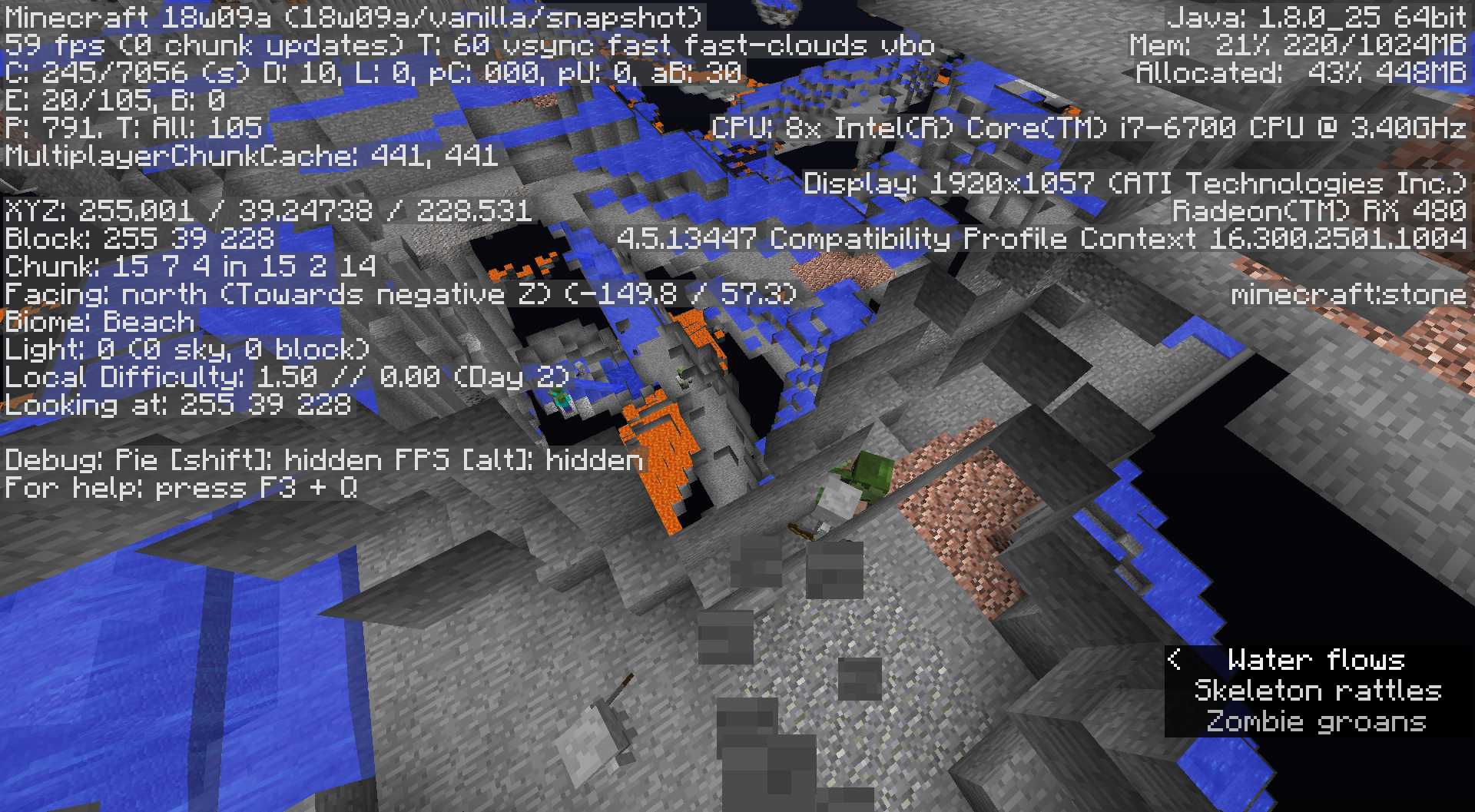
No stronghold. This bug may also be in 18w07a+ as we started our world in that version, and it wasn't there either when we are close enough the stronghold should certainly have been created though we didn't look for it in 18w08*. I did not test this in other seeds yet, nor move far enough away to test other /locate Stronghold-s. If I get comment but no confirm on this, I'll do more poking about to see if this is common in other random, freshly spawned seeds. A nearby monument was created just fine where expected on both 18w07* and the freshly generated world of the same seed.
Normal world with that specific seed. I can send a screenshot if needed, and I will attempt it again with the fresh 18w08b snapshot. As a "guess", it would be when a stronghold would be created under an ocean of some sort, but I was short on time to investigate 1) the other 126 strongholds in the world, or 2) look at other random seeds for strongholds, particularly under the water. I will look over the next two days I have off in the current snapshot.
In 18w08b, I get a new value in our old world when I use /locate: 520, 32, -1320. But when I teleport there, still no Stronghold. I do note it is "deep lukewarm ocean" with a sandy bottom. I'm confident this is a newly spawned chunk given the sandy bottom, but I can't be sure until I start the same seed fresh. I moved in Spectator until I was far enough away to get another /locate for a Stronghold: 4664, 32, 1384, and there is a Stronghold there complete with an inactive gate. I also note it is below a Taiga Forrest, NOT under an ocean. I have to play with the fish in this Snapshot before my wife has to hurt me, but I'll do more testing with other random seeds, specifically looking for strongholds under an ocean.
I created various random seeds, /locate Stronghold put in in a stronghold each time. I tried seed -5141882208578940786 again creating it under 18w08b, /locate Stronghold also worked in this version. I suspect my problem was ocean tweaking and the change in biomes along with already created biome chunks, and the Stronghold "moved" between versions, but Strongholds obviously can't "move" where chunks already exist. I'll chalk my problem up to "locations" moving around with chunks already in existence. Thank you for following this up with me.
Yeah, I have a "water drop" from a height so I can get to bedrock quickly. Without thinking, I try to "sprint" out of the splash zone to go about my business, I swim in the one-high block of water instead, then I have to jump out. How annoying! This is not a desireable feature.
I tried a "work around" by loading 1.12.2, making a custom world, then doubling the size of the ores generated. As a way to be sure the "work around" actually worked around the problem, I also jacked dungeon spawning from 7 to 100, then checked my work in 1.12.2 to verify the world was created as I asked, and it did in 1.12.2.
I copied the files to the 18w09a "server", removed the region files, then fired up the server. Unfortunately, I'm not finding ANY dungeons, even where I expected to at least find one poking around. I'm not clear if the "custom" ore changes took or not. If Andrew Jankevics or someone else with the same tools to make a histogram can verify if "custom" ores actually change, we would at least have that as a work-around.
I do not know if the lack of "custom worlds" in the menu is a "bug" or a "we don't want to allow insane customization yet-feature". I'm also not clear if there is a valid bug in dungeons not spawning at all since 18w07c or I'm horribly unlucky at finding them. If it is a bug, I would expect the "ore" increase maybe worked, I just don't have the easy tell of ridiculous dungeons. I'll poke around a bit more, and if someone already knows dungeons are currently broken I'd be happy to look at and vote for that separate bug issue.
EDIT: I finally found one dungeon after much searching, so dungeons do exist, but the 18w09a snapshot clearly ignored my "go nutz" setting in the level.dat file. If the snapshot is also ignoring the "make more ore" customization, that would definitely foul using 1.12.2 customization as a work-around for the stingy ore generation. I do note the seed is preserved just fine, so level.dat is not being totally ignored, even if it is customized. Sometime this weekend I'll try to "go nutz" on ore generation to see if that would be preserved from the customized level.dat, but what would be helpful is a) to know it would work, and b) what to tweak settings as a "work around" for stingy ore-generation in the snapshot.
Thank you. I did look, I just didn't find it.
Could Andrew Jankevics please run this on a sizable portion of the Nether? It seems stingy with Nether Quartz as well. NQ is there, it just seems more scarce than I would expect for the tunneling I'm doing, as well as looking at Nether walls. If "spawners" can be tracked in this way, perhaps it can be run on those to check Zombie, Skele, and the Spider spawners. My guess is the "random spawning" code was altered in some significant way that really drops the rates on everything that isn't "structure."
Ouchie! Good luck on getting back in action. I mined in the Nether between level 46 and 64. I wouldn't want resources to be "too" abundant, but yeah, everything does seem on the stingy side. I'm also expecting more of the *-ite blocks even though it isn't a critical resource so I really don't notice it at first. It really has the feel that common "random" placement is unintentionally clamped. https://youtu.be/FE5S2NeD7uU describes "Phase 3 world generation" where after the general terrain is created with water (Phase 1), then grass, dirt, caves (Phase 2), comes Phase 3: ores, including *-ite's, possibly dungeon generation. I suspect the Nether has much the same order. My guess would be everything in the Phase 3 side is unintentionally clamped.
I've been playing with the Snapshot. When I last checked, I had lost 3 of 5 adult villagers "somehow" from https://bugs.mojang.com/browse/MCPE-21416, then it looks like the two villagers remaining had 3 babies. I'll keep an eye on it, but at this point my wife is mad as hell about the "Buggy Together" update and we are taking a break from Bedrock to deal with the buggy snapshot (also having villager issues) instead. ¯_(ツ)_/¯
[unrelated screenshot about MC-125106 removed]
Current snapshot 18w10a, seed 7719836812195502587 and I just teleported to a Stronghold to take a look around. -1545 35 -203 a water fountain isn't "fountaining". If generated "fountains" are not "fountaining", this could be a noticeable issue. Another fortress in the same world, same fountain, same issue.
Also noting epic fail on ship generation in end cities, also note the fail is on chunk borders. It "feels like" certain chunks are being generated and "frozen" before the end cities finish generating. 18w10a
Confirmed 18w11a
I'll watch for a confirmation of "intended effect" from a mod or dev, but for water drops (you use water at the bottom of a long drop as an "elevator down") and when exploring caves, swimming in 1 high water because you happen to be sprinting can be annoying. It shifts the view reference, and you have to "hop" out of the water, where if you were simply sprinting out of water from standing, your view doesn't shift and it makes water drops easier and cave exploration is less confusing, especially while trying to run from a creeper and you HAPPEN to be sprinting through a stream of water.
For those who want to keep this, a simple enough test: try manually flooding a cave in Creative mode. You have to fill up from the bottom to avoid problems with flowing blocks of water where there shouldn't be. Be sure to give yourself night-vision. Just fill the cave in Creative and see how that 1-high block swimming works out for you if you are sprinting and trying to do it quickly.
I'd really want to see that from a Dev. Even if it doesn't deal damage, they are still aggressive creatures displaying aggressive behavior, and that is not how it works for any other such mob in Peaceful.
This problem does seem too common. "tilly" is a seed where this is in effect near Spawn, and our server group exploring new seeds have discarded a dozen candidates because we don't want frozen ice oceans adjacent to our jungle/ plains/ desert biomes right at spawn. And of course, it does no good to break the ice... next rain storm will freeze it right back. 18w11a
Thank you. I looked for it already in there, but I didn't get
MC-45602past every other bug that triggered in the search.I am reliably getting this using /stop in single player with 18w11a.
Still valid 18w14b
It would be very handy to get solid confirmation on "intended behavior". It appears the current behavior is to require 1x2 minimum with one column having bubbles and the other still, preferably for player elevators on the side away from the entrance. I'd prefer a single column of water, but I found I could do a "dead-fall" diagonally with a "still-water" buffer directly adjacent to both the bubble column and the "dead-fall" column. This would allow a way to break going up or down to use more than just a "bottom" and "top" floor. It's a solution I can live with. If anyone finds a screenshot necessary, I'll put something together on Minecraft Forum. Otherwise, clarification on "intended behavior" would be quite welcome once this is firmed up for the 1.13 release.
Confirmed for Bedrock + Realms. My group has since returned to Java, but if I encounter this again in single play, I'll keep a copy to upload.
The only solution we had for this problem was to break the plowed land block under the "storm". The lag, of course, only went away after the items were collected into inventory or despawned.
Confirmed in SP. Win10. My wife suffered this in a LAN to the same world. I do have the experimental switch on. The effect does seem random. As said, relogging fixes it for a time, but once gone it is gone. This happened when I just started a session.
Gah... The block is gone if it doesn't appear, relogging doesn't bring it back. Sorry, can't edit prior post from my phone.
@karadine, you may be correct, I'll have to test. I shot at ghasts in this time frame, so I can really see that.
EDIT: @karadine, your assessment appears to be the correct one. To replicate this, pull back, don't release but switch to another item in the hotbar. Mining blocks pops as if you were in creative. Release an arrow from a NON-infinity bow. If it doesn't drop like it is supposed to, shoot a second arrow and that one will "stick" so you can pick it up, and mining blocks will behave as expected.
MCBE 1.2.13.
I'm getting this on my current release version 1.2.13. Hopefully the next update will fix it. I'm doing quite a bit of horse riding, and my horse has taken to vanishing (forcing a dismount) then reappearing. It's REALLY hard to ride when I keep getting the vanishing-horse dismount. :-p
This is also happening with other passive mobs such as cows. It wasn't happening at all before today. This is really strange.
Confirmed on Vanilla Java, I can provide a screenshot if appropriate.
Is there a matching version of this for Bedrock? It would be most helpful if the fix for these inconsistencies were consistently applied to the other platform. In terms of using commands, I'd rather not have to think about what platform I'm using and have it "just work". In terms of command block structures and map makers for both platforms, I'm quite certain THEY don't want to have to remember inconsistent block-names/ item-names between platforms either.
More than a year. Still WAI, still no answer. This is particularly annoying where we place signs over a grass path. Fence gates, same. Is there a process to request a revisit for stupid WAI's?
Confirmed upgrading my server from 18w22a to 18w22b. We had a mending villager that became a Protection villager, books have changed to Protection, bows have changed to protection. "New" stuff generated is as expected. We are rolling the server back to confirm what was before the upgrade. I can redo the upgrade on a private copy of the world to see what specific cases of enchantments turn, and I would be happy to upload the old world copy for testing the upgrade if appropriate. My wife reports all Librarian books are Protection. So... yeah. Rolling back to the backup.
EDIT: Oh, please edit the subject to be, "...when upgrading 18w21-A- to 18w22b". This bug may not happen with other releases or snapshots. It appears to be relevant only to yesterday's 22a snapshot so far.
EDIT2: I meant ... nevermind, but this happened between 18w22a as well, so a slightly different subject title may be more appropriate.
After switching from 18w22a to 18w22b on our server, we never rebooted before we began to notice "oddness." My wife was in a hurry to have me see the Mending villager she and a friend had found, only to find it a Protection villager now. The bug may trigger differently depending upon if it's a single-player load or server start-up. Our server never "saved" before I was shutting it down to rip out 22b for 22a and restore the world as it was.
My wife feels Lapis has been shy as well, but that's her impression. I'd rather stick with numbers from Andrew Jankevics or someone else able to run his Ruby scripts across samples. Impressions are such a funny thing. 18w22a.
18w22a (sorry, that is the current version I am running because of the "all enchants become protection" bug)
This problem doesn't trigger a crash.
On console for the remote server:
03.06 19:01:31 [Multicraft] Romaq ran command Message of the Day
03.06 19:01:31 [Server] Server thread/INFO Romaq joined the game
03.06 19:02:25 [Disconnect] User Romaq has disconnected, reason: Disconnected
03.06 19:02:25 [Server] Server thread/INFO Romaq left the game
The server doesn't seem to notice anything. My client didn't crash, so I have no crash report. But I did this by having sufficient full stacks of cobble. I used the recipe book to select "cobble stairs", then I right-clicked on the cobble stairs on the craft table. The craft-table cobble block numbers went up as I used up the cobble making four stairs at a time. Putting the stairs into my inventory, I tried to drag and pull off the "duped" cobble, then all the numbers reset to their appropriate value. No 'duping' actually occurred, just the temporary glitch.
I can not duplicate this in single player, but it appears to happen only when connected to my remote Snapshot server, again running 18w22a.
We encountered this same crash in a new world generated in 18w22a. I'm fairly certain these are new chunks while we were seeking a stronghold. It doesn't appear the stronghold generated. I can throw my crash report in if it would be helpful.
18w22a (the "C" version has the Protection bug we are avoiding on our server).
03.06 20:39:57 [Server] Server thread/INFO Seed: [1792046945237349279]
As described, /locate and Eyes of Ender direct us to [-40, ~, -1640]. Went there in Survival using Eyes, no Stronghold. /locate, no stronghold ON THE SERVER.
I started a new world single-player using the same seed, verified it is identical to our server. /locate worked just fine, a stronghold is at the expected location[-40, ~, -1640] so the stronghold failed to generate. We were getting the
MC-129136game crash bug "exception ticking world" while trying to use Eyes of Ender to get to the Stronghold. I suspect that game crash prevented the stronghold from spawning.The only current work-around we can see at the moment is to copy the newly generated region world in single-player over to the server.
EDIT: My other players traveled far enough away to locate another stronghold location. /location and Eyes of Ender work correctly to find it at [5288, ~, 6328]. We did not crash the server this time. My 'guess' is that something triggered the
MC-129136crash before the Stronghold could be generated causing generation to fail. TheMC-129136bug may or may not be related to Stronghold generation. We did not trigger the crash, so the second Stronghold succeeded to generate on our server. We are going to live with this Stronghold since trying to replace the first one isn't without risk.Confirmed fix. Upgraded our server from 18w22a to 1.13-pre1, no noticed changes, no protection bows... yay!
Still happening with 1.13-pre1, we headed off in a direction to look for a treasure from a map. These may be newly generated chunks, same "Exception ticking world" crash. We will try to limp home through the crashes.
EDIT:
As long as we stick to chunks already generated in the Overworld OR explore in the Nether, we are good. This feels like it is an issue with generating new chunks in the overworld, and somewhat random. I also note this crash seemed to break the generation of a Stronghold. Once we generated the overworld chunks looking for the Stronghold, one wasn't there even though Locate suggested one would be and the Enderpearls insisted one was there, except it wasn't. We poked around to find another stronghold much more distant and that one DID generate to the Southwest. We are crashing attempting to go Northeast, and the other crashing seemed to be in that direction. I'm going to see if the server crashes exploring in Spectator traveling in positive only chunks.
...
It seems like I can provoke it in negative chunks, even in Spectator, but it isn't something I can consistently do. It is possible the crashes are tied to chunks partially generated but not completely generated in an older snapshot, but this is just random enough I can't be sure of anything except when it happens, it persists until I push through, teleport out, or out-travel it in Spectator. I know I was generating chunks without triggering this, as I encountered the start of lava falling. Villages were generating also without triggering the crash. Maybe someone else can find some way to reliability cause the crash so it can be resolved. I'd rather not map-wipe again, and I'd really hate to see this in the 1.13 release.
Neither client nor server crashed, so there is no crash report to attach.
Screenshots taken in 1.13-pre1
Thank you. I did search, but I didn't hit the right search words for this one.
I had the same situation. I couldn't reproduce Single Player. It "feels" like the client gets it wrong, the server has the correct count, and attempting to grab the "dupe" resyncs with the server. Losing sync and resyncing only occurs on remote connections. It may be possible it "would" lose sync on single player, but resyncs with the "server" instantly, so we'd never notice the desync.
Fortunately for everyone, no duping, only ghosting. It's annoying, but not game breaking.
Confirmed for Pre5, agreed. I also think it is related to bugfix
MC-132064. This might be related to an attempt to fix bumping your head (suffocation damage) when swimming under blocks and accidentally swimming "up". I've not come up with a search term for that bug yet. But while working on the ocean floor, I'm "swimming down into" the floor, no damage, but building becomes an extra layer of complicated as I can't "stand" and work.Pre5, I'm using the following:
https://youtu.be/6Skn7VX30HE
I'm killing ridiculous amounts of drowned with tridents in their hands. No trident. While the number of drowned with tridents seems to spawn correctly, actual drops seem VERY painfully rare. Would there be a simple way to verify drop rates? Either our luck is quite horrible, even for using the farm, or something is very wrong in Pre5.
EDIT: I added two drowned spawners within 10 blocks of the villager while my wife held the chunks open. We got lots of drowned in a short time. I then checked the Nether side and I managed to kill lots, watching for drowned with tridents. No trident drops. When I was ready to quit, I saw two with tridents in the gate. I pushed the button to get them out of the gate, killed them, and I got two tridents.
So they ARE spawning with tridents, and once in a great while, tridents do drop. But the rate seems pretty impractical to get a trident without a farm if it's this difficult to get it with the farm.
I would be happy to set up a counter that only counted unique trident drowned within the kill box I could compare against the drop rate. I would be happy to make a series of tests to verify the drop rate simply "rare" and not "ridiculous."
EDIT2: I can make sure the Overworld trap chunks are unloaded and use a spawn egg to drop 25 drowned into the killbox, switch to Survival, then tally tridents. I can continue to do sets of 25 and counting results until we get "about so high", hopefully at least 500 spawn attempts. I'll publish the results here. It should be just as easy for someone else to do the same, even if it's just in a closed off box. I'd be happier knowing other eyeballs and better luck returned some numbers on this problem.
I'm using Faithful, I've disabled. I figured it would be something like this. I'll make sure the Faithful team is aware of it.
I understand why this was flagged, "Invalid." It isn't an actual "bug", as such. If someone knows a link for fixing this in resource texture packs, it would be welcome, and then we can leave this "bug" alone. If it's something I can easily tweak in my Faithful-pre4 pack, I'd love to do that and move on until Faithful can update their product.
Faithful has been tweaking their resource pack and making new images for new blocks up to this point, taking a walk on the "bleeding edge" while BDCraft has withheld from any "snapshot release" until Mojang gets done breaking things. You seem to indicate there is a new "font system", so it sounds like it is out-of-reach for me to make simple hacks to the existing resource pack to restore fonts. Because of how ugly Unicode non-standard characters are under the old system, I'm glad for the change on behalf of the international community. I'll do without my resource packs until this is hammered out or Faithful is able to cut another sneak-peek release.
Useful bug link pertaining to this: https://bugs.mojang.com/browse/MC-132708
Refer to https://bugs.mojang.com/browse/MC-132708
Refer to https://bugs.mojang.com/browse/MC-132708
Discovered while joining my server on Pre6
I had the following bug report: https://bugs.mojang.com/browse/MC-132898 "Multiple layers of falling gravity blocks break"
Is this bug
MC-132706the root cause of my bugMC-132898? I'll edit this message if it appears my bug is "fixed", and I'll note there as well as reference this bug as I think they may be related.EDIT:
My issue is still unresolved in Pre7. In a double-layer of gravel blocks, one layer gets broken by a double-retraction. Is it appropriate then to assume that bug is not related to this bug? And would someone be able to confirm if they have the same item breaking when a gravity block in two or more layers breaks when pulled in a double-piston retraction?
This bug may be related to https://bugs.mojang.com/browse/MC-132706 though I'm not clear on the details. I have confirmed this is still an issue for me in Pre7.
Still broken in Pre8. Unfortunately, due to work commitments, I am not able to set up a proper test rig to verify specifics. I can verify that it is the top layer that breaks, using sand on top of the gravel layer. More details will come when I'm not working 12 days of 11 hrs a day. :-/
I only had this issue on Prerelease 8 that I'm aware of. I didn't even think of Discord. When I saw I had Discord processes running, I killed them and it restored proper behavior. I'll see about altering the discord ~ key.
https://youtu.be/Ix5eHh_omuY
Gnembon discusses details with the flow of water bug, adding detail that mobs SLOW DOWN in the lower volumes of water, after 5 blocks of flow, so that detail should be considered a part of this bug report. He also shows a few workaround solutions for this problem. I also agree with Gnembon that days before the planned release is a very poor way of introducing this behavior if it is "intended". This behavior also affects players using water streams, including "slowing down" after 5 blocks of flow.
Actually, this bug and
MC-133421appear to be the same bug in two different reports. Can we call this one a dupe?This resembles
MC-133467. It appears that slightly older bug is a dupe of this one.Bold still looks pretty horrible because of the offset doubling method used. If the font supports "bold", why not use THAT font's "bold" from TTF?
I believe this bug is either "connected with" or a "duplicate of"
MC-134300. In any case, the problem I was having with "Mumbo's Portcullis" is working in 18w30a. Please link this bug as "relates to"MC-134300(or flag this as a duplicate if appropriate) and set this "Resolved." If future updates seem to trigger this problem again I'll note it onMC-134300.Confirmed SMP. Rolling back to 1.13.0 until this (or
MC-134816) notes a fix.I also had "ghosting" while killing Drowned. Logging out, logging in appeared to fix it.
Unlike
MC-134974, relogging did not reveal the "invisible frozen slimes" or seem to fix this specific issue at all. Also, I forgot to mention... I made sure to unload all resource packs.MC-65040Quote:Conditions for it to occur
The entity needs to be loaded in the world while still be out of render distance and can never get unloaded, between the time you leave the area until you come back, for this to occur.
It happens using lower render distance settings (2-5) with it being easier to reproduce the lower the render distance is set to.
Happens in constantly loaded chunks. (Either spawn chunks or chunks kept loaded by chunkloaders)
1) All of us have our render distance set to 10 or higher.
2) The entities (slimes) may have been present before the upgrade from 1.13 to 18w30b, but we were in and out of the area at the time.
3) These were not in spawn chunks, and we are not using chunkloaders.
I disagree with [Mod] Neko's assessment based on the "Conditions for
MC-65040to occur" unless that bug has become more of a "catch all" for "Invisible entitiy" bugs. If the "Conditions" section forMC-65040are no longer relevant, I stand corrected.I thought small houses normally spawned a few short of a door, and I understood that as "works as intended". One of the first things my wife and I do on finding a town is look for these to put doors in. If this is a bug, this has been around a while.
My understanding is "adjacent water is good enough, it is touching." I'd call this a "feature" and "works as intended". It would also keep the "Is this coral wet?" check more simple by looking for adjacent water, even if it isn't a source block.
Unfortunately, that version of the world was lost when I rolled it back to 1.13.0. In the future I will try to pay attention to make a backup before a reversion so problems like this can be looked at from within.
If it can't be reproduced, weird things happen sometimes. Hopefully a fix on the frozen entities that could be seen makes this problem irrelevant. Go ahead and flag this "can not reproduce" until someone is able to reproduce it and deliver a world download. Thank you.
It looks like it is confirmed for Vanilla 1.13.1, I'm getting it in Spigot 1.13.1 but I'd rather not bother testing Vanilla if that's already done.
I'm not getting this error, but in Spigot 1.13.1 on the Overworld going out some 5k or more from spawn, I'm getting chunks that refuse to load even using F3-A or relogging, I have to reboot the server to get them to finally load in on the client when we reconnect. I'm not clear if that observation is related to this issue or not. I did not report it as I'm not clear if this was a Spigot issue or a Vanilla issue. Hopefully, someone running Vanilla will comment and report if they have the same problem.
FYI Spigot log snip:
This server is running CraftBukkit version git-Spigot-f6a273b-1cf8b5d (MC: 1.13.1) (Implementing API version 1.13.1-R0.1-SNAPSHOT)
INFO Checking version, please wait...
INFO You are 1 version(s) behind
I understand not to report it here if it is, in fact, a Spigot issue. But until I know it isn't Vanilla, I'm not able to report it there either, so I did nothing but note it.
In the full flow of the conversation, did someone point out specific use cases where this is a "bad thing"? I've seen various use cases including https://youtu.be/wd8l6AsAgCM where this is used to solve specific problems to do with minecarts.
With F3 open, it looks like it's something to do with the "Server Light level" vs. "Client Light level". The "Server" line vanishes briefly when crossing the chunk as if the client is "wait-a-minute, let me talk with the server" even though I'm testing this in single player.
Fences, walls do not connect to "transparent blocks". These are "almost always" blocks that are not full, such as slabs, the open side of stairs, glass, and so on. The stone-cutter is obviously not a "full block", and would fall into the group of "transparent blocks." That fences, walls, and glass panes would connect with it would be surprising. It is pretty definitely a bug unless there is an explicit reason given for this non-full block to allow connections.
This behavior appears to have been reintroduced with at least Snapshot 18w44a. I still get pushed out of the water, eventually, but it looks like it's back otherwise.
My understanding is that the lighting engine is being worked on to "solve" the lag issues introduced by having, for instance, pistons being opaque. I do understand what I'm seeing in Meri Diana's images, but could we have a specific use case such as https://youtu.be/7eWWl-tIWvE "1.13 News: Pistons And Slimeblocks No Longer Transparent" by ilmango?
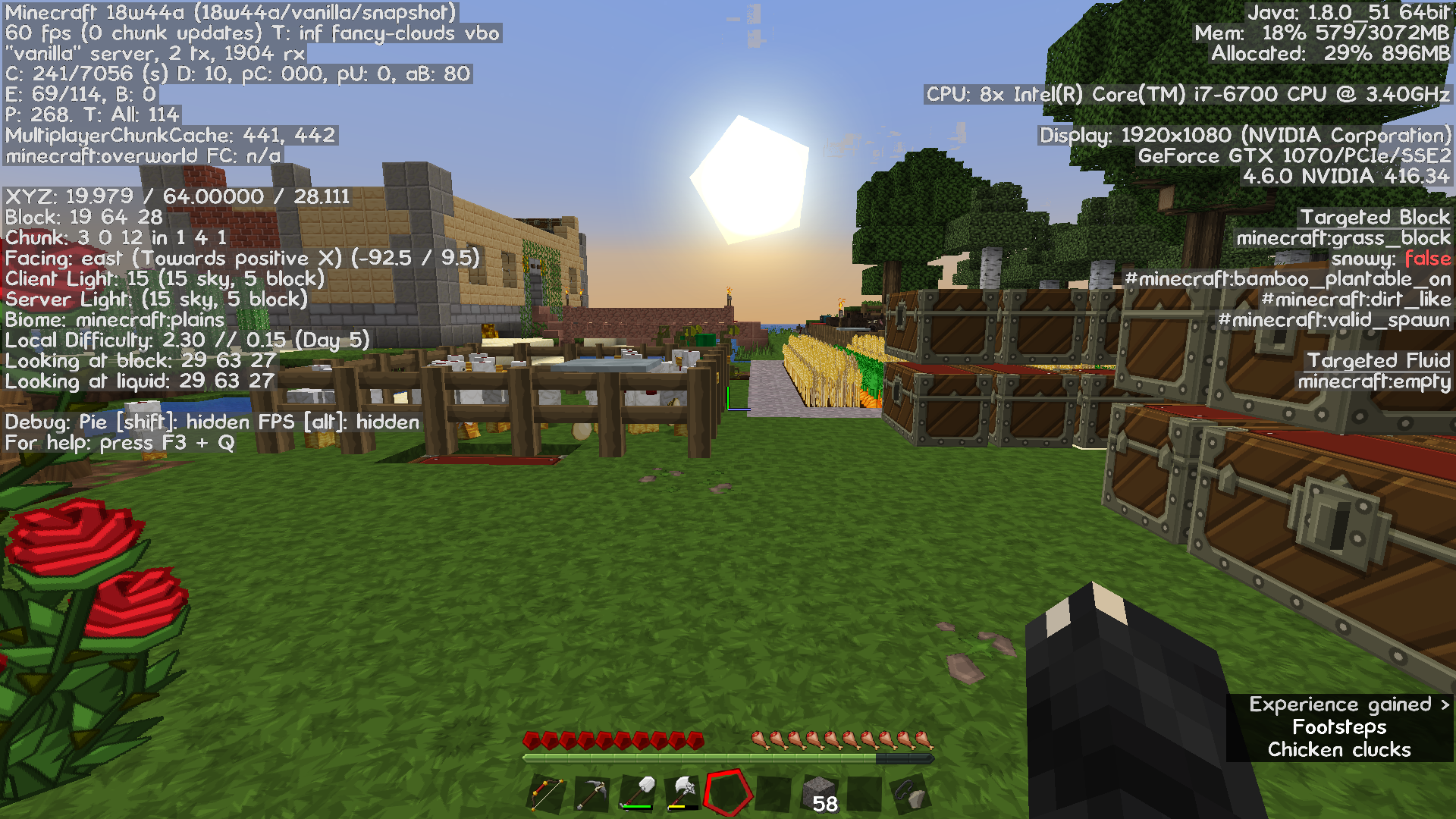
Per https://minecraft.net/en-us/article/minecraft-snapshot-18w43a "New Light engine!" To my way of thinking, I don't care so much if an armor stand is "lit" or "unlit" within a piston. I care that a relatively simple flying machine used for cane and bamboo farms shuts my server down for lag from rendering. So ilmango's video (at least of a simple flying machine) compared with MC 1.13.2 would be more useful to evaluate, "Is this really a problem now?" If my pistons are transparent when extended, I don't know why I'd really care. Hammering my server TPS over lighting, I'd care about a great deal.
Confirmed with a remote server, 18w44a. At least, "Confirmed until I looked up this as a bug." Now it's working properly. Stupid bugs and their bug-report detectors. This may be an "intermittent" thing with quirkiness in reproduction, but it is on a server with 3 people on it, only 2 in the same general location. Slow crops 30 min. ago, now crops are fine after reporting. As reported, affects leaf decay and other things affected by /gamerule randomTickSpeed.
Ok, out of Spawn Chunks, we set randomTickSpeed to 999, no effect. As soon as my wife and I got back to our base in spawn chunks, everything sprang up and it is evident the 999 randomTickSpeed was working. This may have something to do with the status of loaded chunks. The third person (jorispiepo) was away from our location the whole time, but online.
We are getting cooked meat using unenchanted swords on our server. We are using some of Xisumavoid's data packs and a few custom, but nothing that should touch mob drops.
A recent crash is enclosed unrelated to the "cooked meat" issue. Let me know if you want me to force a crash or send a copy of any "interesting" data packs.
Thank you. Hopefully we'll have someone able to verify if the new lighting engine can deal with opaque pistons without the pain 1.13 Snapshots had. I can't build one, so proper testing is out of my skill set.
I can in its current state. Unfortunately I'm not getting that specific crash message again anywhere I can pin down, and it hasn't happened again. So it's going to be a real bear trying to pin it down. It could be the BDCraft resource pack, 1.13-R5 or one of the BDCraft add-ons. And if I don't get that crash again, I've no clue what to tell you. I'll get the backup going and start down/ uploading after I send this, then edit this message that I've sent.
That crash just happened. I'm still getting together the world backup from a remote server.
The world upload is over 10Mb, so it won't go. The list from bottom to top:
PureBDCraft 256x MC113-r5
BDCraft Sounds MC113
PureBDCraft Noteblock English MC113
PureBDCraft More3D Block MC113
PureBDCraft Damaged Items MC113
age 25 kelp tops (from Xisumavoid's Vanilla Tweaks)
PureBDCraft Font MC113
wrenchrp (from Xisumavoid's Vanilla Tweaks)
If I get this error on a more regular basis, I'll start dumping texture packs. I dumped a screenshot showing what memory I'm using, 4G setting. I'm guessing I should actually lower it by roughly half, I certainly don't need to add more mem.
MC-138539andMC-137795are currently causing more (and easily replicable) issues. We can hold on this to see if someone else reports this problem. Otherwise, I'm inclined to suspect the stack of texture packs until I can more easily replicate things, dump texture packs, do it again (or not).I filed
MC-138834, looks like it should be here. Snapshot 18w44a, heavy on resource packs, pure Vanilla Server. I have crash reports I can repost here if desired, but this bug seems too random for me yet to really pin it down so I can dump texture packs and KNOW they are the problem.Thank you VERY Much for testing it out. The "Gold Standard" test would be to compare a good size flying machine. I sure wish I could pull that off, I may have to build one and see how laggy it goes on a farm in the current Snapshot. That will take me some time.
D'oh! I didn't think of that.
They are 1.13 "dedicated" packs. I'll search for this and update privately, then watch for the 1.14 Hermitcraft Vanilla Tweaks update. Thank you! I'd never have come up with that one.
The server admin to which she refers is still flailing trying to figure out how to excise ONLY the unemployed villagers, but I'm coming pretty close to "kill them all and let's consider shutting down the 1.14.1 server and playing some other version for a while." This has been active since MARCH? Seriously?
Ok, we'll have to look at the food then. We were trying to be "nice" giving the villagers garden areas, but it would appear having farms within the village contributes to this problem. I'm the admin, I just don't know how to /kill @e[type=Minecraft:villager,nbt=
{profession:unemployed-something-something-goes-here}] to kill the excessive unemployed among them. While this doesn't actually "help" with the bug, my hope is to mitigate the 400+ unemployed villager problem tied into this bug.
Another note with this specific to 1.14.1, I believe Villagers were removed from the Passive Mob Cap, but if there isn't another cap Villagers fall under, guess what? You have an EXPLOSION of villagers as there is no longer anything to stop infinite breeding if you have the conditions that allow it. Yay!
Yup, and I see a Villager-splosion in your near future in that crop cage.
I have multiple accounts. When I first brought up the Beta Launcher, it did run, but then it wouldn't let me into my SMP server because of an Invalid Session. I was able to start a game the second time, still Invalid Session attempting to login on the SMP server. When I started the Beta launcher a third time, it wiped my account PW's and wanted me to relogin (that's good, that's expected and desirable). Unfortunately, now I have the same issue as described above where I am unable to login at all on the opening screen of the launcher. The correct email/pw gets an infinite "wait" box on both accounts. There's a third account I have, but I didn't bother with it, looking for a bug report first.
The "invalid session ID" may be the trigger, then when the accounts are reset to force relogging, the relogging infinite-wait fails.
I would strongly urge having "settings" accessible for, "Beta is doing bad things, can I roll back please?" I'll have to follow directions to wipe the launcher and restart on non-beta.
… , but the old launcher had no trouble at all accepting my login ID. I'll use the old until I hear of an update to the Beta. And yes, a hard "time-out" limit if the launcher can't figure things out would help a great deal in addition to the "back from Beta" button.
I deleted everything except C:\Program Files (x86)\Minecraft Launcher\MinecraftLauncher.exe and I allowed the launcher to do it's work. Unfortunately this ALSO cleared my custom sessions
(Edited for clarity of what stage Beta Launcher vs. attempt at SMP server login I was when attempting)
Beta worked fine for my wife until she had to relogin under a new ID token, so I am guessing when the launcher has to verify ID it breaks the ID system forcing an infinite ID check. I hope this helps track the bug!
Same issue on a private LAN game, all the same as reported here. I have skin abrasions from my wife chewing on my arm on how armor and bows are not dropping. I had to look this bug up to save my arm from further damage.
Same problem. If I "/give" myself stone with no data/ no json, the trade works just fine. The "work-around' for people with cheats (but no desire to ACTUALLY cheat) is to dump cooked stone, replace with that exact amount of "given" stone. I suspect the villager is rejecting some "data tag" on cooked stone. I've not looked to see what data tag is on cooked stone, perhaps someone can do that and verify. At this time, I'm not aware of any other trade refusals than the cooked stone.
It could be as simple as having a data tag of "0" vs. a data tag of "NULL".
This was just pointed out to me by a player... "silked stone" vs. "smelted cobble-stone" do not stack. So the same "hidden data tag" makes this bug related to
MCPE-44649, and should affect the same items. Both bugs should be looked at for solving the root data tag problem.This problem directly relates to
MCPE-49939with some hidden data tag as a "root" cause. These two bugs should be looked at together so the "root solution" fixes them both. It may also be useful if anyone can verify items affected by this bug affect villager trades, and reported accordingly on the "trades" issue.Duplicate of
MCPE-30863, flagged as "postponed", this falls into the category of, "It's not a bug, it's a Platform Specific Feature!" Please post in https://feedback.minecraft.net/hc/en-us/community/topics/360001191251-Parity this feature, and comment the link when it shows. Notch knows the Devs must be tired of me hitting the #MinecraftParity drum.May be related to
MCPE-41337(or duplicate), but note you MUST do some trading to "lock in" the trade or the villager may "reroll". At the moment I'm explicitly looking for, "We labeled, did some trades, thought it was locked in, and the villager rerolled anyway." We MAY have been mistaken, so we are looking to try https://youtu.be/4h8Yifosh7U which will pin our villagers in place and make mistakes less likely to happen.MCPE-47354may be a duplicate, or at least related to this. 1.12.0, players on my BDS server commented a villager "rerolled" after being tagged & traded with multiple times. It's possible we fouled up. We are going to try making https://youtu.be/4h8Yifosh7U SilentWhisper's Trading Hall where a mistake will be less likely, and the villagers won't be moving to confuse things or break the work-station connection. ... Just now found another "rerolled" villager. This is in an Iron Farm where the villagers circulate, and the work-station link might be an issue, or lack of pathfinding to a bed.If we can verify this bug from a "solid" trading farm with the caution of doing some trades to lock in from rerolling, it would help a good deal to pin this thing down.
EDIT: Robin is on my server, the above is her direct report on this.