 Shuddery
- Shuddery
- JIRAUSER721503
- Europe/London
- Yes
- No
 Low
Low Normal
![[Mojang] Gegy](../../../data/avatars/users/10122.svg)
![[Mojang] elvendorke](../../../data/avatars/users/81677.png)
 MC-256942
![[Mojang] Maxime Lebrot](../../../data/avatars/users/18941.svg) MC-257235
MC-257235![[Mojang] eowyn36](../../../data/avatars/users/18935.svg)



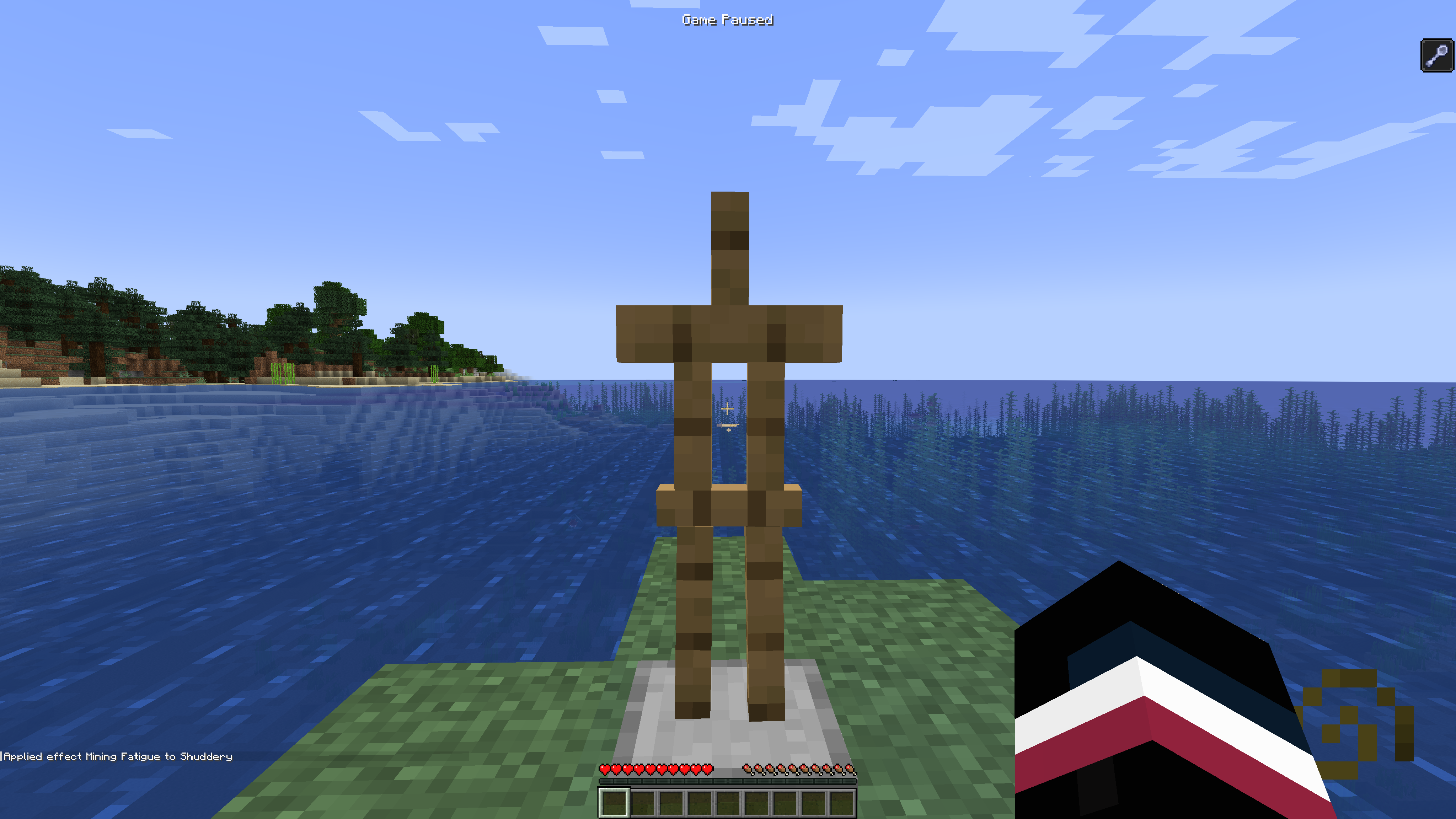


When taking damage to a mob and then dying in a certain way, an extended death message appears (e.g: "<player> tried to swim in lava whilst trying to escape <mob>"). However, this doesn't happen with the goat.
Steps to Reproduce:
1) Summon multiple goats and wait for their attack in survival mode
2) As soon as taking the damage from the goat, immediately place down an Obsidian block and place an End Crystal and punch it to instantly blow up
3) When you die, you will notice that the death message will not include the goat
Observed Result:
"<player> blew up"Expected Result:
"<player> was blown up by Goat"
When trying using the steps to reproduce with any other mob, the above message appears (with their name)Other Notes:
This also occurs with any extended death message including the goat like below:
"<player> tried to swim in lava" occurs instead of "<player> tried to swim in lava to escape Goat"
When taking damage to a mob and then dying in a certain way, an extended death message appears (e.g: "<player> tried to swim in lava whilst trying to escape <mob>"). However, this doesn't happen with the goat.
Steps to Reproduce:
1) Summon multiple goats and wait for their attack in survival mode
2) As soon as taking the damage from the goat, immediately place down an Obsidian block and place an End Crystal and punch it to instantly blow up
3) When you die, you will notice that the death message will not include the goat
Observed Result:
"<player> blew up"Expected Result:
"<player> was blown up by Goat"
Whentryingusing the steps to reproduce with any other mob, the above message appears (with their name)Other Notes:
This also occurs with any extended death message including the goat like below:
"<player> tried to swim in lava" occurs instead of "<player> tried to swim in lava to escape Goat"
When taking damage to a mob and then dying in a certain way, an extended death message appears (e.g: "<player> tried to swim in lava whilst trying to escape <mob>"). However, this doesn't happen with the goat.
Steps to Reproduce:
1) Summon multiple goats and wait for their attack in survival mode
2) As soon as taking the damage from the goat, immediately place down a
n Obsidian block and place an End Crystal and punch it to instantly blow up3) When you die, you will notice that the death message will not include the goat
Observed Result:
"<player>blew up"Expected Result:
"<player>was blown up byGoat"
When using the steps to reproduce with any other mob, the above message appears (with their name)Other Notes:
This also occurs with any extended death message including the goat like below:
"<player>tried to swim in lava" occurs instead of "<player>tried to swim in lavato escape Goat"When taking damage to a mob and then dying in a certain way, an extended death message appears (e.g: "<player> tried to swim in lava whilst trying to escape <mob>"). However, this doesn't happen with the goat.
Steps to Reproduce:
1) Summon multiple goats and wait for their attack in survival mode
2) As soon as taking the damage from the goat, immediately place down a lava bucket below you
3) When you die, you will notice that the death message will not include the goat
Observed Result:
"<player> tried to swim in lava"Expected Result:
"<player> tried to swim in lava to escape Goat"
When using the steps to reproduce with any other mob, the above message appears (with their name)Other Notes:
This also occurs with any extended death message including the goat like below:
"<player> hit the ground too hard" occurs instead of "<player> hit the ground too hard whilst trying to escape Goat"
Pressing Escape on the "Are you sure you want to quit?" screen found by pressing "Title Screen" on the death screen will automatically respawn the player ignoring the cooldown for pressing the respawn button with mouse or Tab key.
Expected:
Nothing to happen or going back to the original red "You Died!" screen or going to the Title ScreenNote:
In 1.12.2, pressing Escape would put you back on to the red death screen from the title screen warning which doesn't happen now
End Gateway teleportsentities in BedrockEnd Gateway can teleport entities suffocating in Bedrock
End Gateway can teleport entitiessuffocatingin Bedrock
When blocking the end gateway on 4 sides like shown in the setup below, entities that go through a gateway that ends up at this gateway, will spawn inside the bedrock including the player.
Steps:
1) At an end gateway on the main island, press F3+C to copy the coordinates
2)Go through the portal and place blocks all around the gateway block like shown in setup
3) Teleport back to saved coordinates and then re-enter the gateway which will briefly suffocate the player in survival
When blocking the end gateway on 4 sides like shown in the setup below, entities that go through a gateway that ends up at this gateway, will spawn inside the bedrock including the player.
Steps:
1) At an end gateway on the main island, press F3+C to copy the coordinates
2) Go through the portal and place blocks all around the gateway block like shown in setup
3) Teleport back to saved coordinates and then re-enter the gateway which will briefly suffocate the player in survival
Video
(In the video, I didn't press any movement controls after I entered the gateway and was forcefully pushed by the game)
When blocking the end gateway on 4 sides like shown in the setup below, entities that go through
agateway thatends up at thisgateway, will spawn inside the bedrockincluding the player.Steps:
1) At an end gateway on the main island, press F3+C to copy the coordinates
2) Go through the portal and place blocks all around the gateway block like shown in setup
3) Teleport back to saved coordinates and then re-enter the gateway which will briefly suffocate the player in survival
Video
(In the video, I didn't press any movement controls after I entered the gateway and was forcefully pushed by the game)When blocking the end gateway on 4 sides like shown in the setup below, entities that go through the gateway that leads to this trapped gateway, will spawn inside the bedrock including the player.
Steps:
1) At an end gateway on the main island, press F3+C to copy the coordinates
2) Go through the portal and place blocks all around the gateway block like shown in setup
3) Teleport back to saved coordinates and then re-enter the gateway which will briefly suffocate the player in survival
Video
(In the video, I didn't press any movement controls after I entered the gateway and was forcefully pushed by the game)
Snowballs, Tridents and any Potions (with no owner) starting TNT explosions do not appear in death messages
Snowballs, Tridents, Eggs and any Potions (with no owner) starting TNT explosions do not appear in death messages
With the addition of TNT, End Crystals and TNT Minecarts recording what caused them to blow up, some entities have been left out.
When snowballs, tridents, splash potions or lingering potions with no owner (can be replicated with dispensers or /summon) pass through lava and trigger TNT, it is not mentioned in the death message.
This is not the same with Spectral Arrows or Arrows as they do show in the death message even with no owner.
Edit: Doesn't apply with End Crystals
With the addition of TNT, End Crystals and TNT Minecarts recording what caused them to blow up, some entities have been left out.
When snowballs, tridents, splash potions or lingering potions with no owner (can be replicated with dispensers or /summon) pass through lava and trigger TNT, it is not mentioned in the death message.
This is not the same with Spectral Arrows or Arrows as they do show in the death message even with no owner.
Edit: Doesn't apply with End Crystals
With the addition of TNT, End Crystals and TNT Minecarts recording what caused them to blow up, some entities have been left out.
When snowballs, tridents, splash potions or lingering potions with no owner (can be replicated with dispensers or /summon) pass through lava and trigger TNT, it is not mentioned in the death message.
This is not the same with Spectral Arrows or Arrows as they do show in the death message even with no owner.
Entity (with No Owner) TNT End Crystal TNT Minecart Snowball Not included Not included Not included Potions Not included Doesn't affect Not included Tridents Not included Included Not included Eggs Not included Not included Not included
With the addition of TNT, End Crystals and TNT Minecarts recording what caused them to blow up, some entities have been left out.
When snowballs, tridents, splash potions or lingering potions with no owner (can be replicated with dispensers or /summon) pass through lava and trigger TNT, it is not mentioned in the death message.
This is not the same with Spectral Arrows or Arrows as they do show in the death message even with no owner.
Entity (with No Owner) TNT End Crystal TNT Minecart Snowball Not included Not included Not included Potions Not included Doesn't affect Not included Tridents Not included Included Not included Eggs Not included Not included Not included Not included = Not in death messages
Included = Included in death message
Doesn't Affect = Entity can't trigger an explosion with the other entity
Snowballs, Tridents, Eggs and any Potions (with no owner) starting TNT explosions do not appear in death messagesSome entities (with no owner) starting TNT explosions do not appear in death messages
With the addition of TNT, End Crystals and TNT Minecarts recording what caused them to blow up, some entities have been left out.
When snowballs, tridents, splash potions or lingering potions with no owner (can be replicated with dispensers or /summon) pass through lava and trigger TNT, it is not mentioned in the death message.
This is not the same with Spectral Arrows or Arrows as they do show in the death message even with no owner.
Entity (with No Owner) TNT End Crystal TNT Minecart Snowball Not included Not included Not included Potions Not included Doesn't affect Not included Tridents Not included Included Not included Eggs Not included Not included Not included Firework Not included Doesn't affect Doesn't Affect Not included = Not in death messages
Included = Included in death message
Doesn't Affect = Entity can't trigger an explosion with the other entity
With the addition of TNT, End Crystals and TNT Minecarts recording what caused them to blow up, some entities have been left out.
When snowballs, tridents, splash potions or lingering potions with no owner (can be replicated with dispensers or /summon) pass through lava and trigger TNT, it is not mentioned in the death message.
This is not the same with Spectral Arrows or Arrows as they do show in the death message even with no owner.
Entity (with No Owner) TNT End Crystal TNT Minecart Snowball Not included Not included Not included Potions Not included Doesn't affect Not included Tridents Not included Included Not included Eggs Not included Not included Not included Firework Not included Doesn't affect Doesn't Affect Ender Pearl Not included Not included Doesn't Affect Not included = Not in death messages
Included = Included in death message
Doesn't Affect = Entity can't trigger an explosion with the other entity
With the addition of TNT, End Crystals and TNT Minecarts recording what caused them to blow up, some entities have been left out.
When snowballs, tridents, splash potions or lingering potions with no owner (can be replicated with dispensers or /summon) pass through lava and trigger TNT, it is not mentioned in the death message.
This is not the same with Spectral Arrows or Arrows as they do show in the death message even with no owner.
Entity (with No Owner) TNT End Crystal TNT Minecart Snowball Not included Not included Not included Potions Not included Doesn't affect Not included Tridents Not included Included Not included Eggs Not included Not included Not included Firework Not included Doesn't affect Doesn't Affect Ender Pearl Not included Not included Doesn't Affect Shulker Bullet Doesn't Affect Not included Doesn't Affect Not included = Not in death messages
Included = Included in death message
Doesn't Affect = Entity can't trigger an explosion with the other entity
With the addition of TNT, End Crystals and TNT Minecarts recording what caused them to blow up, some entities have been left out.
When snowballs, tridents, splash potions or lingering potions with no owner (can be replicated with dispensers or /summon) pass through lava and trigger TNT, it is not mentioned in the death message.
This is not the same with Spectral Arrows or Arrows as they do show in the death message even with no owner.
Entity (with No Owner) TNT End Crystal TNT Minecart Snowball Not included Not included Not included Potions Not included Doesn't affect Not included Tridents Not included Included Not included Eggs Not included Not included Not included Firework Not included Doesn't affect Doesn't Affect Ender Pearl Not included Not included Doesn't Affect Shulker Bullet Doesn't Affect Not included Doesn't Affect Small Fireball - Included Not Included Not included = Not in death messages
Included = Included in death message
Doesn't Affect = Entity can't trigger an explosion with the other entity
With the addition of TNT, End Crystals and TNT Minecarts recording what caused them to blow up, some entities have been left out.
When snowballs, tridents, splash potions or lingering potions with no owner (can be replicated with dispensers or /summon) pass through lava and trigger TNT, it is not mentioned in the death message.
This is not the same with Spectral Arrows or Arrows as they do show in the death message even with no owner.
Entity (with No Owner) TNT End Crystal TNT Minecart Snowball Not included Not included Not included Potions Not included Doesn't affect Not included Tridents Not included Included Not included Eggs Not included Not included Not included Firework Not included Doesn't affect Doesn't Affect Ender Pearl Not included Not included Doesn't Affect Shulker Bullet Doesn't Affect Not included Doesn't Affect Small Fireball - Included Not Included Fireball - Included - Dragon Fireball Not included Doesn't Affect - Not included = Not in death messages
Included = Included in death message
Doesn't Affect = Entity can't trigger an explosion with the other entity
When you rename a TNT Minecart with an anvil (e.g : Toby) and are blown up by it, the renamed TNT minecart's name is shown in the death message (Player was blown up by Toby).
When you rename an End Crystal (e.g : Tom) and blow it up, the death message does not include the new name (Player was blown up by End Crystal).
How to reproduce:
1) Rename an End Crystal
2) Place it down and walk 2 or 3 blocks away in survival
3) Do{{ /summon lightning_bolt}}
4) "Player was blown up by End Crystal"
When you rename a TNT Minecart with an anvil (e.g : Toby) and are blown up by it, the renamed TNT minecart's name is shown in the death message (Player was blown up by Toby).
When you rename an End Crystal (e.g : Tom) and blow it up, the death message does not include the new name (Player was blown up by End Crystal).
How to reproduce:
1) Rename an End Crystal
2) Place it down and walk 2 or 3 blocks away in survival
3) Do /summon lightning_bolt
4) "Player was blown up by End Crystal"
Blocks and Entities appearing blue when Darkness pulses as Lightning flashes
Sitting Camels pulled by Fishing Rods don't move horizontally (only vertically) and stay sitting in the air
§ symbolsetin controls appears invisible
Setting a keybind with
§appears invisible.Note: In 1.12, this symbol appeared as SECTION in controls
Setting a keybind with "§" appears invisible.
Note: In 1.12, this symbol appeared as "SECTION" in controls

End Crystals don't pass on the data containing what caused its explosion when it causes a TNT block to be ignited.
Steps to Reproduce:
1) Place an End Crystal and a block of TNT next to it2) Hold a Totem of Undying and punch the End Crystal
3) The totem should be used when the End Crystal blows up and you will be killed in the TNT explosion
Expected:
"<player1> was blown up by <player1>"Reality:
"<player1> was blown up by Primed TNT"End Crystals don't pass on the data containing what caused its explosion when it causes a TNT block to be ignited.
Steps to Reproduce:
1) Place an End Crystal and a block of TNT next to it2) Hold a Totem of Undying and punch the End Crystal
3) The totem should be used when the End Crystal blows up and you will be killed in the TNT explosion
Expected:
"<player1> was blown up by <player1>"Reality:
"<player1> was blown up by Primed TNT"(22w44a)"<player1> blew up" (22w45a +)
End Crystals don't pass on data for what caused its explosionto TNTEnd Crystals, TNT Minecarts and TNT don't pass on data to each other for what caused its explosion
End Crystals don't pass on the data containing what caused its explosion when it causes a TNT block to be ignited.
Steps to Reproduce:
1) Place an End Crystal and a block of TNT next to it2) Hold a Totem of Undying and punch the End Crystal
3) The totem should be used when the End Crystal blows up and you will be killed in the TNT explosion
Expected:
"<player1> was blown up by <player1>"Reality:
"<player1> was blown up by Primed TNT"(22w44a)"<player1> blew up" (22w45a +)
Edit:
After fixing
MC-256951, it is now clear to see that TNT minecarts are also affected by this bug.TNT Minecart ignites a TNT -> "<player1> blew up"
Block of TNT ignites a TNT Minecart -> "<player1> blew up"
End Crystal ignites TNT -> "<player1> blew up"
End Crystal ignites TNT Minecart -> "<player1> blew up"
End Crystals don't pass on the data containing what caused its explosion when it causes a TNT block to be ignited.
Steps to Reproduce:
1) Place an End Crystal and a block of TNT next to it2) Hold a Totem of Undying and punch the End Crystal
3) The totem should be used when the End Crystal blows up and you will be killed in the TNT explosion
Expected:
"<player1> was blown up by <player1>"Reality:
"<player1> was blown up by Primed TNT"(22w44a)"<player1> blew up" (22w45a +)
Edit:
After fixing
MC-256951, it is now clear to see that TNT minecarts are also affected by this bug.TNT Minecart ignites a block of TNT -> "<player1> blew up"
Block of TNT ignites a TNT Minecart -> "<player1> blew up"
End Crystal ignites a block of TNT -> "<player1> blew up"
End Crystal ignites TNT Minecart -> "<player1> blew up"
End Crystals don't pass on the data containing what caused its explosion when it causes a TNT block to be ignited.
Steps to Reproduce:
1) Place an End Crystal and a block of TNT next to it2) Hold a Totem of Undying and punch the End Crystal
3) The totem should be used when the End Crystal blows up and you will be killed in the TNT explosion
Expected:
"<player1> was blown up by <player1>"Reality:
"<player1> was blown up by Primed TNT"(22w44a)"<player1> blew up" (22w45a +)
Edit:
After fixing
MC-256951, it is now clear to see that TNT minecarts are also affected by this bug.TNT Minecart ignites a block of TNT -> "<player1> blew up"
Block of TNT ignites a TNT Minecart -> "<player1> blew up"
End Crystal ignites a block of TNT -> "<player1> blew up"
End Crystal ignites TNT Minecart -> "<player1> blew up"
End Crystals don't pass on the data containing what caused its explosion when it causes a TNT block to be ignited.
Steps to Reproduce:
1) Place an End Crystal and a block of TNT next to it2) Hold a Totem of Undying and punch the End Crystal
3) The totem should be used when the End Crystal blows up and you will be killed in the TNT explosion
Expected:
"<player1> was blown up by <player1>"Reality:
"<player1> was blown up by Primed TNT"(22w44a)"<player1> blew up" (22w45a +)
Edit:
After fixing
MC-256951, it is now clear to see that TNT minecarts are also affected by this bug.Player1 ignites a:
... TNT Minecart which then ignites a block of TNT -> "<player1> blew up"
... Block of TNT which then ignites a TNT Minecart -> "<player1> blew up"
... End Crystal which then ignites a block of TNT -> "<player1> blew up"
... End Crystal which then ignites TNT Minecart -> "<player1> blew up"
End Crystals don't pass on the data containing what caused its explosion when it causes a TNT block to be ignited.
Steps to Reproduce:
1) Place an End Crystal and a block of TNT next to it2) Hold a Totem of Undying and punch the End Crystal
3) The totem should be used when the End Crystal blows up and you will be killed in the TNT explosion
Expected:
"<player1> was blown up by <player1>"Reality:
"<player1> was blown up by Primed TNT"(22w44a)"<player1> blew up" (22w45a +)
Edit:
After fixing
MC-256951, it is now clear to see that TNT minecarts are also affected by this bug.Player1 ignites a:
... TNT Minecart which then ignites a block of TNT -> "<player1> blew up"
... Block of TNT which then ignites a TNT Minecart -> "<player1> blew up"
... End Crystal which then ignites a block of TNT -> "<player1> blew up"
... End Crystal which then ignites TNT Minecart -> "<player1> blew up"
End Crystals don't pass on the data containing what caused its explosion when it causes a TNT block to be ignited.
Steps to Reproduce:
1) Place an End Crystal and a block of TNT next to it2) Hold a Totem of Undying and punch the End Crystal
3) The totem should be used when the End Crystal blows up and you will be killed in the TNT explosion
Expected:
"<player1> was blown up by <player1>"Reality:
"<player1> was blown up by Primed TNT"(22w44a)"<player1> blew up" (22w45a +)
Edit:
After fixing
MC-256951, it is now clear to see that TNT minecarts are also affected by this bug.Player1 ignites a:
... TNT Minecart which then ignites a block of TNT -> "<player1> blew up"
... Block of TNT which then ignites a TNT Minecart -> "<player1> blew up"
... End Crystal which then ignites a block of TNT -> "<player1> blew up"
... End Crystal which then ignites TNT Minecart -> "<player1> blew up"All the above should be "<player1> was blown up by <player1>"
Note: This bug results in Player1's Allay being hurt and Neutral Mobs not attacking the player
Although the method in
MC-256990was fixed, there is still another way to reproduce this.Steps to Reproduce:
1) Enable the datapack containing the 1.20 features
2) Edit the Superflat World's layers for 1.20 blocks
3) Disable the datapack containing the 1.20 features again
4) Create the world
The Chat Hidden warning ("Chat disabled in client options") appears in chat instead of the actionbar when trying to send messages through the bed. This is problematic as the player won't see these warnings since chat is hidden
and you can view these warnings in the output log and also after re-enabling chat.The Chat Hidden warning ("Chat disabled in client options") appears in chat instead of the actionbar when trying to send messages through the bed. This is problematic as the player won't see these warnings since chat is hidden. You can view these warnings in the output log and also after re-enabling chat.
When Chat is set to Hidden, the Chat Hidden Warning appears in chat instead of the actionbar when attempting to send a message whilst sleeping or switching gamemode
chat warning 480.mov
When dying whilst in a
chest/barrel/ Shulkerbox, the item in the offhand stays held in the offhand in the Death screen even though KeepInventory is off.Also, holding a totem in the offhand when inside a
chest/barrel/shulkerbox, the totem is used but the item remains in the offhand (ghost item) even though the item was used.When dying whilst in a Chest/ Barrel/ Shulker Box, the item in the offhand stays held in the offhand in the Death screen even though KeepInventory is off.
Also, holding a totem in the offhand when inside a Chest/ Barrel/ Shulker Box, the totem is used but the item remains in the offhand (ghost item) even though the item was used.
Ghost Items appear in offhand when dying inChestinterfaceGhost Items appear in offhand when dying in any interface (not inventory)
When dying whilst in a
Chest/ Barrel/ Shulker Box, the item in the offhand stays held in the offhand in the Death screen even though KeepInventory is off.Also, holding a totem in the offhand when inside a
Chest/ Barrel/ Shulker Box, the totem is used but the item remains in the offhand (ghost item) even though the item was used.When dying whilst in a GUI, the item in the offhand stays held in the offhand in the Death screen even though KeepInventory is off.
Also, holding a totem in the offhand when inside a GUI, the totem is used but the item remains in the offhand (ghost item) even though the item was used.
Steps to Reproduce:
1) Get a horse and ride it over an end portal and a bed
2) Right click the bed so the sleeping GUI flashes before you are taken to the End
3) Go back to the bed and try sleep in it
4) "This bed is occupied"
Title Screen Warning is not removed after the playerRespawnsTitle Screen Warning is not removed after the player respawns
Player is kicked from a server for flying in death screen when dying on ahorsePlayer is kicked from a server for flying in death screen when dying on a Horse or Camel
Upon respawning / loading the world, the old damage tilt is used when taking damage
that is unrelated to entities (e.g fall damage, drowning, fire damage) until the player takes damage from anentity.Steps to Reproduce:
1) Respawn and use flint and steel on the floor and walk into it
2) Notice that the old damage tilt is used
3) Shoot yourself with a bow and arrow whilst burning
4) Notice how the damage tilt is immediately changed and the burning is causing the new screen tiltUpon respawning / loading the world, the old damage tilt is used when taking damage from certain damage sources (e.g fall damage, drowning, fire damage) until the player takes damage from a damage source that produces the new screen tilt (e.g hurt by a zombie).
Steps to Reproduce:
1) Respawn and use flint and steel on the floor and walk into it
2) Notice that the old damage tilt is used
3) Shoot yourself with a bow and arrow whilst burning
4) Notice how the damage tilt is immediately changed and the burning is causing the new screen tilt
Olddamage tiltused when taking certainsources of damageDirectional damage tilt is still used for non-directional damage sources after taking damage from a directional damage source
Upon respawning / loading the world, the old damage tilt is used when taking damage from certain non-directional damage sources (e.g fall damage, drowning, fire damage) until the player takes damage from a damage source that produces the new screen tilt (e.g hurt by a zombie).
Steps to Reproduce:
1) Respawn and use flint and steel on the floor and walk into it
2) Notice that the old damage tilt is used
3) Shoot yourself with a bow and arrow whilst burning
4) Notice how the damage tilt is immediately changed and the burning is causing the new screen tilt
The bug
Upon respawning / loading the world, the old damage tilt is used when taking damage from certain non-directional damage sources (e.g fall damage, drowning, fire damage) until the player takes damage from a damage source that produces the new screen tilt (e.g hurt by a zombie).
How to reproduce
- Respawn and use flint and steel on the floor and walk into it
- Notice that the old damage tilt is used
- Shoot yourself with a bow and arrow whilst burning
- Notice how the damage tilt is immediately changed
andtheburning is causing the new screen tiltThe bug
Upon respawning / loading the world, the old damage tilt is used when taking damage from certain non-directional damage sources (e.g fall damage, drowning, fire damage) until the player takes damage from a damage source that produces the new screen tilt (e.g hurt by a zombie).
How to reproduce
- Respawn and use flint and steel on the floor and walk into it
- Notice that the old damage tilt is used
- Shoot yourself with a bow and arrow whilst burning
- Notice how the damage tilt is immediately changed - the initial directional damage tilt from taking damage from the arrow repeatedly continues while burning even though the player is taking no longer taking damage from the arrow
The bug
Upon respawning / loading the world, the old damage tilt is used when taking damage from certain non-directional damage sources (e.g fall damage, drowning, fire damage) until the player takes damage from a damage source that produces the new screen tilt (e.g hurt by a zombie).
How to reproduce
- Respawn and use flint and steel on the floor and walk into it
- Notice that the old damage tilt is used
- Shoot yourself with a bow and arrow whilst burning
- Notice how the damage tilt is immediately changed - the initial directional damage tilt from taking damage from the arrow repeatedly continues while burning even though the player is
takingno longer taking damage from the arrow
Mobs (with CanPickUpLoot set to 1b) don't swap out their armour for better ones.
Steps to Reproduce:
{CanPickUpLoot:1b}
1) Run/summon zombie ~ ~ ~2) Drop an iron helmet and wait for it to wear it
3) Drop a netherite helmet and note that the armour isn't swappedMobs (with CanPickUpLoot set to 1b) don't swap out their armour for better ones.
Steps to Reproduce:
1) Run/summon zombie ~ ~ ~ {CanPickUpLoot:1b}2) Drop an iron helmet and wait for it to wear it
3) Drop a netherite helmet and note that the armour isn't swapped
Steps to reproduce:
1) Hold a renamed item
2) Run3) Look at the death message: "death.attack.generic.item"
Steps to reproduce:
1) Hold a renamed item
2) Run/damage @s 20 minecraft:generic by @s3) Look at the death message: "death.attack.generic.item"
This is also seen with:
Damage Type Death Message minecraft:cactus death.attack.cactus.item minecraft:cramming death.attack.cramming.item minecraft:dragon_breath death.attack.dragonBreath.item minecraft:drown death.attack.drown.item
Steps to reproduce:
1) Hold a renamed item
2) Run/damage @s 20 minecraft:generic by @s3) Look at the death message: "death.attack.generic.item"
This is also seen with:
Damage Type Death Message minecraft:cactus death.attack.cactus.item minecraft:cramming death.attack.cramming.item minecraft:dragon_breath death.attack.dragonBreath.item minecraft:drown death.attack.drown.item minecraft:dry_out death.attack.dryout.item minecraft:explosion death.attack.explosion.item minecraft:fall death.attack.fall.item minecraft:falling_anvil death.attack.anvil.item ... ...
Steps to reproduce:
1) Hold a renamed item
2) Run/damage @s 20 minecraft:generic by @s3) Look at the death message: "death.attack.generic.item"
This is also seen with:
Damage Type Death Message minecraft:cactus death.attack.cactus.item minecraft:cramming death.attack.cramming.item minecraft:dragon_breath death.attack.dragonBreath.item minecraft:drown death.attack.drown.item minecraft:dry_out death.attack.dryout.item minecraft:explosion death.attack.explosion.item minecraft:fall death.attack.fall.item minecraft:falling_anvil death.attack.anvil.item ......Steps to reproduce:
1) Hold a renamed item
2) Run/damage @s 20 minecraft:generic by @s3) Look at the death message: "death.attack.generic.item"
This is also seen with:
Damage Type Death Message minecraft:cactus death.attack.cactus.item minecraft:cramming death.attack.cramming.item minecraft:dragon_breath death.attack.dragonBreath.item minecraft:drown death.attack.drown.item minecraft:dry_out death.attack.dryout.item minecraft:explosion death.attack.explosion.item minecraft:fall death.attack.fall.item minecraft:falling_anvil death.attack.anvil.item minecraft:falling_block death.attack.fallingBlock.item minecraft:falling_stalactite death.attack.fallingStalactite.item minecraft:fly_into_wall death.attack.flyIntoWall.item minecraft:freeze death.attack.freeze.item minecraft:generic death.attack.generic.item minecraft:hot_floor death.attack.hotFloor.item minecraft:in_fire death.attack.inFire.item minecraft:in_wall death.attack.inWall.item minecraft:lava death.attack.lava.item minecraft:lightning_bolt death.attack.lightningBolt.item minecraft:magic death.attack.magic.item minecraft:stalagmite death.attack.stalagmite.item minecraft:starve death.attack.starve.item minecraft:sweet_berry_bush death.attack.sweetBerryBush.item minecraft:wither death.attack.wither.item
The bug
Death message translation keys can be generated with .item ("died to enemy using...") and .player ("died while fighting...") suffixes. In vanilla survival, not all of these are possible, but with /damage, all combinations are possible. Vanilla doesn't have translations for some of these keys.
How to reproduce
item
/item replace entity @s weapon with apple{display:{Name:'"Apple of death"'}}
/damage @s 20 cactus by @s
Prints "death.attack.cactus.item"
player
/summon cow
/damage @s 1 cactus by @e[type=cow,limit=1]
/damage @s 20 trident
Full list of missing translations
Damage Type Death Message minecraft:player_explosion death.attack.explosion.player.player minecraft:out_of_world death.attack.outOfWorld.item minecraft:arrow death.attack.arrow.player minecraft:cactus death.attack.cactus.item minecraft:cramming death.attack.cramming.item minecraft:dragon_breath death.attack.dragonBreath.item minecraft:drown death.attack.drown.item minecraft:dry_out death.attack.dryout.item minecraft:explosion death.attack.explosion.item minecraft:fall death.attack.fall.item minecraft:falling_anvil death.attack.anvil.item minecraft:falling_block death.attack.fallingBlock.item minecraft:falling_stalactite death.attack.fallingStalactite.item minecraft:fireball death.attack.fireball.player minecraft:fly_into_wall death.attack.flyIntoWall.item minecraft:freeze death.attack.freeze.item minecraft:generic death.attack.generic.item minecraft: hot_floordeath.attack. hotFloor.itemminecraft: indirect_magicdeath.attack. indirectMagic.playerminecraft:in _firedeath.attack.in Fire.itemminecraft:in_ walldeath.attack.in Wall.itemminecraft: lavadeath.attack. lava.itemminecraft:l ightning_boltdeath.attack.l ightningBolt.itemminecraft: magicdeath.attack. magic.itemminecraft:mob_attack
minecraft:mob_attack_no_aggro
minecraft:mob_projectiledeath.attack. mob.playerminecraft:player_attack death.attack.player.player minecraft:stalagmite death.attack.stalagmite.item minecraft:starve death.attack.starve.item minecraft:sweet_berry_bush death.attack.sweetBerryBush.item minecraft:thorns death.attack.thorns.player minecraft:thrown death.attack.thrown.player minecraft:trident death.attack.trident.player minecraft:wither death.attack.wither.item minecraft:wither_skull death.attack.witherSkull.player
The bug
Death message translation keys can be generated with .item ("died to enemy using...") and .player ("died while fighting...") suffixes. In vanilla survival, not all of these are possible, but with /damage, all combinations are possible. Vanilla doesn't have translations for some of these keys.
How to reproduce
item
/item replace entity @s weapon with apple{display:{Name:'"Apple of death"'}}
/damage @s 20 cactus by @s
player
/summon cow
/damage @s 1 cactus by @e[type=cow,limit=1]
/damage @s 20 trident
Full list of missing translations
Damage Type Death Message minecraft:player_explosion death.attack.explosion.player.player minecraft:out_of_world death.attack.outOfWorld.item minecraft:arrow death.attack.arrow.player minecraft:cactus death.attack.cactus.item minecraft:cramming death.attack.cramming.item minecraft:dragon_breath death.attack.dragonBreath.item minecraft:drown death.attack.drown.item minecraft:dry_out death.attack.dryout.item minecraft:explosion death.attack.explosion.item minecraft:fall death.attack.fall.item minecraft:falling_anvil death.attack.anvil.item minecraft:falling_block death.attack.fallingBlock.item minecraft:falling_stalactite death.attack.fallingStalactite.item minecraft:fireball death.attack.fireball.player minecraft:fly_into_wall death.attack.flyIntoWall.item minecraft:freeze death.attack.freeze.item minecraft:generic death.attack.generic.item minecraft:generic_kill death.attack.genericKill.player
death.attack.genericKill.itemminecraft:hot_floor death.attack.hotFloor.item minecraft:indirect_magic death.attack.indirectMagic.player minecraft:in_fire death.attack.inFire.item minecraft:in_wall death.attack.inWall.item minecraft:lava death.attack.lava.item minecraft:lightning_bolt death.attack.lightningBolt.item minecraft:magic death.attack.magic.item minecraft:mob_attack
minecraft:mob_attack_no_aggro
minecraft:mob_projectiledeath.attack.mob.player minecraft:outside_border death.attack.outsideBorder.item minecraft:player_attack death.attack.player.player minecraft:stalagmite death.attack.stalagmite.item minecraft:starve death.attack.starve.item minecraft:sweet_berry_bush death.attack.sweetBerryBush.item minecraft:thorns death.attack.thorns.player minecraft:thrown death.attack.thrown.player minecraft:trident death.attack.trident.player minecraft:wither death.attack.wither.item minecraft:wither_skull death.attack.witherSkull.player
The bug
Death message translation keys can be generated with .item ("died to enemy using...") and .player ("died while fighting...") suffixes. In vanilla survival, not all of these are possible, but with /damage, all combinations are possible. Vanilla doesn't have translations for some of these keys.
How to reproduce
item
/item replace entity @s weapon with apple{display:{Name:'"Apple of death"'}}
/damage @s 20 cactus by @s
player
/summon cow
/damage @s 1 cactus by @e[type=cow,limit=1]
/damage @s 20 trident
Full list of missing translations
Damage Type Death Message minecraft:player_explosion death.attack.explosion.player.player minecraft:out_of_world death.attack.outOfWorld.item minecraft:arrow death.attack.arrow.player minecraft:cactus death.attack.cactus.item minecraft:cramming death.attack.cramming.item minecraft:dragon_breath death.attack.dragonBreath.item minecraft:drown death.attack.drown.item minecraft:dry_out death.attack.dryout.item minecraft:explosion death.attack.explosion.item minecraft:fall death.attack.fall.item minecraft:falling_anvil death.attack.anvil.item minecraft:falling_block death.attack.fallingBlock.item minecraft:falling_stalactite death.attack.fallingStalactite.item minecraft:fireball death.attack.fireball.player minecraft:fly_into_wall death.attack.flyIntoWall.item minecraft:freeze death.attack.freeze.item minecraft:generic death.attack.generic.item minecraft:generic_kill death.attack.genericKill. player
death.attack.genericKill.itemminecraft:hot_floor death.attack.hotFloor.item minecraft:indirect_magic death.attack.indirectMagic.player minecraft:in_fire death.attack.inFire.item minecraft:in_wall death.attack.inWall.item minecraft:lava death.attack.lava.item minecraft:lightning_bolt death.attack.lightningBolt.item minecraft:magic death.attack.magic.item minecraft:mob_attack
minecraft:mob_attack_no_aggro
minecraft:mob_projectiledeath.attack.mob.player minecraft:outside_border death.attack.outsideBorder.item minecraft:player_attack death.attack.player.player minecraft:stalagmite death.attack.stalagmite.item minecraft:starve death.attack.starve.item minecraft:sweet_berry_bush death.attack.sweetBerryBush.item minecraft:thorns death.attack.thorns.player minecraft:thrown death.attack.thrown.player minecraft:trident death.attack.trident.player minecraft:wither death.attack.wither.item minecraft:wither_skull death.attack.witherSkull.player
The bug
Death message translation keys can be generated with .item ("died to enemy using...") and .player ("died while fighting...") suffixes. In vanilla survival, not all of these are possible, but with /damage, all combinations are possible. Vanilla doesn't have translations for some of these keys.
How to reproduce
item
/item replace entity @s weapon with apple{display:{Name:'"Apple of death"'}}
/damage @s 20 cactus by @s
player
/summon cow
/damage @s 1 cactus by @e[type=cow,limit=1]
/damage @s 20 trident
Full list of missing translations
Damage Type Death Message minecraft:player_explosion death.attack.explosion.player.player minecraft:out_of_world death.attack.outOfWorld.item minecraft:arrow death.attack.arrow.player minecraft:cactus death.attack.cactus.item minecraft:cramming death.attack.cramming.item minecraft:dragon_breath death.attack.dragonBreath.item minecraft:drown death.attack.drown.item minecraft:dry_out death.attack.dryout.item minecraft:explosion death.attack.explosion.item minecraft:fall death.attack.fall.item minecraft:falling_anvil death.attack.anvil.item minecraft:falling_block death.attack.fallingBlock.item minecraft:falling_stalactite death.attack.fallingStalactite.item minecraft:fireball death.attack.fireball.player minecraft:fly_into_wall death.attack.flyIntoWall.item minecraft:freeze death.attack.freeze.item minecraft:generic death.attack.generic.item minecraft:generic_kill death.attack.genericKill.item minecraft:hot_floor death.attack.hotFloor.item minecraft:indirect_magic death.attack.indirectMagic.player minecraft:in_fire death.attack.inFire.item minecraft:in_wall death.attack.inWall.item minecraft:lava death.attack.lava.item minecraft:lightning_bolt death.attack.lightningBolt.item minecraft:magic death.attack.magic.item minecraft:mob_attack
minecraft:mob_attack_no_aggro
minecraft:mob_projectiledeath.attack.mob.player minecraft:outside_border death.attack.outsideBorder.item minecraft:player_attack death.attack.player.player minecraft:stalagmite death.attack.stalagmite.item minecraft:starve death.attack.starve.item minecraft:sweet_berry_bush death.attack.sweetBerryBush.item minecraft:thorns death.attack.thorns.player minecraft:thrown death.attack.thrown.player minecraft:trident death.attack.trident.player minecraft:wither death.attack.wither.item minecraft:wither_skull death.attack.witherSkull.player
/damage _ 0 can damage certain entities (End Crystal, Item Frame, Painting)
This may be considered as a feature request but completely blank pots (completely from brick) should not be called "Decorated Pot" like the other pots.
Steps to Reproduce:
1) Run/summon spectral_arrow ~ ~5 ~2) Then, jump into lava and see the death message
Expected Result:
"Player tried to swim in lava to escape Spectral Arrow"Observed Result:
"Player tried to swim in lava"
Entity Type Direct death message "was doomed to fall by _" Any other death message Ar row- "
shot by Arrow"SpectralArrowSpectralArrow"S hulker Bulletlainby Shulker Bullet"Tridentimpaled by Trident"Falling Block
"was squashed by a falling anvil"
"was skewered by a falling stalactite"
Steps to Reproduce:
1) Run/summon spectral_arrow ~ ~5 ~2) Then, jump into lava and see the death message
Expected Result:
"Player tried to swim in lava to escape Spectral Arrow"Observed Result:
"Player tried to swim in lava"
Entity Type Direct death message "was doomed to fall by _" Any other death message Area Affect Cloud Arrow Spectral Arrow Shulker Bullet Trident Falling Block
"was squashed by a falling anvil"
"was skewered by a falling stalactite"
Steps to Reproduce:
1) Run/summon spectral_arrow ~ ~5 ~2) Then, jump into lava and see the death message
Expected Result:
"Player tried to swim in lava to escape Spectral Arrow"Observed Result:
"Player tried to swim in lava"
Entity Type Direct death message "was doomed to fall by _" Any other death message Area Affect Cloud Arrow Spectral Arrowshot by Spectral Arrow"S hulker Bulletlainby Shulker Bullet"Tridentimpaled by Trident"Falling Block
"was squashed by a falling anvil"
"was skewered by a falling stalactite"
Steps to Reproduce:
1) Run/summon spectral_arrow ~ ~5 ~2) Then, jump into lava and see the death message
Expected Result:
"Player tried to swim in lava to escape Spectral Arrow"Observed Result:
"Player tried to swim in lava"
Entity Type Direct death message "was doomed to fall by _" Any other death message Area Affect Cloud Arrow Potion Spectral Arrow Shulker Bullet Trident Falling Block
"was squashed by a falling anvil"
"was skewered by a falling stalactite"
Steps to Reproduce:
1) Run/summon spectral_arrow ~ ~5 ~2) Then, jump into lava and see the death message
Expected Result:
"Player tried to swim in lava to escape Spectral Arrow"Observed Result:
"Player tried to swim in lava"
Entity Type Direct death message "was doomed to fall by _" Any other death messageArea Affect Cloud Arrow Potion Spectral Arrow Shulker Bullet Tridentimpaled by Trident"Falling Block
"was squashed by a falling anvil"
"was skewered by a falling stalactite"
Steps to Reproduce:
1) Run/summon spectral_arrow ~ ~5 ~2) Then, jump into lava and see the death message
Expected Result:
"Player tried to swim in lava to escape Spectral Arrow"Observed Result:
"Player tried to swim in lava"
Entity Type Direct death message "was doomed to fall by _" "was blown up by _" Any other death message Area Affect Cloud Arrow Potion Spectral Arrow Shulker Bullet Small Fireball Fireball Trident Falling Block
"was squashed by a falling anvil"
"was skewered by a falling stalactite"
Steps to Reproduce:
1) Run/summon spectral_arrow ~ ~5 ~2) Then, jump into lava and see the death message
Expected Result:
"Player tried to swim in lava to escape Spectral Arrow"Observed Result:
"Player tried to swim in lava"
Entity Type Direct death message "was doomed to fall by _" "was blown up by _" Any other death message Area Affect Cloud Arrow Potion Spectral Arrow Shulker Bullet Small Fireball -
MC-260437Fireball Trident Falling Block
"was squashed by a falling anvil"
"was skewered by a falling stalactite"
Steps to Reproduce:
1) Run/summon spectral_arrow ~ ~5 ~2) Then, jump into lava and see the death message
Expected Result:
"Player tried to swim in lava to escape Spectral Arrow"Observed Result:
"Player tried to swim in lava"
Entity Type Direct death message "was doomed to fall by _" "was blown up by _" Any other death message Area Affect Cloud Arrow Potion Spectral Arrow Shulker Bullet Small Fireball MC-260437Fireball Trident Falling Block
"was squashed by a falling anvil"
"was skewered by a falling stalactite"
Steps to Reproduce:
1) Run/summon spectral_arrow ~ ~5 ~2) Then, jump into lava and see the death message
Expected Result:
"Player tried to swim in lava to escape Spectral Arrow"Observed Result:
"Player tried to swim in lava"
Entity Type Direct death message "was doomed to fall by _"
(take damage from entity, then take fatal fall damage)"was blown up by _"
(collide entity with End Crystal and take explosion damage)Any other death message Area Affect Cloud Arrow Potion Spectral Arrow Shulker Bullet Small Fireball MC-260437Fireball Trident Falling Block
"was squashed by a falling anvil"
"was skewered by a falling stalactite"
Steps to Reproduce:
1) Run/summon spectral_arrow ~ ~5 ~2) Then, jump into lava and see the death message
Expected Result:
"Player tried to swim in lava to escape Spectral Arrow"Observed Result:
"Player tried to swim in lava"
Entity Type Direct death message "was doomed to fall by _"
(take damage from entity, then take fatal fall damage)"was blown up by _"
(collide entity with End Crystal and take explosion damage)Any other death message Area Affect Cloud Arrow Potion Spectral Arrow Shulker Bullet Small Fireball MC-260437Fireball Trident Falling Block
"was squashed by a falling anvil"
"was skewered by a falling stalactite"
Steps to Reproduce:
1) Run/summon spectral_arrow ~ ~5 ~2) Then, jump into lava and see the death message
Expected Result:
"Player tried to swim in lava to escape Spectral Arrow"Observed Result:
"Player tried to swim in lava"
Entity Type Direct death message "was doomed to fall by _"
(take damage from entity, then take fatal fall damage)"was blown up by _"
(collide entity with End Crystal and take explosion damage)Any other death message Area Affect Cloud Arrow Potion Spectral Arrow Shulker Bullet Small Fireball Fireball Trident Falling Block
"was squashed by a falling anvil"
"was skewered by a falling stalactite"Wind Charge
Steps to Reproduce:
1) Run /damage @s 20 minecraft:generic by @s
Note that the death message appears as "Player died"
This should be "Player died because of Player"2) Shoot yourself with a bow and arrow then run /damage @s 20 minecraft:generic
Note that the death message appears as "Player died because of Player"
This is the correct and expected death messageNote that adding "by @s" in
situation Bgives "Player died" which is wrong.You can replace "minecraft:generic" with the following for the same results:
minecraft:cactus
minecraft:cramming
minecraft:dragon_breath
minecraft:drown
minecraft:dry_out
minecraft:explosion
minecraft:fall
minecraft:falling_anvil
minecraft:falling_block
minecraft:falling_stalactite
minecraft:fireworks
...Steps to Reproduce:
1) Run /damage @s 20 minecraft:generic by @s
Note that the death message appears as "Player died"
This should be "Player died because of Player"2) Shoot yourself with a bow and arrow then run /damage @s 20 minecraft:generic
Note that the death message appears as "Player died because of Player"
This is the correct and expected death messageNote that adding "by @s" in the 2nd step gives "Player died" which is wrong.
You can replace "minecraft:generic" with the following for the same results:
minecraft:cactus
minecraft:cramming
minecraft:dragon_breath
minecraft:drown
minecraft:dry_out
minecraft:explosion
minecraft:fall
minecraft:falling_anvil
minecraft:falling_block
minecraft:falling_stalactite
minecraft:fireworks
...
"<Player 1> was squashed by a falling anvil whilsttrying to escape<Player 2>" never appears (without /damage)"<Player 1> was squashed by a falling anvil whilst fighting <Player 2>" never appears (without /damage)
Steps to Reproduce:
1) Set a high spawnRadius for enough lag in respawning
2) Obtain the "Player was killed by [Intentional Game Design] " death message
3) In the Death screen, first click Respawn and, as it greys out, press the "Intentional Game Design" link
4) Stay on the "Are you sure you want to open this link?" window until you respawn
5) Press Escape to see that you are now in the Death Screen even after respawning
Zombie Villagers wearing/holding Curse of Binding items do not drop or keep these items after they are curedinto a Villager
1) Make an iron helmet enchanted with curse of binding
2) /summon zombie_villager ~ ~ ~ {CanPickUpLoot:1b,ConversionTime:200}
3) Drop the helmet, let the zombie villager pick it up and transform
4) Kill the villager to see that no items are droppedNotes:
After performing "/data get entity" on the villager, it looks like the helmet enters the villager's inventory rather than remaining on the armour slots


Steps to Reproduce:
1) Use the load.mcfunction file in a datapack on a server to summon a mob with a high number of characters (I'm having problems trying to upload folders on the report)
2) After running /reload, you will die with the client side death message as "killed by even more magic" whereas, in chat,a shortened death message appearsExpected Result:
The same death message appears in chat with a hover event.Steps to Reproduce:
1) Use the load.mcfunction file in a datapack on a server to summon a mob with a high number of characters (I'm having problems trying to upload folders on the report)
2) After running /reload, you will die with the client side death message as "killed by even more magic" whereas, in chat, there will be an error shown.This error is shown in chat whenever any message fails to send due to the character length. This is also seen when trying to teleport this mob to the player or running /data get entity on it. This shouldn't apply to the death message.
Expected Result:
The same death message appears in chat with a hover event.
Steps to Reproduce:
1) Use the load.mcfunction file in a datapack on a server to summon a mob with a high number of characters (I'm having problems trying to upload folders on the report)
2) After running /reload, you will die with the client side death message as "killed by even more magic" whereas, in chat, there will be an error shown.Error in chat: "Can't deliver chat message, check server logs: ..."
This error is shown in chat whenever any message fails to send due to the character length. This is also seen when trying to teleport this mob to the player or running /data get entity on it. This shouldn't apply to the death message.
Expected Result:
The same death message appears in chat with a hover event.
Steps to Reproduce:
1) Use the load.mcfunction file in a datapack on a server to summon a mob with a high number of characters (I'm having problems trying to upload folders on the report)
2) After running /reload, you will die with the client side death message as "killed by even more magic" whereas, in chat, there will be an error shown.Error in chat: "Can't deliver chat message, check server logs: ..."
This error is shown in chat whenever any message fails to send due to the
characterlength. This is also seen when trying to teleport this mob to the player or running /data get entity on it. This shouldn't apply to the death message.Expected Result:
The same death message appears in chat with a hover event.Steps to Reproduce:
1) Use the load.mcfunction file in a datapack on a server to summon a mob with a high number of characters (I'm having problems trying to upload folders on the report)
2) After running /reload, you will die with the client side death message as "killed by even more magic" whereas, in chat, there will be an error shown.Error in chat: "Can't deliver chat message, check server logs: ..."
This error is shown in chat whenever any message fails to send due to the packet length. This is also seen when trying to teleport this mob to the player or running /data get entity on it. This shouldn't apply to the death message.
Expected Result:
The same death message appears in chat with a hover event.
Steps to Reproduce:
1) Use the load.mcfunction file in a datapack on a server to summon a mob with a high number of characters (I'm having problems trying to upload folders on the report)
2) After running /reload, you will die with the client side death message as "killed by even more magic" whereas, in chat, there will be an error shown.Error in chat: "Can't deliver chat message, check server logs: ..."
This error is shown in chat whenever any message fails to send due to the packet length. This is also seen when trying to teleport this mob to the player or running /data get entity on it. This shouldn't apply to the death message.
Expected Result:
The same death message appears in chat with a hover event.
Steps to Reproduce:
1) Get a tamed wolf and untamed horse
2) Punch the horse and immediately start riding the horse to tame it
3) When the horse is tamed, the wolfshouldcontinue attacking the horseSteps to Reproduce:
1) Get a tamed wolf and untamed horse
2) Punch the horse and immediately start riding the horse to tame it
3) When the horse is tamed, the wolf continues attacking the horse but should stop attacking once it is tamed
Unlike TNT blocks where setting off one block continues to pass on data on who caused the explosion to any other TNT block, TNT Minecarts don't follow this behaviour.
Steps to Reproduce:
1) Build the setup as shown in the attachments. The arrow on top of the oak plank is an arrow shot from a bow with the flame enchantment.
2) Break the wooden plank to cause the first TNT Minecart to set off from the flame arrow
3) When the first TNT Minecart blows up, it results in the other TNT Minecart to blow up and you to consume a totem from the first explosion. In the second explosion, you will die.Expected result:
"Player was blown up by Player"Observed result:
"Player blew up" showing that the initial minecart had not sent the data of who set it off to the second minecart.
Dying to a TNT Minecart ignited by acreeper doesn't count as thecreeper's killDying to a TNT Minecart ignited by a Creeper doesn't count as the Creeper's kill
Steps to Reproduce:
1) Get to 1HP (half a heart)
2) Punch the Zombified Piglin so that as soon as you punch it, you almost instantly die from his attack
3) After respawning, it will remain angry and wants to attack the playerNote: May take a few tries
Steps to Reproduce:
1) Create a world in 1.19.4
2) Run /locate desert_pyramid
3) Place a load of blocksaround the area where the sandspawns in
4) Convert world into 23w12a
5) Chunks reset hereStarting from Step 3:
4) Pick block - with NBT - the suspicious sand
5) Keep it in your inventory
6) Convert world into 23w12a
7) Game crashesSteps to Reproduce:
1) Create a world in 1.19.4
2) Run /locate desert_pyramid
3) Place a load of blocks in the chunks where the suspicious sand naturally spawns in
4) Convert world into 23w12a
5) Chunks reset hereStarting from Step 3:
4) Pick block - with NBT - the suspicious sand
5) Keep it in your inventory
6) Convert world into 23w12a
7) Game crashes
Steps to Reproduce:
1) Create a world in 1.19.4
2) Run /locate desert_pyramid
3) Place a load of blocks in the chunks where the suspicious sand naturallyspawns in
4) Convert world into 23w12a
5) Chunks reset hereStarting from Step 3:
4) Pick block - with NBT - the suspicious sand
5) Keep it in your inventory
6) Convert world into 23w12a
7) Game crashesSteps to Reproduce:
1) Create a world in 1.19.4
2) Run /locate desert_pyramid
3) Place a load of blocks in the chunks where the suspicious sand naturally generates in
4) Convert world into 23w12a
5) Chunks reset hereStarting from Step 3:
4) Pick block - with NBT - the naturally generated suspicious sand
5) Keep it in your inventory
6) Convert world into 23w12a
7) Game crashes
Steps to Reproduce:
1) Create a world in 1.19.4 with experimental datapacks on
2) Run /locate desert_pyramid
3) Place a load of blocks in the chunks where the suspicious sand naturally generates in
4) Convert world into 23w12a
5) Chunks reset hereStarting from Step 3:
4) Pick block - with NBT - the naturally generated suspicious sand
5) Keep it in your inventory
6) Convert world into 23w12a
7) Game crashes


Item statistics showall music discs as "Music Disc" without their disc nameItem statistics can show multiple items with the same name including different Music Discs, Smithing Templates and Banner Patterns
Steps to Reproduce:
1) Throw 2 different discs on the floor
2) Check statistics to see that both discs are called "Music Disc" which means you can only use their texture to differentiate between themAs of 24w33a, Smithing Templates and Banner Patterns each show their full name in the statistics screen to tell them apart. Music discs still don't have their particular name.
Item statistics can show multiple items with the same name including different Music Discs, Smithing Templates and Banner Patterns
Inconsistency betweenDripstoneand AnvilscausingEnd Crystals toexplodePointed Dripstone doesn't cause End Crystals to blow up unlike Anvils
Falling pointed dripstone doesn't cause end crystals to blow up, unlike anvils
Steps to reproduce:
1) Place an end crystal
2) Place an anvil above it so that it falls onto the end crystal
3) The end crystal explodesRepeat the steps with dripstone to see that the end crystal doesn't blow up
Edit: The anvil no longer blows up the end crystal as of 1.20
Steps to Reproduce:
1) View bamboo and cobwebs with the F3 screen and see that they don't have the new tagView bamboo and cobwebs with the F3 screen's "Targeted Block" and see that they don't have the new tag even though they break faster with a sword.
Waterlogging the Sculk Shrieker will not silencetheshriekonce theshriek startsWaterlogging the Sculk Shrieker will not silence its shriek after its shriek starts
Steps to Reproduce:
1) Run /fill ~ ~ ~ ~ ~ ~ sculk_shrieker [can_summon=true]
2) Make the sculk shrieker shriek and then immediately waterlog it
3) The sound persists
Firework entitiesaren't deleted if player changes dimensionwhilst having boost from their fireworkFirework entities can move very quickly into unloaded chunks if player changes dimension or dies in unloaded chunks whilst having boost from their firework
Firework entities can move very quickly into unloaded chunks if player changes dimensionor dies in unloaded chunkswhilst having boost from their firework
![[Mod] Avoma](../../../data/avatars/users/86198.png)
Shuddery, I disagree that "crystal" should be capitalized. Here's my reasoning:
"ingot" appears within item names, for example, "Copper Ingot" and therefore should be capitalized. On the other hand, "crystal" doesn't appear within item names and therefore shouldn't be capitalized. If "crystal" was to be capitalized, this would introduce inconsistencies with other strings such as "Put a piece of Diamond armor, weapon or tool here" where we'd expect "armor", "weapon", and "tool" to be capitalized.
If Mojang feels otherwise, I'm sure they'd capitalize "crystal" when fixing this issue, however, I'm inclined to believe this won't happen based on the information I stated within the description of this ticket.
![[Mod] Les3awe](../../../data/avatars/users/79847.png)
@Shuddery, you must be killed by a skull shot to reproduce.
Therefore the death message will be as follows:
[Player] was shot by a skull from Wither
Instead of the following:
[Player] was blown up by Wither
Changed the method so that it does not utilise
MC-120044Can you state coordinates and seed?
The "minecraft:white_banner" is intentional as it is a white banner with the above patterns applied on it
Affects 1.19
Affects 1.19.1
Affects 1.19.1
Affects 1.19.1
I don't think it's intended. If you pressed 'Title Screen' rather than 'Respawn' the game should assume that you want to exit the world or go back to the other screen. Also, it skips the cooldown of the 'Respawn' button anyway which shouldn't be intended. Also, it won't work in Hardcore since pressing 'Title Screen' will automatically start saving the world.
Duplicates
MC-134I don't think this ticket duplicates
MC-97244as that ticket is about other mobs not making the "Thorns prick" sound when other mobs take damage and the player can't hear it but this ticket is about the player themselves taking thorns damage but and can't hear the thorns damage.If file isn't working use a youtube video
I have the same issue and I play on MacOS
Non-Hostile Endermen and Hoglins can also be added to this list
Seems to be fixed in 22w45a
Could be a duplicate of MC-255841
Did you enable the 1.20 datapack?
Applies to Goat Horns
Check in Video Settings if your Attack Indicator is set to OFF
This bug is fixed in 23w03a, it could have been fixed in a much earlier update
This seems to be fixed in 23w03a, it could have been fixed in a much earlier update
Enable the 1.20 experimental datapack in the world making screen
I think "crystal" should also be capitalised
This also affects horses
Sorry - duplicate of MC-259790
It did work this way since, at least, 1.12
Can confirm in 1.19.3
Duplicate of
MC-50556Duplicate of
MC-50247Put the 1.20 datapack on
Can confirm in 1.19.3
It could be related to the feature that baby piglins sometimes mount and dismount baby hoglins
Can confirm
Can confirm in 23w07a. You can get this death message only by using /damage.
Duplicate of
MC-260140?Any damage that can't be traced back to an entity and then dying to fall damage causes the "doomed to fall" death message which might be intentional as otherwise, there would be no other way of getting the "doomed to fall" death message
Can confirm - even players are included in this. You can see this by blowing yourself up and see that you aren't thrown into the air on the death screen. It's not exclusive to the enchantment but just knockback in general.
If you look at the F3 screen in the attachments and the targetted block section, there are some tags there that don't look vanilla.
Clones
MC-257530The credits from the pause menu don't include the End poem so I think that the credits screen should restart so that the player can see the End poem
Are you sure you didn't get "Player didn't want to live in the same world as Husk" as a death message because "Killed Player" is just a command output rather than a death message
Can confirm
Duplicate of MC-152359
Can confirm in latest versions 1.19.3 and 1.19.4 rc-2
I think this report is different since this is just TNT Minecarts to TNT Minecarts so I thought it would be worth making a report for it
It is set to true. It might be easier to summon a lot of zombified piglins in one spot to reproduce.
The behaviour of a zoglin is that they attack any mob nearby. The player in creative or riding it won't affect this behaviour.
Can confirm
@ampolive If a skeleton shoots an arrow into an end crystal, you get "Player was blown up by Skeleton" which is correct?
Falling dripstone never previously caused end crystals to blow up since their addition in 1.17.
Is there a way to reproduce this?
I'm not sure if this works in 1.19.4 because I can't reproduce this
Fixed for 1.19.3 (not sure what snapshot)
Can confirm
Try set Fullscreen to OFF in Minecraft video settings
Duplicate of
MC-260992?Maybe add a small description on what you mean by attack indicator when you make the report to make it less ambiguous for everyone else, a bit like how I wrote MC-259969. I also agree that this should be reopened for Mojang to review.
I think this was an intentional change for 1.19.4. There are 2 new glint settings in Video Settings if that helps in any way.
Can confirm in 1.19.4 and 23w14a
Relates to MC-254646
Can confirm in 23w14a. It is easier to reproduce now because editing signs don't pause the game.
Added more death messages added in 1.20pre1
This can also go under MC-259813
Duplicate of
MC-262506Did the Shulker die before you were hit by its bullet?
I'm on 1.20 pre-4 and /say @e seems to list all entities correctly
I could reword this bug report if needed. Normally, when setting a respawn point at a bed that has no valid spawn location, you will get the message 'This bed is obstructed' but with this setup, this does not happen and instead shows 'Respawn point set' even though the respawn point is not set.
I think this is because taking direct fireball damage will carry out the thorns effect but taking explosion damage from the fireball doesn't carry out the thorns effect
The inventory doesn't look like they have the usual light grey colour so maybe you are using a resource pack?
@EyeBlox check the attachment - you can see clearly see what I'm trying to report there
I can still reproduce this in 23w35a. I'm using a Mac if that means anything.
This seems to be fixed in 1.20.2pre-2
You can tame cats with fish which is why raw cod is used as an icon in an advancement relating to taming cats
See
MCL-23741Duplicate of
MC-265755- didn't refresh my browser to see the reportDuplicate of
MC-265872?Duplicate of
MC-265874I can reproduce this
Players clipping through the floor is covered by MC-263712
Can confirm. You can just keep spam left clicking the Breeze and it never jumps or attacks back.
Related to
MC-177122This also occurs by sprinting or gliding into the side of the damaging block
Is it intended that the number of characters mentioned in the "How to Reproduce" part is different to 32767?
If this applies to just one server, I think it's just a kick message that wasn't correctly formatted (server's fault) and that the "Back to Server List" button appears below the screen (meaning you can't click it) but you could press it by pressing Tab and Enter.
@Jiingy
In 1.19.4, the NBSP character isn't invisible and shows up like you see in your screenshot. Just update the world from that point to 1.20.4 to see that the NBSP character is then invisible.
It's related but I don't think it duplicates. That bug is about the portal being cut off from the bottom. This bug is to do with the game ignoring the portal generated in 1.19.4 and redoes the placing of the portal at the highest block of 0 0.
If you set the world border damage to a very large number, you can avoid this larger damage by suffocating since it takes less damage
I still see this in 1.21
Fixed in 1.21 or earlier
Hopefully the attachment explains what I mean, a warning message appears several times per second
Fixed in 1.21 or earlier
Duplicate of MC-158539
Can confirm, I'm on MacBook Air M1 with macOS 13.6.9 and launcher immediately crashes after trying to open
Dupe of MC-263712
Still in 24w35a