 theo
theo
- theo77186
- theo77186
- Europe/Stockholm
- Yes
- No
 MC-1178
![[Mojang] Nathan Adams](../../../data/assets/gravatar/dinnerbone.png)
 MCL-2913
![[Mojang] slicedlime](../../../data/assets/gravatar/slicedlime.jpeg)
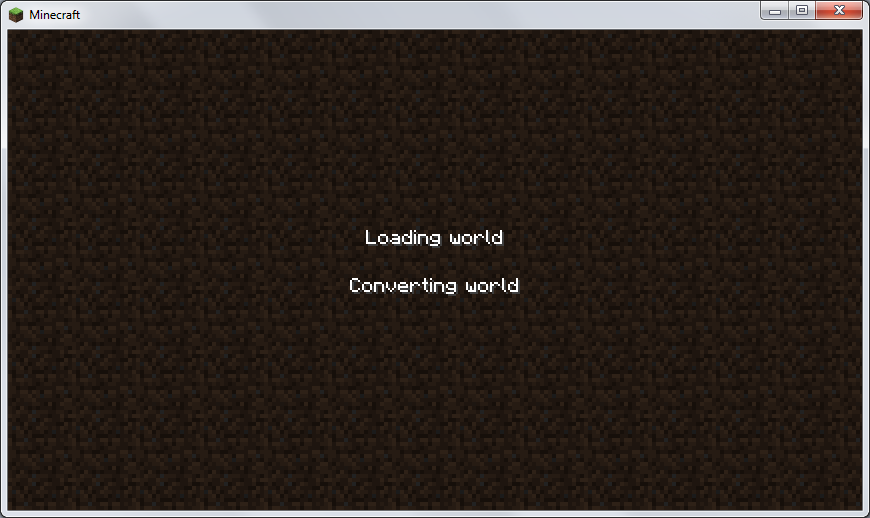






If you use incorrect biome ID in a superflat preset, the world generation will stuck in "Converting world". It's difficult to close Minecraft without the Task manager.
How to reproduce :
1. Create new world
2. Go to "More world options"
3. Select superflat world type
4. Click on "Customize"
5. In the preset box, type 2;7;x;village
Replace x by any invalid biome id (below 0 or above 22)
6. Click on "Use preset"
7. Click on "Done"
8. Create the new worldEDIT 1:I get a crash report
If you go to the End and beat the Enderdragon a portal will create. But if you look to south (f=0), a ghost portal will create. The ghost portal move with you.
This also happens with hacked overworld portal (e.g. edited with Mcedit or other world editor).
How to reproduce :
- Go to the End
- Beat the enderdragon
- Go near the overworld portal
- Look at the south
There is two screenshot
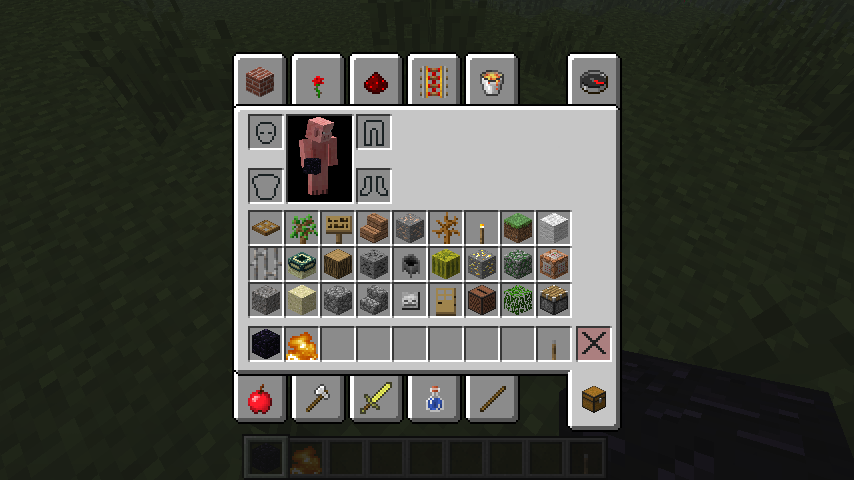
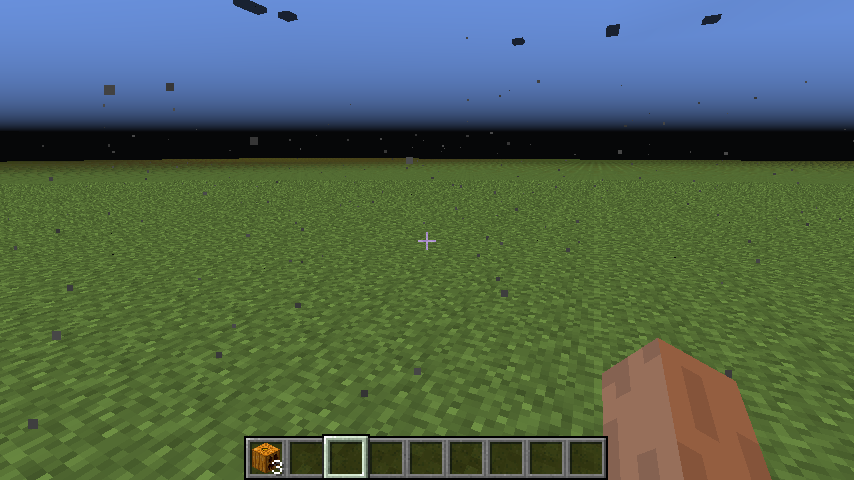
Number 1 is a unique ghost portal after kill the enderdragon
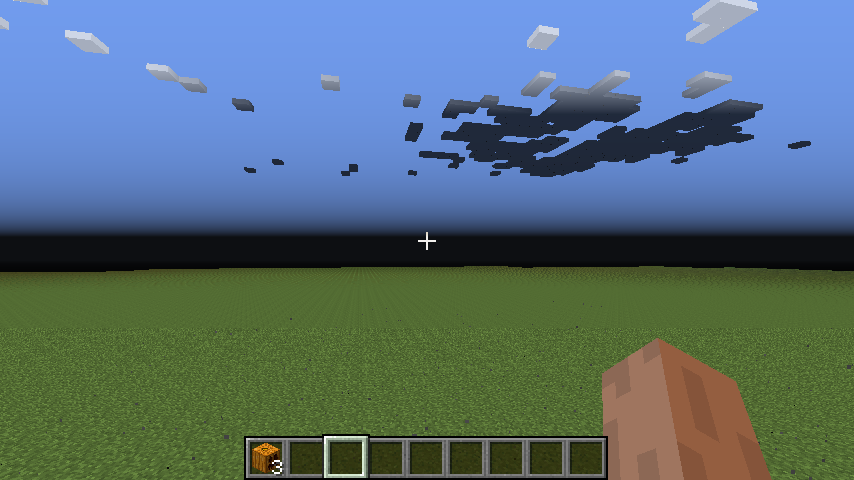
Number 2 is two ghost portals
On the left the portal is the enderdragon's portal
On the right the portal is hacked with Mcedit
Except obsidian and fire, glitched chunks conatin blocks in this screenshot plus lava, water and mob spawner
If you place cactus on water, the cactus is darker than expected. But cactus over the bottom cactus is correctly lit.
How to reproduce :
- Make a small 1-deep basin with water
- Place sand in the bottom of the bassin then plant 2 cactus
When you explode some TNT, netherrack become invisible.
How to reproduce
1. Go to the nether
2. Explode at least 30 TNT
3. ObserveEDIT 1 : This seems to happen in all dimensions.
You can observe the glitch in GameChap's video at 1:40 http://www.youtube.com/watch?v=Mb5gnMpPsno
If you go near 30 million block of the center of the world, Minecraft crashes. However I only tested on the amplified world.
How to reproduce :
1. Generate a new amplified world
2. Type command : /tp <player> 29999999 257 29999999
NOTE : In the crash report vanilla Minecraft find suspicious classes and the launcher flags 13w36a as modded. SeeMC-10143
If you go near 30 million block of the center of the world, Minecraft crashes. However I only tested on the amplified world.
How to reproduce :
1. Generate a new amplified world
2. Type command : /tp <player> 29999999 257 29999999
NOTE : In the crash report vanilla Minecraft find suspicious classes and the launcher flags 13w36a as modded.SeeMC-10143
If you try to place end portal, the portal isn't placed. Instead, the block is air.
How to reproduce :
Do one of the commands:/fill ~-1 ~-1 ~-1 ~1 ~-1 ~1 end_portal /setblock ~ ~-1 ~ end_portalEDIT : If you place manually the portal block, the portal despawn.
If you have a slow internet connection, the launcher may fail to download completely the files.
Console log:[10:09:22 INFO]: Attempting to download C:\Users\theo\AppData\Roaming\.minecraft\versions\14w32b\14w32b.jar for job 'Version & Libraries'... (try 5) [10:09:53 WARN]: Couldn't download http://s3.amazonaws.com/Minecraft.Download/versions/14w32b/14w32b.jar for job 'Version & Libraries' java.lang.RuntimeException: E-tag did not match downloaded MD5 (ETag was 34169165e621bb9a5bff8cd950b1c7d2, downloaded b30aae6a765d384c30eb342adef336e4) at com.mojang.launcher.updater.download.EtagDownloadable.download(EtagDownloadable.java:38) ~[launcher.jar:?] at com.mojang.launcher.updater.download.DownloadJob.popAndDownload(DownloadJob.java:109) [launcher.jar:?] at com.mojang.launcher.updater.download.DownloadJob.access$000(DownloadJob.java:12) [launcher.jar:?] at com.mojang.launcher.updater.download.DownloadJob$1.run(DownloadJob.java:86) [launcher.jar:?] at java.util.concurrent.Executors$RunnableAdapter.call(Unknown Source) [?:1.8.0_11] at java.util.concurrent.FutureTask.run(Unknown Source) [?:1.8.0_11] at java.util.concurrent.ThreadPoolExecutor.runWorker(Unknown Source) [?:1.8.0_11] at java.util.concurrent.ThreadPoolExecutor$Worker.run(Unknown Source) [?:1.8.0_11] at java.lang.Thread.run(Unknown Source) [?:1.8.0_11]Explanations:
I successfully decompile launcher.jar and i found this:protected HttpURLConnection makeConnection(URL url) throws IOException { HttpURLConnection connection = (HttpURLConnection)url.openConnection(this.proxy); connection.setUseCaches(false); connection.setDefaultUseCaches(false); connection.setRequestProperty("Cache-Control", "no-store,max-age=0,no-cache"); connection.setRequestProperty("Expires", "0"); connection.setRequestProperty("Pragma", "no-cache"); connection.setConnectTimeout(5000); //High timeout connections may prevent downloading files connection.setReadTimeout(30000); //This causes the connection to abort after 30 sec return connection; }So if the file can't be downloaded within 30 seconds, the file is partial and prevent Minecraft to run.
Then Minecraft 1.7.10 can't be downloaded in connections under 171 kB/s or 1369 kb/s.
Possible fixes:
- Give unlimited time to download files.
- Use a quite large timeout (like 3 min).
If you have a slow internet connection, the launcher may fail to download completely the files.
14w32b file is sized about 700 kB in my computer but the real size is about 7.3 mB
Console log:[10:09:22 INFO]: Attempting to download C:\Users\theo\AppData\Roaming\.minecraft\versions\14w32b\14w32b.jar for job 'Version & Libraries'... (try 5) [10:09:53 WARN]: Couldn't download http://s3.amazonaws.com/Minecraft.Download/versions/14w32b/14w32b.jar for job 'Version & Libraries' java.lang.RuntimeException: E-tag did not match downloaded MD5 (ETag was 34169165e621bb9a5bff8cd950b1c7d2, downloaded b30aae6a765d384c30eb342adef336e4) at com.mojang.launcher.updater.download.EtagDownloadable.download(EtagDownloadable.java:38) ~[launcher.jar:?] at com.mojang.launcher.updater.download.DownloadJob.popAndDownload(DownloadJob.java:109) [launcher.jar:?] at com.mojang.launcher.updater.download.DownloadJob.access$000(DownloadJob.java:12) [launcher.jar:?] at com.mojang.launcher.updater.download.DownloadJob$1.run(DownloadJob.java:86) [launcher.jar:?] at java.util.concurrent.Executors$RunnableAdapter.call(Unknown Source) [?:1.8.0_11] at java.util.concurrent.FutureTask.run(Unknown Source) [?:1.8.0_11] at java.util.concurrent.ThreadPoolExecutor.runWorker(Unknown Source) [?:1.8.0_11] at java.util.concurrent.ThreadPoolExecutor$Worker.run(Unknown Source) [?:1.8.0_11] at java.lang.Thread.run(Unknown Source) [?:1.8.0_11]Explanations:
I successfully decompile launcher.jar and i found this:protected HttpURLConnection makeConnection(URL url) throws IOException { HttpURLConnection connection = (HttpURLConnection)url.openConnection(this.proxy); connection.setUseCaches(false); connection.setDefaultUseCaches(false); connection.setRequestProperty("Cache-Control", "no-store,max-age=0,no-cache"); connection.setRequestProperty("Expires", "0"); connection.setRequestProperty("Pragma", "no-cache"); connection.setConnectTimeout(5000); //High timeout connections may prevent downloading files connection.setReadTimeout(30000); //This causes the connection to abort after 30 sec return connection; }So if the file can't be downloaded within 30 seconds, the file is partial and prevent Minecraft to run.
Then Minecraft 1.7.10 can't be downloaded in connections under 171 kB/s or 1369 kb/s.
Possible fixes:
- Give unlimited time to download files.
- Use a quite large timeout (like 3 min).
If you have a slow internet connection, the launcher may fail to download completely the files.
14w32b file is sized about 700 kB in my computer but the real size is about 7.3mB
Console log:[10:09:22 INFO]: Attempting to download C:\Users\theo\AppData\Roaming\.minecraft\versions\14w32b\14w32b.jar for job 'Version & Libraries'... (try 5) [10:09:53 WARN]: Couldn't download http://s3.amazonaws.com/Minecraft.Download/versions/14w32b/14w32b.jar for job 'Version & Libraries' java.lang.RuntimeException: E-tag did not match downloaded MD5 (ETag was 34169165e621bb9a5bff8cd950b1c7d2, downloaded b30aae6a765d384c30eb342adef336e4) at com.mojang.launcher.updater.download.EtagDownloadable.download(EtagDownloadable.java:38) ~[launcher.jar:?] at com.mojang.launcher.updater.download.DownloadJob.popAndDownload(DownloadJob.java:109) [launcher.jar:?] at com.mojang.launcher.updater.download.DownloadJob.access$000(DownloadJob.java:12) [launcher.jar:?] at com.mojang.launcher.updater.download.DownloadJob$1.run(DownloadJob.java:86) [launcher.jar:?] at java.util.concurrent.Executors$RunnableAdapter.call(Unknown Source) [?:1.8.0_11] at java.util.concurrent.FutureTask.run(Unknown Source) [?:1.8.0_11] at java.util.concurrent.ThreadPoolExecutor.runWorker(Unknown Source) [?:1.8.0_11] at java.util.concurrent.ThreadPoolExecutor$Worker.run(Unknown Source) [?:1.8.0_11] at java.lang.Thread.run(Unknown Source) [?:1.8.0_11]Explanations:
I successfully decompile launcher.jar and i found this:protected HttpURLConnection makeConnection(URL url) throws IOException { HttpURLConnection connection = (HttpURLConnection)url.openConnection(this.proxy); connection.setUseCaches(false); connection.setDefaultUseCaches(false); connection.setRequestProperty("Cache-Control", "no-store,max-age=0,no-cache"); connection.setRequestProperty("Expires", "0"); connection.setRequestProperty("Pragma", "no-cache"); connection.setConnectTimeout(5000); //High timeout connections may prevent downloading files connection.setReadTimeout(30000); //This causes the connection to abort after 30 sec return connection; }So if the file can't be downloaded within 30 seconds, the file is partial and prevent Minecraft to run.
Then Minecraft 1.7.10 can't be downloaded in connections under 171 kB/s or 1369 kb/s.
Possible fixes:
- Give unlimited time to download files.
- Use a quite large timeout (like 3 min).
If you have a slow internet connection, the launcher may fail to download completely the files.
14w32b file is sized about 700 kB in my computer but the real size is about 7.3 MB
Console log:[10:09:22 INFO]: Attempting to download C:\Users\theo\AppData\Roaming\.minecraft\versions\14w32b\14w32b.jar for job 'Version & Libraries'... (try 5) [10:09:53 WARN]: Couldn't download http://s3.amazonaws.com/Minecraft.Download/versions/14w32b/14w32b.jar for job 'Version & Libraries' java.lang.RuntimeException: E-tag did not match downloaded MD5 (ETag was 34169165e621bb9a5bff8cd950b1c7d2, downloaded b30aae6a765d384c30eb342adef336e4) at com.mojang.launcher.updater.download.EtagDownloadable.download(EtagDownloadable.java:38) ~[launcher.jar:?] at com.mojang.launcher.updater.download.DownloadJob.popAndDownload(DownloadJob.java:109) [launcher.jar:?] at com.mojang.launcher.updater.download.DownloadJob.access$000(DownloadJob.java:12) [launcher.jar:?] at com.mojang.launcher.updater.download.DownloadJob$1.run(DownloadJob.java:86) [launcher.jar:?] at java.util.concurrent.Executors$RunnableAdapter.call(Unknown Source) [?:1.8.0_11] at java.util.concurrent.FutureTask.run(Unknown Source) [?:1.8.0_11] at java.util.concurrent.ThreadPoolExecutor.runWorker(Unknown Source) [?:1.8.0_11] at java.util.concurrent.ThreadPoolExecutor$Worker.run(Unknown Source) [?:1.8.0_11] at java.lang.Thread.run(Unknown Source) [?:1.8.0_11]Explanations:
I successfully decompile launcher.jar and i found this:protected HttpURLConnection makeConnection(URL url) throws IOException { HttpURLConnection connection = (HttpURLConnection)url.openConnection(this.proxy); connection.setUseCaches(false); connection.setDefaultUseCaches(false); connection.setRequestProperty("Cache-Control", "no-store,max-age=0,no-cache"); connection.setRequestProperty("Expires", "0"); connection.setRequestProperty("Pragma", "no-cache"); connection.setConnectTimeout(5000); //High timeout connections may prevent downloading files connection.setReadTimeout(30000); //This causes the connection to abort after 30 sec return connection; }So if the file can't be downloaded within 30 seconds, the file is partial and prevent Minecraft to run.
Then Minecraft 1.7.10 can't be downloaded in connections under 171 kB/s or 1369 kb/s.
Possible fixes:
- Give unlimited time to download files.
- Use a quite large timeout (like 3 min).
If you have a slow internet connection, the launcher may fail to download completely the files.
14w32b file is sized about 700 kB in my computer but the real size is about 7.3 MB
Console log:[10:09:22 INFO]: Attempting to download C:\Users\theo\AppData\Roaming\.minecraft\versions\14w32b\14w32b.jar for job 'Version & Libraries'... (try 5) [10:09:53 WARN]: Couldn't download http://s3.amazonaws.com/Minecraft.Download/versions/14w32b/14w32b.jar for job 'Version & Libraries' java.lang.RuntimeException: E-tag did not match downloaded MD5 (ETag was 34169165e621bb9a5bff8cd950b1c7d2, downloaded b30aae6a765d384c30eb342adef336e4) at com.mojang.launcher.updater.download.EtagDownloadable.download(EtagDownloadable.java:38) ~[launcher.jar:?] at com.mojang.launcher.updater.download.DownloadJob.popAndDownload(DownloadJob.java:109) [launcher.jar:?] at com.mojang.launcher.updater.download.DownloadJob.access$000(DownloadJob.java:12) [launcher.jar:?] at com.mojang.launcher.updater.download.DownloadJob$1.run(DownloadJob.java:86) [launcher.jar:?] at java.util.concurrent.Executors$RunnableAdapter.call(Unknown Source) [?:1.8.0_11] at java.util.concurrent.FutureTask.run(Unknown Source) [?:1.8.0_11] at java.util.concurrent.ThreadPoolExecutor.runWorker(Unknown Source) [?:1.8.0_11] at java.util.concurrent.ThreadPoolExecutor$Worker.run(Unknown Source) [?:1.8.0_11] at java.lang.Thread.run(Unknown Source) [?:1.8.0_11]Explanations:
I successfully decompile launcher.jar and i found this:protected HttpURLConnection makeConnection(URL url) throws IOException { HttpURLConnection connection = (HttpURLConnection)url.openConnection(this.proxy); connection.setUseCaches(false); connection.setDefaultUseCaches(false); connection.setRequestProperty("Cache-Control", "no-store,max-age=0,no-cache"); connection.setRequestProperty("Expires", "0"); connection.setRequestProperty("Pragma", "no-cache"); connection.setConnectTimeout(5000); //High timeout connections may prevent downloading files connection.setReadTimeout(30000); //This causes the connection to abort after 30 sec return connection; }So if the file can't be downloaded within 30 seconds, the file is partial and prevent Minecraft to run.
Then Minecraft 1.7.10 can't be downloaded in connections under 171 kB/s or 1369 kb/s.
How to reproduce: (not reliable)
Download lots of big files.
Possible fixes:
- Give unlimited time to download files.
- Use a quite large timeout (like 3 min).
If you have a slow
internet connection, the launcher may fail to download completely the files.
14w32b file is sized about 700 kB in my computer but the real size is about 7.3 MB
Console log:[10:09:22 INFO]: Attempting to download C:\Users\theo\AppData\Roaming\.minecraft\versions\14w32b\14w32b.jar for job 'Version & Libraries'... (try 5) [10:09:53 WARN]: Couldn't download http://s3.amazonaws.com/Minecraft.Download/versions/14w32b/14w32b.jar for job 'Version & Libraries' java.lang.RuntimeException: E-tag did not match downloaded MD5 (ETag was 34169165e621bb9a5bff8cd950b1c7d2, downloaded b30aae6a765d384c30eb342adef336e4) at com.mojang.launcher.updater.download.EtagDownloadable.download(EtagDownloadable.java:38) ~[launcher.jar:?] at com.mojang.launcher.updater.download.DownloadJob.popAndDownload(DownloadJob.java:109) [launcher.jar:?] at com.mojang.launcher.updater.download.DownloadJob.access$000(DownloadJob.java:12) [launcher.jar:?] at com.mojang.launcher.updater.download.DownloadJob$1.run(DownloadJob.java:86) [launcher.jar:?] at java.util.concurrent.Executors$RunnableAdapter.call(Unknown Source) [?:1.8.0_11] at java.util.concurrent.FutureTask.run(Unknown Source) [?:1.8.0_11] at java.util.concurrent.ThreadPoolExecutor.runWorker(Unknown Source) [?:1.8.0_11] at java.util.concurrent.ThreadPoolExecutor$Worker.run(Unknown Source) [?:1.8.0_11] at java.lang.Thread.run(Unknown Source) [?:1.8.0_11]Explanations:
I successfully decompile launcher.jar andifound this:protected HttpURLConnection makeConnection(URL url) throws IOException { HttpURLConnection connection = (HttpURLConnection)url.openConnection(this.proxy); connection.setUseCaches(false); connection.setDefaultUseCaches(false); connection.setRequestProperty("Cache-Control", "no-store,max-age=0,no-cache"); connection.setRequestProperty("Expires", "0"); connection.setRequestProperty("Pragma", "no-cache"); connection.setConnectTimeout(5000); //High timeout connections may prevent downloading files connection.setReadTimeout(30000); //This causes the connection to abort after 30 sec return connection; }So if the file can't be downloaded within 30 seconds, the file is partial and prevent Minecraft to run.
Then Minecraft 1.7.10 can't be downloaded in connections under 171 kB/s or 1369 kb/s.
How to reproduce: (not reliable)
Download lots of big files.
Possible fixes:
- Give unlimited time to download files.
- Use a quite large timeout (like 3 min).
If you have a slow Internet connection, the launcher may fail to download completely the files.
14w32b file is sized about 700 kB in my computer but the real size is about 7.3 MB
Console log:[10:09:22 INFO]: Attempting to download C:\Users\theo\AppData\Roaming\.minecraft\versions\14w32b\14w32b.jar for job 'Version & Libraries'... (try 5) [10:09:53 WARN]: Couldn't download http://s3.amazonaws.com/Minecraft.Download/versions/14w32b/14w32b.jar for job 'Version & Libraries' java.lang.RuntimeException: E-tag did not match downloaded MD5 (ETag was 34169165e621bb9a5bff8cd950b1c7d2, downloaded b30aae6a765d384c30eb342adef336e4) at com.mojang.launcher.updater.download.EtagDownloadable.download(EtagDownloadable.java:38) ~[launcher.jar:?] at com.mojang.launcher.updater.download.DownloadJob.popAndDownload(DownloadJob.java:109) [launcher.jar:?] at com.mojang.launcher.updater.download.DownloadJob.access$000(DownloadJob.java:12) [launcher.jar:?] at com.mojang.launcher.updater.download.DownloadJob$1.run(DownloadJob.java:86) [launcher.jar:?] at java.util.concurrent.Executors$RunnableAdapter.call(Unknown Source) [?:1.8.0_11] at java.util.concurrent.FutureTask.run(Unknown Source) [?:1.8.0_11] at java.util.concurrent.ThreadPoolExecutor.runWorker(Unknown Source) [?:1.8.0_11] at java.util.concurrent.ThreadPoolExecutor$Worker.run(Unknown Source) [?:1.8.0_11] at java.lang.Thread.run(Unknown Source) [?:1.8.0_11]Explanations:
I successfully decompile launcher.jar and I found this:protected HttpURLConnection makeConnection(URL url) throws IOException { HttpURLConnection connection = (HttpURLConnection)url.openConnection(this.proxy); connection.setUseCaches(false); connection.setDefaultUseCaches(false); connection.setRequestProperty("Cache-Control", "no-store,max-age=0,no-cache"); connection.setRequestProperty("Expires", "0"); connection.setRequestProperty("Pragma", "no-cache"); connection.setConnectTimeout(5000); //High timeout connections may prevent downloading files connection.setReadTimeout(30000); //This causes the connection to abort after 30 sec return connection; }So if the file can't be downloaded within 30 seconds, the file is partial and prevent Minecraft to run.
Then Minecraft 1.7.10 can't be downloaded in connections under 171 kB/s or 1369 kb/s.
How to reproduce: (not reliable)
Download lots of big files.
Possible fixes:
- Give unlimited time to download files.
- Use a quite large timeout (like 3 min).
When a killer rabbit attacks players with Thorns enchantment, it seems the rabbit doesn't get damage from Thorns enchantment.
How to reproduce :
- Enchant an armor with Thorns III enchantment
- Summon killer rabbit (full diamond armor or Resistance 5 advised) using
/summon Rabbit ~ ~ ~ {RabbitType:99}About after 15 hits, the rabbit don't get any thorns damage.
EDIT : It seems guardians and witches are also unaffected. It may be intended but it's likely a bug.
This also happens in the Nether. The fog turn light red in the Nether. I think in the End the fog should be black and in the Nether the fog should be darker. I have attached a screenshot in the Nether.
Sometimes slimes sink into the ground in a superflat world
Still happens in 1.4.5 but NullPointerException
I found an idea to fix this : The validation of superflat preset must be more strict so the biome id must be beetween 0 and 22
Doesn't happens in SSP. Just in SMP. There is some gold ore and the game lag. Added a screenshot to see what contains these fake chunks except obsidian and fire block. Water, lava and mob spawner and some other blocks are also in these chunks. Grass is miscolored.
Attached screenshots. You can see top cactus correctly lit. This happens only on cactus block.
Confirmed in the client and the server (the server crashes). Does happen in normal chest
Confirmed.
Confirmed, also works with normal pistons
Despite being different of other mineral blocks, many people thinks it's a storage block.
You can get wood from saplings and stone bricks by crafting with stone which is a very common renewable resource.
For the brick, you need to cook clay ball to get brick. This is irreversible. Clay is common near water. Bricks has only decoration purpose. But nether quartz is useful in redstone circuit. For the sapling, you put sapling on the ground then you will get wood.
I don't see interest of turning bricks into brick (item).
Confirmed. I tested with the default texture pack and a HD texture pack.
11 votes. It's not enough to get it resolved. Still not resolved. I'm certain it's a storage block.
Sorry for reviewing a closed ticked but still crash for 35:16.
I can confirm it does damage even in peaceful difficulty (50 half hearts). NOTE : It only occur when you activate by flint and steel. If activated by another source (except flaming arrow) the TNT won't do damage
I can confirm it's quite annoying because I have a farm. Happens when reloading world.
I confirm Minecraft crashed when a locked chest enter in a player.
Attached a crash report for 13w19a
Confirmed for unmodded Minecraft 13w19a.
Confirmed for ALL passive mobs that run on hit.
In fact sometimes enchantment doesn't work at all.
Are you in peaceful difficulty?
I finally tested in all world types and superflat world don't crash. I think it is a world generation failure. UPDATE : Added crash report for 13w36b. Again the launcher thinks it's modded.
I can also confirm this but it does crash Minecraft.
When you try to get a item without name, Minecraft crashes.
Confirmed. How to reproduce: /summon Egg
I think it may be intended for high superflat worlds.
I have this issue in 14w06b
It's possible that is a hardware problem. Try to delete options.txt to reset settings.
Can't reproduce.
Probably unfixable. If you don't set up the value Count, it defaults to 0. This causes undefined behavior. Using
/summon Item ~ ~ ~ {Item:{id:"minecraft:diamond_sword",Count:1}}works.
Weird bug. I can confirm.
I can confirm this using /testfor and scoreboard. My commands:
Weird. I can confirm but it is sudden. When I set to 1.134 everything is normal. But at 1.136 the spike already reach y=255. (May vary with seed)
It's a possible duplicate:
MC-53439It seems the bug is caused by this line: [Client thread/WARN]: Unable to play unknown soundEvent: minecraft:step.anvil
Seems to be fixed since 14w30a.
Ctrl picked items are not stackable with the original.
Weird. This doesn't happen on /give commands (the square brackets don't double).
I think it is in internal game code, not languages files.I don't know how this can happening.
Confirmed. I thought it was a corruption bug but when I see the particles it was a render bug.
I don't agree about ranged attacks because other mobs still receive damage from thorns (Skeletons, ghasts, blazes, even Withers) but the witch's resistance may be intended.
I can confirm, but the islands actually generates up to the hard limit 30000000 but islands may cease to generate progressively or even abruptly.
The void ocean is smaller than you think: I picked two spots (X/Z = 10000000 and 30000000) and the void ocean is about 10k-15k blocks only. Near the ocean, the terrain is almost flat and without chorus plants but you can find abrupt cliffs along the chunks leading to "normal" terrain (These "normal" chunks are only 3-4 chunks wide).
I will post screenshot of such "features".
Weirdly, only some doors of the village (constructed from cured zombies) completely disappear and replaced by air block.
I can confirm both but for the chest the crash is delayed: the crash is triggered when you open the chest.
WARNING: backup level.dat before trying to reproduce the crash or you will have to regenerate this file, thus losing the world.
I can confirm the lag, even in singleplayer in snapshot 15w51b. I use 2 tests: a redstone clock test and /debug. I have uploaded 2 /debug reports. The packet flood (I got already 150 packets per tick in SP) is maybe a side effect.
Edit: I have found out that this is the pathfinding algorithm that jams the game (from the first report). The first report is in an experimental world, the second is from a superflat world with nothing.
/debug start and /debug stop to do the profiling
I don't think the lag is only from zombies AI, because in the superflat world, even in daytime, there is significant lag. And even in the experimental world, zombies are killed every 6-7 seconds. But I think this is actually from pathfinding (in general).
Edit: I create a world with nothing, just a platform. The lag doesn't occur, even with redstone contraptions.
I even think that the snapshot 15w51b aggravates the issue because this snapshot fixes
MC-94419, which fixes a crash involving pathfinding and chickens. The issue may be global. And also, I noted that even killing all entities isn't useful once the lag is installed. However, I don't experience any significant lag before 15w51b, maybe because of the patch.The server lag is real, but I haven't yet observed the watchdog crash. I killed almost all mobs (hostile mobs and villagers) and prevent mobs spawning, the lag is significantly reduced (but not completely: I still got 17 ticks per second).
Edit: There is a workaround: kill every hostile mobs and then set the gamerule doMobSpawning to false.
I think Mojang is aware of the issue and it's maybe why snapshots are delayed (I take account of the holidays). Snapshots must not be used in public servers because of the potential instability (this seems to be the case).