 László Rasmussen
- ZeLalo
- zelalo
- Europe/Stockholm
- Yes
- No
 MC-138809
![[Mojang] Georgii Gavrichev](../../../data/avatars/users/22428.png)

![[Mojang] Adrian Östergård](../../../data/assets/gravatar/nighter.jpeg)


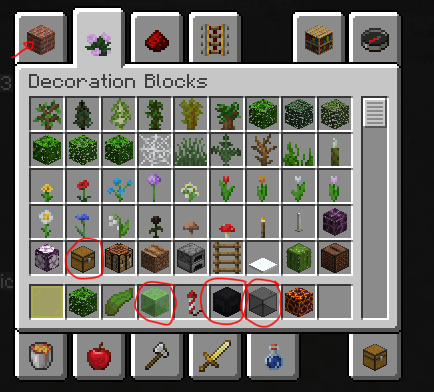
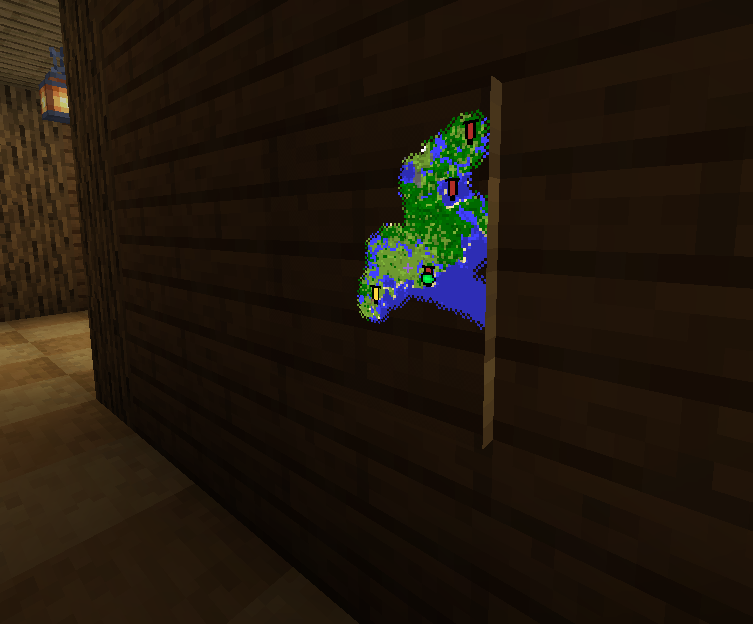
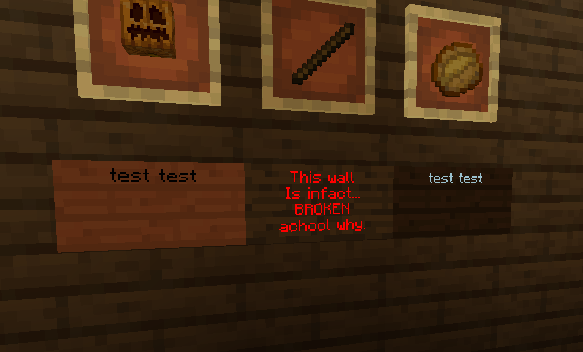
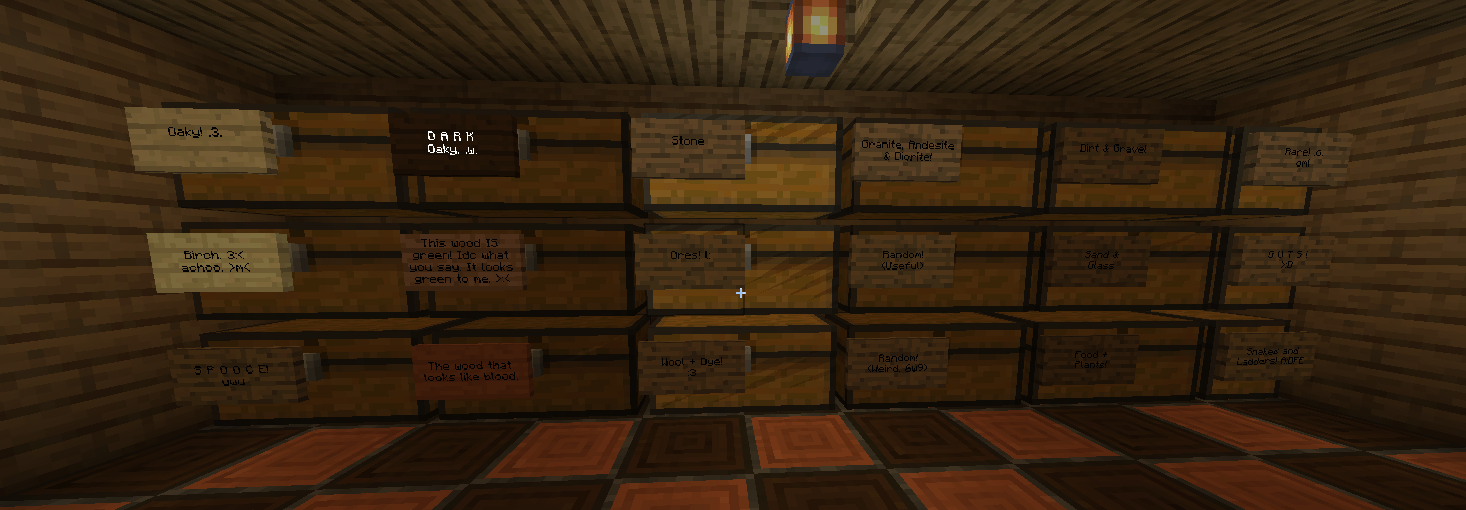






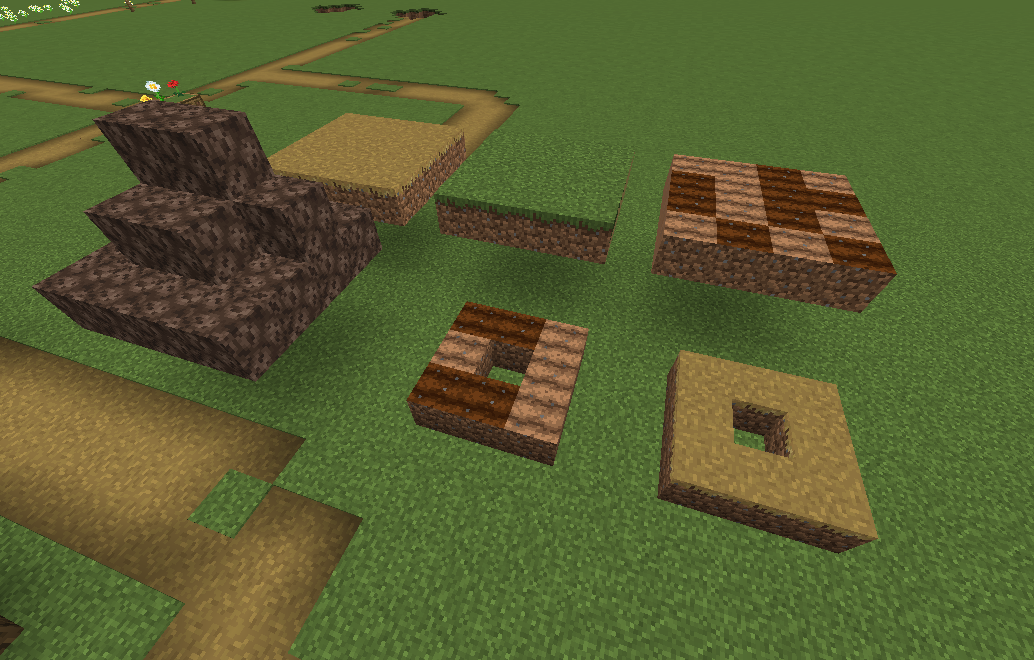





Much like the title says:
Items with Alpha Opacity (Semi-transparent. Like Stained Glass Blocks/Panes, Slime Blocks, Ice etc.) Make placed down NBT tag-able blocks (Like Chests, Beds, Shulker Boxes, Signs etc.) invisible when Item is dropped in front of given NBT tag-able block. Creating a see-through like hole.
The same issue does not apply with Leaves, Non-Stained Glass
,Iron Bars etc. Since they are fully transparent and not semi-transparent.Much like the title says:
Items with Alpha Opacity (Semi-transparent. Like Stained Glass Blocks/Panes, Slime Blocks, Ice etc.) Make placed down NBT tag-able blocks (Like Chests, Beds, Shulker Boxes, Signs etc.) invisible when Item is dropped in front of given NBT tag-able block. Creating a see-through like hole.
The same issue does not apply with Leaves, Non-Stained Glass or Iron Bars etc. Since they are fully transparent and not semi-transparent.
Java 8 I guess (Haven't changed it)
Windows 10 64 bit (Version: 1903 18362.356)
GTX 1070
As title explains.
Edit: Oh and some textures (the transparent ones) like leaves and stained glass render the sides of the block that are not meant to be shown, making them look weird.
screenshot-1.png
To recreate, load into a world with commands and start doing F3 + N to notice how the mipmaps seem to
not be applied in spectator mode.To recreate, load into a world with commands and start doing F3 + N repeatedly to notice how the mipmaps seem to toggle
To recreate, load into a world with commands and start doing F3 + N repeatedly to notice how the mipmaps seem to toggle. This also causes leaves to flicker when the game tries to display the mipmapped texture. This flickering does not happen when mipmaps are turned off in survival/creative.
The map seems to have a black border when being held without anything, when
in item is in your off-hand and when the map is in the off-hand. but as soon as you hold something in your main hand, with the map in your off-hand, the black border goes away. But even then, you can see through your arm.The map seems to have a black border when being held without anything, when an item is in your off-hand and when the map is in the off-hand by itself. but as soon as you hold something in your main hand, with the map in your off-hand, the black border goes away. But even then, you can see through your arm.
The bug
Looking at snow from a certain angles can be used to see through walls and underground.
How to reproduce
Simply place down snow, switch the camera to 3rd person and try to find the exploitable angles by "looking" on the snow with the playerhead. (It's really not that hard and will happen by accident a lot of the time when playing in general.)
Looking at snow from a certain angles results in x-ray
The bug
When breaking a block of grass, the animation itself seems to take on the colour of the biome colour. In some biomes the effect is stronger than others. The biomes with strongest effect I tested are For
rest, Dark forest and Birch forest.How to reproduce
In a normal creative world, locate a Forest, Dark forest or Birch forest biome for best results. Either find a grass block, or put multiple down in creative. Then switch to Survival and start the breaking animation. The grass block's breaking animation should be miss-coloured.
The bug
When breaking a block of grass, the animation itself seems to take on the colour of the biome colour. In some biomes the effect is stronger than others. The biomes with strongest effect I tested are Forest, Dark forest and Birch forest.
How to reproduce
In a normal creative world, locate a Forest, Dark forest or Birch forest biome for best results. Either find
agrass block, or put multiple down in creative. Then switch to Survival and start the breaking animation. The grass block's breaking animation should be miss-coloured.The bug
When breaking a block of grass, the animation itself seems to take on the colour of the biome colour. In some biomes the effect is stronger than others. The biomes with strongest effect I tested are Forest, Dark forest and Birch forest.
How to reproduce
In a normal creative world, locate a Forest, Dark forest or Birch forest biome for best results. Either find grass blocks, or put multiple down in creative. Then switch to Survival and start the breaking animation. The grass block's breaking animation should be miss-coloured.
The bug
When using higher render distances, clouds towards south and east render fine. But the clouds towards north and west don't render far enough.
They pop in view too close and unlike the correctly rendered clouds, they don't have a nice transition from the fog to fov.
How to reproduce
Video demonstrating the issue: https://youtu.be/
n5o2teoJog4
In this example I'm using a render distance of 32.The bug
When using higher render distances, clouds towards south and east render fine. But the clouds towards north and west don't render far enough.
They pop in view too close and unlike the correctly rendered clouds, they don't have a nice transition from the fog to fov.
How to reproduce
Video demonstrating the issue: https://youtu.be/1VjTDNZti9U
In this example I'm using a render distance of 32.
Can confirm! Pretty sure it's a block updating bug. Some of my contraptions have stopped working. Edit: Though only for 19w42a so far.
The Bug:
End Crystals that spawn in the End on obsidian towers use the old Bedrock texture for the "Bedrock support part thingy".Could be intentional... And yeah, it's probably not worth "fixing" but I'm just thinking about consistency.

My findings
So, I found that any non 2D item will cause this. Items like the trident are excluded though, since when you hold it, it shows a 3D model. so it will still cause the issue.
When I captured the clip, I thought it was only items that were enchanted, but that is not true. For example, enchanting either a shield or trident still causes the issue.
How to reproduce:
Just place a block (Preferably solid) into your hotbar while you are in survival. You don't even need to be wearing armour.
As title says: Activating or breaking huge Nether portals stops rendering of beacon beams for a short amount of time.
This video demonstrates what happens: https://youtu.be/nhk3jyGQDK4
I have tested this in both 1.15.2 and 20w08a, both versions have the bug in both the Nether and Overworld.
Ever since the OpenGL version updated to 3.2, I have been getting a dramatical performance decrease on my machine. About 1/3rd of my previous FPS performance. I haven't set any hacky/weird settings through either my system, game or drivers that I can recall.
I suspect this is an issue related to my graphics card (GTX 1070) or its driver, as the 21w10a screenshot shows OpenGL running version 3.2 rather than 4.6 as previous versions show. This does not seem to happen with anyone else I have seen online
, the version stays the latest. I suspectthatmy GPU is somehow forcing or emulating OpenGL 3.2 which might be why the game is performing worse.
Java version 15(also tested with default runtime). Windows 10 latest version as of writing. Intel i7 7700 CPU. GeForce GTX 1070 GPU. 2 and 4 GB game memory allocated.
Java 15(also tested with default runtime)
Windows 10 latest version as of writing.
Intel i7 7700, GTX 1070, 2 and 4 GB game memory allocated.
When hovering the mouse over the "Menu Background Blur" setting found in either [Options > Video Settings] or [Options > Accessibility settings]and reading the tooltip
that says "Changes the blurriness of menu background".
This tooltip is missing a punctuation at the end (the little "." dot aka full stop).All other tooltips in the options menus have seemingly correct punctuation, such as the Glint Speed option with "Controls how fast the visual glint shimmers across enchanted items.".When hovering the mouse over the "Menu Background Blur" setting found in either [Options > Video Settings] or [Options > Accessibility settings]and reading the tooltip, it says "Changes the blurriness of menu background" which is missing proper punctuation at the end. (the little "." dot aka full stop).
All other tooltips in the options menus have seemingly correct punctuation, such as the Glint Speed option with "Controls how fast the visual glint shimmers across enchanted items.".
When hovering the mouse over the "Menu Background Blur" setting found in either [Options > Video Settings] or [Options > Accessibility settings]and reading the tooltip, it says "Changes the blurriness of menu background" which is missing proper punctuation at the end. (the little "." dot aka full stop).
All other tooltips in the options menus have seemingly correct punctuation, such as the Glint Speed option with "Controls how fast the visual glint shimmers across enchanted items.".
removed
"Changes the blurriness of menu background" lacks punctuationdeleted
This just looks like standard mipmapping?🤔
Having same issue. This can be easily recreated by giving yourself a new bow/crossbow in creative.
Even if you already have an old one in your inventory. And as far as my testing goes, it's only a problem in creative. If the bow is acquired in creative and shot for the first time in survival, the issue is not present.
Oh and it's a per-bow issue and cannot be reset. Which means that even if you drop the bow without having fired with it and pick it back up it, the issue is present. But not if it's been fired before dropped.
Edit: And it's still present in the latest pre-release as of writing, 1.14.4 pre 6
Confirmed for 1.14.4 Pre-Release 7
Still in 1.14.4
Iron bars also seem to be flickering when further away, and placed on a block. you know, where the iron bar and block connects.
2D items also seem to be darker than they should be.
I'm not sure the text is supposed to glow. It seemed to work perfectly fine in 1.14.x
@violine1101 Is that intentional? I know that you might not know at all.
Side note, The resource pack I'm using is a self-made one that only changes a few textures. It should not interfere with the breaking animation or biome colours in any way.
Still in 19w41a
Still in 19w41a
Only in third person. Arm doesn't swim anymore in first person.
Actually; If you just quickly right click, the arm will still swing in first person. It's when you hold right click down it doesn't swing (aka, when eating properly). Edit: Oh, Started writing this before violine1101's comment.
Still an issue in 1.14.4 and 19w42a
Could it have something to do with, that I was playing on a server? A friend's vanilla server. We haven't added any datapacks or changed anything alike.
Huh. Okay, I did a lot of testing both on the server I talked about, and in a local world. Everything seems to be working as intended now... Somehow. Sorry for the inconvenience!
I'm not sure that's a bug
They seem to still render, but just far away from the dragon itself. Some distance up in the air.
This is still in 19w44a
Obviously, it affects 19w44a, since it's not fixed yet. But I still thought I'd say.
It's that bug in caves, where it unloads the chunks/segments when you stand near the edge of a chunk. (I think) The game thinks you can't see it unload, but it doesn't consider what your FOV setting is, so if it's too high, you will see them disappear. This is a duplicate of MC-63020
This is a known issue, don't worry. And will probably get fixed before 1.15's release. The issue is this 161917. Which means this is a duplicate.
This might be intentional, but it would be interesting seeing this as a feature. I'm just gonna watch this issue to see what happens.
Is duplicated by MC-164887.
eopr, I know how you feel...
Still in the launcher over a year after last comment. Current launcher version as of writing: 2.1.9616
Yes

Can confirm for 1.15 pre
1.15 pre 1 is affected
Affects 1.15 pre 1
Breaking blocks with a block above the one you're currently breaking causes some particles to still stick the one abovein 1.15 pre 1
This seems to be fixed in 1.15 pre 3.
Edit: After some more testing I found out this was only partially true. Sometimes experience orbs do render behind other experience orbs, and other times they don't.
Why doesn't a particle render distance option get implemented to java?
The fabric API alone, seems to fix this somehow. Just thought I would share that here, it might be useful,,,?
I think this was fixed? Pretty sure it got fixed automatically when other fixes were applied to the inventory.
There are 2 things wrong... 1: This is Java edition you're reporting for and 2: The issue you need help with is not as much a game bug, as it is a support issue! Just FYI! ^^
Yup! Pretty sure it is. Looks to me as if the bug was fixed and not created.
20w07a seems to have slightly higher FPS performance than 1.15.2, for me. Like 2 - 5%. But it's still not as high as the 1.14.4 days.
Same with 1.15.2 and 20w07a
If this is a duplicate, then I just wanna say that I tried looking for the original report!
In 20w10a they seem to make shadows now, but they're still missing ambient occlusion.
Might wanna change the title to something like "Grass path blocks, soul sand and farmland don't make or have ambient occlusion" Since the bug is "half-fixed"
I think this issue belongs to the section "Mojang webservices"? And not "Java edition"?
I seem to have accidentally deleted the video but I've quickly made a new one and replaced the link in the report!
Maybe it's to spare performance for the most extreme case of slow hardware? Anyway, it's still present in 1.16.1.
Where's the bug? That looks like a feature.
I would consider this a duplicate of MC-71767 but I'm not going to close this yet, since this has Mojang priority and MC-71767 doesn't. But it Definitely relates to it!
Bug is no longer present in 20w29a But IS present in 1.16.1! It's been fixed somehow!
Edit: I would mark is as resolved if only I knew how to 🤷♂️
Still present in 20w30a
Confirmed for 20w30a
I'm having the same problem on my Switch Lite, although my little brother does NOT have the problem on his Switch non-Lite.
I can confirm for 1.16.5
This is fixed (Finally yayyy!) for me in 21w10a on my laptop with an i5-1035g1 using the built-in Intel UHD Graphics
I can confirm that as well, Numeritos, when I was trying the exact same thing. But I don't think it's that related to this.
I am not sure. It seems to be a hit or miss thing that only seems somewhat random from system to system.
I get this bug on my Nintendo Switch Lite whenever I'm hosting a multiplayer world, and it's lagging. Or when I'm on someone else's multiplayer world, which is lagging. Edit: Version 1.16.210
I can confirm that this issue is present in the 1.17.2 release on Nintendo Switch
I can confirm seeing this issue in version 1.20.5
Affects 1.21.1 and 24w39a.
I did some testing, and I can conclude at this point that the speed gain of turning off transparency for leaves by setting graphics option to "fast" is practically 0 in the current version of 1.21.1.
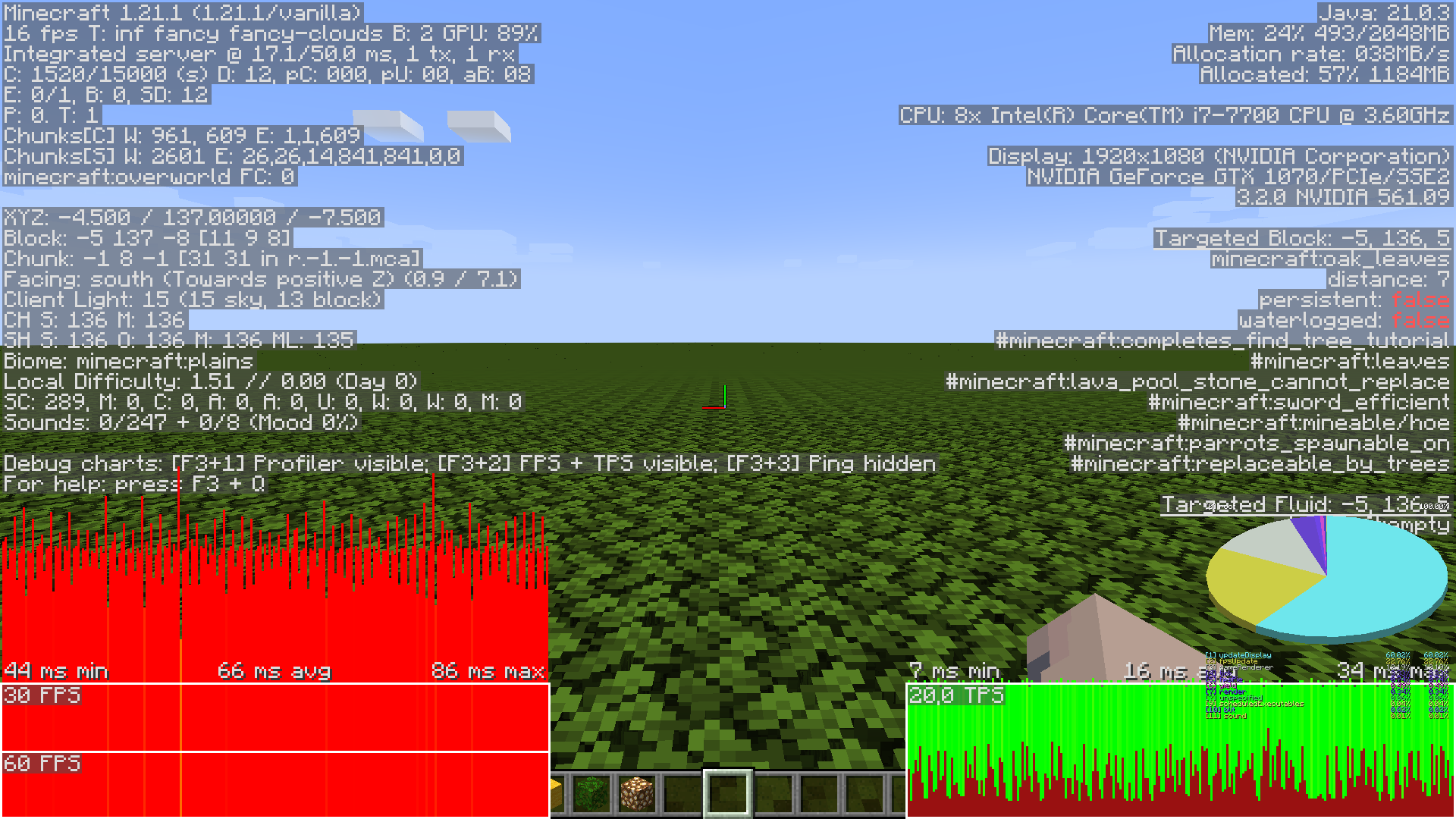
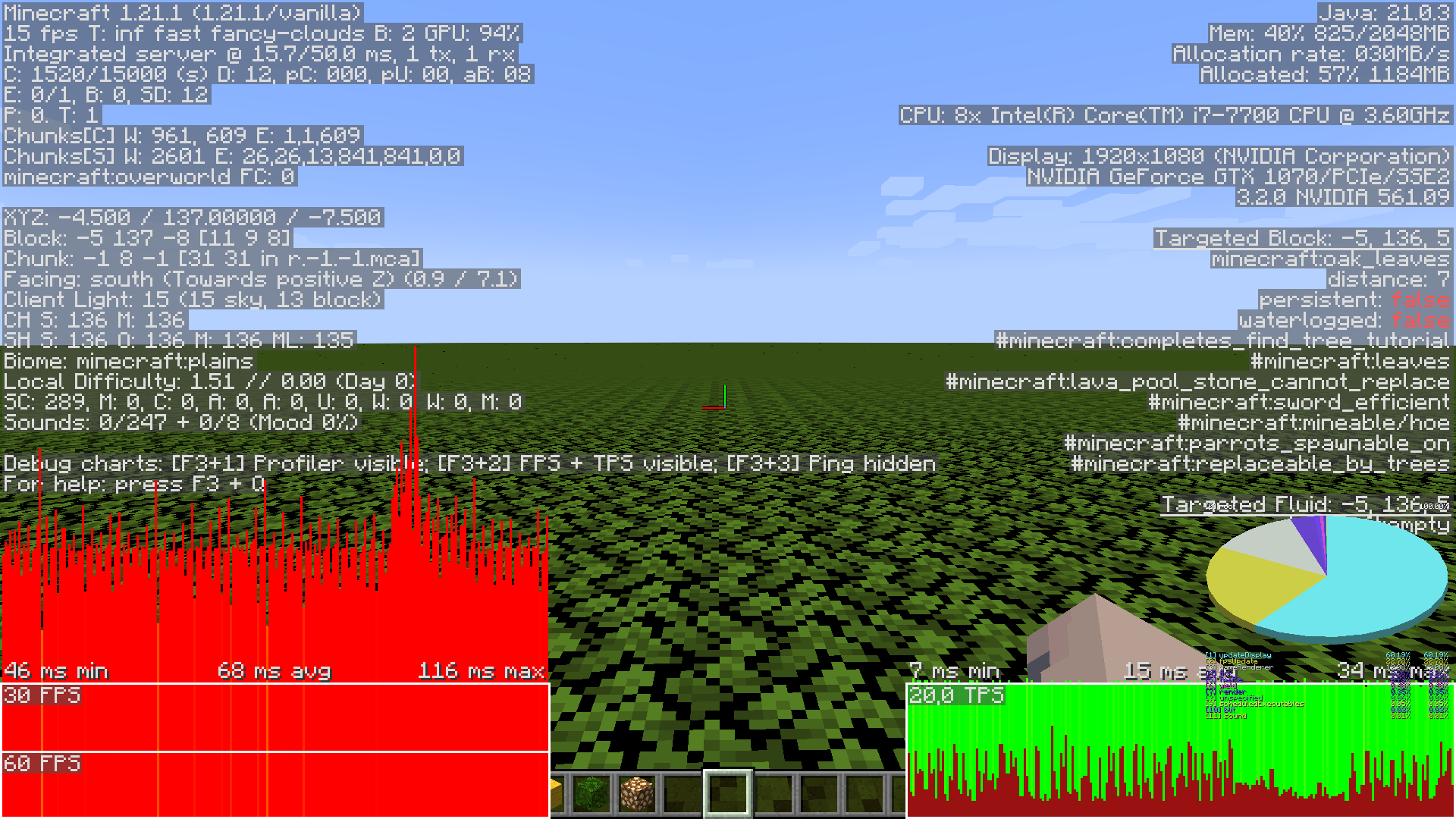
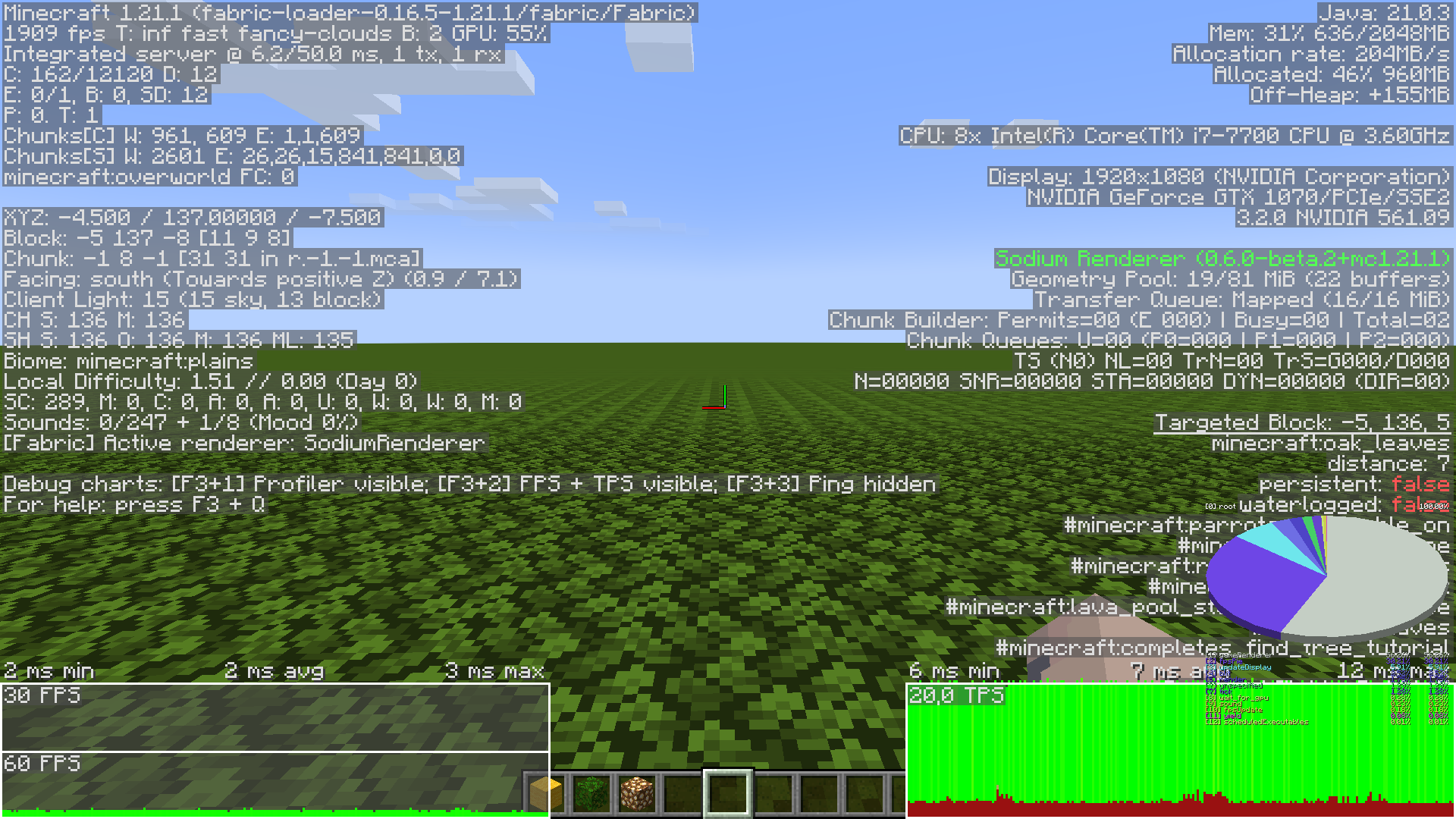
Here are two different perspectives of the same scene with the only difference being either using fast or fancy graphics. The world is a superflat world with all annoying gamerules (like firetick, weather, randomtickrate) turned off. The terrain is 1 layer of bedrock and 200 layers of oak leves. I have uploaded the world as a 7z file attached to this comment. 200_oak_leaves_world.zip
Here are some comparison images I took with the debug screen. I used pretty default game settings, only unlocking the framerate and otherwise only changing specified values. The options file used can be downloaded here: options.txt
The following content of this comment is a long list of large debug screenshots showcasing different levels performance dictated by different specified setups.
First off, vanilla, fancy graphics, looking off into the horizon:
Second, setting the graphics option to "fast". The framerate seems to be identical for the most part, even though you would think the more simplified "opaque" scene would be orders of magnitude faster to render:
For comparison, here is the same exact scene with the mods "moreculling 1.0.0 beta 1" and "sodium 0.6.0 beta 2" both mods using defualt settings, first fancy graphics, then fast.
Here is another angle, looking down and showing a lot more vertical depth and overlapping of leaves. First: vanilla fancy, Second: vanilla fast, Third: modded fancy with default settings, Fourth: modded fancy with moreculling's leaf culling mode set to "depth", and lastly, Fifth: modded fast with default settings: