Blocks in the inventory are no longer shaded properly
Linked Issues
is duplicated by8
 MC-164042Items in inventory don´t have shadowsDuplicateMC-164312Inventory lightingDuplicateMC-165104Blocks in the inventory aren't shadedDuplicateMC-165414Lightmap is applied to items and text in GUIsDuplicateMC-165741There is no shade in blocksDuplicateMC-166081incorrect lighting for blocks in GUIDuplicateMC-166381Items in hotbar are rendered with shadows nonexistentDuplicateMC-166738the creative menu's blocks are shaded weirdlyDuplicate
relates to6
MC-166737Many Blocks in Creative have faces that are darkerWorks As IntendedMC-167245Blocks in the inventory are shaded differently from before / not lit enoughWon't FixMC-161835Shulker boxes and chests in the inventory are shaded very lightFixedMC-163242Blocks on armor stands render shadows based on camera vectorFixedMC-166722Some custom item models appear dark in the inventoryFixedMC-177521Enchanting tables and ender chests are not in the #dragon_immune tag despite being made of obsidianWorks As Intended



 Very Important
Created Issue:
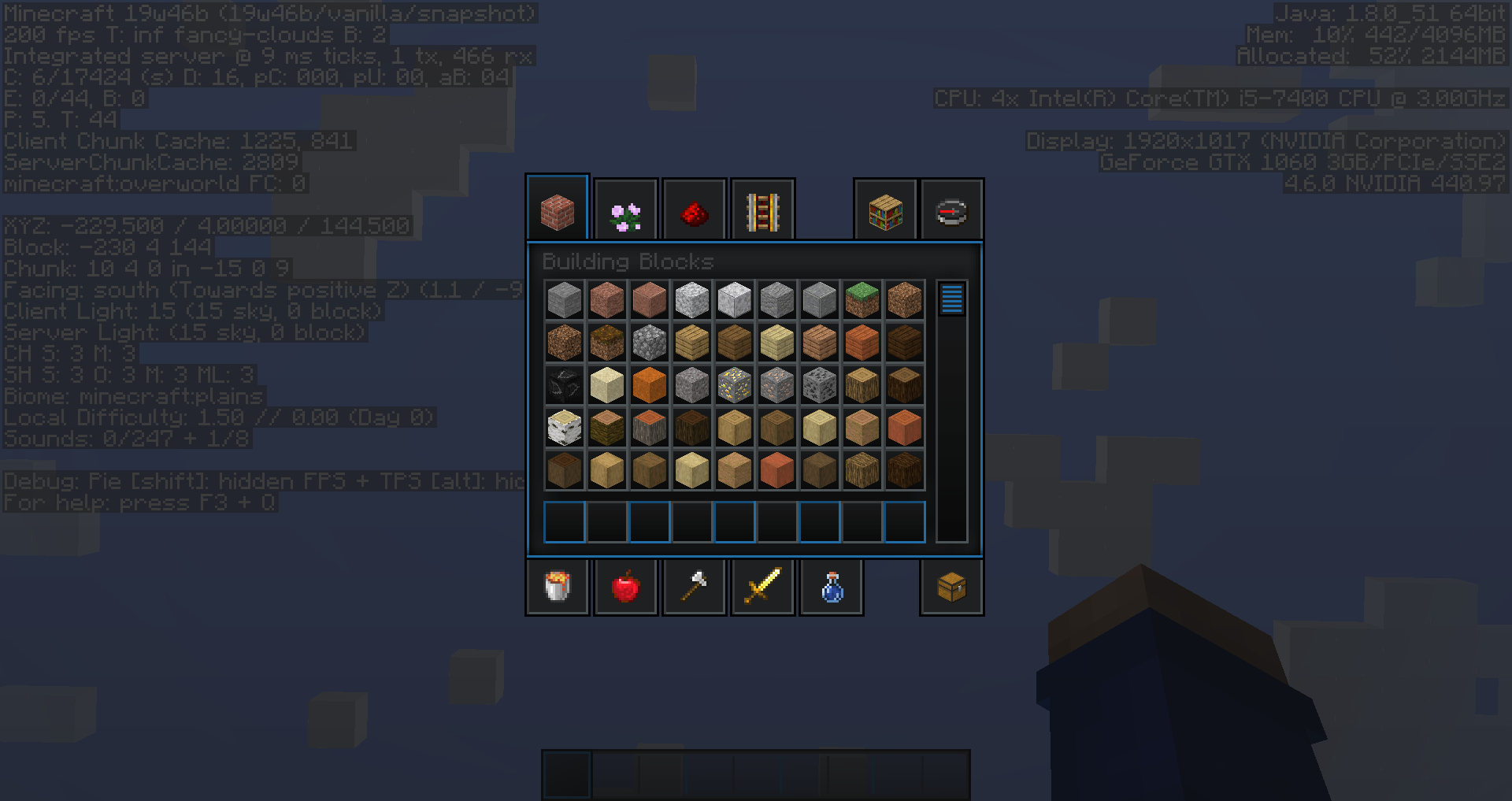
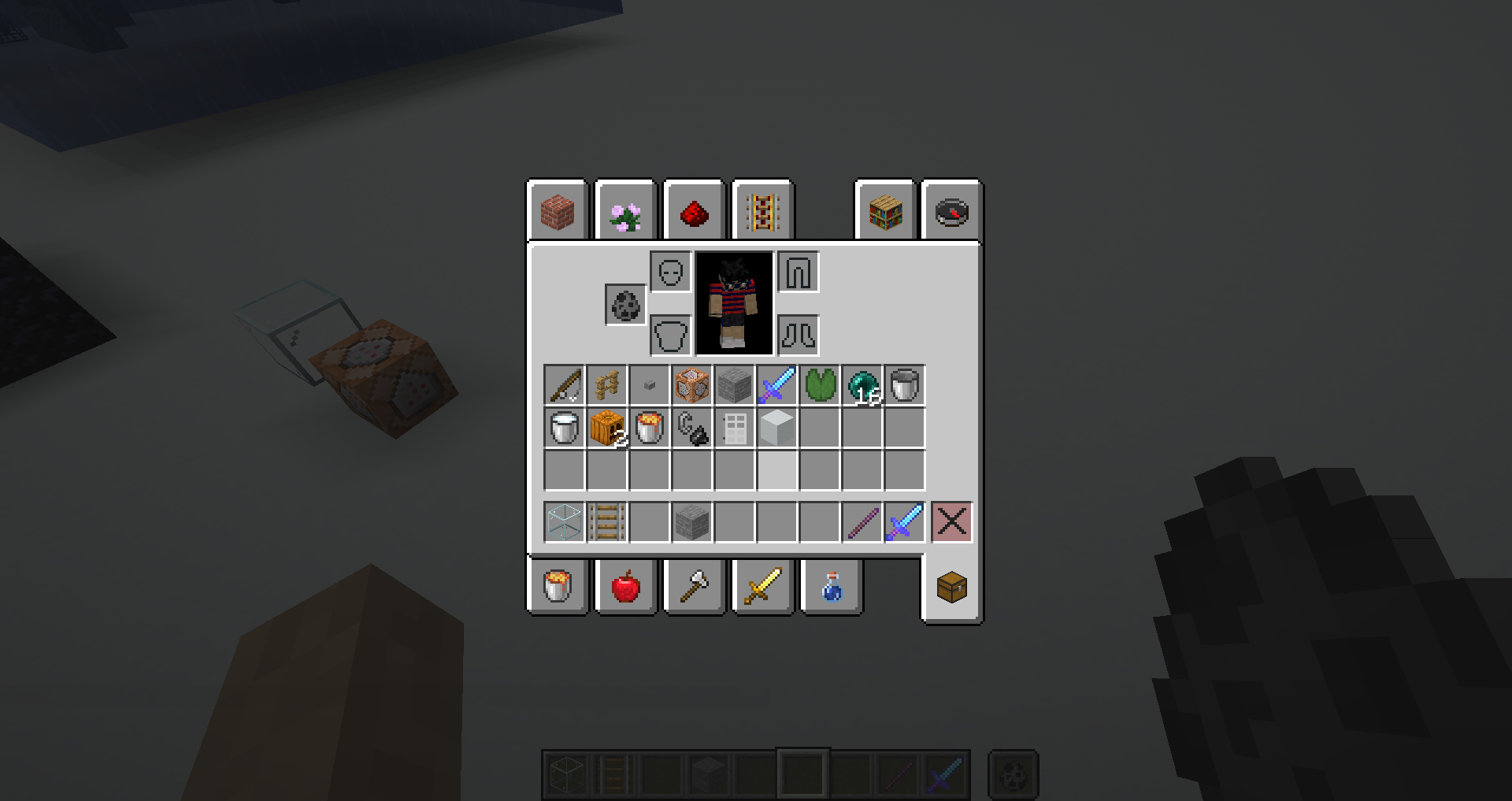
Blocks in the inventory are no longer shaded at all
Prior to this version, there was shading (if a bit overcompensating), but it seems completely absent on this snapshot.
Attachments1
![[Mod] violine1101](../../../data/avatars/users/92858.png)
relates to
![[Mojang] slicedlime](../../../data/assets/gravatar/slicedlime.jpeg)
 Important
Blocks in the inventory are no longer shadedat all
Blocks in the inventory are no longer shaded properly
relates to
is duplicated by
is duplicated by
![[Mod] tryashtar](../../../data/avatars/users/41963.png)
is duplicated by
![[Mod] Michael Wobst](../../../data/avatars/users/37868.png)
is duplicated by
is duplicated by
 Normal
![[Helper] ZeNico13](../../../data/avatars/users/31913.png)
![[Mod] NeunEinser](../../../data/avatars/users/39263.png)
is duplicated by
![[Mojang] Adrian Östergård](../../../data/assets/gravatar/nighter.jpeg)
Prior to this version, there was shading (if a bit overcompensating), but it seems completely absent on this snapshot.
It should be returned to its appearance pre-1.15 snapshots.
is duplicated by
![[Mojang] Searge (Michael Stoyke)](../../../data/assets/gravatar/searge.png) [Mojang] Searge (Michael Stoyke)
[Mojang] Searge (Michael Stoyke)![[Bot] Piston](../../../data/avatars/users/31202.png)
relates to
relates to
is duplicated by
relates to
It was a bug in 19w40a that the items weren't shaded. That bug has been fixed. See MC-162518
Thank you for your report!
We're actually already tracking this issue in MC-162518, so I resolved and linked this ticket as a duplicate.
If you would like to add a vote and any extra information to the main ticket it would be appreciated.
If you haven't already, you might like to make use of the search feature in the future to see if the issue has already been reported.
Quick Links:
📓 Issue Guidelines – 💬 Community Support – 📧 Customer Support – 📖 Game Wiki
Thank you for your report!
We're actually already tracking this issue in MC-162518 and MC-163064, so I resolved and linked this ticket as a duplicate.
If you would like to add a vote and any extra information to the main tickets it would be appreciated.
If you haven't already, you might like to make use of the search feature in the future to see if the issue has already been reported.
Quick Links:
📓 Issue Guidelines – 💬 Community Support – 📧 Customer Support – 📖 Game Wiki
Thank you for your report!
We're actually already tracking this issue in MC-162518, so I resolved and linked this ticket as a duplicate.
If you would like to add a vote and any extra information to the main ticket it would be appreciated.
If you haven't already, you might like to make use of the search feature in the future to see if the issue has already been reported.
Quick Links:
📓 Issue Guidelines – 💬 Community Support – 📧 Customer Support – 📖 Game Wiki
Thank you for your report!
We're actually already tracking this issue in MC-162518, so I resolved and linked this ticket as a duplicate.
If you would like to add a vote and any extra information to the main ticket it would be appreciated.
If you haven't already, you might like to make use of the search feature in the future to see if the issue has already been reported.
Quick Links:
📓 Issue Guidelines – 💬 Community Support – 📧 Customer Support – 📖 Game Wiki
Thank you for your report!
We're actually already tracking this issue in MC-162518, so I resolved and linked this ticket as a duplicate.
If you would like to add a vote and any extra information to the main ticket it would be appreciated.
If you haven't already, you might like to make use of the search feature in the future to see if the issue has already been reported.
Quick Links:
📓 Issue Guidelines – 💬 Community Support – 📧 Customer Support – 📖 Game Wiki
Thank you for your report!
We're actually already tracking this issue in MC-162518, so I resolved and linked this ticket as a duplicate.
If you would like to add a vote and any extra information to the main ticket it would be appreciated.
If you haven't already, you might like to make use of the search feature in the future to see if the issue has already been reported.
Quick Links:
📓 Issue Guidelines – 💬 Community Support – 📧 Customer Support – 📖 Game Wiki

The bug
The fix of MC-162518 caused some custom 3D models displayed flat in the inventory to render unusually dark, again, after this has been fixed before along with MC-163110.
How to reproduce
Tested with the resource pack "Better than Default" : affects item frames, ladders and all rail types. There's probably some good examples in other resource packs too.
Not a bug.
You're basically reporting that MC-162518 has been fixed properly ...
 Please do not mark issues as private, unless your bug report is an exploit or contains information about your username or server.
Thank you for your report!
We're already tracking this issue at MC-162518, so I will resolve and link this ticket as a duplicate.
Also, please keep the tickets to be about bug reports only.
If you haven't already, you might like to make use of the search feature to see if the issue has already been mentioned.
Quick Links:
📓 Issue Guidelines – 💬 Community Support – 📧 Customer Support – 📖 Game Wiki

Yes, it has to do with how the new Rendering Engine applies shading to anything displayed on the GUI, I strongly believe that this issue is related with the fix of MC-162518, ever since it was fixed on Pre-Release 3 this problem started.
So anything rotated like a Block will automatically get this opaque shading that is only supposed to be present in Blocks.

Confirmed. Probably something to do with the issue MC-162518.

Does not relate to MC-162518
Relates to
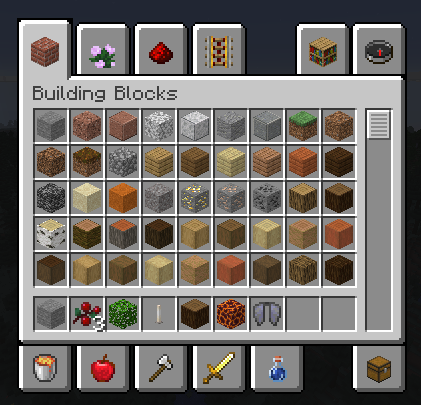
MC-161835The blocks are still shaded, but the shadow is now on the right side of the blocks again and a lot lighter than it used to be.
@violine1101 Is that intentional? I know that you might not know at all.
I'm pretty sure it's not.
In 19w39a they are too dark and in 19w40a they are too bright. Maybe in 19w41a they'' be just right...
Fixed in 19w41a
Please resolve as Fixed.
This actually isn't fixed, the new shadows are just caused by
MC-163242.The inventory items are now rendered correctly. I assume that the fix for this issue caused
MC-163242though.Now
MC-163242is fixed in 19w42a this issue is back.The blocks are still too bright in 19w46b.
Please make Mojang Priority: Important, it looks worse than Bedrock Edition.
Absolutely agree, it would be essential that this bug be fixed before the release of the 1.15!
Glad to see this is finally fixed! It took a while, but I think it's fine now again.
It's not perfect yet, some new problems appeared with this fix:
MC-166716andMC-166722