 MC-106627
Leather cap texture overlay doesn't align correctly
I was poking around the textures for a project I'm working on, and when I overlaid the leather_layer_1_overlay on top of leather_layer_1 in Photoshop, I noticed that the trim on the back of the cap is off by two pixels. Sure enough, when I looked at it in-game, the trim ends two pixels above the bottom edge. I thought it might just be a lazily implemented stylistic choice (like someone wanted it to end there so they dragged it up rather than delete the bottom two rows), but the darkened top and bottom rows suggesting outlines makes me think it's a mistake.
(I mean, if it is like this on purpose, I understand; it'll still be good to have it listed among the closed issues in case people stumble onto this in the future and wonder if it's a bug or not.)
Linked Issues


Created Issue:
Leather cap texture overlay doesn't align correctly
I was poking around the textures for a project I'm working on, and when I overlaid the leather_layer_1_overlay on top of leather_layer_1 in Photoshop, I noticed that the trim on the back of the cap is off by two pixels. Sure enough, when I looked at it in-game, the trim ends two pixels above the bottom edge. I thought it might just be a lazily implemented stylistic choice (like someone wanted it to end there so they dragged it up rather than delete the bottom two rows), but the darkened top and bottom rows suggesting outlines makes me think it's a mistake.
Environment
Windows 10, embedded Java provided by launcher
Attachments2
I was poking around the textures for a project I'm working on, and when I overlaid the leather_layer_1_overlay on top of leather_layer_1 in Photoshop, I noticed that the trim on the back of the cap is off by two pixels. Sure enough, when I looked at it in-game, the trim ends two pixels above the bottom edge. I thought it might just be a lazily implemented stylistic choice (like someone wanted it to end there so they dragged it up rather than delete the bottom two rows), but the darkened top and bottom rows suggesting outlines makes me think it's a mistake.
(I mean, if it is like this on purpose, I understand; it'll still be good to have it listed among the closed issues in case people stumble onto this in the future and wonder if it's a bug or not.)
![[Mod] Neko](../../../data/avatars/users/92901.png)
![[Mod] tryashtar](../../../data/avatars/users/41963.png)
![[Mod] Michael Wobst](../../../data/avatars/users/37868.png)
![[Mod] Urielsalis](../../../data/assets/gravatar/urielsalis.jpeg)
![[Bot] Arisa](../../../data/assets/gravatar/mustek2.png)
![[Mojang] Nathan Adams](../../../data/assets/gravatar/dinnerbone.png)

relates to
relates to
relates to
 Low
Low![[Mojang] Chi Wong](../../../data/avatars/users/18941.svg) [Mojang] Chi Wong
[Mojang] Chi Wong![[Mod] ampolive](../../../data/avatars/users/18949.svg)
Windows 10, embedded Java provided by launcher
![[Bot] Piston](../../../data/avatars/users/31202.png)

On Java Edition Was Fixed Already From MC-106627, For Bedrock Edition Did Not Match The Leather cap texture overlay align Like Java Edition
Step To Reproduce
- Take Armor Stand & Leather Cap
- Place Armor Stand
- Equip Leather Cap To See Back
Observed Result
Leather cap texture overlay Not Correct/Match align
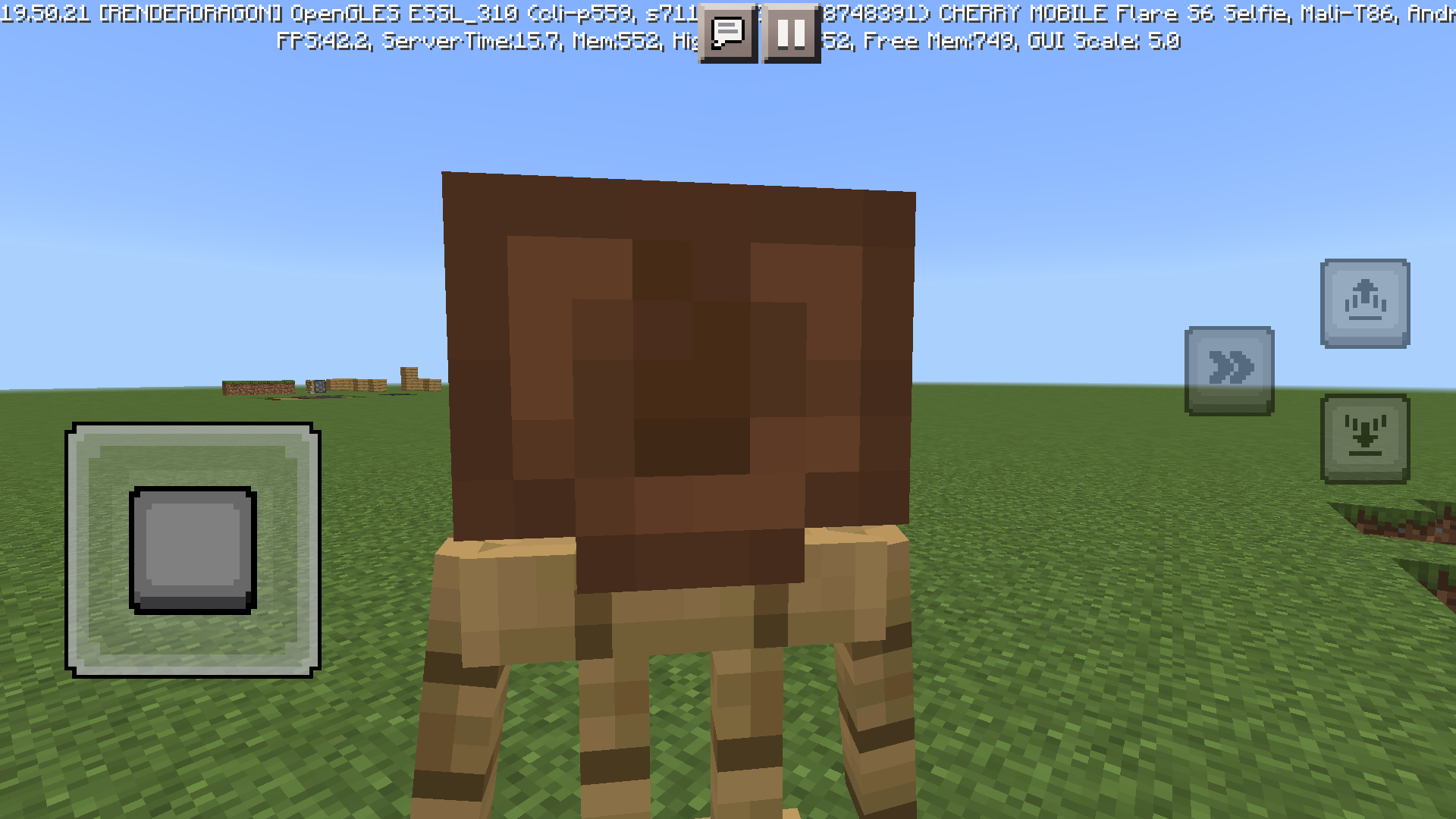
Expecting Result
Leather cap texture overlay Should Match Correctly
Confirmed for
This part of the texture might be unused on purpose. There are multiple texture files which contain textures that are not used in the game, such as gui\icons.jpg.
Is this still a issue in the latest version of the game(currently 1.13.1)?
If so, please add it to the affected versions, thanks!
Yes it is.
Pretty sure this is still in 1.17?
Confirmed for 1.18.2.