 Orbic
Orbic
- DiamondDragon721
- diamonddragon721
- America/New_York
- Yes
- No
 MC-69466
![[Mojang] Bartosz Bok](../../../data/avatars/users/10122.svg)


![[Mojang] Cory Scheviak](../../../data/avatars/users/92893.png)

 Normal
 Low
Low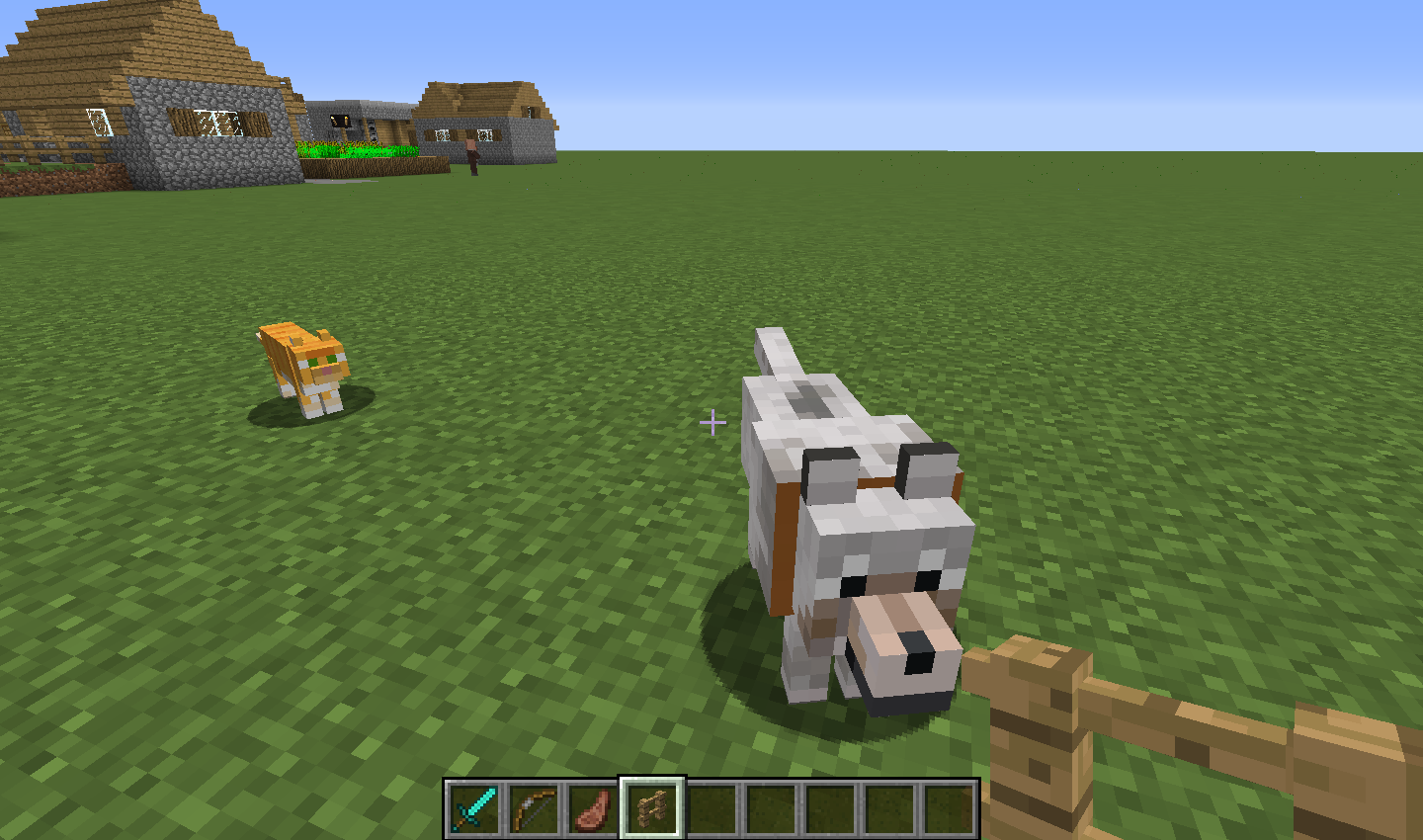














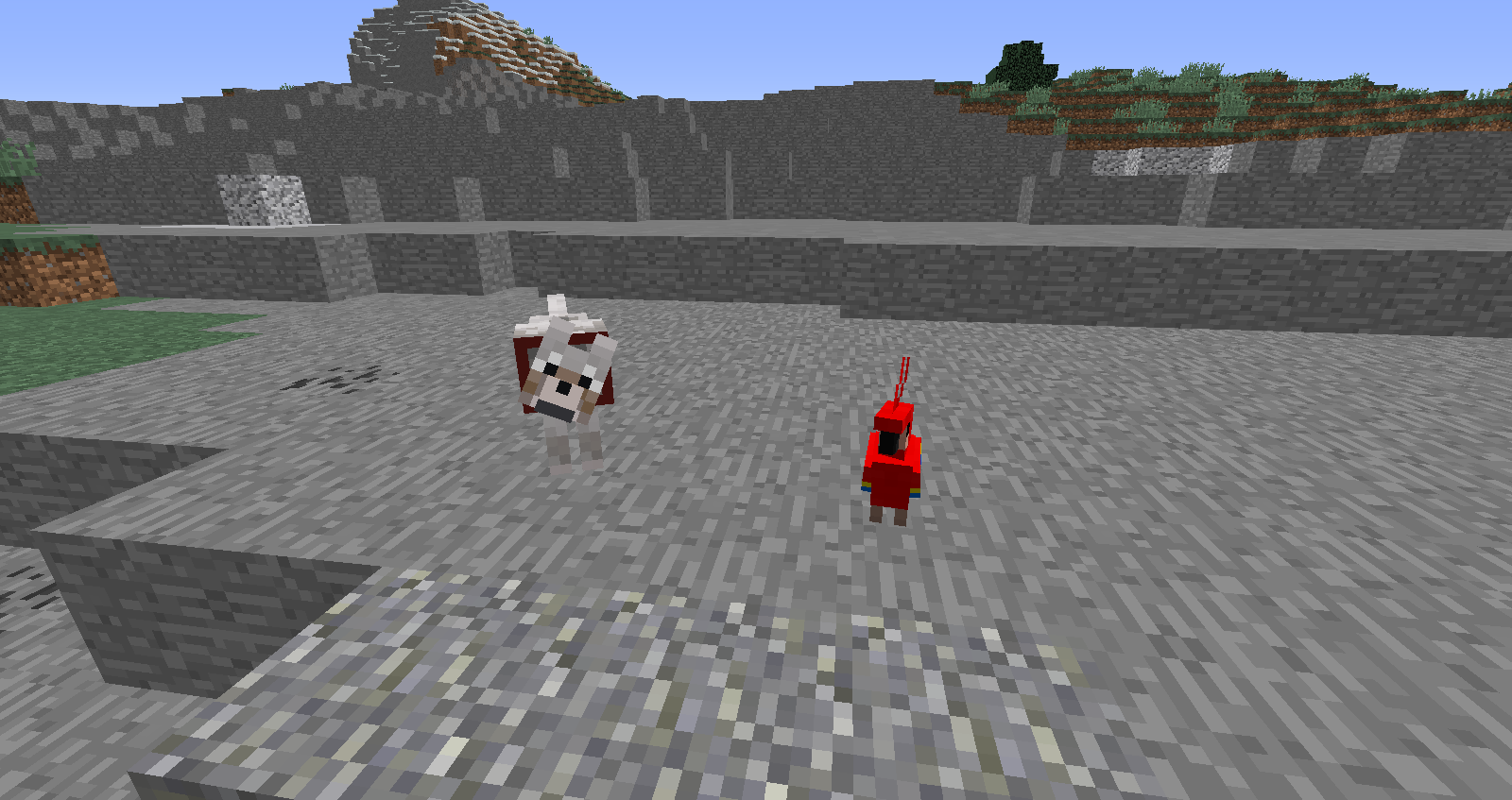
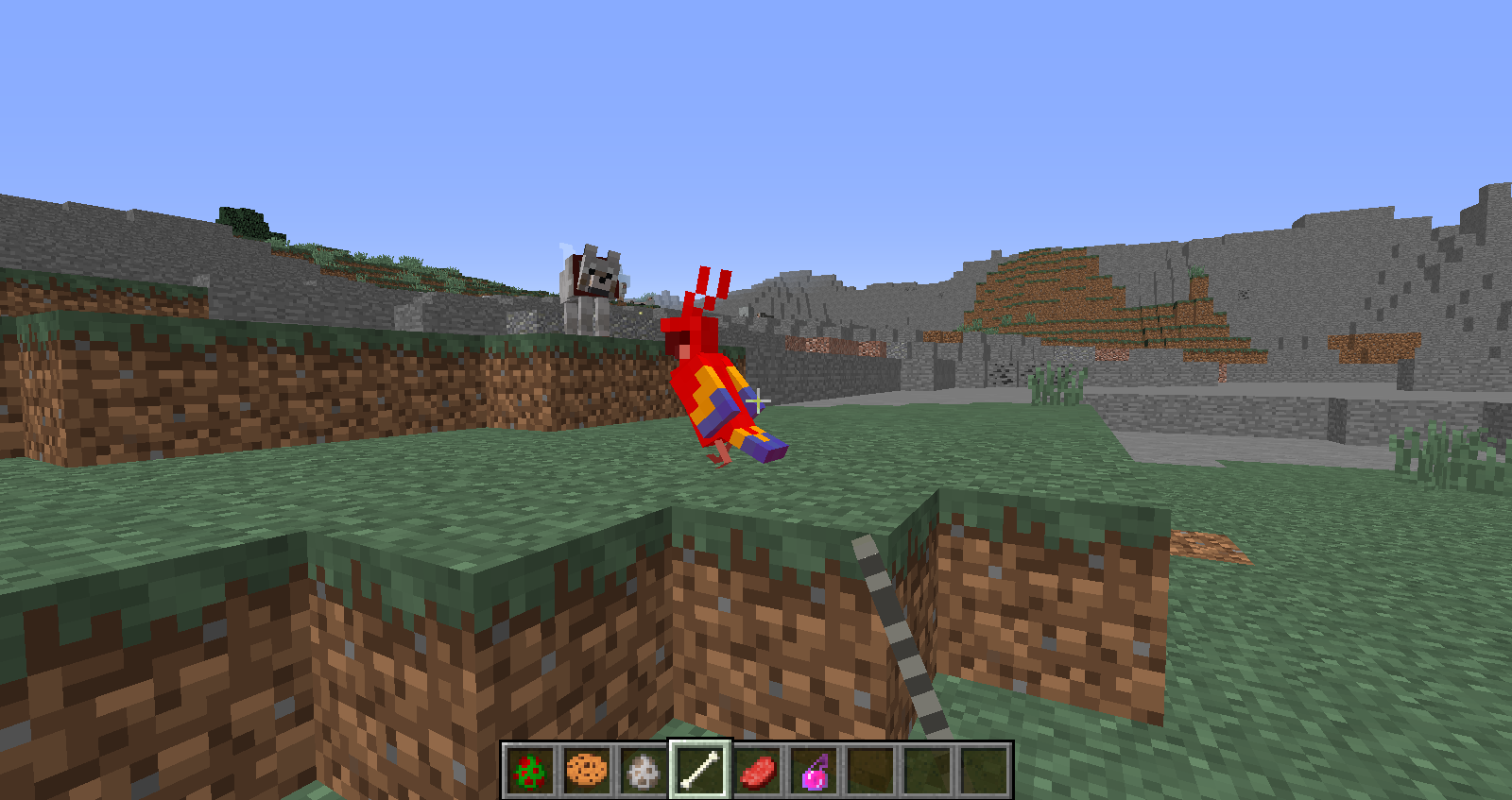


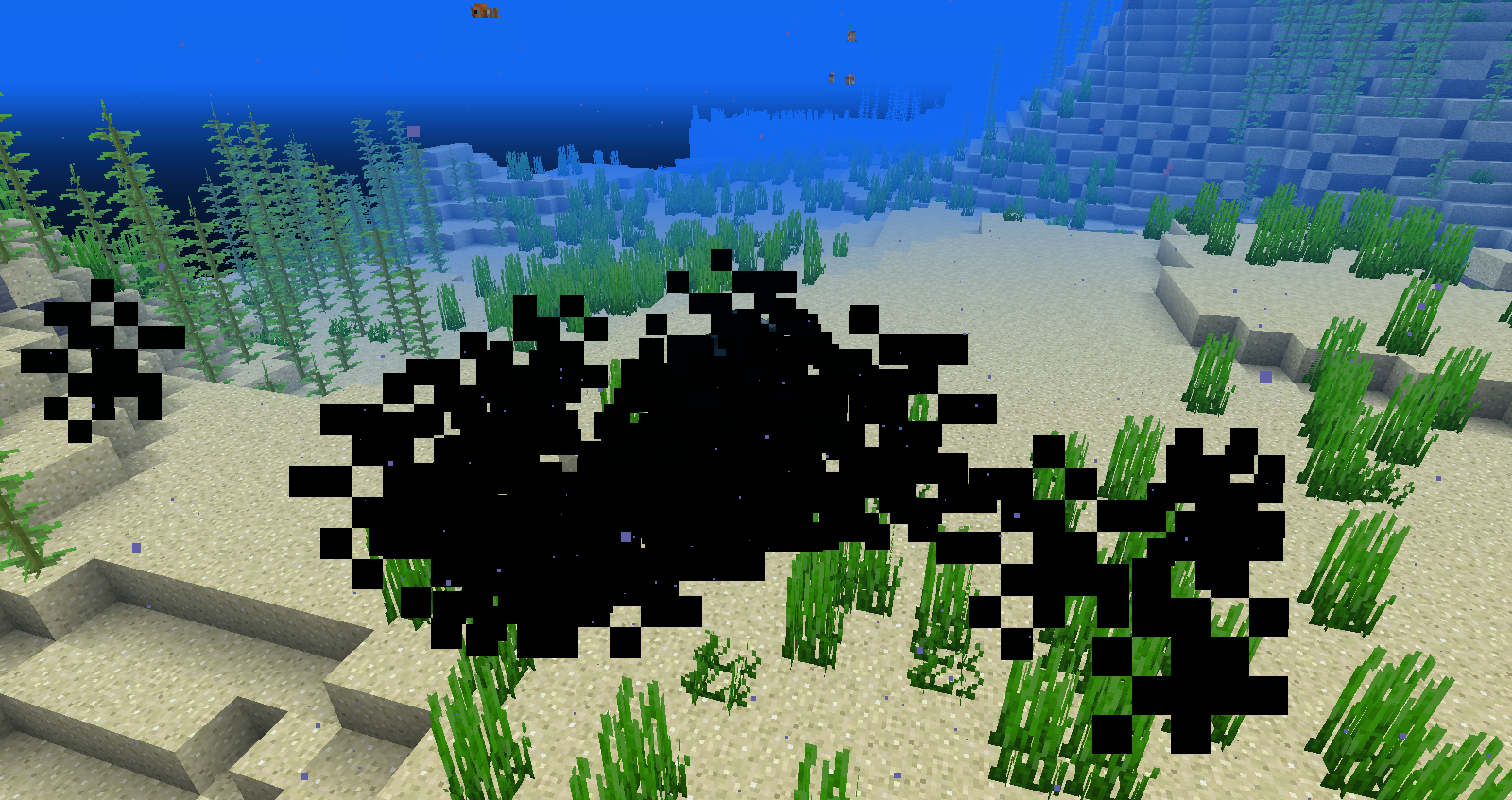


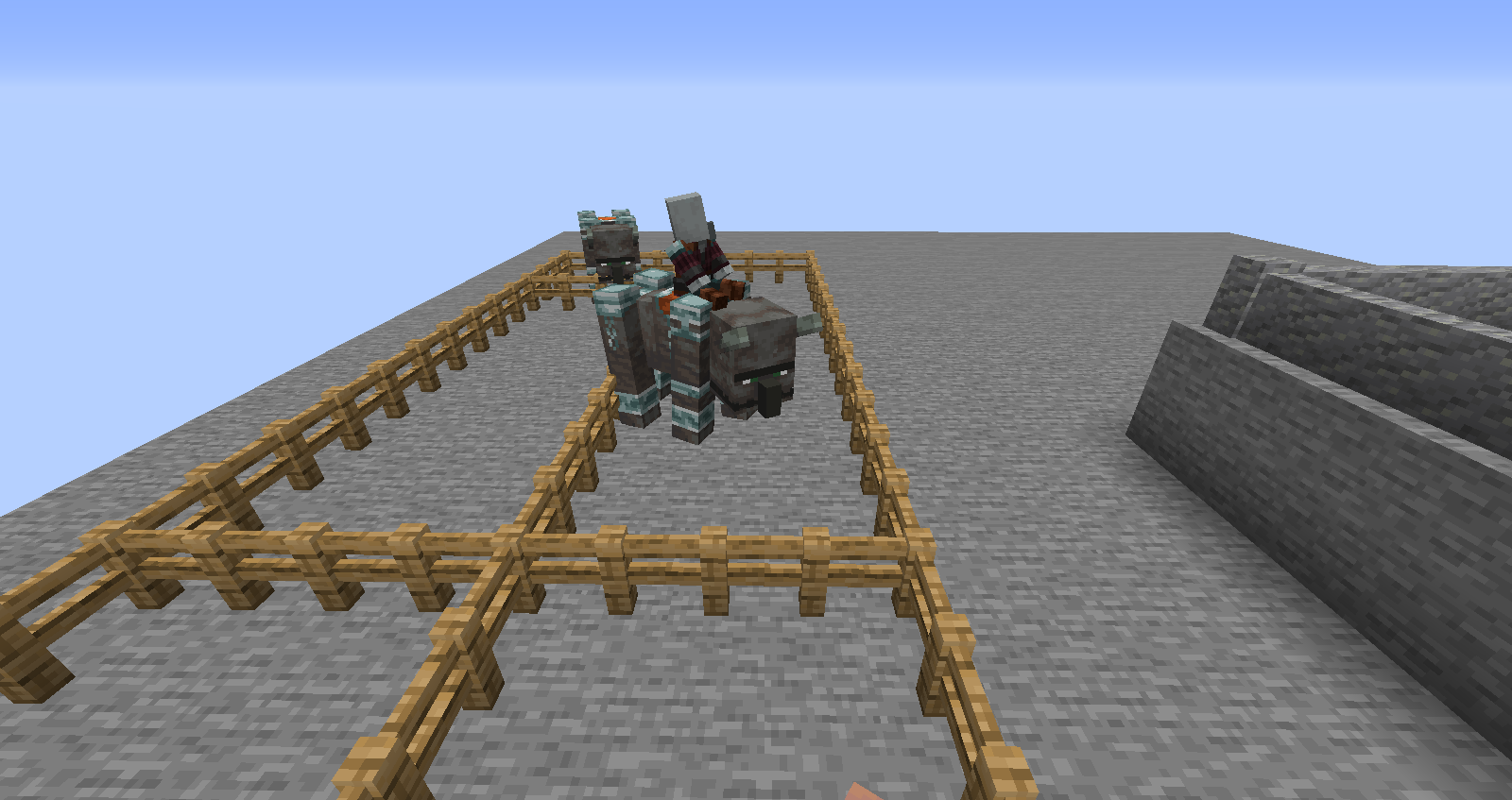
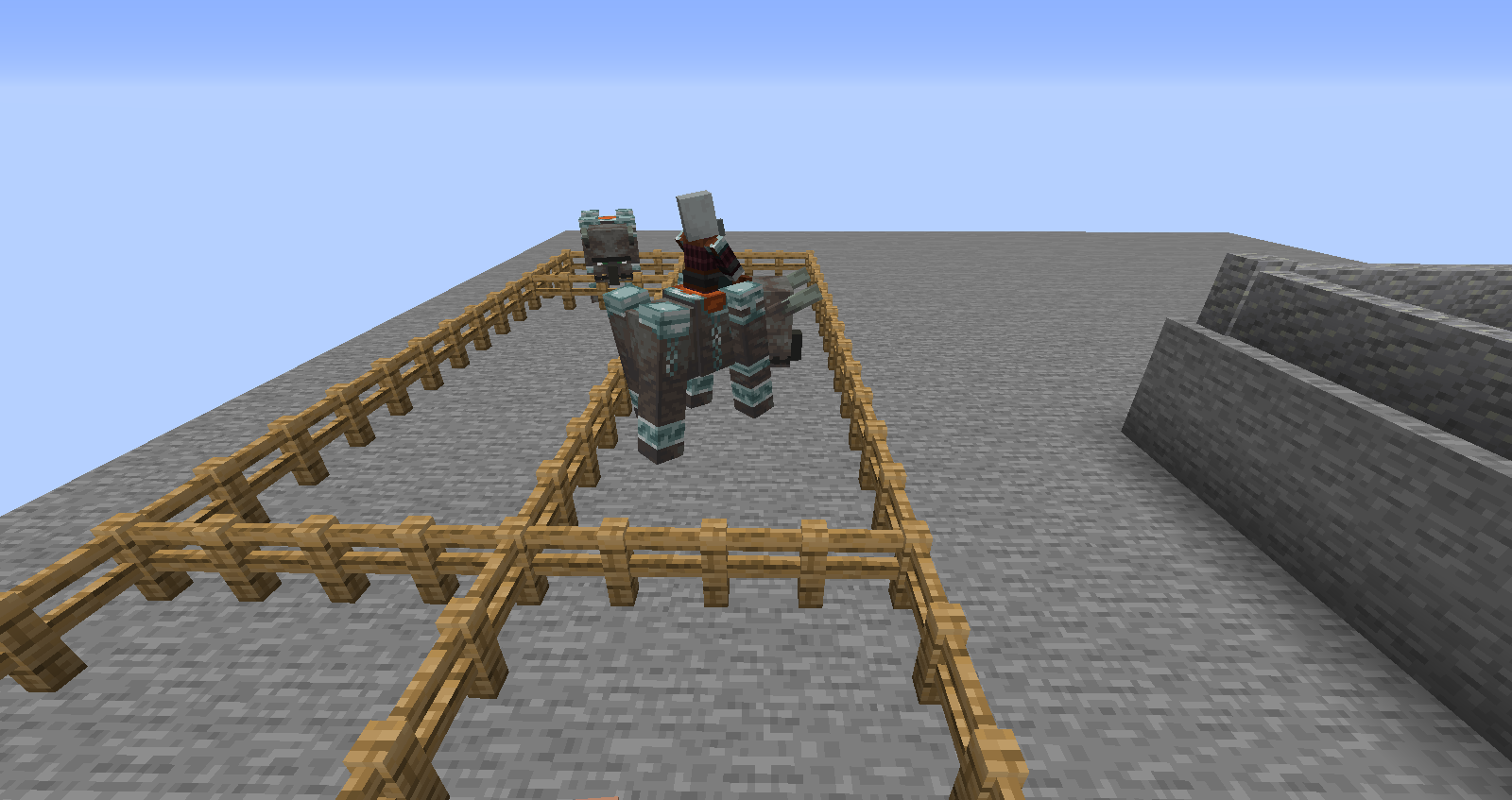






Put the summary of the bug you're having here
What I expected to happen was...:
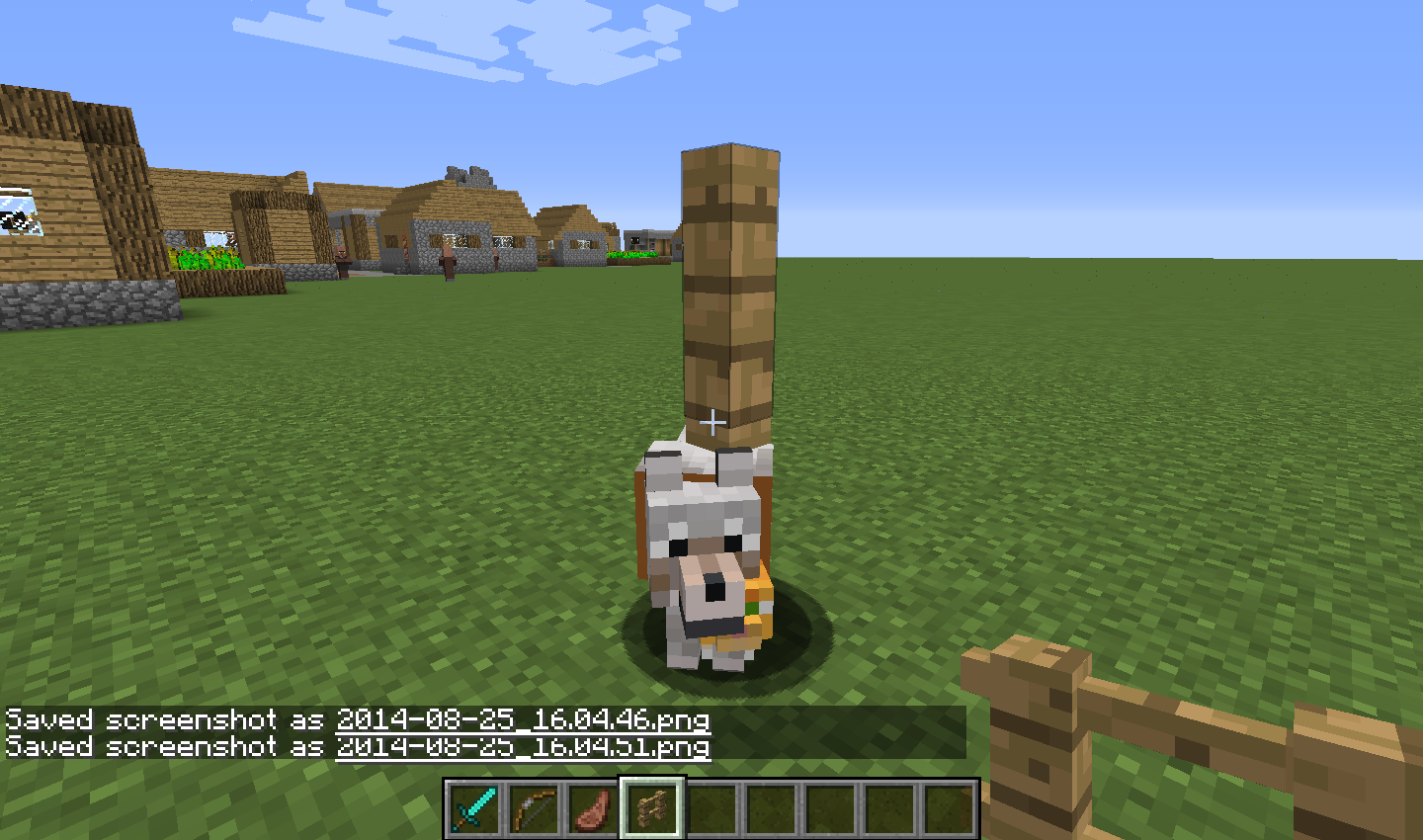
My tamed wolf and carto teleport to me when I went a bit far away.What actually happened was...:
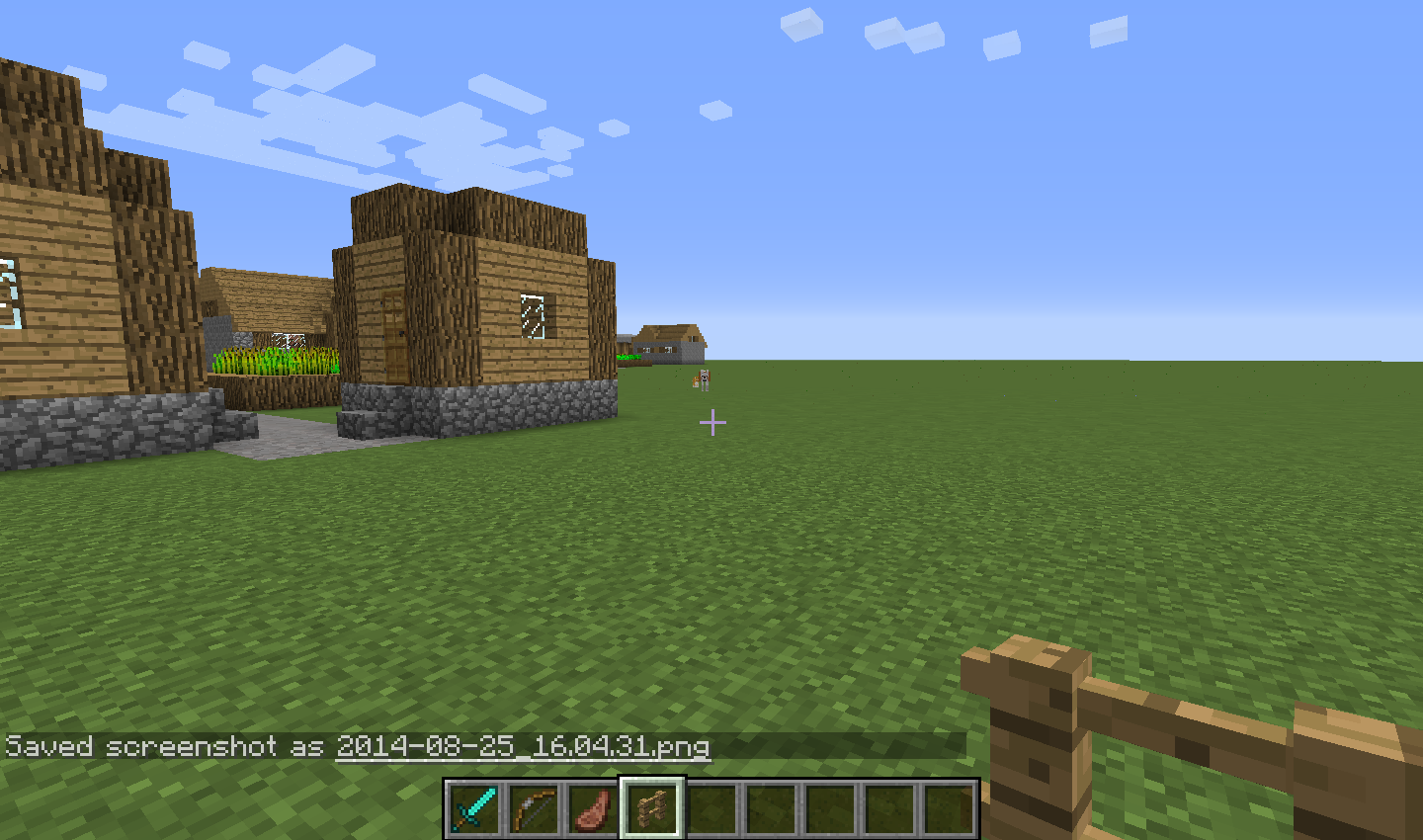
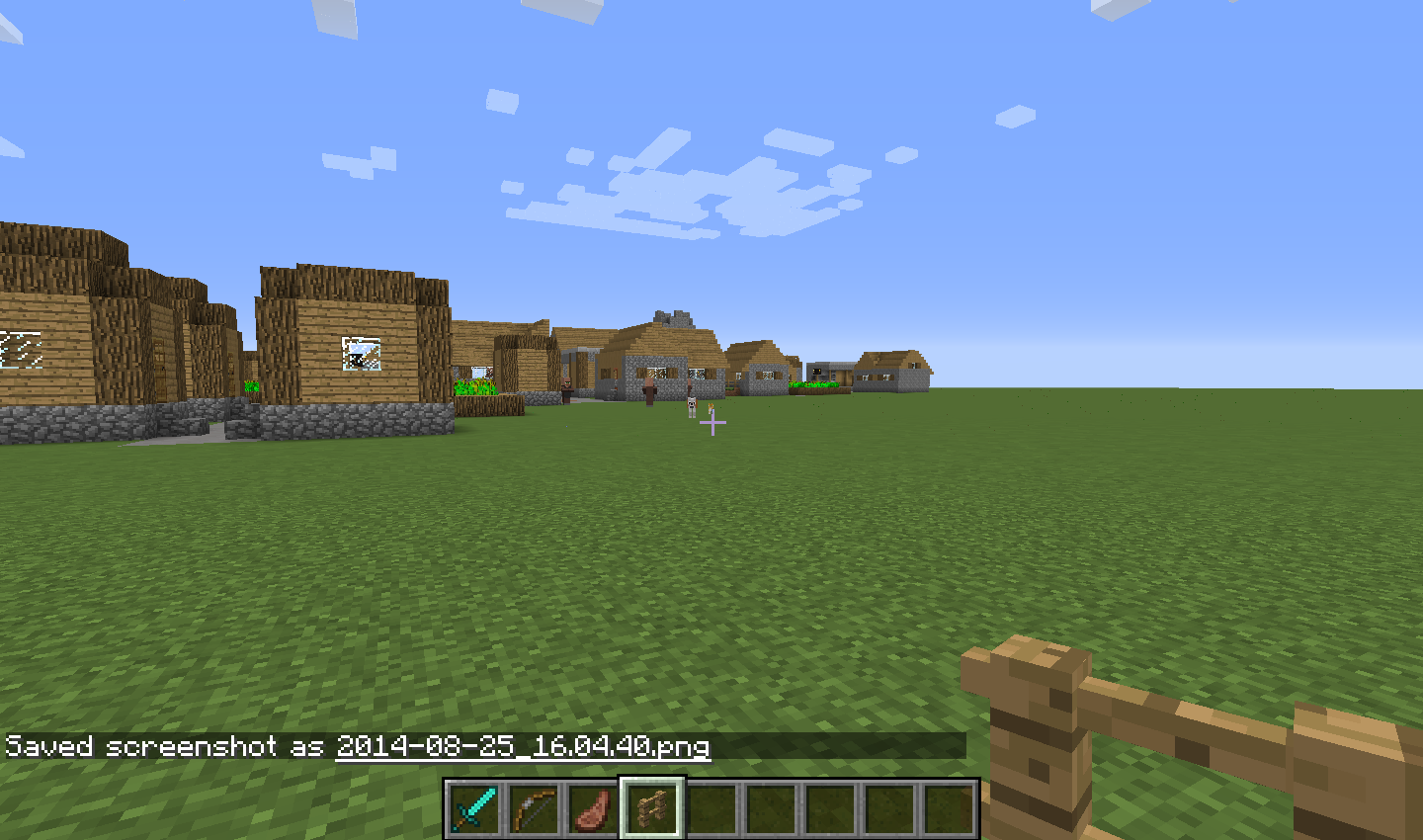
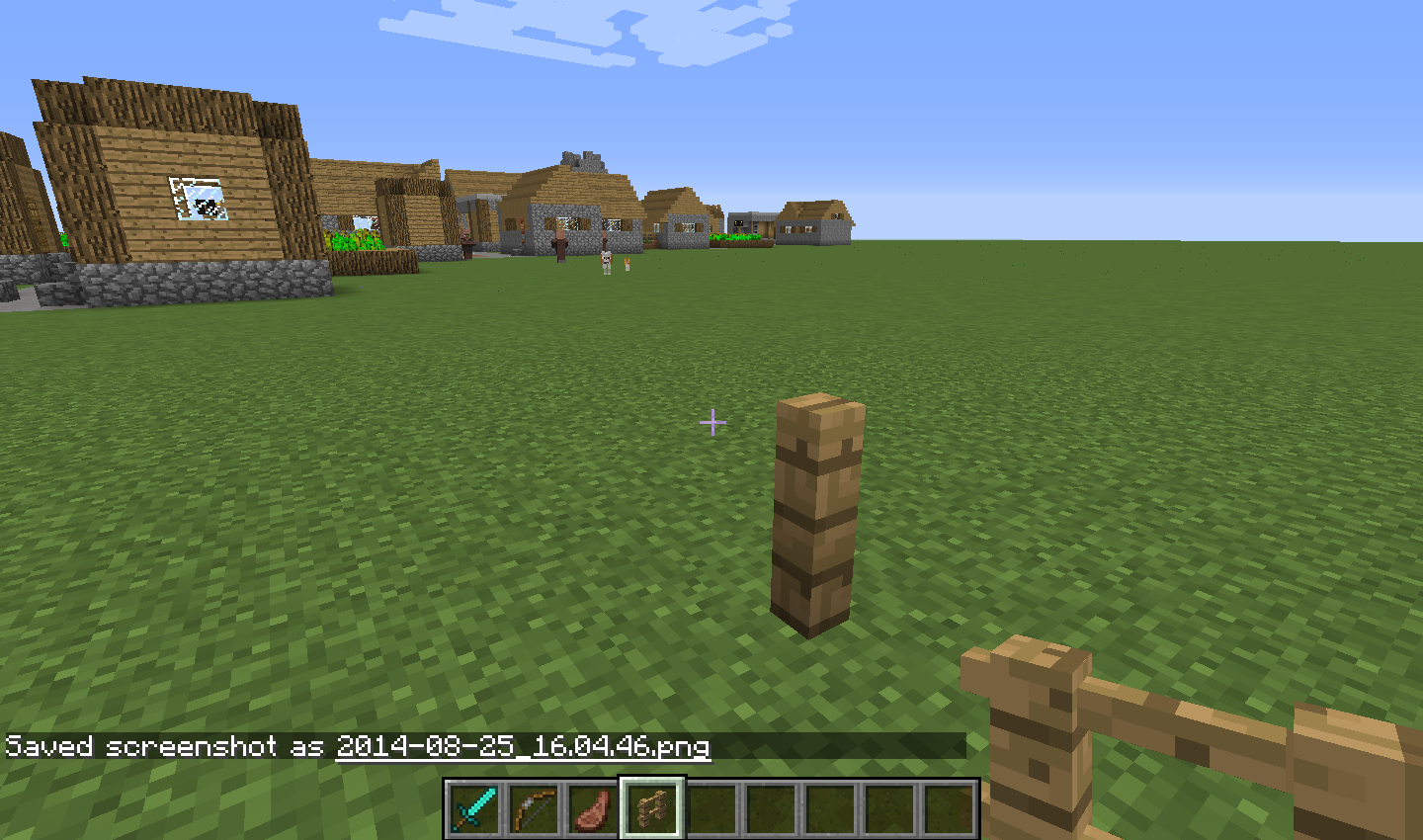
Instead, the wolf and cat walked a little bit, froze, then stared at me. When I put two fence posts down though, they teleported normally.Steps to Reproduce:
1. Tame a wolf or ocelot
2. In any of the 1.8 snapshots, run, fly, or go on horseback a small distance away in which they should teleport to you
3. See as the just freeze. Place two fences down (one on top of another.) and go towards it. See them teleport to you instantly.Put the summary of the bug you're having here
What I expected to happen was...:
My tamed wolf and cat to teleport to me when I went a bit far away.What actually happened was...:
Instead, the wolf and cat walked a little bit, froze, then stared at me. When I put two fence posts down though, they teleported normally.Steps to Reproduce:
1. Tame a wolf or ocelot
2. In any of the 1.8 snapshots, run, fly, or go on horseback a small distance away in which they should teleport to you
3. See as the just freeze. Place two fences down (one on top of another.) and go towards it. See them teleport to you instantly.
Put the summary of the bug you're having here
What I expected to happen was...:
My tamed wolf and cat to teleport to me when I went a bit far away.What actually happened was...:
Instead, the wolf and cat walked a little bit, froze, then stared at me. When I put two fence posts down though, they teleported normally.Steps to Reproduce:
1. Tame a wolf or ocelot.
2. In any of the 1.8 snapshots, run, fly, or go on horseback a small distance away in which they should teleport to you.
3. See as they just freeze. Place two fences down (one on top of another.) and go towards it. See them teleport to you instantly.
Put the summary of the bug you're having here
Iron and snow golems can't be built with jack-o-lanterns like they used too.What I expected to happen was...:
To be able to use a jack-o-lantern to build golemsWhat actually happened was...:
Instead, it just stayed as blocks. (Note that I did place the jack-o-lanterns last, the way it's supposed to wrok.)Steps to Reproduce:
1. Get iron or snow blocks
2. Build a golem with them but instead of using a pumpkin use a jack-o-lantern.
3. This normally works (tested in 1.7.10) but in the snapshots it doesn't. Also, just to mention, using normal pumpkins still works.Put the summary of the bug you're having here
Iron and snow golems can't be built with jack-o-lanterns like they used too.What I expected to happen was...:
To be able to use a jack-o-lantern to build golemsWhat actually happened was...:
Instead, it just stayed as blocks. (Note that I did place the jack-o-lanterns last, the way it's supposed to work.)Steps to Reproduce:
1. Get iron or snow blocks
2. Build a golem with them but instead of using a pumpkin use a jack-o-lantern.
3. This normally works (tested in 1.7.10) but in the snapshots it doesn't. Also, just to mention, using normal pumpkins still works.
Put the summary of the bug you're having here
In most if not all of the 1.8 snapshots, endermen are pretty buggy. I noticed that endermen were sped up, making them a bit more challenging, but it seems that when they are walking, they are still pretty fast instead of the normal slow wandering. Also, if endermen are looked at, they attack immediately, instead of staring at you until you look away. Also, when you stare at them from a distance and they become hostile, they don't seem to play their stare noise, but up close they do. Another is that endermen no longer seem to produce endermite when they teleport, resulting in endermite never being able to spawn. Also, they seem to false teleport by making the model move but then come back instantly. It can be easily seen in creative mode when attacking an enderman, and in survival when you psychically start the fight instead of looking at them. It sometimes seems to replace the actual teleporting. One other thing is a long time thing, something that seems to have happened around the time endermen were first introduced, when you cause the stare attack, you must look at where their legs and body connect instead of their head, which is coincidentally and suspiciously about the same height of a player, as if it counts it's head being the same area of a player's. I apologize if this is actually an intended feature and not a bug, I wan't sure.What I expected to happen was....
Endermen tohave their normal behaviorWhat actually happened was...:
Buggy behavior instead.Steps to Reproduce:
1.Experiment with all of the things I talked about,you should be able to seewhat I mean.
2. ...
3. ...Put the summary of the bug you're having here
In most if not all of the 1.8 snapshots, endermen are pretty buggy. I noticed that endermen were sped up, making them a bit more challenging, but it seems that when they are walking, they are still pretty fast instead of the normal slow wandering. Also, if endermen are looked at, they attack immediately, instead of staring at you until you look away. Also, when you stare at them from a distance and they become hostile, they don't seem to play their stare noise, but up close they do. Another is that endermen no longer seem to produce endermite when they teleport, resulting in endermite never being able to spawn. Also, they seem to false teleport by making the model move but then come back instantly. It can be easily seen in creative mode when attacking an enderman, and in survival when you psychically start the fight instead of looking at them. It sometimes seems to replace the actual teleporting. One other thing is a long time thing, something that seems to have happened around the time endermen were first introduced, when you cause the stare attack, you must look at where their legs and body connect instead of their head, which is coincidentally and suspiciously about the same height of a player, as if it counts it's head being the same area of a player's. I apologize if this is actually an intended feature and not a bug, I wan't sure. I also apologize if the report covered too many topics, but I didn't want to post multiple bugs about endermen in a row, because it might be taken as spam. And one last thing to note, endermite's models are very buggy, sometimes the model will spaz out looking in random direction very very quickly. Has happened since endermites model was changed from it's origanal purple frill-less silver fish.
What I expected to happen was....
Endermen to attack properly, walk slowly, and spawn endermites sometimes when teleporting.What actually happened was...:
A few attacking bugs, walking fast even when not aggresive, and no literal ender bugs spawning from endermen!Steps to Reproduce:
1. Test any of the things and you should be able to see any of the bugs.
Put the summary of the bug you're having here
In most if not all of the 1.8 snapshots, endermen are pretty buggy. I noticed that endermen were sped up, making them a bit more challenging, but it seems that when they are walking, they are still pretty fast instead of the normal slow wandering. Also, if endermen are looked at, they attack immediately, instead of staring at you until you look away. Also, when you stare at them from a distance and they become hostile, they don't seem to play their stare noise, but up close they do. Another is that endermen no longer seem to produce endermite when they teleport, resulting in endermite never being able to spawn. Also, they seem to false teleport by making the model move but then come back instantly. It can be easily seen in creative mode when attacking an enderman, and in survival when you psychically start the fight instead of looking at them. It sometimes seems to replace the actual teleporting. One other thing is a long time thing, something that seems to have happened around the time endermen were first introduced, when you cause the stare attack, you must look at where their legs and body connect instead of their head, which is coincidentally and suspiciously about the same height of a player, as if it counts it's head being the same area of a player's. I apologize if this is actually an intended feature and not a bug, I wan't sure. I also apologize if the report covered too many topics, but I didn't want to post multiple bugs about endermen in a row, because it might be taken as spam. And one last thing to note, endermite's models are very buggy, sometimes the model will spaz out looking in random direction very very quickly. Has happened since endermites model was changed from it's origanal purple frill-less silver fish.
What I expected to happen was....
Endermen to attack properly, walk slowly, and spawn endermites sometimes when teleporting.What actually happened was...:
A few attacking bugs, walking fast even when not aggresive, and no literal ender bugs spawning from endermen!Steps to Reproduce:
1. Test any of the things and you should be able to see any of the bugs.What I expected to happen was....
What actually happened was...:
Steps to Reproduce:
1.
2.
3.
What I expected to happen was....
What actually happened was...:
Steps to Reproduce:
1.
2.
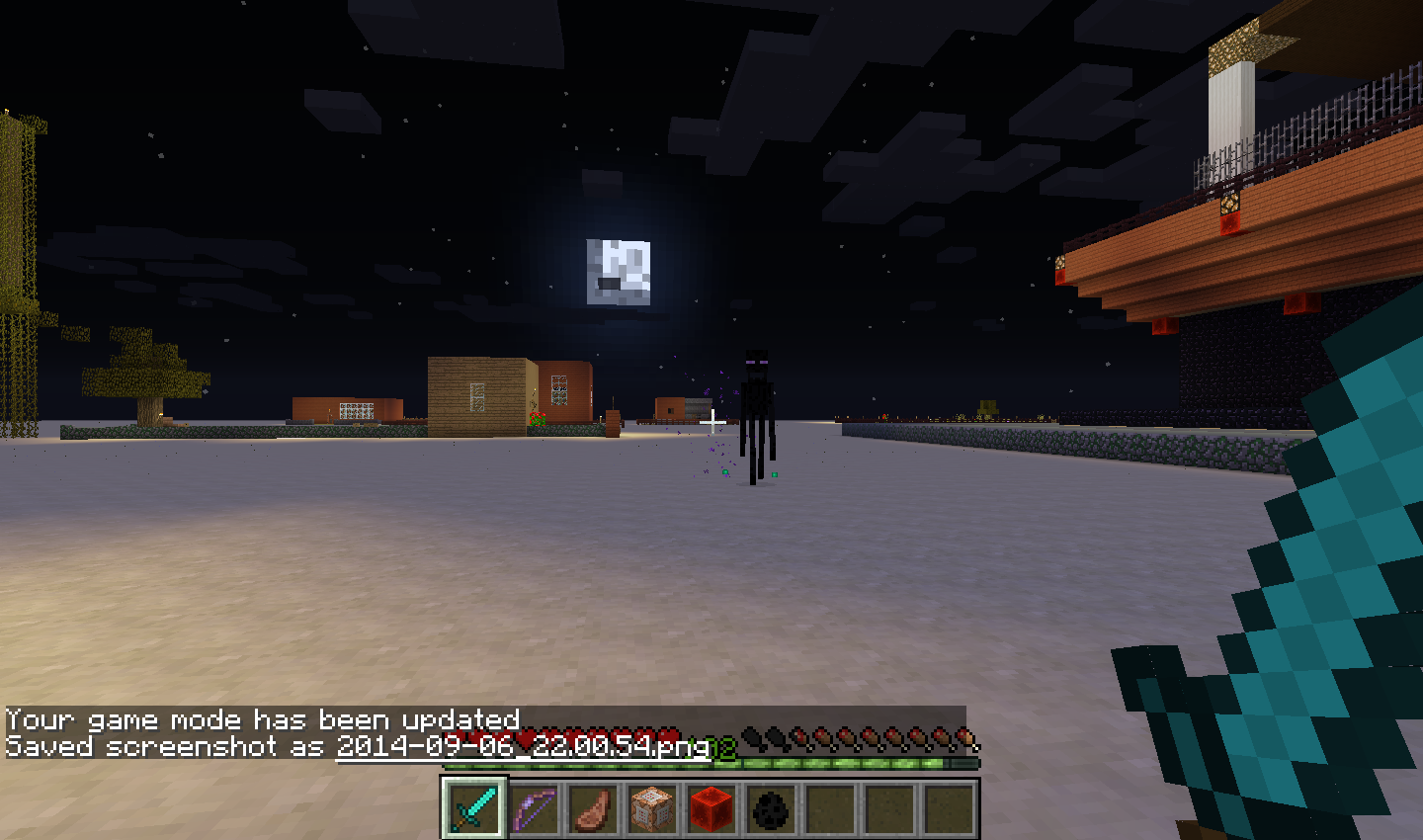
3.When you stare at endermen in the any of the 1.8 snapshots, instead of stopping, staring, and then attacking you only when you look away, they immediately charge at you. I have also seen this in versions lower than 1.8 snapshots, such as 1.7.10, but instead of it always happening it only happened very rarely.
What I expected to happen was....
When looking at a enderman It would wait until I looked away to attack.What actually happened was...:
The enderman attacked me right when I looked at it instead of waiting for me to look away.
Steps to Reproduce:
1. In a 1.8 snapshot, spawn a enderman and stare at it to anger it.
2. The enderman will charge at you instead of starring back at you.
3.
Very buggy endermen and incorrect behaviors.Enderman not stare attacking properly.
When you stare at endermen in the any of the 1.8 snapshots, instead of stopping, staring, and then attacking you only when you look away, they immediately charge at you. I have also seen this in versions lower than 1.8 snapshots, such as 1.7.10, but instead of it always happening it only happened very rarely.
What I expected to happen was....
When looking at a enderman It would wait until I looked away to attack.What actually happened was...:
The enderman attacked me right when I looked at it instead of waiting for me to look away.
Steps to Reproduce:
1. In a 1.8 snapshot, spawn a enderman and stare at it to anger it.
2. The enderman will charge at you instead of starring back at you.
3.When you stare at endermen in the any of the 1.8 snapshots and now in 1.8 itself, instead of stopping, staring, and then attacking you only when you look away, they immediately charge at you. I have also seen this in versions lower than 1.8 snapshots, such as 1.7.10, but instead of it always happening it only happened very rarely.
What I expected to happen was....
When looking at a enderman It would wait until I looked away to attack.What actually happened was...:
The enderman attacked me right when I looked at it instead of waiting for me to look away.
Steps to Reproduce:
1. In a 1.8 snapshot, spawn a enderman and stare at it to anger it.
2. The enderman will charge at you instead of starring back at you.
Put the summary of the bug you're having here
I summoned a wolf with 50 health and 10 attack power. I tested it, and it was the super strong wolf I wanted. I then tamed it, but found it was not strong, and it was easier to kill. I then tried summoning it tamed instead of taming it wild, and it was still just a normal tame wolf.What I expected to happen was...:
For me to make a super strong tamed wolf with commandsWhat actually happened was...:
Though wild wolves work fine, when tamed the wolf returns to normal status as far as health and attack power go. (But, for example, it still keeps it's speed if I made it faster.) The only thing I can think if what's causing this bug is that wolf's health and strength go up when there tamed, and the game is ignoring the commands and setting it to 20 health and 4 attack power.Steps to Reproduce:
1. Beef up a wolf with commands then tame it or summon it tamed
2. See as when it's tamed it becomes weaker than expected.
3.
Put the summary of the bug you're having here
I summoned a wolf with 50 health and 10 attack power. I tested it, and it was the super strong wolf I wanted. I then tamed it, but found it was not strong, and it was easier to kill. I then tried summoning it tamed instead of taming it wild, and it was still just a normal tame wolf.What I expected to happen was...:
For me to make a super strong tamed wolf with commandsWhat actually happened was...:
Though wild wolves work fine, when tamed the wolf returns to normal status as far as health and attack power go. (But, for example, it still keeps it's speed if I made it faster.) The only thing I can think if what's causing this bug is that wolf's health and strength go up when there tamed, and the game is ignoring the commands and setting it to 20 health and 4 attack power.Steps to Reproduce:
1. Beef up a wolf with commands then tame it or summon it tamed
2. See as when it's tamed it becomes weaker than expected.
3.I summoned a wolf with 50 health and 10 attack power. I tested it, and it was the super strong wolf I wanted. I then tamed it, but found it was not strong, and it was easier to kill. I then tried summoning it tamed instead of taming it wild, and it was still just a normal tame wolf.
What I expected to happen was...:
For me to make a super strong tamed wolf with commands.What actually happened was...:
Though wild wolves work fine, when tamed the wolf returns to normal status as far as health and attack power go. (But, for example, it still keeps it's speed if I made it faster.) The only thing I can think if what's causing this bug is that wolf's health and strength go up when there tamed, and the game is ignoring the commands and setting it to 20 health and 4 attack power. So far, it's been in every version of Minecraft I played, which I started near the end of 1.4 right before 1.5 was released.Steps to Reproduce:
1. Beef up a wolf with commands then tame it or summon it tamed.
2. See as when it's tamed it becomes weaker than expected.
Put your operating system (Windows 7, Windows XP, OSX) and Java version if you know it here
Windows Vista
Tamed wolvesdon't becomeaffected bypowerand health commandsTamed wolves aren't affected by strength and health commands.
I summoned a wolf with 50 health and 10 attack power. I tested it, and it was the super strong wolf I wanted. I then tamed it, but found it was not strong, and it was easier to kill. I then tried summoning it tamed instead of taming it wild, and it was still just a normal tame wolf.
What I expected to happen was...:
For me to make a super strong tamed wolf with commands.What actually happened was...:
Though wild wolves work fine, when tamed the wolf returns to normal status as far as health and attack power go. (But, for example, it still keeps it's speed if I made it faster.) The only thing I can think if what's causing this bug is that wolf's health and strength go up when there tamed, and the game is ignoring the commands and setting it to 20 health and 4 attack power. So far, it's been in every version of Minecraft I played, which I started near the end of 1.4 right before 1.5 was released.Steps to Reproduce:
1. Beef up a wolf with commands then tame it or summon it tamed.
2. See as when it's tamed it becomes weaker than expected.Here is the exact command I had used the first time. I did a bit of testing and varied it a little bit and got the same results.
/summon Wolf ~ ~1 ~ {CustomName:"Wolfy",CustomNameVisible:1,CollarColor:11,Equipment:[{},
{id:leather_boots,Count:1},{},{},
{id:leather_helmet,Count:1}],Attributes:[
{Name:generic.maxHealth,Base:50},
{Name:generic.movementSpeed,Base:0.4},
{Name:generic.attackDamage,Base:10}],HealF:50}
I summoned a wolf with 50 health and 10 attack power. I tested it, and it was the super strong wolf I wanted. I then tamed it, but found it was not strong, and it was easier to kill. I then tried summoning it tamed instead of taming it wild, and it was still just a normal tame wolf.
What I expected to happen was...:
For me to make a super strong tamed wolf with commands.What actually happened was...:
Though wild wolves work fine, when tamed the wolf returns to normal status as far as health and attack power go. (But, for example, it still keeps it's speed if I made it faster.) The only thing I can think if what's causing this bug is that wolf's health and strength go up when there tamed, and the game is ignoring the commands and setting it to 20 health and 4 attack power. So far, it's been in every version of Minecraft I played, which I started near the end of 1.4 right before 1.5 was released.Steps to Reproduce:
1. Beef up a wolf with commands then tame it or summon it tamed.
2. See as when it's tamed it becomes weaker than expected.Here is the exact command I had used the first time. I did a bit of testing and varied it a little bit and got the same results.
/summon Wolf ~ ~1 ~ {CustomName:"Wolfy",CustomNameVisible:1,CollarColor:11,Equipment:[{},
{id:leather_boots,Count:1},{},{},
{id:leather_helmet,Count:1}],Attributes:[
{Name:generic.maxHealth,Base:50},
{Name:generic.movementSpeed,Base:0.4},
{Name:generic.attackDamage,Base:10}],HealF:50}
Then tame it, or do
/summon Wolf ~ ~1 ~ {CustomName:"Wolfy",CustomNameVisible:1,CollarColor:11,Owner:"YOUR_USERNAME_HERE",Equipment:[{},
{id:leather_boots,Count:1},{},{},
{id:leather_helmet,Count:1}],Attributes:[
{Name:generic.maxHealth,Base:50},
{Name:generic.movementSpeed,Base:0.4},
{Name:generic.attackDamage,Base:10}],HealF:50}
I summoned a wolf with 50 health and 10 attack power. I tested it, and it was the super strong wolf I wanted. I then tamed it, but found it was not strong, and it was easier to kill. I then tried summoning it tamed instead of taming it wild, and it was still just a normal tame wolf.
What I expected to happen was...:
For me to make a super strong tamed wolf with commands.What actually happened was...:
Though wild wolves work fine, when tamed the wolf returns to normal status as far as health and attack power go. (But, for example, it still keeps it's speed if I made it faster.) The only thing I can think if what's causing this bug is that wolf's health and strength go up when there tamed, and the game is ignoring the commands and setting it to 20 health and 4 attack power. So far, it's been in every version of Minecraft I played, which I started near the end of 1.4 right before 1.5 was released.Steps to Reproduce:
1. Beef up a wolf with commands then tame it or summon it tamed.
2. See as when it's tamed it becomes weaker than expected.Here is the exact command I had used the first time. I did a bit of testing and varied it a little bit and got the same results.
/summon Wolf ~ ~1 ~ {CustomName:"Wolfy",CustomNameVisible:1,CollarColor:11,Equipment:[{},
{id:leather_boots,Count:1},{},{},
{id:leather_helmet,Count:1}],Attributes:[
{Name:generic.maxHealth,Base:50},
{Name:generic.movementSpeed,Base:0.4},
{Name:generic.attackDamage,Base:10}],HealF:50}
Then tame it, or do
/summon Wolf ~ ~1 ~ {CustomName:"Wolfy",CustomNameVisible:1,CollarColor:11,Owner:"YOUR_USERNAME_HERE",Equipment:[{},
{id:leather_boots,Count:1},{},{},
{id:leather_helmet,Count:1}],Attributes:[
{Name:generic.maxHealth,Base:50},
{Name:generic.movementSpeed,Base:0.4},
{Name:generic.attackDamage,Base:10}],HealF:50}
I summoned a wolf with 50 health and 10 attack power. I tested it, and it was the super strong wolf I wanted. I then tamed it, but found it was not strong, and it was easier to kill. I then tried summoning it tamed instead of taming it wild, and it was still just a normal tame wolf.
What I expected to happen was...:
For me to make a super strong tamed wolf with commands.What actually happened was...:
Though wild wolves work fine, when tamed the wolf returns to normal status as far as health and attack power go. (But, for example, it still keeps it's speed if I made it faster.) The only thing I can think if what's causing this bug is that wolf's health and strength go up when there tamed, and the game is ignoring the commands and setting it to 20 health and 4 attack power. So far, it's been in every version of Minecraft I played, which I started near the end of 1.4 right before 1.5 was released.Steps to Reproduce:
1. Beef up a wolf with commands then tame it or summon it tamed.
2. See as when it's tamed it becomes weaker than expected.Here is the exact command I had used the first time. I did a bit of testing and varied it a little bit and got the same results.
/summon Wolf ~ ~1 ~ {CustomName:"Wolfy",CustomNameVisible:1,CollarColor:11,Equipment:[{},
{id:leather_boots,Count:1},{},{},
{id:leather_helmet,Count:1}],Attributes:[
{Name:generic.maxHealth,Base:50},
{Name:generic.movementSpeed,Base:0.4},
{Name:generic.attackDamage,Base:10}],HealF:50}
Summon a sheep. The wolf instantly kills it. Hit it with a diamond sword. It takes a while to kill! Then try..
/summon Wolf ~ ~1 ~ {CustomName:"Wolfy",CustomNameVisible:1,CollarColor:11,Owner:"YOUR_USERNAME_HERE",Equipment:[{},
{id:leather_boots,Count:1},{},{},
{id:leather_helmet,Count:1}],Attributes:[
{Name:generic.maxHealth,Base:50},
{Name:generic.movementSpeed,Base:0.4},
{Name:generic.attackDamage,Base:10}],HealF:50}
Now have the wolf attack a sheep. It takes longer. And, hit it with a diamond sword. it only takes 3 hits to kill! I don't use mods, but I bet if you had the damage indicator mod it would be even easier to tell.
I summoned a wolf with 50 health and 10 attack power. I tested it, and it was the super strong wolf I wanted. I then tamed it, but found it was not strong, and it was easier to kill. I then tried summoning it tamed instead of taming it wild, and it was still just a normal tame wolf.
What I expected to happen was...:
For me to make a super strong tamed wolf with commands.What actually happened was...:
Though wild wolves work fine, when tamed the wolf returns to normal status as far as health and attack power go. (But, for example, it still keeps it's speed if I made it faster.) The only thing I can think if what's causing this bug is that wolf's health and strength go up when there tamed, and the game is ignoring the commands and setting it to 20 health and 4 attack power. So far, it's been in every version of Minecraft I played, whichI started near the end of 1.4 right before 1.5 was released.Steps to Reproduce:
1.Beef upa wolf with commands then tame it or summon it tamed.
2. See as when it's tamed it becomes weaker thanexpected.Here is the exact command I had used the first time. I did a bit of testing and varied it a little bit and got the same results.
/summon Wolf ~ ~1 ~ {CustomName:"Wolfy",CustomNameVisible:1,CollarColor:11,Equipment:[{},
{id:leather_boots,Count:1},{},{},
{id:leather_helmet,Count:1}],Attributes:[
{Name:generic.maxHealth,Base:50},
{Name:generic.movementSpeed,Base:0.4},
{Name:generic.attackDamage,Base:10}],HealF:50}
Summon a sheep. The wolf instantly kills it. Hit it with a diamond sword. It takes a while to kill! Then try..
/summon Wolf ~ ~1 ~ {CustomName:"Wolfy",CustomNameVisible:1,CollarColor:11,Owner:"YOUR_USERNAME_HERE",Equipment:[{},
{id:leather_boots,Count:1},{},{},
{id:leather_helmet,Count:1}],Attributes:[
{Name:generic.maxHealth,Base:50},
{Name:generic.movementSpeed,Base:0.4},
{Name:generic.attackDamage,Base:10}],HealF:50}
Now have the wolf attack a sheep. It takes longer. And, hit it with a diamond sword. it only takes 3 hits to kill! I don't use mods, but I bet if you had the damage indicator mod it would be even easier to tell.
I summoned a wolf with 50 health and 10 attack power. I tested it, and it was the super strong wolf I wanted. I then tamed it, but found it was not strong, and it was easier to kill. I then tried summoning it tamed instead of taming it wild, and it was still just a normal tame wolf.
What I expected to happen was...:
For me to make a super strong tamed wolf with commands.What actually happened was...:
Though wild wolves work fine, when tamed the wolf returns to normal status as far as health and attack power go. (But, for example, it still keeps it's speed if I made it faster.) The only thing I can think if what's causing this bug is that wolf's health and strength go up when there tamed, and the game is ignoring the commands and setting it to 20 health and 4 attack power. So far, it's been in every version of Minecraft I played. I started near the end of 1.4 right before 1.5 was released.Steps to Reproduce:
1. Add more health and damage power to a wolf with commands then tame it or summon it tamed.
2. See as when it's tamed it becomes weaker than when it is wild.Here is the exact command I had used the first time. I did a bit of testing and varied it a little bit and got the same results.
/summon Wolf ~ ~1 ~ {CustomName:"Wolfy",CustomNameVisible:1,CollarColor:11,Equipment:[{},
{id:leather_boots,Count:1},{},{},
{id:leather_helmet,Count:1}],Attributes:[
{Name:generic.maxHealth,Base:50},
{Name:generic.movementSpeed,Base:0.4},
{Name:generic.attackDamage,Base:10}],HealF:50}
Summon a sheep. The wolf instantly kills it. Hit it with a diamond sword. It takes a while to kill! Then try..
/summon Wolf ~ ~1 ~ {CustomName:"Wolfy",CustomNameVisible:1,CollarColor:11,Owner:"YOUR_USERNAME_HERE",Equipment:[{},
{id:leather_boots,Count:1},{},{},
{id:leather_helmet,Count:1}],Attributes:[
{Name:generic.maxHealth,Base:50},
{Name:generic.movementSpeed,Base:0.4},
{Name:generic.attackDamage,Base:10}],HealF:50}
Now have the wolf attack a sheep. It takes longer. And, hit it with a diamond sword. it only takes 3 hits to kill! I don't use mods, but I bet if you had the damage indicator mod it would be even easier to tell.
I summoned a wolf with 50 health and 10 attack power. I tested it, and it was the super strong wolf I wanted. I then tamed it, but found it was not strong, and it was easier to kill. I then tried summoning it tamed instead of taming it wild, and it was still just a normal tame wolf.
What I expected to happen was...:
For me to make a super strong tamed wolf with commands.What actually happened was...:
Though wild wolves work fine, when tamed the wolf returns to normal status as far as health and attack power go. (But, for example, it still keeps it's speed if I made it faster.) The only thing I can think if what's causing this bug is that wolf's health and strength go up when there tamed, and the game is ignoring the commands and setting it to 20 health and 4 attack power. So far, it's been in every version of Minecraft I played. I started near the end of 1.4 right before 1.5 was released.Steps to Reproduce:
1. Add more health and damage power to a wolf with commands then tame it or summon it tamed.
2. See as when it's tamed it becomes weaker than when it is wild.Here is the exact command I had used the first time. I did a bit of testing and varied it a little bit and got the same results.
/summon Wolf ~ ~1 ~ {CustomName:"Wolfy",CustomNameVisible:1,CollarColor:11,Equipment:[{},
{id:leather_boots,Count:1},{},{},
{id:leather_helmet,Count:1}],Attributes:[
{Name:generic.maxHealth,Base:50},
{Name:generic.movementSpeed,Base:0.4},
{Name:generic.attackDamage,Base:10}],HealF:50}
Summon a sheep. The wolf instantly kills it. Hit it with a diamond sword. It takes a while to kill! Then try..
/summon Wolf ~ ~1 ~ {CustomName:"Wolfy",CustomNameVisible:1,CollarColor:11,Owner:"YOUR_USERNAME_HERE",Equipment:[{},
{id:leather_boots,Count:1},{},{},
{id:leather_helmet,Count:1}],Attributes:[
{Name:generic.maxHealth,Base:50},
{Name:generic.movementSpeed,Base:0.4},
{Name:generic.attackDamage,Base:10}],HealF:50}
Now have the wolf attack a sheep. It takes longer. And, hit it with a diamond sword. it only takes 3 hits to kill!
I don't use mods, but I bet if you had the damage indicator mod it would be even easier to tell.I summoned a wolf with 50 health and 10 attack power. I tested it, and it was the super strong wolf I wanted. I then tamed it, but found it was not strong, and it was easier to kill. I then tried summoning it tamed instead of taming it wild, and it was still just a normal tame wolf.
What I expected to happen was...:
For me to make a super strong tamed wolf with commands.What actually happened was...:
Though wild wolves work fine, when tamed the wolf returns to normal status as far as health and attack power go. (But, for example, it still keeps it's speed if I made it faster.) The only thing I can think if what's causing this bug is that wolf's health and strength go up when there tamed, and the game is ignoring the commands and setting it to 20 health and 4 attack power. So far, it's been in every version of Minecraft I played. I started near the end of 1.4 right before 1.5 was released.Steps to Reproduce:
1. Add more health and damage power to a wolf with commands then tame it or summon it tamed.
2. See as when it's tamed it becomes weaker than when it is wild.Here is the exact command I had used the first time. I did a bit of testing and varied it a little bit and got the same results.
/summon Wolf ~ ~1 ~ {CustomName:"Wolfy",CustomNameVisible:1,CollarColor:11,Equipment:[{},
{id:leather_boots,Count:1},{},{},
{id:leather_helmet,Count:1}],Attributes:[
{Name:generic.maxHealth,Base:50},
{Name:generic.movementSpeed,Base:0.4},
{Name:generic.attackDamage,Base:10}],HealF:50}
Summon a sheep. The wolf instantly kills it. Hit it with a diamond sword. It takes a while to kill! Then try..
/summon Wolf ~ ~1 ~ {CustomName:"Wolfy",CustomNameVisible:1,CollarColor:11,Owner:"YOUR_USERNAME_HERE",Equipment:[{},
{id:leather_boots,Count:1},{},{},
{id:leather_helmet,Count:1}],Attributes:[
{Name:generic.maxHealth,Base:50},
{Name:generic.movementSpeed,Base:0.4},
{Name:generic.attackDamage,Base:10}],HealF:50}
Now have the wolf attack a sheep. It takes longer. And, hit it with a diamond sword. it only takes 3 hits to kill! This is the same as a normal tame wolf status. It also seems to not work with potion either, as I tried it but failed. Here is the command:
/summon Wolf ~ ~1 ~ {CollarColor:0,ActiveEffects:[
{Id:5,Amplifier:5,Duration:200000000},
{Id:21,Amplifier:5,Duration:200000000},
{Id:22,Amplifier:5,Duration:20000000}]}
I summoned a wolf with 50 health and 10 attack power. I tested it, and it was the super strong wolf I wanted. I then tamed it, but found it was not strong, and it was easier to kill. I then tried summoning it tamed instead of taming it wild, and it was still just a normal tame wolf.
What I expected to happen was...:
For me to make a super strong tamed wolf with commands.What actually happened was...:
Though wild wolves work fine, when tamed the wolf returns to normal status as far as health and attack power go. (But, for example, it still keeps it's speed if I made it faster.) The only thing I can think if what's causing this bug is that wolf's health and strength go up when there tamed, and the game is ignoring the commands and setting it to 20 health and 4 attack power. So far, it's been in every version of Minecraft I played. I started near the end of 1.4 right before 1.5 was released.Steps to Reproduce:
1. Add more health and damage power to a wolf with commands then tame it or summon it tamed.
2. See as when it's tamed it becomes weaker than when it is wild.Here is the exact command I had used the first time. I did a bit of testing and varied it a little bit and got the same results.
/summon Wolf ~ ~1 ~ {CustomName:"Wolfy",CustomNameVisible:1,CollarColor:11,Equipment:[{},
{id:leather_boots,Count:1},{},{},
{id:leather_helmet,Count:1}],Attributes:[
{Name:generic.maxHealth,Base:50},
{Name:generic.movementSpeed,Base:0.4},
{Name:generic.attackDamage,Base:10}],HealF:50}
Summon a sheep. The wolf instantly kills it. Hit it with a diamond sword. It takes a while to kill
!Then try../summon Wolf ~ ~1 ~ {CustomName:"Wolfy",CustomNameVisible:1,CollarColor:11,Owner:"YOUR_USERNAME_HERE",Equipment:[{},
{id:leather_boots,Count:1},{},{},
{id:leather_helmet,Count:1}],Attributes:[
{Name:generic.maxHealth,Base:50},
{Name:generic.movementSpeed,Base:0.4},
{Name:generic.attackDamage,Base:10}],HealF:50}
Now have the wolf attack a sheep. It takes longer. And, hit it with a diamond sword. it only takes 3 hits to kill! This is the same as a normal tame wolf status. It also seems to not work with potion either, as I tried it but failed. Here is the command:
/summon Wolf ~ ~1 ~ {CollarColor:0,ActiveEffects:[
{Id:5,Amplifier:5,Duration:200000000},
{Id:21,Amplifier:5,Duration:200000000},
{Id:22,Amplifier:5,Duration:20000000}]}
I summoned a wolf with 50 health and 10 attack power. I tested it, and it was the super strong wolf I wanted. I then tamed it, but found it was not strong, and it was easier to kill. I then tried summoning it tamed instead of taming it wild, and it was still just a normal tame wolf.
What I expected to happen was...:
For me to make a super strong tamed wolf with commands.What actually happened was...:
Though wild wolves work fine, when tamed the wolf returns to normal status as far as health and attack power go. (But, for example, it still keeps it's speed if I made it faster.) The only thing I can think if what's causing this bug is that wolf's health and strength go up when there tamed, and the game is ignoring the commands and setting it to 20 health and 4 attack power. So far, it's been in every version of Minecraft I played. I started near the end of 1.4 right before 1.5 was released.Steps to Reproduce:
1. Add more health and damage power to a wolf with commands then tame it or summon it tamed.
2. See as when it's tamed it becomes weaker than when it is wild.Here is the exact command I had used the first time. I did a bit of testing and varied it a little bit and got the same results.
/summon Wolf ~ ~1 ~ {CustomName:"Wolfy",CustomNameVisible:1,CollarColor:11,Equipment:[{},
{id:leather_boots,Count:1},{},{},
{id:leather_helmet,Count:1}],Attributes:[
{Name:generic.maxHealth,Base:50},
{Name:generic.movementSpeed,Base:0.4},
{Name:generic.attackDamage,Base:10}],HealF:50}
Summon a sheep. The wolf instantly kills it. Hit it with a diamond sword. It takes a while to kill. Then try..
/summon Wolf ~ ~1 ~ {CustomName:"Wolfy",CustomNameVisible:1,CollarColor:11,Owner:"YOUR_USERNAME_HERE",Equipment:[{},
{id:leather_boots,Count:1},{},{},
{id:leather_helmet,Count:1}],Attributes:[
{Name:generic.maxHealth,Base:50},
{Name:generic.movementSpeed,Base:0.4},
{Name:generic.attackDamage,Base:10}],HealF:50}
Now have the wolf attack a sheep. It takes longer. And, hit it with a diamond sword. it only takes 3 hits to kill! This is the same as a normal tame wolf status. It also seems to not work with potion either, as I tried it but failed. Here is the command:
/summon Wolf ~ ~1 ~ {CollarColor:0,ActiveEffects:[
{Id:5,Amplifier:5,Duration:200000000},
{Id:21,Amplifier:5,Duration:200000000},
{Id:22,Amplifier:5,Duration:20000000}]}
I summoned a wolf with 50 health and 10 attack power. I tested it, and it was the super strong wolf I wanted. I then tamed it, but found it was not strong, and it was easier to kill. I then tried summoning it tamed instead of taming it wild, and it was still just a normal tame wolf.
What I expected to happen was...:
For me to make a super strong tamed wolf with commands.What actually happened was...:
Though wild wolves work fine, when tamed the wolf returns to normal status as far as health and attack power go. (But, for example, it still keeps it's speed if I made it faster.) The only thing I can think if what's causing this bug is that wolf's health and strength go up when there tamed, and the game is ignoring the commands and setting it to 20 health and 4 attack power. So far, it's been in every version of Minecraft I played. I started near the end of 1.4 right before 1.5 was released.Steps to Reproduce:
1. Add more health and damage power to a wolf with commands then tame it or summon it tamed.
2. See as when it's tamed it becomes weaker than when it is wild.Here is the exact command I had used the first time. I did a bit of testing and varied it a little bit and got the same results.
/summon Wolf ~ ~1 ~ {CustomName:"Wolfy",CustomNameVisible:1,CollarColor:11,Equipment:[{},
{id:leather_boots,Count:1},{},{},
{id:leather_helmet,Count:1}],Attributes:[
{Name:generic.maxHealth,Base:50},
{Name:generic.movementSpeed,Base:0.4},
{Name:generic.attackDamage,Base:10}],HealF:50}
Summon a sheep. The wolf instantly kills it. Hit it with a diamond sword. It takes a while to kill. Then try..
/summon Wolf ~ ~1 ~ {CustomName:"Wolfy",CustomNameVisible:1,CollarColor:11,Owner:"YOUR_USERNAME_HERE",Equipment:[{},
{id:leather_boots,Count:1},{},{},
{id:leather_helmet,Count:1}],Attributes:[
{Name:generic.maxHealth,Base:50},
{Name:generic.movementSpeed,Base:0.4},
{Name:generic.attackDamage,Base:10}],HealF:50}
Now have the wolf attack a sheep. It takes longer. And, hit it with a diamond sword. it only takes 3 hits to kill
!This is the same as a normal tame wolf status. It also seems to not work with potion either, as I tried it but failed. Here is the command:/summon Wolf ~ ~1 ~ {CollarColor:0,ActiveEffects:[
{Id:5,Amplifier:5,Duration:200000000},
{Id:21,Amplifier:5,Duration:200000000},
{Id:22,Amplifier:5,Duration:20000000}]}
I summoned a wolf with 50 health and 10 attack power. I tested it, and it was the super strong wolf I wanted. I then tamed it, but found it was not strong, and it was easier to kill. I then tried summoning it tamed instead of taming it wild, and it was still just a normal tame wolf.
What I expected to happen was...:
For me to make a super strong tamed wolf with commands.What actually happened was...:
Though wild wolves work fine, when tamed the wolf returns to normal status as far as health and attack power go. (But, for example, it still keeps it's speed if I made it faster.) The only thing I can think if what's causing this bug is that wolf's health and strength go up when there tamed, and the game is ignoring the commands and setting it to 20 health and 4 attack power. So far, it's been in every version of Minecraft I played. I started near the end of 1.4 right before 1.5 was released.Steps to Reproduce:
1. Add more health and damage power to a wolf with commands then tame it or summon it tamed.
2. See as when it's tamed it becomes weaker than when it is wild.Here is the exact command I had used the first time. I did a bit of testing and varied it a little bit and got the same results.
/summon Wolf ~ ~1 ~ {CustomName:"Wolfy",CustomNameVisible:1,CollarColor:11,Equipment:[{},
{id:leather_boots,Count:1},{},{},
{id:leather_helmet,Count:1}],Attributes:[
{Name:generic.maxHealth,Base:50},
{Name:generic.movementSpeed,Base:0.4},
{Name:generic.attackDamage,Base:10}],HealF:50}
Summon a sheep. The wolf instantly kills it. Hit it with a diamond sword. It takes a while to kill. Then try..
/summon Wolf ~ ~1 ~ {CustomName:"Wolfy",CustomNameVisible:1,CollarColor:11,Owner:"YOUR_USERNAME_HERE",Equipment:[{},
{id:leather_boots,Count:1},{},{},
{id:leather_helmet,Count:1}],Attributes:[
{Name:generic.maxHealth,Base:50},
{Name:generic.movementSpeed,Base:0.4},
{Name:generic.attackDamage,Base:10}],HealF:50}
Now have the wolf attack a sheep. It takes longer. And, hit it with a diamond sword. it only takes 3 hits to kill. This is the same as a normal tame wolf status. It also seems to not work with potion either, as I tried it but failed. Here is the command:
/summon Wolf ~ ~1 ~ {CollarColor:0,ActiveEffects:[
{Id:5,Amplifier:5,Duration:200000000},
{Id:21,Amplifier:5,Duration:200000000},
{Id:22,Amplifier:5,Duration:20000000}]}
I summoned a wolf with 50 health and 10 attack power. I tested it, and it was the super strong wolf I wanted. I then tamed it, but found it was not strong, and it was easier to kill. I then tried summoning it tamed instead of taming it wild, and it was still just a normal tame wolf.
What I expected to happen was...:
For me to make a super strong tamed wolf with commands.What actually happened was...:
Though wild wolves work fine, when tamed the wolf returns to normal status as far as health and attack power go. (But, for example, it still keeps it's speed if I made it faster.) The only thing I can think if what's causing this bug is that wolf's health and strength go up when there tamed, and the game is ignoring the commands and setting it to 20 health and 4 attack power. So far, it's been in every version of Minecraft I played. I started near the end of 1.4 right before 1.5 was released.Steps to Reproduce:
1. Add more health and damage power to a wolf with commands then tame it or summon it tamed.
2. See as when it's tamed it becomes weaker than when it is wild.Here is the exact command I had used the first time. I did a bit of testing and varied it a little bit and got the same results.
/summon Wolf ~ ~1 ~ {CustomName:"Wolfy",CustomNameVisible:1,CollarColor:11,Equipment:[{},
{id:leather_boots,Count:1},{},{},
{id:leather_helmet,Count:1}],Attributes:[
{Name:generic.maxHealth,Base:50},
{Name:generic.movementSpeed,Base:0.4},
{Name:generic.attackDamage,Base:10}],HealF:50}
Summon a sheep. The wolf instantly kills it. Hit it with a diamond sword. It takes a while to kill. Then try..
/summon Wolf ~ ~1 ~ {CustomName:"Wolfy",CustomNameVisible:1,CollarColor:11,Owner:"YOUR_USERNAME_HERE",Equipment:[{},
{id:leather_boots,Count:1},{},{},
{id:leather_helmet,Count:1}],Attributes:[
{Name:generic.maxHealth,Base:50},
{Name:generic.movementSpeed,Base:0.4},
{Name:generic.attackDamage,Base:10}],HealF:50}
Now have the wolf attack a sheep. It takes longer. And, hit it with a diamond sword. it only takes 3 hits to kill. This is the same as a normal tame wolf status. It also seems to not work with potion either, as I tried it but failed. Here is the command
:/summon Wolf ~ ~1 ~ {CollarColor:0,ActiveEffects:[
{Id:5,Amplifier:5,Duration:200000000},
{Id:21,Amplifier:5,Duration:200000000},
{Id:22,Amplifier:5,Duration:20000000}]}
I summoned a wolf with 50 health and 10 attack power. I tested it, and it was the super strong wolf I wanted. I then tamed it, but found it was not strong, and it was easier to kill. I then tried summoning it tamed instead of taming it wild, and it was still just a normal tame wolf.
What I expected to happen was...:
For me to make a super strong tamed wolf with commands.What actually happened was...:
Though wild wolves work fine, when tamed the wolf returns to normal status as far as health and attack power go. (But, for example, it still keeps it's speed if I made it faster.) The only thing I can think if what's causing this bug is that wolf's health and strength go up when there tamed, and the game is ignoring the commands and setting it to 20 health and 4 attack power. So far, it's been in every version of Minecraft I played. I started near the end of 1.4 right before 1.5 was released.Steps to Reproduce:
1. Add more health and damage power to a wolf with commands then tame it or summon it tamed.
2. See as when it's tamed it becomes weaker than when it is wild.Here is the exact command I had used the first time. I did a bit of testing and varied it a little bit and got the same results.
/summon Wolf ~ ~1 ~ {CustomName:"Wolfy",CustomNameVisible:1,CollarColor:11,Equipment:[{},
{id:leather_boots,Count:1},{},{},
{id:leather_helmet,Count:1}],Attributes:[
{Name:generic.maxHealth,Base:50},
{Name:generic.movementSpeed,Base:0.4},
{Name:generic.attackDamage,Base:10}],HealF:50}
Summon a sheep. The wolf instantly kills it. Hit it with a diamond sword. It takes a while to kill. Then try..
/summon Wolf ~ ~1 ~ {CustomName:"Wolfy",CustomNameVisible:1,CollarColor:11,Owner:"YOUR_USERNAME_HERE",Equipment:[{},
{id:leather_boots,Count:1},{},{},
{id:leather_helmet,Count:1}],Attributes:[
{Name:generic.maxHealth,Base:50},
{Name:generic.movementSpeed,Base:0.4},
{Name:generic.attackDamage,Base:10}],HealF:50}
Now have the wolf attack a sheep. It takes longer. And, hit it with a diamond sword. it only takes 3 hits to kill. This is the same as a normal tame wolf status. It also seems to not work with potion either, as I tried it but failed. Here is the command.
/summon Wolf ~ ~1 ~ {CollarColor:0,ActiveEffects:[
{Id:5,Amplifier:5,Duration:200000000},
{Id:21,Amplifier:5,Duration:200000000},
{Id:22,Amplifier:5,Duration:20000000}]}
When you stare at endermen
in the any of the 1.8 snapshots and now in 1.8 itself, instead of stopping, staring, and then attacking you only when you look away, they immediately charge at you. I have also seen this in versions lower than 1.8 snapshots, such as 1.7.10, but instead of it always happening it only happenedvery rarely.
What I expected to happen was....
When looking at a enderman It would wait until I looked away to attack.What actually happened was...:
The enderman attacked me right when I looked at it instead of waiting for me to look away.
Steps to Reproduce:
1. Ina1.8snapshot, spawn a enderman and stare at it to anger it.
2. The enderman will charge at you instead of starring back at you.When you stare at endermen, instead of stopping, staring, and then attacking you only when you look away, they immediately charge at you. I have seen this in 1.8 and the 1.8 snapshots. I have also seen this in versions lower than even 1.8 snapshots, such as 1.7.10, but instead of it always happening it only happened extremely rarely.
What I expected to happen was....
When looking at a enderman It would wait until I looked away to attack.What actually happened was...:
The enderman attacked me right when I looked at it instead of waiting for me to look away.
Steps to Reproduce:
1. In 1.8, spawn a enderman and stare at it to anger it.
2. The enderman will charge at you instead of starring back at you and screaming.
When you stare at endermen, instead of stopping, staring, and then attacking you only when you look away, they immediately charge at you. I have seen this in 1.8 and the 1.8 snapshots. I have also seen this in versions lower than even 1.8 snapshots, such as 1.7.10, but instead of it always happening it only happened extremely rarely.
What I expected to happen was....
When looking at aenderman It would wait until I looked away to attack.What actually happened was...:
The enderman attacked me right when I looked at it instead of waiting for me to look away.
Steps to Reproduce:
1. In 1.8, spawn a enderman and stare at it to anger it.2.Theenderman will charge at you instead ofstarring back at you and screaming.When you stare at Endermen, instead of stopping, staring, and then attacking you only when you look away, they immediately charge at you. I have seen this in the 1.8 snapshots and all versions after it.
What I expected to happen was....
When looking at a Enderman It would wait until I looked away to attack.What actually happened was...:
The Enderman attacked me right when I looked at it.Steps to Reproduce:
1. In 1.8 and up, spawn a Enderman and stare at it to anger it.2. The Enderman will charge at you instead of engaging in the original "staring contest" behavior.
The bug
When you stare at endermen, instead of stopping, staring, and then attacking you only when you look away, they immediately charge at you. I have seen this in the 1.8 snapshots and all versions after it.
Expected behavior
When looking at a enderman it would wait until I looked away to attack.
How to reproduce
- In 1.8 and up, spawn a enderman and stare at it to anger it
- The enderman will charge at you instead of engaging in the original "staring contest" behavior
h3.The bug
When you stare at endermen, instead of stopping, staring, and then attacking you only when you look away, they immediately charge at you. I have seen this in the 1.8 snapshots and all versions after it.
*+Expected behavior+*
When looking at a enderman it would wait until I looked away to attack.
h3.How to reproduce
- In 1.8 and up, spawn a enderman and stare at it to anger it
- The enderman will charge at you instead of engaging in the original "staring contest" behavior
h3.The bug
When you stare at endermen, instead of stopping, staring, and then attacking you only when you look away, they immediately charge at you. I have seen this in the 1.8 snapshots and all versions after it.
*+Expected behavior+*
When looking at a enderman it would wait until I looked away to attack.
h3.How to reproduce
- In 1.8 and up, spawn a enderman and stare at it to anger it
- The enderman will charge at you instead of engaging in the original "staring contest" behavior
The bug
When you stare at endermen, instead of stopping, staring, and then attacking you only when you look away, they immediately charge at you. I have seen this in the 1.8 snapshots and all versions after it.Expected behavior
When looking at a enderman it would wait until I looked away to attack.How to reproduce
- In 1.8 and up, spawn a enderman and stare at it to anger it
- The enderman will charge at you instead of engaging in the original "staring contest" behavior
The bug
When you stare at endermen, instead of stopping, staring, and then attacking you only when you look away, they immediately charge at you. I have seen this in the 1.8 snapshots and all versions after it.Expected behavior
When looking at a enderman it would wait until I looked away to attack.How to reproduce
- In 1.8 and up, spawn a enderman and stare at it to anger it
- The enderman will charge at you instead of engaging in the original "staring contest" behavior
The Bug
When you stare at endermen, instead of stopping, staring, and then attacking you only when you look away, they immediately charge at you. I have seen this in the 1.8 snapshots and all versions after it.
h3Expected behavior
When looking at a enderman it would wait until I looked away to attack.h3How to reproduce
- In 1.8 and up, spawn a enderman and stare at it to anger it
- The enderman will charge at you instead of engaging in the original "staring contest" behavior
The Bug
When you stare at endermen, instead of stopping, staring, and then attacking you only when you look away, they immediately charge at you. I have seen this in the 1.8 snapshots and all versions after it.
h3Expected behavior
When looking at a enderman it would wait until I looked away to attack.h3How to reproduce
- In 1.8 and up, spawn a enderman and stare at it to anger it
- The enderman will charge at you instead of engaging in the original "staring contest" behavior
The Bug
When you stare at endermen, instead of stopping, staring, and then attacking you only when you look away, they immediately charge at you. I have seen this in the 1.8 snapshots and all versions after it.
Expected behavior
When looking at a enderman it would wait until I looked away to attack.
How to reproduce
- In 1.8 and up, spawn a enderman and stare at it to anger it
- The enderman will charge at you instead of engaging in the original "staring contest" behavior
The Bug
When you stare at endermen, instead of stopping, staring, and then attacking you only when you look away, they immediately charge at you. I have seen this in the 1.8 snapshots and all versions after it.
Expected behavior
When looking at an enderman it would wait until I looked away to attack.
How to reproduce
- In 1.8 and up, spawn a enderman and stare at it to anger it
- The enderman will charge at you instead of engaging in the original "staring contest" behavior
Put the summary of the bug you're having here
In 1.8, banners don't display there "blowing" animation. They are dead still. it looks odd and unnatural. I thought this happened before but was fixed.. looks like it's back.
What I expected to happen was...:
To place a banner and watch it blow in the wind.What actually happened was...:
it was as still as a rock.Steps to Reproduce:
1. Play 1.8 and get a banner. (I got it from creative inventory.
2. Place it, and watch its closely. It wont blow at all.
When wild wolves are attacked, any other wild wolf plus that one targets the attacker. Well this happens with tamed wolves. If something attacks a tame wolf, any tame wolf with the same owner will attack it. Well, what if something attacks a wild wolf with only tamed ones around? Well, the tamed wolves attack!
What I expected to happen was...:
When a wild wolf is attacked, the tamed one does not chip in.What actually happened was...:
The tame wolfDIDattack.Steps to Reproduce:
1. summon a snow golem and make it accidentally attack the wild wolfwhile trying to attack something else.
2. Have a tamed wolf near by
3. the tamed wolf will come attack the snowman even though it hit the wild one.When wild wolves are attacked, any other wild wolf plus that one targets the attacker. Well this happens with tamed wolves. If something attacks a tame wolf, any tame wolf with the same owner will attack it. Well, what if something attacks a wild wolf with only tamed ones around? Well, the tamed wolves attack!
What I expected to happen was...:
When a wild wolf is attacked, the tamed one does not chip in.What actually happened was...:
The tame wolf did actually attack.Steps to Reproduce:
1. summon a snow golem and make it accidentally attack the wild wolf.
2. Have a tamed wolf near by
3. the tamed wolf will come attack the snowman even though it hit the wild one.
It's not really a bug. Alex is the new Steve. Unless the option ever comes in which you will be able to choose your default skin, Steve no longer is in-game.
Endermites model shakes around from time to time. It looks very glitchy, and I'm surprised no one has reported i before. I already knew that endermite's models were bugged (no pun intended) previously, so I though maybe it's an animation, the endermite being a demonic parasite from the End, but it just look to buggy to be a animation.
What I expected to happen was...:
Endermitesto performlike other mobs.What actually happened was...:
The mob model started going left to right very fast.Steps to Reproduce:
1. Spawn and endermite
2. watch it carefully and wait a small while
3. after a bit it's model should start glitching out.Endermites model shakes around from time to time. It looks very glitchy, and I'm surprised no one has reported i before. I already knew that endermite's models were bugged (no pun intended) previously, so I though maybe it's an animation, the endermite being a demonic parasite from the End, but it just look to buggy to be a animation. It's been here after the ghost endermite bug was fixed.
What I expected to happen was...:
Endermite's model to look like other mobs and not bug out.What actually happened was...:
The mob model started going left to right very fast.Steps to Reproduce:
1. Spawn and endermite in any means, rather a spawn egg or ender pearl.
2. watch it carefully and wait a small while
3. after a bit it's model should start glitching out.
Windows Vista
Windows Vista, Windows 10 (Still Java edition)
Some mobs ignore any commands thatboost ordecrease attack power and health.Some mobs ignore any commands that increase/decrease attack power and health.

2018-02-20_21.55.33.png
NOTE: I looked it up know one seemed to reported it already
I had a Snow ball fight with snowmen and slimes.
And I wolf came in and then I discovered the bug.
What I expected to happen
Snow Golems would not hurt wolves.
What actually happened
Snow golems hurt wolves
Steps to reproduce
- Make a area and do:
/summon SnowMan ~ ~ ~ {Invulnerable:1}a bunch of times.
- Spawn a slime and some wolves
- Watch the wolves tail go down as they get hit with snow golem snowballs
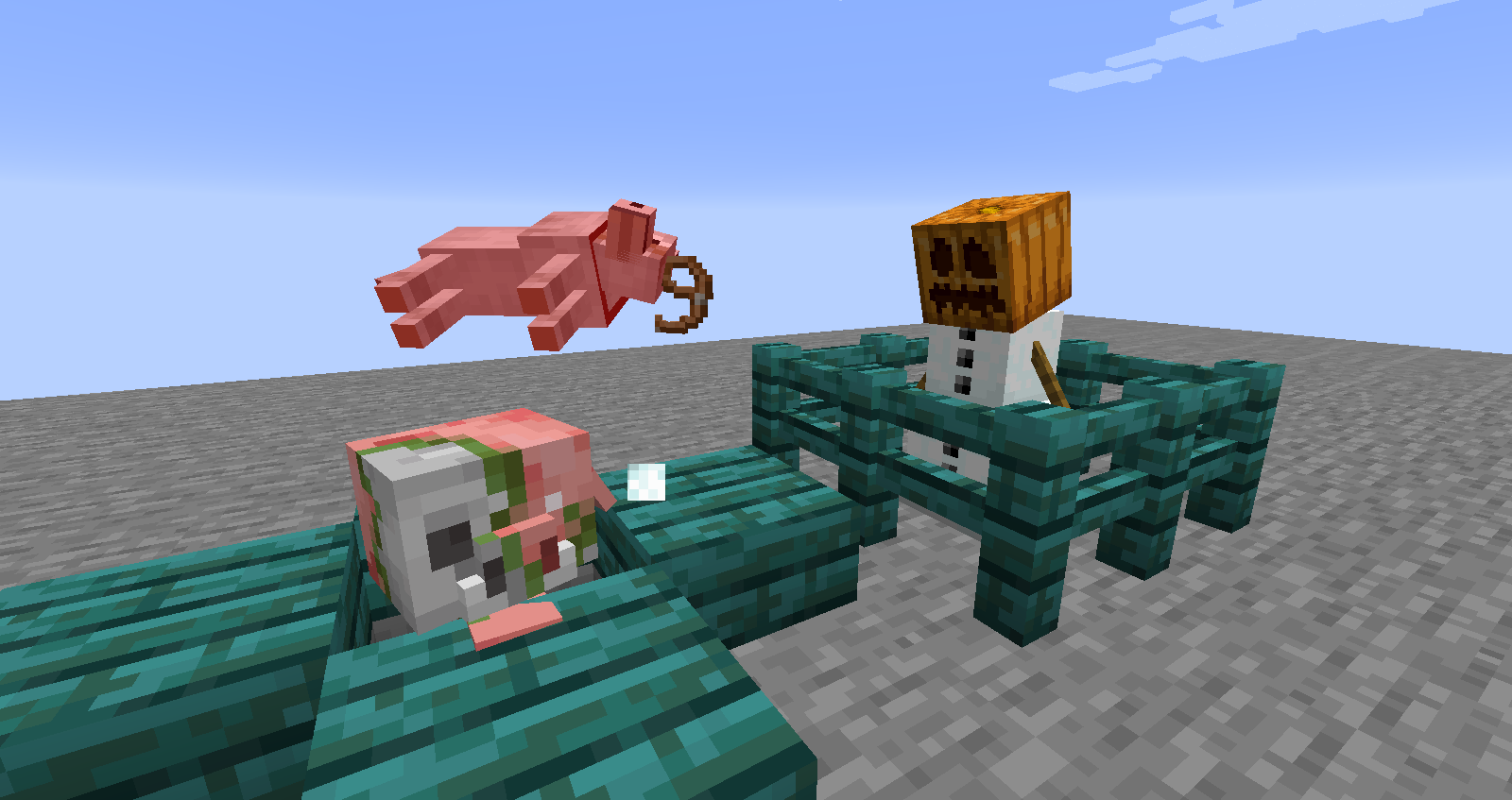
Snow Golems are intended to simply push mobs back with snowballs, not deal damage to them. However, the snowballs they shoot will hurt and kill wolves, both tamed and wild.
Currently unknown if this affects any other mobs (other than blazes, but this works as intended), but this doesn't seem to be the case.
Steps to reproduce:
1. Snow Golems will never attack wolves, so you must place a wolf in it's line of sight while the golem is attacking a monster
2. Restrain the wolf as well, or the golem will die.
3. The snowballs will damage the wolf and, with consistent hits, it will die.
Note: It's easier to use tamed wolves in this situation as their tails are a visual indicator of their health.
Cool! Still in 18w08a
Still in 18w10d
Affects 18w10b
Still in 18w09a
Confirmed for 18w08a
Still in 18w07c
Orbic, the wolves are actually receiving damage, because they died from the snowballs in my tests. This behaviour is not intended.

I have changed this report to describe the behavior reported by Orbic which can be consistently reproduced.
@Orbic, would you like to become the reporter? Then you can update affected versions yourself.
Updated the report as suggested by Orbic. Also do you want to become the reporter and keep this report up to date?
![[Mod] Les3awe](../../../data/avatars/users/79847.png)
@Serouj Ghazarian, would it be alright for you as well if Orbic became the reporter? When I asked this in the comments you weren't that active anymore, so I assumed you would not mind it.
Thanks Orbic, you are now the reporter.
@Orbic, do you want to become the reporter so you can update affected versions yourself?
![[Mod] j_p_smith](../../../data/avatars/users/92851.png)
Orbic, I am unable to reproduce this in 1.16 Pre-release 3 or later; would you mind sharing how you were able to reproduce the issue?
![[Mod] Greymagic27](../../../data/avatars/users/92875.png)
Orbic, as you're updating this report regularly with affected versions, would you like ownership so you can update the versions directly?
![[Mod] Michael Wobst](../../../data/avatars/users/37868.png)
Orbic can this still be reproduced in 1.18-pre5 or later? I think this should be fixed as well now.
![[Mod] ampolive](../../../data/avatars/users/18949.svg)
Orbic Yes, please create a separate ticket.
![[Mod] Avoma](../../../data/avatars/users/86198.png)

I was messing around with the torchflower when I heard the sound is different from breaking it after being placed and breaking it after growing it.
The following is described by Orbic:
It is not consistent with other fully grown crops for the Torchflower and its previous stages to not share the same noises,as seen in the video below. All crops have the same sound, no matter the growth stage.
In fact, more steps have been taken with other bug reports to make the Torchflower Flower more like its Crop counterpart, including making it the only flower that "maintains farmland."
And to top it all off, the Pitcher Plant Flower actually shares the same noise as the Pitcher Plant Crop, despite also being different. In all 3 angles, the Torchflower is inconsistent here, and this behavior can be observed in the linked video.

![[Mod] turbo](../../../data/avatars/users/92867.png)
Orbic: Please confirm if this is still an issue for you in the latest version.
I think it's because wolves and ocelots despawn like bats, squids, and hostile mobs. Though I do know they used to not despawn, and maybe that caused some confusion for you? The best thing to do is if you don't have enough items to tame them is to cage them, and then tame tag them.
I understand. Recycled it into just one bug.
Did the farm land turn into dirt? If so you might just be jumping, destroying the crops.
Please ignore this report! I made it into a different report because I realized you cant really recycle reports because they get deleted!
Does it look like 3 multicolored lines? If so that's intentional.
Its okay! I don't know what it's used for, but I do know it is on purpose. If your keep f3 open and you look around, it goes 3d as if you were looking at a block. it's pretty neat!
Thats a shader, actually. I don't remember which one. Were you messing around with the super secret settings? Anyways, just press f5 to fix it. Shaders stay even after you close a world or even restart Minecraft.
If not you may have 3D mode on as well.
Yes I tested it, you have 3D mode on. Go to video settings and turn 3d anaglyph off.
I now provided the exact commands I used!
I also tried testing this with potion effects. It does the same thing, rather with infinite effects with a command or just a simple splash potion in-game. Same thing happens.
I really want this to be noticed! I want to be able to do things with any mob!
Its the same bug that causes mobs to this in 1.8, because both mobs and armor stands are entities.
I'm waiting for this to be confirmed...
Well I built a lot of stuff in this world I intend to keep and still build on it.. so I guess I'll just deal with it. The animation was barley noticeable anyways.
Do you know the reason for it? And if it can ever be fixed?
Can someone please confirm this? I've had this up for a while.
Go to your start menu. In search, type %appdata% and press enter. Click Roaming, or if it automatically enters it, click .minecraft. Click resourcepacks, be sure not to confuse it between resources. Make sure Minecraft is closed while doing this, and delete the resource pack when you open the resource pack folder. This folder takes you to the same one that opens in game when you insert a resource pack. Judging by your need to delete your resource pack without entering the game, I'm assuming your saying that it crashes because of the resource pack, that's why I said delete it. If not, then there is no way to change a resource pack out side of the game.
Yes, I noticed that bug as well. It has been around for a long time.. ever since I started Minecraft, back in late 1.4. Maybe even before then.
I dont think this is a bug, because thats the point of hardcore. Once you die, your dead. On mulitplayer a way to do this is to just ban you for the server. But this is a problem if your still paying for it... hmm.
This happens to me only I can still see my own skin, but the other people in the LAN cannot.
This is no longer a problem, as when I closed the launcher and let it sit for while it fixed itself, but why did this happen? I think this is till a concern to be worried about.
Can a moderator resolve this? I would like this to be fixed soon.
Even if a mob isn't hurt, if it counts as taking damage the mob will still react as if it got hurt. Snowballs are one of those things that act like they hurt mobs, causing the hurt animation, noise, and all, but don;t actually hurt it. If you really still think the wolves are actually getting hurt, repeat what you did only have the wolves tamed. If the tail goes down then it really is getting hurt.
Oh looks like someone beat me to the punch!
Oh okay. And no worries about testing with tamed wolves. I just did, the tail went down.
now resolved it looks like!
Oh, and by the way, this does not happen if a player attacks the wild wolf and the tame wolf near by belongs to the attacking player. I don't know if it happens with players at all, since I'm on single player, but as soon as I have someone for multiplayer I will report what happened.
I think it is fixed in 1.8, but in my opinion it shouldn't of.. babies cant swim in real life.
Still in 1.8
Can anyone confirm this?
Why isn't this resolved yet?
This has been ignored for a while.
Oops! My bad. I was thinking resolved meant that the bug was recognized. Sorry! So how can I tell with this bug is known by Mojang and will be fixed? By people saying Can Confirm like Ivan did? I apologize again for the confusion!
Yea sorry about that. I can wait!
Oh thanks.
This is old, I had just given up on it. But thank you for the info! And yea, I am, but oh well.
I had made the snowman invulnerable for demonstration purposes.
Your playing a mod in the 1.8 pre-release? I thought the only 1.8 mods were the bird one and the banner animation one...
Same thing happens in 3rd person when you walk into tall flowers or double grass! It is quite annoying.
What?! really? Wow.. that sucks.. I thought it was perfect. Oh well.
Well then again, ocelots are actually encoded into the game to be hostile mobs, just not attacking ones. Also, wolves are neutral like endermen, which also despawn. But since it now has an Assignee maybe it wasn't intended after all.
Oh that's cool! Thanks!
Can confirm this still happens in 15w49b
Still occurs as of 15w49b.
Yep, this is still a thing. Just tested in the most recent versions.
Still in 15w49b
And by the third picture, it seems tamed wolfs beg for bones rather than wild ones. Seems the "begging" AI somehow got swapped.
Still in 1.9 release
Still in 1.9
This is still an issue in 1.9
Is everyone sure this is an issue? Why can't it just be a sound event that exists but the devs purposely never put any sounds because.. snowmen don't make noises. Just throwing "works as intended" out there.
Oops. It disappeared. Sorry. If I see it again I'll do a force crash.
Yeah, It has something to do with tamed wolves getting the additional health wild wolves don't.
This still an issue in 1.9.3-pre2
This is still a problem in 1.9.3-pre2
Confirmed for 1.9.3-pre2
Confirmed for 1.9.3-pre2
Still happens in 1.9.3-pre2
Just a notice, I use Windows 10 but I play the PC version of the game.
Confirmed for 18w07c
Still in 18w07c.
Used this command to summon a wolf, health and attack damage were not changed.
/summon wolf ~ ~1 ~ {CollarColor:1,Owner:*"Insert_Username"*,Sitting:0,Attributes:[{Name:generic.maxHealth,Base:100},{Name:generic.attackDamage,Base:100}]}Still in 18w07c
Can be reopened; still in 18w07c.
Still in 18w08a
Still in 18w08a
Still in 18w10b
Still in 18w10d
Still happens in 18w11a.
Pretty sure this has been fixed now. Can anyone else back me up? Doesn't seem to be an issue ingame anymore.
Still in 1.13.2-pre1
Still in 1.13.2-pre1
Full grown cats and ocelots are doing this now too in the recent snapshot.
Still happens in 19w02a, more specifically with cats which is very concerning considering they've been updated recently. (More people will be messing around with them)
Full list of every affected mob
--Tested as of 19w11b. Note that a mob being tamed does not affect this.
The problem appears to be that these smaller mobs can't keep their heads above the water. Their swimming positions seem to have been somehow altered. Both adults and baby Rabbits probably would be on this list but their swimming methods are an anomaly; their whole body bounces out of the water.
Yup. No behavior changes when they grow up either.
Could be WAI, but it would be pretty strange considering they're the same mob. There's just no way to know until a developer speaks out. about it.
Until then, can confirm for 19w07a
Still in 19w07a
Confirmed for 19w07a
Still in 19w08a
Still in 19w08a
Confirmed for 19w08a, 19w08b, and 19w09a.
Confirmed for 19w08a, 19w08b, and 19w09a.
Still in 19w09a.
Confirmed for 19w08b and 19w09a.
Confirmed for 19w11a
Still in 19w11a. Perhaps the list I commented earlier should be added to the main report so it's clear about what mobs are affected.
Confirmed for 19w11a
Ok so, after some testing I've come to realize this big is only partially fixed, but not in the way Fabian described it. I'm not sure if their discovery is WAI or not, as them teleporting away as your draw near makes sense, but what I found is basically the opposite: Endermen still won't act properly if you're too far away.
At 10 blocks, behavior is as expected:
At 20 blocks, things start getting a bit buggy:
And at a very far distance, they'll immediately run at you unless they happen to fall into your cursor
It seems the issue is that, from afar, their detection is wonky and the only thing that triggers is the hostility, not the "staring contest." If they get into your cursor again they'll stop, but unless you remain staring straight ahead its unlikely that they will.
As such, I'd say this bug is unfortunately only partially fixed. It still effects the mob's behavior after a certain distance.
Thank you for the confirmation!
Ah, tested it in 19w11b and it's fixed. I think I was expecting it to sound like the Elder Guardian, as parrots use the sound for them when they're out of water, regardless if they actually are or not. But yes, parrots imitate regular guardians now.
Confirmed for 19w11b
Still in 19w11b
Still in 19w13a.
Affects 19w13a
Still in 19w13a
Still in 1.14 Pre-Release 5
Still in 1.14 Pre-Release 5
Confirmed for 1.14 Pre-Release 5
Affects 1.14 Pre-Release 5
Yes. I noticed this happens a lot when they go into their homes after a bell rings.
Can confirm in 1.14 pre-release 5. This applies to tamed parrots as well.
Is there a reason this is intended? Seems weird.
It has been stated that the player-functions for the smithing table and flecthing table will be saved for the next update. Their current use is to change villager professions, so they still have a purpose to be in 1.14.
Still in 1.14 full release.
Confirmed for 1.14
Still in 1.14
Still in 1.14. It's really annoying living in a snowy area and having pets.
Notice this wasn't updated yet; still indeed in 1.14
Still in 1.14.1 Pre-1
Still in 1.14.1 Pre-1
Affects 1.14.1 Pre-1
Confirmed for 1.14.1 Pre-1
Still in 1.14.1 Pre-1.
Still in 1.14.2 Pre-1.
Still in 1.14.2 Pre-1
Affects 1.14.2 Pre-1
Still in 1.14.2 Pre-1! And just as annoying!
Still in 1.14.3 full release.
Confirmed for 1.14.3
Still in 1.14.3
Still in 1.14.3
Still in 1.14.3
As of 1.14.4 it seems this issue has gotten worse. Now it seems they won't teleport at all, no matter what kind of block you're on.
In 1.14.4
In 1.14.4
In 1.14.4
I would also add to this that it seems they do not care about rain or thunderstorms either, despite what the change logs say. They'll continue pollinating and entering/exiting hives even during bad weather as well as night.
Still in 19w35a.
Still in 19w35a
Still in 19w35a
Still in 19w35a
Still in 19w35a, teleporting seems to work sometimes in general now but im still getting inconsistent results. It may be based on if there are any blocks under the land you're on, as it definitely never works on void worlds. Still completely nothing on snow.
This report is very old, I will update it soon with clearer formatting and commands
Still in 19w35a
This mentions bees but is not in the current snapshot versions. Confirmed for 19w35a
Still in 19w35a
Still in 19w35a
Still in 19w35a
Confirmed for 19w35a
Still in 19w35a
Still in 19w35a
Confirmed for 19w35a
In 19w35a
Still in 19w35a
Still in 19w35a
Still in 19w35a. I think all flying mobs have this issue, as I've seen bats, parrots, and even phantoms fly into lava.
Still in 19w35a.
Confirmed for 19w37a. This, of course, happens with creepers as well.
Confirmed for 19w37a. Phantoms don't either. There probably isn't a realistic situation in which a Phantom would need to, but phantoms don't pathfind around a lot of blocks actually.
In 19w37a
Still in 19w37a
Can confirm for 19w37a
Still in 19w37a
Still in 19w37a
Still in 19w37a
Confirmed for 19w37a
Still in 19w37a.
Still in 19w37a
Confirmed for 19w37a
Still in 19w37a
Still in 19w37a
In 19w37a
Can confirm for 19w37a
Can confirm for 19w37a, but the wording of this report is kinda off. It's not really about trees specifically, this can happen with any block. Their path finding is just pretty crude so they get stuck on a lot of things.
Can confirm for 19w37a. Sometimes they'll succeed when running from something because of momentum, but during regular pathfinding they're unable.
Can confirm for 19w37a
I can't even get any to pick up any items or harvest berries from bushes. Should this be a separate report?
In 19w37a
Still in 19w39a
In 19w39a
In 19w39a
Confirmed for 19w39a
Can confirm for 19w39a
In 19w39a
In 19w39a still, no mention of a WAI.
Still in 19w39a
Can confirm for 19w39a
Still effects 19w39a
Can confirm for 19w39a
Still in 19w39a
Still in 19w39a
Still in 19w39a
Still in 19w39a
Confirmed for 19w39a
In 19w39a
I see this is being fixed, just wanna say this is of course in 19w39a still though
In 19w39a
Still in 19w39a
Can confirm for 19w39a
Can still confirm this for 19w39a
Still in 19w40a
Confirmed for 19w40a
Still in 19w40a
In 19w40a
In 19w40a
In 19w40a
Confirmed for 19w40a
In 19w40a
In 19w40a