Dragon egg's side texture is mapped strangely as of 1.8 (and the model is also unoptimized)
The bug
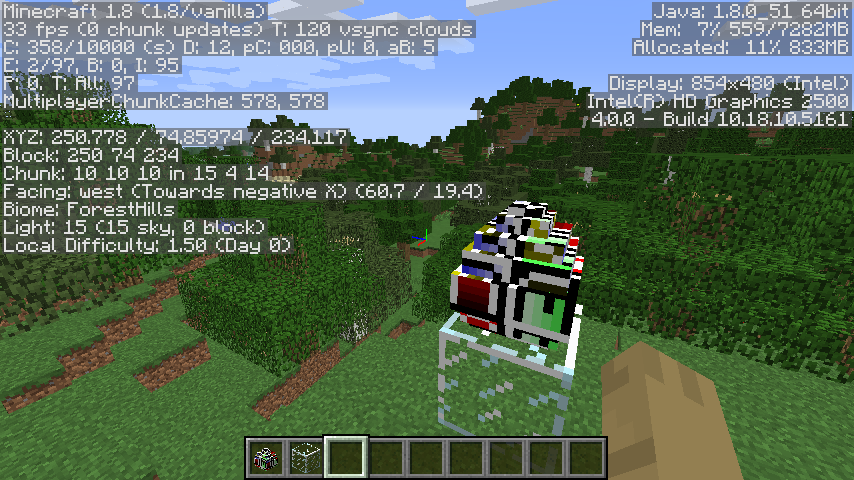
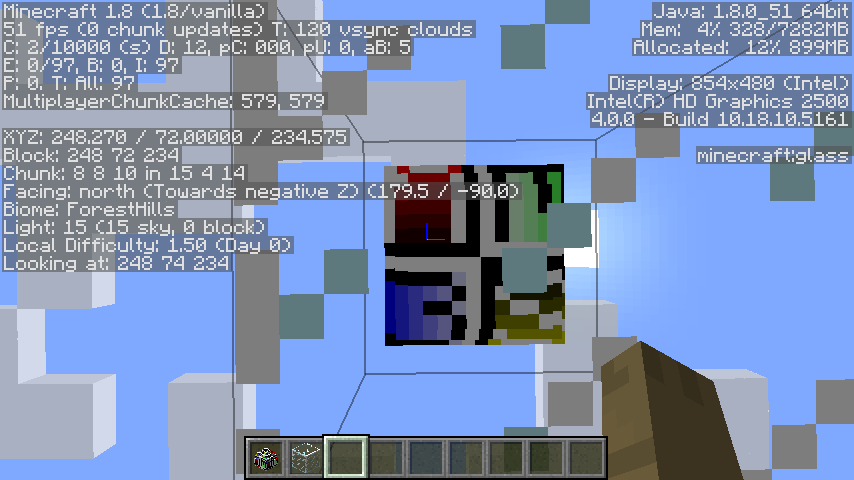
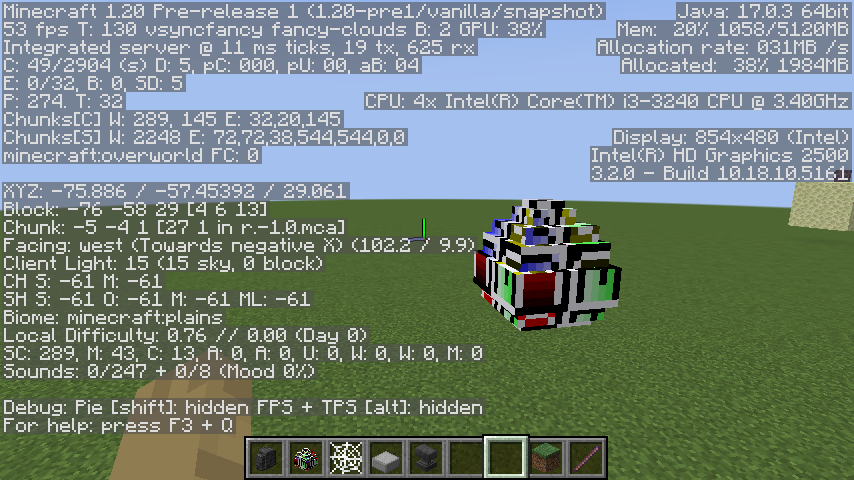
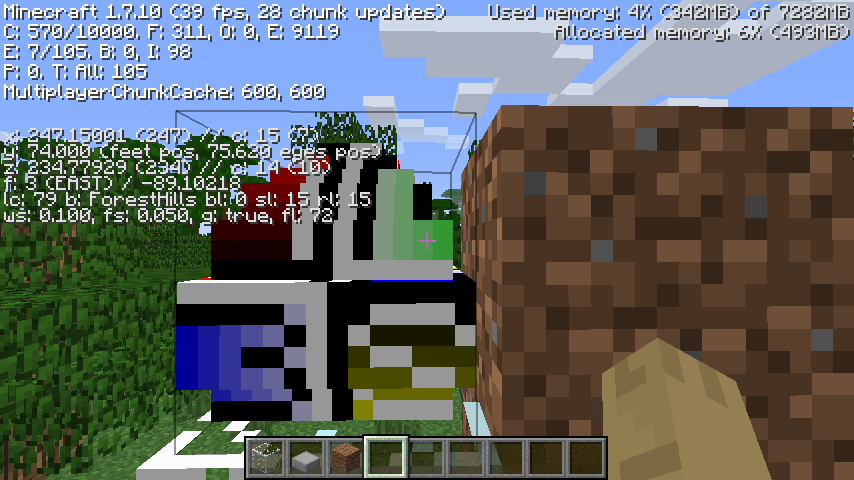
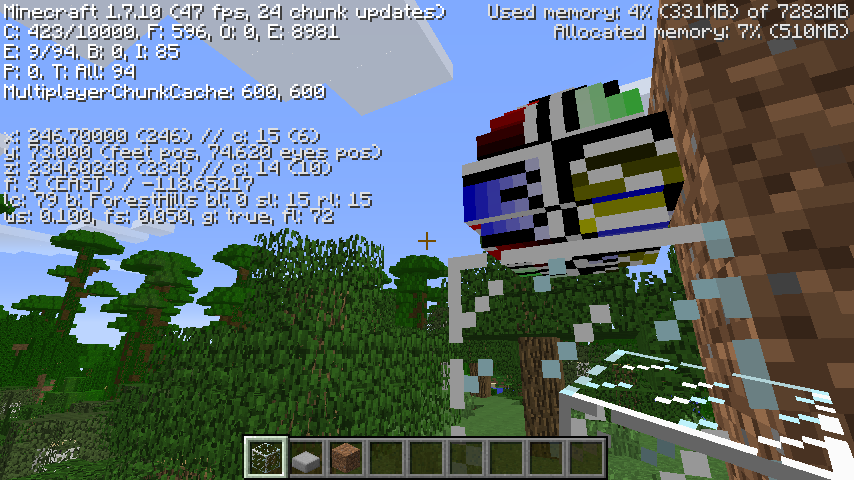
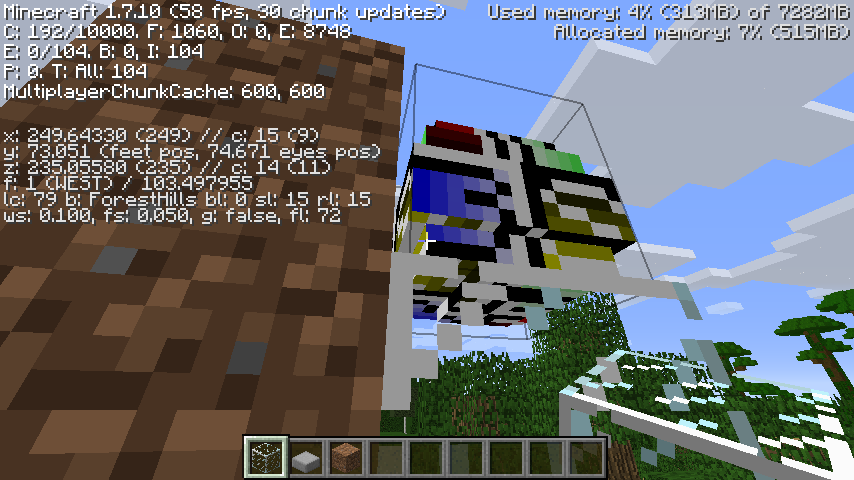
The way in which the dragon egg texture is applied to the north, east, south and west faces of the block is very strange.
This, like MC-120417, appears to have originated as a result of dragon eggs being converted to json models in release 1.8, and persisted due to how strange the dragon egg texture is.
How to reproduce
Two resource packs are attached to this issue: one for use in release 1.7.10 and release 1.8, and another for use in the current version.
- Download both resource packs
- Load up version 1.7.10
- Obtain a dragon egg (you'll probably need commands due to
MC-55718) - Apply the "old" resource pack
- Inspect each side of the block
- Load up that same world in release 1.8
- Inspect the dragon egg again, while still using the resource pack
- Load up the latest version as of reading
- Apply the "new" resource pack
- Obtain a dragon egg and inspect it
Expected results
The side textures of the dragon eggs would be mapped in a way that makes sense.
Actual results
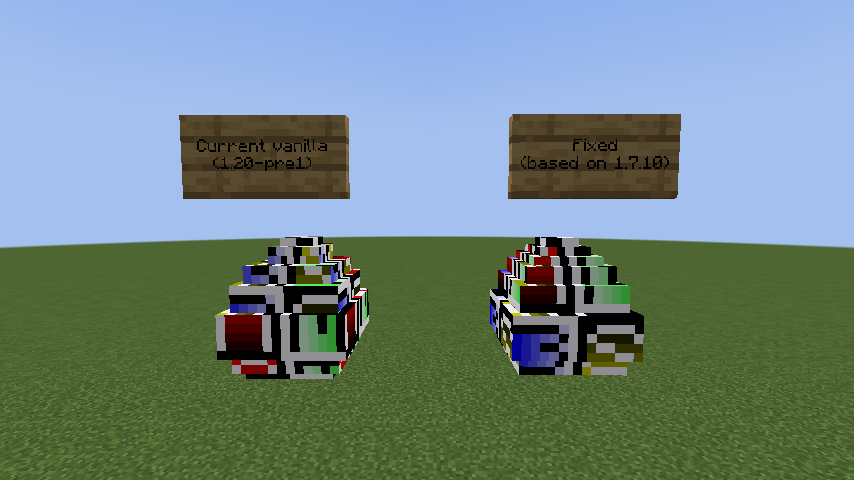
The side textures are mapped in a way that makes sense in 1.7.10. However, in 1.8 and the latest version, they are mapped seemingly randomly.
How to fix
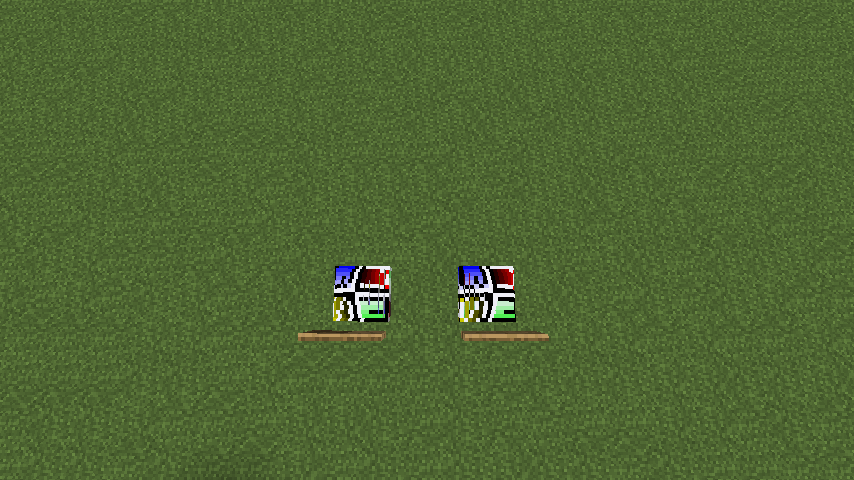
A resource pack that completely fixes this issue is attached to this ticket, which also fixes MC-120417 and MC-199238. This model is based off of the 1.7.10 dragon egg model and therefore has the same mapping as it (with the exception of the bottom face - it was mirrored in 1.7.10, but is mapped normally in this fix). It also only uses 33 texture planes instead of vanilla's 48, so should be considerably better for performance. Also included in the resource pack is a version of the dragon egg texture which eliminates all pixels the model does not use.
I give Mojang my full permission and strong encouragement to replace vanilla's current dragon egg model with the version provided in the fix resource pack for the benefit of texture pack creators and the like worldwide. Likewise for the dragon egg texture without the unused pixels.
Linked Issues
relates to14
 MC-267127Composter model is unoptimized, causing extra rendering lagConfirmedMC-267895Anvil's texture is mapped very strangelyConfirmedMC-262427Flower pots and potted objects have very poorly optimized models and strange texture mapping
 NormalMC-262452Hopper models are unoptimized and cause rendering lagNormalMC-262461Stair models are unoptimized and can cause rendering lagNormalMC-262470Cauldron models are very unoptimized, causing render lagNormalMC-262527Item frame models are quite unoptimizedNormalMC-262641Chorus flower models are incredibly unoptimized and cause serious rendering lagNormalMC-262689Hanging mangrove propagule models are comically unoptimizedNormalMC-262953Fence gate models are very unoptimized, causing lag among other issuesConfirmedMC-267281Fence multipart model system performance optimizationNormalMC-267315Rendering performance optimization for glass pane modelsNormalMC-267864Two-tall plant model/rendering not optimizedNormalMC-279350Leaf litter multipart model system is unoptimized, causing render lag
 Low
LowAttachments24


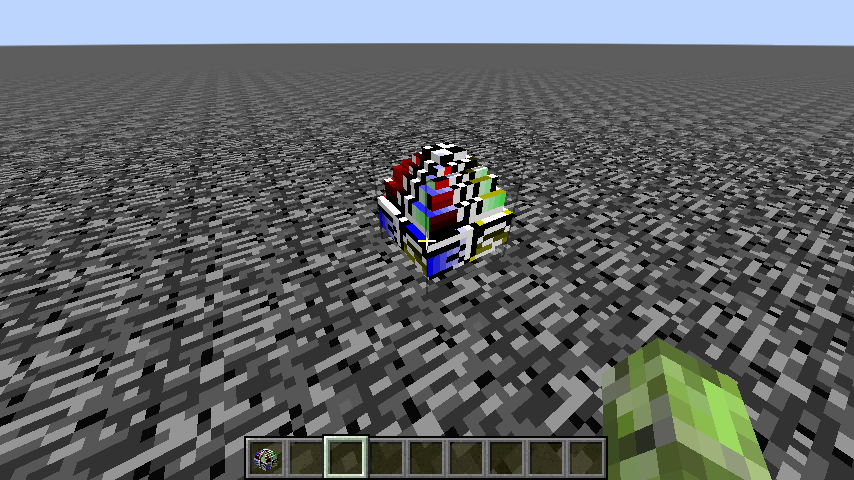


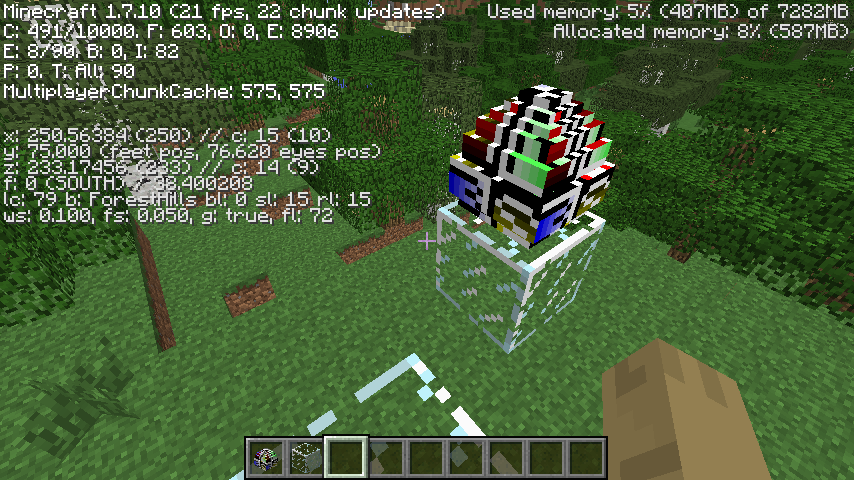
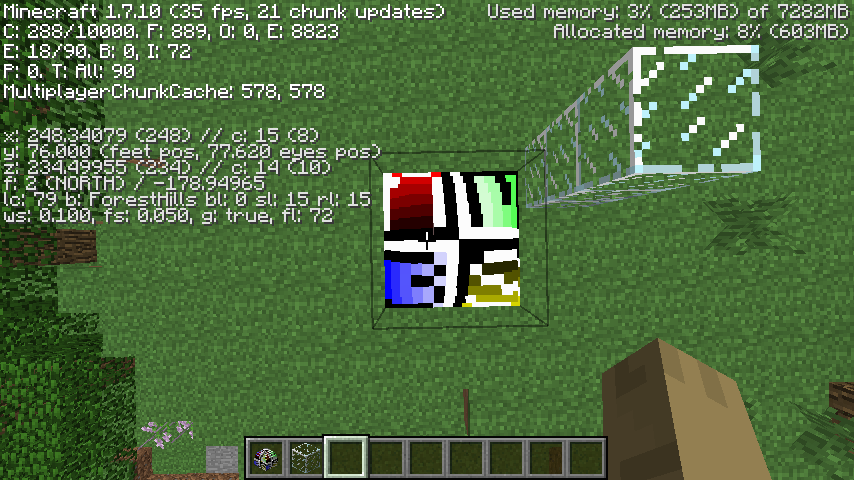
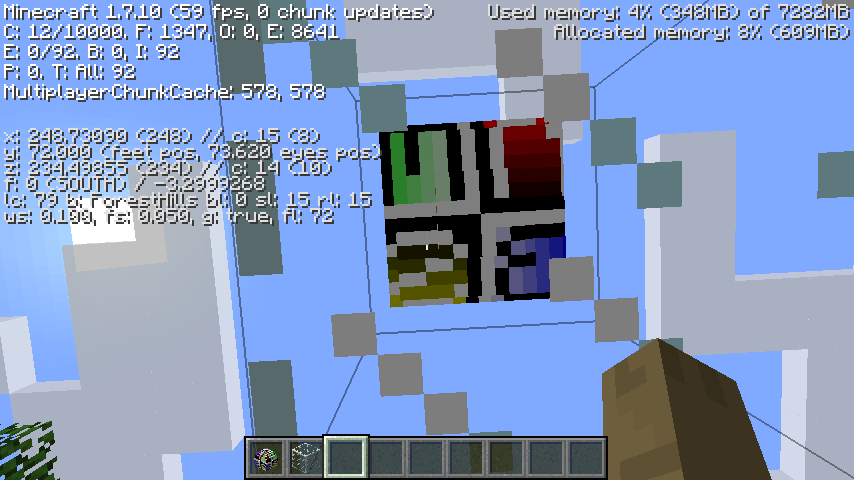






Created Issue:
Dragon egg's side texture is mapped strangely as of 1.8
The bug
The way in which the dragon egg texture is applied to the north, east, south and west faces of the block is very strange.
This, like
MC-120417, appears to have originated as a result of dragon eggs being converted to json models in release 1.8, and persisted due to how strange the dragon egg texture is.How to reproduce
Two resource packs are attached to this issue: one for use in release 1.7.10 and release 1.8, and another for use in the current version.
- Download both resource packs
- Load up version 1.7.10
- Obtain a dragon egg (you'll probably need commands due to
MC-55718)- Apply the "old" resource pack
- Inspect each side of the block
- Load up that same world in release 1.8
- Inspect the dragon egg again, while still using the resource pack
- Load up the latest version as of reading
- Apply the "new" resource pack
- Obtain a dragon egg and inspect it
Expected results
The side textures of the dragon eggs would be mapped in a way that makes sense.
Actual results
The side textures are mapped in a way that makes sense in 1.7.10. However, in 1.8 and the latest version, they are mapped seemingly randomly.
How to fix
A resource pack to fix this issue is forthcoming.
Attachments14
The bug
The way in which the dragon egg texture is applied to the north, east, south and west faces of the block is very strange.
This, like
MC-120417, appears to have originated as a result of dragon eggs being converted to json models in release 1.8, and persisted due to how strange the dragon egg texture is.How to reproduce
Two resource packs are attached to this issue: one for use in release 1.7.10 and release 1.8, and another for use in the current version.
- Download both resource packs
- Load up version 1.7.10
- Obtain a dragon egg (you'll probably need commands due to
MC-55718)- Apply the "old" resource pack
- Inspect each side of the block
- Load up that same world in release 1.8
- Inspect the dragon egg again, while still using the resource pack
- Load up the latest version as of reading
- Apply the "new" resource pack
- Obtain a dragon egg and inspect it
Expected results
The side textures of the dragon eggs would be mapped in a way that makes sense.
Actual results
The side textures are mapped in a way that makes sense in 1.7.10. However, in 1.8 and the latest version, they are mapped seemingly randomly.
How to fix
A resource pack to fix this issue is forthcoming.
The bug
The way in which the dragon egg texture is applied to the north, east, south and west faces of the block is very strange.
This, like
MC-120417, appears to have originated as a result of dragon eggs being converted to json models in release 1.8, and persisted due to how strange the dragon egg texture is.How to reproduce
Two resource packs are attached to this issue: one for use in release 1.7.10 and release 1.8, and another for use in the current version.
- Download both resource packs
- Load up version 1.7.10
- Obtain a dragon egg (you'll probably need commands due to
MC-55718)- Apply the "old" resource pack
- Inspect each side of the block
- Load up that same world in release 1.8
- Inspect the dragon egg again, while still using the resource pack
- Load up the latest version as of reading
- Apply the "new" resource pack
- Obtain a dragon egg and inspect it
Expected results
The side textures of the dragon eggs would be mapped in a way that makes sense.
Actual results
The side textures are mapped in a way that makes sense in 1.7.10. However, in 1.8 and the latest version, they are mapped seemingly randomly.
How to fix
A resource pack that completely fixes this issue is attached to this ticket, which also fixes
MC-120417andMC-199238. This model is based off of the 1.7.10 dragon egg model and therefore has the same mapping as it (with the exception of the bottom face - it was mirrored in 1.7.10, but is mapped normally in this fix). It also only uses 33 texture planes instead of vanilla's 48, so should be considerably better for performance. Also included in the resource pack is a version of the dragon egg texture which eliminates all pixels the model does not use.I give Mojang my full permission and strong encouragement to replace vanilla's current dragon egg model with the version provided in the fix resource pack for the benefit of texture pack creators and the like worldwide. Likewise for the dragon egg texture without the unused pixels.
Dragon egg's side texture is mapped strangely as of 1.8 (and is also unoptimized)
Dragon egg's side texture is mapped strangely as of 1.8 (and the model is also unoptimized)
![[Mod] Les3awe](../../../data/avatars/users/79847.png)
relates to

![[Mod] turbo](../../../data/avatars/users/92867.png)
relates to
![[Bot] Arisa](../../../data/avatars/users/43007.png)
relates to
relates to
relates to
relates to
relates to
relates to
relates to
![[Mojang] eowyn36](../../../data/avatars/users/18935.svg) Low
Low![[Mojang] Chi Wong](../../../data/avatars/users/18941.svg) [Mojang] Chi Wong
[Mojang] Chi Wong![[Bot] Piston](../../../data/avatars/users/31202.png)
relates to
The bug
The four template models used for fence gates specify more texture planes than are needed, causing the game to render far more triangles in areas which contain a large amount of fence gates, resulting in extra lag. To be specific:
- template_fence_gate.json and template_fence_gate_wall.json specify 40 planes, but only need to specify 24
- template_fence_gate_open.json and template_fence_gate_wall_open.json specify 40 planes, but only need to specify 36
Unlike most other model optimization tickets (but like MC-262652), such an optimized model does not look outwardly perfectly identical to the current vanilla fence gate. This is due to vanilla's fence gates being affected by MC-262935 and MC-262936, which are undesirable texture mapping bugs. The optimized fence gate models do away with these issues entirely in favor of a more intuitively mapped gate model.
How to reproduce
- Download the attached "complete fix" resource pack
- Create a superflat world with this preset:
minecraft:bedrock,20*minecraft:oak_fence_gate;minecraft:the_void
- Set the render distance to 2 chunks
- Enter Spectator mode
- Run the command
/tp @s 0 -40 0 0 90
- Use Alt+F3 to view the FPS bar
- Compare the performance with the vanilla resources versus the optimized fence gates
The optimized fence gate resource pack should offer a considerable performance benefit over vanilla (and should therefore be what vanilla uses in the first place).
How to fix
This should be a very, very easy fix. Just take the four template models inside of the attached resource pack (template_fence_gate.json, template_fence_gate_open.json, template_fence_gate_wall.json, template_fence_gate_wall_open.json) and replace the vanilla model files with them, and fence gates should now have a markedly lower performance impact (and a slightly lower file size as well).
These models also fix some other existing issues plaguing fence gates:
- The textures used on parts of the constituent doors should now rotate in an intuitive manner when opened. (
MC-92182, whose closing was probably a misunderstanding of the issue) - Two faces inside of fence gates that can never be seen without clipping inside of them have been deleted, and cullface has been added for the two top squares for non-wall fence gates. (MC-238734)
- Both sides of the fence gate are now mapped in a way that preserves the block's texture - in vanilla, it's randomly and weirdly cut off in places for no good reason. (MC-262935)
- Some stretched pixels on open fence gates have been fixed as part of the intuitive rotation mapping. (MC-262936)
A second separate resource pack is attached which disables uvlock on fence gates, as its presence interferes with the rotation of textures between open/closed states.
Further notes
I haven't touched bamboo fence gates at all since they have a custom texture which requires specific mapping, rather than reusing the constituent planks. To make this fix work for bamboo fence gates would require fundamentally rearranging this texture file.
Discovered while testing the fix to MC-262652.
Relates to: MC-176095 MC-199660 MC-208679 MC-250985 MC-271303
May also relate to: MC-159560
The bug
There are several pixels in the dragon egg texture which go entirely unused by the model. These could be removed from the texture to make it clear what areas resource pack artists should bother texturing, and what areas can be safely ignored.
The leftmost row and rightmost row of the image file are unused, as are the two pixels to the right of the bottom-left pixel and the two to the left of the bottom-right pixel. The top row of pixels, excluding the central four, are also unused.
How to fix
Delete these pixels from dragon_egg.png. A fixed version is attached.
Relates to: MC-260296 MC-262427 MC-262452 MC-262461 MC-262470 MC-262527 MC-262641 MC-262652 MC-262689 MC-262953 MC-267127 MC-267315 MC-267864 MC-279350
The bug
The current multipart system for walls can use more quads than are necessary to achieve an identical visual result. Making Minecraft render more quads increases render lag, so decreasing the amount needed will improve performance.
The case in question is much the same as MC-267281, arising where two opposite connections of a wall are either both "low" or both "tall". Minecraft, by default, will render one model in each direction, with a total of two. However, the exact same visual outcome can be achieved using a single, continuous model, reducing the amount of quads used for this case from 10 to 6. Since there are no texture mapping issues on walls (unlike MC-109478 and MC-225819/MC-267871), this fix also completely preserves their appearance, so we get no bonus fixes.
How to reproduce
- Create this superflat world:
minecraft:barrier;minecraft:the_void
- Initiate flying mode
/fill -30 -63 -30 30 -56 30 cobblestone_wall
/fill -30 -55 -30 30 -48 30 cobblestone_wall
/tp @s 0 0 0 0 90
- Compare framerates with and without the attached resource pack using F3+2
Expected results
Vanilla's framerates would be ideal.
Actual results
The resource pack gives better results.
How to fix
Adopt the system demonstrated by this resource pack for walls. I give Mojang full permission to use this resource pack to fix this optimization problem.
Relates to: MC-260296 MC-262427 MC-262452 MC-262461 MC-262470 MC-262527 MC-262641 MC-262652 MC-262689 MC-262953 MC-267127 MC-267281 MC-267315 MC-267864 MC-279350 MC-279354
The bug
Bamboo fences, like other fence types (see MC-267281), are not modelled in a way which is optimal for rendering performances. As a result, areas which use large amounts of bamboo fences will decrease framerate much more than otherwise should be the case.
Bamboo fences use a fundamentally different system for modelling compared to other fences, which is why I'm reporting this separately from the other fences. Tragically the issues with the normal fence model have carried over to the system used for bamboo fences.
The model system bamboo fences use is also more complicated than is neccessary - it uses four models for orthogonal connections, whereas this optimized system achieves a visually identical outcome using just three.
Note that since bamboo models use a unique texture rather than just copying the bamboo planks texture, the texture mapping will need to be shifted around. A modified version is found within the attached resource pack - the visual outcome will be identical, but existing resource packs will need to be changed by their authors to fit around it (assuming they don't take the lazy route and just copy over the old, terrible models).
How to reproduce
- Create a creative Superflat world with the following preset:
minecraft:barrier;minecraft:the_void
- Enter flying mode by double pressing the jump button
- Run the command
/tp @s 0 -20 0 0 90
- Run the command
/fill -30 -63 -30 30 -56 30 bamboo_fence
- Open the performance graphs via F3+2
- Switch between the default resources and the attached resource pack, comparing the performance
Expected results
Good framerates in vanilla.
Actual results
We can do far better.
How to fix
Simply implement the resources in the attached resource pack into vanilla. I give Mojang my full permission and encouragement to use these files to make vanilla Minecraft run better.
Further notes
Mipmapping will be affected, however this is a non-issue.
The bamboo fence item model is also updated to fit the new system.
Many of the old model files can be safely deleted once the new ones are added, as this improved system renders them completely superseded.
Can confirm.
Literally using auto-uv rather than assigned uv mapping would fix the UV mapping, it's such a simple fix. I don't get why that part is won't fix too.
With
MC-120417's recent fix and this post on Twitter by Chi Wong saying that the dragon egg model will be "without the mistakes" (https://nitter.poast.org/wChiwi/status/1818293128564031694#m) I'd recommend reopening this ticket, as the highly atypical texture mapping definitely strikes me as a mistake which occurred while creating model files in 1.8. It is effectively impossible to give the dragon egg a good texture without outright modifying the model file.