name= selector does not function with names containing symbols or spaces
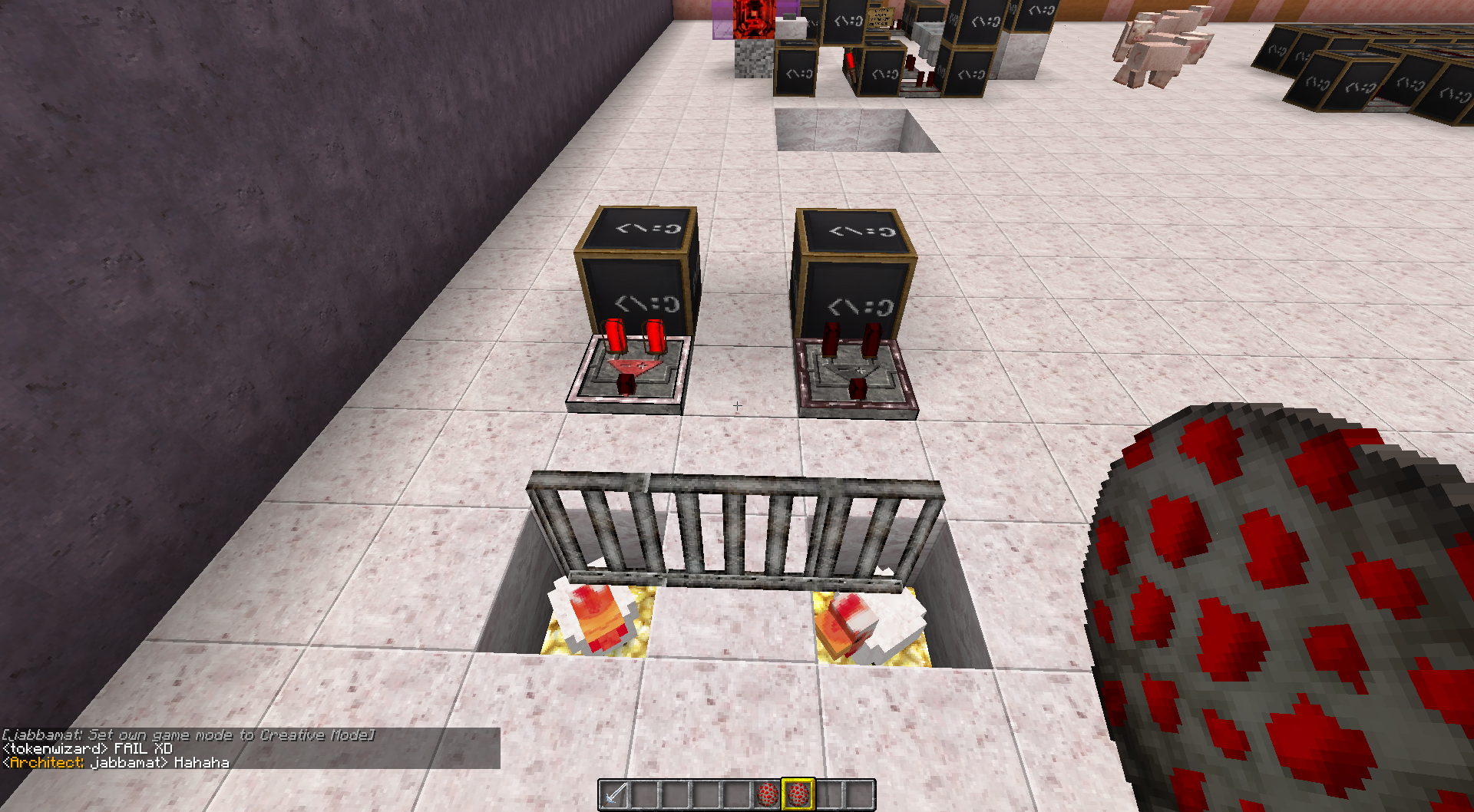
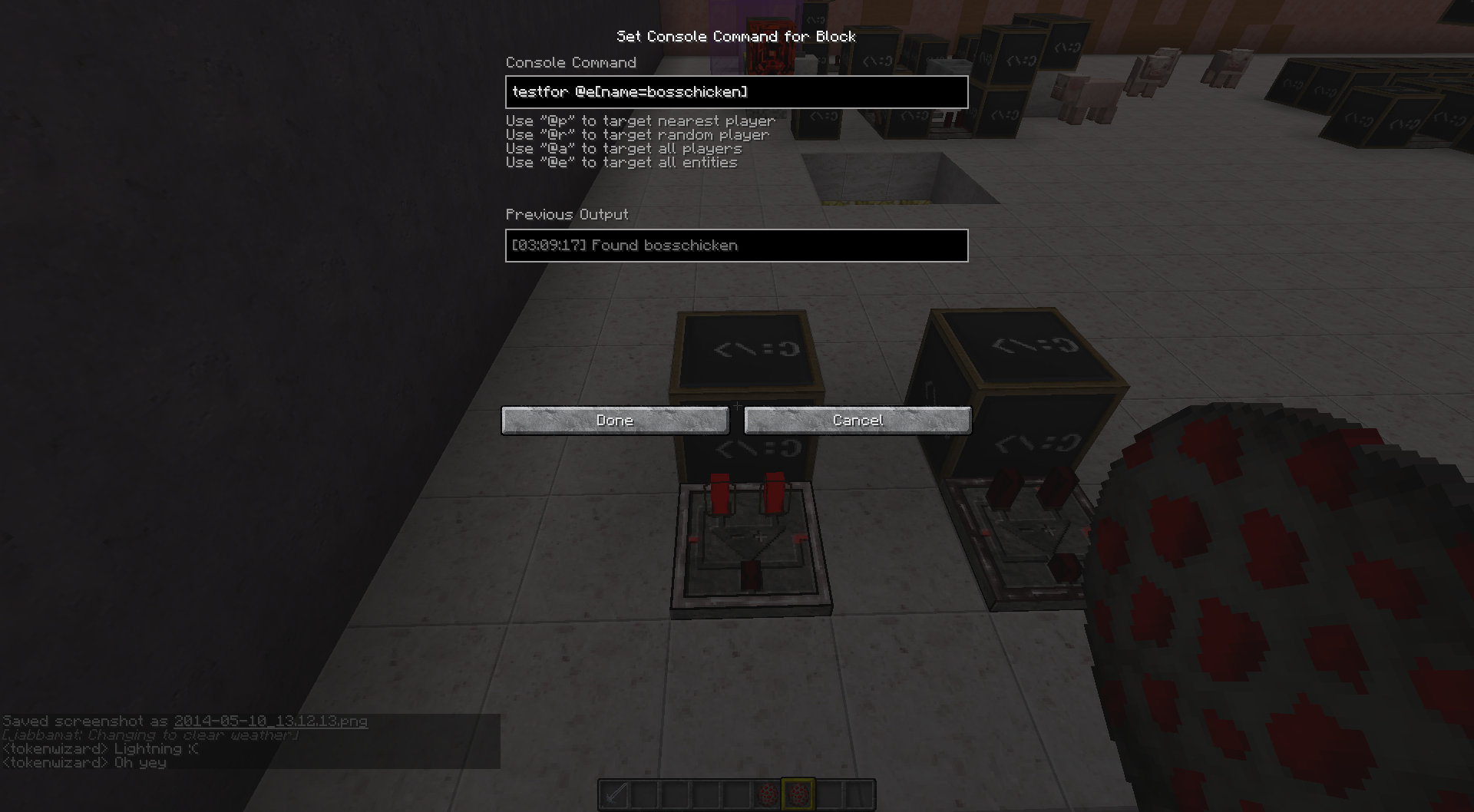
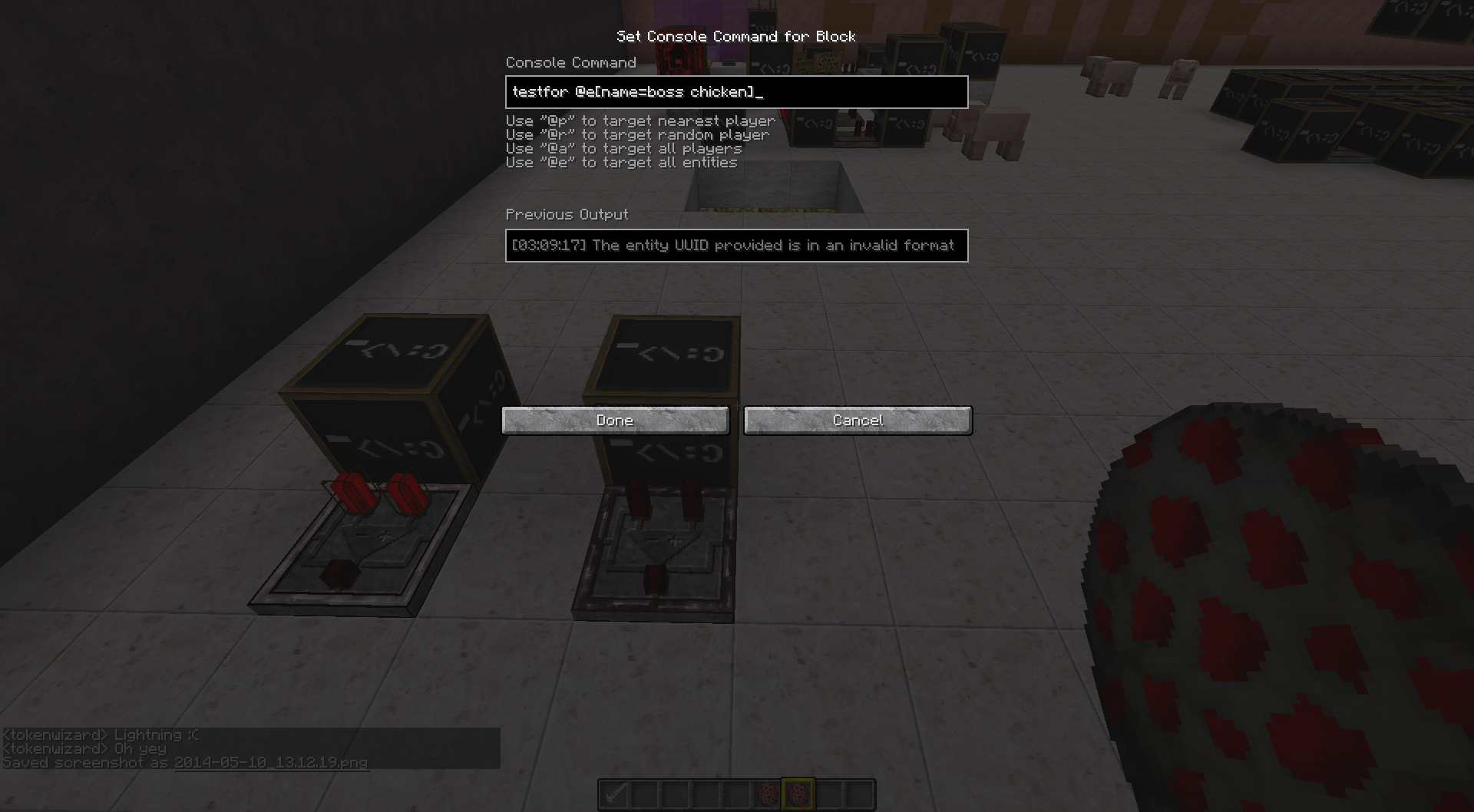
I grabbed 2 chicken spawn eggs and named 1. bosschicken & 2. boss chicken
I then made 2 command blocks to do a testfor those named entities and it only picked up the name: bosshchicken.
e.g. are shown in pic's
Environment
Win7
Java 7u55
Linked Issues
is duplicated by6
 MC-55528Entities with names with a space i.e. "Name Name2" cannot be targeted with name=Name Name2 in @e selectorsDuplicateMC-56246name= selector does not function with names containing symbolsDuplicateMC-56296name= Selector does not work with SymbolsDuplicateMC-73729Selector arguments won't accept some namesDuplicateMC-75273entitydata doesn't work when name is +/-DuplicateMC-84784Error using ! in a nameDuplicate
relates to1

Created Issue:
Named Entities with Space arent picked up by Comamnd block
I grabbed 2 chicken spawn eggs and named 1. bosschicken & 2. boss chicken
I then made 2 command blocks to do a testfor those named entities and it only picked up the name: bosshchicken.
e.g. are shown in pic's
Environment
Win7
Java 7u55
Attachments3

is duplicated by
is duplicated by
Named Mob Entities with Space or symbols arent picked up by Comamnd block
Named Mob Entities with Space or symbols arent picked up by Comamnd blockname= selector does not function with names containing symbols or spaces
is duplicated by
![[Mojang] Searge (Michael Stoyke)](../../../data/assets/gravatar/searge.png) [Mojang] Searge (Michael Stoyke)
[Mojang] Searge (Michael Stoyke)is duplicated by
Intended. There are no spaces in entity names.
I'm talking about when they are tested in the command. You have to do "IronGolem", "ZombiePigman", etc.
is duplicated by
is duplicated by
relates to
is duplicated by


Duplicate of MC-54941
![[Mod] Sonicwave](../../../data/avatars/users/94627.png)
NoAI (fixed in 1.8.1-pre1): MC-65603
CustomNameVisible: Unfortunately it's a Won't Fix (MC-57516)
Also try avoiding putting spaces in the CustomName, since then they can't be selected with entity selectors (see MC-54941). (so instead of "a dragon" try "a_dragon")
Just curious, is there a replacement for this tag for mobs (since otherwise it breaks some maps)?
Note: This is not a dupe of MC-54941, I was just saying that adding spaces in names might make it harder later on  . The main issue is that the Ender Dragon's name cannot be changed.
Incorrect. Cave Spider, Magma Cube, Iron Golem, Zombie Pigman .. all of their base names have spaces in them, as also shown when you highlight those particular spawn eggs
Dosent work if you use that as there is no such thing, the command block wont even error due to the fact it dosent exist.
do @e[name="boss chicken"]
the issue here is, blah mistakenly thought that you meant type instead of name. for example, the 'name' of your chicken is boss chicken, but the 'type' is still chicken. add quotes and it will work fine.
Unf using " marks dosent work either, it gives same error as before without using " marks
You can create a custom UUID to work around this
@qmagnet you cannot use any arguments anymore if you use a custom UUID since i.e. 1-1-1-1-1[score_score_min=1] doesn't work.
True but there are workarounds.
Will this be fixed or is it something thats meant to be?
This also occurs with periods, slashes, and other symbols.
A problem that exists with using UUIDs however is that if you do say /kill 1-2-3-4-5 it only kills 1 of the entity not all and the remaining ones cannot be killed if there are summoned multiple with same UUID but with custom name you can kill all with same name. It's for if you want to summon many entities with the same name with a space or symbol, UUID s wouldn't work.
Entity selectors can't contain spaces. We are considering to improve command parsing in the (far) future, until then, this won't work.
The issue for myself was the fact that trying to use existing mob names, such as iron golem, pig zombie cant be done since they contain spaces
set up a dummy score board objective that uses CustomName.
{CustomeName:Bob Bob}Example:
scoreboard objectives add Name dummy
scoreboard players set @p Name 1
testfor @e[score_Name=1,score_Name_min=1]
This method works for many different aspects other than just the name of an entity.
It seems like this might have been added as a work around to issues like this one.
well this stinks. I was going to make a new report for this but i guess this is my issue as well. For more examples here is what i was doing to get this issue.
So i want to summon Armor Stand to use as titles,
{Invisible:1b,CustomNameVisible:1,CustomName:"New Changes"}"/summon ArmorStand ~ ~ ~
"
but when i want to move it or change it, i will use /kill,
"/kill @e[name=New Changes]" (adding quotes around the spaced phrase doesn't work either)
That sadly doesn't work so i have to use,
"/kill @e[type=ArmorStand,r=1]"
Which works for now/ my situation. My question would be is what is causing it to not show up as a UUID? because of the space? how would i get the proper id if i wanted to know it?
Still effects latest snapshot, 15w31b. sadly.
Any chance that entity selectors can contain spaces any time soon or is this still place dinto the FAR future version?
Handling of spaces in selectors won't change any time soon. In 1.9 (and current snapshots) using tags on entities is the best alternative to using the name.