 kasamikona
- conormcs
- conormcs
- Europe/London
- Yes
- No
 MC-13210
 MCL-794
![[Mojang] Grum (Erik Broes)](../../../data/assets/gravatar/grum.png)









Windows 7 - 64 bit - Java 1.7(I think it is anyway, its whatever is the latest version)
Windows 7 - 64 bit - Java: 7u17
will there be a mcmeta file for the sizes of the characters? if not, is the default text changed by glyph_sizes.bin or is that just the unicode stuff?
sorry if this is a duplicate, could not find anything while searching
so say I wanted to create a 32x32 texture pack. most animations would look like this (frame positions in image)
[0][1][2][3]
etc...but flowing water & flowing lava animations require this:
[0][ ][][ ][1][ ]
[ ][ ][2][ ]
[ ][ ]
etc...this is not a problem normally, but for things that use these textures (for example mods, falling block entities with custom ids created by mods, server plugins, etc.) they will display the full
[#][]
[ ][ ]
(in this case a 64x64 square, with only the top left hand corner being textured)I know this relates to modifications, but like I said, custom id falling blocks can be created on servers with plugins which require no client modifications. please fix it, it is driving me crazy.
sorry if this is a duplicate, could not find anything while searching
so say I wanted to create a 32x32 texture pack. most animations would look like this (frame positions in image)
[ 0 ]
[ 1 ]
[ 2 ]
[ 3 ]
etc...but flowing water & flowing lava animations require this:
[ 0 ][ ]
[ ][ ]
[ 1 ][ ]
[ ][ ]
[ 2 ][ ]
[ ][ ]
etc...this is not a problem normally, but for things that use these textures (for example mods, falling block entities with custom ids created by mods, server plugins, etc.) they will display the full
[ # ][ ]
[ ][ ]
(in this case a 64x64 square, with only the top left hand corner being textured)I know this relates to modifications, but like I said, custom id falling blocks can be created on servers with plugins which require no client modifications. please fix it, it is driving me crazy.
sorry if this is a duplicate, could not find anything while searching
so say I wanted to create a 32x32 texture pack. most animations would look like this (frame positions in image)
[ 0 ]
[ 1 ]
[ 2 ]
[ 3 ]
etc...but flowing water & flowing lava animations require this:
[ 0 ][]
[][]
[ 1 ][][][ ]
[ 2 ][][][ ]
etc...this is not a problem normally, but for things that use these textures (for example mods, falling block entities with custom ids created by mods, server plugins, etc.) they will display the full
[ # ][][ ][]
(in this case a 64x64 square, with only the top left hand corner being textured)I know this relates to modifications, but like I said, custom id falling blocks can be created on servers with plugins which require no client modifications. please fix it, it is driving me crazy.
sorry if this is a duplicate, could not find anything while searching
so say I wanted to create a 32x32 texture pack. most animations would look like this (frame positions in image)
[ 0 ]
[ 1 ]
[ 2 ]
[ 3 ]
etc...but flowing water & flowing lava animations require this:
[ 0 ][ ]
[ ][ ]
[ 1 ][ ]
[ ][ ]
[ 2 ][ ]
[ ][ ]
etc...this is not a problem normally, but for things that use these textures (for example mods, falling block entities with custom ids created by mods, server plugins, etc.) they will display the full
[ # ][ ]
[ ][ ]
(in this case a 64x64 square, with only the top left hand corner being textured)I know this relates to modifications, but like I said, custom id falling blocks can be created on servers with plugins which require no client modifications. please fix it, it is driving me crazy.
sorry if this is a duplicate, could not find anything while searching
so say I wanted to create a 32x32 texture pack. most animations would look like this (frame positions in image)
[ 0 ]
[ 1 ]
[ 2 ]
[ 3 ]
etc...but flowing water & flowing lava animations require this:
[ 0 ][]
[][]
[ 1 ][]
[][]
[ 2 ][]
[][]
etc...this is not a problem normally, but for things that use these textures (for example mods, falling block entities with custom ids created by mods, server plugins, etc.) they will display the full
[ # ][]
[][]
(in this case a 64x64 square, with only the top left hand corner being textured)I know this relates to modifications, but like I said, custom id falling blocks can be created on servers with plugins which require no client modifications. please fix it, it is driving me crazy.
sorry if this is a duplicate, could not find anything while searching
so say I wanted to create a 32x32 texture pack. most animations would look like this (frame positions in image)
[ 0 ]
[ 1 ]
[ 2 ]
[ 3 ]
etc...but flowing water & flowing lava animations require this:
[ 0 ][ _ ]
[ _ ][ _ ]
[ 1 ][ _ ]
[ _ ][ _ ]
[ 2 ][ _ ]
[ _ ][ _ ]
etc...this is not a problem normally, but for things that use these textures (for example mods, falling block entities with custom ids created by mods, server plugins, etc.) they will display the full
[ # ][ _ ]
[ _ ][ _ ]
(in this case a 64x64 square, with only the top left hand corner being textured)I know this relates to modifications, but like I said, custom id falling blocks can be created on servers with plugins which require no client modifications. please fix it, it is driving me crazy.
sorry for messed up diagrams, I will attach some images
As we all know, when lava flows into a block that it can destroy, such as torches or tall grass, it makes a fizzing sound. Trouble is, now that air is a block, lava makes a hissing noise while flowing normally through air.
strong*Steps to reproduce:*strong
1. get a lava bucket
2. place it on the ground
3. listen as it flows
As we all know, when lava flows into a block that it can destroy, such as torches or tall grass, it makes a fizzing sound. Trouble is, now that air is a block, lava makes a hissing noise while flowing normally through air.
strong*Steps to reproduce:*strong
1. get a lava bucket
2. place it on the ground
3. listen as it flows
{{As we all know, when lava flows into a block that it can destroy, such as torches or tall grass, it makes a fizzing sound. Trouble is, now that air is a block, lava makes a hissing noise while flowing normally through air.
Steps to reproduce:
1. get a lava bucket
2. place it on the ground
3. listen as it flows}}
{{ As we all know, when lava flows into a block that it can destroy, such as torches or tall grass, it makes a fizzing sound. Trouble is, now that air is a block, lava makes a hissing noise while flowing normally through air.
Steps to reproduce:
1. get a lava bucket
2. place it on the ground
3. listen as it flows }}
{{As we all know, when lava flows into a block that it can destroy, such as torches or tall grass, it makes a fizzing sound. Trouble is, now that air is a block, lava makes a hissing noise while flowing normally through air.Steps to reproduce:
1. get a lava bucket
2. place it on the ground
3. listen as it flows}}
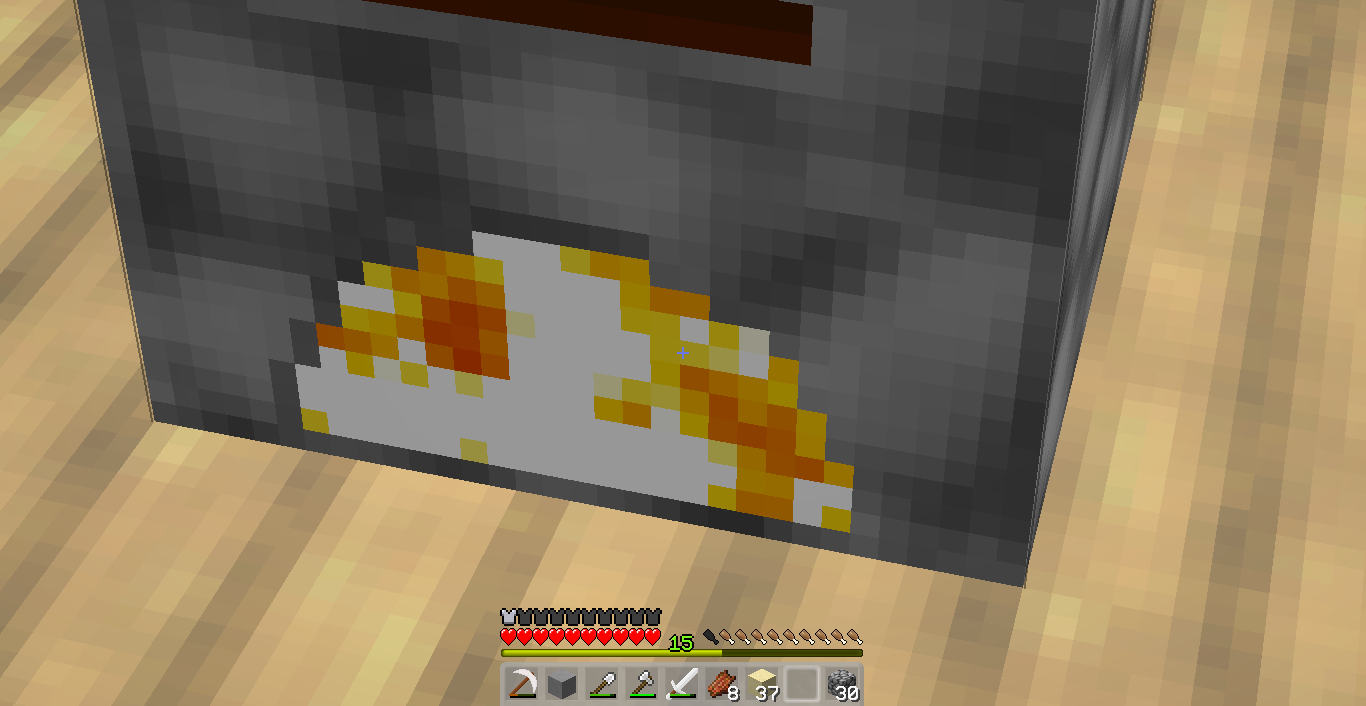
this is an issue I discovered with my own resource pack. in the texture image, the lightest parts you can see are completely white, but in the screenshot they quite clearly are not. what is going on?!? not sure if it affects all other animated textures, but it is not an issue with my snow & white wool textures.
this is an issue I discovered with my own resource pack. in the texture image, the lightest parts you can see are completely white, but in the screenshot they quite clearly are not. what is going on?!? not sure if it affects all other animated textures, but it is not an issue with my snow & white wool textures which are non-animated textures.
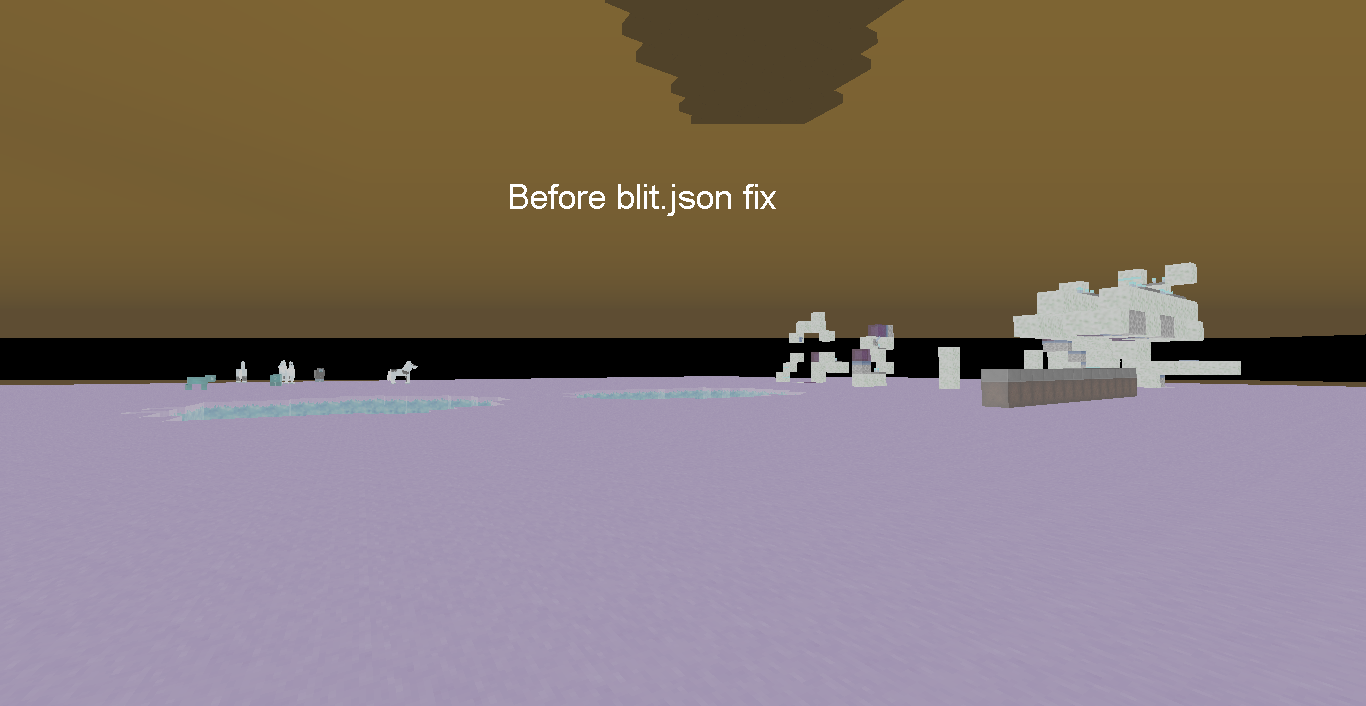
Sky BEFORE removing blend section from blit.json
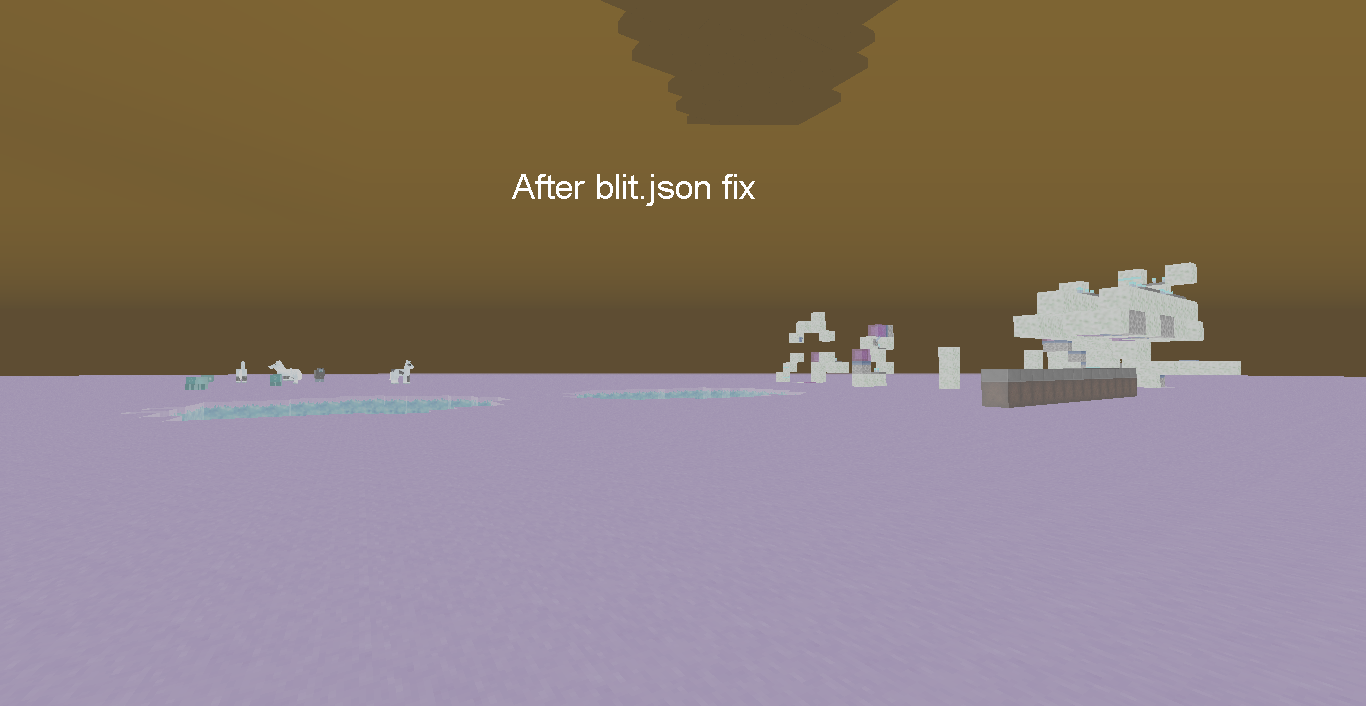
Sky AFTER removing blend section from blit.json
all shaders except spider should work, lemme figure out what's up with spider.
i fixed my first comment, the code to remove is now properly formatted.
@zenen jaimes
wierd...@William Feely
i know how to use this thing lol i just forgot that attachments auto added comments like that
Blah, one question...
When the hell did anyone mention anything about MC:PE in this report?...
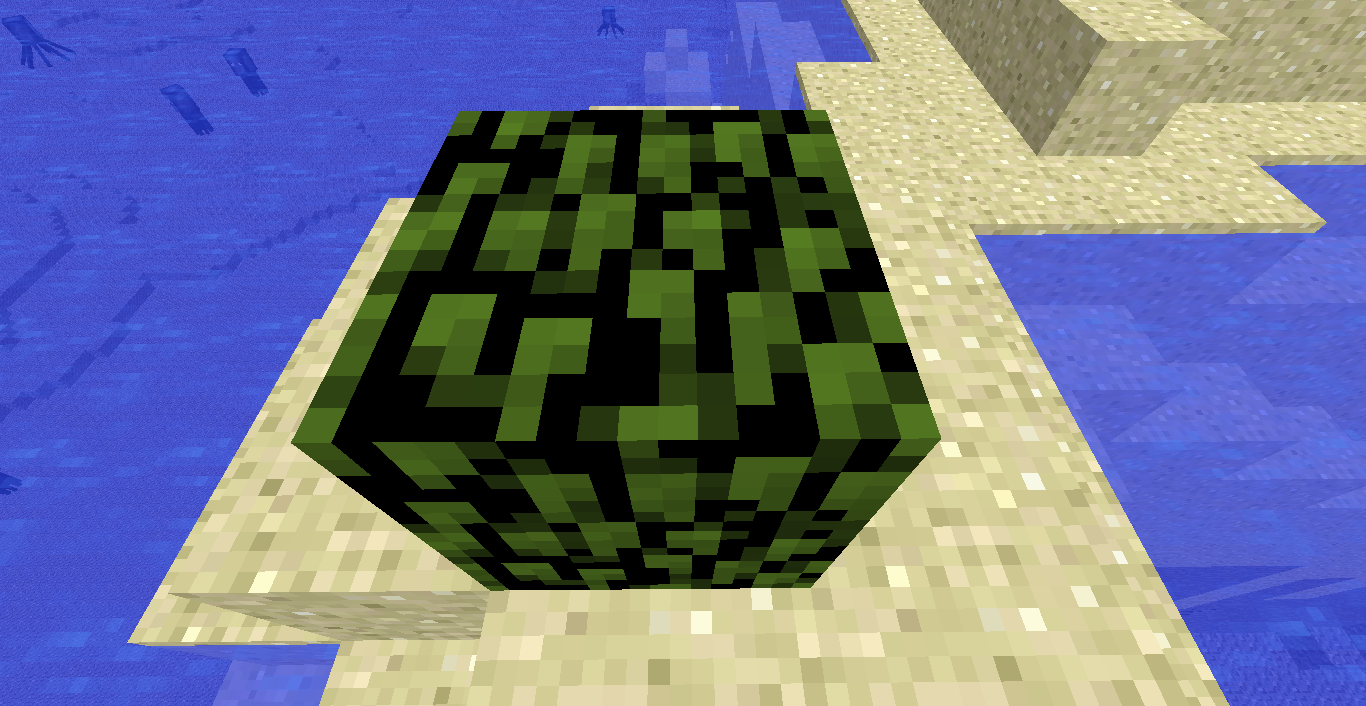
When in 'fast' graphics mode, leaf blocks use their 'fancy' textures with the alpha channel raised to 100%. This is visible in default textures aswell as in resource packs, but is not very visible
. Also leaves in the inventories or as a dropped item will use their fancy texture, but keep the transparency too, due to the way items are rendered.When in 'fast' graphics mode, leaf blocks use their 'fancy' textures with the alpha channel raised to 100%. This is visible in default textures aswell as in resource packs, but is not very visible in default.
As John Smith said, what would the point of this tag existing be then?
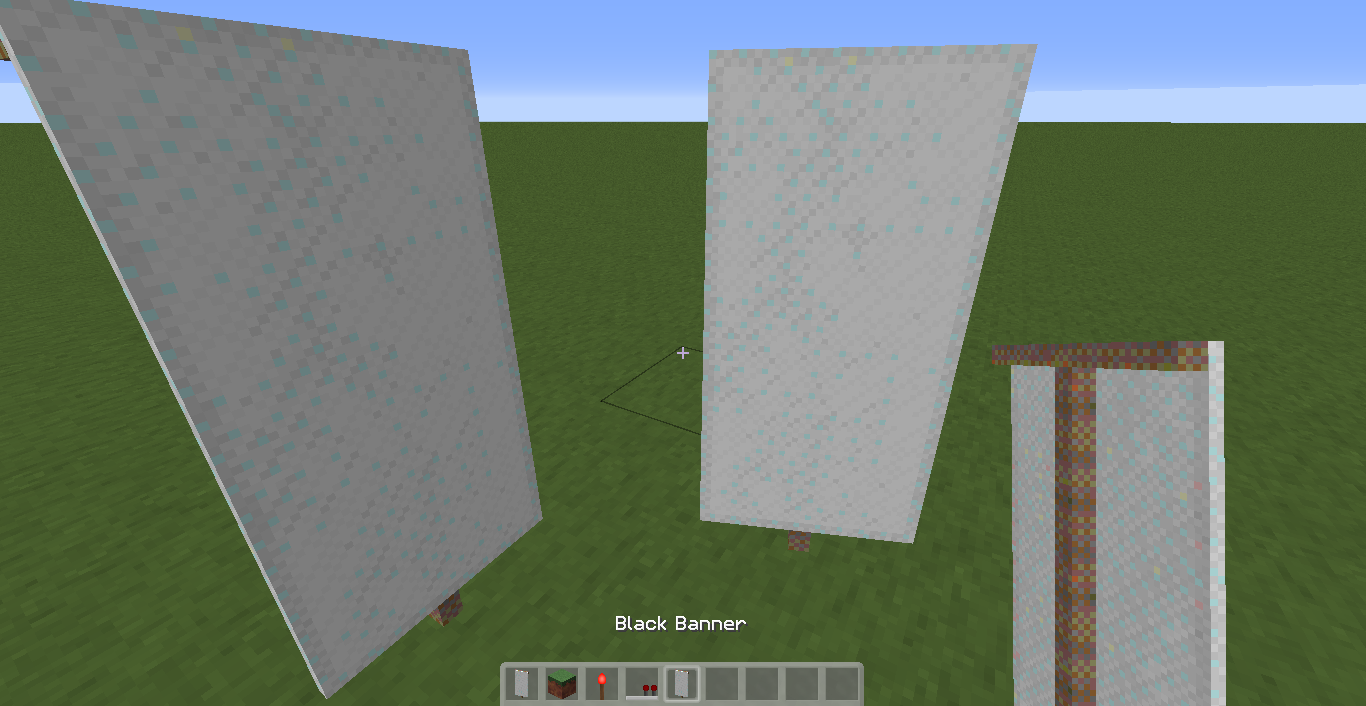
With my custom texture, all banners have odd-coloured pixels everywhere and are all white... Please note this is NOT a dupe of
MC-, as all banners look correct with no resource pack enabled, so my Java and graphics driver versions are ok. Attached the banner texture file and a screenshot.70090With my custom texture, all banners have odd-coloured pixels everywhere and are all white... Please note this is NOT a dupe of
MC-66017, as all banners look correct with no resource pack enabled, so my Java and graphics driver versions are ok. Attached the banner texture file and a screenshot.
Windows 7
Java 1.7 Update 67
Intel HD Graphics driver version 9.17.10.3517
Stack tracejava.io.FileNotFoundException: File 'C:\Users\Conor\AppData\Roaming\.minecraft\assets\indexes\1.7.3.json' does not existat org.apache.commons.io.FileUtils.openInputStream(FileUtils.java:299) ~[launcher.jar:?]at org.apache.commons.io.FileUtils.readFileToString(FileUtils.java:1711) ~[launcher.jar:?]at net.minecraft.launcher.Launcher.cleanupOrphanedAssets(Launcher.java:252) ~[launcher.jar:?]at net.minecraft.launcher.Launcher.performCleanups(Launcher.java:494) ~[launcher.jar:?]at net.minecraft.launcher.game.MinecraftGameRunner.launchGame(MinecraftGameRunner.java:221) ~[launcher.jar:?]at com.mojang.launcher.game.runner.AbstractGameRunner.onDownloadJobFinished(AbstractGameRunner.java:185) [launcher.jar:?]at com.mojang.launcher.updater.download.DownloadJob.popAndDownload(DownloadJob.java:122) [launcher.jar:?]at com.mojang.launcher.updater.download.DownloadJob.access$000(DownloadJob.java:12) [launcher.jar:?]at com.mojang.launcher.updater.download.DownloadJob$1.run(DownloadJob.java:86) [launcher.jar:?]at java.util.concurrent.Executors$RunnableAdapter.call(Unknown Source) [?:1.7.0_67]at java.util.concurrent.FutureTask.run(Unknown Source) [?:1.7.0_67]at java.util.concurrent.ThreadPoolExecutor.runWorker(Unknown Source) [?:1.7.0_67]at java.util.concurrent.ThreadPoolExecutor$Worker.run(Unknown Source) [?:1.7.0_67]at java.lang.Thread.run(Unknown Source) [?:1.7.0_67]The game starts fine, but the launcher always complains. Sometimes it says legacy.json instead of 1.7.3.json.
Stack tracejava.io.FileNotFoundException: File 'C:\Users\Conor\AppData\Roaming\.minecraft\assets\indexes\1.7.3.json' does not exist at org.apache.commons.io.FileUtils.openInputStream(FileUtils.java:299) ~[launcher.jar:?] at org.apache.commons.io.FileUtils.readFileToString(FileUtils.java:1711) ~[launcher.jar:?] at net.minecraft.launcher.Launcher.cleanupOrphanedAssets(Launcher.java:252) ~[launcher.jar:?] at net.minecraft.launcher.Launcher.performCleanups(Launcher.java:494) ~[launcher.jar:?] at net.minecraft.launcher.game.MinecraftGameRunner.launchGame(MinecraftGameRunner.java:221) ~[launcher.jar:?] at com.mojang.launcher.game.runner.AbstractGameRunner.onDownloadJobFinished(AbstractGameRunner.java:185) [launcher.jar:?] at com.mojang.launcher.updater.download.DownloadJob.popAndDownload(DownloadJob.java:122) [launcher.jar:?] at com.mojang.launcher.updater.download.DownloadJob.access$000(DownloadJob.java:12) [launcher.jar:?] at com.mojang.launcher.updater.download.DownloadJob$1.run(DownloadJob.java:86) [launcher.jar:?] at java.util.concurrent.Executors$RunnableAdapter.call(Unknown Source) [?:1.7.0_67] at java.util.concurrent.FutureTask.run(Unknown Source) [?:1.7.0_67] at java.util.concurrent.ThreadPoolExecutor.runWorker(Unknown Source) [?:1.7.0_67] at java.util.concurrent.ThreadPoolExecutor$Worker.run(Unknown Source) [?:1.7.0_67] at java.lang.Thread.run(Unknown Source) [?:1.7.0_67]The game starts fine, but the launcher always complains. Sometimes it says legacy.json instead of 1.7.3.json.
Stack tracejava.io.FileNotFoundException: File 'C:\Users\Conor\AppData\Roaming\.minecraft\assets\indexes\1.7.3.json' does not existat org.apache.commons.io.FileUtils.openInputStream(FileUtils.java:299) ~[launcher.jar:?]at org.apache.commons.io.FileUtils.readFileToString(FileUtils.java:1711) ~[launcher.jar:?]at net.minecraft.launcher.Launcher.cleanupOrphanedAssets(Launcher.java:252) ~[launcher.jar:?]at net.minecraft.launcher.Launcher.performCleanups(Launcher.java:494) ~[launcher.jar:?]at net.minecraft.launcher.game.MinecraftGameRunner.launchGame(MinecraftGameRunner.java:221) ~[launcher.jar:?]at com.mojang.launcher.game.runner.AbstractGameRunner.onDownloadJobFinished(AbstractGameRunner.java:185) [launcher.jar:?]at com.mojang.launcher.updater.download.DownloadJob.popAndDownload(DownloadJob.java:122) [launcher.jar:?]at com.mojang.launcher.updater.download.DownloadJob.access$000(DownloadJob.java:12) [launcher.jar:?]at com.mojang.launcher.updater.download.DownloadJob$1.run(DownloadJob.java:86) [launcher.jar:?]at java.util.concurrent.Executors$RunnableAdapter.call(Unknown Source) [?:1.7.0_67]at java.util.concurrent.FutureTask.run(Unknown Source) [?:1.7.0_67]at java.util.concurrent.ThreadPoolExecutor.runWorker(Unknown Source) [?:1.7.0_67]at java.util.concurrent.ThreadPoolExecutor$Worker.run(Unknown Source) [?:1.7.0_67]at java.lang.Thread.run(Unknown Source) [?:1.7.0_67]The game starts fine, but the launcher always complains. Sometimes it says legacy.json instead of 1.7.3.json.
Stack tracejava.io.FileNotFoundException: File 'C:\Users\Conor\AppData\Roaming\.minecraft\assets\indexes\1.7.3.json' does not exist at org.apache.commons.io.FileUtils.openInputStream(FileUtils.java:299) ~[launcher.jar:?] at org.apache.commons.io.FileUtils.readFileToString(FileUtils.java:1711) ~[launcher.jar:?] at net.minecraft.launcher.Launcher.cleanupOrphanedAssets(Launcher.java:252) ~[launcher.jar:?] at net.minecraft.launcher.Launcher.performCleanups(Launcher.java:494) ~[launcher.jar:?] at net.minecraft.launcher.game.MinecraftGameRunner.launchGame(MinecraftGameRunner.java:221) ~[launcher.jar:?] at com.mojang.launcher.game.runner.AbstractGameRunner.onDownloadJobFinished(AbstractGameRunner.java:185) [launcher.jar:?] at com.mojang.launcher.updater.download.DownloadJob.popAndDownload(DownloadJob.java:122) [launcher.jar:?] at com.mojang.launcher.updater.download.DownloadJob.access$000(DownloadJob.java:12) [launcher.jar:?] at com.mojang.launcher.updater.download.DownloadJob$1.run(DownloadJob.java:86) [launcher.jar:?] at java.util.concurrent.Executors$RunnableAdapter.call(Unknown Source) [?:1.7.0_67] at java.util.concurrent.FutureTask.run(Unknown Source) [?:1.7.0_67] at java.util.concurrent.ThreadPoolExecutor.runWorker(Unknown Source) [?:1.7.0_67] at java.util.concurrent.ThreadPoolExecutor$Worker.run(Unknown Source) [?:1.7.0_67] at java.lang.Thread.run(Unknown Source) [?:1.7.0_67]The game starts fine, but the launcher always complains. Sometimes it says legacy.json instead of 1.7.3.json.
Java 7u72
Windows 7 Home Premium x64
Hiding in the corner hoping that the mods don't go crazy on this report
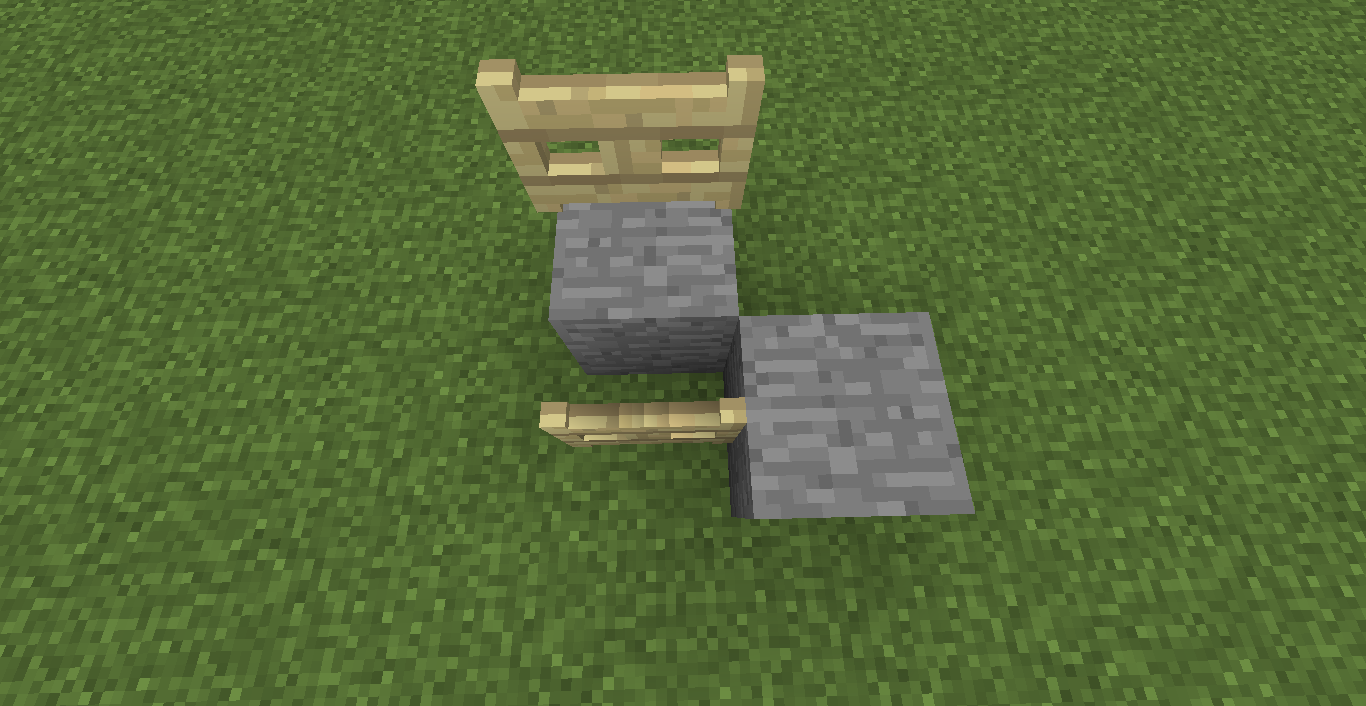
Please note - this is NOT a report about the gates being different heights, I already know that it's a feature.
When fence gates are stood normally they have smooth lighting (if enabled in video settings) but light on gates which are lowered to fit with a stone wall is not being smoothed.
I used a resource pack with less contrast in the wood textures in order to make the problem more visible, however it does occur when no resource packs are selected, the only difference is that normal gates just seem darker and the smoothing is not really visible. No custom block models were used, this is a flaw in the default model files which COULD be fixed with a custom file but would still be a problem with no resource pack on.
Also note that the
Please note - this is NOT a report about the gates being different heights, I already know that it's a feature.
When fence gates are stood normally they have smooth lighting (if enabled in video settings) but light on gates which are lowered to fit with a stone wall is not being smoothed.
I used a resource pack with less contrast in the wood textures in order to make the problem more visible, however it does occur when no resource packs are selected, the only difference is that normal gates just seem darker and the smoothing is not really visible. No custom block models were used, this is a flaw in the default model files which COULD be fixed with a custom file but would still be a problem with no resource pack on.
Also note that the
Please note - this is NOT a report about the gates being different heights, I already know that it's a feature.
When fence gates are stood normally they have smooth lighting (if enabled in video settings) but light on gates which are lowered to fit with a stone wall is not being smoothed.
I used a resource pack with less contrast in the wood textures in order to make the problem more visible, however it does occur when no resource packs are selected, the only difference is that normal gates just seem darker and the smoothing is not really visible. No custom block models were used, this is a flaw in the default model files which COULD be fixed with a custom file but would still be a problem with no resource pack on.
Also note that the fence gates in the screenshots are the same type.
Please note - this is NOT a report about the gates being different heights, I already know that it's a feature.
When fence gates are stood normally they have smooth lighting (if enabled in video settings) but light on gates which are lowered to fit with a stone wall is not being smoothed.
I used a resource pack with less contrast in the wood textures in order to make the problem more visible, however it does occur when no resource packs are selected, the only difference is that normal gates just seem darker and the smoothing is not really visible. No custom block models were used, this is a flaw in the default model files which COULD be fixed with a custom file but would still be a problem with no resource pack on.
Also note that the fence gates in the screenshots are
the same type.Please note - this is NOT a report about the gates being different heights, I already know that it's a feature.
When fence gates are stood normally they have smooth lighting (if enabled in video settings) but light on gates which are lowered to fit with a stone wall is not being smoothed.
I used a resource pack with less contrast in the wood textures in order to make the problem more visible, however it does occur when no resource packs are selected, the only difference is that normal gates just seem darker and the smoothing is not really visible. No custom block models were used, this is a flaw in the default model files which COULD be fixed with a custom file but would still be a problem with no resource pack on.
Also note that the fence gates in the screenshots are all oak.
Windows 7 x64 SP1
Java 7u67Any client using default fence gate models.
Please note - this is NOT a report about the gates being different heights, I already know that it's a feature.
When fence gates are stood normally they have smooth lighting (if enabled in video settings) but light on gates which are lowered to fit with a stone wall is not being smoothed.
I used a resource pack with less contrast in the wood textures in order to make the problem more visible, however it does occur when no resource packs are selected, the only difference is that normal gates just seem darker and the smoothing is not really visible. No custom block models were used, this is a flaw in the default model files which COULD be fixed with a custom file but would still be a problem with no resource pack on.
Also note that the fence gates in
the screenshots are all oak.Please note - this is NOT a report about the gates being different heights, I already know that it's a feature.
When fence gates are stood normally they have smooth lighting (if enabled in video settings) but light on gates which are lowered to fit with a stone wall is not being smoothed.
I used a resource pack with less contrast in the wood textures in order to make the problem more visible, however it does occur when no resource packs are selected, the only difference is that normal gates just seem darker and the smoothing is not really visible. No custom block models were used, this is a flaw in the default model files which COULD be fixed with a custom file but would still be a problem with no resource pack on.
Also note that the fence gates in each screenshot are both of the same type (First 3 screenshots are oak, 4th is birch).
EDITED!
topic may be closed, but edits are still possible. sorry, kumasasa. here is the thread I promised.
http://www.minecraftforum.net/topic/2232280-mc-40961-revisit/
-NOTE: I have already searched with multiple search terms, and could not find anything similar to this. I'm surprised that it isn't reported regularly like some bugs are.
~~~~~~~~~~~~~~~~~~-
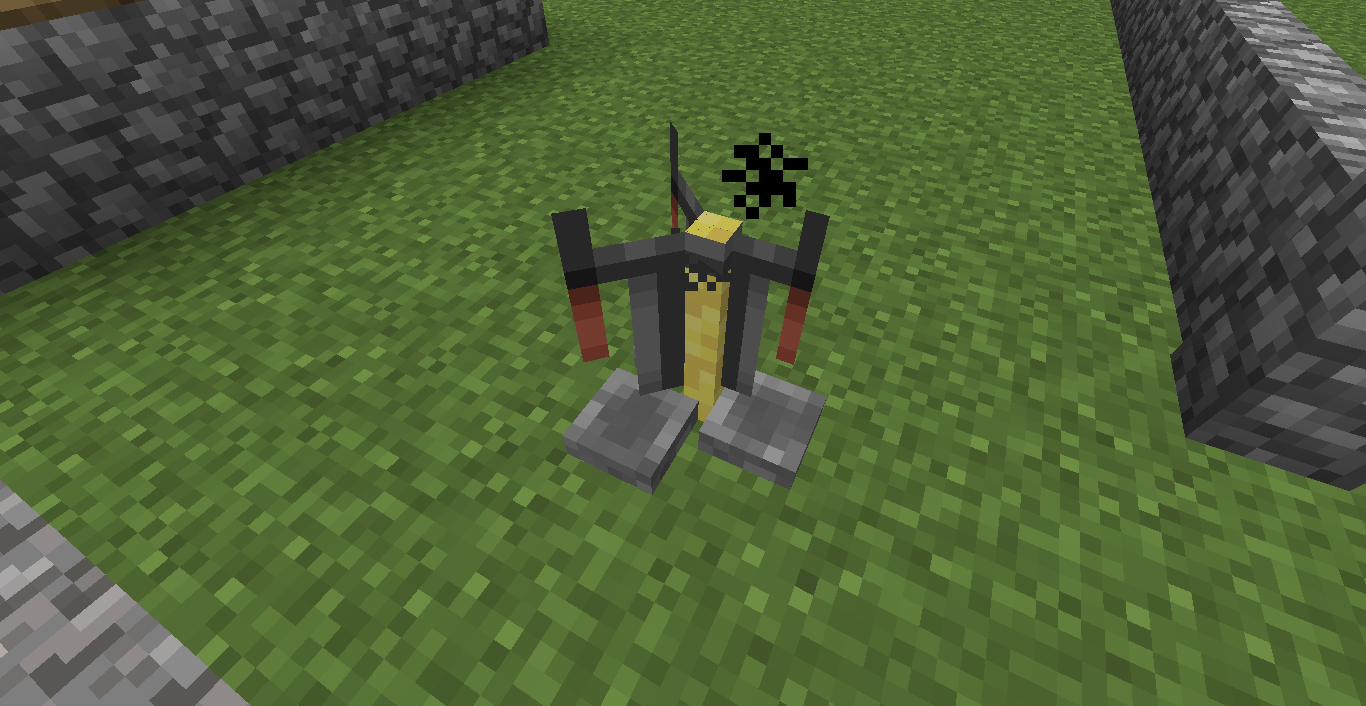
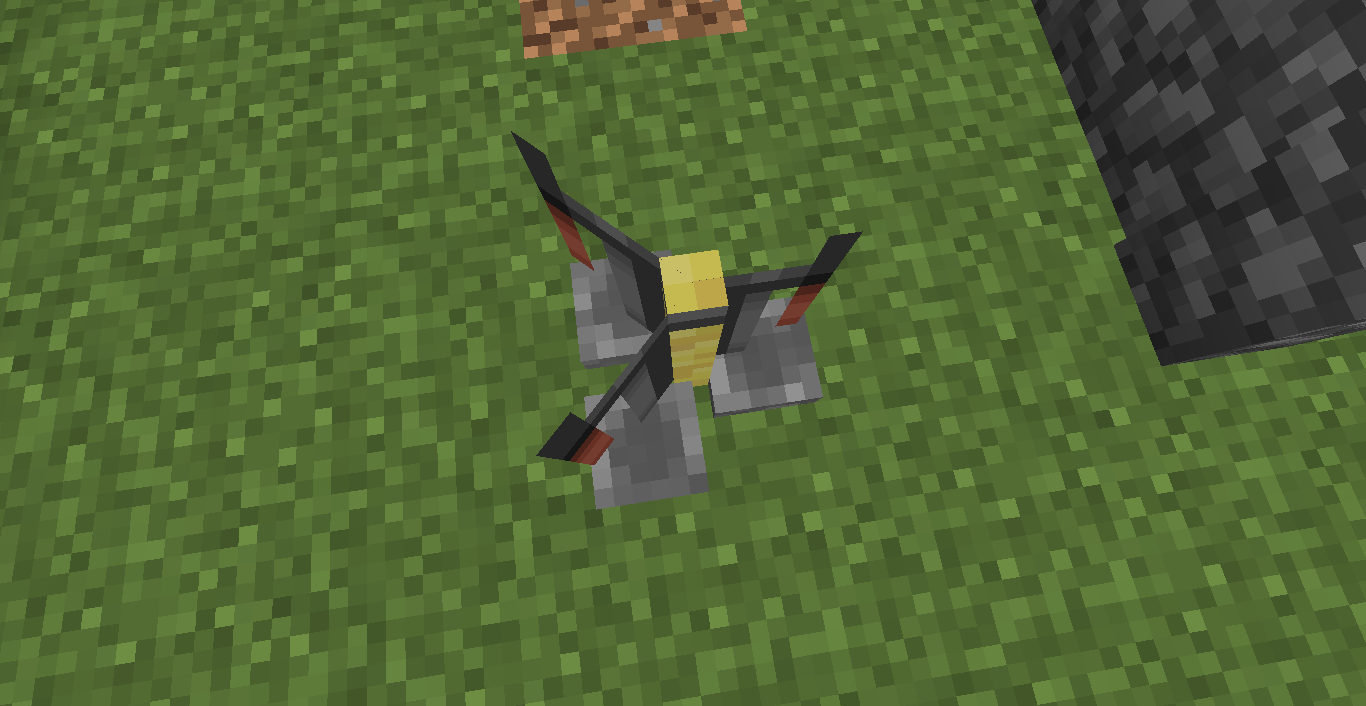
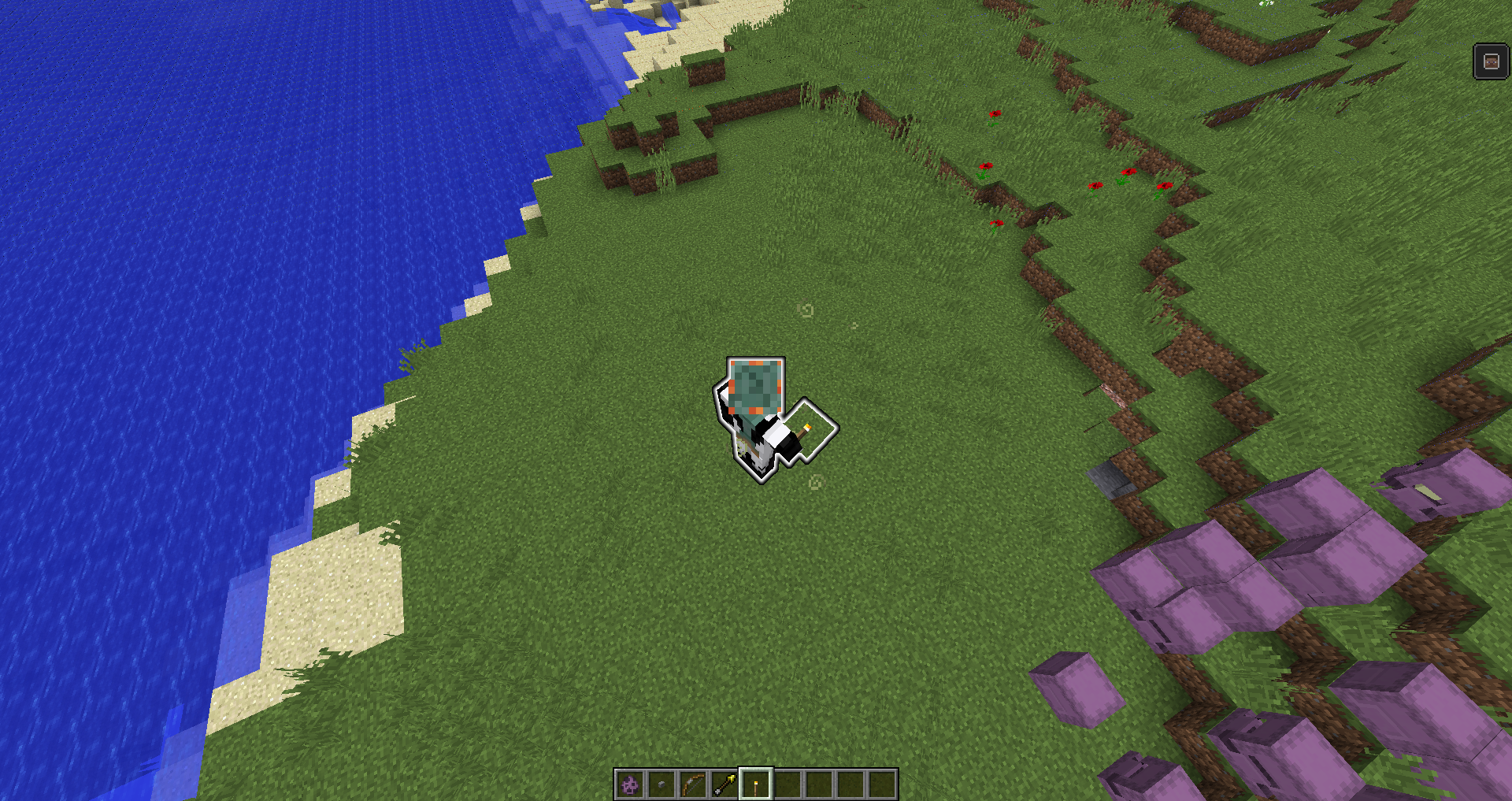
When summoning an entity that has some kind of modifier to make it invisible (potion effect, marker tag on armor stands, etc), it will briefly appear visible for one frame/tick (not quite sure which).
The bug can be seen in almost any case where invisible entities are spawned. Can be seen here: http://youtu.be/RNegSEY_QrU?t=2m49s
Possibly related to armor stands always spawning in the default rotation and then snapping to face the player.
-NOTE: I have already searched with multiple search terms, and could not find anything similar to this. I'm surprised that it isn't reported regularly like some bugs are.
~~~~~~~~~~~~~~~~~~
-When summoning an entity that has some kind of modifier to make it invisible (potion effect, marker tag on armor stands, etc), it will briefly appear visible for one frame/tick (not quite sure which).
The bug can be seen in almost any case where invisible entities are spawned. Can be seen here: http://youtu.be/RNegSEY_QrU?t=2m49s
Possibly related to armor stands always spawning in the default rotation and then snapping to face the player.
NOTE: I have already searched with multiple search terms, and could not find anything similar to this. I'm surprised that it isn't reported regularly like some bugs are.~~~~~~~~~~~~~~~~~~
When summoning an entity that has some kind of modifier to make it invisible (potion effect, marker tag on armor stands, etc), it will briefly appear visible for one frame/tick (not quite sure which).
The bug can be seen in almost any case where invisible entities are spawned. Can be seen here: http://youtu.be/RNegSEY_QrU?t=2m49s
Possibly related to armor stands always spawning in the default rotation and then snapping to face the player.
NOTE: I have already searched with multiple search terms, and could not find anything similar to this. I'm surprised that it isn't reported regularly like some bugs are.~~~~~~~~~~~~~~~~~~
When summoning an entity that has some kind of modifier to make it invisible (potion effect, marker tag on armor stands, etc), it will briefly appear visible for one frame/tick (not quite sure which).
The bug can be seen in almost any case where invisible entities are spawned. Can be seen here: http://youtu.be/RNegSEY_QrU?t=2m49s
Possibly related to armor stands always spawning in the default rotation and then snapping to face the player.
Some textures for the Minecraft Realms screen cannot be changed. So far I've seen this only with the 'Minecraft Realms' title and the invitations icon.
Attempting to change these two textures (via resource pack) within gui/title/minecraft.png and gui/widgets.png respectively does not change them ingame.
Attached is a screen capture of the issue with views of both texture files. Red lines indicate the issue & corresponding locations of the textures. Green line shows that the widgets image is indeed from the same resource pack.Some textures for the Minecraft Realms screen cannot be changed. So far I've seen this only with the 'Minecraft Realms' title and the invitations icon.
Attempting to change these two textures (via resource pack) within gui/title/minecraft.png and gui/widgets.png respectively does not change them ingame.
Attached is a screen capture of the issue with views of both texture files. Red lines indicate the issue & corresponding locations of the textures. Green line shows that the widgets image is indeed from the same resource pack.
Some textures for the Minecraft Realms screen cannot be changed. So far I've seen this only with the 'Minecraft Realms' title and the invitations icon.
Attempting to change these two textures (via resource pack) within gui/title/minecraft.png and gui/widgets.png respectively does not change them ingame.
Attached is a screen capture of the issue with views of both texture files. Red lines indicate the issue & corresponding locations of the textures. Green line shows that the widgets image is indeed from the same resource pack.
I can provide more information if needed, however the resource pack files will need to wait a few days as I'm finishing up to release the next public update.
Some textures for the Minecraft Realms screen cannot be changed by resource packs. So far I've seen this only with the 'Minecraft Realms' title and the invitations icon.
Attempting to change these two textures (via resource pack) within gui/title/minecraft.png and gui/widgets.png respectively does not change them ingame.
Attached is a screen capture of the issue with views of both texture files. Red lines indicate the issue & corresponding locations of the textures. Green line shows that the widgets image is indeed from the same resource pack.
I can provide more information if needed, however the resource pack files will need to wait a few days as I'm finishing up to release the next public update.
@Mustek I'm getting f##king tired of this. Get your head out your ass and realise that modded servers DO NOT. EDIT. THE RENDERING ENGINE.
The past behavior was to set a constant upwards velocity to items (like when a player climbs a ladder). The new behavior is that the velocity is increased very rapidly, beyond what the physics engine was designed to handle, which is why the fast items can have crazy random directions and will fly through a ceiling if you try to stop them with blocks.
Jesus f##king Christ mustek, look at the screenshot!
MC-2521is about actually emitting light into the world, this one is about the fire animation on mobs being dark if it's in a dark area.
Kumasasa... please tell us how you managed to actually tag someone in a comment...
@[~meunier] That is a different issue, and is much more closely related to standard lighting errors (like water stuck lit in random places, dark patches under cliffs, etc). I had that same issue yesterday and it was very hard to reproduce and also created some strange shapes like you'd expect from lighting errors. Therefore different bug.

kasamikona is right, see screenshot with NBTEdit..
But in the original string there was hidden an unicode character, that was probably the reason for the command not working.
![[Mod] Torabi](../../../data/assets/gravatar/torabi.png)
You know... I think some pictures would really help clarify this report. kasamikona, what you're talking about in your latest comment is MC-60440. Is that what this ticket was supposed to describe?
kasamikona, for your information: it is currently not the greatest concern of the moderators to link duplicates correctly. Bugging them to fix it only takes time.
kasamikona, of course you're right.
Filling in the numbers gives 1,022,976,256 maximum routes in that case.
Staff and other people trying to argue about modded servers should really consider things such as the fact that a server can't tell the client how to render a block, therefore any glitchiness in the rendering of a block is entirely client-side, making it irrelevant whether or not the server is modded. Common sense, get some.
The title of this ticket is
Signs sometimes are black on servers. Emphasis by me
That doesn't look like a bug in Minecraft, just like kasamikona said.
Set gamerule commandBlockOutput true and gamerule logAdminCommands true, then you might see what's really happening.
kasamikona, you're too late for the show. This issue was fixed yesterday...
@kasamikona: [Mojang] Grum (Erik Broes) said:
Confirmed for every version upto 1.10.
Means: Cannot be fixed until Minecraft 1.10
Invalid. Those letters are not in the default Minecraft font, so it switches to the Unicode font for those. As kasamikona suggested, you can make all letters use the Unicode font in the language menu.
If you delete this one, please at least say why.
kasamikona, because it has nothing to do with this bug report.
No. Does not work as intended, mushrooms are only 'intended' to grow in the dark.
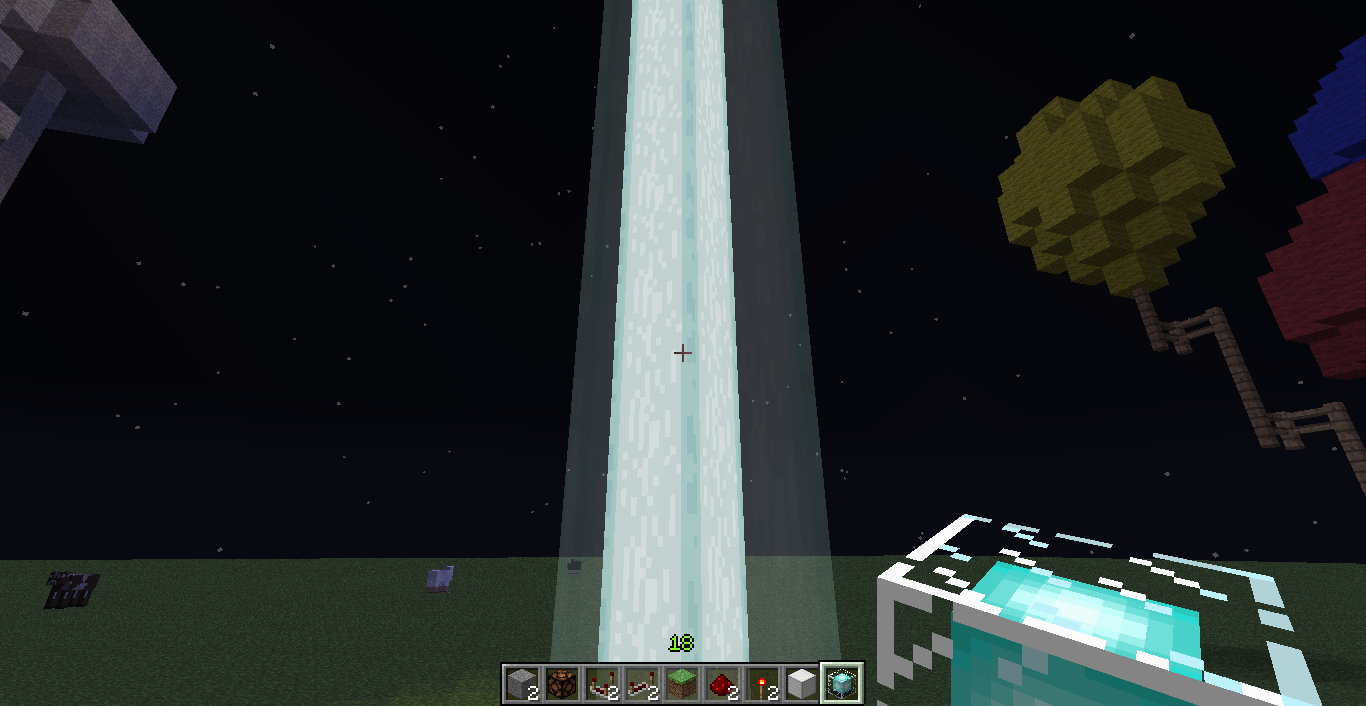
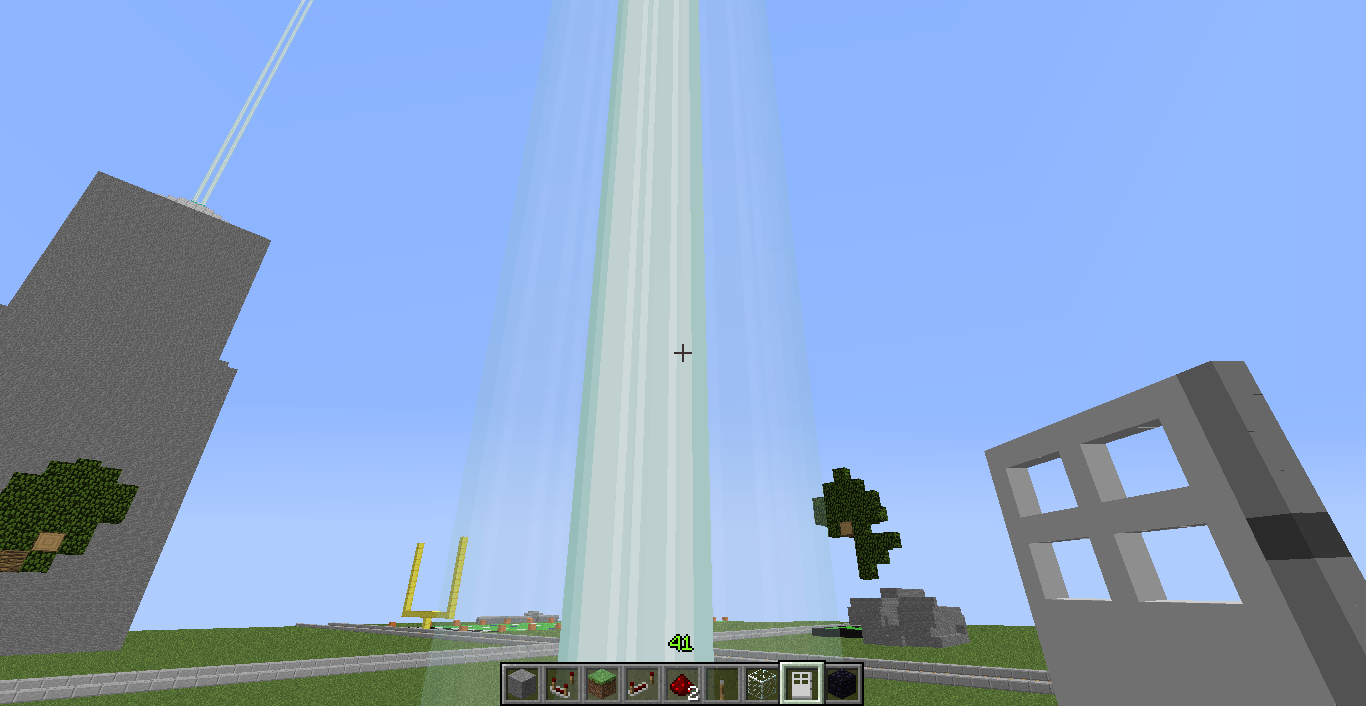
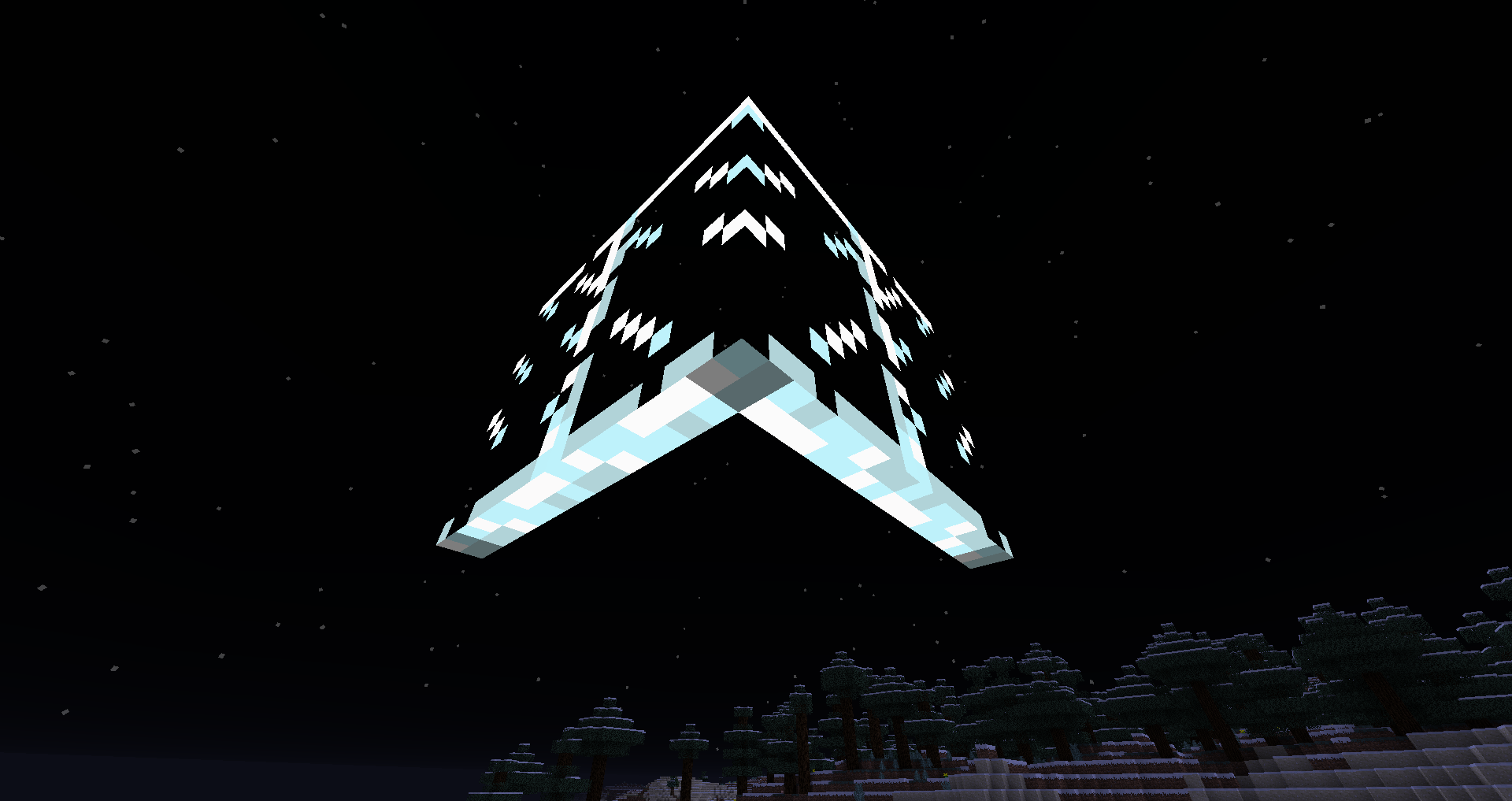
This also causes the texture of the beam to not be animated, just 3 straight lines all the way up the beam.
How the beam appears normally
How the beam appears when affected
I can indeed confirm that it is light-related. I have two test worlds that are identical, except for what I have built at spawn. one has a large piston elevator which is fully lit in the wiring, and the other has an identical elevator without the torches. this means that there is a lot which will update light, even if it does not end up changing the level(I don't know if this is intended). so If I adjust a repeater in the affected region, even though it does not change the light level, it updates all the light around it, and that causes a chain reaction with all the other blocks that experience this behaviour. also it DOES happen on an unmodded client, but I am using optifine to disable all unnessecary things, to minimise graphics process load, I have render distance on tiny, and my computer's power option set to high performance, and it still happens.
edit: after a recent computer update, I am not getting the double-click effect, however I am still getting the lag spike.
THANKYOU!
first time I've posted a bug and it hasn't been ignored or apparently works as intended
now I think of it, it never happened on my windows xp computer. however, it may be due to the 1.5 texture system, and on my old pc I only went up to 1.4.7 so I don't know. maybe it is something to do with the way the game loads multiple textures for certain blocks. I have noticed that it does indeed use the correct part of the image, but it actually uses the wrong image. it is using the top part of tripWireSource.png instead of the top part of tripwire.png
OMG ARE YOU BLIND
I quite clearly stated that it is not a problem with any particular mod, so it must be a problem with vanilla minecraft when it has too much stuff to do that it was not designed to do. mod creators cannot do anything to fix this, but mojang can simply make vanilla minecraft handle process overloads in a different way, so they don't cause it to abort world loading.
ps. sorry but I was very clear about it being a minecraft issue, not a mod issue
I soooo hope this is a bug!
If not,
(MOJANG LOOK HERE PLEASE)
I would like them to blur the texture itself, rather than blur it at runtime, so texturepack developers, like myself, can use their own pixelated texture if they prefer it. I know I certainly do.
(OK MOJANG JUST DO THAT AND WE WILL ALL BE HAPPY)
I can confirm that this is a problem with optifine and possibly other similar mods/tools. it does, however, seem to be a core problem, rather than anything relating to connected textures. so, good news to all users of optifine who have this problem, it should be a very easy fix. I will message the creator somehow now.
Grum: "The proper fix for the code takes a bit longer to finish. I've hacked in a workaround for now"
Why not just reuse the font code from texture packs? HD fonts work fine in 1.5.2 (WITHOUT optifine if you're wondering)
also grum if you see this, since i have no other way to contact you and the following is not really a bug, i will tell you here. sorry for off-topic stuff.
the watercolor.png colormap appears to be missing in 1.6.1, not in the colormaps folder, not in the misc folder where it used to be. please re-add it!
no its a pre-modded jar and the mods arent available seperate
besides i no got twitter so i didnt see that
ok nvm ive seen the vid now and i realise it supports jars. but due to your dang jar syncing i lost my only copy of that jar and the creator has recently given up the project.
Works as intended; soul sand is lower than a full block, therefore the lower half of the step is more than 0.5 block above your feet, so you cannot walk straight onto it.
(I know I'm not staff or a moderator, but meh, I'm bored so I'll help out)
can confim
intended.
inside the curly brackets you need to add Time:1. so the command is now:
/summon FallingSand ~ ~4 ~ {TileID:4,Time:1}dang you mojira! fix yo search engine! monospaced ftw
I can confirm that this is still an issue in the latest snapshot
Um... Grum... no support for mods ever eh?
active
also an issue in 1.6.4 all the way up to 13w42b snapshot
sorry, the pack is private, but I will look for another pack with this issue.
nevermind, this is a false bug. it's because of the way that blocks are made 100% brightness on top, a little bit dimmer on the north/south faces, and even dimmer than that on east/west faces, in order to make the cube shape more visible. unfortunately for me that means I can't have furnaces with white in the flames
yep that's a pale grey. what we need is some kind of thing that says certain parts of textures MUST be rendered at 100% brightness, such as lamps and the flames in lit furnaces.
@zombie_hunter if I click on that it just takes me to a pocket edition bug report
it is there, I can see it, faintly. try turning your monitor's contrast up a bit.
pistons are technically transparent.
try get your head around 3d objects, and the fact that you can water blocks from the outside but not the inside, and you will see that it all makes perfect sense.
not a bug. the original 'non-working' setup doesn't work because the redstone signal level is actually alternating between 2 and 15, rather than 0 and 15. that means it never actually turns off, just changes strength. if it never turns off, command blocks (and everything else) don't see it as a pulse. so you basically have to move it 1 block further away, that is just because of the way comparator clocks work. sorry!
Why is this marked as 'Won't fix"? /summon is a vanilla feature, custom minecart display tiles are a vanilla feature, semi-transparent blocks are a vanilla feature. They are expected to work. That's like Mojang saying, "Nah, we know that hoppers keep crashing our game but we're going to do absolutely nothing about it". Oh wait, I believe they did say that anyway. Come on Mojang. If you are going to develop a game, please develop it properly...
Sorry Kumasasa, but I meant WHY did Mojang decide not to?
CubeTheThird but that would mean the box is not positioned correctly :/ the negatives ARE needed to properly define the area
Dirk Sohler
you do know that falling blocks aren't solid anyway, right?
Use a bukkit server to make the lightning, but view it with a vanilla client. if the VISUAL glitch still occurs, it's the client's fault, and it doesn't matter that bukkit was used.
you should be using Time:1, not Time:0
@CubeTheThird, remember these coordinates are absolute, not relative.
this occurs with any entity which is not considered 'alive'.
also affects snapshot 14w04b
works as intended. if you kill the entities on a fast clock, the sand block realises that the falling sand entity didn't spawn properly so it stays. same happens if you add a command to teleport falling sand entities up by 0.5 blocks.
radius of 0 will not work, use 65536 instead, it has the same effect. I don't know why such a large number acts exactly like 0 but it does.
downgrading IS supported, that's why they have a version selection thing in the launcher :/
i think he means that he can just nudge them into solid blocks by himself. rather than them colliding with the blocks,
51 is indeed the latest.
also visible in the same picture, the same happens with end portal frames.
Perhaps to solve the z-fighting bug, you guys at mojang should make it so blocks with higher x/z coords render slightly in front/behind blocks with lower x/z coords, like changing the rendering order to be like the particles+water bug.
i think the blocks also work with repeater_on and repeater_off
thats a sunflower...
i CAN reproduce this guys :/ it does not happen in default resources but it does happen in ANY resource pack made before this snapshot...
you need to replace
Lucky Book
with
"Lucky Book"
because the command doesnt like spaces, so it has a book called Lucky.
please note, as far as i can see, this is NOT a duplicate.
this has GOTTA be a bug. y would mojang just rotate the redstone texture by 90 degrees for no goddarn reason?!?
ah... if only people would put 'world customization' in the title if its about world customization.....
i wonder WHY they rotated the texture?
Blah... its not loaded, its just in the 'installed packs' list.
as for the issue, just exit the resource packs screen with the pack unloaded.
correction: higher chunk PART.
Please do not use java 8 yet, it has not been fully released yet and may be unstable.
install java 7 update 55. java 8 is not released fully yet, and may be unstable.
wow Blah you are really starting to be a huge troll now.
projectiles ARE entites. anything that isn't a block is either an entity or a particle. if it cannot interact with the world it is a particle, otherwise it is an entity. arrows, snowballs, ender pearls, etc. are all entities.
do @e[name="boss chicken"]
the issue here is, blah mistakenly thought that you meant type instead of name. for example, the 'name' of your chicken is boss chicken, but the 'type' is still chicken. add quotes and it will work fine.
he already said it DOES NOT fix itself when he causes a block update next to it.
its not intended in creative... its not intended at all. the invulnerable tag worked fine in the past versions, didn't matter whether the player is in creative or not. there is nothing about it in the changelogs.
Aidan wick, just a quick question, what is that pig thing in the images you posted?
blah, what 'future version' are you reffering to?
if the original poster had future versions selected and then removed them after then fine.
but it seems you are saying that 14w20b is a future version... which it is not. sorry if this is not the case.
Steven Verberne, 'true' is an accepted value...
in the same way that you can do
/gamerule [name of gamerule] 1
or
/gamerule [name of gamerule] true.
this is because json (and mc) is java-based, and java can use 'true' and a byte with value 1 interchangably, same with 'false' and a byte with value 0.
true/false is a 'boolean' value which is basically just a byte represented as true or false, but is still stored as a byte.
put yourself in a snow block via setblock and turn your screen brightness right up
there is only one bug in this report....
he never said it doesn't actually place the skulls, he just said it makes the SOUND of an empty dispenser.
that technically means that there can now be worlds without any spawn chunks. thats kinda bad.
guys give up already... this has been in the game since 1.4.2 and it's nearly 1.8 already. i think mojang have unofficially decided to keep this in. perhaps we will see confirmation some time soon.
the y is no longer edited because teleporting looked horrible when rapidly teleporting so there is no longer a 'teleport fall teleport fall teleport fall' cycle if using a tp command on a clock, in other words teleportation is now supposed to be seamless.
torches could be placed on glass since way back in beta i think
#REMOVED#
my previous solution apparently does not work with all the shaders, i have since found a few more (spider, outline, and some others) which do not get fixed fully, as such i will not be helping anyone else who attempts to use my previous method, and will not be telling anyone else as it is a waste of time.
that is tripwire.
http://minecraft.gamepedia.com/Tripwire
Please ignore the first half of Blah's comment.
This is not an issue with resource packs, there is an issue with the ocelot entity id being spelled incorrectly, and fixing it would remove all ocelots and tamed cats from existing worlds, therefor this will not be fixed.
nope blah. that's completely different. the poster on this report says the player IS facing the same way as the horse whereas
MC-49950says the player ISN'T facing the same way as the horse.blah... the whole point of using obsidian is that it does NOT interfere with slime blocks.
This was never ever intended.
Someone probably saw it and decided to edit the wiki, thinking it was intended. mushrooms should not emit light. if that was the case, then red mushrooms probably would too, and maybe even giant mushrooms.
nope. bl only shows stuff like from torches, glowstone, fire, lamps, etc. look at rl ('real light')
i believe cobblestone was previously called stonebrick in the code, and for compatibility with dropped items in older worlds they kept it.
if the string is not above a solid block, then the same needs to apply for the hooks.
The debug menu thing is valid, but you need to set Time to 1 anyway.
but you downgraded.
you are not supposed to go from a snapshot back to an older version, as stuff like this WILL happen, and Mojang won't do anything about it.
this is not a visual glitch when breaking, this is an actual sunflower block that is there and floating.
This is NOT a bukkit issue, as the issue is completely client-side. The only server-side thing here is the kick message itself.
instead of
%s Banner
put
Banner %s
but translate the word banner.
Yep, confirmed on 14w30c, except the error this time is:
Invalid framebuffer operation (1286)
Also I see, yet again, first comment is Blah giving useless and incorrect* information. Blah should be banned off here.
*although it may be partially correct that a driver is out of date or broken, it occurs on many different GPUs with many different drivers, as such cannot be blamed on one single bad driver.
Temporary workaround: only change graphics options from the title screen, not while in a world. Seems to occur because the world renderer is saying to the graphics driver, 'render this blablabla' while the driver is in the middle of changing things and refreshing the Minecraft renderer. Code fix: implement something which pauses the render cycle when the game itself is paused, and simply use the most recent rendered frame.
PS: When I change the VSync setting while not in a world, then returning into a world, the game does NOT crash. Therefore, it is not an issue with the internal VSync function, but, as I already stated, an issue with switching modes while rendering a world.
No. It's not a dupe of them. This is completely different. See the attached screenshots. In my custom textures, for whatever reason, the color value of the transparent pixels got set to white (with 0% alpha). In default it is black with 0% alpha. This is the 'fancy' textures btw. When in fast graphics, the game just takes the fancy textures and sets the alpha of every pixel to 100%, producing the effect seen here. View the screenshot of the default texture in full size; you will see that there are semi-noticeable pitch-black patches all over the leaves, where the transparent bits would be on fancy mode.
PS: Blah, I will warn you only once, I will not tolerate one of your usual 'broken resource pack' comments.
Completely forgot about this report. In the latest snapshot, falling sand with the tag 'Block:water' is completely invisible.
in 14w30c this still occurs for some things, only particles and items in certain situations.
yes, banners are considered a block.
yep, still in 30c
edit: fixed in 31a.
They always used to face towards the player looking at them, like particles, and 2d, but now they're 3d and always face the same direction relative to the world, not the player.
Actually would be incredibly simple to solve this, have done so in a Bukkit world generator before, which uses the same basic chunk generation system. The solution is simply to do the following:
1) chunk a gets generated
2) checks all 8 chunks around it (3x3 chunk area not including itself)
3) for any of these chunks which is also surrounded by 8 loaded/generated chunks, populate/decorate it.
(You MUST make sure to populate/decorate things in the right order per-chunk).
I find this method does not cause much lag (even on a laptop), works every time (no chunks without decoration/structures), and so far NEVER produces any issues. It even fixes the thing where trees in cold biomes can sometimes be half-covered in snow and the other half is underneath it.
For strucutres that could potentially take an area that sticks out of that 3x3 chunks area, simply increase to a 5x5 chunks or more area for those particular structures. Since it doesn't generate one super-often, the potential lag from this many checks would be probably un-noticeable on a decent computer.
PS: as for why I actually need to leave a 1 chunk no-decorate/populate border around things, it causes other issues if I don't
PPS: it seems there is something like this in Minecraft already, explaining why trees never get cut off on chunk borders, and how larger-than-a-chunk structures generate properly, but it doesn't seem to be fully implemented in the way I have suggested, as there are some issues, as we have seen here.
When will people realise that '@' tags don't do anything on here?
Anyway, I have seen no issues so far with caves and similar things, as they appear to be generated chunk-by-chunk, in the same sort of way that rivers are, so as long as the player has a view distance of more than 1 chunk (smallest in vanilla is 2 chunks), there's no risk of falling into one due to it suddenly appearing. Also even on my slow laptop, with view distance set to 16 and server-side view/generate distance set to 2 chunks, I never see any trees just popping into existence on already-generated terrain. Also I somehow managed to make snow appear under AND on top of trees in snow biomes. Pretty much all the issues you mentioned don't seem to actually happen using my exact code.
PS: what you said about large structures being able to generate from any section at any time, This cannot be true, as a structure is saved as a single data file in the world, with a single x,z coordinate location, and will only generate the structure itself when that data file exists, which is generated along with the chunk that its x & z center coords lie in. I actually have seen large structures just pop into existence in vanilla.
PPS: if viewing a world in MCEdit, you can sometimes see 1-chunk-thick border with no decorations, so some part of this half-chunk-offset thing does actually leave some kind of border, I guess it isn't perfect though.
the 'black shadow thing' is the wither skull itself. seems like you're teleporting wither skulls to 0,0,0 in some other fast clock?
Also occurs with water and lava as FallingSand entities.
the point of this report IS that it's a resource pack... they're supposed to change block models, but mushrooms use their default model in flower pots, rather than the custom model. Also, I am certain that this is NOT a broken resource pack. The model for things IN plant pots seems to still be hard-coded.
Use image editing software to fill the clear parts with the color you want but with 0% alpha (fully transparent). This is quite hard in some software, and impossible in others.
That wouldn't be a good idea, as all blocks are meant to be changeable via custom models. Hard-coded models have been completely removed (apart from flowerpots for some reason), so adding more in is pointless.
This worked in 1.7. Also, people, PLEASE STOP TALKING ABOUT PIRATED CLIENTS!!!! They are NOT the only reason people put servers in offline mode. I personally leave mine (localhost) in offline mode so that I can connect to it and do some admin stuff if my internet goes off (power line maintenance, electricity turned off for work in the house, etc).
PS: If you're wondering how I use my computer with no mains power, it's a laptop.
PPS: The rant is not just for similar reports, but any report involving offline mode.
Confirmed here too. Also happens with normal rideable entities (without the NoAI tag) which get teleported every tick.
Would be nice if Mojang added different boat types, stick types, sign types, etc.
It's all theoretically possible now, with blockstates (eg:
minecraft:sign
rotation: 0
variant: oak), allowing more than 16 different states per block. That's for the items/blocks. For the boat entity itself, not too much work to add an extra NBT tag and 5 slightly recoloured textures...
[In response to Searge]
"...modifying internal NBT tags during the lifetime of an entity..."
...is a feature now that /entitydata is in vanilla, therefor any issues should be looked into. Saying it's not a bug is just as silly as saying that issues with switching gamemode are invalid, even though there is a /gamemode command.
Even if we do get a 'BUD block', they will likely keep piston ones too, to avoid majorly breaking compatibility with older redstone machines which rely on BUD switches. The new block would simply be a more compact alternative. Kinda in the same way how even after they added hoppers, they didn't remove the thing where items go really fast in water streams with ice under, because removing that would A) break tons of things, B) make people have to go get resources for hoppers and rebuild it.
Solution to ALL of this:
With the new internal block states, and not using numerical metadata internally, look in middle/top right of F3 screen in latest snapshots, you see stuff like this:
minecraft:dirt
variant: podzol
snowy: false
would it be so hard to add an extra 'name' and 'enchantments' property to blockstates?
use "107295" instead
i assume with the /replaceitem command.
If Mojang gives us an 'Invisible' NBT tag for mobs, we will be happy.
CubeTheThird, in case you don't know, the NBT data is given in JSON format, therefor true/1/1b are all the same when applied to byte tags, same for false/0/0b.
HAHA. I find it so funny how you all argue that something is unfixable and then it gets fixed in the next snapshot...
HOLY!!! You can do this now?!?
Sorry if this is a dupe, search returned no results. Not my fault for some reports having weird titles.
You're right! IDK how many times I checked the texture files while making them. Fastest way to fix in Paint.NET is duplicate layer, merge layer down, repeat 8 times total, all pixels then have alpha value of either 255 or 0, delete garbage pixels on edges.
Also, just curious, how does the item model generator behave when it comes across an animated texture?
Just wanna say, I'm rather surprised that my report got marked as fixed by the next snapshot and even got onto the fixed bugs list for 14w34d. In the past I've only ever got 'duplicate' or 'works as intended' or 'won't fix'
What exactly is stored in world data which makes them remain broken if created in 14w25b?
that's because the 2 slabs are in separate blocks.
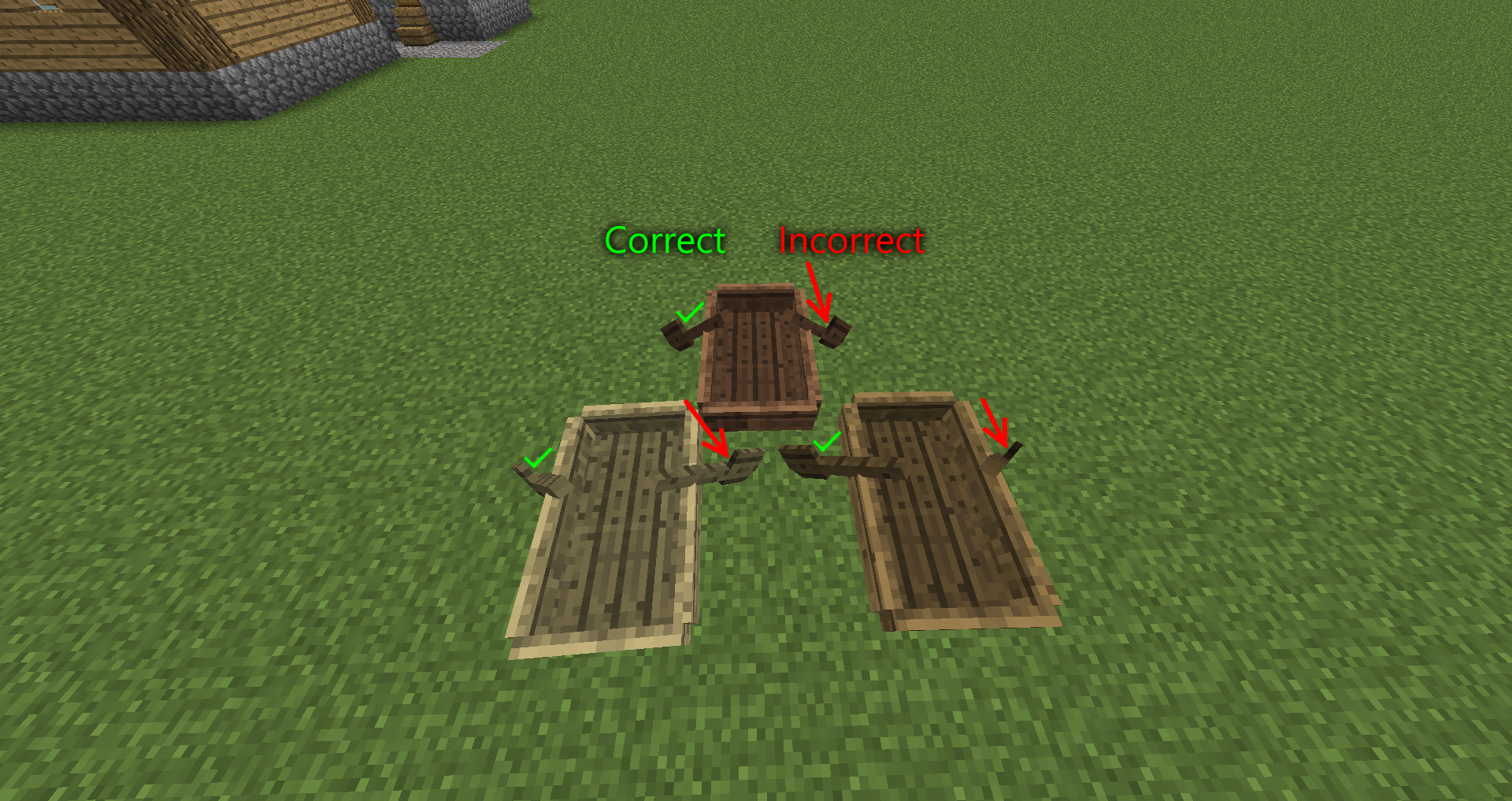
The hand moved inwards, as in the screenshot, is intended for minecarts and boats, to show the player is squashed into it. As for pigs and horses like in the report this is duplicating, that makes no sense and is therefor a bug.
This is not the same as the xray effect...
it appears to do this sometimes while spawning trees in the world, using 0,0,0 as the coordinates instead of the proper block coordinates. Not sure how the trees themselves are affected. That's the only explanation I can think of. Or maybe a glitch with wood blocks sometimes rendering at 0,0,0 instead of their own location?
Nope, not a dupe. That other report is about looking upwards, this one is about looking at the beacon.
Even so, the game shouldn't drop in fps when looking up at a flat surface, which is about a third of the number of faces to render as when you are looking at normal terrain.
Not surprised if the game crashes. It tries to take the number stored in NBT and convert that to the enchantment name to display on the item, by picking it from a list of all the enchantments. If you give it an invalid number, say 300, there is no 300th enchantment in that list, so the game is then trying to display something that doesn't exist, as shown in "java.lang.NullPointerException: Rendering screen".
Wow... KUMASASA JUST READ THE FREAKIN' REPORT ALREADY!!!
He talks about opening an EXISTING world that was created in a previous snapshot, in the latest version. Therefor no downgrading happened.
Intended, so that players are free to get back inside the border if that happens.
The flowers are meant to be offset like that, but the selection box code has no way of knowing how much the flower is offset, since the offset is done in block rendering.
Dafuq? He says that setting it to false works, but setting it back to true acts as if it's still on false.
Why not just use the bedrock texture or something like that, in the same way that skulls break with the soulsand texture?
Erm... That's not what Sonic was asking. He meant are you trying to set the spawn location actually on top of a pressure plate or something?
Turns out, NoAI mobs ignore rotation, unless you tp them to the right rotation, or just do:
/tp @e ~ ~ ~ ~ ~
That works for me.
It's random.
Caused by the fact that you dismount inside the boat's hitbox.
Also, why are you pressing L + shift anyway? Just pressing shift works.
What is the point of the 'CustomNameVisible' tag existing then?
Just uninstall ALL Java from your system, then install the latest version.
To avoid confusion, can I confirm that you mean slime blocks and not slime mobs?
Even so, what's the point in a tag that most people use on living entities, not working on living entities?
Also, don't bother typing @ in front of names. It does nothing and looks annoying.
This is not multiple reports... It's the same thing affecting all non-full/non-solid blocks.
From what I can tell, it seems to happen because of chunk sections (16x16x16 parts of chunks) not rendering when outside of the player's view, and if the renderer doesn't know there's a beacon there, it doesn't render the beam. The other possibility is that the beam is rendered like an entity, and its location is set to be at the beacon block, so when you can't see the beacon, the beam is technically out of view, according to the entity renderer.
you want @a[x=1992,y=26,z=2000,dx=10,dy=1,dz=9].
dx, dy and dz are relative coordinates, like you would use with ~, but can only be positive.
Not just missing, the entire texture is stretched upwards. Look at the pixels in the texture, you can see they are not square.
This is due to a change in the structure checker code. It came in the same snapshot where it became possible to build things like these in any direction, sideways, upside-down, etc. Also something to do with air being considered an actual block, rather than an empty space.
Why would a resource pack affect the lighting calculations?
perhaps some automated thing for non-whitelisted servers to add certain players to the whitelist eg. from a scoreboard team, then enabling the whitelist?
Any chance someone can link me to an unobfuscated chunk-by-chunk cave generator? I want to use it for something, all I have at the moment is something which generates caves as whole objects.
This isn't a dupe of
MC-64161. It's a dupe of something else, but was linked to the wrong report. Should be marked as duplicate of the one called 'blocks take a while to update visually' or something like that.I THINK reason it says the UUID is in an invalid format is because, in situations where there are 0 UUIDs in the list (no players/entities with the right information were found), it actually still returns a list containing one null value. When the game tries to find the entity with the id null, obviously null isn't a UUID the game expects. Remember, this is just my guess based on experience, and may be completely wrong.
"There is no function for the mobs to store and load their rotation."
{Rotation:[0.0f,0.0f]}What kind of an idiotic comment is that? EVERY living (and some non-living) entity's NBT data contains a 'Rotation' tag/compound containing 2 values. This is saved to file and even used real-time while the world is loaded. You can do /entitydata @e
to change the rotation value of every loaded entity in the world. Normal entities which use this tag also seem to load it instantly when loading a world, and be looking the right direction, but NoAI mobs don't.
Can reproduce. It seems that, when tick speed is slightly lower than normal, it's possible to see an item entity get spawned on the player before picking it up. This is just how /give works. Intended.
This report says it's still happening in 1.8-pre1, but it should have been fixed in this version.
There is no such thing as terrain.png anymore anyway.
I didn't think it was meant to be smaller in third person...
The resource pack only makes a difference for players who haven't set a skin.. this guy quite clearly has. Unless skin servers are down.
Translation:
When I place a lever on upside-down stairs and flip the lever, it pops off.
...in other words, dupe. Can't remember the number though. I'll leave that bit to a mod.
Before anyone says anything, the fact that the server is not vanilla makes NO difference. There is no packet a server can send which would make the client render everything black.
Kumasasa, I think you'll find that actually this is not a duplicate. The creator of
MC-63485managed to fix it by re-sizing all the banner textures to the same resolution, after which everything worked perfectly. For me, nothing will fix it.Please find a solution or I will abandon this bug tracker because it's 99% useless.
The data tag section of /replaceitem is the data tag to apply to the item, not the data tag to check the player for.
Why is this intended? Proof please?
Galaxy_2Alex are you kidding right now? A server does not simply modify the way the client renders the player... Also yes plenty of people find this issue occurs anywhere.
Nothing changed with blocking and PVP... Were you on a modded server?
orientations*
I have this issue even with render distance set to 2...
Sorry, FVbico seems to be spouting nonsense again. The server sends no actual rendering data to the client whatsoever, or we would all see Bukkit servers creating completely custom looks on servers and client-side resourcepacks wouldn't work on multiplayer.
Check what happens with maps created normally.
Try placing and breaking them again. there are 3 used groups of data values for leaves.
it goes oak spruce birch jungle - state
0 1 2 3 - normal
4 5 6 7 - no decay
8 9 10 11 - decaying
so 11 is decaying jungle leaves. I can only assume you obtained these in a much older version or in a bad snapshot, where silktouching or shearing leaves would give leaves with the exact data value rather than being mapped to 0/1/2/3.
Zach Morris' comment is not true. Those are not just particle effects, they are in fact the charged creeper effect, which is rendered like armor on creepers. The server there is using invisible creepers teleported to the players' locations. As for needing vanilla evidence, there is plenty in
MC-9553and other reports which duplicate it.A hacker wouldn't change the gamemode of a world, but I personally had the skin thing happen to me in the past. I recommend changing your password immediately if you haven't already done so.
What is the fix for this when it only happens in certain resource packs? How exactly should the resource pack be fixed?
Surely it should apply to oak doors too?
Stop being a troll. I can see how obviously photoshopped this is, if not, done using a custom resource pack with custom models and stuff. A black hole spewing green 1s and 0s doesn't simply appear for no reason in a game.
Likely a modded game. The see-through players thing is similar to chest lids being rendered in the wrong order and 3d mushroom models getting inverted on mooshrooms, however the player model should not be affected in vanilla.
I can confirm this happening to me sometimes, even on newly created and untouched superflat worlds, which should have almost nothing to save.
(Reply to Sonic) Damage value is still used on armor, from what I can tell. Damage values of more than 0 shouldn't cause this by default, but when combined with 'Unbreakable' tag I assume the game has a special case saying that there shouldn't ever be unbreakable items with any amount of damage.
What Arron Rhodes said about the message is completely wrong. It can also display that message whenever the selector syntax is wrong.
Nevermind, I found the issue myself. For some reason, in the latest version of Paint.NET, saving a PNG image with bit depth set to 'auto detect' sometimes incorrectly saves in 8 bit depth instead of 24 or 32.
Singleplayer and multiplayer have, for a while, worked on the same exact game engine. Anything which applies on a server applies in singleplayer too, since singleplayer is basically just an internal copy of the server. Hitting 'Open to LAN' basically makes it so other people on the network can access that internal server.
Nope, gamemode 2 has always been adventure mode. Before adventure mode existed, the command would not have worked.
Simple solution if you need giants with AI for an adventure map:
When you spawn a giant, also spawn a zombie in the same place with CustomName set to Giant. Then, on a fill clock, to activate a command block every tick, do /execute @e[type=Giant] ~ ~ ~ tp @e[c=1,r=10,type=Zombie,name=Giant]. The head will not follow the player properly, it will be looking above the player, but in the right direction. This is the best thing I can think of right now.
This has been reported before, I can't find the report right now though.
How is this a technical issue? Try break the block below your feet, should be fairly easy if you're looking straight down.
What is the web address of all the asset downloads? It's usually possible to add domains to firewall whitelists, and firewall programs usually add their own site + update source there. If I can get the address of Minecraft asset downloads then I'm all good.
Jeric Silva, you might wanna check your facts. They are a thing now.
This can be fixed by going to assets/minecraft/models/block/ and removing the line "ambientocclusion": false, from wall_gate_open.json and wall_gate_closed.json.
F3+T also works I believe.
Actually occurs for all types, but the fix I mentioned would still work, as all 'in-wall' gates are just retextured versions of those two files.
Invalid. PEBCAK. Those are activator rails, not powered rails.
(Kumasasa) Filled buckets aren't supposed to stack.
Still an issue.
Bug with the server.
This is a minor issue; it does not show the axis variants in game, but they are there in the blockstate file.
confirmed.
@Kumasasa By 'double repeater clock' he means a redstone clock made with 2 repeaters connected in a loop. The most basic form of repeater clock. Also, I assume 'RoadCraft industrial system' is just a name he made up for a contraption, as there is no such mod called RoadCraft.
I can also confirm this for 1.8. This bug has been around for ages! Even before the Invulnerable tag, this could happen due to a lag spike in multiplayer, meaning when you light a fire, it might not actually be there server-side, but client-side the item still gets 'destroyed' even though it still exists. Also sometimes when just touching the side of a lava source block, but not actually being close enough to really burn.
Uh, would just like to point out, this is not works as intended, and Jelle, nobody mentioned hoppers in this report.
This looks to me like it is occasionally possible for upwards-facing droppers to shoot sideways, even though that was supposedly fixed. This is therefore probably a partial regression of
MC-51168.I know this is a fairly old report, but do please say if you notice this happening in the 1.8 release. It may have gone unnoticed if it only happens occasionally.
Confirmed in 1.8. Very old bug but still not fixed.
Also note, if you are in multiplayer, ask them for the horse back. If you are in single player, there is nothing that anyone apart from you can do.