 Aaron Rhodes
- RedstoneExplorer
- redstoneexplorer
- Europe/Stockholm
- Yes
- No
![[Mojang] Grum (Erik Broes)](../../../data/assets/gravatar/grum.png)
 MC-124871MC-125056
![[Mojang] Nathan Adams](../../../data/assets/gravatar/dinnerbone.png) MC-127710
MC-127710![[Mojang] Cory Scheviak](../../../data/avatars/users/92893.png)

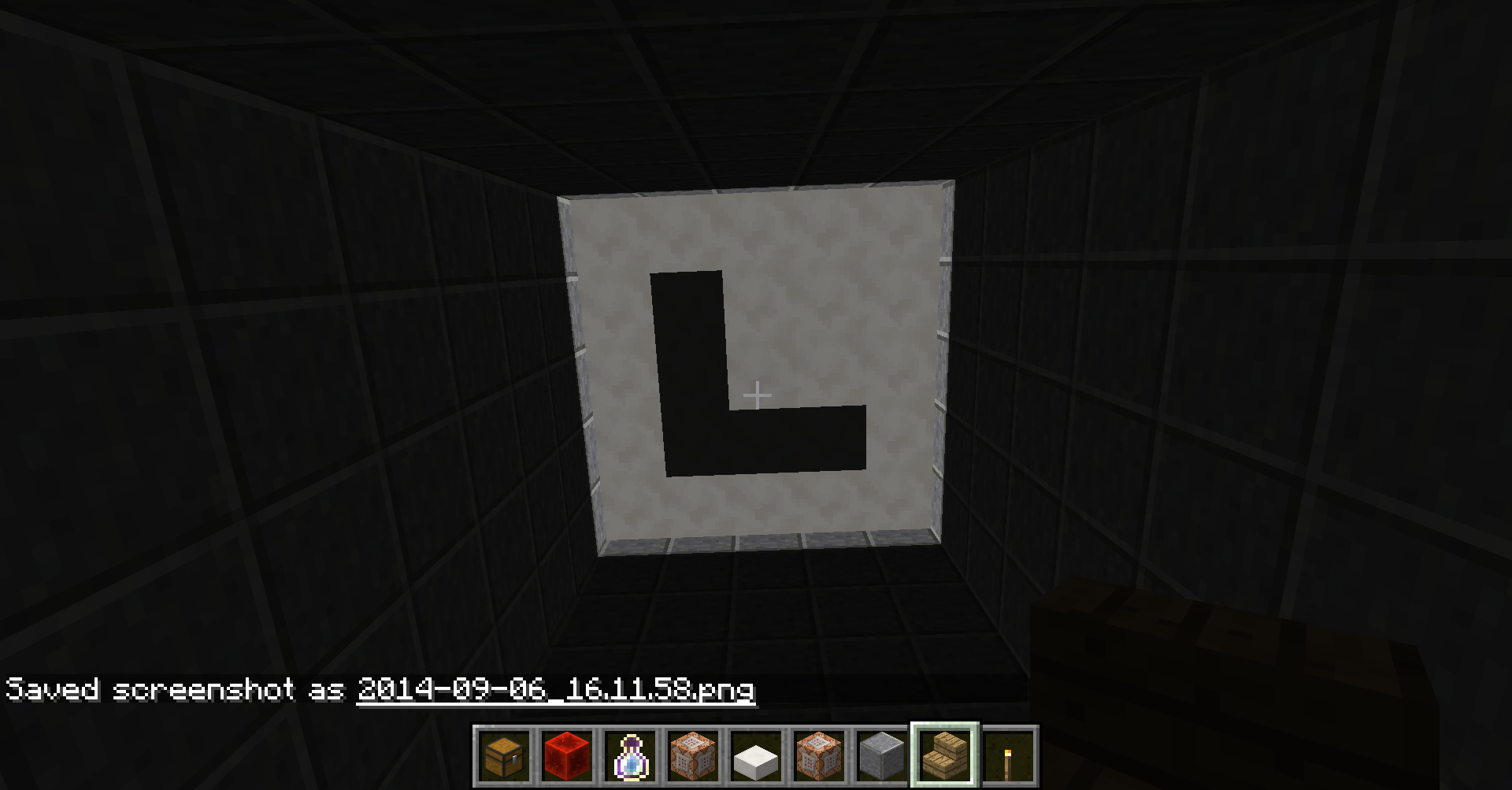


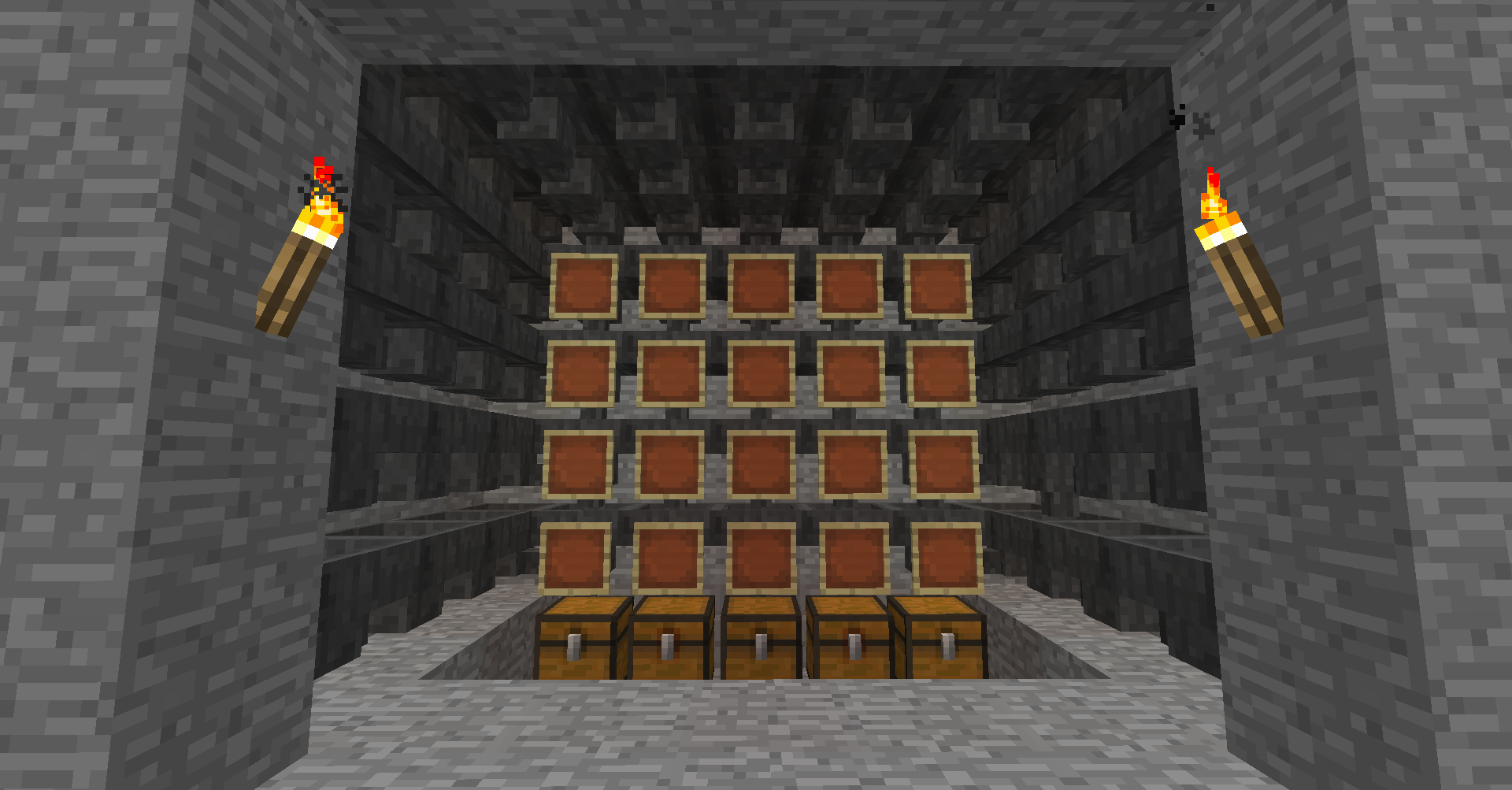


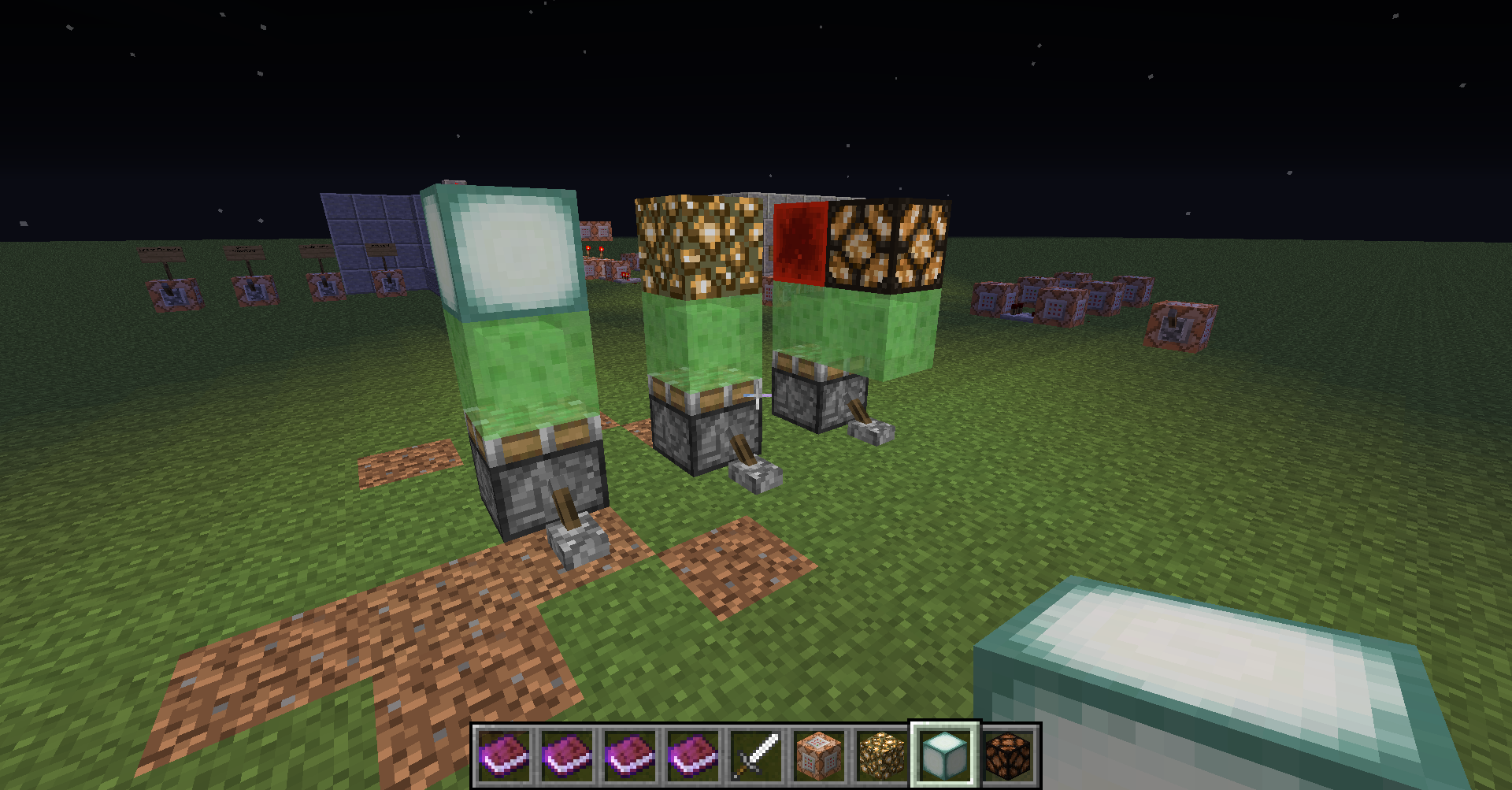


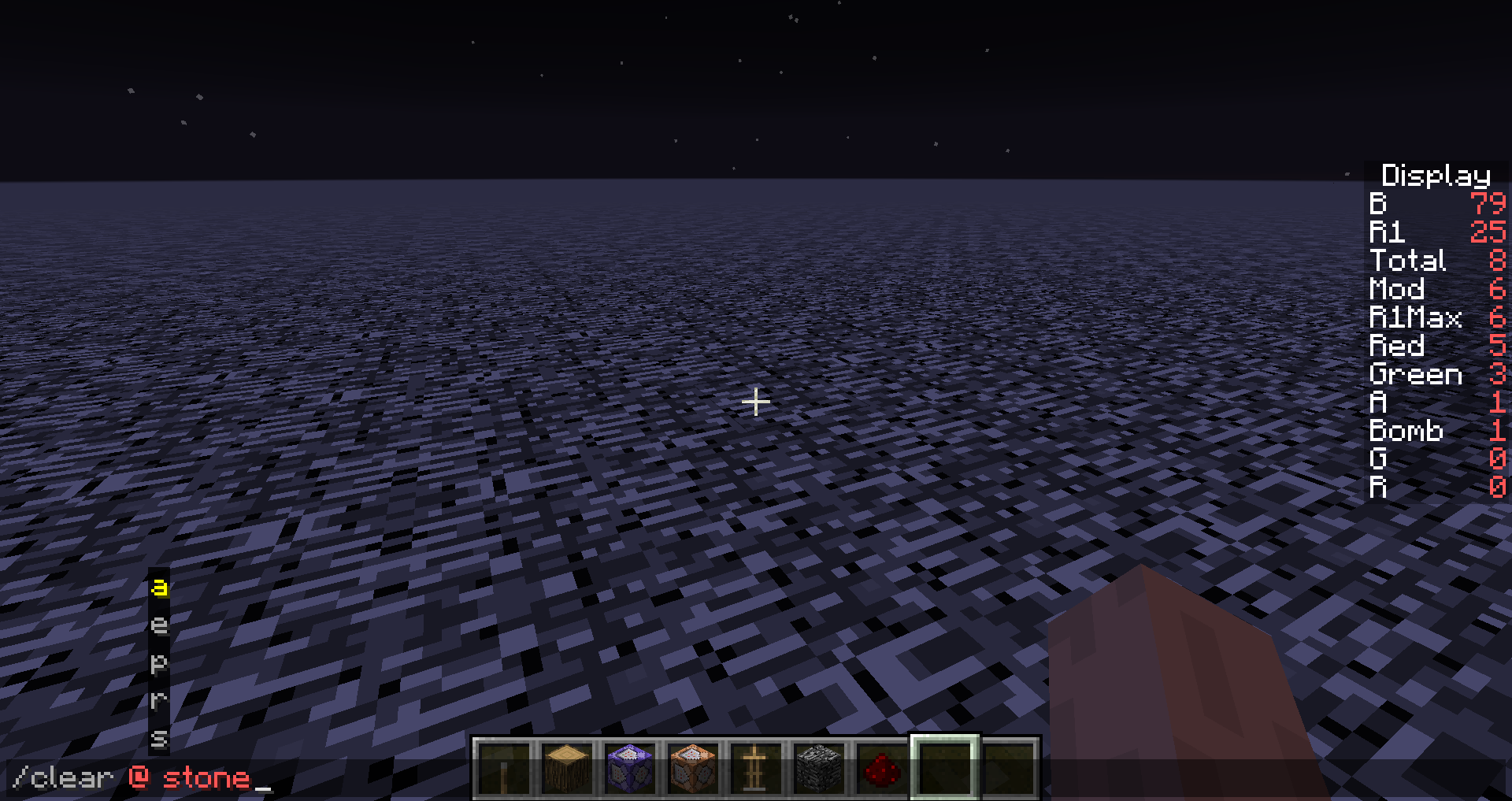


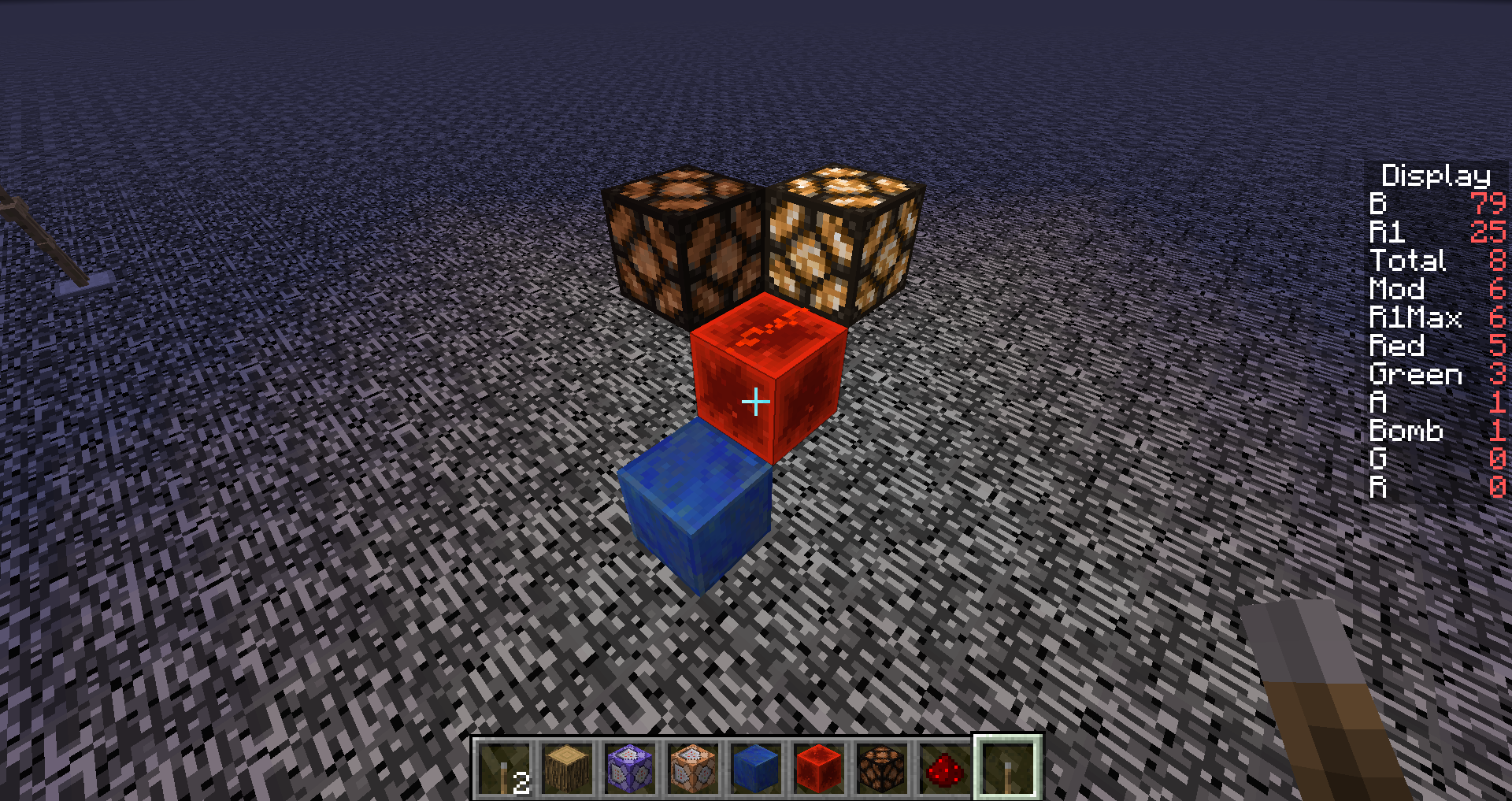


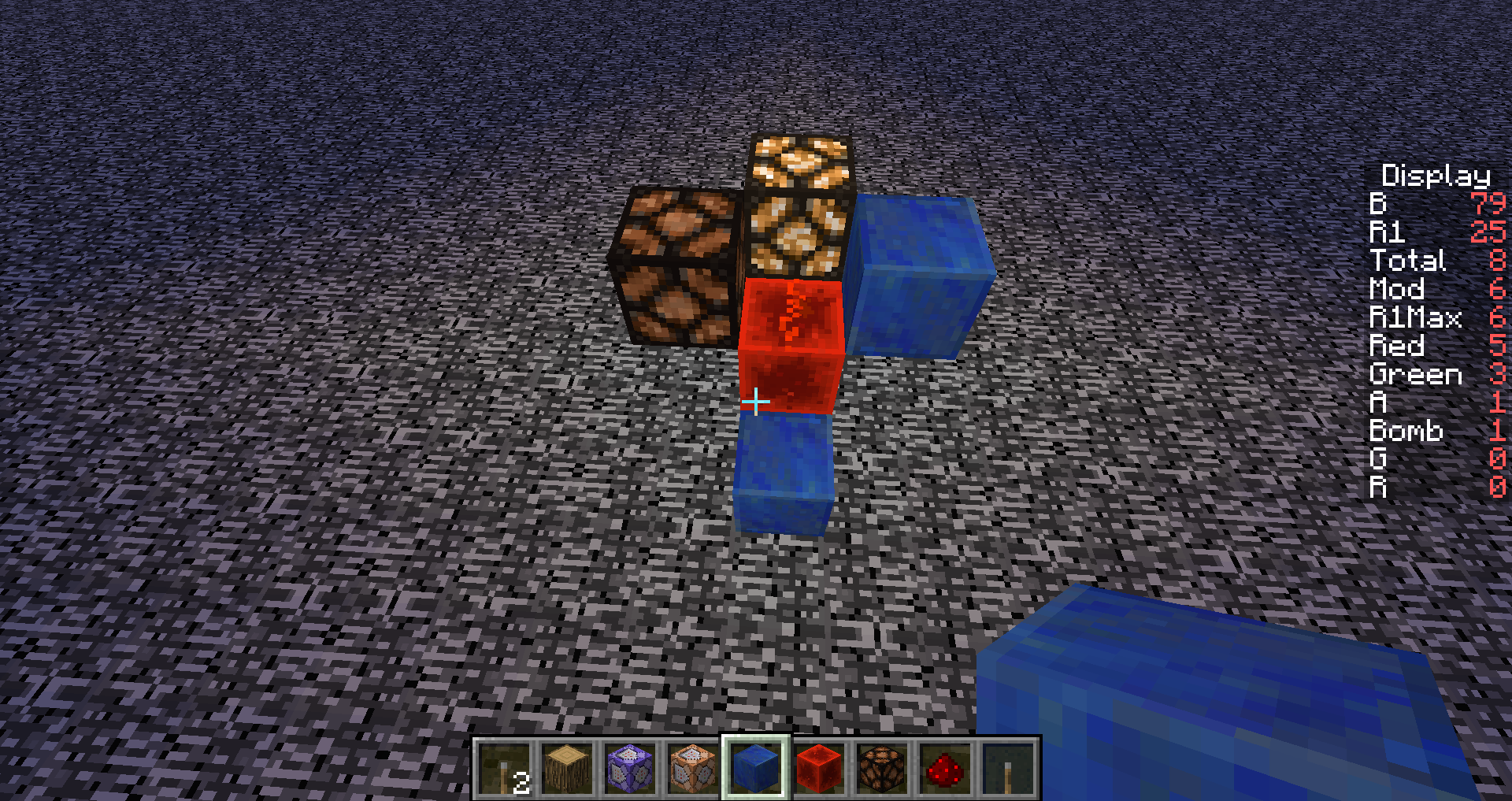
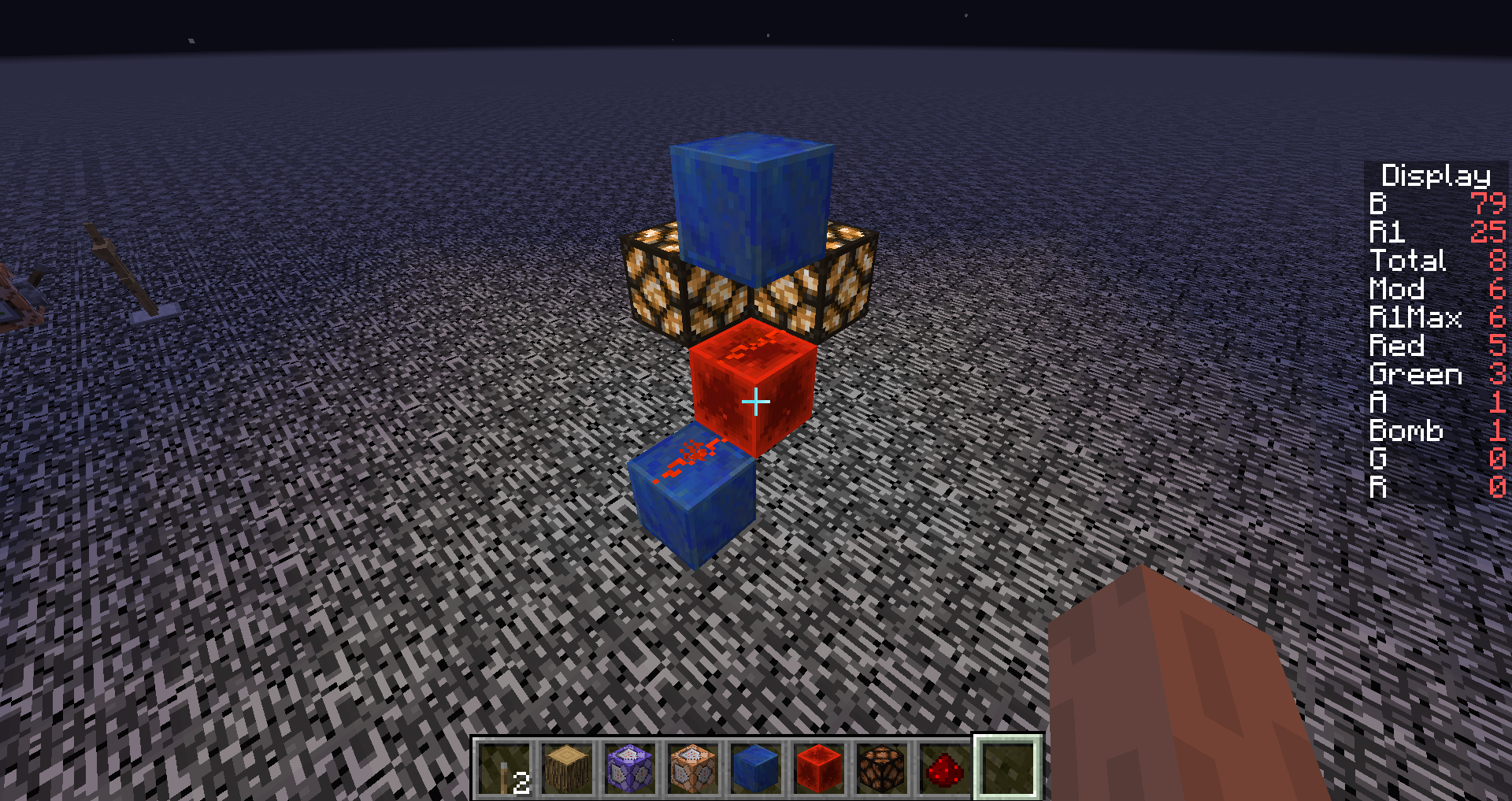


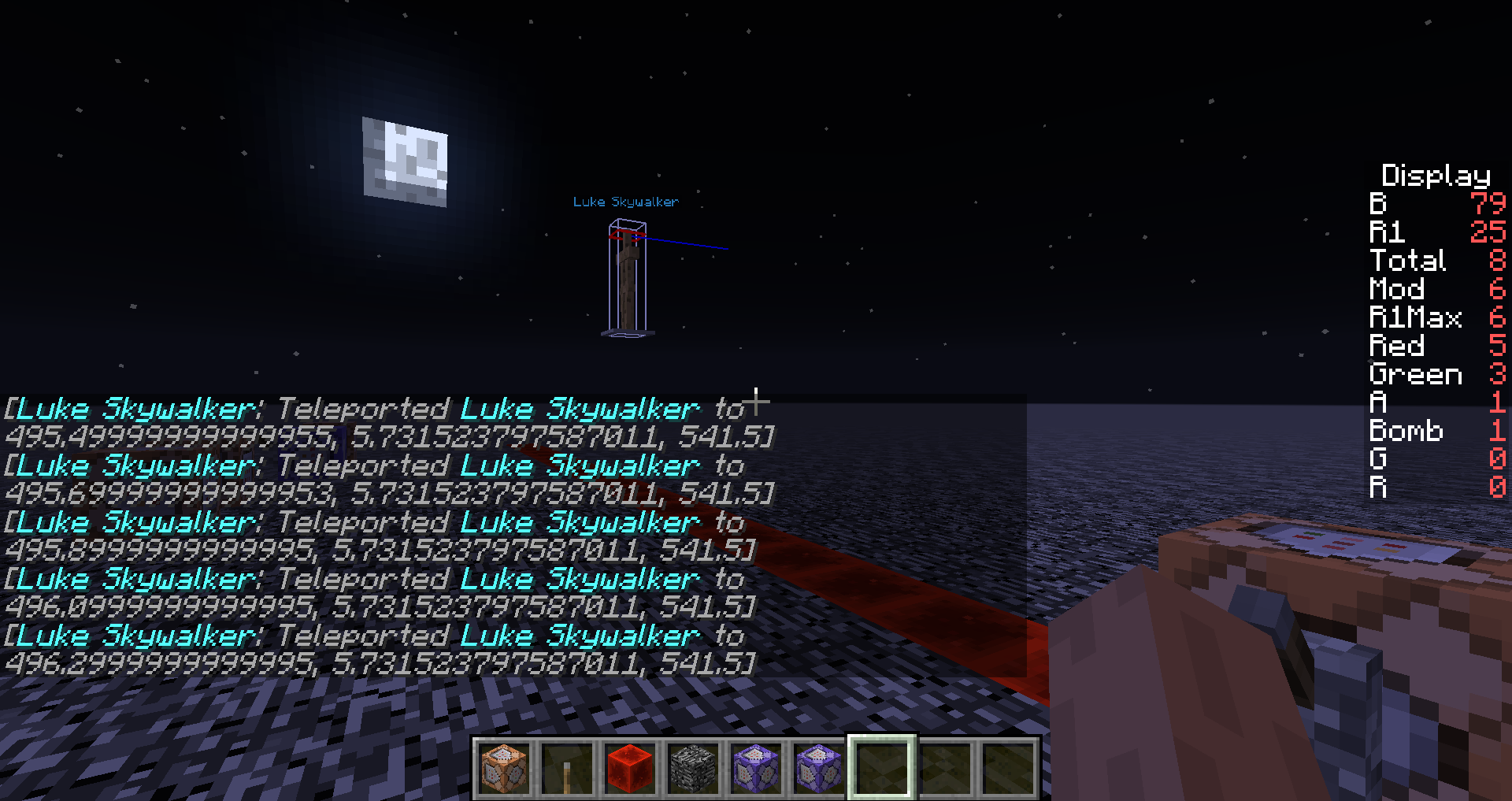


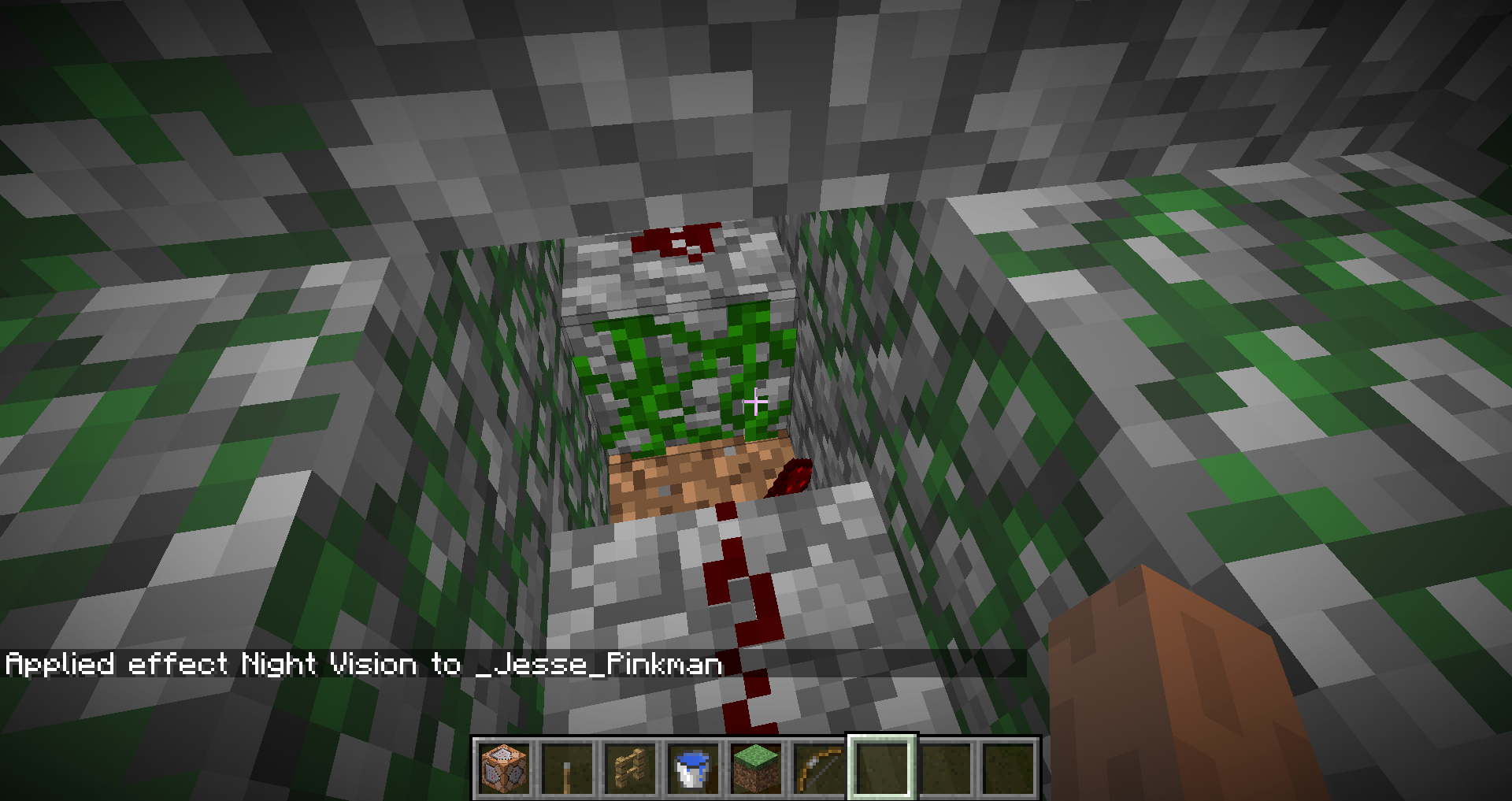




2014-09-02_20.03.16.png
Does anyone have the command(s) they are using?
Minecraft should fix issues before a large amount of people abuse and become reliant upon a bug. Just like with piston glitches, they let the bug stay far too long and now many people don't want it fixed, even though it makes absolutely no sense why it should work, like powering a piston with no redstone going to it. This will probably happen with the banner glitch, where people will base many of their designs on half banners and won't want a fix for the bug. Minecraft is just a slave to its customers, and I'm tired of seeing that far too often in the world.
I have a comparator attached to a command block that provides a signal strength, and when I exit then re-enter the world, the comparator flashes off then on once, executing other commands when I don't want them to.
The command block is updated using a regular repeater clock.This also happens when accessing the command block then hitting done.
The command being used is:
testfor @e[type=Player,score_ScoreA=0,score_ScoreA_min=0]
This will not happen when using setblock ~ ~1 ~ redstone_block 0 destroy as the clock.
I have a comparator attached to a command block that provides a signal strength, and when I exit then re-enter the world, the comparator flashes off then on once, executing other commands when I don't want them to.
The command block is updated using a regular repeater clock, or using setblock ~ ~1 ~ redstone_block 0 destroy as the clock.This also happens when accessing the command block then hitting done.
The command being used is:
testfor @e[type=Player,score_ScoreA=0,score_ScoreA_min=0]
duplicate of mc-71084
I didn't know if it would work or not since I just started working with the new formats for /execute and /data, it just took a bit of looking over the 1.13 article and testing the new changes to see how each one works. It also seems that the /data merge entity command is intended to only target one entity according to the article, but that should only be true for /data get. Whether this will remain or not is yet to be seen, but at least you have a work around until then.
Running this command when the if condition is true will not change the score at all (value is already preset). This happens even when the score isn't currently set to 0.
execute if blocks <start> <end> <destination> allstore result score @p XSince "AffectedBlocks" is now part of "result", I expected the command to set the score to the number of blocks found
(3 blocks)by the "if blocks" section, but that did not happen. The execute command can stand alone as its own command without needing to use "run <some other command>", so that shouldn't be an issue. Adding "run say hi" to the end and activating the command will execute when the if condition is met, but result is set to 1 instead of the expected3, likely because if stores either a 1(succeeded) or 0(failed). There is currently no way afaik to get the number of affected blocks from testing an area. This wasn't an issue when we had /testforblocks in 1.12. Using /clone isn't acceptable because there is no need to change the blocks, there is only a need to test for a match. I could not find any matches to this issue, or at least nothing appeared to be the same issue that I have.Running this command when the if condition is true will not change the score at all (value is already preset). This happens even when the score isn't currently set to 0.
/execute store result score @p X if blocks <start> <end> <destination> allSince "AffectedBlocks" is now part of "result", I expected the command to set the score to the number of blocks found by the "if blocks" section, but that did not happen. The execute command can stand alone as its own command without needing to use "run <some other command>", so that shouldn't be an issue. Adding "run say hi" to the end and activating the command will execute when the if condition is met, but result is set to 1 instead of the expected number of blocks, likely because if stores either a 1(succeeded) or 0(failed). There is currently no way afaik to get the number of affected blocks from testing an area. This wasn't an issue when we had /testforblocks in 1.12. Using /clone isn't acceptable because there is no need to change the blocks, there is only a need to test for a match. I could not find any matches to this issue, or at least nothing appeared to be the same issue that I have.
The bug
Trying to place a structure void block by right clicking an existing structure void block does not work.
This makes placing a large open area of structure void blocks difficult as you need to place solid blocks first, place the void blocks against them, then remove the solid blocks.
How to reproduce
- For easy viewing of void blocks, place a save structure block with a decent sized volume and check the "show
bounding box" option.- Place a structure void block within the bounding box.
- Try to place another structure void block on top of the placed one.
The bug
Trying to place a structure void block by right clicking an existing structure void block does not work.
This makes placing a large open area of structure void blocks difficult as you need to place solid blocks first, place the void blocks against them, then remove the solid blocks.
How to reproduce
- For easy viewing of void blocks, place a save structure block with a decent sized volume and check the "show invisible blocks" option.
- Place a structure void block within the bounding box.
- Try to place another structure void block on top of the placed one.
There's another bug report that relates to this, in which only your feet need to be in the water to get night vision from it.
What I expected to happen:
- From the wiki, it states: "Teleporting to an entity in another dimension is now allowed".
- With that, /tp <entity> and /tp <victim> <entity> should both be able to teleport the victim (executor and <victim>, respectively) to the dimension of the target entity.
What actually happened:- Both commands teleport the victim to the coordinates of the target with the target's rotation and facing direction, but not the dimension the target is in.
- This seems to happen if the target is in the overworld and the victim is in the nether, end, or overworld. If the target is in the end/nether and the victim is in the overworld however, the command fails to find a matching entity (when at the matching coordinates of course).
What I expected to happen:
- From the wiki, it states: "Teleporting to an entity in another dimension is now allowed".
- With that, /tp <entity> and /tp <victim> <entity> should both be able to teleport the victim (executor and <victim>, respectively) to the dimension of the target entity.
What actually happened:
- Both commands teleport the victim to the coordinates of the target with the target's rotation and facing direction, but not the dimension the target is in.
- This seems to happen if the target is in the overworld and the victim is in the nether, end, or overworld. If the target is in the end/nether and the victim is in the overworld however, the command fails to find a matching entity (when at the matching coordinates of course).
EDIT: More details, these test cases are done with 3 entities each named 'A', 'B', and 'C', summoned in the overworld, nether, and end, respectfully, and all at the same coordinates.
From the overworld:
*No entity is found when trying to teleport to 'B'.
*No entity is found when trying to teleport to 'C'.From the nether:
*Teleports the victim to the location of 'A', but does not move the victim to the overworld.
*No entity is found when trying to teleport to 'C'.From the end:
*Teleports the victim to the location of 'A', but does not move the victim to the overworld.
*No entity is found when trying to teleport to 'B'.
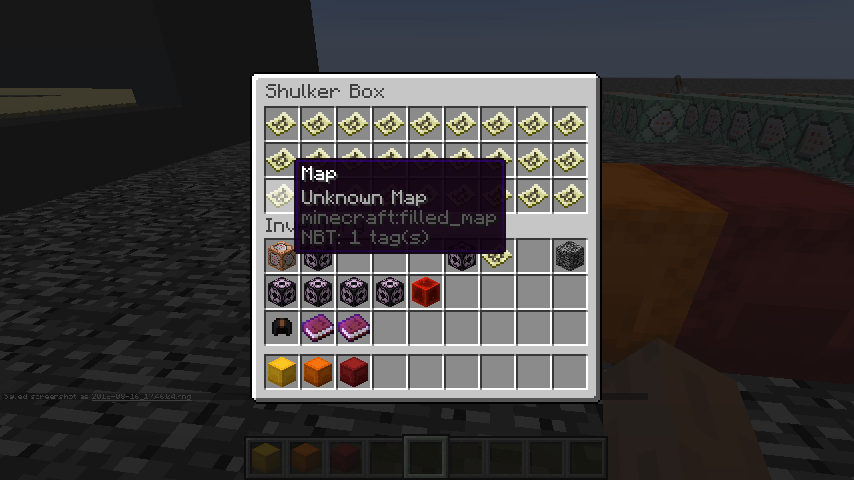
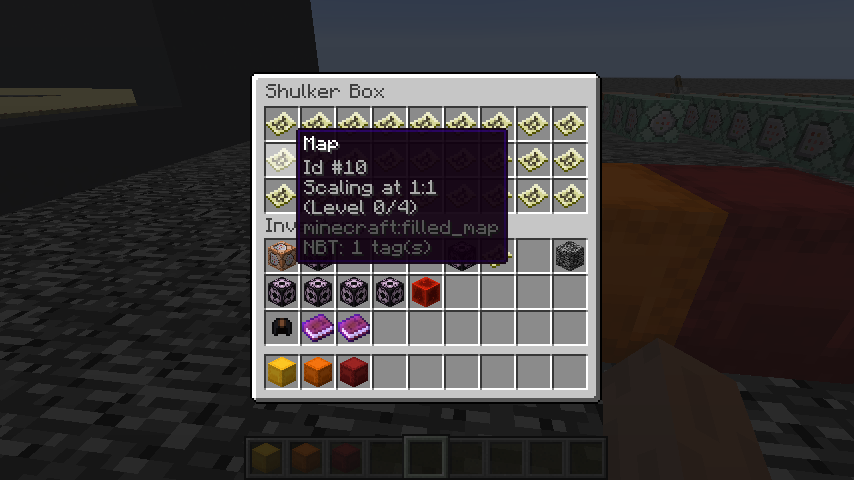
I have a shulker box full of filled, level 0 maps, and seemingly at random some of the maps become "unknown map" (all of the filled in data and the location (position in the world) of the map remain unchanged though). And this doesn't affect all maps, only some are changed. Everything is set back to normal after taking the unknown map out of the shulker box and placing it in the inventory.
I have a shulker box full of filled, level 0 maps, and seemingly at random some of the maps become "unknown map" (all of the filled in data and the location (position in the world) of the map remain unchanged though). And this doesn't affect all maps, only some are changed. Everything is set back to normal after taking the unknown map out of the shulker box and placing it in the inventory.
EDIT: Seems to affect all container blocks as well, when placed. If the map is in the player's inventory or in an item frame, then the issue isn't present. The maps becoming unknown map only happens when relogging as well.
I have a shulker box full of filled, level 0 maps, and seemingly at random some of the maps become "unknown map" (all of the filled in data and the location (position in the world) of the map remain unchanged though). And this doesn't affect all maps, only some are changed. Everything is set back to normal after taking the unknown map out of the shulker box and placing it in the inventory.
EDIT: Seems to affect all container blocks as well, when placed. If the map is in the player's inventory or in an item frame, then the issue isn't present. The maps becoming unknown map only happens when relogging as well. Even ender chests, which have storage exclusive to each player, are affected.
The first image seems to be labeled wrong, you have the top scaffolding of the pillar marked as "1" when it should be "0". It's not that significant, but for clarity and consistency it should be fixed.
When using a polar bear spawn egg on a polar bear, it creates baby polar bears. This behavior is not in line with how it is supposed to work, as noted by the resolution of
MC-2871. Since polar bears can not be bred by any means in game, they do not fit the requirements for their spawn egg to have such a behavior (only breedable mobs fit the requirements). Update: This also affects zombie horse spawn eggs and skeleton horse spawn eggs.

Aaron Rhodes: The "temp fix" as you mention is not a fix at all. It is quite seldom people just use regular pens for animals. Also this is not only a concern for animals, but for all living entities. Other entities might not be that much of a concern if you load/unload chunks by moving away out of range in the overworld since they will despawn, but much bigger so if you use nether portals and thus unloading the chunks without despawning hostile mobs.
An example of things that happen because of this is that zombies bug through walls and get in to areas where you have villagers.
Another example is when you have a mob farm storing up mobs and if you go in/out of a nether portal they might just suffocate and die.
In these cases (as in most cases) you can not just dig down one block to solve it...

Aaron Rhodes, if it's a technical mistake, then it can be considered as a bug. And it's not invalid since TheMogMiner even fixed it.

Aaron Rhodes Yet ice is already transparent, and thus blocks render the side, even if that space is occupied by ice, your argument is thus invalid
![[Mod] Neko](../../../data/avatars/users/92901.png)
Aaron Rhodes: Fixed, thanks.
@Aaron Rhodes Please create a new ticket for the issue you described if there isn't one yet.
![[Mod] Pokechu22](../../../data/avatars/users/92931.png)
@Aaron Rhodes The information I have in this ticket is basically all I have; it's all based off of the code I have (via MCP; here's info about MCP for other versions). There's two fields in Entity: rotationYaw and prevRotationYaw. The yaw one in those snippets is simply the parameter to the function. It's also worth reading the documentation on the player position and look packet.
Unfortunately the code that MCP produces, being based on decompilation, doesn't have any decompilation on it to understand what was intended/why it was written a specific way. In some cases it's possible to figure it out, but in others (like this) it's hard.
@Aaron Rhodes: Please create a separate ticket for this issue.
![[Helper] Michał](../../../data/avatars/users/43368.png)
@Aaron Rhodes How about /fill or moving all soulsand with pistons at once? Will it remain unchanged or change or random?

As Aaron Rhodes said, this is caused by structures not being able to be located.
This also affects explorer maps, and is still present in 18w10a.
Someone might want to update the description and title, or create an entirely new issue.

Aaron Rhodes In which MC version did you enter said resetting world for the last time? 18w16a?
If so, Professor Mobius tweetet that the issue of a "wiped" world, if it was entered last time in 16a, is still not fixed! It is solely fixed for worlds prior to 16a.
Invalid. As Aaron Rhodes stated, they removed the Customized world setting in an eariler snapshot, and they intend to add it back later once all the world generation changes are done.
WAI for the reasons Aaron Rhodes listed.
Aaron Rhodes Not supported != not possible. Changing NBT is as it is, mojang will allow you to do it, but anything that doesn't work, or give any unexpected results won't be fixed, the sole exception to this is crashes.
Aaron Rhodes Of course priorities have to be made, benefitting "the greater good", so in no way I personally would ever suggest to revert this or similar changes which seem to affect one group of the community barely, if at all.
I personally favour for the community Survival gameplay over mapmaking, even more so considering that the latter got a vaster amount of tools to play with, and Survival (especially its tech community) fall currently a bit short from my perspective, despite all the new blocks and mechanics added in the past versions.
If there are any serious irreplaceable functionalities for mapmakers, I'm sure there can be other solutions found, and the mapmaking community can deal with that in the meantime.
Regardless, it's always good to ask that question - I did the same also when there were changes affecting solely the Survival community.
Oh i've read the other bug report now.. and it's worst than a pathing bug issue (edit: 2018!!! time fly eh!)
Aaron Rhodes added a comment - 26/Jan/18 12:20 AM
The problem is that mojang added a fix to something that wasn't broken in the first place, and that's why this is marked as WAI. People will have better luck with suggesting the removal of this "fix" elsewhere rather than reporting it as a bug. I'm at a loss as to why this was done in the first place. Just mojang carrying clueless/careless players through the game I guess. How hard is it to build walls around a rail system to keep out mobs? It's bad coding practice to force a feature when other options are open to the player. If a mob gets in the way of a rail system, then the fault lies with the player, not the coding of the game.
Try something like this: /testfor @e[type=Skeleton] {Equipment:[0:
{id:"minecraft:bow",Damage:0s,Count:1b}]}
Avstar is correct. The full command you are looking for is: /testfor @e[type=Skeleton] {Equipment:[
{id:"minecraft:bow"}]}. I have tested the command myself and it works.
This bug persists in the 1.8 release, even when doing control + Pick block key.
This might take a little explaining but I think I understand most of this behavior. You can repeat the merging behavior by placing a single block far above the ground and spawning multiple mobs on the block. If the position of any mob on that block is updated, they will all fly off at high speeds. This behavior might be caused by a similar stacking glitch/bug like tnt minecart explosions; the push back effect when two mobs collide will get multiplied, forcing the mobs away from each other at high speeds. As for the tendency of gravitating toward the edges, I will have to figure out how I will explain that.
When posting a bug/glitch, it should be tested in an unmodded version of minecraft just so it is clear that the issue and/or the resolution is valid. This issue might have been caused when they went through the villager mechanics to rebalance trading for the 1.8 release, but other than that I'm not too sure what would cause it.
Is this for a creative world or a survival world?
If you are already holding an item,you can not use the middle key. If you were not holding an item while doing this, I can not help you.
Does shift+tab+a already have an action applied to it?
Do you mean every item in all of your chests is gone or just what was in your inventory?
Did you switch the use vbos option to true before it crashed?
What are you trying to accomplish with these commands? A more detailed explanation would help. The score name of canSwim and the effect of hunger don't seem to go together, so its a little confusing.
I've run into similar problems where some endermites don't despawn properly. I'm guessing you also can't attack these endermites either.
I have had this problem recently as well. There have been many glitches with minecarts, and the most annoying one is the rotation of minecarts being reset after summoning one with a preset rotation.
This glitch is common when reverting back to a pre 1.8 version, and I'm sorry but the items are lost forever. This happened to me a while ago except only my inventory was lost. Ever since then I have made backups of my worlds every so often so I don't lose anything. I have no idea why the version was reverted like that.
Are you willing to spawn your own villagers in? If so, you will be able to set a custom name for each villager you summon, and you can also set up your own custom trades. If you are willing to summon your own villager in I can post some commands that should work.
There is a way to change the trades they give and give them names without killing them if that makes it any better. Its the new entitydata command added in 1.8, which is also the command that has allowed me to learn how to use many of the data tags.
Here's a base command for changing a villagers name and their trades: entitydata @e[type=Villager,r=3] {CustomName:"your name here",Riches:0,CareerLevel:0,Career:0,Profession:0,Offers:{Recipes:[0:{maxUses:1,sell:{id:"minecraft:item name",Damage:0s,Count:1b,tag:{}},buy:
{id:"minecraft:item name",Damage:0s,Count:1b},rewardExp:1b,uses:0},]}}.
To make it easier, you can leave out the Riches,CareerLevel,Career, and Profession data tags.
Here's a little explanation of the data tags:
Riches - determines how many emeralds the villager has.
CareerLevel seems to determine the number of trades available to you. Try not to set it really high.
Profession and Career determine the type of villager, with Profession being the base type and Career being more specific. If you need more details you can look up villager professions.
Under Recipes:
maxuses and uses are obvious.
For sell and buy, Damage has varying uses, such as an extra data value for blocks or the actual damage on a tool.
Count is used for how much of the item is being sold or bought; max might be 64b.
tag can be used to add things like enchants on tools.
rewardExp can be 1b or 0b, true or false.
There is an additional BuyB tag for the second slot on the trading gui, and the tag is set up like the Buy and sell tags.
If you just want to rename the villager, you can use this command:
{CustomName:"your name here"}entitydata @e[type=Villager,r=3]
Hope this helps if you decide to use it.
PS
The comma near the end of the command is necessary if you want more trades to become available later on.
This also doesn't have to be so overpowered. You can set up regular trades or if you like, you can set up more difficult trades.
If you need any more help on this feel free to ask.
Using a splash potion of weakness then a regular golden apple should turn a villager zombie back into a normal villager. So instead of killing the zombies, you could have left them for when you got the potions and golden apples and you would have 7 villagers left. This might end up costing far too much gold though.
There are quite a few problems with blocks that don't take up the whole 1m by 1m area. For doors, being attacked by mobs or being shot by an arrow through the door is probably possible because the player or entity's hitbox ends up outside of the door, allowing interaction with it. This has also occasionally happened with regular blocks in a corner where you can see the mob's arm, allowing you to kill a zombie through solid blocks.
PS Zombies will no longer break down doors on any gamemode or difficulty and it is intended to be that way.
This glitch is related to the villagers being killed by a zombie through a door and the likely reason is the hitbox. There is another glitch with fences if you point the cursor at one with a bow and try to fire an arrow, it does the placing a block animation instead of charging the bow.
In the 1.8 update, it seems this might have been partially fixed, probably because they went through and rebalanced villager trading. For the modified trades, the commands might not have been set up properly.
{id:"minecraft:Item name",Damage:0s,Count:1b}{Offers:{Recipes:[0:{buy:
,sell{id:"minecraft:Item name",Damage:0s,Count:1b,
{id:1s,lvl:1s}tag:{ench:[0:
,]}}},]}}
Mapmakers can easily set up villager trading using this data tag set up; tag:{ench:}} is optional.
Villagers will only accept the specified data values, so items like dyes and wool will work as intended now.
entitydata @e[type=Villager] {Offers:{Recipes:[0:{sell:{id:"minecraft:wool",Damage:14s,Count:1b,tag:{}},buy:
{id:"minecraft:wool",Damage:0s,Count:1b},buyB:{id:"minecraft:dye",Damage:1s,Count:1b}},]}}
This command will make a villager accept regular white wool and red dye and trade you red wool. It will not accept any other wool or dye color.
Try using the command:
{id:35s,lvl:5s}/entitydata @e[type=Villager,r=5] {Offers:{Recipes:[0:{sell:{id:"minecraft:diamond_pickaxe",Damage:0s,Count:1b,tag:{ench:[0:
,]}},buy:
{id:"minecraft:diamond_pickaxe",Damage:0s,Count:1b},buyB:{id:"minecraft:emerald",Damage:0s,Count:10b}},]}}
If I typed it correctly, this should change any villager within a radius of 5 blocks to offer the trade of a special diamond pickaxe with a fortune 5 enchant for a regular diamond pickaxe and 10 emerald. Unfortunately, this requires a fully repaired diamond pickaxe to work; trying to trade a damaged one will fail to work. If you wanted to have it not repair the pickaxe, you would have to change the value for the Damage tag under sell and buy so that they match.
For an easier solution, there would have to be a way where it checks the damage value on the tool being bought by the villager and apply that value to the tool being sold.
The problem is that these data tags apply to the items seen under the trading gui, and it simply checks for a match on your item and applies the values under the sell tag to the item being given to you. It would have to apply the damage value of your item to the item being sold, and take the values under the tag data tag from the sell tag, and merge that with the data of your item.
Sorry for the long explanation, but I hope this helps.
Sorry, I just tested that and you are right. Thank you for the input, I have only recently started trying to help on bugs/glitchs and have also only started testing them, so I don't know exactly when these fixes were implemented.
It only applies the data under the tag data tag to the item under the trading gui.
The code is probably just missing for checking for a complete match, and it might be a simple fix.
The only fix for it repairing an item that gets enchanted by a villager seems to be that they just changed it to giving you an enchanted item for emeralds instead of enchanting an item you give them.
So just to be sure, the issue is resolved now?
Did you try shift + middle click?
Nevermind. That is not good at all. I'm not sure how that got messed up.
The inventory and chest clearing is a known bug when switching to a version before 1.8 and has been reported many times. I have not seen or heard of the other problems yet. The sign text being messed up might be caused by a change to the text format added in 1.8, and the items you lost are gone forever. As for the dogs reverting and item frames dropping the items, I have no idea what happened.
To make sure this no longer happens, create a folder on your desktop and copy your world saves there every so often.
Its unfortunate that it removes the items, but can't you just clear up inventory space? I do not want to see this change as it makes it easy to clear up a large amount of item drops without having to clear your inventory. I support kbk's suggestion for an option to turn that on/off. Currently, I would not like to have to store all of my custom command blocks in a chest so I can insta clear the inventory just to pick up item drops that I don't need.
Sorry I messed up. its not shift + middle click. ctrl + pick block gives you the proper banner. It is not a bug.
This issue is resolved. Stop confirming it for new versions. IT IS NOT A BUG. The reason you get a black banner is because its data value is 0 (default). Simply pick blocking the banner only gives a black banner because banners are not treated as regular blocks. Resolution: WORKS AS INTENDED.
Like galaxy said earlier: it works as intended. That is the way redstone works.
You are not allowed to place chests on a non mule/donkey, as any other type of horse is not set up to support/handle it.
What are the forced entities supposed to be under the crash report and why does black dye appear so many times?
The sides of blocks along the x axis are darker than the sides along the z axis in 1.8. Not sure if this is a bug or if it is intended.
I believe the items being dropped is intended for now as an attempt to temporarily "fix" the issue.
This continues in 1.8.
It seems to only with villagers and pigs because it summons a new mob at the villager/pig, then removes the villager/pig. for a temporary fix, update your command to:
/execute @e[type=Pig] ~ ~ ~ summon LightningBolt ~ ~ ~
It seems that lightning gets summoned at the pig, which spawns a zombie pigman at the pigs location, and before the pig is removed, another lightning bolt is summoned at the zombie pigman, also striking the pig, creating a second pigman, and finally removing the pig.
You accidentally switched to adventure mode.
Did you have a previous world with the same name?
This could be a chunk glitch where some chunks are not deleted when deleting a world, and creating a new world with the same name will have those unremoved chunks.
It is more noticeable when you make a superflat world, delete it, then create a default world with the same name. with a bit of searching, you can find left over superflat chunks.
Was added in 1.8, so works as intended.
Invalid; how many villages did you test? A village might not need a blacksmith for a blacksmith villager to spawn.
I started a world with a village that had a farmer, and this was created in 1.8.
why give a link to a private video? also, can you post a screenshot of the piston setup?
Tried setting tiledrops and mobloot to false, but that had no effect.
What items did you lose?
is this survival or creative?
Witchs shouldn't throw invisibility potions, and your missing body is because you were hit with the potion as well. Is this a multiplayer server or was it opened to lan? Or are you messing with us by turning keepinventory on?
Does this persist if you place a block on the bottom of the darkened slabs then remove the block?
for a temporary fix,dig 1 block into the ground, build the desired pen size,outline it with fence posts/cobblestone walls,then place carpet over the fence posts/cobblestone walls. this should allow you to enter and exit the pen and the animals will not be able to escape.
Why does it show mobGreifing=false in the chat?
How were they burned? with flint and steel?
This both helps and hinders certain piston creations, but since it makes no sense why this should work, it seems more broken than intended.
OK, sorry.
Does this happen just when it goes down?
I take damage when it goes up occasionally, but not when it goes own.
It might be a glitch with the slime blocks. every so often they can launch you upward. This is related to another glitch where your walking speed is slowed if certain blocks are placed over slime blocks or you slide when those blocks are placed on ice. For a temporary fix, try using a solid block instead of slabs. It might be inconvenient, but it should no longer cause the fall damage hopefully.
The world save was helpful for testing the glitch.
It seems to only with villagers and pigs because it summons a new mob at the villager/pig, then removes the villager/pig. for a temporary fix, update your command to:
/execute @e[type=Pig] ~ ~ ~ summon LightningBolt ~ ~ ~
It seems that lightning gets summoned at the pig, which spawns a zombie pigman at the pigs location, and before the pig is removed, another lightning bolt is summoned at the zombie pigman, also striking the pig, creating a second pigman, and finally removing the pig.
This was tested in the 1.8 release.
Sorry, the above command will not fix this, but it is the same behavior where the pig does not despawn soon enough.
Was the world ever reverted to a previous version by accident? If not then I'm out of ideas.
I have never seen a witch use a potion of invisibility before, and it doesn't seem to work on item drops. were you near lava or fire?
If none of this is true, then it is likely a glitch with realms, and in that case I won't be able to help.
Sorry I seemed rude earlier. It was very likely another player that did it to you and your item drops went to that person when you died. That is the best and final solution I can think of.
Can you provide some screen shots? I have seen similar glitches with ceiling lighting glitches, but i have not tested it with half slabs.
PS
Has this been tested in the 1.8 release?
This sort of glitch seems to happen all the time with non solid blocks, most notably the hitboxes that don't cover the full 1m by 1m block. It also seems like there either won't be a fix for these issues or it is very difficult to fix the code for it to work properly.
The fire on the hopper is burning the rest of the items before they fall into the hopper. find a way to extinguish that fire before the mobs die. It should work just fine then.
I found a funny glitch of my own while testing this. if you take the setup you had for the cow pen, spawn a few baby cows, and remove the block on the outside one block above the hopper the cows are on, the baby cows will try to move close to the grown cows. When they are right next to the stack of grown cows, the baby cows will be flung far away. This seems to be caused by the pushback effect when two mobs collide being multiplied.Try testing it yourself its pretty funny.
How long has it been like this? I just tested it in 1.7.10 and they have the same behavior as in 1.8. Not sure if this is just WAI or an actual bug.
can a mod just close this issue already? I'm so sorry that it is such an inconvenience to hold control and pick block to get your banner. The banner is treated as a container block, and shift click is treated differently for container type blocks. issue is invalid/works as intended.
Did it make the fire extinguish noise?
I've never seen that before, mainly because I have not used pick block while crafting. It seems that the Count data tag of the block is being changed. it is very likely unintended, and you should be using right click while spreading items.
What is happening is it places 64 wood planks on the crafting table, then subtracts 64 from the count data tag of the planks you are holding; if you have 2 wood planks and spread them, the number shows up as 2-2*64, which is -126. you can also only spread these items as many times as the number in the stack. The number you see ranges from n-2*64 to n-n*64.
A simple fix would be removing the ability to use middle click and spreading blocks, since the right button and spread already works just fine.
It may be an incomplete change that was made. I'm not sure if you could place levers on upside down stairs before, but what is happening here is the way the game handles blocks that don't belong somewhere, but only after that block is updated. The same thing happens if you use setblock to place a midair lever. if you place a block next to it or activate the lever, it will drop a lever item. Either placing levers on upside down stairs is unintended or the levers are placeable now but being dropped as items was not properly removed/fixed.
It may be an incomplete change that was made. I'm not sure if you could place levers on upside down stairs before, but what is happening here is the way the game handles blocks that don't belong somewhere, but only after that block is updated. The same thing happens if you use setblock to place a midair lever. if you place a block next to it or activate the lever, it will drop a lever item. Either placing levers on upside down stairs is unintended or the levers are placeable now but being dropped as items was not properly removed/fixed.
The lever item dropped into the hopper, and this glitch is likely related to
MC-59360.Sorry that I was being rude before. I might be wrong about the data holders being treated differently. I have a few examples that make my argument inaccurate.
Both skulls and banners are treated as data holders, and each one has multiple data values.
when pick blocking a skeleton,wither,creeper,zombie,or human skull, you get their respective item forms.
[04:34:11] The data tag did not change:
{id:"Skull",SkullType:0b,Rot:12b,z:259,y:4,x:-361,}[04:43:55] The data tag did not change:
{id:"Banner",Base:15,z:259,y:4,x:-361,}Both the SkullType and Base data tags determine the data value of the skull and banner,respectively, but only the SkullType tag is treated the same as the Damage tag when using pick block. It seems the Base tag is treated as an NBT tag instead, and can thus only be accessed through ctrl+pick block, rather than regular pick block.
So, I revoke my previous answer and leave it up for further inspection.
Are the levels not refreshing before or after you enchant?
Same goes for entities behind the lightning bolt.
Your screen shots contradict the problem you mentioned. there is a banner in the enchantment table slot and one in your inventory.
Why waste peoples time with something like this?
Invalid?
are you on creative?
If so, the only thing I could think of is that dotiledrops is set to false.
Same thing happens with other data holder blocks like furnaces and chests.
I prefer to have it replace the held item so I don't have to clear the hotbar.
Currently it is a very convenient bug, if it is one.
An inverted sensor will provide no power between time=4294 and time=7704,which is during the day time.
This issue is invalid and there is no reason for it to be reopened.
How do I open mc in windowed mode?
What are the forced entities under the crash report?
I added a few screenshots of how this lighting glitch affects different set ups. I won't be able to fix this, but these screen shots might help support this issue.
On 2014-09-06_16.14.47, the L shaped pattern is above the slabs and there is no light above them.
This is ongoing in 1.8.
Mods are very unreliable and should not be used to solve your problems. Besides, the temporary fix I mentioned works just fine and isn't that big of an inconvenience.
The problem is that the flint and steel lights the ground on fire as well, and it is that fire that destroys the item drops. What I'm saying is that you can find a way to extinguish the fire on the ground before the mobs die as a temporary fix until they fix the bug.
If you want, you can try to recreate a setup I made that fixes the issue for now.
Here are some screenshots to help build the setup.
Hope this helps.
I'm not sure what happened with your issue, but I have had an odd glitch that may or may not relate to this. If you use a diamond tool with unbreaking on it, after it breaks (ironically), you can sometimes get the very low durability tool back if you place an item in the slot it was in. Using the tool a couple more times will finish it off.
I'm not sure if this has been fixed in 1.8, and if it isn't, I'm not sure if it works with tools other than diamond ones.
I've never seen that before, mainly because I have not used pick block while crafting. It seems that the Count data tag of the block is being changed. it is very likely unintended, and you should be using right click while spreading items.
What is happening is it places 64 wood planks on the crafting table, then subtracts 64 from the count data tag of the planks you are holding; if you have 2 wood planks and spread them, the number shows up as 2-2*64, which is -126. you can also only spread these items as many times as the number in the stack. The number you see ranges from n-2*64 to n-n*64.
A simple fix would be removing the ability to use middle click and spreading blocks, since the right button and spread already works just fine.
This is still an issue in 1.8.
They can not be renamed in a strict single player game unless you rename the spawn egg or use /entitydata. Personally the entitydata command is the best option until the actual fix is applied, but survival single player games will be out of luck for the time being.
They would have to change the hitbox of the wall banner if they felt this is worth fixing.
Why do so many people keep posting very similar comments? There is no need to keep commenting that the record sounds can be replayed, or opening and closing a chest or the inventory repeats sounds.
Why would that be an intended way to find mineshafts? That is just manipulating the games faults and I would be ashamed if I let it continue to be used.
This is more of a technical mistake than a bug. Since this isn't a bug, it is invalid, however, this should be easy enough to fix.
I,m not sure, but maybe something under TileEntityData would fix this (unlikely). I remember this working before the 1.8 update as well when I tried making waves, but when I switched to the snapshots, it no longer worked.
works as intended. Here's a description of how to link your portals properly. I only know the basics of this, so I won't be able to offer advanced help.
For every 8 blocks traveled in the overworld, it will count as 1 block traveled in the nether. It will be easier to do the setup in the nether, since you do not need to move very far.
All portals in this description will be facing in the z direction. Lets say your portal is centered at x=0.0 and z=0.5. Now place another portal centered at x=0.0 and z=4.5.
Next, go to the overworld to x=0.0 and z=0.5. (Not sure if the y value matters.) Build a portal at that spot. Now go over to x=0.0 and z=32.5. Build a second portal here.
Remove any extra nearby portals other than the four mentioned. If done correctly, the portal at (0.0,0.5) in the overworld will link with the portal at (0.0,0.5) in the nether,
and the portal at (0.0,32.5) will link with the portal at (0.0,4.5).
Hope this clears up any confusion.
/testfor @p[x=0,y=0,z=0,r=1]
it only outputs "The entity UUID provided is in an invalid format" if the player is not found.
Do you mean that the light does not appear? Or can you not access the beacon gui?
example:
/fill 186 60 358 195 90 347 minecraft:stone 6 replace minecraft:(block being replaced) (data value) masked
It does drop them above the ceiling or behind walls. For now,just leave the top layer off or create a 1 block space of air above them.
If you place hoppers behind and above the item frames, it should catch the items most of the time, if not all the time.
It visually disappears after it would normally reach a life of 1200, which is when the arrow despawns.
Are you trying to make anything special with this?
if you fire the arrow at a repeater in a redstone loop/clock, the arrow will not visually disappear, so the glitch might have to do with updating the position,rotation,or motion of the arrow.
This is supposed to be a highly effective temporary fix/alternative, and all I'm doing is providing a useful technique for people to use until the actual issue is fixed. Try testing this yourself, or at least provide some better advice than I did.
This issue also mainly relates to animal pens, which is what I provided an alternative for. I have not worked on any of the other problems you mentioned, and I'm not sure I will be able to.
OK. I'm somewhat new here and have not figured out the exact way to search for issues.
@JE Jonker He was talking about
MC-1040being my glitch.I will try to search for certain issues before posting comments from now on.
The terrain goes to 255. 256 is the y value of your feet, so that part is invalid. The light level might be fixable, and the glitch probably exists because no world type other than superflat has ever really reached such extreme y values until now.
This only occasionally happens to me, and it might be hard for a mod to confirm it. It is hard to reproduce, but it is somewhat valid. Exiting and reentering the world should fix it.
The skeletons dropping exp orbs is intended. It's kind of hard to explain. A tamed wolf is treated as a weapon used by the player, and any player involved attack on a mob will grant exp orbs upon the death of the mob.
The feature of tamed wolves automatically attacking skeletons and skeletons flee rather than attack is intended. The problem here is that you are abusing the attacking through a closed door glitch.
exp farms are unintended side effects of certain glitches or certain features added to the game, and many of them have been removed, just as this one should be removed.
I was only partially wrong, although I sholdn't have used the word only.
No it shouldn't.. it already checked for minecraft:(block name) (data value), and is now checking under replace for minecraft:(block being replaced) (data value) (block handling).
It does drop them above the ceiling or behind walls. For now,just leave the top layer off or create a 1 block space of air above them.
If you place hoppers behind, above, and to the sides of the item frames, it should catch the items most of the time, if not all the time.
You don't have to use these alternatives if you don't want to.
Still happens in 1.8, usually exiting the game completely and reentering fixes it until it happens again (rarely).
You are right about it not letting you build at y=255 when it should. (gives error when building at y=256, but not at y=255).
Has this been tested with any other preset/world type that reaches y=255?
Relates to another glitch I found earlier, but I forget which one. If you have multiple hopper clocks running, and you exit the reenter the world, some of the clocks will stop working properly (some will not produce a redstone signal.) When I tested this, I got a hopper clock that had a much faster redstone output, which might be what you got. This usually happens when a fast redstone signal is sent to a redstone torch, putting it out and playing the fire extinguish sound.
relates to the piston glitch, which they do not intend to fix.
Not sure if this helps, but under the stats command where it has @e[name=Max], try adding c= (number > 1). I have not used the stats command nor do I know what the actions under the command do, so I'm not sure if the command isn't set up properly or if the issue is WAI.
Might be caused because fishing rods cause damage to mobs/entities.
Also happens with minecarts, and the bug (if it is one) persists in 1.8.
fixed in 1.8, but under the achievement, it says you have to deal 9 hearts of damage, and I'm not sure if they changed it, but it used to be 8 hearts.
It is more or less intended. Some odd thigs can be done because you can replace grass by placing a block, but for skulls it is normal behavior to end up floating. maybe grass blocks need to work similarly to flowers, where you can't remove it by placing a block.
Cannot reproduce in 1.8. You were right clicking on a rail in the screen shot. Are you sure you were doing it properly?
This can not be properly fixed if the number of mobs is large enough. Lets say you have about 100 mobs within a 1 block wide by 2 block long pen. Using normal blocks to build the pen, the mobs hitboxes seem to only go to the middle of a block. So the 100 mob hitboxes would have to fit into the 1 block long space. This combined with the push back effect of mob collisions would easily cause the hitboxes to overlap, and even share positions along the edges. It also doesn't help that the push back effect is multiplied when mobs stack. They get stuck on the edges because nothing is pushing them back towards the center to counteract the mobs pushing them outwards.
Setblock, fill,and clone will place blocks at y=255. Something else I found occurs if you place a lever at y=255 and try to activate it from the top of the hitbox (does not matter what is held in hand). This will also give you the error message that the building limit is 256 blocks high instead of activating the lever. This error seems to only affect blocks whose top part of the hitbox reaches y=256.
Here is a crash report that resulted from the bug, tested in 1.8.
Were there any mods being used when this happened?
If not, I will try to see if I can reproduce it.
If it was modded, then this is invalid.
Works as intended, you must have set it to false instead of true. Tested in 1.8.
The reason for beds and doors working properly is because their hitboxes take up two blocks, where as banner hitboxes only fill one block of space.
Hitboxes are what determine if a block can be placed in an indicated spot, with the exception of placing blocks on tall grass.
entitydata @e[type=Villager] {Offers:{Recipes:[0:{maxUses:1,buy:{id:"minecraft:emerald",Damage:0s,Count:1b}}]}}
This command causes the game to crash upon placing the specified item in the 'buy' slot when trading with an affected villager.
(Also happens when the buyB tag is provided, where placing both specified items crashes the game)
Attempting the same command with the sell tag enabled but with no item specified will also crash the game.
entitydata @e[type=Villager] {Offers:{Recipes:[0:{maxUses:1,buy:
{id:"minecraft:emerald",Damage:0s,Count:1b},sell:{ }}]}}
A simple fix might involve setting a default value to the item being sold, so if the sell tag is missing or does not include an item id, there will not be some invalid/unused value set for it.
I don't have much experience with programming, but I know that trying to use an uninitialized variable will result in an error.
Duplicate. Not sure which one. The portals are working as intended.
He might be talking about another glitch in the overworld where lava sometimes spreads two blocks long instantly, but that might just be caused by lag.
The fps will drop when moving quicker through the world as it causes more chunks to load before previous ones have finished loading.
Someone else can explain this better than I can, but chunk loading is the most likely reason.
The exact same thing happened to my brother where he started a customized world type, found a village with no villagers and the chest missing in the forge.
I'm not sure which settings he customized, or if that even matters.
@Kevin Reid
It doesn't matter whether the mob is shot with an arrow or melee attacked through the door, or if they can be hit through a corner, because it is the same glitch that causes these things to happen, which is the hitboxes going through the door or diagonal corner.
The corner tendency seems to be caused by a few problems.
1.) The push back effect when entities collide gets multiplied when mobs stack.
2.) Because of the high density of mobs in the pen, many of the mobs will be pushed and held in the corners and along the edges.
Since there is no force pushing them back towards the center, they get pinned down.
3.) When mobs are pushed into a corner, their coordinates become: (x.5, y.y, z.5).
4.) When they are in this "fixed" position, they can not move towards the adjacent edges, and they can not overcome the push back effect of the
other mobs pushing them into the corner, and they are therefore stuck in the corner.
I thought it had something to do with more chunks being loaded/unloaded in quick succession due to the faster movement, but that doesn't seem like the problem since other vehicles in the game aren't affected as much as horses are.
What kumasasa posted is the proper way to test for a thrown egg, but there should be a separation between the egg item and a thrown egg.
{id:minecraft:enderpearl,Damage:0s,Count:1b}For example, an ender pearl item is treated differently from a thrown ender pearl.
testfor @e[type=ThrownEnderpearl] vs. testfor @e[type=Item] {Item:
}
tested in 1.8-pre4, confirmed.
The reason a block can be placed is because item frames are treated as entities.
For now, I'm assuming that it is intended behavior.
Try testing for the dropper 2 blocks above the zombie instead. I'm not sure if all entities were changed, but at some point, the y position of the player became the feet position rather than the eye position.
This command works in 1.8-pre4:
{Slot:1b,id:"minecraft:prismarine_crystals",Count:1b,Damage:0s}execute @e[type=Zombie] ~ ~ ~ testforblock ~ ~2 ~ dropper 1 {Items:[0:
,
{Slot:3b,id:"minecraft:blaze_rod",Count:1b,Damage:0s},
{Slot:4b,id:"minecraft:leather_chestplate",Count:1b,Damage:0s},
{Slot:5b,id:"minecraft:blaze_rod",Count:1b,Damage:0s},
{Slot:7b,id:"minecraft:prismarine_crystals",Count:1b,Damage:0s}]}
If you were using execute @e[Type=Zombie] instead of execute @e[type=Zombie], it will search for any entity.
duplicate, not sure on the ticket number.
WAI, try finding a guide on how to link your portals properly.
confirmed in 1.8-pre4.
It seems like testing for a rotation of [0.0f,0.0f] on armor stands defaults to testing for the base plate rotation, which I'm assuming is always [0.0f,0.0f].
That might explain why it outputs a signal for any armor stand, regardless of rotation.
I believe that the Fire tag is for entities that are on fire, not the actual fire blocks.
The only way I know how to do this is by setting the ExplosionPower tag to 0, but that puts limits on the uses of the fireball.
So many problems would be fixed if they just made a BUD block.
It would also help if they didn't make minecraft in java.
May be WAI to prevent seeing through blocks, possibly.
confirmed in 1.8-pre4.
If my understanding is correct, the bug is that it thinks *[score_test=1] is a player name.
Besides that, it might help to know what you are trying to accomplish with the command.
This command works:
execute @e[type=!Player] ~ ~ ~ execute @p[r=10] ~ ~ ~ playsound random.pop @p
The only problem is that it will not work when near another player.
If you want it to do that, then this command will work:
execute @e[name=!"your name here"] ~ ~ ~ execute @p[r=5] ~ ~ ~ playsound random.pop @p
were they owned by you or someone else?
If they won't listen to your commands, then they probably don't belong to you.
Do you have access to commands?
This is similar to mc-71084, however, it does not matter what world type is used.
It doesn't matter if you are placing or activating a block at y=256, because it is the same thing causing both behaviors.
It happens with a few other commands even if c is not used. The issue should be expanded to include other entity selector arguments.
For example, the command: testfor @p[ry=100] will give the same error message if no player is found that matches the argument.
It seems to be acting as a BUD.
{SuccessCount:0}change the command: setblock ~ ~-1 ~-1 unpowered_comparator 2 with blockdata ~ ~-1 ~-2
confirmed, still happens in 1.8pre4.
It resets the SuccessCount tag.
Similar behavior can be seen when running a clock that powers a command block that outputs a signal; SuccessCount =1. If the player enters the world, any comparator attached to the command block will flash off then on again.
confirmed in 1.8-pre4
Please provide the full command being used.
1. like sonicwave said, remove the spaces.
2. Make sure to use the coordinates under the block section on the f3 screen.
confirmed in 1.8pre4.
Did you ever use ctrl + pick block on the sign?
If so, that would explain why the new sign had the same text as the old one.
Could not replicate in 1.8-pre4.
This has happened to me before in previous versions when I mined netherrack, and random zombie pigmen started attacking me for no reason. Maybe something with their AI causes this to happen.
For the other three commands, you need to put f after each rotation value, otherwise it won't work.
The command in the description does not match the issue you are reporting.
The command you are using only teleports pigs, not every non player entity.
This is invalid.
duplicates
MC-70982.Also on step 4, you can do any form of a block update where the pot is, such as placing a block next to the pot.
This doesn't seem to do anything in 1.7.10 either.
can you provide examples of which entities are not detected?
If you are using the middle mouse button as the pick block key, then there will be some problems.
Try switching the pick block key to a keyboard key instead.
I would assume it is an unintended side effect from an update (not sure how so many things go wrong even when it doesn't seem like they made any changes to the items/blocks that are effected).
could cause problems when trying to hide dispensers behind vines or tallgrass.
Using the command /entitydata @e[name=unknown]
{CustomName:"RandomName",CustomNameVisible:1}will display the name of the bobber and give an output signal when executed.
@sonic How can /kill @e[type=!Player] kill a bobber if there is no bobber entity?
Until the issue is fixed, you could use the setup in the screen shot. The left most command block is empty and the other one would execute the command you want. The command in the book would be '/blockdata <x> <y> <z>
{SuccessCount:15}', where x,y,and z are the coordinates of the empty command block.
Why don't people search for issues before they create a ticket? This is an issue that has been around for a long time.
If you lower your animal pens into the ground 1 block and keep the carpet on the fences, it should serve as a temporary fix to the issue.
I know its to properly reproduce the issue, but you don't need the invulnerable tag when using the invisible tag.
Any problems with pistons are caused by Mojang deciding to make the piston a BUD instead of actually creating a block for that purpose. They have decided that it is intended behavior, so enjoy the extended pistons with no power source. That aside, this actually relates to a different issue with redstone not powering blocks when it should. I don't remember which issue it was and I don't have it written down.
duplicate of
MC-71084It is highly likely that this has been reported before, and it is an annoying issue. for a temporary fix, you can place redstone clocks within the world spawn, or you can use different types of clocks such as the hopper clock or fill/setblock clocks.
I have experienced this issue in single player. I have some worlds that use multiple testforblock commands and it causes extreme redstone lag. It worked perfectly fine in a previous version of minecraft, but now I will not be able to finish/test the games I'm making. I hope this issue is resolved soon, and granted I understand that constantly using multiple commands can be resource intensive. The problem is that I need to constantly update these commands using a setblock clock.
Why would this be a bug? This might be WAI as a way to test for a single slot regardless of what the other slots have. I believe they added the ability to test for partial nbt specifically for reasons such as this one. In the testforblocks command, you are not specifying any nbt to match, which is why it can tell the difference.
This might be caused by falling sand falling slower than mobs/players. The mob/player will land before the sand does, causing the mob/player to appear to sink into the sand.
Visit the minecraft wiki page on anvils. It only hurts the player/mob when the anvil turns back into a solid block. It seems that it does not check the collision of the entity form of the anvil/sand block, which would explain why it does not damage the player or mob.
The problem is that the sendcommandfeedback gamerule might only work on command blocks, which is why messages still appear when using a book or using chat.
My setup also works when a command is too long to be used in a book. I found this out when trying to summon fireworks with a book, and when I got the book, a large portion of the command appeared as written text.
This Bug duplicates MC-11193.
It doesn't matter because it works on any preset. Using Caves of Chaos is just an easy way to get to the height limit, which is probably why it was discovered.
That aside, this issue does have a better description of the problem, although my comments on
MC-71084already cover the multiple state blocks.I only covered levers, but its not hard to realize that other multiple state blocks are affected as well.
I will leave it up to the mods/Mojang to decide which issue duplicates which.
I'm tired of seeing people who have no clue which gamemode is which. 3=spectator,2=adventure,1=creative,0=survival.
Always search before posting an issue (it says it in red when creating a ticket).
You can try /gamemode sp,/gamemode a,/gamemode c, and /gamemode s so you don't get this mistake.
Adventure mode by default does not allow you to place/destroy blocks.
Does holding a copy of the map while in that maps area work? If you are not in the area of that map, it won't update.
I believe that this is intended, but I cannot be sure. Try searching for issues that match this one. This issue might have been reported already.
Try isolating the ones that do not emit light and hit the F3 button and check the light level.
I could not reproduce this, but I found something odd when surrounding a non inverted light sensor on all four sides and on top and placing a redstone block below the sensor causes it to slowly flash on and off.
Would the fact that banners have a default nbt tag invalidate
MC-62975since regular pick block does not give you the nbt of a block? Or there should at least be an exception for the Base tag on banners so you at least get the expected color of banner with regular pick block.I haven't done much work with commands in books, so I'm not sure on the proper way to enter a long command into the book.
{Type:1,Flicker:1,FadeColors:[14188952,12801229],Colors:[1973019,8073150],Trail:1}This is the command I used:
give @p written_book 1 0 {title:Wireless Commands,author:,pages:["{text:'Wireless Commands\n\n',extra:[{text:'Fireworks\n',color:dark_purple,clickEvent:{action:run_command,value:'/execute @p ~ ~ ~ summon FireworksRocketEntity ~ ~1 ~ {Motion:[0.0,0.5,0.0],FireworksItem:{id:fireworks,Count:1,tag:{Fireworks:{Flight:0,Explosions:[
]}}},LifeTime:15}'}}]}"]}
I get this error message:
Data tag parsing failed:Unbalanced brackets: {Motion:[0.0,0.5,0.0],FireworksItem:{id:firewo
Failed to execute '{Motion:[0.0,0.5,0.0],FireworksItem:{id:firewo' as <Player Name>
Does omitting the Slot tag check for a single stone block in any slot with all other slots empty?
Still happens in 1.8.3
Happens in 1.8.3 and affects sea lanterns as well as glowstone and redstone lamps. It seems that it does not matter whether the piston pushes or pulls these blocks, the flicker happens either way. I tested this using each set up in the screen shot separately. Hopefully I'm not misunderstanding this issue.
Could this be related to MC-11193?
@Isaac King The issue I had is
MC-5927, so forget I mentioned it.Maybe entities are not yet supported by these commands.
Examples:
Usage: /give <player> <item> [amount] [data] {dataTag]
Usage: /clear [player] [item] [data] [maxCount] [dataTag]
The cannot find player error probably occurs because it expects a player name to be used, not entity names/ the @e selector.
A possible work around would be the use of the replace item command, though this command may not have been added when this issue was reported.
Tested in 1.8.3
set up a dummy score board objective that uses CustomName.
{CustomeName:Bob Bob}Example:
scoreboard objectives add Name dummy
scoreboard players set @p Name 1
testfor @e[score_Name=1,score_Name_min=1]
This method works for many different aspects other than just the name of an entity.
It seems like this might have been added as a work around to issues like this one.
I'm not experiencing any of the hostile mobs on peaceful in 1.8.3. It seems that it is searching a preset radius from the x,y,and z arguments when you omit the r= argument, so unless you set r=0 or dx=dy=dz=0, it will search a predetermined radius around your specified point.
If you use /tp @p[~ ~1 ~] ~ ~10 ~, lets say your x=10,y=10,and z=10. now converting that to /tp @p[x=10,y=11,z=10,r=0] ~ ~10 ~ will fail every time because you will always be 1 block lower than where the command is checking.
How would searching for this issue bring us to MC 32606? Aside from that, I'm having the same issue. I wonder if it's an issue with not having windows 10. It would be frustrating to have to update windows in order to play the new minecraft updates.
This issue is not caused by the vbo's and vsync options. The issue is with minecraft 1.10 itself.
That's odd. My use vbo's option somehow got switched to true, and that was causing the problem. Did they set that option to true when updating to 1.10, because I know I have left it false ever since the use vbo's option started causing problems.
On the official minecraft wiki, it says that vbo's are enabled by default, overriding previous settings when updating. Don't they know that vbo's have been causing a lot of trouble for a lot of people? Some people don't have the option to update their graphics cards, so will we just be forced to deal with this every time they update minecraft?
This is caused by the falling sand not becoming solid before the mob or player lands. What's happening is that the player is falling on a falling block entity, not on a solid sand block, and therefore goes through the block instead of landing on it. There is also the issue of the player or mob accelerating faster than falling block entities. This can be seen by placing a solid block high in the air with a sand block above it and a mob on the sand block. When you remove the solid block, you will see that the mob falls past the falling block. I'm not sure if there would be any issues or if it would be possible, but maybe giving falling blocks the same boundary effects as regular blocks would fix the problem. The issue seems to be an unintended side effect of an intended feature.
Just happened to me in 1.11.2. It's easier to reproduce the results on longer rail tracks, and it might be possible that other sounds interfere with the minecart sound. It's more likely caused by lag due to chunk loading, which is more noticeable when entering/leaving the nether or overworld and soon after riding along a rail track.
Something else that has been happening is the minecart will start off with the normal sound, then it will sometimes become quieter for a little while, then it will finally become completely silent. This behavior leads me to believe that due to lag, the minecart and player locations temporarily stop updating, but the location at which the sound is being played continues to update. This would give the effect of a sound being played further away from the player, as sounds become less intense at a distance. This is just speculation, but it is worth checking out.
Thank you for responding quickly. After a bit of tweaking to the commands I found a workaround that eliminates the dead zone that involves using the rm parameter along with x and dx. I understand why this is "bug" is invalid now, but at the time it seemed like very odd behavior since I expected the parameters in the execute command to prevent the testforblocks command from running. I know this isn't the place to make suggestions, but perhaps they should change the command to use player coordinates instead of hitboxes, because it can lead to unintended behavior. Thank you again though, I figured it had something to do with player hitboxes being used instead of coordinates.
The same thing happened to me just now in minecraft 1.12.2. I opened minecraft, there was no sound at all. No option in the volume mixer for minecraft volume, closing and reopening the game did nothing. Changing mip map levels fixed the issue. I really want to know why changing a setting for textures is able to allow sound again, or why the sound doesn't work in the first place. It happens randomly and pretty rarely, so it may be hard to reproduce the results, but this bug has been around for a long time and plenty of people know about it. It isn't too big of a deal, it's just very odd and unexpected behavior.
MC-105296should be marked as a duplicate of this ticket and not as a duplicate ofMC-100073. It is currently a duplicate of a duplicate. Found that on accident when searching for a different issue involving path finding.Had a similar issue recently in 1.12.2. I was riding in a minecart in one world and exited to the title screen, and the minecart rolling sound continued to play. Entering a different world doesn't fix it, entering the original world and dismounting the cart does nothing. Only exiting the game and rejoining stops the sound from playing. Just did a quick test, the sound does persist on the title screen when following the steps in the video that was provided. The description should be edited to include this information, as the sound persists even outside of the world it occurred in, which is a much bigger issue.
The problem is that mojang added a fix to something that wasn't broken in the first place, and that's why this is marked as WAI. People will have better luck with suggesting the removal of this "fix" elsewhere rather than reporting it as a bug. I'm at a loss as to why this was done in the first place. Just mojang carrying clueless/careless players through the game I guess. How hard is it to build walls around a rail system to keep out mobs? It's bad coding practice to force a feature when other options are open to the player. If a mob gets in the way of a rail system, then the fault lies with the player, not the coding of the game.
Try this: /execute as @e run data merge entity @s {}
This might only happen with worlds that were updated to the snapshot, which is a serious issue. Update the description to affecting pre snapshot worlds and reopen the issue. I have one world (update 1.12.2) with a few dummy objectives and another objective that used the play_one_minute stat. Upon updating the world to 18w03b, the dummy objectives remained and the play_one_minute objective was removed as expected (because the play_one_minute stat was changed). After updating the world, creating new objectives and/or deleting old ones works, but exiting and reentering the world resets these changes, replacing the removed objectives and deleting the newly created ones. Objectives work just fine in a world that was created when using the snapshot.
For example/clarification say that pre snapshot I had objectives a, b, and c all of type dummy. Update to the snapshot, do /scoreboard objectives list; objectives a, b, and c show up. Now, delete objective b and add objectives d and e, both of type dummy. Do /scoreboard objectives list and objectives a, c, d, and e show up. Exit the world and reenter, do /scoreboard objectives list again, and objectives a, b, and c should show up. This is the issue the op was experiencing.
WAI; horses cannot wear chests, donkeys, mules, and llamas must be tamed first before they can wear a chest.
confirmed for 18w03b.
The issue must be that the game doesn't recognize the old format of the stats that were changed and does not know how to handle it, thus causing bugged, unexpected behavior to occur. It's likely that this has always been an underlying issue that only surfaced now because some of the stat formats were changed. Hopefully this gets fixed because it can break a lot of pre 1.13 worlds that rely heavily on scoreboard objectives. Deleting the "scoreboard.dat" file may solve the issue, but you would have to take note of every single score that each player has for every objective that exists. On a multiplayer server this would just be impractical, and on a single player world with several objectives it would just be inconvenient.
confirmed in 18w03b for command block gui.
So if my understanding is correct, the issue is that conditional command blocks are still checking for the outdated SuccessCount value, now "result", rather than checking for the new success value. It sounds like just a simple oversight on the dev's part. I would assume this should be a pretty easy fix once it gets attention.
Is it possible to get something with a success of 0 but a result that isn't 0? I'm guessing this isn't possible but it would determine whether or not the success value is actually read by conditional command blocks, which it likely isn't(given the case of success=1,result=0 not triggering the conditional command block).
I have an issue where a failed /say @p command will only show @ in the console when using the distance parameter and standing out of range. The command should either fail and give no output or give an error somewhere since no player was found. This is a different issue that I found while testing the current issue, and it occurs whenever the selector fails to find the desired entity. More on topic, the issue of this ticket is confirmed in 18w03b, from @p and @a[distance=..20] finding dead players to @e[type=player] not finding dead players.
Running
/say @e[nbt={CustomName:"{\"extra\":[{\"text\":\"_test\"}],\"text\":\"test\"}"}]is the only way I have gotten it to output test_test in console. I have tried many different attempts so far and nothing has worked. Is there no way to see what the name parameter resolves to in the selector? It makes no sense that /say @e[type=armor_stand,limit=1,sort=nearest] will output test_test in console, but /say @e[name=test_test] fails.