Entities standing on Y=63 will become invisible when looking up
The bug
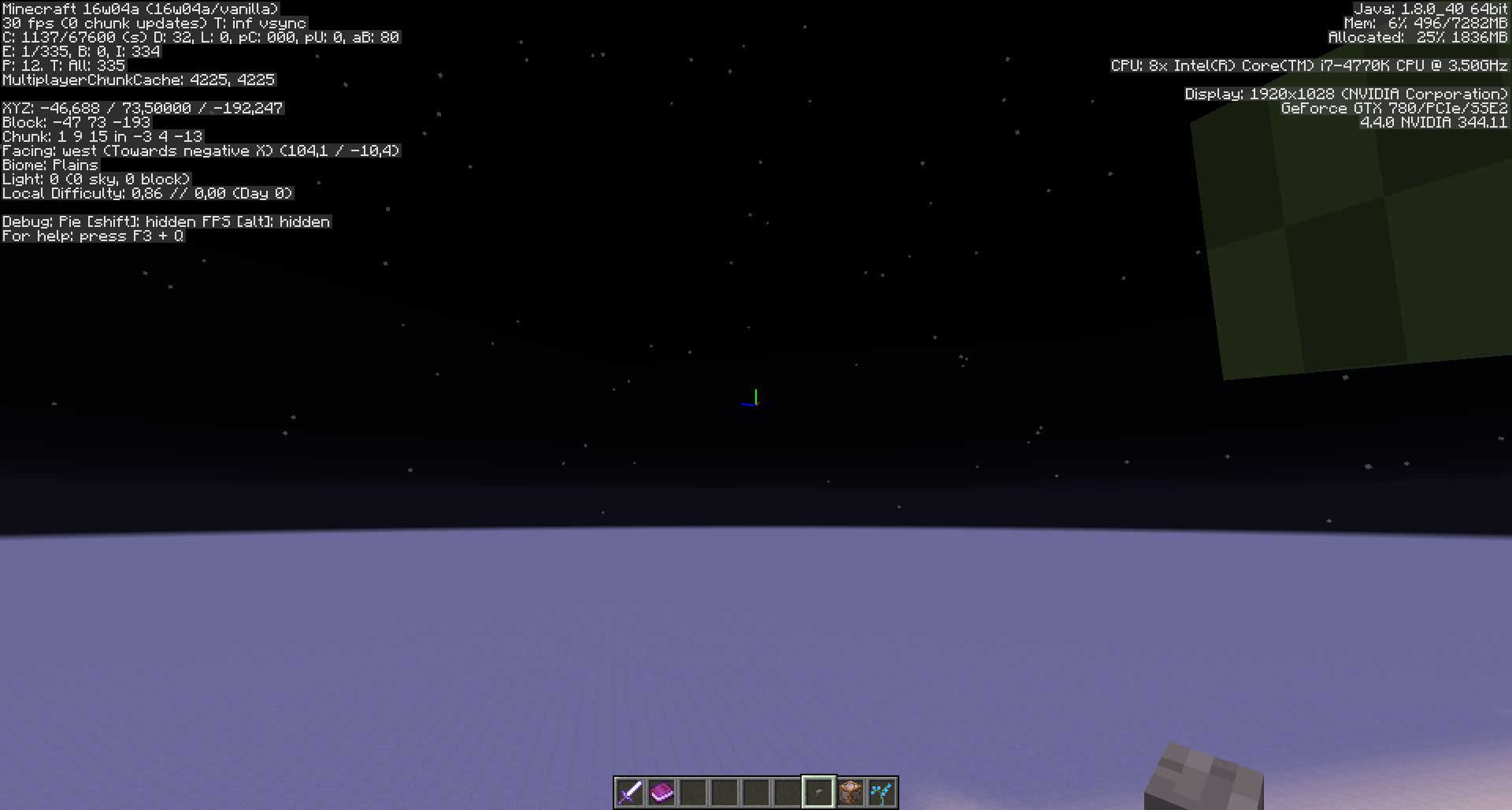
Entities standing on Y=63 will become invisible when looking up.
Video: https://www.youtube.com/watch?v=6qZi6p5UI-8
How to reproduce
- Stand on level 63 (standing on level 64 works too but the effect is kicking in later)
- Spawn some mobs on level 63
- Slowly move up the mouse
→ At some point the entities will be come invisible
Note: other coordinates also have this problem, but Y = 63 is the most obvious.
Code analysis
Code analysis by Marcono1234 in this comment.
Linked Issues
is duplicated by5
 MC-73470Villagers invisible when body off screen but head isn't.DuplicateMC-92603Endermen are invisible when their legs/body are out of sightDuplicateMC-128081Player invisible in Lan when standing on chest in a corner at a particular angleDuplicateMC-131971Mobs not are displayed if viewed at an angle of 45 and 90 degreesDuplicateMC-135386Entities disappear when looking at glass pane with trap door in front of it.Duplicate
Attachments17




- Fixed
![[Mod] Les3awe](../../../data/avatars/users/79847.png) [Mod] Les3awe
[Mod] Les3awe- 26
- 12
- Confirmed
- (Unassigned)
- invisible mob rendering
1.8.8 - 18w50a
1.8.8 15w36b 15w36c 15w36d 15w37a 15w38a 15w38b 15w39a 15w39b 15w39c 15w40a 15w40b 15w41b 15w42a 15w43a 15w43b 15w43c 15w44a 15w44b 15w45a 15w46a 15w47a 15w47b 15w47c 15w49a 15w49b 1.8.9 15w50a 15w51a 15w51b 16w02a 16w03a 16w04a 16w05a 16w05b 16w06a 16w07a 16w07b 1.9-pre1 1.9-pre2 1.9-pre3 1.9-pre4 1.9 1.9.1-pre1 1.9.1-pre2 1.9.1-pre3 1.9.1 1.9.2 16w14a 16w15a 16w15b 1.9.3-pre1 1.9.3-pre2 1.9.3-pre3 1.9.3 1.9.4 16w20a 16w21a 16w21b 1.10-pre1 1.10-pre2 1.10 1.10.1 1.10.2 16w32a 16w32b 16w33a 16w35a 16w36a 16w38a 16w39a 16w39b 16w39c 16w40a 16w41a 16w42a 16w43a 16w44a 1.11-pre1 1.11 16w50a 1.11.2 17w06a 17w13a 17w13b 17w14a 17w15a 17w16a 17w16b 17w17a 17w17b 17w18a 17w18b 1.12-pre1 1.12-pre2 1.12-pre3 1.12-pre4 1.12-pre5 1.12-pre6 1.12-pre7 1.12 1.12.1-pre1 1.12.1 1.12.2-pre1 1.12.2-pre2 1.12.2 17w43a 17w43b 17w45a 17w45b 17w46a 17w47a 17w47b 17w48a 17w49a 17w49b 17w50a 18w01a 18w02a 18w03b 18w05a 18w06a 18w07a 18w07b 18w07c 18w08a 18w08b 18w09a 18w10a 18w10b 18w10c 18w10d 18w11a 18w14a 18w14b 18w15a 1.13-pre3 1.13-pre6 1.13 18w31a 18w32a 18w33a 1.13.1-pre1 1.13.1-pre2 1.13.1 1.13.2-pre1 1.13.2-pre2 1.13.2 18w43a 18w43b 18w43c 18w44a 18w48a 18w48b 18w49a 18w50a- 19w14a
Created Issue:
The Y = 63 when, from a certain perspective entity will become the invisible
The Y = 63 when, from a certain perspective entity will become the invisible.
Environment
OS : Windows 10 64-bit
Java version : 1.8.0_60-b27 64-bit
CPU : Intel(R) Core(TM) i5-4460 CPU @ 3.20GHz
GPU : NVIDIA GeForce GTX 650
Drivers : GeForce 355.82
The Y = 63 when, from a certain perspective entitywill becometheinvisibleEntities will become invisible when looking up
Entities standing on Y=64 will become invisible when looking up
Extracted some screenshots
Entities standing on Y=64will become invisible when looking upEntities standing on Y=63 will become invisible when looking up
The Y = 63 when, from a certain perspective entity will become the invisible.
Video :
https://www.youtube.com/watch?v=6qZi6p5UI-8
Mod edit:
Steps to reproduce:
- Stand on level 63 (standing on level 64 works too but the effect is kicking in later)
- Spawn some mobs on level 63
- Slowly move up the mouse
- At some point the entities will be come invisible
1.png
duplicates
relates to
is duplicated by
duplicates
relates to
OS : Windows 10 64-bit
Java version : 1.8.0_60-b27 64-bit
CPU : Intel(R) Core(TM) i5-4460 CPU @ 3.20GHz
GPU : NVIDIA GeForce GTX 650
Drivers : GeForce 355.82OS : Windows 10 64-bit
Java version : 1.8.0_60-b27 64-bit
CPU : Intel(R) Core(TM) i5-4460 CPU @ 3.20GHz
GPU : NVIDIA GeForce GTX 650
Drivers : GeForce 355.98
![[Bot] Arisa](../../../data/assets/gravatar/mustek2.png)
OS : Windows 10 64-bit
Java 8 version : 1.8.0_60-b27 64-bit
CPU : Intel(R) Core(TM) i5-4460 CPU @ 3.20GHz
GPU : NVIDIA GeForce GTX 650
Drivers : GeForce 355.98
OS : Windows 10 64-bit
Java 8 version : 1.8.0_60-b27 64-bit
CPU : Intel(R) Core(TM) i5-4460 CPU @ 3.20GHz
GPU : NVIDIA GeForce GTX 650
Drivers : GeForce 355.98OS : Windows 10 64-bit
Java 8 version : 1.8.0_60-b27 64-bit
CPU : Intel(R) Core(TM) i5-4460 CPU @ 3.20GHz
GPU : NVIDIA GeForce GTX 650
Drivers : GeForce 358.50
![[Mod] redstonehelper](../../../data/avatars/users/10122.svg)
OS : Windows 10 64-bit
Java 8 version : 1.8.0_60-b27 64-bit
CPU : Intel(R) Core(TM) i5-4460 CPU @ 3.20GHz
GPU : NVIDIA GeForce GTX 650
Drivers : GeForce 358.50OS : Windows 10 64-bit
Java 8 version : 1.8.0_65-b17 64-bit
CPU : Intel(R) Core(TM) i5-4460 CPU @ 3.20GHz
GPU : NVIDIA GeForce GTX 650
Drivers : GeForce 358.50
relates to
is duplicated by
OS : Windows 10 64-bit
Java 8 version : 1.8.0_65-b17 64-bit
CPU : Intel(R) Core(TM) i5-4460 CPU @ 3.20GHz
GPU : NVIDIA GeForce GTX 650
Drivers : GeForce 358.50OS : Windows 10 64-bit
Java 8 version : 1.8.0_65-b17 64-bit
CPU : Intel(R) Core(TM) i5-4460 CPU @ 3.20GHz
GPU : NVIDIA GeForce GTX 650
Drivers : GeForce 358.91
The Y = 63 when, from a certain perspective entity will become the invisible.
Video :
https://www.youtube.com/watch?v=6qZi6p5UI-8
Mod edit:
Steps to reproduce:
- Stand on level 63 (standing on level 64 works too but the effect is kicking in later)
- Spawn some mobs on level 63
- Slowly move up the mouse
- At some point the entities will be come invisible
- Other coordinates also have this problem, but Y = 63 the most obvious.
![[Mod] Neko](../../../data/avatars/users/92901.png)
The Y = 63 when, from a certain perspective entity will become the invisible.
Video :
https://www.youtube.com/watch?v=6qZi6p5UI-8
Mod edit:
Steps to reproduce:
- Stand on level 63 (standing on level 64 works too but the effect is kicking in later)
- Spawn some mobs on level 63
- Slowly move up the mouse
- At some point the entities will be come invisible
- Other coordinates also have this problem, but Y = 63 the most obvious.
Code analysis by Marcono1234 in this comment.
![[Mod] Michael Wobst](../../../data/avatars/users/37868.png)
The Y = 63 when, from a certain perspective entity will become the invisible.
Video :
https://www.youtube.com/watch?v=6qZi6p5UI-8
Mod edit:Steps to reproduce:
- Stand on level 63 (standing on level 64 works too but the effect is kicking in later)
- Spawn some mobs on level 63
- Slowly move up the mouse
- At some point the entities will be come invisible
- Other coordinates also have this problem, but Y = 63 the most obvious.
Code analysis by Marcono1234 in this comment.
The Y = 63 when, from a certain perspective entity will become the invisible.
Video :
https://www.youtube.com/watch?v=6qZi6p5UI-8
Steps to reproduce:
- Stand on level 63 (standing on level 64 works too but the effect is kicking in later)
- Spawn some mobs on level 63
- Slowly move up the mouse
- At some point the entities will be come invisible
- Other coordinates also have this problem, but Y = 63 the most obvious.
Code analysis by Marcono1234 in this comment.
The Y = 63 when, from a certain perspective entity will become the invisible.
Video :
https://www.youtube.com/watch?v=6qZi6p5UI-8
Steps to reproduce:
- Stand on level 63 (standing on level 64 works too but the effect is kicking in later)
- Spawn some mobs on level 63
- Slowly move up the mouse
- At some point the entities will be come invisible
- Other coordinates also have this problem, but Y = 63 the most obvious.
Code analysis by Marcono1234 in this comment.
The bug
Entities standing on Y=63 will become invisible when looking up
Video: https://www.youtube.com/watch?v=6qZi6p5UI-8To reproduce
- Stand on level 63 (standing on level 64 works too but the effect is kicking in later)
- Spawn some mobs on level 63
- Slowly move up the mouse
- At some point the entities will be come invisible
- Other coordinates also have this problem, but Y = 63 the most obvious.
Code analysis by Marcono1234 in this comment.
The bug
Entities standing on Y=63 will become invisible when looking up
Video: https://www.youtube.com/watch?v=6qZi6p5UI-8To reproduce
- Stand on level 63 (standing on level 64 works too but the effect is kicking in later)
- Spawn some mobs on level 63
- Slowly move up the mouse
- At some point the entities will be come invisible
- Other coordinates also have this problem, but Y = 63 is the most obvious.
Code analysis by Marcono1234 in this comment.
![[Mod] Pokechu22](../../../data/avatars/users/92931.png)
![[Mod] violine1101](../../../data/avatars/users/92858.png)
is duplicated by
is duplicated by
is duplicated by
The bug
Entities standing on Y=63 will become invisible when looking up
Video: https://www.youtube.com/watch?v=6qZi6p5UI-8
To reproduce
- Stand on level 63 (standing on level 64 works too but the effect is kicking in later)
- Spawn some mobs on level 63
- Slowly move up the mouse
- At some point the entities will be come invisible
- Other coordinates also have this problem, but Y = 63 is the most obvious.
Code analysis by Marcono1234 in this comment.
The bug
Entities standing on Y=63 will become invisible when looking up.
Video: https://www.youtube.com/watch?v=6qZi6p5UI-8How to reproduce
- Stand on level 63 (standing on level 64 works too but the effect is kicking in later)
- Spawn some mobs on level 63
Slowly move up the mouse
→Note: other coordinates also have this problem, but Y = 63 is the most obvious.
Code analysis
Code analysis by Marcono1234 in this comment.
![[Mojang] Nathan Adams](../../../data/assets/gravatar/dinnerbone.png)
Sounds like MC-88176 to me.
Meri Diana: What you describe is MC-88176?
Attached screenshots 2016-02-10_19.43.01.png and 2016-02-10_19.43.08.png of a column/"stacked" ArmorStands with blocks in their headslot.
I set the ArmorStands to visible for better demonstration.
All ArmorStands here have the Marker-tag set to 0, but despite the successfully rendering of 1 single ArmorStand with a block in headslot, in a column those blocks still can render insivible.
Last edit I hope:
It seems to be MC-88176
As far as I figured out yet this rendering-issue with "stacked" blocks only seems to occur if I stand on Y=63.
It doesn't seem to happen when I stand at Y=62 or Y=65.
If that changes in any way, I'll just ask on the Mojira-Reddit }=)
So I guess this bugpost is fixed for real! Thank you 😸👍
MC-1058 fixed indeed the issue that most entities cannot be seen when on the edge of the screen, but from my testing it seems that only applies to mobs/living entities and normal-sized blocks on ArmorStands.
On an ArmorStand with a large model on headslot though this rendering bug still occurs, both at edge of screen as well as frontal (when you look upwards), depending on block model.
Summon command for dragon head on ArmorStand headslot:
/summon minecraft:armor_stand ~ ~ ~ {ArmorItems:[{},{},{},{id:stone,Count:1}]}
It also affects self-made models, see screenshots and attached test-resourcepack by [Mod] NeunEinser
This bug is important for mapmakers to be fixed before 1.9 release.
Two other things important to mention:
*Do not test on Y = 63* if you want to confirm it.
There is a (confirmed it by testing) bug that renders any entity (or the blocks attached to them) invisible if you're at Y= 63.
I'm not sure if this bug here can relate to it, but I'll leave the according bugpost in here to be safe, maybe you can fix it alongside this bug here:
MC-88176
*Do not test with ArmorStands that have their Marker-tag set to true*
I don't know whether or not it's "works as intended", but even regular-sized blocks vanish at certain perspective angles (sideways as well as looking up) if they're at an ArmorStand with Marker-tag set to 1. (Screenshots attached).
*It would be nice to know if this is intended behaviour* or - at least currently - not fixable, because I could think about some circumstances where it'd be nice to have an ArmorStand with Marker-tag set to true, but without the model/block "vanishing" out of sight of the player, dependant on their perspective.
*If this is maybe even a desired behaviour is up to Mojang and suggestions of the mapmaking community* - So i hope someone could comment on that.
If this is not intended behaviour and fixable, please fix it alongside with this bug.
Onnowhere opened a bugpost for this here on MC-98146
I suspect this might happen with any larger-scaled model, also selfmade models, I couldn't confirm that yet but will do so with according screenshots.
If any modelmakers read this and could test it themself with a largescale model on an ArmorStand headslot to confirm it via a comment and screenshot, I'd be very thankful }=)
Thank you.

What y coordinate are the entities at? (MC-88176)
This issue duplicates MC-88176?
What's your screen resolution ?
1920 x 1080
Related to
MC-1058The problem seems to occur only the Y = 63.
Confirmed.
Of other coordinates also have this problem, but Y = 63 the most obvious.
Someone can confirm it?
Hello, I'm coming from bugpost
MC-1058("Some Entities cannot be seen when on the edge of the screen")
Attached 4 screenies: 2x Zombie (looked at edge of screen), 2x Mooshroom, (looking upwards);
both times me/player at Y=73, NOT 63! Entity at Y=75.
I also quickly tested so far Blaze, Skeleton, Villager, all of which didn't have that issue, as far as I can tell in the rush.
It seems it depends on the mob, MAYBE their hitboxes, whether or not this occurrs, when looking either from edge of screen or looking upwards (Edit: The Y=63 problem seems to be another/additional issue).
Don't have the time at the moment, but this needs testing with all entities, sideways+upwards-looking, and seeing if there's maybe a correlation to
MC-50367.Edit: I suggest to conduct a test series with entities on Y=63 as well as above or below, and test both sideways as well as upwards; that'd cover both bugposts and would probably give a clearer picture.
I'll link my comment here into
MC-1058.Regards, Meri
Little note: It's fixed for mobs if Y is not 63.
I can confirm though that the bug still there if the mob is at Y = 63.
Tested with a Zombie
/summon Zombie ~ 63 ~ {NoAI:1}Skeleton and Villager.
Confirmed for 1.9 pre-2 happens with Irongolem (idk with other mobs)
I activated hitboxes with F3+b, and e.g. in the case of the Creeper the hitbox is taller than the mob skin, but the Creeper still "vanishes" when you look up above it, but really (nearly) only when Creeper and you are on Y=63, it's best to see on this specific altitude, the former (Beta 1.8?) sea level (I doubt it has anything to do with it, but I find it puzzling it's exactly that altitude)..
The "vanishing point" of an e.g. Creeper varies, depending also on your distance from it.
The very same "angle" you look above its head at different distances can make it either disappear, or it is still visible.
The farther you are away, the higher your angle can be until it disappears; the closer you are to the mob, the lower the angle is when it disappears.
After quick testing, there also seems to be a difference when it disappears, depending if you look at it from front (at its face), or at its backside or at its side, even if it's the very same distance you are away from it, but I'd have to do thorough testing to be very sure about it, and that it also applies to other mobs than Creepers.
Please link to this comment in the description
The following is based on a decompiled version of Minecraft 1.10 using MCP 9.30.
I am not sure what exactly that happens but it looks like the method net.minecraft.client.renderer.culling.Frustum.isBoundingBoxInFrustum(AxisAlignedBB) returns that the chunk is not in the view frustum.
This is most likely caused by the chunk section the entity is in (as determined by the entity's position, at the bottom-centre of it's AABB) moving out of the view frustum, while part of the entity's body remains within.
While the entity would be considered visible according to its own render bounding box, the game only considers entities in the chunk sections that aren't culled, so the entity isn't rendered.
This is why it mostly affects entities standing at a position just under the top of a chunk section (y-level just under a multiple of 16).
One possible solution is to add an entity-sized margin to the render chunk bounding box checks (in RenderGlobal#setupTerrain).