 8times9
- _0x10c
- _0x10c
- America/North_Dakota/Center
- Yes
- No
 MCPE-8759







When deleting colored, bolded, or italicized characters,
2-5characters are deleted at a time rather than one. So, for example, if I wrote "dog" in blue and backspaced one time, then I would lose anywhere from two letters to all, whereas I should only lose "g."When deleting colored, bolded, or italicized characters, 3 characters are deleted at a time rather than one. So, for example, if I wrote "dog" in blue and backspaced one time, then I would lose all three letters, whereas I should only lose "g."
When deleting colored, bolded, or italicized characters, 3 characters are deleted at a time rather than one. So, for example, if I wrote "dog" in blue and backspaced one time, then I would lose all three letters, whereas I should only lose "g."
I'm guessing the game is trying to delete the
When deleting colored, bolded, or italicized characters, 3 characters are deleted at a time rather than one. So, for example, if I wrote "dog" in blue and backspaced one time, then I would lose all three letters, whereas I should only lose "g."
I'm guessing the game is trying to delete the
When deleting colored, bolded, or italicized characters, 3 characters are deleted at a time rather than one. So, for example, if I wrote "dog" in blue and backspaced one time, then I would lose all three letters, whereas I should only lose "g."
I'm guessing the game is trying to delete the section symbol, number/letter used to determine effect, and the visible letter, whereas it should only try to do this when at the beginning of the colored text.
When deleting
colored, bolded, or italicized characters, 3 characters are deleted at a time rather than one. So, for example, ifI wrote "dog" in blue and backspacedone time, thenIwould lose all three letters, whereasIshould only lose "g."I
'm guessing the game is trying to delete the section symbol, number/letter used to determine effect, and the visible letter, whereas it should only try to do this when at the beginning of the colored text.When deleting formatted characters, 3 characters are deleted at a time rather than one. So, for example, if one was to type "dog" in blue and backspace once, then one would lose all three letters, whereas one should only lose "g."
I am assuming the game is trying to delete the section symbol, number/letter used to determine effect, and the visible letter, whereas it should only try to do this when at the beginning of the colored text.
This appears to only affect iOS devices
Formatted Text Deletion Bug for iOS
(Also affects 0.11.1)
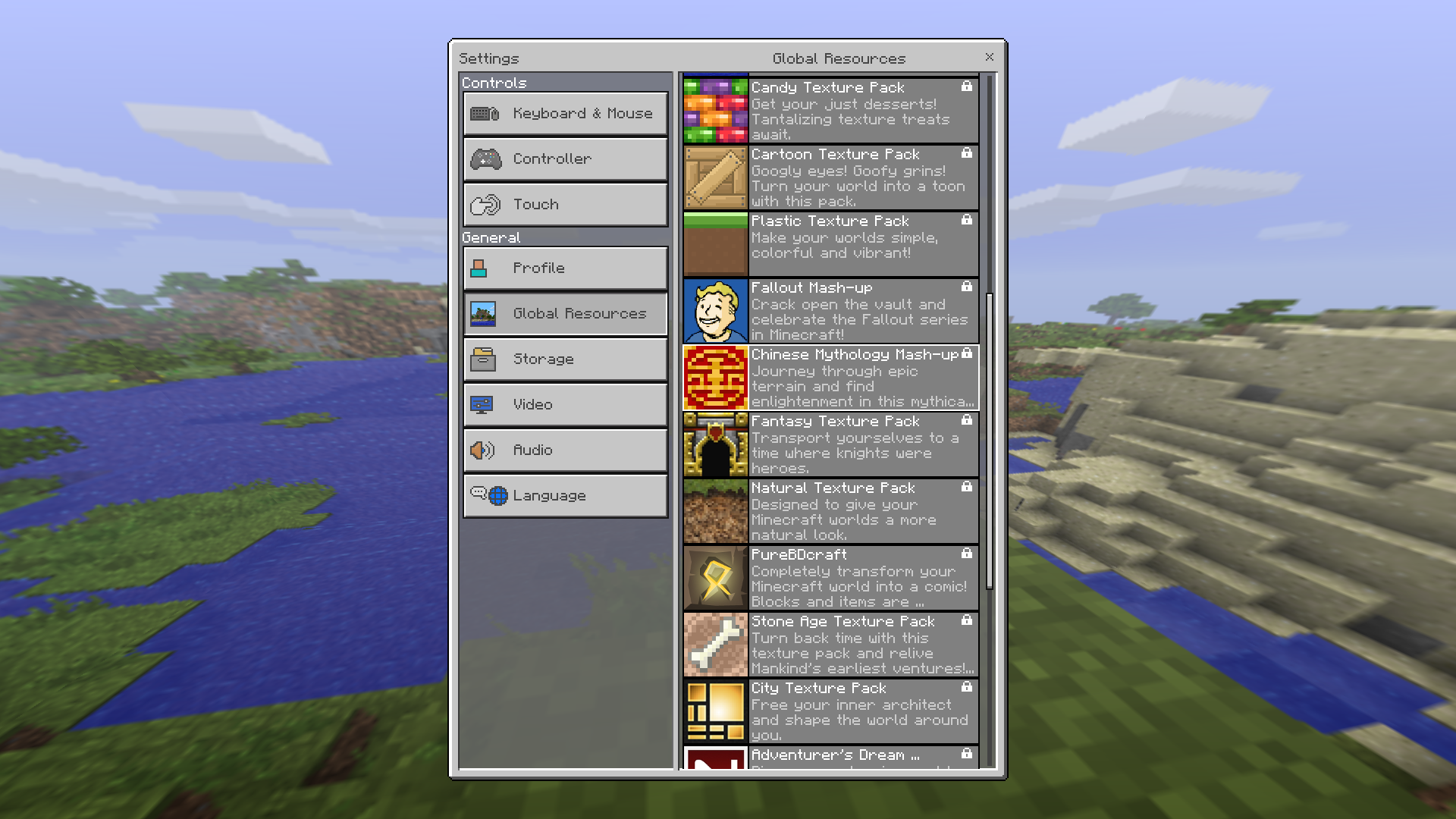
When importing a skin from camera roll, the model types have an incorrect name.
In screenshot, "Custom" should be replaced with "Alex" or "3-px arms,"
and Browse should be replaced with "Steve" or "4-px arms." It is misleading that clicking browse just selects a skin.Not necessarily a bug, but not very professional either.
When clicking "browse" under the skins tab on iOS, the camera roll pop-up is in portrait orientation.
While this may not necessarily bea bug, it is VERY unprofessional.When clicking "browse" under the skins tab on iOS, the camera roll pop-up is in portrait orientation. This is a bug, and it is VERY unprofessional.
(Also affects 0.11.1)
If you make a pre-0.9.0 finite world infinite, the sea level in the surrounding new infinite world is one block lower than the old world's sea level.
Makingaworld infinite creates sea level too lowMaking pre-0.9 world infinite creates sea level too low
(Also affects 0.11.1)
The 'Ride' interact button appears regardless of whether or not a mob or player is actually in the minecart.
(Also affects 0.11.1)
The player number indicator does not work for LAN servers; displays 0/5 regardless of actual number of players on game.
Tested with iPad mini, iPad mini 2, iPhone 6, and iPhone 5, all running iOS 8.3.
No screenshot necessary; pretty self-explanatory.
(Also affects 0.11.1)
If I have a effect, the player effect screen is nearly impossible to open. I have tapping, dragging my finger over it, double and triple tapping, and tapping and holding. I got it to *finally* appear, but am not sure how I got it to.
The screen should be accessible with a simple tap.
(Also affects 0.11.1)
If I have a effect, the player effect screen is nearly impossible to open. I have tried tapping, dragging my finger over it, double and triple tapping, and tapping and holding. I finally got it to appear, but am not sure how.
The screen should be accessible with a simple tap.
Minecartturns black when under blockMinecart lighting issues
(Also affects 0.11.1)
In Console and PC edtions of Minecraft, you can set vines on fire. Yet if I tap vines on any surface with flint and steel, the vine does not catch
onfire.
image.jpg
And seriously, the game should save your inventory, and replace it with the creative inventory default. Upon switching back to survival, you would receive all of your items back.
(Also affects 0.11.1)
If the player is in a boat and looks straight ahead, then looks barely higher, the boat disappears, whereas it should be allowed to slide off the screen with the water.
If the player is in a boat and looks straight ahead, then looks barely higher, the boat disappears, whereas it should be allowed to slide off the screen with the water.
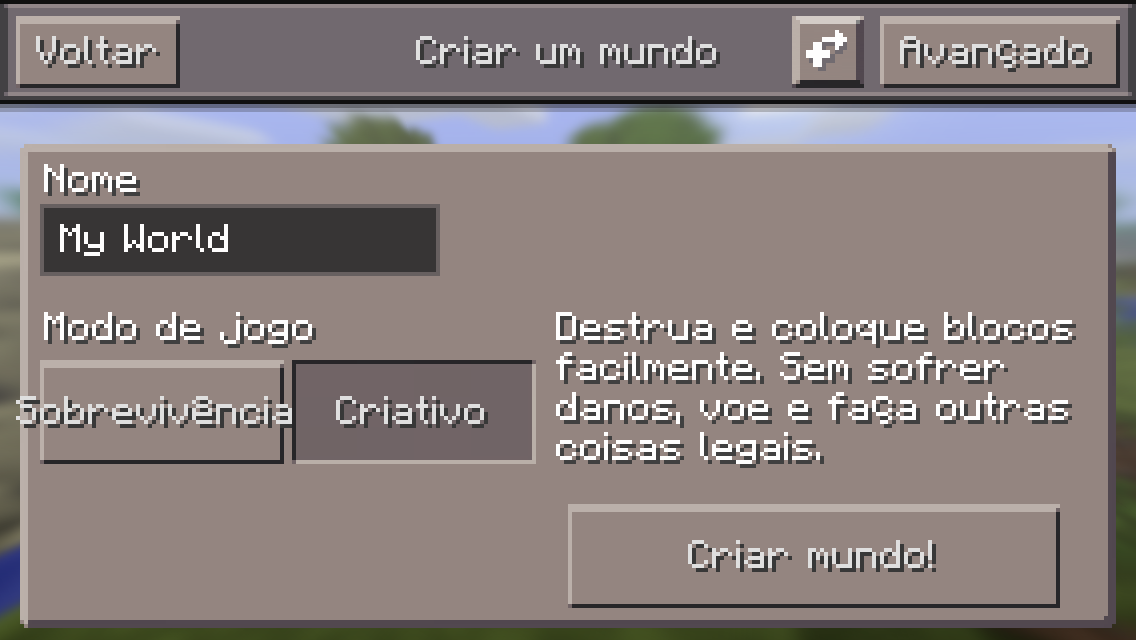
Default'My World'does not translateSome default text does not translate
If you set the language to anything except English, the
default world name 'My World'doesnot translatebased on the selected language.If you set the language to anything except English, the following do not translate:
The names for the skins Alex and Steve
The default name for the player (Steve)
If you set the language to anything except English, the following do not translate:
The names for the skins Alex and Steve
The default name for the player (Steve)
The default world name (My World)
Previously on an iPad mini , the numbers were decently sized. However, after installing MC:PE on an iPad mini 3 (same exact screen size as an iPad mini ), the numbers are very small and are almost unreadable.
Depends on device, so you probably won't be able to reproduce unless you have the same devices as I do.
Uhh...no, it doesn't work as intended. Why wasn't this in the game before? How is this any
different than having hearts in creative mode? Why is it on this official document?https://docs.google.com/spreadsheets/d/1h3fvmS7lC4wkE4izB6h595Mdre9UQvOQ6e9vQjomyZA/pubhtml
Please re-open, playing MC:PE in creative mode feels awful now!
Nothing annoys me more than closing a report without an explanation.
I concur. Releasing such unstable software to the public is nothing but compromise to the idiotic hype and demand of the majority of the Minecraft community. (The developers were fully aware of 200+ bugs).
It is preposterous that a bug of this magnitude, with so many votes, could go neglected as long as it has.
Sorry, this site is for bug reports only.
If you wish to suggest that heads be held differently when in third person view, please refer to the Minecraft forum suggestions page or the Minecraft suggestions subreddit.
By the way, this was not an any other previous versions.
Mining bubble appears in creative mode when doing anything
—including placing blocks! If I can break blocks immediately in the first place, there is no point in a mining bubble.Proof that this is a bug:
https://docs.google.com/spreadsheets/d/1h3fvmS7lC4wkE4izB6h595Mdre9UQvOQ6e9vQjomyZA/pubhtmlMining bubble appears in creative mode when doing anything. It should not appear in the first place because players can break blocks immediately.
Proof that this is a bug:
https://docs.google.com/spreadsheets/d/1h3fvmS7lC4wkE4izB6h595Mdre9UQvOQ6e9vQjomyZA/pubhtml
If youtypein a right-to-left language (ie: Hebrew, Arabic), the text runs left-to-right.When typing in a right-to-left language (ie: Hebrew, Arabic), the text runs left-to-right.
Inventory is lost when changing from creative to survival mode
I understand this is closed, but was this resolved in the 0.14 beta build?
Could a moderator please communicate why this has not been opened? Thanks!
See attached screenshot.
A purple-line artifact is on the hunger bar. After some searching, it appears that iPhone 6 users have had this issue (albeit in a different place) ever since hunger was added in 0.12.1. This issue just appeared in 0.14.2 on my device (iPad mini 3), and it is in a different location, therefore I created a new report.
See attached screenshot.
A purple-line artifact is on the hunger bar. After some searching, it appears that iPhone 6 users have had this issue (albeit in a different place) ever since hunger was added in 0.12.1.
This issue just appeared in 0.14.2 on my device (iPad mini 3), and it is in a different location, therefore I created a new report.
Before the update the names for items were at a reasonable height. Upon updating to 0.14.2, now the names for all items are very high.
This only occurs in survival mode.
See attached screenshot. Note that this takes place on all items, not only enchanted ones.
Please re-open.
This takes place with anything. For example, if I am holding sand the name will be very high. It was fine before.
And while the item should have been moved up if there were enchantments, it has been moved up too much.
Also, it is not like this in creative mode.
Please reopen.
How do you know that?
But Liam, were they a Minecraft: PE developer? If not, then their opinion on this issue is of no value whatsoever.
No one's opinion is of enough value to decide on this issue unless they are a developer.
We should wait for an official developer response before doing anything with this bug report.
See attached screenshot.
The red error message if the friends list cannot be loaded overlaps other text, making it very hard to read.
A search was performed for this issue using the keywords "Friends List Error Loading Red". No duplicate issues were found.
In the picture, the language was set to Brazilian Portuguese.The survival button text went over the button.
Later on, in settings, the text for the D-Pad size went through the slider.
This also takes place in other places, such as the Player Invites screen.
Update by kaleb418:
This issue affects 0.15.0 in the Realms Player Invites Window.
For more information, seeMCPE-15631andMCPE-15633.
Textstillgoes oversomebuttons
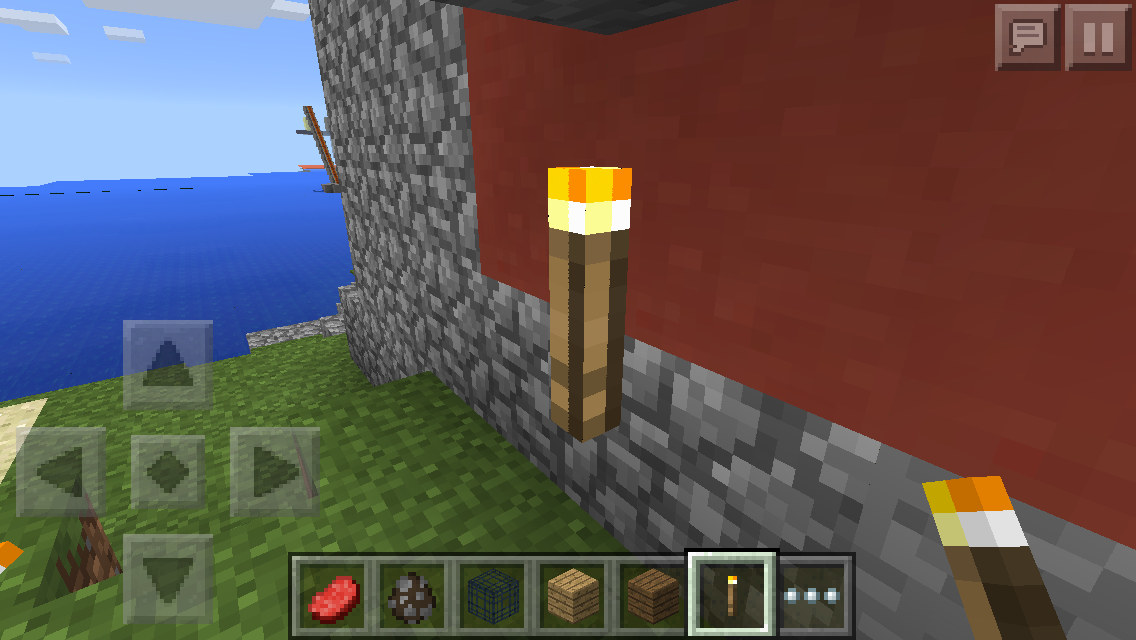
On other versions of Minecraft, punching a fire will only destroy the fire and leave the block beneath. But, on MC:PE, punching fire breaks the block beneath, in addition to the fire.Fire has no hitbox, which means that it cannot be punched out as on other platforms of Minecraft.
Punching out fire breaks block below the fireFire has no hitbox
(A texture pack was active in the attached screenshot. However, this still occurs without variation in the vanilla texture pack.)
The oxygen bar is too far to the right.
A search for this issue was performed using several variations of keywords. I could not find any duplicate reports. I apologize if this was already reported.A search for this issue was performed using several variations of keywords. I could not find any duplicate reports. I apologize if this was already reported.
The oxygen bar is too far to the right.
Before I say anything, let me say that the list of devices is outdated. I am on an iPad mini 3, but the only iPad mini available is the iPad mini (1).
See attached screenshot.
The maximum number of players supported by a server is covered up by the status indicator, which makes it useless. This can be easily solved by moving it over to the left.
A search was performed for this issue using the keywords "maximum players covered up". No duplicate reports were found.
See attached screenshot.
The maximum number of players supported by a server is covered up by the status indicator, which makes it useless. This can be easily solved by moving it over to the left.
A search was performed for this issue using the keywords "maximum players covered up". No duplicate reports were found.
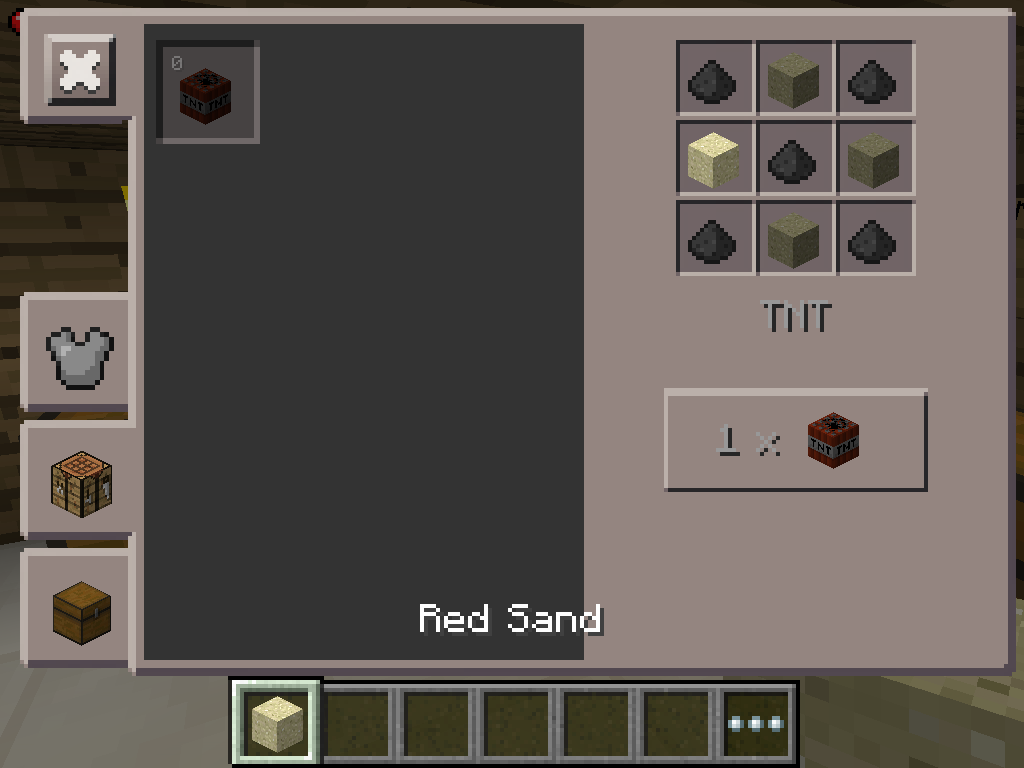
You get 64 of items when you just tap them in the creative inventory. You should only get 64 if you tap and hold.
Update by kaleb418:
This is only a bug in Windows 10 Edition. (Addition by Luke Arnould: I believe this is also an issue on Minecraft: PE)
![[Mojang] MissMarzenia (Aleksandra Zajac)](../../../data/assets/gravatar/missmarzenia.png)
8times9 With all due respect for you, please stop this. I do not want to get into this conversation with you in public. I repeat - this is not a forum, it is a bug tracker. Stop adding fuel to the fire. If you need to comment on development style, please visit MCPE section of Reddit.
@8times9: can you cite a source?
Confirmed to affect 0.12.1 on iPhone 6 Plus (iOS 9.0.1).


Yes it's inconsistent. I completely agree with 8times9. But since the creative inventory is still a work in progress, it is very likely that devs are aware of this inconsistency and will fix it later.
This is also in 0.11.1
Also in 0.11.1, but the versions list has not been updated yet.
This also happens when in a torch's hitbox.
Also confirmed for 0.11.1.
This is intentional. I think it was added in the last build (14) of the beta builds. Personally I think that it should save your survival inventory, and upon switching back to survival, you would have your items back. And this really shouldn't be in the game. It's not in PC or Console editions.
Make sure you have animated water turned on...the fire animation freezes when it is turned off
Note that this is a wolf and not a dog.
Generation is not supposed to continue seamlessly. But the mountain spawning in the old world is definitely a bug.
Yes, that is intentional. And really annoying.
Actually, after some more testing, I found that it deletes three characters. Fixed.
I don't think that the landscape is supposed to continue seamlessly. But the new world generating inside of the old world is definitely not intended.
The same happens with glass. Glass becomes invisible if you move far away.
Is this a bubble bar, or just bubbles themselves that appear?
Related to
MCPE-8791Confirmed on iPad 2 and iPad mini (1) running iOS 8.3. The only things which appear in the unloaded chunks are entities.
This what I mean. An interact button never appears to feed/breed the wolf. Instead, you must tap and hold.
Probably. I was able to confirm on iPhone 5, iPad mini, iPad 2, and iPad 3.
I think I figured this out.
The game assumes that you are at the beginning of the colored chat, therefore tries to delete 3 characters (§, #, and letter). A rather easy fix.
Okay. I don't have access to an Android device, so I wasn't sure how the Google Play store works.
Please explain why this is not a bug. If I were a developer I would be working to fix this.
The PE team fixed the name of "Beetroot Seeds," It used to be "Beetroots seeds". Someone reported this as a bug. Don't you think that if that were a bug, this would be too?
(And I changed the description.)
Yes, but there must be some way to optimize the pop-up. I have seen other apps do this.
0.11.1 is not put in the affected versions list as it was not available to choose. The only option was 0.11.
Personally, I think that the bubbles should always be present, even when you have a full bubble bar. It just adds something to the game.
Confirmed on iPad mini, running iOS 8.3, on MCPE 0.11.1
This should really be fixed, it's been in the game forever. And it is so easy to fix.
I think this is caused by exiting the world while a mob is still in the hitbox of the fence. Upon rejoining, it is put in the center of the fence, where it can either go back in the fenced-in area or leave it altogether.
Most probably not intentional.
facepalm
Commands aren't currently even implemented in PE yet.
Duplicate of
MCPE-8759Thank God, this got assigned.
Maybe, but it'd be something to look into anyway.
I just hope Mojang actually does a real update description for the app stores.
Confirmed also on 0.11.1, on iPad mini and iPhone 5, both running iOS 8.3.
Wasn't this supposed to be fixed in 0.11?
It seems that 0.11 has caused entities to turn black in numerous ways.
I have never sat in air forever, but rather for extended periods of time.
The same thing happened to a world name on my iPad mini.
Confirmed on iPhone 5, running iOS 8.3, playing MCPE 0.11.1.
Nope. I made this on singleplayer.
No. This also occurred with creepers.
It may be my device. I am running a iPad mini, therefore have no retina support.
I have this issue on an iPad mini. Probably just a scaling issue.
This bug is still present in v0.11.1. Please re-open!
Present on iOS 8.4, iPad mini (1).
Confirmed on iPad mini (1), iOS 8.4, MC:PE 0.11.1.
Intended, but not very smooth. If the memory is used, with me using the highest setting, and I must decrease a notch, it appears that I am using the first notch, whereas it should default to the next highest available setting. I'll probably report this.
If you tap on the pencil icon and tap delete, what happens?
Never mind. Duplicated by
MCPE-9088Duplicate of
MCPE-8750. Please make a search before reporting a bug, as someone else may have already reported it.Is this really a bug? I mean, in PC it doesn't erase your armor when you switch to creative mode, nor does it erase your armor on Console edition. Yay! Now I have to take off my armor as well as empty my inventory when I switch to creative!
Works as intended!
Imagine the chances of those suggestions on Reddit and the Minecraft Forum actually being viewed by developers, much less being added into the game.
The same happened to me on iPad mini, iOS 8.4.
Please un-assign!
Both.
You have split touch turned on. Works as intended.
This isn't a duplicate. If you actually read the bug report, then you would know that they are unable to enter text entirely. I'd re-open for their sake.
Is this over LAN, or is it one of your worlds? And does it load eventually, or does it never load?
Confirmed to affect MC:PE version 0.11.1, using an iPhone 5 (iOS 8.4), playing on the world of an iPad mini (also 8.4).
Screenshots wouldn't really help, to be honest.
Steps to reproduce:
1) Get in a boat, and look straight ahead.
2) Now slowly start moving your view upwards, and you will see that the boat disappears.
This is a bug? I always thought this was just an unimplemented feature.
Do you have any mods which allow effect commands?
You're correct. Currently, there never will be cursor support for MC:PE. But you seem to be forgetting the fact that the Windows 10 Edition of Minecraft is the exact same thing as Pocket Edition, except with keyboard support.
I'm pretty sure this works as intended.
That doesn't make sense, to be honest.
Shouldn't this bug report be closed?
Shouldn't this be assigned by now, since it has been confirmed by a moderator?
Never mind.
Similar to some other bugs in MC:PE with infinite flying and walking.
The Update Game Block is used as a placeholder block for non-existent block-ID's in MC:PE.
Did you have any mods installed?
Were you a client on another's game?
Please refrain from using profanity when reporting bugs.
Works as intended, although I agree that cheats should be able to be opened in creative
mode.
This is not Minecraft: PE, as it currently does not have web links anywhere in app.
The Minecraft Realms login link was removed a long time ago. Please update your game if you wish to remove it.
Could you attach some screenshots?
Resolved in 0.12 beta 2.
Mojang is already aware of this bug's presence.
For future reference, this document contains the bugs they are aware of: https://goo.gl/8WcEWS
I am confused, as the screenshot has no snow trail, and the description says there is a snow trail that shouldn't exist.
Did you forget to put doesn't between walking and leaves?
Yes, but some users don't even have a touch screen, rendering these settings rather pointless.
To confirm:
Go on Creative mode
Light any block on fire
Try breaking the fire
You will break the block underneath the fire as well
I beg to differ. This is an entirely different bug, considering that the duplicate was on Android.
I would update the affected version, but I do not have an Android device to test 0.12 on.
Completed.
Red herring. My point is, releasing such an unstable development build to the public is simply compromising to the idiotic hype and demand of the Minecraft community.
No real developer would release an update with full knowledge of 212 bugs in it. Do they even know about the Google document with the known bugs?
They'll probably not do any 0.12.x bugfix updates and then release 0.13 with another 200 bugs.
Negligence.
You don't even know what 0.12.1 is. I'm sure rpaltham or Illidicia would have a better response.
Sorry, this site is for bug reports only.
If you wish to suggest that the player can harm mobs with their hand, please refer to the Minecraft forum suggestions page or the Minecraft suggestions subreddit.
Sorry, this site is for bug reports only.
If you wish to suggest that sounds for breaking and placing blocks be implemented, please refer to the Minecraft forum suggestions page or the Minecraft suggestions subreddit.
Sorry, this site is for bug reports only.
If you wish to suggest that your own LAN server be hidden from your view, please refer to the Minecraft forum suggestions page or the Minecraft suggestions subreddit.
Was this fixed in v0.12.1?
Are the developers aware of the Google document?
Fixed on iPad mini 3, iOS 9 public beta, as of 0.12.1.
Still present as of 0.12.1
No. This works as intended.
Resolved in 0.12.1; tested on iPhone 5 (iOS 9), and iPad mini 3 (iOS 9).
So you can close this now.
Actually, I can confirm that bug as well. Try making a bug report for it if you haven't already.
No problem! I'll vote and comment right away.
Confirmed: 0.12.1, iPad mini (iOS 9 beta), and iPhone 5 (iOS 9 beta).
Yes, still present in the last release.
This is all I know. There is no special way to cause it.
I am unable to get an iPad 2 to join the Windows 10 Edition, and vise versa.
Confirmed on iPad mini 3, running iOS 9 public beta, on MC:PE version 0.12.1.
Actually, this report was created much before compasses existed in MC:PE.
Never be too sure of yourself.
I'm just wondering, why don't you assign bugs anymore?
And how will we know if you are looking into a bug? Will you post a comment saying you are looking into it?
No offense, Nigel, but you might want to back off a bit.
Thanks for answering my questions, Aleksandra. The new method seems more efficient.
I wish I had this problem. The GUI size on my iPad mini is ludicrous—it is bigger than that of my phone's GUI size.
When a GUI slider exists...that will be the day.
Still present as of 0.12.1—please re-open.
Still present as of 0.12.1—please re-open.
Still present as of 0.12.1—please re-open.
Still present as of 0.12.1—please re-open.
Since I can't actually join games currently...someone else will need to confirm this.
I concur. The new flying controls are junk!
If the jump button is on one side, why shouldn't the flying controls be there too?
You are supposed to post them on the clears throat official Minecraft Suggestions subreddit.
Like Mojang pays any attention to that...
This doesn't work as intended.
Do they even plan on fixing this?!
Confirmed. It should say "No internet connection". A similar bug existed with the invalid name screen.
Duplicate of a bug reported by me.
Sad that it still hasn't been fixed.
Priorities...
Why not?
Aleksandra won't delete your comment if it doesn't have a rude overtone.
From what I hear, a [huge] 0.13 update is already in the works.
Allow me to be candid: this is...pathetic. With all due respect to the developers, they are only comprising to the frequent idiotic hype and demand of a portion of the Minecraft community. How hard is it to fix bugs and release a bug fix update? Imagine how long this would last on the Java edition. "I CANT JOIN GAMEZ ANYMORE!!!!!". Yeah, a 1.8.9 would release within a day. Minecraft PE on the otherhand? Ehh...4-5 months. Some people have not been able to use Minecraft since 0.11. Sad.
I hope they will reconsider and release a 0.12.2 update soon. I respect what they have done, and would hate for them to lose their good reputation to this unfortunate negligence.
Okay, I understand.
Yes, this is still existent as of 0.12.1.
Still present as of 0.12.1
No. This works as intended.
Please note that the damage bar is in the wrong position only when viewed from within chests or furnaces.
Confirmed for iPad mini 3, running iOS 9.1 beta 3.
You have iOS 9.2? iOS 9.1 is still under beta testing.
No, this is still present as of 0.12.2 (iPad mini, iOS 9.1 beta 5).
Were you on an Android device when you tested this? It appears to only affect iOS devices.
What will the final consensus be?
0.13? Hmm...
This bug appears to have been resolved.
Resolved as of 0.13.0.
Hotbar and inventory numbers are now the same size regardless of device.
Still present as of 0.13.1.
Still present as of 0.13.1.
Present as of 0.13.1, and also present in 0.14 beta videos.
Still present as of 0.13.1.
Resolved as of 0.13.1.
When oars were added to the inventory boat icon, the icon was no longer centered. With the current inventory system this is unfixable.
This can be resolved.
Resolved as of 0.13.0.
Couldn't you just tap and hold on the hotbar icon to toss out?
Never mind, this has been resolved as of 0.13.
Still present as of 0.13.1.
Steps to reproduce:
-Open or create world
-Build nether portal and activate it
-Enter nether
-Re-enter portal and notice that the device simply freezes up until the overworld reloads.
Tested only on creative.
Still present as of 0.13.1.
Also confirmed for 0.13.1.
Resolved as of 0.13.1.
Resolved as of 0.13.1.
Resolved since I posted this.
No. I am referring to when you tap and hold on the icon to toss onto the ground.
This is a leftover intended feature from before there was a creative inventory.
This can be reopened because a functional creative inventory is now present.
The inventory being erased when switching to creative is a leftover feature from when a fully functional creative inventory was not present.
I respectfully ask that this be reopened.
Could a moderator communicate why this has not been opened? Thanks!
I thought this worked as intended, but I would be glad to see the particles changed to reflect actual appearance of skulls.
I apologize. But remember, this is the only way get information.
I have noticed that all versions of Minecraft have a tendency to randomly replace downloaded maps and flat worlds with normal chunks.
This has bothered me. I can't even choose my own name, really?
It is already bad enough that changing the Xbox Live name for the second time comes with a $10 price tag...
Present ever since 0.12.1, and still not fixed...
How does one move this bar?
What makes you so sure of this?
I have discovered a workaround which works every time (so far):
Completely shut off Minecraft on host device
Turn WiFi off and on for host device
Host server should now be visible to client
But now that a fully functional creative inventory is present, they should not be there.
Then item numbers should be visible nowhere.
Let me list my arguments:
1) This "feature" is not present in any other versions of Minecraft.
2) This is inconsistent. Showing items numbers only in your inventory or in a chest is not continuous.
3) This is just plain annoying. Making me open my inventory just to see how many dirt blocks I have is annoying.
Do you have any evidence to back up this claim?
I beg to differ. How is this an "Invalid" bug report?
Still present as of the latest stable release for iOS devices.
Please do re-open, by all means.
Basically, while the change was good for Windows 10 users, it was not necessary for mobile devices. Mobile devices do not have their hearts, armor, bubbles, or hunger where the name used to cover up. Now the name should be moved back down above the level bar on mobile devices.
Thank you, sir.
I'm sorry, you appear to not understand the intent of this website.
The purpose is to report bugs and be serious. If you want to be childish and act like this, then please visit a site intended for that purpose.
Of course the chat is still readable. But you are ignoring that important user interface elements are covered up.
And you could just as easily explain away all bugs.
Duplicate of
MCPE-14273.Wait, but how do you know it works as intended? Did the developers ever say anything? Was this in a change log or patch note?
If I am correct, this feature was only in MC:PE because there was no survival inventory in creative mode and item numbers did not matter. But that is not the case anymore.
Not all intentionally-programmed features are intended to be there. As an example, back in the 0.9.0 alpha builds, the villager spawn egg was missing. Two developers independently added it, and, by intention, there were two villager spawn eggs.
This worked as intended, but surely they did not mean for it to be like this. In the same way, if something is obviously not meant to be a certain way (in this case it is a left-over feature), and is a common complaint among the community, then anyone with sense would fix it.
There is absolutely no reason for the item numbers to only be visible in the survival inventories. It is not this way in any other versions. It makes no sense either.
And just because an issue can be avoided does not mean it should be avoided or that it is no longer an issue.
Also, I seriously doubt the developers check the Minecraft PE suggestions forum.
You elsewhere said the developers confirmed that an issue worked as intended. Have they also said the same for this issue?
Kaleb, I am very sorry if I offended anyone. I was not trying to disagree, but I was only trying to make sure that the developers had their way.
I was mistaken and honestly thought exactly what I said before regarding our opinions. I would now agree with you that our opinion matters.
I did not mean to disrespect Liam's decision. I did not understand a moderator's role in deciding on issues like this one; I had thought they were only for keeping this bug tracker organized and for reporting bugs to developers.
Once again, I am very sorry and apologize to Liam and any others who were offended.
This bug was resolved at one point and can now be closed.
I believe this works as intended, although I agree that custom seed input should be implemented.
Changing the GUI size does not move this artifact.
Also, affects 0.15.0.
Also persists in 0.15.0.
I have experienced this as well. All players will be kicked from the Realm at once and cannot rejoin for an arbitrary amount of time—usually about 2 or 3 minutes.
Kaleb, I did in fact perform a search for this issue, and I said so at the end of the description. This was simply a case where I did not use the correct keywords.
There is no way I could have found
MCPE-9149with a search.Kaleb, I did in fact perform a search for this issue, and I said so at the end of the description. This was simply a case where I did not use the correct keywords.
I believe this is a separate issue than
MCPE-9149. That describes text going over buttons because the text is too long.Here the error text was not placed low enough, or the Friends subtitles were not placed low enough. This has nothing to do with buttons.
You are correct, this appears to have been fixed.
Still occurs in 0.15.0.
This no longer is a valid issue, as only two GUI sizes now exist.
This issue now occurs in 0.15.
Please do re-open.
Does JIRA control the list of devices?
You can edit the description of bug reports.
Please note that this only affects iOS devices. Because I did not report this, I cannot edit the description to reflect this.
Persists in 0.15.2.
Still occurs in 0.15.2.
Now occurs in 0.15.4.
Please reopen.
The chat begins at the top of the screen. It should begin at least after the armor meter.
Still present as of 0.15.4.
Please read my above comment; this issue was resolved at some point.
Still occurs as of 0.15.4.
Due to technical issues (JIRA's terrible mobile support) I cannot update the version or label. A moderator will need to do so.
Kaleb, this is also an issue on MC:PE. Tapping and holding is the equivalent to shift-clicking on a computer. However, single-clicking and hold-clicking both produce a full stack.
Also, still an issue in 0.15.4.