 kaleb418
- kaleb418
- kaleb418
- America/Indiana/Indianapolis
- Yes
- No
 MCPE-10023
 WEB-307
![[Mojang] Web Team](../../../data/avatars/users/10122.svg)
 REALMS-136










 MC-1313
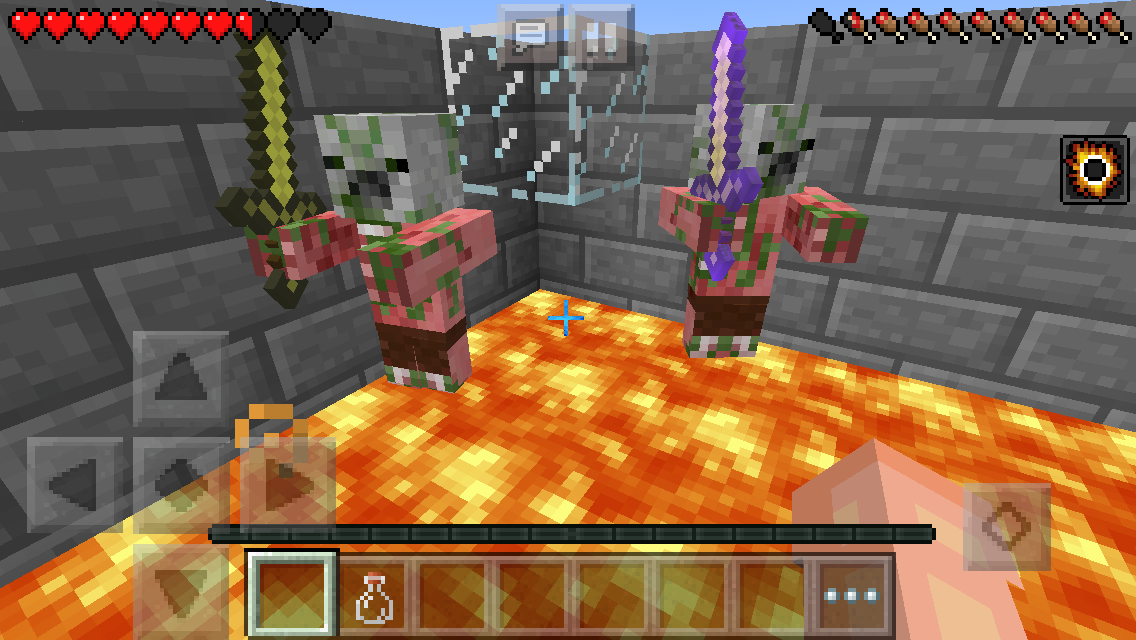
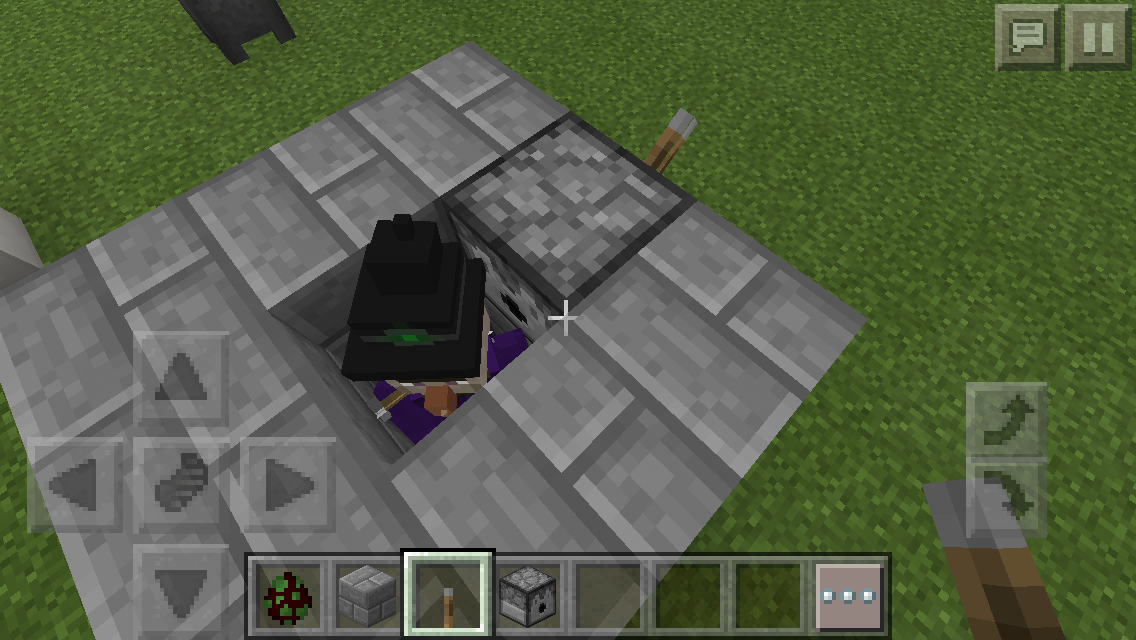
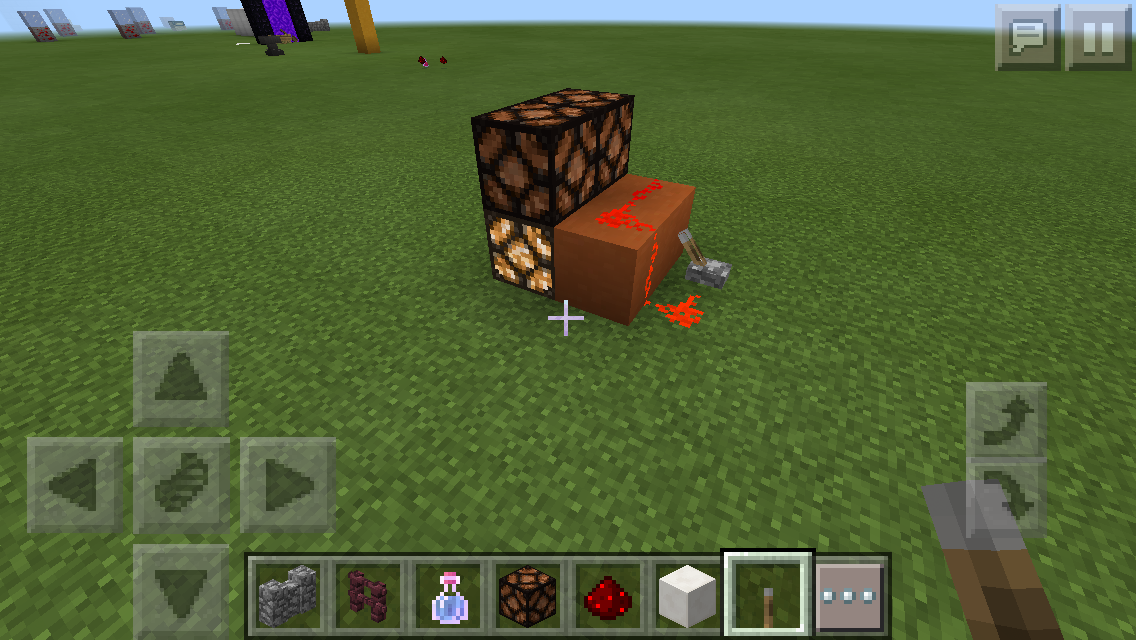
Whenever a Zombie Pigman climbs out of lava on to a block the same height as the lava, it will get hurt from fall damage. They will continue to do this until they die or they de-spawn. I'm not sure if this is fixed in for the 0.12.1 release, but if not then it will be a problem in the nether because zombie Pigman will keep dying. I attached a photo of the place in which they were climbing out of lava onto the nether brick. I'm not sure whether this will affect Steve or any other mobs once swimming in lava is added.
If you select the dots that open your inventory page, but instead of closing it by pressing the same button, if you hold down on
it, it will show the green bar that reveals when you are about to throw an item. If you continue to hold it down, it will throw an item from your inventory.If you select the dots that open your inventory page, your inventory will show up as usual, but instead of closing it by pressing the same button, if you hold down on the button, it will show the green bar that reveals when you are about to throw an item. If you continue to hold it down, it will throw an item from your inventory.
When a client joins a host's game and goes fishing with the player (both of them on the same boat), they will be forced to
in-board the boat. The host device is an iPod 5 and the client's device is an iPad mini.When a client joins a host's game and goes fishing with the player (both of them on the same boat), they will be forced to un-board the boat. The host device is an iPod 5 and the client's device is an iPad mini.
Has this been resolved yet? And also idk if I did or not.
Colored text is very glitchy in pocket edition. I have found a few glitches, which are listed below:
If you type a few words after §
{color_id} and hit delete, it deletes more than one character. The number of characters deleted corresponds to how many text changes (§{color_id}) are added in that text.
If you edit the text in signs using §, and type in the maximum amount of characters for one line in the sign, and then quit the game and reload that world, a small portion of the text at the end will disappear.
If you type §
{color_id}to change the color, and type
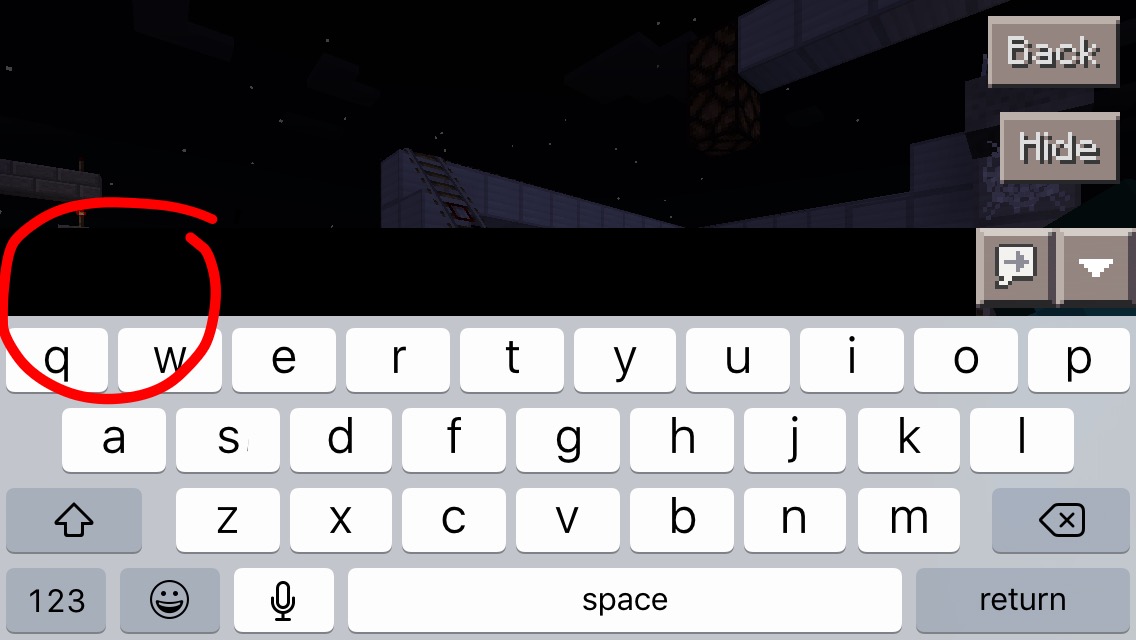
3characters, then hit delete, the cursor in the chat will disappear. You can then proceed to type in a correct color_id, but if you mess around with it then it will be impossible to type anything.Below is a picture of what I mean when I say the cursor in chat is gone.
Colored text is very glitchy in pocket edition. I have found a few glitches, which are listed below:
If you type a few words after §
{color_id} and hit delete, it deletes more than one character. The number of characters deleted corresponds to how many text changes (§{color_id}) are added in that text.
If you edit the text in signs using §, and type in the maximum amount of characters for one line in the sign, and then quit the game and reload that world, a small portion of the text at the end will disappear.
If you type §
{color_id}to change the color, and type 2 characters, then hit delete, the cursor in the chat will disappear. You can then proceed to type in a correct color_id, but if you mess around with it then it will be impossible to type anything.
Below is a picture of what I mean when I say the cursor in chat is gone.
Colored text is very glitchy in pocket edition. I have found a few glitches, which are listed below:
If you type a few words after §
{color_id} and hit delete, it deletes more than one character. The number of characters deleted corresponds to how many text changes (§{color_id}) are added in that text.
If you edit the text in signs using §, and type in the maximum amount of characters for one line in the sign, and then quit the game and reload that world, a small portion of the text at the end will disappear.
If you type §
{color_id}to change the color, and type 2 characters, then hit delete, the cursor in the chat will disappear. You can then proceed to type in a correct color_id, but if you mess around with it then it will be impossible to type anything.
Below is a picture of what I mean when I say the cursor in chat is gone.
_emphasis_This is a English-based community, please report bugs in English.
Translation of MCPE-13926 :
When my friend plays with me in wifi and it picks up an item such as a sword and puts in another empty slot continues showing him holding the item. This does not just happen with with my Android it happens when my friend plays the game too. I'm sure this is a bug in the game.
Originally created by Gabriel Felipe Rost
Translation of -MCPE-13926- :
When my friend plays with me in wifi and it picks up an item such as a sword and puts in another empty slot continues showing him holding the item. This does not just happen with with my Android it happens when my friend plays the game too. I'm sure this is a bug in the game.
Originally created by Gabriel Felipe Rost
Translation of
-MCPE-13926- :When my friend plays with me in wifi and it picks up an item such as a sword and puts in another empty slot continues showing him holding the item. This does not just happen with with my Android it happens when my friend plays the game too. I'm sure this is a bug in the game.
Originally created by Gabriel Felipe Rost
Translation of
MCPE-13926:When my friend plays with me in wifi and it picks up an item such as a sword and puts in another empty slot continues showing him holding the item. This does not just happen with with my Android it happens when my friend plays the game too. I'm sure this is a bug in the game.
Originally created by Gabriel Felipe Rost
Very basic glitch; the sound for destroying an end portal is the dig.glass sound.
_Update:
Apparently this works as intended, so ignore this bug._
Very basic glitch; the sound for destroying an end portal is the dig.glass sound.
_Update:Apparently this works as intended, so ignore this bug._Very basic glitch; the sound for destroying an end portal is the dig.glass sound.
Update:
Apparently this works as intended, so ignore this bug.
When you're on fire and you quit the game and rejoin anytime later, then you are no longer on fire.
Reproduce:
1. Walk into fire until you are on fire.
2. Walk out of fire.
3. Quit game before you are extinguished.
4. Rejoin game, and you will no longer be on fire.
When you're on fire and you quit the game and rejoin anytime later, then you are no longer on fire.
Steps to Reproduce:
1. Walk into fire until you are on fire.
2. Walk out of fire.
3. Quit game before you are extinguished.
4. Rejoin game, and you will no longer be on fire.
This is not necessarily a bug, the developers might have not wanted this to be a widely known feature.
The fire particles from a furnace when something is cooking are supposed to be in the front of the block. However, the fire particles are in the back of the furnace, and no particles show up at the front.
Steps to Reproduce:
1. Start cooking something in a furnace. Make sure that the furnace is exposed on at least the front and back to be able to observe this bug.
2. Observe the that the fire particles appear in the back of the furnace, not the front.Update:
DuplicateUpdate:
This bug only occurs when the furnace is facing west (the front of the furnace facing where the sun sets).
Update:
This bug only occurs when the furnace is facing west (the front of the furnace facing where the sun sets).
The nether brick color is gray on created maps.
Steps to Reproduce:
1. Place down some nether brick blocks.
2. Create a map in that area.
3. Observe that the color of the blocks in the map are grayish.Update:
This bug affects all kinds of stone blocks.
I have a few zombie pigman in a one block deep trench filled with lava. Whether in survival or creative, the pigman will not move around no matter what. I have tried hitting them and they still won't move I waited for around five minutes. They attempt to move because they have the animation of moving up and down when swimming.
Steps to Reproduce:
1. Build a one block deep lava trench.
2. Place zombie pigment down in the lava.
3. Notice that they will not move, no matter how long you wait. Try going into survival and hitting one of them.
I have a few zombie pigman in a one block deep trench filled with lava. Whether in survival or creative, the pigman will not move around no matter what. I have tried hitting them and they still won't move I waited for around five minutes. They attempt to move because they have the animation of moving up and down when swimming.
Steps to Reproduce:
1. Build a one block deep lava trench.
2.Placezombie pigment down in the lava.
3. Notice that they will not move, no matter how long you wait. Try going into survival and hitting one of them.I have a few zombie pigman in a one block deep trench filled with lava. Whether in survival or creative, the pigman will not move around no matter what. I have tried hitting them and they still won't move I waited for around five minutes. They attempt to move because they have the animation of moving up and down when swimming.
Steps to Reproduce:
1. Build a one block deep lava trench.
2. Spawn zombie pigment down in the lava.
3. Notice that they will not move, no matter how long you wait. Try going into survival and hitting one of them.
I can confirm this also on 0.14.0...
Relates to MCPE-12629
is duplicated by
Lever is glitched
Device:Samsun Tab 3 lite T113
If you dont understand sorry for my bad english.Edit by kaleb418 :
This bug also affects
- Cake
- Enchantment Table
- End Portal
Lever is glitched
Device:Samsun Tab 3 lite T113
If you dont understand sorry for my bad english.Edit by kaleb418:
This bug also affects:
- Cake
- Enchantment Table
- End Portal
Lever is glitched
Device:Samsun Tab 3 lite T113
If you dont understand sorry for my bad english.Edit by kaleb418:
This bug also affects:
- Cake
- Enchantment Table
- End Portal
- Tripwire
is duplicated by
@Luis Robles Yes, but this might be because cactus blocks look for adjacent block updates, and red stone getting powered counts as a block update.
I still experience this problem in 0.14.0
Works as Intended
Extremely weird redstonebugRedstone torch burnout bug
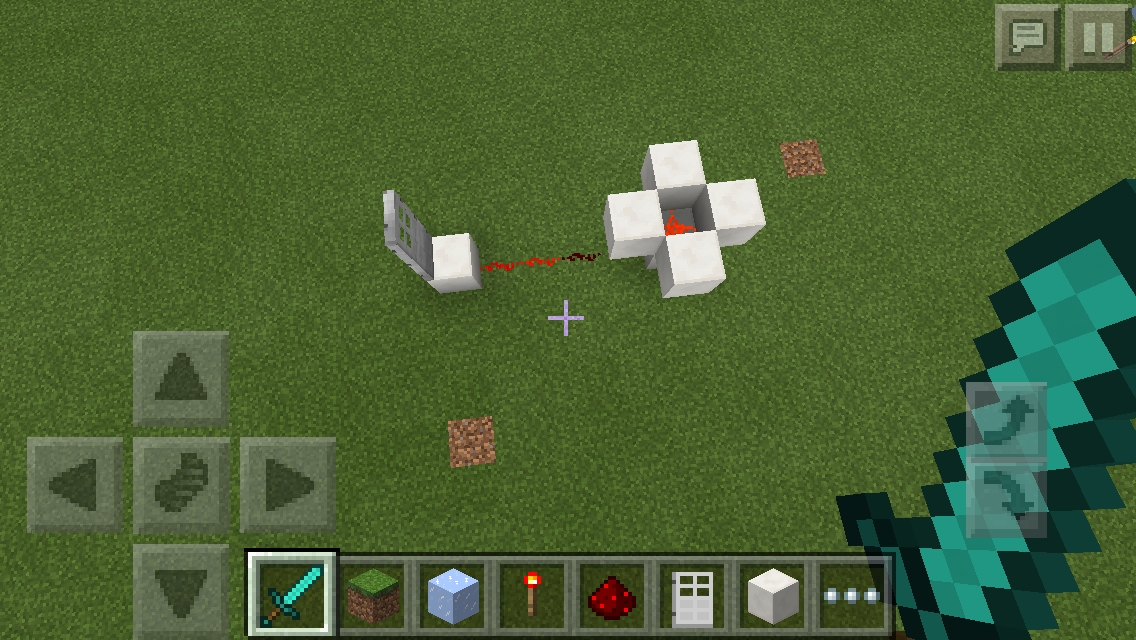
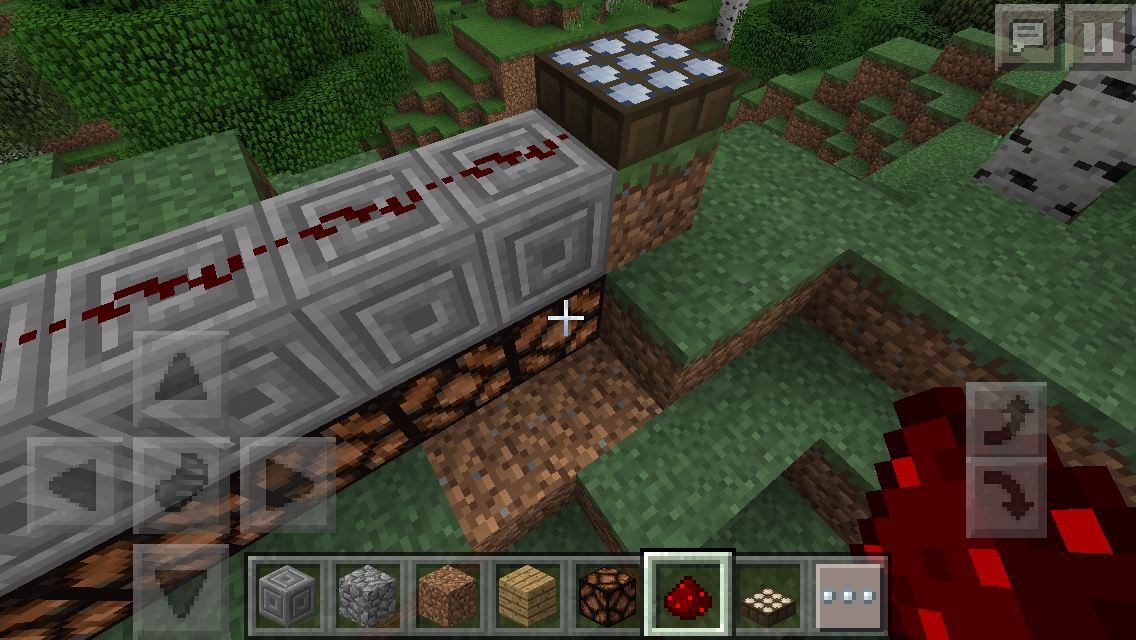
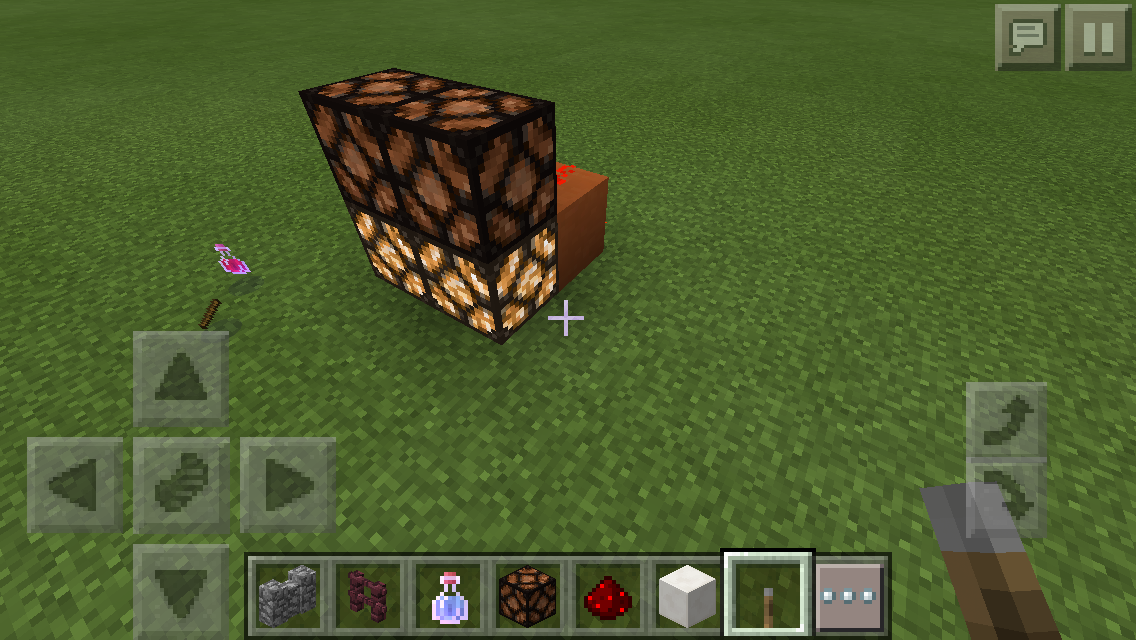
Ok so I'm not gonna even try and understand this bug, but here's how to reproduce it:
1. Place any block on the ground. Place one redstone dust on top of it.
2. Place 4 blocks on the sides of the redstone dust, so that they are floating but diagonal from the original block.
3. Place 4 redstone torches on the sides of the original block. The redstone torches should continue to blink rapidly.
4. Make a trail of redstone dust from one of the torches to an iron door.
5. The iron door should be opening/closing rapidly.Now here comes the weird part:
6.
Place down a redstone torchliterally anywhere in the same world. You should still be able to see the door, however.
7. Dig up the torch. The door will stop!
8. Place the torch down again. The door will start opening/closing again!Incredibly weird, am I right? Use the screenshots if you need help with the setup.
Ok so I'm not gonna even try and understand this bug, but here's how to reproduce it:
1. Place any block on the ground. Place one redstone dust on top of it.
2. Place 4 blocks on the sides of the redstone dust, so that they are floating but diagonal from the original block.
3. Place 4 redstone torches on the sides of the original block. The redstone torches should continue to blink rapidly.
4. Make a trail of redstone dust from one of the torches to an iron door.
5. The iron door should be opening/closing rapidly.Now here comes the weird part:
6. Place down a redstone torch literally anywhere in the same world. You should still be able to see the door, however.
7. Dig up the torch. The door will stop!
8. Place the torch down again. The door will start opening/closing again!Incredibly weird, am I right? Use the screenshots if you need help with the setup.
Ok so I'm not gonna even try and understand this bug, but here's how to reproduce it:
1. Place any block on the ground. Place one redstone dust on top of it.
2. Place 4 blocks on the sides of the redstone dust, so that they are floating but diagonal from the original block.
3. Place 4 redstone torches on the sides of the original block. The redstone torches should continue to blink rapidly.
4. Make a trail of redstone dust from one of the torches to an iron door.
5. The iron door should be opening/closing rapidly.Now here comes the weird part:
6. Place down a redstone torch literally anywhere in the same world. You should still be able to see the door, however.
7. Dig up the torch. The door will stop!
8. Place the torch down again. The door will start opening/closing again!Incredibly weird, am I right? Use the screenshots if you need help with the setup.
Update:
_This bug is caused by the redstone torch causing all other redstone torches to burn out.
Ok so I'm not gonna even try and understand this bug, but here's how to reproduce it:
1. Place any block on the ground. Place one redstone dust on top of it.
2. Place 4 blocks on the sides of the redstone dust, so that they are floating but diagonal from the original block.
3. Place 4 redstone torches on the sides of the original block. The redstone torches should continue to blink rapidly.
4. Make a trail of redstone dust from one of the torches to an iron door.
5. The iron door should be opening/closing rapidly.Now here comes the weird part:
6. Place down a redstone torch literally anywhere in the same world. You should still be able to see the door, however.
7. Dig up the torch. The door will stop!
8. Place the torch down again. The door will start opening/closing again!Incredibly weird, am I right? Use the screenshots if you need help with the setup.
Update:
_This bug is caused by the redstone torch causing all other redstone torches to burn out.
Ok so I'm not gonna even try and understand this bug, but here's how to reproduce it:
1. Place any block on the ground. Place one redstone dust on top of it.
2. Place 4 blocks on the sides of the redstone dust, so that they are floating but diagonal from the original block.
3. Place 4 redstone torches on the sides of the original block. The redstone torches should continue to blink rapidly.
4. Make a trail of redstone dust from one of the torches to an iron door.
5. The iron door should be opening/closing rapidly.Now here comes the weird part:
6. Place down a redstone torch literally anywhere in the same world. You should still be able to see the door, however.
7. Dig up the torch. The door will stop!
8. Place the torch down again. The door will start opening/closing again!Incredibly weird, am I right? Use the screenshots if you need help with the setup.
Update:
This bug is caused by the redstone torch causing all other redstone torches to burn out.
Ok so I'm not gonna even try and understand this bug, but here's how to reproduce it:
1. Place any block on the ground. Place one redstone dust on top of it.
2. Place 4 blocks on the sides of the redstone dust, so that they are floating but diagonal from the original block.
3. Place 4 redstone torches on the sides of the original block. The redstone torches should continue to blink rapidly.
4. Make a trail of redstone dust from one of the torches to an iron door.
5. The iron door should be opening/closing rapidly.Now here comes the weird part:
6. Place down a redstone torch literally anywhere in the same world. You should still be able to see the door, however.
7. Dig up the torch. The door will stop!
8. Place the torch down again. The door will start opening/closing again!Incredibly weird, am I right? Use the screenshots if you need help with the setup.
Update:
This bug is caused by the redstone torch causing all other redstone torches to burn out.
Ok so I'm not gonna even try and understand this bug, but here's how to reproduce it:
1. Place any block on the ground. Place one redstone dust on top of it.
2. Place 4 blocks on the sides of the redstone dust, so that they are floating but diagonal from the original block.
3. Place 4 redstone torches on the sides of the original block. The redstone torches should continue to blink rapidly.
4. Make a trail of redstone dust from one of the torches to an iron door.
5. The iron door should be opening/closing rapidly.
Now here comes the weird part:6. Place down a redstone torch literally anywhere in the same world. You should still be able to see the door, however.
7. Dig up the torch. The door will stop!
8. Place the torch down again. The door will start opening/closing again!Incredibly weird, am I right? Use the screenshots if you need help with the setup.
Update:
This bug is caused by the redstone torch causing all other redstone torches to burn out.
Ok so I'm not gonna even try and understand this bug, but here's how to reproduce it:
Set it Up:
1. Place any block on the ground. Place one redstone dust on top of it.
2. Place 4 blocks on the sides of the redstone dust, so that they are floating but diagonal from the original block.
3. Place 4 redstone torches on the sides of the original block. The redstone torches should continue to blink rapidly.Make it Easier to Observe:
4. Make a trail of redstone dust from one of the torches to an iron door.
5. The iron door should be opening/closing rapidly.Finish and Create the Bug:
6. Place down a redstone torch literally anywhere in the same world. You should still be able to see the door, however.
7. Dig up the torch. The door will stop!
8. Place the torch down again. The door will start opening/closing again!Incredibly weird, am I right? Use the screenshots if you need help with the setup.
Update:
This bug is caused by the redstone torch causing all other redstone torches to burn out.
I can confirm this bug on 0.14
This issue is still present in 0.14.0, needs to be reported for a fix.
Looking at a jungle from a distance away causes my FPS to drop way down. As soon as I look away, the FPS goes back to normal.
Steps to Reproduce:
1. Find a big-ish jungle biome.
2. When you look at it, it will cause lag ranging from 'noticeable' to 'affects gameplay'.
3. As soon as you move your line of sight away from the jungle, the FPS will become normal again.It is possible that this duplicates MCPE-7654, however I don't believe it does since mobs aren't abundant in the jungle I'm looking at
, and I've turned off hostile mob spawning.Looking at a jungle from a distance away causes my FPS to drop way down. As soon as I look away, the FPS goes back to normal.
Steps to Reproduce:
1. Find a big-ish jungle biome.
2. When you look at it, it will cause lag ranging from 'noticeable' to 'affects gameplay'.
3. As soon as you move your line of sight away from the jungle, the FPS will become normal again.It is possible that this duplicates MCPE-7654, however I don't believe it does since mobs aren't abundant in the jungle I'm looking at, and I've turned off hostile mob spawning.
It is also possible that this only affects iOS devices, but I can't confirm that it is specific to one make/model.
- Please add the steps to reproduce.
- Please keep the number of bugs one per report. Thanks!
I don't believe the import button is fully implemented yet... it was seen in Tommaso Checchi's tweet here: Twitter: Tommaso Checchi, but it was later removed on MCPE. The button still exists, however, for Windows 10.
is duplicated by
@Luis Robles Got it
Still a feature request though, not a bug.
@Luis Robles Got it
Please specify steps to reproduce...
Please update the description with steps to reproduce.
I can confirm this on 0.14 on iPhone 5s iOS 9
This is true for any block, not just chests.
This Works as Intended, as it is in the PC edition too.
Works as Intended
Levers (and other similar items) can be placed on the tops of upside-down stairs, but not on the sides of them. For more info on the lever, visit Minecraft Wiki: Lever
Confirmed for 0.14
Awaiting resolution...
Seems to be working fine on my device.
I can confirm this for MCPE 0.14.0
I can confirm this for MCPE 0.14.2
duplicates
duplicates
is duplicated by
relates to
is duplicated by
Realms Alpha Build 2
.
While in a realm, items being used in hand are being duplicated over an item in the hot-bar menu.IE:
1) Walking around with a map in hand
2) Switch to a sword to kill a zombie
3) the map turned into a sword
4) Now I have two swordsAnother IE:
1) Mining
2) Pull out pick ax, start mining
3) A random item in the hot bar turns into a pick ax
4) After mining for a while, I now have 6 pick axes in my inventory when I started with one. Random items- bread, axes, stacks of iron ore, wood can potentially turn into the item being used.I have had all sorts of items get duplicated, including stacks of food and plants.
It is random, and difficult to reproduce, but it happens once or so every 5-10 minutes.
EDIT:
I can now accurately replicate this duplication process. Here is the procedure:1) Fill one item in each of the hot-bar spaces.
2) Take a pick ax, and place it into one of the hot-bar spaces.
3) Go into the inventory, and change the location of the pickax in the hot-bar with another hot-bar item (effectively just swapping places).
4) Immediately use the pick ax, and it will duplicate the pick ax with the item that you swapped locations with in step 3.Realms Alpha Build 2 and 0.14.2
While in a realm, items being used in hand are being duplicated over an item in the hot-bar menu.IE:
1) Walking around with a map in hand
2) Switch to a sword to kill a zombie
3) the map turned into a sword
4) Now I have two swordsAnother IE:
1) Mining
2) Pull out pick ax, start mining
3) A random item in the hot bar turns into a pick ax
4) After mining for a while, I now have 6 pick axes in my inventory when I started with one. Random items- bread, axes, stacks of iron ore, wood can potentially turn into the item being used.I have had all sorts of items get duplicated, including stacks of food and plants.
It is random, and difficult to reproduce, but it happens once or so every 5-10 minutes.
EDIT:
I can now accurately replicate this duplication process. Here is the procedure:1) Fill one item in each of the hot-bar spaces.
2) Take a pick ax, and place it into one of the hot-bar spaces.
3) Go into the inventory, and change the location of the pickax in the hot-bar with another hot-bar item (effectively just swapping places).
4) Immediately use the pick ax, and it will duplicate the pick ax with the item that you swapped locations with in step 3.
is duplicated by
relates to
is duplicated by
is duplicated by
is duplicated by
duplicates
relates to
relates to
MCPE-698
relates to
duplicates
relates to
duplicates
is duplicated by
is duplicated by
is duplicated by
relates to
is duplicated by
Awaiting further input...
relates to
relates to
is duplicated by
relates to
relates to
Just to clarify, this is for realms, right?
Please attach a screenshot of the bug if possible, and/or describe the setup you used in detail.
relates to
relates to
First, I want to say that I love this bug, because it allows to use AFK farms easily, which is way harder with a touchscreen than with a PC. If you fix it, please give us an other way to get the same effects.
Steps to reproduce :
-touch the screen
-flip your phone
-release the screen while the image is rotatingWhat I expected to happen :
NothingWhat happened :
The screen kept thinking it was pressed where my fingers were.This can be very useful to break the snow in a snow farm or travel a long distance easily for example, so again, please consider adding a "normal" way to obtain this behavior before fixing it.
This isn't a duplicate of
MCPE-11347because :
-It doesn't happen randomly
-It isn't caused by lag
-It stops when touching the screen againEdit by kaleb418:
// -First, I want to say that I love this bug, because it allows to
// use AFK farms easily, which is way harder with a touchscreen
// than with a PC. If you fix it, please give us an other way to get
// the same effects.-
// Please keep the description focused on the bug itself, not
// feature requests.Steps to reproduce :
-touch the screen
-flip your phone
-release the screen while the image is rotatingWhat I expected to happen :
NothingWhat happened :
The screen kept thinking it was pressed where my fingers were.This can be very useful to break the snow in a snow farm or travel a long distance easily for example, so again, please consider adding a "normal" way to obtain this behavior before fixing it.
This isn't a duplicate of
MCPE-11347because :
-It doesn't happen randomly
-It isn't caused by lag
-It stops when touching the screen again
Edit by kaleb418:
// -First, I want to say that I love this bug, because it allows to
// use AFK farms easily, which is way harder with a touchscreen
// than with a PC. If you fix it, please give us an other way to get
// the same effects.-
// Please keep the description focused on the bug itself, not
// feature requests.Steps to reproduce :
-touch the screen
-flip your phone
-release the screen while the image is rotatingWhat I expected to happen :
NothingWhat happened :
The screen kept thinking it was pressed where my fingers were.This can be very useful to break the snow in a snow farm or travel a long distance easily for example, so again, please consider adding a "normal" way to obtain this behavior before fixing it.
This isn't a duplicate of
MCPE-11347because :
-It doesn't happen randomly
-It isn't caused by lag
-It stops when touching the screen againEdit by kaleb418:
-First, I want to say that I love this bug, because it allows to
use AFK farms easily, which is way harder with a touchscreen
than with a PC. If you fix it, please give us an other way to get
the same effects.-Please keep the description focused on the bug itself, not
feature requests.Steps to reproduce :
-touch the screen
-flip your phone
-release the screen while the image is rotatingWhat I expected to happen :
NothingWhat happened :
The screen kept thinking it was pressed where my fingers were.This can be very useful to break the snow in a snow farm or travel a long distance easily for example, so again, please consider adding a "normal" way to obtain this behavior before fixing it.
This isn't a duplicate of
MCPE-11347because :
-It doesn't happen randomly
-It isn't caused by lag
-It stops when touching the screen again
Edit by kaleb418:
-First, I want to say that I love this bug, because it allows to
use AFK farms easily, which is way harder with a touchscreen
than with a PC. If you fix it, please give us an other way to get
the same effects.-Please keep the description focused on the bug itself, not
feature requests.Steps to reproduce :
-touch the screen
-flip your phone
-release the screen while the image is rotatingWhat I expected to happen :
NothingWhat happened :
The screen kept thinking it was pressed where my fingers were.This can be very useful to break the snow in a snow farm or travel a long distance easily for example, so again, please consider adding a "normal" way to obtain this behavior before fixing it.
This isn't a duplicate of
MCPE-11347because :
-It doesn't happen randomly
-It isn't caused by lag
-It stops when touching the screen againEdit by kaleb418:
First, I want to say that I love this bug, because it allows to
use AFK farms easily, which is way harder with a touchscreen
than with a PC. If you fix it, please give us an other way to get
the same effects.Please keep the description focused on the bug itself, not
feature requests.Steps to reproduce :
-touch the screen
-flip your phone
-release the screen while the image is rotatingWhat I expected to happen :
NothingWhat happened :
The screen kept thinking it was pressed where my fingers were.This can be very useful to break the snow in a snow farm or travel a long distance easily for example, so again, please consider adding a "normal" way to obtain this behavior before fixing it.
This isn't a duplicate of
MCPE-11347because :
-It doesn't happen randomly
-It isn't caused by lag
-It stops when touching the screen again
Edit by kaleb418:
First, I want to say that I love this bug, because it allows touse AFK farms easily, which is way harder with a touchscreenthan with a PC. If you fix it, please give us an other way to getthe same effects.Please keep the description focused on the bug itself, not
feature requests.Steps to reproduce :
-touch the screen
-flip your phone
-release the screen while the image is rotatingWhat I expected to happen :
NothingWhat happened :
The screen kept thinking it was pressed where my fingers were.This can be very useful to break the snow in a snow farm or travel a long distance easily for example, so again, please consider adding a "normal" way to obtain this behavior before fixing it.
This isn't a duplicate of
MCPE-11347because :
-It doesn't happen randomly
-It isn't caused by lag
-It stops when touching the screen againEdit by kaleb418:
First, I want to say that I love this bug, because it allows to
use AFK farms easily, which is way harder with a touchscreen
than with a PC. If you fix it, please give us an other way to get
the same effects.Please keep the description focused on the bug itself, not
feature requests.Steps to reproduce :
-touch the screen
-flip your phone
-release the screen while the image is rotatingWhat I expected to happen :
NothingWhat happened :
The screen kept thinking it was pressed where my fingers were.This can be very useful to break the snow in a snow farm or travel a long distance easily for example, so again, please consider adding a "normal" way to obtain this behavior before fixing it.
This isn't a duplicate of
MCPE-11347because :
-It doesn't happen randomly
-It isn't caused by lag
-It stops when touching the screen again
duplicates
The dispensers will harm mobs from a few blocks away, but not when the mobs are right next to the dispenser.
Still affects 0.14.2
relates to
This issue is Invalid, as is refers to Realms Beta Testing, which has ended. Please comment below if this affects 0.14.3 as well.
relates to
relates to
relates to
is duplicated by
is duplicated by
relates to
is duplicated by
relates to
is duplicated by
is duplicated by
is duplicated by
is duplicated by
is duplicated by
duplicates
duplicates
A comment with security level 'mcpe-moderators' was removed.
duplicates
is duplicated by
Dyed Armor Not Displaced Dyed on HotbarDyed Armor Not Displayed Dyed on Hotbar
is duplicated by
is duplicated by
is duplicated by
is duplicated by
This issue works as intended. If you have a feature request, head over to the Minecraft: Pocket Edition Forums.
From Minecraft Wiki: Redstone Dust:
Redstone dust will also configure itself to point towards adjacent redstone dust one block higher or lower – unless there is a solid opaque block above the lower redstone dust, or if the higher redstone dust is on a transparent block such as glowstone, an upside-down slab or stair, or a hopper.
The issue is that the redstone configures itself to point towards the redstone on the block, even though it internally doesn't act like it is, not that it doesn't function like it would without the hopper.
relates to
duplicates
is duplicated by
relates to
relates to
When your inventory is open the items in the hot bar are smaller and when your inventory is closed they are larger. The larger size looks like a mistake. The smaller size is what I would expect to see in both situations. The hot bar also tends to shift when opening and closing your inventory. This issue affects all GUI size settings.
This issue also affect Minecraft Windows 10 Edition. See photos attached.
Update by kaleb418:
I can confirm that both torches change position as well.
When your inventory is open the items in the hot bar are smaller and when your inventory is closed they are larger. The larger size looks like a mistake. The smaller size is what I would expect to see in both situations. The hot bar also tends to shift when opening and closing your inventory. This issue affects all GUI size settings.
This issue also affect Minecraft Windows 10 Edition. See photos attached.
Update by kaleb418:
I can confirm that both torches change position as well.
relates to
relates to
I cannot reproduce this on any iOS device.
duplicates
relates to
duplicates
is duplicated by
relates to
is duplicated by
Ender templenot spawning!Stronghold not spawning in seed with stronghold.
Reopened.
duplicates
This issue is invalid, unless it affects 0.14.2, as Realms Beta Testing has ended. Please respond if this affects 0.14.2 as well.
Edited version by kaleb418:
What i know is the game now takes to long to load, or you must do a trick. To do the trick you need to open a world, the screen is black, then close the app and then open it again and it the world will work.
Original Version:
What i now is the game now takes to long or do a trick to start minecraft. How the trick is when starting the game the screen is black and I quit the game and then I enter the game back and the game started.
[Works on any device, on "normal control, (NOT SPLIT TOUCH)]. So if the player turn on the "3rd person mode", he can hit other entity from behind, trought walls(if he turn his head down). So he can attack everything. It's not a bug I guess, it's a huge advantage for people who uses this option for PVP. So it's unfair. And we can't do anything with it. Please make that if player uses "3rd person mode", he can hit entity, but he will not able to hit it, if the entity is behind or on other side. Please make that the range will be the same if he will use the "normal view mode" , so he will not be able to attack everything what he sees on his "3rd person mode" screen view. Because you can't even do this if you play on PC. It's like a "Kill aura hack". Please fix it.
Edit by kaleb418:
Link to example video https://youtu.be/LYsrkUm4rYU
In the picture, the language was set to Brazilian Portuguese.The survival button text went over the button.
Later on, in settings, the text for the D-Pad size went through the slider.
This also takes place in other places, such as the Player Invites screen.
Update by kaleb418:
This issue affects 0.15.0 in the Realms Player Invites Window.
For more information, see MCPE-15631 and MCPE-15633.
Description revised as of 0.15.90.2 rplatham:
When picking up items, the game does not seem to check to see if the stack should be split so that some of it stays on the ground because picking up all of it would overfill the player's inventory.
Example to Reproduce
- Fill all slots of your inventory and include two stacks of the same item (for this example, we'll use two full stacks (64) of coal)
- Place some more coal (say 16) in a chest nearby.
- Drop one full stack of coal from your inventory on the ground.
- Go get the 16 coal from the chest.
- Now pick up the full stack of coal from the ground.
- Observe that you now have two full stacks of coal in your inventory and there is no coal on the ground.
I expected that the full stack of coal on the ground would become a stack of 16 coal on the ground since your inventory could only hold 48 more coal.
------------------------------------------------------------------------------------
Old Description
- Add a full stack of some items to a chest
- Add a non-full stack of the same item to your inventory
- Fill all other slots of your inventory with anything else
- Open the chest (Screenshot 1)
- Long-click the item stack in the chest and transfer all of it to your inventory (Screenshot 2)
It works and nothing remains in the chest.
A stack of the remaining items is now stored in an invisible slot of your inventory. (Screenshot 3)
It isn't accessible directly, but if you try to send more items of the same type to your inventory from a chest they will stack on it (Visually they disappear but in fact they stack there, the problem doesn't happens when you send the item from a crafting table output, only from a chest)
If the item type is a combustible or something that can be burnt, the "invisible" stack is still available in the furnace UI.
It's not the only case where it happens but it's the easiest to reproduce.
In the screens I managed to make all the wood disappear from my inventory but that wasn't voluntary and I don't know exactly how, the inventory is sometimes a little strange when there are some invisible stacks around... (Screenshot 4)
Other way to reproduce by kaleb418:
1. Fill inventory up with random items.
2. Say, for instance, you have a stack of coal in your inventory. Throw out the stack of coal onto the ground.
3. Get another stack of coal in your inventory. Place down a chest. Make sure your inventory is still full, with one stack of coal in your inventory and one stack on the ground.
4. Change game mode to survival.
5. Put some coal in the chest, but still keep some in your inventory so there are no empty slots.
6. Pick up the coal on the ground. It will all go into your inventory, and the remainder of the coal that doesn't go into the visible slot will seemingly disappear.
Update by [Mojang] Adrian Östergård
This bug has been reported to our internal bug tracker for further testing and a fix. It is scheduled to be fixed in one of the future updates (no specific date can be provided).
Please avoid duplicate comments. Post only NEW information regarding this bug.
![[MCPE Mod] Dr.Awesome4333](../../../data/assets/gravatar/drawesome4333.png)
What I expected to happen. When you place a Redstone torch so it connects to the side of a block, it will stay connected even if I leave the chunk the blocks is in but keep the chunk the torch is in.
What happens is the redstone torch drops itself as an item as If i broke the block it was connected to.
To reproduce: Find a chunk boundry and place a block that a redstone torch can be placed on the side of on 1 side ofthe boundry, place the torch on the other side of the boundary so it connect to the other block but is in a different chunk. Fly away some distance so that both chunks become unloaded. Walk back to the place where you had the torch. You will see that the torch has dropped itself as an Item.
Update by kaleb418:
Also affects:
- Lever
- Sign
- Torches
Update by PHO:
There are steps to reproduce this in MCPE-17271.
Moderator note by [MCPE Mod] Dr.Awesome4333:
Please limit comments to only new information regarding the issue.

kaleb418 The dye button is expected to show when you dye a wolves collar and it does. With this it's the same idea.
kaleb418 I just updated the description. I don't think it provided enough detail.
kaleb418 That is a good catch i did not come across that bug even when searching.
kaleb418 So your saying it's normal to walk on air? but of course you're in creative. They're bugs in the PC version that haven't been fixed either. I'll need more input on this so that I know if this is a bug or not.
kaleb418 Nope. This morning the store still said 0.14.0, but I had an update, and in game it said 0.14.1. As of now, the store should say 0.14.1 as well.

kaleb418, said:
Second, seeing as there are no bug reports for the PC version concerning being able to fly in creative and sneak being a bug, and this is supported by the Minecraft Wiki: Flying >> Trivia, I think it would be reasonable to conclude that it is supposed to be in the game.
This issue is not about the "how the sneaking supposed to work", but this issue was talking about the "flying up and down control" that still shown at the screen when the player stand on the ground.
When in a boat if you power off your device then die while device is off, you'll respawn with boat controlls and be unable to move.
Phone is Samsung galaxy s5 active
Update by kaleb418:
Confirmed to affect iOS as well. Once correctly reproduced, you aren't able to move either, until the world reloads.
Edit by kaleb418:
First, I want to say that I love this bug, because it allows to
use AFK farms easily, which is way harder with a touchscreen
than with a PC. If you fix it, please give us an other way to get
the same effects.
Please keep the description focused on the bug itself, not
feature requests.
Steps to reproduce :
-touch the screen
-flip your phone
-release the screen while the image is rotating
What I expected to happen :
Nothing
What happened :
The screen kept thinking it was pressed where my fingers were.
This can be very useful to break the snow in a snow farm or travel a long distance easily for example, so again, please consider adding a "normal" way to obtain this behavior before fixing it.
This isn't a duplicate of MCPE-11347 because :
-It doesn't happen randomly
-It isn't caused by lag
-It stops when touching the screen again
kaleb418 Don't forget to reopen the issue after adding the affect versions. It's still marked as closed. 

Tested on Samsung Galaxy S6 Android 5.1.1 MCPE 0.14.2
Steps To Reproduce:
- Place any splash potion in a cauldron
- Put the potion back into the empty bottle and observe that yes, it's still a splash potion
- Put the splash potion back in the cauldron
- Unload and reload that chunk (for example, quit and reload that world or go to the nether and come back, or run far away and come back, etc.)
- Fill the empty bottle from the cauldron
- Observer that the potion is now a regular potion.
I expected:
- That filling the bottle would yield the splash potion, not the regular one.
- That saving the chunk would save the splash potion damage ID not the regular potion damage ID.
Edit by kaleb418:
It also can affect the time the potion effect lasts.
kaleb418 Clouds were fine in 0.14.1, until they introduced a bug. This isn't a feature. Clouds in Minecraft are never this transparent.
kaleb418 There hasn't been an update for Android devices running 0.15.0 realms to 0.14.2 or higher to fix this, so this issue still affects 0.15.0 Realms Build 4 which is what I'm currently on. Awaiting the next release to see if this is still an issue on my device.
[Mojang] Mega_Spud (Jay Wells) has the right of it, we have no idea what is meant by "Ender Temple" in this ticket.
I (likely incorrectly) presumed End Cities, which are not in MCPE. Strongholds were added in 0.9.0. However, as kaleb418 said, the chunks you are in must have been generated in 0.9.0 or after for there to be any chance they will generate a stronghold. Even still, there is only a chance that a stronghold will generate beneath a village. Not all villages have strongholds under them. PHO is also right that even if you do have a stronghold, it is not guaranteed to be connected to a portal room.
Finally, we have been observing more differences in generation of the same seed in 0.14.2, but they are usually minor.
Long story short, please revise the description to provide more detail or submit a new report if we're all way off.
I found a bug. I searched like the bug report.
Maybe,I could not find it.
At first,We switch on.
Then,output units display some change.
Next,leave the world.
And,open the world.
Then,the output units keep state which leave the world.
If we change switch state,we can not change output unit state.
It,sometimes hoppen
Edited version by kaleb418:
○I searched bug reports like this.
○I entered the world.
○Then, the redstone lamp kept its state (lit) when I returned to the world later.
○It only happens sometimes.
Windows 10 Edition is insanely lagging, one time I was playing on it with my brother who was on his iPad and We made a bridge over lava in the Nether and my game lagged for like 10 minuets and I tried to move around but if failed then when it unfroze I fell into lava  plz fix this (I do understand it's in beta)
Fan, Dylan
Mojang is the best game company and I've been playing Minecraft for about 3 Yrs now and I know a lot about the game, like that the game's name was changed 3 times from CaveGame to Minecraft: Order of the Stone, then finally Minecraft and the Iron Sword, Apple, Old Leather Amor, Old Cobblestone & and Even old grass block
Please keep the description focused on the bug. Thanks.
kaleb418 This is for Minecraft Windows 10 Edition not MCPE. Achievements from the game would show from the Xbox app in Windows 10.
kaleb418 MCPE isn't mentioned in this bug report. If you open Minecraft Windows 10 Edition, you will see an "Achievements" button on the home screen. Clicking that will show these achievements and the bug here is they're not being added when one gets an achievement from the game. http://screencast.com/t/lRi53SXMko

Reopened because the original reporter [~bryanflurry@gmail.com] says it still affects 0.14.3 even though kaleb418 can not reproduce it.
![[Mojang] Mega_Spud (Jay Wells)](../../../data/avatars/users/92696.png)
kaleb418 Agreed, following your steps above, you can collect more than your inventory will allow. One small difference is that I could not retrieve the excess items by dying, it seems they were lost in the 'invisible inventory slots'
Sam T, are you talking about horizontal hopper pipes, and are hoppers skipped non-deterministically? If so that's a duplicate of MCPE-14075.
As kaleb418 said, vertical hopper pipes do teleport items instantaneously, which is an expected behavior. But the vertical teleporting is deterministic, i.e. it must always happen. On the other hand, horizontal teleporting must not occur but it occurs occasionally as explained in MCPE-14075.
*continuing issue*
the supposed "duplicate" doesn't have anything to do with the problem i'm having below
this is during the open screen when trying to name worlds and/or entering seeds.
the duplicates fix" did not work
Please keep the description focused on the bug.
-kaleb418
when I open the play screen, I can't type in names to my worlds or seeds, or anything for that matter.
Anytime I make a new world it wont let me type a name and if want to make a world from a specific seed, I can't type it in
kaleb418 Torches issue is mentioned in MCPE-14278
There is some kind of problem when I start playing mcpe on my survival or creative world. The problem appears in the form of a crash after every minute or so. The reason I say it is related to Xbox live is that when I shut off WiFi, the game runs properly. I hope this problem gets fixed soon.
Update by kaleb418:
This bug appears to be related to MCPE crashing if not logged in properly to Xbox Live. Wait ~15 seconds, then let us know if that fixes your problem.
Update by rplatham:
Please remove all 3rd party mods for minecraft, all 3rd party texture packs and any non-native app stores through which Minecraft may have been downloaded. If you're still crashing, disconnect your device from any network (i.e. airplane mode or disable wifi, cellular, ethernet, etc.) and try again. If you're still crashing, comment on MCPE-14125 - the issue is likely unrelated to xbl login. If you're not crashing when launching the game outside a network then, you've found the right ticket: please provide your device make and model, operating system and version. If you're running a desktop PC, add your graphics card make, model and driver version.
This is an issue with Minecraft Realms beta for PE & Windows 10. I didn't enter it under the Minecraft Realms category because they only list the PC versions under "Affects Versions". This is intended.
Also your list of iPhone models under "Device" in this category is out of date. I have an iPhone 6s Plus, although it doesn't matter since it's a realms issue and was observed on multiple models of iPhone.
Thanks, we will review these problems. -kaleb418
The issue:
We created a Minecraft PE realm 3 person ($3.99) subscription on 6/14 and started building right away.
On 6/16, my daughter informed me that part of a tower i built was missing. I thought it was a glitch on her iPhone, but on 6/17, I logged into the realm and found it had sliced out about 1/3 of my tower and completely removed it. It removed a slice about 8 blocks north to south, and over 30 blocks (at least) east to west. It removed everything from the ground to the maximum build height in the region.
The removal may have affected the world all the way across from west to east for all I know, I only had built a tower in the one area and had nothing beside it either to the west or east. From north to south, the removal was 8 to 10 blocks deep horizontally and consisted of all blocks vertically from the ground up.
From looking at your Mojang Support twitter account, it appears you had a PE realm outage about the time the deletion happened. I just want you to know that your outage resulted in content destruction. Whatever the restoration process was, there are some issues with it as it's not a complete restoration.
Since there is no way to backup a PE realm on the part of the user, having Mojang's PE realm server remove user added blocks is suboptimal. Be aware that it's happening and please look into it. Right now it's hard to know if building things is a waste of time.
kaleb418 I just tested this in the Nether and could not reproduce the problem there either.
Whenever I have selected an item on the hotbar other than the first item, then I tap on the Inventory button, the hotbar selects back to the first slot. This only happens when Lefty mode is turned on.
This issue occurs because when I tap on the inventory button, the game also thinks that I've tapped on the first slot as well, which I never did.
Edit by kaleb418:
On top of this bug with lefty mode, the three-dot icon switches sides when opening the inventory.
I haven't been able to reproduce it since 0.14.2. kaleb418 would have to check with the confidential source.
Device: (2)
Tablet: Nvidia Shield K1,
Android 6.0 Marshmallow
Phone: Blu R1 HD
Android 6.0 Marshmallow
Description: When I press the "Hide" button in chat, it does not toggle on and does not hide chat.
Edit by kaleb418:
Upon further investigation of this bug, I have noticed that pressing the hide button functions correctly and hides that chat to you, but it does not show the colorations and border effect of being "pressed", therefore making it confusing as to whether or not the button is working at all.

EDIT: So I see that it was marked as unable to reproduce. I do want to mention I was using color codes in the title originally, and I may have glitched the Realm or something like that. It'd be great though if someone looked into it with color codes in the Realm title.
I cannot change my Realm's name. Anytime I change it, I click "x" and it will not save my changes. This may be because I have colors codes in my Realm's name, but I don't think that's what is causing this bug. I've seen this since 0.16.0, but is still in 1.0. This bug exists on both Windows 10, and iOS (I assume Android too).
Edit by kaleb418:
Any text that uses the '§' symbol in it cannot be changed after the initial edit.
Confirm for iPod 5th generation.
It happened once, the I tried it again and it didn't.
Only sometimes. I built a new platform identical to the one in the picture in a new world, and it only did it once. I'm not positive it was the glitch that hurt the pigman, but I heard it get hurt and there wasn't anything else that would've hurt it because it was in a cage.
Can confirm also on iPod touch 5 iOS 9
confirmed for 0.13.1
Affects iOS devices too..
Impossible to test on 0.13.1 because of https://bugs.mojang.com/browse/MCPE-12712
This was already reported.
This was fixed in 0.14.0 Alpha.
I'm pretty sure the world is just corrupted. Idk if you can recover it because I don't have an android anything.
What happens when you do this? Does it lag? Or something else..?
Tried to test on iPhone 5s, iPod 5, and iPad mini but couldn't find any problems...
This should be fixed for the upcoming release of 0.14.0 Alpha.
Confirmed on iPhone 5s iOS 9.2
Yeah this has been fixed!
Please report bugs in English, as this website is English-based.
Please report bugs in English, as this website is English-based.
@AC4
https://mobile.twitter.com/_tomcc/status/692459923804983300
Shouldn't this have been fixed in 0.14.0 build 1 v.2? It's possible that your device hasn't installed the most up-to-date build version. Just wait, it should eventually install automatically.
This is fixed for an upcoming update. If you are playing on an android device, you can download it early by joining the beta program here: https://play.google.com/apps/testing/com.mojang.minecraftpe
However, if you're playing on an iOS device, you'll just have to wait for the full version to be released.
This works as intended. Paintings are not a block so therefore they do not occupy any space. In other words, things like water and torches can be in the same place as a painting, similar to item frames in the pc version of minecraft.
Ok well then it's possible that it's been overlooked or just saved in a future build/version. Will be fixed for 0.14.0.
Gravel, sand, etc. only sense for blocks to be in the way, not torches, cobweb, etc. If they don't find a valid block under it, they'll despawn and change to an item sprite.
What RAM does your device have available? If it's low then that might be why.
This was intended. Not a bug.
Please re-report this bug. The description is invalid. Also if you're talking about the secret feature "cameras", this isn't supposed to be a working feature yet. It is not supposed to be functional.
If 0.13.1 is without the bug then why is there a problem? Also by camera do you mean the screen in gameplay?
Nope this works fine. What version of MCPE are you using?
Please create different bug reports for each bug next time.
Maybe, but they aren't fixed and the developers said it was supposed to work like item frames in PC version.
RESOLVED- Fixed in 0.14.0 Build 2
Yes it does.
Check in options if the invert y-axis is on.
Yes it does. However, this time I tested it by moving a full stack of coal into my inventory, which had no coal. Instead of moving to a free slot in my inventory, it moved to the invisible inventory that already had coal in it. Only 20 coal was returned to my inventory because I assume my coal stack in the invisible inventory became a full stack.
Might be a duplicate of MCPE-11243
Confirmed on iPhone 5s MCPE 0.14.0
Either try making sure your options are set correctly and/or restart the game. If this doesn't work, then it's probably a bug.
This is a english-based community, please report bugs in English.
Describe what this look like, how do you come across it?
This issue works as intended, as fences are 1.5 blocks tall.
Duplicate of MCPE-13880
Please keep this community a clean-language place. The problem is with your processor, not with the fact that there's rain in minecraft. However, if you can find a way to reproduce it, that would be great.
Perhaps you're not looking at him in the right spot, because an enderman gets aggrivated when you look at its waist, not its head.
Please explain a way to reproduce this bug.
Seemed to work fine when I tried it.
Still a major bug in 0.14 update, needs some attention.
Unable to Reproduce.
Also, it might just low performance on your device, causing lag.
Awaiting Response
How might I fix this? Or is it not a problem on my end.
Were they teleporting or just walking fast. I can't reproduce this bug. Also, was it raining?
Bug exclusive to Minecraft: Windows 10 (these appear in MCPE inventory)
Invalid
Unless someone can confirm this in original, mod-free (including shaders) MCPE, this issue is invalid because of the fact that it was found when using a third party modification to the game.
Please keep the number of bugs one per report.
I can confirm both bugs, however, I don't see the problem with the first one, because the wolf is dead anyways.
Please specify steps to reproduce this bug...
Is it possible to upload pictures of the hopper chains? Because whether the chain is vertical or horizontal does matter. Check out this wiki page to see if it answers your problem... Minecraft Wiki - Hopper
Invalid.
Please report bugs in english.
Por favor, comunique os erros em Inglês.
Please don't post complaints here. If you have a feature request, go to the Minecraft Pocket Edition Forums
Invalid
Please specify steps to reproduce the problem. I'm not really sure what you're trying to say here.
This issue duplicates MCPE-8054
You can't. Just update the description to fixed.
Please offer steps to reproduce this problem.
Duplicate of MCPE-13296
This bug is because of low performance on the device's part. How much RAM storage do you have left?
Works as Intended
@James McDoniel Mojang doesn't announce every single feature changed for each update, or it would become an incredibly long list.
Please provide steps to reproduce for the developers
I do however, understand what your saying and can confirm this bug.
@Liam Last Try clearing your hotbar (in creative preferably), and then select something from the inventory. It doesn't always work, but you'll notice that it sometimes it will fill up two hotbar slots with the same item. It's very annoying.
I can confirm this on MCPE as well.
You need to first create the map, and then add a compass to it in an anvil.
Please update the affects version to 0.14.0
Very annoying indeed.
I have seen every single one of these mobs in the same world. You just need to know where and how to find them. Try checking the Minecraft Wiki.
I can confirm this on 0.14.0
I can confirm this bug for touch devices.
Confirmed for 0.14.0
Duplicate of MCPE-10760
Update:
This bug only occurs when the furnace is facing west (the front of the furnace facing where the sun sets).
I can confirm this for 0.14.0
Correct me if I'm wrong, but this sounds like a feature request. If you have a feature request, head over to the Minecraft Forums
This feature works as intended.
Witches are immune to some effects, like poison, and potions of harming are greatly reduced against them. However, they still view it as hostility. Please visit Minecraft Wiki: Witch for more info on the witch.
Re-submit these bugs in separate tickets, each with steps to reproduce.
Still present in MCPE 0.14.0
Invalid
Old worlds are no longer supported on MCPE, as there is no need for them, and nether portals will not work in previously created old worlds. Hit the 'make infinite' button to fix your problem.
I believe this was fixed. I tested it and this bug does not appear.
This bug is still present in 0.14.0 Official Release
EXACT duplicate of MCPE-13991
Still present in 0.14.0, needs to be re-opened...
Duplicate of MCPE-11144
Confirmed for MCPE 0.14.0 by MCPE-13993. Please update the affects version to 0.14.0.
Invalid
@Alex Cimitile Please create a new ticket for this bug, this ticket has been resolved as 'Cannot Reproduce'.
@Alex Cimitile Please create a new ticket for this bug, this ticket has been resolved as 'Invalid'. Make sure to include how to reproduce this, else the developers cannot find out whether it is a problem with MCPE or with the 3rd party server.
Please update the description with the steps to reproduce this bug, or how you come across it.
Fixed in 0.14.0
@moataz gamer Please create a different ticket to report a bug not related to this page. Thank you.
@Alex Cimitile Did you use any external app or software that manipulates the game prior to first seeing this bug?
Works as Intended
@Ba Tenec The creeper must have spawned inside your house earlier.
Please update the affects version to include 0.14.0
Duplicate of MCPE-12803
Duplicate of MCPE-12803
Confirmed for MCPE 0.14.0 iPhone 5s
Duplicate of MCPE-13859. Please don't duplicate your own tickets.
I cannot reproduce this bug, but my iPhone does freeze for a few seconds before loading the world. I assume that this causes the crash on slower devices.
I can confirm this. [iPhone 5s; iOS 9.3; MCPE 0.14.0]
Relates to MCPE-12629
@Jonas Røssum This works as intended. The developers implemented this because of a cheat found that made them useless:
I cannot reproduce this. Please ensure that you are following the procedure for placing down any minecart correctly:
1. Place any rail on a any solid block.
2. Place the minecart on the rail.
To destroy the minecart:
1. Tap on an already placed minecart once with a sword, or a few times with any other object.
@Alex Cimitile The developers can't do anything with this bug unless there is a way to reproduce it.
Judging by the fact that this bug has not been mass-reported, it hasn't been affecting very many people. It must then be caused by either an external software or an actual bug. In order to verify that it is an actual bug, we need a way to replicate it.
@Luis Robles Yes, but it might be that cactus blocks look for adjacent block updates, and powering redstone counts as a block update.
@Mega_Spud @Alex Cimitile I have tested this on three iOS devices and cannot reproduce it on any of them. Alex, there isn't a specific area for iOS, but you can select the device and operating system version when creating/editing tickets.
@Hernan Sanchez
This issue was reported two days before the official release of 0.14.0, so the developers probably didn't have time to get to it. Give them at least until 0.14.1 before re-establishing it as a bug.
Duplicate of MCPE-12516. Please search for your bug beforehand next time.
Incomplete
Please specify the bug and the steps to reproduce.
If the above is true, then this bug is resolved as Invalid.Invalid
This isn't a bug, it's just the way the MCPE inventory is designed. To place the same items in different slots, name them different things.
I can confirm that this still affects 0.14.0, but a little differently:
1. Fill inventory up with random items.
2. Say, for instance, you have a stack of coal in your inventory. Throw out the stack of coal onto the ground.
3. Get another stack of coal in your inventory. Place down a chest. Make sure your inventory is still full, with one stack of coal in your inventory and one stack on the ground.
4. Change game mode to survival.
5. Put some coal in the chest, but still keep some in your inventory so there are no empty slots.
6. Pick up the coal on the ground. It will all go into your inventory, and the remainder of the coal that doesn't go into the visible slot will seemingly disappear.
I know that was kinda a complicated answer, feel free to ask questions to clarify a step.
This might be because gravity-affected blocks look for air under them when first placed, and look for block updates underneath them after they have verified that the block under them is not air. Breaking a pressure plate by removing the block it is attached to doesn't count as a full block update, so it won't make them fall. I'm unsure whether this is really a bug
or if it's just a 'side-effect' of the way gravity-affected blocks work.Works with any block that is less than one block high.
I can confirm this for 0.14.0
If this still affects 0.14.0, please update the affects version to include 0.14.0.
Relates to MCPE-13120
Duplicate of MCPE-12661. Please search for your bug before creating a new ticket, as it can reduce the number of bugs needing to be looked at.
As seen in the screenshot I attached above, map positions are only updated when re-loading the world, which is another form of the same bug described in this ticket.
This bug is still present in MCPE 0.14.0
Please attach a screenshot of the bug and provide the steps to reproduce this bug.
@Luis Robles Whether or not this is intended in the nether, it shouldn't be affecting the overworld.
@Liam Last Weird. Is it possible that it is because of the fact that torches have been in the game forever, and pressure plates were just introduced in 0.13? Maybe the developers just forgot to fix that aspect of pressure plates. Regardless, this definetely is a bug.
Also duplicate of MCPE-11456
Confirmed for 0.14.0 by MCPE-14014
@Liam Last
You can cure zombie villagers, however I can confirm that there isn't a cure button. (0.14.0)
I can confirm this for MCPE 0.14.0 final release.
@Eric Fritts Instead of creating a duplicate ticket, attach the screenshot(s) to the original ticket: MCPE-12661
@Dave Messner This issue was resolved as a duplicate. Please post any relevant comments on that page: MCPE-12732
Works as IntendedDuplicate of MCPE-11285.
Sorry I misread the description. I thought you were saying that the dropper dropping the item was the bug.
@symvizan
This bug has been resolved as a duplicate. Please post any relevant comments on that page: MCPE-6053
@Alex Cimtile Ok, just let the developers test for it, then.
@Ms. G That's great, but this bug is focused on the client side.
@Liam Last Are you sure you weren't in creative when testing? Just checking.
@lego mite This does work as intended, and I don't see it as suspicious at all. Maybe the developers are planning for a different armor layout, I don't know. But please don't create another duplicate bug ticket, that duplicates a report that works as intended. It will just be resolved as duplicate. If you want to continue this discussion, head over to the Minecraft Forums.
Works as Intended
User tags on servers may not contain spaces.
@Russel Pereira This has been resolved as Works as Intended, villager trading has not been added to MCPE yet.
@Alan muhl Well, unfortunately, you'll just have to wait. The developers are working diligently to balance out working on bug fixes as well as future updates. Please be patient.
Duplicate of MCPE-11812. Next time, please search for your bug beforehand.
This feature Works as Intended. Mobs that enter nether portals are instantly teleported, so if one spawns in the portal, then they will be teleported, too.
A temporary solution to this bug is to select one of the hotbar icons that is duplicated, then open the inventory and tap on an empty space, eliminating one of the duplicate icons.
I can confirm this for 0.14.0. This bug might be related to the fact that if you build obsidian (or any other block that had this capability), it will randomly (on purpose in this instance) change the orientation of the sides to look more random.
This also affects items in item frames.
I can also confirm that cellular data works.
This issue duplicates MCPE-10260. Please perform a search next time before creating a new ticket.
@Katten MCPE 0.14.0, iPhone 5s, iOS 9.3
Correct me if I'm wrong, but this bug seems to be limited to non-iOS devices.
I can confirm this for the 0.14.0 final release.
Are you saying that the bug is that the blocks are halfway in the item frame? If so, this Works as Intended. Otherwise, please respond.
I can't reproduce this on 0.14.0 iPhone 5s iOS 9.3. All the explosions are relatively the same size.
Are the tripwires not activating? Or is it a problem with the redstone.
Still needs to be resolved as a duplicate of MCPE-12661.
Without a way to reproduce this bug, the developers will not be able to fix it. Please update the description with the steps to reproduce.
Sorry, this bug is invalid because you were using a third party app, as seen in the chat log in the screenshots.
As seen in Tommaso Checchi's tweet here: Twitter: Tommaso Checchi, he hinted at the world import button, but it wasn't seen in 0.14. The button still exists, however, for Windows 10, but doesn't work.
I can also confirm this for MCPE 0.14.0. This happens for me when a large amount of redone has been placed but not necessarily being used.
Please update the description with steps to reproduce.
@Ms. G Oh, ok.
I agree with Mega_Spud. Head over to the Minecraft Pocket Edition Forums to submit this request, or click here to view a related topic for possible upcoming Windows 10 features: Custom Controls
You are right. According to the Minecraft Wiki: Mob Drops (Equipped Items), there should be an 8.5% chance of dropping them. I have never experienced this happening on MCPE.
I can confirm this for MCPE 0.14.0.
Works as Intended
Levers (and other similar items) can be placed on the tops of upside-down stairs, but not on the sides of them. For more info on the lever, visit Minecraft Wiki: Lever
@Liam Last Neither can I. Is there any known way of reproducing this bug?
This does Work as Intended. Redstone repeaters do not power any blocks next to them. There must be either a powered block or redstone source pointing towards a hopper for it to be activated. Quasi-connectivity is related to pistons, because they can be activated by block updates.
This Works as Intended. Please do not assume that differences between different versions of the game are bugs. Quasi-connectivity is not a feature introduced to MCPE.
I cannot reproduce this on 0.14.0
I'm sorry, but it's not possible to retrieve your world. Were you running anything suspicious in the background, or using any third party software that modifies MCPE?
This issue relates to MCPE-9374.
Is it possible to attach a screenshot of the bug? Thanks.
I can't reproduce this bug on 0.14.
@Luis Robles It says directly below that that you will suffocate in opaque blocks.
Confirmed for MCPE 0.14.0 via
MCPE-14034.No, MCPE and MC PC Edition will probably never reach full compatibility because they are written in completely separate languages. There are many features exclusive to PE, and many that are exclusive to the PC edition. Unless one of the MCPE developers confirms a feature addition, we can't assume that it should be included.
@Luis Robles Fire is still spawned for me, try testing.
I can confirm this for MCPE 0.14.0, iPhone 5s, iOS 9.3.
@BlazeFaia Did you mean 0.14.0? I don't believe 0.14.1 is out yet.
@Alex Cimitile The developers can see it here on the bug tracker, but if you want, you can contact them on Twitter.
Guys this works as intended, it's been in the PC edition forever; it's supposed to help with placing things like hoppers high up in the air.
Well, first of all it is normal to walk on air when your flying in creative, that's basically what flying is. Second, seeing as there are no bug reports for the PC version concerning being able to fly in creative and sneak at the same time being a bug, and this is supported by the Minecraft Wiki: Flying >> Trivia, I think it would be reasonable to conclude that it is supposed to be in the game.
@PlantSeed Unless I'm mistaken, this whole issue is about sneaking and flying..?
@spm Warning-
Stop spamming the comments to get attention or you will be banned. This issue has already been re-opened.
This issue Works as Intended. Although hoppers pulling and pushing happen on the same tick, hoppers will still always try to pull before they push. See Minecraft Wiki: Hopper for more info.
Duplicate of MCPE-9981
Thanks for your report! However, this issue has already been reported as MCPE-9981. Please perform a search next time to make sure your bug hasn't already been reported.
Confirmed for 0.14.0 via
MCPE-14047.Yeah this 'bug' supports the idea of pull before push, see Minecraft Wiki: Hopper >> Redstone Mechanic for more info.
MCPE 0.14.1 was released today for iOS.
Incomplete
Relates to MCPE-7318.
Please respond if this doesn't fix your problem.
@AzNqUkYsEvL @Lucas Valentos MCPE was updated today to 0.14.1. This should fix your problem.
This issue duplicates MCPE-14044. Please perform a search next time to make sure your bug hasn't already been reported.
Please update the description with the steps to reproduce the bug.
@Philip Harrison Please create a separate ticket for your comment above. Thanks.