 Southpaw1496
- AppleAuthority
- appleauthority
- Europe/London
- Yes
- No

 WEB-2817
 MCL-15302
 MC-203680
![[Mojang] Cory Scheviak](../../../data/avatars/users/92893.png)





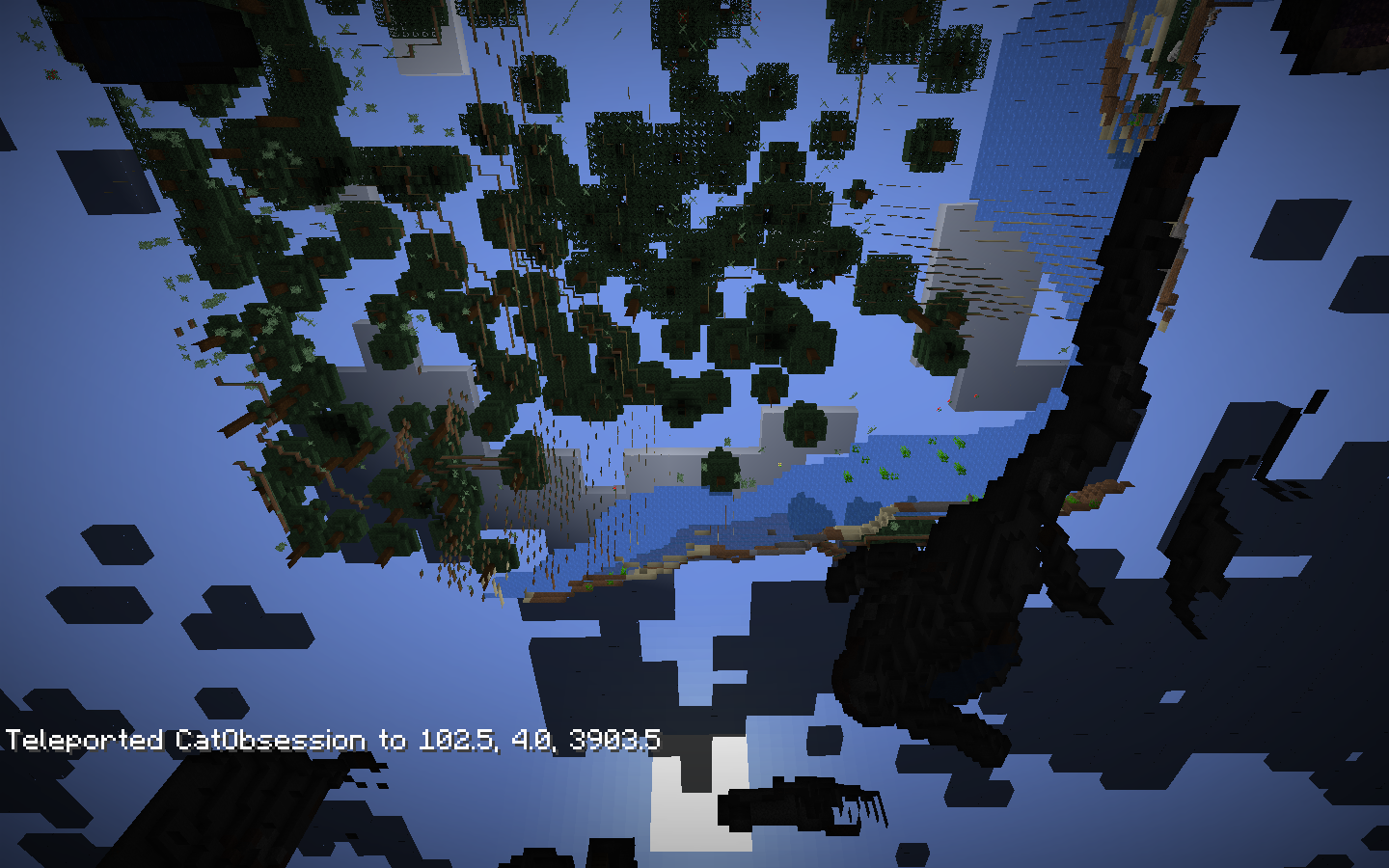
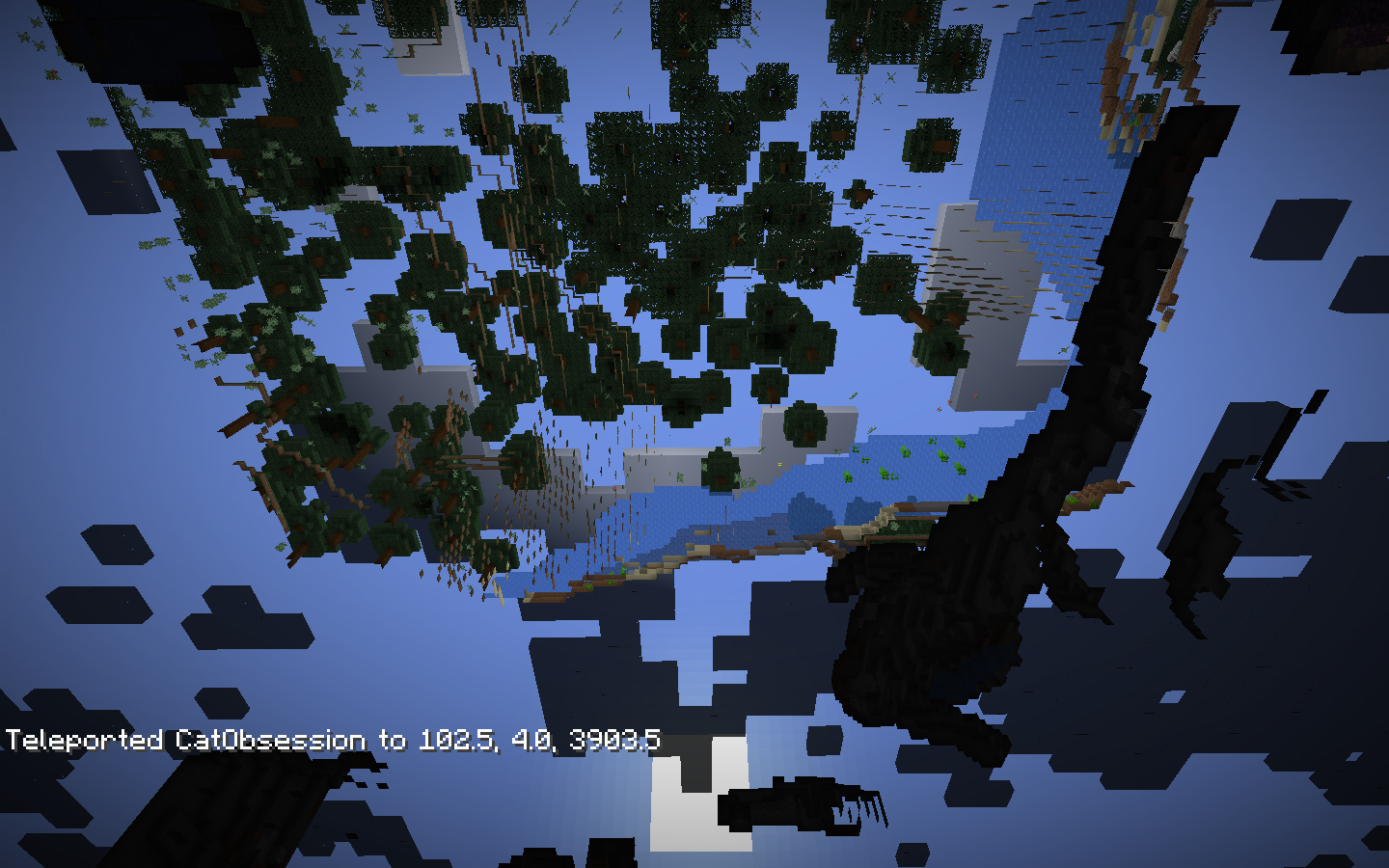


[^Screen Recording 2019-05-10 at 5.58.49 pm.mov]
What more is there to say?
[^Screen Recording 2019-05-10 at 5.58.49 pm.mov]
When I ignite TNT it should drop all the blocks it explodes. But when I do it, nothing drops, it just creates a big hole without dropping anything. To reproduce, simply create a world in 1.13, upgrade it to 1.14, and ignite TNT (I'm not sure if it has to be a super flat Redstone ready world or what) and nothing will drop. I tested it in a new 1.14 world so it's not my copy of Minecraft or anything.
A Redstone Ready super flat that I upgraded from 1.13 when the snapshots came out.
macOS Mojave 10.14.4 (18E226)
Delay when scrolling through hotbedon macOSDelay when scrolling through hotbar on macOS
(If this is a duplicate I'll feel so bad)
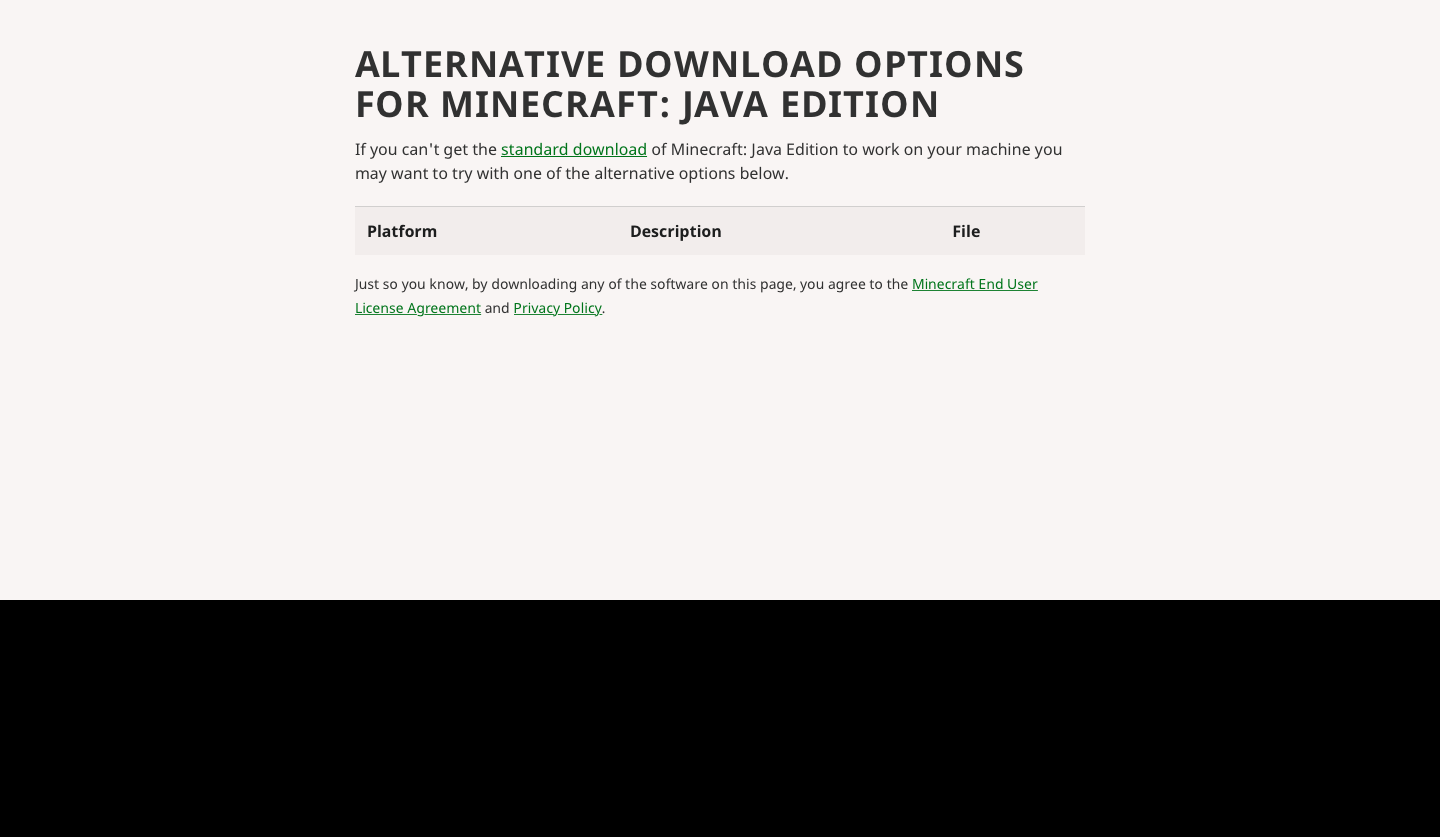
Basically the download links appear to be missing on the Alternative Download page for the launcher (see screenshot)
I've tried in different browsers etc. and the issue still remains. If you need any more information I'll be happy to provide.
Edit: Apparently this isn't in all locations so I'm in the UK.
Cannot locate LAN games started on a Windows 7 desktop from my OS X laptop.I can start a LAN game on the OS X laptop, share it to the LAN and detect it with the Windows machine.
Both machines are on the same internal network. Direct connections work either way.
The latest.log has an entry for each time I press "Refresh" in the Multiplayer screen.
[18:50:52] [Client thread/INFO]: Setting user: XXXXXXX [18:50:53] [Client thread/INFO]: LWJGL Version: 2.9.2 [18:50:53] [Client thread/INFO]: Reloading ResourceManager: Default [18:50:53] [Sound Library Loader/INFO]: Starting up SoundSystem... [18:50:53] [Thread-5/INFO]: Initializing LWJGL OpenAL [18:50:53] [Thread-5/INFO]: (The LWJGL binding of OpenAL. For more information, see http://www.lwjgl.org) [18:50:54] [Thread-5/INFO]: OpenAL initialized. [18:50:54] [Sound Library Loader/INFO]: Sound engine started [18:50:55] [Client thread/INFO]: Created: 1024x512 textures-atlas [18:51:01] [Client thread/WARN]: Unable to start LAN server detection: Can't assign requested address [18:51:07] [Client thread/WARN]: Unable to start LAN server detection: Can't assign requested address [18:51:07] [Client thread/WARN]: Unable to start LAN server detection: Can't assign requested address [18:51:08] [Client thread/WARN]: Unable to start LAN server detection: Can't assign requested address [18:51:08] [Client thread/WARN]: Unable to start LAN server detection: Can't assign requested address [18:51:09] [Client thread/WARN]: Unable to start LAN server detection: Can't assign requested address [18:51:09] [Client thread/WARN]: Unable to start LAN server detection: Can't assign requested address [18:55:15] [Client thread/WARN]: Unable to start LAN server detection: Can't assign requested address [18:55:19] [Client thread/WARN]: Unable to start LAN server detection: Can't assign requested addressFor whatever reason, Minecraft on macOS can't scan for LAN worlds because of an error
Unable to start LAN server detection: Can't assign requested address
I'll update the latest.log bit soon and upload a latest.log as well
Sorry for the awful formatting I can't work out how it works
[18:50:52] [Client thread/INFO]: Setting user: XXXXXXX
[18:50:53] [Client thread/INFO]: LWJGL Version: 2.9.2
[18:50:53] [Client thread/INFO]: Reloading ResourceManager: Default
[18:50:53] [Sound Library Loader/INFO]: Starting up SoundSystem...
[18:50:53] [Thread-5/INFO]: Initializing LWJGL OpenAL
[18:50:53] [Thread-5/INFO]: (The LWJGL binding of OpenAL.  For more information, see http://www.lwjgl.org)
[18:50:54] [Thread-5/INFO]: OpenAL initialized.
[18:50:54] [Sound Library Loader/INFO]: Sound engine started
[18:50:55] [Client thread/INFO]: Created: 1024x512 textures-atlas
[18:51:01] [Client thread/WARN]: Unable to start LAN server detection: Can't assign requested address
[18:51:07] [Client thread/WARN]: Unable to start LAN server detection: Can't assign requested address
[18:51:07] [Client thread/WARN]: Unable to start LAN server detection: Can't assign requested address
[18:51:08] [Client thread/WARN]: Unable to start LAN server detection: Can't assign requested address
[18:51:08] [Client thread/WARN]: Unable to start LAN server detection: Can't assign requested address
[18:51:09] [Client thread/WARN]: Unable to start LAN server detection: Can't assign requested address
[18:51:09] [Client thread/WARN]: Unable to start LAN server detection: Can't assign requested address
[18:55:15] [Client thread/WARN]: Unable to start LAN server detection: Can't assign requested address
[18:55:19] [Client thread/WARN]: Unable to start LAN server detection: Can't assign requested address
OSX El Capitan10.11.3
javaversion "1.8.0_45"
Java(TM) SE Runtime Environment (build 1.8.0_45-b14)
Java HotSpot(TM) 64-Bit Server VM (build 25.45-b02, mixed mode)macOS Catalina 10.15.6
Java 8 Update 241
Mid-2012 MacBook Air
LAN Detection failure - OSX, no firewallCan't scan for LAN worlds on macOS
For whatever reason, Minecraft on macOS can't scan for LAN worlds because of an error
Unable to start LAN server detection: Can't assign requested address
I'll update the latest.log bit soon and upload a latest.log as well
Sorry for the awful formatting I can't work out how it works
[18:50:52] [Client thread/INFO]: Setting user: XXXXXXX [18:50:53] [Client thread/INFO]: LWJGLVersion: 2.9.2 [18:50:53] [Clientthread/INFO]: Reloading ResourceManager: Default[18:50:53] [Sound Library Loader/INFO]: Starting up SoundSystem... [18:50:53] [Thread-5/INFO]: Initializing LWJGL OpenAL [18:50:53] [Thread-5/INFO]: (The LWJGL binding of OpenAL. For more information, see http://www.lwjgl.org) [18:50:54] [Thread-5/INFO]: OpenAL initialized. [18:50:54] [Sound Library Loader/INFO]: Sound engine started [18:50:55] [Client thread/INFO]: Created: 1024x512 textures-atlas [18:51:01] [Client thread/WARN]: Unable to start LAN server detection: Can't assign requested address [18:51:07] [Client thread/WARN]: Unable to start LAN server detection: Can't assign requested address [18:51:07] [Client thread/WARN]: Unable to start LAN server detection: Can't assign requested address [18:51:08] [Client thread/WARN]: Unable to start LAN server detection: Can't assign requested address [18:51:08] [Client thread/WARN]: Unable to start LAN server detection: Can't assign requested address [18:51:09] [Client thread/WARN]: Unable to start LAN server detection: Can't assign requested address [18:51:09] [Client thread/WARN]: Unable to start LAN server detection: Can't assign requested address [18:55:15] [Client thread/WARN]: Unable to start LAN server detection: Can't assign requested address [18:55:19] [Client thread/WARN]: Unable to start LAN server detection: Can't assign requested addressFor whatever reason, Minecraft on macOS can't scan for LAN worlds because of an errorUnable to start LAN server detection: Can't assign requested address. I'll update the latest.log bit soon and upload a latest.log as well.
[18:08:48] [Render thread/INFO]: Environment: authHost='https://authserver.mojang.com', accountsHost='https://api.mojang.com', sessionHost='https://sessionserver.mojang.com', name='PROD' [18:08:48] [Render thread/INFO]: Setting user: CatObsession [18:08:48] [Render thread/INFO]: Backend library: LWJGL version 3.2.1 build 12 [18:09:00] [Render thread/INFO]: Reloading ResourceManager: Default, TIE Phantoms, Vanilla Tweaks 1.15, mobbeds_1.13, CBT Glass Pane Fix [18:09:24] [Worker-Main-5/WARN]: Unable to resolve texture reference: #missing in minecraft:block/spruce_door_bottom_hinge [18:09:24] [Worker-Main-5/WARN]: Unable to resolve texture reference: #missing in minecraft:block/stonecutter [18:09:24] [Worker-Main-5/WARN]: Unable to resolve texture reference: #missing in minecraft:block/birch_trapdoor_top [18:09:24] [Worker-Main-5/WARN]: Unable to resolve texture reference: #missing in minecraft:block/birch_trapdoor_open [18:09:24] [Worker-Main-5/WARN]: Unable to resolve texture reference: #missing in minecraft:block/jungle_trapdoor_bottom [18:09:24] [Worker-Main-5/WARN]: Unable to resolve texture reference: #missing in minecraft:block/spruce_door_bottom [18:09:24] [Worker-Main-5/WARN]: Unable to resolve texture reference: #missing in minecraft:block/birch_trapdoor_bottom [18:09:24] [Worker-Main-5/WARN]: Unable to resolve texture reference: #missing in minecraft:item/stonecutter [18:09:24] [Worker-Main-5/WARN]: Unable to resolve texture reference: #missing in minecraft:item/jungle_trapdoor [18:09:24] [Worker-Main-5/WARN]: Unable to resolve texture reference: #missing in minecraft:item/birch_trapdoor [18:09:26] [Worker-Main-5/WARN]: Texture minecraft:item/leather_helmet_overlay with size 1x1 limits mip level from 4 to 0 [18:09:26] [Worker-Main-5/WARN]: minecraft:textures/atlas/blocks.png: dropping miplevel from 4 to 0, because of minimum power of two: 1 [18:09:32] [Render thread/INFO]: OpenAL initialized. [18:09:32] [Render thread/INFO]: Sound engine started [18:09:34] [Render thread/INFO]: Created: 1024x1024x0 minecraft:textures/atlas/blocks.png-atlas [18:09:35] [Render thread/INFO]: Created: 256x128x4 minecraft:textures/atlas/signs.png-atlas [18:09:35] [Render thread/INFO]: Created: 1024x512x4 minecraft:textures/atlas/banner_patterns.png-atlas [18:09:35] [Render thread/INFO]: Created: 1024x512x4 minecraft:textures/atlas/shield_patterns.png-atlas [18:09:35] [Render thread/INFO]: Created: 256x256x4 minecraft:textures/atlas/chest.png-atlas [18:09:35] [Render thread/INFO]: Created: 512x256x4 minecraft:textures/atlas/beds.png-atlas [18:09:35] [Render thread/INFO]: Created: 512x256x4 minecraft:textures/atlas/shulker_boxes.png-atlas [18:09:39] [Render thread/INFO]: Created: 256x256x0 minecraft:textures/atlas/particles.png-atlas [18:09:39] [Render thread/INFO]: Created: 256x256x0 minecraft:textures/atlas/paintings.png-atlas [18:09:39] [Render thread/INFO]: Created: 256x128x0 minecraft:textures/atlas/mob_effects.png-atlas [18:09:46] [Render thread/WARN]: Unable to start LAN server detection: Can't assign requested address [18:09:56] [Render thread/INFO]: Stopping!Workaround
Find your internal IP address (Windows, macOS) on the computer hosting the world, then on the other computer(s) go to the Multiplayer screen in Minecraft and click Direct Connect. Then on the hosts computer start the LAN world and take note of the message that says "LAN world hosted on Port xxxx". Then, on the other computer, in the Direct Connect field, put the internal IP address of the host computer followed by a colon (and then the number in the "LAN World hosted on Port xxxx" so for example 0.0.0.0:123456. You should now be able to connect.
For whatever reason, Minecraft on macOS can't scan for LAN worlds because of an errorUnable to start LAN server detection: Can't assign requested address. I'll update the latest.log bit soon and upload a latest.log as well.
[18:08:48] [Render thread/INFO]: Environment: authHost='https://authserver.mojang.com', accountsHost='https://api.mojang.com', sessionHost='https://sessionserver.mojang.com', name='PROD' [18:08:48] [Render thread/INFO]: Setting user: CatObsession [18:08:48] [Render thread/INFO]: Backend library: LWJGL version 3.2.1 build 12 [18:09:00] [Render thread/INFO]: Reloading ResourceManager: Default, TIE Phantoms, Vanilla Tweaks 1.15, mobbeds_1.13, CBT Glass Pane Fix [18:09:24] [Worker-Main-5/WARN]: Unable to resolve texture reference: #missing in minecraft:block/spruce_door_bottom_hinge [18:09:24] [Worker-Main-5/WARN]: Unable to resolve texture reference: #missing in minecraft:block/stonecutter [18:09:24] [Worker-Main-5/WARN]: Unable to resolve texture reference: #missing in minecraft:block/birch_trapdoor_top [18:09:24] [Worker-Main-5/WARN]: Unable to resolve texture reference: #missing in minecraft:block/birch_trapdoor_open [18:09:24] [Worker-Main-5/WARN]: Unable to resolve texture reference: #missing in minecraft:block/jungle_trapdoor_bottom [18:09:24] [Worker-Main-5/WARN]: Unable to resolve texture reference: #missing in minecraft:block/spruce_door_bottom [18:09:24] [Worker-Main-5/WARN]: Unable to resolve texture reference: #missing in minecraft:block/birch_trapdoor_bottom [18:09:24] [Worker-Main-5/WARN]: Unable to resolve texture reference: #missing in minecraft:item/stonecutter [18:09:24] [Worker-Main-5/WARN]: Unable to resolve texture reference: #missing in minecraft:item/jungle_trapdoor [18:09:24] [Worker-Main-5/WARN]: Unable to resolve texture reference: #missing in minecraft:item/birch_trapdoor [18:09:26] [Worker-Main-5/WARN]: Texture minecraft:item/leather_helmet_overlay with size 1x1 limits mip level from 4 to 0 [18:09:26] [Worker-Main-5/WARN]: minecraft:textures/atlas/blocks.png: dropping miplevel from 4 to 0, because of minimum power of two: 1 [18:09:32] [Render thread/INFO]: OpenAL initialized. [18:09:32] [Render thread/INFO]: Sound engine started [18:09:34] [Render thread/INFO]: Created: 1024x1024x0 minecraft:textures/atlas/blocks.png-atlas [18:09:35] [Render thread/INFO]: Created: 256x128x4 minecraft:textures/atlas/signs.png-atlas [18:09:35] [Render thread/INFO]: Created: 1024x512x4 minecraft:textures/atlas/banner_patterns.png-atlas [18:09:35] [Render thread/INFO]: Created: 1024x512x4 minecraft:textures/atlas/shield_patterns.png-atlas [18:09:35] [Render thread/INFO]: Created: 256x256x4 minecraft:textures/atlas/chest.png-atlas [18:09:35] [Render thread/INFO]: Created: 512x256x4 minecraft:textures/atlas/beds.png-atlas [18:09:35] [Render thread/INFO]: Created: 512x256x4 minecraft:textures/atlas/shulker_boxes.png-atlas [18:09:39] [Render thread/INFO]: Created: 256x256x0 minecraft:textures/atlas/particles.png-atlas [18:09:39] [Render thread/INFO]: Created: 256x256x0 minecraft:textures/atlas/paintings.png-atlas [18:09:39] [Render thread/INFO]: Created: 256x128x0 minecraft:textures/atlas/mob_effects.png-atlas [18:09:46] [Render thread/WARN]: Unable to start LAN server detection: Can't assign requested address [18:09:56] [Render thread/INFO]: Stopping!Workaround
Find your internal IP address (Windows, macOS) on the computer hosting the world, then on the other computer(s) go to the Multiplayer screen in Minecraft and click Direct Connect. Then on the hosts computer start the LAN world and take note of the message that says "LAN world hosted on Port xxxx". Then, on the other computer, in the Direct Connect field, put the internal IP address of the host computer followed by a colon (For whatever reason, Minecraft on macOS can't scan for LAN worlds because of an errorUnable to start LAN server detection: Can't assign requested address. I'll update the latest.log bit soon and upload a latest.log as well.
[18:08:48] [Render thread/INFO]: Environment: authHost='https://authserver.mojang.com', accountsHost='https://api.mojang.com', sessionHost='https://sessionserver.mojang.com', name='PROD' [18:08:48] [Render thread/INFO]: Setting user: CatObsession [18:08:48] [Render thread/INFO]: Backend library: LWJGL version 3.2.1 build 12 [18:09:00] [Render thread/INFO]: Reloading ResourceManager: Default, TIE Phantoms, Vanilla Tweaks 1.15, mobbeds_1.13, CBT Glass Pane Fix [18:09:24] [Worker-Main-5/WARN]: Unable to resolve texture reference: #missing in minecraft:block/spruce_door_bottom_hinge [18:09:24] [Worker-Main-5/WARN]: Unable to resolve texture reference: #missing in minecraft:block/stonecutter [18:09:24] [Worker-Main-5/WARN]: Unable to resolve texture reference: #missing in minecraft:block/birch_trapdoor_top [18:09:24] [Worker-Main-5/WARN]: Unable to resolve texture reference: #missing in minecraft:block/birch_trapdoor_open [18:09:24] [Worker-Main-5/WARN]: Unable to resolve texture reference: #missing in minecraft:block/jungle_trapdoor_bottom [18:09:24] [Worker-Main-5/WARN]: Unable to resolve texture reference: #missing in minecraft:block/spruce_door_bottom [18:09:24] [Worker-Main-5/WARN]: Unable to resolve texture reference: #missing in minecraft:block/birch_trapdoor_bottom [18:09:24] [Worker-Main-5/WARN]: Unable to resolve texture reference: #missing in minecraft:item/stonecutter [18:09:24] [Worker-Main-5/WARN]: Unable to resolve texture reference: #missing in minecraft:item/jungle_trapdoor [18:09:24] [Worker-Main-5/WARN]: Unable to resolve texture reference: #missing in minecraft:item/birch_trapdoor [18:09:26] [Worker-Main-5/WARN]: Texture minecraft:item/leather_helmet_overlay with size 1x1 limits mip level from 4 to 0 [18:09:26] [Worker-Main-5/WARN]: minecraft:textures/atlas/blocks.png: dropping miplevel from 4 to 0, because of minimum power of two: 1 [18:09:32] [Render thread/INFO]: OpenAL initialized. [18:09:32] [Render thread/INFO]: Sound engine started [18:09:34] [Render thread/INFO]: Created: 1024x1024x0 minecraft:textures/atlas/blocks.png-atlas [18:09:35] [Render thread/INFO]: Created: 256x128x4 minecraft:textures/atlas/signs.png-atlas [18:09:35] [Render thread/INFO]: Created: 1024x512x4 minecraft:textures/atlas/banner_patterns.png-atlas [18:09:35] [Render thread/INFO]: Created: 1024x512x4 minecraft:textures/atlas/shield_patterns.png-atlas [18:09:35] [Render thread/INFO]: Created: 256x256x4 minecraft:textures/atlas/chest.png-atlas [18:09:35] [Render thread/INFO]: Created: 512x256x4 minecraft:textures/atlas/beds.png-atlas [18:09:35] [Render thread/INFO]: Created: 512x256x4 minecraft:textures/atlas/shulker_boxes.png-atlas [18:09:39] [Render thread/INFO]: Created: 256x256x0 minecraft:textures/atlas/particles.png-atlas [18:09:39] [Render thread/INFO]: Created: 256x256x0 minecraft:textures/atlas/paintings.png-atlas [18:09:39] [Render thread/INFO]: Created: 256x128x0 minecraft:textures/atlas/mob_effects.png-atlas [18:09:46] [Render thread/WARN]: Unable to start LAN server detection: Can't assign requested address [18:09:56] [Render thread/INFO]: Stopping!Workaround
Find your internal IP address (Windows, macOS) on the computer hosting the world, then on the other computer(s) go to the Multiplayer screen in Minecraft and click Direct Connect. Then on the hosts computer start the LAN world and take note of the message that says "LAN world hosted on Port xxxx". Then, on the other computer, in the Direct Connect field, put the internal IP address of the host computer followed by a colon ( : ) and then the number in the "LAN World hosted on Port xxxx" so for example 0.0.0.0:123456. You should now be able to connect.
latest.log
For whatever reason, Minecraft on macOS can't scan for LAN worlds because of an errorUnable to start LAN server detection
: Can't assign requested address. I'll update the latest.log bit soon and upload a latest.log as well.[18:08:48] [Render thread/INFO]: Environment: authHost='https://authserver.mojang.com', accountsHost='https://api.mojang.com', sessionHost='https://sessionserver.mojang.com', name='PROD' [18:08:48] [Render thread/INFO]: Setting user: CatObsession [18:08:48] [Render thread/INFO]: Backend library: LWJGL version 3.2.1 build 12 [18:09:00] [Render thread/INFO]: Reloading ResourceManager: Default, TIE Phantoms, Vanilla Tweaks 1.15, mobbeds_1.13, CBT Glass Pane Fix [18:09:24] [Worker-Main-5/WARN]: Unable to resolve texture reference: #missing in minecraft:block/spruce_door_bottom_hinge [18:09:24] [Worker-Main-5/WARN]: Unable to resolve texture reference: #missing in minecraft:block/stonecutter [18:09:24] [Worker-Main-5/WARN]: Unable to resolve texture reference: #missing in minecraft:block/birch_trapdoor_top [18:09:24] [Worker-Main-5/WARN]: Unable to resolve texture reference: #missing in minecraft:block/birch_trapdoor_open [18:09:24] [Worker-Main-5/WARN]: Unable to resolve texture reference: #missing in minecraft:block/jungle_trapdoor_bottom [18:09:24] [Worker-Main-5/WARN]: Unable to resolve texture reference: #missing in minecraft:block/spruce_door_bottom [18:09:24] [Worker-Main-5/WARN]: Unable to resolve texture reference: #missing in minecraft:block/birch_trapdoor_bottom [18:09:24] [Worker-Main-5/WARN]: Unable to resolve texture reference: #missing in minecraft:item/stonecutter [18:09:24] [Worker-Main-5/WARN]: Unable to resolve texture reference: #missing in minecraft:item/jungle_trapdoor [18:09:24] [Worker-Main-5/WARN]: Unable to resolve texture reference: #missing in minecraft:item/birch_trapdoor [18:09:26] [Worker-Main-5/WARN]: Texture minecraft:item/leather_helmet_overlay with size 1x1 limits mip level from 4 to 0 [18:09:26] [Worker-Main-5/WARN]: minecraft:textures/atlas/blocks.png: dropping miplevel from 4 to 0, because of minimum power of two: 1 [18:09:32] [Render thread/INFO]: OpenAL initialized. [18:09:32] [Render thread/INFO]: Sound engine started [18:09:34] [Render thread/INFO]: Created: 1024x1024x0 minecraft:textures/atlas/blocks.png-atlas [18:09:35] [Render thread/INFO]: Created: 256x128x4 minecraft:textures/atlas/signs.png-atlas [18:09:35] [Render thread/INFO]: Created: 1024x512x4 minecraft:textures/atlas/banner_patterns.png-atlas [18:09:35] [Render thread/INFO]: Created: 1024x512x4 minecraft:textures/atlas/shield_patterns.png-atlas [18:09:35] [Render thread/INFO]: Created: 256x256x4 minecraft:textures/atlas/chest.png-atlas [18:09:35] [Render thread/INFO]: Created: 512x256x4 minecraft:textures/atlas/beds.png-atlas [18:09:35] [Render thread/INFO]: Created: 512x256x4 minecraft:textures/atlas/shulker_boxes.png-atlas [18:09:39] [Render thread/INFO]: Created: 256x256x0 minecraft:textures/atlas/particles.png-atlas [18:09:39] [Render thread/INFO]: Created: 256x256x0 minecraft:textures/atlas/paintings.png-atlas [18:09:39] [Render thread/INFO]: Created: 256x128x0 minecraft:textures/atlas/mob_effects.png-atlas [18:09:46] [Render thread/WARN]: Unable to start LAN server detection: Can't assign requested address [18:09:56] [Render thread/INFO]: Stopping!Workaround
Find your internal IP address (Windows, macOS) on the computer hosting the world, then on the other computer(s) go to the Multiplayer screen in Minecraft and click Direct Connect. Then on the hosts computer start the LAN world and take note of the message that says "LAN world hosted on Port xxxx". Then, on the other computer, in the Direct Connect field, put the internal IP address of the host computer followed by a colon ( : ) and then the number in the "LAN World hosted on Port xxxx" so for example 0.0.0.0:123456. You should now be able to connect.For whatever reason, Minecraft on macOS can't scan for LAN worlds because of an error: "Unable to start LAN server detection"
[18:08:48] [Render thread/INFO]: Environment: authHost='https://authserver.mojang.com', accountsHost='https://api.mojang.com', sessionHost='https://sessionserver.mojang.com', name='PROD' [18:08:48] [Render thread/INFO]: Setting user: CatObsession [18:08:48] [Render thread/INFO]: Backend library: LWJGL version 3.2.1 build 12 [18:09:00] [Render thread/INFO]: Reloading ResourceManager: Default, TIE Phantoms, Vanilla Tweaks 1.15, mobbeds_1.13, CBT Glass Pane Fix [18:09:24] [Worker-Main-5/WARN]: Unable to resolve texture reference: #missing in minecraft:block/spruce_door_bottom_hinge [18:09:24] [Worker-Main-5/WARN]: Unable to resolve texture reference: #missing in minecraft:block/stonecutter [18:09:24] [Worker-Main-5/WARN]: Unable to resolve texture reference: #missing in minecraft:block/birch_trapdoor_top [18:09:24] [Worker-Main-5/WARN]: Unable to resolve texture reference: #missing in minecraft:block/birch_trapdoor_open [18:09:24] [Worker-Main-5/WARN]: Unable to resolve texture reference: #missing in minecraft:block/jungle_trapdoor_bottom [18:09:24] [Worker-Main-5/WARN]: Unable to resolve texture reference: #missing in minecraft:block/spruce_door_bottom [18:09:24] [Worker-Main-5/WARN]: Unable to resolve texture reference: #missing in minecraft:block/birch_trapdoor_bottom [18:09:24] [Worker-Main-5/WARN]: Unable to resolve texture reference: #missing in minecraft:item/stonecutter [18:09:24] [Worker-Main-5/WARN]: Unable to resolve texture reference: #missing in minecraft:item/jungle_trapdoor [18:09:24] [Worker-Main-5/WARN]: Unable to resolve texture reference: #missing in minecraft:item/birch_trapdoor [18:09:26] [Worker-Main-5/WARN]: Texture minecraft:item/leather_helmet_overlay with size 1x1 limits mip level from 4 to 0 [18:09:26] [Worker-Main-5/WARN]: minecraft:textures/atlas/blocks.png: dropping miplevel from 4 to 0, because of minimum power of two: 1 [18:09:32] [Render thread/INFO]: OpenAL initialized. [18:09:32] [Render thread/INFO]: Sound engine started [18:09:34] [Render thread/INFO]: Created: 1024x1024x0 minecraft:textures/atlas/blocks.png-atlas [18:09:35] [Render thread/INFO]: Created: 256x128x4 minecraft:textures/atlas/signs.png-atlas [18:09:35] [Render thread/INFO]: Created: 1024x512x4 minecraft:textures/atlas/banner_patterns.png-atlas [18:09:35] [Render thread/INFO]: Created: 1024x512x4 minecraft:textures/atlas/shield_patterns.png-atlas [18:09:35] [Render thread/INFO]: Created: 256x256x4 minecraft:textures/atlas/chest.png-atlas [18:09:35] [Render thread/INFO]: Created: 512x256x4 minecraft:textures/atlas/beds.png-atlas [18:09:35] [Render thread/INFO]: Created: 512x256x4 minecraft:textures/atlas/shulker_boxes.png-atlas [18:09:39] [Render thread/INFO]: Created: 256x256x0 minecraft:textures/atlas/particles.png-atlas [18:09:39] [Render thread/INFO]: Created: 256x256x0 minecraft:textures/atlas/paintings.png-atlas [18:09:39] [Render thread/INFO]: Created: 256x128x0 minecraft:textures/atlas/mob_effects.png-atlas [18:09:46] [Render thread/WARN]: Unable to start LAN server detection: Can't assign requested address [18:09:56] [Render thread/INFO]: Stopping!Workaround
Find your internal IP address (Windows, macOS) on the computer hosting the world, then on the other computer(s) go to the Multiplayer screen in Minecraft and click Direct Connect. Then on the hosts computer start the LAN world and take note of the message that says "LAN world hosted on Port xxxx". Then, on the other computer, in the Direct Connect field, put the internal IP address of the host computer followed by a colon ( : ) and then the number in the "LAN World hosted on Port xxxx" so for example 0.0.0.0:123456. You should now be able to connect.
macOS Catalina 10.15.
6
Java 8 Update 241
Mid-2012 MacBook AirmacOS Catalina 10.15.7
Java 8 Update 241
Mid-2012 MacBook Air
macOS Catalina 10.15.7
Java 8 Update 241
Mid-2012 MacBook AirmacOS Catalina 10.15.7
For whatever reason, Minecraft on macOS can't scan for LAN worlds because of an error: "Unable to start LAN server detection"
[18:08:48] [Render thread/INFO]: Environment: authHost='https://authserver.mojang.com', accountsHost='https://api.mojang.com', sessionHost='https://sessionserver.mojang.com', name='PROD' [18:08:48] [Render thread/INFO]: Setting user: CatObsession [18:08:48] [Render thread/INFO]: Backend library: LWJGL version 3.2.1 build 12 [18:09:00] [Render thread/INFO]: Reloading ResourceManager: Default, TIE Phantoms, Vanilla Tweaks 1.15, mobbeds_1.13, CBT Glass Pane Fix [18:09:24] [Worker-Main-5/WARN]: Unable to resolve texture reference: #missing in minecraft:block/spruce_door_bottom_hinge [18:09:24] [Worker-Main-5/WARN]: Unable to resolve texture reference: #missing in minecraft:block/stonecutter [18:09:24] [Worker-Main-5/WARN]: Unable to resolve texture reference: #missing in minecraft:block/birch_trapdoor_top [18:09:24] [Worker-Main-5/WARN]: Unable to resolve texture reference: #missing in minecraft:block/birch_trapdoor_open [18:09:24] [Worker-Main-5/WARN]: Unable to resolve texture reference: #missing in minecraft:block/jungle_trapdoor_bottom [18:09:24] [Worker-Main-5/WARN]: Unable to resolve texture reference: #missing in minecraft:block/spruce_door_bottom [18:09:24] [Worker-Main-5/WARN]: Unable to resolve texture reference: #missing in minecraft:block/birch_trapdoor_bottom [18:09:24] [Worker-Main-5/WARN]: Unable to resolve texture reference: #missing in minecraft:item/stonecutter [18:09:24] [Worker-Main-5/WARN]: Unable to resolve texture reference: #missing in minecraft:item/jungle_trapdoor [18:09:24] [Worker-Main-5/WARN]: Unable to resolve texture reference: #missing in minecraft:item/birch_trapdoor [18:09:26] [Worker-Main-5/WARN]: Texture minecraft:item/leather_helmet_overlay with size 1x1 limits mip level from 4 to 0 [18:09:26] [Worker-Main-5/WARN]: minecraft:textures/atlas/blocks.png: dropping miplevel from 4 to 0, because of minimum power of two: 1 [18:09:32] [Render thread/INFO]: OpenAL initialized. [18:09:32] [Render thread/INFO]: Sound engine started [18:09:34] [Render thread/INFO]: Created: 1024x1024x0minecraft:textures/atlas/blocks.png-atlas [18:09:35] [Render thread/INFO]: Created: 256x128x4 minecraft:textures/atlas/signs.png-atlas [18:09:35] [Render thread/INFO]: Created: 1024x512x4 minecraft:textures/atlas/banner_patterns.png-atlas [18:09:35] [Render thread/INFO]: Created: 1024x512x4 minecraft:textures/atlas/shield_patterns.png-atlas [18:09:35] [Render thread/INFO]: Created: 256x256x4 minecraft:textures/atlas/chest.png-atlas [18:09:35] [Render thread/INFO]: Created: 512x256x4 minecraft:textures/atlas/beds.png-atlas [18:09:35] [Render thread/INFO]: Created: 512x256x4 minecraft:textures/atlas/shulker_boxes.png-atlas [18:09:39] [Render thread/INFO]: Created: 256x256x0 minecraft:textures/atlas/particles.png-atlas [18:09:39] [Render thread/INFO]: Created: 256x256x0 minecraft:textures/atlas/paintings.png-atlas [18:09:39] [Render thread/INFO]: Created: 256x128x0 minecraft:textures/atlas/mob_effects.png-atlas [18:09:46] [Render thread/WARN]: Unable to start LAN server detection: Can't assign requested address [18:09:56] [Render thread/INFO]: Stopping!Workaround
Find your internal IP address (Windows, macOS) on the computer hosting the world, then on the other computer(s) go to the Multiplayer screen in Minecraft and click Direct Connect. Then on the hosts computer start the LAN world and take note of the message that says "LAN world hosted on Port xxxx". Then, on the other computer, in the Direct Connect field, put the internal IP address of the host computer followed by a colon ( : ) and then the number in the "LAN World hosted on Port xxxx" so for example 0.0.0.0:123456. You should now be able to connect.For whatever reason, Minecraft on macOS can't scan for LAN worlds because of an error: "Unable to start LAN server detection"
[18:13:53] [Render thread/INFO]: Environment: authHost='https://authserver.mojang.com', accountsHost='https://api.mojang.com', sessionHost='https://sessionserver.mojang.com', servicesHost='https://api.minecraftservices.com', name='PROD' [18:13:54] [Render thread/INFO]: Setting user: CatObsession [18:13:55] [Render thread/INFO]: Backend library: LWJGL version 3.2.1 build 12 [18:14:00] [Render thread/INFO]: Reloading ResourceManager: Default [18:14:16] [Render thread/INFO]: OpenAL initialized. [18:14:16] [Render thread/INFO]: Sound engine started [18:14:18] [Render thread/INFO]: Created: 1024x1024x4 minecraft:textures/atlas/blocks.png-atlas [18:14:18] [Render thread/INFO]: Created: 256x128x4 minecraft:textures/atlas/signs.png-atlas [18:14:18] [Render thread/INFO]: Created: 1024x512x4 minecraft:textures/atlas/banner_patterns.png-atlas [18:14:18] [Render thread/INFO]: Created: 1024x512x4 minecraft:textures/atlas/shield_patterns.png-atlas [18:14:18] [Render thread/INFO]: Created: 256x256x4 minecraft:textures/atlas/chest.png-atlas [18:14:18] [Render thread/INFO]: Created: 512x256x4 minecraft:textures/atlas/beds.png-atlas [18:14:18] [Render thread/INFO]: Created: 512x256x4 minecraft:textures/atlas/shulker_boxes.png-atlas [18:14:22] [Render thread/INFO]: Created: 256x256x0 minecraft:textures/atlas/particles.png-atlas [18:14:22] [Render thread/INFO]: Created: 256x256x0 minecraft:textures/atlas/paintings.png-atlas [18:14:22] [Render thread/INFO]: Created: 256x128x0 minecraft:textures/atlas/mob_effects.png-atlas [18:14:34] [Render thread/WARN]: Unable to start LAN server detection: Can't assign requested address [18:20:31] [Render thread/INFO]: Stopping!Workaround
Find your internal IP address (Windows, macOS) on the computer hosting the world, then on the other computer(s) go to the Multiplayer screen in Minecraft and click Direct Connect. Then on the hosts computer start the LAN world and take note of the message that says "LAN world hosted on Port xxxx". Then, on the other computer, in the Direct Connect field, put the internal IP address of the host computer followed by a colon ( : ) and then the number in the "LAN World hosted on Port xxxx" so for example 0.0.0.0:123456. You should now be able to connect.
Steps to reproduce:
- Go to https://www.minecraft.net/en-us/profile/billing-info
- Click "Learn more about saved cards here" (which links to https://help.mojang.com/customer/portal/articles/1168829)
Expected Result:
You should be redirected to a support page explaining saved cards.
Actual Result:
As the link is invalid, you are redirected to the support homepage.
Video which I spent way too long making: https://youtu.be/43MAHJ4kCHs
Steps to reproduce:
- Go to https://www.minecraft.net/en-us/profile/billing-info
- Click "Learn more about saved cards here" (which links to https://help.mojang.com/customer/portal/articles/1168829)
Expected Result:
You should be redirected to a support page explaining saved cards.
Actual Result:
As the link is invalid, you are redirected to the support homepage.
Video of the issue which I spent way too long making: https://youtu.be/43MAHJ4kCHs
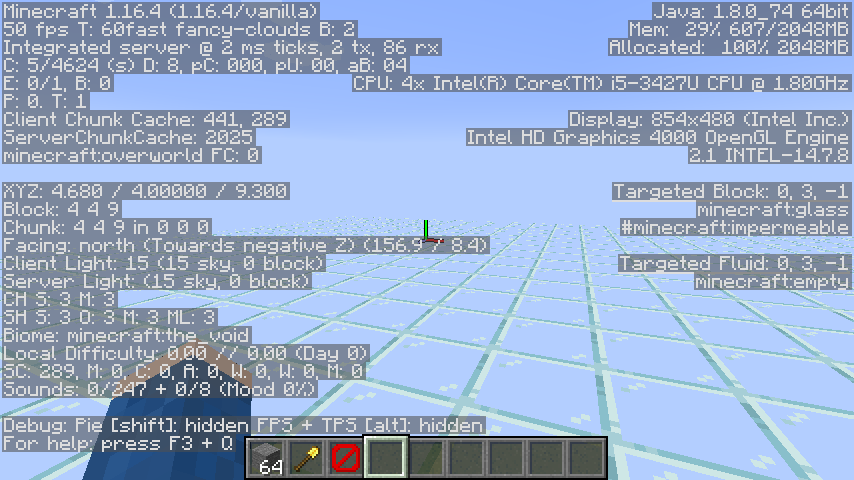
Please upload a screenshot of the F3 debug screen
If you launch Minecraft on mcOS, the launcher is supposed to quit. It appears to, the indicator dot in the dock vanishes, but if you look in Activity Monitor you will see that the Minecraft Launcher process continues to run until the game is quit. This means that if the game crashes or you try to open the launcher while the game is running (for example to change skins) the launcher doesn't focus properly and, if there are other windows on the desktop it always moves to the back and it also does not show in the alt-tab screen. The only way to fix it is by quitting the process in Activity Monitor.
Video showcasing the problem: https://youtu.be/ebiBvLvvjqM

@Southpaw1496, on macOS it might be Command + . (see this superuser answer), and to make sure we are on the same page, you have to use it from the command line / terminal and not in the Minecraft server GUI.
I don't know why; I tried to upload it twice
Thanks, I read the guidelines and updated it accordingly.
This is not an issue in English (United Kingdom) or English (United States). Probably why no-one noticed
https://feedback.minecraft.net is the spot!
Duplicate of
MC-161917I think the main issue is that it grows when there isn't actually any space for it, but it leaves the blocks it goes through alone as part of an anti-bedrock-breaking thing.
This sounds like a technical issue, not a bug. Go to the [Minecraft Community Support discord|https://discord.gg/58Sxm23] and they will probably be able to help you.
Can reproduce
Cannot reproduce
If I recall correctly this was taken out in 1.12 as you can now craft different coloured beds.
Cannot Reproduce https://youtu.be/F43F3D2Qe6I
Cannot Reproduce https://youtu.be/X0nm0rUtbFs
Edit this one, I think
Workaround: Cmd-tab out and back in so that the window is properly focused.
Cannot reproduce
This sounds like a technical issue, not a bug. Go to the Minecraft Community Support discord https://discord.gg/58Sxm23 and they will probably be able to help you.
Piglins spawn in Peaceful for the bartering but they are passive.
According to the Minecraft Wiki Enderman are only hostile toward PLAYERS who look at them in the eyes, mobs have to physically attack them so I think this is invalid
What's the link to the page? I wanted to test it on Safari but I can't seem to find it
Cannot Reproduce, note that the reporter is one full release and six minor releases behind the current version of macOS
It sounds like you're having a technical issue, please visit the Minecraft Community Support discord for help with technical issues.
This sounds like a technical issue, please visit the Minecraft Community Support discord for help with technical issues.
It sounds like you're having a technical issue, please visit the Minecraft Community Support discord (https://discord.gg/58Sxm23) for help with technical issues.
Might I suggest you include the resource pack you were using so that A. people can look through it and make sure it's set up correctly and B. People can reproduce the bug without having to make their own pack.
Invalid, the block will remain partially broken until you start breaking another block or after a timeout, this is so that you can break blocks while jumping (especially helpful when chopping trees
Please upload your `launcher_log` and crash report (launcher_log is in .minecraft folder, crash report is the most recent file in the `crash_reports` folder in the .minecraft folder)
This issue is Invalid as you put it in the wrong project, this project is for Minecraft: Java Edition
Please open the game, join the world and upload the `launcher_log` and the `latest.log` (which is in the `logs` folder)
Try pressing F1
Can you upload some screenshots, one with the F3 screen and also your launcher_log and latest.log
Looks like you're using OptiFine with shaders. Bugs that occur when using 3rd-party mods are invalid.
Looks like you're using a modded client, reports made with modded clients are not valid.
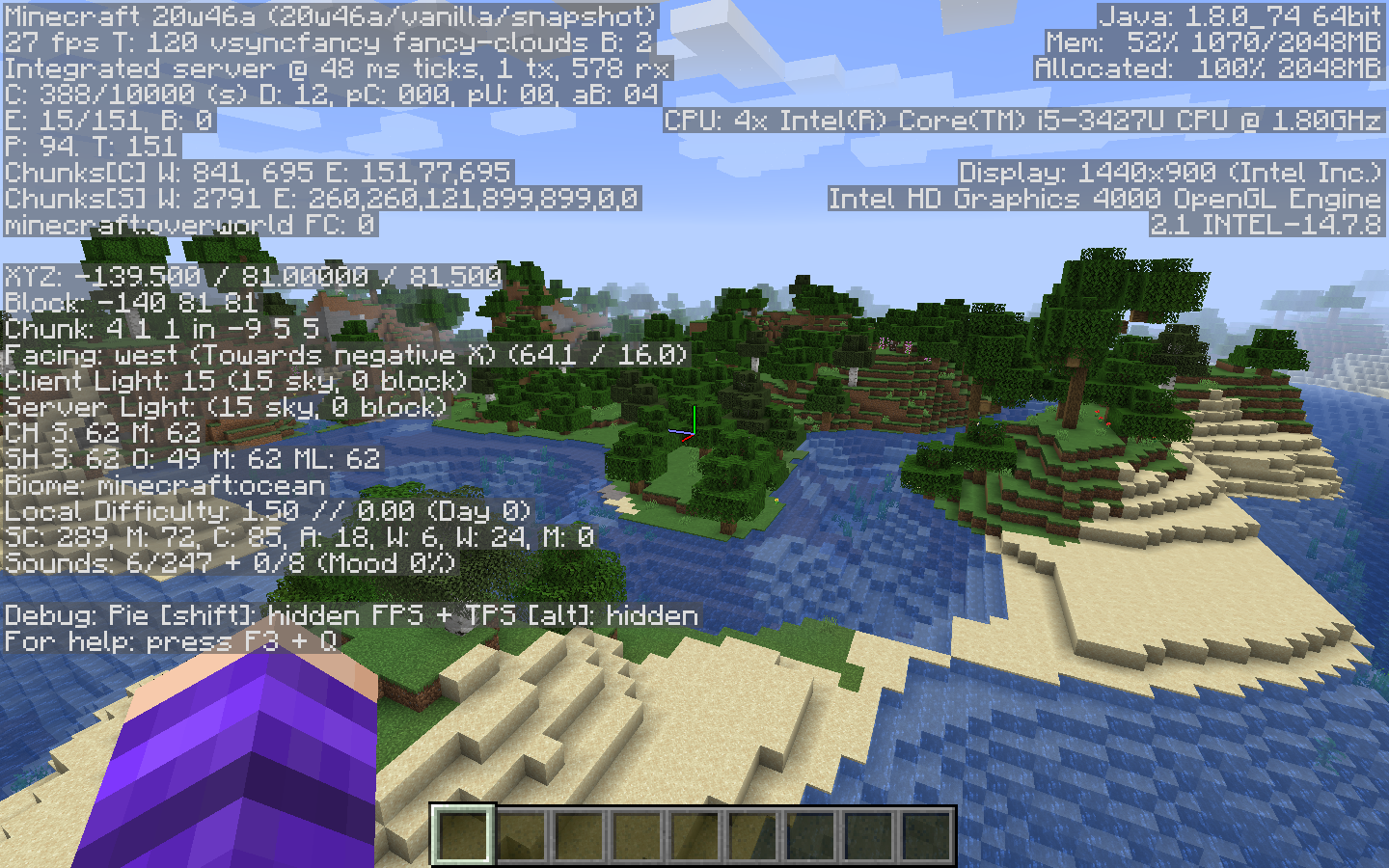
Please send a screenshot with the F3 debug screen showing.
Invalid, wrong project. Please use the Minecraft Launcher (MCL) project for reporting issues with the Minecraft Launcher
The problem is that the window doesn't properly come OUT of the background if you open it while the game is running and so it doesn't show in Alt-Tab and it doesn't show as open and it also doesn't focus correctly, as shown in my video. Maybe I badly worded the issue but there is definitely a problem of some sort.
As a workaround, you can connect manually:
Find your internal IP address (Windows, macOS) on the computer hosting the world, then on the other computer(s) go to the Multiplayer screen in Minecraft and click Direct Connect. Then on the hosts computer start the LAN world and take note of the message that says "LAN world hosted on Port xxxx". Then, on the other computer, in the Direct Connect field, put the internal IP address of the host computer followed by a colon ( : ) and then the number in the "LAN World hosted on Port xxxx" so for example 0.0.0.0:123456. You should now be able to connect.
If either one of you are on macOS you should see this other bug report:
MC-101244When I tried this on my system I did glitch through the block but I tested it with a full block as well (and I was using exact /tp values so it was accurate) and I also glitched through that and I'm also going to say I think this is intended behaviour because your body is more than half-way below the block, so you go down.
Cannot Reproduce.
Duplicate of
REALMS-5852Duplicate of
REALMS-5852Duplicate of
REALMS-5852Duplicate of
REALMS-5852Duplicate of
REALMS-5852If I place down a zombie pigman and then right-click it to produce a baby variant, the baby is empty-handed. I didn't see any naturally generated baby pigmen (gave up) so I think this is invalid?
I can't reproduce this.
Can reproduce, I have my doubts as to whether this is a bug though.
Can reproduce
Can reproduce
Can Reproduce
Can Reproduce
I can reproduce this, but a better command for reproducing might be /data get entity @e[type=minecraft:dolphin,sort=nearest,limit=1] Air as that will work for anyone without them having to find the dolphin's UUID.
Can reproduce, might be intended behaviour though
Can Reproduce
Duplicate of
MC-929The value in level-name is the directory that the world folder should be in relative to the server folder, so leaving blank would mean putting it in the root directory relative to the server folder, putting it in the server folder. Therefore I think this is invalid
Please can you put exact steps to reproduce to make it easier for people to reproduce the bug?
I'm pretty sure this is an intended mechanic but I can reproduce this in 1.16.4 rc1
I couldn't reproduce this, and I got hurt by the melee hostile entity (husk) that hurt me during the first test and the knock back seemed the same to me. I didn't use a weapon, only my fist.
Can Reproduce
I couldn't reproduce this. I tried:
All tests except the last one were performed in vanilla.
Cannot Reproduce in 1.16.4rc1
Can Reproduce in 1.16.4rc1
Can Reproduce
I can reproduce this in 1.16.4rc1
I can reproduce this
Did you try the workaround that I outlined in the bug's description?
Can reproduce (in 20w45a)
Please include steps to reproduce so that others can confirm the bug exists
Cannot Reproduce (20w45a)
Can Reproduce
I think this is invalid, notice how the armour stand actually makes a sound when landing, boats and minecarts do not. Subtitles are always linked to sounds.
Cannot reproduce, in my extensive testing I could not see a wobble in boats or Minecarts (20w45a)
This is not how I would expect tinted glass to work at first thought, however I would expect it to work that way given the sky and block levels of 0.
So do I just put this in a texture pack or...?
How exactly do you reproduce this bug? When I tried the bullet always hit the boat instead of the shucker
I loaded up a server on my PC and couldn't reproduce this
If you rebind the sneak key you will notice that the "not open up the item's menu" button is always bound to the sneak key, not the shift key specifically, so this is invalid.
Holding an iron pick is definitely an advancement, did you get one for that?
This is not a bug, it is a technical support issue. Please visit Minecraft Community Support for help with technical issues.
List of enchantments on your helmet? I believe if most of your damage is coming from above that will affect things. I would advise you to test this more scientifically before immediately classing it as a bug.
You really should get a screenshot BEFORE posting the bug, with the information provided it is almost impossible to reproduce.
Can reproduce
Can reproduce (probably)
These pictures are both of zombie villagers, are you saying the problem is with zombified vs naturally spawned zombies.
Going to the seed and coordinates linked I was met with an ocean and coastline, so...cannot reproduce?

Could you include steps to reproduce? Trying to add a scoreboard objective with the criteria "stat.talkedToVillager" doesn't seem to work for me.
Cannot Reproduce, in my testing I couldn't get baby pandas to pick up bamboo, only adults.
I think I can reproduce this, although admittedly I did not test it particularly scientifically (Just flew around a bamboo jungle for 10 minutes).
Could you please include some steps to reproduce?
Can reproduce
Can reproduce
Plugging those coords into that seed brings me to this place:
I recreated your setup as best I could from your description but I couldn't reproduce this. I made a video as it is a more complex issue https://youtu.be/eRboj9oiqms
Please add steps to reproduce
This sounds to me like a corrupted world. Has it been accidentally downgraded, crashed or similar?
In my testing I couldn't get item frames to attach to tripwire hooks at all, connected or not.
Here's a video demonstrating my inability to reproduce the bug https://youtu.be/srVYx_CWoDI
Can reproduce, it may be intended behaviour though.
OK now I can reproduce
It does. In hindsight I regret not searching.
Affects 20w51a and it also affects the right-click button.
After coming to Community Support we found the problem was that they had special characters in their username (an exclamation point)
Can reproduce, although I am unsure if the feature is designed to apply to block entities (AKA beds and chests)
Can reproduce in 1.17.1 PR-1
I can reproduce this (in 1.17.1-RC1), however for others trying to reproduce this note that in order for spawn protection to work there needs to be at least one operator on the server, so op jeb_ or something before deoping yourself.
Cannot reproduce although I was using macOS.
Cannot Reproduce although I am using macOS.
Can reproduce.
Duplicate of
MC-218803This issue is most likely a technical issue, please contact [Minecraft Community Support|
[+https://discord.gg/3mMpcwW+]] for help with technical issues
This is not a Minecraft bug, to find your external IP address go to https://whatsmyip.com . Note you also need to portforward in order for people outside your network to be able to connect. See https://minecrafthopper.net/help/setting-up-java-server/ for a helpful guide (portforwarding is at the bottom of the page)
Can reproduce