 Zenet101791
- BuggyBedrock
- JIRAUSER612227
- America/New_York
- Yes
- No
 MCPE-118576MCPE-122629MCPE-122632MCPE-129801MCPE-133443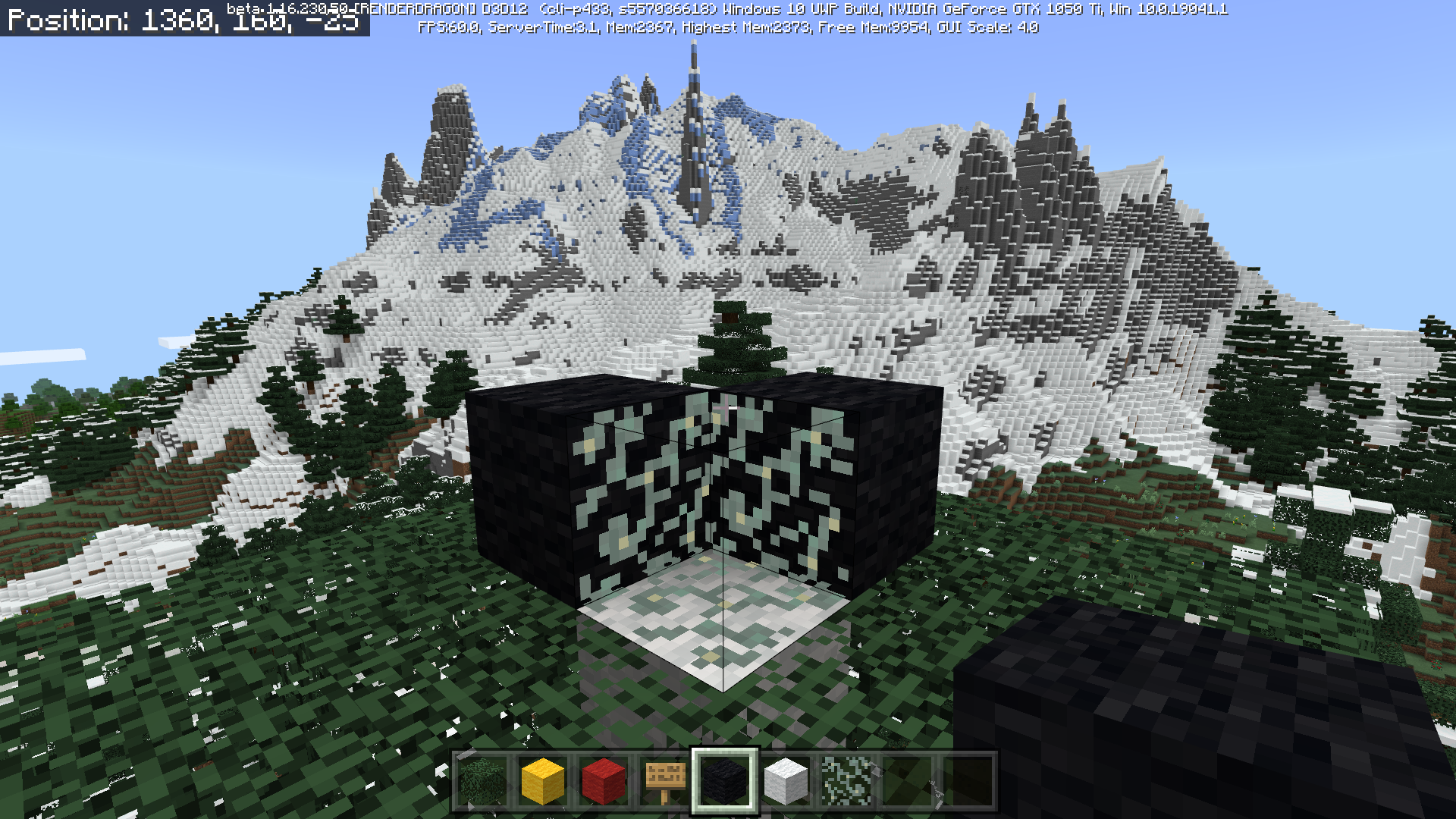








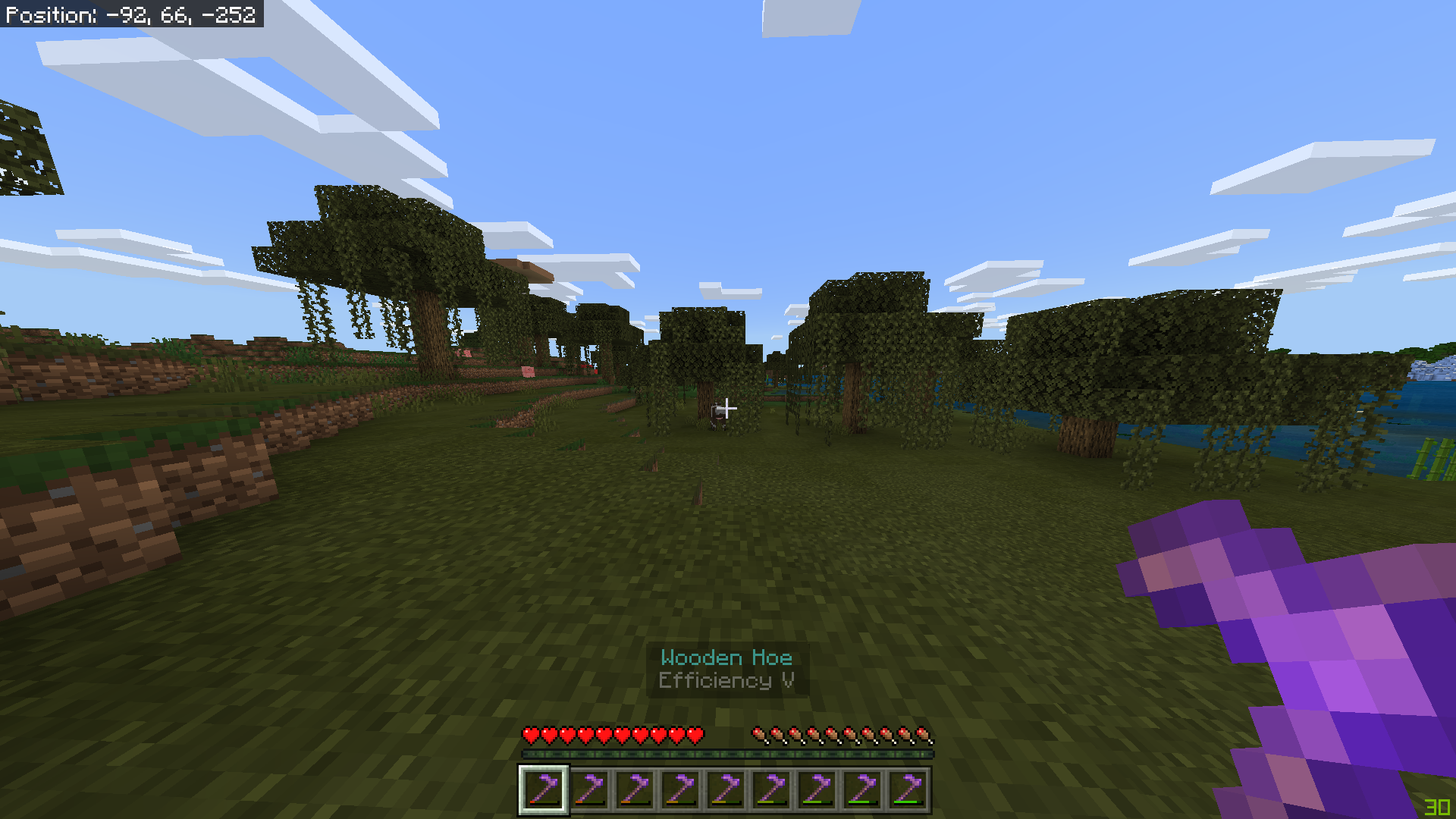



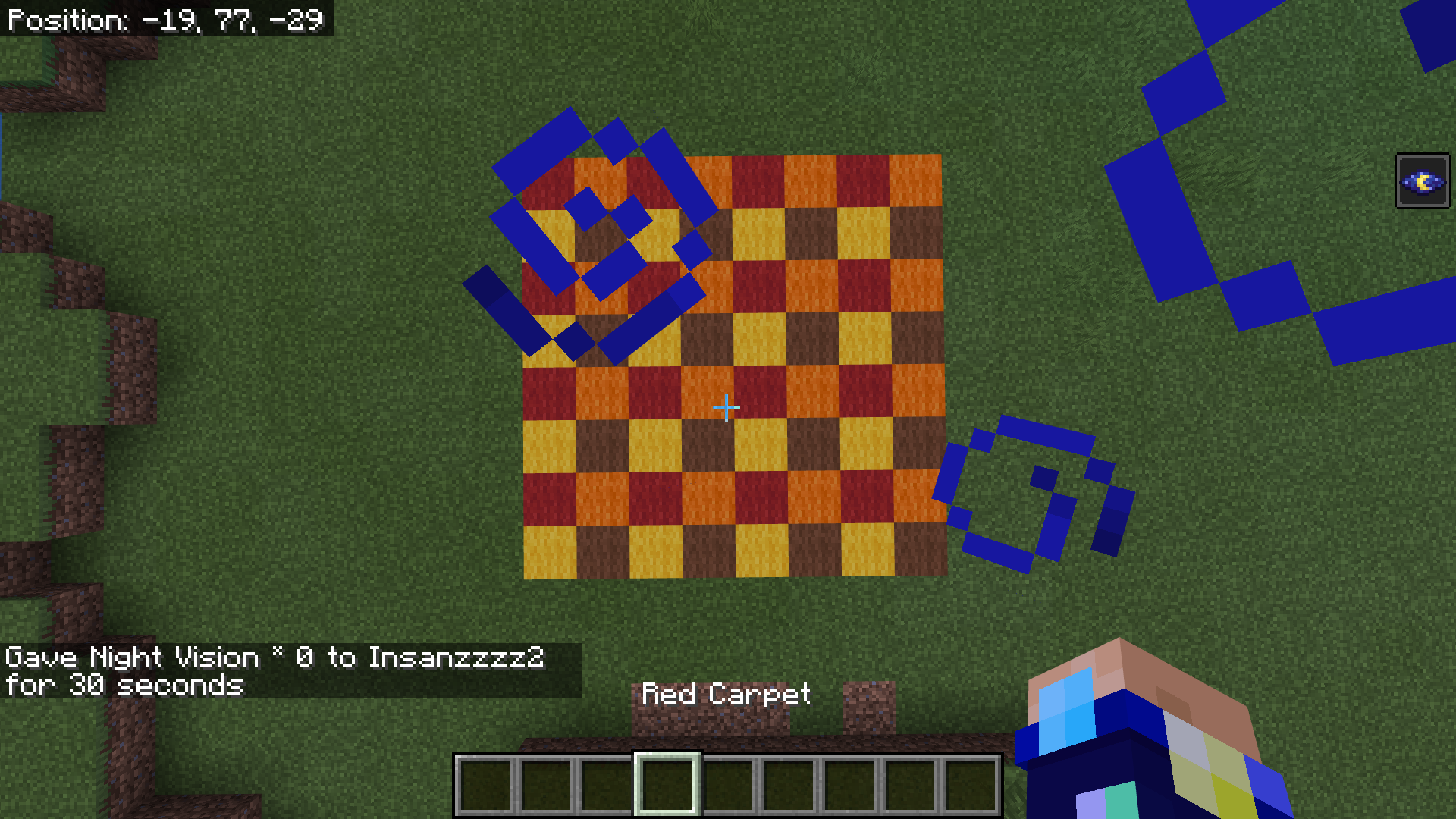






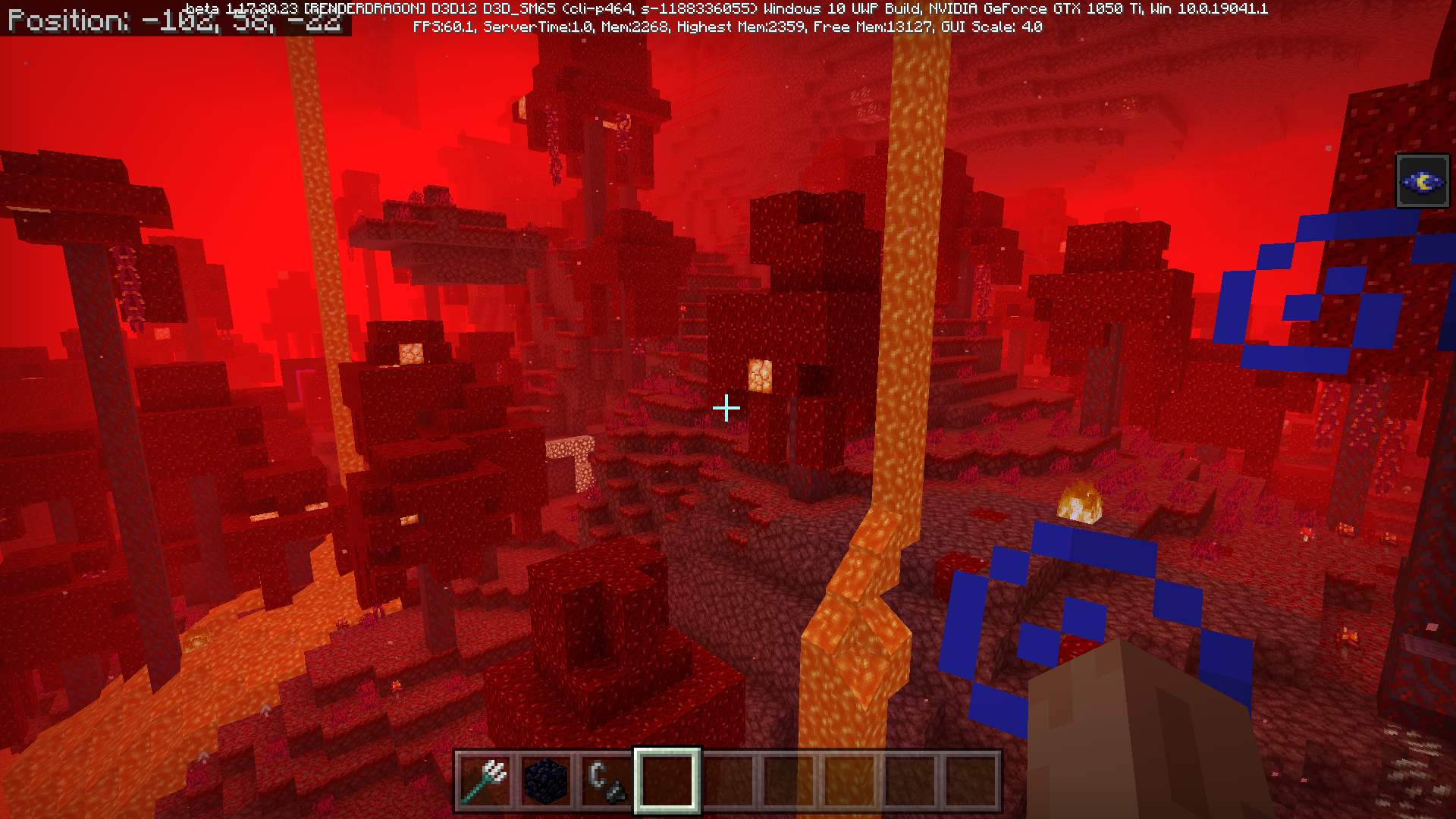
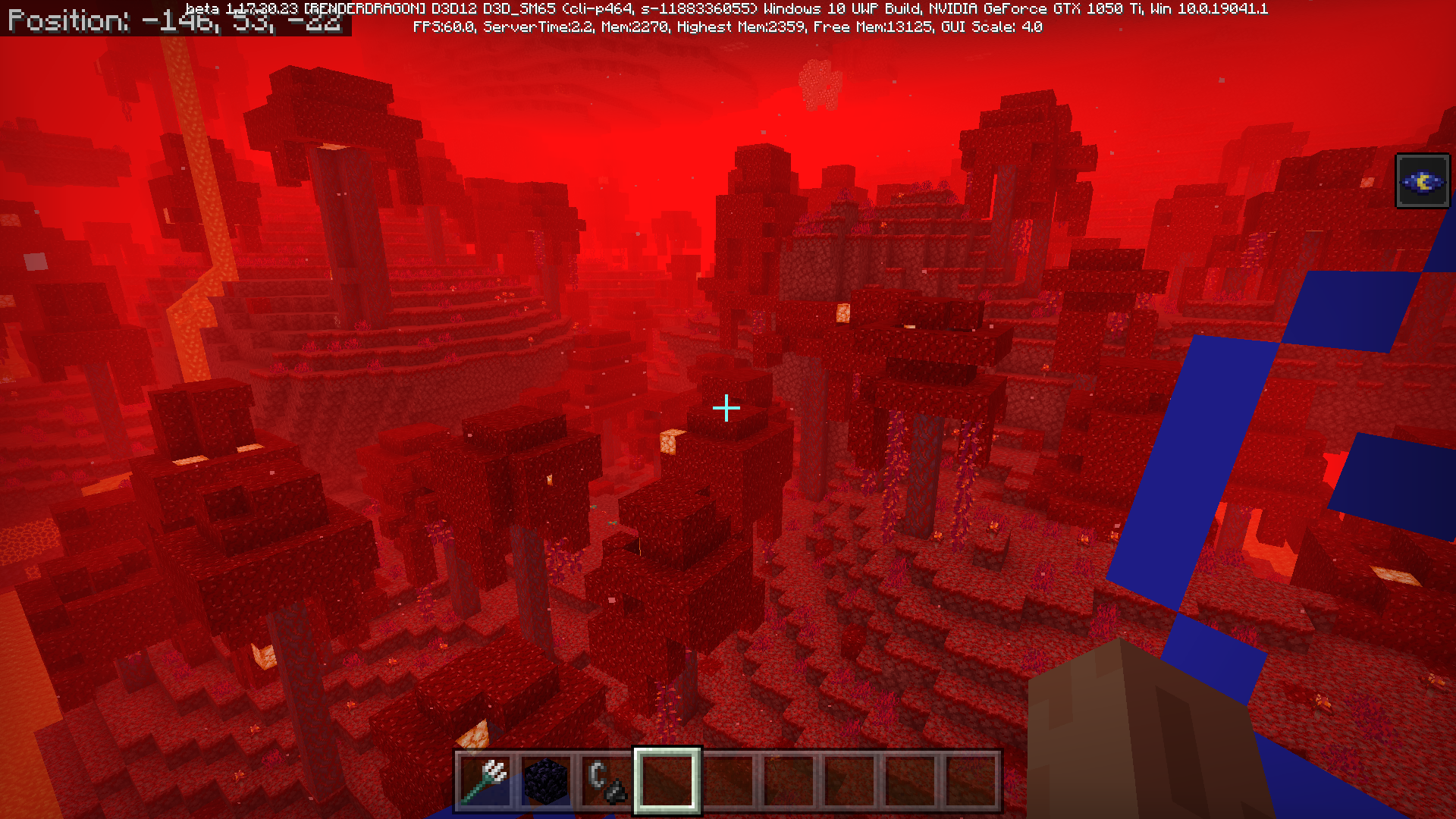
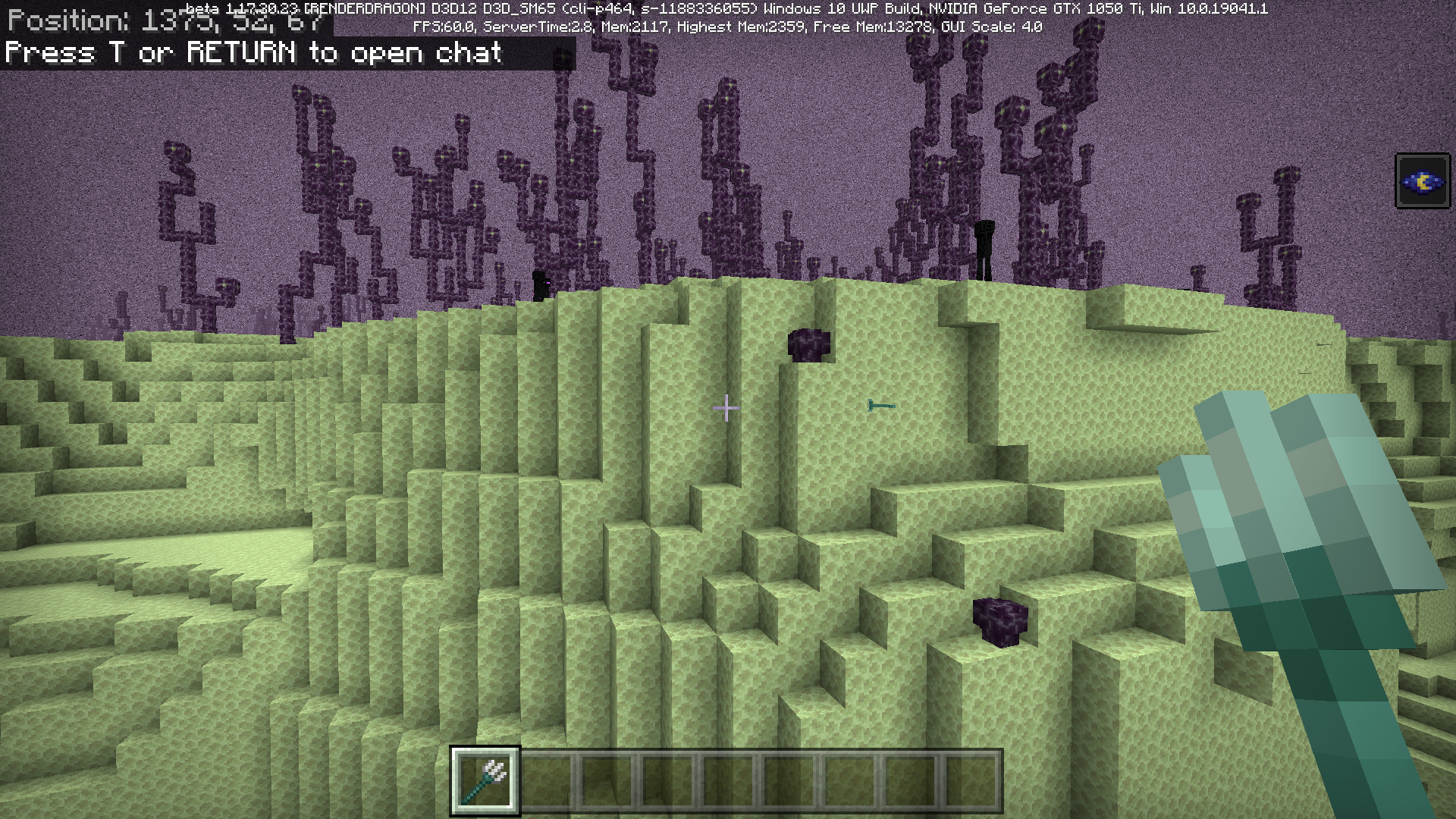

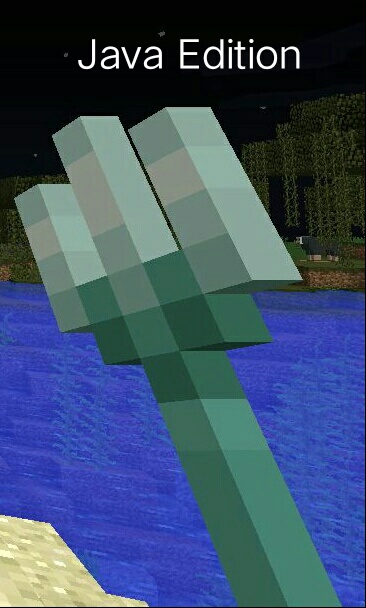



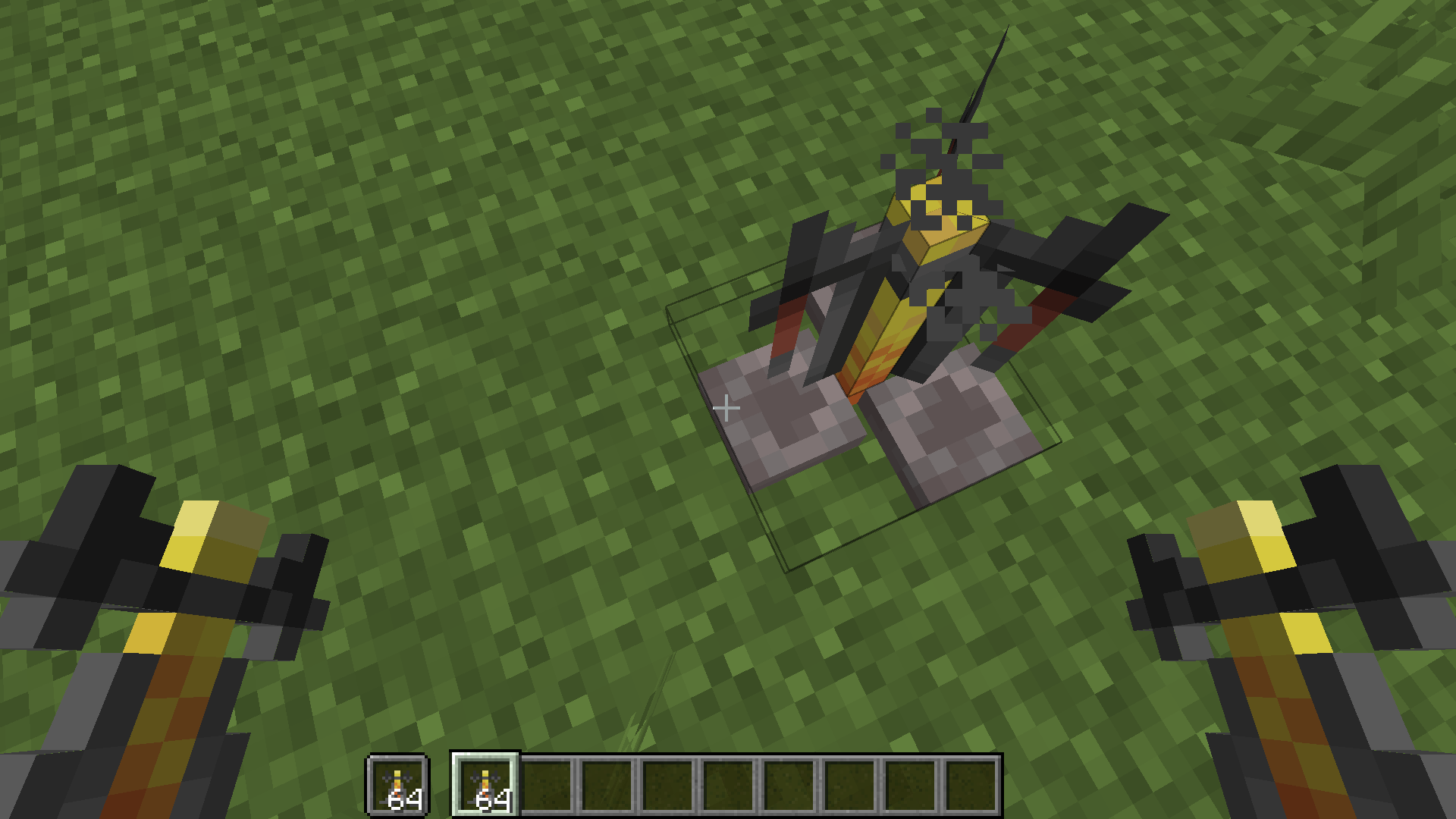

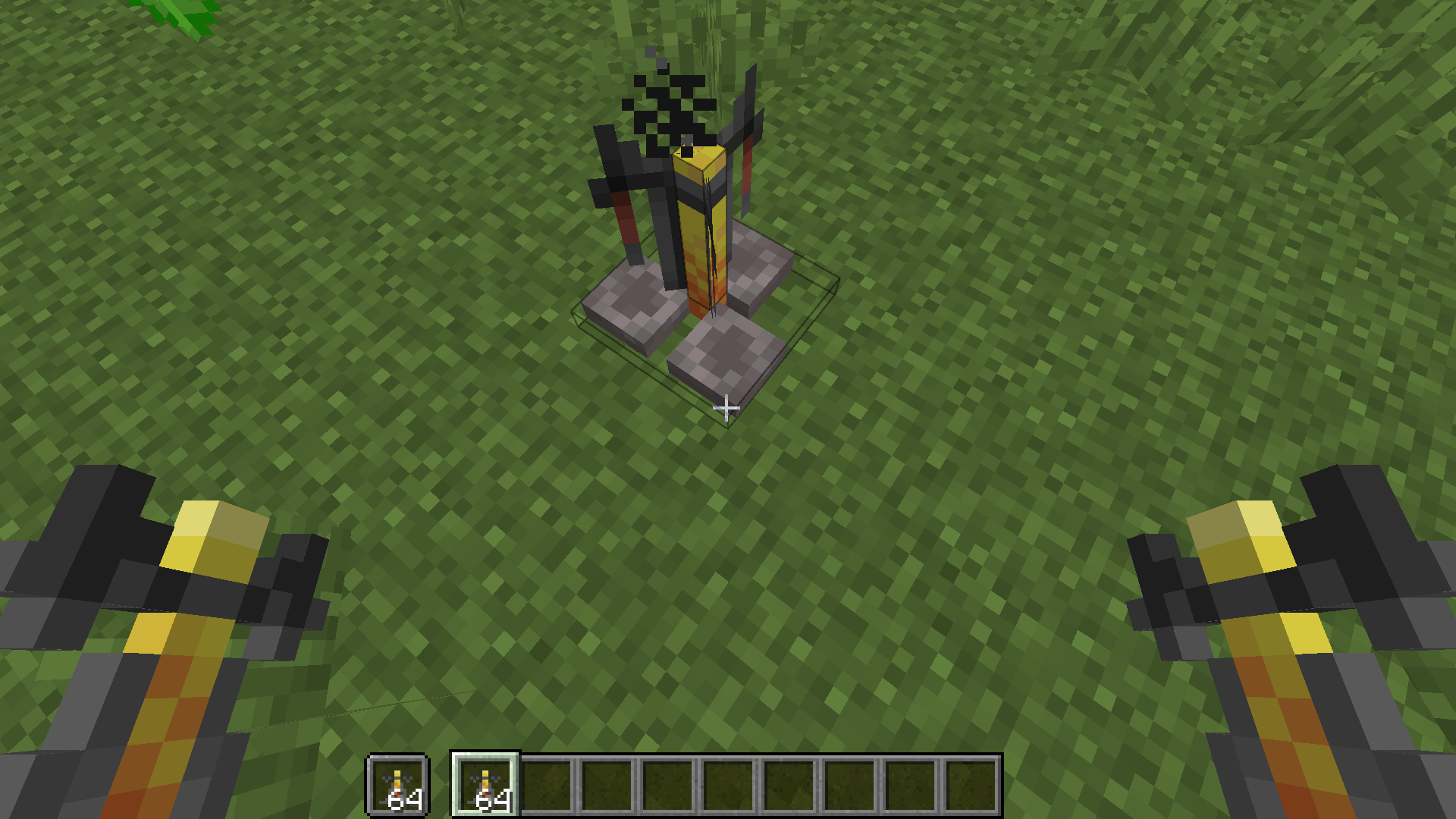

Offhand Visual Glitch 1.16.201.2
This bug worked with out any addons or behavior and resource packs so to get the bug to work or to activate it you have to be on the Windows 10 edition of Minecraft load/create a world and then put a shield
in the off hand it can have enchants on it then press e and leave or open the menu the shield will start to visually glitch in the ninth slot for a split second.This bug worked with out any addons or behavior and resource packs so to get the bug to work or to activate it you have to be on the Windows 10 edition of Minecraft load/create a world and then put a shield with enchants in the offhand slot then press e and leave or open the menu the shield will start to visually glitch in the ninth slot for a split second.
This bug worked with out any addons or behavior and resource packs so to get the bug to work or to activate it you have to be on the Windows 10 edition of Minecraft load/create a world and then put a shield with enchants in the offhand slot then press e and leave or open the menu the shield will start to visually glitch in the ninth slot for a split second.
Brief bug explanation since the addition of the render dragon engine items in the players inventory glitch out when you close the inventory screen but if its in the offhand it glitches on the right side of the players screen.
Steps to Reproduce:
1. Put a item in the inventory or Enchanted Shield in Offhand
2. Close and Open inventory
3. RepeatObserved Results:
Items glitch out in main hot bar in players screenExpected Results:
Items shouldn't show a white box or have the item move to the hot bar or with a enchanted shield in the offhand to the right side of the players screen when closing and opening the inventory.
Offhand Visual Glitch 1.16.201Items are Incorrectly Displayed In Inventory When Inventory Closed or Opened
Brief
bugexplanationsince the addition of the render dragon engine items in the players inventory glitch out when you close the inventoryscreen but ifitsinthe offhand it glitches on the right side of the players screen.
Steps to Reproduce:
1. Putaitem intheinventoryor EnchantedShield inOffhand
2. Close and Openinventory
3. RepeatObserved Results:
Items glitch out in main hot bar in players screenExpected Results:
Items shouldn't show a white box or have the item move to the hot bar or with a enchanted shield in the offhand to the right side of the players screen when closing and opening the inventory.
Brief explanation of bug the bug works when you quickly leave the inventory with a item in a slot or enchanted shield in offhand.
Steps to Reproduce:
1. Put item in inventory slot/hot bar slot or enchanted shield in offhand
2. Close and Open Inventory Fast
3. RepeatObserved Results:
When a item is in the hot bar slot/inventory slot or the player instead has a enchanted shield in offhand then the item and shield glitches out or is incorrectly displayed while closing the inventory or opening the inventory fastExpected Results:
Items or an enchanted shield should smoothly transition when inventory is closed to hot bar or offhand.
Duplicate Bug Report
Brief explanation of bug the bug works when you quickly leave the inventory with a item in a slot or enchanted shield in offhand.
Steps to Reproduce:
1. Put item in inventory slot/hot bar slot or enchanted shield in offhand
2. Close and Open Inventory Fast
3. RepeatObserved Results:
When a item is in the hot bar slot/inventory slot orthe player instead hasa enchanted shield inoffhandthen the itemand shield glitches out or is incorrectly displayed while closing the inventory or opening the inventory fastExpected Results:
Items or an enchanted shieldshould smoothly transition wheninventory is closedto hot bar or offhand.
Duplicate Bug ReportBrief explanation of bug the bug works when you quickly leave the inventory with a item in a slot or enchanted shield in offhand.
Steps to Reproduce:
1. Put item in inventory slot/hot bar slot or enchanted shield in offhand
2. Close and Open Inventory Fast or Move Item and Shield
3. RepeatObserved Results:
When a item is in the hot bar slot/inventory slot or a enchanted shield is in the offhand when moved the items have a white box around them and don't smoothly transition or when the inventory is closed or opened fast the items or enchanted shield doesn't smoothly transition to the hot bar.Expected Results:
Items or an enchanted shield when moved when items are moved through the inventory or if the inventory is closed fast or opened fast should smoothly transition without a white box around the item or the items shouldn't glitch near the hot bar.
Itemsare Incorrectly Displayed In Inventory When Inventory Closed or OpenedItems don't smoothly transition in the inventory or with an Enchanted Shield an offhand.
Brief explanation of bug the bug works when you quickly leave the inventory with a item in a slot or enchanted shield in offhand.
Steps to Reproduce:
1. Put item in inventory slot/hot bar slot or enchanted shield in offhand
2. Close and Open Inventory Fast or Move an Item and Shield in the inventory
3. RepeatObserved Results:
When a item is in the hot bar slot/inventory slot or a enchanted shield is in the offhand when moved the items have a white box around them and don't smoothly transition or when the inventory is closed or opened fast the items or enchanted shield doesn't smoothly transition to the hot bar.Expected Results:
Items or an enchanted shield when moved when items are moved through the inventory or if the inventory is closed fast or opened fast should smoothly transition without a white box around the item or the items shouldn't glitch near the hot bar.
Items don't smoothly transition in the inventory orwith an Enchanted Shield an offhand.Items don't smoothly transition if moved in the inventory or if player closes inventory fast
Screenshot (21).png
Certain Items don't smoothly transition if moved in the inventory or if player closes inventory fast
Brief explanation of bug the bug works when you quickly leave the inventory with a item in a slot or enchanted shield in offhand.
Steps to Reproduce:
1. Put item in inventory slot/hot bar slot or enchanted shield in offhand
2. Close and Open Inventory Fast or Move an Item and Shield in the inventory
3. RepeatObserved Results:
When a item is in the hot bar slot/inventory slot or a enchanted shield is in the offhand when moved the items have a white box around them and don't smoothly transition or when the inventory is closed or opened fast the items or enchanted shield doesn't smoothly transition to the hot bar.Expected Results:
Items or an enchanted shield when moved when items are moved through the inventory or if the inventory is closed fast or opened fast should smoothly transition without a white box around the item or the items shouldn't glitch near the hot bar.Brief explanation of bug the bug works when you quickly leave the inventory with a item in a slot or enchanted shield in offhand.
Steps to Reproduce:
1. Put item in inventory slot/hot bar slot or enchanted shield in offhand.
2. Close and Open Inventory Fast or Move an Item and Shield in the inventory
3. RepeatObserved Results:
When a item is in the hot bar slot/inventory slot or a enchanted shield is in the offhand when moved the items have a white box around them and don't smoothly transition or when the inventory is closed or opened fast the items or enchanted shield doesn't smoothly transition to the hot bar.Expected Results:
Items or an enchanted shield when moved when items are moved through the inventory or if the inventory is closed fast or opened fast should smoothly transition without a white box around the item or the items shouldn't glitch near the hot bar.List of Working Items:
Potions
Enchanted Books
Enchantment Table
Furnace
Iron Bars
Okay I will fix the bug report to comply with that template
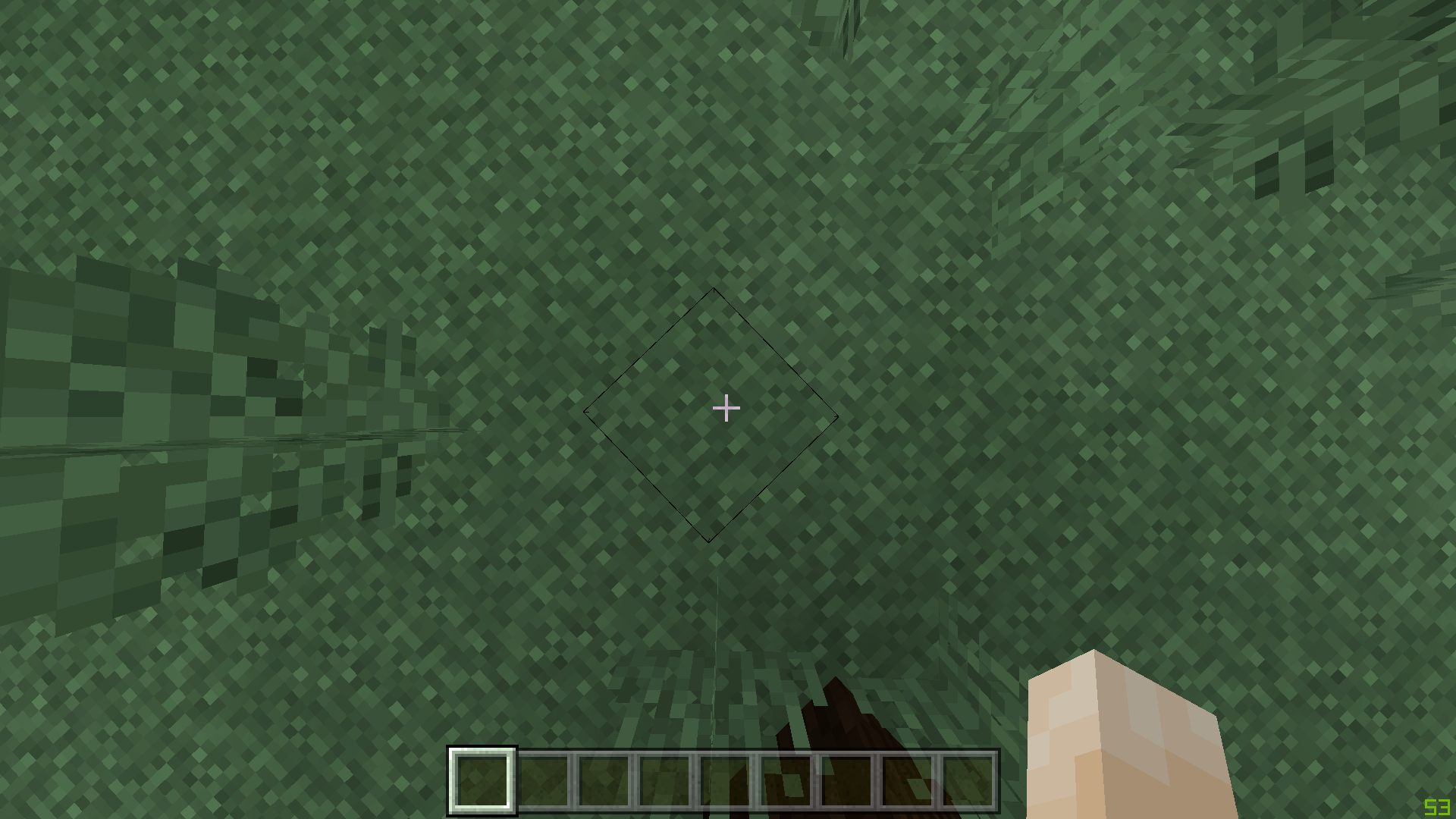
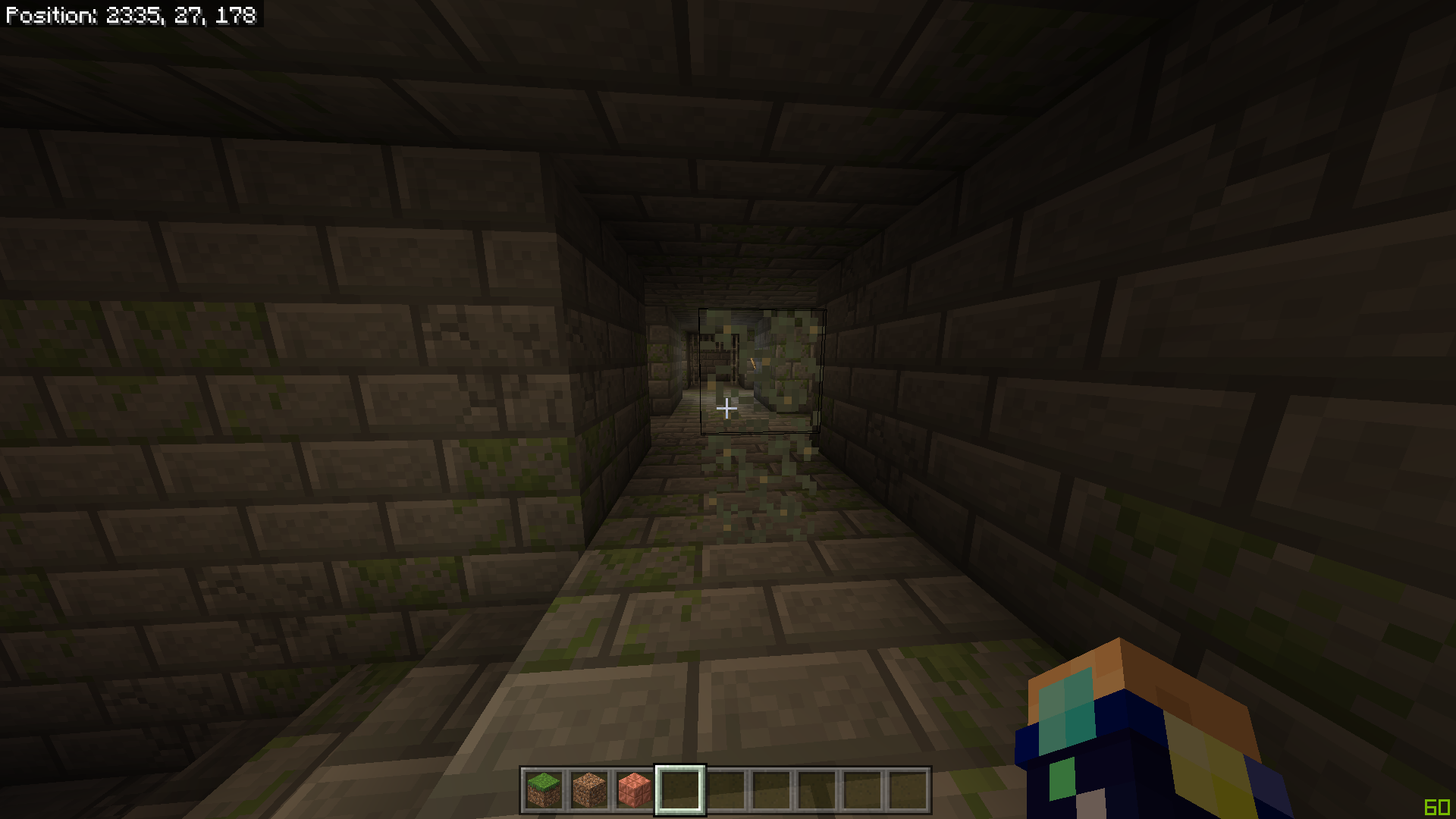
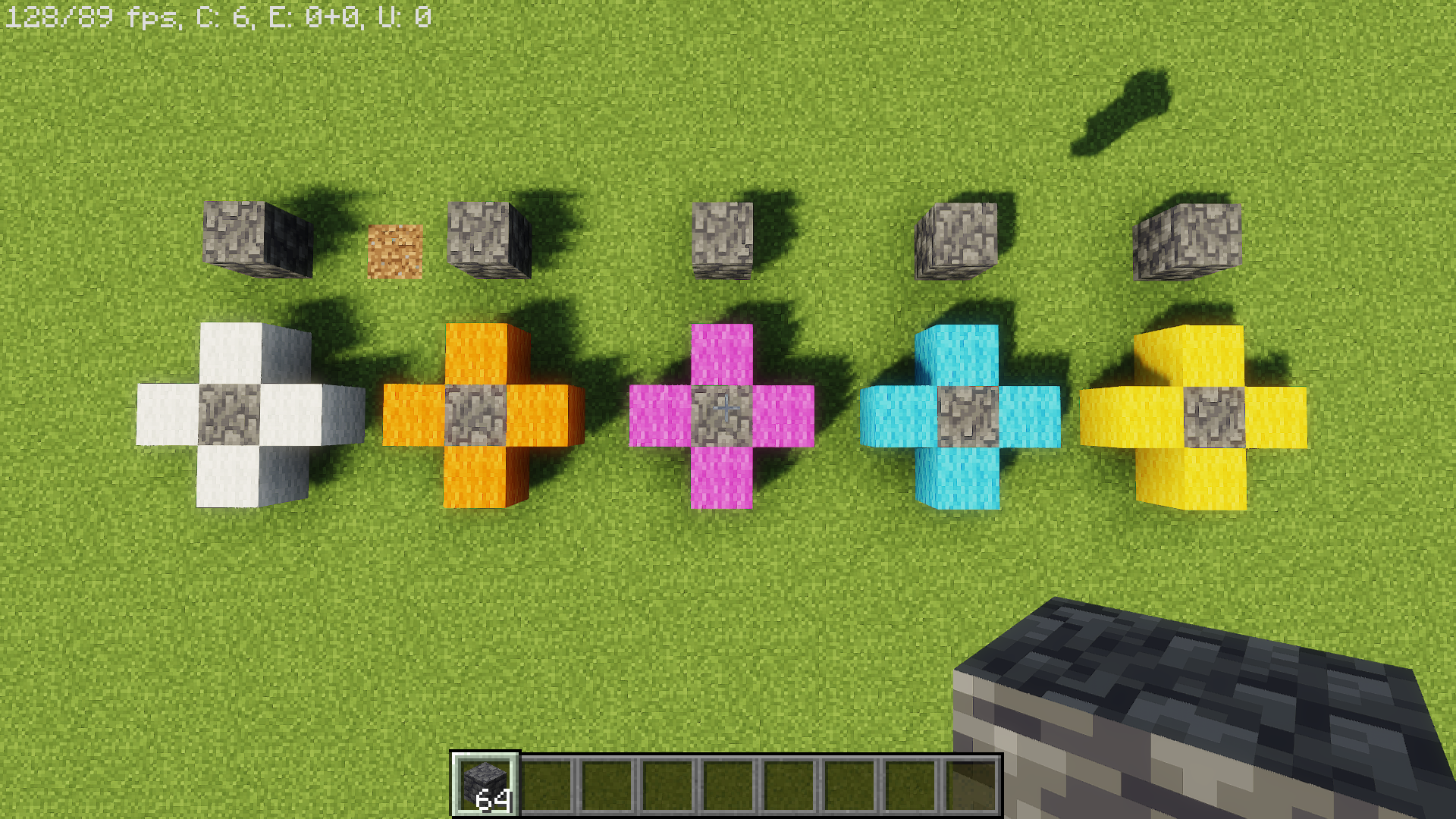
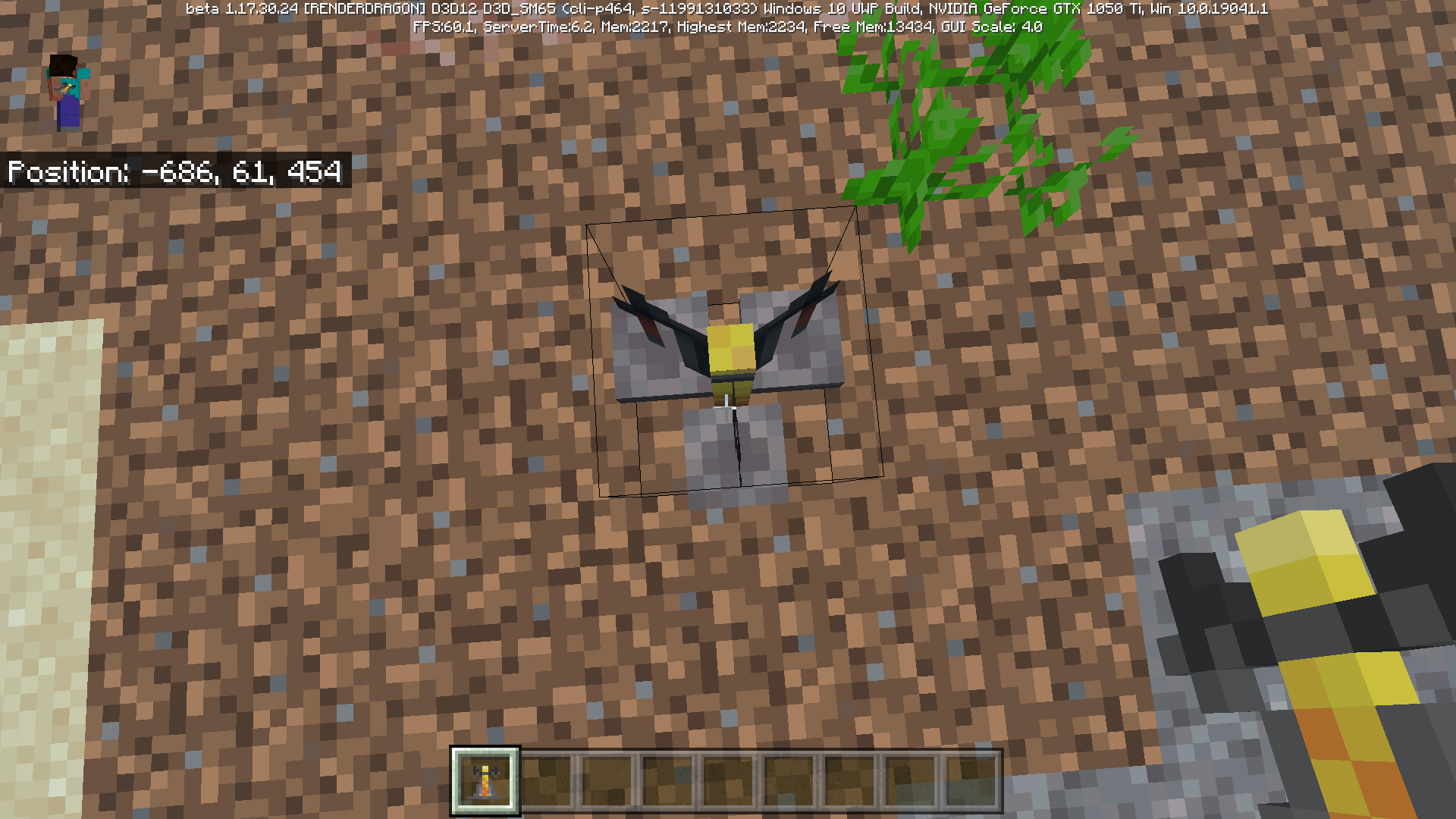
When Glow Lichen is placed it connects to other Glow Lichen.
When Glow Lichen is placed it connects to other Glow Lichen.
How to reproduce bug:
Step 1: Create the formation in my screenshot with any block or make blocks adjacent to each other.
Step 2: place glow lichen on the blocks they will make a full block hit box.
When Glow Lichen is placed it connects to other Glow Lichen.
How to reproduce bug:
Step 1: Create the formation in my screenshot with any block or make blocks adjacent to each other.
Step 2: place glow lichen on the blocks they will make a full block hit box.When Glow Lichen is placed it connects to other Glow Lichen.
Steps To Reproduce
Step 1: Create the formation in my screenshot with any block or make blocks adjacent to each other.
Step 2: place glow lichen on the blocks they will make a full block hit box.
Step 3: Look at crosshair the hit box if a full connected single block and destroy connected Glow Lichen.Observed Results :
When glow lichen is placed they connect to near blocks with 1 block distance in any direction and if you break it they all break at same time.Expected Results :
Glow Lichen should not connect to nearby Glow Lichen like java and each be its own block with individual hit boxes and it shouldn't break all the Glow Lichen if you break one of the connected Glow Lichen.
When Glow Lichen is placed it connects to other Glow Lichen.
Steps To Reproduce
Step 1: Create the formation in my screenshot with any block or make blocks adjacent to each other.
Step 2: place glow lichen on the blocks they will make a full block hit box.
Step 3: Look at crosshairthe hit box ifa full connected single block and destroy connected Glow Lichen.Observed Results :
When glow lichen is placed they connect to near blocks with 1 block distance in any direction and if you break it they all break at same time.Expected Results :
Glow Lichen should not connect to nearby Glow Lichen like java and each be its own block with individual hit boxes and it shouldn't break all the Glow Lichen if you break one of the connected Glow Lichen.When Glow Lichen is placed it connects to other Glow Lichen.
Steps To Reproduce
Step 1: Create the formation in my screenshot with any block or make blocks adjacent to each other.
Step 2: place glow lichen on the blocks they will make a full block hit box.
Step 3: Look at crosshair at the Glow Lichen and also look at the hit box and you see its a full connected single block and then destroy the connected Glow Lichen.Observed Results :
When glow lichen is placed they connect to near blocks with 1 block distance in any direction and if you break it they all break at same time.Expected Results :
Glow Lichen should not connect to nearby Glow Lichen like java and each be its own block with individual hit boxes and it shouldn't break all the Glow Lichen if you break one of the connected Glow Lichen.
When Glow Lichen is placed it connects to other Glow Lichen.
Steps To Reproduce
Step 1: Create the formation in my screenshot with any block or make blocks adjacent to each other.
Step 2:place glow lichen on the blocks they will make a full block hit box.
Step 3: Look at crosshair at the Glow Lichen and also look at the hit box and you see its a full connected single block and then destroy the connected Glow Lichen.Observed Results :
When glow lichen is placed they connect to near blocks with 1 block distance in any direction and if you break it they all break at same time.Expected Results :
Glow Lichen should not connect to nearby Glow Lichen like java and each be its own block with individual hit boxes and it shouldn't break all the Glow Lichen if you break one of the connected Glow Lichen.When Glow Lichen is placed it connects to other Glow Lichen.
Steps To Reproduce
Step 1: Create the formation in my screenshot with any block or make blocks adjacent to each other.
Step 2: Place glow lichen on the blocks they will make a full block hit box.
Step 3: Look at crosshair at the Glow Lichen and also look at the hit box and you see its a full connected single block and then destroy the connected Glow Lichen.Observed Results :
When glow lichen is placed they connect to near blocks with 1 block distance in any direction and if you break it they all break at same time.Expected Results :
Glow Lichen should not connect to nearby Glow Lichen like java and each be its own block with individual hit boxes and it shouldn't break all the Glow Lichen if you break one of the connected Glow Lichen.
When Glow Lichen is placed it connects to other Glow Lichen.
Steps To Reproduce
Step 1: Create the formation in my screenshot with any block or make blocks adjacent to each other.
Step 2: Place glow lichen on the blocks they will make a full block hit box.
Step 3: Look atcrosshair atthe Glow Lichenand also look at thehit box and you see its a full connected single block and then destroy the connected Glow Lichen.Observed Results :
When glow lichen is placed they connect to near blocks with 1 block distance in any direction and if you break it they all break at same time.Expected Results :
Glow Lichen should not connect to nearby Glow Lichen like java and each be its own block with individual hit boxes and it shouldn't break all the Glow Lichen if you break one of the connected Glow Lichen.When Glow Lichen is placed it connects to other Glow Lichen.
Steps To Reproduce
Step 1: Create the formation in my screenshot with any block or make blocks adjacent to each other.
Step 2: Place glow lichen on the blocks they will make a full block hit box.
Step 3: Look at the Glow Lichen with your crosshair or hit box and you see its a full connected single block and then destroy the connected Glow Lichen.Observed Results :
When glow lichen is placed they connect to near blocks with 1 block distance in any direction and if you break it they all break at same time.Expected Results :
Glow Lichen should not connect to nearby Glow Lichen like java and each be its own block with individual hit boxes and it shouldn't break all the Glow Lichen if you break one of the connected Glow Lichen.
When Glow Lichen is placed it connects to other Glow Lichen.
Steps To Reproduce
Step 1: Create the formation in my screenshot with any block or make blocks adjacent to each other.
Step 2: Place glow lichen on the blocks they will make a full block hit box.
Step 3: Look at the Glow Lichen with your crosshair or hit box and you see its a full connected single block and then destroy the connected Glow Lichen.Observed Results :
When glow lichen is placed they connect to nearblockswith 1 block distance in any direction and if you break it they all break at same time.Expected Results :
Glow Lichen should not connect to nearby Glow Lichen like java and each be its own block with individual hit boxes and it shouldn't break all the Glow Lichen if you break one of the connected Glow Lichen.When Glow Lichen is placed it connects to other Glow Lichen.
Steps To Reproduce
Step 1: Create the formation in my screenshot with any block or make blocks adjacent to each other.
Step 2: Place glow lichen on the blocks they will make a full block hit box.
Step 3: Look at the Glow Lichen with your crosshair or hit box and you see its a full connected single block and then destroy the connected Glow Lichen.Observed Results :
When glow lichen is placed they connect to near Glow Lichen with 1 block distance if its adjacent or below and above another placed Glow Lichen and if you break it they all break at same time.Expected Results :
Glow Lichen should not connect to nearby Glow Lichen like java and each be its own block with individual hit boxes and it shouldn't break all the Glow Lichen if you break one of the connected Glow Lichen.
When Glow Lichen is placed in this beta it connects to other Glow Lichen and if the connected Glow Lichen is destroyed it destroys all of the Glow Lichen that's connected.
Steps To Reproduce
Step 1: Create the formation in my screenshot with any block or make blocks adjacent to each other.
Step 2: Place glow lichen on the blocks they will make a full block hit box.
Step 3: Look at the Glow Lichen with your crosshair or hit box and you see its a full connected single block and then destroy the connected Glow Lichen.Observed Results :
When glow lichen is placed they connect to near Glow Lichen with 1 block distance if its adjacent or below and above another placed Glow Lichen and if you break it they all break at same time.Expected Results :
Glow Lichen should not connect to nearby Glow Lichen like java and each be its own block with individual hit boxes and it shouldn't break all the Glow Lichen if you break one of the connected Glow Lichen.
Glow Lichen connectsincorrectlyto other Glow Lichenplaced near other Glow LichenGlow Lichens hit box connects to other Glow Lichen to create a full block hit box
When Glow Lichen is placed in this beta it connects to other Glow Lichen
and if the connected Glow Lichen is destroyed it destroys all of the Glow Lichen that's connected.
Steps To Reproduce
Step 1: Create the formation in my screenshot with any block or make blocks adjacent to each other.
Step 2: Place glow lichen on the blocks they will make a full block hit box.
Step 3: Look at the Glow Lichen with your crosshair or hit box and you see its a full connected single block and then destroy the connected Glow Lichen.Observed Results :
When glow lichen is placed they connect to near Glow Lichen with 1 block distance if its adjacent or below and above another placed Glow Lichen and if youbreak it they all break at same time.Expected Results :
Glow Lichen should not connect to nearby Glow Lichenlike java and each be its own block with individual hit boxes and it shouldn't break all the Glow Lichen if you break one of the connected Glow Lichen.When Glow Lichen is placed in this beta it connects to other Glow Lichens hit box to create a full block hit box.
Steps To Reproduce
Step 1: Create the formation in my screenshot with any block or make blocks adjacent to each other.
Step 2: Place glow lichen on the blocks they will make a full block hit box.
Step 3: Look at the Glow Lichen with your crosshair or hit box and you see its a full connected single block and then destroy the connected Glow Lichen.Observed Results :
When glow lichen is placed they connect to near Glow Lichen with 1 block distance if its adjacent or below and above another placed Glow Lichen and if you aim your crosshair at the Glow Lichen its a full block.Expected Results :
Glow Lichen hit box should not connect to nearby Glow Lichen as a full block like Java.
When Glow Lichen is placed in this beta it connects to other Glow Lichens hit box to create a full block hit box.
Steps To Reproduce
Step 1: Create the formation in my screenshot with any block or make blocks adjacent to each other.
Step 2: Place glow lichen on the blocks they will make a full block hit box.
Step 3: Look at the Glow Lichen with your crosshair or hit box and you see its a full connected single block and then destroy the connected Glow Lichen.Observed Results :
When glow lichen is placed they connect to near Glow Lichen with 1 block distance if its adjacent or below and above another placed Glow Lichenandif you aim your crosshair at the Glow Lichen its a full block.Expected Results :
Glow Lichen hit box should not connect to nearby Glow Lichen as a full block like Java.When Glow Lichen is placed in this beta it connects to other Glow Lichens hit box to create a full block hit box.
Steps To Reproduce
Step 1: Create the formation in my screenshot with any block or make blocks adjacent to each other.
Step 2: Place glow lichen on the blocks they will make a full block hit box.
Step 3: Look at the Glow Lichen with your crosshair or hit box and you see its a full connected single block and then destroy the connected Glow Lichen.Observed Results :
When glow lichen is placed they connect to near Glow Lichen with 1 block distance if its adjacent or below and above another placed Glow Lichen then if you aim your crosshair at the Glow Lichen its hit box is a full block.Expected Results :
Glow Lichen hit box should not connect to nearby Glow Lichen as a full block like Java.
When Glow Lichen is placed in this beta it connects to other Glow Lichens hit box to create a full block hit box.
Steps To Reproduce
Step 1: Create the formation in my screenshot with any block or make blocks adjacent to each other.
Step 2: Place glow lichen on the blocks they will make a full block hit box.
Step 3: Look at the Glow Lichen with your crosshair or hit box and you see its a full connected single block and then destroy the connected Glow Lichen.Observed Results :
When glow lichen is placed they connect to near Glow Lichen with 1 block distance if its adjacent or below and above another placed Glow Lichen then if you aim your crosshair at the Glow Lichen its hit box is a full block.Expected Results :
Glow Lichens hit box should not connect to nearby Glow Lichen as a full block like Java.
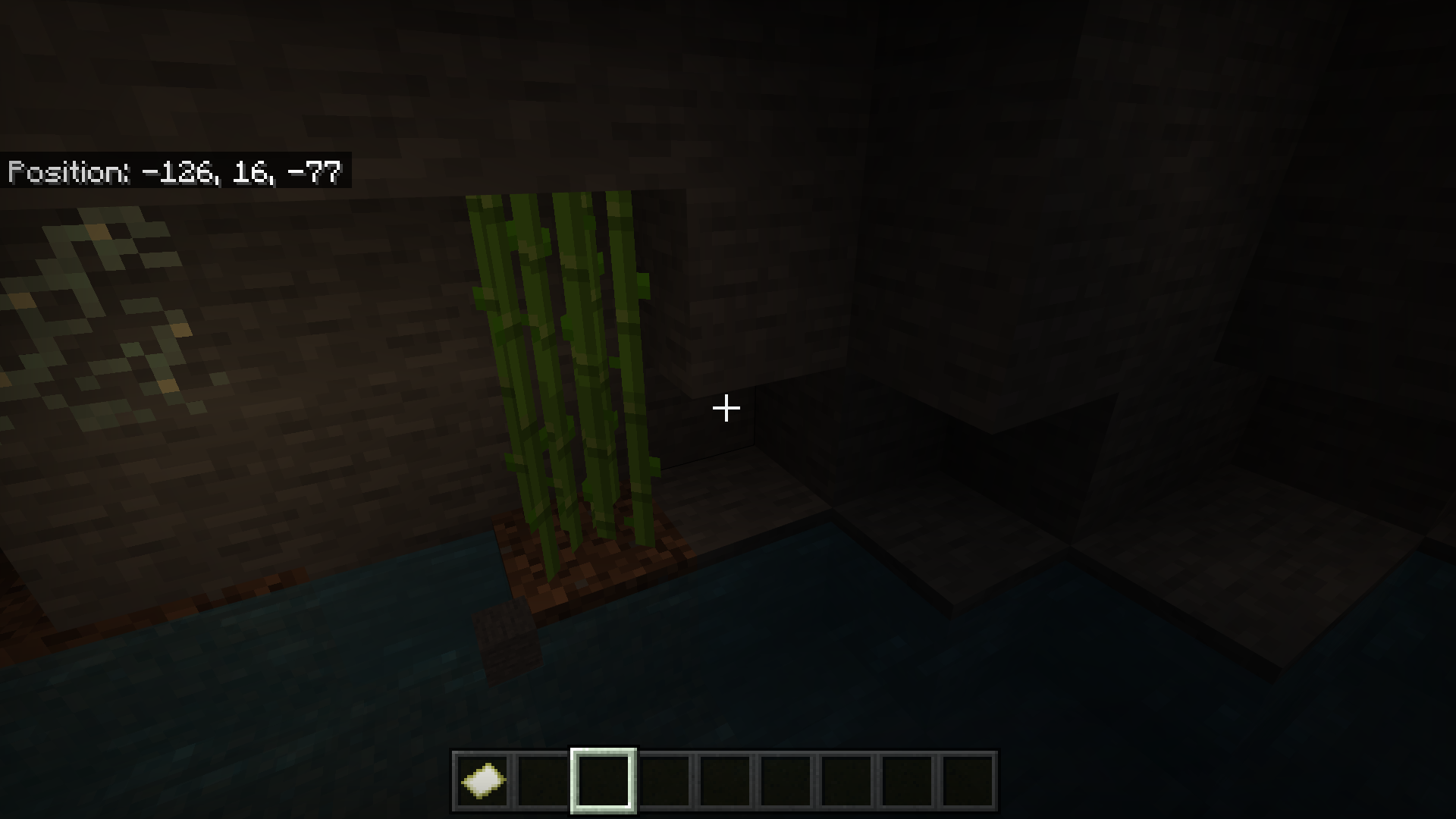
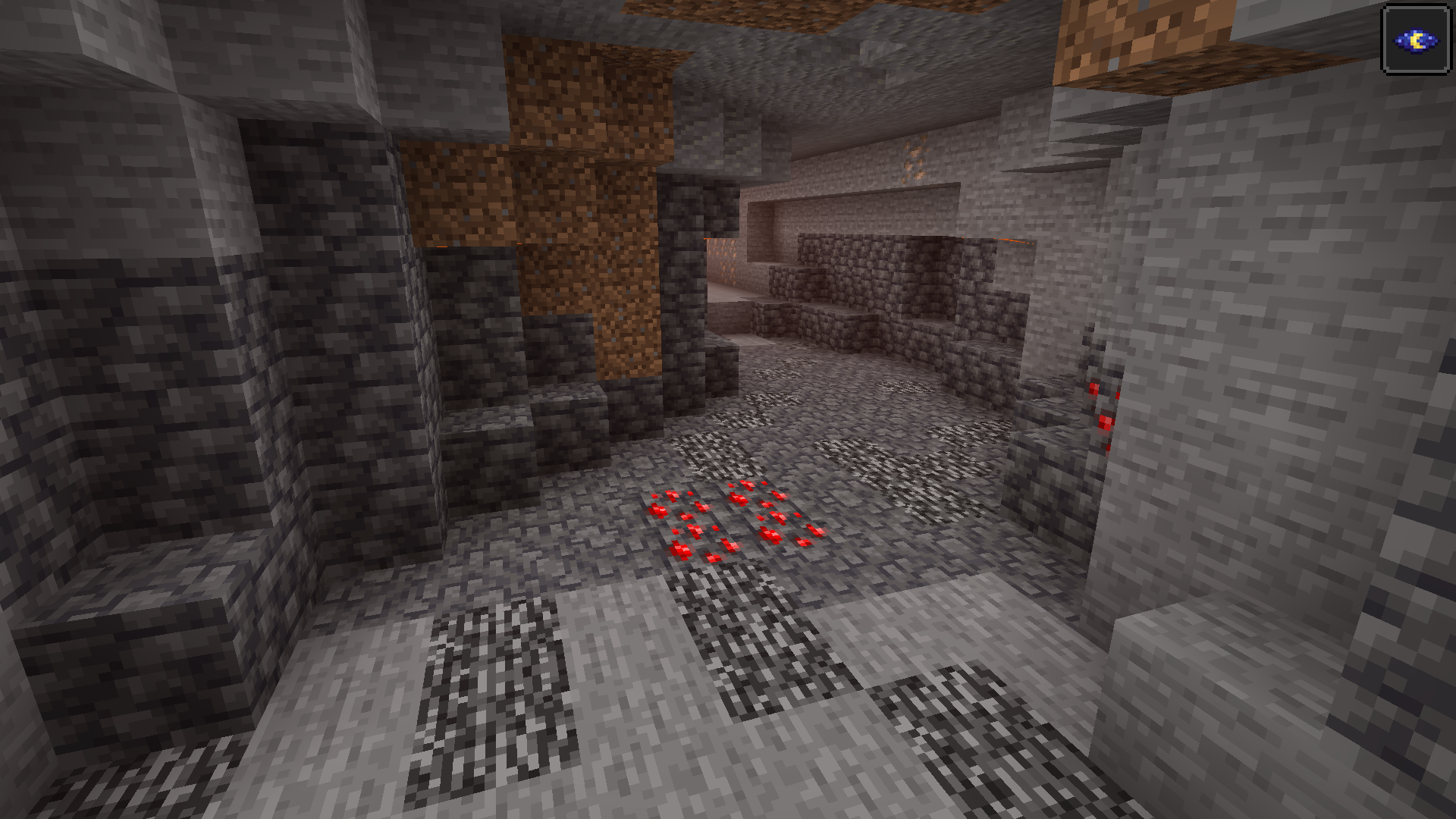
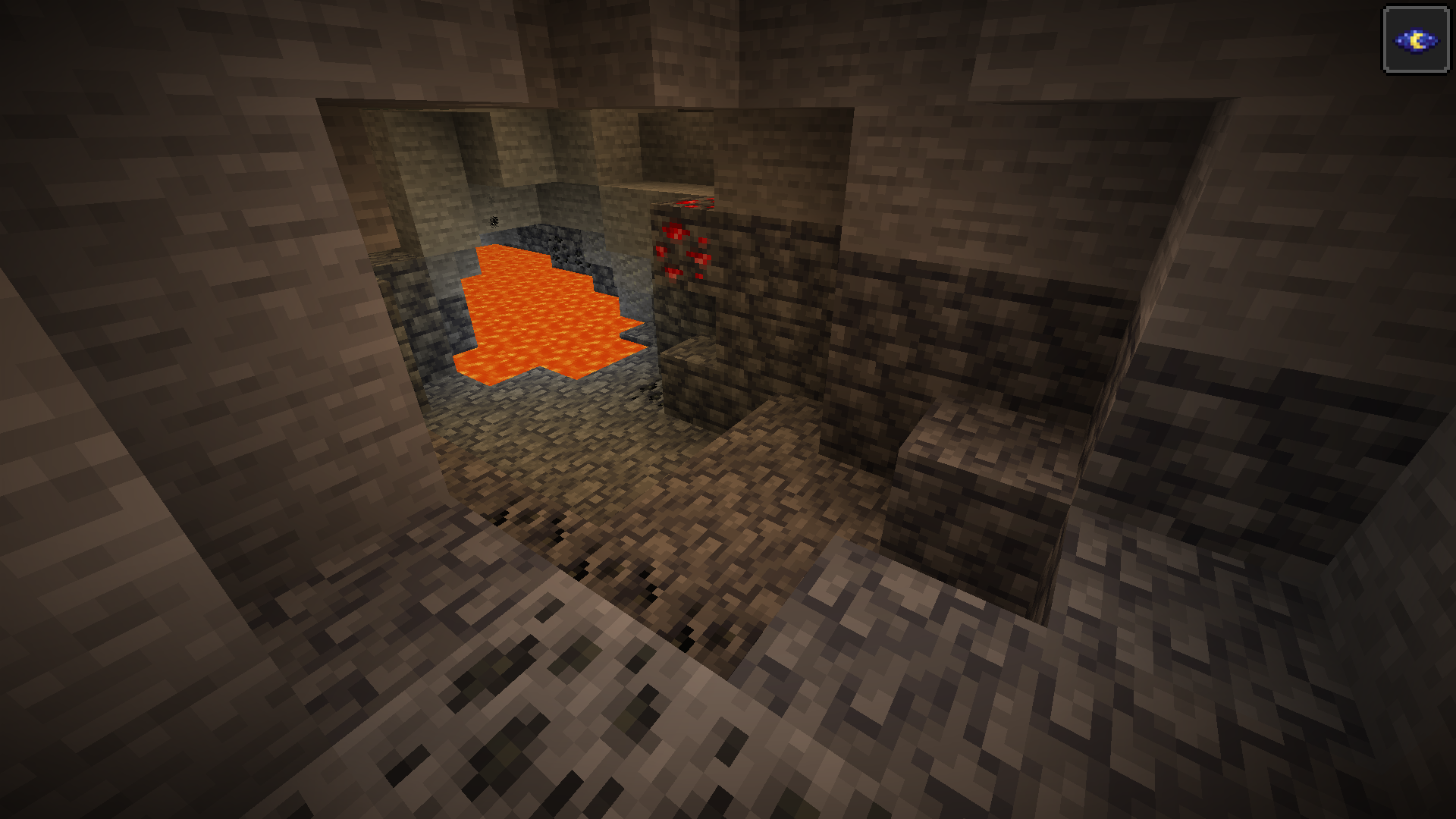
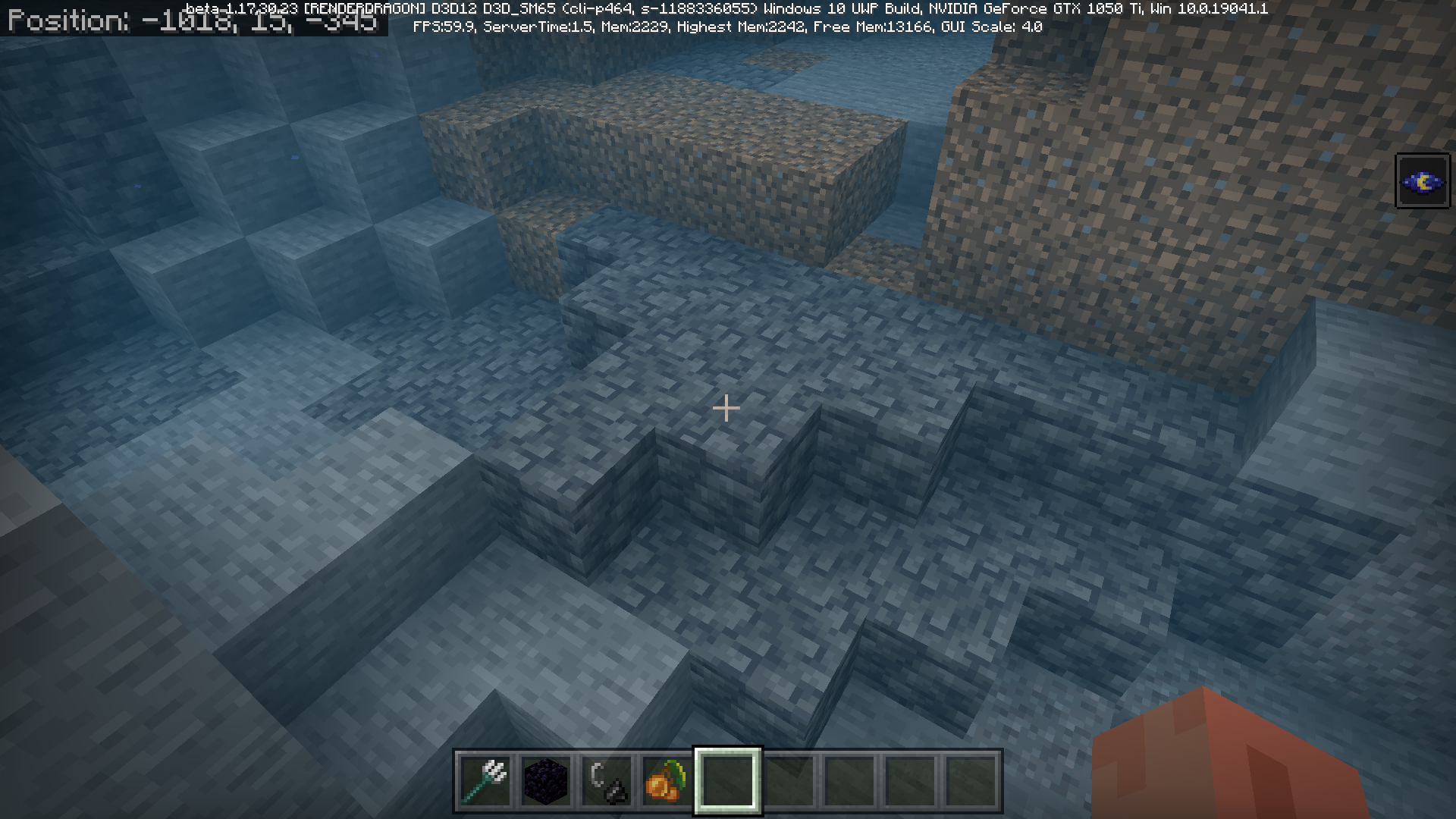
Brief Description of bug the Dripstone Pillars from the dripstone cave biome in Java spawn in Bedrock and they spawn without pointed dripstone.
Steps to Reproduce:
- Load a Minecraft World with Caves n Cliffs.
- Dig for a while through caves until you find a dripstone pillar
- Repeat
Observed Results:
Dripstone Pillars from the dripstone cave biome spawn like the Java Dripstone Cave biome
which was never mentioned and the changelog and they spawn without pointed dripstone.
Expected Results: Dripstone Pillars should spawn with pointed dripstone on top of themif they are suppose to spawn and if there not supposed to spawn then they shouldn'tspawn at all because they were never mentioned in the changelog or they should spawnlike Java with pointed dripstone on top of the pillars.Brief Description of bug the Dripstone Pillars from the dripstone cave biome in Java spawn in Bedrock and they spawn without pointed dripstone.
Steps to Reproduce:
- Load a Minecraft World with Caves n Cliffs.
- Dig for a while through caves until you find a dripstone pillar
- Repeat
Observed Results:
Dripstone Pillars from the dripstone cave biome spawn like the Java Dripstone Cave biome which was never mentioned and the changelog and they spawn without pointed dripstone.
Expected Results: Dripstone Pillars should spawn with pointed dripstone on top of them if they are suppose to spawn and if there not supposed to spawn then they shouldn't spawn at all because they were never mentioned in the changelog or they should spawn like Java with pointed dripstone on top of the pillars.
Summary:
Dripstone Pillars from the dripstone cave biome in Java spawn in Bedrock and they spawn without pointed dripstone.Steps to Reproduce:
- Load a Minecraft World with Caves n Cliffs.
- Dig for a while through caves until you find a dripstone pillar
- Repeat
Observed Results:
Dripstone Pillars from the dripstone cave biome spawn like the Java Dripstone Cavebiomewhich was never mentionedandthe changelogandthey spawn without pointed dripstone.Expected Results:
Dripstone Pillars should spawn with pointed dripstone on top of them if they are supposed to spawnand if they're not supposed to spawn then they shouldn't spawn at all because they were never mentioned in the changelog or they should spawn like Java with pointed dripstone on top of the pillars.Summary:
Dripstone Pillars from the dripstone cave biome in Java spawn in Bedrock and they spawn without pointed dripstone.Steps to Reproduce:
- Load a Minecraft World with Caves n Cliffs.
- Dig for a while through caves until you find a dripstone pillar
- Repeat
Observed Results:
Dripstone Pillars from the dripstone cave biome spawn like the Java Dripstone Cave generation which was never mentioned in the changelog therefore its observed that they spawn without pointed dripstone unlike its Java Counterpart.Expected Results:
Dripstone Pillars should spawn with pointed dripstone on top of them if they are supposed to spawn in the world.
Summary:
Dripstone Pillars from the dripstone cave biome in Java spawn in Bedrock and they spawn without pointed dripstone.Steps to Reproduce:
- Load a Minecraft World with Caves n Cliffs.
- Dig for a while through caves until you find a dripstone pillar
- Repeat
Observed Results:
Dripstone Pillars from the dripstone cave biome spawn like the Java Dripstone Cave generation which was never mentioned in the changelog therefore its observed that they spawn without pointed dripstone unlike its Java Counterpart.Expected Results:
Dripstone Pillars should spawn with pointed dripstone on top of them if they are supposed to spawn in the world.Note: If you can't reproduce this its because of this bug >>>
MCPE-135061
Summary:
Dripstone Pillars from the dripstone cave biome in Java spawn in Bedrock and they spawn without pointed dripstone.Steps to Reproduce:
- Load a Minecraft World with Caves n Cliffs.
- Dig for a while through caves until you find a dripstone pillar
- Repeat
Observed Results:
Dripstone Pillars from the dripstone cave biome spawn like the Java Dripstone Cave generation which was never mentioned in the changelog therefore its observed that they spawn without pointed dripstone unlike its Java Counterpart.Expected Results:
Dripstone Pillars should spawn with pointed dripstone on top of them if they are supposed to spawn in the world.Note: If you can't reproduce this its because of this bug >>>
MCPE-135061Please Upvote and Confirm This Bug!
Summary:
Dripstone Pillars from the dripstone cave biome in Java spawn in Bedrock and they spawn without pointed dripstone.Steps to Reproduce:
- Load a Minecraft World with Caves n Cliffs.
- Dig for a while through caves until you find a dripstone pillar
- Repeat
Observed Results:
Dripstone Pillars from the dripstone cave biome spawn like the Java Dripstone Cave generation which was never mentioned in the changelog therefore its observed that they spawn without pointed dripstone unlike its Java Counterpart.Expected Results:
Dripstone Pillars should spawn with pointed dripstone on top of them if they are supposed to spawn in the world.Note: If you can't reproduce this its because of this bug >>>
MCPE-135061Please Upvote and Confirm This Bug!Update: This Bug Has Gotten Worse In The New Beta 1.17.20.23 I Don't See Any Dripstone Pillars in The New Beta!
Summary:
Dripstone Pillars from the dripstone cave biome in Java spawn in Bedrock and they spawn without pointed dripstone.Steps to Reproduce:
- Load a Minecraft World with Caves n Cliffs.
- Dig for a while through caves until you find a dripstone pillar
- Repeat
Observed Results:
Dripstone Pillars from the dripstone cave biome spawn like the Java Dripstone Cave generation which was never mentioned in the changelog therefore its observed that they spawn without pointed dripstone unlike its Java Counterpart.Expected Results:
Dripstone Pillars should spawn with pointed dripstone on top of them if they are supposed to spawn in the world.Note: If you can't reproduce this its because of this bug >>>
MCPE-135061Please Upvote and Confirm This Bug!Update: This Bug Has Gotten Worse In The New Beta 1.17.20.23 I Don't See Any Dripstone Pillars in The New Beta! This Has Gotten Sadly Even Worse Please Upvote All The Bugs Related to
MCPE-135061Which Is Mentioned In The Bug Report.
Summary:
Dripstone Pillars from the dripstone cave biome in Java spawn in Bedrock and they spawn without pointed dripstone.Steps to Reproduce:
- Load a Minecraft World with Caves n Cliffs.
- Dig for a while through caves until you find a dripstone pillar
- Repeat
Observed Results:
Dripstone Pillars from the dripstone cave biome spawn like the Java Dripstone Cave generation which was never mentioned in the changelog therefore its observed that they spawn without pointed dripstone unlike its Java Counterpart.Expected Results:
Dripstone Pillars should spawn with pointed dripstone on top of them if they are supposed to spawn in the world.Note: If you can't reproduce this its because of this bug >>>
MCPE-1Please Upvote and Confirm This Bug!35061Update: This Bug Has Gotten Worse In The New Beta 1.17.20.23 I Don't See Any Dripstone Pillars in The New Beta! This Has Gotten Sadly Even Worse Please Upvote All The Bugs Related to
MCPE-1Which Is Mentioned In The Bug Report.35061Summary:
Dripstone Pillars from the dripstone cave biome in Java spawn in Bedrock and they spawn without pointed dripstone.Steps to Reproduce:
- Load a Minecraft World with Caves n Cliffs.
- Dig for a while through caves until you find a dripstone pillar
- Repeat
Observed Results:
Dripstone Pillars from the dripstone cave biome spawn like the Java Dripstone Cave generation which was never mentioned in the changelog therefore its observed that they spawn without pointed dripstone unlike its Java Counterpart.Expected Results:
Dripstone Pillars should spawn with pointed dripstone on top of them if they are supposed to spawn in the world.Note: If you can't reproduce this its because of this bug >>>
MCPE-140610Please Upvote and Confirm This Bug!Update: This Bug Has Gotten Worse In The New Beta 1.17.20.23 I Don't See Any Dripstone Pillars in The New Beta! This Has Gotten Sadly Even Worse Please Upvote All The Bugs Related to
MCPE-140610Which Is Mentioned In The Bug Report.
Summary:
Dripstone Pillars from the dripstone cave biome in Java spawn in Bedrock and they spawn without pointed dripstone.Steps to Reproduce:
- Load a Minecraft World with Caves n Cliffs.
- Dig for a while through caves until you find a dripstone pillar
- Repeat
Observed Results:
Dripstone Pillars from the dripstone cave biome spawn like the Java Dripstone Cave generation which was never mentioned in the changelog therefore its observed that they spawn without pointed dripstone unlike its Java Counterpart.Expected Results:
Dripstone Pillars should spawn with pointed dripstone on top of them if they are supposed to spawn in the world.Note: If you can't reproduce this its because of this bug >>>
MCPE-140610Please Upvote and Confirm This Bug!Update: This Bug Has Gotten Worse In The New Beta 1.17.20.23 I Don't See
AnyDripstone Pillars in The New Beta! This Has Gotten Sadly Even Worse Please UpvoteAll The Bugs Related toMCPE-14061Which Is Mentioned In The Bug Report.0Summary:
Dripstone Pillars from the dripstone cave biome in Java spawn in Bedrock and they spawn without pointed dripstone.Steps to Reproduce:
- Load a Minecraft World with Caves n Cliffs.
- Dig for a while through caves until you find a dripstone pillar
- Repeat
Observed Results:
Dripstone Pillars from the dripstone cave biome spawn like the Java Dripstone Cave generation which was never mentioned in the changelog therefore its observed that they spawn without pointed dripstone unlike its Java Counterpart.Expected Results:
Dripstone Pillars should spawn with pointed dripstone on top of them if they are supposed to spawn in the world.Note: If you can't reproduce this its because of this bug >>>
MCPE-140610Please Upvote and Confirm This Bug!Update: This Bug Has Gotten Worse In The New Beta 1.17.20.23 I Don't See Dripstone Pillars as Frequently in The New Beta(1.17.30.23 and Above)! This Has Gotten Sadly Even Worse Please Upvote
MCPE-140613
If you charge a bow and shoot the arrow in third-person view regardless if the bow is enchanted the arrow shoots from your player's neck not from the bow.
Steps to Reproduce:
- Shoot a bow in third person.
- Repeat
- Observed Results
Steps to Reproduce:
- Shoot a bow in third person.
- Repeat
- Observed Results
Steps to Reproduce:
1. Go in Third-Person View.
2. Shoot a Bow with a Arrow.
3. Repeat
Observed Results:
The arrow when shoot in third-person view or perspective comes from the center of the player's body or skins body instead of the arrow rendering that its shot from the bow.Expected Results:
The arrow should appear that its fired from the bow in third-person view.
Steps to Reproduce:
1. Go in Third-Person View.
2. Shoot a Bow with a Arrow.
3. RepeatObserved Results:
The arrow when shoot in third-person view or perspective comes from the center of the player's body or skins body instead of the arrow rendering that its shot from the bow.Expected Results:
The arrow should appear that its fired from the bow in third-person view.Steps to Reproduce:
1. Go in Third-Person View.
2. Shoot a Bow with a Arrow.
3. Repeat.Observed Results:
The arrow when shoot in third-person view or perspective comes from the center of the player's body or skins body instead of the arrow rendering that its shot from the bow.Expected Results:
The arrow should appear that its fired from the bow in third-person view.
Summary: If a player shoots a bow and arrow in third-person view the arrow appear to be coming from the center of the players body
Steps to Reproduce:
1. Go in Third-Person View.
2. Shoot a Bow with a Arrow.
3. Repeat.Observed Results:
The arrow when shoot in third-person view or perspective comes from the center of the player's body or skins body instead of the arrow rendering that its shot from the bow.Expected Results:
The arrow should appear that its fired from the bow in third-person view.
Summary: If a player shoots a bow and arrow in third-person view the arrow appear to be coming from the center of the players body
Steps to Reproduce:
1. Go in Third-Person View.
2. Shoot a Bow with a Arrow.
3. Repeat.Observed Results:
The arrow when shoot in third-person view or perspective comes from the center of the player's body or skins body instead of the arrow rendering that its shot from the bow.Expected Results:
The arrow should appear that its fired from the bow in third-person view.Summary: If a player shoots a bow and arrow in third-person view the arrow appear to be coming from the center of the players body
Steps to Reproduce:
1. Go in Third-Person View.
2. Shoot a Bow with a Arrow.
3. Repeat.Observed Results:
The arrow when shoot in third-person view or perspective comes from the center of the player's body or skins body instead of the arrow rendering that its shot from the bow.Expected Results:
The arrow should appear that its fired from the bow in third-person view.
Summary: If a player shoots a bow and arrow in third-person view the arrow appear to be coming from the center of the players body
Steps to Reproduce:
1. Go in Third-Person View.
2. Shoot a Bow with a Arrow.
3. Repeat.Observed Results:
The arrow when shoot in third-person view or perspective comes from the center of the player's body or skins body instead of the arrow rendering that its shot from the bow.Expected Results:
The arrow should appear that its fired from the bow in third-person view.Summary: If a player shoots a bow and arrow in third-person view the arrow appear to be coming from the center of the players body
Steps to Reproduce:
1. Go in Third-Person View.
2. Shoot a Bow with a Arrow.
3. Repeat.Observed Results:
The arrow when shoot in third-person view or perspective comes from the center of the player's body or skins body instead of the arrow rendering that its shot from the bow.Expected Results:
The arrow should appear that its fired from the bow in third-person view.
Summary:
When a Player places a Block the block outline is rendered on the corners downwards on all sides or surfaces of the block regardless of the fact that they are not visible to the player when the crosshair is pointed at the block or should the player look at the block it self.
Steps to Reproduce:
Step 1: Grab a Block by Mining it or Grab the Block from the Creative Inventory.
Step 2: Place the Block.
Step 3: Aim your crosshair at the block so the blocks outline is visible.Observed Result: The Blocks Outline is rendered on surfaces or sides of the Block or Any given type of block that can be put on a surface and the blocks surfaces or sides that the player can't see when their crosshair is pointed at it still shows a bit of outline being rendered.
Expected Result: The Blocks Outline should be rendered like Java on the visible surfaces that the player can see which means the outline should not be rendered on sides of a block the player can see instead of surfaces or sides of the block the player can't see on the corners downwards.
Summary:
When a Player places a Block the block outline is rendered on the corners downwards on all sides or surfaces of the block regardless of the fact that they are not visible to the player when the crosshair is pointed at the block or should the player look at the block it self.
Steps to Reproduce:
Step 1: Grab a Block by Mining it or Grab the Block from the Creative Inventory.
Step 2: Place the Block.
Step 3: Aim your crosshair at the block so the blocks outline is visible.Observed Result: The Blocks Outline is rendered on surfaces or sides of the Block or Any given type of block that can be put on a surface and the blocks surfaces or sides that the player can't see when their crosshair is pointed at it still shows a bit of outline being rendered.
Expected Result: The Blocks Outline should be rendered like Java on the visible surfaces that the player can see which means the outline should not be rendered on sides of a block the player can see instead of surfaces or sides of the block the player can't see on the corners downwards.
Summary:
When a Player places a Block the block outline is rendered on the corners downwards on all sides or surfaces of the block regardless of the fact that they are not visible to the player when the crosshair is pointed at the block or should the player look at the block it self.
Steps to Reproduce:
Step 1: Grab a Block by Mining it or Grab the Block from the Creative Inventory.
Step 2: Place the Block.
Step 3: Aim your crosshair at the block so the blocks outline is visible.Observed Result: The Blocks Outline is rendered on surfaces or sides of the Block or Any given type of block that can be put on a surface and the blocks surfaces or sides that the player can't see when their crosshair is pointed at it still shows a bit of outline being rendered.
Expected Result: The Blocks Outline should be rendered like Java on the visible surfaces that the player can see which means the outline should not be rendered on sides of a block the player can see instead of surfaces or sides of the block the player can't see on the corners downwards.
Note: This is a Seperat
Summary:
When a Player places a Block the block outline is rendered on the corners downwards on all sides or surfaces of the block regardless of the fact that they are not visible to the player when the crosshair is pointed at the block or should the player look at the block it self.
Steps to Reproduce:
Step 1: Grab a Block by Mining it or Grab the Block from the Creative Inventory.
Step 2: Place the Block.
Step 3: Aim your crosshair at the block so the blocks outline is visible.Observed Result: The Blocks Outline is rendered on surfaces or sides of the Block or Any given type of block that can be put on a surface and the blocks surfaces or sides that the player can't see when their crosshair is pointed at it still shows a bit of outline being rendered.
Expected Result: The Blocks Outline should be rendered like Java on the visible surfaces that the player can see which means the outline should not be rendered on sides of a block the player can see instead of surfaces or sides of the block the player can't see on the corners downwards.
Note: This is aSeperatSummary:
When a Player places a Block the block outline is rendered on the corners downwards on all sides or surfaces of the block regardless of the fact that they are not visible to the player when the crosshair is pointed at the block or should the player look at the block it self.
Steps to Reproduce:
Step 1: Grab a Block by Mining it or Grab the Block from the Creative Inventory.
Step 2: Place the Block.
Step 3: Aim your crosshair at the block so the blocks outline is visible.Observed Result: The Blocks Outline is rendered on surfaces or sides of the Block or Any given type of block that can be put on a surface and the blocks surfaces or sides that the player can't see when their crosshair is pointed at it still shows a bit of outline being rendered.
Expected Result: The Blocks Outline should be rendered like Java on the visible surfaces that the player can see which means the outline should not be rendered on sides of a block the player can see instead of surfaces or sides of the block the player can't see on the corners downwards.
Note: This is a different bug than MCPE-59920
Summary:
When a Player places a Block the block outline is rendered on the corners downwards on all sides or surfaces of the block regardless of the fact that they are not visible to the player when the crosshair is pointed at the block or should the player look at the block it self.
Steps to Reproduce:
Step 1: Grab a Block by Mining it or Grab the Block from the Creative Inventory.
Step 2: Place the Block.
Step 3: Aim your crosshair at the block so the blocks outline is visible.Observed Result: The Blocks Outline is rendered on surfaces or sides of the Block or Any given type of block that can be put on a surface and the blocks surfaces or sides that the player can't see when their crosshair is pointed at it still shows a bit of outline being rendered.
Expected Result: The Blocks Outline should be rendered like Java on the visible surfaces that the player can see which means the outline should not be rendered on sides of a block the player can see instead of surfaces or sides of the block the player can't see on the corners downwards.
Note: This is a different bug than MCPE-59920Summary:
When a Player places a Block the block outline is rendered on the corners downwards on all sides or surfaces of the block regardless of the fact that they are not visible to the player when the crosshair is pointed at the block or should the player look at the block it self.
Steps to Reproduce:
Step 1: Grab a Block by Mining it or Grab the Block from the Creative Inventory.
Step 2: Place the Block.
Step 3: Aim your crosshair at the block so the blocks outline is visible.Observed Result: The Blocks Outline is rendered on surfaces or sides of the Block or Any given type of block that can be put on a surface and the blocks surfaces or sides that the player can't see when their crosshair is pointed at it still shows a bit of outline being rendered.
Expected Result: The Blocks Outline should be rendered like Java on the visible surfaces that the player can see which means the outline should not be rendered on sides of a block the player can see instead of surfaces or sides of the block the player can't see on the corners downwards.
Note: This is a different bug than MCPE-59920
Howto Replicate Bug
Step 1: Load Minecraft
Step 2: Create a new World
Step 3: Scroll to Experimental TogglesObserved Result:
Caves n Cliffs Experimental Toggle should be present due to the fact on MC Java you can download the Caves n Cliffs Data Pack for the New Cave Generation in 1.17.0 and you can load the Dripstone Caves world and Lush Caves world in the world generator without installing the snapshots.Expected Result: Caves n Cliffs Toggle should be present to match Java.
Summary:
In Minecraft Bedrock Edition there's no method or way without installing the betas to get early access to the New Cave Generation or other Caves n Cliffs features in development were as the Minecraft Java version of the game you can simply download a data pack or load the lush caves and dripstone caves worlds to get access to those features in 1.17.0 were as its impossible in Minecraft Bedrock Edition.
Steps to Reproduce:
Step 1: Load Minecraft
Step 2: Create a new World
Step 3: Scroll to Experimental TogglesObserved Result:
Caves n Cliffs Experimental Toggle should be present due to the fact on MC Java you can download the Caves n Cliffs Data Pack for the New Cave Generation in 1.17.0 and you can load the Dripstone Caves world and Lush Caves world in the world generator without installing the snapshots.Expected Result:
Caves n Cliffs Toggle should be present to match Java.
Summary:
In Minecraft Bedrock Edition there's no method or way without installing the betas to get early access to the New Cave Generation or other Caves n Cliffs features in development were as the Minecraft Java version of the game you can simply download a data pack or load the lush caves and dripstone caves worlds to get access to those features in 1.17.0 were as its impossible in Minecraft Bedrock Edition.
Steps to Reproduce:
Step 1: Load Minecraft
Step 2: Create a new World
Step 3: Scroll to Experimental TogglesObserved Result:
Caves n Cliffs Experimental Toggle should be present due to the fact on MC Java you can download the Caves n Cliffs Data Pack for the New Cave Generation in 1.17.0 and you can load the Dripstone Caves world and Lush Caves world in the world generator without installing the snapshots.Expected Result:
Caves n Cliffs Toggle should be present to match Java.Summary:
In Minecraft Bedrock Edition there's no method or way without installing the betas to get early access to the New Cave Generation or other Caves n Cliffs features in development were as the Minecraft Java version of the game you can simply download a data pack or load the lush caves and dripstone caves worlds to get access to those features in 1.17.0 were as its impossible in Minecraft Bedrock Edition.
Steps to Reproduce:
Step 1: Load Minecraft
Step 2: Create a new World
Step 3: Scroll to Experimental TogglesObserved Result:
Caves n Cliffs Experimental Toggle should be present due to the fact on MC Java you can download the Caves n Cliffs Data Pack for the New Cave Generation in 1.17.0 and you can load the Dripstone Caves world and Lush Caves world in the world generator without installing the snapshots.Expected Result:
Caves n Cliffs Toggle should be present to match Minecraft Java's Caves n Cliffs Data pack and Lush Caves and Dripstone Caves worlds that can be accessed in non snapshot/beta versions of the game.
Caves n Cliffs Experimental Toggle isn'tseenin 1.17.0Caves n Cliffs Experimental Toggle isn't available in 1.17.0
Summary: When a player breaks a block on Minecraft Bedrock the breaking animation is a few tones darker than Java's making it pop out to much and not blend with the blocks textures.
Steps to Reproduce:
Step 1: Grab a block.
Step 2: Place a block.
Step 3: Break the block in survival.Observed Result: The block breaking animation is to dark compared to Java's breaking animation.
Expected Result: Minecraft Bedrocks breaking animation should match Java's
Breaking Animations Java Left and Bedrock Right.
Summary: When a player breaks a block on Minecraft Bedrock the breaking animation is a few tones darker than Java's making it pop out to much and not blend with the blocks textures.
Steps to Reproduce:
Step 1: Grab a block.
Step 2: Place a block.
Step 3: Break the block in survival.Observed Result: The block breaking animation is to dark compared to Java's breaking animation.
Expected Result: Minecraft Bedrocks breaking animation should match Java's
Breaking Animations
JavaLeft andBedrockRight.Summary: When a player breaks a block on Minecraft Bedrock the breaking animation is a few tones darker than Java's making it pop out to much and not blend with the blocks textures.
Steps to Reproduce:
Step 1: Grab a block.
Step 2: Place a block.
Step 3: Break the block in survival.Observed Result: The block breaking animation is to dark compared to Java's breaking animation.
Expected Result: Minecraft Bedrocks breaking animation should match Java's
Breaking Animations Bedrock Left and Java Right.
Summary: When a player breaks a block on Minecraft Bedrock the breaking animation is a few tones darker than Java's making it pop out to much and not blend with the blocks textures.
Steps to Reproduce:
Step 1: Grab a block.
Step 2: Place a block.
Step 3: Break the block in survival.Observed Result: The block breaking animation is to dark compared to Java's breaking animation.
Expected Result: Minecraft Bedrocks breaking animation should match Java's
Breaking Animations Bedrock Left and Java Right.
Summary: When a player breaks a block on Minecraft Bedrock the breaking animation is a few tones darker than Java's making it pop out to much and not blend with the blocks textures.
Steps to Reproduce:
Step 1: Grab a block.
Step 2: Place a block.
Step 3: Break the block in survival.Observed Result: The block breaking animation is to dark compared to Java's breaking animation.
Expected Result: Minecraft Bedrocks breaking animation should match Java's
Breaking Animations Bedrock Left and Java Right.
Note: These breaking animations were done in the latest version of Minecraft 1.17.
Summary: When a player breaks a block on Minecraft Bedrock the breaking animation is a few tones darker than Java's making it pop out to much and not blend with the blocks textures.
Steps to Reproduce:
Step 1: Grab a block.
Step 2: Place a block.
Step 3: Break the block in survival.Observed Result: The block breaking animation is to dark compared to Java's breaking animation.
Expected Result: Minecraft Bedrocks breaking animation should match Java's
Breaking Animations Bedrock Left and Java Right.
Note: These breaking animations were done in the latest version of Minecraft 1.17.Summary: When a player breaks a block on Minecraft Bedrock the breaking animation is a few tones darker than Java's making it pop out to much and not blend with the blocks textures.
Steps to Reproduce:
Step 1: Grab a block.
Step 2: Place a block.
Step 3: Break the block in survival.Observed Result: The block breaking animation is to dark compared to Java's breaking animation.
Expected Result: Minecraft Bedrocks breaking animation should match Java's
Note: These breaking animations were done in the latest version of Minecraft 1.17.
Breaking Animations Bedrock Left and Java Right.
Block Breaking Animations Direction Doesn't Align with Java's
Summary: When a player breaks a block on Minecraft Bedrock and Java the breaking animations are in two different directions on the top surface of a block.
Steps to Reproduce:
Step 1: Grab a block.
Step 2: Place a block.
Step 3: Break the block in survival.Observed Result: The block breaking animation of Minecraft Bedrock is flipped to the right 90 degrees and the reverse can be seen for Minecraft Java's breaking animation that its flipped left 90 degrees.
Expected Result: The breaking animations of blocks should be in the same direction as each version.
Note: This is not the same bug as
MCPE-131343.Breaking animations from Minecraft Bedrock on Left and Java on right
Summary: If a player holds a item or enters a minecart or boat or if the player rides a entity a
purpleicon is displayed around the text were as in Java there's no icon when a player holds a item or enters a boat or minecart or rides a rideable entity such as a horse around the text.
Steps to Reproduce:
Step 1: Grab a item or Grab a minecart, boat or spawn egg that places a rideable entity.
Step 2: Hold the item or place minecart, boat or spawn egg that places a rideable entity
Step 3: Enter minecart, boat or ride the entity.Observed Result: The texts have a icon around the text unlike Java that just shows the text when holding a item or entering a boat or minecart or even riding a rideable entity displays a text or name of the item.
Expected Result: To match Java there should be no such icon around item display names and riding a rideable entity or entering a boat or minecarts texts.
Summary: If a player holds a item or enters a minecart or boat or if the player rides a entity a grey icon is displayed around the text were as in Java there's no icon when a player holds a item or enters a boat or minecart or rides a rideable entity such as a horse around the text.
Steps to Reproduce:
Step 1: Grab a item or Grab a minecart, boat or spawn egg that places a rideable entity.
Step 2: Hold the item or place minecart, boat or spawn egg that places a rideable entity
Step 3: Enter minecart, boat or ride the entity.Observed Result: The texts have a icon around the text unlike Java that just shows the text when holding a item or entering a boat or minecart or even riding a rideable entity displays a text or name of the item.
Expected Result: To match Java there should be no such icon around item display names and riding a rideable entity or entering a boat or minecarts texts.
Summary: Amethyst Geodes can spawn in Ocean Monuments.
Steps to Reproduce:
Step 1: Load a World.
Step 2: Type command /locate monument or find a ocean monument.
Step 3: If you cant find a amethyst geode in a ocean monument load a new world and repeat or
explore further in the world for more ocean monuments until you find one.Observed Result: When a player finds a ocean monuments there's a small chance of a Amethyst Geode generating inside the Ocean Monument.
Expected Result: Amethyst Geodes shouldn't be able to spawn in Ocean Monuments.
Summary: Amethyst Geodes can spawn in Ocean Monuments.
Steps to Reproduce:
Step 1: Load a World.
Step 2: Type command /locate monument or find a ocean monument.
Step 3: If you cant find a amethyst geode in a ocean monument load a new world and repeat or
explore further in the world for more ocean monuments until you find one.Observed Result: When a player finds a ocean monuments there's a small chance of a Amethyst Geode generating inside the Ocean Monument.
Expected Result: Amethyst Geodes shouldn't be able to spawn in Ocean Monuments.
Summary: Amethyst Geodes can spawn in Ocean Monuments.
Steps to Reproduce:
Step 1: Load a World.
Step 2: Type command /locate monument or find a ocean monument.
Step 3: If you cant find a amethyst geode in a ocean monument load a new world and repeat or
explore further in the world for more ocean monuments until you find one.
Observed Result: When a player finds a ocean monuments there's a small chance of a Amethyst Geode generating inside the Ocean Monument.Expected Result: Amethyst Geodes shouldn't be able to spawn in Ocean Monuments.
Summary: Amethyst Geodes can spawn in Ocean Monuments.
Steps to Reproduce:
Step 1: Load a World.
Step 2: Type command /locate monument or find a ocean monument.
Step 3: If you cant find a amethyst geode in a ocean monument load a new world and repeat or
explore further in the world for more ocean monuments until you find one.Observed Result: When a player finds a ocean monuments there's a small chance of a Amethyst Geode generating inside the Ocean Monument.
+ Expected Result:+ Amethyst Geodes shouldn't be able to spawn in Ocean Monuments.
Summary: Amethyst Geodes can spawn in Ocean Monuments.
Steps to Reproduce:
Step 1: Load a World.
Step 2: Type command /locate monument or find a ocean monument.
Step 3: If you cant find a amethyst geode in a ocean monument load a new world and repeat or
explore further in the world for more ocean monuments until you find one.Observed Result: When a player finds a ocean monuments there's a small chance of a Amethyst Geode generating inside the Ocean Monument.
+ Expected Result:+ Amethyst Geodes shouldn't be able to spawn in Ocean Monuments.
Summary: Amethyst Geodes can spawn in Ocean Monuments.
Steps to Reproduce:
Step 1: Load a World.
Step 2: Type command /locate monument or find a ocean monument.
Step 3: If you cant find a amethyst geode in a ocean monument load a new world and repeat or
explore further in the world for more ocean monuments until you find one.Observed Result: When a player finds a ocean monuments there's a small chance of a Amethyst Geode generating inside the Ocean Monument.
Expected Result: Amethyst Geodes shouldn't be able to spawn in Ocean Monuments.
Summary: Amethyst Geodes can spawn in Ocean Monuments.
Steps to Reproduce:
Step 1: Load a World.
Step 2: Type command /locate monument or find a ocean monument.
Step 3: If you cant find a amethyst geode in a ocean monument load a new world and repeat or
explore further in the world for more ocean monuments until you find one.
Observed Result: When a player finds a ocean monuments there's a small chance of a Amethyst Geode generating inside the Ocean Monument.Expected Result: Amethyst Geodes shouldn't be able to spawn in Ocean Monuments.
Summary: Amethyst Geodes can spawn in Ocean Monuments.
Steps to Reproduce:
Step 1: Load a World.
Step 2: Type command /locate monument or find a ocean monument.
Step 3: If you cant find a amethyst geode in a ocean monument load a new world and repeat or
explore further in the world for more ocean monuments until you find one.Observed Result: When a player finds a ocean monuments there's a small chance of a Amethyst Geode generating inside the Ocean Monument.
Expected Result: Amethyst Geodes shouldn't be able to spawn in Ocean Monuments.
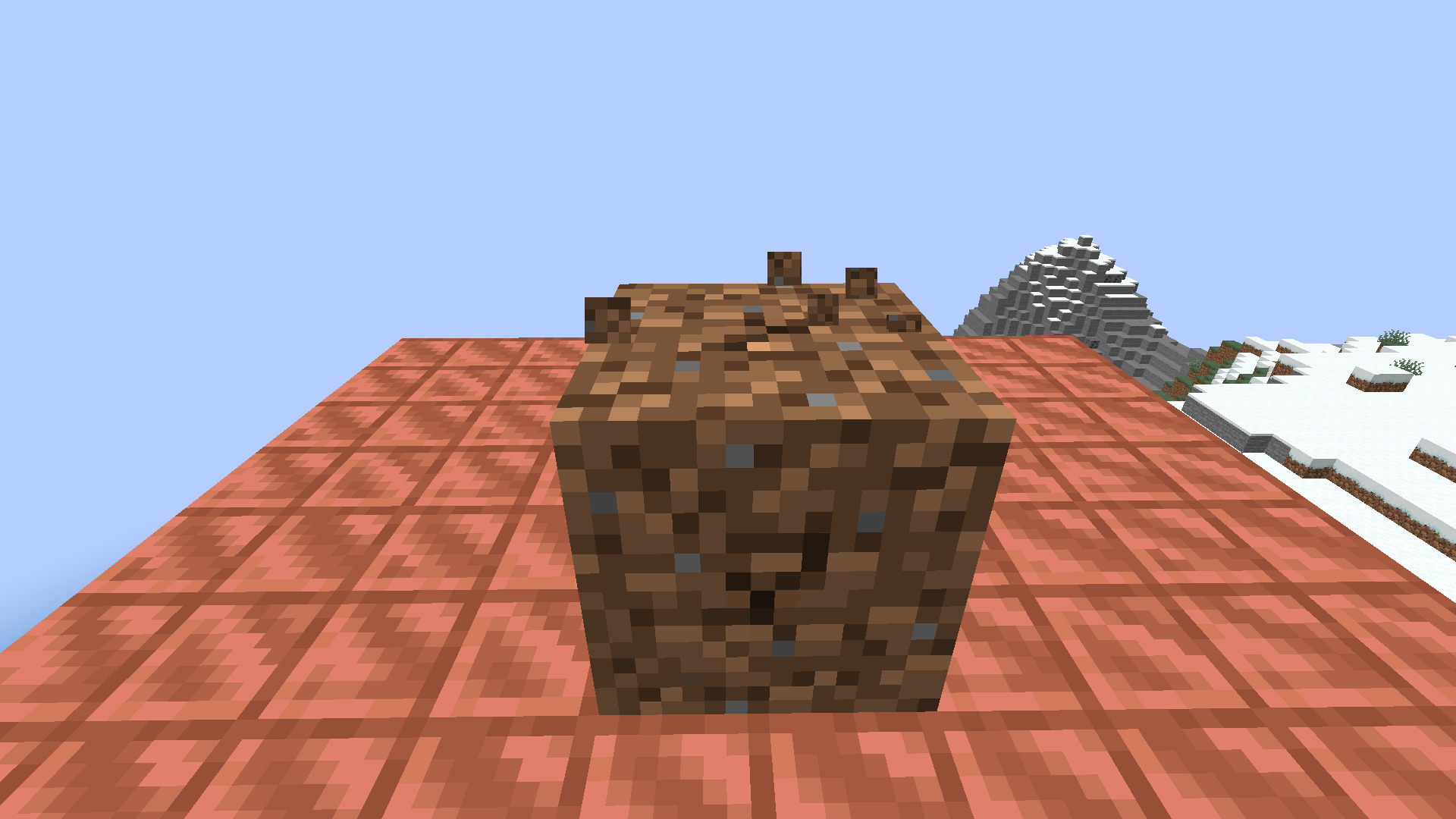
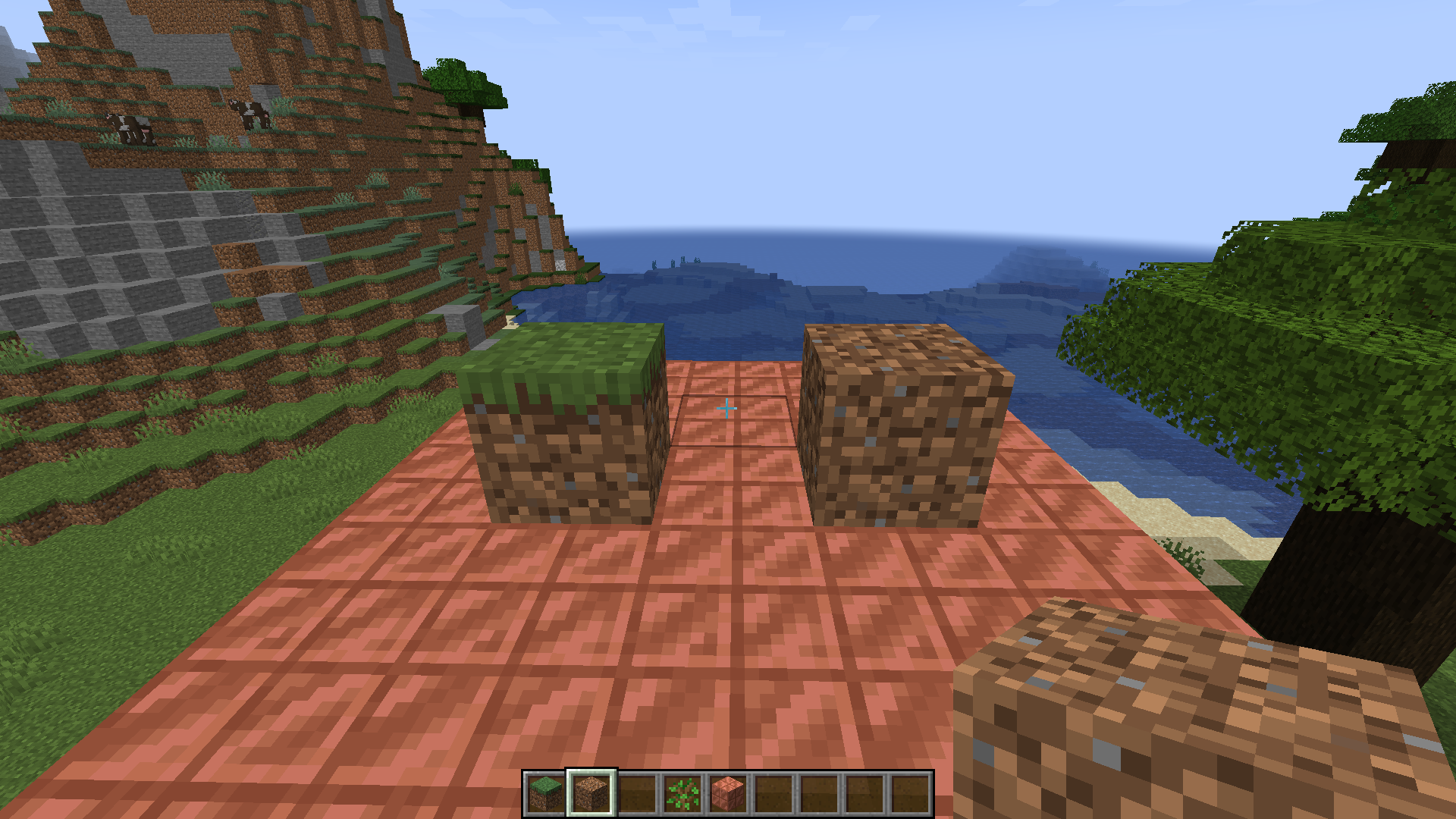
Summary: Minecraft Bedrock has the old Dirt Texture because if you go on Minecraft Java and place Dirt and Grass you can see the new Dirt Texture from 1.14 on the Grass and applied to the Dirt however on Minecraft Bedrock the Grass Texture is updated to the New Dirt Texture but the New Dirt Texture isn't applied to the Dirt.
Steps to Reproduce:
Step 1: Get Dirt on Minecraft Java and Bedrock.
Step 2: Place the Dirt.
Step 3: Compare Dirt Textures.Observed Result: Minecraft Bedrock has the outdated Dirt Texture.
Expected Result: The Dirt Texture should be updated to match Minecraft Java's
Summary: Minecraft Bedrock has the old Dirt Texture because if you go on Minecraft Java and place Dirt and Grass you can see the new Dirt Texture from 1.14 on the Grass and applied to the Dirt however on Minecraft Bedrock the Grass Texture is updated to the New Dirt Texture but the New Dirt Texture isn't applied to the Dirt.
Steps to Reproduce:
Step 1: Get Dirt on Minecraft Java and Bedrock.
Step 2: Place the Dirt.
Step 3: Compare Dirt Textures.Observed Result: Minecraft Bedrock has the outdated Dirt Texture.
Expected Result: The Dirt Texture should be updated to match Minecraft Java's
Summary: Minecraft Bedrock has the old Dirt Texture because if you go on Minecraft Java and place Dirt and Grass you can see the new Dirt Texture from 1.14 on the Grass and applied to the Dirt however on Minecraft Bedrock the Grass Texture is updated to the New Dirt Texture but the New Dirt Texture isn't applied to the Dirt.
Steps to Reproduce:
Step 1: Get Dirt on Minecraft Java and Bedrock.
Step 2: Place the Dirt.
Step 3: Compare Dirt Textures.Observed Result: Minecraft Bedrock has the outdated Dirt Texture.
Expected Result: The Dirt Texture should be updated to match Minecraft Java's
Summary: Minecraft Bedrock has the old Dirt Texture because if you go on Minecraft Java and place Dirt and Grass you can see the new Dirt Texture from 1.14 on the Grass and applied to the Dirt however on Minecraft Bedrock the Grass Texture is updated to the New Dirt Texture but the New Dirt Texture isn't applied to the Dirt.
Steps to Reproduce:
Step 1: Get Dirt on Minecraft Java and Bedrock.
Step 2: Place the Dirt.
Step 3: Compare Dirt Textures.Observed Result: Minecraft Bedrock has the outdated Dirt Texture.
Expected Result: The Dirt Texture should be updated to match Minecraft Java's
Summary:
I flew with my Elytra and Fireworks into a unloaded chunk at high speed it loaded and glitched my player out and refilled my elytras durability from 150 to full durability.
Steps to Reproduce:
Be in a Survival World at large size.
Get a Elytra and Fireworks.
Fly into unloaded or glitched/semi loaded chunk at high speed with fireworks.
When the player is glitching out spam fireworks.
Observed Results:
The players tools and armor in inventory was repaired instantly without any experience to repair it.
Expected Results:
The armor and tools shouldn't have been repaired without having experience.Summary:
I flew with my Elytra and Fireworks into a unloaded chunk at high speed it loaded and glitched my player out and refilled my elytras durability from 150 to full durability.Steps to Reproduce:
Step 1: Be in a Survival World at large size.
Step 2: Get a Elytra and Fireworks.
Step 3: Fly into unloaded or glitched/semi loaded chunk at high speed with fireworks.
Step 4: When the player is glitching out spam fireworks.
Step 5: Repeat.Observed Results:
The players tools and armor in inventory was repaired instantly without any experience to repair it.Expected Results:
The armor and tools shouldn't have been repaired without having experience.
Tools and Armor with Mending Repaired to Full Durability without Experience in a Large World
Summary: If a player is to build a Mob Farm in Bedrock the Mob Spawning is Randomized because it doesn't immediately spawn the mobs like Java and can only Spawn 1 Mob at a Time vs Java allowing instant Mob Spawning and a higher mob cap for a chunk.
Steps To Reproduce:
Step 1: Build a Mob Farm in Both Versions.
Step 2: Set Mode to Hard.
Step 3: Watch the Mobs Fall.Observed Result: In Minecraft Bedrock you'll see that one mob has the ability to spawn at a time and doesn't immediately spawn the mobs like Java if the Mobs are able to making mob spawning more random and makes it impossible to make a efficient mob farm at a rate more than 10 mobs in 30 seconds vs Java 10-20 per second if you build a 2-3 platform for a Mob Farm. Furthermore you usually have to on Bedrock wait at least 5-10 seconds maybe more from the previous spawn to get more mobs to spawn.
Expected Result: Mob Spawning in Minecraft Bedrock should align more with 1.17 Java Mob Spawning Mechanics allowing efficient mob farms and instant mob spawning and with a higher mob cap to allow more mobs to spawn in a single area.
Why is this invalid its a massive parity and Mob Spawning has gotten changed many times slightly since the required 1.14 minimum parity. Furthermore Most Farms in Java 1.15-1.16 changed a lot due to new spawning mechanics so this is a valid parity.
MobSpawning Allows 1 Mob to Spawn at a Time in a area were Mobs can Spawn with No Instant SpawningMob Cap of 8 is shared in all mob spawning areas and Mobs despawn if Player is not within 20 block range and Mob Cap isn't Instantly Refilled
Summary: If a player is to build a Mob Farm in Bedrock the Mob Spawning is Randomized because it doesn't immediately spawn the mobs like Java and can only Spawn 1 Mob at a Time vs Java allowing instant Mob Spawning and a higher mob cap for a chunk.
Steps To Reproduce:
Step 1: Build a Mob Farm in Both Versions.
Step 2: Set Mode to Hard.
Step 3: Watch the Mobs Fall.Observed Result: In Minecraft Bedrock you'll see that one mob has the ability to spawn at a time and doesn't immediately spawn the mobs like Java if the Mobs are able to making mob spawning more random and makes it impossible to make a efficient mob farm at a rate more than 10 mobs in 30 seconds vs Java 10-20 per second if you build a 2-3 platform for a Mob Farm. Furthermore you usually have to on Bedrock wait at least 5-10 seconds maybe more from the previous spawn to get more mobs to spawn.
Expected Result: Mob Spawning in Minecraft Bedrock should align more with 1.17 Java Mob Spawning Mechanics allowing efficient mob farms and instant mob spawning and with a higher mob cap to allow more mobs to spawn in a single area.
Summary: Minecraft Bedrocks Mob Cap is 8 within a 20 block range and is split between spawning areas allowing very slow mob farms and making hard mode in Bedrock easy mode in Java. Furthermore Mob Caps aren't rushed to being filled up which means that if the player can
Steps To Reproduce:
Step 1: Build a Mob Farm in Both Versions.
Step 2: Set Mode to Hard.
Step 3: Watch the Mobs Fall.Observed Result: In Minecraft Bedrock you'll see that one mob has the ability to spawn at a time and doesn't immediately spawn the mobs like Java if the Mobs are able to making mob spawning more random and makes it impossible to make a efficient mob farm at a rate more than 10 mobs in 30 seconds vs Java 10-20 per second if you build a 2-3 platform for a Mob Farm. Furthermore you usually have to on Bedrock wait at least 5-10 seconds maybe more from the previous spawn to get more mobs to spawn.
Expected Result: Mob Spawning in Minecraft Bedrock should align more with 1.17 Java Mob Spawning Mechanics allowing efficient mob farms and instant mob spawning and with a higher mob cap to allow more mobs to spawn in a single area.
Summary: Minecraft Bedrocks Mob Cap is 8 within a 20 block range and is split between spawning areas allowing very slow mob farms and making hard mode in Bedrock easy mode in Java. Furthermore M
ob Caps aren'trushed to beingfilled up which means that if the player can
Steps To Reproduce:
Step 1: Build a Mob Farm in Both Versions.
Step 2: Set Mode to Hard.
Step 3: Watch the Mobs Fall.Observed Result: In Minecraft Bedrock you'll see that one mob has the ability to spawn at a time and doesn't immediately spawn the mobs like Java if the Mobs are able to making mob spawning more random and makes it impossible to make a efficient mob farm at a rate more than 10 mobs in 30 seconds vs Java 10-20 per second if you build a 2-3 platform for a Mob Farm. Furthermore you usually have to on Bedrock wait at least 5-10 seconds maybe more from the previous spawn to get more mobs to spawn.
Expected Result: Mob Spawning in Minecraft Bedrock should align more with 1.17 Java Mob Spawning Mechanics allowing efficient mob farms and instant mob spawning and with a higher mob cap to allow more mobs to spawn in a single area.
Summary: Minecraft Bedrocks Mob Cap is 8 within a 20 block range and is split between spawning areas allowing very slow mob farms and making hard mode in Bedrock easy mode in Java. Furthermore Minecraft Bedrocks Mob Cap isn't being rushed to be filled up within a player simulation distance
Steps To Reproduce:
Step 1: Build a Mob Farm in Both Versions.
Step 2: Set Mode to Hard.
Step 3: Watch the Mobs Fall.Observed Result: In Minecraft Bedrock you'll see that one mob has the ability to spawn at a time and doesn't immediately spawn the mobs like Java if the Mobs are able to making mob spawning more random and makes it impossible to make a efficient mob farm at a rate more than 10 mobs in 30 seconds vs Java 10-20 per second if you build a 2-3 platform for a Mob Farm. Furthermore you usually have to on Bedrock wait at least 5-10 seconds maybe more from the previous spawn to get more mobs to spawn.
Expected Result: Mob Spawning in Minecraft Bedrock should align more with 1.17 Java Mob Spawning Mechanics allowing efficient mob farms and instant mob spawning and with a higher mob cap to allow more mobs to spawn in a single area.
Mob Cap of 8 is shared in all mob spawning areas and Mobs despawn if Player is not within 20 block range and Mob Cap isn't Instantly Refilled within a Player Simulation Distance
Mob Cap of 8 is shared in all mob spawning areas and Mobs despawn if Player is not within 20 block range and Mob Cap isn't Instantly Refilled within a Player Simulation DistanceMob Spawning is Sluggish and Slow
Summary: Minecraft Bedrocks Mob Cap is 8 within a 20 block range and is split between spawning areas allowing very slow mob farms and making hard mode in Bedrock easy mode in Java. Furthermore Minecraft Bedrocks Mob Cap isn't being rushed to be filled up within a player simulation distance.
Steps To Reproduce:
Step 1: Build a Mob Farm in Both Versions.
Step 2: Set Mode to Hard.
Step 3: Watch the Mobs Fall.Observed Result: In Minecraft Bedrock you'll see that one mob has the ability to spawn at a time and doesn't immediately spawn the mobs like Java if the Mobs are able to making mob spawning more random and makes it impossible to make a efficient mob farm at a rate more than 10 mobs in 30 seconds vs Java 10-20 per second if you build a 2-3 platform for a Mob Farm. Furthermore you usually have to on Bedrock wait at least 5-10 seconds maybe more from the previous spawn to get more mobs to spawn.
Expected Result: Mob Spawning in Minecraft Bedrock should align more with 1.17 Java Mob Spawning Mechanics allowing efficient mob farms and instant mob spawning and with a higher mob cap to allow more mobs to spawn in a single area.
Summary: Minecraft Bedrocks Mob Cap is 8 within a 20 block range and is split between spawning areas allowing very slow mob farms and making hard mode in Bedrock easy mode in Java. Furthermore Minecraft Bedrocks Mob Cap isn't being rushed to be filled up within a player simulation distance.
Steps To Reproduce:
Step 1: Build a Mob Farm in Both Versions.
Step 2: Set Mode to Hard.
Step 3: Watch the Mobs Fall.Observed Result: In Minecraft Bedrock you'll see that one mob has the ability to spawn at a time and doesn't immediately spawn the mobs like Java if the Mobs are able to making mob spawning more random and makes it impossible to make a efficient mob farm at a rate more than 10 mobs in 30 seconds vs Java 10-20 per second if you build a 2-3 platform for a Mob Farm. Furthermore you usually have to on Bedrock wait at least 5-10 seconds maybe more from the previous spawn to get more mobs to spawn.
Expected Result: Mob Spawning in Minecraft Bedrock should align more with 1.17 Java Mob Spawning Mechanics allowing efficient mob farms and instant mob spawning and with a higher mob cap to allow more mobs to spawn in a single area.
Summary: Minecraft Bedrocks Mob Cap is 8 within a 20 block range and is split between spawning areas allowing very slow mob farms and making hard mode in Bedrock easy mode in Java. Furthermore Minecraft Bedrocks Mob Cap isn't being rushed to be filled up within a player simulation distance.
Steps To Reproduce:
Step 1: Build a Mob Farm in Both Versions.
Step 2: Set Mode to Hard.
Step 3: Watch the Mobs Fall.Observed Result: In Minecraft Bedrock you'll see that one mob has the ability to spawn at a time and doesn't immediately spawn the mobs like Java if the Mobs are able to making mob spawning more random and makes it impossible to make a efficient mob farm at a rate more than 10 mobs in 30 seconds vs Java 10-20 per second if you build a 2-3 platform for a Mob Farm. Furthermore you usually have to on Bedrock wait at least 5-10 seconds maybe more from the previous spawn to get more mobs to spawn.
Expected Result: Mob Spawning in Minecraft Bedrock should align more with 1.17 Java Mob Spawning Mechanics allowing efficient mob farms and instant mob spawning and with a higher mob cap to allow more mobs to spawn in a single area. link title
Summary: Minecraft Bedrocks Mob Cap is 8 within a 20 block range and is split between spawning areas allowing very slow mob farms and making hard mode in Bedrock easy mode in Java. Furthermore Minecraft Bedrocks Mob Cap isn't being rushed to be filled up within a player simulation distance.
Steps To Reproduce:
Step 1: Build a Mob Farm in Both Versions.
Step 2: Set Mode to Hard.
Step 3: Watch the Mobs Fall.Observed Result: In Minecraft Bedrock you'll see that one mob has the ability to spawn at a time and doesn't immediately spawn the mobs like Java if the Mobs are able to making mob spawning more random and makes it impossible to make a efficient mob farm at a rate more than 10 mobs in 30 seconds vs Java 10-20 per second if you build a 2-3 platform for a Mob Farm. Furthermore you usually have to on Bedrock wait at least 5-10 seconds maybe more from the previous spawn to get more mobs to spawn.
Expected Result: Mob Spawning in Minecraft Bedrock should align more with 1.17 Java Mob Spawning Mechanics allowing efficient mob farms and instant mob spawning and with a higher mob cap to allow more mobs to spawn in a single area.
link titleSummary: Minecraft Bedrocks Mob Cap is 8 within a 20 block range and is split between spawning areas allowing very slow mob farms and making hard mode in Bedrock easy mode in Java. Furthermore Minecraft Bedrocks Mob Cap isn't being rushed to be filled up within a player simulation distance.
Steps To Reproduce:
Step 1: Build a Mob Farm in Both Versions.
Step 2: Set Mode to Hard.
Step 3: Watch the Mobs Fall.Observed Result: In Minecraft Bedrock you'll see that one mob has the ability to spawn at a time and doesn't immediately spawn the mobs like Java if the Mobs are able to making mob spawning more random and makes it impossible to make a efficient mob farm at a rate more than 10 mobs in 30 seconds vs Java 10-20 per second if you build a 2-3 platform for a Mob Farm. Furthermore you usually have to on Bedrock wait at least 5-10 seconds maybe more from the previous spawn to get more mobs to spawn.
Expected Result: Mob Spawning in Minecraft Bedrock should align more with 1.17 Java Mob Spawning Mechanics allowing efficient mob farms and instant mob spawning and with a higher mob cap to allow more mobs to spawn in a single area.
https://www.youtube.com/watch?v=tX_0mpyAoKU
Summary: Minecraft Bedrocks Mob Cap is 8 within a 20 block range and is split between spawning areas allowing very slow mob farms and making hard mode in Bedrock easy mode in Java. Furthermore Minecraft Bedrocks Mob Cap isn't being rushed to be filled up within a player simulation distance.
Steps To Reproduce:
Step 1: Build a Mob Farm in Both Versions.
Step 2: Set Mode to Hard.
Step 3: Watch the Mobs Fall.Observed Result: In Minecraft Bedrock you'll see that one mob has the ability to spawn at a time and doesn't immediately spawn the mobs like Java if the Mobs are able to making mob spawning more random and makes it impossible to make a efficient mob farm at a rate more than 10 mobs in 30 seconds vs Java 10-20 per second if you build a 2-3 platform for a Mob Farm. Furthermore you usually have to on Bedrock wait at least 5-10 seconds maybe more from the previous spawn to get more mobs to spawn.
Expected Result: Mob Spawning in Minecraft Bedrock should align more with 1.17 Java Mob Spawning Mechanics allowing efficient mob farms and instant mob spawning and with a higher mob cap to allow more mobs to spawn in a single area.
https://www.youtube.com/watch?v=tX_0mpyAoKUSummary: Minecraft Bedrocks Mob Cap is 8 within a 20 block range and is split between spawning areas allowing very slow mob farms and making hard mode in Bedrock easy mode in Java. Furthermore Minecraft Bedrocks Mob Cap isn't being rushed to be filled up within a player simulation distance.
Steps To Reproduce:
Step 1: Build a Mob Farm in Both Versions.
Step 2: Set Mode to Hard.
Step 3: Watch the Mobs Fall.Observed Result: In Minecraft Bedrock you'll see that one mob has the ability to spawn at a time and doesn't immediately spawn the mobs like Java if the Mobs are able to making mob spawning more random and makes it impossible to make a efficient mob farm at a rate more than 10 mobs in 30 seconds vs Java 10-20 per second if you build a 2-3 platform for a Mob Farm. Furthermore you usually have to on Bedrock wait at least 5-10 seconds maybe more from the previous spawn to get more mobs to spawn.
Expected Result: Mob Spawning in Minecraft Bedrock should align more with 1.17 Java Mob Spawning Mechanics allowing efficient mob farms and instant mob spawning and with a higher mob cap to allow more mobs to spawn in a single area.
Minecraft Java Mob Farm: https://www.youtube.com/watch?v=tX_0mpyAoKU
Minecraft Bedrock Mob Farm:
Summary: Minecraft Bedrocks Mob Cap is 8 within a 20 block range and is split between spawning areas allowing very slow mob farms and making hard mode in Bedrock easy mode in Java. Furthermore Minecraft Bedrocks Mob Cap isn't being rushed to be filled up within a player simulation distance.
Steps To Reproduce:
Step 1: Build a Mob Farm in Both Versions.
Step 2: Set Mode to Hard.
Step 3: Watch the Mobs Fall.Observed Result: In Minecraft Bedrock you'll see that one mob has the ability to spawn at a time and doesn't immediately spawn the mobs like Java if the Mobs are able to making mob spawning more random and makes it impossible to make a efficient mob farm at a rate more than 10 mobs in 30 seconds vs Java 10-20 per second if you build a 2-3 platform for a Mob Farm. Furthermore you usually have to on Bedrock wait at least 5-10 seconds maybe more from the previous spawn to get more mobs to spawn.
Expected Result: Mob Spawning in Minecraft Bedrock should align more with 1.17 Java Mob Spawning Mechanics allowing efficient mob farms and instant mob spawning and with a higher mob cap to allow more mobs to spawn in a single area.
Minecraft Java Mob Farm: https://www.youtube.com/watch?v=tX_0mpyAoKU
Minecraft Bedrock Mob Farm:
Summary: Minecraft Bedrocks Mob Cap is 8 within a 20 block range instead of Javas 128 block range and is split between spawning areas allowing very slow mob farms and making hard mode in Bedrock easy mode in Java. Furthermore Minecraft Bedrocks Mob Cap isn't being rushed to be filled up within a player simulation distance.
Steps To Reproduce:
Step 1: Build a Mob Farm in Both Versions.
Step 2: Set Mode to Hard.
Step 3: Watch the Mobs Fall.Observed Result: In Minecraft Bedrock you'll see that one mob has the ability to spawn at a time and doesn't immediately spawn the mobs like Java if the Mobs are able to making mob spawning more random and makes it impossible to make a efficient mob farm at a rate more than 10 mobs in 30 seconds vs Java 10-20 per second if you build a 2-3 platform for a Mob Farm. Furthermore you usually have to on Bedrock wait at least 5-10 seconds maybe more from the previous spawn to get more mobs to spawn.
Expected Result: Mob Spawning in Minecraft Bedrock should align more with 1.17 Java Mob Spawning Mechanics allowing efficient mob farms and instant mob spawning and with a higher mob cap to allow more mobs to spawn in a single area.
Minecraft Java Mob Farm: https://www.youtube.com/watch?v=tX_0mpyAoKU
Minecraft Bedrock Mob Farm: https://www.youtube.com/watch?v=ernu6IBHL9U
Summary: When a Player holds a bed in Bedrock the bed isn't a 3D Model in the Inventory and Hand this is 1.15 parity.
Steps to Reproduce:
1. Get a Bed.
2. Put it in Inventory or Hold Bed.Observed Result: The Bed isn't 3D and doesn't match 1.15 3D Bed Model from Java in Inventory and in the players hand.
Expected Result: The Bed should be 3D in the Inventory and in the players hand.
Note: Beds became 3D in Java in 1.12 however the most updated version of the bed model is 1.15.
Summary: Axolotls spawn in Ocean Monuments.
Steps to Reproduce:
Step 1: Load a world.
Step 2: Locate a Ocean Monument.
Step 3 Repeat.Observed Result: Axolotls spawn in Ocean Monuments making them vulnerable to Elder Guardians.
Expected Result: Axolotls shouldn't be able to spawn in Ocean Monuments otherwise they immediately get attacked by Elder Guardians.
Axolotls can Spawn Inside Ocean Monuments
Summary: Axolotls spawn in Ocean Monuments.
Steps to Reproduce:
Step 1: Load a world.
Step 2: Locate a Ocean Monument.
Step 3 Repeat.Observed Result: Axolotls spawn in Ocean Monuments making them vulnerable to Elder Guardians.
Expected Result: Axolotls shouldn't be able to spawn in Ocean Monuments otherwise they immediately get attacked by Elder Guardians.
Summary: Axolotls spawn in Ocean Monuments.
Steps to Reproduce:
Step 1: Load a world.
Step 2: Locate a Ocean Monument.
Step 3 Repeat.Observed Result: Axolotls spawn in Ocean Monuments making them vulnerable to Elder Guardians.
Expected Result: Axolotls shouldn't be able to spawn in Ocean Monuments otherwise they immediately get attacked by Elder Guardians.
Summary: Axolotls spawn in Ocean Monuments.
Steps to Reproduce:
Step 1: Load a world.
Step 2: Locate a Ocean Monument.
Step 3 Repeat.Observed Result: Axolotls spawn in Ocean Monuments making them vulnerable to Elder Guardians.
Expected Result: Axolotls shouldn't be able to spawn in Ocean Monuments otherwise they immediately get attacked by Elder Guardians.
Summary: Minecraft Bedrocks Deepslate Generation isn't bidirectional or west and east like Java instead of being limited to west and east Deepslate can generate in all directions for the top texture/face of deepslate creating weird and unnatural looking deepslate generation.
Steps to Reproduce:
Step 1: Load a World.
Step 2: Compare Deepslate Generation.
Step 3: Repeat.Observed Result: Deepslate can generate in 4 directions in Bedrock instead of the two in Java.
Expected Result: Deepslate should only be able to Generate in two directions on Bedrock to align with Java's Deepslate Generation.
Summary: Ores on Minecraft Java have the ability to generate with there texture facing downwards and upwards while on Bedrock Edition all the ores are generated with their texture in the default position.
Steps to Reproduce:
Step 1: Load a World.
Step 2: Find Ores in both versions
Step 3: Repeat.Observed Result: Ores on Bedrock don't have the ability to generate with there texture upside down.
Expected Result: Ores on Bedrock should be able to generate with there texture pointed downwards.
Summary: Ores on Minecraft Java have the ability to generate with there texture facing downwards and upwards while on Bedrock Edition all the ores are generated with their texture in the default position.
Steps to Reproduce:
Step 1: Load a World.
Step 2: Find Ores in both versions
Step 3: Repeat.Observed Result: Ores on Bedrock don't have the ability to generate with there texture upside down.
Expected Result: Ores on Bedrock should be able to generate with there texture pointed downwards.
Summary: Deepslates Rotation for Placement and Generation in Bedrock seems to be calculated randomly by a probability to connect to a certain block around it except this effect is applied to generation because it connects to air and in the world generation any thing thats not a block is air meaning that you would get different results if probability of the rotation being calculated mathmatically was with equal probabilities of the rotation for each side of the top texture because its connecting to air and surrounding blocks. This Bug can be seen when a player places deepslate on a block with or without blocks surrounding it the placement is random due to the fact that the deepslate identifies air as a block that it can connect to when placed or generated.
Methods to Reproduce:
Method 1: Create a Behavior Pack
Step 1: Make a Behavior Pack that adds a ore feature.
Step 2: Define the block that supposed to replace stone as deepslate in a ore feature.
Step 3: Create the feature rule area to specify the regions the deepslate is supposed to generate.
Step 4: Load the World and Find Deepslate in Specified Regions that Deepslate can spawn.
Step 5: Repeat.Method 2: Place Deepslate
Step 1: Load a World and Find Deepslate.
Step 2: If your in Survival Mode mine it with Silk Touch a Pickaxe If your in Creative get the Deepslate Block out of the Creative Inventory.
Step 3: Place the Block on top of a block surrounded with blocks or without.
Step 4: Analyze the Results.
Step 5: RepeatObserved Result: The Deepslate seems to be randomized in its generation due to the fact it can associate its texture rotation with air or other blocks ignoring the default placement like Java's thats bi-directional instead of multi directional. When you analyze the pattern you can clearly see that both scenarios get the same result for Method 2. Furthermore when a player does Method 1 the result can be seen here as well.
Expected Result: Deepslates Texture Rotation Shouldn't ignore rotation rules when its placed on a block regardless if there's air or blocks around it to make the rotation bi-directional or align with Java's Deepslate Rotation so that the deepslate can only connect to deepslate in the directions that Java's deepslate can be generated or placed to be.
Last Possible Explanation:
The Deepslate In Java from testing it in a superflat world seems to only generate in rows or columns it seems highly likely if none of those reasons above explain this its because in Bedrock the deepslate checks its placement by checking its alignment in rows and columns instead of Java as seen in the photo below seems to only check one for deepslate specifically for its top texture rotation meaning its not able to connect in the code to surrounding deepslate unless its in that row or column meaning it will always have the proper top texture rotation. Finally Its also possible this bug is linked to the block connecting to air and other blocks and this as well meaning it will never in the current top texture rotation checking or code have the correct rotation to match Java's 100% the time in bedrock.Solution: Make the Bedrock Deepslate Top Texture rotation be defined by either a row or column of deepslate and prevent deepslate from recognizing blocks or air besides that its being placed on a block outside of that defined region/area so the texture rotation is bi directional to match Java.
Summary: Deepslates Rotation for Placement and Generation in Bedrock seems to be calculated randomly by a probability to connect to a certain block around it except this effect is applied to generation because it connects to air and in the world generation any thing thats not a block is air meaning that you would get different results if probability of the rotation being calculated mathmatically was with equal probabilities of the rotation for each side of the top texture because its connecting to air and surrounding blocks. This Bug can be seen when a player places deepslate on a block with or without blocks surrounding it the placement is random due to the fact that the deepslate identifies air as a block that it can connect to when placed or generated.
Methods to Reproduce:
Method 1: Create a Behavior Pack
Step 1: Make a Behavior Pack that adds a ore feature.
Step 2: Define the block that supposed to replace stone as deepslate in a ore feature.
Step 3: Create the feature rule area to specify the regions the deepslate is supposed to generate.
Step 4: Load the World and Find Deepslate in Specified Regions that Deepslate can spawn.
Step 5: Repeat.Method 2: Place Deepslate
Step 1: Load a World and Find Deepslate.
Step 2: If your in Survival Mode mine it with Silk Touch a Pickaxe If your in Creative get the Deepslate Block out of the Creative Inventory.
Step 3: Place the Block on top of a block surrounded with blocks or without.
Step 4: Analyze the Results.
Step 5: RepeatObserved Result: The Deepslate seems to be randomized in its generation due to the fact it can associate its texture rotation with air or other blocks ignoring the default placement like Java's thats bi-directional instead of multi directional. When you analyze the pattern you can clearly see that both scenarios get the same result for Method 2. Furthermore when a player does Method 1 the result can be seen here as well.
Expected Result: Deepslates Texture Rotation Shouldn't ignore rotation rules when its placed on a block regardless if there's air or blocks around it to make the rotation bi-directional or align with Java's Deepslate Rotation so that the deepslate can only connect to deepslate in the directions that Java's deepslate can be generated or placed to be.
LastPossible Explanation:
The Deepslate In Java from testing it in a superflat world seems to only generate in rows or columns it seems highly likely if none of those reasons above explain this its because in Bedrock the deepslate checks its placement by checking its alignment in rows and columns instead of Java as seen in the photo below seems to only check one for deepslate specifically for its top texture rotation meaning its not able to connect in the code to surrounding deepslate unless its in that row or column meaning it will always have the proper top texture rotation. Finally Its also possible this bug is linked to the block connecting to air and other blocks and this as well meaning it will never in the current top texture rotation checking or code have the correct rotation to match Java's 100% the time in bedrock.Solution: Make the Bedrock Deepslate Top Texture rotation be defined by either a row or column of deepslate and prevent deepslate from recognizing blocks or air besides that its being placed on a block outside of that defined region/area so the texture rotation is bi directional to match Java.
Summary: Deepslates Rotation for Placement and Generation in Bedrock seems to be calculated randomly by a probability to connect to a certain block around it except this effect is applied to generation because it connects to air and in the world generation any thing thats not a block is air meaning that you would get different results if probability of the rotation being calculated mathmatically was with equal probabilities of the rotation for each side of the top texture because its connecting to air and surrounding blocks. This Bug can be seen when a player places deepslate on a block with or without blocks surrounding it the placement is random due to the fact that the deepslate identifies air as a block that it can connect to when placed or generated.
Methods to Reproduce:
Method 1: Create a Behavior Pack
Step 1: Make a Behavior Pack that adds a ore feature.
Step 2: Define the block that supposed to replace stone as deepslate in a ore feature.
Step 3: Create the feature rule area to specify the regions the deepslate is supposed to generate.
Step 4: Load the World and Find Deepslate in Specified Regions that Deepslate can spawn.
Step 5: Repeat.Method 2: Place Deepslate
Step 1: Load a World and Find Deepslate.
Step 2: If your in Survival Mode mine it with Silk Touch a Pickaxe If your in Creative get the Deepslate Block out of the Creative Inventory.
Step 3: Place the Block on top of a block surrounded with blocks or without.
Step 4: Analyze the Results.
Step 5: RepeatObserved Result: The Deepslate seems to be randomized in its generation due to the fact it can associate its texture rotation with air or other blocks ignoring the default placement like Java's thats bi-directional instead of multi directional. When you analyze the pattern you can clearly see that both scenarios get the same result for Method 2. Furthermore when a player does Method 1 the result can be seen here as well.
Expected Result: Deepslates Texture Rotation Shouldn't ignore rotation rules when its placed on a block regardless if there's air or blocks around it to make the rotation bi-directional or align with Java's Deepslate Rotation so that the deepslate can only connect to deepslate in the directions that Java's deepslate can be generated or placed to be.
Another Possible Explanation:
The Deepslate In Java from testing it in a superflat world seems to only generate in rows or columns it seems highly likely if none of those reasons above explain this its because in Bedrock the deepslate checks its placement by checking its alignment in rows and columns instead of Java as seen in the photo below seems to only check one for deepslate specifically for its top texture rotation meaning its not able to connect in the code to surrounding deepslate unless its in that row or column meaning it will always have the proper top texture rotation. Finally Its also possible this bug is linked to the block connecting to air and other blocks and this as well meaning it will never in the current top texture rotation checking or code have the correct rotation to match Java's 100% the time in bedrock.Solution: Make the Bedrock Deepslate Top Texture rotation be defined by either a row or column of deepslate and prevent deepslate from recognizing blocks or air besides that its being placed on a block outside of that defined region/area so the texture rotation is bi directional to match Java.
Deepslates Rotation for Placement is Randomly Calculatedand is affected by Air
Summary: Deepslates Rotation for Placement and Generation in Bedrock seems to be calculated randomly by a probability to connect to a certain block around it except this effect is applied to generation because it connects to air and in the world generation any thing thats not a block is air meaning that you would get different results if probability of the rotation being calculated mathmatically was with equal probabilities of the rotation for each side of the top texture because its connecting to air and surrounding blocks. This Bug can be seen when a player places deepslate on a block with or without blocks surrounding it the placement is random due to the fact that the deepslate identifies air as a block that it can connect to when placed or generated.
Methods to Reproduce:
Method 1: Create a Behavior Pack
Step 1: Make a Behavior Pack that adds a ore feature.
Step 2: Define the block that supposed to replace stone as deepslate in a ore feature.
Step 3: Create the feature rule area to specify the regions the deepslate is supposed to generate.
Step 4: Load the World and Find Deepslate in Specified Regions that Deepslate can spawn.
Step 5: Repeat.Method 2: Place Deepslate
Step 1: Load a World and Find Deepslate.
Step 2: If your in Survival Mode mine it with Silk Touch a Pickaxe If your in Creative get the Deepslate Block out of the Creative Inventory.
Step 3: Place the Block on top of a block surrounded with blocks or without.
Step 4: Analyze the Results.
Step 5: RepeatObserved Result: The Deepslate seems to be randomized in its generation due to the fact it can associate its texture rotation with air or other blocks ignoring the default placement like Java's thats bi-directional instead of multi directional. When you analyze the pattern you can clearly see that both scenarios get the same result for Method 2. Furthermore when a player does Method 1 the result can be seen here as well.
Expected Result: Deepslates Texture Rotation Shouldn't ignore rotation rules when its placed on a block regardless if there's air or blocks around it to make the rotation bi-directional or align with Java's Deepslate Rotation so that the deepslate can only connect to deepslate in the directions that Java's deepslate can be generated or placed to be.
Another Possible Explanation:
The Deepslate In Java from testing it in a superflat world seems to only generate in rows or columns it seems highly likely if none of those reasons above explain this its because in Bedrock the deepslate checks its placement by checking its alignment in rows and columns instead of Java as seen in the photo below seems to only check one for deepslate specifically for its top texture rotation meaning its not able to connect in the code to surrounding deepslate unless its in that row or column meaning it will always have the proper top texture rotation. Finally Its also possible this bug is linked to the block connecting to air and other blocks and this as well meaning it will never in the current top texture rotation checking or code have the correct rotation to match Java's 100% the time in bedrock.Solution: Make the Bedrock Deepslate Top Texture rotation be defined by either a row or column of deepslate and prevent deepslate from recognizing blocks or air besides that its being placed on a block outside of that defined region/area so the texture rotation is bi directional to match Java.
Note : If You See This Bug Report and Can Confirm It Please Type A Comment That Says I Can Confirm This Bug So the Helpers and Mods Can Confirm This Bug Thank You.
Deepslates Rotation for Placement is Randomly Calculated Affecting Deepslate Blobs or Deepslate in a Ore Feature
Summary: Deepslates Rotation for Placement and Generation in Bedrock seems to be calculated randomly by a probability to connect to a certain block around it except this effect is applied to generation because it connects to air and in the world generation any thing thats not a block is air meaning that you would get different results if probability of the rotation being calculated mathmatically was with equal probabilities of the rotation for each side of the top texture because its connecting to air and surrounding blocks. This Bug can be seen when a player places deepslate on a block with or without blocks surrounding it the placement is random due to the fact that the deepslate identifies air as a block that it can connect to when placed or generated.
Methods to Reproduce:
Method 1: Create a Behavior Pack
Step 1: Make a Behavior Pack that adds a ore feature.
Step 2: Define the block that supposed to replace stone as deepslate in a ore feature.
Step 3: Create the feature rule area to specify the regions the deepslate is supposed to generate.
Step 4: Load the World and Find Deepslate in Specified Regions that Deepslate can spawn.
Step 5: Repeat.Method 2: Place Deepslate
Step 1: Load a World and Find Deepslate.
Step 2: If your in Survival Mode mine it with Silk Touch a Pickaxe If your in Creative get the Deepslate Block out of the Creative Inventory.
Step 3: Place the Block on top of a block surrounded with blocks or without.
Step 4: Analyze the Results.
Step 5: RepeatMethod 3: Find a Deepslate Blob
Step 1: Load a World.
Step 2: Get the Materials to Dig Down to Y 0-16.
Step 3: Find a Deepslate Blob by Digging a Tunnel in One Direction.
Step 4: Repeat.Observed Result: The Deepslate seems to be randomized in its generation due to the fact it can associate its texture rotation with air or other blocks ignoring the default placement like Java's thats bi-directional instead of multi directional. When you analyze the pattern you can clearly see that both scenarios get the same result for Method 2. Furthermore when a player does Method 1 the result can be seen here as well.
Expected Result: Deepslates Texture Rotation Shouldn't ignore rotation rules when its placed on a block regardless if there's air or blocks around it to make the rotation bi-directional or align with Java's Deepslate Rotation so that the deepslate can only connect to deepslate in the directions that Java's deepslate can be generated or placed to be.
Another Possible Explanation:
The Deepslate In Java from testing it in a superflat world seems to only generate in rows or columns it seems highly likely if none of those reasons above explain this its because in Bedrock the deepslate checks its placement by checking its alignment in rows and columns instead of Java as seen in the photo below seems to only check one for deepslate specifically for its top texture rotation meaning its not able to connect in the code to surrounding deepslate unless its in that row or column meaning it will always have the proper top texture rotation. Finally Its also possible this bug is linked to the block connecting to air and other blocks and this as well meaning it will never in the current top texture rotation checking or code have the correct rotation to match Java's 100% the time in bedrock.Solution: Make the Bedrock Deepslate Top Texture rotation be defined by either a row or column of deepslate and prevent deepslate from recognizing blocks or air besides that its being placed on a block outside of that defined region/area so the texture rotation is bi directional to match Java.
Note : If You See This Bug Report and Can Confirm It Please Type A Comment That Says I Can Confirm This Bug So the Helpers and Mods Can Confirm This Bug Thank You.
Summary: Deepslates Rotation for Placement and Generation in Bedrock seems to be calculated randomly by a probability to connect to a certain block around it except this effect is applied to generation because it connects to air and in the world generation any thing thats not a block is air meaning that you would get different results if probability of the rotation being calculated mathmatically was with equal probabilities of the rotation for each side of the top texture because its connecting to air and surrounding blocks. This Bug can be seen when a player places deepslate on a block with or without blocks surrounding it the placement is random due to the fact that the deepslate identifies air as a block that it can connect to when placed or generated.
Methods to Reproduce:
Method 1: Create a Behavior Pack
Step 1: Make a Behavior Pack that adds a ore feature.
Step 2: Define the block that supposed to replace stone as deepslate in a ore feature.
Step 3: Create the feature rule area to specify the regions the deepslate is supposed to generate.
Step 4: Load the World and Find Deepslate in Specified Regions that Deepslate can spawn.
Step 5: Repeat.Method 2: Place Deepslate
Step 1: Load a World and Find Deepslate.
Step 2: If your in Survival Mode mine it with Silk Touch a Pickaxe If your in Creative get the Deepslate Block out of the Creative Inventory.
Step 3: Place the Block on top of a block surrounded with blocks or without.
Step 4: Analyze the Results.
Step 5: RepeatMethod 3: Find a Deepslate Blob at Y 0 -16
Step 1: Load a World.
Step 2: Get the Materials to Dig Down to Y 0-16.
Step 3: Find a Deepslate Blob by Digging a Tunnel in One Direction.
Step 4: Repeat.Observed Result: The Deepslate seems to be randomized in its generation due to the fact it can associate its texture rotation with air or other blocks ignoring the default placement like Java's thats bi-directional instead of multi directional. When you analyze the pattern you can clearly see that both scenarios get the same result for Method 2. Furthermore when a player does Method 1 the result can be seen here as well.
Expected Result: Deepslates Texture Rotation Shouldn't ignore rotation rules when its placed on a block regardless if there's air or blocks around it to make the rotation bi-directional or align with Java's Deepslate Rotation so that the deepslate can only connect to deepslate in the directions that Java's deepslate can be generated or placed to be.
Another Possible Explanation:
The Deepslate In Java from testing it in a superflat world seems to only generate in rows or columns it seems highly likely if none of those reasons above explain this its because in Bedrock the deepslate checks its placement by checking its alignment in rows and columns instead of Java as seen in the photo below seems to only check one for deepslate specifically for its top texture rotation meaning its not able to connect in the code to surrounding deepslate unless its in that row or column meaning it will always have the proper top texture rotation. Finally Its also possible this bug is linked to the block connecting to air and other blocks and this as well meaning it will never in the current top texture rotation checking or code have the correct rotation to match Java's 100% the time in bedrock.Solution: Make the Bedrock Deepslate Top Texture rotation be defined by either a row or column of deepslate and prevent deepslate from recognizing blocks or air besides that its being placed on a block outside of that defined region/area so the texture rotation is bi directional to match Java.
Note : If You See This Bug Report and Can Confirm It Please Type A Comment That Says I Can Confirm This Bug So the Helpers and Mods Can Confirm This Bug Thank You.
Summary: Deepslates Rotation for Placement and Generation in Bedrock seems to be calculated randomly by a probability to connect to a certain block around it except this effect is applied to generation because it connects to air and in the world generation any thing thats not a block is air meaning that you would get different results if probability of the rotation being calculated mathmatically was with equal probabilities of the rotation for each side of the top texture because its connecting to air and surrounding blocks. This Bug can be seen when a player places deepslate on a block with or without blocks surrounding it the placement is random due to the fact that the deepslate identifies air as a block that it can connect to when placed or generated.
Methods to Reproduce:
Method 1:Create a Behavior Pack
Step 1: Make a Behavior Pack that adds a ore feature.
Step 2: Define the block that supposed to replace stone as deepslate in a ore feature.
Step 3: Create the feature rule area to specify the regions the deepslate is supposed to generate.
Step 4: Load the World and Find Deepslate in Specified Regions that Deepslate can spawn.
Step 5: Repeat.
Method 2:Place Deepslate
Step 1: Load a World and Find Deepslate.
Step 2: If your in Survival Mode mine it with Silk Touch a Pickaxe If your in Creative get the Deepslate Block out of the Creative Inventory.
Step 3: Place the Block on top of a block surrounded with blocks or without.
Step 4: Analyze the Results.
Step 5: Repeat
Method 3:Find a Deepslate Blob at Y 0 -16
Step 1: Load a World.
Step 2: Get the Materials to Dig Down to Y 0-16.
Step 3: Find a Deepslate Blob by Digging a Tunnel in One Direction.
Step 4: Repeat.Observed Result: The Deepslate seems to be randomized in its generation due to the fact it can associate its texture rotation with air or other blocks ignoring the default placement like Java's thats bi-directional instead of multi directional. When you analyze the pattern you can clearly see that both scenarios get the same result for Method 2. Furthermore when a player does Method 1 the result can be seen here as well.
Expected Result: Deepslates Texture Rotation Shouldn't ignore rotation rules when its placed on a block regardless if there's air or blocks around it to make the rotation bi-directional or align with Java's Deepslate Rotation so that the deepslate can only connect to deepslate in the directions that Java's deepslate can be generated or placed to be.
Another Possible Explanation:
The Deepslate In Java from testing it in a superflat world seems to only generate in rows or columns it seems highly likely if none of those reasons above explain this its because in Bedrock the deepslate checks its placement by checking its alignment in rows and columns instead of Java as seen in the photo below seems to only check one for deepslate specifically for its top texture rotation meaning its not able to connect in the code to surrounding deepslate unless its in that row or column meaning it will always have the proper top texture rotation. Finally Its also possible this bug is linked to the block connecting to air and other blocks and this as well meaning it will never in the current top texture rotation checking or code have the correct rotation to match Java's 100% the time in bedrock.Solution: Make the Bedrock Deepslate Top Texture rotation be defined by either a row or column of deepslate and prevent deepslate from recognizing blocks or air besides that its being placed on a block outside of that defined region/area so the texture rotation is bi directional to match Java.
Note : If You See This Bug Report and Can Confirm It Please Type A Comment That Says I Can Confirm This Bug So the Helpers and Mods Can Confirm This Bug Thank You.
Summary: Deepslates Rotation for Placement and Generation in Bedrock seems to be calculated randomly by a probability to connect to a certain block around it except this effect is applied to generation because it connects to air and in the world generation any thing thats not a block is air meaning that you would get different results if probability of the rotation being calculated mathmatically was with equal probabilities of the rotation for each side of the top texture because its connecting to air and surrounding blocks. This Bug can be seen when a player places deepslate on a block with or without blocks surrounding it the placement is random due to the fact that the deepslate identifies air as a block that it can connect to when placed or generated.
Methods to Reproduce:
Method 1: Create a Behavior Pack
Step 1: Make a Behavior Pack that adds a ore feature.
Step 2: Define the block that supposed to replace stone as deepslate in a ore feature.
Step 3: Create the feature rule area to specify the regions the deepslate is supposed to generate.
Step 4: Load the World and Find Deepslate in Specified Regions that Deepslate can spawn.
Step 5: Repeat.Method 2: Place Deepslate
Step 1: Load a World and Find Deepslate.
Step 2: If your in Survival Mode mine it with Silk Touch a Pickaxe If your in Creative get the Deepslate Block out of the Creative Inventory.
Step 3: Place the Block on top of a block surrounded with blocks or without.
Step 4: Analyze the Results.
Step 5: RepeatMethod 3: Find a Deepslate Blob at Y 0 -16
Step 1: Load a World.
Step 2: Get the Materials to Dig Down to Y 0-16.
Step 3: Find a Deepslate Blob by Digging a Tunnel in One Direction.
Step 4: Repeat.Observed Result: The Deepslate seems to be randomized in its generation due to the fact it can associate its texture rotation with air or other blocks ignoring the default placement like Java's thats bi-directional instead of multi directional. When you analyze the pattern you can clearly see that both scenarios get the same result for Method 2. Furthermore when a player does Method 1 the result can be seen here as well.
Expected Result: Deepslates Texture Rotation Shouldn't ignore rotation rules when its placed on a block regardless if there's air or blocks around it to make the rotation bi-directional or align with Java's Deepslate Rotation so that the deepslate can only connect to deepslate in the directions that Java's deepslate can be generated or placed to be.
Another Possible Explanation:
The Deepslate In Java from testing it in a superflat world seems to only generate in rows or columns it seems highly likely if none of those reasons above explain this its because in Bedrock the deepslate checks its placement by checking its alignment in rows and columns instead of Java as seen in the photo below seems to only check one for deepslate specifically for its top texture rotation meaning its not able to connect in the code to surrounding deepslate unless its in that row or column meaning it will always have the proper top texture rotation. Finally Its also possible this bug is linked to the block connecting to air and other blocks and this as well meaning it will never in the current top texture rotation checking or code have the correct rotation to match Java's 100% the time in bedrock.Solution: Make the Bedrock Deepslate Top Texture rotation be defined by either a row or column of deepslate and prevent deepslate from recognizing blocks or air besides that its being placed on a block outside of that defined region/area so the texture rotation is bi directional to match Java.
Custom Tools Crash Game if Component Values are Insane Unlike Pre 1.16.100 Component Values
Summary: I was building a sword that mimics the infinity sword from a mod on Java and while doing that I realized custom tools have a limit on how high there component values can be otherwise the players game crashes. Furthermore if you try to alter the enchantable value or digger speeds or durability and make the values above the limit which isn't shared in the addon documentation then your game crashes.
Methods to Reproduce:
Method 1:
Create a Sword
Step 1: Start by Making a Addon.
Step 2: Make Items folder.
Step 3: Copy the Code Below.
Step 4: Delete the Description and Event.
Step 5: RepeatMethod 2: Create a Pickaxe, Axe or Shovel.
Step 1: Start by Making a Addon.
Step 2: Make Items folder.
Step 3: Use the Code Below Custom Sword.
Step 4: Delete the Description and Event.
Step 5: RepeatObserved Result: If a Addon Creator wants to make a Custom Tool as Overpowered as the Infinity Sword from Java there game instantly crashes most likely the game isn't programmed to handle a certain threshold that the value can be but if you ignore the tool related stuff or made a tool pre 1.16.100 you can make the damage up to 999999 instead of the current limit of 99.
Expected Result: Component Value Limit for Damage and Durability and Digger Speed should match pre 1.16.100 of 999999 max damage durability etc.
Summary: I was building a sword that mimics the infinity sword from a mod on Java and while doing that I realized custom tools have a limit on how high there component values can be otherwise the players game crashes. Furthermore if you try to alter the enchantable value or digger speeds or durability and make the values above the limit which isn't shared in the addon documentation then your game crashes.
Methods to Reproduce:
Method 1: Create a Sword
Step 1: Start by Making a Addon.
Step 2: Make Items folder.
Step 3: Copy the Code Below.
Step 4: Delete the Description and Event.
Step 5: RepeatMethod 2: Create a Pickaxe, Axe or Shovel.
Step 1: Start by Making a Addon.
Step 2: Make Items folder.
Step 3: Use the Code Below Custom Sword.
Step 4: Delete the Description and Event.
Step 5: RepeatObserved Result: If a Addon Creator wants to make a Custom Tool as Overpowered as the Infinity Sword from Java there game instantly crashes most likely the game isn't programmed to handle a certain threshold that the value can be but if you ignore the tool related stuff or made a tool pre 1.16.100 you can make the damage up to 999999 instead of the current limit of 99.
Expected Result: Component Value Limit for Damage and Durability and Digger Speed should match pre 1.16.100 of 999999 max damage durability etc.
Summary: If you try to make a Custom TNT in one block go above the limit 10x default tnt explosion size it wont work there's a way to get around this but it takes more time than it should to keep typing to get all the entities needed to reach tnt x100 java or to create tnt x20 tntx50 tntx1000 or a nuke like Java mods is theoretically impossible in one explosion.
Steps to Reproduce:
Step 1: Make a Addon.
Step 2: Make a Single Entity to Explode as a TNT.
Step 3: If Step 3 Isn't Working For You Then do Step 4.
Step 4: Use the Code Below.
Step 5: Put the Block in Blocks Folder in Behavior Pack.
Step 6: Put the Entity in Entities Folder in Behavior Pack.
Step 7: Run Current Entity and Block.
Step 8: Set it to 40.
Step 9: Set it to 50.Observed Result: Its Impossible to make a Custom TNT as powerful as Java TNT Mods.
Expected Result: The Limit should be in line with Java which is none because this is a Addon it doesn't need to have a limit for performance because its the player choice to install the addon if they already know its gonna render something 100x the size of default TNT explosion.
Summary: If you try to make a Custom TNT in one block go above the limit 10x default tnt explosion size it wont work there's a way to get around this but it takes more time than it should to keep typing to get all the entities needed to reach tnt x100 java or to create tnt x20 tntx50 tntx1000 or a nuke like Java mods is theoretically impossible in one explosion.
Steps to Reproduce:
Step 1: Make a Addon.
Step 2: Make a Single Entity to Explode as a TNT.
Step 3: If Step 3 Isn't Working For You Then do Step 4.
Step 4: Use the Code Below.
Step 5: Put the Block in Blocks Folder in Behavior Pack.
Step 6: Put the Entity in Entities Folder in Behavior Pack.
Step 7: Run Current Entity and Block.
Step 8: Setit to 40.
Step 9: Setit to 50.Observed Result: Its Impossible to make a Custom TNT as powerful as Java TNT Mods.
Expected Result: The Limit should be in line with Java which is none because this is a Addon it doesn't need to have a limit for performance because its the player choice to install the addon if they already know its gonna render something 100x the size of default TNT explosion.
Summary: If you try to make a Custom TNT in one block go above the limit 10x default tnt explosion size it wont work there's a way to get around this but it takes more time than it should to keep typing to get all the entities needed to reach tnt x100 java or to create tnt x20 tntx50 tntx1000 or a nuke like Java mods is theoretically impossible in one explosion.
Steps to Reproduce:
Step 1: Make a Addon.
Step 2: Make a Single Entity to Explode as a TNT.
Step 3: If Step 3 Isn't Working For You Then do Step 4.
Step 4: Use the Code Below.
Step 5: Put the Block in Blocks Folder in Behavior Pack.
Step 6: Put the Entity in Entities Folder in Behavior Pack.
Step 7: Run Current Entity and Block.
Step 8: Set the Power to 40.
Step 9: Set the Power to 50.
Step 10: RepeatObserved Result: Its Impossible to make a Custom TNT as powerful as Java TNT Mods.
Expected Result: The Limit should be in line with Java which is none because this is a Addon it doesn't need to have a limit for performance because its the player choice to install the addon if they already know its gonna render something 100x the size of default TNT explosion.
Summary: If you try to make a Custom TNT in one block go above the limit 10x default tnt explosion size it wont work there's a way to get around this but it takes more time than it should to keep typing to get all the entities needed to reach tnt x100 java or to create tnt x20 tntx50 tntx1000 or a nuke like Java mods is theoretically impossible in one explosion.
Steps to Reproduce:
Step 1: Make a Addon.
Step 2: Make a Single Entity to Explode as a TNT.
Step 3: If Step 3 Isn't Working For You Then do Step 4.
Step 4: Use the Code Below.
Step 5: Put the Block in Blocks Folder in Behavior Pack.
Step 6: Put the Entity in Entities Folder in Behavior Pack.
Step 7: Run Current Entity and Block.
Step 8: Set the Power to 40.
Step 9: Set the Power to 50.
Step 10: RepeatObserved Result: Its Impossible to make a Custom TNT as powerful as Java TNT Mods.
Expected Result: The Limit should be in line with Java which is none because this is a Addon it doesn't need to have a limit for performance because its the player choice to install the addon if they already know its gonna render something 100x the size of default TNT explosion.
Summary: If you try to make a Custom TNT in one block go above the limit 10x default tnt explosion size it wont work there's a way to get around this but it takes more time than it should to keep typing to get all the entities needed to reach tnt x100 java or to create tnt x20 tntx50 tntx1000 or a nuke like Java mods is theoretically impossible in one explosion.
Steps to Reproduce:
Step 1: Make a Addon.
Step 2: Make a Single Entity to Explode as a TNT.
Step 3: If Step 3 Isn't Working For You Then do Step 4.
Step 4: Use the Code Below.
Step 5: Put the Block in Blocks Folder in Behavior Pack.
Step 6: Put the Entity in Entities Folder in Behavior Pack.
Step 7: Run Current Entity and Block.
Step 8: Set the Power to 40.
Step 9: Set the Power to 50.
Step 10: RepeatObserved Result: Its Impossible to make a Custom TNT as powerful as Java TNT Mods.
Expected Result: The Limit should be in line with Java which is none because this is a Addon it doesn't need to have a limit for performance because its the player choice to install the addon if they already know its gonna render something 100x the size of default TNT explosion.
Summary: I recently built a Iron Farm in my Minecraft World it was previously broken after I found the reason why it wasn't working it would mean that every time I (The Host) leave the world the villagers have a chance to unlink from their workstations and lose their job but relink to their or a random workstation as you join back into the world which breaks the iron farm because with this multiple villagers can switch workstations when they are supposed to be linked to a workstation in their pod in the iron farm causing the player to have to destroy all their workstations and relink every villager until they are linked to the right workstation every time the Host leaves the world.
Steps to Reproduce:
Step 1: Build a Iron Farm or Villager Trading Hall or even a Villager Breeder with the required amount of Villagers.
Step 2: Link all the Villagers to Beds.
Step 3: Link all the Villagers to Workstations.
Step 4: Afk for 10-15min.
Step 5: Rejoin the World.Observed Result: Villagers can Unlink from their workstation when the Host leaves the world this bug relates to many other villager related bugs including villagers de-spawning with workstations and villagers randomly de-spawning. If you understand villager mechanics then you understand that villagers are unable to de-spawn if they are linked to a workstation. Though as soon as they lose their job or they are unlinked from that workstation they have the ability to de-spawn or change to another workstation and breaks any villager related farms that involve workstations such as the iron farm I built below because the villagers swapped workstations.
Expected Results: Villagers shouldn't be able to unlink from a workstation if the Host of the world leaves the game as a result of this bug it causes many other villager bugs to occur including this one villagers having the ability to randomly de-spawn or villagers de-spawning with workstations which is this bug report. Furthermore if the player were to build a iron farm with a lot villagers they shouldn't be able to forget they are linked to that workstation or have the ability to randomly switch their workstation for another one.
Related Bugs:
Iron Farm Tutorial:
https://www.youtube.com/watch?v=ZOxzJpBK_BASummary: I recently built a Iron Farm in my Minecraft World it was previously broken after I found the reason why it wasn't working it would mean that every time I (The Host) leave the world the villagers have a chance to unlink from their workstations and lose their job but relink to their or a random workstation as you join back into the world which breaks the iron farm because with this multiple villagers can switch workstations when they are supposed to be linked to a workstation in their pod in the iron farm causing the player to have to destroy all their workstations and relink every villager until they are linked to the right workstation every time the Host leaves the world.
Steps to Reproduce:
Step 1: Build a Iron Farm or Villager Trading Hall or even a Villager Breeder with the required amount of Villagers.
Step 2: Link all the Villagers to Beds.
Step 3: Link all the Villagers to Workstations.
Step 4: Afk for 10-15min.
Step 5: Rejoin the World.Observed Result: Villagers can Unlink from their workstation when the Host leaves the world this bug relates to many other villager related bugs including villagers de-spawning with workstations and villagers randomly de-spawning. If you understand villager mechanics then you understand that villagers are unable to de-spawn if they are linked to a workstation. Though as soon as they lose their job or they are unlinked from that workstation they have the ability to de-spawn or change to another workstation and breaks any villager related farms that involve workstations such as the iron farm I built below because the villagers swapped workstations.
Expected Results: Villagers shouldn't be able to unlink from a workstation if the Host of the world leaves the game as a result of this bug it causes many other villager bugs to occur including this one villagers having the ability to randomly de-spawn or villagers de-spawning with workstations which is this bug report. Furthermore if the player were to build a iron farm with a lot villagers they shouldn't be able to forget they are linked to that workstation or have the ability to randomly switch their workstation for another one.
Related Bugs:
MCPE-21416Iron Farm Tutorial:
https://www.youtube.com/watch?v=ZOxzJpBK_BA
Summary: I recently built a Iron Farm in my Minecraft World it was previously broken after I found the reason why it wasn't working it would mean that every time I (The Host) leave the world the villagers have a chance to unlink from their workstations and lose their job but relink to their or a random workstation as you join back into the world which breaks the iron farm because with this multiple villagers can switch workstations when they are supposed to be linked to a workstation in their pod in the iron farm causing the player to have to destroy all their workstations and relink every villager until they are linked to the right workstation every time the Host leaves the world.
Steps to Reproduce:
Step 1: Build a Iron Farm or Villager Trading Hall or even a Villager Breeder with the required amount of Villagers.
Step 2: Link all the Villagers to Beds.
Step 3: Link all the Villagers to Workstations.
Step 4: Afk for 10-15min.
Step 5: Rejoin the World.Observed Result: Villagers can Unlink from their workstation when the Host leaves the world this bug relates to many other villager related bugs including villagers de-spawning with workstations and villagers randomly de-spawning. If you understand villager mechanics then you understand that villagers are unable to de-spawn if they are linked to a workstation. Though as soon as they lose their job or they are unlinked from that workstation they have the ability to de-spawn or change to another workstation and breaks any villager related farms that involve workstations such as the iron farm I built below because the villagers swapped workstations.
Expected Results: Villagers shouldn't be able to unlink from a workstation if the Host of the world leaves the game as a result of this bug it causes many other villager bugs to occur including this one villagers having the ability to randomly de-spawn or villagers de-spawning with workstations which is this bug report. Furthermore if the player were to build a iron farm with a lot villagers they shouldn't be able to forget they are linked to that workstation or have the ability to randomly switch their workstation for another one.
Related Bugs:
MCPE-21416Iron Farm Tutorial:
https://www.youtube.com/watch?v=ZOxzJpBK_BASummary: I recently built a Iron Farm in my Minecraft World it was previously broken after I found the reason why it wasn't working it would mean that every time I (The Host) leave the world the villagers have a chance to unlink from their workstations and lose their job but relink to their or a random workstation as you join back into the world which breaks the iron farm because with this multiple villagers can switch workstations when they are supposed to be linked to a workstation in their pod in the iron farm causing the player to have to destroy all their workstations and relink every villager until they are linked to the right workstation every time the Host leaves the world.
Steps to Reproduce:
Step 1: Build a Iron Farm or Villager Trading Hall or even a Villager Breeder with the required amount of Villagers.
Step 2: Link all the Villagers to Beds.
Step 3: Link all the Villagers to Workstations.
Step 4: Afk for 10-15min.
Step 5: Rejoin the World.Observed Result: Villagers can Unlink from their workstation when the Host leaves the world this bug relates to many other villager related bugs including villagers de-spawning with workstations and villagers randomly de-spawning. If you understand villager mechanics then you understand that villagers are unable to de-spawn if they are linked to a workstation. Though as soon as they lose their job or they are unlinked from that workstation they have the ability to de-spawn or change to another workstation and breaks any villager related farms that involve workstations such as the iron farm I built below because the villagers swapped workstations.
Expected Results: Villagers shouldn't be able to unlink from a workstation if the Host of the world leaves the game as a result of this bug it causes many other villager bugs to occur including this one villagers having the ability to randomly de-spawn or villagers de-spawning with workstations which is this bug report. Furthermore if the player were to build a iron farm with a lot villagers they shouldn't be able to forget they are linked to that workstation or have the ability to randomly switch their workstation for another one.
Related Bugs:
Iron Farm Tutorial:
https://www.youtube.com/watch?v=ZOxzJpBK_BA
Summary: I recently built a Iron Farm in my Minecraft World it was previously broken after I found the reason why it wasn't working it would mean that every time I (The Host) leave the world the villagers have a chance to unlink from their workstations and lose their job but relink to their or a random workstation as you join back into the world which breaks the iron farm because with this multiple villagers can switch workstations when they are supposed to be linked to a workstation in their pod in the iron farm causing the player to have to destroy all their workstations and relink every villager until they are linked to the right workstation every time the Host leaves the world.
Steps to Reproduce:
Step 1: Build a Iron Farm or Villager Trading Hall or even a Villager Breeder with the required amount of Villagers.
Step 2: Link all the Villagers to Beds.
Step 3: Link all the Villagers to Workstations.
Step 4: Afk for 10-15min.
Step 5: Rejoin the World.Observed Result: Villagers can Unlink from their workstation when the Host leaves the world this bug relates to many other villager related bugs including villagers de-spawning with workstations and villagers randomly de-spawning. If you understand villager mechanics then you understand that villagers are unable to de-spawn if they are linked to a workstation. Though as soon as they lose their job or they are unlinked from that workstation they have the ability to de-spawn or change to another workstation and breaks any villager related farms that involve workstations such as the iron farm I built below because the villagers swapped workstations.
Expected Results: Villagers shouldn't be able to unlink from a workstation if the Host of the world leaves the game as a result of this bug it causes many other villager bugs to occur including this one villagers having the ability to randomly de-spawn or villagers de-spawning with workstations which is this bug report. Furthermore if the player were to build a iron farm with a lot villagers they shouldn't be able to forget they are linked to that workstation or have the ability to randomly switch their workstation for another one.
Related Bugs:
Iron Farm Tutorial:
https://www.youtube.com/watch?v=ZOxzJpBK_BASummary: I recently built a Iron Farm in my Minecraft World it was previously broken after I found the reason why it wasn't working it would mean that every time I (The Host) leave the world the villagers have a chance to unlink from their workstations and lose their job but relink to their or a random workstation as you join back into the world which breaks the iron farm because with this multiple villagers can switch workstations when they are supposed to be linked to a workstation in their pod in the iron farm causing the player to have to destroy all their workstations and relink every villager until they are linked to the right workstation every time the Host leaves the world.
Steps to Reproduce:
Step 1: Build a Iron Farm or Villager Trading Hall or even a Villager Breeder with the required amount of Villagers.
Step 2: Link all the Villagers to Beds.
Step 3: Link all the Villagers to Workstations.
Step 4: Afk for 10-15min.
Step 5: Rejoin the World.Observed Result: Villagers can Unlink from their workstation when the Host leaves the world this bug relates to many other villager related bugs including villagers de-spawning with workstations and villagers randomly de-spawning. If you understand villager mechanics then you understand that villagers are unable to de-spawn if they are linked to a workstation. Though as soon as they lose their job or they are unlinked from that workstation they have the ability to de-spawn or change to another workstation and breaks any villager related farms that involve workstations such as the iron farm I built below because the villagers swapped workstations.
Expected Results: Villagers shouldn't be able to unlink from a workstation if the Host of the world leaves the game as a result of this bug it causes many other villager bugs to occur including this one villagers having the ability to randomly de-spawn or villagers de-spawning with workstations which is this bug report. Furthermore if the player were to build a iron farm with a lot villagers they shouldn't be able to forget they are linked to that workstation or have the ability to randomly switch their workstation for another one.
Related Bugs:
MCPE-21416
Iron Farm Tutorial:
https://www.youtube.com/watch?v=ZOxzJpBK_BA
Summary: I recently built a Iron Farm in my Minecraft World it was previously broken after I found the reason why it wasn't working it would mean that every time I (The Host) leave the world the villagers have a chance to unlink from their workstations and lose their job but relink to their or a random workstation as you join back into the world which breaks the iron farm because with this multiple villagers can switch workstations when they are supposed to be linked to a workstation in their pod in the iron farm causing the player to have to destroy all their workstations and relink every villager until they are linked to the right workstation every time the Host leaves the world.
Steps to Reproduce:
Step 1: Build a Iron Farm or Villager Trading Hall or even a Villager Breeder with the required amount of Villagers.
Step 2: Link all the Villagers to Beds.
Step 3: Link all the Villagers to Workstations.
Step 4: Afk for 10-15min.
Step 5: Rejoin the World.Observed Result: Villagers can Unlink from their workstation when the Host leaves the world this bug relates to many other villager related bugs including villagers de-spawning with workstations and villagers randomly de-spawning. If you understand villager mechanics then you understand that villagers are unable to de-spawn if they are linked to a workstation. Though as soon as they lose their job or they are unlinked from that workstation they have the ability to de-spawn or change to another workstation and breaks any villager related farms that involve workstations such as the iron farm I built below because the villagers swapped workstations.
Expected Results: Villagers shouldn't be able to unlink from a workstation if the Host of the world leaves the game as a result of this bug it causes many other villager bugs to occur including this one villagers having the ability to randomly de-spawn or villagers de-spawning with workstations which is this bug report. Furthermore if the player were to build a iron farm with a lot villagers they shouldn't be able to forget they are linked to that workstation or have the ability to randomly switch their workstation for another one.
Related Bugs:
MCPE-21416
Iron Farm Tutorial:
https://www.youtube.com/watch?v=ZOxzJpBK_BASummary: I recently built a Iron Farm in my Minecraft World it was previously broken after I found the reason why it wasn't working it would mean that every time I (The Host) leave the world the villagers have a chance to unlink from their workstations and lose their job but relink to their or a random workstation as you join back into the world which breaks the iron farm because with this multiple villagers can switch workstations when they are supposed to be linked to a workstation in their pod in the iron farm causing the player to have to destroy all their workstations and relink every villager until they are linked to the right workstation every time the Host leaves the world.
Steps to Reproduce:
Step 1: Build a Iron Farm or Villager Trading Hall or even a Villager Breeder with the required amount of Villagers.
Step 2: Link all the Villagers to Beds.
Step 3: Link all the Villagers to Workstations.
Step 4: Afk for 10-15min.
Step 5: Rejoin the World.Observed Result: Villagers can Unlink from their workstation when the Host leaves the world this bug relates to many other villager related bugs including villagers de-spawning with workstations and villagers randomly de-spawning. If you understand villager mechanics then you understand that villagers are unable to de-spawn if they are linked to a workstation. Though as soon as they lose their job or they are unlinked from that workstation they have the ability to de-spawn or change to another workstation and breaks any villager related farms that involve workstations such as the iron farm I built below because the villagers swapped workstations.
Expected Results: Villagers shouldn't be able to unlink from a workstation if the Host of the world leaves the game as a result of this bug it causes many other villager bugs to occur including this one villagers having the ability to randomly de-spawn or villagers de-spawning with workstations which is this bug report. Furthermore if the player were to build a iron farm with a lot villagers they shouldn't be able to forget they are linked to that workstation or have the ability to randomly switch their workstation for another one.
Related Bugs:
MCPE-21416
Iron Farm Tutorial:
https://www.youtube.com/watch?v=ZOxzJpBK_BA
Summary: I recently built a Iron Farm in my Minecraft World it was previously broken after I found the reason why it wasn't working it would mean that every time I (The Host) leave the world the villagers have a chance to unlink from their workstations and lose their job but relink to their or a random workstation as you join back into the world which breaks the iron farm because with this multiple villagers can switch workstations when they are supposed to be linked to a workstation in their pod in the iron farm causing the player to have to destroy all their workstations and relink every villager until they are linked to the right workstation every time the Host leaves the world.
Steps to Reproduce:
Step 1: Build a Iron Farm or Villager Trading Hall or even a Villager Breeder with the required amount of Villagers.
Step 2: Link all the Villagers to Beds.
Step 3: Link all the Villagers to Workstations.
Step 4: Afk for 10-15min.
Step 5: Rejoin the World.Observed Result: Villagers can Unlink from their workstation when the Host leaves the world this bug relates to many other villager related bugs including villagers de-spawning with workstations and villagers randomly de-spawning. If you understand villager mechanics then you understand that villagers are unable to de-spawn if they are linked to a workstation. Though as soon as they lose their job or they are unlinked from that workstation they have the ability to de-spawn or change to another workstation and breaks any villager related farms that involve workstations such as the iron farm I built below because the villagers swapped workstations.
Expected Results: Villagers shouldn't be able to unlink from a workstation if the Host of the world leaves the game as a result of this bug it causes many other villager bugs to occur including this one villagers having the ability to randomly de-spawn or villagers de-spawning with workstations which is this bug report. Furthermore if the player were to build a iron farm with a lot villagers they shouldn't be able to forget they are linked to that workstation or have the ability to randomly switch their workstation for another one.
Related Bugs:
MCPE-21416
Iron Farm Tutorial:
https://www.youtube.com/watch?v=ZOxzJpBK_BASummary: I recently built a Iron Farm in my Minecraft World it was previously broken after I found the reason why it wasn't working it would mean that every time I (The Host) leave the world the villagers have a chance to unlink from their workstations and lose their job but relink to their or a random workstation as you join back into the world which breaks the iron farm because with this multiple villagers can switch workstations when they are supposed to be linked to a workstation in their pod in the iron farm causing the player to have to destroy all their workstations and relink every villager until they are linked to the right workstation every time the Host leaves the world.
Steps to Reproduce:
Step 1: Build a Iron Farm or Villager Trading Hall or even a Villager Breeder with the required amount of Villagers.
Step 2: Link all the Villagers to Beds.
Step 3: Link all the Villagers to Workstations.
Step 4: Afk for 10-15min.
Step 5: Rejoin the World.Observed Result: Villagers can Unlink from their workstation when the Host leaves the world this bug relates to many other villager related bugs including villagers de-spawning with workstations and villagers randomly de-spawning. If you understand villager mechanics then you understand that villagers are unable to de-spawn if they are linked to a workstation. Though as soon as they lose their job or they are unlinked from that workstation they have the ability to de-spawn or change to another workstation and breaks any villager related farms that involve workstations such as the iron farm I built below because the villagers swapped workstations.
Expected Results: Villagers shouldn't be able to unlink from a workstation if the Host of the world leaves the game as a result of this bug it causes many other villager bugs to occur such as villagers having the ability to randomly de-spawn or villagers de-spawning with workstations which is this bug report
MCPE-21416. Furthermore if the player were to build a iron farm with a lot villagers they shouldn't be able to forget they are linked to that workstation or have the ability to randomly switch their workstation for another one.Related Bugs:
MCPE-21416
Iron Farm Tutorial:
https://www.youtube.com/watch?v=ZOxzJpBK_BA
Villagers can unlink from Workstations when the Host leaves the Game or Switches Dimensions.
Villagers can unlink from Workstations if the Village is in 2 chunks when the Host leaves the Game or Switches Dimensions.
Summary: I recently built a Iron Farm its in two different chunks in my Minecraft World it was previously broken after I found the reason why it wasn't working it would mean that every time I (The Host) leave the world the villagers have a chance to unlink from their workstations and lose their job but relink to their or a random workstation as you join back into the world which breaks the iron farm because with this multiple villagers can switch workstations when they are supposed to be linked to a workstation in their pod in the iron farm causing the player to have to destroy all their workstations and relink every villager until they are linked to the right workstation every time the Host leaves the world.
Steps to Reproduce:
Step 1: Build a Iron Farm or Villager Trading Hall in two different chunks or even a Villager Breeder with the required amount of Villagers.
Step 2: Link all the Villagers to Beds.
Step 3: Link all the Villagers to Workstations.
Step 4: Afk for 10-15min.
Step 5: Rejoin the World.Observed Result: Villagers can Unlink from their workstation when the Host leaves the world this bug relates to many other villager related bugs including villagers de-spawning with workstations and villagers randomly de-spawning. If you understand villager mechanics then you understand that villagers are unable to de-spawn if they are linked to a workstation. Though as soon as they lose their job or they are unlinked from that workstation they have the ability to de-spawn or change to another workstation and breaks any villager related farms that involve workstations such as the iron farm I built below because the villagers swapped workstations.
Expected Results: Villagers shouldn't be able to unlink from a workstation if the Host of the world leaves the game as a result of this bug it causes many other villager bugs to occur such as villagers having the ability to randomly de-spawn or villagers de-spawning with workstations which is this bug report
MCPE-21416. Furthermore if the player were to build a iron farm with a lot villagers they shouldn't be able to forget they are linked to that workstation or have the ability to randomly switch their workstation for another one.Related Bugs:
MCPE-21416
Iron Farm Tutorial:
https://www.youtube.com/watch?v=ZOxzJpBK_BA
Dripstone Caves and Lush Caves are 133.333333334x Harder to Find on Bedrock Than Java
Dripstone Caves and Lush Caves are 133.3333333333334x Harder to Find on Bedrock Than Java
Summary: Recently Mojang/Microsoft/Minecraft Released 1.18 Experimental Snapshot 1 and 1.17.10 both containing the ability for Lush and Dripstone Caves to Generate Naturally in Minecraft Bedrock or Java. If a player were to take the time in both versions to find a Dripstone or Lush Cave you might notice in Minecraft Bedrock you may have to load multiple seeds and go a few thousand blocks I had to load ten seeds and go 2000 blocks on average in each seed to find one Dripstone and Lush Cave in Minecraft Bedrock. However it should be noted I only went in one seeds 150 blocks to find one Lush Caves and 250 blocks to find a Dripstone Cave both in the same seed if I were to find two cave biomes I would have to load from my testing 15-20 seeds and go 2500 block in each one.
Methods to Reproduce:
Method 1:
Step 1: Download 1.18 Experimental Snapshot 1on Minecraft Java.
Step 2: Download 1.17.20.21 or 1.17.10.0 on Minecraft Bedrock.
Step 3: Create World and Locate Lush Cave and Dripstone Caves on Java.
Step 4: Create World with Caves n Cliffs Toggle Enabled and Locate Lush and Dripstone Caves on Bedrock.
Step 5: Repeat.Method 2:
Step 1: Look up a Minecraft Bedrock and Java Lush or Dripstone Cave Seed.
Step 2: Load the Seed or World.
Step 3: Repeat.Observed Result: Lush Caves and Dripstone Caves are 133.3333333333334x Rarer to Find on Minecraft Bedrock Edition on Average.
Expected Result: Lush Caves and Dripstone Caves on Bedrock need to be 133.3333333333334x Easier to Find.
Summary: Recently Mojang/Microsoft/Minecraft Released 1.18 Experimental Snapshot 1 and 1.17.10 both containing the ability for Lush and Dripstone Caves to Generate Naturally in Minecraft Bedrock or Java. If a player were to take the time in both versions to find a Dripstone or Lush Cave you might notice in Minecraft Bedrock you may have to load multiple seeds and go a few thousand blocks I had to load ten seeds and go 2000 blocks on average in each seed to find one Dripstone and Lush Cave in Minecraft Bedrock. However it should be noted I only went in one seeds 150 blocks to find one Lush Caves and 250 blocks to find a Dripstone Cave both in the same seed if I were to find two cave biomes I would have to load from my testing 15-20 seeds and go 2500 block in each one.
Methods to Reproduce:
Method 1:
Step 1: Download 1.18 Experimental Snapshot 1on Minecraft Java.
Step 2: Download 1.17.20.21 or 1.17.10.0 on Minecraft Bedrock.
Step 3: Create World and Locate Lush Cave and Dripstone Caves on Java.
Step 4: Create World with Caves n Cliffs Toggle Enabled and Locate Lush and Dripstone Caves on Bedrock.
Step 5: Repeat.Method 2:
Step 1: Look up a Minecraft Bedrock and Java Lush or Dripstone Cave Seed.
Step 2: Load the Seed or World.
Step 3: Repeat.Observed Result: Lush Caves and Dripstone Caves are 133.3333333333334x Rarer to Find on Minecraft Bedrock Edition on Average.
Expected Result: Lush Caves and Dripstone Caves on Bedrock need to be 133.3333333333334x Easier to Find.
Relates To This Bug:
Summary: Recently Mojang/Microsoft/Minecraft Released 1.18 Experimental Snapshot 1 and 1.17.10 both containing the ability for Lush and Dripstone Caves to Generate Naturally in Minecraft Bedrock or Java. If a player were to take the time in both versions to find a Dripstone or Lush Cave you might notice in Minecraft Bedrock you may have to load multiple seeds and go a few thousand blocks I had to load ten seeds and go 2000 blocks on average in each seed to find one Dripstone and Lush Cave in Minecraft Bedrock. However it should be noted I only went in one seeds 150 blocks to find one Lush Caves and 250 blocks to find a Dripstone Cave both in the same seed if I were to find two cave biomes I would have to load from my testing 15-20 seeds and go 2500 block in each one.
Methods to Reproduce:
Method 1:
Step 1: Download 1.18 Experimental Snapshot 1on Minecraft Java.
Step 2: Download 1.17.20.21 or 1.17.10.0 on Minecraft Bedrock.
Step 3: Create World and Locate Lush Cave and Dripstone Caves on Java.
Step 4: Create World with Caves n Cliffs Toggle Enabled and Locate Lush and Dripstone Caves on Bedrock.
Step 5: Repeat.Method 2:
Step 1: Look up a Minecraft Bedrock and Java Lush or Dripstone Cave Seed.
Step 2: Load the Seed or World.
Step 3: Repeat.Observed Result: Lush Caves and Dripstone Caves are 133.3333333333334x Rarer to Find on Minecraft Bedrock Edition on Average.
Expected Result: Lush Caves and Dripstone Caves on Bedrock need to be 133.3333333333334x Easier to Find.
Relates To This Bug:
Summary: Recently Mojang/Microsoft/Minecraft Released 1.18 Experimental Snapshot 1 and 1.17.10 both containing the ability for Lush and Dripstone Caves to Generate Naturally in Minecraft Bedrock or Java. If a player were to take the time in both versions to find a Dripstone or Lush Cave you might notice in Minecraft Bedrock you may have to load multiple seeds and go a few thousand blocks I had to load ten seeds and go 2000 blocks on average in each seed to find one Dripstone and Lush Cave in Minecraft Bedrock. However it should be noted I only went in one seeds 150 blocks to find one Lush Caves and 250 blocks to find a Dripstone Cave both in the same seed if I were to find two cave biomes I would have to load from my testing 15-20 seeds and go 2500 block in each one.
Methods to Reproduce:
Method 1:
Step 1: Download 1.18 Experimental Snapshot 1on Minecraft Java.
Step 2: Download 1.17.20.21 or 1.17.10.0 on Minecraft Bedrock.
Step 3: Create World and Locate Lush Cave and Dripstone Caves on Java.
Step 4: Create World with Caves n Cliffs Toggle Enabled and Locate Lush and Dripstone Caves on Bedrock.
Step 5: Repeat.Method 2:
Step 1: Look up a Minecraft Bedrock and Java Lush or Dripstone Cave Seed.
Step 2: Load the Seed or World.
Step 3: Repeat.Observed Result: Lush Caves and Dripstone Caves are 133.3333333333334x Rarer to Find on Minecraft Bedrock Edition on Average.
Expected Result: Lush Caves and Dripstone Caves on Bedrock need to be 133.3333333333334x Easier to Find.
Relates To This Bug: MCPE-135062
Summary: Recently Mojang/Microsoft/Minecraft Released 1.18 Experimental Snapshot 1 and 1.17.10 both containing the ability for Lush and Dripstone Caves to Generate Naturally in Minecraft Bedrock or Java. If a player were to take the time in both versions to find a Dripstone or Lush Cave you might notice in Minecraft Bedrock you may have to load multiple seeds and go a few thousand blocks I had to load ten seeds and go 2000 blocks on average in each seed to find one Dripstone and Lush Cave in Minecraft Bedrock. However it should be noted I only went in one seeds 150 blocks to find one Lush Caves and 250 blocks to find a Dripstone Cave both in the same seed if I were to find two cave biomes I would have to load from my testing 15-20 seeds and go 2500 block in each one.
Methods to Reproduce:
Method 1:
Step 1: Download 1.18 Experimental Snapshot 1on Minecraft Java.
Step 2: Download 1.17.20.21 or 1.17.10.0 on Minecraft Bedrock.
Step 3: Create World and Locate Lush Cave and Dripstone Caves on Java.
Step 4: Create World with Caves n Cliffs Toggle Enabled and Locate Lush and Dripstone Caves on Bedrock.
Step 5: Repeat.Method 2:
Step 1: Look up a Minecraft Bedrock and Java Lush or Dripstone Cave Seed.
Step 2: Load the Seed or World.
Step 3: Repeat.Observed Result: Lush Caves and Dripstone Caves are 133.3333333333334x Rarer to Find on Minecraft Bedrock Edition on Average.
Expected Result: Lush Caves and Dripstone Caves on Bedrock need to be 133.3333333333334x Easier to Find.
Relates To This Bug: MCPE-135062
Note: In Further Testing I Had to Create 30+ Worlds to Find One Lush Cave.
Summary: Recently Mojang/Microsoft/Minecraft Released 1.18 Experimental Snapshot 1 and 1.17.10 both containing the ability for Lush and Dripstone Caves to Generate Naturally in Minecraft Bedrock or Java. If a player were to take the time in both versions to find a Dripstone or Lush Cave you might notice in Minecraft Bedrock you may have to load multiple seeds and go a few thousand blocks I had to load ten seeds and go 2000 blocks on average in each seed to find one Dripstone and Lush Cave in Minecraft Bedrock. However it should be noted I only went in one seeds 150 blocks to find one Lush Caves and 250 blocks to find a Dripstone Cave both in the same seed if I were to find two cave biomes I would have to load from my testing 15-20 seeds and go 2500 block in each one.
Methods to Reproduce:
Method 1:
Step 1: Download 1.18 Experimental Snapshot 1on Minecraft Java.
Step 2: Download 1.17.20.21 or 1.17.10.0 on Minecraft Bedrock.
Step 3: Create World and Locate Lush Cave and Dripstone Caves on Java.
Step 4: Create World with Caves n Cliffs Toggle Enabled and Locate Lush and Dripstone Caves on Bedrock.
Step 5: Repeat.Method 2:
Step 1: Look up a Minecraft Bedrock and Java Lush or Dripstone Cave Seed.
Step 2: Load the Seed or World.
Step 3: Repeat.Observed Result: Lush Caves and Dripstone Caves are 133.3333333333334x Rarer to Find on Minecraft Bedrock Edition on Average.
Expected Result: Lush Caves and Dripstone Caves on Bedrock need to be 133.3333333333334x Easier to Find.
Relate
sToThis Bug:MCPE-135062Note: In Further Testing I Had to Create 30+ Worlds to Find One Lush Cave.
Summary: Recently Mojang/Microsoft/Minecraft Released 1.18 Experimental Snapshot 1 and 1.17.10 both containing the ability for Lush and Dripstone Caves to Generate Naturally in Minecraft Bedrock or Java. If a player were to take the time in both versions to find a Dripstone or Lush Cave you might notice in Minecraft Bedrock you may have to load multiple seeds and go a few thousand blocks I had to load ten seeds and go 2000 blocks on average in each seed to find one Dripstone and Lush Cave in Minecraft Bedrock. However it should be noted I only went in one seeds 150 blocks to find one Lush Caves and 250 blocks to find a Dripstone Cave both in the same seed if I were to find two cave biomes I would have to load from my testing 15-20 seeds and go 2500 block in each one.
Methods to Reproduce:
Method 1:
Step 1: Download 1.18 Experimental Snapshot 1on Minecraft Java.
Step 2: Download 1.17.20.21 or 1.17.10.0 on Minecraft Bedrock.
Step 3: Create World and Locate Lush Cave and Dripstone Caves on Java.
Step 4: Create World with Caves n Cliffs Toggle Enabled and Locate Lush and Dripstone Caves on Bedrock.
Step 5: Repeat.Method 2:
Step 1: Look up a Minecraft Bedrock and Java Lush or Dripstone Cave Seed.
Step 2: Load the Seed or World.
Step 3: Repeat.Observed Result: Lush Caves and Dripstone Caves are 133.3333333333334x Rarer to Find on Minecraft Bedrock Edition on Average.
Expected Result: Lush Caves and Dripstone Caves on Bedrock need to be 133.3333333333334x Easier to Find.
Related To: MCPE-135062
Note: In Further Testing I Had to Create 30+ Worlds to Find One Lush Cave.
Summary: Recently Mojang/Microsoft/Minecraft Released 1.18 Experimental Snapshot 1 and 1.17.10 both containing the ability for Lush and Dripstone Caves to Generate Naturally in Minecraft Bedrock or Java. If a player were to take the time in both versions to find a Dripstone or Lush Cave you might notice in Minecraft Bedrock you may have to load multiple seeds and go a few thousand blocks I had to load ten seeds and go 2000 blocks on average in each seed to find one Dripstone and Lush Cave in Minecraft Bedrock. However it should be noted I only went in one seeds 150 blocks to find one Lush Caves and 250 blocks to find a Dripstone Cave both in the same seed if I were to find two cave biomes I would have to load from my testing 15-20 seeds and go 2500 block in each one.
Methods to Reproduce:
Method 1:
Step 1: Download 1.18 Experimental Snapshot 1on Minecraft Java.
Step 2: Download 1.17.20.21 or 1.17.10.0 on Minecraft Bedrock.
Step 3: Create World and Locate Lush Cave and Dripstone Caves on Java.
Step 4: Create World with Caves n Cliffs Toggle Enabled and Locate Lush and Dripstone Caves on Bedrock.
Step 5: Repeat.Method 2:
Step 1: Look up a Minecraft Bedrock and Java Lush or Dripstone Cave Seed.
Step 2: Load the Seed or World.
Step 3: Repeat.Observed Result: Lush Caves and Dripstone Caves are 133.3333333333334x Rarer to Find on Minecraft Bedrock Edition on Average.
Expected Result: Lush Caves and Dripstone Caves on Bedrock need to be 133.3333333333334x Easier to Find.
Related To: MCPE-135062
Related To:Note: In Further Testing I Had to Create 30+ Worlds to Find One Lush Cave.
Summary: Recently Mojang/Microsoft/Minecraft Released 1.18 Experimental Snapshot 1 and 1.17.10 both containing the ability for Lush and Dripstone Caves to Generate Naturally in Minecraft Bedrock or Java. If a player were to take the time in both versions to find a Dripstone or Lush Cave you might notice in Minecraft Bedrock you may have to load multiple seeds and go a few thousand blocks I had to load ten seeds and go 2000 blocks on average in each seed to find one Dripstone and Lush Cave in Minecraft Bedrock. However it should be noted I only went in one seeds 150 blocks to find one Lush Caves and 250 blocks to find a Dripstone Cave both in the same seed if I were to find two cave biomes I would have to load from my testing 15-20 seeds and go 2500 block in each one.
Methods to Reproduce:
Method 1:
Step 1: Download 1.18 Experimental Snapshot 1on Minecraft Java.
Step 2: Download 1.17.20.21 or 1.17.10.0 on Minecraft Bedrock.
Step 3: Create World and Locate Lush Cave and Dripstone Caves on Java.
Step 4: Create World with Caves n Cliffs Toggle Enabled and Locate Lush and Dripstone Caves on Bedrock.
Step 5: Repeat.Method 2:
Step 1: Look up a Minecraft Bedrock and Java Lush or Dripstone Cave Seed.
Step 2: Load the Seed or World.
Step 3: Repeat.Observed Result: Lush Caves and Dripstone Caves are 133.3333333333334x Rarer to Find on Minecraft Bedrock Edition on Average.
Expected Result: Lush Caves and Dripstone Caves on Bedrock need to be 133.3333333333334x Easier to Find.
Related To: MCPE-135062
Related To:MCPE-135775Note: In Further Testing I Had to Create 30+ Worlds to Find One Lush Cave.
Summary: Recently Mojang/Microsoft/Minecraft Released 1.18 Experimental Snapshot 1 and 1.17.10 both containing the ability for Lush and Dripstone Caves to Generate Naturally in Minecraft Bedrock or Java. If a player were to take the time in both versions to find a Dripstone or Lush Cave you might notice in Minecraft Bedrock you may have to load multiple seeds and go a few thousand blocks I had to load ten seeds and go 2000 blocks on average in each seed to find one Dripstone and Lush Cave in Minecraft Bedrock. However it should be noted I only went in one seeds 150 blocks to find one Lush Caves and 250 blocks to find a Dripstone Cave both in the same seed if I were to find two cave biomes I would have to load from my testing 15-20 seeds and go 2500 block in each one.
Methods to Reproduce:
Method 1:
Step 1: Download 1.18 Experimental Snapshot 1on Minecraft Java.
Step 2: Download 1.17.20.21 or 1.17.10.0 on Minecraft Bedrock.
Step 3: Create World and Locate Lush Cave and Dripstone Caves on Java.
Step 4: Create World with Caves n Cliffs Toggle Enabled and Locate Lush and Dripstone Caves on Bedrock.
Step 5: Repeat.Method 2:
Step 1: Look up a Minecraft Bedrock and Java Lush or Dripstone Cave Seed.
Step 2: Load the Seed or World.
Step 3: Repeat.Observed Result: Lush Caves and Dripstone Caves are 133.3333333333334x Rarer to Find on Minecraft Bedrock Edition on Average.
Expected Result: Lush Caves and Dripstone Caves on Bedrock need to be 133.3333333333334x Easier to Find.
Related To:
MCPE-135062
Related To:MCPE-135775Note: In Further Testing I Had to Create 30+ Worlds to Find One Lush Cave.
Summary: Recently Mojang/Microsoft/Minecraft Released 1.18 Experimental Snapshot 1 and 1.17.10 both containing the ability for Lush and Dripstone Caves to Generate Naturally in Minecraft Bedrock or Java. If a player were to take the time in both versions to find a Dripstone or Lush Cave you might notice in Minecraft Bedrock you may have to load multiple seeds and go a few thousand blocks I had to load ten seeds and go 2000 blocks on average in each seed to find one Dripstone and Lush Cave in Minecraft Bedrock. However it should be noted I only went in one seeds 150 blocks to find one Lush Caves and 250 blocks to find a Dripstone Cave both in the same seed if I were to find two cave biomes I would have to load from my testing 15-20 seeds and go 2500 block in each one.
Methods to Reproduce:
Method 1:
Step 1: Download 1.18 Experimental Snapshot 1on Minecraft Java.
Step 2: Download 1.17.20.21 or 1.17.10.0 on Minecraft Bedrock.
Step 3: Create World and Locate Lush Cave and Dripstone Caves on Java.
Step 4: Create World with Caves n Cliffs Toggle Enabled and Locate Lush and Dripstone Caves on Bedrock.
Step 5: Repeat.Method 2:
Step 1: Look up a Minecraft Bedrock and Java Lush or Dripstone Cave Seed.
Step 2: Load the Seed or World.
Step 3: Repeat.Observed Result: Lush Caves and Dripstone Caves are 133.3333333333334x Rarer to Find on Minecraft Bedrock Edition on Average.
Expected Result: Lush Caves and Dripstone Caves on Bedrock need to be 133.3333333333334x Easier to Find.
Related To:
MCPE-128128
Related To:MCPE-135775Note: In Further Testing I Had to Create 30+ Worlds to Find One Lush Cave.
Summary: Recently Mojang/Microsoft/Minecraft Released 1.18 Experimental Snapshot 1 and 1.17.10 both containing the ability for Lush and Dripstone Caves to Generate Naturally in Minecraft Bedrock or Java. If a player were to take the time in both versions to find a Dripstone or Lush Cave you might notice in Minecraft Bedrock you*strong text* may have to load multiple seeds and go a few thousand blocks I had to load ten seeds and go 2000 blocks on average in each seed to find one Dripstone and Lush Cave in Minecraft Bedrock. However it should be noted I only went in one seeds 150 blocks to find one Lush Caves and 250 blocks to find a Dripstone Cave both in the same seed if I were to find two cave biomes I would have to load from my testing 15-20 seeds and go 2500 block in each one.
Methods to Reproduce:
Method 1:
Step 1: Download 1.18 Experimental Snapshot 1on Minecraft Java.
Step 2: Download 1.17.20.21 or 1.17.10.0 on Minecraft Bedrock.
Step 3: Create World and Locate Lush Cave and Dripstone Caves on Java.
Step 4: Create World with Caves n Cliffs Toggle Enabled and Locate Lush and Dripstone Caves on Bedrock.
Step 5: Repeat.Method 2:
Step 1: Look up a Minecraft Bedrock and Java Lush or Dripstone Cave Seed.
Step 2: Load the Seed or World.
Step 3: Repeat.Observed Result: Lush Caves and Dripstone Caves are 133.3333333333334x Rarer to Find on Minecraft Bedrock Edition on Average.
Expected Result: Lush Caves and Dripstone Caves on Bedrock need to be 133.3333333333334x Easier to Find.
Related To:
MCPE-128128
Related To:MCPE-135775
Related To:MCPE-139724Note: In Further Testing I Had to Create 30+ Worlds to Find One Lush Cave.
Summary: Recently Mojang/Microsoft/Minecraft Released 1.18 Experimental Snapshot 1 and 1.17.10 both containing the ability for Lush and Dripstone Caves to Generate Naturally in Minecraft Bedrock or Java. If a player were to take the time in both versions to find a Dripstone or Lush Cave you might notice in Minecraft Bedrock you*strong text* may have to load multiple seeds and go a few thousand blocks I had to load ten seeds and go 2000 blocks on average in each seed to find one Dripstone and Lush Cave in Minecraft Bedrock. However it should be noted I only went in one seeds 150 blocks to find one Lush Caves and 250 blocks to find a Dripstone Cave both in the same seed if I were to find two cave biomes I would have to load from my testing 15-20 seeds and go 2500 block in each one.
Methods to Reproduce:
Method 1:
Step 1: Download 1.18 Experimental Snapshot 1on Minecraft Java.
Step 2: Download 1.17.20.21 or 1.17.10.0 on Minecraft Bedrock.
Step 3: Create World and Locate Lush Cave and Dripstone Caves on Java.
Step 4: Create World with Caves n Cliffs Toggle Enabled and Locate Lush and Dripstone Caves on Bedrock.
Step 5: Repeat.Method 2:
Step 1: Look up a Minecraft Bedrock and Java Lush or Dripstone Cave Seed.
Step 2: Load the Seed or World.
Step 3: Repeat.Observed Result: Lush Caves and Dripstone Caves are 133.3333333333334x Rarer to Find on Minecraft Bedrock Edition on Average.
Expected Result: Lush Caves and Dripstone Caves on Bedrock need to be 133.3333333333334x Easier to Find.
Related To:
MCPE-128128
Related To:MCPE-135775Related To:MCPE-139724Note: In Further Testing I Had to Create 30+ Worlds to Find One Lush Cave.
Summary: Recently Mojang/Microsoft/Minecraft Released 1.18 Experimental Snapshot 1 and 1.17.10 both containing the ability for Lush and Dripstone Caves to Generate Naturally in Minecraft Bedrock or Java. If a player were to take the time in both versions to find a Dripstone or Lush Cave you might notice in Minecraft Bedrock you*strong text* may have to load multiple seeds and go a few thousand blocks I had to load ten seeds and go 2000 blocks on average in each seed to find one Dripstone and Lush Cave in Minecraft Bedrock. However it should be noted I only went in one seeds 150 blocks to find one Lush Caves and 250 blocks to find a Dripstone Cave both in the same seed if I were to find two cave biomes I would have to load from my testing 15-20 seeds and go 2500 block in each one.
Methods to Reproduce:
Method 1:
Step 1: Download 1.18 Experimental Snapshot 1on Minecraft Java.
Step 2: Download 1.17.20.21 or 1.17.10.0 on Minecraft Bedrock.
Step 3: Create World and Locate Lush Cave and Dripstone Caves on Java.
Step 4: Create World with Caves n Cliffs Toggle Enabled and Locate Lush and Dripstone Caves on Bedrock.
Step 5: Repeat.Method 2:
Step 1: Look up a Minecraft Bedrock and Java Lush or Dripstone Cave Seed.
Step 2: Load the Seed or World.
Step 3: Repeat.Observed Result: Lush Caves and Dripstone Caves are 133.3333333333334x Rarer to Find on Minecraft Bedrock Edition on Average.
Expected Result: Lush Caves and Dripstone Caves on Bedrock need to be 133.3333333333334x Easier to Find.
Related To:
MCPE-128128
Related To:MCPE-135775
Related To:MCPE-139724Note: In Further Testing I Had to Create 30+ Worlds to Find One Lush Cave.
Summary: Recently Mojang/Microsoft/Minecraft Released 1.18 Experimental Snapshot 1 and 1.17.10 both containing the ability for Lush and Dripstone Caves to Generate Naturally in Minecraft Bedrock or Java. If a player were to take the time in both versions to find a Dripstone or Lush Cave you might notice in Minecraft Bedrock you*strong text* may have to load multiple seeds and go a few thousand blocks I had to load ten seeds and go 2000 blocks on average in each seed to find one Dripstone and Lush Cave in Minecraft Bedrock. However it should be noted I only went in one seeds 150 blocks to find one Lush Caves and 250 blocks to find a Dripstone Cave both in the same seed if I were to find two cave biomes I would have to load from my testing 15-20 seeds and go 2500 block in each one.
Methods to Reproduce:
Method 1:
Step 1: Download 1.18 Experimental Snapshot 1on Minecraft Java.
Step 2: Download 1.17.20.21 or 1.17.10.0 on Minecraft Bedrock.
Step 3: Create World and Locate Lush Cave and Dripstone Caves on Java.
Step 4: Create World with Caves n Cliffs Toggle Enabled and Locate Lush and Dripstone Caves on Bedrock.
Step 5: Repeat.Method 2:
Step 1: Look up a Minecraft Bedrock and Java Lush or Dripstone Cave Seed.
Step 2: Load the Seed or World.
Step 3: Repeat.Observed Result: Lush Caves and Dripstone Caves are 133.3333333333334x Rarer to Find on Minecraft Bedrock Edition on Average.
Expected Result: Lush Caves and Dripstone Caves on Bedrock need to be 133.3333333333334x Easier to Find.
Related To:
MCPE-128128
Related To:MCPE-135775
Related To:MCPE-139724
Related To:MCPE-139727Note: In Further Testing I Had to Create 30+ Worlds to Find One Lush Cave.
Summary: Recently Mojang/Microsoft/Minecraft Released 1.18 Experimental Snapshot 1 and 1.17.10 both containing the ability for Lush and Dripstone Caves to Generate Naturally in Minecraft Bedrock or Java. If a player were to take the time in both versions to find a Dripstone or Lush Cave you might notice in Minecraft Bedrock you*strong text* may have to load multiple seeds and go a few thousand blocks I had to load ten seeds and go 2000 blocks on average in each seed to find one Dripstone and Lush Cave in Minecraft Bedrock. However it should be noted I only went in one seeds 150 blocks to find one Lush Caves and 250 blocks to find a Dripstone Cave both in the same seed if I were to find two cave biomes I would have to load from my testing 15-20 seeds and go 2500 block in each one.
Methods to Reproduce:
Method 1:
Step 1: Download 1.18 Experimental Snapshot 1on Minecraft Java.
Step 2: Download 1.17.20.21 or 1.17.10.0 on Minecraft Bedrock.
Step 3: Create World and Locate Lush Cave and Dripstone Caves on Java.
Step 4: Create World with Caves n Cliffs Toggle Enabled and Locate Lush and Dripstone Caves on Bedrock.
Step 5: Repeat.Method 2:
Step 1: Look up a Minecraft Bedrock and Java Lush or Dripstone Cave Seed.
Step 2: Load the Seed or World.
Step 3: Repeat.Observed Result: Lush Caves and Dripstone Caves are 133.3333333333334x Rarer to Find on Minecraft Bedrock Edition on Average.
Expected Result: Lush Caves and Dripstone Caves on Bedrock need to be 133.3333333333334x Easier to Find.
Related To:
MCPE-128128
Related To:MCPE-135775
Related To:MCPE-139724
Related To:MCPE-139727
Related To:MCPE-139728Note: In Further Testing I Had to Create 30+ Worlds to Find One Lush Cave.
Summary: Recently Mojang/Microsoft/Minecraft Released 1.18 Experimental Snapshot 1 and 1.17.10 both containing the ability for Lush and Dripstone Caves to Generate Naturally in Minecraft Bedrock or Java. If a player were to take the time in both versions to find a Dripstone or Lush Cave you might notice in Minecraft Bedrock you*strong text* may have to load multiple seeds and go a few thousand blocks I had to load ten seeds and go 2000 blocks on average in each seed to find one Dripstone and Lush Cave in Minecraft Bedrock. However it should be noted I only went in one seeds 150 blocks to find one Lush Caves and 250 blocks to find a Dripstone Cave both in the same seed if I were to find two cave biomes I would have to load from my testing 15-20 seeds and go 2500 block in each one.
Methods to Reproduce:
Method 1:
Step 1: Download 1.18 Experimental Snapshot 1on Minecraft Java.
Step 2: Download 1.17.20.21 or 1.17.10.0 on Minecraft Bedrock.
Step 3: Create World and Locate Lush Cave and Dripstone Caves on Java.
Step 4: Create World with Caves n Cliffs Toggle Enabled and Locate Lush and Dripstone Caves on Bedrock.
Step 5: Repeat.Method 2:
Step 1: Look up a Minecraft Bedrock and Java Lush or Dripstone Cave Seed.
Step 2: Load the Seed or World.
Step 3: Repeat.Observed Result: Lush Caves and Dripstone Caves are 133.3333333333334x Rarer to Find on Minecraft Bedrock Edition on Average.
Expected Result: Lush Caves and Dripstone Caves on Bedrock need to be 133.3333333333334x Easier to Find.
Related To:
MCPE-128128
Related To:MCPE-135775
Related To:MCPE-139724
Related To:MCPE-139727
Related To:MCPE-139728Note: In Further Testing I Had to Create 30+ Worlds to Find One Lush Cave.
Summary: Recently Mojang/Microsoft/Minecraft Released 1.18 Experimental Snapshot 1 and 1.17.10 both containing the ability for Lush and Dripstone Caves to Generate Naturally in Minecraft Bedrock or Java. If a player were to take the time in both versions to find a Dripstone or Lush Cave you might notice in Minecraft Bedrock you*strong text* may have to load multiple seeds and go a few thousand blocks I had to load ten seeds and go 2000 blocks on average in each seed to find one Dripstone and Lush Cave in Minecraft Bedrock. However it should be noted I only went in one seeds 150 blocks to find one Lush Caves and 250 blocks to find a Dripstone Cave both in the same seed if I were to find two cave biomes I would have to load from my testing 15-20 seeds and go 2500 block in each one.
Methods to Reproduce:
Method 1:
Step 1: Download 1.18 Experimental Snapshot 1on Minecraft Java.
Step 2: Download 1.17.20.21 or 1.17.10.0 on Minecraft Bedrock.
Step 3: Create World and Locate Lush Cave and Dripstone Caves on Java.
Step 4: Create World with Caves n Cliffs Toggle Enabled and Locate Lush and Dripstone Caves on Bedrock.
Step 5: Repeat.Method 2:
Step 1: Look up a Minecraft Bedrock and Java Lush or Dripstone Cave Seed.
Step 2: Load the Seed or World.
Step 3: Repeat.Observed Result: Lush Caves and Dripstone Caves are 133.3333333333334x Rarer to Find on Minecraft Bedrock Edition on Average.
Expected Result: Lush Caves and Dripstone Caves on Bedrock need to be 133.3333333333334x Easier to Find.
Related To:
MCPE-128128
Related To:MCPE-135775
Related To:MCPE-139724
Related To:MCPE-139727
Related To:MCPE-139728
Related To: MCPE-135062
Note: In Further Testing I Had to Create 30+ Worlds to Find One Lush Cave.
Dripstone Caves and Lush Caves are much Harder to Find on BedrockThan Java[Experimental] Lush Caves Generate More Than Java Dripstone Caves Rarer Than Java
Summary: Recently Mojang/Microsoft/Minecraft Released 1.18 Experimental Snapshot 1 and 1.17.10 both containing the ability for Lush and Dripstone Caves to Generate Naturally in Minecraft Bedrock or Java. If a player were to take the time in both versions to find a Dripstone or Lush Cave you might notice in Minecraft Bedrock you*strong text* may have to load multiple seeds and go a few thousand blocks I had to load ten seeds and go 2000 blocks on average in each seed to find one Dripstone and Lush Cave in Minecraft Bedrock. However it should be noted I only went in one seeds 150 blocks to find one Lush Caves and 250 blocks to find a Dripstone Cave both in the same seed if I were to find two cave biomes I would have to load from my testing 15-20 seeds and go 2500 block in each one.
Methods to Reproduce:
Method 1:
Step 1: Download 1.18 Experimental Snapshot 1on Minecraft Java.
Step 2: Download 1.17.20.21 or 1.17.10.0 on Minecraft Bedrock.
Step 3: Create World and Locate Lush Cave and Dripstone Caves on Java.
Step 4: Create World with Caves n Cliffs Toggle Enabled and Locate Lush and Dripstone Caves on Bedrock.
Step 5: Repeat.Method 2:
Step 1: Look up a Minecraft Bedrock and Java Lush or Dripstone Cave Seed.
Step 2: Load the Seed or World.
Step 3: Repeat.Observed Result: Lush Caves and Dripstone Caves are 133.3333333333334x Rarer to Find on Minecraft Bedrock Edition on Average.
Expected Result: Lush Caves and Dripstone Caves on Bedrock need to be 133.3333333333334x Easier to Find.
Related To:
MCPE-128128
Related To:MCPE-135775
Related To:MCPE-139724
Related To:MCPE-139727
Related To:MCPE-139728
Related To: MCPE-135062
Note: In Further Testing I Had to Create 30+ Worlds to Find One Lush Cave.*Update:*Dripstone Caves Rarer Than Java and Lush Caves Slightly or 20-50% More Common Than Java.
Summary: Recently Mojang/Microsoft/Minecraft Released 1.18 Experimental Snapshot 1 and 1.17.10 both containing the ability for Lush and Dripstone Caves to Generate Naturally in Minecraft Bedrock or Java. If a player were to take the time in both versions to find a Dripstone or Lush Cave you might notice in Minecraft Bedrock you*strong text* may have to load multiple seeds and go a few thousand blocks I had to load ten seeds and go 2000 blocks on average in each seed to find one Dripstone and Lush Cave in Minecraft Bedrock. However it should be noted I only went in one seeds 150 blocks to find one Lush Caves and 250 blocks to find a Dripstone Cave both in the same seed if I were to find two cave biomes I would have to load from my testing 15-20 seeds and go 2500 block in each one.
Methods to Reproduce:
Method 1:
Step 1: Download 1.18 Experimental Snapshot 1on Minecraft Java.
Step 2: Download 1.17.20.21 or 1.17.10.0 on Minecraft Bedrock.
Step 3: Create World and Locate Lush Cave and Dripstone Caves on Java.
Step 4: Create World with Caves n Cliffs Toggle Enabled and Locate Lush and Dripstone Caves on Bedrock.
Step 5: Repeat.Method 2:
Step 1: Look up a Minecraft Bedrock and Java Lush or Dripstone Cave Seed.
Step 2: Load the Seed or World.
Step 3: Repeat.Observed Result: Lush Caves and Dripstone Caves are 133.3333333333334x Rarer to Find on Minecraft Bedrock Edition on Average.
Expected Result: Lush Caves and Dripstone Caves on Bedrock need to be 133.3333333333334x Easier to Find.
Related To:
MCPE-128128
Related To:MCPE-135775
Related To:MCPE-139724
Related To:MCPE-139727
Related To:MCPE-139728
Related To: MCPE-135062
Note: In Further Testing I Had to Create 30+ Worlds to Find One Lush Cave.*Update:*Dripstone Caves Rarer Than Java and Lush Caves Slightly or 20-50% More Common Than Java.
Summary: Recently Mojang/Microsoft/Minecraft Released 1.18 Experimental Snapshot 1 and 1.17.10 both containing the ability for Lush and Dripstone Caves to Generate Naturally in Minecraft Bedrock or Java. If a player were to take the time in both versions to find a Dripstone or Lush Cave you might notice in Minecraft Bedrock you*strong text* may have to load multiple seeds and go a few thousand blocks I had to load ten seeds and go 2000 blocks on average in each seed to find one Dripstone and Lush Cave in Minecraft Bedrock. However it should be noted I only went in one seeds 150 blocks to find one Lush Caves and 250 blocks to find a Dripstone Cave both in the same seed if I were to find two cave biomes I would have to load from my testing 15-20 seeds and go 2500 block in each one.
Methods to Reproduce:
Method 1:
Step 1: Download 1.18 Experimental Snapshot 1on Minecraft Java.
Step 2: Download 1.17.20.21 or 1.17.10.0 on Minecraft Bedrock.
Step 3: Create World and Locate Lush Cave and Dripstone Caves on Java.
Step 4: Create World with Caves n Cliffs Toggle Enabled and Locate Lush and Dripstone Caves on Bedrock.
Step 5: Repeat.Method 2:
Step 1: Look up a Minecraft Bedrock and Java Lush or Dripstone Cave Seed.
Step 2: Load the Seed or World.
Step 3: Repeat.Observed Result: Lush Caves and Dripstone Caves are 133.3333333333334x Rarer to Find on Minecraft Bedrock Edition on Average.
Expected Result: Lush Caves and Dripstone Caves on Bedrock need to be 133.3333333333334x Easier to Find.
Related To:
MCPE-128128
Related To:MCPE-135775
Related To:MCPE-139724
Related To:MCPE-139727
Related To:MCPE-139728
Related To: MCPE-135062
Note: In Further Testing I Had to Create 30+ Worlds to Find One Lush Cave.Update: Dripstone Caves Rarer Than Java and Lush Caves Slightly or 20-50% More Common Than Java.
[Experimental] Lush Caves Generate More Than Java Lush Caves and Bedrock Dripstone Caves Rarer Than Java Dripstone Caves
[Experimental] Bedrock Lush Caves Generate More Than Java Lush Caves and Bedrock Dripstone Caves Rarer Than Java Dripstone Caves
Summary: Recently Mojang/Microsoft/Minecraft Released 1.18 Experimental Snapshot 1 and 1.17.10 both containing the ability for Lush and Dripstone Caves to Generate Naturally in Minecraft Bedrock or Java. If a player were to take the time in both versions to find a Dripstone or Lush Cave you might notice in Minecraft Bedrock you*strong text* may have to load multiple seeds and go a few thousand blocks I had to load ten seeds and go 2000 blocks on average in each seed to find one Dripstone and Lush Cave in Minecraft Bedrock. However it should be noted I only went in one seeds 150 blocks to find one Lush Caves and 250 blocks to find a Dripstone Cave both in the same seed if I were to find two cave biomes I would have to load from my testing 15-20 seeds and go 2500 block in each one.
Methods to Reproduce:
Method 1:
Step 1: Download 1.18 Experimental Snapshot 1on Minecraft Java.
Step 2: Download 1.17.20.21 or 1.17.10.0 on Minecraft Bedrock.
Step 3: Create World and Locate Lush Cave and Dripstone Caves on Java.
Step 4: Create World with Caves n Cliffs Toggle Enabled and Locate Lush and Dripstone Caves on Bedrock.
Step 5: Repeat.Method 2:
Step 1: Look up a Minecraft Bedrock and Java Lush or Dripstone Cave Seed.
Step 2: Load the Seed or World.
Step 3: Repeat.Observed Result: Lush Caves and Dripstone Caves are 133.3333333333334x Rarer to Find on Minecraft Bedrock Edition on Average.
Expected Result: Lush Caves and Dripstone Caves on Bedrock need to be 133.3333333333334x Easier to Find.
Related To:
MCPE-128128
Related To:MCPE-135775
Related To:MCPE-139724
Related To:MCPE-139727
Related To:MCPE-139728
Related To: MCPE-135062
Note: In Further Testing I Had to Create 30+ Worlds to Find One Lush Cave.Update: Dripstone Caves Rarer Than Java and Lush Caves Slightly or 20-50% More Common Than Java.
Summary: Recently Mojang/Microsoft/Minecraft Released 1.18 Experimental Snapshot 1 and 1.17.10 both containing the ability for Lush and Dripstone Caves to Generate Naturally in Minecraft Bedrock or Java. If a player were to take the time in both versions to find a Dripstone or Lush Cave you might notice in Minecraft Bedrock you*strong text* may have to load multiple seeds and go a few thousand blocks I had to load ten seeds and go 2000 blocks on average in each seed to find one Dripstone and Lush Cave in Minecraft Bedrock. However it should be noted I only went in one seeds 150 blocks to find one Lush Caves and 250 blocks to find a Dripstone Cave both in the same seed if I were to find two cave biomes I would have to load from my testing 15-20 seeds and go 2500 block in each one.
Methods to Reproduce:
Method 1:
Step 1: Download 1.18 Experimental Snapshot 1on Minecraft Java.
Step 2: Download 1.17.20.21 or 1.17.10.0 on Minecraft Bedrock.
Step 3: Create World and Locate Lush Cave and Dripstone Caves on Java.
Step 4: Create World with Caves n Cliffs Toggle Enabled and Locate Lush and Dripstone Caves on Bedrock.
Step 5: Repeat.Method 2:
Step 1: Look up a Minecraft Bedrock and Java Lush or Dripstone Cave Seed.
Step 2: Load the Seed or World.
Step 3: Repeat.Observed Result: Lush Caves and Dripstone Caves are 133.3333333333334x Rarer to Find on Minecraft Bedrock Edition on Average.
Expected Result: Lush Caves and Dripstone Caves on Bedrock need to be 133.3333333333334x Easier to Find.
Related To:
MCPE-128128
Related To:MCPE-135775
Related To:MCPE-139724
Related To:MCPE-139729
Related To:MCPE-139728
Related To: MCPE-135062
Note: In Further Testing I Had to Create 30+ Worlds to Find One Lush Cave.Update: Dripstone Caves Rarer Than Java and Lush Caves Slightly or 20-50% More Common Than Java.
Summary: Recently Mojang/Microsoft/Minecraft Released 1.18 Experimental Snapshot 1 and 1.17.10 both containing the ability for Lush and Dripstone Caves to Generate Naturally in Minecraft Bedrock or Java. If a player were to take the time in both versions to find a Dripstone or Lush Cave you might notice in Minecraft Bedrock you*strong text* may have to load multiple seeds and go a few thousand blocks I had to load ten seeds and go 2000 blocks on average in each seed to find one Dripstone and Lush Cave in Minecraft Bedrock. However it should be noted I only went in one seeds 150 blocks to find one Lush Caves and 250 blocks to find a Dripstone Cave both in the same seed if I were to find two cave biomes I would have to load from my testing 15-20 seeds and go 2500 block in each one.
Methods to Reproduce:
Method 1:
Step 1: Download 1.18 Experimental Snapshot 1on Minecraft Java.
Step 2: Download 1.17.20.21 or 1.17.10.0 on Minecraft Bedrock.
Step 3: Create World and Locate Lush Cave and Dripstone Caves on Java.
Step 4: Create World with Caves n Cliffs Toggle Enabled and Locate Lush and Dripstone Caves on Bedrock.
Step 5: Repeat.Method 2:
Step 1: Look up a Minecraft Bedrock and Java Lush or Dripstone Cave Seed.
Step 2: Load the Seed or World.
Step 3: Repeat.Observed Result: Lush Caves and Dripstone Caves are 133.3333333333334x Rarer to Find on Minecraft Bedrock Edition on Average.
Expected Result: Lush Caves and Dripstone Caves on Bedrock need to be 133.3333333333334x Easier to Find.
Related To:
MCPE-128128
Related To:MCPE-135775
Related To:MCPE-139724
Related To:MCPE-139729
Related To:MCPE-139728
Related To: MCPE-135062
Note: In Further Testing I Had to Create 30+ Worlds to Find One Lush Cave.Update: Dripstone Caves Rarer Than Java and Lush Caves Slightly or 20-50% More Common Than Java.
Summary: Recently Mojang/Microsoft/Minecraft Released 1.18 Experimental Snapshot 1 and 1.17.10 both containing the ability for Lush and Dripstone Caves to Generate Naturally in Minecraft Bedrock or Java. If a player were to take the time in both versions to find a Dripstone or Lush Cave you might notice in Minecraft Bedrock you*strong text* may have to load multiple seeds and go a few thousand blocks I had to load ten seeds and go 2000 blocks on average in each seed to find one Dripstone and Lush Cave in Minecraft Bedrock. However it should be noted I only went in one seeds 150 blocks to find one Lush Caves and 250 blocks to find a Dripstone Cave both in the same seed if I were to find two cave biomes I would have to load from my testing 15-20 seeds and go 2500 block in each one.
Methods to Reproduce:
Method 1:
Step 1: Download 1.18 Experimental Snapshot 1on Minecraft Java.
Step 2: Download 1.17.20.21 or 1.17.10.0 on Minecraft Bedrock.
Step 3: Create World and Locate Lush Cave and Dripstone Caves on Java.
Step 4: Create World with Caves n Cliffs Toggle Enabled and Locate Lush and Dripstone Caves on Bedrock.
Step 5: Repeat.Method 2:
Step 1: Look up a Minecraft Bedrock and Java Lush or Dripstone Cave Seed.
Step 2: Load the Seed or World.
Step 3: Repeat.Observed Result: Lush Caves and Dripstone Caves are 133.3333333333334x Rarer to Find on Minecraft Bedrock Edition on Average.
Expected Result: Lush Caves and Dripstone Caves on Bedrock need to be 133.3333333333334x Easier to Find.
Related To:
MCPE-128128
Related To:MCPE-135775
Related To:MCPE-140140
Related To:MCPE-139729
Related To:MCPE-139728
Related To: MCPE-135062
Note: In Further Testing I Had to Create 30+ Worlds to Find One Lush Cave.Update: Dripstone Caves Rarer Than Java and Lush Caves Slightly or 20-50% More Common Than Java.
Summary: Recently Mojang/Microsoft/Minecraft Released 1.18 Experimental Snapshot 1 and 1.17.10 both containing the ability for Lush and Dripstone Caves to Generate Naturally in Minecraft Bedrock or Java. If a player were to take the time in both versions to find a Dripstone or Lush Cave you might notice in Minecraft Bedrock you*strong text* may have to load multiple seeds and go a few thousand blocks I had to load ten seeds and go 2000 blocks on average in each seed to find one Dripstone and Lush Cave in Minecraft Bedrock. However it should be noted I only went in one seeds 150 blocks to find one Lush Caves and 250 blocks to find a Dripstone Cave both in the same seed if I were to find two cave biomes I would have to load from my testing 15-20 seeds and go 2500 block in each one.
Methods to Reproduce:
Method 1:
Step 1: Download 1.18 Experimental Snapshot 1on Minecraft Java.
Step 2: Download 1.17.20.21 or 1.17.10.0 on Minecraft Bedrock.
Step 3: Create World and Locate Lush Cave and Dripstone Caves on Java.
Step 4: Create World with Caves n Cliffs Toggle Enabled and Locate Lush and Dripstone Caves on Bedrock.
Step 5: Repeat.Method 2:
Step 1: Look up a Minecraft Bedrock and Java Lush or Dripstone Cave Seed.
Step 2: Load the Seed or World.
Step 3: Repeat.Observed Result: Lush Caves and Dripstone Caves are 133.3333333333334x Rarer to Find on Minecraft Bedrock Edition on Average.
Expected Result: Lush Caves and Dripstone Caves on Bedrock need to be 133.3333333333334x Easier to Find.
Related To:
MCPE-128128
Related To:MCPE-135775
Related To:MCPE-140140
Related To:MCPE-139729
Related To:MCPE-139728
Related To: MCPE-135062
Note: In Further Testing I Had to Create 30+ Worlds to Find One Lush Cave.Update: Dripstone Caves Rarer Than Java and Lush Caves Slightly or 20
-50% More Common Than Java.
[Experimental] Bedrock Lush and Dripstone Cave Distribution is different than on Java Upvote 140610
Summary: Recently Mojang/Microsoft/Minecraft Released 1.18 Experimental Snapshot 1 and 1.17.10 both containing the ability for Lush and Dripstone Caves to Generate Naturally in Minecraft Bedrock or Java. If a player were to take the time in both versions to find a Dripstone or Lush Cave you might notice in Minecraft Bedrock you*strong text* may have to load multiple seeds and go a few thousand blocks I had to load ten seeds and go 2000 blocks on average in each seed to find one Dripstone and Lush Cave in Minecraft Bedrock. However it should be noted I only went in one seeds 150 blocks to find one Lush Caves and 250 blocks to find a Dripstone Cave both in the same seed if I were to find two cave biomes I would have to load from my testing 15-20 seeds and go 2500 block in each one.
Methods to Reproduce:
Method 1:
Step 1: Download 1.18 Experimental Snapshot 1on Minecraft Java.
Step 2: Download 1.17.20.21 or 1.17.10.0 on Minecraft Bedrock.
Step 3: Create World and Locate Lush Cave and Dripstone Caves on Java.
Step 4: Create World with Caves n Cliffs Toggle Enabled and Locate Lush and Dripstone Caves on Bedrock.
Step 5: Repeat.Method 2:
Step 1: Look up a Minecraft Bedrock and Java Lush or Dripstone Cave Seed.
Step 2: Load the Seed or World.
Step 3: Repeat.Observed Result: Lush Caves and Dripstone Caves are 133.3333333333334x Rarer to Find on Minecraft Bedrock Edition on Average.
Expected Result: Lush Caves and Dripstone Caves on Bedrock need to be 133.3333333333334x Easier to Find.
Related To:
MCPE-128128
Related To:MCPE-135775
Related To:MCPE-140140
Related To:MCPE-139729
Related To:MCPE-139728
Related To: MCPE-135062
Note: In Further Testing I Had to Create 30+ Worlds to Find One Lush Cave.Update: Dripstone Caves Rarer Than Java and Lush Caves Slightly or 20% More Common Than Java.
Update: Reposted This as a Different Report Called
MCPE-140610
Summary: Recently Mojang/Microsoft/Minecraft Released 1.18 Experimental Snapshot 1 and 1.17.10 both containing the ability for Lush and Dripstone Caves to Generate Naturally in Minecraft Bedrock or Java. If a player were to take the time in both versions to find a Dripstone or Lush Cave you might notice in Minecraft Bedrock you*strong text* may have to load multiple seeds and go a few thousand blocks I had to load ten seeds and go 2000 blocks on average in each seed to find one Dripstone and Lush Cave in Minecraft Bedrock. However it should be noted I only went in one seeds 150 blocks to find one Lush Caves and 250 blocks to find a Dripstone Cave both in the same seed if I were to find two cave biomes I would have to load from my testing 15-20 seeds and go 2500 block in each one.
Methods to Reproduce:
Method 1:
Step 1: Download 1.18 Experimental Snapshot 1on Minecraft Java.
Step 2: Download 1.17.20.21 or 1.17.10.0 on Minecraft Bedrock.
Step 3: Create World and Locate Lush Cave and Dripstone Caves on Java.
Step 4: Create World with Caves n Cliffs Toggle Enabled and Locate Lush and Dripstone Caves on Bedrock.
Step 5: Repeat.Method 2:
Step 1: Look up a Minecraft Bedrock and Java Lush or Dripstone Cave Seed.
Step 2: Load the Seed or World.
Step 3: Repeat.Observed Result: Lush Caves and Dripstone Caves are 133.3333333333334x Rarer to Find on Minecraft Bedrock Edition on Average.
Expected Result: Lush Caves and Dripstone Caves on Bedrock need to be 133.3333333333334x Easier to Find.
Related To:
MCPE-128128
Related To:MCPE-135775
Related To:MCPE-140140
Related To:MCPE-139729
Related To:MCPE-139728
Related To: MCPE-135062
Note: In Further Testing I Had to Create 30+ Worlds to Find One Lush Cave.Update: Dripstone Caves Rarer Than Java and Lush Caves Slightly or 20% More Common Than Java.
Update:Reposted This as a Different Report CalledMCPE-140610Summary: Recently Mojang/Microsoft/Minecraft Released 1.18 Experimental Snapshot 1 and 1.17.10 both containing the ability for Lush and Dripstone Caves to Generate Naturally in Minecraft Bedrock or Java. If a player were to take the time in both versions to find a Dripstone or Lush Cave you might notice in Minecraft Bedrock you*strong text* may have to load multiple seeds and go a few thousand blocks I had to load ten seeds and go 2000 blocks on average in each seed to find one Dripstone and Lush Cave in Minecraft Bedrock. However it should be noted I only went in one seeds 150 blocks to find one Lush Caves and 250 blocks to find a Dripstone Cave both in the same seed if I were to find two cave biomes I would have to load from my testing 15-20 seeds and go 2500 block in each one.
Methods to Reproduce:
Method 1:
Step 1: Download 1.18 Experimental Snapshot 1on Minecraft Java.
Step 2: Download 1.17.20.21 or 1.17.10.0 on Minecraft Bedrock.
Step 3: Create World and Locate Lush Cave and Dripstone Caves on Java.
Step 4: Create World with Caves n Cliffs Toggle Enabled and Locate Lush and Dripstone Caves on Bedrock.
Step 5: Repeat.Method 2:
Step 1: Look up a Minecraft Bedrock and Java Lush or Dripstone Cave Seed.
Step 2: Load the Seed or World.
Step 3: Repeat.Observed Result: Lush Caves and Dripstone Caves are 133.3333333333334x Rarer to Find on Minecraft Bedrock Edition on Average.
Expected Result: Lush Caves and Dripstone Caves on Bedrock need to be 133.3333333333334x Easier to Find.
Related To:
MCPE-128128
Related To:MCPE-135775
Related To:MCPE-140140
Related To:MCPE-139729
Related To:MCPE-139728
Related To: MCPE-135062
Note: In Further Testing I Had to Create 30+ Worlds to Find One Lush Cave.Update: Dripstone Caves Rarer Than Java and Lush Caves Slightly or 20% More Common Than Java.
Update: Reposted This as a Different Report Called
MCPE-140610Please Upvote This One
Summary: If a Player were to compare the Dripstone Cave Generation on Java and Bedrock the Player can tell that the Bedrock Dripstone Caves lack
aSummary: If a Player were to compare the Dripstone Cave Generation on Java and Bedrock the Player can tell that the Bedrock Dripstone Caves lack the Dripstone Block Pillars and Dripstone Block Pillars with Pointed Dripstone. Furthermore Dripstone Caves on Bedrock Lack the Proper shape in the caves which is air in a circular formation surrounding each pillar.
Steps to Reproduce:
Step 1: Download 1.18 Experimental Snapshot 1on Minecraft Java.
Step 2: Download 1.17.20.21 or 1.17.10.0 on Minecraft Bedrock.
Step 3: Load World Creator on Bedrock and Java.
Step 4: Create World with Caves n Cliffs Toggle Enabled and Locate Lush and Dripstone Caves on Bedrock.
Step 5: Find a Dripstone Cave Seed for Each Version on the Internet.
Step 6: If you Failed Step 4 do Step 7.
Step 7: Create New Worlds until you find a Dripstone Cave or go Online and Find One by typing Dripstone Cave Seed.
Step 8: Repeat.Observed Result: Dripstone Caves Lack on Bedrock Dripstone Block Pillars and Dripstone Block Pillars with Pointed Dripstone and the proper shape of Dripstone Caves with air in a circle surrounding each pillar.
Expected Result: Dripstone Caves on Bedrock shouldn't lack core Java Dripstone Cave Generation Features.
Summary: If a Player were to compare the Dripstone Cave Generation on Java and Bedrock the Player can tell that the Bedrock Dripstone Caves lack the Dripstone Block Pillars and Dripstone Block Pillars with Pointed Dripstone. Furthermore Dripstone Caves on Bedrock Lack the Proper shape in the caves which is air in a circular formation surrounding each pillar.
Steps to Reproduce:
Step 1: Download 1.18 Experimental Snapshot 1on Minecraft Java.
Step 2: Download 1.17.20.21 or 1.17.10.0 on Minecraft Bedrock.
Step 3: Load World Creator on Bedrock and Java.
Step 4: Create World with Caves n Cliffs Toggle Enabled and Locate Lush and Dripstone Caves on Bedrock.
Step 5: Find a Dripstone Cave Seed for Each Version on the Internet.
Step 6: If you Failed Step 4 do Step 7.
Step 7: Create New Worlds until you find a Dripstone Cave or go Online and Find One by typing Dripstone Cave Seed.
Step 8: Repeat.Observed Result: Dripstone Caves Lack on Bedrock Dripstone Block Pillars and Dripstone Block Pillars with Pointed Dripstone and the proper shape of Dripstone Caves with air in a circle surrounding each pillar.
Expected Result: Dripstone Caves on Bedrock shouldn't lack core Java Dripstone Cave Generation Features.
Summary: If a Player were to compare the Dripstone Cave Generation on Java and Bedrock the Player can tell that the Bedrock Dripstone Caves lack the Dripstone Block Pillars and Dripstone Block Pillars with Pointed Dripstone. Furthermore Dripstone Caves on Bedrock Lack the Proper shape in the caves which is air in a circular formation surrounding each pillar.
Steps to Reproduce:
Step 1: Download 1.18 Experimental Snapshot 1on Minecraft Java.
Step 2: Download 1.17.20.21 or 1.17.10.0 on Minecraft Bedrock.
Step 3: Load World Creator on Bedrock and Java.
Step 4: Create World with Caves n Cliffs Toggle Enabled and Locate Lush and Dripstone Caves on Bedrock.
Step 5: Find a Dripstone Cave Seed for Each Version on the Internet.
Step 6: If you Failed Step 4 do Step 7.
Step 7: Create New Worlds until you find a Dripstone Cave or go Online and Find One by typing Dripstone Cave Seed.
Step 8: Repeat.Observed Result: Dripstone Caves Lack on Bedrock Dripstone Block Pillars and Dripstone Block Pillars with Pointed Dripstone and the proper shape of Dripstone Caves with air in a circle surrounding each pillar.
Expected Result: Dripstone Caves on Bedrock shouldn't lack core Java Dripstone Cave Generation Features.
Summary: If a Player were to compare the Dripstone Cave Generation on Java and Bedrock the Player can tell that the Bedrock Dripstone Caves lack the Dripstone Block Pillars and Dripstone Block Pillars with Pointed Dripstone. Furthermore Dripstone Caves on Bedrock Lack the Proper shape in the caves which is air in a circular formation surrounding each pillar. Features of Dripstone Caves Generate Far Less on Bedrock Than Java.
Steps to Reproduce:
Step 1: Download 1.18 Experimental Snapshot 1on Minecraft Java.
Step 2: Download 1.17.20.21 or 1.17.10.0 on Minecraft Bedrock.
Step 3: Load World Creator on Bedrock and Java.
Step 4: Create World with Caves n Cliffs Toggle Enabled and Locate Lush and Dripstone Caves on Bedrock.
Step 5: Find a Dripstone Cave Seed for Each Version on the Internet.
Step 6: If you Failed Step 4 do Step 7.
Step 7: Create New Worlds until you find a Dripstone Cave or go Online and Find One by typing Dripstone Cave Seed.
Step 8: Repeat.Observed Result: Dripstone Caves Lack on Bedrock Dripstone Block Pillars and Dripstone Block Pillars with Pointed Dripstone and the proper shape of Dripstone Caves with air in a circle surrounding each pillar. Features Of Dripstone Caves Aren't as Frequent as Java.
Expected Result: Dripstone Caves on Bedrock shouldn't lack core Java Dripstone Cave Generation Features. Dripstone Cave Features Should Be As Frequent As Java.
Summary: If a Player were to compare the Dripstone Cave Generation on Java and Bedrock the Player can tell that the Bedrock Dripstone Caves lack the Dripstone Block Pillars and Dripstone Block Pillars with Pointed Dripstone. Furthermore Dripstone Caves on Bedrock Lack the Proper shape in the caves which is air in a circular formation surrounding each pillar. Features of Dripstone Caves Generate Far Less on Bedrock Than Java.
Steps to Reproduce:
Step 1: Download 1.18 Experimental Snapshot 1on Minecraft Java.
Step 2: Download 1.17.20.21 or 1.17.10.0 on Minecraft Bedrock.
Step 3: Load World Creator on Bedrock and Java.
Step 4: Create World with Caves n Cliffs Toggle Enabled and Locate Lush and Dripstone Caves on Bedrock.
Step 5: Find a Dripstone Cave Seed for Each Version on the Internet.
Step 6: If you Failed Step 4 do Step 7.
Step 7: Create New Worlds until you find a Dripstone Cave or go Online and Find One by typing Dripstone Cave Seed.
Step 8: Repeat.Observed Result: Dripstone Caves Lack on Bedrock Dripstone Block Pillars and Dripstone Block Pillars with Pointed Dripstone and the proper shape of Dripstone Caves with air in a circle surrounding each pillar. Features Of Dripstone Caves Aren't as Frequent as Java.
Expected Result: Dripstone Caves on Bedrock shouldn't lack core Java Dripstone Cave Generation Features. Dripstone Cave Features Should Be As Frequent As Java.
Note: If You Can't Reproduce This Its Because of
MCPE-135061
Updated and clearer description from
MCPE-139668
On Java Edition, the dripstone caves can generate more dripstones on the ground and on the ceilings. However, on Bedrock Edition, they generate way less, or mostly even lacking those, making the dripstone caves far less challenging to traverse and more barren with just the clusters generating in the middle of it.Step to Reproduce
1. Create a new world with caves & cliffs experimental toggle on.
2. Find any dripstone caves
3. Compare it with Java's dripstone caves.Expected Results
They generate the same way.Observed Results
Dripstone caves on Bedrock lack dripstones on the ground and on the ceilings.Original Description
If a Player were to compare the Dripstone Cave Generation on Java and Bedrock the Player can tell that the Bedrock Dripstone Caves lack the Dripstone Block Pillars and Dripstone Block Pillars with Pointed Dripstone. Furthermore Dripstone Caves on Bedrock Lack the Proper shape in the caves which is air in a circular formation surrounding each pillar. Features of Dripstone Caves Generate Far Less on Bedrock Than Java.Note: I found another few bugs related to this bug such as
Updated and clearer description from
MCPE-139668
On Java Edition, the dripstone caves can generate more dripstones on the ground and on the ceilings. However, on Bedrock Edition, they generate way less, or mostly even lacking those, making the dripstone caves far less challenging to traverse and more barren with just the clusters generating in the middle of it.Step to Reproduce
1. Create a new world with caves & cliffs experimental toggle on.
2. Find any dripstone caves
3. Compare it with Java's dripstone caves.Expected Results
They generate the same way.Observed Results
Dripstone caves on Bedrock lack dripstones on the ground and on the ceilings.Original Description
If a Player were to compare the Dripstone Cave Generation on Java and Bedrock the Player can tell that the Bedrock Dripstone Caves lack the Dripstone Block Pillars and Dripstone Block Pillars with Pointed Dripstone. Furthermore Dripstone Caves on Bedrock Lack the Proper shape in the caves which is air in a circular formation surrounding each pillar. Features of Dripstone Caves Generate Far Less on Bedrock Than Java.Note: I found another few bugs related to this bug such as
MCPE-139729
Updated and clearer description from
MCPE-139668
On Java Edition, the dripstone caves can generate more dripstones on the ground and on the ceilings. However, on Bedrock Edition, they generate way less, or mostly even lacking those, making the dripstone caves far less challenging to traverse and more barren with just the clusters generating in the middle of it.Step to Reproduce
1. Create a new world with caves & cliffs experimental toggle on.
2. Find any dripstone caves
3. Compare it with Java's dripstone caves.Expected Results
They generate the same way.Observed Results
Dripstone caves on Bedrock lack dripstones on the ground and on the ceilings.Original Description
If a Player were to compare the Dripstone Cave Generation on Java and Bedrock the Player can tell that the Bedrock Dripstone Caves lack the Dripstone Block Pillars and Dripstone Block Pillars with Pointed Dripstone. Furthermore Dripstone Caves on Bedrock Lack the Proper shape in the caves which is air in a circular formation surrounding each pillar. Features of Dripstone Caves Generate Far Less on Bedrock Than Java.Note: I found another few bugs related to this bug such as
MCPE-139729MCPE-135775MCPE-135061
Updated and clearer description from
MCPE-139668
On Java Edition, the dripstone caves can generate more dripstones on the ground and on the ceilings. However, on Bedrock Edition, they generate way less, or mostly even lacking those, making the dripstone caves far less challenging to traverse and more barren with just the clusters generating in the middle of it.Step to Reproduce
1. Create a new world with caves & cliffs experimental toggle on.
2. Find any dripstone caves
3. Compare it with Java's dripstone caves.Expected Results
They generate the same way.Observed Results
Dripstone caves on Bedrock lack dripstones on the ground and on the ceilings.Original Description
If a Player were to compare the Dripstone Cave Generation on Java and Bedrock the Player can tell that the Bedrock Dripstone Caves lack the Dripstone Block Pillars and Dripstone Block Pillars with Pointed Dripstone. Furthermore Dripstone Caves on Bedrock Lack the Proper shape in the caves which is air in a circular formation surrounding each pillar. Features of Dripstone Caves Generate Far Less on Bedrock Than Java.Note: I found another few bugs related to this bug such as
MCPE-139729MCPE-135775MCPE-135061Related To:
MCPE-140613
Can Confirm This
Summary: When I was terraforming a area in my Minecraft Survival World I later noticed a strange pattern when I was breaking grass the breaking animation was determined a 4 block group or a 2x2 area of grass so the breaking animation was in different directions per each block broken in that group.
Steps to Reproduce:
Step 1: Create a Survival World.
Step 2: Locate Grass.
Step 3: Break 4 Grass Blocks.
Step 4: Repeat Step 3 Until You Find The Pattern.
Step 5: Repeat.Observed Result: Minecraft Bedrock doesn't generate the surface terrain in one layer which contains chunks instead you can see that its generates sub/mini chunks inside that chunk with 4 of these mini or sub chunks with the block in these regions containing blocks that have entirely different block breaking animations then the ones next to them in the group.
Expected Result: Terrain Generation Needs to be More In Line with Java's so you dont get odd block breaking animations for breaking Grass or have sub chunks that contain odd breaking animations that are random.
Note: With This Bug Players Can Identify Different Chunks Easily.
Terrain on Surface Generates in a 4 Block Group Pattern Creating a Odd Pattern for the Breaking Animation If A Player Breaks Grass in that Group Allowing the Player to Identify Chunks
Signs Have Shadows When Placed
Bonus Chests Can Spawn in Caves with Caves n Cliffs Experimental Toggle Enabled
Summary: I loaded a world with Caves n Cliffs Experimental Toggle Enabled and found out that the bonus chest was 50 block beneath my spawn point in a massive cave.
Steps To Reproduce:
Step 1: Load The World Creator.
Step 2: Enable Caves n Cliffs Experimental Toggle.
Step 3: Enable Bonus Chests.
Step 4: Locate Bonus Chest.
Step 5: Repeat.Observed Result: Bonus Chests can Generate in Caves.
Expected Result: Bonus Chests shouldn't be able to Generate in Caves.
If a Player Breaks Top Half of Door in Creative the Door Item Drops in 1.16.210and AboveIf a Player Breaks Top Half of Door in Creative the Door Item Drops in 1.17 and Above
Summary: I loaded 20-25 seeds and couldn't find a Lush/Dripstone Cave Below Y0.
Steps to Reproduce:
Step 1: Load a World.
Step 2: Enable Caves n Cliffs Toggle.
Step 3: Go 2000-3500 blocks in One Direction.
Step 4: If you have no luck finding a Lush Cave Repeat Step 1.
Step 5: Dig Down when you see Vines.
Step 6: Repeat.Observed Result: Lush and Dripstone Caves Dont Generate Below Y0.
Expected Result: Lush and Dripstone Caves Dont Generate Below Y0.
Note: If you can't reproduce this its because of this bug
Summary: I loaded 20-25 seeds and couldn't find a Lush/Dripstone Cave Below Y0.
Steps to Reproduce:
Step 1: Load a World.
Step 2: Enable Caves n Cliffs Toggle.
Step 3: Go 2000-3500 blocks in One Direction.
Step 4: If you have no luck finding a Lush Cave Repeat Step 1.
Step 5: Dig Down when you see Vines.
Step 6: Repeat.Observed Result: Lush and Dripstone Caves Dont Generate Below Y0.
Expected Result: Lush and Dripstone Caves Dont Generate Below Y0.
Note: If you can't reproduce this its because of this bug
MCPE-135061
Summary: I loaded 20-25 seeds and couldn't find a Lush/Dripstone Cave Below Y0.
Steps to Reproduce:
Step 1: Load a World.
Step 2: Enable Caves n Cliffs Toggle.
Step 3: Go 2000-3500 blocks in One Direction.
Step 4: If you have no luck finding a Lush Cave Repeat Step 1.
Step 5: Dig Down when you see Vines.
Step 6: Repeat.Observed Result:
Lush and Dripstone Caves Dont Generate Below Y0.Expected Result: Lush and Dripstone Caves Dont Generate Below Y0.
Note:If you can't reproduce this its because of this bugMCPE-135061Summary: I loaded 20-25 seeds and couldn't find a Lush/Dripstone Cave Below Y0.
*Steps to Reproduce: *
Step 1: Load a World.
Step 2: Enable Caves n Cliffs Toggle.
Step 3: Go 2000-3500 blocks in One Direction.
Step 4: If you have no luck finding a Lush Cave Repeat Step 1.
Step 5: Dig Down when you see Vines.
Step 6: Repeat.*Observed Result:*Lush and Dripstone Caves Dont Generate Below Y0.
Expected Result: Lush and Dripstone Caves Dont Generate Below Y0.
Note: If you can't reproduce this its because of this bug
MCPE-135061
Summary: I loaded 20-25 seeds and couldn't find a Lush/Dripstone Cave Below Y0.
*Steps to Reproduce: *
Step 1: Load a World.
Step 2: Enable Caves n Cliffs Toggle.
Step 3: Go 2000-3500 blocks in One Direction.
Step 4: If you have no luck finding a Lush Cave Repeat Step 1.
Step 5: Dig Down when you see Vines.
Step 6: Repeat.*Observed Result:*Lush and Dripstone Caves Dont Generate Below Y0.
Expected Result: Lush and Dripstone Caves Dont Generate Below Y0.
Note: If you can't reproduce this its because of this bug
MCPE-135061Summary: I loaded 20-25 seeds and couldn't find a Lush/Dripstone Cave Below Y0.
*Steps to Reproduce: *
Step 1: Load a World.
Step 2: Enable Caves n Cliffs Toggle.
Step 3: Go 2000-3500 blocks in One Direction.
Step 4: If you have no luck finding a Lush Cave Repeat Step 1.
Step 5: Dig Down when you see Vines.
Step 6: Repeat.Observed Result: Lush and Dripstone Caves Dont Generate Below Y0.
Expected Result: Lush and Dripstone Caves Dont Generate Below Y0.
Note: If you can't reproduce this its because of this bug
MCPE-135061
Summary: I loaded 20-25 seeds and couldn't find a Lush/Dripstone Cave Below Y0.
*Steps to Reproduce:*
Step 1: Load a World.
Step 2: Enable Caves n Cliffs Toggle.
Step 3: Go 2000-3500 blocks in One Direction.
Step 4: If you have no luck finding a Lush Cave Repeat Step 1.
Step 5: Dig Down when you see Vines.
Step 6: Repeat.Observed Result: Lush and Dripstone Caves Dont Generate Below Y0.
Expected Result: Lush and Dripstone Caves Dont Generate Below Y0.
Note: If you can't reproduce this its because of this bug
MCPE-135061
Lush and Dripstone Caves Fail to Generate Below Y-10
Summary: I loaded 20-25 seeds and couldn't find a Lush/Dripstone Cave Below Y-10.
Steps to Reproduce:
Step 1: Load a World.
Step 2: Enable Caves n Cliffs Toggle.
Step 3: Go 2000-3500 blocks in One Direction.
Step 4: If you have no luck finding a Lush Cave Repeat Step 1.
Step 5: Dig Down when you see Vines.
Step 6: Repeat.Observed Result: Lush and Dripstone Caves Dont Generate Below Y-10.
Expected Result: Lush and Dripstone Caves Dont Generate Below Y-10.
Note: If you can't reproduce this its because of this bug
MCPE-135061
[Experimental] Lush and Dripstone Caves Fail to Generate Below Y-10
Summary: I loaded 20-25 seeds and couldn't find a Lush/Dripstone Cave Below Y-10.
Steps to Reproduce:
Step 1: Load a World.
Step 2: Enable Caves n Cliffs Toggle.
Step 3: Go 2000-3500 blocks in One Direction.
Step 4: If you have no luck finding a Lush Cave Repeat Step 1.
Step 5: Dig Down when you see Vines.
Step 6: Repeat.Observed Result: Lush and Dripstone Caves Dont Generate Below Y-10.
Expected Result: Lush and Dripstone Caves Dont Generate Below Y-10.
Note: If you can't reproduce this its because of this bug
MCPE-135061Summary: I loaded 20-25 seeds and couldn't find a Lush/Dripstone Cave Below Y-10.
Steps to Reproduce:
Step 1: Load a World.
Step 2: Enable Caves n Cliffs Toggle.
Step 3: Go 2000-3500 blocks in One Direction.
Step 4: If you have no luck finding a Lush Cave Repeat Step 1.
Step 5: Dig Down when you see Vines.
Step 6: Repeat.Observed Result: Lush and Dripstone Caves Dont Generate Below Y-10.
Expected Result: Lush and Dripstone Caves Dont Generate Below Y-10.
Note: If you can't reproduce this its because of this bug
MCPE-140610
Summary: If a player enable the Caves n Cliffs experimental Toggle on and finds a acacia biome near a hill they likely will see a bugged coarse dirt and stone hill or a plains grass hill in that biome.
Steps To Reproduce:
Step 1: Create World
Step 2: Enable Caves n Cliffs toggle
Step 3: Find a Acacia Biome near a Hill
Step 4: RepeatObserved Result: Coarse Dirt Generates in Acacia Biomes near Hills Typically.
Expected Result: Coarse Dirt shouldn't Generate in Acacia Biomes.
Seed: 1578892136
Summary: If a player enable the Caves n Cliffs experimental Toggle on and finds a acacia biome near a hill they likely will see a bugged coarse dirt and stone hill or a plains grass hill in that biome.
Steps To Reproduce:
Step 1: Create World
Step 2: Enable Caves n Cliffs toggle
Step 3: Find a Acacia Biome near a Hill
Step 4: RepeatObserved Result: Coarse Dirt Generates in Acacia Biomes near Hills Typically.
Expected Result: Coarse Dirt shouldn't Generate in Acacia Biomes.
Seed: 1578892136 and Cords are in Screenshots
Summary: If a player enable the Caves n Cliffs experimental Toggle on and finds a acacia biome near a hill they likely will see a bugged coarse dirt and stone hill or a plains grass hill in that biome.
Steps To Reproduce:
Step 1: Create World
Step 2: Enable Caves n Cliffs toggle
Step 3: Find a Acacia Biome near a Hill
Step 4: RepeatObserved Result: Coarse Dirt Generates in Acacia Biomes near Hills Typically.
Expected Result: Coarse Dirt shouldn't Generate in Acacia Biomes.
Seed: 1578892136 and Cords are in Screenshots
Summary: If a player enable the Caves n Cliffs experimental Toggle on and finds a acacia biome near a hill they likely will see a bugged coarse dirt and stone hill or a plains grass hill in that biome.
Steps To Reproduce:
Step 1: Create World
Step 2: Enable Caves n Cliffs toggle
Step 3: Find a Acacia Biome near a Hill
Step 4: RepeatObserved Result: Coarse Dirt Generates in Acacia Biomes near Hills Typically.
Expected Result: Coarse Dirt shouldn't Generate in Acacia Biomes.
Seed: 1578892136 and
Cords: Cords are in Screenshots
Summary: I found Sugar Cane in a Cave with Caves n Cliffs Toggle Enabled.
Steps to Reproduce:
Step 1: Load a World with This Seed: 215857096.
Step 2: Make Sure Caves n Cliffs is Enabled.
Step 3: Teleport to Cords in Screenshot.
Step 4: Repeat.Observed Result: Sugar Cane can Generate in Caves.
Expected Result: Sugar Cane shouldn't be able to generate in Caves.
Sugar Can Generate in Caves with Caves n Cliffs Toggle Enabled
Summary: I found Sugar Cane in a Cave with Caves n Cliffs Toggle Enabled.
Steps to Reproduce:
Step 1: Load a World with This Seed: 215857096.
Step 2: Make Sure Caves n Cliffs is Enabled.
Step 3: Teleport to Cords in Screenshot.
Step 4: Repeat.Observed Result: Sugar Cane can
Generate in Caves.Expected Result: Sugar Cane shouldn't be able to generate in Caves.
Summary: I found Sugar Cane in a Cave with Caves n Cliffs Toggle Enabled.
Steps to Reproduce:
Step 1: Load a World with This Seed: 215857096.
Step 2: Make Sure Caves n Cliffs is Enabled.
Step 3: Teleport to Cords in Screenshot.
Step 4: Repeat.Observed Result: Sugar Cane can generate in Caves.
Expected Result: Sugar Cane shouldn't be able to generate in Caves.
Disclaimer: This Is Not The Same Bug As
MCPE-41103Summary: If a Player Is to Place a Block 1 Block Downwards and Beside a Water Block or Lava Block the Lava (Block on The Same Side as the Water Block or Lava Block) then the Lava and Water Connects to the Air Similar to Quasi Connectivity causing a change in the texture to change to it flowing right quickly then middle or the correct position.
Steps to Reproduce:
Step 1: Place a Water or Lava Bucket on Top of a Block.
Step 2: Place a Block 1 Block Downwards and to the Side of a Water Block Besides the Source Blocks or the Water Block thats After the Source Block.
Step 3: Repeat.Observed Result: The Water and Lava detects the Block through the Air which is Quasi-Connectivity. This causes the Textures to change in a Odd Fashion.
Expected Result: Water and Lava shouldn't connect to Blocks like Quasi-Connectivity.
This Bug Relates To:
MCPE-41103Note: Not the Same Bug as
MCPE-41103Disclaimer: This Is Not The Same Bug As
MCPE-41103Summary: If a Player Is to Place a Block 1 Block Downwards and Beside a Water Block or Lava Block the Lava (Block on The Same Side as the Water Block or Lava Block) then the Lava and Water Connects to the Air Similar to Quasi Connectivity causing a change in the texture to change to it flowing right quickly then middle or the correct position.
Steps to Reproduce:
Step 1: Place a Water or Lava Bucket on Top of a Block.
Step 2: Place a Block 1 Block Downwards and to the Side of a Water Block Besides the Source Blocks or the Water Block thats After the Source Block.
Step 3: Repeat.Observed Result: The Water and Lava detects the Block through the Air which is Quasi-Connectivity. This causes the Textures to change in a Odd Fashion.
Expected Result: Water and Lava shouldn't connect to Blocks like Quasi-Connectivity.
This Bug Relates To:
MCPE-41103Note: Not the Same Bug as
MCPE-41103
Disclaimer: This Is Not The Same Bug As
MCPE-41103Summary: If a Player Is to Place a Block 1 Block Downwards and Beside a Water Block or Lava Block the Lava (Block on The Same Side as the Water Block or Lava Block) then the Lava and Water Connects to the Air Similar to Quasi Connectivity causing a change in the texture to change to it flowing right quickly then middle or the correct position.
Steps to Reproduce:
Step 1: Place a Water or Lava Bucket on Top of a Block.
Step 2: Place a Block 1 Block Downwards and to the Side of a Water Block Besides the Source Blocks or the Water Block thats After the Source Block.
Step 3: Repeat.Observed Result: The Water and Lava detects the Block through the Air which is Quasi-Connectivity. This causes the Textures to change in a Odd Fashion.
Expected Result: Water and Lava shouldn't connect to Blocks like Quasi-Connectivity.
This Bug Relates To:
MCPE-41103Note: This Is Not the Same Bug as
MCPE-41103
Disclaimer: This Is Not The Same Bug As
MCPE-41103Summary: If a Player Is to Place a Block 1 Block Downwards and Beside a Water Block or Lava Block the Lava (Block on The Same Side as the Water Block or Lava Block) then the Lava and Water Connects to the Air Similar to Quasi Connectivity causing a change in the texture to change to it flowing right quickly then middle or the correct position.
Steps to Reproduce:
Step 1: Place a Water or Lava Bucket on Top of a Block.
Step 2: Place a Block 1 Block Downwards and to the Side of a Water Block Besides the Source Blocks or the Water Block thats After the Source Block.
Step 3: Repeat.Observed Result: The Water and Lava detects the Block through the Air which is Quasi-Connectivity. This causes the Textures to change in a Odd Fashion.
Expected Result: Water and Lava shouldn't connect to Blocks like Quasi-Connectivity.
This Bug Relates To:
MCPE-41103Note: This Is Not the Same Bug as
MCPE-41103Disclaimer: This Is Not The Same Bug As
MCPE-41103Summary: If a Player Is to Place a Block 1 Block Downwards and Beside a Water Block or Lava Block the Lava (Block on The Same Side as the Water Block or Lava Block) then the Lava and Water Connects to the Air Similar to Quasi Connectivity causing a change in the texture to change to it flowing right quickly then middle or the correct position.
Steps to Reproduce:
Step 1: Place a Water or Lava Bucket on Top of a Block.
Step 2: Place a Block 1 Block Downwards and to the Side of a Water Block Besides the Source Blocks or the Water Block thats After the Source Block.
Step 3: Repeat.Observed Result: The Water and Lava detects the Block through the Air which is Quasi-Connectivity. This causes the Textures to change in a Odd Fashion.
Expected Result: Water and Lava shouldn't connect to Blocks like Quasi-Connectivity.
This Bug Relates To:
MCPE-41103Note: This Is Not the Same Bug as
MCPE-41103
Disclaimer: This Is Not The Same Bug As
MCPE-41103Summary: If a Player Is to Place a Block 1 Block Downwards and Beside a Water Block or Lava Block the Lava (Block on The Same Side as the Water Block or Lava Block) then the Lava and Water Connects to the Air Similar to Quasi Connectivity causing a change in the texture to change to it flowing right quickly then middle or the correct position.
Steps to Reproduce:
Step 1: Place a Water or Lava Bucket on Top of a Block.
Step 2: Place a Block 1 Block Downwards and to the Side of a Water Block Besides the Source Blocks or the Water Block thats After the Source Block.
Step 3: Repeat.Observed Result: The Water and Lava detects the Block through the Air which is Quasi-Connectivity. This causes the Textures to change in a Odd Fashion.
Expected Result: Water and Lava shouldn't connect to Blocks like Quasi-Connectivity.
This Bug Relates To:
MCPE-41103Note: This Is Not the Same Bug as
MCPE-41103
Done
Water and Lava Textures Function Like Quasi-Connectivity
Summary: If a Addon Maker would attempt to create a custom hud_screen for a block or item its impossible to link the UI to a event to be triggered and have the UI opened correspondingly. However if you download a Offhand Slot Resource Pack in MCPEDL the Hud_Screen works properly when holding a item but doesn't trigger when right clicking a item or block because you can't tell the UI to open the Screen.
Steps to Reproduce:
1. Download the Resource Pack on MCPEDL.com called Offhand Resource Pack.
2. Load a World with Resource Pack Enabled.
3. Hold a Item like a Totem in the Offhand the the Totem will be Displayed as a Screen where the Offhand Slot Should be.
4. Download Vanilla Resource Pack.
5. Find UI Folder.
6. Find a Screen then Rename the Screens Title which is the Corresponding Block Name.
7. Rename to your Custom Block or Item Name.
8. Load the Request UI Event in the Vanilla Behavior Pack Documentation.
9. In Manifest.json put experimental_ui in capabilities.
10. Make a Folder Called Experimental_UI and Scripts.
11. Add Client and Server Folders to Scripts Folder.
12. Add the UI Request Event to the Experimental_UI Folder.
13. Add a Menu Folder.
14. Put Hud in There or HTML UI.Note: In the Java Script System there is a Component Called Load UI and It is Possible to Get a Item with approximately 100 lines of Java Script to load a UI but not a block or item with a regular (name)screen.json
Link to Other Bug Report:
MCPE-138133Observed Result: The Hud_Screen Won't Link or CustomAnvil_Screen won't link properly to the Block or Item this bug is also dependent on the bug linked above.
Expected Result: The Hud_Screen or CustomAnvil_Screen Should link to the block or item.
Unable tolinkHud_Screen or CustomAnvil_Screen to Custom Items and BlocksUnable to Link .json screens to Custom Items and Blocks
Unable to Link .json screens In Resource Pack UI Folder to Custom Items and Blocks
*Summary: * If you take a quick glance at the Scripting Documentation you see two components missing from block and item component groups Load UI and Unload UI and their corresponding components but can be found to be used and are working if used in a Java Script based Client or Server Script.
Steps to Reproduce:
1. Download Vanilla Behavior Pack.
2. Read Scripting Documentation.
3. Read Block Documentation.
4. Read Item Documentation.
5. Read Event Documentation.
6. Analyze and Compare Documentations.Observed Result: Load and Unload UI Component Groups and Components are missing from Events and Item and Block Components or Documentation and Component Groups.
Expected Result: Load and Unload UI Component Groups and Event Components shouldn't be missing from Block and Item and Event Component Groups and Components and Documentations.
Summary: If you take a quick glance at the Scripting Documentation you see two components missing from block and item component groups Load UI and Unload UI and their corresponding components but can be found to be used and are working if used in a Java Script based Client or Server Script.
Steps to Reproduce:
1. Download Vanilla Behavior Pack.
2. Read Scripting Documentation.
3. Read Block Documentation.
4. Read Item Documentation.
5. Read Event Documentation.
6. Analyze and Compare Documentations.Observed Result: Load and Unload UI Component Groups and Components are missing from Events and Item and Block Components or Documentation and Component Groups.
Expected Result: Load and Unload UI Component Groups and Event Components shouldn't be missing from Block and Item and Event Component Groups and Components and Documentations.
Summary: If you take a quick glance at the Scripting Documentation you see two components missing from block and item component groups Load UI and Unload UI and their corresponding components but can be found to be used and are working if used in a Java Script based Client or Server Script.
Steps to Reproduce:
1. Download Vanilla Behavior Pack.
2. Read Scripting Documentation.
3. Read Block Documentation.
4. Read Item Documentation.
5. Read Event Documentation.
6. Analyze and Compare Documentations.Observed Result: Load and Unload UI Component Groups and Components are missing from Events and Item and Block Components or Documentation and Component Groups.
Expected Result: Load and Unload UI Component Groups and Event Components shouldn't be missing from Block and Item and Event Component Groups and Components and Documentation
s.
Summary: If you take a quick glance at the Scripting Documentation you see two components missing from block and item component groups Load UI and Unload UI and their corresponding components but can be found to be used and are working if used in a Java Script based Client or Server Script.
Steps to Reproduce:
1. Download Vanilla Behavior Pack.
2. Read Scripting Documentation.
3. Read Block Documentation.
4. Read Item Documentation.
5. Read Event Documentation.
6. Analyze and Compare Documentations.Observed Result: Load and Unload UI Component Groups and Components are missing from Events and Item and Block Components or Documentation and Component Groups.
Expected Result: Load and Unload UI Component Groups and Event Components shouldn't be missing from Block and Item and Event Component Groups and Components and Documentation.
Relates To:
MCPE-138132
When you use gametest framework and do the command /gametest run the dimension.class and get.dimension is missing from command bar.
Summary:
Gametest Framework missingparts of commandfromchangelogGametest Framework is missing Components from Changelog
Summary:
Summary: If you try to use some of the gametest framework components that were mentioned in the changelog like dimension.test is a example thats no where to be found in the gametest framework command or documentation.
Steps to Reproduce:
Step 1: Look at Changelog for Betas.
Step 2: Test Gametest Command in World for the Properties in Changelog.
Step 3: Repeat.Observed Result: Gametest Framework is Missing Components from Changelog.
Expected Result:
Summary: If you try to use some of the gametest framework components that were mentioned in the changelog like dimension.test is a example thats no where to be found in the gametest framework command or documentation.
Steps to Reproduce:
Step 1: Look at Changelog for Betas.
Step 2: Test Gametest Command in World for the Properties in Changelog.
Step 3: Repeat.Observed Result: Gametest Framework is Missing Components from Changelog.
Expected Result: Gametest Framework shouldn't be Missing Components from Changelog
Summary: If you try to use some of the gametest framework components that were mentioned in the changelog like dimension.test is a example thats no where to be found in the gametest framework command or documentation.
Steps to Reproduce:
Step 1: Look at Changelog for Betas.
Step 2: Test Gametest Command in World for the Properties in Changelog.
Step 3: Repeat.Observed Result: Gametest Framework is Missing Components from Changelog.
Expected Result: Gametest Framework shouldn't be Missing Components from Changelog
*CONFIRMED: *Can Confirm Now After Looking at Gametest API in Behavior Pack.
Summary: If you try to use some of the gametest framework components that were mentioned in the changelog like dimension.test is a example thats no where to be found in the gametest framework command or documentation.
Steps to Reproduce:
Step 1: Look at Changelog for Betas.
Step 2: Test Gametest Command in World for the Properties in Changelog.
Step 3: Repeat.Observed Result: Gametest Framework is Missing Components from Changelog.
Expected Result: Gametest Framework shouldn't be Missing Components from Changelog
*CONFIRMED:*Can Confirm Now After Looking at Gametest API in Behavior Pack.
Summary: If you try to use some of the gametest framework components that were mentioned in the changelog like dimension.test is a example thats no where to be found in the gametest framework command or documentation.
Steps to Reproduce:
Step 1: Look at Changelog for Betas.
Step 2: Test Gametest Command in World for the Properties in Changelog.
Step 3: Repeat.Observed Result: Gametest Framework is Missing Components from Changelog.
Expected Result: Gametest Framework shouldn't be Missing Components from Changelog
CONFIRMED: Can Confirm Now After Looking at Gametest API in Behavior Pack.
Summary: If you try to use some of the gametest framework components that were mentioned in the changelog like dimension.test is a example thats no where to be found in the gametest framework command or documentation.
Steps to Reproduce:
Step 1: Look at Changelog for Betas.
Step 2: Test Gametest Command in World for the Properties in Changelog.
Step 3: Repeat.Observed Result: Gametest Framework is Missing Components from Changelog.
Expected Result: Gametest Framework shouldn't be Missing Components from Changelog
CONFIRMED: Can Confirm Now After Looking at Gametest API in Behavior Pack.
Summary: If you try to use some of the gametest framework components that were mentioned in the changelog like dimension.test is a example thats no where to be found in the gametest framework command or documentation.
Steps to Reproduce:
Step 1: Look at Changelog for Betas.
Step 2: Test Gametest Command in World for the Properties in Changelog.
Step 3: Repeat.Observed Result: Gametest Framework is Missing Components from Changelog.
Expected Result: Gametest Framework shouldn't be Missing Components from Changelog
CONFIRMED: Can Confirm Now After Looking at Gametest API in Behavior Pack.
Summary: If you try to use some of the gametest framework components that were mentioned in the changelog like dimension.test is a example thats no where to be found in the gametest framework command or documentation.
Steps to Reproduce:
Step 1: Look at Changelog for Betas.
Step 2: Test Gametest Command in World for the Properties in Changelog.
Step 3: Repeat.Observed Result: Gametest Framework is Missing Components from Changelog.
Expected Result: Gametest Framework shouldn't be Missing Components from Changelog
Confirmed: Can Confirm Now After Looking at Gametest API in Behavior Pack.
Lilypadsin Swamp Biomeshave Z-Fighting when looking at From Far Away
duplicate of mcpe 80815
[Experimental] Copper Doesn't Generate More Often In Dripstone Caves
Summary: Lush Cave Trees Generate In Ocean Biomes In The Recent MCPE Beta. I Found That It Found No Lush Cave After Digging Down To The Bottom of The Lush Cave.
*Steps to Reproduce:*
Step 1: Load a World in MCPE 1.17.30.23 Beta With Caves N Cliffs Toggle Enabled.
Step 2: Fly Around the World Until You Reach a Ocean Near Land.
Step 3: Locate a Lush Cave Tree.
Step 4: Repeat Until You Find a Lush Cave Tree In The Ocean.Observed Result: Lush Cave Trees Generate In Ocean Biomes. This Means a False Positive Lush Cave Can Be Found.
Expected Result: Lush Cave Trees Shouldn't Generate In Ocean Biomes.
Summary: Dimensions Ids Should Be -1 0 1 Not 1 2 3.
Steps To Reproduce:
Step 1: Nbt Editor.
Step 2: Type Negative 1 as Dimension Id in Universal Monecraft Editor.
Strp 3: Type 3 As Dimension Id.
Step 4: Type 2 and 1.
Step 5: Repeat.Observed Result: Dimensions Ids Dont Match Java.
Expected Result: Dimension Ids Should Match Java.
Summary: Dimensions Ids Should Be -1 0 1 Not 1 2 3.
Steps To Reproduce:
Step 1: Nbt Editor.
Step 2: Type Negative 1 as Dimension Id in Universal Minecraft Editor.
Strp 3: Type 3 As Dimension Id.
Step 4: Type 2 and 1.
Step 5: Repeat.Observed Result: Dimensions Ids Dont Match Java.
Expected Result: Dimension Ids Should Match Java.
[Experimental]Cave Vines Generate Inside Lush Caves Not A Duplicate[Experimental] Jungle Vines Generate Inside Lush Caves Not A Duplicate
[Experimental] Jungle Vines Generate Inside Lush CavesNot A Duplicate
Summary:
CavesVines Generate Inside Lush Caves or Nearby Caves Besides Lush Caves On Top Of Outside Lush Caves on Surface.Steps To Reproduce:
Step 1: Find a Large Cave With Lush Cave.
Step 2: Repeat.
Step 3: Repeat.Observed Result:
Cave Vines Generate Inside Caves In Nearby Caves and Lush Caves.Expected Result:
Cave Vines Shouldnt be In Caves.Summary: Jungle Vines Generate Inside Lush Caves or Nearby Caves Besides Lush Caves On Top Of Outside Lush Caves on Surface.
Steps To Reproduce:
Step 1: Find a Large Cave With Lush Cave.
Step 2: Repeat.
Step 3: Repeat.Observed Result: Jungle Vines Generate Inside Caves In Nearby Caves and Lush Caves.
Expected Result: Jungle Vines Shouldnt be In Caves.
Summary: Nether Trees are Bugged.
Steps To Reproduce:
Step 1: Go To Nether in 1.17.30.23 with Caves n Cliffs Enabled.
Step 2: Find a Warped or Crimson Biome.
Step 3:Repeat.Observed Result: Shroomlights and Hyphae Dont Generate Correctly and Trees Eclipse into Netherrack at y120.
Expected Result: Nether Trees Shouldnt Be Bugged
Summary: Nether Trees are Bugged.
Steps To Reproduce:
Step 1: Go To Nether in 1.17.30.23 with Caves n Cliffs Enabled.
Step 2: Find a Warped or Crimson Biome.
Step 3: Find Trees.
Step 4: Repeat.Observed Result: Shroomlights and Hyphae Dont Generate Correctly and Trees Eclipse into Netherrack at y120.
Expected Result: Nether Trees Shouldnt Be Bugged
![[Mod] EVGENSYPERPRO](../../../data/avatars/users/92853.png)
I would also like to remind you. The bug tracker does not track issues related to version parity that do not meet the criteria below:
- The feature affected by the parity issue is present in both Bedrock Edition and Java Edition in the latest release or development version
- The feature behaves differently in one edition than in the other
- The parity issue was introduced in Buzzy Bees (Bedrock Edition 1.14 / Java Edition 1.15) or later and was not present before
![[Helper] osfanbuff63](../../../data/avatars/users/94394.png)
Zenet101791 Please do not advertise other reports on a report.
To Zenet101791: Please stop adding comments that make hardware recommendations etc. Comments here are primarily to provide information to the developers, If you want to provide guidance to other players, please do so on one of the various Minecraft forums.
(Note, the developers can still see your previous comment, it was just hidden from public view.)
Thank you I added a screenshot and fixed the bug report.
This also affects iron bars because in the end you can't shoot arrows through it instead you have to break the iron bars unlike Java.
edit: edge walls, warped and crimson vines and signs are also affected to.
Can also confirm its a duplicate of MCPE-59928
Yes can confirm its also a parity not really a bug
edit label it vanilla-parity
Please Fix this Bug!
This Bug is Fixed in 1.17.10.21 it should be marked resolved.
Yes I understand that parity issues dont get fixed after 1.14 but because this is a texture related parity doesn't that not apply to this type of parity then.
can confirm I had to half my chunks and drop my anti-aliasing to 1 from 16 my render distance used to be 56 chunk now 24 chunks.
This is confirmed I found one in another seed.
Also update the Platforms to all it doesn't just affect Android it affects Windows 10 and Xbox and IOS and Play Station.
Yes it is.
this is most likely lag 100% lag.
Can confirm on Windows 10
Can confirm on 1.17.2 the piston texture isnt all thats affected the dirt texture to is also affected it doesnt align with the grass texture.
This also affects the dirt texture its not the same as javas though i can confirm in 1.17.2 the bug still exists
Can confirm this but this applies to sculk sensors not being able to send a signal from a arrow hitting the ground or block being pushed.
Update this to multiple platforms its not just xbox
Affects 1.17.2
Yes this is still an issue
I found why this happens its because for some reason villagers have the ability to lose their jobs as soon as the host or creator of the world leaves the game which is
MCPE-134915as a result of this they can de-spawn because they have no job or they will switch workstations breaking many farms.Ok want the world download?
I can reproduce it because I have had the same problem in my world for my iron farm I had to keep relinking the workstations. Please re-open the original bug report
MCPE-46157.I will also update the descriptions because the iron farm is in two chunks like
MCPE-46157.this is the same in Java it should be marked invalid or works as intended
No this is a Bedrock Bug not Java and they can't implement this until they correct the placement issues. Bug is
MCPE-133980.Note: If Anyone Can See This Comment or Bug Than Please Put A Comment If You Can Confirm This Bug Saying I Can Confirm This Bug So The Helpers and Mods See It and Label This Bug As Confirmed.
Yes that is half the issue due to the fact thats not how placement is on Java but the other half is how deepslate generates in blobs or in a ore feature. Yes I also do understand the illusion behind in reality the only faces being rotated are the top and bottom faces.
Can Confirm This
I also experienced this bug in 1.17.10
Yes thats my least average it might be way higher than that. Furthermore one time I had to load 30-35 seeds to find one lush cave.
I know its a bug but I don't know why it isn't marked as confirmed already.
thats intentional I believe
they can also spawn inside ocean monuments.
MCPE-133918can confirm this is a problem at y-10 to y-25 i found 20-40 diamonds within like 10 minutes
can confirm lush caves are almost always right under water I can't because im not the creator of this bug report
Yes i will though it might be a while until i find another acacia biome because of no locate biome command
We sadly will never know without a locate biome command
Yes but that means they are encouraging parity differences if it was intentional then the Java version of the game would have the same thing
I got good news for this bug its partially fixed in 1.17.10 1/2 worlds I load or reload its fixed in
There's one more component thats 100% broken the Minecraft:Shooter Component isn't working properly.
Can Confirm this has been a bug since 1.16.100
duplicate
Can Confirm
relates to
MCPE-135775MCPE-128128Can Confirm but for me it didn't teleport me to Y0 instead it kept teleporting me randomly in another location in the Lava Aquifer
Can Confirm
Can Confirm
IOS doesn't have 1.17.20.20 beta
This needs to be resolved its very annoying when creating a custom bow note even a crosshair doesn't display on the screen.
Still Is Updated Through Air Similarly to Quasi-Connectivity
Please Re-Open This Bug Its Not Community Consensus I've Reproduced this Again
It says it doesn't work in documentation
Yes it is
Same here this isn't community consensus can be easily reproduced
Can Confirm
This bug should be marked confirmed
I can unconfirm this I have tested this your just incredibly unlucky I have found plenty of iron in my world and I have tested 35 worlds.
Partially Resolved in 1.17.30.23 As Dripstone Caves and Lush Caves Dont Generate Below Y-10 but Generate Slightly Below Y-0 till Y-10 Border
Partially Fixed In 1.17.30.23 But Still Harder To Find Than Java.
duplicate of my bug report dripstone caves incomplete when generated on bedrock or MCPE-135062 and
MCPE-135061Dripstone Caves Still Rarer Than Java
can confirm
confirmed
Sorry, but to put it simply thats not how it is on Java and I'm talking about Jungle Vines
No, thanks anyways but this is related but this bug has just came in this beta as I'm talking about the vines generating in the cave not the surface as I found a cave that had vines all over it that was right next to a lush cave and all the other caves had vines to
Yes this is a parity issue but when is this registered as 1.14.0 and below
definetly can confirm this
Ok
posted screen shots
no as its not below y-10 as mentioned in the bug report I as well have found that to be the case for cave biomes to touch the border of y-10 but now lower at all
its still a valid bug like the deepslate caves bug as that also got approved as a bug report
thats what the deepslate groups are called y16 to y0 the java ones are longer than bedrock
there might be a duplicate of this
thats also a bug in spectator mode in bedrock
this isn't supposed to be the case I think as there was a horse bug that allowed 255 speed horses
yes this needs to be fixed for slabs to as they cant have water flow through them
confirmed
Windows 10 no It Appears By Generation and by the title it says Nether
yes but its about the fact that cave biome gen is unbalanced compared to java
not a parity issue present before than as I've only found this bug in 1.17.30.23 as i just checked on 1.17.11
its a block on bedrock not a fluid but confirmed
the nether has some issues to and the end as well as they don't convert 100% the same between versions and i made a new bug report thats about /setblock not working on the first time you load a world from a prior version/ earlier version than 1.17.30.23 then load it in that version or later with caves n cliffs toggle enabled. Called
MCPE-140623Though the there's a bug similar to this not the same thats about a stair outline being wrong
I had screenshots then they are gone idk why
i had media idk where it went someone deleted that wasn't me or hacked me
i had media similarily to my other bug reports all my screenshots are deleted from bug reports for no reason at least idk why
Okay odd as i can’t duplicate what you did either as i loaded a random seed with no experimental gameplay and didn’t get the same result in 1.17.11 maybe there’s another bug causing this bug
Maybe the seed itself is broken
I updated the version to include 1.17.11 as we don't know if there's a earlier version than that so hopefully this is a valid bug report and gets fixed to match java
i'm pretty sure this is a duplicate as i've seen a bug that reported this issue but none the less this is confirmed
idk if you can confirm this bug without hacking the game thats to slight of a difference to even notice in practice
I meant i added one on Java but I wasn't paying attention and posted it here on this bug report
I can confirm this i have seen this across many seeds
confirmed this has been a bug since 1.17.0.54 though this is related to MCPE-135062 and
MCPE-128128Confirmed
Confirmed
No, Imagine i have no food in the end but the only thing i find is one block of chorus fruit that puts Bedrock Players at a disadvantage compared to Java when beating the game as chorus fruit can generate in one block which, is next to nothing in food so, the player may lose in Bedrock from hunger but in Java they will get enough Chorus Fruit to survive to make it back to Overworld.
No, the simulation distance slider was to match Bedrock so its a valid bug report can confirm
And the slider came after buzzy bees as originally simulation distance was never on Java
Ik it happened to mine with the Grass texture being different than Java but can confirm
Yes it is
This is intentional its been that way, for performance reasons, there's always been a cap for how far you can use the fill command, this report should be closed.
Can confirm
It is not intentional as this does not occur on Java Edition though I think the issue was fixed in one of the beta versions
This is a still an issue the liquid does not update properly like it should this goes for other non full blocks such as tnt and other entities related things that can be affected by pistons and other non solid blocks.
This isn't community consensus but it does not explain the cause of the issue it is due to server packets and other related issues not a game issue.
this has been a problem for so long I can confirm
I will add more photos of the issue showing tools in my hand
Can confirm the answer is low cpu usage when loading
MCPE-168198Not a duplicate the bug has unrelated information