 Jatzylap
- J4TZplayZ
- j4tzplayz
- Europe/Stockholm
- Yes
- No
 MC-135597
![[Mojang] Georgii Gavrichev](../../../data/avatars/users/22428.png) MC-148967
MC-148967
 Low
Low MCL-20878












- Windows 10
- JAVA version: 8.0
PS: I was in Adventure mode when I typed this command, but is meant for Creative usage.
I performed a /tellraw command with the "obfuscated" string, and I noticed that by typing certain characters like: [@] OR [l] (L) get obfuscated with only: [~] AND [µ].
I do know about the font change, but it just looks a bit weird... as it also flickers a bit. This is also the case with other commands that use the "obfuscated" string (EX: /title...)
Here is a screenshot with what I think is a bug:
I performed a /tellraw command with the "obfuscated" string, and I noticed that by typing certain characters like: [@] OR [l] (L) get obfuscated with only: [~] AND [µ].
I do know about the font change, but it just looks a bit weird... as it also flickers a bit. This is also the case with other commands that use the "obfuscated" string (EX: /title...)
Here are some screenshots with what I think is a bug:
- Windows 10
- JAVA version: 8.0
PS: I was in Adventure mode when I typed this command, but is meant for Creative usage.
PS: I was in Adventure mode when I typed this command, but is meant for Creative usage.
I performed a /tellraw command with the "obfuscated" string, and I noticed that by typing certain characters like: [@] OR [l] (L) get obfuscated with only: [~] AND [µ].
I do know about the font change, but it just looks a bit weird... as it also flickers a bit. This is also the case with other commands that use the "obfuscated" string (EX: /title...)
Here are some screenshots
withwhat I think is a bug:I performed a /tellraw command with the "obfuscated" string, and I noticed that by typing certain characters like: [@] OR [l] (L) get obfuscated with only: [~] AND [µ].
I do know about the font change, but it just looks a bit weird... as it also flickers a bit. This is also the case with other commands that use the "obfuscated" string (EX: /title...)
Here are some screenshots of what I think is a bug:
PS: I was in Adventure mode when I typed this command, but is meant for Creative usage.
PS: I was in Adventure mode when I typed this command, but is meant for Creative usage.
PS: I was in Adventure mode when I typed this command, but is meant for Creative usage.
PS: I was in Adventure mode when I typed this command, but is meant for Creative usage.
2018-07-18_12.24.10.png
Some charactersare confused with specific characterswhen obfuscatedSome characters flicker oddly when obfuscated
PS: I was in Adventure mode when I typed this command, but is meant for Creative usage.
I performed a /tellraw command with the "obfuscated" string, and I noticed that by typing certain characters like: [@] OR [l] (L) get obfuscated with only: [~] AND [µ].
I do know about the font change, but it just looks a bit weird... as it also flickers a bit. This is also the case with other commands that use the "obfuscated" string (EX: /title...)
PS: I was in Adventure mode when I typed this command, but is meant for Creative usage.
Here are some screenshots of what I think is a bug:
I performed a /tellraw command with the "obfuscated" string, and I noticed that by typing certain characters like: [@] OR [l] (L) get obfuscated with only: [~] AND [µ].
I do know about the font change, but it just looks a bit weird... as it also flickers a bit. This is also the case with other commands that use the "obfuscated" string (EX: /title...)
PS: I was in Adventure mode when I typed this command, but is meant for Creative usage.
Here
are somescreenshotsof what I think is a bug:I performed a /tellraw command with the "obfuscated" string, and I noticed that by typing certain characters like: [@] OR [l] (L) get obfuscated with only: [~] AND [µ].
I do know about the font change, but it just looks a bit weird... as it also flickers a bit. This is also the case with other commands that use the "obfuscated" string (EX: /title...)
PS: I was in Adventure mode when I typed this command, but is meant for Creative usage.
Here is a screenshot of what I think is a bug:
I performed a /tellraw command with the "obfuscated" string, and I noticed that by typing certain characters like: [@] OR [l] (L) get obfuscated with only: [~] AND [µ].
I do know about the font change, but it just looks a bit weird... as it also flickers a bit. This is also the case with
othercommandsthat use the "obfuscated" string(EX: /title...)
PS: I was in Adventure mode when I typed this command, but is meant for Creative usage.
Here is a screenshot of what I think is a bug:
I performed a /tellraw command with the "obfuscated" string, and I noticed that by typing certain characters like: [@] OR [l] (L) get obfuscated with only: [~] AND [µ].
I do know about the font change, but it just looks a bit weird... as it also flickers a bit. This is also the case with /title command that uses the "obfuscated" string.
PS: I was in Adventure mode when I typed this command, but is meant for Creative usage.
Here is a screenshot of what I think is a bug:
I performed a /tellraw command with the "obfuscated" string, and I noticed that by typing certain characters like: [@] OR [l] (L) get obfuscated with only: [~] AND [µ].
I do know about the font change, but it just looks a bit weird... as it also flickers a bit too. This is also the case with /title command that uses the "obfuscated" string.
PS: I was in Adventure mode when I typed this command, but is meant for Creative usage.
Here is a screenshot of what I think is a bug:
I was tampering around with the neutral mobs, like the Zombie pigman to see if you could really sleep without it saying: "You cannot sleep because there are monsters nearby".
And it was true, and then I made it angry. It killed me while I slept in a bed though, and then I attempted to recreate the scene... and it pushed me out of bed.
But for some reason, this time I could not leave the bed and I wasn't dead either. To quit, I needed to close the MC launcher.
Is this a bug? Please let me know what you think; as I have a recording attachment here:
- Windows 10
- Java 8
- Windows 10
- Java 8
Windows 10
Java 8
Windows 10
Java 8
Windows 10 Java 8
Windows 10 Java: 8 v
Windows: 10 Java: 8 v.181
Windows: 10
Java: 8 v.181
Windows: 10 Java: 8
v.181
I was tampering around with the neutral mobs, like the Zombie pigman to see if you could really sleep without it saying: "You cannot sleep because there are monsters nearby".
And it was true, and then I made it angry. It killed me while I slept in a bed though, and then I attempted to recreate the scene... and it pushed me out of bed.
But for some reason, this time I could not leave the bed and I wasn't dead either. To quit, I needed to close the MC launcher.
Is this a bug? Please let me know what you think; as I have a recording attachment here:
A crash report was made, while this happened too:
Neutral mobscan stop Players from leaving bedsZombie pigmen can stop Players from leaving beds that can sleep next to them whilst "semi-hostile"
Zombie pigmen can stop Players from leaving bedsthat cansleep next to themwhilst"semi-hostile"Zombie pigmen can stop Players from leaving beds whilst they sleep next to them once "semi-hostile"
Zombie pigmen can stop Players from leaving beds whilst they sleep next to them, once "semi-hostile"
Zombie pigmen can stop Players from leaving beds whilst they sleep next to them, once "semi-hostile"
I was tampering around with the neutral mobs, like the Zombie pigman to see if you could really sleep without it saying: "You cannot sleep because there are monsters nearby".
And it was true, and then I made it angry. It killed me while I slept in a bed though, and then I attempted to recreate the scene... and it pushed me out of bed.
But for some reason, this time I could not leave the bed and I wasn't dead either. To quit, I needed to close the MC launcher.
Is this a bug? Please let me know what you think;
as I have a recording attachment here:A crash report was made, while this happened too:
I was tampering around with the neutral mobs, like the Zombie pigman to see if you could really sleep without it saying: "You cannot sleep because there are monsters nearby".
And it was true, and then I made it angry. It killed me while I slept in a bed though, and then I attempted to recreate the scene... and it pushed me out of bed.
But for some reason, this time I could not leave the bed and I wasn't dead either. To quit, I needed to close the MC launcher.Zombie pigmen can no longer do this, but Players can still sleep next to Zombie pigmen after aggravating them and waiting until they walk a little slower...
Is this a bug? Please let me know what you think;
A crash report was made, while this happened too:
Windows: 10 Java: 8.0
Zombie pigmen can stop Players from leaving beds whilst they sleep next to themPlayers can sleep next to aggravated Zombie pigmen
I was tampering around with the neutral mobs, like the Zombie pigman to see if you could really sleep without it saying: "You cannot sleep because there are monsters nearby".
And it was true, and then I made it angry. It killed me while I slept in a bed though, and then I attempted to recreate the scene... and it pushed me out of bed.
But for some reason, this time I could not leave the bed and I wasn't dead either. To quit, I needed to close the MC launcher.Zombie pigmen
canno longer do this, but Players can still sleep next to Zombie pigmen after aggravating them and waiting until they walk a little slower...
Is this a bug? Please let me know what you think;
A crash report was made, while this happened too:
I was tampering around with the neutral mobs, like the Zombie pigman to see if you could really sleep without it saying: "You cannot sleep because there are monsters nearby".
And it was true, and then I made it angry. It killed me while I slept in a bed though, and then I attempted to recreate the scene... and it pushed me out of bed.
But for some reason, this time I could not leave the bed and I wasn't dead either. To quit, I needed to close the MC launcher.Zombie pigmen seem to no longer do this, but Players can still sleep next to Zombie pigmen after aggravating them and waiting until they walk a little slower...
Is this a bug? Please let me know what you think;
A crash report was made, while this happened too:
Players can sleep next to aggravated Zombie pigmen and peculiar chance of getting stuck in bed
Players can sleep next to aggravated Zombie pigmenandpeculiar chance of getting stuck in bedPlayers can sleep next to aggravated Zombie pigmen with the peculiar chance of getting stuck in bed
The bug:
Just a small bug concerning the chunks;
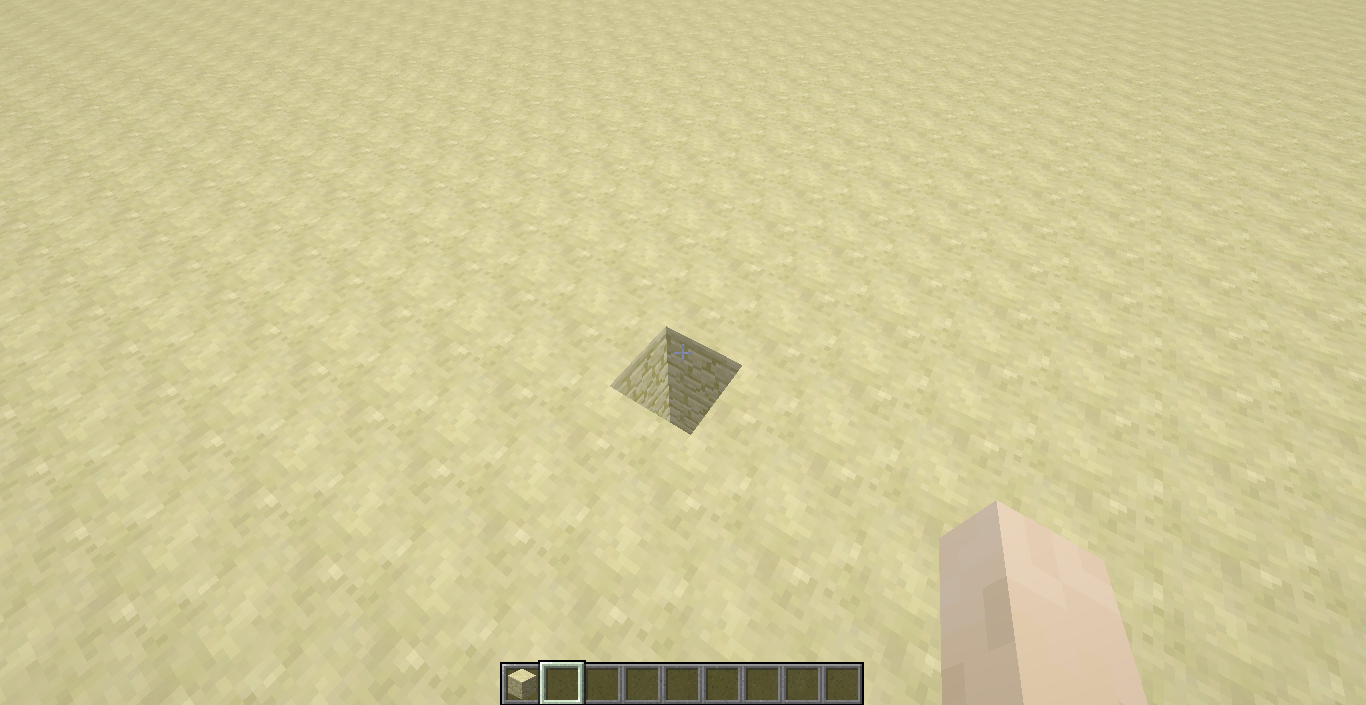
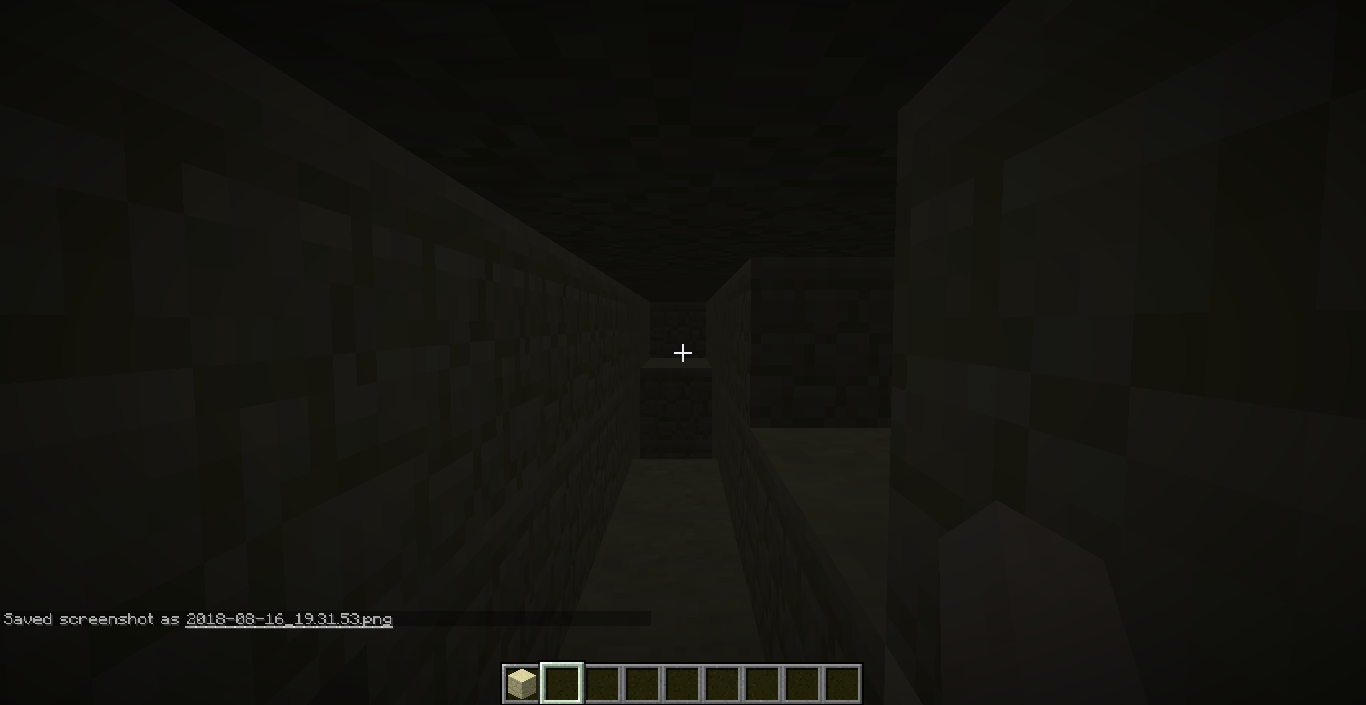
I happened to be mining deep and randomly underneath the surface of a default world, until I noticed that when looking around for ores to mine in F5 mode (default key to 3rd person view); the long corridor of mined blocks behind me had become transparent, and were considered as air blocks as if I was in Spectator mode... but wasn't. Pretty useful for locating caves I guess...
However, once I returned to first person view everything went back to normal (as if nothing happened). This can be done in Survival, as well as in Creative mode.
How to reproduce:
- Create a new world (I created a Superflat world)
- Start mining a 1x1 hole at a random location as far from the surface as possible
- Then start mining in F5 mode... (follow the screenshots)
- At some point, you may notice that everything behind you becomes transparent..
Please let me know if this is a bug and thanks for your time!
Here are some screenshots of what I think is a bug:
The Bug:
It seems as though the rain has lost its sound effect...
I am hoping that this isn't just another weird bug that just so happens to occur: relates to
MC-30651How to reproduce:
- Create a world.
- Try Listening to the rain, when executing the command: /weather rain
The Bug:
It seems as though the rain has lost its sound effect...
I am hoping that this isn't just another weird bug that just so happens to occur: relates to
?--MC-30651How to reproduce:
- Create a world.
- Try Listening to the rain, when executing the command: /weather rain
The Bug:
It seems as though the rain has lost its sound effect...
I am hoping that this isn't just another weird bug that just so happens to occur: relates to
?MC-30651--How to reproduce:
- Create a world.
- Try Listening to the rain, when executing the command: /weather rain
The Bug:
It seems as though the rain has lost its sound effect...
I am hoping that this isn't just another weird bug that just so happens to occur: relates to
?MC-30651How to reproduce:
- Create a world.
- Try Listening to the rain, when executing the command: /weather rain
The Bug:
It seems as though the rain has lost its sound effect once * I set the game Particles* to: Minimal...
I am hoping that this isn't just another weird bug that just so happens to occur: relates to
?MC-30651How to reproduce:
- Create a world.
- Try Listening to the rain, when executing the command: /weather rain
The Bug:
It seems as though the rain
haslostits sound effectonce *I set the gameParticles*to: Minimal...I am hoping that this isn't just another weird bug that just so happens to occur: relates to
?MC-30651How to reproduce:
- Create a world.
- Try Listening to the rain, when executing the command: /weather rain
The Bug:
It seems as though the rain loses its sound effect when I set the game Particles to: Minimal...
I am hoping that this isn't just another weird bug that just so happens to occur: relates to
?MC-30651How to reproduce:
- Create a world.
- Try Listening to the rain, when executing the command: /weather rain
The Bug:
It seems as though the rain loses its sound effect
whenI set the game Particles to: Minimal...I am hoping that this isn't just another weird bug that just so happens to occur: relates to
?MC-30651How to reproduce:
- Create a world.
- Try Listening to the rain, when executing the command: /weather rain
The Bug:
It seems as though the rain loses its sound effect when I set the game Particles to: Minimal...
I am hoping that this isn't just another weird bug that just so happens to occur: relates to
?MC-30651How to reproduce:
- Create a world.
- Try Listening to the rain, when executing the command: /weather rain
The Bug:
It seems as though the rain loses its sound effect when I set the game Particles to: Minimal...
I am hoping that this isn't just another weird bug that just so happens to occur: relates to
?MC-30651How to reproduce:
- Create a world.
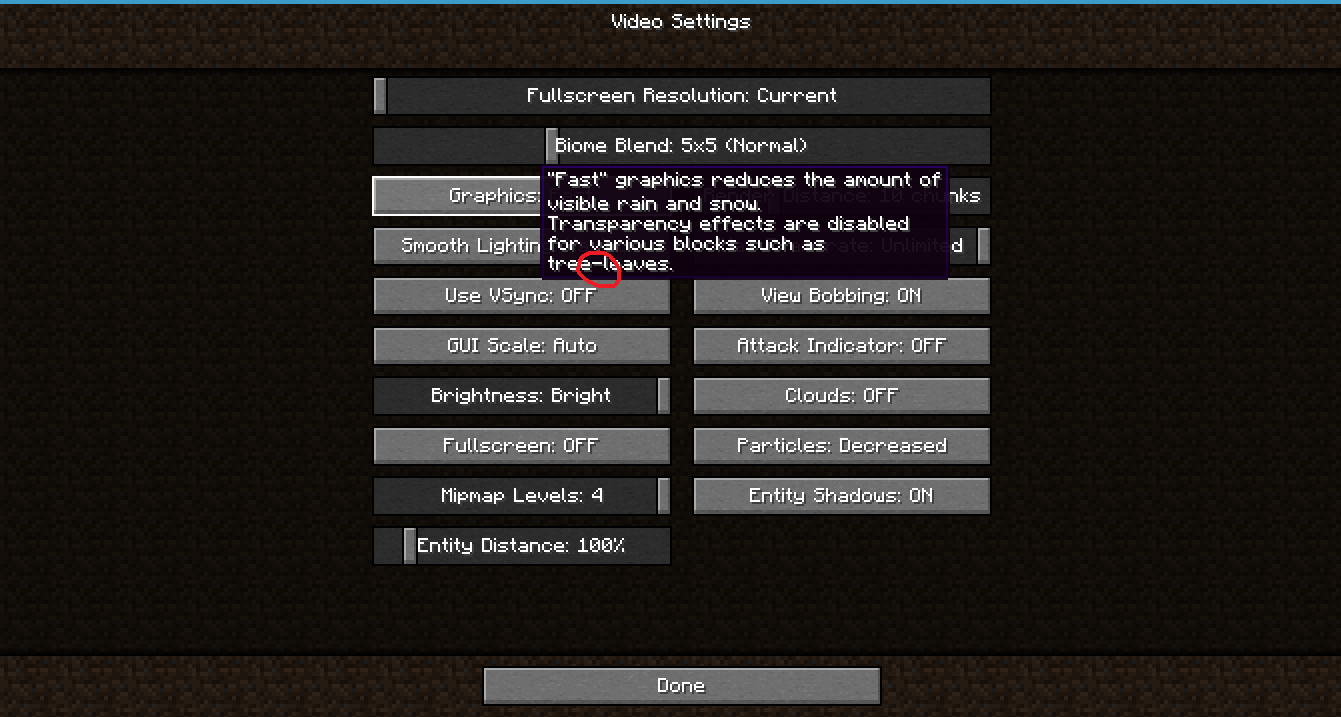
- Set Particles to: Minimal in Video Settings
- Try Listening to the rain, when executing the command: /weather rain
The rainy weather cannot be heard anymoreRainy weather cannot be heard anymore when minimalizing particles
The Bug:
It seems as though the rain loses its sound effect when I set the game Particles to: Minimal...
I am hoping that this isn't just a
notherweird bug that just so happens to occur: relates to?MC-30651How to reproduce:
- Create a world.
- Set Particles to: Minimal in Video Settings
- Try Listening to the rain, when executing the command: /weather rain
The Bug:
It seems as though the rain loses its sound effect when I set the game Particles to: Minimal...
I am hoping that this isn't just a weird bug that just so happens to occur normally: relates to
?MC-30651How to reproduce:
- Create a world.
- Set Particles to: Minimal in Video Settings
- Try Listening to the rain, when executing the command: /weather rain
The Bug:
It seems as though the rain loses its sound effect when I set the game Particles to: Minimal.
..I am hoping that this isn't just a weird
bug that justso happens to occur normally:relates to?MC-30651How to reproduce:
- Create a world.
- Set Particles to: Minimal in Video Settings
- Try Listening to the rain, when executing the command: /weather rain
The Bug:
It seems as though the rain loses its sound effect when I set the game Particles to: Minimal.
I am hoping that this isn't just a weird thing that is just related to the Rain Particles... (relates to
?)MC-30651How to reproduce:
- Create a world.
- Set Particles to: Minimal in Video Settings
- Try Listening to the rain, when executing the command: /weather rain
The Bug:
It seems as though the rain loses its sound effect when I set the game Particles to: Minimal.
I am hoping that this isn't just a weird thing that is just related to the Rain Particles... (relates to
?)MC-30651How to reproduce:
- Create a world.
- Set Particles to: Minimal in Video Settings
- Try Listening to the rain, when executing the command: /weather rain
The Bug:
It seems as though the rain loses its sound effect when I set the game Particles to: Minimal... Apparently, this also affects previous versions of Minecraft (including 1.13.2).
I am hoping that this isn't just a weird thing that is just related to the Rain Particles... (relates to
?)MC-30651How to reproduce:
- Create a world.
- Set Particles to: Minimal in Video Settings
- Try Listening to the rain, when executing the command: /weather rain
An Elytra glitch that has been present, since 1.12 when some small modifications were made to the Player model whilst walking backwards... It doesn't turn an angle anymore like it used to. [*Screenshots below the description*]
The bug:
What I am saying is that it is probable that this change may have affected this bug.
The Player can use the elytra on the ground when walking and jumping at the right time, but this bug occurs when you walk backwards and then jumping to activate the elytra... The Player model just flips 180° for a second before turning to face the correct direction.
Please tell me though if this is just weird, or just a bug duplicate of something more
important (that I could not find unfortunately) xD
An Elytra glitch that has been present, since 1.12 when some small modifications were made to the Player model whilst walking backwards... It doesn't turn an angle anymore like it used to. [*Screenshots below the description*] This does not relate to any modification made in 1.13.
The bug:
What I am saying is that it is probable that this change may have affected this bug.
The Player can use the elytra on the ground when walking and jumping at the right time, but this bug occurs when you walk backwards and then jumping to activate the elytra... The Player model just flips 180° for a second before turning to face the correct direction.
Please tell me though if this is just weird, or just a bug duplicate of something more important (that I could not find unfortunately) xD
An Elytra glitch that has been present, since 1.12 when some small modifications were made to the Player model whilst walking backwards... It doesn't turn an angle anymore like it used to
.[*Screenshots below the description*]This does not relate to any modification made in 1.13.The bug:
What I am saying is that it is probable that this change may have affected this bug.
The Player can use the elytra on the ground when walking and jumping at the right time, but this bug occurs when you walk backwards and then jumping to activate the elytra... The Player model just flips 180° for a second before turning to face the correct direction.
Please tell me though if this is just weird, or just a bug duplicate of something more important (that I could not find unfortunately) xD
An Elytra glitch that has been present, since 1.12 when some small modifications were made to the Player model whilst walking backwards... It doesn't turn an angle anymore like it used to [General 1.12 changesThis does not relate to any modification made in 1.13.
The bug:
What I am saying is that it is probable that this change may have affected this bug.
The Player can use the elytra on the ground when walking and jumping at the right time, but this bug occurs when you walk backwards and then jumping to activate the elytra... The Player model just flips 180° for a second before turning to face the correct direction.
Please tell me though if this is just weird, or just a bug duplicate of something more important (that I could not find unfortunately) xD
An Elytra glitch that has been present, since 1.12 when some small modifications were made to the Player model whilst walking backwards... It doesn't turn an angle anymore like it used to [General 1.12 changesThis does not relate to any modification made in 1.13.
The bug:
What I am saying is that it is probable that this change may have affected this bug.
The Player can use the elytra on the ground when walking and jumping at the right time, but this bug occurs when you walk backwards and then jumping to activate the elytra... The Player model just flips 180° for a second before turning to face the correct direction.
Please tell me though if this is just weird, or just a bug duplicate of something more important (that I could not find unfortunately) xD
An Elytra glitch that has been present, since 1.12 when some small modifications were made to the Player model whilst walking backwards... It doesn't turn an angle anymore like it used to
This does not relate to any modification made in 1.13.
[Link to the 1.12 general changes]
The bug:
What I am saying is that it is probable that this change may have affected this bug.
The Player can use the elytra on the ground when walking and jumping at the right time, but this bug occurs when you walk backwards and then jumping to activate the elytra... The Player model just flips 180° for a second before turning to face the correct direction.
Please tell me though if this is just weird, or just a bug duplicate of something more important (that I could not find unfortunately) xD
An Elytra glitch that has been present, since 1.12 when some small modifications were made to the Player model whilst walking backwards... It doesn't turn an angle anymore like it used to
This does not relate to any modification made in 1.13.
[Link to the 1.12 general changes]
The bug:
What I am saying is that it is probable that this change may have affected this bug.
The Player can use the elytra on the ground when walking and jumping at the right time, but this bug occurs when you walk backwards and then jumping to activate the elytra... The Player model just flips 180° for a second before turning to face the correct direction.
Please tell me though if this is just weird, or just a bug duplicate of something more important (that I could not find unfortunately) xD
An Elytra glitch that has been present, since 1.12 when some small modifications were made to the Player model whilst walking backwards... It doesn't turn an angle anymore like it used to... What I am saying is that it is probable that this change may have affected this bug.
This does not relate to any modification made in 1.13.
[Link to the 1.12 general changes]
The bug:
The Player can use the elytra on the ground when walking and jumping at the right time, but this bug occurs when you walk backwards and then jumping to activate the elytra... The Player model just flips 180° for a second before turning to face the correct direction.
Please tell me though if this is just weird, or just a bug duplicate of something more important (that I could not find unfortunately) xD
An Elytra glitch that has been present, since 1.12 when some small modifications were made to the Player model whilst walking backwards... It doesn't turn an angle anymore like it used to... What I am saying is that it is probable that this change may have affected this bug.
This does not relate to any modification made in 1.13.
[Link to the 1.12 general changes]
The bug:
The Player can use the elytra on the ground when walking and jumping at the right time, but this bug occurs when you walk backwards and then jumping to activate the elytra... The Player model just flips 180° for a second before turning to face the correct direction.
Please tell me though if this is just weird, or just a bug duplicate of something more important (that I could not find unfortunately
)xD
An Elytra glitch that has been present, since 1.12 when some small modifications were made to the Player model whilst walking backwards... It doesn't turn an angle anymore like it used to... What I am saying is that it is probable that this change may have affected this bug.
This does not relate to any modification made in 1.13.
*[Link to the 1.12 general changes]*
The bug:
The Player can use the elytra on the ground when walking and jumping at the right time, but this bug occurs when you walk backwards and then jumping to activate the elytra... The Player model just flips 180° for a second before turning to face the correct direction.
Please tell me though if this is just weird, or just a bug duplicate of something more important (that I could not find unfortunately xD)
An Elytra glitch that has been present, since 1.12 when some small modifications were made to the Player model whilst walking backwards... It doesn't turn an angle anymore like it used to... What I am saying is that it is probable that this change may have affected this bug.
This does not relate to any modification made in 1.13.
*[Link to the 1.12 general changes]*
The bug:
The Player can use the elytra on the ground when walking and jumping at the right time, but this bug occurs when you walk backwards and then jumping to activate the elytra... The Player model just flips 180° for a second before turning to face the correct direction.
Please tell me though if this is just weird, or just a bug duplicate of something more important (that I could not find unfortunately xD)
Elytra causes the Player model to flipfor a secondwhilst walking backwardsElytra causes the Player model to flip & glitch weirdly whilst walking backwards
An Elytra glitch that has been present, since 1.12 when some small modifications were made to the Player model whilst walking backwards... It doesn't turn an angle anymore like it used to... What I am saying is that it is probable that this change may have affected this bug.
This does not relate to any modification made in 1.13.
[Link to the 1.12 general changes]
The bug:
The Player can use the elytra on the ground when walking and jumping at the right time, but this bug occurs when you walk backwards and then jumping to activate the elytra... The Player model just flips 180° for a second before turning to face the correct direction.
Please tell me
thoughif thisis just weird, or just a bug duplicate of something more important (that I could not find unfortunately xD)
An Elytra glitch that has been present, since 1.12 when some small modifications were made to the Player model whilst walking backwards... It doesn't turn an angle anymore like it used to... What I am saying is that it is probable that this change may have affected this bug.
This does not relate to any modification made in 1.13.
[Link to the 1.12 general changes]
The bug:
The Player can use the elytra on the ground when walking and jumping at the right time, but this bug occurs when you walk backwards and then jumping to activate the elytra... The Player model just flips 180° for a second before turning to face the correct direction.
IMPORTANT EDIT:
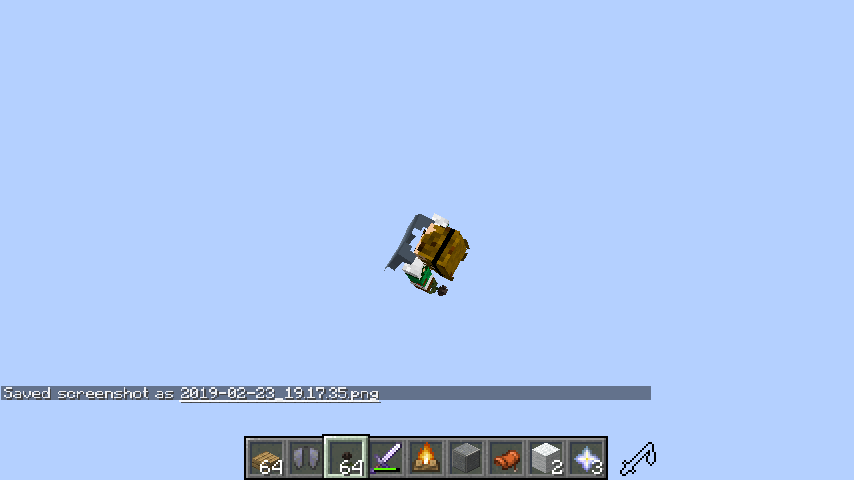
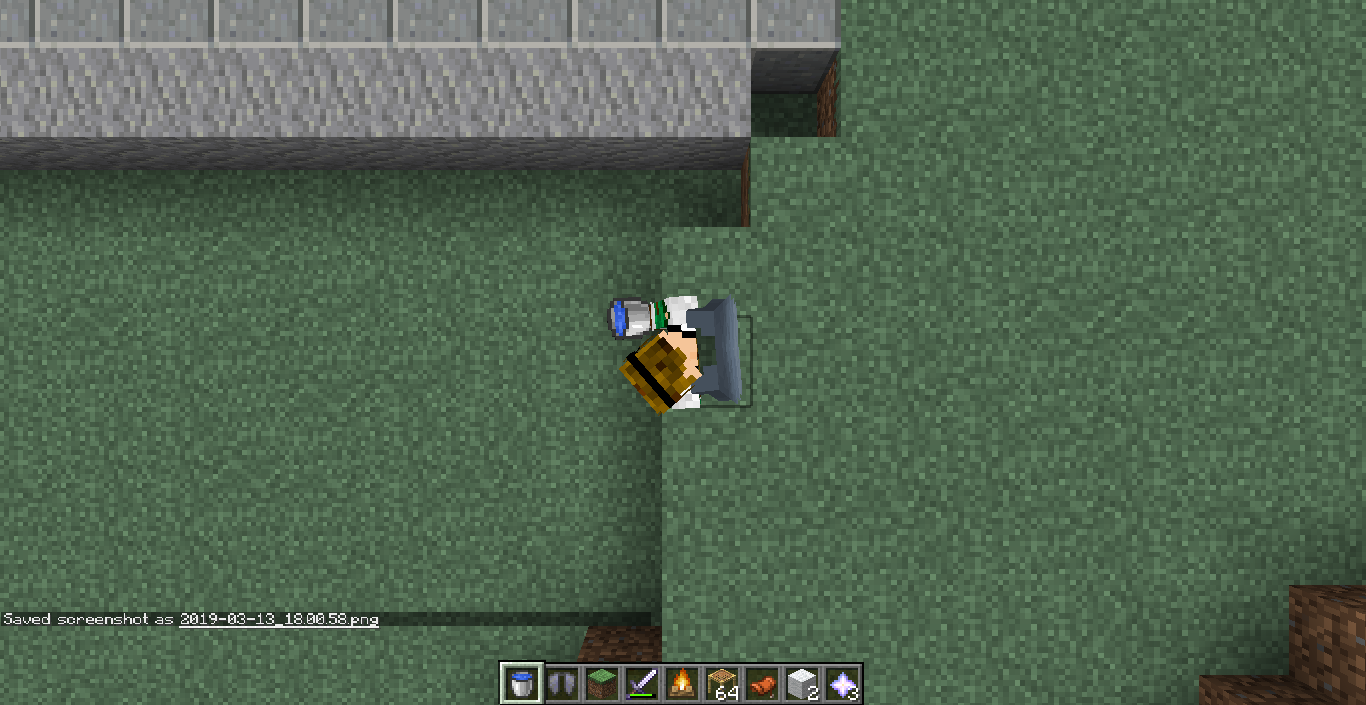
This bug has got worse by the release of 19w08b, and is now glitching (video footage below), and also has caused many other issues with the Player model itself (see screenshots).
Please tell me if this occurs with you too, and thanks for your time!
An Elytra glitch that has been present, since 1.12 when some small modifications were made to the Player model whilst walking backwards... It doesn't turn an angle anymore like it used to... What I am saying is that it is probable that this change may have affected this bug.
This does not relate to any modification made in 1.13.
[Link to the 1.12 general changes]
The bug:
The Player can use the elytra on the ground when walking and jumping at the right time, but this bug occurs when you walk backwards and then jumping to activate the elytra... The Player model just flips 180° for a second before turning to face the correct direction.
IMPORTANT EDIT:
This bug has got worse by the release of 19w08b, and is now glitching (video footage below), and also has caused many other issues with the Player model itself (see screenshots).
Please tell me if this occurs with you too, and thanks for your
time!
An Elytra glitch that has been present, since 1.12 when some small modifications were made to the Player model whilst walking backwards... It doesn't turn an angle anymore like it used to... What I am saying is that it is probable that this change may have affected this bug.
This does not relate to any modification made in 1.13.
[Link to the 1.12 general changes]
The bug:
The Player can use the elytra on the ground when walking and jumping at the right time, but this bug occurs when you walk backwards and then jumping to activate the elytra... The Player model just flips 180° for a second before turning to face the correct direction glitching this time for some odd reason.
IMPORTANT EDIT:
This bug has got worse by the release of 19w08b, and is now glitching (video footage below), and also has caused many other issues with the Player model itself (see screenshots with visible Player; Chunks have not yet loaded), but that is another issue...
Please tell me if this occurs with you too, and thanks for your attention!
An Elytra glitch that has been present, since 1.12 when some small modifications were made to the Player model whilst walking backwards... It doesn't turn an angle anymore like it used to... What I am saying is that it is probable that this change may have affected this bug.
This does not relate to any modification made in 1.13.
[Link to the 1.12 general changes]
The bug:
The Player can use the elytra on the ground when walking and jumping at the right time, but this bug occurs when you walk backwards and then jumping to activate the elytra... The Player model just flips 180° for a second before turning to face the correct direction
glitching this time for some odd reason.
IMPORTANT EDIT:
This bug has got worse by the release of 19w08b, and is now glitching (video footage below), and also
hascaused many other issues with the Player model itself (see screenshots with visible Player;Chunkshave not yet loaded), but that is another issue...Please tell me if this occurs with you too, and thanks for your attention!
An Elytra glitch that has been present, since 1.12 when some small modifications were made to the Player model whilst walking backwards... It doesn't turn an angle anymore like it used to... What I am saying is that it is probable that this change may have affected this bug.
This does not relate to any modification made in 1.13.
[Link to the 1.12 general changes]
The bug:
The Player can use the elytra on the ground when walking and jumping at the right time, but this bug occurs when you walk backwards and then jumping to activate the elytra... The Player model just flips 180° for a second before turning to face the correct direction... (glitching this time for some odd reason since the release of 19w08b; see important edit)
IMPORTANT EDIT:
This bug has got worse by the release of 19w08b, and is now glitching (video footage below), and has also caused many other issues with the Player model itself (see screenshots with visible Player; with chunks that have not yet loaded), but that is another issue...
Please tell me if this occurs with you too, and thanks for your attention!
Elytra causes the Player model to flip& glitchweirdly whilst walking backwardsElytra causes the Player model to flip and flicker weirdly whilst walking backwards
An Elytra glitch that has been present, since 1.12 when some small modifications were made to the Player model whilst walking backwards... It doesn't turn an angle anymore like it used to... What I am saying is that it is probable that this change may have affected this bug.
This does not relate to any modification made in 1.13.
[Link to the 1.12 general changes]
The bug:
The Player can use the elytra on the ground when walking and jumping at the right time, but this bug occurs when you walk backwards and then jumping to activate the elytra... The Player model just flips 180° for a second before turning to face the correct direction... (glitching this time for some odd reason since the release of 19w08b; see important edit)
IMPORTANT EDIT:
This bug has got worse by the release of 19w08b, and is now glitching (video footage below), and has also caused many other issues with the Player model itself (see screenshots with visible Player; with chunks that have not yet loaded), but that is another issue...
Please tell me if this occurs with you too, and thanks for your attention
!
An Elytra glitch that has been present, since 1.12 when some small modifications were made to the Player model whilst walking backwards... It doesn't turn an angle anymore like it used to... What I am saying is that it is probable that this change may have affected this bug.
This does not relate to any modification made in 1.13.
[Link to the 1.12 general changes]
The bug:
The Player can use the elytra on the ground when walking and jumping at the right time, but this bug occurs when you walk backwards and then jumping to activate the elytra... The Player model just flips 180° for a second before turning to face the correct direction... (glitching this time for some odd reason since the release of 19w08b; see important edit)
IMPORTANT EDIT:
This bug has got worse by the release of 19w08b, and is now glitching (video footage below), and has also caused many other issues with the Player model itself (see screenshots with visible Player; with chunks that have not yet loaded), but that is another issue...
Please tell me if this occurs with you too, and thanks for your attention.
An Elytra glitch that has been present, since 1.12 when some small modifications were made to the Player model whilst walking backwards... It doesn't turn an angle anymore like it used to... What I am saying is that it is probable that this change may have affected this bug.
This does not relate to any modification made in 1.13.
[Link to the 1.12 general changes]
The bug:
The Player can use the elytra on the ground when walking and jumping at the right time, but this bug occurs when you walk backwards and then jumping to activate the elytra... The Player model just flips 180° for a second before turning to face the correct direction... (glitching this time for some odd reason since the release of 19w08b; see important edit)
IMPORTANT EDIT:
This bug has got worse by the release of 19w08b, and is now glitching (video footage below), and has also caused many other issues with the Player model itself (see screenshots with visible Player; with chunks that have not yet loaded), but that is another issue...
Please tell me if this occurs with you too, and thanks for your attention.
An Elytra glitch that has been present, since 1.12 when some small modifications were made to the Player model whilst walking backwards... It doesn't turn an angle anymore like it used to... What I am saying is that it is probable that this change may have affected this bug.
[Link to the 1.12 general changes]This does not relate to any modification made in 1.13
The bug:
The Player can use the elytra on the ground when walking and jumping at the right time, but this bug occurs when you walk backwards and then jumping to activate the elytra... The Player model just flips 180° for a second before turning to face the correct direction... (glitching this time for some odd reason since the release of 19w08b; see important edit)
IMPORTANT EDIT:
This bug has got worse by the release of 19w08b, and is now glitching (video footage below), and has also caused many other issues with the Player model itself (see screenshots with visible Player; with chunks that have not yet loaded), but that is another issue...
Please tell me if this occurs with you too, and thanks for your attention.
An Elytra glitch that has been present, since 1.12 when some small modifications were made to the Player model whilst walking backwards... It doesn't turn an angle anymore like it used to... What I am saying is that it is probable that this change may have affected this bug.
[Link to the 1.12 general changes]This does not relate to any modification made in 1.13.
The bug:
The Player can use the elytra on the ground when walking and jumping at the right time, but this bug occurs when you walk backwards and then jumping to activate the elytra... The Player model just flips 180° for a second before turning to face the correct direction... (glitching this time for some odd reason since the release of 19w08b; see important edit)
IMPORTANT EDIT:
This bug has got worse by the release of 19w08b, and is now glitching (video footage below), and has also caused many other issues with the Player model itself (see screenshots with visible Player; with chunks that have not yet loaded), but that is another issue...
Please tell me if this occurs with you too, and thanks for your attention.
An Elytra glitch that has been present, since 1.12 when some small modifications were made to the Player model whilst walking backwards... It doesn't turn an angle anymore like it used to... What I am saying is that it is probable that this change may have affected this bug.
[Link to the 1.12 general changes]This does not relate to any modification made in 1.13.
The bug:
The Player can use the elytra on the ground when walking and jumping at the right time, but this bug occurs when you walk backwards and then jumping to activate the elytra... The Player model just flips 180° for a second before turning to face the correct direction... (glitching this time for some odd reason since the release of 19w08b; see important edit)
IMPORTANT EDIT:
This bug has got worse by the release of 19w08b, and is now glitching (video footage below), and has also caused many other issues with the Player model itself (see screenshots with visible Player; with chunks that have not yet loaded), but that is another issue...
Please tell me if this occurs with you too, and thanks for your attention
.
An Elytra glitch that has been present, since 1.12 when some small modifications were made to the Player model whilst walking backwards... It doesn't turn an angle anymore like it used to... What I am saying is that it is probable that this change may have affected this bug.
[Link to the 1.12 general changes]This does not relate to any modification made in 1.13.
The bug:
The Player can use the elytra on the ground when walking and jumping at the right time, but this bug occurs when you walk backwards and then jumping to activate the elytra... The Player model just flips 180° for a second before turning to face the correct direction... (glitching this time for some odd reason since the release of 19w08b; see important edit)
IMPORTANT EDIT:
This bug has got worse by the release of 19w08b, and is now glitching (video footage below), and has also caused many other issues with the Player model itself (see screenshots with visible Player; with chunks that have not yet loaded), but that is another issue...
Please tell me if this occurs with you too, and thanks for your attention!
An Elytra glitch that has been present, since 1.12 when some small modifications were made to the Player model whilst walking backwards... It doesn't turn an angle anymore like it used to... What I am saying is that it is probable that this change may have affected this bug.
[Link to the 1.12 general changes]This does not relate to any modification made in 1.13.
The bug:
The Player can use the elytra on the ground when walking and jumping at the right time, but this bug occurs when you walk backwards and then jumping to activate the elytra... The Player model just flips 180° for a second before turning to face the correct direction... (glitching this time for some odd reason since the release of 19w08b; see important edit)
IMPORTANT EDIT:
This bug has got worse
bythe release of 19w08b, and is now glitching (video footage below), and has also caused many other issues with the Player model itself (see screenshots with visible Player; with chunks that have not yet loaded), but that is another issue...Please tell me if this occurs with you too, and thanks for your attention
!
An Elytra glitch that has been present, since 1.12 when some small modifications were made to the Player model whilst walking backwards... It doesn't turn an angle anymore like it used to... What I am saying is that it is probable that this change may have affected this bug.
[Link to the 1.12 general changes]This does not relate to any modification made in 1.13.
The bug:
The Player can use the elytra on the ground when walking and jumping at the right time, but this bug occurs when you walk backwards and then jumping to activate the elytra... The Player model just flips 180° for a second before turning to face the correct direction... (glitching this time for some odd reason since the release of 19w08b; see important edit)
IMPORTANT EDIT:
This bug has got worse since the release of 19w08a, and is now glitching (video footage below), and has also caused many other issues with the Player model itself (see screenshots with visible Player; with chunks that have not yet loaded), but that is another issue...
Please tell me if this occurs with you too, and thanks for your attention.
An Elytra glitch that has been present, since 1.12 when some small modifications were made to the Player model whilst walking backwards... It doesn't turn an angle anymore like it used to... What I am saying is that it is probable that this change may have affected this bug.
[Link to the 1.12 general changes]This does not relate to any modification made in 1.13.
The bug:
The Player can use the elytra on the ground when walking and jumping at the right time, but this bug occurs when you walk backwards and then jumping to activate the elytra... The Player model just flips 180° for a second before turning to face the correct direction... (glitching this time for some odd reason since the release of 19w08b; see important edit)
IMPORTANT EDIT:
This bug has got worse since the release of 19w08a, and is now glitching (video footage below), and has also caused many other issues with the Player model itself (see screenshot
swith visible Player;withchunks that have not yet loaded), but that is another issue...Please tell me if this occurs with you too, and thanks for your attention.
An Elytra glitch that has been present, since 1.12 when some small modifications were made to the Player model whilst walking backwards... It doesn't turn an angle anymore like it used to... What I am saying is that it is probable that this change may have affected this bug.
[Link to the 1.12 general changes]This does not relate to any modification made in 1.13.
The bug:
The Player can use the elytra on the ground when walking and jumping at the right time, but this bug occurs when you walk backwards and then jumping to activate the elytra... The Player model just flips 180° for a second before turning to face the correct direction... (glitching this time for some odd reason since the release of 19w08b; see important edit)
IMPORTANT EDIT:
This bug has got worse since the release of 19w08a, and is now glitching (video footage below), and has also caused many other issues with the Player model itself (see screenshot with visible Player; and chunks that have not yet loaded), but that is another issue...
Please tell me if this occurs with you too, and thanks for your attention.
An Elytra glitch that has been present, since 1.12 when some small modifications were made to the Player model whilst walking backwards... It doesn't turn an angle anymore like it used to... What I am saying is that it is probable that this change may have affected this bug.
[Link to the 1.12 general changes]This does not relate to any modification made in 1.13.
The bug:
The Player can use the elytra on the ground when walking and jumping at the right time, but this bug occurs when you walk backwards and then jumping to activate the elytra... The Player model just flips 180° for a second before turning to face the correct direction... (glitching this time for some odd reason since the release of 19w08b; see important edit)
IMPORTANT EDIT:
This bug has got worse since the release of 19w08a, and is now glitching (video footage below), and has also caused many other issues with the Player model itself (see screenshot with visible Player; and chunks that have not yet loaded), but that is another issue...
Please tell me if this occurs with you too, and thanks for your attention.
An Elytra glitch that has been present, since 1.12 when some small modifications were made to the Player model whilst walking backwards... It doesn't turn an angle anymore like it used to... What I am saying is that it is probable that this change may have affected this bug.
[Link to the 1.12 general changes]This does not relate to any modification made in 1.13.
The bug:
The Player can use the elytra on the ground when walking and jumping at the right time, but this bug occurs when you walk backwards and then jumping to activate the elytra... The Player model just flips 180° for a second before turning to face the correct direction... (glitching this time for some odd reason since the release of 19w08b; see important edit)
IMPORTANT EDIT:
This bug has got worse since the release of 19w08a, and is now glitching (video footage below), and has also caused many other issues with the Player model itself (see screenshot with visible Player; and chunks that have not yet loaded), but that is another issue...
How to reproduce:
- View the Player, then equip an Elytra, and look straight ahead.
- Start walking backwards off a ledge or when flying in Creative Mode.
- Activate the Elytra whilst falling (this can be done either in Creative Mode or Survival) down.
- When it is done correctly; the Player model now begins to glitch weirdly.
Please tell me if this occurs to anyone, and if this should be fixed or delayed?? :|
Thanks for your attention!
An Elytra glitch that has been present, since 1.12 when some small modifications were made to the Player model whilst walking backwards... It doesn't turn an angle anymore like it used to... What I am saying is that it is probable that this change may have affected this bug.
[Link to the 1.12 general changes]
This does not relate to any modification made in 1.13.The bug:
The Player can use the elytra on the ground when walking and jumping at the right time, but this bug occurs when you walk backwards and then jumping to activate the elytra... The Player model just flips 180° for a second before turning to face the correct direction... (glitching this time for some odd reason since the release of 19w08b; see important edit)
IMPORTANT EDIT:
This bug has got worse since the release of 19w08a, and is now glitching (video footage below), and has also caused many other issues with the Player model itself (see screenshot with visible Player; and chunks that have not yet loaded), but that is another issue...
How to reproduce:
- View the Player, then equip an Elytra, and look straight ahead.
- Start walking backwards off a ledge or when flying in Creative Mode.
- Activate the Elytra whilst falling (this can be done either in Creative Mode or Survival) down.
- When it is done correctly; the Player model now begins to glitch weirdly.
Please tell me if this occurs to anyone, and if this should be fixed or delayed?? :|
Thanks for your attention!
This does not relate to any modification made in 1.13.
The bug:
The Player can use the elytra on the ground when walking and jumping at the right time, but this bug occurs when you walk backwards and then jumping to activate the elytra... The Player model just flips 180° for a second before turning to face the correct direction... (glitching this time for some odd reason since the release of 19w08b; see important edit)
IMPORTANT EDIT:
This bug has got worse since the release of 19w08a, and is now glitching (video footage below), and has also caused many other issues with the Player model itself (see screenshot with visible Player; and chunks that have not yet loaded), but that is another issue...
How to reproduce:
- View the Player, then equip an Elytra, and look straight ahead.
- Start walking backwards off a ledge or when flying in Creative Mode.
- Activate the Elytra whilst falling (this can be done either in Creative Mode or Survival) down.
- When it is done correctly; the Player model now begins to glitch weirdly.
Please tell me if this occurs to anyone, and if this should be fixed or delayed?? :|
Thanks for your attention!
This does not relate to any modification made in 1.13.
The bug:
The Player can use the elytra on the ground when walking and jumping at the right time, but this bug occurs when you walk backwards and then jumping to activate the elytra... The Player model just flips 180° for a second before turning to face the correct direction... (glitching this time for some odd reason since the release of 19w08b; see important edit)
IMPORTANT EDIT:
This bug has got worse since the release of 19w08a, and is now glitching (video footage below), and has also caused many other issues with the Player model itself (see screenshot with visible Player; and chunks that have not yet loaded), but that is another issue...
How to reproduce:
- View the Player, then equip an Elytra, and look straight ahead.
- Start walking backwards off a ledge or when flying in Creative Mode.
- Activate the Elytra whilst falling (this can be done either in Creative Mode or Survival) down.
- When it is done correctly; the Player model now begins to glitch weirdly.
Please tell me if this occurs to anyone, and if this should be fixed or delayed?? :|
Thanks for your attention!
This does not relate to any modification made in 1.13.
The bug:
The Player can use the elytra on the ground when walking and jumping at the right time, but this bug occurs when you walk backwards and then jumping to activate the elytra... The Player model just flips 180° for a second before turning to face the correct direction... (glitching this time for some odd reason since the release of 19w08b; see important edit)
IMPORTANT EDIT:
This bug has got worse since the release of 19w08a, and is now glitching (video footage below), and has also caused many other issues with the Player model itself (see screenshot with visible Player; and chunks that have not yet loaded), but that is another issue...
How to reproduce:
- View the Player, then equip an Elytra, and look straight ahead.
- Start walking backwards off a ledge or when flying in Creative Mode.
- Activate the Elytra whilst falling (this can be done either in Creative Mode or Survival) down.
- When it is done correctly; the Player model now begins to glitch weirdly.
Please tell me if this occurs to anyone, and if this should be fixed or delayed?? :|
Thanks for your attention!
This does not relate to any modification made in 1.13.
The bug:
The Player can use the
elytra on the ground when walking and jumping at the right time, but this bug occurs when you walk backwards and then jumping to activate the elytra... The Player model just flips 180° for a second before turning to face the correct direction... (glitching this time for some odd reason since the release of 19w08b; see important edit)
IMPORTANT EDIT:
This bug has got worse since the release of 19w08a, and is now glitching (video footage below), and has also caused many other issues with the Player model itself (see screenshot with visible Player; and chunks that have not yet loaded), but that is another issue...
How to reproduce:
- View the Player, then equip an Elytra, and look straight ahead.
- Start walking backwards off a ledge or when flying in Creative Mode.
- Activate the Elytra whilst falling (this can be done either in Creative Mode or Survival) down.
- When it is done correctly; the Player model now begins to glitch weirdly.
Please tell me if this occurs to anyone, and if this should be fixed or delayed?? :|
Thanks for your attention!
This does not relate to any modification made in 1.13.
The bug:
The Player can use the Elytra on the ground when walking and jumping at the right time, but this bug occurs when you walk backwards and then jumping to activate the elytra... The Player model just flips 180° for a second before turning to face the correct direction... (glitching this time for some odd reason since the release of 19w08b; see important edit)
IMPORTANT EDIT:
This bug has got worse since the release of 19w08a, and is now glitching (video footage below), and has also caused many other issues with the Player model itself (see screenshot with visible Player; and chunks that have not yet loaded), but that is another issue...
How to reproduce:
- View the Player model, then equip an Elytra, and look straight ahead.
- Start walking backwards off a ledge or when flying in Creative Mode.
- Activate the Elytra whilst falling (this can be done either in Creative or Survival Mode) down.
- When it is done correctly; the Player model now begins to glitch weirdly.
Please tell me if this occurs to anyone, and if this should be fixed or delayed?? :| Very concerned...
Thanks for your attention!
This does not relate to any modification made in 1.13.
The bug:
The Player can use the Elytra on the ground when walking and jumping at the right time, but this bug occurs when you walk backwards and then jumping to activate the elytra... The Player model just flips 180° for a second before turning to face the correct direction... (glitching this time for some odd reason since the release of 19w08b; see important edit)
IMPORTANT EDIT:
This bug has got worse since the release of 19w08a, and is now glitching (video footage below), and has also caused many other issues with the Player model itself (see screenshot with visible Player; and chunks that have not yet loaded), but that is another issue...
How to reproduce:
- View the Player model, then equip an Elytra, and look straight ahead.
- Start walking backwards off a ledge or when flying in Creative Mode.
- Activate the Elytra whilst falling (this can be done either in Creative or Survival Mode) down.
- When it is done correctly; the Player model now begins to glitch weirdly.
Please tell me if this occurs to anyone, and if this should be fixed or delayed?? :| Very concerned...
Thanks for your attention!
The bug:
The Player can use the Elytra on the ground when walking and jumping at the right time, but this bug occurs when you walk backwards and then jumping to activate the elytra... The Player model just flips 180° for a second before turning to face the correct direction... (glitching this time for some odd reason since the release of 19w08b; see important edit)
IMPORTANT EDIT:
This bug has got worse since the release of 19w08a, and is now glitching (video footage below), and has also caused many other issues with the Player model itself (see screenshot
with visible Player; and chunks that have not yet loaded), but that is another issue...How to reproduce:
- View the Player model, then equip an Elytra, and look straight ahead.
- Start walking backwards off a ledge or when flying in Creative Mode.
- Activate the Elytra whilst falling (this can be done either in Creative or Survival Mode) down.
- When it is done correctly; the Player model
now begins toglitch weirdly.Please tell me if this occurs to anyone, and if this should be fixed or delayed?? :| Very concerned...
Thanks for your attention!
The bug:
The Player can use the Elytra on the ground when walking and jumping at the right time, but this bug occurs when you walk backwards and then jumping to activate the elytra... The Player model just flips 180° for a second before turning to face the correct direction... (glitching this time for some odd reason since the release of 19w08b; see important edit)
IMPORTANT EDIT:
This bug has got worse since the release of 19w08a, and is now glitching (video footage below), and has also caused many other issues with the Player model itself (see screenshots below)
How to reproduce:
- View the Player model, then equip an Elytra, and look straight ahead.
- Start walking backwards off a ledge or when flying in Creative Mode.
- Activate the Elytra whilst falling (this can be done either in Creative or Survival Mode) down.
- When it is done correctly; the Player model flips 180° before beginning to swing its legs really fast and glitch weirdly.
Please tell me if this occurs to anyone, and if this should be fixed or delayed?? :| Very concerned...
Thanks for your attention!
The bug:
The Player can use the Elytra on the ground when walking and jumping at the right time, but this bug occurs when you walk backwards and then jumping to activate the elytra... The Player model just flips 180° for a second before turning to face the correct direction... (glitching this time for some odd reason since the release of 19w08b; see important edit)
-IMPORTANT EDIT:
This bug has got worse since the release of 19w08a, and is now glitching (video footage below), and has also caused many other issues with the Player model itself (see screenshots below)-
How to reproduce:
- View the Player model, then equip an Elytra, and look straight ahead.
- Start walking backwards off a ledge or when flying in Creative Mode.
- Activate the Elytra whilst falling (this can be done either in Creative or Survival Mode) down.
- When it is done correctly; the Player model flips 180° before beginning to swing its legs really fast and glitch weirdly.
Please tell me if this occurs to anyone, and if this should be fixed or delayed?? :| Very concerned...
Thanks for your attention!
The bug:
The Player can use the Elytra on the ground when walking and jumping at the right time, but this bug occurs when you walk backwards and then jumping to activate the elytra... The Player model just flips 180° for a second before turning to face the correct direction... (glitching this time for some odd reason since the release of 19w08b; see important edit)
-IMPORTANT EDIT:
This bug has got worse since the release of 19w08a, and is now glitching (video footage below), and has also caused many other issues with the Player model itself (see screenshots below)-
How to reproduce:
- View the Player model, then equip an Elytra, and look straight ahead.
- Start walking backwards off a ledge or when flying in Creative Mode.
- Activate the Elytra whilst falling (this can be done either in Creative or Survival Mode) down.
- When it is done correctly; the Player model flips 180° before beginning to swing its legs really fast and glitch weirdly.
Please tell me if this occurs to anyone, and if this should be fixed or delayed?? :| Very concerned...
Thanks for your attention!
The bug:
The Player can use the Elytra on the ground when walking and jumping at the right time, but this bug occurs when you walk backwards and then jumping to activate the elytra... The Player model just flips 180° for a second before turning to face the correct direction... (glitching this time for some odd reason since the release of 19w08b; see important edit)
Please tell me if this occurs to anyone, and if this should be fixed or delayed?? :| Very concerned...
Thanks for your attention!
The bug:
The Player can use the Elytra on the ground when walking and jumping at the right time, but this bug occurs when you walk backwards and then jumping to activate the elytra... The Player model just flips 180° for a second before turning to face the correct direction... (glitching this time for some odd reason since the release of 19w08b; see important edit)
Please tell me if this occurs to anyone, and if this should be fixed or delayed?? :| Very concerned...Thanks for your attention!
IMPORTANT EDITThe issue was unintentionally updated, but seems to have not been resolved or confirmed, thus remaining a flickering bug instead.
To those whom now post new issues concerning any Elytra flickering should now be redirected to this report. Thanks for your attention.
The bug:
The Player can use the Elytra on the ground when walking and jumping at the right time, but this bug occurs when you walk backwards and then jumping to activate the elytra... The Player model just flips 180° for a second before turning to face the correct direction... (glitching this time for some odd reason since the release of 19w08b; see important edit)
Please tell me if this occurs to anyone, and if this should be fixed or delayed?? :| Very concerned...Thanks for your attention!
IMPORTANT EDITThe issue was unintentionally updated, but seems to have not been resolved or confirmed yet, thus remaining a flickering bug instead.
To those whom now post new issues concerning any Elytra flickering should now be redirected to this report. Thanks for your attention.
The bug:
The Player can use the Elytra on the ground when walking and jumping at the right time, but this bug occurs when you walk backwards and then jumping to activate the elytra... The Player model just flips 180° for a second before turning to face the correct direction... (glitching this time for some odd reason since the release of 19w08b; see important edit)
Please tell me if this occurs to anyone, and if this should be fixed or delayed?? :| Very concerned...Thanks for your attention!
IMPORTANT EDITThe issue was unintentionally updated, but seems to have not been resolved or confirmed yet, thus remaining a flickering bug instead.
To those whom now post new issues concerning any Elytra flickering should now be redirected to this report. Thanks for your attention.
The bug:
The Player can use the Elytra on the ground when walking and jumping at the right time, but this bug occurs when you walk backwards and then jumping to activate the elytra... The Player model just flips 180° for a second before turning to face the correct direction... (glitching this time for some odd reason since the release of 19w08b; see important edit)
Please tell me if this occurs to anyone, and if this should be fixed or delayed?? :| Very concerned...Thanks for your attention!
IMPORTANT EDITThe issue was unintentionally updated, but seems to have not been resolved or confirmed yet, thus remaining a flickering bug instead.
To those whom now post new issues concerning any Elytra flickering should now be redirected to this report. Thanks for your attention.
Elytra causes the Player model to flip and flicker weirdly whilst walking backwards or travelling at high speeds
The bug:
The Player can use the Elytra on the ground when walking and jumping at the right time, but this bug occurs when you walk backwards and then jumping to activate the elytra... The Player model just flips 180° for a second before turning to face the correct direction... (glitching this time for some odd reason since the release of 19w08b; see important edit)
Please tell me if this occurs to anyone, and if this should be fixed or delayed?? :| Very concerned...Thanks for your attention!
IMPORTANT EDITThe issue was unintentionally updated, but seems to have not been resolved or confirmed yet, thus remaining a flickering bug instead.
To those whom now post new issues concerning any Elytra flickering should now be redirected to this report.
Thanks for your attention.
The bug:
The Player can use the Elytra on the ground when walking and jumping at the right time, but this bug occurs when you walk backwards and then jumping to activate the elytra... The Player model just flips 180° for a second before turning to face the correct direction... (glitching this time for some odd reason since the release of 19w08b; see important edit)
IMPORTANT EDITThe issue was unintentionally updated, but seems to have not been resolved or confirmed yet, thus remaining a flickering bug instead.
To those whom now post new issues concerning any Elytra flickering should now be redirected to this report.
Thanks for your attention.
The bug:
The Player can use the Elytra on the ground when walking and jumping at the right time, but this bug occurs when you walk backwards and then jumping to activate the elytra... The Player model just flips 180° for a second before turning to face the correct direction... (glitching this time for some odd reason since the release of 19w08b; see important edit)
IMPORTANT EDITThe issue was unintentionally updated, but seems to have not been resolved or confirmed yet, thus remaining a flickering bug instead.
To those whom now post new issues concerning any Elytra flickering should now be redirected to this report.
Thanks for your attention.
The bug:
The Player can use the Elytra on the ground when walking and jumping at the right time, but this bug occurs when you walk backwards and then jumping to activate the elytra... The Player model just flips 180° for a second before turning to face the correct direction... (glitching this time for some odd reason since the release of 19w08b; see important edit)
IMPORTANT EDITThe issue was unintentionally updated, but seems to have not been resolved
or confirmed yet, thus remaining a flickering bug instead.To those whom now post new issues concerning any Elytra flickering should now be redirected to this report.
Thanks for your attention.
The bug:
The Player can use the Elytra on the ground when walking and jumping at the right time, but this bug occurs when you walk backwards and then jumping to activate the elytra... The Player model just flips 180° for a second before turning to face the correct direction... (glitching this time for some odd reason since the release of 19w08b; see important edit)
IMPORTANT EDITThe issue was unintentionally updated, but seems to have not been resolved
or confirmed, thus remaining a flickering bug instead.yetTo those whom now post new issues concerning any Elytra flickering should now be redirected to this report.
Thanks for your attention.
The bug:
The Player can use the Elytra on the ground when walking and jumping at the right time, but this bug occurs when you walk backwards and then jumping to activate the elytra... The Player model just flips 180° for a second before turning to face the correct direction... (glitching this time for some odd reason since the release of 19w08b; see important edit)
IMPORTANT EDITThe issue was unintentionally updated, but seems to have not been resolved
or confirmedyet, thus remaining a flickering bug instead.To those whom now post new issues concerning any Elytra flickering should now be redirected to this report.
Thanks for your attention.
The bug:
The Player can use the Elytra on the ground when walking and jumping at the right time, but this bug occurs when you walk backwards and then jumping to activate the elytra... The Player model just flips 180° for a second before turning to face the correct direction... (glitching this time for some odd reason since the release of 19w08b; see important edit)
IMPORTANT EDITThe issue was unintentionally updated, but seems to have not been resolved
or confirmedyet, thus remaining a flickering bug instead.To those whom now post new issues concerning any
Elytra flickeringshouldnow be redirected to this report.Thanks for your attention.
The bug:
The Player can use the Elytra on the ground when walking and jumping at the right time, but this bug occurs when you walk backwards and then jumping to activate the elytra... The Player model just flips 180° for a second before turning to face the correct direction... (glitching this time for some odd reason since the release of 19w08b; see important edit)
IMPORTANT EDITNew issues which beg any form of Player model flickering with the Elytra will now be redirected to this report.
Thanks for your attention.
The bug:
The Player can use the Elytra on the ground when walking and jumping at the right time, but this bug occurs when you walk backwards and then jumping to activate the elytra... The Player model just flips 180° for a second before turning to face the correct direction... (glitching
this time for some odd reasonsince the release of 19w08b;see important edit)
IMPORTANT EDITNew issues which
beg any formof Player model flickering with the Elytra will now be redirected to this report.Thanks for your attention.
The bug:
Activating the Elytra whilst walking backwards by jumping will cause the Player model to flip 180° for a second before flipping back to face the correct direction of flight.
The player model is also known to flicker in these circumstances, especially when travelling at high speeds since the release of 19w08b (see important edit)
IMPORTANT EDITNew issues which relate to any cases of Player model flickering with the Elytra will now be redirected to this report.
Thanks for your attention.
The bug:
Activating the Elytra whilst walking backwards by jumping will cause the Player model to flip 180° for a second before flipping back to face the correct direction of flight.
The player model is also known to flicker in these circumstances, especially when travelling at high speeds since the release of 19w08b (see important edit)
IMPORTANT EDITNew issues which
relate to any cases ofPlayer modelflickeringwiththe Elytra will now be redirected to this report.Thanks for your attention.
The bug:
Activating the Elytra whilst walking backwards by jumping will cause the Player model to flip 180° for a second before flipping back to face the correct direction of flight.
The player model is also known to flicker in these circumstances, especially when travelling at high speeds since the release of 19w08b (see important edit)
IMPORTANT EDITNew issues which beg any inconsistencies between the Player model and the Elytra will now be redirected to this report until further resolution .
Thanks for your attention.
The bug:
Activating the Elytra whilst walking backwards by jumping will cause the Player model to flip 180° for a second before flipping back to face the correct direction of flight.
The player model is also known to flicker in these circumstances, especially when travelling at high speeds since the release of 19w08b (see important edit)
IMPORTANT EDITNew issues which beg any inconsistencies between the Player model and the Elytra will now be redirected to this report until further resolution
.Thanks for your attention.
The bug:
Activating the Elytra whilst walking backwards by jumping will cause the Player model to flip 180° for a second before flipping back to face the correct direction of flight.
The player model is also known to flicker in these circumstances, especially when travelling at high speeds since the release of 19w08b (see important edit)
IMPORTANT EDITNew issues which beg any inconsistencies between the Player model and the Elytra will now be redirected to this report until further advancements in its resolution.
Thanks for your attention.
The bug:
Activating the Elytra whilst walking backwards by jumping will cause the Player model to flip 180° for a second before flipping back to face the correct direction of flight.
The player model is also known to flicker in these circumstances, especially when travelling at high speeds since the release of 19w08b (see important edit).
IMPORTANT EDITNew issues which beg any inconsistencies between the Player model and the Elytra will now be redirected to this report until further advancements in its resolution.
Thanks for your attention.
Elytra causesthePlayer model to flip and flicker whilst walking backwards or travellingat high speedsElytra causes Player model to flicker at high speeds
The bug:
Activating the Elytra
whilst walking backwards by jumping willcause thePlayer model to flip 180° for a second before flipping back to face the correct direction of flight.The player model is also known to flicker in these circumstances, especially when travelling at high speeds since the release of 19w08b (see important edit).
IMPORTANT EDITNew issues which beg any inconsistencies between the Player model and the Elytra will now be redirected to this report until further advancements in its resolution.
Thanks for your attention.
The issue (technically a bug):
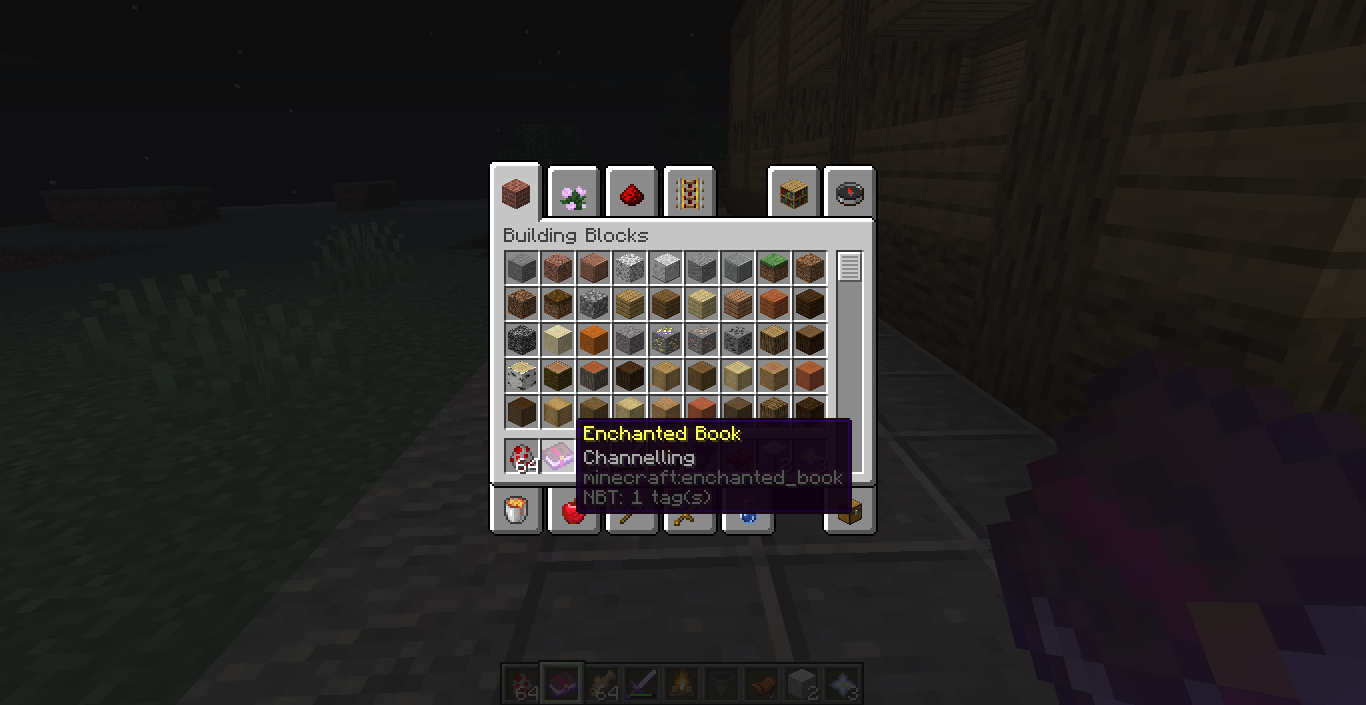
Is it the Channelling or Channeling enchantment? Either way, they differ in spelling in the main obtainable rare enchanted "Channelling" book & when executing the /enchant command where the enchantment
idis spelled: "Channeling".How to reproduce:
(screenshots below)
I apologise to all the Map makers (unless this issue has already been posted), as this demands for either a syntax change in the enchantment ID or just a simple change in the enchantment book name.
Although, I know some of the original enchantment ID names do not correspond with the enchanted book names... Could someone please make up their mind on the spelling? Research tells me that both
spellingsare correct is this real? xDOr is this another weird issue, and the decision has not yet been made? Please tell me, as I am quite unsure myself. Thank you for your time!
The issue (technically a bug):
Is it the Channelling or Channeling enchantment? Either way, they differ in spelling in the main obtainable rare enchanted "Channelling" book & when executing the /enchant command where the enchantment ID is spelled: "Channeling".
How to reproduce:
(screenshots below)
I apologise to all the Map makers (unless this issue has already been posted), as this demands for either a syntax change in the enchantment ID or just a simple change in the enchantment book name.
Although, I know some of the original enchantment ID names do not correspond with the enchanted book names... Could someone please make up their mind on the spelling? Research tells me that both are correct, is this real? xD
Or is this another weird issue, and the decision has not yet been made? Please tell me, as I am quite unsure myself. Thank you for your time!
The issue (technically a bug):Is it the Channelling or Channeling enchantment? Either way, they differ in spelling in the main obtainable rare enchanted "Channelling" book & when executing the /enchant command where the enchantment ID is spelled: "Channeling".
How to reproduce:(screenshots below)
I apologise to all the Map makers (unless this issue has already been posted), as this demands for either a syntax change in the enchantment ID or just a simple change in the enchantment book name.
Although, I know some of the original enchantment ID names do not correspond with the enchanted book names... Could someone please make up their mind on the spelling? Research tells me that both are correct, is this real? xD
Or is this another weird issue, and the decision has not yet been made? Please tell me, as I am quite unsure myself. Thank you for your time!
The issue (technically a bug):
Is it the Channelling or Channeling enchantment? Either way, they differ in spelling in the main obtainable rare enchanted "Channelling" book & when executing the /enchant command where the enchantment ID is spelled: "Channeling".
How to reproduce:
(screenshots below)
I apologise to all the Map makers (unless this issue has already been posted), as this demands for either a syntax change in the enchantment ID or just a simple change in the enchantment book name.
Although, I know some of the original enchantment ID names do not correspond with the enchanted book names... Could someone please make up their mind on the spelling? Research tells me that both are correct, is this real? xD
Or is this another weird issue, and the decision has not yet been made? Please tell me, as I am quite unsure myself. Thank you for your time!I was stupid, because it is American.
The issue (technically a bug):
Is it the Channelling or Channeling enchantment? Either way, they differ in spelling in the main obtainable rare enchanted "Channelling" book & when executing the /enchant command where the enchantment ID is spelled: "Channeling".
How to reproduce:
(screenshots below)
I apologise to all the Map makers (unless this issue has already been posted), as this demands for either a syntax change in the enchantment ID or just a simple change in the enchantment book name.
Although, I know some of the original enchantment ID names do not correspond with the enchanted book names... Could someone please make up their mind on the spelling? Research tells me that both are correct, is this real? xD
Or is this another weird issue, and the decision has not yet been made? Please tell me, as I am quite unsure myself. Thank you for your time!EDIT: I was stupid, because it is American.
I have noticed some weird bugs occuring lately in the snapshots for 1.14, and the closest one that you may have noticed too is quite simple: The Player model does not look at you anymore when pressing F5 for the second time.
Plus, I also noticed that it happened whilst
spawningand that you can look at the Player model in F5 mode whilst spawning.... is that normal? Please tell me!I have noticed some weird bugs occuring lately in the snapshots for 1.14, and the closest one that you may have noticed too is quite simple: The Player model does not look at you anymore when pressing F5 for the second time.
Plus, I also noticed that it happened whilst I loaded a world, and that you can look at the Player model in F5 mode whilst spawning in the unloaded chunks.... is this intentional? Please tell me!
- Java 8.0
- Windows 10
- Intel Core i5
I have noticed some weird bugs occuring lately in the snapshots for 1.14, and the closest one that you may have noticed too is quite simple: The Player model does not look at you anymore when pressing F5 for the second time.
Plus, I also noticed that it happened whilst I loaded a world, and that you can look at the Player model in F5 mode whilst
spawning in the unloaded chunks.... is this intentional? Please tell me!I have noticed some weird bugs occuring lately in the snapshots for 1.14, and the closest one that you may have noticed too is quite simple: The Player model does not look at you anymore when pressing F5 for the second time... It seems as though the camera is temporarily broken.
I have mentioned this before however () and the results are quite similar.
Plus, I also noticed that it happened whilst I loaded a world, and that you can look at the Player model in F5 mode whilst the chunks were loading.... is this intentional? Please tell me!
Player model is broken whilst chunks are loading in F5 modeF5 camera does not align with the Player model head during and after spawning
I have noticed some weird bugs occuring lately in the snapshots for 1.14, and the closest one that you may have noticed too is quite simple: The Player model does not look at you anymore when pressing F5 for the second time... It seems as though the camera is temporarily broken.
I have mentioned this before however () and the results are quite similar.
Plus, I also noticed that it happened whilst I loaded a world, and that you can look at the Player model in F5 mode whilst the chunks were loading.... is this intentional? Please tell me!
The Bug:
I have noticed some weird bugs occuring lately in the snapshots for 1.14, and the closest one that you may have noticed too is quite simple: The Player model does not look at you anymore when pressing F5 for the second time... It happens also when looking down so that the Player model is looking down and the F5 camera just freezes. So, it seems as though the camera is temporarily broken (hopefully)...
I have mentioned this before however () and the results are quite similar.
Plus, I also noticed that it happened whilst I loaded a world (see screenshots below), and that you can look at the Player model in F5 mode whilst the chunks were loading.... is this intentional? Please tell me!
The Bug:
I have noticed some weird bugs occuring lately in the snapshots for 1.14, and the closest one that you may have noticed too is quite simple: The Player model does not look at you anymore when pressing F5 for the second time... It happens also when looking down so that the Player model is looking down and the F5 camera just freezes. So, it seems as though the camera is temporarily broken (hopefully)...
I have mentioned this before however () and the results are quite similar.
Plus, I also noticed that it happened whilst I loaded a world (see screenshots below), and that you can look at the Player model in F5 mode whilst the chunks were loading.... is this intentional? Please tell me!
The Bug:
I have noticed some weird bugs occuring lately in the snapshots for 1.14, and the closest one that you may have noticed too is quite simple: The Player model does not look at you anymore when pressing F5 for the second time... It happens also when looking down so that the Player model is looking down and the F5 camera just freezes. So, it seems as though the camera is temporarily broken (hopefully)...
I have mentioned this before however (MC-142246) and the results are quite similar.
Plus, I also noticed that it happened whilst I loaded a world (see screenshots below), and that you can look at the Player model in F5 mode whilst the chunks were loading.... is this intentional? Please tell me!
The Bug:
I have noticed some weird bugs occuring lately in the snapshots for 1.14, and the closest one that you may have noticed too is quite simple: The Player model does not look at you anymore when pressing F5 for the second time... It happens also when looking down so that the Player model is looking down and the F5 camera just freezes. So, it seems as though the camera is temporarily broken (hopefully)...
I have mentioned this before however (MC-142246) and the results are quite similar.
Plus, I also noticed that it happened whilst I loaded a world (see screenshots below), and that you can look at the Player model in F5 mode whilst the chunks were loading.... is this intentional? Please tell me!
The Bug:
I have noticed some weird bugs occuring lately in the snapshots for 1.14, and the closest one that you may have noticed too is quite simple: The Player model does not look at you anymore when pressing F5 for the second time... It happens also when looking down so that the Player model is looking down and the F5 camera just freezes. So, it seems as though the camera is temporarily broken (hopefully)...
- I have mentioned this before however, and the results are quite similar to a weird issue I encountered whilst walking backwards and taking off with an Elytra (
MC-142246). I think that the Player model itself just remains a little unstable for the moment...Plus, I also noticed that it happened whilst I loaded a world (see screenshots below), and that you can look at the Player model in F5 mode whilst the chunks were loading.... is this intentional? Please tell me!
The Bug:
I have noticed some weird bugs occuring lately in the snapshots for 1.14, and the closest one that you may have noticed too is quite simple: The Player model does not look at you anymore when pressing F5 for the second time... It happens also when looking down so that the Player model is looking down and the F5 camera just freezes. So, it seems as though the camera is temporarily broken (hopefully)...
- I have mentioned this before however, and the results are quite similar to a weird issue I encountered whilst walking backwards and taking off with an Elytra (
MC-142246). I think that the Player model itself just remains a little unstable for the moment...Plus, I also noticed that it happened whilst I loaded a world (see screenshots below), and that you can look at the Player model in F5 mode whilst the chunks were loading....
is this intentional? Please tell me!The Bug:
I have noticed some weird bugs occuring lately in the snapshots for 1.14, and the closest one that you may have noticed too is quite simple: The Player model does not look at you anymore when pressing F5 for the second time... It happens also when looking down so that the Player model is looking down and the F5 camera just freezes. So, it seems as though the camera is temporarily broken (hopefully)...
- I have mentioned this before however, and the results are quite similar to a weird issue I encountered whilst walking backwards and taking off with an Elytra (
MC-142246). I think that the Player model itself just remains a little unstable for the moment...Plus, I also noticed that it happened whilst I loaded a world (see screenshots below), and that you can look at the Player model in F5 mode whilst the chunks were loading....
Is this intentional? Please tell me!
How to reproduce:
There are currently 2 ways of doing this:
- Load/Create a world in your world selection list
- Press F5 as soon as the chunks start loading (before the game completely loads)
OR
- Basically just look at yourself in F5 mode facing down (pressing F5 twice from default view)... the camera freezes and the player model head rotates only horizontally... It's just ridiculous.
The Bug:
I have noticed some weird bugs occuring lately in the snapshots for 1.14, and the closest one that you may have noticed too is quite simple: The Player model does not look at you anymore when pressing F5 for the second time... It happens
alsowhen looking down so that the Player model is looking down and the F5 camera just freezes. So, it seems as though the camera is temporarily broken (hopefully)...
- I have mentioned this before however, and the results are quite similar to a weird issue I encountered whilst walking backwards and
taking offwith an Elytra (MC-142246). I think that the Player model itself just remains a little unstable for the moment...Plus, I also noticed that it happened whilst I loaded a world (see screenshots below), and that you can look at the Player model in F5 mode whilst the chunks were loading....
Is this intentional? Please tell me!
How to reproduce:
There are currently 2 ways of doing this:
- Load/Create a world in your world selection list
- Press F5 as soon as the chunks start loading (before the
gamecompletely loads)OR
- Basically just look at yourself in F5 mode facing down (pressing F5 twice from default view)... the camera freezes and the player model head rotates only horizontally... It's just ridiculous.
The Bug:
I have noticed some weird bugs occuring lately in the snapshots for 1.14, and the closest one that you may have noticed too is quite simple: The Player model does not look at you anymore when pressing F5 for the second time... It also happens when looking down so that the Player model is looking down and the F5 camera just freezes. So, it seems as though the camera is temporarily broken (hopefully)...
- I have mentioned this before however, and the results are quite similar to a weird issue I encountered whilst walking backwards and gliding with an Elytra (
MC-142246). I think that the Player model itself just remains a little unstable for the moment...Plus, I also noticed that it happened whilst I loaded a world (see screenshots below), and that you can look at the Player model in F5 mode whilst the chunks were loading....
Is this intentional? Please tell me!
How to reproduce:
There are currently 2 ways of doing this:
- Load/Create a world in your world selection list
- Press F5 as soon as the chunks start loading (before the world completely loads)
OR
- Basically just look at yourself in F5 mode facing down (pressing F5 twice from default view)... the camera freezes and the player model head rotates only horizontally... It's just ridiculous.
The Bug:
I have noticed some weird bugs occuring lately in the snapshots for 1.14, and the closest one that you may have noticed too is quite simple: The Player model does not look at you anymore when pressing F5 for the second time... It also happens when looking down so that the Player model is looking down and the F5 camera just freezes. So, it seems as though the camera is temporarily broken (hopefully)...
- I have mentioned this before however, and the results are quite similar to a weird issue I encountered whilst walking backwards and gliding with an Elytra (
MC-142246). I think that the Player model itself just remains a little unstable for the moment...Plus, I also noticed that it happened whilst I loaded a world (see screenshots below), and that you can look at the Player model in F5 mode whilst the chunks were loading....
Is this intentional? Please tell me!
How to reproduce:
There are currently 2 ways of doing this:
- Load/Create a world in your world selection list
- Press F5 as soon as the chunks start loading (before the world completely loads)
OR
- Basically just look at yourself in F5 mode facing down (pressing F5 twice from default view)... the camera freezes and the
player model head rotates only horizontally... It's just ridiculous.The Bug:
I have noticed some weird bugs occuring lately in the snapshots for 1.14, and the closest one that you may have noticed too is quite simple: The Player model does not look at you anymore when pressing F5 for the second time... It also happens when looking down so that the Player model is looking down and the F5 camera just freezes. So, it seems as though the camera is temporarily broken (hopefully)...
- I have mentioned this before however, and the results are quite similar to a weird issue I encountered whilst walking backwards and gliding with an Elytra (
MC-142246). I think that the Player model itself just remains a little unstable for the moment...Plus, I also noticed that it happened whilst I loaded a world (see screenshots below), and that you can look at the Player model in F5 mode whilst the chunks were loading.... inverting both the camera position and the direction the Player is actually facing.
Is this intentional? Please tell me!
How to reproduce:
There are currently 2 ways of doing this:
- Load/Create a world in your world selection list
- Press F5 as soon as the chunks start loading (before the world completely loads)
OR
- Basically just look at yourself in F5 mode facing down (pressing F5 twice from default view)... the camera freezes and the Player model head rotates only horizontally... It's just ridiculous.
F5 cameradoes not align withthe Player modelheadduring and after spawningF5 camera freezes when the Player model looks down during and after spawning
The Bug:
I have noticed some weird bugs occuring lately in the snapshots for 1.14, and the closest one that you may have noticed too is quite simple: The Player model does not look at you anymore when pressing F5 for the second time... It also happens when looking down so that the Player model is looking down and the F5 camera just freezes. So, it seems as though the camera is temporarily broken (hopefully)...
- I have mentioned this before however, and the results are quite similar to a weird issue I encountered whilst walking backwards and gliding with an Elytra (
MC-142246). I think that the Player model itself just remains a little unstable for the moment...Plus, I also noticed that it happened whilst I loaded a world (see screenshots below), and that you can look at the Player model in F5 mode whilst the chunks were loading...
. inverting both the camera position and the direction the Player is actually facing.Is this intentional? Please tell me!
How to reproduce:
There are currently 2 ways of doing this:
- Load/Create a world in your world selection list
- Press F5 as soon as the chunks start loading (before the world completely loads)
OR
- Basically just look at yourself in F5 mode facing down (pressing F5 twice from default view)... the camera freezes and the Player model head rotates only horizontally... It's just ridiculous.
The Bug:
I have noticed some weird bugs occuring lately in the snapshots for 1.14, and the closest one that you may have noticed too is quite simple: The Player model does not look at you anymore when pressing F5 for the second time... It also happens when looking down so that the Player model is looking down and the F5 camera just freezes. So, it seems as though the camera is temporarily broken (hopefully)...
- I have mentioned this before however, and the results are quite similar to a weird issue I encountered whilst walking backwards and gliding with an Elytra (
MC-142246). I think that the Player model itself just remains a little unstable for the moment...Plus, I also noticed that it happened whilst I loaded a world (see screenshots below), and that you can look at the Player model in F5 mode whilst the chunks were loading... probably relating to some of the inverted direction bugs?
Is this intentional? Please tell me!
How to reproduce:
There are currently 2 ways of doing this:
- Load/Create a world in your world selection list
- Press F5 as soon as the chunks start loading (before the world completely loads)
OR
- Basically just look at yourself in F5 mode facing down (pressing F5 twice from default view)... the camera freezes and the Player model head rotates only horizontally... It's just ridiculous.
The bug:
Whilst looking down, so that the Player model is also looking down, the F5 camera just freezes.
How to reproduce:
- Look at yourself, pressing F5 whilst facing down, and the camera freezes. The Player model head also seems to respect the issue, and only rotates horizontally (screenshots below).
F5 camera freezes when the player model looks straight up and down
The bug:
Whilst looking down, so that the Player model is
also looking down, the F5 camera just freezes.How to reproduce:
- Look at yourself, pressing F5 whilst facing down, and the camera freezes. The Player model head also seems to respect the issue, and only rotates horizontally (screenshots below).
The bug:
Whilst looking straight up or down , so that the Player model is either facing the sky or the ground, the F5 camera just freezes.
How to reproduce:
- Look at yourself, pressing F5 whilst facing up or down, and the camera freezes. The Player model head also seems to respect the issue, and only rotates horizontally (screenshots below).
Baby Villagers can generate in a Village withno Adult Villagers all by themselvesBaby Villagers can generate in a Village without any adult Villagers all by themselves
The bug
:As the title suggests, I have come across a peculiar Village (seed & coordinates below)
where only Baby Villagers were present and not a single Adult Villager anywhere...
I consider this to be unintentional, but it might also be a fun feature to the upcoming Update. However, assuming this is a bug and that Villager breeding is involved between adult Villagers only... Isn't this a little weird for Baby Villagers to spawn only?
I can confirm that this issue may have been in the previous game snapshots (since 1.14 Pre-Release 4 anyway)... please tell me if this really is an issue too.
And, like I said previously, I don't mind if it doesn't get fixed.
It'll just be one fun feature to find Child Villages in a world.
Here is an example of a Village where I discovered the issue:
Seed of the world:
-4030661408002844941Coordinates of the Village:
10 74 4304
The bug
As the title name suggests, I have come across a peculiar Village (seed & coordinates below)
where only Baby Villagers were present and not a single Adult Villager anywhere...
I consider this to be unintentional, but it might also be a fun feature to the upcoming Update. However, assuming this is a bug and that Villager breeding is involved between adult Villagers only... Isn't this a little weird for Baby Villagers to spawn only?
I can confirm that this issue may have been in the previous game snapshots (since 1.14 Pre-Release 4 anyway)... please tell me if this really is an issue too.
And, like I said previously, I don't mind if it doesn't get fixed.
It'll just be one fun feature to find Child Villages in a world.
How to reproduce
Here is an example of a Village where I discovered the issue:
Seed of the world: -4030661408002844941
Coordinates of the Village: 10 74 4304
The bug
As the title name suggests, I have come across a peculiar Village (seed & coordinates below)
where only Baby Villagers were present and not a single Adult Villager anywhere...
I consider this to be unintentional, but it might also be a fun feature to the upcoming Update. However, assuming this is a bug and that Villager breeding is involved between adult Villagers only... Isn't this a little weird for Baby Villagers to spawn only?
I can confirm that this issue may have been in the previous game snapshots (since 1.14 Pre-Release 4 anyway)... please tell me if this really is an issue too.
And, like I said previously, I don't mind if it doesn't get fixed.
It'll just be one fun feature to find Child Villages in a world.
How to reproduce
Here is an example of a Village where I discovered the issue:
Seed of the world: -4030661408002844941
Coordinates of the Village: 10 74 4304
The bug
As the title name suggests, I have come across a peculiar Village (seed & coordinates below)
where only Baby Villagers were present and not a single Adult Villager anywhere...
I consider this to be unintentional, but it might also be a fun feature to the upcoming Update. However, assuming this is a bug and that Villager breeding is involved between adult Villagers only... Isn't this a little weird for Baby Villagers to spawn only?
I can confirm that this issue may have been in the previous game snapshots (since 1.14 Pre-Release 4 anyway)... please tell me if this really is an issue too.
And, like I said previously, I don't mind if it doesn't get fixed.
It'll just be one fun feature to find "Child Villages" in a world.
How to reproduce
Here is an example of a Village where I discovered the issue:
Seed of the world: -4030661408002844941
Coordinates of the Village: 10 74 4304
The bug
As the title name suggests, I have come across a peculiar Village (seed & coordinates below)
where only Baby Villagers were present and not a single Adult Villager anywhere...
I consider this to be unintentional, but it might also be a fun feature to the upcoming Update. However, assuming this is a bug and that Villager breeding is involved between adult Villagers only... Isn't this a little weird for Baby Villagers to spawn only?
I can confirm that this issue may have been in the previous game snapshots (since 1.14 Pre-Release 4 anyway)... please tell me if this really is an issue too.
And,
like Isaid previously, I don't mind if it doesn't get fixed.It'll just be one fun feature to find "Child Villages" in a world.
How to reproduce
Here is an example of a Village where I discovered the issue:
Seed of the world: -4030661408002844941
Coordinates of the Village: 10 74 4304
The bug
As the title name suggests, I have come across a peculiar Village (seed & coordinates below)
where only Baby Villagers were present and not a single Adult Villager anywhere...
I consider this to be unintentional, but it might also be a fun feature to the upcoming Update. However, assuming this is a bug and that Villager breeding is involved between adult Villagers only... Isn't this a little weird for Baby Villagers to spawn only?
I can confirm that this issue may have been in the previous game snapshots (since 1.14 Pre-Release 4 anyway)... please tell me if this really is an issue too.
And, as said previously, I don't mind if it doesn't get fixed.
It'll just be one fun feature to find "Child Villages" in a world.
How to reproduce
Here is an example of a Village where I discovered the issue:
Seed of the world: -4030661408002844941
Coordinates of the Village: 10 74 4304
Baby Villagers can generate in a Village without anyadult Villagers all by themselvesBaby Villagers can generate in a Village without any Adult Villagers all by themselves
The bug
As the title name suggests, I have come across a peculiar Village (seed & coordinates below)
where only Baby Villagers were present and not a single Adult Villager anywhere...
I consider this to be unintentional, but it might also be a fun feature to the upcoming Update. However, assuming this is a bug and that Villager breeding is involved between
adult Villagers only... Isn't this a little weird for Baby Villagers to spawn only?I can confirm that this issue may have been in the previous game snapshots (since 1.14 Pre-Release 4 anyway)... please tell me if this really is an issue too.
And, as said previously, I don't mind if it doesn't get fixed.
It'll just be one fun feature to find "Child Villages" in a world.
How to reproduce
Here is an example of a Village where I discovered the issue:
Seed of the world: -4030661408002844941
Coordinates of the Village: 10 74 4304
The bug
As the title name suggests, I have come across a peculiar Village (seed & coordinates below)
where only Baby Villagers were present and not a single Adult Villager anywhere...
I consider this to be unintentional, but it might also be a fun feature to the upcoming Update. However, assuming this is a bug and that Villager breeding is involved between Adult Villagers only... Isn't this a little weird for Baby Villagers to spawn on their own?
I can confirm that this issue may have been in the previous game snapshots (since 1.14 Pre-Release 4 anyway)... please tell me if this really is an issue too.
And, as said previously, I don't mind if it doesn't get fixed.
It'll just be one fun feature to find "Child Villages" in a world.
How to reproduce
Here is an example of a Village where I discovered the issue:
Seed of the world: -4030661408002844941
Coordinates of the Village: 10 74 4304
The bug
As the title name suggests, I have come across a peculiar Village (seed & coordinates below)
where only Baby Villagers were present and not a single Adult Villager anywhere...
I consider this to be unintentional within the Village generation system, but it might also be a fun feature to the upcoming Update. However, assuming this is a bug and that Villager breeding is involved between Adult Villagers only... Isn't this a little weird for Baby Villagers to spawn on their own?
I can confirm that this issue may have been in the previous game snapshots (since 1.14 Pre-Release 4 anyway)... please tell me if this really is an issue too.
And, as said previously, I don't mind if it doesn't get fixed.
It'll just be one fun feature to find "Child Villages" in a world.
How to reproduce
Here is an example of a Village where I discovered the issue:
Seed of the world: -4030661408002844941
Coordinates of the Village: 10 74 4304
The bug
As the title name suggests, I have come across a peculiar Village (seed & coordinates below)
where only Baby Villagers were present and not a single Adult Villager anywhere...
I consider this to be unintentional within the Village generation system, but it might also be a fun feature to the upcoming Update. However, assuming this is a bug and that Villager breeding is involved between Adult Villagers only... Isn't this a little weird for Baby Villagers to spawn on their own?
I can confirm that this issue may have been in the previous game snapshots (since 1.14 Pre-Release 4 anyway)... please tell me if this really is an issue
too.And, as said previously, I don't mind if it doesn't get fixed.
It'll just be one fun feature to find "Child Villages" in a world.
How to reproduce
Here is an example of a Village where I discovered the issue:
Seed of the world: -4030661408002844941
Coordinates of the Village: 10 74 4304
The bug
As the title name suggests, I have come across a peculiar Village (seed & coordinates below)
where only Baby Villagers were present and not a single Adult Villager anywhere...
I consider this to be unintentional within the Village generation system, but it might also be a fun feature to the upcoming Update. However, assuming this is a bug and that Villager breeding is involved between Adult Villagers only... Isn't this a little weird for Baby Villagers to spawn on their own?
I can confirm that this issue may have been in the previous game snapshots (since 1.14 Pre-Release 4 anyway)... but please tell me if this really is an issue.
And, as said previously, I don't mind if it doesn't get fixed.
It'll just be one fun feature to find "Child Villages" in a world.
How to reproduce
Here is an example of a Village where I discovered the issue:
Seed of the world: -4030661408002844941
Coordinates of the Village: 10 74 4304
Baby Villagers can now generate in a Village without any Adult Villagers all by themselves
Invalid characters in Jigsawblock crashesthe gameInvalid characters in Jigsaw Block crash the game
An issue concerning unicode characters in Jigsaw blocks, thus relating a similar issue marked as Fixed (
MC-139376). This report is destined to either Reopen the bug, or to fix the bug if possible based on the reproduction steps below...How to reproduce
- Execute the command: /give @s jigsaw
- Open the Jigsaw Block
- Type in characters: '\' or '{}' (invalid unicode characters blocking the "done" button)
- Watch the game crash (easy)
Thank you for your time and attention
An issue concerning unicode characters in Jigsaw blocks, thus relating a similar issue marked as Fixed (
MC-139376). This report is destined to either Reopen the bug, or to fix the bug if possible based on the reproduction steps below...How to reproduce
- Execute the command: /give @s jigsaw
- Open the Jigsaw Block
- Type in characters: '\' or '{}' (invalid unicode characters blocking the "done" button)
- Watch the game crash (easy)
Thank you for your time and attention!
Invalid characters in Jigsaw Block Input crash the game
Invalid characters in Jigsaw Block Input crashes the game
Invalid characters in Jigsaw Block Inputcrashesthe gameInvalid characters in Jigsaw Block Input make the game crash
Invalid characters in Jigsaw Block Inputmake the game crashInvalid characters crash the game in Jigsaw Block Input
Invalid characters crash the game in Jigsaw BlockInputInvalid characters crash the game in Jigsaw Block input
An issue concerning unicode characters in Jigsaw blocks, thus relating a similar issue marked as Fixed (
MC-139376). This report is destined to either Reopenthe bug, or to fix the bug if possible based on the reproduction steps below...How to reproduce
- Execute the command: /give @s jigsaw
- Open the Jigsaw Block
- Type in characters: '\' or '{}' (invalid unicode characters blocking the "done" button)
- Watch the game crash (easy)
Thank you for your time and attention!
An issue concerning unicode characters in Jigsaw blocks, thus relating to a similar issue marked as Fixed (
MC-139376). This report is destined to either Reopen the bug, or to fix the bug if possible of the report based on the reproduction steps below...How to reproduce
- Execute the command: /give @s jigsaw
- Open the Jigsaw Block
- Type in characters: '\' or '{}' (invalid unicode characters blocking the "done" button)
- Watch the game crash (easy)
Thank you for your time and attention!
An issue concerning unicode characters in Jigsaw blocks, thus relating to a similar issue marked as Fixed (
MC-139376).This report is destined to either Reopen the bug, or to fix the bug if possible of the report based on the reproduction steps below...How to reproduce
- Execute the command: /give @s jigsaw
- Open the Jigsaw Block
- Type in characters: '\' or '{}' (invalid unicode characters blocking the "done" button)
- Watch the game crash (easy)
Thank you for your time and attention!
An issue concerning unicode characters in Jigsaw blocks, thus relating to a similar issue marked as Fixed (
MC-139376).This report is destined to either Reopen the bug, or to fix the bug if possible of the report based on the reproduction steps below...
How to reproduce
- Execute the command: /give @s jigsaw
- Open the Jigsaw Block
- Type in characters: '\' or '{}' (invalid unicode characters blocking the "done" button)
- Watch the game crash (easy)
Thank you for your time and attention!
An issue concerning unicode characters in Jigsaw blocks, thus relating to a similar issue marked as Fixed (
MC-139376).This report is destined to either Reopen the bug, or to fix the bug if possible of the report based on the reproduction steps below...
How to reproduce
- Execute the command: /give @s jigsaw
- Open the Jigsaw Block
- Type in characters: '\' or '{}' (invalid unicode characters blocking the "done" button)
- Watch the game crash (easy)
Thank you for your time and attention!
An issue concerning unicode characters in Jigsaw blocks, relating to a similar issue marked as Fixed (
MC-139376). This report is destined to either Reopen the bug, or to fix the bug if possible of the report based on the reproduction steps below...How to reproduce
- Execute the command: /give @s jigsaw
- Open the Jigsaw Block
- Type in characters: '\' or '{}' (invalid unicode characters blocking the "done" button)
- Watch the game crash (easy)
Thank you for your time and attention!
An issue concerning unicode characters in Jigsaw blocks, relating to a similar issue marked as Fixed (
MC-139376). This report is destined to either Reopen the bug, or to fix the bug if possible of the report based on the reproduction steps below...How to reproduce
- Execute the command: /give @s jigsaw
- Open the Jigsaw Block
- Type in characters: '\' or '{}' (invalid unicode characters blocking the "done" button)
- Watch the game crash (easy)
Thank
youfor your time and attention!An issue concerning unicode characters in Jigsaw blocks, relating to a similar issue marked as Fixed (
MC-139376). This report is destined to either Reopen the bug, or to fix the bug if possible of the report based on the reproduction steps below...How to reproduce
- Execute the command: /give @s jigsaw
- Open the Jigsaw Block
- Type in any of the text boxes, characters: '\' or '{}' (invalid unicode characters blocking the "done" button)
- The game crashes before I could even say that Jigsaw blocks are, incomprehensibly, complicated.
Thanks for your time and attention!
An issue concerning unicode characters in Jigsaw blocks, relating to a similar issue marked as Fixed (
MC-139376). This report is destined to either Reopen the bug, or to fix the bug if possible of the report based on the reproduction steps below...How to reproduce
- Execute the command: /give @s jigsaw
- Open the Jigsaw Block (displaying the User Interface)
- Type in any of the text boxes, characters: '\' or '{}' (invalid unicode characters blocking the "done" button)
- The game crashes before I could even say that Jigsaw blocks are, incomprehensibly, complicated.
Thanks for your time and attention!
Invalid characters crash the game in Jigsaw Block input after pressing 'Enter'
Invalid characters crash the game in Jigsaw Block inputafter pressing 'Enter'
An issue concerning unicode characters in Jigsaw blocks, relating to a similar issue marked as Fixed (
MC-139376). This report is destined to either Reopen the bug, or to fix the bug if possible of the report based on the reproduction steps below...How to reproduce
- Execute the command: /give @s jigsaw
- Open the Jigsaw Block (displaying the User Interface)
- Type in any of the text boxes, characters: '\' or '{}' (invalid unicode characters blocking the "done" button)
- Press the 'Enter' key
- The game crashes before I could even say that Jigsaw blocks are, incomprehensibly, complicated.
Thanks for your time and attention!
An issue concerning unicode characters in Jigsaw blocks, relating to a similar issue marked as Fixed (
MC-139376). This report is destined to either Reopen the bug, or to fix the bug if possible of the report based on the reproduction steps below...How to reproduce
- Execute the command: /give @s jigsaw
- Open the Jigsaw Block (displaying the User Interface)
- Type in any of the text boxes, characters: '\' or '{}' (invalid unicode characters blocking the "done" button)
- Press the 'Enter' key
- The game crashes before I could even say that Jigsaw blocks are, incomprehensibly, complicated.
Thanks for your time and attention!
An issue concerning unicode characters in Jigsaw blocks, relating to a similar issue marked as Fixed (
MC-139376). This report is destined to either Reopen the bug, or to fix the bug if possible of the report based on the reproduction steps below...How to reproduce
- Execute the command: /give @s jigsaw
- Open the Jigsaw Block (displaying the User Interface)
- Type in any of the text boxes, characters: '\' or '{}' (invalid unicode characters blocking the "done" button)
- The game crashes before I could even say that Jigsaw blocks are, incomprehensibly, complicated.
Thanks for your time and attention!
EDIT: This happened when I pressed the 'Enter' key like if I clicked on 'Done'; this was found by mistake (I couldn't help it)
An issue concerning unicode characters in Jigsaw blocks, relating to a similar issue marked as Fixed (
MC-139376). This report is destined to either Reopen the bug, or to fix the bug if possible of the report based on the reproduction steps below...How to reproduce
- Execute the command: /give @s jigsaw
- Open the Jigsaw Block (displaying the User Interface)
- Type in any of the text boxes, characters: '\' or '{}' (invalid unicode characters blocking the "done" button)
- The game crashes before I could even say that Jigsaw blocks are, incomprehensibly, complicated.
Thanks for your time and attention!
EDIT: This happened when I pressed the 'Enter' key like if I clicked on 'Done';
this was found by mistake (I couldn't help it)An issue concerning unicode characters in Jigsaw blocks, relating to a similar issue marked as Fixed (
MC-139376). This report is destined to either Reopen the bug, or to fix the bug if possible of the report based on the reproduction steps below...How to reproduce
- Execute the command: /give @s jigsaw
- Open the Jigsaw Block (displaying the User Interface)
- Type in any of the text boxes, characters: '\' or '{}' (invalid unicode characters blocking the "done" button)
- The game crashes before I could even say that Jigsaw blocks are, incomprehensibly, complicated.
Thanks for your time and attention!
EDIT: This happened when I pressed the 'Enter' key like if I clicked on 'Done'; keyboards are practical, sorry.

An issue concerning unicode characters in Jigsaw blocks, relating to a similar issue marked as Fixed (
MC-139376). This report is destined to either Reopen the bug, or to fix the bug if possible of the report based on the reproduction steps below...How to reproduce
- Execute the command: /give @s jigsaw
- Open the Jigsaw Block (displaying the User Interface)
- Type in any of the text boxes, characters: '\' or '{}' (invalid unicode characters blocking the "done" button)
- The game crashes before I could even say that Jigsaw blocks are, incomprehensibly, complicated.
Thanks for your time and attention!
EDIT: This happened when I pressed the 'Enter' key like if I clicked on 'Done'; keyboards are practical, sorry.
An issue concerning unicode characters in Jigsaw blocks, relating to a similar issue marked as Fixed (
MC-139376). This report is destined to either Reopen the bug, or to fix the bug if possible of the report based on the reproduction steps below...How to reproduce
- Execute the command: /give @s jigsaw
- Open the Jigsaw Block (displaying the User Interface)
- Type in any of the text boxes, characters: '\' or '{}' (invalid unicode characters blocking the "done" button)
- The game crashes before I could even say that Jigsaw blocks are, incomprehensibly, complicated.
Thanks for your time and attention!
EDIT: This happened when I pressed the 'Enter' key like if I clicked on 'Done'; keyboards are practical, sorry.
Invalid characters crash the game in Jigsaw Block input on pressing Enter
Invalid characters crash the game in Jigsaw Block input upon pressing Enter
An issue concerning unicode characters in Jigsaw blocks, relating to a similar issue marked as Fixed (
MC-139376). This report is destined to either Reopen the bug, or to fix the bug if possible of the report based on the reproduction steps below.How to reproduce
- Execute the command: /give @s jigsaw
- Open the Jigsaw Block (displaying the User Interface)
- Type in any of the text boxes, characters: '\' or '{}' (invalid unicode characters blocking the "done" button)
- The game crashes before I could even say that Jigsaw blocks are, incomprehensibly, complicated.
Thanks for your time and attention!
EDIT: This happened when I pressed the 'Enter' key like if I clicked on 'Done'; keyboards are practical, sorry.
An issue concerning unicode characters in Jigsaw blocks, relating to a similar issue marked as Fixed (
MC-139376). This report is destined to either Reopen the bug, or to fix the bug if possible of the report based on the reproduction steps below.How to reproduce
- Execute the command: /give @s jigsaw
- Open the Jigsaw Block (displaying the User Interface)
- Type in any of the text boxes, characters: '\' or '{}' (invalid unicode characters blocking the "done" button)
- The game crashes before I could even say that Jigsaw blocks are, incomprehensibly, complicated.
Thanks for your time and attention!
EDIT:
{color#ff0000}Forgot to mention that this occurred when I pressed the 'Enter' key like if I clicked on 'Done'.
An issue concerning unicode characters in Jigsaw blocks, relating to a similar issue marked as Fixed (
MC-139376). This report is destined to either Reopen the bug, or to fix the bug if possible of the report based on the reproduction steps below.How to reproduce
- Execute the command: /give @s jigsaw
- Open the Jigsaw Block (displaying the User Interface)
- Type in any of the text boxes, characters: '\' or '{}' (invalid unicode characters blocking the "done" button)
- The game crashes before I could even say that Jigsaw blocks are, incomprehensibly, complicated.
Thanks for your time and attention!
EDIT:
{color#ff0000}Forgot to mention that this occurred when I pressed the 'Enter' key like if I clicked on 'Done'.
An issue concerning unicode characters in Jigsaw blocks, relating to a similar issue marked as Fixed (
MC-139376). This report is destined to either Reopen the bug, or to fix the bug if possible of the report based on the reproduction steps below.How to reproduce
- Execute the command: /give @s jigsaw
- Open the Jigsaw Block (displaying the User Interface)
- Type in any of the text boxes, characters: '\' or '{}' (invalid unicode characters blocking the "done" button)
- The game crashes before I could even say that Jigsaw blocks are, incomprehensibly, complicated.
Thanks for your time and attention!
EDIT: Forgot to mention that this occurred when I pressed the 'Enter' key like if I clicked on 'Done'.

The Bug
Above the Composter block, whilst Mipmap levels are on at least 2, a white glowing outline is rendered when viewed from afar (
I can't seem to be able to attach screenshots due to an an error from Jira either, but this should be considerably obvious at first); yes, it glows.
I have to say though that there are a large amount of rendering bugs, so I may be relating to some other rendering issue (tell me if so).How to reproduce
- Enable Mipmap levels on to minimum 2
- Place a Composter block then view from afar
The Bug
Above the Composter block, whilst Mipmap levels are on at least 2, a white glowing outline is rendered when viewed from afar (I can't seem to be able to attach screenshots due to an an error from Jira either, but this should be considerably obvious at first); yes, it glows.
I have to say though that there are a large amount of rendering bugs, so I may be relating to some other rendering issue (tell me if so).How to reproduce
- Enable Mipmap levels on to minimum 2
- Place a Composter block then view from afar
The Bug
Above the Composter block, whilst Mipmap levels are on at least 2, a white glowing outline is rendered when viewed from afar (I can't seem to be able to attach screenshots due to an an error from Jira either, but this should be considerably obvious at first
); yes, it glows.
I have to say though that there are a large amount of rendering bugs, so I may be relating to some other rendering issue (tell me if so).How to reproduce
- Enable Mipmap levels on to minimum 2
- Place a Composter block then view from afar
The Bug
Above the Composter block, whilst Mipmap levels are on at least 2, a white glowing outline is rendered when viewed from afar (I can't seem to be able to attach screenshots due to an an error from Jira either, but this should be considerably obvious at first); and yes, it glows.
I have to say though that there are a large amount of rendering bugs, so I may be relating to some other rendering issue (tell me if so).How to reproduce
- Enable Mipmap levels on to minimum 2
- Place a Composter block then view from afar
The Bug
Above the Composter block, whilst Mipmap levels are on at least 2, a white glowing outline is rendered when viewed from afar (I can't seem to be able to attach screenshots due to an an error from Jira either, but this should be considerably obvious at first); and yes, it glows.
I have to say though thatthere are a large amount of rendering bugs, soI may be relating to some other rendering issue (tell me if so).How to reproduce
- Enable Mipmap levels on to minimum 2
- Place a Composter block then view from afar
The Bug
Above the Composter block, whilst Mipmap levels are on at least 2, a white glowing outline is rendered when viewed from afar (I can't seem to be able to attach screenshots due to an an error from Jira either, but this should be considerably obvious at first); and yes, it glows.
I have to say though thatI have come across a vast amount of rendering bugs on this tracker, so it is possible that I may be relating to some other rendering issue (tell me if so).How to reproduce
- Enable Mipmap levels on to minimum 2
- Place a Composter block then view from afar
The Bug
Above the Composter block, whilst Mipmap levels are on at least 2, a white glowing outline is rendered when viewed from afar (I can't seem to be able to attach screenshots due to an an error from Jira either, but this should be considerably obvious at first); and yes, it glows.
I have to say though thatI have come across a vast amount of rendering bugs on this tracker, so it is possible that I may be relating to some other rendering issue (tell me if so).How to reproduce
- Enable Mipmap levels on to minimum 2
- Place a Composter block then view from afar
The Bug
Above the Composter block, whilst Mipmap levels are on at least 2, a white glowing outline is rendered when viewed from afar (I can't seem to be able to attach screenshots due to an an error from Jira either, but this should be considerably obvious at first); and yes, it glows.
I have to say though thatI have come across a vast amount of rendering bugs on this tracker, so it is possible that I may be relating to some other rendering issue (tell me if so).How to reproduce
- Enable Mipmap levels on to minimum 2
- Place a Composter block then view from afar... that is all
)
The Bug
Above the Composter block, whilst Mipmap levels are on at least 2, a white glowing outline is rendered when viewed from afar (I can't seem to be able to attach screenshots due to an an error from Jira either, but this should be considerably obvious at first); and yes, it glows.
I have to say though thatI have come across a vast amount of rendering bugs on this tracker, so it is possible that I may be relating to some other rendering issue (tell me if so).How to reproduce
- Enable Mipmap levels on to minimum 2
- Place a Composter block then view from afar... that is all
The Bug
Above the Composter block, whilst Mipmap levels are on at least 2, a white glowing outline is rendered when viewed from afar (I can't seem to be able to attach screenshots due to an an error from Jira either, but this should be considerably obvious at first); and yes, it glows.
I have to say though thatI have come across a vast amount of rendering bugs on this tracker, so it is possible that I may be relating to some other rendering issue (tell me if so).How to reproduce
- Enable Mipmap levels on to minimum 2
- Place a Composter block then view from afar... that is all
The Bug
Above the Composter block, whilst Mipmap levels are on at least 2, a white glowing outline is rendered when viewed from afar (I can't seem to be able to attach screenshots due to an an error from Jira either, but this should be considerably obvious at first); and yes, it glows.
I have to say though that I have come across a vast amount of rendering bugs on this tracker, so it is possible that I may be relating to some other rendering issue (tell me if so).How to reproduce
- Enable Mipmap levels on to minimum 2
- Place a Composter block then view from afar... that is all
The Bug
Above the Composter block, whilst Mipmap levels are on at least 2, a white glowing outline is rendered when viewed from afar (I can't seem to be able to attach screenshots due to an an error from Jira either
, but this should be considerably obvious at first); and yes, it glows.
I have to say though that I have come across a vast amount of rendering bugs on this tracker, so it is possible that I may be relating to some other rendering issue (tell me if so).How to reproduce
- Enable Mipmap levels on to minimum 2
- Place a Composter block then view from afar... that is all
The Bug
Above the Composter block, whilst Mipmap levels are on at least 2, a white glowing outline is rendered when viewed from afar (see screenshot); and yes, it glows.
I have to say though that I have come across a vast amount of rendering bugs on this tracker, so it is possible that I may be relating to some other rendering issue (tell me if so).How to reproduce
- Enable Mipmap levels on to minimum 2
- Place a Composter block then view from afar... that is all
The Bug
Above the Composter block, whilst Mipmap levels are on at least 2, a white glowing outline is rendered when viewed from afar (see screenshot); and yes, it glows.
I have to say though that I have come across a vast amount of rendering bugs on this tracker, so it is possible that I may be relating to some other rendering issue (tell me if so).How to reproduce
- Enable Mipmap levels on to minimum 2
- Place a Composter block then view from afar... that is all
The Bug
Above the Composter block, whilst Mipmap levels are on at least 2, a white glowing outline is rendered when viewed from afar (see screenshot).
I have to say though that I have come across a vast amount of rendering bugs on this tracker, so it is possible that I may be relating to some other rendering issue (tell me if so).How to reproduce
- Enable Mipmap levels on to minimum 2
- Place a Composter block then view from afar... that is all
The Bug
Above the Composter block, whilst Mipmap levels are on at least 2, a white glowing outline is rendered when viewed from afar (see screenshot).
I have to say though that I have come across a vast amount of rendering bugs on this tracker, so it is possible that I may be relating to some other rendering issue (tell me if so).How to reproduce
- Enable Mipmap levels on to minimum 2
- Place a Composter block then view from afar... that is all
The Bug
Above the Composter block, whilst Mipmap levels are on at least 2, a white glowing outline is rendered when viewed from afar (see screenshot).
I have to say though that I have come across a vast amount of rendering bugs on this tracker, so it is possible that I may be relating to some other rendering issue (tell me if so).EDIT: Seems to affect latest version (1.14.4)
How to reproduce
- Enable Mipmap levels on to minimum 2
- Place a Composter block then view from afar... that is all
Mipmap levels enabled renders a white outline aboveComposter edgesWhite outline is rendered on Composter edges
White outline is rendered upon Composter edges
The Bug
Above the Composter block, whilst Mipmap levels are on at least 2, a white glowing outline is rendered when viewed from afar (see screenshots).
I have to say though that I have come across a vast amount of rendering bugs on this tracker, so it is possible that I may be relating to some other rendering issue (tell me if so).EDIT: Seems to affect latest version (1.14.4)
How to reproduce
- Enable Mipmap levels on to minimum 2
- Place a Composter block then view from afar... that is all
The Bug
Above the Composter block, whilst Mipmap levels are on at least 2, a white glowing outline is rendered when viewed from afar (see screenshots).
I have to say though that I have come across a vast amount of rendering bugs on this tracker, so it is possible that I may be relating to some other rendering issue (tell me if so).EDIT: Seems to affect latest version (1.14.4)
How to reproduce
- Enable Mipmap levels on to minimum 2
- Place a Composter block then view from afar... that is all
The Bug
Above the Composter block, whilst Mipmap levels are on at least 2, a white glowing outline is rendered when viewed from afar (see screenshots).
EDIT: Seems to affect latest version (1.14.4)
How to reproduce
- Enable Mipmap levels on to minimum 2
- Place a Composter block then view from afar... that is all
The Bug
Above the Composter block, whilst Mipmap levels are on at least 2, a white glowing outline is rendered when viewed from afar (see screenshots).
EDIT: Seems to affect latest version (1.14.4)
How to reproduce
- Enable Mipmap levels on to minimum 2
- Place a Composter block then view from afar... that is all
The Bug
Above the Composter block, whilst Mipmap levels are on at least 2, a white glowing outline is rendered when viewed from afar (see screenshots).
EDIT: Seems to affect latest version (1.14.4)
How to reproduce
- Enable Mipmap levels on to minimum 2
- Place a Composter block then view from afar... that is all
The Bug
Above the Composter block, whilst Mipmap levels are on at least 2, a white glowing outline is rendered when viewed from afar (see screenshots).
EDIT: Seems to affect latest version (1.14.4)
How to reproduce
- Enable Mipmap levels on to minimum 2
- Place a Composter block then view from afar... that is all
The Bug
Above the Composter block, whilst Mipmap levels are on at least 2, a white glowing outline is rendered when viewed from afar (see screenshots).
EDIT: Seems to affect latest version (1.14.4)
How to reproduce
- Enable Mipmap levels on to minimum 2
- Place a Composter block then view from afar... that is all
The Bug
Above the Composter block, whilst Mipmap levels are on at least 2, a white glowing outline is rendered when viewed from afar (see screenshots).
EDIT: Seems to affect latest version (1.14.4)
How to reproduce
- Enable Mipmap levels on to minimum 2
- Place a Composter block then view from afar... that is all
Java 8
Windows 10
ACER ASPIRE E15
Intel Core i5-7200U with Intel Graphics 620
The Bug
Above the composter block, whilst mipmap levels are on at least 2, a white glowing outline is rendered when viewed from afar.
How to reproduce
- Enable mipmap levels on to minimum 2
- Place a composter block then view from afar
EDIT: Could possibly relate to MC-1794
The Bug
Above the composter block, whilst mipmap levels are on at least 2, a white glowing outline is rendered when viewed from afar.
How to reproduce
- Enable mipmap levels on to minimum 2
- Place a composter block then view from afar
EDIT: Could possibly relate to MC-1794
The Bug
Above the composter block, whilst mipmap levels are on at least 2, a white glowing outline is rendered when viewed from afar.
How to reproduce
- Enable mipmap levels on to minimum 2
- Place a composter block then view from afar
EDIT: Could possibly relate to MC-1794
The Bug
Above the composter block, whilst mipmap levels are on at least 2, a white glowing outline is rendered when viewed from afar.
EDIT: Could possibly relate to MC-1794How to reproduce
- Enable mipmap levels on to minimum 2
- Place a composter block then view from afar
The Bug
Above the composter block, whilst mipmap levels are on at least 2, a white glowing outline is rendered when viewed from afar.
EDIT: Could possibly relate to MC-1794How to reproduce
- Enable mipmap levels on to minimum 2
- Place a composter block then view from afar
The Bug
Above the composter block, whilst mipmap levels are on at least 2, a white glowing outline is rendered when viewed from afar.
EDIT: Could possibly relate to MC-1794
How to reproduce
- Enable mipmap levels on to minimum 2
- Place a composter block then view from afar
It is known that some block entities are paused in a process when replaced instantly with the /setblock command. However, when replacing a block with one having the same data; there is an error message preventing certain corruptions to that block.
The campfire, for example, has a cooking process in its nbt data, named CookingTimes.
These "CookingTimes" determine how long food items (placed on the campfire) are taking before they pop out cooked.
So, I put it to the test to see if the campfire (despite having multiple phases) has the same affect of pausing after being set with the same block, and I found that its cooking process just pauses... Here are some experiments to prove my point on this issue:
- Replacing a Furnace during its cooking process with the same block is successful and replaces it completely.
- Replacing a Campfire during its cooking process comes back with an error message, but it seems to pause the cooking process. Is this intended? Or is there a bigger issue to this despite finding Related issues such as:
[#https://bugs.mojang.com/browse/MC-144469]or[#https://bugs.mojang.com/browse/MC-31100]
So please let me know.It is known that some block entities are paused in a process when replaced instantly with the /setblock command. However, when replacing a block with one having the same data; there is an error message preventing certain corruptions to that block.
The campfire, for example, has a cooking process in its nbt data, named CookingTimes.
These "CookingTimes" determine how long food items (placed on the campfire) are taking before they pop out cooked.
So, I put it to the test to see if the campfire (despite having multiple phases) has the same affect of pausing after being set with the same block, and I found that its cooking process just pauses... Here are some experiments to prove my point on this issue:
- Replacing a Furnace during its cooking process with the same block is successful and replaces it completely.
- Replacing a Campfire during its cooking process comes back with an error message, but it seems to pause the cooking process. Is this intended? Or is there a bigger issue to this despite finding Related issues such as: https://bugs.mojang.com/browse/MC-144469 or https://bugs.mojang.com/browse/MC-144469
So please let me know.
It is known that some block entities are paused in a process when replaced instantly with the /setblock command. However, when replacing a block with one having the same data; there is an error message preventing certain corruptions to that block.
The campfire, for example, has a cooking process in its nbt data, named CookingTimes.
These "CookingTimes" determine how long food items (placed on the campfire) are taking before they pop out cooked.
So, I put it to the test to see if the campfire (despite having multiple phases) has the same affect of pausing after being set with the same block, and I found that its cooking process just pauses... Here are some experiments to prove my point on this issue:
- Replacing a Furnace during its cooking process with the same block is successful and replaces it completely.
- Replacing a Campfire during its cooking process comes back with an error message, but it seems to pause the cooking process. Is this intended? Or is there a bigger issue to this despite finding Related issues such as:
https://bugs.mojang.com/browse/MC-144469 orhttps://bugs.mojang.com/browse/MC-144469
So please let me know.
It is known that some block entities are paused in a process when replaced instantly with the /setblock command. However, when replacing a block with one having the same data; there is an error message preventing certain corruptions to that block.
The campfire, for example, has a cooking process in its nbt data, named CookingTimes.
These "CookingTimes" determine how long food items (placed on the campfire) are taking before they pop out cooked.
So, I put it to the test to see if the campfire (despite having multiple phases) has the same affect of pausing after being set with the same block, and I found that its cooking process just pauses... Here are some experiments to prove my point on this issue:
- Replacing a Furnace during its cooking process with the same block is successful and replaces it completely.
- Replacing a Campfire during its cooking process comes back with an error message, but it seems to pause the cooking process. Is this intended? Or is there a bigger issue to this despite finding Related issues such as: MC-144469 or MC-144469
So please let me know.Reproduction steps
- Place a campfire with raw food items
- Replace the campfire during its cooking state with the command: /setblock [campfire location] campfire
- Execute the command: /data get block [campfire location] CookingTimes
Java 8
Intel Core i5
Windows 10
Java 8
Intel Core i5
Windows 10
- Java 8
- Intel Core i5
- Windows 10
- Java 8
- Intel Core i5
- Windows 10
Java 8
Intel Core i5
Windows 10
It is known that some block entities are paused in a process when replaced instantly with the /setblock command. However, when replacing a block with one having the same data; there is an error message preventing certain corruptions to that block.
The campfire, for example, has a cooking process in its nbt data, named CookingTimes.
These "CookingTimes" determine how long food items (placed on the campfire) are taking before they pop out cooked.
So, I put it to the test to see if the campfire (despite having multiple phases) has the same affect of pausing after being set with the same block, and I found that its cooking process just pauses... Here are some experiments to prove my point on this issue:
- Replacing a Furnace during its cooking process with the same block is successful and replaces it completely.
- Replacing a Campfire during its cooking process comes back with an error message, but it seems to pause the cooking process. Is this intended? Or is there a bigger issue to this despite finding Related issues such as: MC-144469 or MC-144469
So please let me know.Reproduction steps
- Place a campfire with raw food items
- Replace the campfire during its cooking state with the command: /setblock [campfire location] campfire
- Execute the command: /data get block [campfire location] CookingTimes
It is known that some block entities are paused in a process when replaced instantly with the /setblock command. However, when replacing a block with one having the same data; there is an error message preventing certain corruptions to that block.
The campfire, for example, has a cooking process in its nbt data, named CookingTimes.
These "CookingTimes" determine how long food items (placed on the campfire) are taking before they pop out cooked.
So, I put it to the test to see if the campfire (despite having multiple phases) has the same affect of pausing after being set with the same block, and I found that its cooking process just pauses... Here are some experiments to prove my point on this issue:
- Replacing a Furnace during its cooking process with the same block is successful and replaces it completely.
- Replacing a Campfire during its cooking process comes back with an error message, but it seems to pause the cooking process. Is this intended? Or is there a bigger issue to this despite finding Related issues such as: MC-144469 or MC-144469.
Please let me know!Reproduction steps
- Place a campfire with raw food items
- Replace the campfire during its cooking state with the command: /setblock [campfire location] campfire
- Execute the command: /data get block [campfire location] CookingTimes
It is known that some block entities are paused in a process when replaced instantly with the /setblock command. However, when replacing a block with one having the same data; there is an error message preventing certain corruptions to that block.
The campfire, for example, has a cooking process in its nbt data, named CookingTimes.
These "CookingTimes" determine how long food items (placed on the campfire) are taking before they pop out cooked.
So, I put it to the test to see if the campfire (despite having multiple phases) has the same affect of pausing after being set with the same block, and I found that its cooking process just pauses... Here are some experiments to prove my point on this issue:
- Replacing a Furnace during its cooking process with the same block is successful and replaces it completely.
- Replacing a Campfire during its cooking process comes back with an error message, but it seems to pause the cooking process.
Is this intended? Or is there a bigger issue to this despite finding Related issues such as:MC-144469 or MC-144469.
Please let me know!Reproduction steps
- Place a campfire with raw food items
- Replace the campfire during its cooking state with the command: /setblock [campfire location] campfire
- Execute the command: /data get block [campfire location] CookingTimes
It is known that some block entities are paused in a process when replaced instantly with the /setblock command. However, when replacing a block with one having the same data; there is an error message preventing certain corruptions to that block.
The campfire, for example, has a cooking process in its nbt data, named CookingTimes.
These "CookingTimes" determine how long food items (placed on the campfire) are taking before they pop out cooked.
So, I put it to the test to see if the campfire (despite having multiple phases) has the same affect of pausing after being set with the same block, and I found that its cooking process just pauses... Here are some experiments to prove my point on this issue:
- Replacing a Furnace during its cooking process with the same block is successful and replaces it completely.
- Replacing a Campfire during its cooking process comes back with an error message, but it seems to pause the cooking process.
This could be good for decoration purposes, but I doubt it is Intended. Besides, if it is there may be a bigger issue to this despite finding related issues such as: MC-144469 or MC-144469.
Please let me know anyway!Reproduction steps
- Place a campfire with raw food items
- Replace the campfire during its cooking state with the command: /setblock [campfire location] campfire
- Execute the command: /data get block [campfire location] CookingTimes
It is known that some block entities are paused in a process when replaced instantly with the /setblock command. However, when replacing a block with one having the same data; there is an error message preventing certain corruptions to that block.
The campfire, for example, has a cooking process in its nbt data, named CookingTimes.
These "CookingTimes" determine how long food items (placed on the campfire) are taking before they pop out cooked.
So, I put it to the test to see if the campfire (despite having multiple phases) has the same affect of pausing after being set with the same block, and I found that its cooking process just pauses... Here are some experiments to prove my point on this issue:
- Replacing a Furnace during its cooking process with the same block is successful and replaces it completely.
- Replacing a Campfire during its cooking process comes back with an error message, but it seems to pause the cooking process.
This could be good for decoration purposes, but I doubt it
is Intended. Besides, if it is there may be a bigger issue to this despite finding related issues such as: MC-144469 or MC-144469.
Please let me know anyway!Reproduction steps
- Place a campfire with raw food items
- Replace the campfire during its cooking state with the command: /setblock [campfire location] campfire
- Execute the command: /data get block [campfire location] CookingTimes
It is known that some block entities are paused in a process when replaced instantly with the /setblock command. However, when replacing a block with one having the same data; there is an error message preventing certain corruptions to that block.
The campfire, for example, has a cooking process in its nbt data, named CookingTimes.
These "CookingTimes" determine how long food items (placed on the campfire) are taking before they pop out cooked.
So, I put it to the test to see if the campfire (despite having multiple phases) has the same affect of pausing after being set with the same block, and I found that its cooking process just pauses... Here are some experiments to prove my point on this issue:
- Replacing a Furnace during its cooking process with the same block is successful and replaces it completely.
- Replacing a Campfire during its cooking process comes back with an error message, but it seems to pause the cooking process.
This could be good for decoration purposes, but I doubt it's Intended. Besides, if it is there may be a bigger issue to this despite finding related issues such as: MC-144469 or MC-144469.
Please let me know anyway!Reproduction steps
- Place a campfire with raw food items
- Replace the campfire during its cooking state with the command: /setblock [campfire location] campfire
- Execute the command: /data get block [campfire location] CookingTimes
It is known that some block entities are paused in a process when replaced instantly with the /setblock command. However, when replacing a block with one having the same data; there is an error message preventing certain corruptions to that block.
The campfire, for example, has a cooking process in its nbt data, named CookingTimes.
These "CookingTimes" determine how long food items (placed on the campfire) are taking before they pop out cooked.
So, I put it to the test to see if the campfire (despite having multiple phases) has the same affect of pausing after being set with the same block, and I found that its cooking process just pauses... Here are some experiments to prove my point on this issue:
- Replacing a Furnace during its cooking process with the same block is successful and replaces it completely.
- Replacing a Campfire during its cooking process comes back with an error message, but it seems to pause the cooking process.
This could be good for decoration purposes, but I doubt it's Intended. Besides, if
it isthere may be a bigger issue to this despite finding related issues such as: MC-144469 or MC-144469.
Please let me know anyway!Reproduction steps
- Place a campfire with raw food items
- Replace the campfire during its cooking state with the command: /setblock [campfire location] campfire
- Execute the command: /data get block [campfire location] CookingTimes
It is known that some block entities are paused in a process when replaced instantly with the /setblock command. However, when replacing a block with one having the same data; there is an error message preventing certain corruptions to that block.
The campfire, for example, has a cooking process in its nbt data, named CookingTimes.
These "CookingTimes" determine how long food items (placed on the campfire) are taking before they pop out cooked.
So, I put it to the test to see if the campfire (despite having multiple phases) has the same affect of pausing after being set with the same block, and I found that its cooking process just pauses... Here are some experiments to prove my point on this issue:
- Replacing a Furnace during its cooking process with the same block is successful and replaces it completely.
- Replacing a Campfire during its cooking process comes back with an error message, but it seems to pause the cooking process.
This could be good for decoration purposes, but I doubt it's Intended. Besides, if that's the case, there may be a bigger issue to this despite finding related issues such as: MC-144469 or MC-144469.
Please let me know anyway!Reproduction steps
- Place a campfire with raw food items
- Replace the campfire during its cooking state with the command: /setblock [campfire location] campfire
- Execute the command: /data get block [campfire location] CookingTimes
Replacing a cooking campfire with another campfire ceasesthe cooking processReplacing a cooking campfire with another creates ghost food items
It is known that some block entities are pausedin aprocess when replaced instantly with the/setblock command. However, when replacing a block with one having the same data;there is an error message preventing certain corruptions to that block.
The campfire,for example, has a cooking process in itsnbt data, named CookingTimes.These "CookingTimes" determine how long food items (placed on the campfire) are taking before they pop out cooked.
So, I put it to the test to see if the campfire(despite having multiple phases) hasthe same affect of pausing after being set with the same block, and I found that its cooking process just pauses... Here are some experiments to prove my point on this issue:
- Replacing a Furnace during its cooking process with the same block is successful and replaces it completely.
- Replacing a Campfire during its cooking process comes back with an error message, but it seems to pause the cooking process.
This could be good for decoration purposes, but I doubt it's Intended. Besides, if that's the case, there may be a bigger issue to this despite finding related issues such as: MC-144469 or MC-144469.
Please let me know anyway!Reproduction steps
- Place a campfire with raw food items
- Replace the campfire during its cooking state with the command: /setblock [campfire location] campfire
- Execute the command: /data get block [campfire location]
CookingTimesWhen replacing a block using the /setblock command, an error message preventing certain corruptions to that block appears.
The campfire, unlike any other block entity, has a cooking process that can be seen without having to interact with it. This is linked to nbt data, named CookingTimes, that pause when the items have been removed (e.g. the Furnace).
So, I put it to the test to see if the campfire had the same affect of pausing after being set with the same block, and I found that its cooking process just pauses due to the food items missing in its nbt... Here are some experiments to prove my point on this issue:
- Replacing a Furnace during its cooking process with the same block is successful and replaces it completely.
- Replacing a Campfire during its cooking process comes back with an error message, but it seems to pause the cooking process with its food items still in place.
This could be good for decoration purposes, but I doubt it's Intended. Besides, if that's the case, there may be a bigger issue to this despite finding related issues such as: MC-144469 or MC-144469.
Please let me know anyway!Reproduction steps
- Place a campfire with raw food items
- Replace the campfire during its cooking state with the command: /setblock [campfire location] campfire
- Execute the command: /data get block [campfire location] Items
When replacing a block using the /setblock command, an error message preventing certain corruptions to that block appears.
The campfire, unlike any other block entity, has a cooking process that can be seen without having to interact with it. This is linked to nbt data, named CookingTimes, that pause when the items have been removed (e.g. the Furnace).
So, I put it to the test to see if the campfire had the same affect of pausing after being set with the same block, and I found that its cooking process just pauses due to the food items missing in its nbt... Here are some experiments to prove my point on this issue:
- Replacing a Furnace during its cooking process with the same block is successful and replaces it completely.
- Replacing a Campfire during its cooking process comes back with an error message, but it seems to pause the cooking process with its food items still in place.
This could be good for decoration purposes, but I doubt it's Intended. Besides, if that's the case, there may be a bigger issue to this despite finding related issues such as: MC-14
4469or MC-144469.
Please let me know anyway!Reproduction steps
- Place a campfire with raw food items
- Replace the campfire during its cooking state with the command: /setblock [campfire location] campfire
- Execute the command: /data get block [campfire location] Items
When replacing a block using the /setblock command, an error message preventing certain corruptions to that block appears.
The campfire, unlike any other block entity, has a cooking process that can be seen without having to interact with it. This is linked to nbt data, named CookingTimes, that pause when the items have been removed (e.g. the Furnace).
So, I put it to the test to see if the campfire had the same affect of pausing after being set with the same block, and I found that its cooking process just pauses due to the food items missing in its nbt... Here are some experiments to prove my point on this issue:
- Replacing a Furnace during its cooking process with the same block is successful and replaces it completely.
- Replacing a Campfire during its cooking process comes back with an error message, but it seems to pause the cooking process with its food items still in place.
This could be good for decoration purposes, but I doubt it's Intended. Besides, if that's the case, there may be a bigger issue to this despite finding related issues such as: MC-141898 or MC-144469.
Please let me know anyway!Reproduction steps
- Place a campfire with raw food items
- Replace the campfire during its cooking state with the command: /setblock [campfire location] campfire
- Execute the command: /data get block [campfire location] Items
When replacing a block using the /setblock command, an error message preventing certain corruptions to that block appears.
The campfire, unlike any other block entity, has a cooking process that can be seen without having to interact with it. This is linked to nbt data, named CookingTimes, that pause when the items have been removed (e.g. the Furnace).
So, I put it to the test to see if the campfire had the same affect of pausing after being set with the same block, and I found that its cooking process just pauses due to the food items missing in its nbt... Here are some experiments to prove my point on this issue:
- Replacing a Furnace during its cooking process with the same block is successful and replaces it completely.
- Replacing a Campfire during its cooking process comes back with
anerror message, but it seems to pause the cooking process with its food items still in place.This could be good for decoration purposes, but I doubt it's Intended. Besides, if that's the case, there may be a bigger issue to this despite finding related issues such as: MC-141898 or MC-144469.
Please let me know anyway!Reproduction steps
- Place a campfire with raw food items
- Replace the campfire during its cooking state with the command: /setblock [campfire location] campfire
- Execute the command: /data get block [campfire location] Items
When replacing a block using the /setblock command, an error message preventing certain corruptions to that block appears.
The campfire, unlike any other block entity, has a cooking process that can be seen without having to interact with it. This is linked to nbt data, named CookingTimes, that pause when the items have been removed (e.g. the Furnace).
So, I put it to the test to see if the campfire had the same affect of pausing after being set with the same block, and I found that its cooking process just pauses due to the food items missing in its nbt... Here are some experiments to prove my point on this issue:
- Replacing a Furnace during its cooking process with the same block is successful and replaces it completely.
- Replacing a Campfire during its cooking process comes back with the error message, but it seems to pause the cooking process with its food items still in place.
This could be good for decoration purposes, but I doubt it's Intended. Besides, if that's the case, there may be a bigger issue to this despite finding related issues such as: MC-141898 or MC-144469.
Please let me know anyway!Reproduction steps
- Place a campfire with raw food items
- Replace the campfire during its cooking state with the command: /setblock [campfire location] campfire
- Execute the command: /data get block [campfire location] Items
When replacing a block using the /setblock command, an error message preventing certain corruptions to that block appears.
The campfire, unlike any other block entity, has a cooking process that can be seen without having to interact with it. This is linked to nbt data, named CookingTimes, that pause when the items have been removed (e.g. the Furnace).
So, I put it to the test to see if the campfire had the same affect of pausing after being set with the same block, and I found that its cooking process just pauses due to the food items missing in its nbt... Here are some experiments to prove my point on this issue:
- Replacing a Furnace during its cooking process with the same block is successful and replaces it completely.
- Replacing a Campfire during its cooking process comes back with the error message, but it seems to pause the cooking process with its food items still in place.
This could be good for decoration purposes, but I doubt it's Intended. Besides, if that's the case, there may be a bigger issue to this despite finding related issues such as: MC-141898 or MC-144469.
Please let me know anyway!Reproduction steps
- Place a campfire with raw food items
- Replace the campfire during its cooking state with the command: /setblock [campfire location] campfire
- Execute the command: /data get block [campfire location] Items
When replacing a block using the /setblock command, an error message preventing certain corruptions to that block appears.
The campfire, unlike any other block entity, has a cooking process that can be seen without having to interact with it. This is linked to nbt data, named CookingTimes, that pause when the items have been removed (e.g. the Furnace).
So, I put it to the test to see if the campfire had the same affect of pausing after being set with the same block, and I found that its cooking process just pauses due to the food items missing in its nbt... Here are some experiments to prove my point on this issue:
- Replacing a Furnace during its cooking process with the same block is successful and replaces it completely.
- Replacing a Campfire during its cooking process comes back with the error message, but it seems to pause the cooking process with its food items still in place.
This could be good for decoration purposes, but I doubt it's Intended. Besides, if that's the case, there may be a bigger issue to this despite finding related issues such as: MC-141898 or MC-144469.
Please let me know anyway!EDIT: Could this be related to MC-31100?
Reproduction steps
- Place a campfire with raw food items
- Replace the campfire during its cooking state with the command: /setblock [campfire location] campfire
- Execute the command: /data get block [campfire location] Items
When replacing a block using the /setblock command, an error message preventing certain corruptions to that block appears.
The campfire, unlike any other block entity, has a cooking process that can be seen without having to interact with it. This is linked to nbt data, named CookingTimes, that pause when the items have been removed (e.g. the Furnace).
So, I put it to the test to see if the campfire had the same affect of pausing after being set with the same block, and I found that its cooking process just pauses due to the food items missing in its nbt... Here are some experiments to prove my point on this issue:
- Replacing a Furnace during its cooking process with the same block is successful and replaces it completely.
- Replacing a Campfire during its cooking process comes back with the error message, but it seems to pause the cooking process with its food items still in place.
This could be good for decoration purposes, but I doubt it's Intended. Besides, if that's the case, there may be a bigger issue to this despite finding related issues such as: MC-141898 or MC-144469.
Please let me know anyway!EDIT:
Could this be related toMC-31100?Reproduction steps
- Place a campfire with raw food items
- Replace the campfire during its cooking state with the command: /setblock [campfire location] campfire
- Execute the command: /data get block [campfire location] Items
When replacing a block using the /setblock command, an error message preventing certain corruptions to that block appears.
The campfire, unlike any other block entity, has a cooking process that can be seen without having to interact with it. This is linked to nbt data, named CookingTimes, that pause when the items have been removed (e.g. the Furnace).
So, I put it to the test to see if the campfire had the same affect of pausing after being set with the same block, and I found that its cooking process just pauses due to the food items missing in its nbt... Here are some experiments to prove my point on this issue:
- Replacing a Furnace during its cooking process with the same block is successful and replaces it completely.
- Replacing a Campfire during its cooking process comes back with the error message, but it seems to pause the cooking process with its food items still in place.
This could be good for decoration purposes, but I doubt it's Intended. Besides, if that's the case, there may be a bigger issue to this despite finding related issues such as: MC-141898 or MC-144469.
Please let me know anyway!EDIT: Here is another related and slightly bigger issue in MC-31100
Reproduction steps
- Place a campfire with raw food items
- Replace the campfire during its cooking state with the command: /setblock [campfire location] campfire
- Execute the command: /data get block [campfire location] Items
When replacing a block using the /setblock command, an error message preventing certain corruptions to that block appears.
The campfire, unlike any other block entity, has a cooking process that can be seen without having to interact with it. This is linked to nbt data, named CookingTimes, that pause when the items have been removed (e.g. the Furnace).
So, I put it to the test to see if the campfire had the same affect of pausing after being set with the same block, and I found that its cooking process just pauses due to the food items missing in its nbt... Here are some experiments to prove my point on this issue:
- Replacing a Furnace during its cooking process with the same block is successful and replaces it completely.
- Replacing a Campfire during its cooking process comes back with the error message, but it seems to pause the cooking process with its food items still in place.
This could be good for decoration purposes, but I doubt it's Intended. Besides, if that's the case, there may be a bigger issue to this despite finding related issues such as: MC-141898 or MC-144469.
Please let me know anyway!EDIT: Here is another related and slightly bigger issue in MC-31100
Reproduction steps
- Place a campfire with raw food items
- Replace the campfire during its cooking state with the command: /setblock [campfire location] campfire
- Execute the command: /data get block [campfire location] Items
When replacing a block using the /setblock command, an error message preventing certain corruptions to that block appears.
The bug:
The campfire, unlike any other block entity, has a cooking process that can be seen without having to interact with it. This is linked to nbt data, named CookingTimes, that pause when the items have been removed (e.g. the Furnace).
So, I put it to the test to see if the campfire had the same affect of pausing after being set with the same block, and I found that its cooking process just pauses due to the food items missing in its nbt... Here are some experiments to prove my point on this issue:
- Replacing a Furnace during its cooking process with the same block is successful and replaces it completely.
- Replacing a Campfire during its cooking process comes back with the error message, but it seems to pause the cooking process with its food items still in place.
This could be good for decoration purposes, but I doubt it's Intended. Besides, if that's the case, there may be a bigger issue to this despite finding related issues such as: MC-141898 or MC-144469.
Please let me know anyway!EDIT: Here is another related and slightly bigger issue in MC-31100
Reproduction steps
- Place a campfire with raw food items
- Replace the campfire during its cooking state with the command: /setblock [campfire location] campfire
- Execute the command: /data get block [campfire location] Items
When replacing a block using the /setblock command, an error message preventing certain corruptions to that block appears.
The bug:
The campfire, unlike any other block entity, has a cooking process that can be seen without having to interact with it. This is linked to nbt data, named CookingTimes, that pause when the items have been removed (e.g. the Furnace).
So, I put it to the test to see if the campfire had the same affect of pausing after being set with the same block, and I found that its cooking process just pauses due to the food items missing in its nbt... Here are some experiments to prove my point on this issue:
- Replacing a Furnace during its cooking process with the same block is successful and replaces it completely.
- Replacing a Campfire during its cooking process comes back with the error message, but it seems to pause the cooking process with its food items still in place.
This could be good for decoration purposes, but I doubt it's Intended. Besides, if that's the case, there may be a bigger issue to this despite finding related issues such as: MC-141898 or MC-144469.
Please let me know anyway!
EDIT:Here is another related and slightly bigger issue in MC-31100Reproduction steps
- Place a campfire with raw food items
- Replace the campfire during its cooking state with the command: /setblock [campfire location] campfire
- Execute the command: /data get block [campfire location] Items
When replacing a block using the /setblock command, an error message preventing certain corruptions to that block appears.
The bug:
The campfire, unlike any other block entity, has a cooking process that can be seen without having to interact with it. This is linked to nbt data, named CookingTimes, that pause when the items have been removed (e.g. the Furnace).
So, I put it to the test to see if the campfire had the same affect of pausing after being set with the same block, and I found that its cooking process just pauses due to the food items missing in its nbt... Here are some experiments to prove my point on this issue:
- Replacing a Furnace during its cooking process with the same block is successful and replaces it completely.
- Replacing a Campfire during its cooking process comes back with the error message, but it seems to pause the cooking process with its food items still in place.
This could be good for decoration purposes, but I doubt it's Intended. Besides, if that's the case, there may be a bigger issue to this despite finding related issues such as: MC-141898 or MC-144469.
Please let me know anyway!EDIT: Here is another related and slightly bigger issue in MC-31100
Reproduction steps
- Place a campfire with raw food items
- Replace the campfire during its cooking state with the command: /setblock [campfire location] campfire
- Execute the command: /data get block [campfire location] Items
When replacing a block using the /setblock command, an error message preventing certain corruptions to that block appears.
The bug
:The campfire, unlike any other block entity, has a cooking process that can be seen without having to interact with it. This is linked to nbt data, named CookingTimes, that pause when the items have been removed (e.g. the Furnace).
So, I put it to the test to see if the campfire had the same affect of pausing after being set with the same block, and I found that its cooking process just pauses due to the food items missing in its nbt... Here are some experiments to prove my point on this issue:
- Replacing a Furnace during its cooking process with the same block is successful and replaces it completely.
- Replacing a Campfire during its cooking process comes back with the error message, but it seems to pause the cooking process with its food items still in place.
This could be good for decoration purposes, but I doubt it's Intended. Besides, if that's the case, there may be a bigger issue to this despite finding related issues such as: MC-141898 or MC-144469.
Please let me know anyway!EDIT: Here is another related and slightly bigger issue in MC-31100
Reproduction steps
- Place a campfire with raw food items
- Replace the campfire during its cooking state with the command: /setblock [campfire location] campfire
- Execute the command: /data get block [campfire location] Items
When replacing a block using the /setblock command, an error message preventing certain corruptions to that block appears.
The bug
The campfire, unlike any other block entity, has a cooking process that can be seen without having to interact with it. This is linked to nbt data, named CookingTimes, that pause when the items have been removed (e.g. the Furnace).
So, I put it to the test to see if the campfire had the same affect of pausing after being set with the same block, and I found that its cooking process just pauses due to the food items missing in its nbt... Here are some experiments to prove my point on this issue:
- Replacing a Furnace during its cooking process with the same block is successful and replaces it completely.
- Replacing a Campfire during its cooking process comes back with the error message, but it seems to pause the cooking process with its food items still in place.
This could be good for decoration purposes, but I doubt it's Intended. Besides, if that's the case, there may be a bigger issue to this despite finding related issues such as: MC-141898 or MC-144469.
Please let me know anyway!EDIT: Here is another related and slightly bigger issue in MC-31100
Reproduction steps
- Place a campfire with raw food items
- Replace the campfire during its cooking state with the command: /setblock [campfire location] campfire
- Execute the command: /data get block [campfire location] Items
The bug
When replacing a block using the /setblock command, an error message preventing certain corruptions to that block appears.
The campfire, unlike any other block entity, has a cooking process that can be seen without having to interact with it. This is linked to nbt data, named CookingTimes, that pause when the items have been removed (e.g. the Furnace).
So, I put it to the test to see if the campfire had the same affect of pausing after being set with the same block, and I found that its cooking process just pauses due to the food items missing in its nbt... Here are some experiments to prove my point on this issue:
- Replacing a Furnace during its cooking process with the same block is successful and replaces it completely.
- Replacing a Campfire during its cooking process comes back with the error message, but it seems to pause the cooking process with its food items still in place.
This could be good for decoration purposes, but I doubt it's Intended. Besides, if that's the case, there may be a bigger issue to this despite finding related issues such as: MC-141898 or MC-144469.
Please let me know anyway!EDIT: Here is another related and slightly bigger issue in MC-31100
Reproduction steps
- Place a campfire with raw food items
- Replace the campfire during its cooking state with the command: /setblock [campfire location] campfire
- Execute the command: /data get block [campfire location] Items
The bug
When replacing a block using the /setblock command, an error message preventing certain corruptions to that block appears...
The campfire, unlike any other block entity, has a cooking process that can be seen without having to interact with it. This is linked to nbt data, named CookingTimes, that pause when the items have been removed (e.g. the Furnace).
So, I put it to the test to see if the campfire had the same affect of pausing after being set with the same block, and I found that its cooking process just pauses due to the food items missing in its nbt... Here are some experiments to prove my point on this issue:
- Replacing a Furnace during its cooking process with the same block is successful and replaces it completely.
- Replacing a Campfire during its cooking process comes back with the error message, but it seems to pause the cooking process with its food items still in place.
This could be good for decoration purposes, but I doubt it's Intended. Besides, if that's the case, there may be a bigger issue to this despite finding related issues such as: MC-141898 or MC-144469.
Please let me know anyway!EDIT: Here is another related and slightly bigger issue in MC-31100
Reproduction steps
- Place a campfire with raw food items
- Replace the campfire during its cooking state with the command: /setblock [campfire location] campfire
- Execute the command: /data get block [campfire location] Items
The bug
When replacing a block using the /setblock command, an error message preventing certain corruptions to that block appears...
The campfire, unlike any other block entity, has a cooking process that can be seen without having to interact with it. This is linked to nbt data, named CookingTimes, that pause when the items have been removed (e.g. the Furnace).
So, I put it to the test to see if the campfire had the same affect of pausing after being set with the same block, and I found that its cooking process just pauses due to the food items missing in its nbt... Here are some experiments to prove my point on this issue:
- Replacing a Furnace during its cooking process with the same block is successful and replaces it completely.
- Replacing a Campfire during its cooking process comes back with the error message, but it seems to pause the cooking process with its food items still in place.
This could be good for decoration purposes, but I doubt it's Intended. Besides, if that's the case, there may be a bigger issue to this despite finding related issues such as: MC-141898 or MC-144469.
Please let me know anyway!EDIT: Here is another related and slightly bigger issue in MC-31100
Reproduction steps
- Place a campfire with raw food items
- Replace the campfire during its cooking state with the command: /setblock [campfire location] campfire
- Execute the command: /data get block [campfire location] Items
The bug
When replacing a block using the /setblock command, an error message preventing certain corruptions to that block appears...
The campfire, unlike any other block entity, has a cooking process that can be seen without having to interact with it. This is linked to nbt data, named CookingTimes, that pause when the items have been removed (e.g. the Furnace).
So, I put it to the test to see if the campfire had the same affect of pausing after being set with the same block, and I found that its cooking process just pauses due to the food items missing in its nbt... Here are some experiments to prove my point on this issue:
- Replacing a Furnace during its cooking process with the same block is successful and replaces it completely.
- Replacing a Campfire during its cooking process comes back with the error message, but it seems to pause the cooking process with its food items still in place.
This could be good for decoration purposes, but I doubt it's Intended. Besides, if that's the case, there may be a bigger issue to this despite finding related issues such as: MC-141898 or MC-144469.
Please let me know anyway!EDIT: Here is another related and slightly bigger issue in MC-31100
Reproduction steps
- Place a campfire with raw food items
- Replace the campfire during its cooking state with the command: /setblock [campfire location] campfire (you should notice the error message I mentioned)
- Execute the command: /data get block [campfire location] Items
The bug
When replacing a block using the /setblock command, an error message preventing certain corruptions to that block appears...
The campfire, unlike any other block entity, has a cooking process that can be seen without having to interact with it. This is linked to nbt data, named CookingTimes, that pause when the items have been removed (e.g. the Furnace).
So, I put it to the test to see if the campfire had the same affect of pausing after being set with the same block, and I found that its cooking process just pauses due to the food items missing in its nbt... Here are some experiments to prove my point on this issue:
- Replacing a Furnace during its cooking process with the same block is successful and replaces it completely.
- Replacing a Campfire during its cooking process comes back with the error message, but it seems to pause the cooking process with its food items still in place.
This could be good for decoration purposes, but I doubt it's Intended. Besides, if that's the case, there may be a bigger issue to this despite finding related issues such as: MC-141898 or MC-144469.
Please let me know anyway!EDIT: Here is another related and slightly bigger issue in MC-31100
Reproduction steps
- Place a campfire with raw food items
- Replace the campfire during its cooking state with the command: /setblock [campfire location] campfire (you should notice the error message
I mentioned)- Execute the command: /data get block [campfire location] Items
The bug
When replacing a block using the /setblock command, an error message preventing certain corruptions to that block appears...
The campfire, unlike any other block entity, has a cooking process that can be seen without having to interact with it. This is linked to nbt data, named CookingTimes, that pause when the items have been removed (e.g. the Furnace).
So, I put it to the test to see if the campfire had the same affect of pausing after being set with the same block, and I found that its cooking process just pauses due to the food items missing in its nbt... Here are some experiments to prove my point on this issue:
- Replacing a Furnace during its cooking process with the same block is successful and replaces it completely.
- Replacing a Campfire during its cooking process comes back with the error message, but it seems to pause the cooking process with its food items still in place.
This could be good for decoration purposes, but I doubt it's Intended. Besides, if that's the case, there may be a bigger issue to this despite finding related issues such as: MC-141898 or MC-144469.
Please let me know anyway!EDIT: Here is another related and slightly bigger issue in MC-31100
Reproduction steps
- Place a campfire with raw food items
- Replace the campfire during its cooking state with the command: /setblock [campfire location]
campfire (you should notice the error message)- Execute the command: /data get block [campfire location] Items
The bug
When replacing a block using the /setblock command, an error message preventing certain corruptions to that block appears...
The campfire, unlike any other block entity, has a cooking process that can be seen without having to interact with it. This is linked to nbt data, named CookingTimes, that pause when the items have been removed (e.g. the Furnace).
So, I put it to the test to see if the campfire had the same affect of pausing after being set with the same block, and I found that its cooking process just pauses due to the food items missing in its nbt... Here are some experiments to prove my point on this issue:
- Replacing a Furnace during its cooking process with the same block is successful and replaces it completely.
- Replacing a Campfire during its cooking process comes back with the error message, but it seems to pause the cooking process with its food items still in place.
This could be good for decoration purposes, but I doubt it's Intended. Besides, if that's the case, there may be a bigger issue to this despite finding related issues such as: MC-141898 or MC-144469.
Please let me know anyway!EDIT: Here is another related and slightly bigger issue in MC-31100
Reproduction steps
- Place a campfire with raw food items
- Replace the campfire during its cooking state with the command: /setblock [campfire location] campfire (you should notice the error message)
- Execute the command: /data get block [campfire location] Items
The bug
When replacing a block using the /setblock command, an error message preventing certain corruptions to that block appears...
The campfire, unlike any other block entity, has a cooking process that can be seen without having to interact with it. This is linked to nbt data, named CookingTimes, that pause when the items have been removed (e.g. the Furnace).
So, I put it to the test to see if the campfire had the same affect of pausing after being set with the same block, and I found that its cooking process just pauses due to the food items missing in its nbt... Here are some experiments to prove my point on this issue:
- Replacing a Furnace during its cooking process with the same block is successful and replaces it completely.
- Replacing a Campfire during its cooking process comes back with the error message, but it seems to pause the cooking process with its food items still in place.
This could be good for decoration purposes, but I doubt it's Intended. Besides, if that's the case, there may be a bigger issue to this despite finding related issues such as: MC-141898 or MC-144469.
Please let me know anyway!EDIT: Here is another related and slightly bigger issue in MC-31100
Reproduction steps
- Place a campfire with raw food items
- Replace the campfire during its cooking state with the command: "/setblock [campfire location] campfire" (you should notice the error message)
- Execute the command: "/data get block [campfire location] Items"
The bug
When replacing a block using the /setblock command, an error message preventing certain corruptions to that block appears...
The campfire, unlike any other block entity, has a cooking process that can be seen without having to interact with it. This is linked to nbt data, named CookingTimes, that pause when the items have been removed (e.g. the Furnace).
So, I put it to the test to see if the campfire had the same affect of pausing after being set with the same block, and I found that its cooking process just pauses due to the food items missing in its nbt... Here are some experiments to prove my point on this issue:
- Replacing a Furnace during its cooking process with the same block is successful and replaces it completely.
- Replacing a Campfire during its cooking process comes back with the error message, but it seems to pause the cooking process with its food items still in place.
This could be good for decoration purposes, but I doubt it's Intended. Besides, if that's the case, there may be a bigger issue to this despite finding related issues such as: MC-141898 or MC-144469.
Please let me know anyway!EDIT: Here is another related and slightly bigger issue in MC-31100
Reproduction steps
- Place a campfire with raw food items
- Replace the campfire during its cooking state with the command: "/setblock [campfire location] campfire" (
you should noticethe error message)- Execute the command: "/data get block [campfire location] Items"
The bug
When replacing a block using the /setblock command, an error message preventing certain corruptions to that block appears...
The campfire, unlike any other block entity, has a cooking process that can be seen without having to interact with it. This is linked to nbt data, named CookingTimes, that pause when the items have been removed (e.g. the Furnace).
So, I put it to the test to see if the campfire had the same affect of pausing after being set with the same block, and I found that its cooking process just pauses due to the food items missing in its nbt... Here are some experiments to prove my point on this issue:
- Replacing a Furnace during its cooking process with the same block is successful and replaces it completely.
- Replacing a Campfire during its cooking process comes back with the error message, but it seems to pause the cooking process with its food items still in place.
This could be good for decoration purposes, but I doubt it's Intended. Besides, if that's the case, there may be a bigger issue to this despite finding related issues such as: MC-141898 or MC-144469.
Please let me know anyway!EDIT: Here is another related and slightly bigger issue in MC-31100
Reproduction steps
- Place a campfire with raw food items
- Replace the campfire during its cooking state with the command: "/setblock [campfire location] campfire" (now occurs the error message)
- Execute the command: "/data get block [campfire location] Items"
The bug
When replacing a block using the /setblock command, an error message preventing certain corruptions to that block appears...
The campfire, unlike any other block entity, has a cooking process that can be seen without having to interact with it. This is linked to nbt data, named CookingTimes, that pause when the items have been removed (e.g. the Furnace).
So, I put it to the test to see if the campfire had the same affect of pausing after being set with the same block, and I found that its cooking process just pauses due to the food items missing in its nbt... Here are some experiments to prove my point on this issue:
- Replacing a Furnace during its cooking process with the same block is successful and replaces it completely.
- Replacing a Campfire during its cooking process comes back with the error message, but it seems to pause the cooking process with its food items still in place.
This could be good for decoration purposes, but I doubt it's Intended. Besides, if that's the case, there may be a bigger issue to this despite finding related issues such as: MC-141898 or MC-144469.
Please let me know anyway!EDIT: Here is another related and slightly bigger issue in MC-31100
Reproduction steps
- Place a campfire with raw food items
- Replace the campfire during its cooking state with the command:
"/setblock[campfire location] campfire" (now occurs the error message)- Execute the command:
"/data get block[campfire location] Items"The bug
When replacing a block using the /setblock command, an error message preventing certain corruptions to that block appears...
The campfire, unlike any other block entity, has a cooking process that can be seen without having to interact with it. This is linked to nbt data, named CookingTimes, that pause when the items have been removed (e.g. the Furnace).
So, I put it to the test to see if the campfire had the same affect of pausing after being set with the same block, and I found that its cooking process just pauses due to the food items missing in its nbt... Here are some experiments to prove my point on this issue:
- Replacing a Furnace during its cooking process with the same block is successful and replaces it completely.
- Replacing a Campfire during its cooking process comes back with the error message, but it seems to pause the cooking process with its food items still in place.
This could be good for decoration purposes, but I doubt it's Intended. Besides, if that's the case, there may be a bigger issue to this despite finding related issues such as: MC-141898 or MC-144469.
Please let me know anyway!EDIT: Here is another related and slightly bigger issue in MC-31100
Reproduction steps
- Place a campfire with raw food items
- Replace the campfire during its cooking state with the command:
/setblock [campfire location] campfire(now occurs the error message)
- Execute the command:
/data get block [campfire location] Items
The bug
When replacing a block using the /setblock command, an error message preventing certain corruptions to that block appears...
The campfire, unlike any other block entity, has a cooking process that can be seen without having to interact with it. This is linked to nbt data, named CookingTimes, that pause when the items have been removed (e.g. the Furnace).
So, I put it to the test to see if the campfire had the same affect of pausing after being set with the same block, and I found that its cooking process just pauses due to the food items missing in its nbt... Here are some experiments to prove my point on this issue:
- Replacing a Furnace during its cooking process with the same block is successful and replaces it completely.
- Replacing a Campfire during its cooking process comes back with the error message, but it seems to pause the cooking process with its food items still in place.
This could be good for decoration purposes, but I doubt it's Intended. Besides, if that's the case, there may be a bigger issue to this despite finding related issues such as:
MC-141898orMC-144469.
Please let me know anyway!EDIT: Here is another related and slightly bigger issue in MC-31100
Reproduction steps
- Place a campfire with raw food items
- Replace the campfire during its cooking state with the command:
/setblock [campfire location] campfire(now occurs the error message)
- Execute the command:
/data get block [campfire location] ItemsThe bug
When replacing a block using the /setblock command, an error message preventing certain corruptions to that block appears...
The campfire, unlike any other block entity, has a cooking process that can be seen without having to interact with it. This is linked to nbt data, named CookingTimes, that pause when the items have been removed (e.g. the Furnace).
So, I put it to the test to see if the campfire had the same affect of pausing after being set with the same block, and I found that its cooking process just pauses due to the food items missing in its nbt... Here are some experiments to prove my point on this issue:
- Replacing a Furnace during its cooking process with the same block is successful and replaces it completely.
- Replacing a Campfire during its cooking process comes back with the error message, but it seems to pause the cooking process with its food items still in place.
This could be good for decoration purposes, but I doubt it's Intended. Besides, if that's the case, there may be a bigger issue to this despite finding related issues such as:
MC-141898orMC-144469.
Please let me know anyway!EDIT: Here is another related and slightly bigger issue in MC-31100
Reproduction steps
- Place a campfire containing raw food items
- Replace the campfire during its cooking state with the command:
/setblock [campfire location] campfire(now occurs the error message)
- Execute the command:
/data get block [campfire location] Items
The bug
When replacing a block using the /setblock command, an error message preventing certain corruptions to that block appears...
The campfire, unlike any other block entity, has a cooking process that can be seen without having to interact with it. This is linked to nbt data, named CookingTimes, that pause when the items have been removed (e.g. the Furnace).
So, I put it to the test to see if the campfire had the same affect of pausing after being set with the same block, and I found that its cooking process just pauses due to the food items missing in its nbt... Here are some experiments to prove my point on this issue:
- Replacing a Furnace during its cooking process with the same block is successful and replaces it completely.
- Replacing a Campfire during its cooking process comes back with the error message, but it seems to pause the cooking process with its food items still in place.
This could be good for decoration purposes, but I doubt it's Intended. Besides, if that's the case, there may be a bigger issue to this despite finding related issues such as:
MC-141898orMC-144469.
Please let me know anyway!EDIT: Here is another related and slightly bigger issue in MC-31100
Reproduction steps
- Place a campfire containing raw food items
- Replace the campfire during its cooking state with the command:
/setblock [campfire location] campfire(now occurs the error message)
- Execute the command:
/data get block [campfire location] ItemsThe bug
When replacing a block using the /setblock command, an error message preventing certain corruptions to that block appears...
The campfire, unlike any other block entity, has a cooking process that can be seen without having to interact with it. This is linked to nbt data, named CookingTimes, that pause when the items have been removed (e.g. the Furnace).
So, I put it to the test to see if the campfire had the same affect of pausing after being set with the same block, and I found that its cooking process just pauses due to the food items missing in its nbt... Here are some experiments to prove my point on this issue:
- Replacing a Furnace during its cooking process with the same block is successful and replaces it completely.
- Replacing a Campfire during its cooking process comes back with the error message, but it seems to pause the cooking process with its food items still in place.
This could be good for decoration purposes, but I doubt it's Intended. Besides, if that's the case, there may be a bigger issue to this despite finding related issues such as:
MC-141898orMC-144469.
Please let me know anyway!EDIT: Here is another related and slightly bigger issue in MC-31100
Reproduction steps
- Place a campfire containing raw food items
- Replace the campfire during its cooking state with the command:
/setblock [campfire location] campfire(now occurs the error message)
- Execute the command:
/data get block [campfire location] Items
The bug
When replacing a block using the /setblock command, an error message preventing certain corruptions to that block appears...
The campfire, unlike any other block entity, has a cooking process that can be seen without having to interact with it. This is linked to nbt data, named CookingTimes, that pause when the items have been removed (e.g. the Furnace).
So, I put it to the test to see if the campfire had the same affect of pausing after being set with the same block, and I found that its cooking process just pauses due to the food items missing in its nbt... Here are some experiments to prove my point on this issue:
- Replacing a Furnace during its cooking process with the same block is successful and replaces it completely.
- Replacing a Campfire during its cooking process comes back with the error message, but it seems to pause the cooking process with its food items still
in place.
This could be good for decoration purposes, but I doubt it'sIntended. Besides,if that's the case,there may be a bigger issue to this despite finding related issues such as:MC-141898orMC-144469.
Please let me know anyway!EDIT: Here is another related and slightly bigger issue in MC-31100
Reproduction steps
- Place a campfire containing raw food items
- Replace the campfire during its cooking state with the command:
/setblock [campfire location] campfire(now occurs the error message)
- Execute the command:
/data get block [campfire location] ItemsThe bug
When replacing a block using the /setblock command, an error message preventing certain corruptions to that block appears...
The campfire, unlike any other block entity, has a cooking process that can be seen without having to interact with it. This is linked to nbt data, named CookingTimes, that pause when the items have been removed (e.g. the Furnace).
So, I put it to the test to see if the campfire had the same affect of pausing after being set with the same block, and I found that its cooking process just pauses due to the food items missing in its nbt... Here are some experiments to prove my point on this issue:
- Replacing a Furnace during its cooking process with the same block is successful and replaces its contents completely.
- Replacing a Campfire during its cooking process comes back with the error message, but it seems to pause the cooking process with its food items still displayed.
I doubt this is intended. Besides, there may be a bigger issue to this despite finding related issues such as:
MC-141898orMC-144469.EDIT: Here is another related and slightly bigger issue in MC-31100
Reproduction steps
- Place a campfire containing raw food items
- Replace the campfire during its cooking state with the command:
/setblock [campfire location] campfire(now occurs the error message)
- Execute the command:
/data get block [campfire location] Items
Replacing a cooking campfire with another isn't considered possible and creates ghost food items
The bug
When replacing a block using the /setblock command, an error message preventing
certain corruptions to that blockappears...The campfire, unlike any other block entity, has a cooking process that can be seen without having to interact with it. This is linked to nbt data, named CookingTimes, that pause when the items have been removed (e.g. the Furnace).
So, I put it to the test to see if the campfire had the same affect of pausing after being set with the same block, and I found that its cooking process just pauses due to the food items missing in its nbt... Here are some experiments to prove my point on this issue:
- Replacing a Furnace during its cooking process with the same block is successful and replaces its contents completely.
- Replacing a Campfire during its cooking process comes back with the error message, but it seems to pause the cooking process with its food items still displayed.
I doubt this is intended. Besides, there may be a bigger issue to this despite finding related issues such as:
MC-141898orMC-144469.EDIT: Here is another related and slightly bigger issue in MC-31100
Reproduction steps
- Place a campfire containing raw food items
- Replace the campfire during its cooking state with the command:
/setblock [campfire location] campfire(now occurs the error message)
- Execute the command:
/data get block [campfire location] ItemsThe bug
When replacing a block using the /setblock command, an error message preventing the same block type to overwrite it will appear... The campfire however, does not respect that.
The campfire, unlike any other block entity, has a cooking process that can be seen without having to interact with it. This is linked to nbt data, named CookingTimes, that pause when the items have been removed (e.g. the Furnace).
So, I put it to the test to see if the campfire had the same affect of pausing after being set with the same block, and I found that its cooking process just pauses due to the food items missing in its nbt... Here are some experiments to prove my point on this issue:
- Replacing a Furnace during its cooking process with the same block is successful and replaces its contents completely.
- Replacing a Campfire during its cooking process comes back with the error message, but it seems to pause the cooking process with its food items still displayed.
I doubt this is intended. Besides, there may be a bigger issue to this despite finding related issues such as:
MC-141898orMC-144469.EDIT: Here is another related and slightly bigger issue in MC-31100
Reproduction steps
- Place a campfire containing raw food items
- Replace the campfire during its cooking state with the command:
/setblock [campfire location] campfire(now occurs the error message)
- Execute the command:
/data get block [campfire location] Items
Replacing a cooking campfire with another isn't considered possibleandcreates ghost food itemsReplacing a cooking campfire with another isn't considered possible but creates ghost food items
Replacing a cooking campfire with another isn't considered possiblebutcreates ghost food itemsReplacing a cooking campfire with another isn't considered possible and creates ghost food items
The bug
When replacing a block using the /setblock command, an error message preventing the same block type to overwrite it will appear... The campfire however, does not respect that.
The campfire, unlike any other block entity, has a cooking process that can be seen without having to interact with it. This is linked to nbt data, named CookingTimes, that pause when the items have been removed (e.g. the Furnace).
So, I put it to the test to see if the campfire had the same affect of pausing after being set with the same block, and I found that its cooking process just pauses due to the food items missing in its nbt... Here are some experiments to prove my point on this issue:
- Replacing a Furnace during its cooking process with the same block is successful and replaces its contents completely.
- Replacing a Campfire during its cooking process comes back with the error message, but it seems to pause the cooking process with its food items still displayed.
I doubt this is intended. Besides, there may be a bigger issue to this despite finding related issues such as:
MC-141898orMC-144469.EDIT: Here is a
notherrelated and slightly bigger issue in MC-31100Reproduction steps
- Place a campfire containing raw food items
- Replace the campfire during its cooking state with the command:
/setblock [campfire location] campfire(now occurs the error message)
- Execute the command:
/data get block [campfire location] ItemsThe bug
When replacing a block using the /setblock command, an error message preventing the same block type to overwrite it will appear... The campfire however, does not respect that.
The campfire, unlike any other block entity, has a cooking process that can be seen without having to interact with it. This is linked to nbt data, named CookingTimes, that pause when the items have been removed (e.g. the Furnace).
So, I put it to the test to see if the campfire had the same affect of pausing after being set with the same block, and I found that its cooking process just pauses due to the food items missing in its nbt... Here are some experiments to prove my point on this issue:
- Replacing a Furnace during its cooking process with the same block is successful and replaces its contents completely.
- Replacing a Campfire during its cooking process comes back with the error message, but it seems to pause the cooking process with its food items still displayed.
I doubt this is intended. Besides, there may be a bigger issue to this despite finding related issues such as:MC-141898orMC-144469.EDIT: Here is a related and slightly bigger issue in MC-31100
Reproduction steps
- Place a campfire containing raw food items
- Replace the campfire during its cooking state with the command:
/setblock [campfire location] campfire(now occurs the error message)
- Execute the command:
/data get block [campfire location] Items
The bug
When replacing a block using the /setblock command, an error message preventing the same block type to overwrite it will appear... The campfire however, does not respect that.
The campfire, unlike any other block entity, has a cooking process that can be seen without having to interact with it. This is linked to nbt data, named CookingTimes, that pause when the items have been removed (e.g. the Furnace).
So, I put it to the test to see if the campfire had the same affect of pausing after being set with the same block, and I found that its cooking process just pauses due to the food items missing in its nbt... Here are some experiments to prove my point on this issue:
- Replacing a Furnace during its cooking process with the same block is successful and replaces its contents completely.
- Replacing a Campfire during its cooking process comes back with the error message, but it seems to pause the cooking process with its food items still displayed.
I doubt this is intended. Besides, there may be a bigger issue to this despite finding related issues such as:MC-141898orMC-144469.EDIT:
Here is a related and slightly bigger issue in MC-31100Reproduction steps
- Place a campfire containing raw food items
- Replace the campfire during its cooking state with the command:
/setblock [campfire location] campfire(now occurs the error message)
- Execute the command:
/data get block [campfire location] ItemsThe bug
When replacing a block using the /setblock command, an error message preventing the same block type to overwrite it will appear... The campfire however, does not respect that.
The campfire, unlike any other block entity, has a cooking process that can be seen without having to interact with it. This is linked to nbt data, named CookingTimes, that pause when the items have been removed (e.g. the Furnace).
So, I put it to the test to see if the campfire had the same affect of pausing after being set with the same block, and I found that its cooking process just pauses due to the food items missing in its nbt... Here are some experiments to prove my point on this issue:
- Replacing a Furnace during its cooking process with the same block is successful and replaces its contents completely.
- Replacing a Campfire during its cooking process comes back with the error message, but it seems to pause the cooking process with its food items still displayed.
I doubt this is intended. Besides, there may be a bigger issue to this despite finding related issues such as:MC-141898orMC-144469.EDIT: Related and slightly bigger issue in MC-31100
Reproduction steps
- Place a campfire containing raw food items
- Replace the campfire during its cooking state with the command:
/setblock [campfire location] campfire(now occurs the error message)
- Execute the command:
/data get block [campfire location] Items
Replacing a cooking campfire withanother isn't considered possible andcreates ghost food items
The bug
When replacing a block using the /setblock command, an error message preventing the same block type to overwrite it will appear... The campfire however, does not respect that.
The campfire, unlike any other block entity, has a cooking process that can be seen without having to interact with it. This is linked to nbt data, named CookingTimes, that pause when the items have been removed (e.g. the Furnace).
So, I put it to the test to see if the campfire had the same affect of pausing after being set with the same block, and I found that its cooking process just pauses due to the food items missing in its nbt... Here are some experiments to prove my point on this issue:
- Replacing a Furnace during its cooking process with the same block is successful and replaces its contents completely.
- Replacing a Campfire during its cooking process comes back with the error message, but it seems to pause the cooking process with its food items still displayed.
I doubt this is intended. Besides, there may be a bigger issue to this despite finding related issues such as:MC-141898orMC-144469.EDIT: Related and slightly bigger issue in MC-31100
Reproduction steps
- Place a campfire containing raw food items
- Replace the campfire during its cooking state with the command:
/setblock [campfire location] campfire(now occurs the error message)
- Execute the command:
/data get block [campfire location] ItemsThe bug
When replacing a block using the /setblock command, an error message preventing the same block type to overwrite it will appear... The campfire however, does not respect that.
The campfire, unlike any other block entity, has a cooking process that can be seen without having to interact with it. This is linked to nbt data, named CookingTimes, that pause when the items have been removed (e.g. the Furnace).
So, I put it to the test to see if the campfire had the same affect of pausing after being set with the same block, and I found that its cooking process just pauses due to the food items missing in its nbt... Here are some experiments to prove my point on this issue:
- Replacing a Furnace during its cooking process with the same block is successful and replaces its contents completely.
- Replacing a Campfire during its cooking process comes back with the error message, but it seems to pause the cooking process with its food items still displayed.
I doubt this is intended. Besides, there may be a bigger issue to this despite finding related issues such as:MC-141898orMC-144469.EDIT: Related and slightly bigger issue in MC-31100
Reproduction steps
- Place a campfire containing raw food items
- Replace the campfire during its cooking state with the same state values using the command:
/setblock [campfire location] campfire[states of target campfire](now occurs the error message)
- Execute the command:
/data get block [campfire location] Items
The bug
When replacing a block using the /setblock command, an error message preventing the same block type to overwrite it will appear... The campfire however, does not respect that.
The campfire, unlike any other block entity, has a cooking process that can be seen without having to interact with it. This is linked to nbt data, named CookingTimes, that
pausewhen the items have been removed (e.g. the Furnace).
So, I put it to the test to see if the campfire had the sameaffect of pausingafter being set with the same block, and I found that its cooking process just pauses due to the food items missing in its nbt... Here are some experiments to prove my point on this issue:
- Replacing a Furnace during its cooking process with the same block is successful and replaces its contents completely.
- Replacing a Campfire during its cooking process comes back with the error message, but it seems to pause the cooking process with its food items still displayed.
I doubt this is intended. Besides, there may be a bigger issue to this despite finding related issues such as:MC-141898orMC-144469.EDIT: Related and slightly bigger issue in MC-31100
Reproduction steps
- Place a campfire containing raw food items
- Replace the campfire during its cooking state with the same state values using the command:
/setblock [campfire location] campfire[states of target campfire](now occurs the error message)
- Execute the command:
/data get block [campfire location] ItemsThe bug
When replacing a block using the /setblock command, an error message preventing the same block type to overwrite it will appear... The campfire however, does not respect that.
The campfire, unlike any other block entity, has a cooking process that can be seen without having to interact with it. This is linked to nbt data, named CookingTimes, that resets when the items have been removed (e.g. the Furnace).
So, I put it to the test to see if the campfire had the same reset effect after being set with the same block, and I found that its cooking process just pauses due to the food items missing in its nbt... Here are some experiments to prove my point on this issue:
- Replacing a Furnace during its cooking process with the same block is successful and replaces its contents completely no matter the state it was previously in.
- Replacing a Campfire with another during its cooking process comes back with the error message (if all its states match the previous), but it seems to pause the cooking process with its food items still displayed.
I doubt this is intended. Besides, there may be a bigger issue to this despite finding related issues such as:MC-141898orMC-144469.EDIT: Related and slightly bigger issue in MC-31100
Reproduction steps
- Place a campfire containing raw food items
- Replace the campfire during its cooking state with the same state values using the command:
/setblock [campfire location] campfire[states of target campfire](now occurs the error message)
- Execute the command:
/data get block [campfire location] Items
The bugWhen replacing a block using the /setblock command, an error message preventing the same block type to overwrite it will appear... The campfire however, does not respect that.
The campfire, unlike any other block entity, has a cooking process that can be seen without having to interact with it. This is linked to nbt data, named CookingTimes, that resets when the items have been removed (e.g. the Furnace).
So, I put it to the test to see if the campfire had the same reset effect after being set with the same block, and I found that its cooking process just pauses due to the food items missing in its nbt... Here are some experiments to prove my point on this issue:
- Replacing a Furnace during its cooking process with the same block is successful and replaces its contents completely no matter the state it was previously in.
- Replacing a Campfire with another during its cooking process comes back with the error message (if all its states match the previous), but it seems to pause the cooking process with its food items still displayed.
I doubt this is intended. Besides, there may be a bigger issue to this despite finding related issues such as:MC-141898orMC-144469.EDIT: Related and slightly bigger issue in MC-31100
Reproduction steps
- Place a campfire containing raw food items
- Replace the campfire during its cooking state with the same state values using the command:
/setblock [campfire location] campfire[states of target campfire](now occurs the error message)
- Execute the command:
/data get block [campfire location] ItemsThe bug
The campfire, unlike any other block entity, has a cooking process that can be seen without having to interact with it. This is linked to nbt data, named CookingTimes, that resets when the items have been removed (e.g. the Furnace).
So, I put it to the test to see if the campfire had the same reset effect after being set with the same block, and I found that its cooking process just pauses due to the food items missing in its nbt... Here are some experiments to prove my point on this issue:
- Replacing a Furnace during its cooking process with the same block is successful and replaces its contents completely no matter the state it was previously in.
- Replacing a Campfire with another during its cooking process comes back with the error message (if all its states match the previous), but it seems to pause the cooking process with its food items still displayed.
I doubt this is intended. Besides, there may be a bigger issue to this despite finding related issues such as:MC-141898orMC-144469.EDIT: Related and slightly bigger issue in MC-31100
Reproduction steps
- Place a campfire containing raw food items
- Replace the campfire during its cooking state with the same state values using the command:
/setblock [campfire location] campfire[states of target campfire](now occurs the error message)
- Execute the command:
/data get block [campfire location] Items
The bug
The campfire, unlike any other block entity, has a cooking process that can be seen without having to interact with it. This is linked to nbt data, named CookingTimes, that resets when the items have been removed (e.g. the Furnace).
So, I put it to the test to see if the campfire had the same reset effect after being set with the same block, and I found that its cooking process just pauses due to the food items missing in its nbt... Here are some experiments to prove my point on this issue:
- Replacing a Furnace during its cooking process with the same block is successful and replaces its contents completely no matter the state it was previously in.
- Replacing a Campfire with another during its cooking process comes back with the error message (if all its states match the previous), but it seems to pause the cooking process with its food items still displayed.
I doubt this is intended. Besides, there may be a bigger issue to this despite finding related issues such as:MC-141898orMC-144469.EDIT: Related
and slightly biggerissue inMC-31100Reproduction steps
- Place a campfire containing raw food items
- Replace the campfire during its cooking state with the same state values using the command:
/setblock [campfire location] campfire[states of target campfire](now occurs the error message)
- Execute the command:
/data get block [campfire location] ItemsThe bug
The campfire, unlike any other block entity, has a cooking process that can be seen without having to interact with it. This is linked to nbt data, named CookingTimes, that resets when the items have been removed (e.g. the Furnace).
So, I put it to the test to see if the campfire had the same reset effect after being set with the same block, and I found that its cooking process just pauses due to the food items missing in its nbt... Here are some experiments to prove my point on this issue:
- Replacing a Furnace during its cooking process with the same block is successful and replaces its contents completely no matter the state it was previously in.
- Replacing a Campfire with another during its cooking process comes back with the error message (if all its states match the previous), but it seems to pause the cooking process with its food items still displayed.
I doubt this is intended. Besides, there may be a bigger issue to this despite finding related issues such as:MC-141898orMC-144469.EDIT: Related issue in MC-31100
Reproduction steps
- Place a campfire containing raw food items
- Replace the campfire during its cooking state with the same state values using the command:
/setblock [campfire location] campfire[states of target campfire](now occurs the error message)
- Execute the command:
/data get block [campfire location] Items
Replacing a cooking campfirewith identical state values creates ghost food itemsReplacing in a container with identical state values creates ghost food items
Replacingin a containerwith identical state valuescreates ghost food itemsReplacing a block with identical state values replaces certain nbt components
The bug
The campfire, unlike any other block entity, has a cooking process that can be seen without having to interact with it. This is linked to nbt data, named CookingTimes, that resets when the items have been removed (e.g. the Furnace).
So, I put it to the test to see if the campfire had the same reset effect after being set with the same block, and I found that its cooking process just pauses due to the food items missing in its nbt... Here are some experiments to prove my point on this issue:
- Replacing a Furnace during its cooking process with the same block is successful and replaces its contents completely no matter the state it was previously in.
- Replacing a Campfire with another during its cooking process comes back with the error message (if all its states match the previous), but it seems to pause the cooking process with its food items still displayed.
I doubt this is intended. Besides, there may be a bigger issue to this despite finding related issues such as:MC-141898orMC-144469.EDIT: Related issue in MC-31100
Reproduction steps
- Place a
campfirecontainingraw fooditems- Replace th
e campfire during its cooking statewith the same state values using the command:/setblock [campfirelocation] campfire[states of targetcampfire](now occurs the error message)
- Execute the command:
/data get block [campfirelocation] ItemsThe bug
The campfire, unlike any other block entity, has a cooking process that can be seen without having to interact with it. This is linked to nbt data, named CookingTimes, that resets when the items have been removed (e.g. the Furnace).
So, I put it to the test to see if the campfire had the same reset effect after being set with the same block, and I found that its cooking process just pauses due to the food items missing in its nbt... Here are some experiments to prove my point on this issue:
- Replacing a Furnace during its cooking process with the same block is successful and replaces its contents completely no matter the state it was previously in.
- Replacing a Campfire with another during its cooking process comes back with the error message (if all its states match the previous), but it seems to pause the cooking process with its food items still displayed.
I doubt this is intended. Besides, there may be a bigger issue to this despite finding related issues such as:MC-141898orMC-144469.EDIT: Related issue in MC-31100
Reproduction steps
- Place a block containing items
- Replace that block with the same state values using the command:
/setblock [block location] chest[states of target block](now occurs the error message)
- Execute the command:
/data get block [block location] Items
Replacing ablockwith identical state values replaces certain nbt componentsReplacing a container with identical state values replaces certain nbt components
The bug
The campfire, unlike any other block entity, has a cooking process that can be seen without having to interact with it. This is linked to nbt data, named CookingTimes, that resets when the items have been removed (e.g. the Furnace).
So, I put it to the test to see if the campfire had the same reset effect after being set with the same block, and I found that its cooking process just pauses due to the food items missing in its nbt... Here are some experiments to prove my point on this issue:
- Replacing a Furnace during its cooking process with the same block is successful and replaces its contents completely no matter the state it was previously in.
- Replacing a Campfire with another during its cooking process comes back with the error message (if all its states match the previous), but it seems to pause the cooking process with its food items still displayed.
I doubt this is intended. Besides, there may be a bigger issue to this despite finding related issues such as:MC-141898orMC-144469.EDIT: Related issue in MC-31100
Reproduction steps
- Place a block containing items
- Replace that block with the same state values using the command:
/setblock [block location] chest[states of target block](now occurs the error message)
- Execute the command:
/data get block [block location] ItemsThe bug
Container blocks, unlike any other block entity, has a cooking process that can be seen without having to interact with it. This is linked to nbt data, named CookingTimes, that resets when the items have been removed (e.g. the Furnace).
So, I put it to the test to see if the campfire had the same reset effect after being set with the same block, and I found that its cooking process just pauses due to the food items missing in its nbt... Here are some experiments to prove my point on this issue:
- Replacing a Furnace during its cooking process with the same block is successful and replaces its contents completely no matter the state it was previously in.
- Replacing a Campfire with another during its cooking process comes back with the error message (if all its states match the previous), but it seems to pause the cooking process with its food items still displayed.
I doubt this is intended. Besides, there may be a bigger issue to this despite finding related issues such as:MC-141898orMC-144469.EDIT: Related issue in MC-31100
Reproduction steps
- Place a block containing items
- Replace that block with the same state values using the command:
/setblock [block location] chest[states of target block](now occurs the error message)
- Execute the command:
/data get block [block location] Items
Replacing a container with identical state values replacescertain nbt componentsReplacing a container with identical state values replaces its contents
The bug
Container blocks, unlike any other block entity,
has a cooking process that can be seen without having tointeract with it. This is linked to nbt data, namedCookingTimes, thatresets whentheitemshave beenremoved (e.g. theFurnace).
So, I put it to the test to see ifthe campfirehad the samereseteffect after being set with the same block, and Ifound that its cooking process just pauses due to the food items missing in its nbt... Here are some experiments to prove my point on this issue:
- Replacing a Furnace during its cooking process with the same block is successful and replaces its contents completely no matter the state it was previously in.
- Replacing a Campfire
with another during its cooking process comes back with the error message(if all its states match the previous),but it seems to pausethe cooking process with its food items still displayed.
I doubt this is intended. Besides, there may be a bigger issue to this despite finding related issues such as:MC-141898orMC-144469.EDIT: Related issue in MC-31100
Reproduction steps
- Place a block containing items
- Replace that block with the same state values using the command:
/setblock [block location] chest[states of target block](now occurs the error message)
- Execute the command:
/data get block [block location] ItemsThe bug
Container blocks, unlike any other block entity, can contain items. This is linked to nbt data, named also Items, that updates when items are added/removed (e.g. the Chest).
So, I put it to the test to see if some block entities had the same update effect after being set with the same block state, and I discovered that certain block entities (such as containers) replace their content only in their nbt (unless they are linked to these items) and could possibly cause issues. One example can be replicated with the Campfire during its cooking state; replacing it with identical state values result in the appearance of an error message although the food items in its nbt have been updated, the food items are still visible (which pauses the cooking process)... Here are some experiments to prove my point on this issue:
- Replacing a Chest with the same state values removes its contents completely (despite the error message showing up).
- Replacing a Furnace (even during a cooking process) with the same state values removes its contents completely no matter the state it was previously in.
- Replacing a Campfire with another (during its cooking process) comes back with the error message (if all its states match the previous), resulting in the cooking process to pause with its food items still displayed.
I doubt this is intended. Besides, there may be a bigger issue to this despite finding related issues such as:MC-141898orMC-144469.EDIT: Related issue in MC-31100
Reproduction steps
- Place a block containing items
- Replace that block with the same state values using the command:
/setblock [block location] chest[states of target block](now occurs the error message)
- Execute the command:
/data get block [block location] Items
The bug
Container blocks, unlike any other block entity, can contain items. This is linked to nbt data, named also Items, that updates when items are added/removed (e.g. the Chest).
So, I put it to the test to see if some block entities had the same update effect after being set with the same block state, and I discovered that certain block entities (such as containers) replace their content only in their nbt (unless they are linked to these items) and could possibly cause issues. One example can be replicated with the Campfire during its cooking state; replacing it with identical state values result in the appearance of an error message although the food items in its nbt have been updated, the food items are still visible (which pauses the cooking process)... Here are some experiments to prove my point on this issue:
- Replacing a Chest with the same state values removes its contents completely (despite the error message showing up).
- Replacing a Furnace (even during a cooking process) with the same state values removes its contents completely no matter the state it was previously in.
- Replacing a Campfire with another (during its cooking process) comes back with the error message (if all its states match the previous), resulting in the cooking process to pause with its food items still displayed.
I doubt this is intended. Besides, there may be a bigger issue to this despite finding related issues such as:MC-141898orMC-144469.EDIT: Related issue in MC-31100
Reproduction steps
- Place a block containing items
- Replace that block with the same state values using the command:
/setblock [block location] chest[states of target block](now occurs the error message)
- Execute the command:
/data get block [block location] ItemsThe bug
Container blocks, unlike any other block entity, can contain items. This is linked to nbt data, named also Items, that updates when items are added/removed (e.g. the Chest).
So, I put it to the test to see if some block entities had the same update effect after being set with the same block state, and I discovered that certain block entities (such as containers) replace their content only in their nbt (unless they are linked to these items) and could possibly cause issues.
One example can be replicated with the Campfire during its cooking state; replacing it with identical state values result in the appearance of an error message although the food items in its nbt have been updated, the food items are still visible (which pauses the cooking process)... Here are some experiments to prove my point on this issue:
- Replacing a Chest with the same state values removes its contents completely (despite the error message showing up).
- Replacing a Furnace (even during a cooking process) with the same state values removes its contents completely no matter the state it was previously in.
- Replacing a Campfire with another (during its cooking process) comes back with the error message (if all its states match the previous), resulting in the cooking process to pause with its food items still displayed.
I doubt this is intended. Besides, there may be a bigger issue to this despite finding related issues such as:MC-141898orMC-144469.EDIT: Related issue in MC-31100
Reproduction steps
- Place a block containing items
- Replace that block with the same state values using the command:
/setblock [block location] chest[states of target block](now occurs the error message)
- Execute the command:
/data get block [block location] Items
The bug
Container blocks, unlike any other block entity, can contain items. This is linked to nbt data, named also Items, that updates when items are added/removed (e.g. the Chest).
So, I put it to the test to see if some block entities had the same update effect after being set with the same block state, and I discovered that certain block entities (such as containers) replace their content only in their nbt (unless they are linked to these items) and could possibly cause issues.
One example can be replicated with the Campfire during its cooking state; replacing it with identical state values result in the appearance of an error message although the food items in its nbt have been updated, the food items are still visible (which pauses the cooking process)... Here are some experiments to prove my point on this issue:
- Replacing a Chest with the same state values removes its contents completely (despite the error message showing up).
- Replacing a Furnace (even during a cooking process) with the same state values removes its contents completely no matter the state it was previously in.
- Replacing a Campfire with another (during its cooking process) comes back with the error message (if all its states match the previous), resulting in the cooking process to pause with its food items still displayed.
I doubt this is intended. Besides, there may be a bigger issue to this despite finding related issues such as:MC-141898orMC-144469.EDIT: Related issue in MC-31100
Reproduction steps
- Place a block containing items
- Replace that block with the same state values using the command:
/setblock [block location] chest[states of target block](now occurs the error message)
- Execute the command:
/data get block [block location] ItemsThe bug
Container blocks, unlike any other block entity, can contain items. This is linked to nbt data, named also Items, that updates when items are added/removed (e.g. the Chest).
So, I put it to the test to see if some block entities had the same update effect after being set with the same block state, and I discovered that certain block entities (such as containers) replace their content only in their nbt (unless they are linked to these items) and could possibly cause issues.
One example can be replicated with the Campfire during its cooking state; replacing it with identical state values result in the appearance of an error message although the food items in its nbt have been updated, the food items are still visible (which pauses the cooking process)... Here are some experiments to prove my point on this issue:
- Replacing a Chest with the same state values removes its contents completely (despite the error message showing up).
- Replacing a Furnace (even during a cooking process) with the same state values removes its contents completely no matter the state it was previously in.
- Replacing a Campfire with another (during its cooking process) comes back with the error message (if all its states match the previous), resulting in the cooking process to pause with its food items still displayed.
I doubt this is intended. Besides, there may be a bigger issue to this despite finding related issues such as:MC-141898orMC-144469.EDIT: Related issue in MC-31100
Reproduction steps
- Place a block containing items
- Replace that block with the same state values using the command:
/setblock [block location] chest[states of target block](now occurs the error message)
- Execute the command:
/data get block [block location] Items
The bug
Container blocks, unlike any other block entity, can contain items. This is linked to nbt data, named also Items, that updates when items are added/removed (e.g. the Chest).
So, I put it to the test to see if some block entities had the same update effect after being set with the same block state, and I discovered that certain block entities (such as containers) replace their content only in their nbt (unless they are linked to these items) and could possibly cause issues.
One example can be replicated with the Campfire during its cooking state; replacing it with identical state values result in the appearance of an error message although the food items in its nbt have been updated, the food items are still visible (which pauses the cooking process)... Here are some experiments to prove my point on this issue:
- Replacing a Chest with the same state values removes its contents completely (despite the error message showing up).
- Replacing a Furnace (even during a cooking process) with the same state values removes its contents completely no matter the state it was previously in.
- Replacing a Campfire with another (during its cooking process) comes back with the error message (if all its states match the previous), resulting in the cooking process to pause with its food items still displayed.
I doubt this is intended. Besides, there may be a bigger issue to this despite finding related issues such as:MC-141898orMC-144469.EDIT: Related issue in MC-31100
Reproduction steps
- Place a block containing items
- Replace that block with the same state values using the command:
/setblock [block location] chest[states of target block](now occurs the error message)
- Execute the command:
/data get block [block location] ItemsThe bug
Container blocks, unlike any other block entity, can contain items. This is linked to nbt data, named also Items, that updates when items are added/removed (e.g. the Chest).
So, I put it to the test to see if some block entities had the same update effect after being set with the same block state, and I discovered that certain block entities (such as containers) replace their content only in their nbt (unless they are linked to these items) and could possibly cause issues.
One example can be replicated with the Campfire during its cooking state; replacing it with identical state values result in the appearance of an error message although the food items in its nbt have been updated, the food items are still visible (which pauses the cooking process)... Here are some experiments to prove my point on this issue:
- Replacing a Chest with the same state values removes its contents completely (despite the error message showing up).
- Replacing a Furnace (even during a cooking process) with the same state values removes its contents completely no matter the state it was previously in.
- Replacing a Campfire with another (during its cooking process) comes back with the error message (if all its states match the previous), resulting in the cooking process to pause with its food items still displayed.
I doubt this is intended. Besides, there may be a bigger issue to this despite finding related issues such as:MC-141898orMC-144469.EDIT: Related issue in MC-31100
Reproduction steps
- Place a block containing items
- Replace that block with the same state values using the command:
/setblock [block location] campfire[states of target block](now occurs the error message)
- Execute the command:
/data get block [block location] Items
The bug
Container blocks, unlike any other block entity, can contain items. This is linked to nbt data, named also Items, that updates when items are added/removed (e.g. the Chest).
So, I put it to the test to see if some block entities had the same update effect after being set with the same block state, and I discovered that certain block entities (such as containers) replace their content only in their nbt (unless they are linked to these items) and could possibly cause issues.
One example can be replicated with the Campfire during its cooking state; replacing it with identical state values result in the appearance of an error message although the food items in its nbt have been updated, the food items are still visible (which pauses the cooking process)... Here are some experiments to prove my point on this issue:
- Replacing a Chest with the same state values removes its contents completely (despite the error message showing up).
- Replacing a Furnace (even during a cooking process) with the same state values removes its contents completely no matter the state it was previously in.
- Replacing a Campfire with another (during its cooking process) comes back with the error message (if all its states match the previous), resulting in the cooking process to pause with its food items still displayed.
I doubt this is intended. Besides, there may be a bigger issue to this despite finding related issues such as:MC-141898orMC-144469.EDIT: Related issue in MC-31100
Reproduction steps
- Place a
blockcontaining items- Replace that block with the same state values using the command:
/setblock [blocklocation] campfire[states of target block](now occurs the error message)
- Execute the command:
/data get block [blocklocation] ItemsThe bug
Container blocks, unlike any other block entity, can contain items. This is linked to nbt data, named also Items, that updates when items are added/removed (e.g. the Chest).
So, I put it to the test to see if some block entities had the same update effect after being set with the same block state, and I discovered that certain block entities (such as containers) replace their content only in their nbt (unless they are linked to these items) and could possibly cause issues.
One example can be replicated with the Campfire during its cooking state; replacing it with identical state values result in the appearance of an error message although the food items in its nbt have been updated, the food items are still visible (which pauses the cooking process)... Here are some experiments to prove my point on this issue:
- Replacing a Chest with the same state values removes its contents completely (despite the error message showing up).
- Replacing a Furnace (even during a cooking process) with the same state values removes its contents completely no matter the state it was previously in.
- Replacing a Campfire with another (during its cooking process) comes back with the error message (if all its states match the previous), resulting in the cooking process to pause with its food items still displayed.
I doubt this is intended. Besides, there may be a bigger issue to this despite finding related issues such as:MC-141898orMC-144469.EDIT: Related issue in MC-31100
Reproduction steps
- Place a campfire containing raw food items
- Replace that block with the same state values using the command:
/setblock [campfire location] campfire[states of target block](now occurs the error message)
- Execute the command:
/data get block [campfire location] Items
The bug
Container blocks, unlike any other block entity, can contain items. This is linked to nbt data, named also Items, that updates when items are added/removed (e.g. the Chest).
So, I put it to the test to see if some block entities had the same update effect after being set with the same block state, and I discovered that certain block entities (such as containers) replace their content only in their nbt (unless they are linked to these items) and could possibly cause issues.
One example can be replicated with the Campfire during its cooking state; replacing it with identical state values result in the appearance of an error message although the food items in its nbt have been updated, the food items are still visible (which pauses the cooking process)... Here are some experiments to prove my point on this issue:
- Replacing a Chest
with the same state values removes its contents completely (despite the error message showing up).- Replacing a Furnace (even during a cooking process) with the same state values removes its contents completely no matter the state it was previously in.
- Replacing a Campfire with another (during its cooking process) comes back with the error message (if all its states match the previous), resulting in the cooking process to pause with its food items still displayed.
I doubt this is intended. Besides, there may be a bigger issue to this despite finding related issues such as:MC-141898orMC-144469.EDIT: Related issue in MC-31100
Reproduction steps
- Place a campfire containing raw food items
- Replace that block with the same state values using the command:
/setblock [campfire location] campfire[states of target block](now occurs the error message)
- Execute the command:
/data get block [campfire location] ItemsThe bug
Container blocks, unlike any other block entity, can contain items. This is linked to nbt data, named also Items, that updates when items are added/removed (e.g. the Chest).
So, I put it to the test to see if some block entities had the same update effect after being set with the same block state, and I discovered that certain block entities (such as containers) replace their content only in their nbt (unless they are linked to these items) and could possibly cause issues.
One example can be replicated with the Campfire during its cooking state; replacing it with identical state values result in the appearance of an error message although the food items in its nbt have been updated, the food items are still visible (which pauses the cooking process)... Here are some experiments to prove my point on this issue:
- Replacing any interactable container with the same state values removes its contents completely (despite the error message showing up); this applies to:
- Chests
- Hoppers
- Droppers/Dispensers
- Shulker boxes
- Barrels
- Blast furnaces
- Smokers
- Lecterns (results in the book GUI to open and instantly close)
- Replacing a Furnace (even during a cooking process) with the same state values removes its contents completely no matter the state it was previously in.
- Replacing a Campfire with another (during its cooking process) comes back with the error message (if all its states match the previous), resulting in the cooking process to pause with its food items still displayed.
I doubt this is intended. Besides, there may be a bigger issue to this despite finding related issues such as:MC-141898orMC-144469.EDIT: Related issue in MC-31100
Reproduction steps
- Place a campfire containing raw food items
- Replace that block with the same state values using the command:
/setblock [campfire location] campfire[states of target block](now occurs the error message)
- Execute the command:
/data get block [campfire location] Items
The bug
Container blocks, unlike any other block entity, can contain items. This is linked to nbt data, named also Items, that updates when items are added/removed (e.g. the Chest).
So, I put it to the test to see if some block entities had the same update effect after being set with the same block state, and I discovered that certain block entities (such as containers) replace their content only in their nbt (unless they are linked to these items) and could possibly cause issues.
One example can be replicated with the Campfire during its cooking state; replacing it with identical state values result in the appearance of an error message although the food items in its nbt have been updated, the food items are still visible (which pauses the cooking process)... Here are some experiments to prove my point on this issue:
- Replacing any interactable container with the same state values removes its contents completely (despite the error message showing up); this applies to:
- Chests
- Hoppers
- Droppers/Dispensers
- Shulker boxes
- Barrels
- Blast furnaces
- Smokers
- Lecterns (results in the book GUI to open and instantly close)
- Replacing a Furnace (even during a cooking process) with the same state values removes its contents completely no matter the state it was previously in.
- Replacing a Campfire with another (during its cooking process) comes back with the error message (if all its states match the previous), resulting in the cooking process to pause with its food items still displayed.
I doubt this is intended. Besides, there may be a bigger issue to this despite finding related issues such as:MC-141898orMC-144469.EDIT: Related issue in MC-31100
Reproduction steps
- Place a campfire containing raw food items
- Replace that block with the same state values using the command:
/setblock [campfire location] campfire[states of target block](now occurs the error message)
- Execute the command:
/data get block [campfire location] ItemsThe bug
Container blocks, unlike any other block entity, can contain items. This is linked to nbt data, named also Items, that updates when items are added/removed (e.g. the Chest).
So, I put it to the test to see if some block entities had the same update effect after being set with the same block state, and I discovered that certain block entities (such as containers) replace their content only in their nbt (unless they are linked to these items) and could possibly cause issues.
One example can be replicated with the Campfire during its cooking state; replacing it with identical state values result in the appearance of an error message although the food items in its nbt have been updated, the food items are still visible (which pauses the cooking process)... Here are some experiments to prove my point on this issue:
- Replacing any interactable container with the same state values removes its contents completely (despite the error message showing up); this applies to:
- Chests
- Hoppers
- Droppers/Dispensers
- Shulker boxes
- Furnaces
- Barrels
- Blast furnaces
- Smoker
- Replacing a Lectern (wielding a book) with the same state values however, doesn't lose its content but results in the book GUI to open and instantly close.
- Replacing a Campfire with another (during its cooking process) comes back with the error message (if all its states match the previous), resulting in the cooking process to pause with its food items still displayed.
I doubt this is intended. Besides, there may be a bigger issue to this despite finding related issues such as:MC-141898orMC-144469.EDIT: Related issue in MC-31100
Reproduction steps
- Place a campfire containing raw food items
- Replace that block with the same state values using the command:
/setblock [campfire location] campfire[states of target block](now occurs the error message)
- Execute the command:
/data get block [campfire location] Items
Replacing a container with identical state values replacesits contentsReplacing a container with identical state values can replace its contents
The bug
Container blocks, unlike any other block entity, can contain items. This is linked to nbt data, named also Items, that updates when items are added/removed (e.g. the Chest).
So, I put it to the test to see if some block entities had the same update effect after being set with the same block state, and I discovered that certain block entities (such as containers) replace their content only in their nbt (unless they are linked to these items) and could possibly cause issues.
One example can be replicated with the Campfire during its cooking state; replacing it with identical state values result in the appearance of an error message although the food items in its nbt have been updated, the food items are still visible (which pauses the cooking process)... Here are some experiments to prove my point on this issue:
- Replacing any interactable container with the same state values removes its contents completely (despite the error message showing up)
; this applies to:
- Chests
- Hoppers
- Droppers/Dispensers
- Shulker boxes
- Furnaces
- Barrels
- Blast furnaces
- Smoker
- Replacing a Lectern (wielding a book) with the same state values however, doesn't lose its content but results in the book GUI to open and instantly close.
- Replacing a Campfire with another (during its cooking process) comes back with the error message (if all its states match the previous), resulting in the cooking process to pause with its food items still displayed.
I doubt this is intended. Besides, there may be a bigger issue to this despite finding related issues such as:MC-141898orMC-144469.EDIT: Related issue in MC-31100
Reproduction steps
- Place a campfire containing raw food items
- Replace that block with the same state values using the command:
/setblock [campfire location] campfire[states of target block](now occurs the error message)
- Execute the command:
/data get block [campfire location] ItemsThe bug
Container blocks, unlike any other block entity, can contain items. This is linked to nbt data, named also Items, that updates when items are added/removed (e.g. the Chest).
So, I put it to the test to see if some block entities had the same update effect after being set with the same block state, and I discovered that certain block entities (such as containers) replace their content only in their nbt (unless they are linked to these items) and could possibly cause issues.
One example can be replicated with the Campfire during its cooking state; replacing it with identical state values result in the appearance of an error message although the food items in its nbt have been updated, the food items are still visible (which pauses the cooking process)... Here are some experiments to prove my point on this issue:
- Replacing any interactable container with the same state values removes its contents completely (despite the error message showing up). This applies to:
- Chests
- Hoppers
- Droppers/Dispensers
- Shulker boxes
- Furnaces
- Barrels
- Blast furnaces
- Smokers
- Replacing a Lectern (wielding a book) with the same state values however, doesn't lose its content but results in the book GUI to open and instantly close.
- Replacing a Campfire with another (during its cooking process) comes back with the error message (if all its states match the previous), resulting in the cooking process to pause with its food items still displayed.
EDIT: Related issue in MC-31100
Reproduction steps
- Place a campfire containing raw food items
- Replace that block with the same state values using the command:
/setblock [campfire location] campfire[states of target block](now occurs the error message)
- Execute the command:
/data get block [campfire location] Items
Replacing a container with identical state values can replace its contentsReplacing a container with identical state values can replace it despite this being impossible
Replacing a container with identical state values can replace it despite this being considered impossible
Can someone please mark the issue in the Block-states category again? Honestly, giving people permission to edit it should be a thing; once it is changed, you aren't able to do so again for a while
Java 8
Intel Core i5-7200U
Intel Graphics 620
Java 8
Intel Core i5-7200U
Intel Graphics 620
The bug
Container blocks, unlike any other block entity, can contain items. This is linked to nbt data, named also Items, that updates when items are added/removed (e.g. the Chest).
So, I put it to the test to see if some block entities had the same update effect after being set with the same block state, and I discovered that certain block entities (such as containers) replace their content only in their nbt (unless they are linked to these items) and could possibly cause issues.
One example can be replicated with the Campfire during its cooking state; replacing it with identical state values result in the appearance of an error message although the food items in its nbt have been updated, the food items are still visible (which pauses the cooking process)... Here are some experiments to prove my point on this issue:
- Replacing any interactable container with the same state values removes its contents completely (despite the error message showing up). This applies to:
- Chests
- Hoppers
- Droppers/Dispensers
- Shulker boxes
- Furnaces
- Barrels
- Blast furnaces
- Smokers
- Replacing a Lectern (wielding a book) with the same state values however, doesn't lose its content but
results in thebook GUI toopen andinstantly close.- Replacing a Campfire with another (during its cooking process) comes back with the error message (if all its states match the previous), resulting in the cooking process to pause with its food items still displayed.
EDIT: Related issue in MC-31100
Reproduction steps
- Place a campfire containing raw food items
- Replace that block with the same state values using the command:
/setblock [campfire location] campfire[states of target block](now occurs the error message)
- Execute the command:
/data get block [campfire location] ItemsThe bug
Container blocks, unlike any other block entity, can contain items. This is linked to nbt data, named also Items, that updates when items are added/removed (e.g. the Chest).
So, I put it to the test to see if some block entities had the same update effect after being set with the same block state, and I discovered that certain block entities (such as containers) replace their content only in their nbt (unless they are linked to these items) and could possibly cause issues.
One example can be replicated with the Campfire during its cooking state; replacing it with identical state values result in the appearance of an error message although the food items in its nbt have been updated, the food items are still visible (which pauses the cooking process)... Here are some experiments to prove my point on this issue:
- Replacing any interactable container with the same state values removes its contents completely (despite the error message showing up). This applies to:
- Chests
- Hoppers
- Droppers/Dispensers
- Shulker boxes
- Furnaces
- Barrels
- Blast furnaces
- Smokers
- Replacing a Lectern (wielding a book) with the same state values however, doesn't lose its content but results in the book GUI to instantly close when opened.
- Replacing a Campfire with another (during its cooking process) comes back with the error message (if all its states match the previous), resulting in the cooking process to pause with its food items still displayed.
EDIT: Related issue in MC-31100
Reproduction steps
- Place a campfire containing raw food items
- Replace that block with the same state values using the command:
/setblock [campfire location] campfire[states of target block](now occurs the error message)
- Execute the command:
/data get block [campfire location] Items
Can someone please mark the issue in the Block-states category again? Honestly, giving people permission to edit it should be a thing; once it is changed, you aren't able to do so again for a while.
Clones MC-156470 and can confirm the issue to the latest snapshot to date being 1.15-pre2
Can confirm for 1.15-pre4. Is anyone updating this report?
Requesting ownership of the report please unless the user returns, as I can confirm the issue.
As described in previously reported issues like
MC-156470orMC-151571. Minecarts have been missing one of its main factors that made it as enjoyable as any kind of Transportation in the game; its ability to go really fast on land, or even uphill.However, this functionality was changed upon the release of 1.14, making them slower than ever to start, and impossible to go uphill using only Normal Rails, thus the fix is when using Powered Rails to go up instead... but this isn't the issue at all. Minecarts (like how the boat acceleration changed in 1.9) differ to how they used to be in prior versions to 1.14 (e.g. 1.13.x) and are ridiculously slow.
Although the reports I provided were prior to this one (whilst unable to obtain a response from these as they are now closed), I do hope this one provides enough information to come to a resolution.
As described in previously reported issues like
MC-156470orMC-151571. Minecarts have been missing one of its main factors that made it as enjoyable as any kind of Transportation in the game; its ability to go really fast on land, or even uphill.However, this functionality was changed upon the release of 1.14, making them slower than ever to start, and impossible to go uphill using only Normal Rails, thus the fix is when using Powered Rails to go up instead... but this isn't the issue at all. Minecarts (like how the boat acceleration changed in 1.9) differ to how they used to be in prior versions to 1.14 (e.g. 1.13.x) and are ridiculously slow.
Although the reports I provided were prior to this one (whilst unable to obtain a response from these as they are now closed), I do hope this one provides enough information to come to a resolution.
As described in previously reported issues like
MC-156470orMC-151571. Minecarts have been missing one of its main factors that made it as enjoyable as any kind of Transportation in the game; its ability to go really fast on land, or even uphill.However, this functionality was changed upon the release of 1.14, making them slower than ever to start, and impossible to go uphill using only Normal Rails, thus the fix is when using Powered Rails to go up instead... but this isn't the issue at all. Minecarts (like how the boat acceleration changed in 1.9) differ to how they used to be in prior versions to 1.14 (e.g. 1.13.x) and are
ridiculously slow.Although the reports I provided were prior to this one (whilst unable to obtain a response from these as they are now closed), I do hope this one provides enough information to come to a resolution.
As described in previously reported issues like
MC-156470orMC-151571. Minecarts have been missing one of its main factors that made it as enjoyable as any kind of Transportation in the game; its ability to go really fast on land, or even uphill.However, this functionality was changed upon the release of 1.14, making them slower than ever to start, and impossible to go uphill using only Normal Rails, thus the fix is when using Powered Rails to go up instead... but this isn't the issue at all. Minecarts (like how the boat acceleration changed in 1.9) differ to how they used to be in prior versions to 1.14 (e.g. 1.13.x) and are ridiculously slow.
Although the reports I provided were prior to this one (whilst unable to obtain a response from these as they are now closed), I do hope this one provides enough information to come to a resolution.
As described in previously known and reported issues like
MC-156470orMC-151571. Minecarts have been missing one of its main factors that made it as enjoyable as any kind of Transportation in the game; its ability to go really fast on land, or even uphill.However, this functionality was changed upon the release of 1.14, making them slower than ever to start, and impossible to go uphill using only Normal Rails, thus the fix is when using Powered Rails to go up instead... but this isn't the issue at all. Minecarts (like how the boat acceleration changed in 1.9) differ to how they used to be in prior versions to 1.14 (e.g. 1.13.x) and are ridiculously slow.
Although the reports I provided were prior to this one (whilst unable to obtain a response from these as they are now closed), I do hope this one provides enough information to come to a resolution.
As described in previously known and reported issues like
MC-156470orMC-151571. Minecarts have been missing one of its main factors that made it as enjoyable as any kind of Transportation in the game; its ability to go really fast on land, or even uphill.However, this functionality was changed upon the release of 1.14, making them slower than ever to start, and impossible to go up
hillusingonlyNormal Rails, thusthe fix is when using Powered Rails to go up instead... but this isn't theissue at all. Minecarts (like how the boat acceleration changed in 1.9) differ to how they used to be in prior versions to 1.14 (e.g. 1.13.x) and are ridiculously slow.Although the reports I provided were prior to this one (whilst unable to obtain a response from these as they are now closed), I do hope this one provides enough information to come to a resolution.
As described in previously known and reported issues like
MC-156470orMC-151571. Minecarts have been missing one of its main factors that made it as enjoyable as any kind of Transportation in the game; its ability to go really fast on land, or even uphill.However, this functionality was changed upon the release of 1.14, making them slower than ever to start, and impossible to go up by even a block using the Normal Rails, the fix is when using Powered Rails to go up instead... but this isn't the point. Minecarts (like how the boat acceleration changed in 1.9) differ to how they used to be in prior versions to 1.14 (e.g. 1.13.x) and are now ridiculously slow.
Although the reports I provided were prior to this one (whilst unable to obtain a response from these as they are now closed), I do hope this one provides enough information to come to a resolution soon.
As described in previously known and reported issues like
MC-156470orMC-151571. Minecarts have been missing one of its main factors that made it as enjoyable as any kind of Transportation in the game; its ability to go really fast on land, or even uphill.However, this functionality was changed upon the release of 1.14, making them slower than ever to start, and impossible to go up by even a block using the Normal Rails, the fix is when using Powered Rails to go up instead... but this isn't the point. Minecarts (like how the boat acceleration changed in 1.9) differ to how they used to be in prior versions to 1.14 (e.g. 1.13.x) and are now ridiculously slow
.Although the reports I provided were prior to this one (whilst unable to obtain a response from these as they are now closed), I do hope this one provides enough information to come to a resolution soon.
As described in previously known and reported issues like
MC-156470orMC-151571. Minecarts have been missing one of its main factors that made it as enjoyable as any kind of Transportation in the game; its ability to go really fast on land, or even uphill.However, this functionality was changed upon the release of 1.14, making them slower than ever to start, and impossible to go up by even a block using the Normal Rails, the fix is when using Powered Rails to go up instead... but this isn't the point. Minecarts (like how the boat acceleration changed in 1.9) differ to how they used to be in prior versions to 1.14 (e.g. 1.13.x) and are now ridiculously slow (see video).
Although the reports I provided were prior to this one (whilst unable to obtain a response from these as they are now closed), I do hope this one provides enough information to come to a resolution soon.
The bug
As described in previously known and reported issues like
MC-156470orMC-151571. Minecarts have been missing one of its main factors that made it as enjoyable as any kind of Transportation in the game; its ability to go really fast on land, or even uphill.However, this functionality was changed upon the release of 1.14, making them slower than ever to start, and impossible to go up by even a block using the Normal Rails, the fix is when using Powered Rails to go up instead... but this isn't the point. Minecarts (like how the boat acceleration changed in 1.9) differ to how they used to be in prior versions to 1.14 (e.g. 1.13.x) and are now ridiculously slow (see video).
Although the reports I provided were prior to this one (whilst unable to obtain a response from these as they are now closed), I do hope this one provides enough information to come to a resolution soon.
EDIT: I am wondering if this is related to the Player's weight, and means this is intended?
Reproduction steps
- Place a Minecart on some normal rails; travelling up a block
- Try going up that block whilst in the Minecart
The Bug
As the description of this report suggests, the game's loading screen window, displaying the 'Mojang' logo displays a dark window which
appears on the screen to one side instead of it appearing in the center (once the game has launched)How to reproduce
- Launch the game
- Issue is visible just before the 'Mojang' logo window is displayed
The Bug
As the description of this report suggests, the game's loading screen window, displaying the 'Mojang' logo displays a dark window which is misaligned to the side for a moment instead of it being centered.
How to reproduce
- Launch the game
- Issue is visible just before the 'Mojang' logo window is displayed (this would not happen in prior versions to 1.13).
Blackwindow appears to one side before it is resized upon launchLoading window appears to one side before it is resized upon launch
The Bug
As the description of this report suggests, the game's loading screen window, displaying the 'Mojang' logo displays
a dark window which is misalignedto the side for a moment instead of it being centered.How to reproduce
- Launch the game
- Issue is visible just before the 'Mojang' logo window is displayed (this would not happen in prior versions to 1.13).
The Bug
As the description of this report suggests, the game's loading screen window, before displaying the 'Mojang' logo displays to the side for a moment instead of it being centered.
How to reproduce
- Launch the game
- Issue is visible just before the 'Mojang' logo window is displayed (this would not happen in prior versions to 1.13).
Loadingwindow appears to one side before it is resizedupon launchGame window appears to one side before it is resized
Game window appears to one side before it is resized upon launch
The Bug
As the
descriptionof this report suggests, the game's loading screen window, before displaying the 'Mojang' logo displays to the side for a moment instead of it being centered.How to reproduce
- Launch the game
- Issue is visible just before the 'Mojang' logo window is displayed (this would not happen in prior versions to 1.13).
The Bug
As the title of this report suggests, the game's loading screen window, before displaying the 'Mojang' logo displays to the side for a moment instead of it being centered.
How to reproduce
- Launch the game
- Issue is visible just before the 'Mojang' logo window is displayed (this would not happen in prior versions to 1.13).
The Bug
As the title of this report suggests, the game's loading screen window, before displaying the 'Mojang' logo displays to the side for a moment instead of it being centered. That's all.
How to reproduce
- Launch the game
- Issue is visible just before the 'Mojang' logo window is displayed (this would not happen in prior versions to 1.13).
The Bug
As the title of this report suggests, the game's loading screen window, before displaying the 'Mojang' logo, displays to the side for a moment instead of it being centered. That's all.
How to reproduce
- Launch the game
- Issue is visible just before the 'Mojang' logo window is displayed (this would not happen in prior versions to 1.13).
The Bug
As the title of this report suggests, the game's loading screen window, before displaying the 'Mojang' logo, displays to the side for a moment instead of it being centered.
That's all.How to reproduce
- Launch the game
- Issue is visible just before the 'Mojang' logo window is displayed (this would not happen in prior versions to 1.13).
The Bug
As the title of this report suggests, the game's loading screen window, before displaying the 'Mojang' logo, displays to the side for a moment instead of it being centered. Is this intentional?
How to reproduce
- Launch the game
- Issue is visible just before the 'Mojang' logo window is displayed (this would not happen in prior versions to 1.13).
The Bug
As the title of this report suggests, the game's loading screen window, before displaying the 'Mojang' logo, displays to the side for a moment instead of it being centered. Is this intentional?
How to reproduce
- Launch the game
- Issue is visible just before the 'Mojang' logo window is displayed (this would not happen in prior versions to 1.13).
The Bug
As the title of this report suggests, the game's loading screen window, before displaying the 'Mojang' logo, displays to the side for a moment instead of it being centered (as in prior versions before this loading screen changed). Is this intentional?
How to reproduce
- Launch the game
- Issue is visible just before the 'Mojang' logo window is displayed (this would not happen in prior versions to 1.13).
Gamewindow appears to one side before it is resized upon launchLoading window appears to one side before it is resized upon game launch
Loading window appears to one side before it is resized upongamelaunchLoading window appears to one side before it is resized upon its launch
Loading window appears to one side before it is resized uponitslaunch
The Bug
An issue related to custom models upon items when the scale is flipped; resulting in the item to render shadows and light inconsistently (relating to
MC-163242), and certain parts of the model itself to become transparent oddly enough.This issue is present in the snapshots of the future 1.16 version only, and did not occur in 1.15.2 (or prior). Thus, I do hope this bug gets fixed soon.
How to reproduce
The reproduction steps are within the resource pack provided, where I customized the lily pad model; the issue is noticeable when switching this to the offhand.
The Bug
An issue related to custom models upon items when the scale is flipped; resulting in the item to render shadows and light inconsistently (relating to
MC-163242), and certain parts of the model itself to become transparent oddly enough.This issue is present in the snapshots of the future 1.16 version only, and did not occur in 1.15.2 (or prior). Thus, I do hope this bug gets fixed soon.
How to reproduce
The reproduction steps are within the resource pack provided, where I customized the lily pad model; the issue is noticeable when switching this to the offhand.
The Bug
An issue related to custom models upon items when the scale is flipped; resulting in the item to render shadows and light inconsistently, and certain parts of the model itself to become transparent oddly enough.
This issue was still present and occurred in 1.15.2 under a lighting bug (relating to
MC-163242).How to reproduce
The reproduction steps are within the resource pack provided, where I customized the lily pad model; the issue is noticeable when switching this to the offhand.
Windows 10
Java 8.0
Intel Core i5-7200U
Intel Graphics 620
- Windows 10
- Java 8
- Intel Core i5-7200U
- Intel Graphics 620
The Bug
An issue related to custom models upon items when the scale is flipped; resulting in the item to render shadows and light inconsistently, and certain parts of the model itself to become transparent oddly enough.
This issue was still present and occurred in 1.15.2 under a lighting bug (relating to
MC-163242).How to reproduce
The reproduction steps are within the resource pack provided, where I customized the lily pad model; the issue is noticeable when switching this to the offhand.
The Bug
An issue related to custom models upon items when the scale is flipped; resulting in the item to render shadows and light inconsistently, and certain parts of the model itself to become transparent oddly enough.
This issue was still present and occurred in 1.15.2 under a lighting bug (relating to
MC-163242orMC-63942).
How to reproduce
The reproduction steps are within the resource pack provided, where I customized the lily pad model; the issue is noticeable when switching this to the offhand.
The Bug
An issue related to custom models upon items when the scale is flipped; resulting in the item to render shadows and light inconsistently, and certain parts of the model itself to become transparent oddly enough.
This issue was still present and occurred in 1.15.2 under a lighting bug (
relatingtoMC-163242orMC-63942).
How to reproduce
The reproduction steps are within the resource pack provided, where I customized the lily pad model; the issue is noticeable when switching this to the offhand.
The Bug
An issue related to custom models upon items when the scale of the held item is flipped; resulting in the item to render shadows and light inconsistently, and certain parts of the model itself to become transparent oddly enough.
This issue was still present and occurred in 1.15.2 under a lighting bug (similar to
MC-163242).How to reproduce
The reproduction steps are within the resource pack provided, where I customized the lily pad model; the issue is noticeable when switching this to the offhand.
The Bug
An issue related to custom models upon items when the scale of the held item is flipped; resulting in the item to render shadows and light inconsistently, and certain parts of the model itself to become transparent oddly enough.
This issue was still present and occurred in 1.15.2 under a lighting bug (similar to
MC-163242).How to reproduce
The reproduction steps are within the resource pack provided, where I customized the lily pad model; the issue is noticeable when switching this to the offhand in third person.
Mirrored custom models do not render correctly when held in third person
The Bug
An issue related to custom model
s upon items when the scale of the held item is flipped; resulting in the item to render shadows and light inconsistently, and certain parts of the model itself to become transparent oddly enough.This issue was still present and occurred in 1.15.2 under a lighting bug (similar to
MC-163242).How to reproduce
The reproduction steps are within the resource pack provided, where I customized the lily pad model; the issue is noticeable when switching this to the offhand in third person.
The Bug
An issue related to custom item models when the scale of the held item is flipped; resulting in the item to render shadows and light inconsistently, and certain parts of the model itself to become transparent oddly enough.
This issue was still present and occurred in 1.15.2 under a lighting bug (similar to
MC-163242).How to reproduce
The reproduction steps are within the resource pack provided, where I customized the lily pad model; the issue is noticeable when switching this to the offhand in third person.
The Bug
An issue related to custom item models when the scale of the held item is flipped; resulting in the item to render shadows and light inconsistently, and certain
parts of the model itself to become transparent oddly enough.This issue was still present and occurred in 1.15.2 under a lighting bug (similar to
MC-163242).How to reproduce
The reproduction steps are within the resource pack provided, where I customized the lily pad model; the issue is noticeable when switching this to the offhand in third person.
The Bug
An issue related to custom item models when the scale of the held item is flipped; resulting in the item to render shadows and light inconsistently, and certain faces of the model itself to become transparent oddly enough.
This issue was still present and occurred in 1.15.2 under a lighting bug (similar to
MC-163242).How to reproduce
The reproduction steps are within the resource pack provided, where I customized the lily pad model; the issue is noticeable when switching this to the offhand in third person.
The Bug
An issue related to custom item models when the scale of the held item is flipped; resulting in the item to render shadows and light inconsistently, and certain faces of the model itself to become transparent oddly enough.
This issue was still present and occurred in 1.15.2 under a weird lighting bug (similar to
MC-163242).How to reproduce
The reproduction steps are within the resource pack provided, where I customized the lily pad model; the issue is noticeable when switching this to the offhand in third person.
Mirrored custom modelsdo not render correctly when held in third personMirrored custom model does not render correctly when held in third person
That's because the version was seconds away from being released
That's because the last Pre-release was minutes from being released. Never had this one before.
Relates to
MC-135597Unfortunately, this bug is quite uncommon and is only happening in a specific world.If I redo the scene on a completely new world (default or superflat), this does not occur anymore... however I found something related to it with the Zombie pigmen.
Here is a recording, providing probably further detail: https://youtu.be/WOBlz33zzd4
Oh ok. I didn't notice that it had already been confirmed in earlier releases like 1.12.2... It had only occured to me in this version for some reason...
It would be good if fixed, as this is also a good way to see what lies beneath you when digging straight down.
Why has the bugMC-63070destined to be fixed so late though (since 1.8)?Relates to
MC-135597I had the exact same problem whilst playing 1.13, and provided many recordings and footage of this peculiar bug. I have no idea why it stopped...
Footage here: https://youtu.be/WOBlz33zzd4
The issue has been fixed. I didn't mean for this report to be updated... Marking this as Resolved?The issue has now been renamed to clarify what was unintended. Oops.
Some improvements & functionalities were mentioned in the article; But don't people check to see if the update actually causes something else... Like Another obvious Bug??? Mojang?? Really?
EDIT: It is a snapshot... OK... the Team cannot correct every bug, but I am certain that they must correct some of these before releasing... or it won't make sense adding anything to the game at all.
Right. This could also be the issue... Explains why the tiny research I made told me that both spellings were correct! xD
It is particularly odd to have a 1 character difference between both, but I guess this issue makes sense...
Oops
The command you entered has been set to "distance=..10" which means that it will target the entity within a radius of 10 or less.
Modified the Bug report, as an issue similar to this has already been posted (
MC-145668);this issue however is not all the same.
EDIT: The issue has now been confirmed that the F5 camera will freeze when the Player model faces both maximum directions of the Y axis (-90/90).
Relates to MC-142246
Also affects Villagers at the start of another wave unexpectedly; they become "ghost villagers" and do not disappear until reloading the world during the raid... (Located a Ravager & some Pillagers all attacking an invisible & invulnerable Mason in the Village... Projectiles did bounce!)
Try updating the Command block itself; either by placing another Redstone block and destroying the other or pressing the X and O buttons in the Command block output, because the command success is based on the previous output.
Thanks for the response in resolving this issue!
Seeing this Village system issue resolved on what I thought was unintentional, may have been a case on whether to consider this, again, as a bug to be fixed. And even though this was confirmed to be an issue in the first place... well, it simply has been identified as an unintentional yet another fun feature added to the Update!
(thus the resolving of this bug report)
I hope more fun features like this, come to the upcoming Minecraft 1.14 versions!
Can reproduce in 1.14.2 Pre-Release 4
Seems to occur with any GUI screen that can be opened quickly, following the reproduction steps above (e.g. Menu, Advancements).
Confirmed for 1.14.3-pre4
Can confirm for 1.14.3-pre3; noticed that Villagers do not update coordinates of their workstation in {Brain:{}} until a different time of day, but not when setting it to night directly (due to the restock delay at day; fixed for 1.14.3-pre1 from
MC-147740) thus retaining their profession until they need to restock (when executing the command: /time set 9000)It is a weird functionality, if I do say so myself... and it really should apply to any time of day.
I suppose this is due to the fix of
MC-152638(and relates probably to another issue:MC-153617), concerning the Villager restock during the daytime as Villagers restock around time 9000 more or less and do not update their workstation position until that particular time of day...Supposedly, when reloading a world from 1.13.2 to 1.14.3-pre3, Villagers for me weren't functioning correctly (loss of custom trades in custom villagers without a profession whom had found a workstation I placed nearby, and so forth); and it was only when I interacted with Villagers summoned without a profession whilst having custom trades that I came across this issue...
Thus, simply concerning the way Villagers interact with workstations which just seem to be unstable for the moment.
Still occurs as of 1.14.3-pre3 with invalid unicode characters such as: '\' '{' or '}'
Duplicate of MC-154201 and it has been resolved for a future version of 1.14
Duplicate of
MC-153617resolved as WAI; this is because of the Villager restock which occurs at a specific time of the day unfortunately.Intended; because that's not how it works; try /kill @s
Confirmed for release 1.14.4
Still in latest snapshot to date; being 19w37a
Next snapshot really needs to focus on UI fixes, no matter if they are low priority issues.
This is particularly annnoying, that is all.
Affects the latest snapshot to date; being 19w41a
Affects Beds as well.
Can confirm for items using a custom model, and relates to held item light rendering
EDIT: (see
MC-163105)I suppose this is a pretty minor rendering issue anyway.
White oulines over block entities could be useful to locate them depending on how low the mipmap level settings are..?
Well, looking into the source of your issue, is an issue in the model file itself.
If you are willing to apply different textures to a specific predicate of your model, I suggest applying a specific model to each predicate (that's my point of view).
Overriding that model with a root texture or model (e.g. "in_hand & throwing") as I understand will display the root model.
As far as I can see though, the third model specified is overriding itself, thus returning to one that isn't.
This isn't a game bug anyway; the models specified prove it.
So, this report could be Invalid.
Experiencing same issue on version 1.14.4
Pretty sure this has nothing to do with my current intel driver, as I am aware of it being outdated.
This was done by me intentionally due to weird screen flickering I had been encountering with the latest version (dated from last year), and downgraded the driver manually upon the Device Manager.
Besides, this bug report was reported before I downgraded the driver version (on the 30th of October); so the screenshots are providing the issue I had with the updated driver.
There is a similar issue: MC-1794 that could relate, and seems to be confirmed fixed when mipmap levels are set to 0 (this issue also is fixed with Optifine installed).
Clones
MC-156470and can confirm the issue to the latest snapshot to date being 1.15-pre2I suppose you could look at this as a feature modification and not a bug, thus concerning either a change in the advancement description (which would be a pity to do such a thing...) or the way spawnpoints are set with Beds; which may have to be reviewed.
Suppose this is an intentional issue nvm :|
Duplicate of
MC-173725Duplicates
MC-173725The UUID tag for that command has changed
Look at the first potential duplicate on your report (
MC-175259)The issue duplicates
MC-175988and is currently planned fixed for a future version.Duplicate of
MC-175988, currently fixed for a future release.--Can confirm for latest snapshot being 20w13b
Probably caused by the fix of
MC-160897The attribute names within the command have been updated in the 1.16 snapshots, and is now 'follow_range'... But, I can confirm the issue nonetheless.
I would suggest a reinstallement of the game unless you can specify what files you messed around with.
Intended I think as full range of unicode characters accepted: Read technical changes in 20w17a
Experienced different exceptions such as: Tag minecraft:prevent_mob_spawning_inside used before it was bound. Is this issue related to the block tag or does the crash depend on what block was last used? (see
MC-183381)Latest snapshot, although there were minor rendering changes this time, doesn't seem to have fixed this graphical issue.
Is it because the Graphics card support is higher than before?EDIT: They tweaked the rendering again, so this won't have improved much (proving most likely in this case) and this, being itself a graphical issue, is an issue related to how this Intel Graphics model deals with optimised rendering.
Glad that this is a bug, and not a translation error in the English language to be reissued on Crowdin.
Can confirm for 1.16-Release Candidate 1
Confirmed for 1.16-pre4
That's because the last Pre-release was minutes from being released. (Never had this one before!)
Funny enough this bug hasn't been resolved for US english.
EDIT: or wasn't
Chain command blocks execute in a straight line; try setting an unconditional chain block at every start of a certain direction (without the direction facing any other way but away from the last block or this will cause a partial chain indeed).
Can confirm a crash when renaming the dimension after generating it. It has registered the dimension already but under a different name (which it attempts to re-create)EDIT: This is working fine with the updated datapack provided. Have you tried testing the issue in 1.16.2 pre2 ?
That I knew beforehand; must have forgotten to remove it in the summary (as it is now confirmed to affect both perspectives). Also appreciate the change @Chandler.
This could potentially be a technical issue similar to
MC-160845I see. It could be that I'm simply experiencing an issue in the way my browser deals with cache. I doubt it; if the Minecraft website's language can be input manually through the address bar (and is usually independant to the IP address), can't the launcher language affect the website page language at all?
I have heard of custom biome id issues, but these aren't.The datapack attached has the necessary world data for vanilla world generation including the now essential "noise route" field.EDIT: After investigating the issue further, I noticed that it affects a more general cause with worldgen noise settings and that the one presented by the reporter seems irrelevant for a fix has been explicitly stated in the attached game log.
Thus, I would suggest updating the report concerning a more up-to-date issue with the provided datapack for it prevents the world loading once the new generation settings are stored into the level.dat file.
Relates to
MC-249159Could be the result of the fix of
MC-183309.Surprising how most of the related hand animation bugs weren't at all mentioned in the 1.19 changelogs.
Yes, this issue has affected 1.19.4 as well as every 1.20 snapshot release to date.
EDIT: It now seems to concern all perspectives.
Clone of
MC-262324andMC-261202which resolves display markers and mob vehicle discorrelation with player passengers.Additionally, I can confirm similar behaviour manifesting in every other mountable vehicle (e.g. boats) to have also been fixed in 1.20-pre3.
I can confirm this issue in 1.20.2.
The game seems to scan all potential devices for audio (not just audio devices).
Thus far, I have discovered in 1.20.2 that the issue also occurs on a resource pack reload.
For example, this bug had been affecting my connected mouse which I had fixed by disconnecting the mouse (example 1). When my mouse was disconnected, the issue came back after a game relaunch and was fixed by connecting it (example 2).
Example 1:
Example 2:
Yes, this still happens in the newest version to date.
Can confirm in 1.21.2-rc1.
Affects 1.21.3
Affects 24w44a