 Norrius
- norrius
- norrius
- Europe/Moscow
- Yes
- No
 MC-4565
![[Mojang] Nathan Adams](../../../data/assets/gravatar/dinnerbone.png)
![[Helper] Lord_Quadrato](../../../data/avatars/users/26105.png)
![[Mojang] etanaratsastaja](../../../data/avatars/users/10122.svg) MC-4647
MC-4647![[Mod] Sonicwave](../../../data/avatars/users/94627.png)
 Normal
![[Helper] Jack McKalling](../../../data/avatars/users/92859.png)




Only white wool blocks can be recolored.
Only white wool blocks can be recolored.
Only white wool blocks can be recolored. I expect any wool block should be re-dyeble regardless of color because it's possible to re-dye sheep and leather armor of any color.
XP level can be overfloated easily. It's not a bug really, it's some Java mechanic (as far as i know, there is no overfloat in Python). Steps to do this:
1. Start with zero level for clearence.
2. Type /xp 2147483646L. Now your level is 2147483646.
3. Type /xp 1L. XP disappears from display.
4. Type /xp 1L again. Now your level's 1.
So, maximum for player's level is 2^31-1, meaning first bit is unused. This looks like Minecraft uses unsigned integers for level. I suppose making uint instead of int will make limit 4294967295. Not really much more, but at least you can't overflow your level with one single command. You will need run THREE commands to do it.
XP level can be overfloated easily. It's not a bug really, it's some Java mechanic
(as far as i know, there is no overfloat in Python). Steps to do this:
1. Start with zero level for clearence.
2. Type /xp 2147483646L. Now your level is 2147483646.
3. Type /xp 1L. XP disappears from display.
4. Type /xp 1L again. Now your level's 1.
So, maximum for player's level is 2^31-1, meaning first bit is unused. This looks like Minecraft uses unsigned integers for level. I suppose making uint instead of int will make limit 4294967295. Not really much more, but at least you can't overflow your level with one single command. You will need run THREE commands to do it.XP level can be overfloated easily. It's not a bug really, it's some Java mechanic related minor issue. Steps to do this:
1. Start with zero level for clearence.
2. Type /xp 2147483646L. Now your level is 2147483646.
3. Type /xp 1L. XP disappears from display.
4. Type /xp 1L again. Now your level's 1.
So, maximum for player's level is 2^31-1, meaning first bit is unused. This looks like Minecraft uses unsigned integers for level. I suppose making uint instead of int will make limit 4294967295. Not really much more, but at least you can't overflow your level with one single command. You will need run THREE commands to do it.
XP level can be overfloated easily. It's not a bug really, it's some Java mechanic related minor issue. Steps to do this:
1. Start with zero level for clearence.
2. Type /xp 2147483646L. Now your level is 2147483646.
3. Type /xp 1L. XP disappears from display.
4. Type /xp 1L again. Now your level's 1.
So, maximum for player's level is 2^31-1, meaning first bit is unused. This looks like Minecraft uses unsigned integers for level. I suppose making uint instead of int will make limit 4294967295. Not really much more, but at least you can't overflow your level with one single command. You will need run THREE commands to do it.XP level can be overfloated easily. It's not a bug really, it's some Java mechanic related minor issue. Steps to do this:
1. Start with zero level for clarity.
2. Type /xp 2147483646L. Now your level is 2147483646.
3. Type /xp 1L. XP disappears from display.
4. Type /xp 1L again. Now your level's 1.
So, maximum for player's level is 2^31-1, meaning first bit is unused. This looks like Minecraft uses unsigned integers for level. I suppose making uint instead of int will make limit 4294967295. Not really much more, but at least you can't overflow your level with one single command. You will need run THREE commands to do it.
XP level can be overfloated easily. It's not a bug really, it's some Java mechanic related minor issue. Steps to do this:
1. Start with zero level for clarity.
2.Type /xp 2147483646L. Now your level is 2147483646.
3. Type /xp1L. XP disappears from display.
4. Type /xp 1Lagain. Now your level's 1.
So, maximum for player's level is 2^31-1, meaning first bit is unused. This looks like Minecraft uses unsigned integers for level. I suppose making uint instead of int will make limit 4294967295. Not really much more, but at least you can't overflow your level with one single command. You will need run THREE commands to do it.XP level can be overfloated.
Steps to do this:
1. Start with zero level for clarity.
2. Type /xp 2147483647L. Now your level is 2147483647.
3. Type /xp 1L. XP disappears from display.
4. Type /xp 1L again. Now your level's 1.So, maximum player's level is 2^31-1, after that the level overfloats and becomes null. The possible solution (suggested by Mustek) is to cap maximum level.
What I expect
was:
If you click right mouse button with someting in your hand nothing special happens.
What actually happens:
If you click right mouse button with any consumable food except golden apples item name on HUD reappears.
Steps to reproduce:
1. Takesomethingin your hand. Make sure you have full hunger bar if on Survival.
2.Press right mouse button.What I expect is:
If you click right mouse button with someting in your hand nothing special happens.
What actually happens:
If you click right mouse button with any consumable food except golden apples item name on HUD reappears.
Steps to reproduce:
1. Take any food in your hand. Make sure you have full hunger bar if on Survival.
2. Wait for item name to hide.
3. Press right mouse button.
That's known aspect of redstone mechanic. Redstone usually updates blocks in order reverse to signal "spread". The difference between cases with repeater and redstone dust may follow from the fact repeaters power blocks "strongly".
What I expected to happen was:
If something changes your gamemode, changes are applied immediately.What actually happened was:
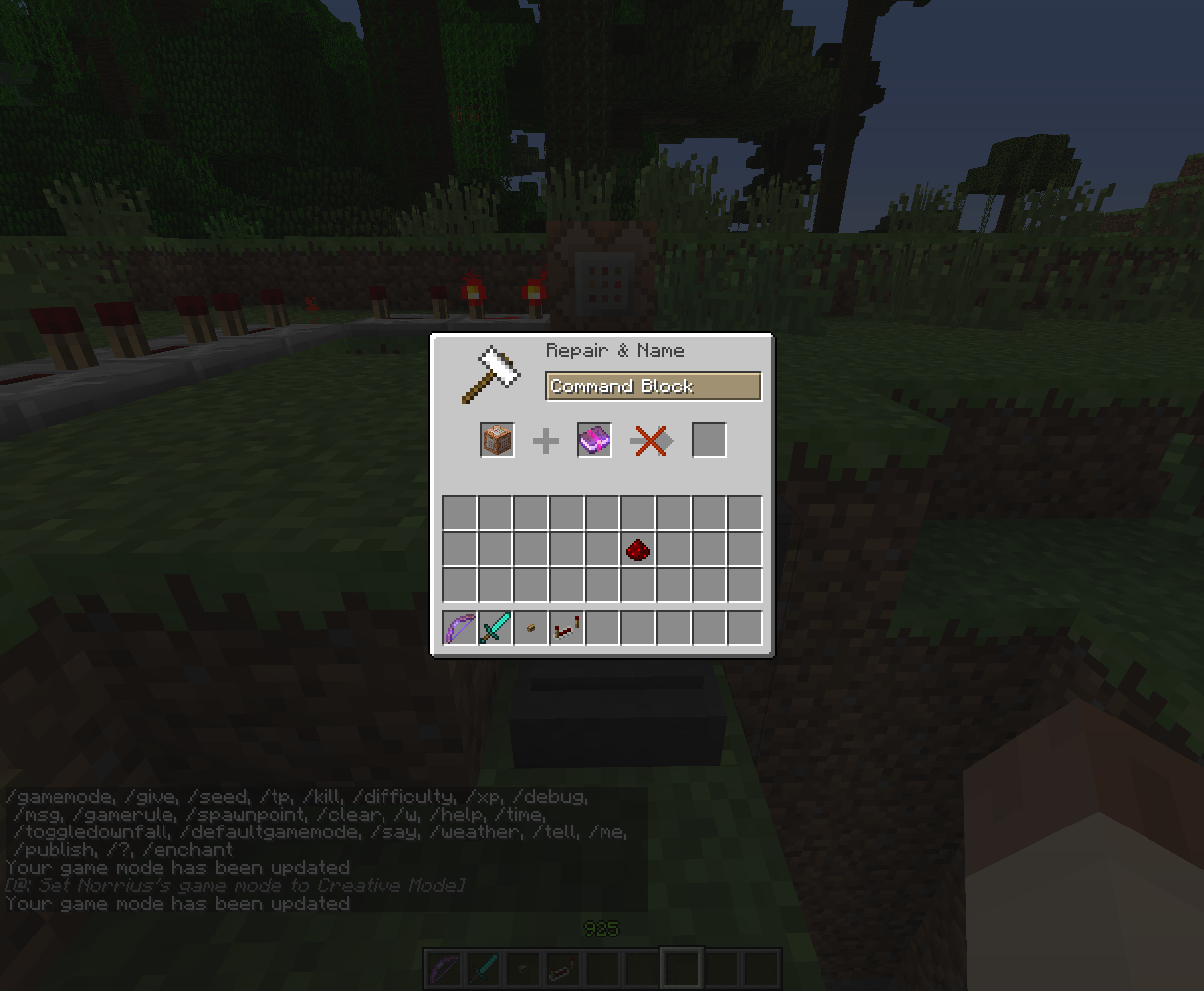
If I trying to change my gamemode from Survival to Creative while holding some random item and enchantment book in anvil GUI it still stays unenchantable.Steps to reproduce:
1. Setup a command block with something like /gamemode 1 @p.
2. Connect button to command block using delay circuit.
3. Take some random stuff and enchantment book.
4. Change your game mode to Survival.
5.Quickly open the anvil and place items in slots.
6.Wait for command block to execute command.
7.Notice the result in anvil is still unavailable.
8.Remove and place any item again.
9.Notice you can now enchant your unenchantable item.What I expected to happen was:
If something changes your gamemode, changes are applied immediately.What actually happened was:
If I trying to change my gamemode from Survival to Creative while holding some random item and enchantment book in anvil GUI it still stays unenchantable.Steps to reproduce:
1. Setup a command block with something like /gamemode 1 @p.
2. Connect button to command block using delay circuit.
3. Take some random stuff and enchantment book.
4. Change your game mode to Survival.
5. Press the button.
6. Quickly open the anvil and place items in slots.
7. Wait for command block to execute command.
8. Notice the result in anvil is still unavailable.
9. Remove and place any item again.
10. Notice you can now enchant your unenchantable item.
The game crashedafter several seconds in the End with NullPointerExceptionThe game crashes after several seconds in the End with NullPointerException
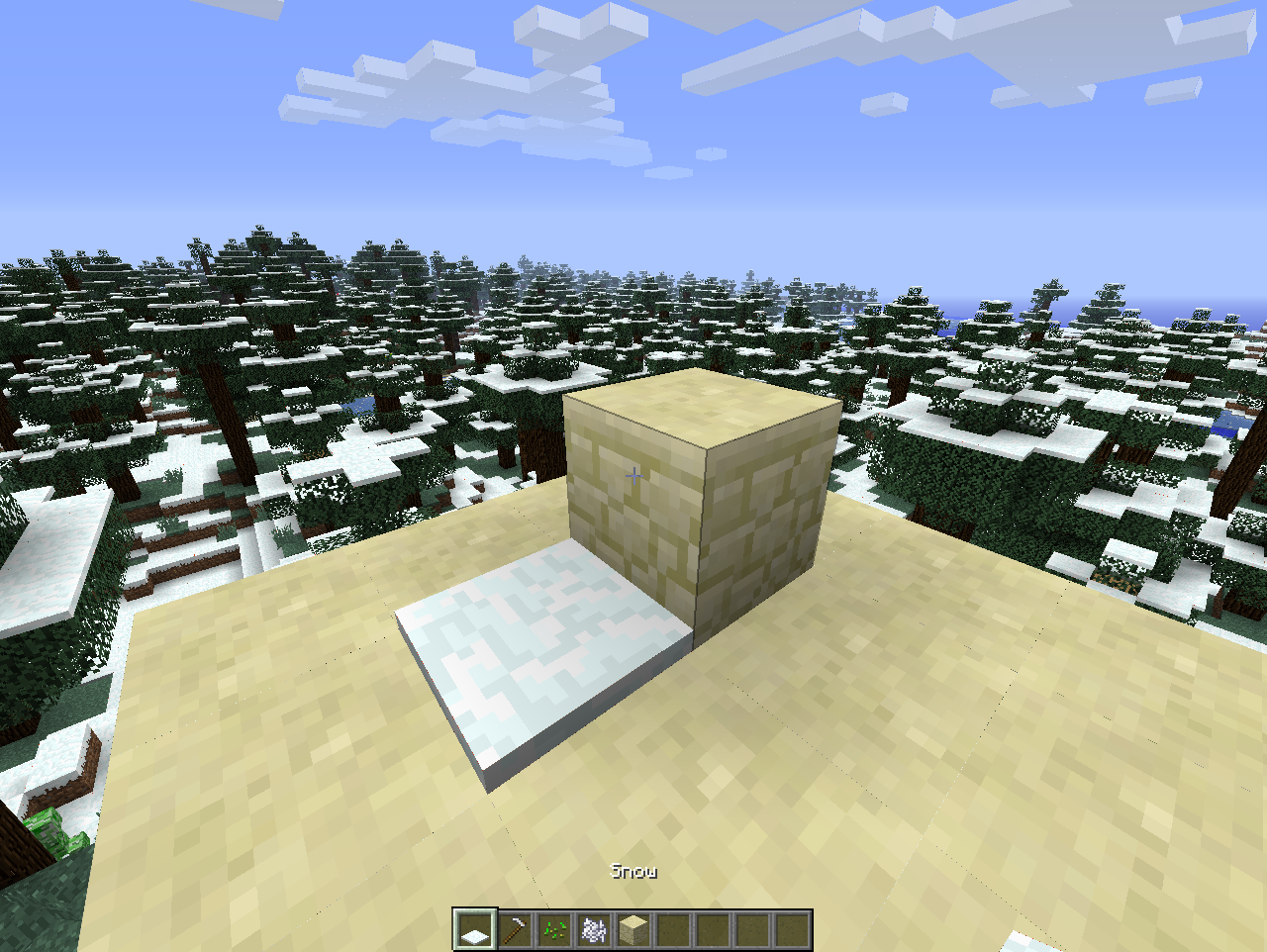
1. Make snow cover block with thickness > 1.
2. Try to place snow cover at the same block using the side of the other.
3. Snow cover is replaced by thickness 1 snow cover.
1. Make snow cover block with thickness > 1
.
2. Try to place snow cover at the same block using the side of the other.
3.Snow cover is replaced by thickness 1 snow cover.1. Make snow cover block with thickness > 1 (fig. 1)
2. Try to place snow cover at the same block using the side of the other (fig. 2).
3. Original snow cover is replaced by thickness 1 snow cover.
1. Make snow cover block with thickness > 1 (fig. 1)
2. Try to place snow cover at the same block using the side of the other (fig. 2).
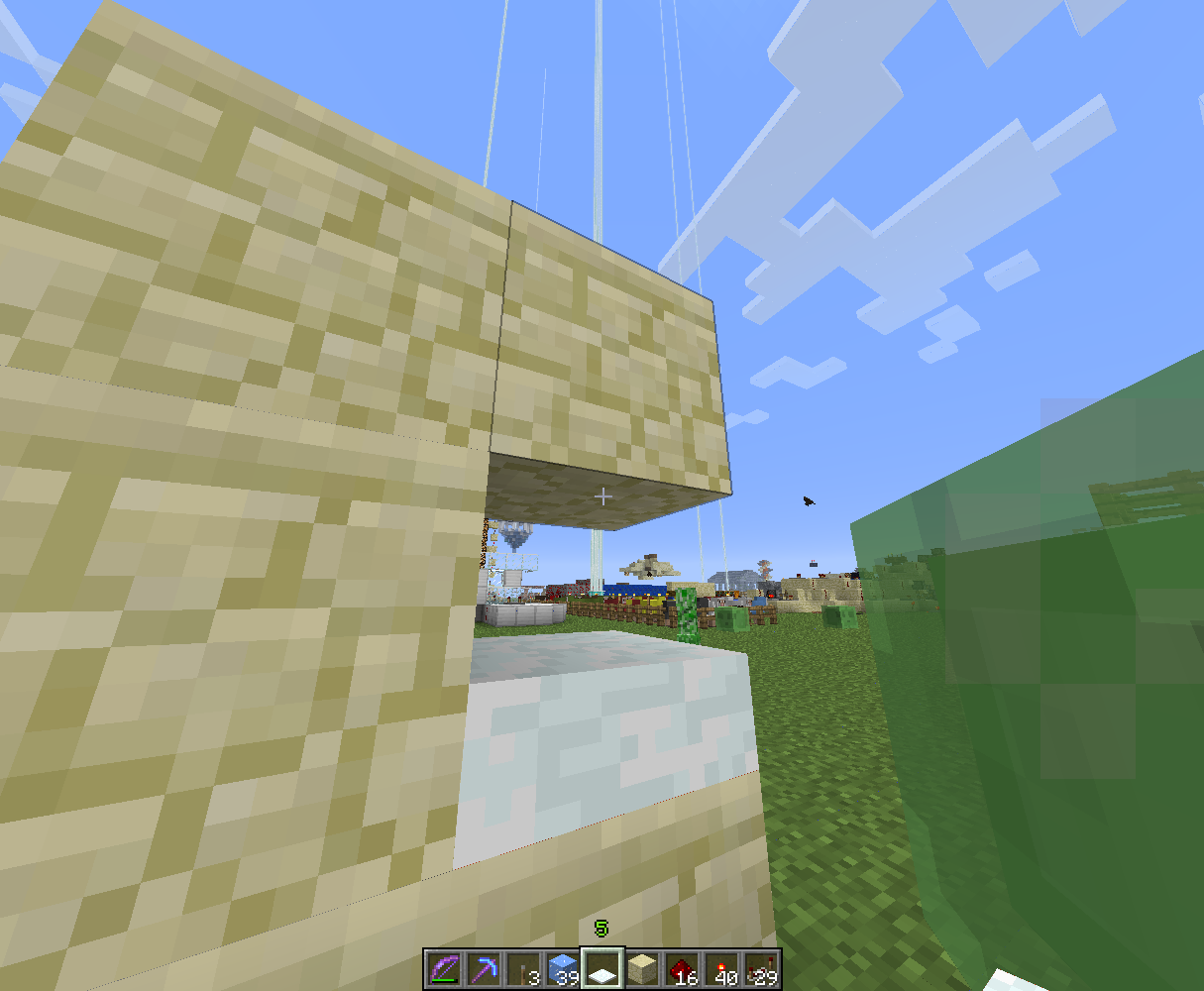
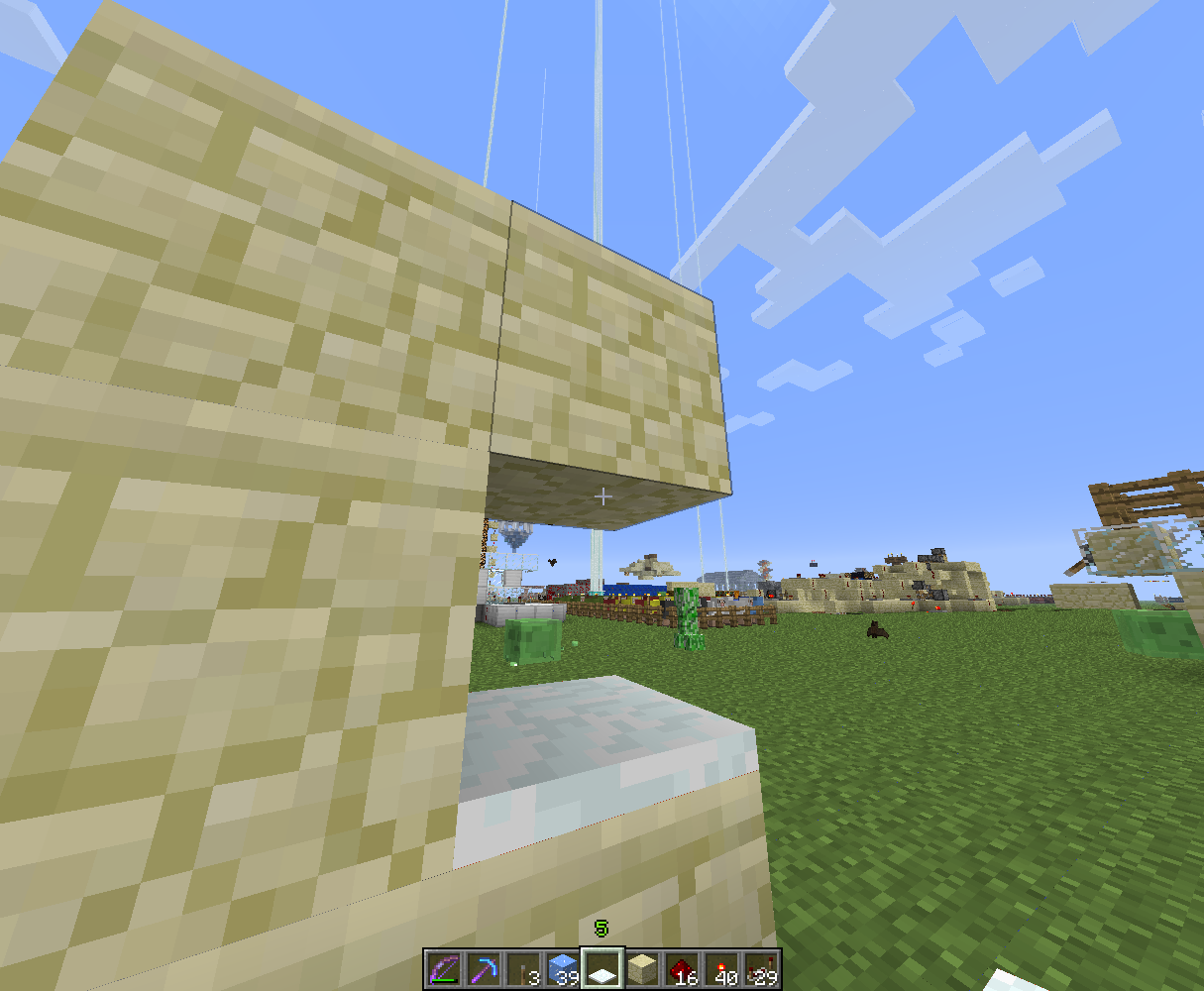
3. Original snow cover is replaced by thickness 1 snow cover.Stacking also fails if you try to use side of block above (fig. 3 & 4).
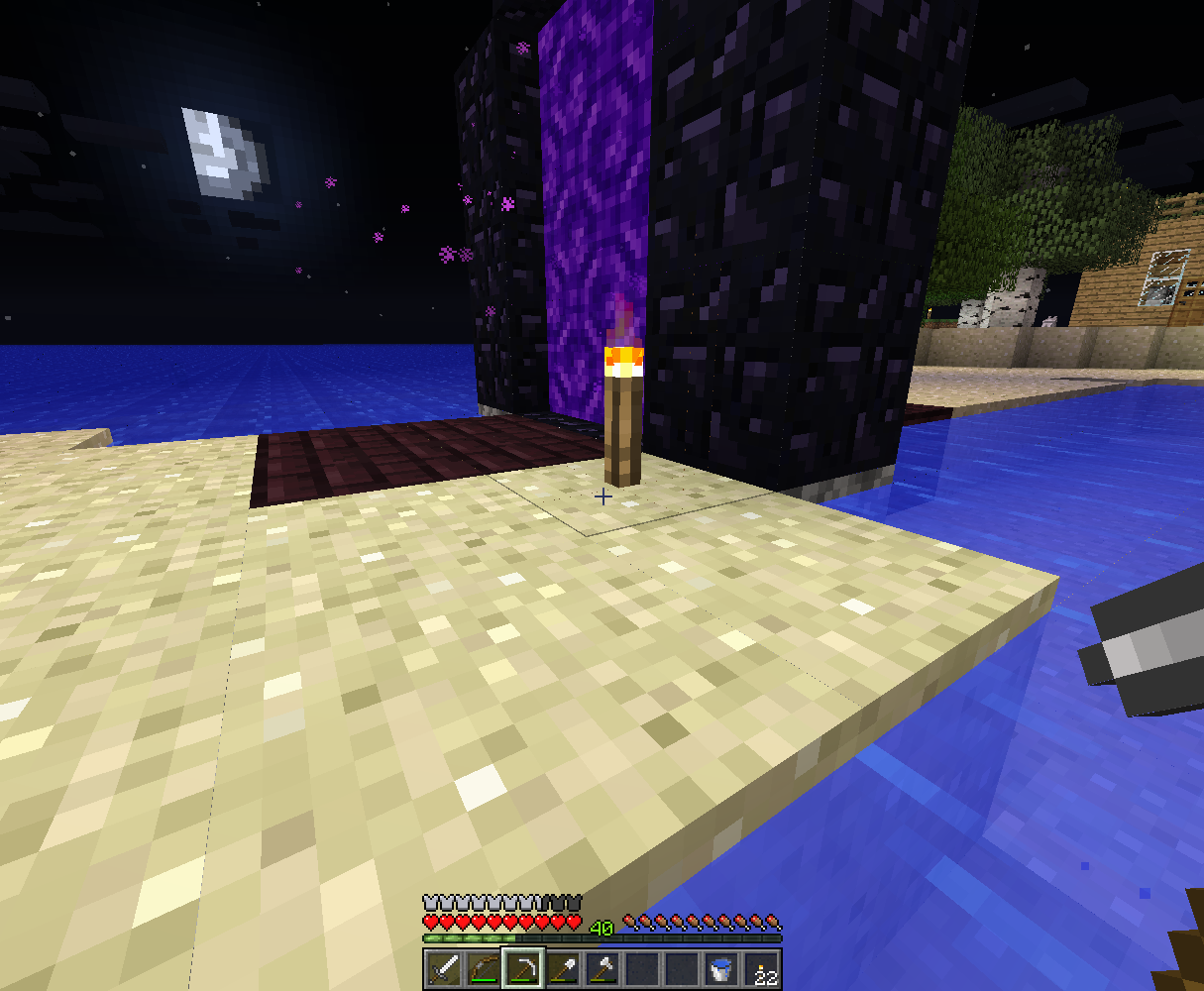
Torch flaming particles overlay issuesParticles render under water or portal
Well, you're right, Mustek. Capping is much better way.
This is not exact duplicate. I mean you can't use blocks with pickaxe, paper, ghast tear, etc. in your hand. Why is this considered intended?
Did you tried 12w50b?
This happens while downgrading and if you install/deinstall mods with custom achievements.
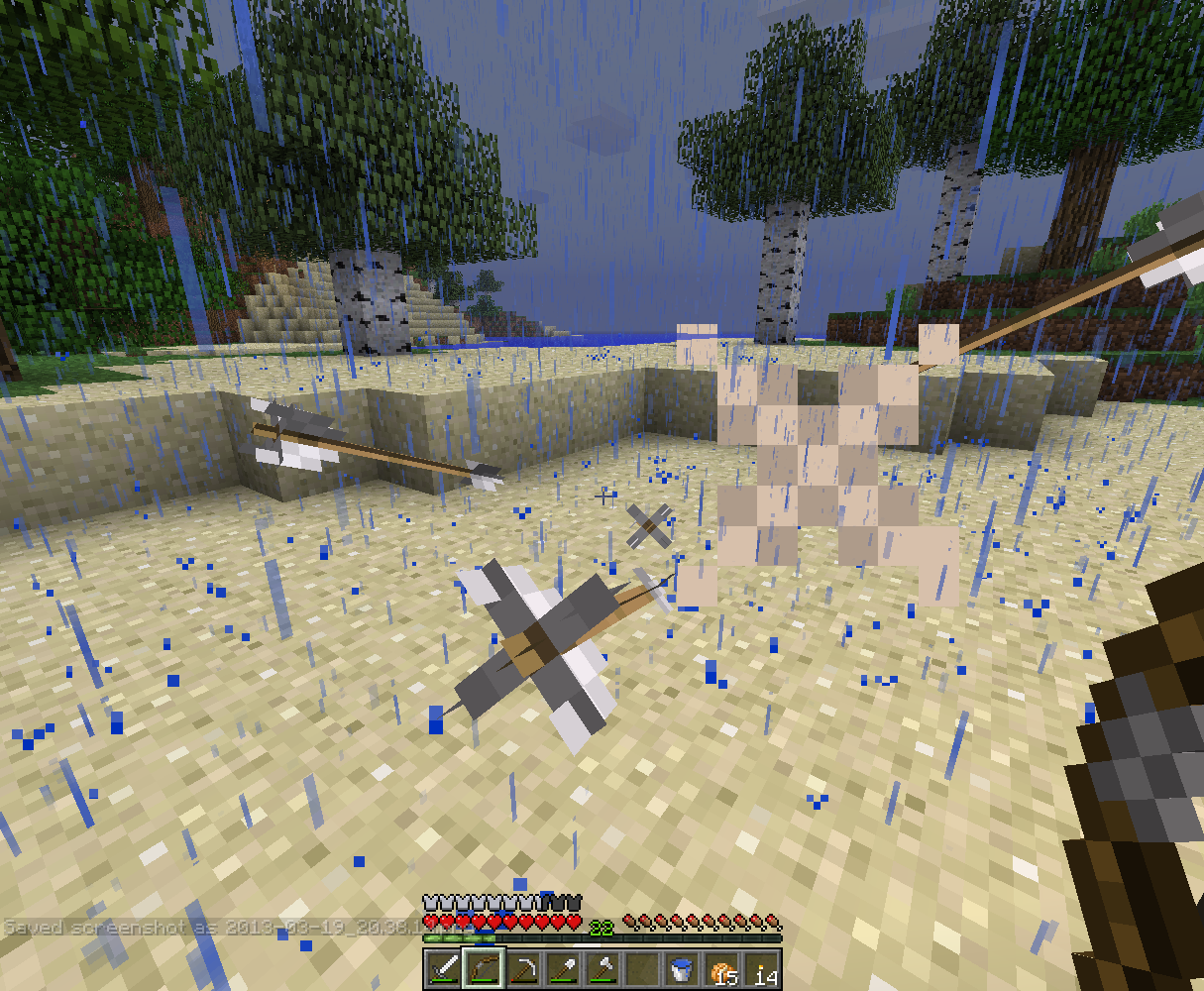
Happens also with blazes and fire charges fired from dispencers.
Only at Fancy graphics, Fast looks nice.
More TNT - more explosion huh? 2 TNTs made a 250-block range explosion in sandstone - is it actually intended?!
This happens also with activator rails in 13w02b. I think the cause is game doesn't update blocks placed diagonally. Please update the title/description.
Doesn't happen in 13w03a. Close this, please.
I have never been experienced this before, but i always get this apperance since first 1.5 snapshot. So I guess it's not only hardware/driver issue, it also must be related to changes in render engine.
I run Minecraft on Ubuntu Linux with ATI Radeon HD 4550.
I guess it is, perhaps you should make a bug report.
Thanks, updated.
Dammit, just found out this issue is partial duplicate of
MC-8309. Well, this affects not only furnace minecarts but any minecarts.MC-9553. Sorry.I often also get Ctrl key sticking when I switch my virtual desktops (Ctrl+Alt+Arrow). That is extremely annoying because of deleting text in the chat and dropping whole stacks of items.
Is that LWJGL problem? It seems Minecraft just doesn't care about losing focus, thus this is a bug I guess.
Still in 1.5.1 Pre.
1.5.1, same here. While travelling from Overworld to the Nether orientation correctly changes from 0 to 3 to mantain portal placement direction. However, on the way back player orientation doesn't change (still 1) and I finish transfer looking straight to portal border.
Sorry, haven't played the game in three years, can't check if this is still an issue. ¯\_(ツ)_/¯