Paintings in structure blocks not loading in same place
The bug
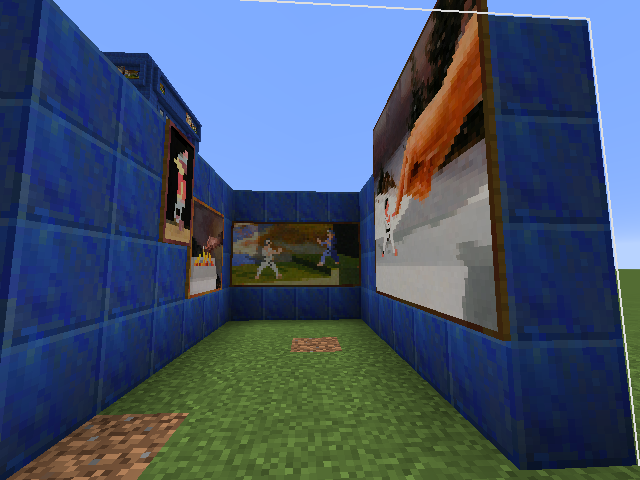
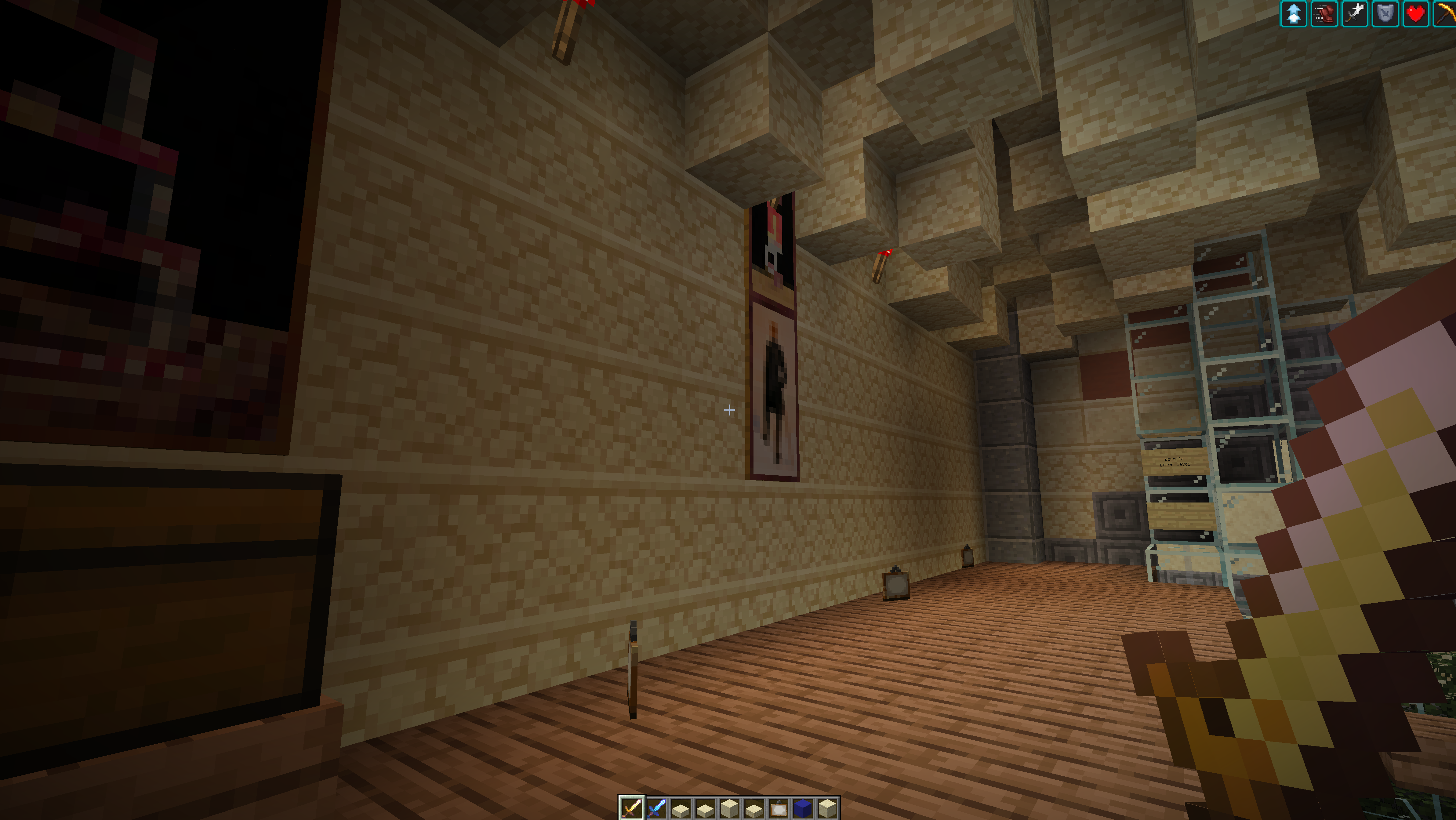
When you place a painting in a Structure and save it using the Save Structure Block, and then Load the structure, the painting will sometimes load one block off.
- All paintings with even height are loaded off in +Y axis
- A painting with even width is off if
- it looks towards +Z when loaded, then it's loaded off in +X
- it looks towards -X when loaded, then it's loaded off in +Z
Affects rotating/mirroring
Cause
The problem seems to be that the Pos tag of hanging entities refers to the center of the entity, however when it is created the passed position is the position of its corner. This could probably be solved by using the TileX, TileY and TileZ values for hanging entities.
Linked Issues
is duplicated by6
 MC-122708Paintings don't load properly when loaded by stucture blocksDuplicateMC-134839Structure_Block and paintingsDuplicateMC-146737Paintings load a block high in structure blocksDuplicateMC-269350Painting data changes when saved with a Structure BlockDuplicateMC-273160Paintings saved with structure blocks don't generate in the correct positionDuplicateMC-279834painting entities in structures are misplaced / shifted Duplicate
 Low
LowAttachments11






- Unresolved
 Aniline Selenic
- 42
- 18
- Confirmed
 Normal
- Platform
- Structures
- painting structure_block
16w20a - 25w04a
16w20a 1.10-pre2 1.10.2 16w32a 16w32b 16w33a 16w36a 16w38a 16w39a 16w39b 16w39c 16w40a 16w41a 16w42a 16w43a 16w44a 1.11-pre1 1.11 16w50a 1.11.1 1.11.2 17w06a 17w13b 17w14a 17w15a 17w16b 17w17b 17w18b 1.12-pre2 1.12.2 19w12b 1.16.1 20w27a 1.16.4 20w45a 1.19 1.19.3 1.19.4 1.20.4 24w10a 24w11a 1.20.6 1.21-pre4 25w04a
Created Issue:
Paintings in Structure Blocks not loading in same place
When you place a painting in a Structure and save it using the Save Structure Block, and then Load the structure, the painting will sometimes load one block off.
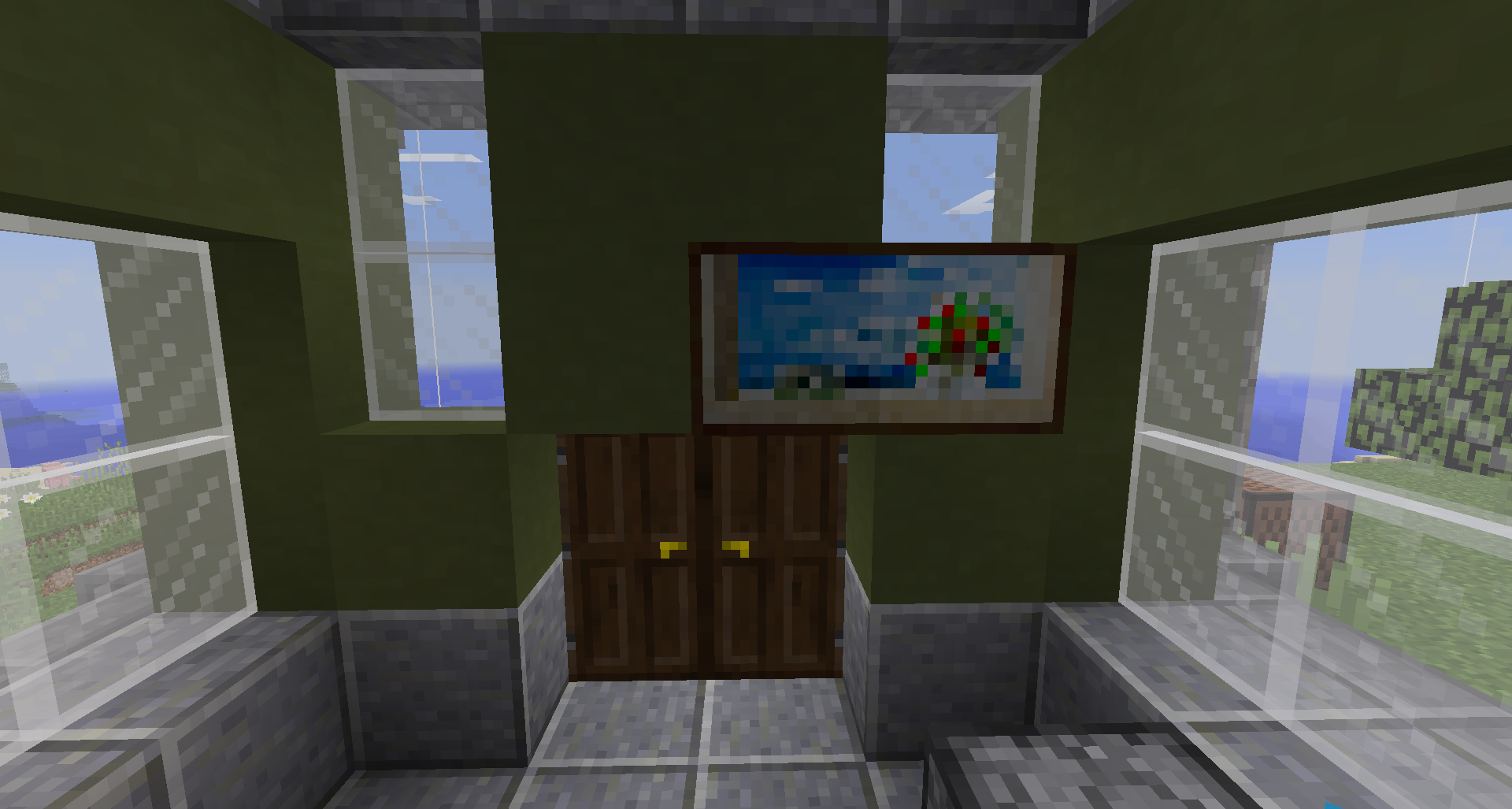
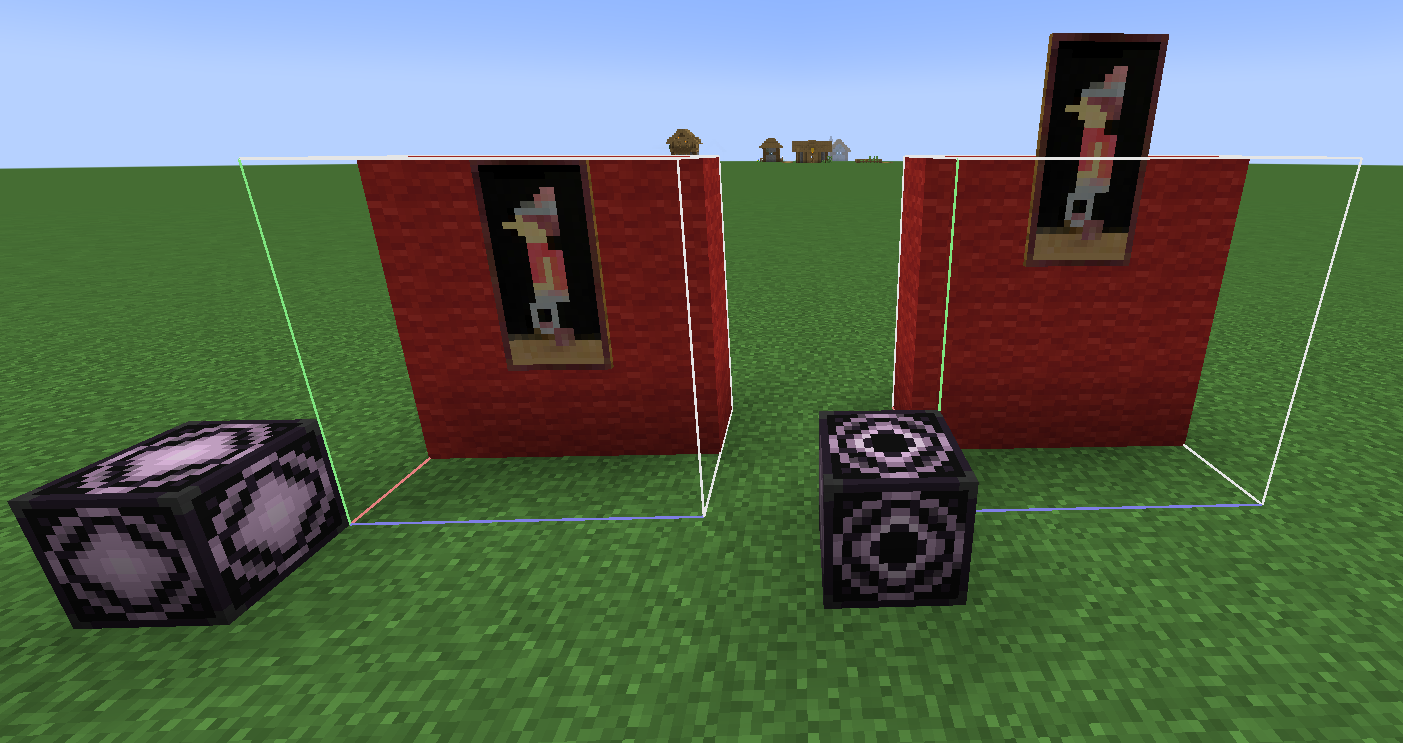
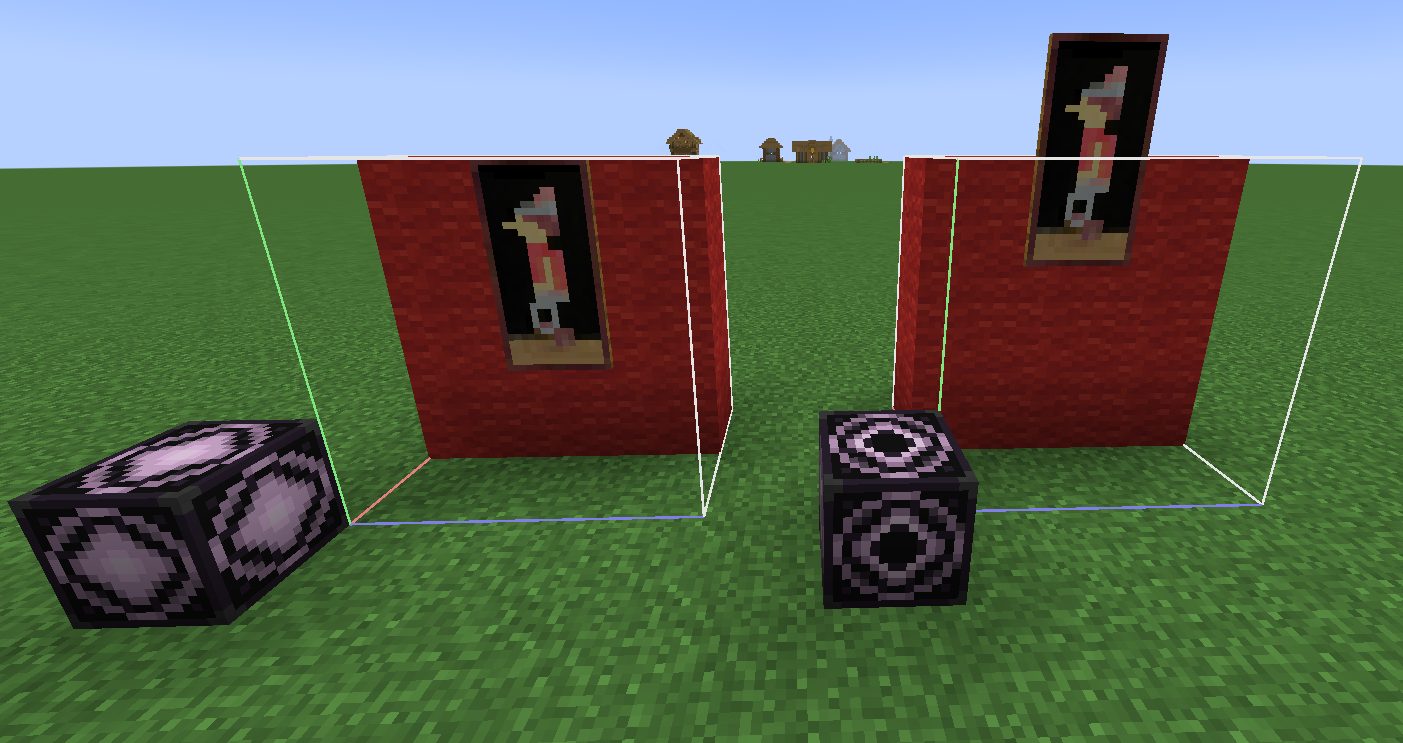
In the attached screenshots, the first is the original Saved structure. The second is the loaded structure. When loading, no mirroring or rotation was used.
It also does this if the rotation is 270 degrees.
Environment
Windows 10 - 64 bit
Java 1.8.0_25 - 64 bit
Attachments2
2016-05-19_14.18.18.png
relates to
![[Mojang] Searge (Michael Stoyke)](../../../data/assets/gravatar/searge.png) [Mojang] Searge (Michael Stoyke)
[Mojang] Searge (Michael Stoyke)
When you place a painting in a Structure and save it using the Save Structure Block, and then Load the structure, the painting will sometimes load one block off.
In the attached screenshots, the first is the original Saved structure. The second is the loaded structure. When loading, no mirroring or rotation was used.
It also does this if the rotation is 270 degrees.
When you place a painting in a Structure and save it using the Save Structure Block, and then Load the structure, the painting will sometimes load one block off.
- All paintings with even height are off in +Y axis
- All paintings with even width are off in +
When you place a painting in a Structure and save it using the Save Structure Block, and then Load the structure, the painting will sometimes load one block off.
- All paintings with even height are off in +Y axis
- All paintings with even width are off in +
When you place a painting in a Structure and save it using the Save Structure Block, and then Load the structure, the painting will sometimes load one block off.
- All paintings with even height are loaded off in +Y axis
- A painting with even width is off if
- it looks towards +Z when loaded, then it's loaded off in +X
- it looks towards -X when loaded, then it's loaded off in +Z

When you place a painting in a Structure and save it using the Save Structure Block, and then Load the structure, the painting will sometimes load one block off.
- All paintings with even height are loaded off in +Y axis
- A painting with even width is off if
- it looks towards +Z when loaded, then it's loaded off in +X
- it looks towards -X when loaded, then it's loaded off in +Z
Affects rotating/mirroring

The bug
When you place a painting in a Structure and save it using the Save Structure Block, and then Load the structure, the painting will sometimes load one block off.
- All paintings with even height are loaded off in +Y axis
- A painting with even width is off if
- it looks towards +Z when loaded, then it's loaded off in +X
- it looks towards -X when loaded, then it's loaded off in +Z
Affects rotating/mirroring
Cause
The problem seems to be that the Pos tag of hanging entities refers to the center of the entity, however when it is created the passed position is the position of its corner. This could probably be solved by using the TileX, TileY and TileZ values for hanging entities.
![[Mod] Michael Wobst](../../../data/avatars/users/37868.png)
Windows 10 - 64 bit
Java 1.8.0_25 - 64 bit
Paintings inStructureBlocks not loading in same placePaintings in structure blocks not loading in same place
is duplicated by

is duplicated by

![[Bot] Arisa](../../../data/assets/gravatar/mustek2.png)
![[Mod] Sonicwave](../../../data/avatars/users/94627.png)
![[Mojang] Nathan Adams](../../../data/assets/gravatar/dinnerbone.png)
![[Mod] Asteraoth](../../../data/avatars/users/92886.png)
is duplicated by
![[Mojang] Adrian Östergård](../../../data/assets/gravatar/nighter.jpeg)
 ProfMobius (Thomas Guimbretiere)
![[Mod] Jarl-Penguin](../../../data/avatars/users/92849.png)
relates to
![[Helper] Johnibur](../../../data/avatars/users/28381.png)
![[Mojang] slicedlime](../../../data/assets/gravatar/slicedlime.jpeg)
![[Mod] ampolive](../../../data/avatars/users/18949.svg)
![[Mod] turbo](../../../data/avatars/users/92867.png)
![[Mod] Greymagic27](../../../data/avatars/users/92875.png)
is duplicated by
![[Bot] Arisa](../../../data/avatars/users/43007.png)
is duplicated by
![[Mod] ManosSef](../../../data/avatars/users/61702.png)
is duplicated by
Thank you for your report!
However, this issue is a Duplicate of MC-102223.
It has been linked to this report. If you have additional information, please add it to that report.
Please search before reporting, as it's likely that one exists already.
Quick Links:
📓 Issue Guidelines – 💬 Community Support – 📧 Customer Support – 📖 Game Wiki
It appears that MC-102223 is also covered by this issue (painting TileX, TileY, TileZ are mentioned in both issues).
@Michael Meaden please just write the issue key, like for example MC-102223. This way a link and a hover text are automatically created, additionally the text becomes stroke through once the report is resolved.
Please check if MC-102223 describes your issue.
Thank you for your report!
We're actually already tracking this issue at MC-102223, so we will resolve and link this ticket as a duplicate.
If you would like to add a vote and any extra information to the main ticket it would be appreciated.
If you haven't already, you might like to make use of the search feature to see if the issue has already been mentioned.
Thank you for your report!
We're tracking this issue in MC-102223, so this ticket is being resolved and linked as a duplicate.
If you would like to add a vote and any extra information to the main ticket it would be appreciated.
If you haven't already, you might like to make use of the search feature to see if the issue has already been mentioned.
Quick Links:
📓 Bug Tracker Guidelines – 💬 Community Support – 📧 Mojang Support (Technical Issues) – 📧 Microsoft Support (Account Issues)
📓 Project Summary – ✍️ Feedback and Suggestions – 📖 Game Wiki
Thank you for your report!
We're tracking this issue in MC-102223, so this ticket is being resolved and linked as a duplicate.
If you would like to add a vote and any extra information to the main ticket it would be appreciated.
If you haven't already, you might like to make use of the search feature to see if the issue has already been mentioned.
Quick Links:
📓 Bug Tracker Guidelines – 💬 Community Support – 📧 Mojang Support (Technical Issues) – 📧 Microsoft Support (Account Issues)
📓 Project Summary – ✍️ Feedback and Suggestions – 📖 Game Wiki

Thank you for your report!
We're tracking this issue in MC-102223, so this ticket is being resolved and linked as a duplicate.
If you would like to add a vote and any extra information to the main ticket it would be appreciated.
If you haven't already, you might like to make use of the search feature to see if the issue has already been mentioned.
Quick Links:
📓 Bug Tracker Guidelines – 💬 Community Support – 📧 Mojang Support (Technical Issues) – 📧 Microsoft Support (Account Issues)
📓 Project Summary – ✍️ Feedback and Suggestions – 📖 Game Wiki
Possibly related to this, Item Frames have a similar issue.
When the structure is rotated when loading, the item frame (with item in it) will be floating in front of the wall.
This happens at the 90 and 270 degree rotations.
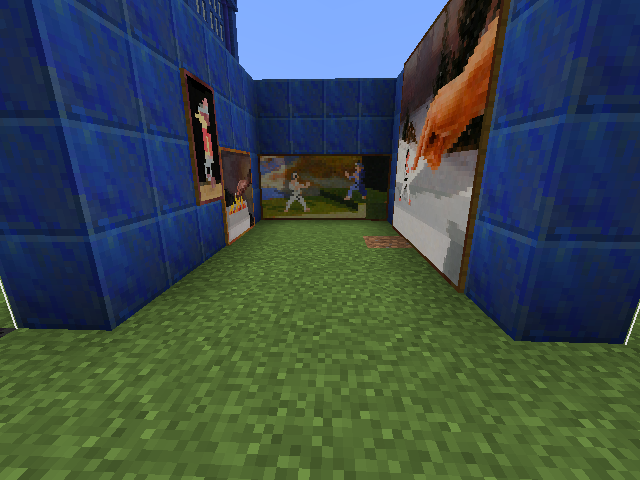
I added additional screenshots showing the floating item frames.
Testing with Mirrors:
Using the Z-axis mirror (< >), you get the same results for paintings and items frames that you get without mirrors. Painting misplaced at 0 rotation and 270 rotation. Item Frames misplaced at 90 and 270 rotations.
Using the X-axis mirror (^ v), the paintings are all correctly placed at every rotation. However, the Item Frames are misplaced at the 90 and 270 rotations again.
Possibly fixed in 1.10-pre1, but difficult to verify with
MC-102894.Not fixed in 1.10-pre2.
The problem seems to be that the Pos tag of hanging entities refers to the center of the entity, however when it is created the passed position is the position of its corner. This could probably be solved by using the TileX, TileY and TileZ values for hanging entities.
This bug is very damaging. Structure blocks finally allowed us to clone entity's with structures, but now this bug prevents us from cloning large paintings, as they move.
I have made the same observation as Marcono in that that the paintings bottom left corner gets placed where the center originally was. Please fix this soon; my current projects involve cloning custom houses (including paintings) into various environments and it just isn't possible because of this. There is no work around.
I have a similar issue happening in 1.12.2.
Paintings that are 1x1 or 1x2 (wide x tall) are loaded fine, but 2x2 and up all load one block up from where they should be.
I've tested it with multiple paintings facing all directions, and anything bigger than 1x2 gets shifted up by one block.
Someone please check if that's still an issue in 1.13 or 18w30b.
Well, whether or not it was fixed, it's happening again in 19w06a.
This is in snapshot 19w12b.
The structure block attempted to load all the 4x4 paintings one block too high, and they got bumped. the 1x2 loaded a block higher, on top of a redstone torch. the 3x4 loaded correctly.
Confirmed in 1.16.1 and 20w27a.
This is still evident in 20w45a, the issue appears to be that the correct attachment position is only saved to the blockPos tag in the structure's nbt file, and not the normal pos tag. The blockPos tag is never used to load the entity, only the pos tag, thus paintings are always spawned in the incorrect location.
Confirming this is still an issue in 1.17.
I exported a house which included numerous paintings and other entities. I made sure to include entities when using the structure block.
Expected Result: Paintings are mounted in same spot as original.

Actual Result: Paintings are shifted one block up, or unmount themselves as they won't fit in the spaces.

Still in 1.19
can confirm in 1.19.4
Confirm in 1.20.1
Confirmed in 1.20.4

Potential Solution?
In StructureTemplate#placeEntities before Mob#finalizeSpawn, it might be possible to run some kind of structure placement validation check which corrects the positioning of the entity (and any future entities that may have a similar issue?) prior to finalization.
By converting the painting variant's width and height to block sizes (Variant#getWidth() / 16), if the height is even, offset the painting Y block pos down by 1. If the width is even, and the painting direction is west or south, offset by Direction#getClockwise().getNormal(), then set the painting pos to that position.
The mixin code I wrote to test this solution (in 1.20.2) looks like this: (MojMap)
Still in 1.20.6