Renamed Containers Still Show Default Name in GUI (inc. Enchantment Table, Furnace, Brewing Stand, Dropper, Hopper, Chests etc)
These blocks do not display or change their name on the interactive GUI when named in an anvil.
- Enchantment Table,
- Furnace,
- Brewing Stand,
- Dropper,
- Hopper, and
- Dispenser.
- Chest,
- Trapped Chest.
Steps to reproduce
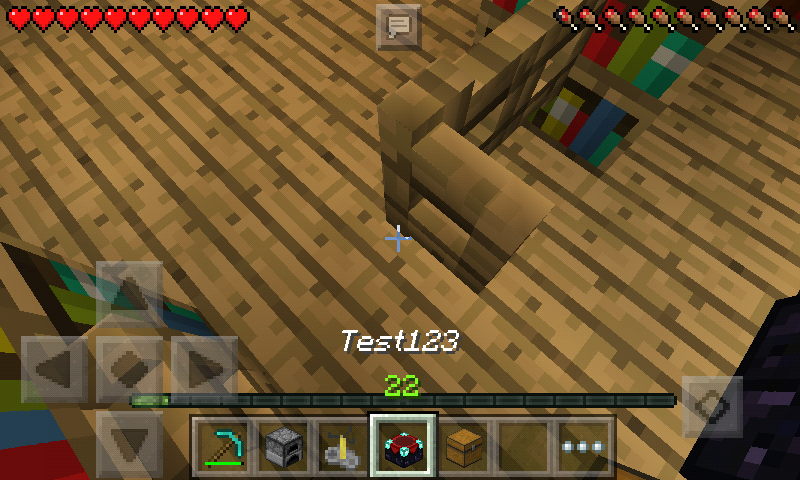
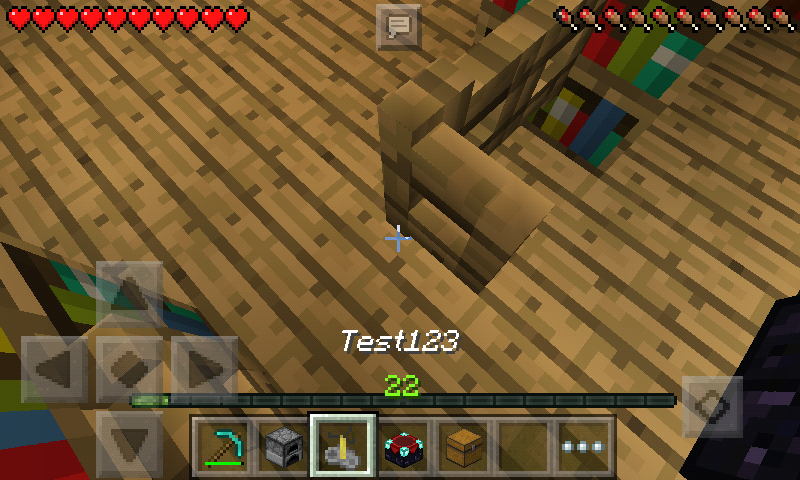
- Name an item in which has an interactive GUI interface using the anvil.
- Place the item down.
- Open the items interactive GUI interface.
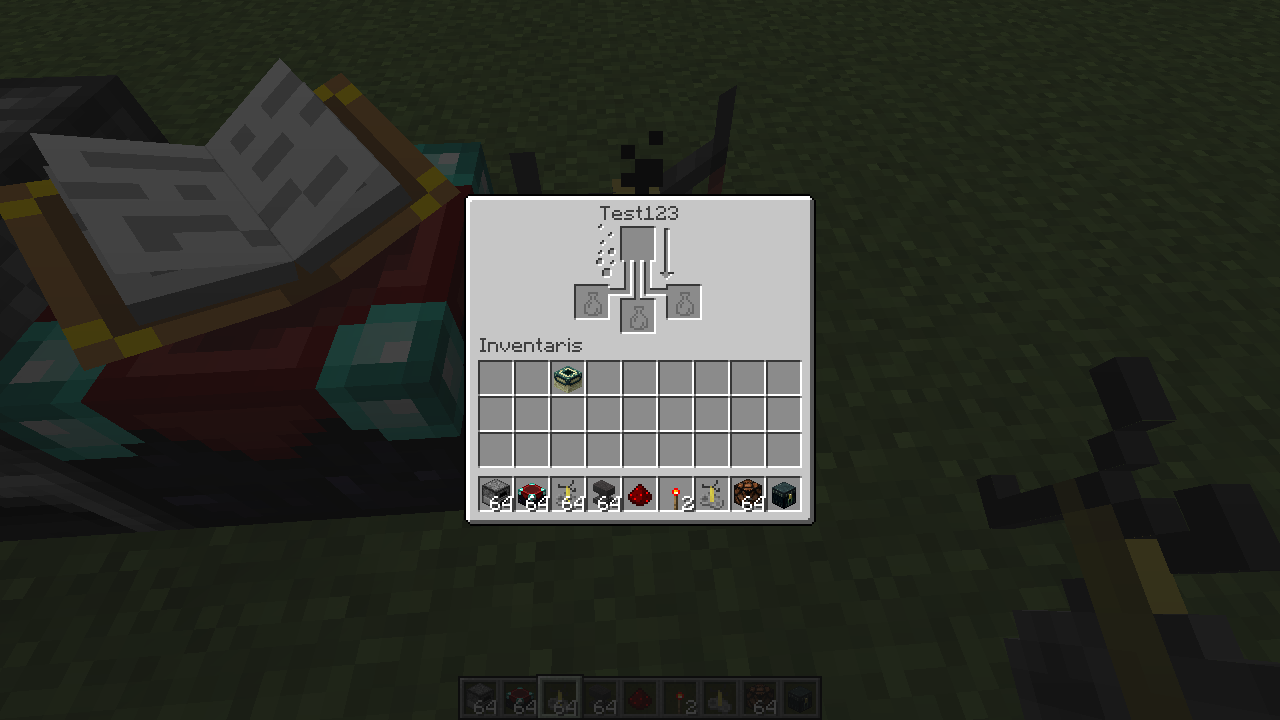
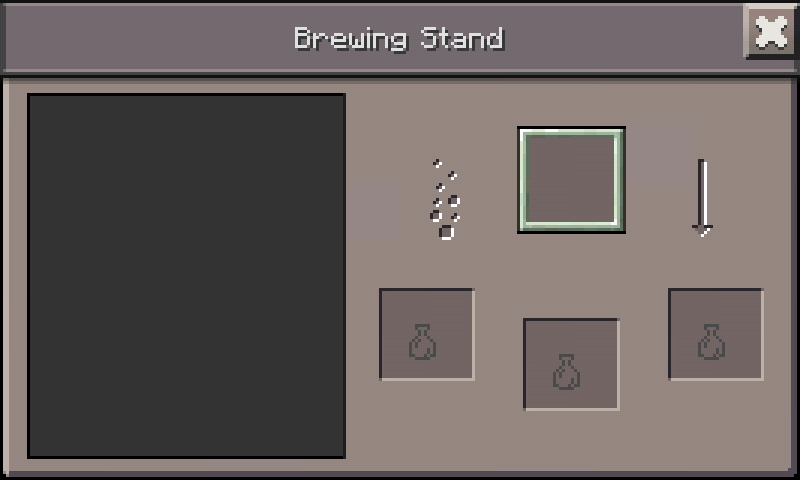
- The item's default name is shown instead of it's 'custom name'. (See example photos of what is expected to be shown.)
Linked Issues
is duplicated by11
 MCPE-14067Names on Chest Don't Show on Chest UI DuplicateMCPE-16215Renamed large chests not displaying nameDuplicateMCPE-16832If you rename Chest with a anvil and Place her the Chest label is Chest and not a my custom nameDuplicateMCPE-18085All block entities aren't nominableDuplicateMCPE-18523If you rename Chest with a anvil and place her the Chest label is Chest and not my custom nameDuplicateMCPE-18545The chests continue with the same name when being renamed and openedDuplicateMCPE-19012Rename the Chest of any name they do not connect when placed on the groundDuplicateMCPE-19020Name of the chests does not changeDuplicateMCPE-20108Custom chest names do not workDuplicateMCPE-20209Renaming bugDuplicateMCPE-21696Naming chest, ender chest and spawn eggs doesn't workDuplicate
relates to4
MCPE-12004Block Entities renamed from an anvil don't keep their name when placed and broken.FixedMCPE-16216Renamed Chests Do Not Make Large ChestsCannot ReproduceMCPE-16614Anvil GUI - Typing Letter 'N' Shifts Focus Away From TextboxFixedMCPE-18055Renamed Spawned Eggs Do Not Apply Name To Spawned MobsFixedAttachments9





- Fixed
 ItsPlantseed
- 15
- 10
- Confirmed
- 10494
- Android
- GUI block-entity brewing_stand chest dispenser dropper ender_chest furnace hopper trapped_chest
0.13.0 - 1.0.5.54
0.13.0 0.13.1 0.14.0 Beta 1 0.14.0 Beta 2 0.14.0 Beta 3 0.14.0 Beta 4 0.14.3 0.15.0 Beta build 2 0.15.0 Beta build 3 0.15.0 0.15.1 Beta 1 0.15.2 0.15.4 0.15.6 0.15.90.0 0.15.90.7 0.15.9 0.15.10 0.16.0 0.16.1 0.17.0.1 0.17.0.2 0.16.2 1.0.0.0 1.0.0.2 1.0.0.7 1.0.0 1.0.1 1.0.2 1.0.3 1.0.4.0 1.0.4.1 1.0.4.11 1.0.5.13 1.0.6.0 1.0.5.54- 0.15.1 Beta 1 1.1.0.0
Created Issue:
Enchantment Table, Furnace, Brewing Stand not change their name when rename it with anvil
Enchantment Table, Furnace, Brewing Stand not display or change their name when rename it with anvil
Attachments6
![[QA] Janosik](../../../data/avatars/users/10122.svg)
![[Mojang] MissMarzenia (Aleksandra Zajac)](../../../data/assets/gravatar/missmarzenia.png) [Mojang] MissMarzenia (Aleksandra Zajac)
[Mojang] MissMarzenia (Aleksandra Zajac)Enchantment Table, Furnace, Brewing Stand, Dropper, Hopper, and Dispenser not display or change their name when rename it with anvil
Enchantment Table, Furnace, Brewing Stand, Dropper, Hopper, and Dispenser not change their name when rename it with anvil
is duplicated by
relates to

Enchantment Table, Furnace, Brewing Stand, Dropper, Hopper, and Dispenser not display or change their name when rename it with anvil
- Enchantment Table,
- Furnace,
- Brewing Stand,
- Dropper,
- Hopper, and
- Dispenser
These blocks not display or change their name on the UI when rename it with anvil
- Enchantment Table,
- Furnace,
- Brewing Stand,
- Dropper,
- Hopper, and
- Dispenser.
These blocks not display or change their name on the UI when rename it with anvil.Windows 10 Edition only
- Chest,
- Trapped Chest.
 [Mojang] MissMarzenia (Aleksandra Zajac)
- Enchantment Table,
- Furnace,
- Brewing Stand,
- Dropper,
- Hopper, and
- Dispenser.
These blocks not display or change their name on the UI when rename it with anvil.Windows 10 Edition only
- Chest,
- Trapped Chest.
Placing these items on the ground then breaking the blocks will cause them to lose their name.
- Enchantment Table,
- Furnace,
- Brewing Stand,
- Dropper,
- Hopper, and
- Dispenser.
These blocks not display or change their name on the UI when rename it with anvil.Windows 10 Edition only
- Chest,
- Trapped Chest.
Placing these items on the ground then breaking the blocks and picking them up again will cause them to lose their name.
Cannot duplicate this in 0.15.1 build 1.
- Enchantment Table,
- Furnace,
- Brewing Stand,
- Dropper,
- Hopper, and
- Dispenser.
These blocks not display or change their name on the UI when rename it with anvil.Windows 10 Edition only
- Chest,
- Trapped Chest.
Placing these items on the ground then breaking the blocks and picking them up again will cause them to lose their name.
- Enchantment Table,
- Furnace,
- Brewing Stand,
- Dropper,
- Hopper, and
- Dispenser.
These blocks not display or change their name on the UI when rename it with anvil.Windows 10 Edition only
- Chest,
- Trapped Chest.
Placing these items on the ground then breaking the blocks and picking them up again will cause them to lose their name.
- Enchantment Table,
- Furnace,
- Brewing Stand,
- Dropper,
- Hopper, and
- Dispenser.
These blocks not display or change their name on the UI when rename it with anvil.Windows 10 Edition only
- Chest,
- Trapped Chest.
Placing these items on the ground then breaking the blocks and picking them up again will cause them to lose their name.
relates to
relates to
![[Mojang] Mega_Spud (Jay Wells)](../../../data/avatars/users/92696.png)
Enchantment Table, Furnace, Brewing Stand, Dropper, Hopper,and Dispenser not change their name when rename it with anvilRenamed Containers Still Show Default Name in GUI (inc. Enchantment Table, Furnace, Brewing Stand, Dropper, Hopper, Chests etc)
is duplicated by
relates to
- Enchantment Table,
- Furnace,
- Brewing Stand,
- Dropper,
- Hopper, and
- Dispenser.
These blocks not display or change their name on the UI when rename it with anvil.Windows 10 Edition only
- Chest,
- Trapped Chest.
These blocks do not display or change their name on the interactive UI when named in an anvil.
- Enchantment Table,
- Furnace,
- Brewing Stand,
- Dropper,
- Hopper, and
- Dispenser.
- Chest,
- Trapped Chest.
These blocks do not display or change their name on the interactive GUI when named in an anvil.
- Enchantment Table,
- Furnace,
- Brewing Stand,
- Dropper,
- Hopper, and
- Dispenser.
- Chest,
- Trapped Chest.
This has been fixed in 0.15.1 build 1. Not to get it confused with
MCPE-12004which is still a bug.
relates to
relates to
relates to
is duplicated by

is duplicated by
is duplicated by
is duplicated by
![[MCPE Mod] Celesian](../../../data/avatars/users/81635.png)
is duplicated by
These blocks do not display or change their name on the interactive GUI when named in an anvil.
- Enchantment Table,
- Furnace,
- Brewing Stand,
- Dropper,
- Hopper, and
- Dispenser.
- Chest,
- Trapped Chest.
Steps to reproduce
- Name a chest, furnace, enchanting table or brewing stand using an anvil.
- Place the item down.
- Open the chest, furnace, enchanting table or brewing stand.
- The items 'custom name' isn't shown replacing the items default name. (See example photos in which were provided.)
These blocks do not display or change their name on the interactive GUI when named in an anvil.
- Enchantment Table,
- Furnace,
- Brewing Stand,
- Dropper,
- Hopper, and
- Dispenser.
- Chest,
- Trapped Chest.
Steps to reproduce
- Name a chest, furnace, enchanting table or brewing stand using an anvil.
- Place the item down.
- Open the chest, furnace, enchanting table or brewing stand's interactive screen.
- The items 'custom name' isn't shown replacing the items default name. (See example photos in which were provided.)
These blocks do not display or change their name on the interactive GUI when named in an anvil.
- Enchantment Table,
- Furnace,
- Brewing Stand,
- Dropper,
- Hopper, and
- Dispenser.
- Chest,
- Trapped Chest.
Steps to reproduce
- Name a chest, furnace, enchanting table or brewing stand using an anvil.
- Place the item down.
- Open the chest, furnace, enchanting table or brewing stand's interactive
screen.- The items 'custom name' isn't shown replacing the items default name. (See example photos in which were provided.)
These blocks do not display or change their name on the interactive GUI when named in an anvil.
- Enchantment Table,
- Furnace,
- Brewing Stand,
- Dropper,
- Hopper, and
- Dispenser.
- Chest,
- Trapped Chest.
Steps to reproduce
- Name a chest, furnace, enchanting table or brewing stand using an anvil.
- Place the item down.
- Open the chest, furnace, enchanting table or brewing stand's interactive GUI.
- The items 'custom name' isn't shown replacing the items default name. (See example photos in which were provided.)
These blocks do not display or change their name on the interactive GUI when named in an anvil.
- Enchantment Table,
- Furnace,
- Brewing Stand,
- Dropper,
- Hopper, and
- Dispenser.
- Chest,
- Trapped Chest.
Steps to reproduce
- Name a
chest, furnace, enchanting table or brewing standusingananvil.- Place the item down.
- Open the
chest, furnace, enchanting table or brewing stand's interactive GUI.- The items
'customname'isn'tshownreplacing the items defaultname. (See example photosinwhich were provided.)These blocks do not display or change their name on the interactive GUI when named in an anvil.
- Enchantment Table,
- Furnace,
- Brewing Stand,
- Dropper,
- Hopper, and
- Dispenser.
- Chest,
- Trapped Chest.
Steps to reproduce
- Name an item in which has an interactive GUI interface using the anvil.
- Place the item down.
- Open the items interactive GUI interface.
- The item's default name is shown instead of it's 'custom name'. (See example photos of what is expected to be shown.)
relates to
![[Mojang] Adrian Östergård](../../../data/assets/gravatar/nighter.jpeg)
is duplicated by
is duplicated by
is duplicated by

Thanks for your report! This is however a Duplicate of MCPE-12281 – If you have not, please use the search function in the future, to see if your bug has already been submitted, as currently over 47% of tickets are being closed as duplicate.
Thank you for your report. This issue was, however, submitted earlier as MCPE-12281. Please perform a search next time to make sure your bug hasn't already been reported. The parent issue can easily be found by searching for "mcpe unresolved rename chest".
Thank you for your report. This issue was, however, submitted earlier as MCPE-12281. Please perform a search next time to make sure your bug hasn't already been reported.
Thank you for your report!
However, this issue has been closed as a Duplicate of MCPE-12281.
It has been linked to this report. If you have additional information, please add it to that report.
Please search before reporting, as it's likely that one exists already.
Quick Links:
📓 Issue Guidelines – 💬 Community Support – 📧 Feedback – 📖 Game Wiki
Duplicate of MCPE-12281
Duplicate of MCPE-12281 – If you have not, please use the search function in the future, to see if your bug has already been submitted.
![[MCPE Helper] Aspergerian](../../../data/avatars/users/64928.png)
Same issue as this one MCPE-12281.
that's important should not change , you can change the name tag but not in the GUI
It was tested on PC Edition
[QA] Janosik closed this issue as "Won't Fix" but why? He/she gave us no explanation.
Is [QA] tag stands for "Questions & Answers"?
It's probably "Quality Assurance." I hope it's not "Quiet Abandoner"
Can someone reopen this issue? [QA] Janosik resolved this issue as "Won't Fix" for no reason.
It isn'Ta bug, You can't do this!
marco ruggiero, can not do what? You can do this with Chest and Trapped Chest, but Furnace, Dropper, etc (list on the description) they do not display the name.
This happens with chest. Confirmed in version 0.14.1 and 0.14.2 Minecraft Windows 10 Edition Beta.
Affects 0.14.3
Confirmed for 0.15.0 on Windows 10. Affects all blocks with GUIs.
To clarify for those confused, in the Java edition you can name a chest, dropper, etc. in an anvil, and when placed, the block will keep it's name in the GUI in place of the default "Chest" or "Dropper" name normally shown. Breaking the blocks will cause them to lose their name, however.
Of course, I'm not sure if this feature was ever even added to PE/Win10, so the reason it doesn't work may be due to the fact that it may never have been added in the first place.
Affects 1.0 Beta.
I believe in 1.11, the GUI issue was fixed when breaking the renamed blocks.
Confirmed on mcpe version 1.0.1 using classic gui on iPad Air 2 iOS 10.2
Affects 1.0.3.
Affects 1.0.4.0.
Fixed as of 1.1.0.0