 ItsPlantseed
- PlantSeed
- plantseed
- Asia/Jakarta
- Yes
- No
 MC-88172
 MCPE-11900MCPE-12012MCPE-12078MCPE-12281MCPE-12333MCPE-12390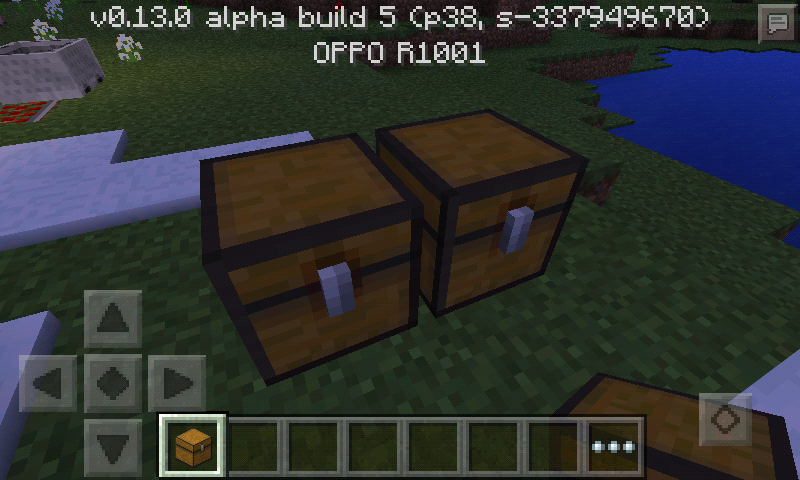









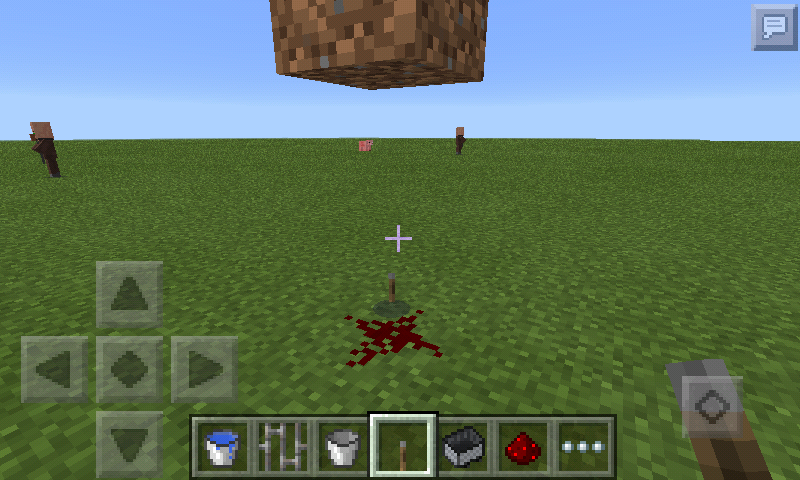


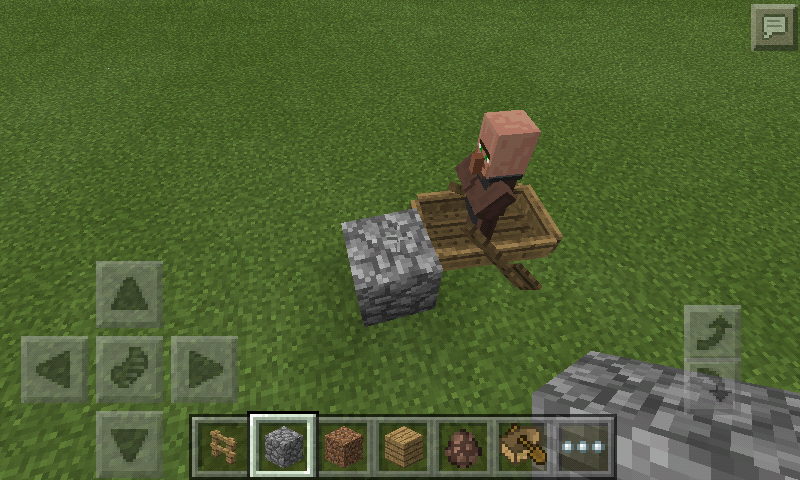
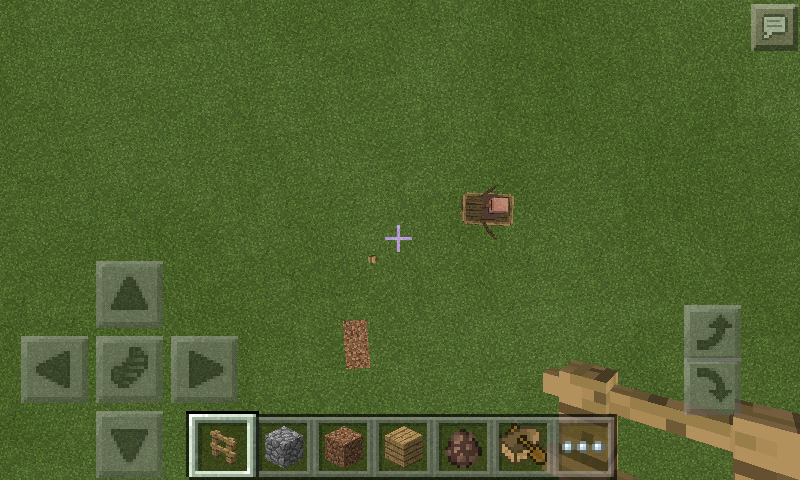











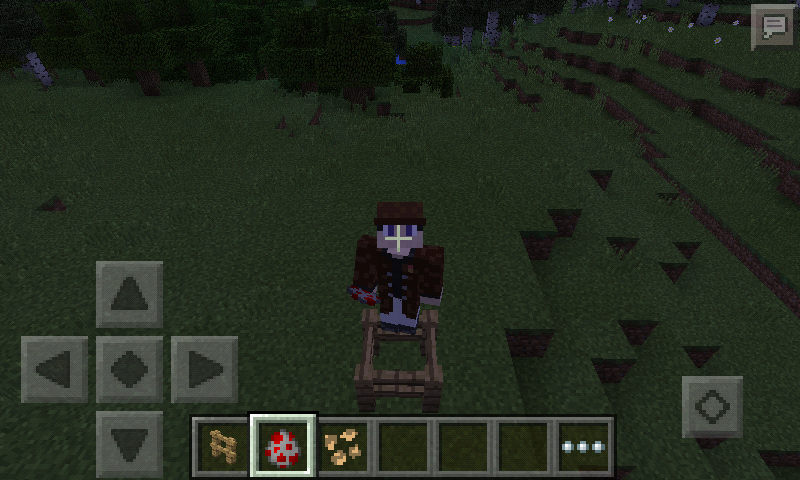



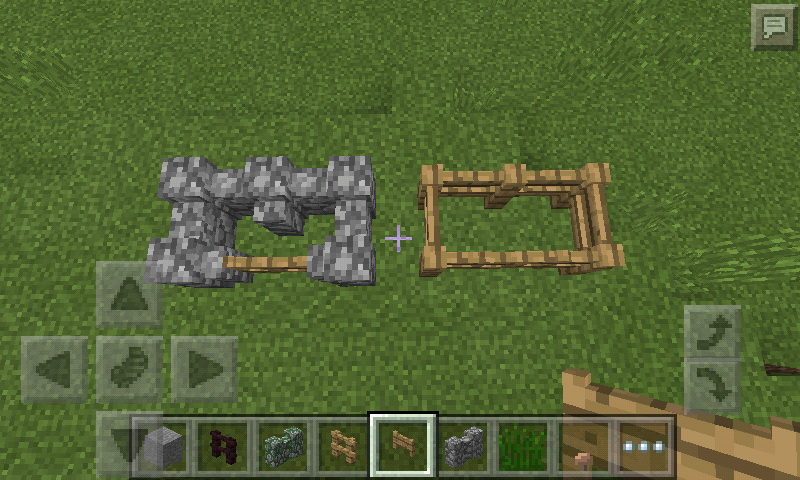
I tried to spawn baby villager using spawn egg:
{IsBaby:1b}
/give @p spawn_egg 1 0 {EntityTag:{id:"Villager",IsBaby:1b}}
and /summon Villager ~ ~ ~
It spawn normal villager instead of baby villager, like minecraft has removed baby villager from the game.... And.... 1 question!
1. Why baby zombie villager head is more bigger O_o?? like in MCPE.
Oh, BTW its
I tried to spawn baby villager using spawn egg:
{IsBaby:1b}
/give @p spawn_egg 1 0 {EntityTag:{id:"Villager",IsBaby:1b}}
and /summon Villager ~ ~ ~
It spawn normal villager instead of baby villager, like minecraft has removed baby villager from the game.... And.... 1 question!
1. Why baby zombie villager head is more bigger O_o?? like in MCPE.
Oh, BTW its
Not spawn babyvillagerwhen right clicking spawn egg or summonvillagerwith "IsBaby" tag in thereNot spawn baby mobs when right clicking spawn egg or summon mobs with "IsBaby" tag in there
I tried to spawn baby
{IsBaby:1b}villagerusing spawn egg:
/give @p spawn_egg 1 0 {EntityTag:{id:"Villager",IsBaby:1b}}
and /summonVillager~ ~ ~
It spawn normal villager instead of baby villager, like minecraft has removed babyvillagerfrom the game.... And.... 1 question!
1. Why baby zombie villager head is more bigger O_o?? like in MCPE.I tried to spawn baby mobs using spawn egg:
{IsBaby:1b}
/give @p spawn_egg 1 0 {EntityTag:{id:"Villager",IsBaby:1b}}
and /summon Pig ~ ~ ~
It spawn normal villager instead of baby villager, like minecraft has removed baby mobs from the game.
Question:
1. Why baby zombie villager head is more bigger O_o?? like in MCPE.
Mobs:
1. Chicken
2. Pig
3. Cow
4. Villager
5. Rabbit
6. Mushroom Cow
7. Horses
I tried to spawn baby mobs using spawn egg:
{IsBaby:1b}
/give @p spawn_egg 1 0 {EntityTag:{id:"Villager",IsBaby:1b}}
and /summon Pig ~ ~ ~
It spawn normal villager instead of baby villager, like minecraft has removed baby mobs from the game.
Question:
1. Why baby zombie villager head is more bigger O_o?? like in MCPE.
Mobs:
1. Chicken
2. Pig
3. Cow
4. Villager
5. Rabbit
6. Mushroom Cow
7. Horses
8. Sheep
I tried to spawn baby mobs using spawn egg:
{IsBaby:1b}
/give @p spawn_egg 1 0 {EntityTag:{id:"Villager",IsBaby:1b}}
and /summon Pig ~ ~ ~
It spawn normal villager instead of baby villager, like minecraft has removed baby mobs from the game.
Question:
1. Why baby zombie villager head is more bigger O_o?? like in MCPE.
Mobs:
1. Chicken
2. Pig
3. Cow
4. Villagers
5. Rabbits
6. Mushroom Cow
7. Horses Tamed/Untamed
8. Sheep
9. Wolf Tamed/Untamed
10. Ozelot Tamed/Untamed
I tried to spawn baby mobs using spawn egg:
{IsBaby:1b}
/give @p spawn_egg 1 0 {EntityTag:{id:"Villager",IsBaby:1b}}
and /summon Pig ~ ~ ~
It spawn normal villager instead of baby villager, like minecraft has removed baby mobs from the game.
Question:
1. Why baby zombie villager head is more bigger O_o?? like in MCPE.
Mobs:
1. Chicken
2. Pig
3. Cow
4. Villagers
5. Rabbits
6. Mushroom Cow
7. Horses Tamed/Untamed
8. Sheep
9. Wolf Tamed/Untamed
10. Ozelot Tamed/Untamed
This bug same as baby topic fromMC-88172
This happen to me in 15w36d don't know this a feature or not. I'm reload the world does not affect. But sometimes i can right clicking command blocks but not open the command blocks window.
This happen to me in 15w36d don't know this a feature or not. I'm reload the world does not affect. But sometimes i can right clicking command blocks but not open the command blocks window. This referenced to
MC-88174
This happen to me in 15w36d don't know this a feature or not. I'm reload the world does not affect. But sometimes i can right clicking command blocks but not open the command blocks window
. This referenced toMC-88174
I also once happened something like this, but not related to the chest, it happens when I farmed wheat, I took the wheat that has been grown and replanted, when I left my cell phone (setting auto sleep is activated) and I went back to turn on my phone. When turned on, instead of bringing me to the lock screen, but it took me to Minecraft pe and can not be played, I keep repeating press the power button until take me to the lock screen. I unlocked my phone and minecraft pe has been closed, I opened minecraft pe back and entered the world, and wheat that is had been previously grown, still planted, and inside my inventory it still had a wheat that had been taken earlier.
Duplication of an item removed from a chest when turning off and on your Android device:
- Open the chest
- Take the item you want inside the chest
- Switch off and switch on your phone (without quit the world)
- When the minecraft window appears before the lock screen, switch your device off and on again
- If the lock screen appears without lag, unlock your screen (minecraft pe will closed automatically)
- Open your minecraft pe
- Open your world
- Then your item was duplicated
It appears that the inventory item was saved but the whole world was not saved (your item will keep in your inventory but your item that was taken from the chest is still exist), (sometimes) When you put the item back into the same chest (with the duplicated item) then reload the world, the original item and the duplicated item are gone. (Not only chests)
Duplication of an item removed from a chest when turning off and on your Android device:
- Open the chest
- Take the item you want inside the chest
- Switch off and switch on your phone (without quit the world)
- When the minecraft window appears before the lock screen, switch your device off and on again
- If the lock screen appears without lag, unlock your screen (minecraft pe will closed automatically)
- Open your minecraft pe
- Open your world
- Then your item was duplicated
It appears that the inventory item was saved but the whole world was not saved (your item will keep in your inventory but your item that was taken from the chest is still exist), it will happen if the system closed the application for some reasons, (sometimes) When you put the item back into the same chest (with the duplicated item) then reload the world, the original item and the duplicated item are gone. (Not only chests)
Duplication of an item removed from a chest when turning off and on your Android device:
- Open the chest
- Take the item you want inside the chest
- Switch off and switch on your phone (without quit the world)
- When the minecraft window appears before the lock screen, switch your device off and on again (cause the low ram and closed the lockscreen)
- If the lock screen appears without lag, unlock your screen (minecraft pe will closed automatically)
- Open your minecraft pe
- Open your world
- Then your item was duplicated
It appears that the inventory item was saved but the whole world was not saved (your item will keep in your inventory but your item that was taken from the chest is still exist), it will happen if the system closed the application for some reasons, (sometimes) When you put the item back into the same chest (with the duplicated item) then reload the world, the original item and the duplicated item are gone. (Not only chests)
Duplication of an item removed from a chest when turning off and on your Android device:
- Open the chest
- Take the item you want inside the chest
- Switch off and switch on your phone (without quit the world)
- When the minecraft window appears before the lock screen, switch your device off and on again (cause the low ram and closed the lockscreen)
- If the lock screen appears without lag, unlock your screen (minecraft pe will closed automatically)
- Open your minecraft pe
- Open your world
- Then your item was duplicated
It appears that the inventory item was saved but the whole world was not saved (your item will keep in your inventory but your item that was taken from the chest is still exist), it will happen if the system closed the application for some reasons, (sometimes) When you put the item back into the same chest (with the duplicated item) then reload the world, the original item and the duplicated item are gone. (Not only chests)
Duplication of an item removed from a chest when turning off and on your Android device:
- Open the chest
- Take the item you want inside the chest
- Switch off and switch on your phone (without quit the world)
- When the minecraft window appears before the lock screen, switch your device off and on again (cause the low ram and closed the lockscreen)
- If the lock screen appears without lag, unlock your screen (minecraft pe will closed automatically)
- Open your minecraft pe
- Open your world
- Then your item was duplicated
It appears that the inventory item was saved but the whole world was not saved (your item will keep in your inventory but your item that was taken from the chest is still exist), it will happen if the system closed the application for some reasons, (sometimes) When you put the item back into the same chest (with the duplicated item) then reload the world, the original item and the duplicated item are gone. (Not only chests)
DuplicationGlitchDuplication using world saving
Well then,
MCPE-11643duplicated byMCPE-11748butMCPE-11748was private ticket.
Duplication of an item removed from a chest when turning off and on your Android device:
- Open the chest
- Take the item you want inside the chest
Switch off and switch on your phone (without quit the world)When the minecraft window appears before the lock screen,switch yourdevice off and on again (cause the low ram and closed the lockscreen)Ifthelock screen appears without lag, unlock your screen (minecraft pe will closed automatically)- Open your minecraft pe
- Open your world
- Then your item was duplicated
It appears that the inventory item was saved but the whole world was not saved (your item will keep in your inventory but your item that was taken from the chest is still exist), it will happen if the system closed the application for some reasons, (sometimes) When you put the item back into the same chest (with the duplicated item) then reload the world, the original item and the duplicated item are gone. (Not only chests)
Duplication of an item removed from a chest when turning off and on your Android device:
- Open the chest
- Take the item you want inside the chest
- (Try crashing the game if the step below this is not working)
- Switch off and switch on your phone (without quit the world)
- When the minecraft window appears before the lock screen, switch your device off and on again (cause the low ram and closed the lockscreen)
- If the lock screen appears without lag, unlock your screen (minecraft pe will closed automatically)
- Open your minecraft pe
- Open your world
- Then your item was duplicated
It appears that the inventory item was saved but the whole world was not saved (your item will keep in your inventory but your item that was taken from the chest is still exist), it will happen if the system closed the application for some reasons or crash in-game, (sometimes) When you put the item back into the same chest (with the duplicated item) then reload the world, the original item and the duplicated item are gone. (Not only chests)
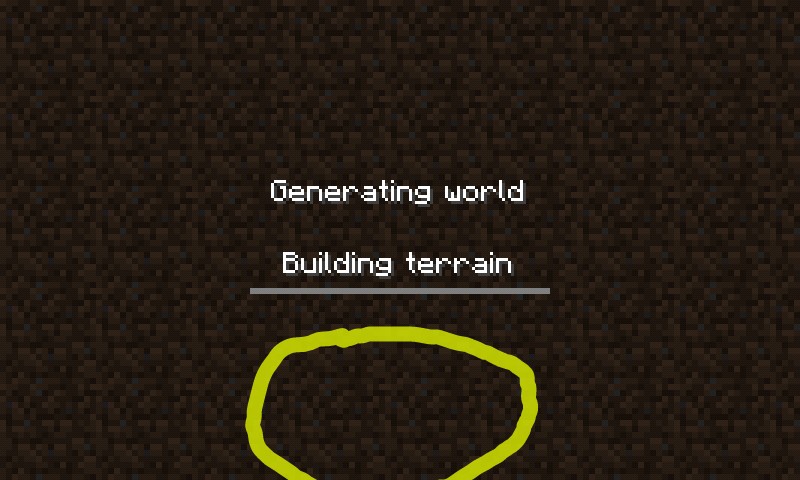
The. "Generating world" text not changed when change the langua
nge
The "Generating world" text is not change, when change the languange
The
."Generatingworld" text not changed when change the languageThe "Generating terrain" text not changed when change the language
The "
Generating terrain" text not changed when change the languageThe "Building terrain" text not changed when change the language
The"Generating world" text is not change, when change the languageUnder "Generating world" text is not change, when change the language
Mobs will continuedriving a boat,when the player leavea boatBoats still continue to move when the player leaves boat and mobs are inside the block
Boats still continue to move when the player leaves boat and mobs are inside the blockBoats still continue to move when the player leaves boat and mobs are inside the boat
I can not create snow golem
like this: https://youtu.be/UBKwAalmNJk (first fact)I can not create snow golem and iron golem like upside down or sideways: https://youtu.be/UBKwAalmNJk (first fact)
Can not createsnowgolem like in pc editionCan not create golems like in pc edition
Can not create golemslike in pc editionCan not create golems on any orientation
I can not join server using mobile data, it keep saying "Unable to connect to the world, Please check your connection to the internet and try again". But if I using Wi-Fi it work fine.
I can not join server using mobile data, it keep saying "Unable to connect to the world, Please check your connection to the internet and try again". But if I using Wi-Fi it work fine.
OPPO R1001
Color OS: V1.0.2i
Android: 4.2.2
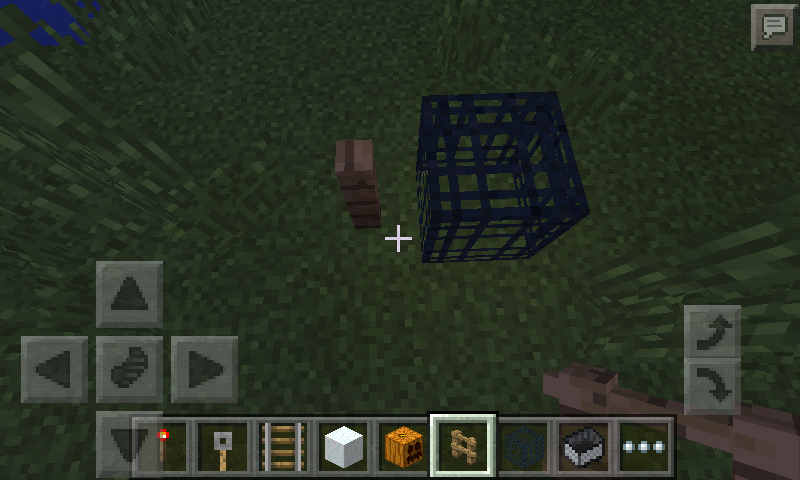
Object that can not be placed on monster spawner:
- Lever
- Buttons
- Rails
- Redstone Torch
- Pressure Plates
- Tripwire Hook
- Redstone Dust
Object that can not be placed on monster spawner:
- Lever
- Buttons
- Rails
- Redstone Torch
- Pressure Plates
- Tripwire Hook
- Redstone Dust
- Repeater
- Comparator
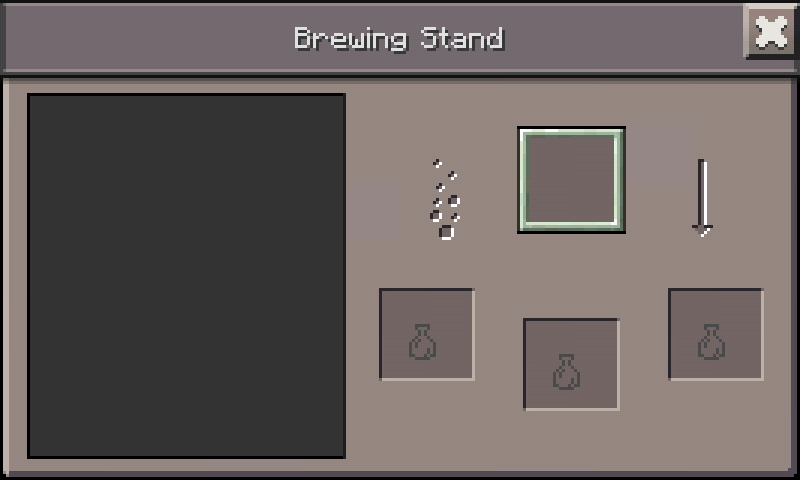
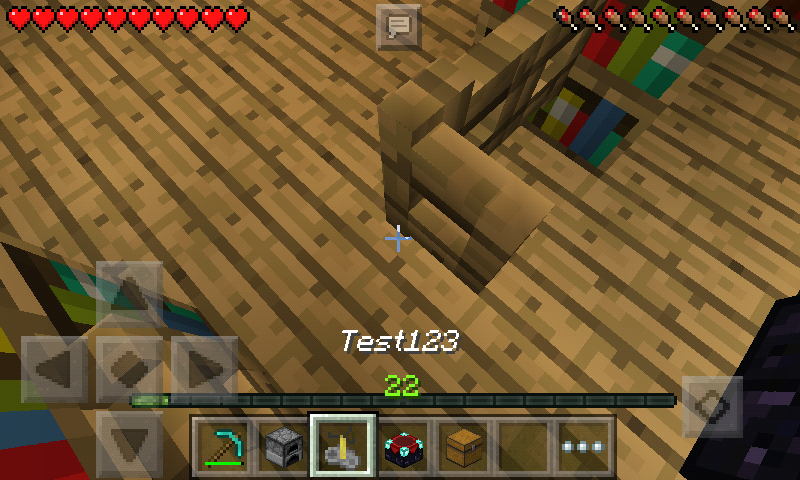
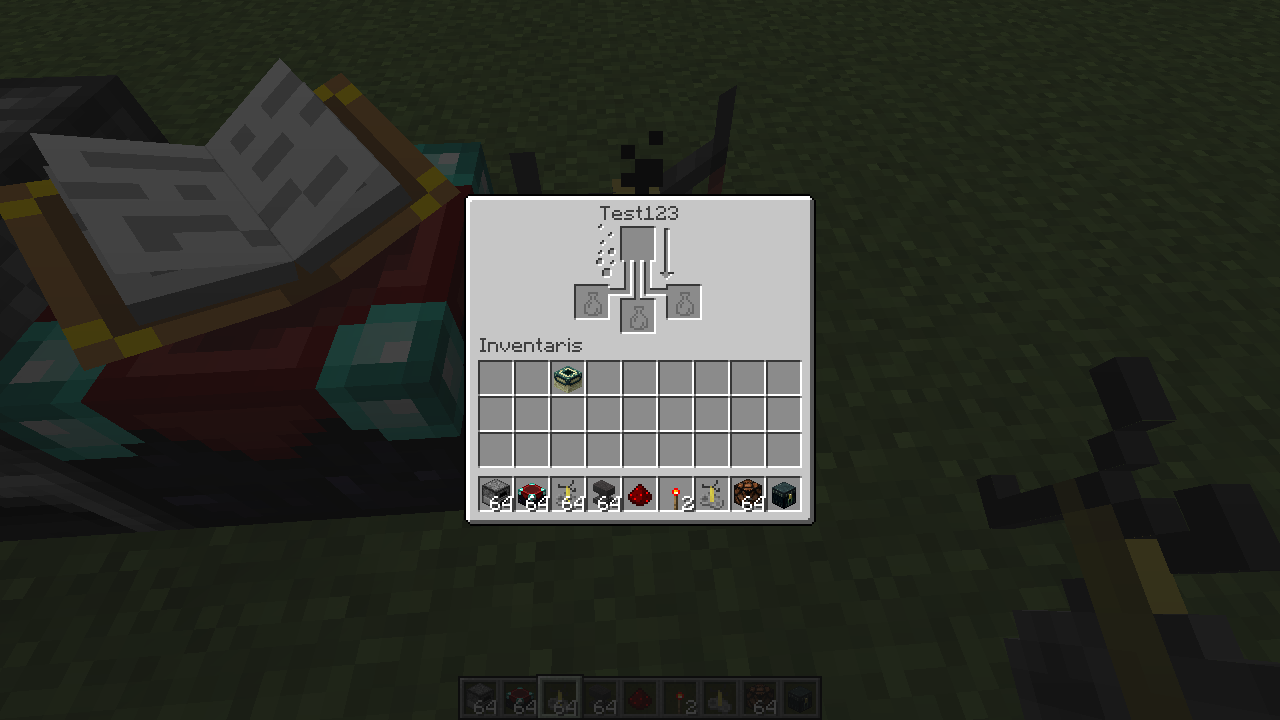
Enchantment Table, Furnace, Brewing Stand, Dropper, Hopper, and Dispenser not display or change their name when rename it with anvil
Enchantment Table, Furnace, Brewing Stand, Dropper, Hopper, and Dispenser not change their name when rename it with anvil
Enchantment Table, Furnace, Brewing Stand, Dropper, Hopper, and Dispenser not display or change their name when rename it with anvil
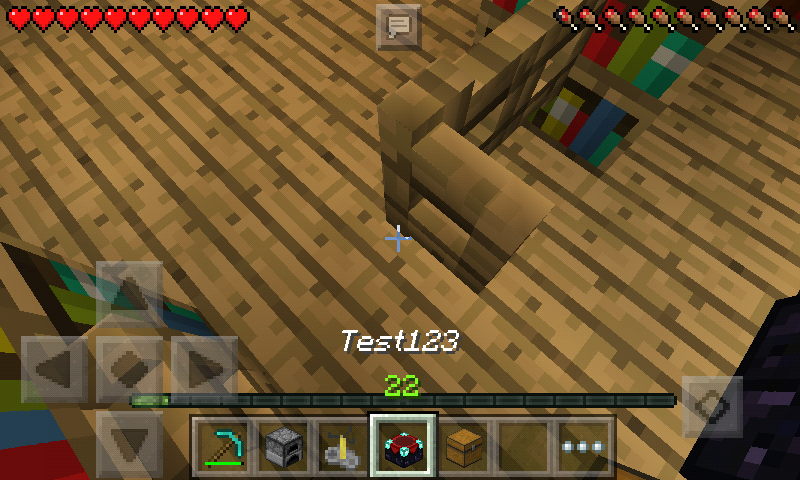
- Enchantment Table,
- Furnace,
- Brewing Stand,
- Dropper,
- Hopper, and
- Dispenser
These blocks not display or change their name on the UI when rename it with anvil
- Enchantment Table,
- Furnace,
- Brewing Stand,
- Dropper,
- Hopper, and
- Dispenser.
These blocks not display or change their name on the UI when rename it with anvil.Windows 10 Edition only
- Chest,
- Trapped Chest.
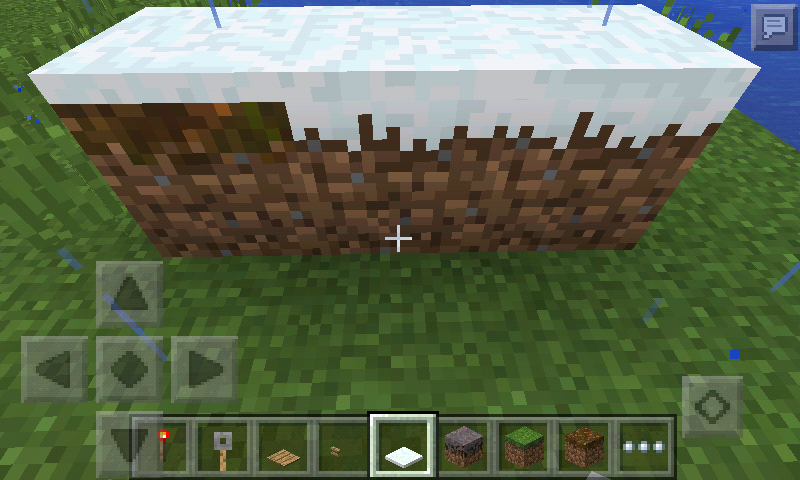
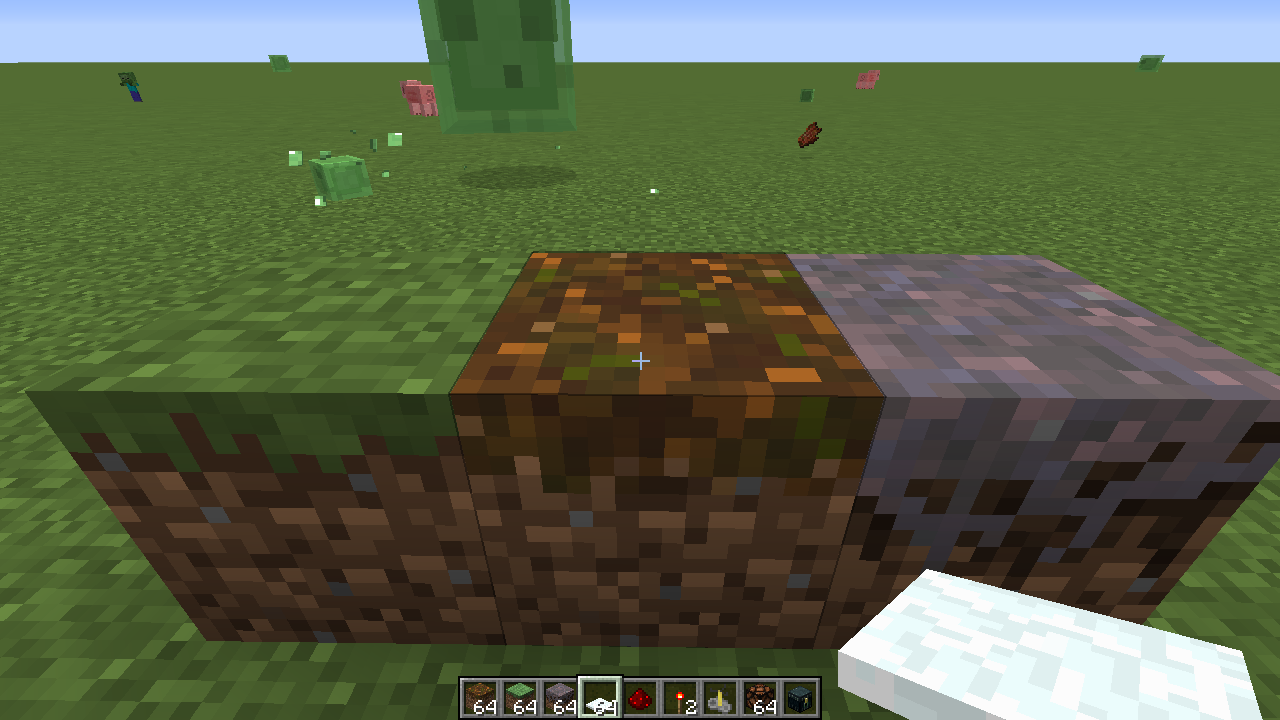
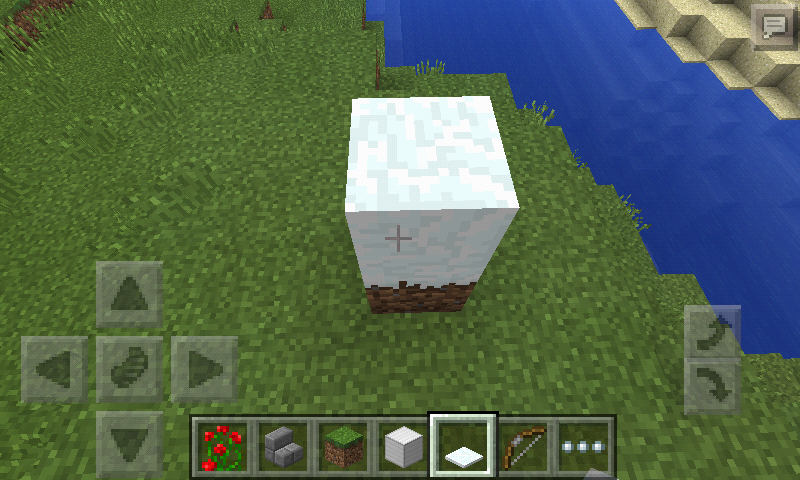
Podzol not change texture to snowy grass when put snowlayerSnow doesn't make side texture of podzol turn into snowy texture.
Podzol not turn into snow texture when placed snow layer in top podzolSnow doesn't make side texture of podzol become snowy
Snow doesn't make side texture
of podzol turninto snowy texture.Snow when placed on top of mycelium and podzol doesn't make the side texture into the snowy texture.
Snow doesn't make side texture of podzolbecomesnowySnow doesn't make side texture of podzol and mycelium into snowy
Clouds render trough mobs and entities at level Y:128
Clouds render
trough mobs at level Y:128Clouds render go through mobs and entities if the player at level Y:128 (cloud level)
Clouds rendertrough mobs and entities at level Y:128Clouds render go through mobs and entities at level Y:128
Screenshot_2016-01-09-17-17-23.png
"Relates" to
MCPE-12078
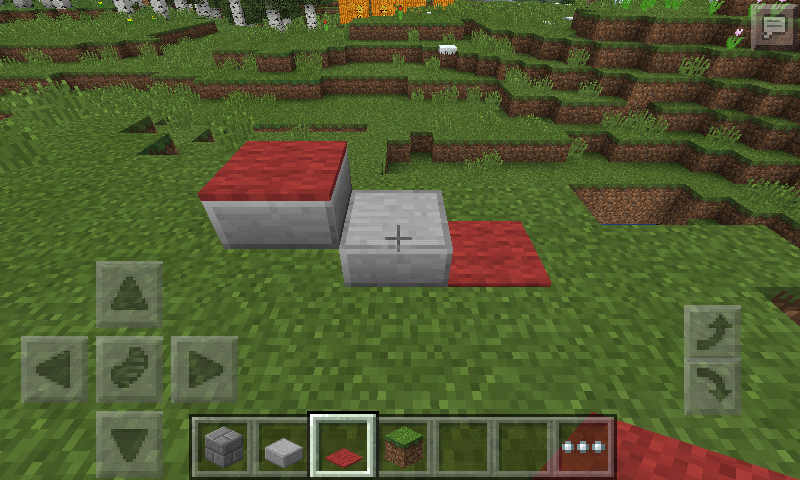
The player will start jump (auto jump on) when walking to the bottom slab then walk to top slab with carpet above it, and when the auto jump option turned off you can not step up to the block. On PC Edition, or other platforms you can walk to it normally like step up from slab to slab.
Carpet abovetophalf slabwhen there is bottom half slab next to it, will make the player jumpWalk from bottom half slab to the block with the carpet at the top
Squid make bubble particle
while in groundSquids make bubble particles on the ground when the player punch the squid.
Punch squid whilein groundstill make bubble particlePunching squids while not in the water still make bubble particles

When placing all type of boats at the top of slimeblock, the boat do not stop jumping (infinite jump) at the slimeblock.
When
placingall type of boatsat the top ofslimeblock, the boat do not stop jumping (infinite jump) at the slimeblock.When all type of boats jumping at the slimeblock, the boat do not stop jumping (infinite jump) at the slimeblock.
Boats do not stop jumping whenplacedat thetopslimeblockBoats do not stop jumping when jumping at the slimeblock


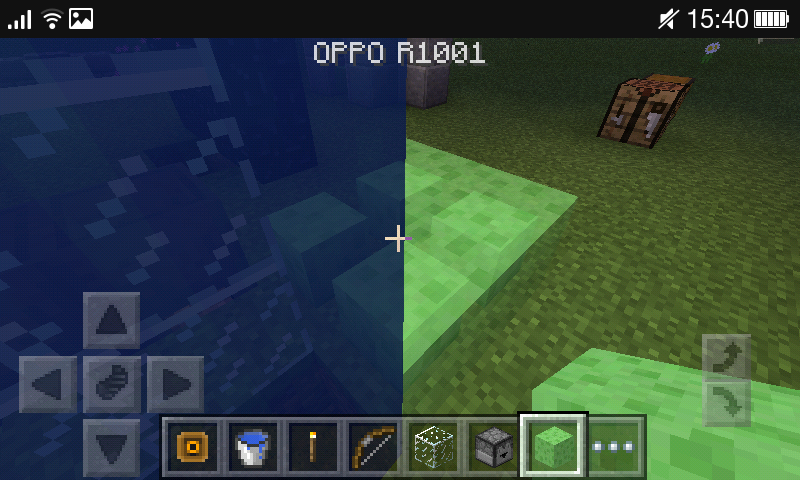
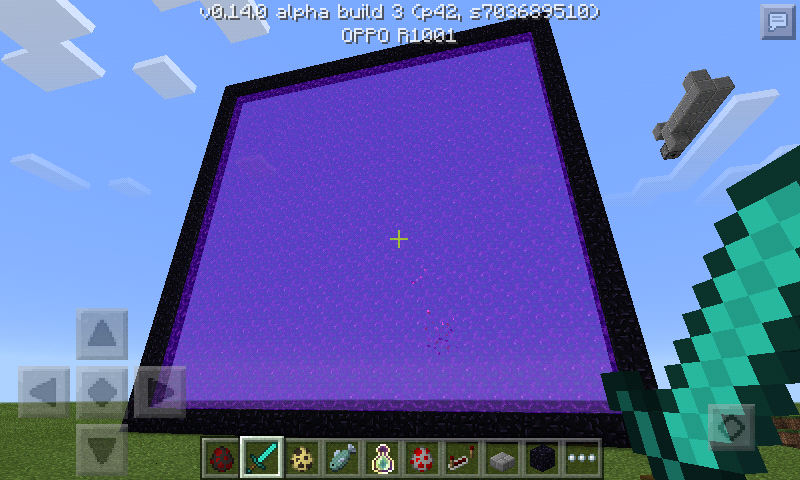
The water on cauldron, nether portal do not render if viewed from slimeblock transparent layer, this can only happen in different angle.
The water on cauldron do not render if viewed from slimeblock transparentSlimeblock render problem

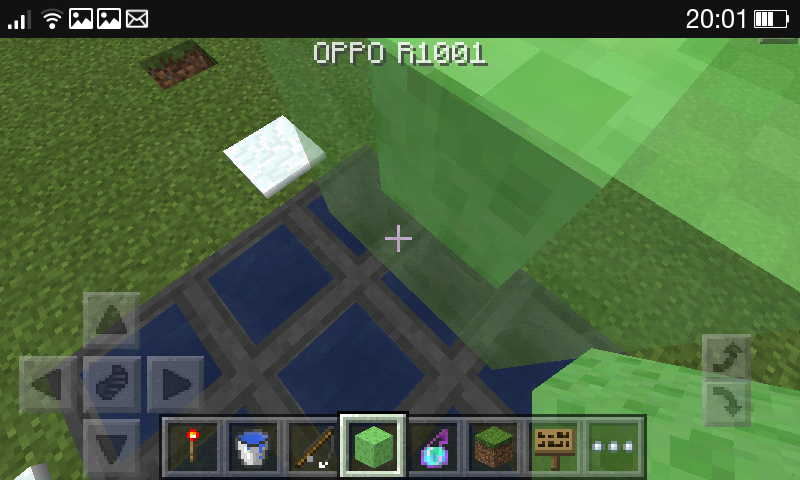
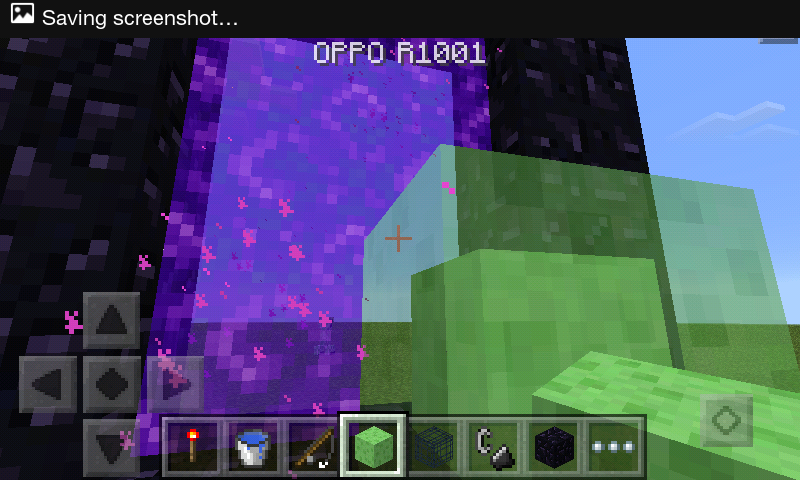
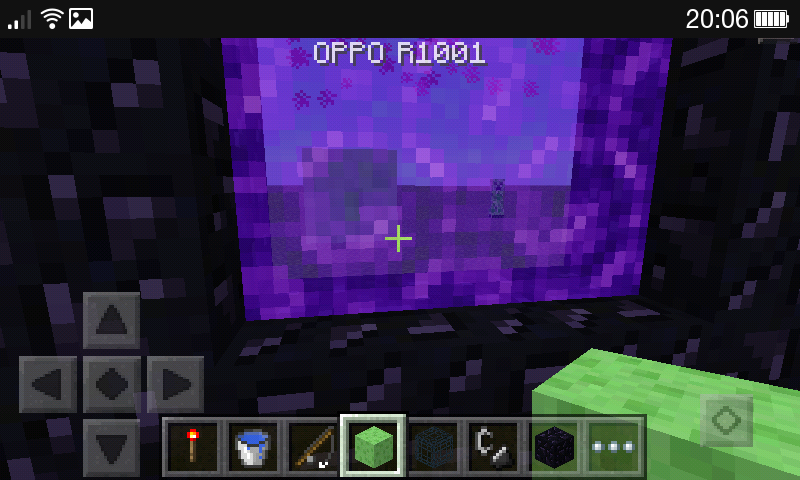
Slimeblock render problemTransparent block render problem
The water on cauldron, nether portal do not render if viewed from slimeblock transparent layer, colored water not render from nether portal, this can only happen in different angle.


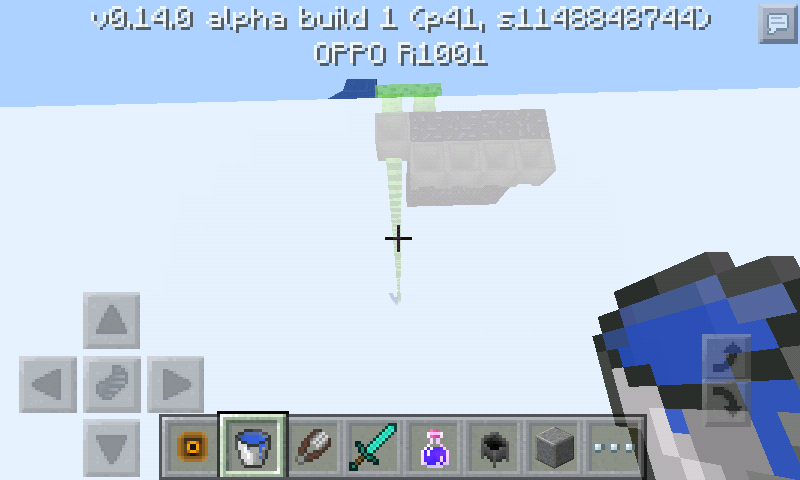
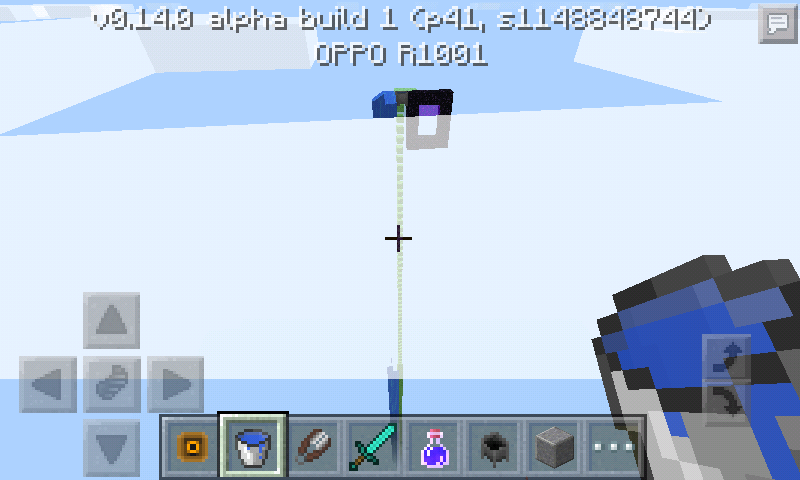


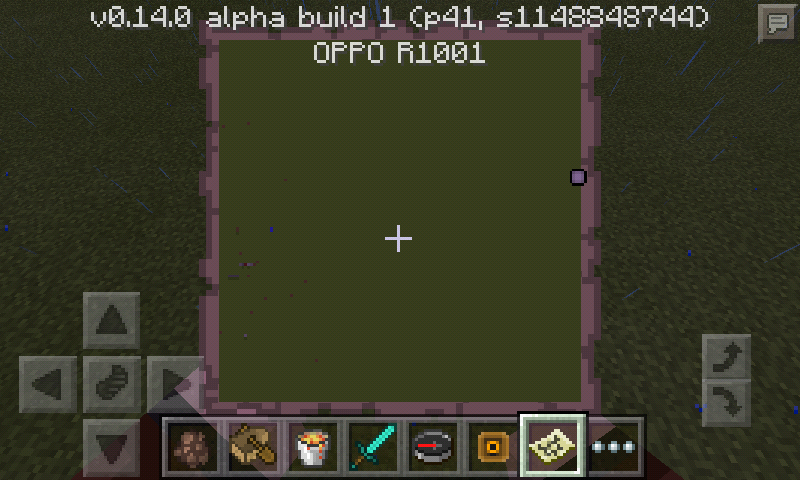
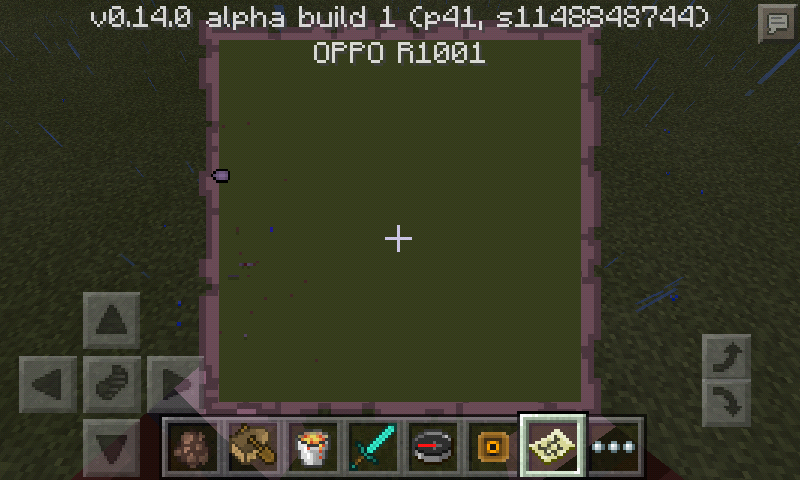
When you
iscloser to the map border, then walk outside map border, it will show youon the wrong location.When you closer to the map border, then walk outside the map border, it will show you (the circle arrow when outside the map border) on the wrong location. Ex: I go to the left the circle arrow pointed on the left.
When you closer to the map border, then walk outside the map border, it will show you (the circle arrow when outside the map border) on the wrong location. Ex: I go to the left the circle arrow pointed on the
left.When you closer to the map border, then walk outside the map border, it will show you (the circle arrow when outside the map border) on the wrong location. Ex: I go to the left, the circle arrow pointed on the right.
Confirmed to affects 0.13.x, this issue should be reopened, clouds will render through the blocks if the player at level Y:128.
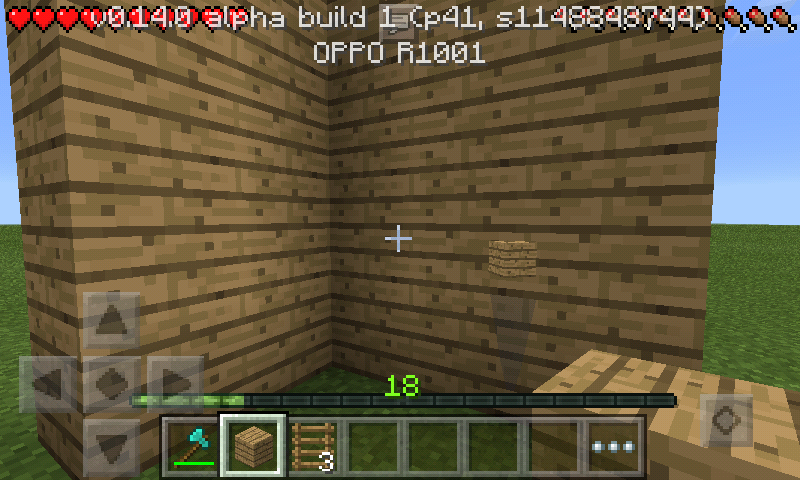
When all type block on the falling sand entity falling on the cobweb before disappear (
MCPE-12765), then break the cobweb the first falling entity will replacing the other when the block was placed. As shown in the picture the falling sand: red sand, sand, gravel, and anvil falling on the cobweb at once, then when the falling sand touch the ground, then break the cobweb the other entity like anvil, and the red sand will replaced by the regular sand (the regular sand I put that first before the other).


"Invalid", 0
13.2 is still on development.
When
placing a boatand immediately switch to another slot causing the item name to duplicate. Affects 0.15.0 build 1, but still doesn't have access to them.When there is an interaction button and immediately switch to another slot causing the item name to duplicate. Affects 0.15.0 build 1, but still doesn't have access to them.
Placing boat and switch immediately to another slotInteraction button and item display name
When there is an interaction button and immediately switch to another slot causing the item name to duplicate.
Affects 0.15.0 build 1, but still doesn't have access to them.When there is an interaction button (not sure what it should called) and immediately switch to another slot causing the item name to duplicate.
When break the piston head in creative mode it will drop the item.
Affects 0.15.0 build 1 but still doesn't have access to them.When breaking the extended pistons head in creative mode it will drop the item.

Hi ItsPlantseed, please identify your device and version of Android. I have edited your description a bit and we need some more details: between steps 2 and 3, does the player close the chest before switching off the phone? When you say "switch off" and "switch on" do you mean restarting the device (power off/on with a long press of the power button) or do you mean turning off the screen (short press of power button) and waiting long enough that when you turn the screen back on, you must log in with your password?
I tried the steps you provided on a Samsung Galaxy S4 Active (Model number SGH-I337M) which is running Android 5.0.1. Step 4 did not happen for me - on restart (power off/on), my phone did not display MCPE before the lock screen. I logged in and started MCPE and the item (5 pumpkins) I had moved from chest to inventory (I did not close the chest before turning off the phone) had disappeared from both my inventory and the chest. Accordingly, I could not reproduce your bug, but I still had a bug occur.
I tried again on the same device in a new world where after pulling the item from the chest, I turned the screen off and waited for the phone to lock. I changed the world to peaceful since MCPE will be running in the background the whole time. When I returned to the world, the item did not duplicate. It was in my inventory and not in my chest.

ItsPlantseed You can in Minecraft Windows 10 Edition with keyboard and mouse just like in PC.

ItsPlantseed, this issue is about compasses suddenly started to point to somewhere not the world spawn. I think it's a bug, not working as intended.
ItsPlantseed but if I let go of the fly up arrow I fall to the ground. You cant stay flying while crouching otherwise can you?

ItsPlantseed the minecraft wiki is not an official source
![[Mojang] Mega_Spud (Jay Wells)](../../../data/avatars/users/92696.png)
ItsPlantseed, although similar, I don't this is related to the bug that you reported.
I think the connected devices are causing my Win 10 version to crash, and the rollback is more than just a couple of items.
I also don't think the problem I am reporting is related to a lack of memory.
ItsPlantseed Thank you. 
ItsPlantseed Because this issue contains 3 or more bugs, It's unclear what was fixed there are may issues that relate to this. I believe we will have to wait till update 0.14 to find out.
ItsPlantseed I believe MCPE-10208 is a related issue, I don't think its a duplicate.
ItsPlantseed The chunks are already loaded. I'm just standing there. Test this for yourself.
ItsPlantseed I also saw a video of someones game play and the charged creepers animation does not move around them, their animation is frozen.
See this video and skip to 4:47 https://www.youtube.com/watch?v=sYbjMKEXYdA
Thanks ItsPlantseed - Added sand, red sand, top snow and anvils also.
Hmm... There would be five possible consequences when you do that:
- Colored water in the cauldron turns into uncolored, and your water bucket becomes empty. (The current behavior?)
- Nothing happens to the cauldron but your water bucket becomes empty.
- Colored water in the cauldron turns into uncolored, your water bucket becomes empty, and if the block right above the cauldron is an air block, it turns into water source.
- Colored water in the cauldron turns into uncolored, but your water bucket stays full.
- Nothing happens at all. (ItsPlantseed's expectation)
I'd like to think that 5 is the sanest. 3 is kinda realistic but would be an overkill. But 1 and 2 are not that weird because they are at least consistent with what happens when you pour a bucket of water into water source. So it is understandable that Mojang chose 1.
As ItsPlantseed said, there seems to be two separate problems here:
- Should it be possible at all to sneak while flying? → Yes, that's an important feature to manipulate GUI blocks in mid-air.
- Should this rather strange way to trigger the fly-sneak in MCPE be considered a bug? → Almost certainly. I can't believe this needlessly complicated operation involving even a world reload is an intended way to fly and sneak at the same time.
ItsPlantseed [Mojang] Jeb (Jens Bergensten) already got assigned by [Mojang] Grum (Erik Broes), so I doubt it's intended.
Duplicate of MCPE-14521
Thanks for your report. As ItsPlantseed said: This issue has already been submitted.
Currently over 47% of tickets are being closed as duplicate - Please search before creating a new report.
Duplicate of MCPE-14521
Thanks for your report. As ItsPlantseed said: This issue has already been submitted.
Currently over 47% of tickets are being closed as duplicate - Please search before creating a new report.
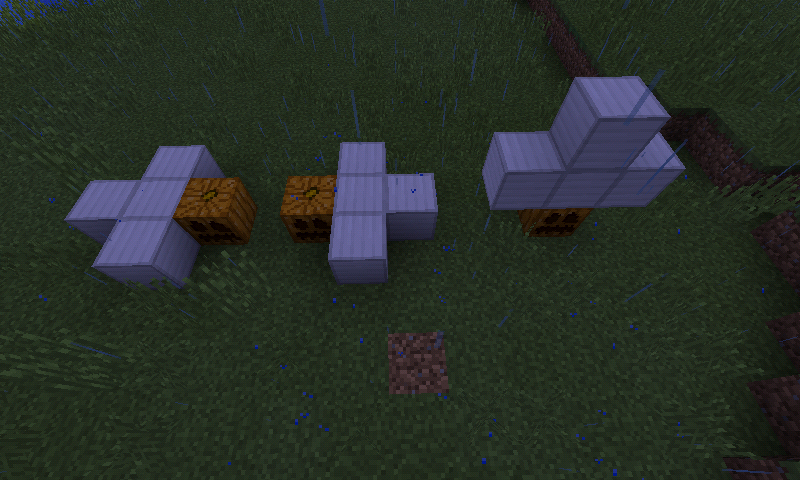
I asked developers about this issue, and it turned out that there were 3 different bugs in it, namely ItsPlantseed's first screenshot (slime block doesn't move the piston), ItsPlantseed's second and third screenshot (pistons that should extend can fail to do so), and my fourth screenshot (piston's movement is significantly slower compared to the PC edition).
So I'm going to split it into 3 separate tickets. Since D's original report is so vague that I have no idea what they really meant, I will close it as Incomplete.
Done:
I set the reporter of the first two issues to ItsPlantseed because it's them that reported those issues.

@ItsPlantseed Thanks, didn't know.

ItsPlantseed That means that the bug is fixed for everything! (See my comment.)
This bug is now completely fixed, and can be marked as fixed!
ItsPlantseed Were you testing this in MCPE or Minecraft Windows 10 edition? Because this bug can only be reproduced in Minecraft Windows 10 Edition and that doesn't have the beta.
ItsPlantseed Then i'll just trust the changelog that it's been fixed for Minecraft Windows 10 edition too, although i'm not able to confirm it here. Fingers crossed.
Thank you, i don't know about that before.
I'm so sorry, i'm new here. I don't know too much about this D:
I think you mean extinguish fire with hand in survival?
Bunnies do not eat wheat, they eat carrots instead wheat
Justin Nikolay ah, you right I was looking for bug about trapped chest but nothing in the search results. I do not know why it is not in the search results
My device is OPPO R1001 Jelly Bean, i think this bug about "Not enough RAM" because i saw "RAM needed to run the application has exceeded limit, application close" and minecraft pe closed automatically, maybe switch off (not long press the power button) my phone for long while playing minecraft pe (or other application) will reduce the RAM on my phone. Duplication will work when i switch off my phone for long (it make my phone getting hot), and yes the item not always disappear.
I also once happened something like this, but not related to the chest, it happens when I farmed wheat, I took the wheat that has been grown and replanted, when I left my cell phone (setting auto sleep is activated) and I went back to turn on my phone. When turned on, instead of bringing me to the lock screen, but it took me to Minecraft pe and can not be played, I keep repeating press the power button until take me to the lock screen. I unlocked my phone and minecraft pe has been closed, I opened minecraft pe back and entered the world, and wheat that is had been previously grown, still planted, and inside my inventory it still had a wheat that had been taken earlier.
Duplicate of
MCPE-11160Yep
Dupe
MCPE-11410Dupe
MCPE-11654Dupe
MCPE-9555, it was fixed in 0.13.0. i am not sure if this bug still appear in 0.13.0.Related to my issue?
MCPE-11643(or duplicate)?Dupe
MCPE-9555, it was fixed in 0.13.0.I do not know, but moderator always put "Duplicate" to the bug that was fixed, and
MCPE-9555should be reopenedThis was "duplicate"
It still happen in 0.13.0, and related to
MC-93648Dupe MCPE-10236
Sheep: The wool still visible, Wolf (tamed): The collars still visible, Mooshroom: The mushroom still visible, Spiders and Enderman: The eye still visible
Daniel, XD the moderator found the other issue that related to this issue, but not like what are you thinking. Change the summary like the moderator rplatham said and the description, if you want. Or let another person to create the issue.
Daniel, I think you should look for "Trapdoor" instead of "trapdoor reset". Because, when you search "Trapdoor", it could increase the number of search results. Then change the platform into Minecraft Pocket Edition & Windows 10 Beta Edition, and do not always search with the status "open", because it could be the issue was resolved.
Dupe
MCPE-11643The "Red Sandstone" has not been added to MCPE yet, it will be added in the future updates!
If you not finished read the description first, the reason is "the system closed the game". The lockscreen just tutorial for mobile users!
This is "Work as Intended" see minecraft.gamepedia.com/Compass for more details about Compass!
But in MCPE there is no option to sneak while flying just up and down button, and if you sneak and press jump button twice then you turn to game menu, sometimes the fly up and down button still appear while in the ground
The title is "Spawn point" and the description is incomplete, where you started building a house? Is the location of the house was very far away from the world spawn? Then, what is the world seed, and when you created the world, is it on 0.13.0 or beta version?
Related to
MCPE-11899I know, Minecraft: Windows 10 Edition using keyboard and mouse, but the reason is you can fly UP while sneaking and the fly controls still appear while the player stand in the ground (when the player get fly down by sneaking while in the pause game menu, then the fly controls still in there but can not be used)
Dupe
MCPE-11279Why you do not try in PC Edition? See http://minecraft.gamepedia.com/Pocket_Edition_exclusive_features if it was listed in "not exclusive because 1.9 PC Edition".
Nikola Bojanic, that is what i think XD
I do not know why "[QA] Janosik" resolved this issue
Work as Intended, devs disable nether in old world
Who said it was on regular dirt?
"Work as Intended", all type of doors hitbox do not have holes in it, just like normal door.
"Work as Intended", trading system to villagers are not implemented in 0.13.1, it will be added in the future update.
it was tested on PC Edition.
It was tested on PC Edition
When I see the screenshot I thought this issue is about the armor that does not move along with arm, but the held item was duplicate.
"Duplicate" of
MCPE-9555"Works As Intended", see Minecraft Wiki for more information about Snow Golem.
"Invalid", Minecraft bug tracker not for suggestion feature, or ideas.
"Duplicate" of
MCPE-9555At least this issue was not Working As Intended and feature request or suggestions, see
MC-93614andMC-75471Exactly, this was duplicate of
MCPE-11876,MCPE-11898, andMCPE-10664.Is [QA] tag stands for "Questions & Answers"?
Okay, I think you are right, and thank you for your advice.
Confirmed.
"Duplicate" of
MCPE-9555"Duplicates" of
MCPE-11392,MCPE-10429,MCPE-10300, andMCPE-11206"Relates" to
MCPE-11643"Duplicate" of
MCPE-10409"Duplicates" of
MCPE-10173, andMCPE-12103Crashes causing the world rollback, it would causing the inventory is still saved. Not only crashed, not enough RAM can also produce the bug, crash in-game, or other reasons. On
MCPE-11643in the comments section, it happened with me to when I was farmed wheat.About the chests or portal crashed the game not related to my issue, but the world saving issues is related to my issue.
Sorry about my language, I mean "sometimes when the world rollback, the inventory is still saved". Well, I think about the inventory saved or not just for specific device. And again, sorry if you not understand my language.
"Duplicate" of
MCPE-10414Why it was resolved as "Fixed" this was duplicate ticket.
"Invalid", leet.cc servers are modded not vannila servers, if you have problem with your leet.cc server report to leet.cc not to here.
"Duplicate" of
MCPE-11586Close this issue, it was long time ago
Confirmed, anvil will turn into item drops with invisible texture, when picked up it will crash the game.
Correction:
Copy and paste this to your description.
Can someone reopen this issue? [QA] Janosik resolved this issue as "Works As Intended" for no reason.
Can someone reopen this issue? [QA] Janosik resolved this issue as "Won't Fix" for no reason.
Can someone change the resolution to "Duplicate"? [QA] Janosik resolved this issue as "Fixed" for no reason.
gatharian It is all good, you are welcome
"Duplicate" of
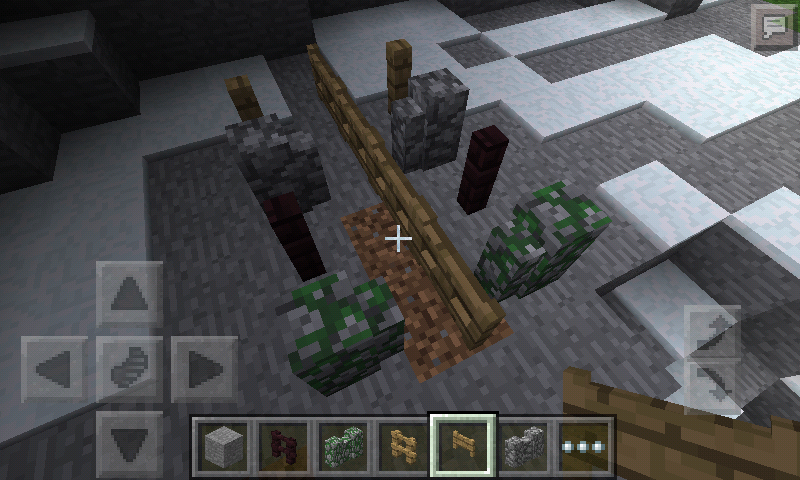
MCPE-12097Confirmed, on PC Edition we can go to the middle 2x2 fence.
How did you know carpet are 1/16?Carpet is 1/2 from snow layer so you are right it was 1/16. And yes, on PC Edition it just works normally without jumping.
"Duplicate" of
MCPE-12103"Duplicate" of
MCPE-11362"Duplicate" of
MCPE-10983"Duplicate" of
MCPE-12097"Works As Intended", nether portal are disable on old type of world.
"Incomplete", what is the name? Invalid username will appear when you join a server with symbols, emoji on your username.
"Duplicate" of
MCPE-10983"Clone" of
MCPE-11981"Duplicate" of
MCPE-10983"Clone" of
MCPE-11643Dave Lock, 0.13.1 is not added yet to affects version list. If you want to discuss about this issue, comments in
MCPE-10983.karla palmer do what? Duplicate mean, your ticket was duplicating
MCPE-10983."Duplicate" ofMCPE-11399"Clone" ofMCPE-11399"Invalid", submit 1 (ONE) issue per report.
[Mojang] Mega_Spud (Jay Wells), Minecraft Wiki is not an official minecraft source.
All is good, everyone can make a mistakes.
"Duplicate" of
MCPE-9374The title has been changed, with some corrective.
Oops I make a mistake
Is your inventory is full?
If yes, it was "Duplicate" of
MCPE-9960Because the issue is very similar, however it was "Duplicate" of
MCPE-9960. Comment in the comment section there, if you want to talk about this issue.[Mojang] Shoghi Cervantes, and why [QA] Janosik resolved the issue as "Works As Intended" like
MCPE-11953."Duplicate" of
MCPE-12103I can not reproduce this on 0.13.1.
"Relates" to
MCPE-10173"Duplicate" of
MCPE-10886"Duplicate" of"Relates" toMCPE-10208If I am understand, I think you mean the door texture are messed up?, "Duplicate" ofMCPE-321Wrong site, you should to go to here.
"Duplicate" of
MCPE-11353Confirmed, because the fishing line is one of the GUI, it proved when you enable the experimental options "Hide GUI" .
Confirmed, not only happen with the nether portal facing ocean, it happen with underwater then look into the nether portal as well.
"Invalid", how the texture pack support Minecraft Pocket Edition without any custom applications? Texture pack feature are not intended in Minecraft Pocket Edition for now. I am sure you are using custom applications or modified the minecraft data folder.
And what is the problem that you want to report? Minecraft Pocket Edition crash or lost world progress?
No, in PC Edition snow golem does not produce snow layer when they are riding a minecart or boats, when the snow golem ride a new boat with a paddle on PC Edition still produce a snow layer, that can mean PC Edition have the same bug like this.
"Duplicate" of
MCPE-9555Does not affect 0.13.1.
"Relates" to MC-90148
Popped up from where?
This issue was resolved as "Fixed" for 0.11.0 only, for 0.13.0 version add a comment in
MCPE-10983at the comments section."Duplicate" of
MCPE-12103, andMCPE-11586gatharian, that is unloaded chunks, not lighting issue.
"Duplicate" of
MCPE-11322Can not reproduce this for exiting/entering vechile on 0.13.1. Confirmed for entering nether portal.
Confirmed for 0.13.1
HyperCamel, I will try but I do not have screen recorder.
SassySalad, this issue is "Incomplete" without description.
Describe your issue in the description:
Confirmed for 0.13.1, it should showing the splash potion break particle rather than glass bottle break particle.
gatharian, creative player does not drop item when breaking all types of blocks.
"Duplicate" of MCPE-12347
This tracker just for Minecraft Pocket Edition & Windows 10 Beta Edition only.
Somehow I can not reproduce this on 0.14.0 build 1, maybe it was fixed.
Deconfirmed for 0.14.0 build 1
"Duplicate" ofMCPE-8777I think you mean, items inside Minecart with Chest, and Hopper do not give any power to comparators?
That "shutdown" means, your device is shutting down or the Minecraft closed instantly?
[Mojang] Mega_Spud (Jay Wells), but when put the water back it will turn into regular water, i think they should make the colored water can not be taken away.
"Duplicate" of
MCPE-12569Unconfirmed for me.
"Duplicate" of
MCPE-12500Confirmed, detector rail will crashing the game when placed on specific location. If that does not work, keep repeating placing detector rail on random location.
"Duplicate" of
MCPE-12546"Duplicate" of
MCPE-11381"Duplicate" of, EDIT: look upMCPE-12562Can you attach a screenshot?
Confirmed, when you release your finger at the middle green bar while drag/scroll the inventory up/down.
"Duplicate" of
MCPE-12526How to produce this bug?
Luis Robles, yes still affects 0.13.1 and 0.14.0 build 1
I think you are right, this was for 0.14.x version.
Confirmed, not only happen with anvil, it also happen with enchantment table, and furnace.
"Duplicate" of
MCPE-11279"Duplicate" of
MCPE-9555"Duplicate" of
MCPE-12561"Duplicate" of
MCPE-12570"Duplicate" of
MCPE-12570, "Sensibility"? i think you mean sensitive"Duplicate" of
MCPE-12500"Duplicate" of
MCPE-12512MCPE-12497, andMCPE-12500"Duplicate" of
MCPE-12512If I am understand, you mean the electric charged creeper does not animate at all?
"Duplicate" of
MCPE-11381"Duplicate" of
MCPE-11322"Duplicate" of
MCPE-12500Can someone reopen this issue? This issue is mislabeled as "Invalid".
Affects version 0.12.x, 0.13.x, and 0.14.0 build 1.
"Duplicate" of
MCPE-12569"Duplicate" of
MCPE-10868[Mojang] MissMarzenia (Aleksandra Zajac), that bug was item not particle, particles and items are completely different.
[Mojang] MissMarzenia (Aleksandra Zajac), to produce the bug, just take the colored water from cauldron using bucket, and put it back to the cauldron. The water is now non colored.
Confirmed for 0.14.0 build 1, tested on survival mode.
Try that on survival mode.
"Works As Intended", you need to combine the map with the compass in the anvil.
MCPE-12502, andMCPE-12526"Duplicate" of
MCPE-12502"Duplicate" of
MCPE-12502"Duplicate" of
MCPE-12569"Duplicate" of
MCPE-12569Fixed on 0.14.0 build 1, thanks.
"Invalid", bug tracker only accepted for bugs not suggestions or feature request.
"Incomplete", I do not see any problem there, Minecart with Chest what? What happen to the Minecart with Chest.
Fixed on 0.14.0 build 2, thanks.
Fixed on 0.14.0 build 1, thanks.
Confirmed, the falling sand will disappear because there is no space to place the sand from falling sand to the regular block.
Ilan vainshtock, that is not caused by the dispenser, but it caused by the mobs that standing inside the block.
"Duplicate" of
MCPE-12561"Duplicate" of
MCPE-12497"Works As Intended", that is what night vision effect do., can you attach a screenshot?The bug still affects 0.13.1, but it was fixed on 0.14.0 build 1.
Would not fix the current beta when there are other beta version in the future.
"Duplicate" of
MCPE-11322"Incomplete", I do not see any problem there, attach a screenshot, and describe your issue in the description.
Affects version 0.13.1, 0.14.0 build 1, and 0.14.0 build 2.
No, because on any other platforms you can not put water inside cauldron when the cauldron is fulled by the water.
That is not what I mean, I mean the dyed reset when put the regular water, because we enabled to put the water to the full colored water, and full non colored water.
I think this was not WAI, on PC Edition this issue is confirmed and not resolved until now, look into
MC-9553.And, how works by design? This was not normal, there are some screenshots. Please respond, I would high appreciate it.
Thank you for responding, and I do not like the slimeblock that not showing the other slimeblock transparent layer, I hope they make the graphic system to looked more better.
"Duplicate" of
MCPE-12569Confirmed for 0.14.0 build 3, and attached a screenshot.
"Duplicate" of
MCPE-12569Make sure your "Invert Y-Axis" option is turned off.
The description are used for information about the bug.
"Works As Intended", you have not explored the world yet. You need to explore the entire place that shown in the map.
Nothing much to say, just look into the picture.
"Duplicate " of
MCPE-12569"Duplicate" of
MCPE-12494You are welcome, then this issue will resolved as "Invalid"
"Duplicate" of
MCPE-12502