Broken textures for some windows 10 devices
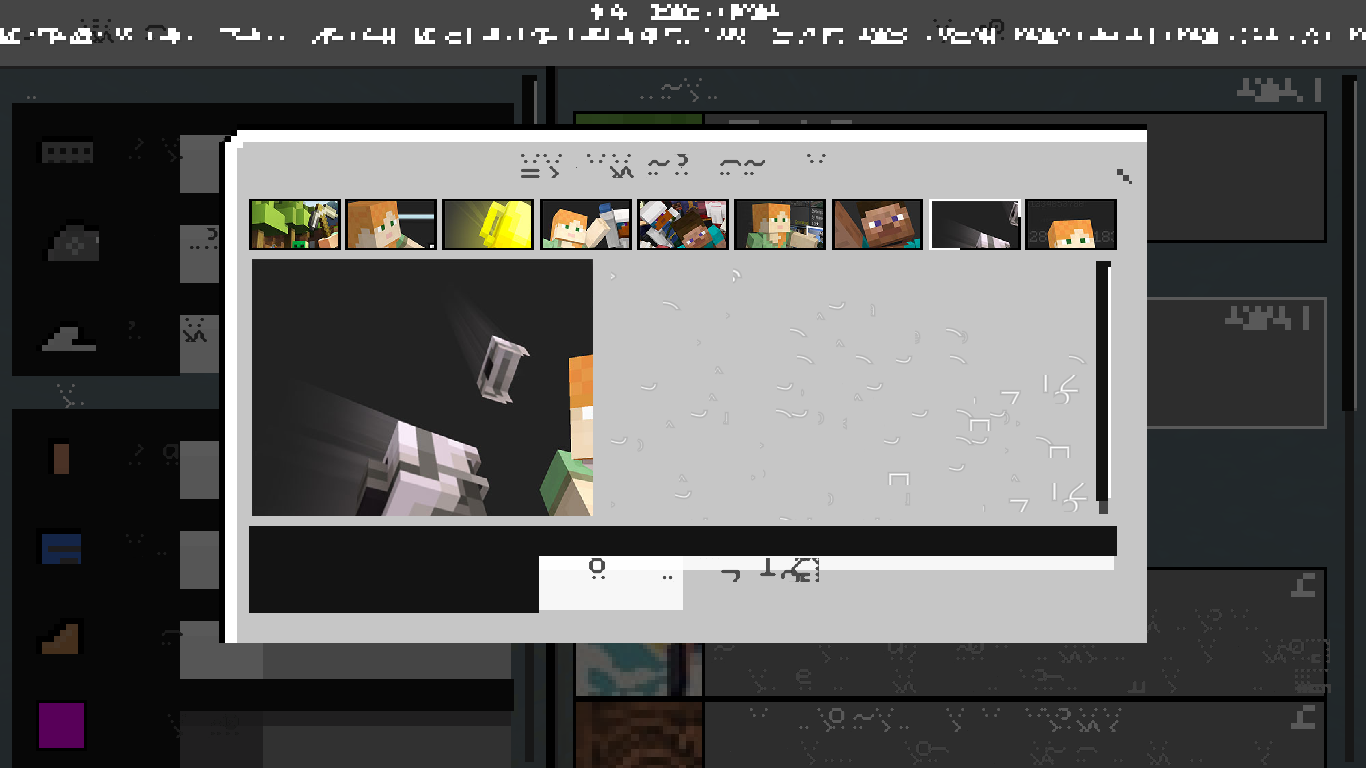
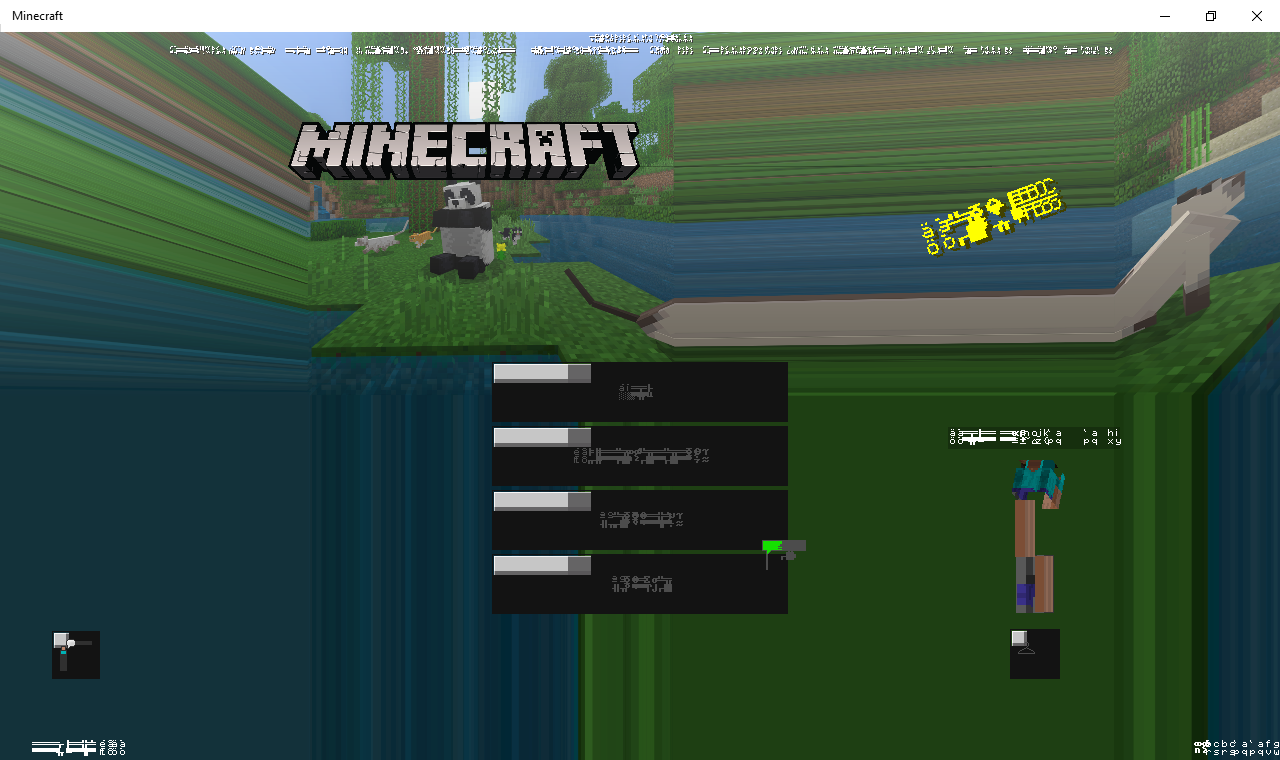
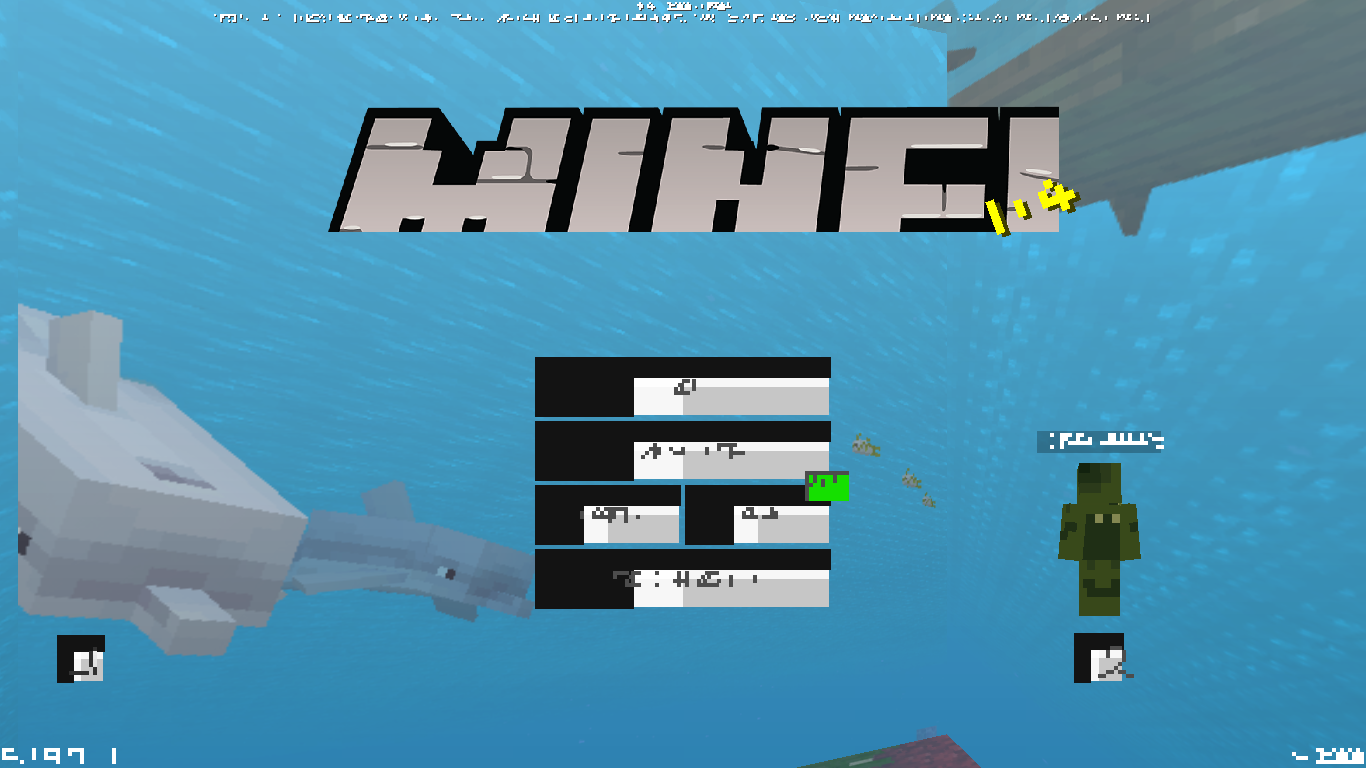
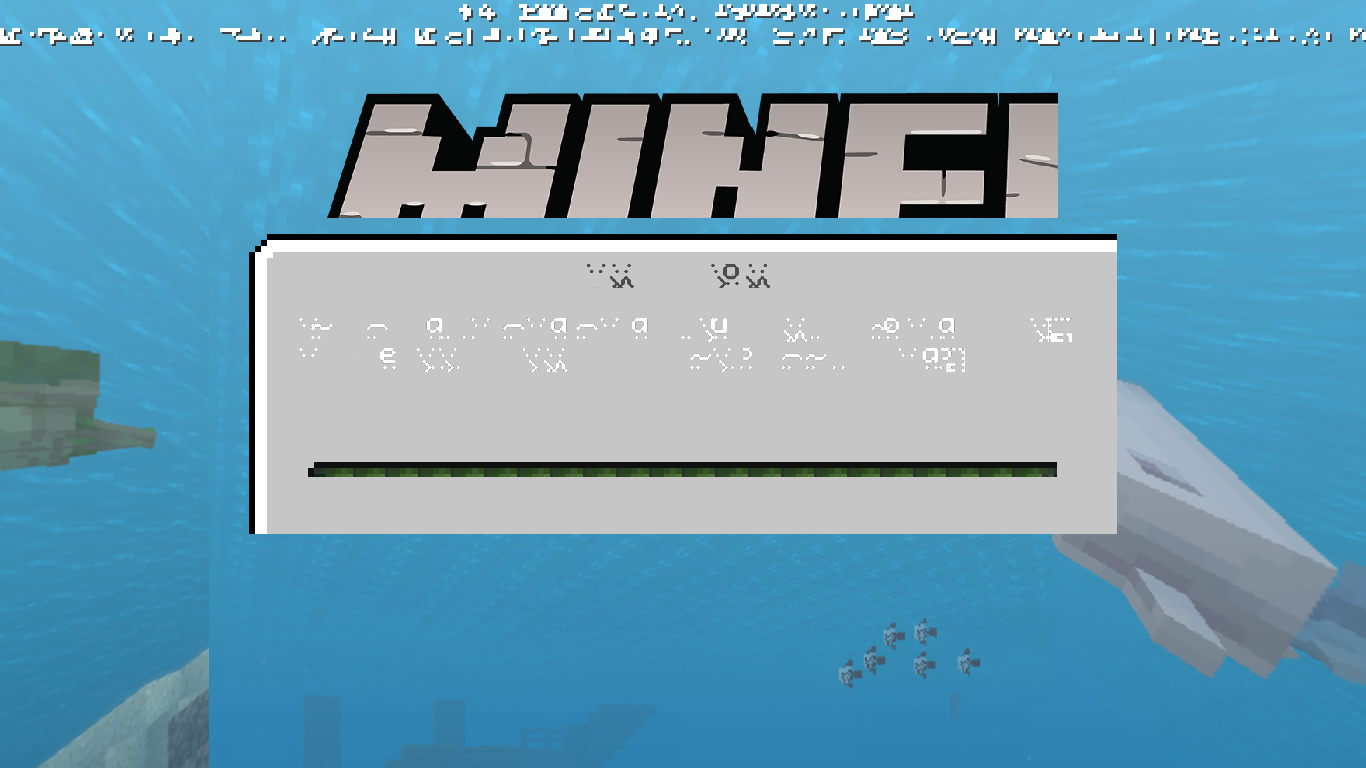
The textures are broken for my game, i tried reinstalling 3 times nothing worked
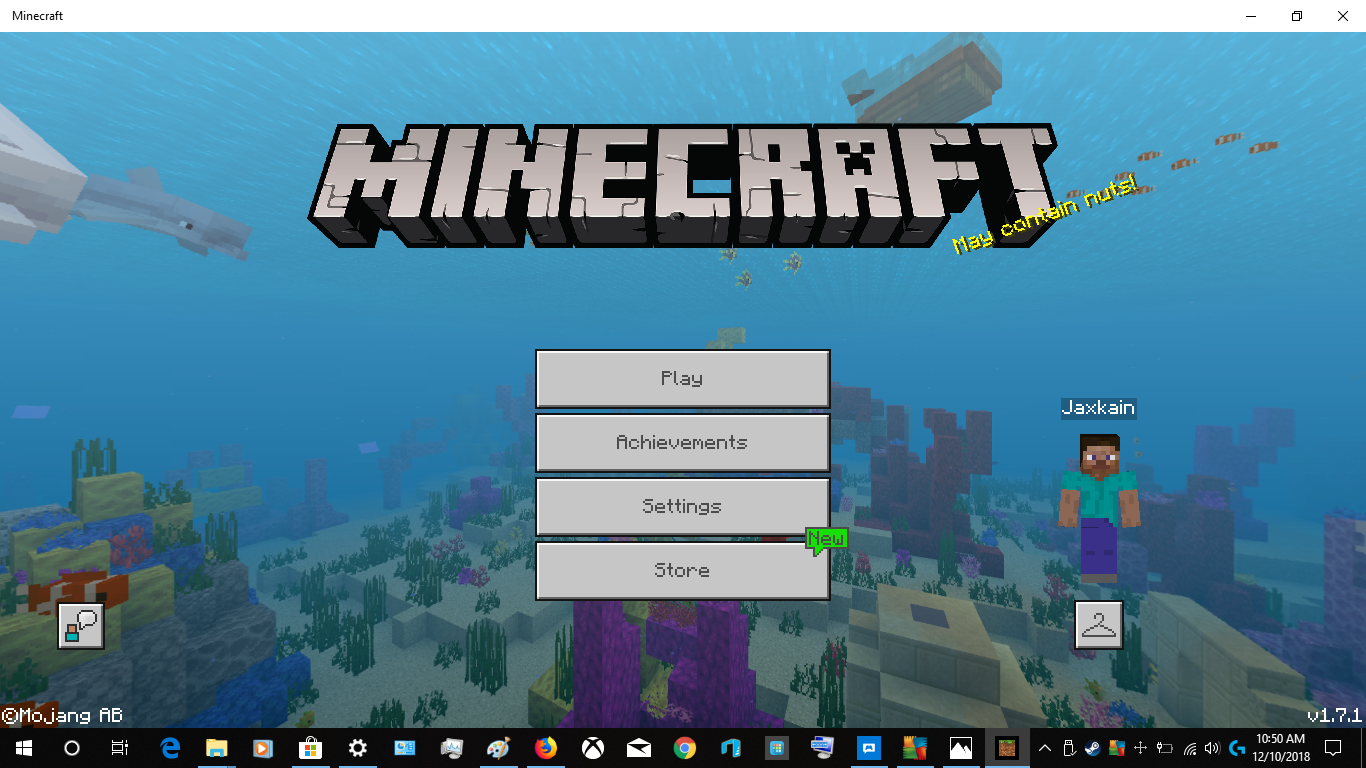
Im not using any resource packs, heres an example (Trial version)
so i had 1.8.0.14, i tried to update and this happened
i've literally tried everything
Linked Issues
is duplicated by28
 MCPE-39076Minecraft 1.9 beta doesn't workDuplicateMCPE-39107bug textureDuplicateMCPE-39108The whole screen is blown up like in zoom when i load the game.DuplicateMCPE-39118New 1.9.0.0 minecraft menu bugDuplicateMCPE-39119All of the textures are a mess and are glitched and the letters are replaced with letters on the enchantment table my skin is glitched the textures are glitched please help sorry for my poor englishDuplicateMCPE-39140bug textureDuplicateMCPE-39154textures are glitchedDuplicateMCPE-39158Textures And FullscreenDuplicateMCPE-39207The MCPE Beta 1.9.0.0 messed up texturesDuplicateMCPE-39222Texture CorruptionDuplicateMCPE-39269Every Texture in the Beta Version is BrokenDuplicateMCPE-39314Menu/game textures not loading correctlyDuplicateMCPE-39394When I open Minecraft Windows 10 the title screen and the other textures go crazyDuplicateMCPE-39419bugged canvas DuplicateMCPE-39512Serious visual error in the gameDuplicateMCPE-39533Texturas rotasDuplicateMCPE-39535Minecraft Windows 10 graphical bug!DuplicateMCPE-39540Textura travada no Minecraft *BETA* Windows 10 EditionDuplicateMCPE-39557Texture Bug MCWin10 1.9.0.0,1.9.2.0,1.9.3.0DuplicateMCPE-39604Broken texturesDuplicateMCPE-39616Beta doesn't workDuplicateMCPE-39632I don't knowDuplicateMCPE-39669Textures problems, Problema de texturasDuplicateMCPE-39796Bug de texturas en la 1.9.3.0DuplicateMCPE-39947HELP! texture error throughout the gameDuplicateMCPE-40284Textures totally glitched outDuplicateMCPE-41052Graphics issue (anywhere in game)DuplicateMCPE-41115totally buggedDuplicate
Attachments33
















Created Issue:
Broken textures for some windows 10 devices
The textures are broken for my game, i tried reinstalling 3 times nothing worked
Im not using any resource packs, heres an example (Trial version)
so i had 1.8.0.14, i tried to update and this happened
Attachments4
The textures are broken for my game, i tried reinstalling 3 times nothing worked
Im not using any resource packs, heres an example (Trial version)
so i had 1.8.0.14, i tried to update and this happened
i've literally tried everything
is duplicated by
![[Mod] Asteraoth](../../../data/avatars/users/92886.png)
is duplicated by
is duplicated by
is duplicated by

is duplicated by
is duplicated by
![[Mojang] Mega_Spud (Jay Wells)](../../../data/avatars/users/92696.png)
is duplicated by
is duplicated by
is duplicated by
is duplicated by
![[MCPE Mod] Celesian](../../../data/avatars/users/81635.png)
is duplicated by
is duplicated by
is duplicated by
is duplicated by
is duplicated by
is duplicated by
is duplicated by
relates to
is duplicated by
is duplicated by

how did you do it? Explain step by step
![[Mod] Neko](../../../data/avatars/users/92901.png)
is duplicated by
is duplicated by
Thank you for your report!
However, this issue is a Duplicate of MCPE-39081.
If you have additional information, please add it to that report.
Note: Although this report was submitted first, I have chosen to track this issue using MCPE-39081 because it was screenshots that show additional parts of the game that are affected.
Quick Links:
📓 Issue Guidelines – 💬 Community Support – 📧 Customer Support – 📖 Game Wiki
Thank you for your report!
However, this issue is a Duplicate of MCPE-39081.
If you have additional information, please add it to that report.
Please search before reporting, as it's likely that one exists already.
Quick Links:
📓 Issue Guidelines – 💬 Community Support – 📧 Customer Support – 📖 Game Wiki
Thank you for your report!
However, this issue is a Duplicate of MCPE-39081.
If you have additional information, please add it to that report.
Please search before reporting, as it's likely that one exists already.
Quick Links:
📓 Issue Guidelines – 💬 Community Support – 📧 Customer Support – 📖 Game Wiki
Thank you for your report!
However, this issue is a Duplicate of MCPE-39081.
If you have additional information, please add it to that report.
Please search before reporting, as it's likely that one exists already.
Quick Links:
📓 Issue Guidelines – 💬 Community Support – 📧 Customer Support – 📖 Game Wiki
Thank you for your report!
However, this issue is a Duplicate of MCPE-39081.
If you have additional information, please add it to that report.
Please search before reporting, as it's likely that one exists already.
Quick Links:
📓 Issue Guidelines – 💬 Community Support – 📧 Customer Support – 📖 Game Wiki
Thank you for your report!
However, this issue is Invalid.
Bug reports are only accepted in English, sorry.
Most likely you are encountering this issue: MCPE-39081. Please add any additional information to the comment section (in English).
Quick Links:
📓 Issue Guidelines – 💬 Community Support – 📧 Customer Support – 📖 Game Wiki
Thank you for your report!
However, this issue is a Duplicate of MCPE-39081.
If you have additional information, please add it to that report.
Please search before reporting, as it's likely that one exists already.
Quick Links:
📓 Issue Guidelines – 💬 Community Support – 📧 Customer Support – 📖 Game Wiki
Thank you for your report!
However, this issue is a Duplicate of MCPE-39081.
If you have additional information, please add it to that report.
Please search before reporting, as it's likely that one exists already.
Quick Links:
📓 Issue Guidelines – 💬 Community Support – 📧 Customer Support – 📖 Game Wiki
Thank you for your report!
However, this issue is a Duplicate of MCPE-39081.
If you have additional information, please add it to that report.
Please search before reporting, as it's likely that one exists already.
Quick Links:
📓 Issue Guidelines – 💬 Community Support – 📧 Customer Support – 📖 Game Wiki
Thank you for your report!
However, this issue has been closed as a Duplicate of MCPE-39081.
Please add a vote and any new information to the main ticket, which will be updated accordingly.
If you have not, you might like to make use of the search feature before making a new ticket, as it's likely that the issue has been reported already.
Quick Links:
📓 Issue Guidelines – 💬 Community Support – 📧 Feedback – 📖 Game Wiki
Thank you for your report!
However, this issue has been closed as a Duplicate of MCPE-39081.
Please add a vote and any new information to the main ticket, which will be updated accordingly. (PC/GPU specs would be helpful.)
Quick Links:
📓 Issue Guidelines – 💬 Community Support – 📧 Feedback – 📖 Game Wiki
Thank you for your report!
However, this issue has been closed as a Duplicate of MCPE-39081.
Please add a vote and any new information to the main ticket, which will be updated accordingly.
If you have not, you might like to make use of the search feature before making a new ticket, as it's likely that the issue has been reported already.
Quick Links:
📓 Issue Guidelines – 💬 Community Support – 📧 Feedback – 📖 Game Wiki
Thank you for your report!
However, this issue is a Duplicate of MCPE-39081.
If you have additional information, please add it to that report.
Please search before reporting, as it's likely that one exists already.
Quick Links:
📓 Issue Guidelines – 💬 Community Support – 📧 Customer Support – 📖 Game Wiki

Duplicate of MCPE-39081, it is something to do with DirectX12 compatibility.
Thank you for your report!
However, this issue is a Duplicate of MCPE-39081.
If you have additional information, please add it to that report.
Please search before reporting, as it's likely that one exists already.
Quick Links:
📓 Issue Guidelines – 💬 Community Support – 📧 Customer Support – 📖 Game Wiki
Duplicate of MCPE-39081. Please note that bug reports are only accepted in English.

Thank you for your report!
However, this issue is a Duplicate of MCPE-39081.
If you have additional information, please add it to that report.
Please search before reporting, as it's likely that one exists already.
Quick Links:
📓 Issue Guidelines – 💬 Community Support – 📧 Customer Support – 📖 Game Wiki
Duplicate of MCPE-39081
I'm glad you were able to get the game working. I'll close the ticket as cannot reproduce for now. Some users are still experiencing a similar issue at MCPE-39081, so I will suggest they try reinstalling the game too.
I think this is possibly the same issue as MCPE-39081, a screenshot would help us to verify if it is.
Thank you for your report!
However, this issue is a Duplicate of MCPE-39081.
If you have additional information, please add it to that report.
Please search before reporting, as it's likely that one exists already.
Quick Links:
📓 Issue Guidelines – 💬 Community Support – 📧 Customer Support – 📖 Game Wiki
Thank you for your report!
However, this issue is a Duplicate of MCPE-39081.
Thanks for adding the screenshot, so we can verify it is the same issue!
If you have additional information, please add it to that report.
Quick Links:
📓 Issue Guidelines – 💬 Community Support – 📧 Customer Support – 📖 Game Wiki
Sounds like MCPE-39081.
Thank you for your report!
However, this issue has been closed as a Duplicate of MCPE-39081
It has been linked to this report. If you have additional information, please add it to that report.
Please search before reporting, as it's likely that one exists already.
Quick Links:
📓 Issue Guidelines – 💬 Community Support – 📧 Customer Support – 📖 Game Wiki
Thank you for your report!
However, this issue is a Duplicate of MCPE-39081.
If you have additional information, please add it to that report.
Please search before reporting, as it's likely that one exists already.
Quick Links:
📓 Issue Guidelines – 💬 Community Support – 📧 Customer Support – 📖 Game Wiki
Thank you for your report!
However, this issue has been closed as a Duplicate of MCPE-39081
It has been linked to this report. If you have additional information, please add it to that report.
Please search before reporting, as it's likely that one exists already.
Quick Links:
📓 Issue Guidelines – 💬 Community Support – 📧 Customer Support – 📖 Game Wiki
Thank you for your report!
However, this issue is a Duplicate of MCPE-39081.
If you have additional information, please add it to that report.
Please search before reporting, as it's likely that one exists already.
Quick Links:
📓 Issue Guidelines – 💬 Community Support – 📧 Customer Support – 📖 Game Wiki
Thank you for your report!
This issue is a Duplicate of MCPE-39081.
The supplied information has been linked.
If you have additional information, please add it to MCPE-39081.
Quick Links:
📓 Issue Guidelines – 💬 Community Support – 📧 Customer Support – 📖 Game Wiki
Thank you for your report!
However, this issue is a Duplicate of MCPE-39081.
If you have additional information, please add it to that report.
Please search before reporting, as it's likely that one exists already.
Quick Links:
📓 Issue Guidelines – 💬 Community Support – 📧 Customer Support – 📖 Game Wiki
Thank you for your report!
However, this issue is a Duplicate of MCPE-39081.
If you have additional information, please add it to that report.
Please search before reporting, as it's likely that one exists already.
Quick Links:
📓 Issue Guidelines – 💬 Community Support – 📧 Customer Support – 📖 Game Wiki
Happened to me too
same happened to me.
To me too.
Same For me
i cant play with my aunt because of this. we are both windows 10 and its only happening to me
Same for me. First my windows 10 tower gets the bug and erases minecraft from the tower and then the update beta 1.9.0.0 graphic bug. What else could go wrong. Don't have internet at the house. i think we'll have to wait for the next beta update for this problem to be fixed for windows 10 minecraft.
Same But When My Game Opens My Screen Is Closing!
same happened to me.
I have this issue also. I play Win10 and have uninstalled, reinstalled, restarted, etc. Issue does not seem to affect MCPE on android tablet.
Are you able to provide information about your PC and graphics?
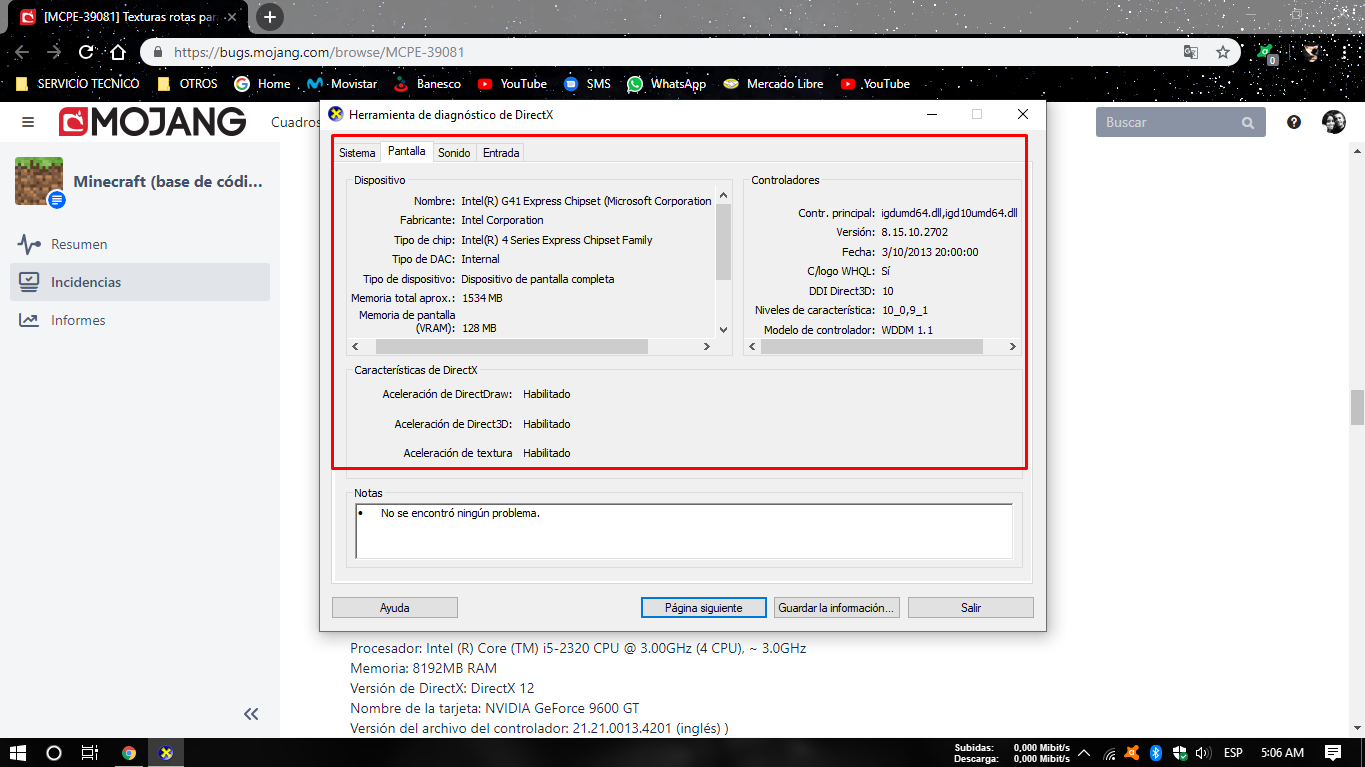
(RAM, CPU, GPU spec) If you like you can run dxdiag and copy the relevant information from there. (Win+R → dxdiag) - be sure to remove any personal information, just the PC specs would be useful.
Dell studio 1569
6gb ram ddr3
Intel core i5 450m 2.40GHz 2 cores 4 threads
Intel hd graphics
It's like they took a sticker made it bigger and put it on something small. Or changed one number but forgot to change the other number screwing things up.
Processor: Intel(R) Core(TM) i5-2320 CPU @ 3.00GHz (4 CPUs), ~3.0GHz
Memory: 8192MB RAM
DirectX Version: DirectX 12
Card name: NVIDIA GeForce 9600 GT
Driver File Version: 21.21.0013.4201 (English)
I, too, am experiencing this issue, and my specs are as follows
CPU: Intel Pentium Dual-Core
GPU: Mobile Intel Express Family Chipset
DirectX Version: DirectX12
Memory: 3072MB RAM
Any additional information required I will gladly contribute upon request
Confirmed. I have been experimenting with this issue and I may have found a pattern.
As you can tell by the information above it has something to do with DirectX12.
Jonathan Hanzel, how do I fix it, then? Just use any DX version but 12? Bc my hardware runs DX12, but doesn’t natively support it, and it still happens to me
You are going to have to use a computer that does not run DirextX12 (which is a negative thing about this issue)
Dx12 is not listed as a requirement for this application it will be fixed don't worry about switching to any other computer don't worry about what these other people on here are saying about you have to get a better computer just ignore what people are saying and weight as long as Microsoft support DirectX 12 with Windows 10 so will Mojang
Reminder. This isn't a discussion board as Mega_Spud will remind you. I haven't seen this yet but will see about it after updating on Windows 10.
I'm now on 1.9.0.2 and it still looks the same. Also, what if my system doesn't detect the latest update for DX12 if/when it comes out?
Still broken.
One of my theorys is what if we are getting an update ment for a different system? Just a tought. I could be wrong though. Or different region.
I tried reinstalling the drivers, and the same issue occurred, but uninstalling them and having it default to(in my case) the basic adapter actuallyallowed it to run fine, but upon starting a world or importing a skin/world, it would say "import failed", and upon starting a new world, the game would load just fine, then crash
If you haven't already, could you please add more information about your specific device so that we can try and reproduce the problem?
O mesmo para mim.


O meu é um Dell Vostro, Intel Core Duo. 64bits
I have the same problem, this is my device information, so I bought Minecraft and I dont wanna lose my money , please fix it
As a workaround, some users have found that reinstalling the game has fixed the issue for them (see
MCPE-39217)Before doing so, please back up any data you don't want to lose, then try the following:
Sometimes a clean install of the game will help with these kind of issues.
You might find the following links helpful:
Quick Links:
📓 Issue Guidelines – 💬 Community Support – 📧 Feedback – 📖 Game Wiki
Mega_Spud, anyway. Just reinstalling will fix the texture but will return the problem if you put the beta again in minecraft (windows 10 edition).
So could you please explain what caused the issue in the first place? Was it upgrading from a non beta version to the beta? Or does it happen after re-installing the same beta version?
To tell you the truth I do not know what caused it but I believe that in Minecraft Pocket Edition there is this problem. So I think it was a bug in incompatibility of the Beta with Windows 10.
Could you also include whether you had any texture packs installed or applied, in case they were affecting the scaling somehow? Thanks for all the extra information in trying to pin down this issue!
I do not have texture packs, I do not even know how to put it . I have almost made no modifications before and after installing Beta (Create worlds only). I hope you can help.
No textures packs.
Uhum .
.
It can be reproduced on a Dell Optiplex 780
what caused this problem for me was updating to 1.9.0.0 beta. i unenroll and go back to the regular version of minecraft and everything is fine. i enroll in the beta and the graphics are messed up. still there in 1.9.0.3
Rodolfo Izquierdo: Please stop adding additional screenshots. We have more than enough.
This issue has been reported to the developers for a fix. No fix date can is available at this time.
After investigating the issue, it turns out that the issue is caused by DirectX12 rendering. My guess is that they were going to introduce DirectX12 support in 1.9, instead of the game not taking advantage of DirectX12 like the latest official release, 1.8.
Todos los gráficos del juego (incluida la interfaz) se ven muy mal, parece que las texturas están más grandes de lo normal imposible jugar la letras están amplias se parecen al tablero de encantamientos,
En algunos casos ni siquiera aparecen las texturas solo en NEGRO
Multiplying all texture coordinates by 2 in the shaders (PSInput.uv *= 2) fixes the problem.
But we do not know how to do this unfortunately .
.
shaderfix.mcpack
This pack should allow you to play.
It's only a workaround, not a real fix!
DO NOT USE THIS PACK IF YOU DON'T HAVE THIS BUG!
The workaround has to be applied to each shader separately and i might have missed something, do not expect it to be perfect!
There is a problem...
Does this happen on 1.8? I might consider rolling back.
I don't see any reports of this bug in 1.8 above, though most people don't mention what version they're using, so that's not a very reliable predictor. However, we haven't been able to reproduce this issue, so we don't have much of an idea how to work around it. It seems to only affect certain configurations, probably something to do with hardware or having an up-to-date copy of Windows 10.
This appears to be a problem with scaling the UI to fit the screen. It just occurred to me that the Video setting "Change Screen Safe Area" controls that pretty directly. Try setting it to 100%; it might actually fix the problem. Other video settings that might affect it are FOV (60.0 is the standard) and Fancy Graphics. These are easy things to try, so I would try them before leaving the beta (unless you'd rather leave the beta anyway).
abc55 - shaderfix.mcpack this does not work in this new version ... could someone tell me how to shot the beta?
I already tried but I can not at all. https://bugs.mojang.com/secure/ViewProfile.jspa?name=abc55
I was able to solve the issue by disabling DirectX12 usage alltogether. From what I can tell the issue might be caused by DirectX12 compatibility with 1.9, since 1.8 does not take advantage of DirectX12, that would be my guess. However, I might not be correct about that, so don't take all of this to use it as a workaround
@José Victor Brito de Jesus
Has it ever worked for you? Does applying the pack change something? Did you add it to global resources?
Jonathan Hanzel
how did you do it? Explain step by step
I have a friend with this exact problem, he uses a 9400GT which is limited to DX10.
I, on other hand, have a RX 560 with DX12 support and my game runs without any problem with the latest beta installed. 🤔
This problem is not caused by any resource pack. It's a bug in the rendering code.
The rendering code passes wrong texture coordinates (half of the correct value) to shaders on some devices. Multiplying all coordinates by two in shaders makes it render correctly, which is what this pack does: shaderfix.mcpack
If the pack doesn't make it render correctly, please tell us and share the details: how does the pack change the rendering (if the pack doesn't change anything, you almost certainly didn't apply it correctly).
abc55. That shader fixed it right up. thank you so much. By the way while this shader is a wonderful fix it should be temporary. So now that the admins know that it is a texture problem they should fix it so that we don't need the shader anymore. though really thank you abc55 that really helped a lot.
"@José Victor Brito de Jesus
Has it ever worked for you? Does applying the pack change something? Did you add it to global resources?"
First of all, it worked perfectly as you predicted, but from time to time, the screen started to shake and as this occurs I will not be able to send a photo for you to check In addition, only two images appear in an infinite frame loop ...
Is anyone having this issue in 1.9.0.5?
I've had something kinda like that happen to me a while ago on my kindle fire. https://bugs.mojang.com/browse/MCPE-38710?filter=-2
Jonathan Hanzel I have the 1.9.0.5
abc55 como faz o minecraft carregar automáticamente o shader quando abre?
Sorry, i don't speak your language. You can ask me in english or czech.
Same, it's even still present when i downgrade. Game is completely unplayable.
MODS PLEASE TRY TO FIX THAT !
this problem happened to me just on beta's version, and i think this happened to intel's GPU
for me there no way to fix without fix it by developpers in newest version
ask me what you want to help you fix it....
@Mega_Spud @Auldrick
its WIRKED FOR ME WITH THIS TEXTURE PACK THANK YOU SO MUCH @abc55
It seems that this is fixed in 1.10
For anyone who used my shader pack, you need to remove the shader pack after updating. Otherwise, this will happen:
ok thank you @abc55
Cuando saldria disponible la 1.10 no e jugado para nada minecraft en windows 10
Is this bug still affecting anyone in 1.9.0?
@Mega_Spud Ya i m still using 1.9.0 on windows 10 and the problem still there, and i m just using the @abc55 texture pack..
If you have the pack enabled and you see this, you need to disable the pack
MarwanEA could you pleas confirm whether you are still seeing the bug in 1.9.0 after removing any packs?
@Mega_Spud sure !!
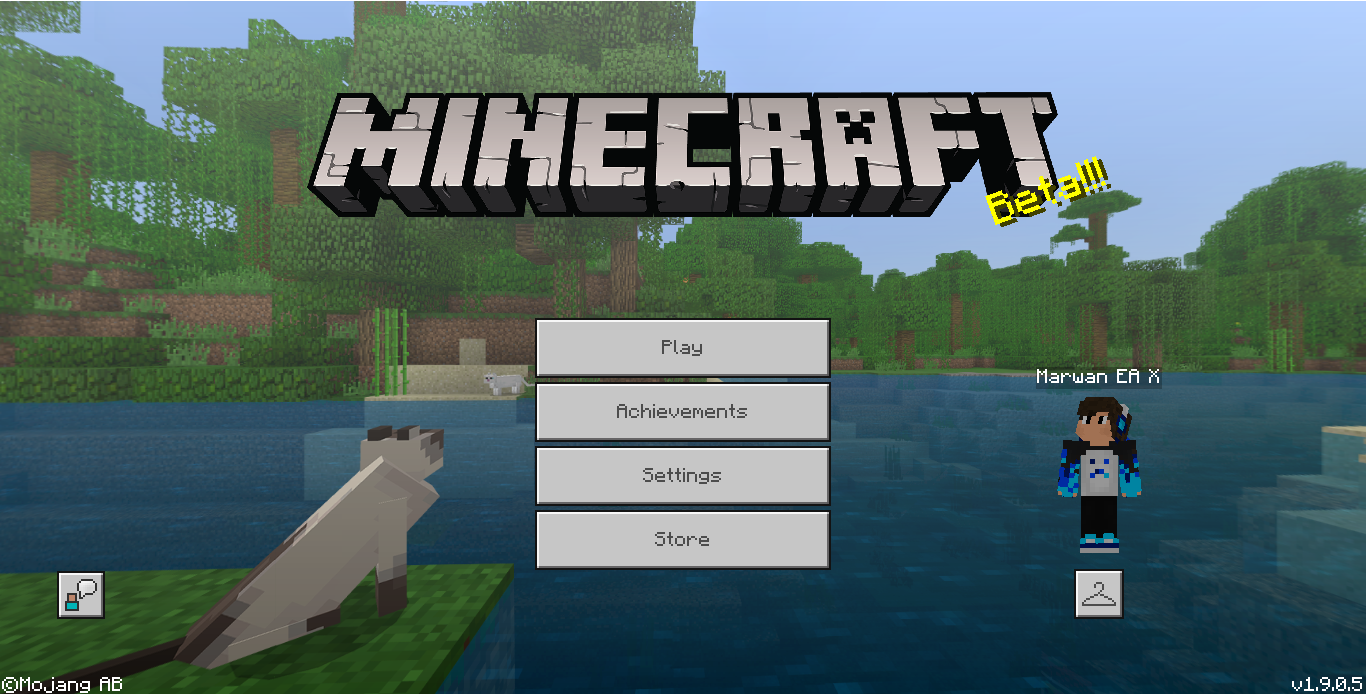
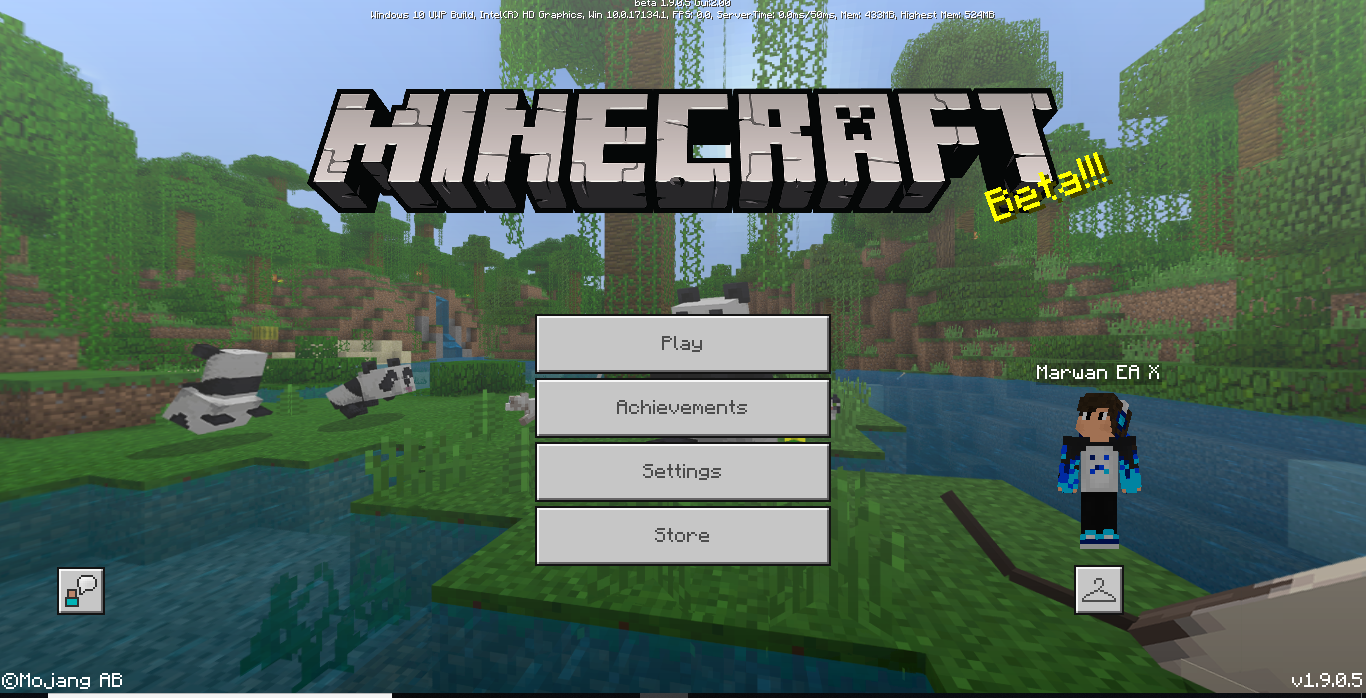
with the pack :
taking off the pack :
Ok thanks - we'd need you to test it in the 1.9.0 non-beta version without packs - it should be fixed in that version.
(Please be aware that updating to the 1.11 beta is likely to cause an error loading the game currently due to
MCPE-42317.)I'll leave it up to you, but information about joining and leaving the beta can be found here:
https://feedback.minecraft.net/hc/en-us/articles/360004438671-How-to-Join-and-leave-the-Minecraft-Beta
i would like to help you , but i don't know how to return back to old version :/ if you need more help you are welcome
This issue is fixed in 1.10 (for some reason my account did not get 1.10.0 but got 1.10.1, so sorry for the late confirmation)