 Jonathan Hanzel
- Jonathan5733
- jonathan5733
- America/Phoenix
- Yes
- No
 MCPE-20131MCPE-38283MCPE-99377MCPE-106662MCPE-151510MCPE-152173MCPE-152854









 MCD-5289




 MC-224134
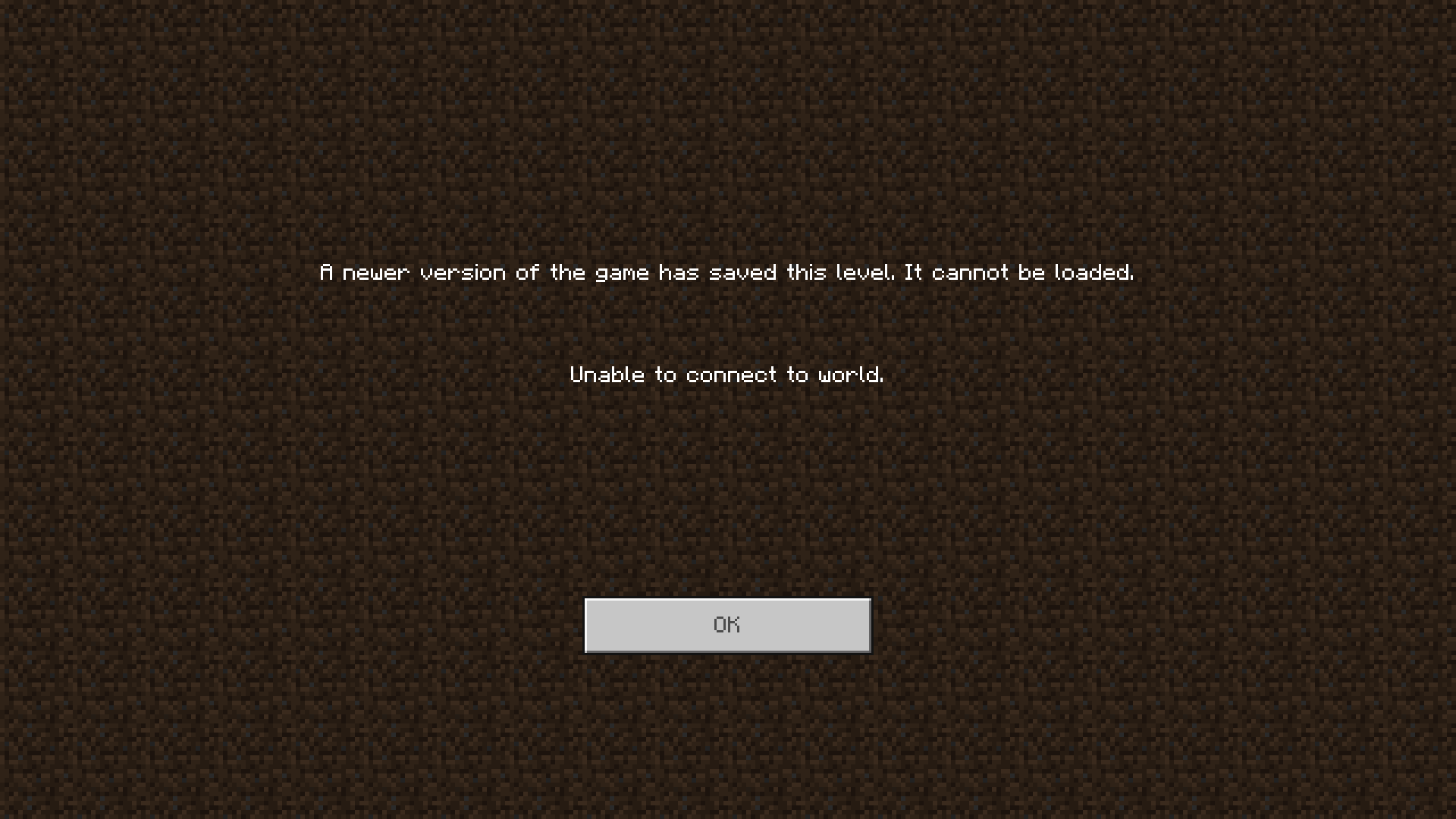

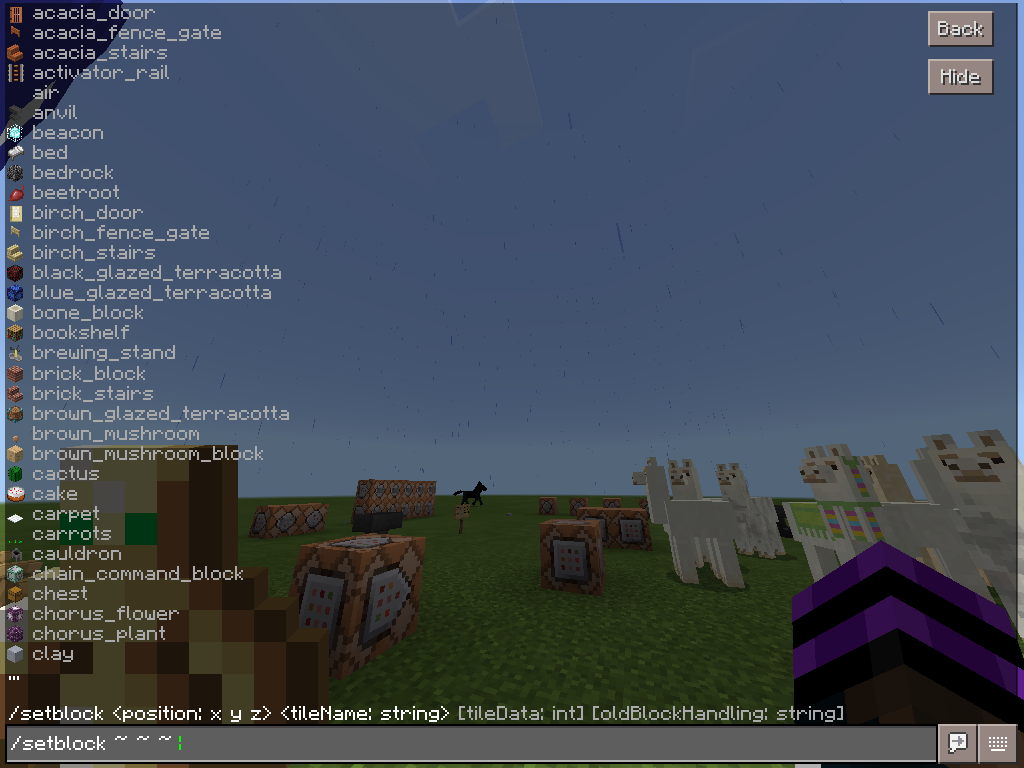
Earlier today I was playing on my survival Realm and I spotted a creeper in the spawn river, I then ran the command /give @p diamond_sword but the game crashed and it didn't give me the sword, at first I thought it was the texture pack so I turned off the texture pack and then logged onto my Realm and ran the command again but the same thing happened, so then I turn the resorce pack back on and then change the UI to Pocket and ran the command again, it functioned the way it should, then I swiched back to the Classic UI and tried giving other things, went to other worlds, tried using /give to give me items, I even tested the diamond sword but the game didn't crash, I then went to another Xbox Live account that I added to the Realm and ran the command and the same thing happened, I didn't test it on a different device, so I'm sure it only affects the device I'm running
[EDIT 1] It only works when giving yourself one through the same account, I tried two different accounts on at the same time, and I didn't have this issue
This one is a hard one to explain, and possibly a duplicate.
When I'm moving around sometimes the controls will become unresponsive and I will keep moving around (e.g. I'm holding W on my computer keyboard to move forward, when I release W and swipe right on the touchpad to look to the left I still move forward for up to 15 seconds and don't look left.) This is a big problem because you can end up going to the wrong place especially on servers with portals, because you can end up going to the wrong gamemode.
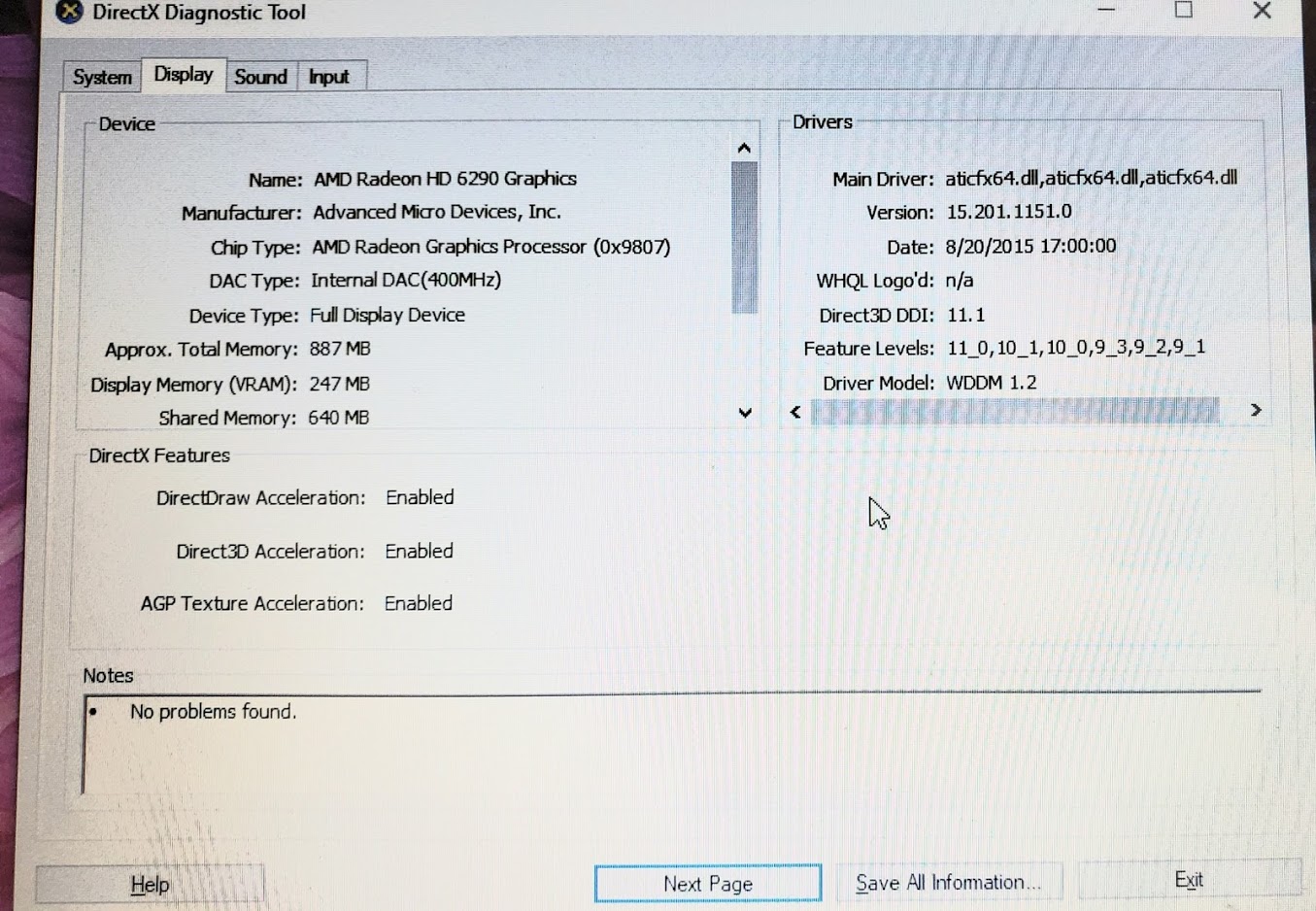
I suspect my laptop hardware might be a part of this, I am playing on an Acer Aspire One AO722 that initially shipped with Windows 7 Home Premium but now runs Windows 10 Home version 1709 build 16299.192, it has an x64-based AMD C-60 APU with Radeon(tm) HD Graphics 1.00 GHz, has 2GB of DDR3 RAM, and a 64-bit version of Windows.
This only affects Minecraft Bedrock, Minecraft Java edition is not affected.Control options affected:
Touch
Controller
This one is a hard one to explain, and possibly a duplicate.
When I'm moving around sometimes the controls will become unresponsive and I will keep moving around (e.g. I'm holding W on my computer keyboard to move forward, when I release W and swipe right on the touchpad to look to the left I still move forward for up to 15 seconds and don't look left.) This is a big problem because you can end up going to the wrong place especially on servers with portals, because you can end up going to the wrong gamemode.
I suspect my laptop hardware might be a part of this, I am playing on an Acer Aspire One AO722 that initially shipped with Windows 7 Home Premium but now runs Windows 10 Home version 1709 build 16299.192, it has an x64-based AMD C-60 APU with Radeon(tm) HD Graphics 1.00 GHz, has 2GB of DDR3 RAM, and a 64-bit version of Windows.This only affects Minecraft Bedrock, Minecraft Java edition is not affected.
Control optionsaffected:
Touch
Mouse & Keyboard
ControllerThis one is a hard one to explain, and possibly a duplicate.
When I'm moving around sometimes the controls will become unresponsive and I will keep moving around (e.g. I'm holding W on my computer keyboard to move forward, when I release W and swipe right on the touchpad to look to the left I still move forward for up to 15 seconds and don't look left.) This is a big problem because you can end up going to the wrong place especially on servers with portals, because you can end up going to the wrong gamemode.
I am playing on an Acer Aspire One AO722 that initially shipped with Windows 7 Home Premium but now runs Windows 10 Home version 1709 build 16299.192, it has an x64-based AMD C-60 APU with Radeon(tm) HD Graphics 1.00 GHz, has 2GB of DDR3 RAM, and a 64-bit version of Windows.Control options affected:
Minecraft Versions Affected:
Other versions are not listed because Bedrock has not been released for it, or one of the affected versions have not been released for it
This one is a hard one to explain, and possibly a duplicate.
When I'm moving around sometimes the controls will become unresponsive and I will keep moving around (e.g. I'm holding W on my computer keyboard to move forward, when I release W and swipe right on the touchpad to look to the left I still move forward for up to 15 seconds and don't look left.) This is a big problem because you can end up going to the wrong place especially on servers with portals, because you can end up going to the wrong gamemode.
I am playing on an Acer Aspire One AO722 that initially shipped with Windows 7 Home Premium but now runs Windows 10 Home version 1709 build 16299.192, it has an x64-based AMD C-60 APU with Radeon(tm) HD Graphics 1.00 GHz, has 2GB of DDR3 RAM, and a 64-bit version of Windows.Control options affected:
Question marks on the list above and the list below mean the option has not been testedMinecraft Versions Affected:
Other versions are not listed above because Bedrock has not been released for it, or one of the affected versions have not been released for it
This one is a hard one to explain, and possibly a duplicate.
When I'm moving around sometimes the controls will become unresponsive and I will keep moving around (e.g. I'm holding W on my computer keyboard to move forward, when I release W and swipe right on the touchpad to look to the left I still move forward for up to 15 seconds and don't look left.) This is a big problem because you can end up going to the wrong place especially on servers with portals, because you can end up going to the wrong gamemode.
I am playing on an Acer Aspire One AO722 that initially shipped with Windows 7 Home Premium but now runs Windows 10 Home version 1709 build 16299.192, it has an x64-based AMD C-60 APU with Radeon(tm) HD Graphics 1.00 GHz, has 2GB of DDR3 RAM, and a 64-bit version of Windows.Control options affected:
Question marks on the list above and the list below mean the option has not been testedMinecraft Versions Affected:
Other versions are not listed above because Bedrock has not been released for it, or one of the affected versions have not been released for it
This one is a hard one to explain, and possibly a duplicate.
When I'm moving around sometimes the controls will become unresponsive and I will keep moving around (e.g. I'm holding W on my computer keyboard to move forward, when I release W and swipe right on the touchpad to look to the left I still move forward for up to 15 seconds and don't look left.) This is abig problem because you can end up going to the wrong place especially on servers with portals, because you can end up going to the wrong gamemode.
I am playing on an Acer Aspire One AO722 that initially shipped with Windows 7 Home Premium but now runs Windows 10 Home version 1709 build 16299.192, it has an x64-based AMD C-60 APU with Radeon(tm) HD Graphics 1.00 GHz, has 2GB of DDR3 RAM, and a 64-bit version of Windows.Control options affected:
Question marks on the list above and the list below mean the option has not been testedMinecraft Versions Affected:
Other versions are not listed above because Bedrock has not been released for it, or one of the affected versions have not been released for itThis one is a hard one to explain, and possibly a duplicate.
When I'm moving around sometimes the controls will become unresponsive and I will keep moving around (e.g. I'm holding W on my computer keyboard to move forward, when I release W and swipe right on the touchpad to look to the left I still move forward for up to 15 seconds and don't look left.) This is a big problem because you can end up going to the wrong place especially on servers with portals, because you can end up going to the wrong gamemode.
I am playing on an Acer Aspire One AO722 that initially shipped with Windows 7 Home Premium but now runs Windows 10 Home version 1709 build 16299.309, it has an x64-based AMD C-60 APU with Radeon(tm) HD Graphics 1.00 GHz, has 2GB of DDR3 RAM, and a 64-bit version of Windows.Control options affected:
Question marks on the list above and the list below mean the option has not been testedMinecraft Versions Affected:
Other versions are not listed above because Bedrock has not been released for it, or one of the affected versions have not been released for it
This one is a hard one to explain, and possibly a duplicate.
When I'm moving around sometimes the controls will become unresponsive and I will keep moving around (e.g. I'm holding W on my computer keyboard to move forward, when I release W and swipe right on the touchpad to look to the left I still move forward for up to 15 seconds and don't look left.) This is a big problem because you can end up going to the wrong place especially on servers with portals, because you can end up going to the wrong gamemode.
I am playing on an Acer Aspire One AO722 that initially shipped with Windows 7 Home Premium but now runs Windows 10 Home version 1709 build 16299.309, it has an x64-based AMD C-60 APU with Radeon(tm) HD Graphics 1.00 GHz, has 2GB of DDR3 RAM, and a 64-bit version of Windows.Control options affected:
Question marks on the list above and the list below mean the option has not been testedMinecraft Versions Affected:
Other versions are not listed above because Bedrock has not been released for it, or one of the affected versions have not been released for itI will record a video of the issue happening once I get a capture card for my laptop (because my laptop hardware that I specified above can not handle the Record clips feature).
This one is a hard one to explain, and possibly a duplicate.
When I'm moving around sometimes the controls will become unresponsive and I will keep moving around (e.g. I'm holding W on my computer keyboard to move forward, when I release W and swipe right on the touchpad to look to the left I still move forward for up to 15 seconds and don't look left.) This is a big problem because you can end up going to the wrong place especially on servers with portals, because you can end up going to the wrong gamemode.
I am playing on an Acer Aspire One AO722 that initially shipped with Windows 7 Home Premium but now runs Windows 10 Home version 1709 build 16299.309, it has an x64-based AMD C-60 APU with Radeon(tm) HD Graphics 1.00 GHz, has 2GB of DDR3 RAM, and a 64-bit version of Windows.Control options affected:
Question marks on the list above and the list below mean the option has not been testedMinecraft Versions Affected:
Other versions are not listed above because Bedrock has not been released for it, or one of the affected versions have not been released for itI will record a video of the issue happening once I get a capture card for my laptop (because my laptop hardware that I specified above can not handle the Record clips feature).
This one is a hard one to explain, and possibly a duplicate.
When I'm moving around sometimes the controls will become unresponsive and I will keep moving around (e.g. I'm holding W on my computer keyboard to move forward, when I release W and swipe right on the touchpad to look to the left I still move forward for up to 15 seconds and don't look left.) This is a big problem because you can end up going to the wrong place especially on servers with portals, because you can end up going to the wrong gamemode.
I am playing on an Acer Aspire One AO722 that initially shipped with Windows 7 Home Premium but now runs Windows 10 Home version 1709 build 16299.309, it has an x64-based AMD C-60 APU with Radeon(tm) HD Graphics 1.00 GHz, has 2GB of DDR3 RAM, and a 64-bit version of Windows.Control options affected:
Question marks on the list above and the list below mean the option has not been testedMinecraft Versions Affected:
Other versions are not listed above because Bedrock has not been released for it, or one of the affected versions have not been released for itI will record a video of the issue happening once I get a capture card for my laptop (because my laptop hardware that I specified above can not handle the Record clips feature).
This one is a hard one to explain, and possibly a duplicate.
When I'm moving around sometimes the controls will become unresponsive and I will keep moving around (e.g. I'm holding W on my computer keyboard to move forward, when I release W and swipe right on the touchpad to look to the left I still move forward for up to 15 seconds and don't look left.) This is a big problem because you can end up going to the wrong place especially on servers with portals, because you can end up going to the wrong gamemode.
I am playing on an Acer Aspire One AO722 that initially shipped with Windows 7 Home Premium but now runs Windows 10 Home version 1709 build 16299.309, it has an x64-based AMD C-60 APU with Radeon(tm) HD Graphics 1.00 GHz, has 2GB of DDR3 RAM, and a 64-bit version of Windows.Control options affected:
Question marks on the list above and the list below mean the option has not been testedMinecraft Versions Affected:
Other versions are not listed above because Bedrock has not been released for it, or one of the affected versions have not been released for itI will record a video of the issue happening once I get a capture card for my laptop (because my laptop hardware that I specified above can not handle the Record clips feature).
When I'm moving around sometimes the controls will become unresponsive and I will keep moving around (e.g. I'm holding W on my computer keyboard to move forward, when I release W and swipe right on the touchpad to look to the left I still move forward for up to 15 seconds and don't look left.) This is a big problem because you can end up going to the wrong place especially on servers with portals, because you can end up going to the wrong gamemode.
I am playing on an Acer Aspire One AO722 that initially shipped with Windows 7 Home Premium but now runs Windows 10 Home version 1709 build 16299.309, it has an x64-based AMD C-60 APU with Radeon(tm) HD Graphics 1.00 GHz, has 2GB of DDR3 RAM, and a 64-bit version of Windows.Control options affected:
Question marks on the list above and the list below mean the option has not been testedMinecraft Versions Affected:
Other versions are not listed above because Bedrock has not been released for it, or one of the affected versions have not been released for itI will record a video of the issue happening once I get a capture card for my laptop (because my laptop hardware that I specified above can not handle the Record clips feature).
When I'm moving around sometimes the controls will become unresponsive and I will keep moving around (e.g. I'm holding W on my computer keyboard to move forward, when I release W and swipe right on the touchpad to look to the left I still move forward for up to 15 seconds and don't look left.) This is a big problem because you can end up going to the wrong place especially on servers with portals, because you can end up going to the wrong gamemode.
I am playing on an Acer Aspire One AO722 that initially shipped with Windows 7 Home Premium but now runs Windows 10 Home version 1709 build 16299.309, it has an x64-based AMD C-60 APU with Radeon(tm) HD Graphics 1.00 GHz, has 2GB of DDR3 RAM, and a 64-bit version of Windows.
[
https://bugs.mojang.com/browse/MCPE-30151?focusedCommentId=448032&page=com.atlassian.jira.plugin.system.issuetabpanels:comment-tabpanel#comment-448032|http://example.com]Control options affected:
Question marks on the list above and the list below mean the option has not been testedMinecraft Versions Affected:
Other versions are not listed above because Bedrock has not been released for it, or one of the affected versions have not been released for itI will record a video of the issue happening once I get a capture card for my laptop (because my laptop hardware that I specified above can not handle the Record clips feature).
When I'm moving around sometimes the controls will become unresponsive and I will keep moving around (e.g. I'm holding W on my computer keyboard to move forward, when I release W and swipe right on the touchpad to look to the left I still move forward for up to 15 seconds and don't look left.) This is a big problem because you can end up going to the wrong place especially on servers with portals, because you can end up going to the wrong gamemode.
I am playing on an Acer Aspire One AO722 that initially shipped with Windows 7 Home Premium but now runs Windows 10 Home version 1709 build 16299.309, it has an x64-based AMD C-60 APU with Radeon(tm) HD Graphics 1.00 GHz, has 2GB of DDR3 RAM, and a 64-bit version of Windows.
[https://bugs.mojang.com/browse/MCPE-30151?focusedCommentId=448032&page=com.atlassian.jira.plugin.system.issuetabpanels:comment-tabpanel#comment-448032|http://example.com]Control options affected:
Question marks on the list above and the list below mean the option has not been testedMinecraft Versions Affected:
Other versions are not listed above because Bedrock has not been released for it, or one of the affected versions have not been released for itI will record a video of the issue happening once I get a capture card for my laptop (because my laptop hardware that I specified above can not handle the Record clips feature).
When I'm moving around sometimes the controls will become unresponsive and I will keep moving around (e.g. I'm holding W on my computer keyboard to move forward, when I release W and swipe right on the touchpad to look to the left I still move forward for up to 15 seconds and don't look left.) This is a big problem because you can end up going to the wrong place especially on servers with portals, because you can end up going to the wrong gamemode.
I am playing on an Acer Aspire One AO722 that initially shipped with Windows 7 Home Premium but now runs Windows 10 Home version 1709 build 16299.309, it has an x64-based AMD C-60 APU with Radeon(tm) HD Graphics 1.00 GHz, has 2GB of DDR3 RAM, and a 64-bit version of Windows.
[
Temp workaround|https://bugs.mojang.com/browse/MCPE-30151?focusedCommentId=448032&page=com.atlassian.jira.plugin.system.issuetabpanels:comment-tabpanel#comment-448032]Control options affected:
Question marks on the list above and the list below mean the option has not been testedMinecraft Versions Affected:
Other versions are not listed above because Bedrock has not been released for it, or one of the affected versions have not been released for itI will record a video of the issue happening once I get a capture card for my laptop (because my laptop hardware that I specified above can not handle the Record clips feature).
When I'm moving around sometimes the controls will become unresponsive and I will keep moving around (e.g. I'm holding W on my computer keyboard to move forward, when I release W and swipe right on the touchpad to look to the left I still move forward for up to 15 seconds and don't look left.) This is a big problem because you can end up going to the wrong place especially on servers with portals, because you can end up going to the wrong gamemode.
I am playing on an Acer Aspire One AO722 that initially shipped with Windows 7 Home Premium but now runs Windows 10 Home version 1709 build 16299.309, it has an x64-based AMD C-60 APU with Radeon(tm) HD Graphics 1.00 GHz, has 2GB of DDR3 RAM, and a 64-bit version of Windows.
[Temp workaround|https://bugs.mojang.com/browse/MCPE-30151?focusedCommentId=448032&page=com.atlassian.jira.plugin.system.issuetabpanels:comment-tabpanel#comment-448032]Control options affected:
Question marks on the list above and the list below mean the option has not been testedMinecraft Versions Affected:
Other versions are not listed above because Bedrock has not been released for it, or one of the affected versions have not been released for itI will record a video of the issue happening once I get a capture card for my laptop (because my laptop hardware that I specified above can not handle the Record clips feature).
When I'm moving around sometimes the controls will become unresponsive and I will keep moving around (e.g. I'm holding W on my computer keyboard to move forward, when I release W and swipe right on the touchpad to look to the left I still move forward for up to 15 seconds and don't look left.) This is a big problem because you can end up going to the wrong place especially on servers with portals, because you can end up going to the wrong gamemode.
I am playing on an Acer Aspire One AO722 that initially shipped with Windows 7 Home Premium but now runs Windows 10 Home version 1709 build 16299.309, it has an x64-based AMD C-60 APU with Radeon(tm) HD Graphics 1.00 GHz, has 2GB of DDR3 RAM, and a 64-bit version of Windows.
Temp workaroundControl options affected:
Question marks on the list above and the list below mean the option has not been testedMinecraft Versions Affected:
Other versions are not listed above because Bedrock has not been released for it, or one of the affected versions have not been released for itI will record a video of the issue happening once I get a capture card for my laptop (because my laptop hardware that I specified above can not handle the Record clips feature).
When I'm moving around sometimes the controls will become unresponsive and I will keep moving around (e.g. I'm holding W on my computer keyboard to move forward, when I release W and swipe right on the touchpad to look to the left I still move forward for up to 15 seconds and don't look left.) This is a big problem because you can end up going to the wrong place especially on servers with portals, because you can end up going to the wrong gamemode.
I am playing on an Acer Aspire One AO722 that initially shipped with Windows 7 Home Premium but now runs Windows 10 Home version 1709 build 16299.309, it has an x64-based AMD C-60 APU with Radeon(tm) HD Graphics 1.00 GHz, has 2GB of DDR3 RAM, and a 64-bit version of Windows.
Temp workaroundControl options affected:
in1.2.20.1)
Question marks on the list above and the list below mean the option has not been testedMinecraft Versions Affected:
in1.2.20.1)
Other versions are not listed above because Bedrock has not been released for it, or one of the affected versions have not been released for itI will record a video of the issue happening once I get a capture card for my laptop (because my laptop hardware that I specified above can not handle the Record clips feature).
When I'm moving around sometimes the controls will become unresponsive and I will keep moving around (e.g. I'm holding W on my computer keyboard to move forward, when I release W and swipe right on the touchpad to look to the left I still move forward for up to 15 seconds and don't look left.) This is a big problem because you can end up going to the wrong place especially on servers with portals, because you can end up going to the wrong gamemode.
I am playing on an Acer Aspire One AO722 that initially shipped with Windows 7 Home Premium but now runs Windows 10 Home version 1709 build 16299.309, it has an x64-based AMD C-60 APU with Radeon(tm) HD Graphics 1.00 GHz, has 2GB of DDR3 RAM, and a 64-bit version of Windows.
Temp workaroundControl options affected:
Question marks on the list above and the list below mean the option has not been testedMinecraft Versions Affected:
Other versions are not listed above because Bedrock has not been released for it, or one of the affected versions have not been released for it.I will record a video of the issue happening once I get a capture card for my laptop (because my laptop hardware that I specified above can not handle the Record clips feature).
1.2.20.1 edit!Xbox One controllers, including Elite controllers, Xbox Design Lab controllers (in available regions), special edition controllers, and 3rd party Xbox One controllers, have all been fixed as of the 1.2.20.1 beta. Other controllers, including
When I'm moving around sometimes the controls will become unresponsive and I will keep moving around (e.g. I'm holding W on my computer keyboard to move forward, when I release W and swipe right on the touchpad to look to the left I still move forward for up to 15 seconds and don't look left.) This is a big problem because you can end up going to the wrong place especially on servers with portals, because you can end up going to the wrong gamemode.
I am playing on an Acer Aspire One AO722 that initially shipped with Windows 7 Home Premium but now runs Windows 10 Home version 1709 build 16299.309, it has an x64-based AMD C-60 APU with Radeon(tm) HD Graphics 1.00 GHz, has 2GB of DDR3 RAM, and a 64-bit version of Windows.
Temp workaroundControl options affected:
Question marks on the list above and the list below mean the option has not been testedMinecraft Versions Affected:
Other versions are not listed above because Bedrock has not been released for it, or one of the affected versions have not been released for it.I will record a video of the issue happening once I get a capture card for my laptop (because my laptop hardware that I specified above can not handle the Record clips feature).
1.2.20.1 edit!Xbox One controllers, including Elite controllers, Xbox Design Lab controllers (in available regions), special edition controllers, and 3rd party Xbox One controllers, have all been fixed as of the 1.2.20.1 beta. Other controllers,
includingWhen I'm moving around sometimes the controls will become unresponsive and I will keep moving around (e.g. I'm holding W on my computer keyboard to move forward, when I release W and swipe right on the touchpad to look to the left I still move forward for up to 15 seconds and don't look left.) This is a big problem because you can end up going to the wrong place especially on servers with portals, because you can end up going to the wrong gamemode.
I am playing on an Acer Aspire One AO722 that initially shipped with Windows 7 Home Premium but now runs Windows 10 Home version 1709 build 16299.309, it has an x64-based AMD C-60 APU with Radeon(tm) HD Graphics 1.00 GHz, has 2GB of DDR3 RAM, and a 64-bit version of Windows.
Temp workaroundControl options affected:
Question marks on the list above and the list below mean the option has not been testedMinecraft Versions Affected:
Other versions are not listed above because Bedrock has not been released for it, or one of the affected versions have not been released for it.I will record a video of the issue happening once I get a capture card for my laptop (because my laptop hardware that I specified above can not handle the Record clips feature).
1.2.20.1 edit!Xbox One controllers, including Elite controllers, Xbox Design Lab controllers (in available regions), special edition controllers, and 3rd party Xbox One controllers, have all been fixed as of the 1.2.20.1 beta. Other controllers, are still affected.
When I'm moving around sometimes the controls will become unresponsive and I will keep moving around (e.g. I'm holding W on my computer keyboard to move forward, when I release W and swipe right on the touchpad to look to the left I still move forward for up to 15 seconds and don't look left.) This is a big problem because you can end up going to the wrong place especially on servers with portals, because you can end up going to the wrong gamemode.
I am playing on an Acer Aspire One AO722 that initially shipped with Windows 7 Home Premium but now runs Windows 10 Home version 1709 build 16299.309, it has an x64-based AMD C-60 APU with Radeon(tm) HD Graphics 1.00 GHz, has 2GB of DDR3 RAM, and a 64-bit version of Windows.
Temp workaroundControl options affected:
Question marks on the list above and the list below mean the option has not been testedMinecraft Versions Affected:
Other versions are not listed above because Bedrock has not been released for it, or one of the affected versions have not been released for it.I will record a video of the issue happening once I get a capture card for my laptop (because my laptop hardware that I specified above can not handle the Record clips feature).
1.2.20.1 edit!Xbox One controllers, including Elite controllers, Xbox Design Lab controllers (in available regions), special edition controllers, and 3rd party Xbox One controllers, have all been fixed as of the 1.2.20.1 beta. Other controllers, are still affected.
When I'm moving around sometimes the controls will become unresponsive and I will keep moving around (e.g. I'm holding W on my computer keyboard to move forward, when I release W and swipe right on the touchpad to look to the left I still move forward for up to 15 seconds and don't look left.) This is a big problem because you can end up going to the wrong place especially on servers with portals, because you can end up going to the wrong gamemode.
I am playing on an Acer Aspire One AO722 that initially shipped with Windows 7 Home Premium but now runs Windows 10 Home version 1709 build 16299.309, it has an x64-based AMD C-60 APU with Radeon(tm) HD Graphics 1.00 GHz, has 2GB of DDR3 RAM, and a 64-bit version of Windows.
Temp workaroundControl options affected:
Question marks on the list above and the list below mean the option has not been testedMinecraft Versions Affected:
Other versions are not listed above because Bedrock has not been released for it, or one of the affected versions have not been released for it.I will record a video of the issue happening once I get a capture card for my laptop (because my laptop hardware that I specified above can not handle the Record clips feature).
1.2.20.1 edit:All Xbox One controllers, including Elite controllers, Xbox Design Lab controllers (in available regions), special edition controllers, and 3rd party Xbox One controllers, have all been fixed as of the 1.2.20.1 beta. Other controllers, are still affected.
When I'm moving around sometimes the controls will become unresponsive and I will keep moving around (e.g. I'm holding W on my computer keyboard to move forward, when I release W and swipe right on the touchpad to look to the left I still move forward for up to 15 seconds and don't look left.) This is a big problem because you can end up going to the wrong place especially on servers with portals, because you can end up going to the wrong gamemode.
I am playing on an Acer Aspire One AO722 that initially shipped with Windows 7 Home Premium but now runs Windows 10 Home version 1709 build 16299.309, it has an x64-based AMD C-60 APU with Radeon(tm) HD Graphics 1.00 GHz, has 2GB of DDR3 RAM, and a 64-bit version of Windows.
Temp workaroundControl options affected:
are fixedas of1.2.20.1)
Question marks on the list above and the list below mean the option has not been testedMinecraft Versions Affected:
are fixedas of1.2.20.1)
Other versions are not listed above because Bedrock has not been released for it, or one of the affected versions have not been released for it.I will record a video of the issue happening once I get a capture card for my laptop (because my laptop hardware that I specified above can not handle the Record clips feature).
1.2.20.1 edit:All Xbox One controllers, including Elite controllers, Xbox Design Lab controllers (in available regions), special edition controllers, and 3rd party Xbox One controllers, have all been fixed as of the 1.2.20.1 beta. Other controllers, are still affected.
When I'm moving around sometimes the controls will become unresponsive and I will keep moving around (e.g. I'm holding W on my computer keyboard to move forward, when I release W and swipe right on the touchpad to look to the left I still move forward for up to 15 seconds and don't look left.) This is a big problem because you can end up going to the wrong place especially on servers with portals, because you can end up going to the wrong gamemode.
I am playing on an Acer Aspire One AO722 that initially shipped with Windows 7 Home Premium but now runs Windows 10 Home version 1709 build 16299.309, it has an x64-based AMD C-60 APU with Radeon(tm) HD Graphics 1.00 GHz, has 2GB of DDR3 RAM, and a 64-bit version of Windows.
Temp workaroundControl options affected:
Question marks on the list above and the list below mean the option has not been testedMinecraft Versions Affected:
Other versions are not listed above because Bedrock has not been released for it, or one of the affected versions have not been released for it.I will record a video of the issue happening once I get a capture card for my laptop (because my laptop hardware that I specified above can not handle the Record clips feature).
1.2.20.1 edit:
All Xbox One controllers, including Elite controllers, Xbox Design Lab controllers (in available regions), special edition controllers, and 3rd party Xbox One controllers, have all been fixed as of the 1.2.20.1 beta. Other controllers, are still affected.citation needed, fix did not make it to 1.4
When I'm moving around sometimes the controls will become unresponsive and I will keep moving around (e.g. I'm holding W on my computer keyboard to move forward, when I release W and swipe right on the touchpad to look to the left I still move forward for up to 15 seconds and don't look left.) This is a big problem because you can end up going to the wrong place especially on servers with portals, because you can end up going to the wrong gamemode.
I am playing on an Acer Aspire One AO722 that initially shipped with Windows 7 Home Premium but now runs Windows 10 Home version 1709 build 16299.309, it has an x64-based AMD C-60 APU with Radeon(tm) HD Graphics 1.00 GHz, has 2GB of DDR3 RAM, and a 64-bit version of Windows.
Temp workaroundControl options affected:
Question marks on the list above and the list below mean the option has not been testedMinecraft Versions Affected:
Other versions are not listed above because Bedrock has not been released for it, or one of the affected versions have not been released for it.I will record a video of the issue happening once I get a capture card for my laptop (because my laptop hardware that I specified above can not handle the Record clips feature).
1.2.20.1edit:
All Xbox One controllers, including Elite controllers, Xbox Design Lab controllers (in available regions), special edition controllers, and 3rd party Xbox One controllers, have all been fixed as of the 1.2.20.1 beta. Other controllers, are still affected.citation needed, fix did not make it to 1.4When I'm moving around sometimes the controls will become unresponsive and I will keep moving around (e.g. I'm holding W on my computer keyboard to move forward, when I release W and swipe right on the touchpad to look to the left I still move forward for up to 15 seconds and don't look left.) This is a big problem because you can end up going to the wrong place especially on servers with portals, because you can end up going to the wrong gamemode.
I am playing on an Acer Aspire One AO722 that initially shipped with Windows 7 Home Premium but now runs Windows 10 Home version 1709 build 16299.309, it has an x64-based AMD C-60 APU with Radeon(tm) HD Graphics 1.00 GHz, has 2GB of DDR3 RAM, and a 64-bit version of Windows.
Temp workaroundControl options affected:
Question marks on the list above and the list below mean the option has not been testedMinecraft Versions Affected:
Other versions are not listed above because Bedrock has not been released for it, or one of the affected versions have not been released for it.I will record a video of the issue happening once I get a capture card for my laptop (because my laptop hardware that I specified above can not handle the Record clips feature).
1.4 edit:
All Xbox One controllers, including Elite controllers, Xbox Design Lab controllers (in available regions), special edition controllers, and 3rd party Xbox One controllers, have all been fixed as of the 1.2.20.1 beta. Other controllers, are still affected.citation needed, fix did not make it to 1.4
When I'm moving around sometimes the controls will become unresponsive and I will keep moving around (e.g. I'm holding W on my computer keyboard to move forward, when I release W and swipe right on the touchpad to look to the left I still move forward for up to 15 seconds and don't look left.) This is a big problem because you can end up going to the wrong place especially on servers with portals, because you can end up going to the wrong gamemode.
I am playing on an Acer Aspire One AO722 that initially shipped with Windows 7 Home Premium but now runs Windows 10 Home version 1709 build 16299.309, it has an x64-based AMD C-60 APU with Radeon(tm) HD Graphics 1.00 GHz, has 2GB of DDR3 RAM, and a 64-bit version of Windows.
Temp workaroundControl options affected:
Question marks on the list above and the list below mean the option has not been testedMinecraft Versions Affected:
Other versions are not listed above because Bedrock has not been released for it, or one of the affected versions have not been released for it.I will record a video of the issue happening once I get a capture card for my laptop (because my laptop hardware that I specified above can not handle the Record clips feature).
1.4 edit:
All Xbox One controllers, including Elite controllers, Xbox Design Lab controllers (in available regions), special edition controllers, and 3rd party Xbox One controllers, have all been fixed as of the 1.2.20.1 beta. Other controllers, are still affected.citation needed, fix did not make it to 1.4
When I'm moving around sometimes the controls will become unresponsive and I will keep moving around (e.g. I'm holding W on my computer keyboard to move forward, when I release W and swipe right on the touchpad to look to the left I still move forward for up to 15 seconds and don't look left.) This is a big problem because you can end up going to the wrong place especially on servers with portals, because you can end up going to the wrong gamemode.
I am playing on an Acer Aspire One AO722 that initially shipped with Windows 7 Home Premium but now runs Windows 10 Home version 1709 build 16299.309, it has an x64-based AMD C-60 APU with Radeon(tm) HD Graphics 1.00 GHz, has 2GB of DDR3 RAM, and a 64-bit version of Windows.
Temp workaroundControl options affected:
Question marks on the list above and the list below mean the option has not been testedMinecraft Versions Affected:
Other versions are not listed above because Bedrock has not been released for it, or one of the affected versions have not been released for it.I will record a video of the issue happening once I get a capture card for my laptop (because my laptop hardware that I specified above can not handle the Record clips feature).
1.4 edit:
All Xbox One controllers, including Elite controllers, Xbox Design Lab controllers (in available regions), special edition controllers, and 3rd party Xbox One controllers, have all been fixed as of the 1.2.20.1 beta. Other controllers, are still affected.citation needed, fix did not make it to 1.4When I'm moving around sometimes the controls will become unresponsive and I will keep moving around (e.g. I'm holding W on my computer keyboard to move forward, when I release W and swipe right on the touchpad to look to the left I still move forward for up to 15 seconds and don't look left.) This is a big problem because you can end up going to the wrong place especially on servers with portals, because you can end up going to the wrong gamemode.
I am playing on an Acer Aspire One AO722 that initially shipped with Windows 7 Home Premium but now runs Windows 10 Home version 1709 build 16299.309, it has an x64-based AMD C-60 APU with Radeon(tm) HD Graphics 1.00 GHz, has 2GB of DDR3 RAM, and a 64-bit version of Windows.Control options affected:
Question marks on the list above and the list below mean the option has not been testedMinecraft Versions Affected:
Other versions are not listed above because Bedrock has not been released for it, or one of the affected versions have not been released for it.I will record a video of the issue happening once I get a capture card for my laptop (because my laptop hardware that I specified above can not handle the Record clips feature).
1.4 edit:
All Xbox One controllers, including Elite controllers, Xbox Design Lab controllers (in available regions), special edition controllers, and 3rd party Xbox One controllers, have all been fixed as of the 1.2.20.1 beta. Other controllers, are still affected.citation needed, fix did not make it to 1.4
When I'm moving around sometimes the controls will become unresponsive and I will keep moving around (e.g. I'm holding W on my computer keyboard to move forward, when I release W and swipe right on the touchpad to look to the left I still move forward for up to 15 seconds and don't look left.) This is a big problem because you can end up going to the wrong place especially on servers with portals, because you can end up going to the wrong gamemode.
I am playing on an Acer Aspire One AO722 that initially shipped with Windows 7 Home Premium but now runs Windows 10 Home version 1709 build 16299.309, it has an x64-based AMD C-60 APU with Radeon(tm) HD Graphics 1.00 GHz, has 2GB of DDR3 RAM, and a 64-bit version of Windows.Control options affected:
Question marks on the list above and the list below mean the option has not been testedMinecraft Versions Affected:
Other versions are not listed above because Bedrock has not been released for it, or one of the affected versions have not been released for it.I will record a video of the issue happening once I get a capture card for my laptop (because my laptop hardware that I specified above can not handle the Record clips feature).
1.4 edit:
All Xbox One controllers, including Elite controllers, Xbox Design Lab controllers (in available regions), special edition controllers, and 3rd party Xbox One controllers, have all been fixed as of the 1.2.20.1 beta. Other controllers, are still affected.citation needed, fix did not make it to 1.4When I'm moving around sometimes the controls will become unresponsive and I will keep moving around (e.g. I'm holding W on my computer keyboard to move forward, when I release W and swipe right on the touchpad to look to the left I still move forward for up to 15 seconds and don't look left.) This is a big problem because you can end up going to the wrong place especially on servers with portals, because you can end up going to the wrong gamemode.
I am playing on an Acer Aspire One AO722 that initially shipped with Windows 7 Home Premium but now runs Windows 10 Home version 1709 build 16299.309, it has an x64-based AMD C-60 APU with Radeon(tm) HD Graphics 1.00 GHz, has 2GB of DDR3 RAM, and a 64-bit version of Windows.Control options affected:
Question marks on the list above and the list below mean the option has not been testedMinecraft Versions Affected:
Other versions are not listed above because Bedrock has not been released for it, or one of the affected versions have not been released for it.I will record a video of the issue happening once I get a capture card for my laptop (because my laptop hardware that I specified above can not handle the Record clips feature).
1.4 edit:
All Xbox One controllers, including Elite controllers, Xbox Design Lab controllers (in available regions), special edition controllers, and 3rd party Xbox One controllers, have all been fixed as of the 1.2.20.1 beta. Other controllers, are still affected.citation needed, fix did not make it to 1.4
When I'm moving around sometimes the controls will become unresponsive and I will keep moving around (e.g. I'm holding W on my computer keyboard to move forward, when I release W and swipe right on the touchpad to look to the left I still move forward for up to 15 seconds and don't look left.) This is a big problem because you can end up going to the wrong place especially on servers with portals, because you can end up going to the wrong gamemode.
I am playing on an Acer Aspire One AO722 that initially shipped with Windows 7 Home Premium but now runs Windows 10 Home version 1709 build 16299.309, it has an x64-based AMD C-60 APU with Radeon(tm) HD Graphics 1.00 GHz, has 2GB of DDR3 RAM, and a 64-bit version of Windows.Control options affected:
Question marks on the list above and the list below mean the option has not been testedMinecraft Versions Affected:
Other versions are not listed above because Bedrock has not been released for it, or one of the affected versions have not been released for it.I will record a video of the issue happening once I get a capture card for my laptop (because my laptop hardware that I specified above can not handle the Record clips feature).
1.4 edit:
All Xbox One controllers, including Elite controllers, Xbox Design Lab controllers (in available regions), special edition controllers, and 3rd party Xbox One controllers, have all been fixed as of the 1.2.20.1 beta. Other controllers, are still affected.citation needed, fix did not make it to 1.4
When I'm moving around sometimes the controls will become unresponsive and I will keep moving around (e.g. I'm holding W on my computer keyboard to move forward, when I release W and swipe right on the touchpad to look to the left I still move forward for up to 15 seconds and don't look left.) This is a big problem because you can end up going to the wrong place especially on servers with portals, because you can end up going to the wrong gamemode.
I am playing on an Acer Aspire One AO722 that initially shipped with Windows 7 Home Premium but now runs Windows 10 Home version 1709 build 16299.309, it has an x64-based AMD C-60 APU with Radeon(tm) HD Graphics 1.00 GHz, has 2GB of DDR3 RAM, and a 64-bit version of Windows.Control options affected:
Question marks on the list above and the list below mean the option has not been testedMinecraft Versions Affected:
Other versions are not listed above because Bedrock has not been released for it, or one of the affected versions have not been released for it.I will record a video of the issue happening once I get a capture card for my laptop (because my laptop hardware that I specified above can not handle the Record clips feature).
1.4 edit:
All Xbox One controllers, including Elite controllers, Xbox Design Lab controllers (in available regions), special edition controllers, and 3rd party Xbox One controllers, have all been fixed as of the 1.2.20.1 beta. Other controllers, are still affected.citation needed, fix did not make it to 1.4When I'm moving around sometimes the controls will become unresponsive and I will keep moving around (e.g. I'm holding W on my computer keyboard to move forward, when I release W and swipe right on the touchpad to look to the left I still move forward for up to 15 seconds and don't look left.) This is a big problem because you can end up going to the wrong place especially on servers with portals, because you can end up going to the wrong gamemode.
I am playing on an Acer Aspire One AO722 that initially shipped with Windows 7 Home Premium but now runs Windows 10 Home version 1709 build 16299.309, it has an x64-based AMD C-60 APU with Radeon(tm) HD Graphics 1.00 GHz, has 2GB of DDR3 RAM, and a 64-bit version of Windows.Control options affected for each platform:
Platform Touch controls Keyboard & Mouse Controllers Android iOS Amazon Fire Windows 10 via Windows Store (Minecraft: Java Edition is not affected) Samsung Gear VR Amazon Fire TV Xbox One Nintendo Switch
- Not affected
- Not applicable
I will record a video of the issue happening once I get a capture card for my laptop (because my laptop hardware that I specified above can not handle the Record clips feature).
1.4 edit:
All Xbox One controllers, including Elite controllers, Xbox Design Lab controllers (in available regions), special edition controllers, and 3rd party Xbox One controllers, have all been fixed as of the 1.2.20.1 beta. Other controllers, are still affected.citation needed, fix did not make it to 1.4
When I'm moving around sometimes the controls will become unresponsive and I will keep moving around (e.g. I'm holding W on my computer keyboard to move forward, when I release W and swipe right on the touchpad to look to the left I still move forward for up to 15 seconds and don't look left.) This is a big problem because you can end up going to the wrong place especially on servers with portals, because you can end up going to the wrong gamemode.
I am playing on an Acer Aspire One AO722 that initially shipped with Windows 7 Home Premium but now runs Windows 10 Home version 1709 build 16299.309, it has an x64-based AMD C-60 APU with Radeon(tm) HD Graphics 1.00 GHz, has 2GB of DDR3 RAM, and a 64-bit version of Windows.Control options affected for each platform:
Platform Touch controls Keyboard & Mouse Controllers Android iOS Amazon Fire Windows 10 via Windows Store (Minecraft: Java Edition is not affected) Samsung Gear VR Amazon Fire TV Xbox One Nintendo Switch
I will record a video of the issue happening once I get a capture card for my laptop (because my laptop hardware that I specified above can not handle the Record clips feature).
1.4 edit:
All Xbox One controllers, including Elite controllers, Xbox Design Lab controllers (in available regions), special edition controllers, and 3rd party Xbox One controllers, have all been fixed as of the 1.2.20.1 beta. Other controllers, are still affected.citation needed, fix did not make it to 1.4
When I'm moving around sometimes the controls will become unresponsive and I will keep moving around (e.g. I'm holding W on my computer keyboard to move forward, when I release W and swipe right on the touchpad to look to the left I still move forward for up to 15 seconds and don't look left
.) This is a big problem because you can end up going to the wrong placeespecially on servers with portals, because you can end up going to the wrong gamemode.
I am playing on an Acer Aspire One AO722 that initially shipped with Windows 7 Home Premium but now runs Windows 10 Home version 1709 build 16299.309, it has an x64-based AMD C-60 APU with Radeon(tm) HD Graphics 1.00 GHz, has 2GB of DDR3 RAM, and a 64-bit version of Windows.Control options affected for each platform:
Platform Touch controls Keyboard & Mouse Controllers Android iOS Amazon Fire Windows 10 via Windows Store (Minecraft: Java Edition is not affected) Samsung Gear VR Amazon Fire TV Xbox One Nintendo Switch
I will record a video of the issue happening once I get a capture card for my laptop (because my laptop hardware that I specified above can not handle the Record clips feature).
1.4 edit:
All Xbox One controllers, including Elite controllers, Xbox Design Lab controllers (in available regions), special edition controllers, and 3rd party Xbox One controllers, have all been fixed as of the 1.2.20.1 beta. Other controllers, are still affected.citation needed, fix did not make it to 1.4When I'm moving around or breaking/placing blocks sometimes the controls will become unresponsive and I will keep moving around, breaking/placing blocks, or breaking a tool that I needed to save some durability on (e.g. I'm holding W on my computer keyboard to move forward, when I release W and swipe right on the touchpad to look to the left I still move forward for up to 15 seconds and don't look left, or when I'm trying to mine some iron and I mine all of it and I let go of the left mouse button I still mine some cobblestone) This is a big problem because you can end up going to the wrong place or end up breaking a block/tool you did not want to
I am playing on an Acer Aspire One AO722 that initially shipped with Windows 7 Home Premium but now runs Windows 10 Home version 1709 build 16299.309, it has an x64-based AMD C-60 APU with Radeon(tm) HD Graphics 1.00 GHz, has 2GB of DDR3 RAM, and a 64-bit version of Windows.Control options affected for each platform:
Platform Touch controls Keyboard & Mouse Controllers Android iOS Amazon Fire Windows 10 via Windows Store (Minecraft: Java Edition is not affected) Samsung Gear VR Amazon Fire TV Xbox One Nintendo Switch
I will record a video of the issue happening once I get a capture card for my laptop (because my laptop hardware that I specified above can not handle the Record clips feature).
1.4 edit:
All Xbox One controllers, including Elite controllers, Xbox Design Lab controllers (in available regions), special edition controllers, and 3rd party Xbox One controllers, have all been fixed as of the 1.2.20.1 beta. Other controllers, are still affected.citation needed, fix did not make it to 1.4
When I'm moving around or breaking/placing blocks sometimes the controls will become unresponsive and I will keep moving around, breaking/placing blocks, or breaking a tool that I needed to save some durability on (e.g. I'm holding W on my computer keyboard to move forward, when I release W and swipe right on the touchpad to look to the left I still move forward for up to 15 seconds and don't look left, or when I'm trying to mine some iron and I mine all of it and I let go of the left mouse button I still mine some cobblestone) This is a big problem because you can end up going to the wrong place or end up breaking a block/tool you did not want to
I am playing on an Acer Aspire One AO722 that initially shipped with Windows 7 Home Premium but now runs Windows 10 Homeversion 1709 build 16299.309, it has an x64-based AMD C-60 APU with Radeon(tm) HD Graphics 1.00 GHz, has 2GB of DDR3 RAM, and a 64-bit version of Windows.Control options affected for each platform:
Platform Touch controls Keyboard & Mouse Controllers Android iOS Amazon Fire Windows 10 via Windows Store (Minecraft: Java Edition is not affected) Samsung Gear VR Amazon Fire TV Xbox One Nintendo Switch
I will record a video of the issue happening once I get a capture card for my laptop (because my laptop hardware that I specified above can not handle the Record clips feature).
1.4 edit:
All Xbox One controllers, including Elite controllers, Xbox Design Lab controllers (in available regions), special edition controllers, and 3rd party Xbox One controllers, have all been fixed as of the 1.2.20.1 beta. Other controllers, are still affected.citation needed, fix did not make it to 1.4
When I'm moving around or breaking/placing blocks sometimes the controls will become unresponsive and I will keep moving around, breaking/placing blocks, or breaking a tool that I needed to save some durability on (e.g. I'm holding W on my computer keyboard to move forward, when I release W and swipe right on the touchpad to look to the left I still move forward for up to 15 seconds and don't look left, or when I'm trying to mine some iron and I mine all of it and I let go of the left mouse button I still mine some cobblestone) This is a big problem because you can end up going to the wrong place or end up breaking a block/tool you did not want to
I am playing on an Acer Aspire One AO722 that initially shipped with Windows 7 Home Premium but now runs Windows 10 Home, it has an x64-based AMD C-60 APU with Radeon(tm) HD Graphics 1.00 GHz, has 2GB of DDR3 RAM, and a 64-bit version of Windows.Control options affected for each platform:
Platform Touch controls Keyboard & Mouse Controllers Android iOS Amazon Fire Windows 10 via Windows Store (Minecraft: Java Edition is not affected) Samsung Gear VR Amazon Fire TV Xbox One Nintendo Switch
Affected
affected
tested
-
Not applicableI will record a video of the issue happening once I get a capture card for my laptop (because my laptop hardware that I specified above can not handle the Record clips feature).
1.4edit:
All Xbox One controllers, including Elite controllers, Xbox Design Lab controllers (in available regions), special edition controllers, and 3rd party Xbox One controllers, have all been fixed as of the 1.2.20.1 beta. Other controllers, are still affected.citation needed, fix did not make it to 1.4When I'm moving around or breaking/placing blocks sometimes the controls will become unresponsive and I will keep moving around, breaking/placing blocks, or breaking a tool that I needed to save some durability on (e.g. I'm holding W on my computer keyboard to move forward, when I release W and swipe right on the touchpad to look to the left I still move forward for up to 15 seconds and don't look left, or when I'm trying to mine some iron and I mine all of it and I let go of the left mouse button I still mine some cobblestone) This is a big problem because you can end up going to the wrong place or end up breaking a block/tool you did not want to
I am playing on an Acer Aspire One AO722 that initially shipped with Windows 7 Home Premium but now runs Windows 10 Home, it has an x64-based AMD C-60 APU with Radeon(tm) HD Graphics 1.00 GHz, has 2GB of DDR3 RAM, and a 64-bit version of Windows.Control options affected for each platform:
Platform Touch controls Keyboard & Mouse Controllers Android iOS Amazon Fire Windows 10 via Windows Store (Minecraft: Java Edition is not affected) Samsung Gear VR Amazon Fire TV Xbox One Nintendo Switch
I will record a video of the issue happening once I get a capture card for my laptop (because my laptop hardware that I specified above can not handle the Record clips feature).
1.7.0.7 edit:Some platforms have been fixed as of the 1.7.0.7 beta for certain control options. These platforms and control options have stars that look like this one:
When I'm moving around or breaking/placing blocks sometimes the controls will become unresponsive and I will keep moving around, breaking/placing blocks, or breaking a tool that I needed to save some durability on (e.g. I'm holding W on my computer keyboard to move forward, when I release W and swipe right on the touchpad to look to the left I still move forward for up to 15 seconds and don't look left, or when I'm trying to mine some iron and I mine all of it and I let go of the left mouse button I still mine some cobblestone) This is a big problem because you can end up going to the wrong place or end up breaking a block/tool you did not want to
I am playing on an Acer Aspire One AO722 that initially shipped with Windows 7 Home Premium but now runs Windows 10 Home, it has an x64-based AMD C-60 APU with Radeon(tm) HD Graphics 1.00 GHz, has 2GB of DDR3 RAM, and a 64-bit version of Windows.Control options affected for each platform:
Platform Touch controls Keyboard & Mouse Controllers Android iOS Amazon Fire Windows 10 via Windows Store (Minecraft: Java Edition is not affected) Samsung Gear VR Amazon Fire TV Xbox One Nintendo Switch
I will record a video of the issue happening once I get a capture card for my laptop (because my laptop hardware that I specified above can not handle the Record clips feature).
1.7.0.7 edit:Some platforms have been fixed as of the 1.7.0.7 beta for certain control options. These platforms and control options have stars that look like this one:
When I'm moving around or breaking/placing blocks sometimes the controls will become unresponsive and I will keep moving around, breaking/placing blocks, or breaking a tool that I needed to save some durability on (e.g. I'm holding W on my computer keyboard to move forward, when I release W and swipe right on the touchpad to look to the left I still move forward for up to 15 seconds and don't look left, or when I'm trying to mine some iron and I mine all of it and I let go of the left mouse button I still mine some cobblestone) This is a big problem because you can end up going to the wrong place or end up breaking a block/tool you did not want to
I am playing on an Acer Aspire One AO722 that initially shipped with Windows 7 Home Premium but now runs Windows 10 Home, it has an x64-based AMD C-60 APU with Radeon(tm) HD Graphics 1.00 GHz, has 2GB of DDR3 RAM, and a 64-bit version of Windows.Control options affected for each platform:
Platform Touch controls Keyboard & Mouse Controllers Android iOS Amazon Fire Windows 10 via Windows Store (Minecraft: Java Edition is not affected) Samsung Gear VR Amazon Fire TV Xbox One Nintendo Switch
I will record a video of the issue happening once I get a capture card for my laptop (because my laptop hardware that I specified above can not handle the Record clips feature).
1.7.0.7 edit:Some platforms have been fixed as of the 1.7.0.7 beta for certain control options. These platforms and control options have stars that look like this one:
When I'm moving around or breaking/placing blocks sometimes the controls will become unresponsive and I will keep moving around, breaking/placing blocks, or breaking a tool that I needed to save some durability on (e.g. I'm holding W on my computer keyboard to move forward, when I release W and swipe right on the touchpad to look to the left I still move forward for up to 15 seconds and don't look left, or when I'm trying to mine some iron and I mine all of it and I let go of the left mouse button I still mine some cobblestone) This is a big problem because you can end up going to the wrong place or end up breaking a block/tool you did not want to
I am playing on an Acer Aspire One AO722 that initially shipped with Windows 7 Home Premium but now runs Windows 10 Home, it has an x64-based AMD C-60 APU with Radeon(tm) HD Graphics 1.00 GHz, has 2GB of DDR3 RAM, and a 64-bit version of Windows.Control options affected for each platform:
Platform Touch controls Keyboard & Mouse Controllers Android iOS Amazon Fire Windows 10 via Windows Store (Minecraft: Java Edition is not affected) Samsung Gear VR Amazon Fire TV Xbox One Nintendo Switch
I will record a video of the issue happening once I get a capture card for my laptop (because my laptop hardware that I specified above can not handle the Record clips feature).
1.7.0.7 edit:Some platforms have been fixed as of the 1.7.0.7 beta for certain control options. These platforms and control options have stars that look like this one:
When I'm moving around or breaking/placing blocks sometimes the controls will become unresponsive and I will keep moving around, breaking/placing blocks, or breaking a tool that I needed to save some durability on (e.g. I'm holding W on my computer keyboard to move forward, when I release W and swipe right on the touchpad to look to the left I still move forward for up to 15 seconds and don't look left, or when I'm trying to mine some iron and I mine all of it and I let go of the left mouse button I still mine some cobblestone) This is a big problem because you can end up going to the wrong place or end up breaking a block/tool you did not want to
I am playing on an Acer Aspire One AO722 that initially shipped with Windows 7 Home Premium but now runs Windows 10 Home, it has an x64-based AMD C-60 APU with Radeon(tm) HD Graphics 1.00 GHz, has 2GB of DDR3 RAM, and a 64-bit version of Windows.Control options affected for each platform:
Platform Touch controls Keyboard & Mouse Controllers Android iOS Amazon Fire Windows 10 via Windows Store (Minecraft: Java Edition is not affected) Samsung Gear VRAmazon Fire TVXbox One Nintendo Switch
I will record a video of the issue happening once I get a capture card for my laptop (because my laptop hardware that I specified above can not handle the Record clips feature).
1.7.0.7 edit:Some platforms have been fixed as of the 1.7.0.7 beta for certain control options. These platforms and control options have stars that look like this one:
When I'm moving around or breaking/placing blocks sometimes the controls will become unresponsive and I will keep moving around, breaking/placing blocks, or breaking a tool that I needed to save some durability on (e.g. I'm holding W on my computer keyboard to move forward, when I release W and swipe right on the touchpad to look to the left I still move forward for up to 15 seconds and don't look left, or when I'm trying to mine some iron and I mine all of it and I let go of the left mouse button I still mine some cobblestone) This is a big problem because you can end up going to the wrong place or end up breaking a block/tool you did not want to
I am playing on an Acer Aspire One AO722 that initially shipped with Windows 7 Home Premium but now runs Windows 10 Home, it has an x64-based AMD C-60 APU with Radeon(tm) HD Graphics 1.00 GHz, has 2GB of DDR3 RAM, and a 64-bit version of Windows.Control options affected for each platform:
Platform Touch controls Keyboard & Mouse Controllers Android iOS Amazon Fire Windows 10 via Windows Store (Minecraft: Java Edition is not affected) Windows 10 Mobile Samsung Gear VR Amazon Fire TV Xbox One Nintendo Switch
I will record a video of the issue happening once I get a capture card for my laptop (because my laptop hardware that I specified above can not handle the Record clips feature).
1.7.0.7 edit:Some platforms have been fixed as of the 1.7.0.7 beta for certain control options. These platforms and control options have stars that look like this one:
When I'm moving around or breaking/placing blocks sometimes the controls will become unresponsive and I will keep moving around, breaking/placing blocks, or breaking a tool that I needed to save some durability on (e.g. I'm holding W on my computer keyboard to move forward, when I release W and swipe right on the touchpad to look to the left I still move forward for up to 15 seconds and don't look left, or when I'm trying to mine some iron and I mine all of it and I let go of the left mouse button I still mine some cobblestone) This is a big problem because you can end up going to the wrong place or end up breaking a block/tool you did not want to
I am playing on an Acer Aspire One AO722 that initially shipped with Windows 7 Home Premium but now runs Windows 10 Home, it has an x64-based AMD C-60 APU with Radeon(tm) HD Graphics 1.00 GHz, has 2GB of DDR3 RAM, and a 64-bit version of Windows.Control options affected for each platform:
Platform Touch controls Keyboard & Mouse Controllers Android iOS Amazon Fire Windows 10 via Windows Store (Minecraft: Java Edition is not affected) Windows 10 Mobile Samsung Gear VR Amazon Fire TV Xbox One Nintendo Switch
I will record a video of the issue happening once I get a capture card for my laptop (because my laptop hardware that I specified above can not handle the Record clips feature).
1.7.0.7 edit:Some platforms have been fixed as of the 1.7.0.7 beta for certain control options. These platforms and control options have stars that look like this one:
When I'm moving around or breaking/placing blocks sometimes the controls will become unresponsive and I will keep moving around, breaking/placing blocks, or breaking a tool that I needed to save some durability on (e.g. I'm holding W on my computer keyboard to move forward, when I release W and swipe right on the touchpad to look to the left I still move forward for up to 15 seconds and don't look left, or when I'm trying to mine some iron and I mine all of it and I let go of the left mouse button I still mine some cobblestone) This is a big problem because you can end up going to the wrong place or end up breaking a block/tool you did not want to
I am playing on an Acer Aspire One AO722 that initially shipped with Windows 7 Home Premium but now runs Windows 10 Home, it has an x64-based AMD C-60 APU with Radeon(tm) HD Graphics 1.00 GHz, has 2GB of DDR3 RAM, and a 64-bit version of Windows.Control options affected for each platform:
Platform Touch controls Keyboard & Mouse Controllers Android iOS Amazon Fire Windows 10 via Windows Store (Minecraft: Java Edition is not affected) Windows 10 Mobile Samsung Gear VR Amazon Fire TV Xbox One Nintendo Switch
I will record a video of the issue happening once I get a capture card for my laptop (because my laptop hardware that I specified above can not handle the Record clips feature).
1.7.0.7 edit:Some platforms have been fixed as of the 1.7.0.7 beta for certain control options. These platforms and control options have stars that look like this one:
When I'm moving around or breaking/placing blocks sometimes the controls will become unresponsive and I will keep moving around, breaking/placing blocks, or breaking a tool that I needed to save some durability on (e.g. I'm holding W on my computer keyboard to move forward, when I release W and swipe right on the touchpad to look to the left I still move forward for up to 15 seconds and don't look left, or when I'm trying to mine some iron and I mine all of it and I let go of the left mouse button I still mine some cobblestone) This is a big problem because you can end up going to the wrong place or end up breaking a block/tool you did not want to
I am playing on an Acer Aspire One AO722 that initially shipped with Windows 7 Home Premium but now runs Windows 10 Home, it has an x64-based AMD C-60 APU with Radeon(tm) HD Graphics 1.00 GHz, has 2GB of DDR3 RAM, and a 64-bit version of Windows.Control options affected for each platform:
Platform Touch controls Keyboard & Mouse Controllers Android iOS Amazon Fire Windows 10 via Windows Store (Minecraft: Java Edition is not affected) Windows 10 Mobile Samsung Gear VR Amazon Fire TV Xbox One Nintendo Switch
- Fixed in 1.7.0
I will record a video of the issue happening once I get a capture card for my laptop (because my laptop hardware that I specified above can not handle the Record clips feature).
Recent updates regarding this issue:16/10/2018 comment - I don't know about anyone else, but for me, this issue has disappeared in 1.7.0, if a control option has been confirmed to be fixed for a certain platform it will be marked with a blue star (
1.7.0.7 edit - Some platforms have been fixed as of the 1.7.0.7 beta for certain control options. These platforms and control options have stars that look like this one:
When I'm moving around or breaking/placing blocks sometimes the controls will become unresponsive and I will keep moving around, breaking/placing blocks, or breaking a tool that I needed to save some durability on (e.g. I'm holding W on my computer keyboard to move forward, when I release W and swipe right on the touchpad to look to the left I still move forward for up to 15 seconds and don't look left, or when I'm trying to mine some iron and I mine all of it and I let go of the left mouse button I still mine some cobblestone) This is a big problem because you can end up going to the wrong place or end up breaking a block/tool you did not want to
I am playing on an Acer Aspire One AO722 that initially shipped with Windows 7 Home Premium but now runs Windows 10 Home, it has an x64-based AMD C-60 APU with Radeon(tm) HD Graphics 1.00 GHz, has 2GB of DDR3 RAM, and a 64-bit version of Windows.Control options affected for each platform:
Platform Touch controls Keyboard & Mouse Controllers Android iOS Amazon Fire Windows 10 via Windows Store (Minecraft: Java Edition is not affected) Windows 10 Mobile Samsung Gear VR Amazon Fire TV Xbox One Nintendo Switch
I will record a video of the issue happening once I get a capture card for my laptop (because my laptop hardware that I specified above can not handle the Record clips feature).
Recent updates regarding this issue:16/
10/2018 comment - I don't know about anyone else, but for me, this issue has disappeared in 1.7.0, if a control option has been confirmed to be fixed for a certain platform it will be marked with a blue star (
1.7.0.7 edit - Some platforms have been fixed as of the 1.7.0.7 beta for certain control options. These platforms and control options have stars that look like this one:
When I'm moving around or breaking/placing blocks sometimes the controls will become unresponsive and I will keep moving around, breaking/placing blocks, or breaking a tool that I needed to save some durability on (e.g. I'm holding W on my computer keyboard to move forward, when I release W and swipe right on the touchpad to look to the left I still move forward for up to 15 seconds and don't look left, or when I'm trying to mine some iron and I mine all of it and I let go of the left mouse button I still mine some cobblestone) This is a big problem because you can end up going to the wrong place or end up breaking a block/tool you did not want to
I am playing on an Acer Aspire One AO722 that initially shipped with Windows 7 Home Premium but now runs Windows 10 Home, it has an x64-based AMD C-60 APU with Radeon(tm) HD Graphics 1.00 GHz, has 2GB of DDR3 RAM, and a 64-bit version of Windows.Control options affected for each platform:
Platform Touch controls Keyboard & Mouse Controllers Android iOS Amazon Fire Windows 10 via Windows Store (Minecraft: Java Edition is not affected) Windows 10 Mobile Samsung Gear VR Amazon Fire TV Xbox One Nintendo Switch
I will record a video of the issue happening once I get a capture card for my laptop (because my laptop hardware that I specified above can not handle the Record clips feature).
Recent updates regarding this issue:16/Oct/2018 comment - I don't know about anyone else, but for me, this issue has disappeared in 1.7.0, if a control option has been confirmed to be fixed for a certain platform it will be marked with a blue star (
1.7.0.7 edit - 19/Sep/2018 - Some platforms have been fixed as of the 1.7.0.7 beta for certain control options. These platforms and control options have stars that look like this one:
When I'm moving around or breaking/placing blocks sometimes the controls will become unresponsive and I will keep moving around, breaking/placing blocks, or breaking a tool that I needed to save some durability on (e.g. I'm holding W on my computer keyboard to move forward, when I release W and swipe right on the touchpad to look to the left I still move forward for up to 15 seconds and don't look left, or when I'm trying to mine some iron and I mine all of it and I let go of the left mouse button I still mine some cobblestone) This is a big problem because you can end up going to the wrong place or end up breaking a block/tool you did not want to
I am playing on an Acer Aspire One AO722 that initially shipped with Windows 7 Home Premium but now runs Windows 10 Home, it has an x64-based AMD C-60 APU with Radeon(tm) HD Graphics 1.00 GHz, has 2GB of DDR3 RAM, and a 64-bit version of Windows.Control options affected for each platform:
Platform Touch controls Keyboard & Mouse Controllers Android iOS Amazon Fire Windows 10 via Windows Store (Minecraft: Java Edition is not affected) Windows 10 Mobile Samsung Gear VR Amazon Fire TV Xbox One Nintendo Switch
I will record a video of the issue happening once I get a capture card for my laptop (because my laptop hardware that I specified above can not handle the Record clips feature).
Recent updates regarding this issue:16/Oct/2018 comment - I don't know about anyone else, but for me, this issue has disappeared in 1.7.0, if a control option has been confirmed to be fixed for a certain platform it will be marked with a blue star (
1.7.0.7 edit - 19/Sep/2018 - Some platforms have been fixed as of the 1.7.0.7 beta for certain control options. These platforms and control options have stars that look like this one:
When I'm moving around or breaking/placing blocks sometimes the controls will become unresponsive and I will keep moving around, breaking/placing blocks, or breaking a tool that I needed to save some durability on (e.g. I'm holding W on my computer keyboard to move forward, when I release W and swipe right on the touchpad to look to the left I still move forward for up to 15 seconds and don't look left, or when I'm trying to mine some iron and I mine all of it and I let go of the left mouse button I still mine some cobblestone) This is a big problem because you can end up going to the wrong place or end up breaking a block/tool you did not want to
I am playing on an Acer Aspire One AO722 that initially shipped with Windows 7 Home Premium but now runs Windows 10 Home, it has an x64-based AMD C-60 APU with Radeon(tm) HD Graphics 1.00 GHz, has 2GB of DDR3 RAM, and a 64-bit version of Windows.Control options affected for each platform:
Platform Touch controls Keyboard & Mouse Controllers Android iOS Amazon Fire Windows 10 via Windows Store (Minecraft: Java Edition is not affected) Windows 10 Mobile Samsung Gear VR Amazon Fire TV Xbox One Nintendo Switch
- Affected in beta 1.9.0.0
I will record a video of the issue happening once I get a capture card for my laptop (because my laptop hardware that I specified above can not handle the Record clips feature).
Recent updates regarding this issue:27/Nov/2018 - A friend of mine, a non-Minecraft partner server owner, and PC_Screen have all said that this issue is worse in the 1.9.0.0 beta for each platform, I have added a red star (
16/Oct/2018 comment - I don't know about anyone else, but for me, this issue has disappeared in 1.7.0, if a control option has been confirmed to be fixed for a certain platform it will be marked with a blue star (
1.7.0.7 edit - 19/Sep/2018 - Some platforms have been fixed as of the 1.7.0.7 beta for certain control options. These platforms and control options have stars that look like this one:
When I'm moving around or breaking/placing blocks sometimes the controls will become unresponsive and I will keep moving around, breaking/placing blocks, or breaking a tool that I needed to save some durability on (e.g. I'm holding W on my computer keyboard to move forward, when I release W and swipe right on the touchpad to look to the left I still move forward for up to 15 seconds and don't look left, or when I'm trying to mine some iron and I mine all of it and I let go of the left mouse button I still mine some cobblestone) This is a big problem because you can end up going to the wrong place or end up breaking a block/tool you did not want to
I am playing on an Acer Aspire One AO722 that initially shipped with Windows 7 Home Premium but now runs Windows 10 Home, it has an x64-based AMD C-60 APU with Radeon(tm) HD Graphics 1.00 GHz, has 2GB of DDR3 RAM, and a 64-bit version of Windows.Control options affected for each platform:
Platform Touch controls Keyboard & MouseControllersAndroid iOS Amazon Fire Windows 10 via Windows Store (Minecraft: Java Edition is not affected) Windows 10 Mobile Samsung Gear VR Amazon Fire TV Xbox One Nintendo Switch
I will record a video of the issue happening once I get a capture card for my laptop (because my laptop hardware that I specified above can not handle the Record clips feature).
Recent updates regarding this issue:27/Nov/2018 - A friend of mine, a non-Minecraft partner server owner, and PC_Screen have all said that this issue is worse in the 1.9.0.0 beta for each platform, I have added a red star (
16/Oct/2018 comment - I don't know about anyone else, but for me, this issue has disappeared in 1.7.0, if a control option has been confirmed to be fixed for a certain platform it will be marked with a blue star (
1.7.0.7 edit - 19/Sep/2018 - Some platforms have been fixed as of the 1.7.0.7 beta for certain control options. These platforms and control options have stars that look like this one:
When I'm moving around or breaking/placing blocks sometimes the controls will become unresponsive and I will keep moving around, breaking/placing blocks, or breaking a tool that I needed to save some durability on (e.g. I'm holding W on my computer keyboard to move forward, when I release W and swipe right on the touchpad to look to the left I still move forward for up to 15 seconds and don't look left, or when I'm trying to mine some iron and I mine all of it and I let go of the left mouse button I still mine some cobblestone) This is a big problem because you can end up going to the wrong place or end up breaking a block/tool you did not want to
I am playing on an Acer Aspire One AO722 that initially shipped with Windows 7 Home Premium but now runs Windows 10 Home, it has an x64-based AMD C-60 APU with Radeon(tm) HD Graphics 1.00 GHz, has 2GB of DDR3 RAM, and a 64-bit version of Windows.Control options affected for each platform:
Platform Touch controls Full Keyboard control Keyboard & Mouse Controllers Android iOS Amazon Fire Windows 10 via Windows Store (Minecraft: Java Edition is not affected) Windows 10 Mobile Samsung Gear VR Amazon Fire TV Xbox One Nintendo Switch
Recent updates regarding this issue:27/Nov/2018 - A friend of mine, a non-Minecraft partner server owner, and PC_Screen have all said that this issue is worse in the 1.9.0.0 beta for each platform, I have added a red star (
16/Oct/2018 comment - I don't know about anyone else, but for me, this issue has disappeared in 1.7.0, if a control option has been confirmed to be fixed for a certain platform it will be marked with a blue star (
1.7.0.7 edit - 19/Sep/2018 - Some platforms have been fixed as of the 1.7.0.7 beta for certain control options. These platforms and control options have stars that look like this one:
When I'm moving around or breaking/placing blocks sometimes the controls will become unresponsive and I will keep moving around, breaking/placing blocks, or breaking a tool that I needed to save some durability on (e.g. I'm holding W on my computer keyboard to move forward, when I release W and swipe right on the touchpad to look to the left I still move forward for up to 15 seconds and don't look left, or when I'm trying to mine some iron and I mine all of it and I let go of the left mouse button I still mine some cobblestone) This is a big problem because you can end up going to the wrong place or end up breaking a block/tool you did not want to
I am playing on an Acer Aspire One AO722 that initially shipped with Windows 7 Home Premium but now runs Windows 10 Home, it has an x64-based AMD C-60 APU with Radeon(tm) HD Graphics 1.00 GHz, has 2GB of DDR3 RAM, and a 64-bit version of Windows.Control options affected for each platform:
Platform Touch controls Full Keyboard control Keyboard & Mouse Controllers Android iOS Amazon Fire Windows 10 via Windows Store (Minecraft: Java Edition is not affected) Windows 10 Mobile Samsung Gear VR Amazon Fire TV Xbox One Nintendo Switch
beta1.9.0.027/Nov/2018 - A friend of mine, a non-Minecraft partner server owner, and PC_Screen have all said that this issue is worse in the 1.9.0.0 beta for each platform, I have added a red star (
16/Oct/2018 comment - I don't know about anyone else, but for me, this issue has disappeared in 1.7.0, if a control option has been confirmed to be fixed for a certain platform it will be marked with a blue star (
1.7.0.7 edit - 19/Sep/2018 - Some platforms have been fixed as of the 1.7.0.7 beta for certain control options. These platforms and control options have stars that look like this one:
Recent updates regarding this issue:1.9.0 release comment - This issue appears to be more noticeable in this update, red stars (
27/Nov/2018 - A friend of mine, a non-Minecraft partner server owner, and PC_Screen have all said that this issue is worse in the 1.9.0.0 beta for each platform, I have added a red star (
16/Oct/2018 comment - I don't know about anyone else, but for me, this issue has disappeared in 1.7.0, if a control option has been confirmed to be fixed for a certain platform it will be marked with a blue star (
1.7.0.7 edit - 19/Sep/2018 - Some platforms have been fixed as of the 1.7.0.7 beta for certain control options. These platforms and control options have stars that look like this one:
When I'm moving around or breaking/placing blocks sometimes the controls will become unresponsive and I will keep moving around, breaking/placing blocks, or breaking a tool that I needed to save some durability on (e.g. I'm holding W on my computer keyboard to move forward, when I release W and swipe right on the touchpad to look to the left I still move forward for up to 15 seconds and don't look left, or when I'm trying to mine some iron and I mine all of it and I let go of the left mouse button I still mine some cobblestone) This is a big problem because you can end up going to the wrong place or end up breaking a block/tool you did not want to
I am playing on an Acer Aspire One AO722 that initially shipped with Windows 7 Home Premium but now runs Windows 10 Home, it has an x64-based AMD C-60 APU with Radeon(tm) HD Graphics 1.00 GHz, has 2GB of DDR3 RAM, and a 64-bit version of Windows.Control options affected for each platform:
Platform Touch controls Full Keyboard control Keyboard & Mouse Controllers Android iOS Amazon Fire Windows 10 via Windows Store (Minecraft: Java Edition is not affected) Windows 10 Mobile Samsung Gear VR Amazon Fire TV Xbox One Nintendo Switch
Recent updates regarding this issue:1.9.0 release comment - This issue appears to be more noticeable in this update, red stars (
27/Nov/2018 - A friend of mine, a non-Minecraft partner server owner, and PC_Screen have all said that this issue is worse in the 1.9.0.0 beta for each platform, I have added a red star (
16/Oct/2018 comment - I don't know about anyone else, but for me, this issue has disappeared in 1.7.0, if a control option has been confirmed to be fixed for a certain platform it will be marked with a blue star (
1.7.0.7 edit - 19/Sep/2018 - Some platforms have been fixed as of the 1.7.0.7 beta for certain control options. These platforms and control options have stars that look like this one:
When I'm moving around or breaking/placing blocks sometimes the controls will become unresponsive and I will keep moving around, breaking/placing blocks, or breaking a tool that I needed to save some durability on (e.g. I'm holding W on my computer keyboard to move forward, when I release W and swipe right on the touchpad to look to the left I still move forward for up to 15 seconds and don't look left, or when I'm trying to mine some iron and I mine all of it and I let go of the left mouse button I still mine some cobblestone) This is a big problem because you can end up going to the wrong place or end up breaking a block/tool you did not want to
I am playing on an Acer Aspire One AO722 that initially shipped with Windows 7 Home Premium but now runs Windows 10 Home, it has an x64-based AMD C-60 APU with Radeon(tm) HD Graphics 1.00 GHz, has 2GB of DDR3 RAM, and a 64-bit version of Windows.Control options affected for each platform:
Platform Touch controls Full Keyboard control Keyboard & Mouse Controllers Android iOS Amazon Fire Windows 10 via Windows Store (Minecraft: Java Edition is not affected) Windows 10 MobileSamsung Gear VRAmazon Fire TVXbox OneNintendo Switch
Recent updates regarding this issue:1.9.0 release comment - This issue appears to be more noticeable in this update, red stars (
27/Nov/2018 - A friend of mine, a non-Minecraft partner server owner, and PC_Screen have all said that this issue is worse in the 1.9.0.0 beta for each platform, I have added a red star (
16/Oct/2018 comment - I don't know about anyone else, but for me, this issue has disappeared in 1.7.0, if a control option has been confirmed to be fixed for a certain platform it will be marked with a blue star (
1.7.0.7 edit - 19/Sep/2018 - Some platforms have been fixed as of the 1.7.0.7 beta for certain control options. These platforms and control options have stars that look like this one:
When I'm moving around or breaking/placing blocks sometimes the controls will become unresponsive and I will keep moving around, breaking/placing blocks, or breaking a tool that I needed to save some durability on (e.g. I'm holding W on my computer keyboard to move forward, when I release W and swipe right on the touchpad to look to the left I still move forward for up to 15 seconds and don't look left, or when I'm trying to mine some iron and I mine all of it and I let go of the left mouse button I still mine some cobblestone) This is a big problem because you can end up going to the wrong place or end up breaking a block/tool you did not want to
I am playing on an Acer Aspire One AO722 that initially shipped with Windows 7 Home Premium but now runs Windows 10 Home, it has an x64-based AMD C-60 APU with Radeon(tm) HD Graphics 1.00 GHz, has 2GB of DDR3 RAM, and a 64-bit version of Windows.Control options affected for each platform:
Platform Touch controls Full Keyboard control Keyboard & Mouse Controllers Android iOS Amazon Fire Windows 10 via Windows Store (Minecraft: Java Edition is not affected) Windows 10 Mobile Samsung Gear VR Amazon Fire TV Xbox One PlayStation 4 Nintendo Switch
Recent updates regarding this issue:1.9.0 release comment - This issue appears to be more noticeable in this update, red stars (
27/Nov/2018 - A friend of mine, a non-Minecraft partner server owner, and PC_Screen have all said that this issue is worse in the 1.9.0.0 beta for each platform, I have added a red star (
16/Oct/2018 comment - I don't know about anyone else, but for me, this issue has disappeared in 1.7.0, if a control option has been confirmed to be fixed for a certain platform it will be marked with a blue star (
1.7.0.7 edit - 19/Sep/2018 - Some platforms have been fixed as of the 1.7.0.7 beta for certain control options. These platforms and control options have stars that look like this one:
When I'm moving around or breaking/placing blocks sometimes the controls will become unresponsive and I will keep moving around, breaking/placing blocks, or breaking a tool that I needed to save some durability on (e.g. I'm holding W on my computer keyboard to move forward, when I release W and swipe right on the touchpad to look to the left I still move forward for up to 15 seconds and don't look left, or when I'm trying to mine some iron and I mine all of it and I let go of the left mouse button I still mine some cobblestone) This is a big problem because you can end up going to the wrong place or end up breaking a block/tool you did not want to
I am playing on an Acer Aspire One AO722 that initially shipped with Windows 7 Home Premium but now runs Windows 10 Home, it has an x64-based AMD C-60 APU with Radeon(tm) HD Graphics 1.00 GHz, has 2GB of DDR3 RAM, and a 64-bit version of Windows.Control options affected for each platform:
Platform Touch controls Full Keyboard control Keyboard & Mouse Controllers Android iOS Amazon Fire Windows 10 via Windows Store (Minecraft: Java Edition is not affected) Windows 10 Mobile Samsung Gear VR Amazon Fire TV Xbox One PlayStation 4 Nintendo Switch
When I'm moving around or breaking/placing blocks sometimes the controls will become unresponsive and I will keep moving around, breaking/placing blocks, or breaking a tool that I needed to save some durability on (e.g. I'm holding W on my computer keyboard to move forward, when I release W and swipe right on the touchpad to look to the left I still move forward for up to 15 seconds and don't look left, or when I'm trying to mine some iron and I mine all of it and I let go of the left mouse button I still mine some cobblestone) This is a big problem because you can end up going to the wrong place or end up breaking a block/tool you did not want to
I am playing on an Acer Aspire One AO722 that initially shipped with Windows 7 Home Premium but now runs Windows 10 Home, it has an x64-based AMD C-60 APU with Radeon(tm) HD Graphics 1.00 GHz, has 2GB of DDR3 RAM, and a 64-bit version of Windows.Control options affected for each platform:
Platform Touch controls Full Keyboard control Keyboard & Mouse Controllers Android iOS Amazon Fire Windows 10 via Windows Store (Minecraft: Java Edition is not affected) Windows 10 Mobile Samsung Gear VR Amazon Fire TV Xbox One PlayStation 4 Nintendo Switch
When I'm moving around or breaking/placing blocks sometimes the controls will become unresponsive and I will keep moving around, breaking/placing blocks, or breaking a tool that I needed to save some durability on (e.g. I'm holding W on my computer keyboard to move forward, when I release W and swipe right on the touchpad to look to the left I still move forward for up to 15 seconds and don't look left, or when I'm trying to mine some iron and I mine all of it and I let go of the left mouse button I still mine some cobblestone) This is a big problem because you can end up going to the wrong place or end up breaking a block/tool you did not want to
Control options affected for each platform:
Platform Touch controls Full Keyboard control Keyboard & Mouse Controllers Android iOS Amazon Fire Windows 10 via Windows Store (Minecraft: Java Edition is not affected) Windows 10 Mobile Samsung Gear VR Amazon Fire TV Xbox One PlayStation 4 Nintendo Switch
When I'm moving around or breaking/placing blocks sometimes the controls will become unresponsive and I will keep moving around, breaking/placing blocks, or breaking a tool that I needed to save some durability on (e.g. I'm holding W on my computer keyboard to move forward, when I release W and swipe right on the touchpad to look to the left I still move forward for up to 15 seconds and don't look left, or when I'm trying to mine some iron and I mine all of it and I let go of the left mouse button I still mine some cobblestone) This is a big problem because you can end up going to the wrong place or end up breaking a block/tool you did not want to
Control options affected for each platform:
Platform Touch controls Full Keyboard control Keyboard & Mouse Controllers Android iOS Amazon Fire Windows 10 via Windows Store (Minecraft: Java Edition is not affected) Windows 10 MobileSamsung Gear VR Amazon Fire TV Xbox One PlayStation 4 Nintendo Switch
When I'm moving around or breaking/placing blocks sometimes the controls will become unresponsive and I will keep moving around, breaking/placing blocks, or breaking a tool that I needed to save some durability on (e.g. I'm holding W on my computer keyboard to move forward, when I release W and swipe right on the touchpad to look to the left I still move forward for up to 15 seconds and don't look left, or when I'm trying to mine some iron and I mine all of it and I let go of the left mouse button I still mine some cobblestone) This is a big problem because you can end up going to the wrong place or end up breaking a block/tool you did not want to
Control options affected for each platform:
Platform Touch controls Full Keyboard control Keyboard & Mouse Controllers Android iOS Amazon Fire Windows 10 via Windows Store (Minecraft: Java Edition is not affected) Amazon Fire TV Note: Any platform not listed is not affected
When I'm moving around or breaking/placing blocks sometimes the controls will become unresponsive and I will keep moving around, breaking/placing blocks, or breaking a tool that I needed to save some durability on (e.g. I'm holding W on my computer keyboard to move forward, when I release W and swipe right on the touchpad to look to the left I still move forward for up to 15 seconds and don't look left, or when I'm trying to mine some iron and I mine all of it and I let go of the left mouse button I still mine some cobblestone) This is a big problem because you can end up going to the wrong place or end up breaking a block/tool you did not want to
Control options affected for each platform:
Platform Touch controls Full Keyboard control Keyboard & Mouse Controllers Android iOS Amazon Fire Windows 10 via WindowsStore (Minecraft: Java Edition is not affected)Amazon Fire TV Note: Any platform not listed is not affected
When I'm moving around or breaking/placing blocks sometimes the controls will become unresponsive and I will keep moving around, breaking/placing blocks, or breaking a tool that I needed to save some durability on (e.g. I'm holding W on my computer keyboard to move forward, when I release W and swipe right on the touchpad to look to the left I still move forward for up to 15 seconds and don't look left, or when I'm trying to mine some iron and I mine all of it and I let go of the left mouse button I still mine some cobblestone) This is a big problem because you can end up going to the wrong place or end up breaking a block/tool you did not want to
Control options affected for each platform:
Platform Touch controls Full Keyboard control Keyboard & Mouse Controllers Android iOS Amazon Fire Windows 10 via Microsoft Store (Minecraft: Java Edition is not affected) Amazon Fire TV Xbox One Xbox Series X
Xbox Series SPlayStation 4 Note: Any platform not listed is not affected
When I'm moving around or breaking/placing blocks sometimes the controls will become unresponsive and I will keep moving around, breaking/placing blocks, or breaking a tool that I needed to save some durability on (e.g. I'm holding W on my computer keyboard to move forward, when I release W and swipe right on the touchpad to look to the left I still move forward for up to 15 seconds and don't look left, or when I'm trying to mine some iron and I mine all of it and I let go of the left mouse button I still mine some cobblestone) This is a big problem because you can end up going to the wrong place or end up breaking a block/tool you did not want to
Control options affected for each platform:
Platform Touch controls Full Keyboard control Keyboard & Mouse Controllers Android iOS Amazon Fire Windows 10 via Microsoft Store (Minecraft: Java Edition is not affected) Amazon Fire TV Xbox One Xbox Series X
Xbox Series SPlayStation 4 Note: Any platform not listed is not affected
When I'm moving around or breaking/placing blocks sometimes the controls will become unresponsive and I will keep moving around, breaking/placing blocks, or breaking a tool that I needed to save some durability on (e.g. I'm holding W on my computer keyboard to move forward, when I release W and swipe right on the touchpad to look to the left I still move forward for up to 15 seconds and don't look left, or when I'm trying to mine some iron and I mine all of it and I let go of the left mouse button I still mine some cobblestone) This is a big problem because you can end up going to the wrong place or end up breaking a block/tool you did not want to
Control options affected for each platform:
Platform Touch controls Full Keyboard control Keyboard & Mouse Controllers Android iOS Amazon Fire Windows 10 via Microsoft Store (Minecraft: Java Edition is not affected) Amazon Fire TV Xbox One
Xbox Series X|SPlayStation 4 Note: Any platform not listed is not affected
When I'm moving around or breaking/placing blocks sometimes the controls will become unresponsive and I will keep moving around, breaking/placing blocks, or breaking a tool that I needed to save some durability on (e.g. I'm holding W on my computer keyboard to move forward, when I release W and swipe right on the touchpad to look to the left I still move forward for up to 15 seconds and don't look left, or when I'm trying to mine some iron and I mine all of it and I let go of the left mouse button I still mine some cobblestone) This is a big problem because you can end up going to the wrong place or end up breaking a block/tool you did not want to
Control options affected for each platform:
Platform Touch controls Full Keyboard control Keyboard & Mouse Controllers Android iOS Amazon Fire Windows 10 via Microsoft Store (Minecraft: Java Edition is not affected) Amazon Fire TV Xbox One
Xbox Series X|SPlayStation 4 Nintendo Switch Note: Any platform not listed is not affected
When I'm moving around or breaking/placing blocks sometimes the controls will become unresponsive and I will keep moving around, breaking/placing blocks, or breaking a tool that I needed to save some durability on (e.g. I'm holding W on my computer keyboard to move forward, when I release W and swipe right on the touchpad to look to the left I still move forward for up to 15 seconds and don't look left, or when I'm trying to mine some iron and I mine all of it and I let go of the left mouse button I still mine some cobblestone) This is a big problem because you can end up going to the wrong place or end up breaking a block/tool you did not want to
Control options affected for each platform:
Platform Touch controls Full Keyboard control Keyboard & Mouse Controllers Android iOS Amazon Fire Windows 10 via Microsoft Store (Minecraft: Java Edition is not affected) Amazon Fire TV Xbox One
Xbox Series X|SPlayStation 4 Nintendo Switch Note: Any platform not listed is not affected
When I'm moving around or breaking/placing blocks sometimes the controls will become unresponsive and I will keep moving around, breaking/placing blocks, or breaking a tool that I needed to save some durability on (e.g. I'm holding W on my computer keyboard to move forward, when I release W and swipe right on the touchpad to look to the left I still move forward for up to 15 seconds and don't look left, or when I'm trying to mine some iron and I mine all of it and I let go of the left mouse button I still mine some cobblestone) This is a big problem because you can end up going to the wrong place or end up breaking a block/tool you did not want to
Control options affected for each platform:
Platform Touch controls Full Keyboard control Keyboard & Mouse Controllers Android iOS Amazon Fire Windows 10 via Microsoft Store (Minecraft: Java Edition is not affected) Amazon Fire TV Xbox One
Xbox Series X|SPlayStation 4 Nintendo Switch Note: Any platform not listed is not affected
When I'm moving around or breaking/placing blocks sometimes the controls will become unresponsive and I will keep moving around, breaking/placing blocks, or breaking a tool that I needed to save some durability on (e.g. I'm holding W on my computer keyboard to move forward, when I release W and swipe right on the touchpad to look to the left I still move forward for up to 15 seconds and don't look left, or when I'm trying to mine some iron and I mine all of it and I let go of the left mouse button I still mine some cobblestone) This is a big problem because you can end up going to the wrong place or end up breaking a block/tool you did not want to
Control options affected for each platform:
Platform Touch controls Full Keyboard control Keyboard & Mouse Controllers Android iOS Amazon Fire Windows 10 via Microsoft Store (Minecraft: Java Edition is not affected) Amazon Fire TV Xbox One
Xbox Series X|SPlayStation 4 Nintendo Switch Note: Any platform not listed is not affected
When I'm moving around or breaking/placing blocks sometimes the controls will become unresponsive and I will keep moving around, breaking/placing blocks, or breaking a tool that I needed to save some durability on (e.g. I'm holding W on my computer keyboard to move forward, when I release W and swipe right on the touchpad to look to the left I still move forward for up to 15 seconds and don't look left, or when I'm trying to mine some iron and I mine all of it and I let go of the left mouse button I still mine some cobblestone) This is a big problem because you can end up going to the wrong place or end up breaking a block/tool you did not want to
Control options affected for each platform:
Platform Touch controls Full Keyboard control Keyboard & Mouse Controllers Android iOSAmazon Fire Windows 10 via Microsoft Store (Minecraft: Java Edition is not affected) Xbox One
Xbox Series X|SPlayStation 4 Nintendo Switch Note: Any platform not listed is not affected
When I'm moving around or breaking/placing blocks sometimes the controls will become unresponsive and I will keep moving around, breaking/placing blocks, or breaking a tool that I needed to save some durability on (e.g. I'm holding W on my computer keyboard to move forward, when I release W and swipe right on the touchpad to look to the left I still move forward for up to 15 seconds and don't look left, or when I'm trying to mine some iron and I mine all of it and I let go of the left mouse button I still mine some cobblestone) This is a big problem because you can end up going to the wrong place or end up breaking a block/tool you did not want to
Control options affected for each platform:
Platform Touch controls Full Keyboard control Keyboard & Mouse Controllers Android iOS
iPadOSAmazon Fire Windows 10 via Microsoft Store (Minecraft: Java Edition is not affected) Xbox One
Xbox Series X|SPlayStation 4 Nintendo Switch Note: Any platform not listed is not affected
When I'm moving around or breaking/placing blocks sometimes the controls will become unresponsive and I will keep moving around, breaking/placing blocks, or breaking a tool that I needed to save some durability on (e.g. I'm holding W on my computer keyboard to move forward, when I release W and swipe right on the touchpad to look to the left I still move forward for up to 15 seconds and don't look left, or when I'm trying to mine some iron and I mine all of it and I let go of the left mouse button I still mine some cobblestone) This is a big problem because you can end up going to the wrong place or end up breaking a block/tool you did not want to
Control options affected for each platform:
Platform Touch controls Full Keyboard control Keyboard & Mouse Controllers Android iOS
iPadOSAmazon Fire Windows 10 via Microsoft Store (Minecraft: Java Edition is not affected) Xbox One
Xbox Series X|SPlayStation 4Nintendo Switch Note: Any platform not listed is not affected
When I'm moving around or breaking/placing blocks sometimes the controls will become unresponsive and I will keep moving around, breaking/placing blocks, or breaking a tool that I needed to save some durability on (e.g. I'm holding W on my computer keyboard to move forward, when I release W and swipe right on the touchpad to look to the left I still move forward for up to 15 seconds and don't look left, or when I'm trying to mine some iron and I mine all of it and I let go of the left mouse button I still mine some cobblestone) This is a big problem because you can end up going to the wrong place or end up breaking a block/tool you did not want to
Control options affected for each platform:
Platform Touch controls Full Keyboard control Keyboard & Mouse Controllers Android iOS
iPadOSAmazon Fire Windows 10
Windows 11Xbox One
Xbox Series X|SPlayStation 4
PlayStation 5Nintendo Switch Note: Any platform not listed is not affected
When I'm moving around or breaking/placing blocks sometimes the controls will become unresponsive and I will keep moving around, breaking/placing blocks, or breaking a tool that I needed to save some durability on (e.g. I'm holding W on my computer keyboard to move forward, when I release W and swipe right on the touchpad to look to the left I still move forward for up to 15 seconds and don't look left, or when I'm trying to mine some iron and I mine all of it and I let go of the left mouse button I still mine some cobblestone) This is a big problem because you can end up going to the wrong place or end up breaking a block/tool you did not want to
Control options affected for each platform:
Platform Touch controls Full Keyboard control Keyboard & Mouse Controllers Android iOS
iPadOSAmazon Fire Windows 10
Windows 11Xbox One
Xbox Series X|SPlayStation 4
PlayStation 5Nintendo Switch Note: Any platform not listed is not affected
I know that this report is not as detailed as my previous reports, but I don't really know how to properly explain this issue.
After a recent Minecraft update I have noticed that I can eat food in Creative mode, which makes no sense, and I don't know who would do such a thing.
Here's how to reproduce:
- Go to any world
- Set your game mode to Creative (via settings or /gamemode)
- Grab a food item and attempt to eat it. If you are using cake place it, and then attempt to use/eat it
- You ate the food, but it is still in your inventory (unless you used cake), you will also get the status effects that you were supposed to get (if you were supposed to get any)
Who would do something like this?
I know that this report is not as detailed as my previous reports, but I don't really know how to properly explain this issue.
After a recent Minecraft update I have noticed that I can eat food in Creative mode,
which makes no sense, and I don't know who would do such a thing.Who would do something like this?
EDIT: I'm sorry, I did not read the in-game changelog until now, and I should have read it before I submitted this report. This ticket can be closed since it is working as intended.
Eating food in Creative mode (WORKS AS INTENDED)
Oval, this ticket is
MCPE-36904
When I saw the Black Friday Sale, I went to check out what was on sale. When I got there, the Skins button was replaced by the Sale button and showed a missing texture (report coming soon). I don't know if this is intended or not but I still reported it in case it is not intended.
When I saw the Black Friday Sale, I went to check out what was on sale. When I got there, the Skins button was replaced by the Sale button and showed a missing texture (
MCPE-39230). I don't know if this is intended or not but I still reported it in case it is not intended.
When I saw the Black Friday Sale, I went to check out what was on sale. When I got there, the Skins button was replaced by the Sale button
and showed a missing texture (MCPE-39230). I don't know if this is intended or not but I still reported it in case it is not intended.
When I saw the Black Friday Sale, I went to check out what was on sale. When I got there, the Skins button was replaced by the Sale button
and showed a missing texture (. I don't know if this is intended or not but I still reported it in case it is not intended.MCPE-39230)
After being thrown off with my previous report, when I accidentally clicked on Cubecraft I tried to back out and once I did the same server appeared as a LAN game, I have noticed this with almost every featured server which means that it is not a problem with the servers themselves.
This is how I reproduced the issue:
- Sign in to Xbox Live (servers don't work unless you are signed in)
- Select an affected partner server
- While the screen says "Locating server" click Cancel
- Go to the Friends tab
- The server is showing as a LAN game for a short time:
Affected servers:
Cubecraft (I mentioned it at the top of my report, so why do I need to mention it here?)
Mineplex
Lifeboat (The screenshot shows it, so I don't really have to say this)
The Hive
Affected platforms:
Android:
iOS:
Amazon Fire:
Windows 10 Mobile:
Windows 10 PCs:
Samsing Gear VR (
After being thrown off with my previous report, when I accidentally clicked on Cubecraft I tried to back out and once I did the same server appeared as a LAN game, I have noticed this with almost every featured server which means that it is not a problem with the servers themselves.
This is how I reproduced the issue:
- Sign in to Xbox Live (servers don't work unless you are signed in)
- Select an affected partner server
- While the screen says "Locating server" click Cancel
- Go to the Friends tab
- The server is showing as a LAN game for a short time:
Affected servers:
Cubecraft (I mentioned it at the top of my report, so why do I need to mention it here?)
Mineplex
Lifeboat (The screenshot shows it, so I don't really have to say this)
The Hive
Affected platforms:
Android:
iOS:
Amazon Fire:
Windows 10 Mobile:
Windows 10 PCs:
Samsing Gear VR (
After being thrown off with my previous report, when I accidentally clicked on Cubecraft I tried to back out and once I did the same server appeared as a LAN game, I have noticed this with almost every featured server which means that it is not a problem with the servers themselves.
This is how I reproduced the issue:
- Sign in to Xbox Live (servers don't work unless you are signed in)
- Select an affected partner server
- While the screen says "Locating server" click Cancel
- Go to the Friends tab
- The server is showing as a LAN game for a short time:
Affected servers:
Cubecraft (I mentioned it at the top of my report, so why do I need to mention it here?)
Mineplex
Lifeboat (The screenshot shows it, so I don't really have to say this)
The Hive
Affected platforms:
Android:
iOS:
Amazon Fire:
Windows 10 Mobile:
Windows 10 PCs:
Samsung Gear VR:
Amazon Fire:
Xbox One:
Nintendo Switch:
After being thrown off with my previous report, when I accidentally clicked on Cubecraft I tried to back out and once I did the same server appeared as a LAN game, I have noticed this with almost every featured server which means that it is not a problem with the servers themselves.
This is how I reproduced the issue:
- Sign in to Xbox Live (servers don't work unless you are signed in)
- Select an affected partner server
- While the screen says "Locating server" click Cancel
- Go to the Friends tab
- The server is showing as a LAN game for a short time:
Affected servers:
Cubecraft (I mentioned it at the top of my report, so why do I need to mention it here?)
Mineplex
Lifeboat (The screenshot shows it, so I don't really have to say this)
The Hive
Affected platforms:
Android:
iOS:
Amazon Fire:
Windows 10 Mobile:
Windows 10 PCs:
Samsung Gear VR:
Amazon Fire:
Xbox One:
Nintendo Switch:
Is this the same issue as
MCPE-38868?
I used to be able to place a Structure block and it would automatically change to 3D Export mode, regardless if it is named. However, in 1.9 it only works for structure blocks without names. Named structure blocks no longer automatically change to 3D Export mode.
The behavior for 1.8:
When placing a Named structure block, it would change to 3D Export mode automatically and be ready when I open it
The
behavior for 1.9:When placing a named structure block it would not change to 3D Export mode, opening it says it is in an invalid mode, and it needs to be changed to 3D Export mode by a player.
Steps to reproduce:
- In any Creative world with cheats enabled (I had this happen in one of my Community worlds), run the command /give @p structure_block
- Using an anvil, name the structure block to anything you want
- Place the structure block, you will see the standard Structure block texture and it says "Invalid mode" when you open it
A screenshot is attached below, and a test world can be added if needed
I used to be able to place a Structure block and it would automatically change to 3D Export mode, regardless if it is named. However, in 1.9 it only works for structure blocks without names. Named structure blocks no longer automatically change to 3D Export mode.
What was expected:
When placing a Named structure block, it would change to 3D Export mode automatically and be ready when I open it
The result:
When placing a named structure block it would not change to 3D Export mode, opening it says it is in an invalid mode, and it needs to be changed to 3D Export mode by a player.
Steps to reproduce:
- In any Creative world with cheats enabled (I had this happen in one of my Community worlds), run the command /give @p structure_block
- Using an anvil, name the structure block to anything you want
- Place the structure block, you will see the standard Structure block texture and it says "Invalid mode" when you open it
A screenshot is attached below, and a test world can be added if needed
Placing a named structure block does not automatically change it to 3D Export modeafter 1.9 update
I
used to be able to place aStructure blockand it would automatically change to 3D Export mode, regardless if it is named. However, in 1.9 it only works for structure blocks without names. Named structure blocks no longer automaticallychange to 3D Export mode.
What was expected:When placing a Named structure block, it would change to 3D Export mode automatically and be ready when I open it
The result:
When placing a named structure block it would not change to 3D Export mode, opening it says it is in an invalid mode, and it needs to be changed to 3D Export mode by a player.
Steps to reproduce:
In any Creative world with cheats enabled (I had this happen in one of my Community worlds), run the command /give @p structure_block- Using an anvil, name the structure block to anything you want
- Place the structure block, you will see the standard Structure block texture and it says "Invalid mode" when you open it
A screenshot is attached below, and a test world can be added if needed
If you rename a structure block in an anvil, then place it, it will switch itself Data mode, which isn't even implemented in Bedrock edition. You are able to switch it out of data mode, but once switched out, you can't switch it back
To reproduce:
- In any Creative world with cheats enabled (I had this happen in one of my Community worlds), run the command /give @p structure_block
- Using an anvil, name the structure block to anything you want
- Place the structure block, you will see the standard Structure block texture and it says "Data mode" when you open it
Placing anamedstructure blockdoes not automaticallychange it to3D ExportmodeNaming a structure block in an anvil and placing it changes it to Data mode
Minecraft 2_7_2019 7_45_02 PM.png
This is normal:
A horn sounds at the start of each wave (and in Bedrock Edition, during the wave)
While on a building world, I was flying and when I landed on the ground, the ground disappeared for a second before reappearing. I then started jumping and activating elytra just above ground level and the same thing happened. Use attached clip for point of reference (footage directly from my building world)
This may affect other platforms, however I have only tested Windows 10.While on a building world, I was flying and when I landed on the ground, the ground disappeared for a second before reappearing. I then started jumping and activating elytra just above ground level and the same thing happened. Use attached clip for point of reference (footage directly from my building world)
Note: Camera need to be in 3rd person and tilted slightly upwards for this glitch to work
This may affect other platforms, however I have only tested Windows 10.
While on a building world, I was flying and when I landed on the ground, the ground disappeared for a second before reappearing. I then started jumping and activating elytra just above ground level and the same thing happened. Use attached clip for point of reference (footage directly from my building world)
Note: Camera need to be in 3rd person and tilted slightly upwards for this glitch to work. The clip shows this happening with the Natural texture pack active, however the glitch works without texture packs
This may affect other platforms, however I have only tested Windows 10.
While on a building world, I was flying and when I landed on the ground, the ground disappeared for a second before reappearing. I then started jumping and activating elytra just above ground level and the same thing happened. Use attached clip for point of reference (footage directly from my building world)
Note: Camera need to be in 3rd person and tilted slightly upwards for this glitch to work. The clip shows this happening with the Natural texture pack active, however the glitch works without texture packs
This may affect other platforms, however I have only tested Android and Windows 10.
While on a building world, I was flying and when I landed on the ground, the ground disappeared for a second before reappearing. I then started jumping and activating elytra just above ground level and the same thing happened. Use attached clip for point of reference (footage directly from my building world)
Note: Camera needs to be in 3rd person and tilted slightly upwards for this glitch to work. The clip shows this happening with the Natural texture pack active, however the glitch works without texture packs
This may affect other platforms, however I have only tested Android, Xbox One and Windows 10.
While
on a building world, I was flying and when Ilandedon the ground, the ground disappeared for a second before reappearing.I then started jumping and activating elytra just above ground level and the same thing happened. Use attached clip for point of reference (footage directly from my building world)Note: Camera needs to be in 3rd person and tilted slightly upwards for this glitch to work. The clip shows this happening with the Natural texture pack active, however the glitch works without texture packs
This may affect other platforms, however I have only tested Android, Xbox One and Windows 10.
While flying with elytra and landing on the ground, the ground disappeared for a second before reappearing. Jumping and activating elytra just above ground level also causes this. Use attached clip for point of reference (footage directly from my building world)
Note: Camera needs to be in 3rd person and tilted slightly upwards for this glitch to work. The clip shows this happening with the Natural texture pack active, however the glitch works without texture packs
This may affect other platforms, however I have only tested Android, Xbox One and Windows 10.
Elytra X-ray glitch after 1.16 update
While flying with elytra and landing on the ground, the ground disappeared for a second before reappearing. Jumping and activating elytra just above ground level also causes this. Use attached clip for point of reference (footage directly from my building world)
Note: Camera needs to be in 3rd person and tilted slightly upwards for this glitch to work. The clip shows this happening with the Natural texture pack active, however the glitch works without texture packs
This may affect other platforms, however I have only tested Android, iOS, Xbox One and Windows 10.
Elytra X-ray glitchafter 1.16 updateElytra X-ray glitch when landing on the ground (3rd person only)
While flying with elytra and landing on the ground, the ground disappeared for a second before reappearing. Jumping and activating elytra just above ground level also causes this. Use attached clip for point of reference (footage directly from my building world)
Note: Camera needs to be in 3rd person and tilted slightly upwards for this glitch to work. The clip shows this happening with the Natural texture pack active, however the glitch works with
outtexture packsThis may affect other platforms, however I have only tested Android, iOS, Xbox One and Windows 10.
While flying with elytra and landing on the ground, the ground disappeared for a second before reappearing. Jumping and activating elytra just above ground level also causes this. Use attached clip for point of reference (footage directly from my building world)
Note: Camera needs to be in 3rd person and tilted slightly upwards for this glitch to work. The clip shows this happening with the Natural texture pack active, however the glitch works with any texture packs (or none at all)
This may affect other platforms, however I have only tested Android, iOS, Xbox One and Windows 10.
While flying with elytra and landing on the ground, the ground disappeared for a second before reappearing. Jumping and activating elytra just above ground level also causes this. Use attached clip for point of reference (footage directly from my building world)
Note: Camera needs to be in 3rd person (either front or back perspective) and tilted slightly upwards for this glitch to work. The clip shows this happening with the Natural texture pack active, however the glitch works with any texture packs (or none at all)
This may affect other platforms, however I have only tested Android, iOS, Xbox One and Windows 10.

Jonathan Hanzel I was able to reproduce this bug in Windows 10 Edition on a 32-bit device. I haven't tried it on a 32-bit Android device, however.
![[Mojang] Mega_Spud (Jay Wells)](../../../data/avatars/users/92696.png)
Jonathan Hanzel If you have any further information about the invalid character in the files it would be appreciated, as it seems this is not happening consistently to every player.
Jonathan Hanzel - Do you have a copy of a test world where the blaze one-shot hit can be reproduced in the betas without [EX] features please?
![[MCPE Mod] Auldrick](../../../data/avatars/users/10122.svg)
Jonathan Hanzel I don't think it does, I think that's the smooth lighting bug in shadows. This problem affects the tops of blocks exposed to the sky, and placing a torch in the shadow doesn't correct it. If you have an example of that in 1.8.0, please provide a screenshot.

Jonathan Hanzel
how did you do it? Explain step by step
Jonathan Hanzel I have the 1.9.0.5
Jonathan Hanzel: Would you be able to upload a copy of your world, preferably just before going to the Nether? A world that can reliably reproduce the issue would be a big help!
Jonathan Hanzel - Are you able to provide some more information about the problem in 1.11.0.4 Beta? As far as I can see the worlds provided will open again now in the latest beta.
A valid workaround (as mentioned by [MCPE Mod] Auldrick above] is to minimise and reopen the app, if the game gets stuck in the loading screen.
Jonathan Hanzel: As noted above, it was fixed in 1.11.0.3. The report is still open because it was reported in the official release and hasn't been fixed there yet.
Jonathan Hanzel , there's no any information on changelogs about that.
Jonathan Hanzel - if the toggle is still being changed inadvertently, could you please log that as a separate issue?
Quick Links:
📓 Issue Guidelines – 💬 Mojang Support – 📧 Suggestions – 📖 Minecraft Wiki
![[Mod] EVGENSYPERPRO](../../../data/avatars/users/92853.png)
Hike only works on devices with Renderdragon
Possibly related to renderdragon. Since it does not appear on android. If this does not happen on a specific PC - provide screenshots and components of the PC.
Jonathan Hanzel
I didn't say anything about ALL transparent blocks.
Thanks, but check if your drivers are still updated (mine is updated).
Jonathan Hanzel: Mojang has asked me if we can come up with repro steps so the devs can repeat this. I need your help to figure out if we can come up with steps that reproduce the issue on different PCs. Obviously, they can't build a PC to match your specs, but I can reproduce it on an off-the-shelf Dell with vanilla Logitech devices so if you and I can establish what factors are necessary and sufficient to cause the problem, they should be able to reproduce the issue and actually solve it.
Info I need from you:
- Are you reproducing it with wireless USB keyboard and mouse? If so, are they using the same or separate dongles? Have you ensured the batteries aren't weak?
- Is your mouse optical?
- Can you reproduce the behavior of releasing the keyboard hang by lifting the mouse?
- Do you know of anything else you can do with the keyboard or mouse that has a consistent effect on the hang—any reproducible effect (not just releasing the hang) could be useful information.
Jonathan Hanzel: Thanks so much for letting us know!
I would recommend redownloading the music pack after every update with new features, and I never had this problem at all, so maybe if this issue occurs in the future, just redownload the music pack
Then clearly it's an issue with the iOS app
I thought this is "Works as intended" on all platforms, Console edition does it, I just explore the stronghold until I find the portal
Cannot reproduce on two Apple iPad mini devices, both are running iOS 9.3.5
Cannot reproduce on Apple iPad mini with iOS 9.3.5, but I can on iPad Air with iOS 10.2.1
The bug looks like it only happens on 64-bit devices, if this works on any 32-bit device, correct me
What PC are you using? That could tell what is happening
Thanks for correcting me there, I have been able to reproduce some issues on one device but not the other
This was fixed in 1.0.2, ever since that update, there haven't been any issues with changing skins
Seems to be affecting just Android devices, I have three iOS devices and I didn't have this on any of them
Or are they affecting other platforms?
I got it on three Apple iPad mini devices on iOS 9.3.4-5 and one iPad Air on iOS 10.2.2
Is the setting on?
Yeah it is working as intended
Cannot reproduce on Apple iPad mini, iOS 9.3.5 due to the edge being cut when the GUI Scale is "Maximum", so it is clearly a phone thing
Oh wow, a day after I signed into Xbox Live on my iPad Air on iOS 10.2.1 I can't reproduce it, so I'm sure it's an issue with the device itself, thanks for fixing it.
Affects 1.0.4 on Apple iPad mini.
I went on to my Realm, grabbed my wooden pickaxe, ran /enchant @p silk_touch 1, went to my cave, expanded it by breaking stone, and the 13th block I broke (The pickaxe had 13 durability left) dropped cobblestone.
Also occurred in 1.0.4 according to my backup tablet
Reminds me of 0.16.0 where I had to reset my device before I could play it, and then afterwards none of my stuff would save until 0.16.1
It's not just Android devices that are affected, iOS devices are affected as I just had this on an Apple iPad Mini on MCPE version 1.0.7
Affects MCPE 1.0.7
Um...okay, at first I thought this is normal behavior but apparently I got myself wrong
Works as Intended, I think
I don't see any proof
I thought this works as intended
The reporter says "when I sign in on Xbox.com it always works" meaning this is an issue with Minecraft
If you applied the mashup pack to your Global Resources:
This is working as intended
If you applied the mashup pack in world settings:
This is not working the way it should
Not sure if I'm right but this is exclusive feature
I was about to report the same issue for Apple iPad mini running iOS 9.3.5 until I found this
I would contact the owner of the Realm this issue, but it sounds like the owner has not updated the Realm to 1.1
Cannot reproduce on Apple iPad mini
Works as Intended!
Ahem, limit your bug reports to 1 per ticket
Do you have the "Classic" UI? If so, this is working as intended
If you are on a 3rd party server:
Try contacting the server's support center
If you logged on to a 3rd party server before moving to one of your worlds:
This looks like items obtainable are now saving to devices, when the game crashes all items get restored
Please search your bug before reporting, as this appears to be a duplicate of
MCPE-22309Ahem,
That image shows my settings menu, if your settings menu has the "UI Profile" set to "Classic" then this is working as intended
This possibly works as intended on the original iPad mini, if you are very angry at the game crashing on an original iPad mini try buying a better tablet as it should reduce the crashing.
Invalid! This is an issue tracker not a forums. Use minecraftforum.net/forum to access a forums
Try uninstalling and reinstalling the game, if that doesn't work, then I don't know what to do about this
Ahem, read
MCPE-22309and see if it resembles your problemAha this is a bug, at first I thought my friend's world was hacked
Works as intended on an original iPad mini due to processer being too old
Try
MCPE-22309I can confirm this issue
Also affects:
 The /give command
 Crafting UI
 The /setblock command
To reproduce:
See comment before this one
To resolve
Restart the game or find a way to make the game crash
Hi Michael Medwick,
This issue is resolved as a Duplicate of issue
MCPE-22168Limit issues to 1 per report
Limit your bug reports to 1 per ticket, here are tickets with some of the above issues:
Beds:
MCPE-22157Dandelion Yellow:
MCPE-21049Please search your bug before reporting!
I would not make a spreadsheet of each issue, I would split the issues into separate tickets instead.
Do keep in mind that the "Syncing pack with server" glitch when joining a world running a version prior to 1.1.3.52 is normal behavior
Also, please search you bug before reporting as some of these may have been reported already
Is the world open to LAN?
It's worse in 1.1.3.52
The first step is to check if the world is open to LAN.
Go to Play -> World Settings -> Multiplayer
Are the two options "Multiplayer Game" and "Visible to LAN players" on? If yes then the world is open to LAN
Please search your bug before reporting, as this appears to be a duplicate of
MCPE-22977And are your friends running the same version as you?
Please search your bug before reporting, as this appears to be a duplicate of
MCPE-22309(Edited to fix the ticket number, it's 22309 not 22039)
Please search your bug before reporting, as this appears to be a duplicate of
MCPE-22157Invalid! Do not put two or more issues in a single ticket
Please search your bug before reporting, as this appears to be a duplicate of
MCPE-22157Are you both on the same version?
Cannot reproduce on iPad mini iOS 9.3.5. If you were on another server before going to your creative world this issue relates to
MCPE-22309Cannot reproduce on iPad mini, iOS 9.3.5 with version 1.1.4
You cannot put two issues in a single ticket, it will just make things more confusing
Crashes such as these are now logged automatically, so there is no need to report crash issues
Confirmed this still occurs:
Tested versions:
1.0.5
1.0.7
1.0.8
1.1.1
1.1.3
1.1.4
Also affects iOS and Android devices
Dang it, Piston Translocation AGAIN! Now I need to remodel my mob grinder
Possible duplicate of
MCPE-22309Were you on a 3rd party server before you went into one of your worlds? If so this is a duplicate of
MCPE-22309Works as intended. Don't try to think an unfinished feature is a bug
Invalid! You cannot multiple issues in one ticket, please note that the Structure Block is unfinished.
Invalid! Mojang cannot manage third party servers, you must contact the server owners regarding the beta release.
You listed Arrow of Decay twice on the City Texture pack
Were you on a server before going into one of your creative worlds? Does restarting the game fix the problem? If yes to both questions this is a duplicate of
MCPE-22309Please search your bug before reporting, as this appears to be a duplicate of
MCPE-22309Are you sure you bought the full game?
Whoever added the blank Creative Inventory picture named IMG_3749.PNG needs to go to
MCPE-22309@Wasif Mohi does the Windows Store say you bought the full game?
Please search your bug before reporting, as this appears to be a duplicate of
MCPE-24665Invalid! This is an issue with the servers, not the game, contact the servers that cause this
Is the player an operator? is the player that in Gamemode 1? If no to any of those two this is working as intended
Please disable all resource packs and behavior packs and reply back if textures are still corrupted.
The inventory issue has been reported, it is ticket
MCPE-22309Try to follow the guidelines seen on http://help.mojang.com/customer/portal/articles/801354-writing-helpful-bug-reports-for-minecraft
Try to follow the guidelines seen on http://help.mojang.com/customer/portal/articles/801354-writing-helpful-bug-reports-for-minecraft
Invalid! Do not put multiple issues in one report
Invalid! This is an issue tracker not a forum, for feature requests go to the feedback website at http://feedback.minecraft.net (that may not be the correct website)
(Edited to fix duplicate words and grammar mistakes)
Possibly relates to
MCPE-22309Too many issues in the same report
Search before reporting, as some of these may have been reported
Possible duplicate of
MCPE-22309Issues found on the Xbox One Bedrock Beta go to the Pocket Edition issue tracker
This issue does not affect /setblock, see these two images to see what I mean: (I had uploading problems because the screenshots are the same name)
Invalid! This is not the correct section for Xbox One Bedrock betas, you would want to report it on the MCPE project
Invalid Do not put multiple issues in one report! The blank creative tab is
MCPE-22309Cannot reproduce on iPad mini, iOS 9.3.5
Issues found on the Xbox One Better Together update go to the Minecraft (bedrock codebase) / Pocket edition issue tracker
If this is the Better Together update:
Issues found on the Xbox One Better Together update go to the Minecraft (bedrock codebase) / Pocket edition issue tracker
If this is not the Better Together update:
Minecraft Console edition for Xbox One has been discontinued.
Cannot reproduce
Why does this sound like an issue that has been occurring on iOS since 0.16?
Possible duplicate of
MCPE-22309Try to follow the guidelines seen on http://help.mojang.com/customer/portal/articles/801354-writing-helpful-bug-reports-for-minecraft
Invalid! There are too many bugs in this report, issues should be limited to 1 per ticket
@Michael Brocagila I said this is possibly a duplicate of
MCPE-22309, as they sound similar (e.g. "Restart the game resets the Creative Inventory" applies to both issues), if you were on a 3rd Party server before going into one of your own Creative worlds then this is a duplicate ofMCPE-22309Both issues sound like
MCPE-22309Did you turn on Multiplayer?
Issues found on Xbox One Better Together update go to the Minecraft (bedrock codebase) / Pocket edition issue tracker
Did your friends update?
It looks like the version of Minecraft you have is outdated, try updating then try again
Please search your bug before reporting, as this appears to be a duplicate of
MCPE-22732Please search your bug before reporting, as this appears to be a duplicate of
MCPE-23543Invalid! Do not duplicate your own tickets, the ticket you want to update is
MCPE-27487Affects all released 1.2 versions and Apple iPad Pro (newest model, 12.9 inches)
By "glowstone" do you mean redstone lamp?
This happens to me all the time!
Yes, this is the correct spot for issues found on the new Xbox One Bedrock version
Issues found on the Xbox One Better Together update go to the Minecraft (bedrock codebase) / Pocket edition issue tracker
Please search your bug before reporting, as this appears to be a duplicate of
MCPE-24830Issues found on the Xbox One Better Together update go to the Minecraft (bedrock codebase) / Pocket edition issue tracker
Invalid! Server names do not need to be typed in exactly the way they need (e.g. Before the 1.2 update I used to play on a server named PigRaidPvP and I typed just PvP as the server name), just the IP and Port
Confirmed for Apple iPad mini (still on MCPE 1.1.4 though)
Husks and Strays also have the issue
Are you two on the same version
Does the Minecraft Marketplace load?
You need to contact the server owner about this! On most servers bad internet can result in getting disconnected.
Did you make sure that the person/server was updated to 1.2.5?
Sounds correct for outdated servers
Sounds like a duplicate, though I can't find the original report
Issues found on Minecraft: Java Edition go to the Minecraft Java Edition issue tracker
It's been more then a week since your last reply, is it working now?
Have you tried deleting what you think is causing this, then running Minecraft without it?
Issues found on Android & iOS go to the Minecraft (bedrock codebase) / Pocket Edition issue tracker.
@hefe The game uses a folder named com.mojang, and in that folder is where everything is saved, if a resource pack is causing this issue, it is in a .zip folder saved inside the resource_packs folder, if you delete a .zip folder from the resource_packs folder, it will delete the resource pack with that name, so try deleting certain resource packs and loading the game without reinstalling them until the issue stops. If the issue remains after deleting all the resource packs then just let me know.
I have seen this issue since the iOS 11 update, it could be a game issue but it didn't start until after the iOS 11 update
Issues found on the Xbox One Bedrock edition (better together) go to the Minecraft (bedrock codebase) / Pocket Edition issue tracker
Are you all on the same version?
I have also been noticing this with only transferred worlds
If this is the Better Together update:
Issues found on the Xbox One Better Together update go to the Minecraft (bedrock codebase) / Pocket edition issue tracker
If this is not the Better Together update:
Minecraft Console edition for Xbox One has been discontinued.
If this is the Better Together update:
Issues found on the Xbox One Better Together update go to the Minecraft (bedrock codebase) / Pocket edition issue tracker
If this is not the Better Together update:
I have not had this issue on Xbox 360 at all
Invalid! Issues found on the Xbox One Better Together update go to the Minecraft (bedrock codebase) / Pocket edition issue tracker. For this specific issue the Realm owner must report this on the correct section
Issues found on Minecraft Bedrock go to the Minecraft (bedrock codebase).
Issues found on the Xbox One Better Together update go to the Minecraft (bedrock codebase) / Pocket Edition issue tracker.
Yeah, I lost a SkyWars game on InPvP due to this issue
Yeah, that's how annoying this issue is
Sounds correct
Not experiencing this issue on Xbox 360
Invalid! For server specific issues you need to contact the server admins.
P.S. Issues found on Minecraft Bedrock (Xbox One Better Together) go to the Minecraft (Bedrock codebase) tracker.
Seems identical to Java Edition when I look at it
Also an issue on Windows 10, at first I thought it was a problem with my computer's hardware until I saw this
Sounds correct, you need to type /execute @e ~ -40 ~ tp @s ~ ~500 ~
It looks like an addon is the problem
Turn off your shaders and any resource pack you have applied, and try again. I'm not seeing any chunk rendering problems on my Windows 10 laptop
The ability to play on Chromebooks is a bug, Minecraft isn't supposed to be playable on Chromebooks
This is still happening on the latest version
I just saw my friend have this issue on his Xbox One S, and he said "Xbox Record That!" because he has a Kinect senser plugged into his Xbox One S via a Kinect adapter (because the Xbox One S has no Kinect port), so when I get the recording (If I get it at all) I will add it to this report. I remember he was using version 1.2.11, but the game may have been on an older version
Not an issue on Windows 10
Do you have the Xbox Inside Hub app downloaded on your PC?
Not experiencing this issue.
Are you using a wired controller or a wireless one?
Are you holding down the arrow key for an extended period of time?
Seeing a similar issue on 1.2.11
Seeing a similar issue on 1.2.11
Affects 1.2.13.
I will record a video of the issue happening once I get a capture card for my laptop (because my laptop hardware that I specified in the description can not handle the Record clips feature).
Not experiencing this issue.
Could you attach a picture of the issue?
Please search your bug before reporting, as this appears to be a duplicate of
MCPE-31990Also an issue on Windows 10
A workaround for Windows 10 is lower the display resolution (e.g from 1920x1080 to 1280x1024 on my 1080p monitor)
Please search your bug before reporting, as this appears to be a duplicate of
MCPE-31585MCPE-32318confirms that this issue occurs on 1.2.13, yet I'm still not having this issue(Edited to correct issue key, I accidentally put two Cs in the ticket key, and then got rid of the P, all accidentally)
Issues found on Minecraft Bedrock go to the Bedrock tracker
Are you both in the beta? The changelog states you can't join players unless they are in the beta
@Stephanie D The changelog states "If you still have missing content, please be aware that some accounts require further processing on the server side and it may just take more time for your purchases to be shown. "Purchasing" the FREE "Legacy Skin Pack" in the Store may help make the process of restoring purchases faster. We apologize for any inconvenience this bug caused and we thank you for your patience."
One of my friends tested the 1.2.20.1 beta and found out that Xbox One Controllers were fixed in the beta, but not Mouse and Keyboard or Touch controls.
@Theresa Mackillop are you both in the beta? As I mentioned earlier the changelog states that you cannot join players unless they are in the beta
@Theresa Mackillop you both are not playing on the 1.2.20.1 beta?
Not having a problem like this
Issues found on Minecraft Bedrock ("Minecraft") go to the correct Bedrock tracker
A temporary workaround would be to pause the game (via Menu button on Xbox One controllers, Escape on Keyboard and Mouse, Back touch button on Android, or on-screen touch pause button on Windows 10 touch controls) when the issue happens and then wait for a few seconds before returning to the game
Not experiencing this issue on my Windows 10 PC with my Xbox 360 controller
Please search your bug before reporting, as this appears to be a duplicate of
MCPE-32086.Please search your bug before reporting, as this appears to be a duplicate of
MCPE-32086.Shield are not in Bedrock edition right now
Could you please show me some photos? My Windows 10 PC running the April update has no problems.
Could you also please change the affected version to the version you are using and not a future release? You don't have access to future releases
Please search your bug before reporting, as this appears to be a duplicate of
MCPE-32086.Not experiencing this issue
This issue appears to happen with other games, so this issue is not specific to Minecraft
Please search your bug before reporting, as this appears to be a duplicate of
MCPE-33072. Please add any new information to that report.Also happens on Windows 10 with Minecraft version 1.2.13.60. Didn't start until installing Windows 10 version 1803. Tested using Mouse & Keyboard on a laptop that shipped with Windows 7 Home Premium.
Could you please show a picture of the issue? I'm not having any issues here
Can you provide a video of what happens? I am not having any problems with the Update Aquatic
Please search your bug before reporting, as this appears to be a duplicate of
MCPE-30151. Please add any new information to that report.I am the original reporter for
MCPE-30151, I have added all the information I could to my ticket, there are already 6 votes on my ticket and you can vote to my ticket to increase it's priorityIntended.
Title - Shows words on the screen
Subtitle - Sets the next subtitle that will be paired with the next title
To get it to work correctly, you have the subtitle run first, and then the title run (an easy fix would be to put a Redstone Repeater in the Redstone trail for command block that executes the Title command)
@Michael Gill The cause of the hand action issue is the same cause for
MCPE-30151Also an issue on Windows 10, at first, I thought my texture pack was broken, but apparently it's not my texture pack
Started happening to me after the 1.4 update. I'm seeing some kind of pattern. I have the lag, then while it is trying to catch up I can switch control options and the lag will go away until I log off and back on.
I think this is intended.
Did you try holding the Xbox button on the front of the console for approximately 10 seconds and then pressing it again?
It sounds like you are playing 1.2 and your friends are playing 1.4, which would mean the game is failing to join your friends because of outdated client. Did you try updating to 1.4?
Either that or you are playing 1.4 and your friends are playing 1.2