 h2ofiremaster
- H2ofiremaster
- h2ofiremaster
- America/Los_Angeles
- Yes
- No
 MC-102736
![[Mojang] Cory Scheviak](../../../data/avatars/users/92893.png)

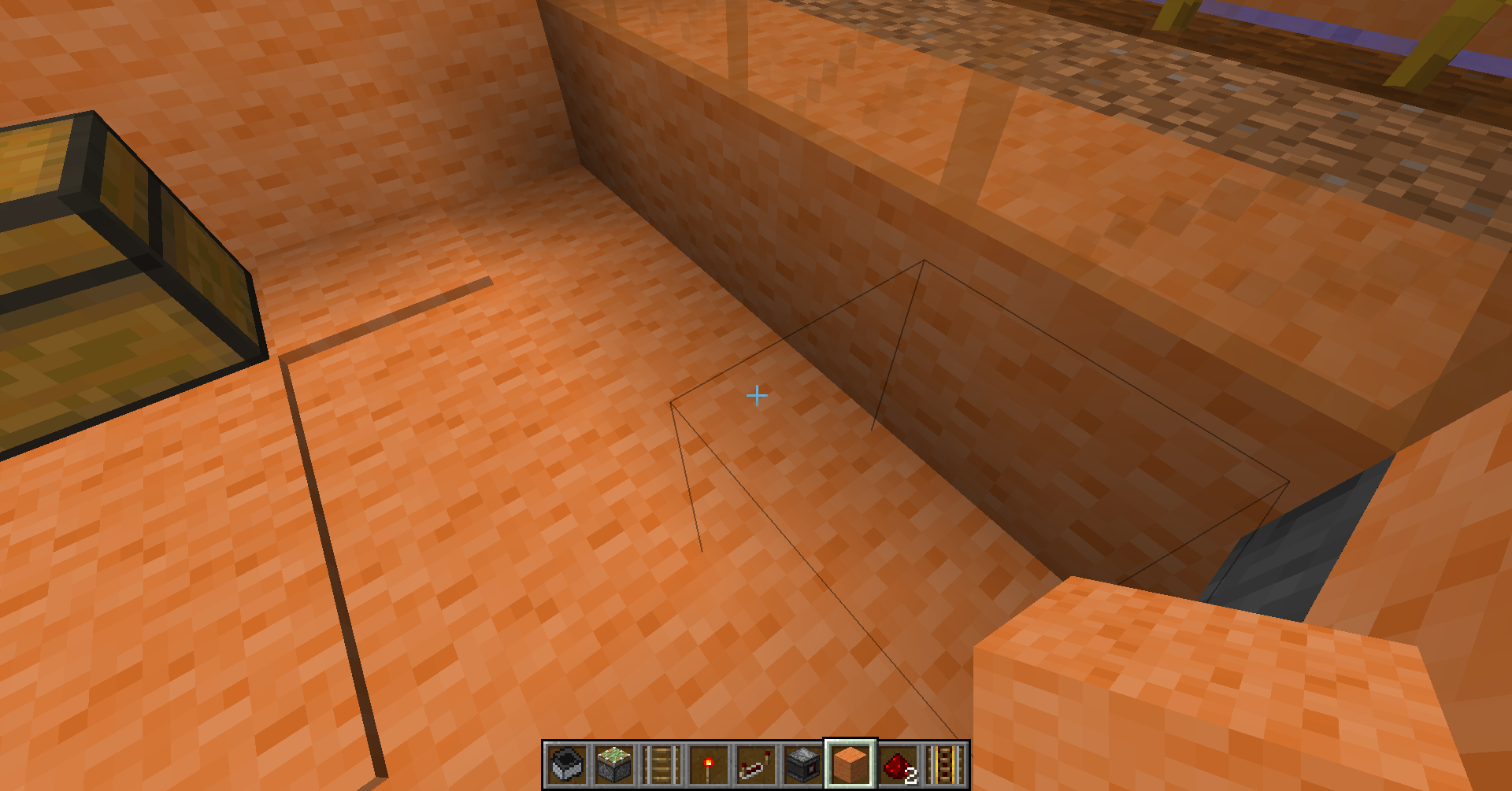
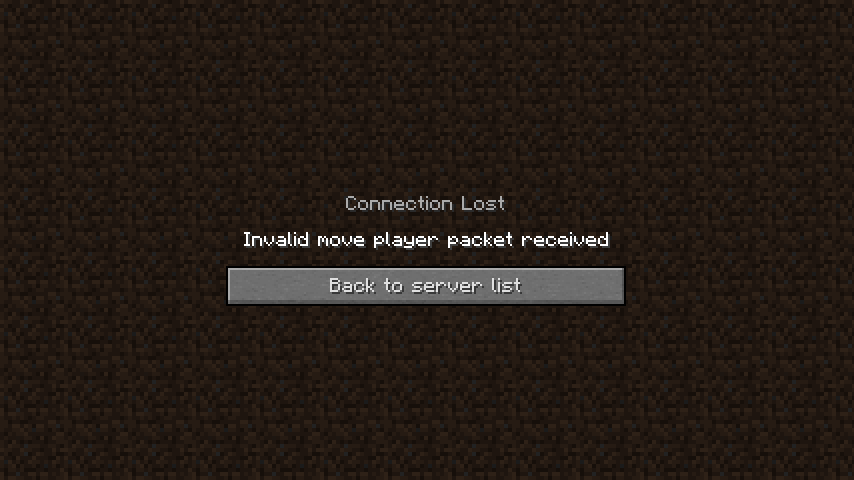


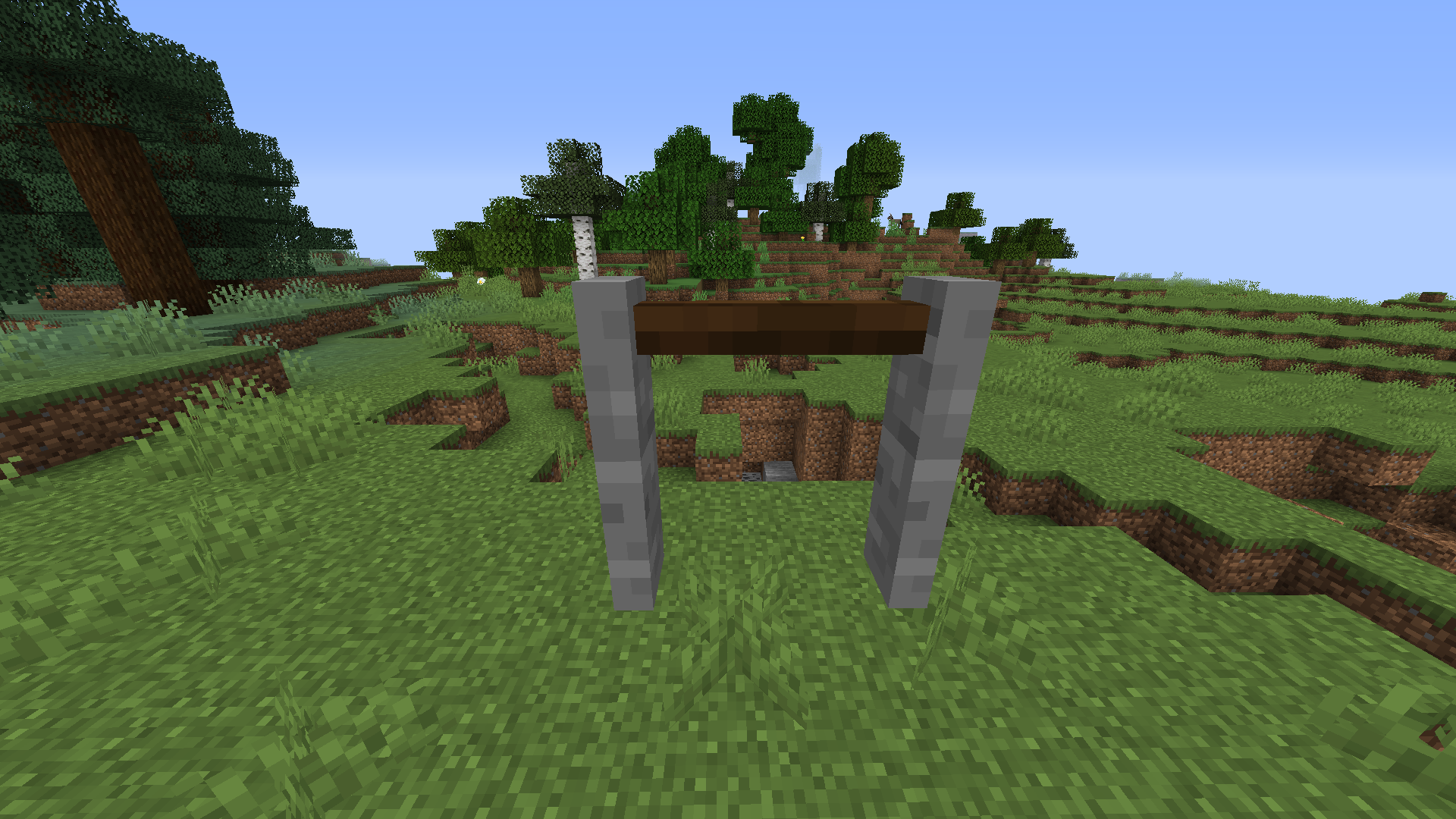
When I press the pick block button while facing a filled cauldron (water or lava) I expected to get a normal cauldron but what actually happened was I got nothing. this was probably caused by moving 'minecraft:cauldron [level=3] ' to 'minecraft:water_cauldron [level=3] ' and adding 'minecraft:lava_cauldron' but forgetting to add pick block data to 'minecraft:water_caldron' and 'minecraft:lava_cauldron'
How to reproduce
- Place a cauldron
- Fill it with water or lava
- Press the pick block button (default Middle Click or Button 3
-Notice how nothing happens
Some clarification
I know this technically uses a bug (0-ticking, MC-8328) but you fixed
MC-113809so I don't see why you couldn't fix this one.The bug
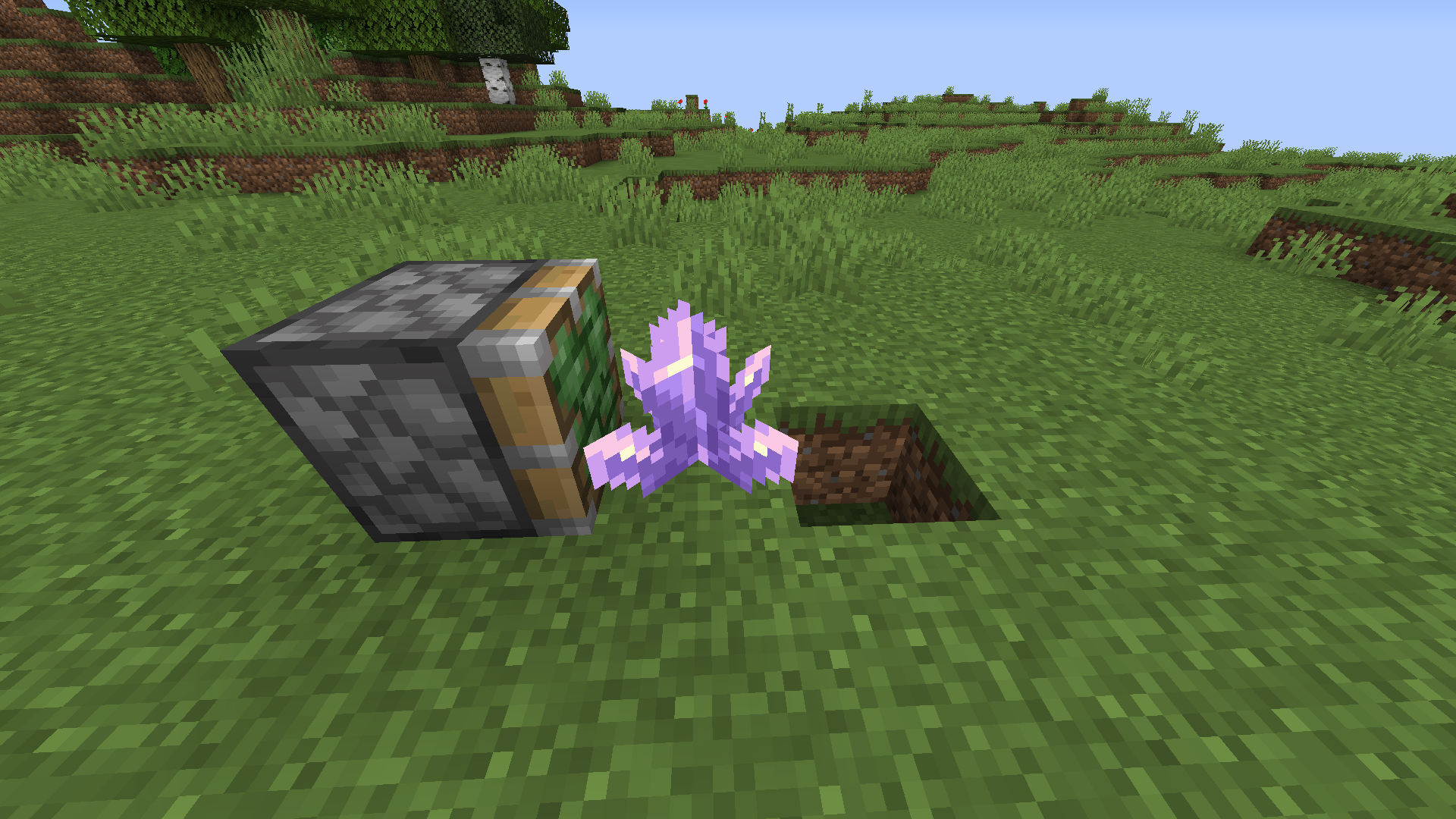
When you push an amethyst cluster off of it's supporting block with a 0-tick pulse (read more about that here) the amethyst crystals don't drop, whereas if you push it off normally they do.
How to reproduce
- Set up the situation in the attachment
- Place a lever on the piston
- Flick the lever
→The bug
When you push an amethyst cluster off of its supporting block with a 1-tick pulse the amethyst (or 0-tick pulse) crystals don't drop, whereas if you push it off normally they do.
How to reproduce
- Set up the situation in the attachment
- Place a lever on the piston
- Flick the lever
→
The bug
When you push an amethyst cluster off of its supporting block with a 1-tick pulse the amethyst (or 0-tick pulse) crystals don't drop, whereas if you push it off normally they do.
How to reproduce
- Set up the situation in the attachment
- Place a lever on the side of the piston
- Flick the lever
→
Pushing an amethyst cluster off of a block with a 0-tick or 1-tick pulse doesn't drop any items
The bug
When you push an amethyst cluster off of its supporting block with a
1-tick pulsethe amethyst (or 0-tick pulse) crystals don't drop, whereas if you push it off normally they do.How to reproduce
- Set up the situation in the attachment
- Place a lever on the side of the piston
- Flick the lever
→The bug
When you push an amethyst cluster off of its supporting block with a 1-tick pulse (such as from an observer) the amethyst (or 0-tick pulse) crystals don't drop, whereas if you push it off normally they do.
How to reproduce
- Set up the situation in the attachment
- Place a lever on the side of the piston
- Flick the lever
→
The bug
When you push an amethyst cluster off of its supporting block with a 1-tick pulse (such as from an observer)
the amethyst (or 0-tick pulse)crystals don't drop, whereas if you push it off normally they do.How to reproduce
- Set up the situation in the attachment
- Place a lever on the side of the piston
- Flick the lever
→The bug
When you push an amethyst cluster off of its supporting block with a 1-tick pulse (such as from an observer), or 0 tick pulse the amethyst crystals don't drop, whereas if you push it off normally they do.
How to reproduce
- Set up the situation in the attachment
- Place a lever on the side of the sticky piston
- Flick the lever
→
The bug
When you push an amethyst cluster off of its supporting block with a 1-tick pulse (such as from an observer), or 0 tick pulse the amethyst crystals don't drop, whereas if you push it off normally they do.
Howto reproduce
- Set up the situation in the attachment
- Place a lever on the side of the sticky piston
- Flick the lever
→The bug
When you push an amethyst cluster off of its supporting block with a 1-tick pulse (such as from an observer), or 0 tick pulse the amethyst crystals don't drop, whereas if you push it off normally they do.
Steps to reproduce
- Place a Sticky Piston
- Place an observer facing into the piston
- Power the observer
→Alternate Method
- Set up the situation in the attachment
- Place a lever on the side of the sticky piston
- Flick the lever
→
Pushing an amethyst cluster off of a block with a0-tick or1-tick pulse doesn't drop any items
The bug
When you push an amethyst cluster off of its supporting block with a 1-tick pulse (such as from an observer),
or 0tick pulsethe amethyst crystals don't drop, whereas if you push it off normally they do.Steps to reproduce
- Place a Sticky Piston
- Place an observer facing into the piston
- Power the observer
→Alternate Method
- Set up the situation in the attachment
- Place a lever on the side of the sticky piston
- Flick the lever
→The bug
When you push an amethyst cluster off of its supporting block with a 1-tick pulse (such as from an observer), using a sticky piston, the amethyst crystals don't drop, whereas if you push it off normally they do.
Steps to reproduce
- Place a Sticky Piston
- Place an observer facing into the piston
- Power the observer
→Alternate Method
- Set up the situation in the attachment
- Place a lever on the side of the sticky piston
- Flick the lever
→
The bug
When you push an amethyst cluster off of its supporting block with a 1-tick pulse (such as from an observer), using a sticky piston, the amethyst crystals don't drop, whereas if you push it off normally they do.
Steps to reproduce
- Place a Sticky Piston
- Place an observer facing into the piston
- Power the observer
→Alternate Method
- Set up the situation in the attachment
- Place a lever on the side of the sticky piston
- Flick the lever
→The bug
When you push an amethyst cluster off of its supporting block with a 1-tick pulse (such as from an observer), using a sticky piston, the amethyst crystals don't drop, whereas if you push it off normally they do.
Steps to reproduce
- Place a Sticky Piston
- Place an observer facing into the piston
- Place an Amethyst Cluster in front of the piston
- Power the observer
→Alternate Method
- Set up the situation in the attachment
- Place a lever on the side of the sticky piston
- Flick the lever
→
Pushing an amethyst cluster off of a block with a 1-tick pulse using a sticky piston doesn't drop any items
Can Confirm.
The Bug
Changing the 'BlockState' value of a falling block with commands doesn't update client-side (doesn't visually update) causing the block that's falling not actually be the block that lands.
NOTE: Reloading the world/relogging updates the appearance of the block.
Steps to reproduce
- Put 2 command blocks next to each other
- Put this command in the first one: /summon minecraft:falling_block ~ ~1 ~ {Time:1,NoGravity:1b}
- Put this command in the second one: /data merge entity @e[type=minecraft:falling_block,limit=1,sort=nearest] {BlockState:
}
- Power the first command block, then the second one.
- Run this command: /data merge entity @e[type=minecraft:falling_block,limit=1,sort=nearest] {NoGravity:0b}
The Bug
Changing the 'BlockState' value of a falling block with commands doesn't update client-side (doesn't visually update) causing the block that's falling not actually be the block that lands.
NOTE: Reloading the world/relogging updates the appearance of the block.
Steps to reproduce
- Put 2 command blocks next to each other
- Put this command in the first one: /summon minecraft:falling_block ~ ~1 ~ {Time:1,NoGravity:1b}
- Put this command in the second one: /data merge entity @e[type=minecraft:falling_block,limit=1,sort=nearest] {BlockState:{Name:"minecraft:gravel"}}
- Power the first command block, then the second one.
- Run this command: /data merge entity @e[type=minecraft:falling_block,limit=1,sort=nearest] {NoGravity:0b}
The Bug
Changing the 'BlockState' value of a falling block with commands doesn't update client-side (doesn't visually update) causing the block that's falling not actually be the block that lands.
NOTE: Reloading the world/relogging updates the appearance of the block.
Steps to reproduce
- Put 2 command blocks next to each other
- Put this command in the first one: /summon minecraft:falling_block ~ ~1 ~ {Time:1,NoGravity:1b}
- Put this command in the second one: /data merge entity @e[type=minecraft:falling_block,limit=1,sort=nearest] {BlockState:
{Name:"minecraft:gravel"}}- Power the first command block, then the second one.
- Run this command: /data merge entity @e[type=minecraft:falling_block,limit=1,sort=nearest] {NoGravity:0b}
The Bug
Changing the 'BlockState' value of a falling block with commands doesn't update client-side (doesn't visually update) causing the block that's falling not actually be the block that lands. see attached video.
NOTE: Reloading the world/relogging updates the appearance of the block.
Steps to reproduce
- Put 2 command blocks next to each other
- Put this command in the first one: /summon minecraft:falling_block ~ ~1 ~ {Time:1,NoGravity:1b}
- Put this command in the second one: /data merge entity @e[type=minecraft:falling_block,limit=1,sort=nearest] {BlockState:
Unknown macro: {Name}}
- Power the first command block, then the second one.
- Run this command: /data merge entity @e[type=minecraft:falling_block,limit=1,sort=nearest] {NoGravity:0b}
The Bug
Changing the 'BlockState' value of a falling block with commands doesn't update client-side (doesn't visually update) causing the block that's falling not actually be the block that lands. see attached video.
NOTE: Reloading the world/relogging updates the appearance of the block.
Steps to reproduce
- Put 2 command blocks next to each other
- Put this command in the first one: /summon minecraft:falling_block ~ ~1 ~ {Time:1,NoGravity:1b}
- Put this command in the second one: /data merge entity @e[type=minecraft:falling_block,limit=1,sort=nearest] {BlockState:
}
- Power the first command block, then the second one.
- Run this command: /data merge entity @e[type=minecraft:falling_block,limit=1,sort=nearest] {NoGravity:0b}
The Bug
Changing the 'BlockState' value of a falling block with commands doesn't update client-side (doesn't visually update) causing the block that's falling not actually be the block that lands. see attached video.
NOTE: Reloading the world/relogging updates the appearance of the block.
Steps to reproduce
- Put 2 command blocks next to each other
- Put this command in the first one: /summon minecraft:falling_block ~ ~1 ~ {Time:1,NoGravity:1b}
- Put this command in the second one: /data merge entity @e[type=minecraft:falling_block,limit=1,sort=nearest] {BlockState:{Name:"minecraft:gravel"}}
- Power the first command block, then the second one.
- Run this command: /data merge entity @e[type=minecraft:falling_block,limit=1,sort=nearest] {NoGravity:0b}
The Bug
Animals that die due to magma blocks don't drop cooked meat, despite magma blocks dealing fire damage. This is caused by the loot table checking if the entity is on fire, rather than checking the damage source.
Affected Mobs
- Chicken
- Cod
- Cow
- Elder Guardian
- Guardian
- Hoglin
- Mooshroom
- Pig
- Rabbit
- Salmon
- Sheep
Steps to reproduce
- Place down a magma block
- spawn one of the affected mobs on the magma block (and make sure they don't walk off of it)
- -
dlinefire damage
The Bug
Animals that die due to magma blocks don't drop cooked meat, despite magma blocks dealing fire damage. This is caused by the loot table checking if the entity is on fire, rather than checking the damage source.
Affected Mobs
- Chicken
- Cod
- Cow
- Elder Guardian
- Guardian
- Hoglin
- Mooshroom
- Pig
- Rabbit
- Salmon
- Sheep
Steps to reproduce
- Place down a magma block
- spawn one of the affected mobs on the magma block (and make sure they don't walk off of it)
- -
The Bug
Right-clicking (or pressing your 'Use Item/Place Block' keybind if different) on a sign that isn't glowing (has 'lit' set to 'false'), while holding an 'Ink Sac' doesn't play hand animation, but still runs the clickEvent. Same works with a 'Glow Ink Sac' on a glowing sign (has 'lit' set to 'true')
Steps to reproduce
- Run this command: /give @p minecraft:oak_sign{BlockEntityTag:{Text1:'{"text":"[CLICK]","clickEvent":{"action":"run_command","value":"say Test"}}'}}
- Place the sign you've just been given
- Right-click (or press you're 'Use Item/Place Block' keybind, if different) on the sign
- You should see "[yourUsername] Test" pop up in the chat and a hand animation play
- Repeat step 3 while holding an 'Ink Sac'
- -
The Bug
Right-clicking (or pressing your 'Use Item/Place Block' keybind if different) on a sign that isn't glowing (has 'lit' set to 'false'), while holding an 'Ink Sac' doesn't play hand animation, but still runs the clickEvent. Same works with a 'Glow Ink Sac' on a glowing sign (has 'lit' set to 'true')
Steps to reproduce
- Run this command: /give @p minecraft:oak_sign{BlockEntityTag:{Text1:'{"text":"[CLICK]","clickEvent":{"action":"run_command","value":"say Test"'}}}}
- Place the sign you've just been given
- Right-click (or press you're 'Use Item/Place Block' keybind, if different) on the sign
- You should see "[yourUsername] Test" pop up in the chat and a hand animation play
- Repeat step 3 while holding an 'Ink Sac'
- -
Right-clicking a non-glowing sign using an ink sac doesn'tplay hand animation, even if the sign has aclickEventRight-clicking a non-glowing sign using an ink sac doesn't fire the clickEvent
Right-clicking a non-glowing sign using an ink sac (or vice versa doesn't fire the clickEvent
Right-clicking a non-glowing sign using an ink sac (or vice versa) doesn't fire the clickEvent
The bug
Right-clicking (or pressing your 'Use Item/Place Block' keybind if different) on a sign that isn't glowing (has lit set to false), while holding an 'Ink Sac' doesn't
play hand animation, but stillrunsthe clickEvent. Same works with a 'Glow Ink Sac' on a glowing sign (haslit set to true)How to reproduce
- Run this command:
/give @p minecraft:oak_sign{BlockEntityTag:{Text1:'{"text":"[CLICK]","clickEvent":{"action":"run_command","value":"say Test"}}'}}- Place the sign you've just been given
- Right-click (or press you're 'Use Item/Place Block' keybind, if different) on the sign
→You should see "[yourUsername] Test" pop up in the chat and a hand animation play
- Repeat step 3 while holding an 'Ink Sac'
→The bug
Right-clicking (or pressing your 'Use Item/Place Block' keybind if different) on a sign that isn't glowing (has lit set to false), while holding an 'Ink Sac' doesn't run the clickEvent, but still plays the hand animation. Same works with a 'Glow Ink Sac' on a glowing sign (has lit set to true)
How to reproduce
- Run this command:
/give @p minecraft:oak_sign{BlockEntityTag:{Text1:'{"text":"[CLICK]","clickEvent":{"action":"run_command","value":"say Test"}}'}}
- Place the sign you've just been given
- Right-click (or press you're 'Use Item/Place Block' keybind, if different) on the sign
→- Repeat step 3 while holding an 'Ink Sac'
→
The bug
Right-clicking (or pressing your 'Use Item/Place Block' keybind if different) on a sign that isn't glowing (has lit set to false), while holding an 'Ink Sac' doesn't run the clickEvent, but still plays the hand animation. Same works with a 'Glow Ink Sac' on a glowing sign (has lit set to true)
How to reproduce
- Run this command:
/give @p minecraft:oak_sign{BlockEntityTag:{Text1:'{"text":"[CLICK]","clickEvent":{"action":"run_command","value":"say Test"}}'}}
- Place the sign you've just been given
- Right-click (or press you're 'Use Item/Place Block' keybind, if different) on the sign
→- Repeat step 3 while holding an 'Ink Sac'
→same thing happen only the hand animation doesn't playThe bug
Right-clicking (or pressing your 'Use Item/Place Block' keybind if different) on a sign that isn't glowing (has lit set to false), while holding an 'Ink Sac' doesn't run the clickEvent, but still plays the hand animation. Same works with a 'Glow Ink Sac' on a glowing sign (has lit set to true)
How to reproduce
- Run this command:
/give @p minecraft:oak_sign{BlockEntityTag:{Text1:'{"text":"[CLICK]","clickEvent":{"action":"run_command","value":"say Test"}}'}}
- Place the sign you've just been given
- Right-click (or press you're 'Use Item/Place Block' keybind, if different) on the sign
→- Repeat step 3 while holding an 'Ink Sac'
→
The bug
Right-clicking (or pressing your 'Use Item/Place Block' keybind if different) on a sign that isn't glowing
(haslit set to false),while holding an 'Ink Sac' doesn't run theclickEvent, but still plays the hand animation. Same works with a 'Glow Ink Sac' on a glowing sign (has lit set to true)How to reproduce
- Run this command:
/give @p minecraft:oak_sign{BlockEntityTag:{Text1:'{"text":"[CLICK]","clickEvent":{"action":"run_command","value":"say Test"}}'}}
- Place the sign you've just been given
- Right-click (or press you're 'Use Item/Place Block' keybind, if different) on the sign
→- Repeat step 3 while holding an 'Ink Sac'
→The bug
Right-clicking (or pressing your 'Use Item/Place Block' keybind if different) on a sign that isn't glowing, while holding an 'Ink Sac' doesn't run the clickEvent, but still plays the hand animation. Same works with a 'Glow Ink Sac' on a glowing sign
How to reproduce
- Run this command:
/give @p minecraft:oak_sign{BlockEntityTag:{Text1:'{"text":"[CLICK]","clickEvent":{"action":"run_command","value":"say Test"}}'}}
- Place the sign you've just been given
- Right-click (or press you're 'Use Item/Place Block' keybind, if different) on the sign
→- Repeat step 3 while holding an 'Ink Sac'
→

h2ofiremaster Then is intended

Relates to MC-269205. h2ofiremaster yes, this was introduced in 1.9.
Report:
Then why are hostile mobs so rare in this snapshot?
My Difficulty is on hard.
And I am Only on day 5 if that effects it.
Can you reproduce t I e bug or is it a one time thing?
the 'Mooshroom gets milked for mushroom stew (shows "Gear equipped")' was fixed in 20w45a (see
MC-185360)This was introduced in 1.9, and I believe this is intended so you can do debug key combinations (like F3+A, F3+Q, F3+D, etc.) without opening the debug menu
@Limbo Neif I don't think this is intended as when I check the loot table it says that it drops with silk touch, but in-game it clearly doesn't. This is possibly caused by Mojang forgetting to add a mining level to it, and it defaults to needing a pickaxe better than netherite (which doesn't exist) and therefore ignores the loot table. (I can supply the loot table as proof if needed)
It's not any different from torches
Duplicate of
MC-197328?Duplicate of
MC-203562are they supposed to?
Confirmed for 20w45a, though not nearly as bad, Same seed, ocean explorer map generated 6 files, and woodland generated 22.
duplicate of
MC-203562Got the screenshot

duplicate of
MC-203568Confirmed for 20w45a
the perfect diamond of gravel around it is weird though
could not reproduce in singleplayer
Confirmed for 20w45a
Yeah, what exactly is the bug here?
Confirmed for 20w45a, also affects falling blocks:
/summon minecraft:falling_block ~ ~ ~ {NoGravity:1b,BlockState:{Name:"bell"},Time:1}probably due to the actual bell model being animated (when you ring it)
Cannot reproduce, is your randomTickSpeed up? if so, that's the cause of it, and all you have to do to fix it is do /gamerule randomTickSpeed 3
Only works in creative, in survival, it just drops the item, possibly works as intended
Could not reproduce. remember that the lightning rod only redirects lightning, it doesn't cause it, and only redirects lightning within a 16*16*4 area (technically the article says 16*4 but I'm just guessing it meant 16*16*4)
Same problem with bricks, no easy way to fix it.
@Amster Plays did you use a normal piston? it has to be a sticky piston to work, also make sure that the amethyst cluster is on the ground, rather than the piston. I've attached a video showing it off: bug.mp4
@Avoma This not a duplicate of
MC-203561as that a glitch resulting duplication of the crystals whereas this is referencing a situation in which the crystals do not drop. I've attached a video which should hopefully clear things up: bug.mp4Thank you for pointing that out, I didn't realize this was a duplicate, I would remove this ticket but I can't find a way to
Could not reproduce
So... What's the bug?
dupicate of
MC-203568Works with glass, glowstone, top slabs, and observers as well. Works as intended (as weird as it might be) because Mojang can't change it without consulting the Redstone community first
No, he says "Put the summary of the bug you're having here...", could he edit the ticket and actually put the bug in?
Could not reproduce
If your difficulty is set to peaceful iron golems won't be able to hurt you
doesn't occur if graphics are set to 'Fabulous!'
So... what's the bug? A lot of blocks in Minecraft don't need supporting blocks. (for example flower pots, end rods, daylight sensors, etc.) Why should candles be any different?
So... what's the bug? A lot of blocks in Minecraft don't need supporting blocks. (for example flower pots, end rods, daylight sensors, etc.) Why should candles be any different?
First off, I'd recommend making separate reports, one for each bug, so that they can mark them separately. Second off, neither of these are necessarily bugs, First one first:
The button isn't activating the iron door because Redstone considers it a transparent block, try doing the same things with glass, or even glowstone, and you will find the same results, the reason why it worked on the floor is that the button was directly adjacent to the iron door and powering the door directly as apposed to powering a block which powers the door.
Second one second:
You can't put out fire with a trident in creative mode because a trident is considered a weapon and you can't break blocks ith weapons in creative mode so you don't wreck the landscape when you're just trying to kill a pig try it with any type of sword and you'll find the same result.
But anyway because there are multiple bugs in this ticket it will most likely be marked as 'Invalid' as I beleive you're only allowed one bug per ticket. Thank you for reading
@Torben Mayer The point of the lightning rod isn't to prevent fire it's to redirect it away from your wooden buildings. To quote the changelog:
"Keep your builds safe (well, as long as the closest area around the lightning rod is fireproof) during thunderstorms!"
You mean the one under "Copyright Mojang AB. Do Not Distribute"? That line isn't a bug it's just to let you know that you can click on it, as clicking on it brings you to the credits
Doesn't happen with 'Fabulous!' graphics.
@robbage the wiki isn't a reliable source of information like this as it isn't from the devs however
MC-126819was marked as 'Won't Fix' so likely this won't be fixed eitherDuplicate of
MC-203574Can Confirm for 20w45a
Cannot reproduce in 20w45a. Fixed?
I believe it is intended that villagers don't pathfind (and therefore don't move) when in a 1-block space that they cannot escape as to reduce lag
Confirmed for 20w45a
Confirmed for 20w45a
Works as intended? spawn eggs use a tint based on what spawn egg they are so the devs don't have to make the same texture like 50 or so times just to change the colors, I know this is annoying but it isn't a bug.
Structure void isn't a full block
Pretty sure this is WAI, just like rain filling cauldrons
Agreed, It's really disheartening when you report a bug and then it gets marked as 'Won't Fix'. (as that's basically saying "We know it's a bug, but we won't fix it") which I get for some bugs that can't be fixed due to technical limitations, But I can't imagine this would be too hard to fix. I request a reopen as there have been many updates to the format of 'FallingSand' (now falling_block) and '/entitydata' (now /data) and so I think Mojang should give it another chance.
But even if Mojang doesn't fix it I'd at least like a reason.
@Justin Zheng make sure it's a sticky piston, the cluster is on the ground (not the piston), and make sure you activate it with rather an observer, or by placing the lever on the side of the piston itself. (there are other methods but these are the most consistent)
Can confirm and reproduce
Can confirm in 21w03a
Confirmed for 21w03a
Can confirm for 21w03a
Cannot reproduce in 21w03a
Try this with a different mouse to see if it's a problem with the game or if your mouse is just not working correctly
Hello [Mod] Anthony Cicinelli, while it might appear this is a suggestion/feature request it is not, I'm simply reporting an inconsistency with how the game deals with fire damage and mobs dying from it (as mobs dying from other sources of fire damage while not setting them on fire (a fire aspect sword while the mob is underwater) does cook the meat) I do not believe inconsistencies are classified as feature requests as I have seen them be resolved from this bug tracker before but correct me if I'm wrong.
Confirmed in 21w03a
Could not reproduce in 21w03a
Duplicate of
MC-212117Utilizing this method of accessing the multiplayer menu also allows you to skip the "Caution: Third-Party Online Play" message
Confirmed in 21w03a
@Justin zheng The wiki is not an official source of information
Can confirm in Minecraft 1.17.1 Pre-release 1
Can confirm in 22w42a (Singleplayer)