 luojin573281
- luojin573281
- JIRAUSER783708
- Europe/Stockholm
- No
- No
 MCPE-183826MCPE-184487MCPE-183177
![[Mod] Jarl-Penguin](../../../data/avatars/users/92849.png)






















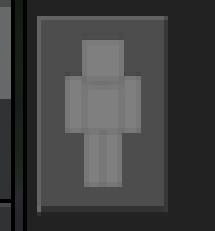
- I don't have a resource pack or behavior package installed
- I don't know the cause of it, but I've encountered it several times while playing
Messing around with the inside ofthe backpackcan causethebugto appear- This bug: Closing the backpack and then opening it will return to normal
- I don't have a resource pack or behavior package installed
- I don't know the cause of it, but I've encountered it several times while playing
- If you are in too much of a hurry to interact with the backpack, this bug may occur
- This bug: Closing the backpack and then opening it will return to normal
我对基岩版背包有很大的问题,它太邋遢了,它很便宜,它的设计不如Java,背包类别按钮上的纹理甚至没有更新
I have a big problem with the Bedrock Edition backpack, it's too sloppy, it's cheap, it's not as designed as Java, and the textures on the backpack category button haven't even been updated
- I don't have a resource pack or behavior package installed
- I don't know the cause of it, but I've encountered it several times while playing
- If you are in too much of a hurry to interact with the backpack, this bug may occur
- This bug: Closing the backpack and then opening it will return to normal
This bug is so rare that I can't reproduce it again
Java Edition ender dragon combat is different from Bedrock Edition in that one is a tumbling landing above the Exit portal and the other is a diving landing
However, the Java ender dragon will not break the torch anyway
Java Edition's End vibe is super good
Bedrock version of the End does not have the fog of battle when fighting the ender dragon, and the sky is not dark
The End in the Bedrock Edition is rudimentary, there is no fog of battle, the sky does not darken, and the Java version of The End has a good atmosphere
Steps to Reproduce
- Open Minecraft Bedrock Edition, create a world, and enter the End
- Wait for the ender dragon to fall
- The ender dragon usually destroys the torch on Exit Portal
Observed Results
The torch is destroyed by the ender dragon, Inrare cases, it will notExpected Results
The torches on Exit Portals are not destroyed by the ender dragonSteps to Reproduce
- Open Minecraft Bedrock Edition, create a world, and enter the End
- Wait for the ender dragon to fall
- The ender dragon usually destroys the torch on Exit Portal
Observed Results
The torch is destroyed by the ender dragon, In general, it will not,If you wait long enough for the ender dragon in the End, the dragon will definitely blow up the torchesExpected Results
The torches on Exit Portals are not destroyed by the ender dragon
Steps to Reproduce
- Open Minecraft Bedrock Edition, create a world, and enter the End
- Wait for the ender dragon to fall
- The ender dragon usually destroys the torch on Exit Portal
Observed Results
The torch is destroyed by the ender dragon, In general, it will not,If you waitlong enough for the ender dragon intheEnd, the dragon will definitely blow up the torchesExpected Results
The torches on Exit Portals are not destroyed by the ender dragonSteps to Reproduce
- Open Minecraft Bedrock Edition, create a world, and enter the End
- Wait for the ender dragon to fall
- The ender dragon usually destroys the torch on Exit Portal
Observed Results
The torch is destroyed by the ender dragon, In general, it will not,If you wait a certain amount of time, the ender dragon will definitely blow up the torchesExpected Results
The torches on Exit Portals are not destroyed by the ender dragon
I've changed it, it's a possible problem, not a problem that will always occur, but you wait for a certain amount of time in the end where the ender dragon exists, and the ender dragon will definitely destroy the torch on the Exit portal
修复!
Steps to Reproduce
- Open Minecraft Bedrock Edition, create a world, and enter the End
- Wait for the ender dragon to fall
- The ender dragon usually destroys the torch on Exit Portal
Observed Results
The torch is destroyed by the ender dragon, In general, it will not,If you wait a certain amount of time, the ender dragon will definitely blow up the torchesExpected Results
The torches on Exit Portals are not destroyed by the ender dragon
I filled in the observed and expected results in reverse, thanks to [Mod] Umija5895M for helping me change
I filled in the observed and expected results in reverse, thank you [Mod] Umija5895M for helping me change the description
This attachment is problematic
Steps to Reproduce
- Open the game, enter the world, and find places with ice around
- Keep switching perspectives quickly and non-stop to watch the ice render
Observed Results
I can't describe the ice rendering error, see the video for detailsExpected Results
There are no rendering issues with the ice surfaceSteps to Reproduce
- Open the game, enter the world, and find places with ice around
- Keep switching perspectives quickly and non-stop to watch the ice render
Observed Results
As shown in the screenshotExpected Results
There are no rendering issues with the ice surface
bug.mp4
s你们
Steps to Reproduce
- Play in survival mode, start breaking block
- Aim at one surface of the block to break, and in the process of breaking the block, aim the crosshair at the other surface of the block you are breaking
- Continue to destroy,observe where the particles are generated{}
Observed Results
During the process of breaking a block, particles are not spawned on the surface where the crosshair is located, but on the first surface that the crosshair touches when the player starts mining the block
Expected Results
The particles that are produced during the process of breaking a block are always generated on the surface where the crosshair touches
重现步骤
- 在生存模式下玩,开始打破方块
- 瞄准要打破的方块的一个表面,在打破方块的过程中,将十字准线对准要打破的方块的另一表面
- 继续破坏,观察颗粒的产生位置{}
观察到的结果
在打破方块的过程中,粒子不会在十字准线所在的表面上生成,而是在玩家开始挖掘方块时十字准线接触的第一个表面上生成
预期结果
在打破块的过程中产生的颗粒总是在十字准线接触的表面上产生
重现步骤
- 在生存模式下玩,开始打破方块
- 瞄准要打破的方块的一个表面,在打破方块的过程中,将十字准线对准要打破的方块的另一表面
- 继续破坏,观察颗粒的产生位置{}
观察到的结果
在打破方块的过程中,粒子不会在十字准线所在的表面上生成,而是在玩家开始挖掘方块时十字准线接触的第一个表面上生成
预期结果
在打破块的过程中产生的颗粒总是在十字准线接触的表面上产生
重现步骤
- 在生存模式下玩,开始打破方块
- 瞄准要打破的方块的一个表面,在打破方块的过程中,将十字准线对准要打破的方块的另一表面
- 继续破坏,观察颗粒的产生位置
观察到的结果
在打破方块的过程中,粒子不会在十字准线所在的表面上生成,而是在玩家开始挖掘方块时十字准线接触的第一个表面上生成
预期结果
在打破块的过程中产生的颗粒总是在十字准线接触的表面上产生
Steps to Reproduce
- Play in survival mode, start breaking block
- Aim at one surface of the block to break, and in the process of breaking the block, aim the crosshair at the other surface of the block you are breaking
- Continue to destroy, observe where the particles are generated{}
Observed Results
During the process of breaking a block, particles are not spawned on the surface where the crosshair is located, but on the first surface that the crosshair touches when the player starts mining the blockExpected Results
The particles that are produced during the process of breaking a block are always generated on the surface where the crosshair touches重现步骤
- 在生存模式下玩,开始打破方块
- 瞄准要打破的方块的一个表面,在打破方块的过程中,将十字准线对准要打破的方块的另一表面
- 继续破坏,观察颗粒的产生位置{}
观察到的结果
在打破方块的过程中,粒子不会在十字准线所在的表面上生成,而是在玩家开始挖掘方块时十字准线接触的第一个表面上生成预期结果
在打破块的过程中产生的颗粒总是在十字准线接触的表面上产生
重现步骤
- 在生存模式下玩,开始打破方块
- 瞄准要打破的方块的一个表面,在打破方块的过程中,将十字准线对准要打破的方块的另一表面
- 继续破坏,观察颗粒的产生位置{}
观察到的结果
在打破方块的过程中,粒子不会在十字准线所在的表面上生成,而是在玩家开始挖掘方块时十字准线接触的第一个表面上生成预期结果
在打破块的过程中产生的颗粒总是在十字准线接触的表面上产生重现步骤
- 在生存模式下玩,开始打破方块
- 瞄准要打破的方块的一个表面,在打破方块的过程中,将十字准线对准要打破的方块的另一表面
- 继续破坏,观察颗粒的产生位置
观察到的结果
在打破方块的过程中,粒子不会在十字准线所在的表面上生成,而是在玩家开始挖掘方块时十字准线接触的第一个表面上生成预期结果
在打破块的过程中产生的颗粒总是在十字准线接触的表面上产生
你们开发团队需要玩java版,感受一下原汁原味的Minecraft是这么样的
Microsoft didn't care about the bedrock version, blindly rushed to work and ignored the details
1.21.10.24未解决
重现步骤
- 在生存模式下玩,开始打破方块
- 瞄准要打破的方块的一个表面,在打破方块的过程中,将十字准线对准要打破的方块的另一表面
- 继续破坏,观察颗粒的产生位置
观察到的结果
在打破方块的过程中,粒子不会在十字准线所在的表面上生成,而是在玩家开始挖掘方块时十字准线接触的第一个表面上生成预期结果
在打破块的过程中产生的颗粒总是在十字准线接触的表面上产生Steps to reproduce
- Play in survival mode and start breaking blocks
- Aim at one surface of the block you want to break, and in the process of breaking the block, aim the crosshair at the other surface of the block you want to break
- Continue the destruction and observe where the particles are generated
Observed results
During the process of breaking blocks, particles do not spawn on the surface where the crosshair is located, but instead on the first surface that the crosshair touches when the player starts mining the blockExpected results
The particles produced in the process of breaking the block are always produced on the surface where the crosshairs touch
Steps to reproduce
- Play in survival mode and start breaking blocks
- Aim at one surface of the block you want to break, and in the process of breaking the block,
aimthe crosshairat the other surface of the block you want to break- Continue the destruction and observe where the particles are generated
Observed results
During the process of breaking blocks, particles do not spawn on the surface where the crosshair is located, but instead on the first surface that the crosshair touches when the player starts mining the blockExpected results
The particles produced in the process of breaking the block are always produced on the surface where the crosshairs touchSteps to reproduce
- Play in survival mode and start breaking blocks
- Aim at one surface of the block you want to break, and in the process of breaking the block, move the crosshair to the other surface of the block you want to break
- Continue the destruction and observe where the particles are generated
Observed results
During the process of breaking blocks, particles do not spawn on the surface where the crosshair is located, but instead on the first surface that the crosshair touches when the player starts mining the blockExpected results
The particles produced in the process of breaking the block are always produced on the surface where the crosshairs touch
The description is now edited in English
Steps to reproduce
- Play in survival mode and start breaking block
s- Aim at one surface of the block
you wantto break, and in the process of breaking the block,movethe crosshair tothe other surface of the block youwant tobreak- Continue t
hedestruction andobserve where the particles are generatedObserved results
During the process of breaking blocks, particlesdonot spawn on the surface where the crosshair is located, butinsteadon the first surface that the crosshair touches when the player starts mining the blockExpected results
The particles produced in the process of breakingtheblock are alwaysproduced on the surface where the crosshairstouchSteps to reproduce
- Play in survival mode and start breaking block
- Aim at one surface of the block to break, and in the process of breaking the block, aim the crosshair at the other surface of the block you are breaking
- Continue to destroy, observe where the particles are generated
Observed results
During the process of breaking a block, particles are not spawned on the surface where the crosshair is located, but on the first surface that the crosshair touches when the player starts mining the blockExpected results
The particles that are produced during the process of breaking a block are always generated on the surface where the crosshair touches
During the process ofbreaking a block, particlesarenot spawnedon the surface where the crosshair is located, but on the first surface that the crosshair touches when the player starts mining the blockWhile breaking a block, particles do not spawn on the surface of the block where the crosshair is located
Steps to reproduce
- Play in survival mode and start breaking block
- Aim at one surface of the block to break, and in the process of breaking the block, aim the crosshair at the other surface of the block you are breaking
- Continue to destroy, observe where the particles are generated
Observed results
Duringthe process of breaking a block,particles are not spawned on the surfacewhere the crosshair is located, buton thefirst surface that the crosshair touches when the player starts mining the blockExpected results
The particles that are produced during the process of breaking a block are always generated on the surface where the crosshair touchesSteps to reproduce
- Play in survival mode and start breaking block
- Aim at one surface of the block to break, and in the process of breaking the block, aim the crosshair at the other surface of the block you are breaking
- Continue to destroy, observe where the particles are generated
Observed results
In the process of breaking a block, the crosshair will spawn particles on the block it touches, but in the direction that is not the surface of the block where the crosshair is located, but in the direction of the surface of the block where the crosshair is at the beginning of the breakExpected results
The particles that are produced during the process of breaking a block are always generated on the surface where the crosshair touches
Steps to reproduce
- Play in survival mode and start breaking block
- Aim at one surface of the block to break, and in the process of breaking the block, aim the crosshair at the other surface of the block you are breaking
- Continue to destroy, observe where the particles are generated
Observed results
In the process of breakingablock, the crosshair will spawn particles on the block it touches, but in the directionthat is notthe surface of the block where the crosshair is located, but in the direction of the surface of the block where the crosshair is at the beginning of the breakExpected results
The particles that are produced during the process of breaking a block are always generated on the surface where the crosshair touchesSteps to reproduce
- Play in survival mode and start breaking block
- Aim at one surface of the block to break, and in the process of breaking the block, aim the crosshair at the other surface of the block you are breaking
- Continue to destroy, observe where the particles are generated
Observed results
In the process of breaking blocks, the crosshair will spawn particles on the blocks it touches, but the particles are not in the direction of the surface of the block where the crosshair is located, but in the direction of the surface of the block where the crosshair is at the beginning of the breakExpected results
The particles that are produced during the process of breaking a block are always generated on the surface where the crosshair touches
Steps to reproduce
- Play in survival mode and start breaking block
- Aim at one surface of the block to break, and in the process of breaking the block, aim the crosshair at the other surface of the block you are breaking
- Continue to destroy, observe where the particles are generated
Observed results
In the process of breaking blocks, the crosshair will spawn particles on the blocks it touches, but the particles are not in the direction of the surface of the block where the crosshair is located, but in the direction of the surface of the block where the crosshair is at the beginning of the breakExpected results
The particles that are produced during the process of breaking a block are always generated on the surface where the crosshair touches重现步骤
- 在生存模式下玩,开始打破方块
- 瞄准要打破的方块的一个表面,在打破方块的过程中,将十字准线对准要打破的方块的另一表面
- 继续破坏,观察颗粒的产生位置
观察到的结果
在打破方块的过程中,十字准线会在它所接触的方块上产生粒子,但这些粒子不是在十字准线所在的方块表面方向上,而是在十字准线开始时方块表面的方向预期结果
在打破块的过程中产生的颗粒总是在十字准线接触的表面上产生
重现步骤
- 在生存模式下玩,开始打破方块
- 瞄准要打破的方块的一个表面,在打破方块的过程中,将十字准线对准要打破的方块的另一表面
- 继续破坏,观察颗粒的产生位置
观察到的结果
在打破方块的过程中,十字准线会在它所接触的方块上产生粒子,但这些粒子不是在十字准线所在的方块表面方向上,而是在十字准线开始时方块表面的方向预期结果
在打破块的过程中产生的颗粒总是在十字准线接触的表面上产生Steps to reproduce
- Play in survival mode and start breaking blocks
- Aim at one surface of the block you want to break, and in the process of breaking the block, aim the crosshair at the other surface of the block you want to break
- Continue the destruction and observe where the particles are generated
Observed results
In the process of breaking a block, the crosshair will produce particles on the block it touches, but these particles are not in the direction of the surface of the block where the crosshair is located, but in the direction of the surface of the block at the beginning of the crosshair**
The particles produced in the process of breaking the block are always produced on the surface where the crosshairs touch
Steps to reproduce
- Play in survival mode and start breaking blocks
- Aim at one surface of the block you want to break, and in the process of breaking the block, aim the crosshair at the other surface of the block you want to break
- Continue the destruction and observe where the particles are generated
Observed results
In the process of breaking a block, the crosshair will produce particles on the block it touches, but these particles are not in the direction of the surface of the block where the crosshair is located, but in the direction of the surface of the block at the beginning of the crosshair**
The particles produced in the process of breaking the block are always produced on the surface where the crosshairs touchSteps to reproduce
- Play in survival mode and start breaking blocks
- Aim at one surface of the block you want to break, and in the process of breaking the block, aim the crosshair at the other surface of the block you want to break
- Continue the destruction and observe where the particles are generated
Observed results
In the process of breaking a block, the crosshair will produce particles on the block it touches, but these particles are not in the direction of the surface of the block where the crosshair is located, but in the direction of the surface of the block at the beginning of the crosshairExpected results
The particles produced in the process of breaking the block are always produced on the surface where the crosshairs touch
Steps to reproduce
- Play in survival mode and start breaking blocks
- Aim at one surface of the block you want to break, and in the process of breaking the block, aim the crosshair at the other surface of the block you want to break
- Continue the destruction and observe where the particles are generated
Observed results
In the process of breaking a block, the crosshair will produce particles on the block it touches, but these particles are not in the direction of the surface of the block where the crosshair is located, but in the direction of the surface of the block at the beginning of the crosshairExpected results
The particles produced in the process of breaking the block are always produced on the surface where the crosshairs touch重现步骤
- 在生存模式下玩,开始打破方块
- 瞄准你要打破的方块的一个表面,在打破方块的过程中,将十字准线对准你要打破的方块的另一个表面
- 继续破坏并观察颗粒的产生位置
观察到的结果
在打破方块的过程中,十字准线会在它所接触的方块上产生颗粒,但这些颗粒不是在十字准线所在的方块表面方向上,而是在十字准线起点处方块表面的方向预期结果
在破坏块的过程中产生的颗粒总是在十字准线接触的表面上产生
重现步骤
- 在生存模式下玩,开始打破方块
- 瞄准你要打破的方块的一个表面,在打破方块的过程中,将十字准线对准你要打破的方块的另一个表面
- 继续破坏并观察颗粒的产生位置
观察到的结果
在打破方块的过程中,十字准线会在它所接触的方块上产生颗粒,但这些颗粒不是在十字准线所在的方块表面方向上,而是在十字准线起点处方块表面的方向预期结果
在破坏块的过程中产生的颗粒总是在十字准线接触的表面上产生Steps to reproduce
- Play in survival mode and start breaking blocks
- Aim at one surface of the block you want to break, and in the process of breaking the block, aim the crosshair at the other surface of the block you want to break
- Continue the destruction and observe where the particles are generated
Observed ResultsIn
the process of breaking a block, the crosshair creates particles on the block it touches, but these particles are not in the direction of the surface of the block where the crosshair is located, but in the direction of the surface of the block at the beginning of the crosshairThe expected result:
particles produced in the process of breaking the block are always produced on the surface where the crosshairs touch
Steps to reproduce
- Play in survival mode and start breaking blocks
- Aim at one surface of the block you want to break, and in the process of breaking the block, aim the crosshair at the other surface of the block you want to break
- Continue the destruction and observe where the particles are generated
Observed ResultsIn
the process of breaking a block, the crosshaircreatesparticles on the block it touches, but these particles are not in the direction of the surface of the block where the crosshair is located, but in the direction of the surface of the block at the beginning of the crosshairThe expected result:
particles produced in the process of breaking the block are always produced on the surface where the crosshairs touchSteps to reproduce
- Play in survival mode and start breaking blocks
- Aim at one surface of the block you want to break, and in the process of breaking the block, aim the crosshair at the other surface of the block you want to break
- Continue the destruction and observe where the particles are generated
Observed ResultsIn
In the process of breaking a block, the crosshair will produce particles on the block it touches, but these particles are not in the direction of the surface of the block where the crosshair is located, but in the direction of the surface of the block at the beginning of the crosshairThe expected result:
particles produced in the process of breaking the block are always produced on the surface where the crosshairs touch
Steps to reproduce
- Play in survival mode and start breaking blocks
- Aim at one surface of the block you want to break, and in the process of breaking the block, aim the crosshair at the other surface of the block you want to break
- Continue the destruction and observe where the particles are generated
Observed ResultsIn
In the process of breaking a block, the crosshair will produce particles on the block it touches, but these particles are not in the direction of the surface of the block where the crosshair is located, but in the direction of the surface of the blockat the beginning of the crosshairThe expected result:
particles produced in the process of breaking the block are always produced on the surface where the crosshairs touchSteps to reproduce
- Play in survival mode and start breaking blocks
- Aim at one surface of the block you want to break, and in the process of breaking the block, aim the crosshair at the other surface of the block you want to break
- Continue the destruction and observe where the particles are generated
Observed ResultsIn
In the process of breaking a block, the crosshair will produce particles on the block it touches, but these particles are not in the direction of the surface of the block where the crosshair is located, but in the direction of the surface of the block where the crosshair is located when the block is broken at the beginningThe expected result:
particles produced in the process of breaking the block are always produced on the surface where the crosshairs touch
Steps to reproduce
- Play in survival mode and start breaking blocks
- Aim at one surface of the block you want to break, and in the process of breaking the block, aim the crosshair at the other surface of the block you want to break
- Continue the destruction and observe where the particles are generated
Observed ResultsIn
In the process of breaking a block, the crosshair will produce particles on the block it touches, butthese particles are not in the direction ofthe surface of the block where the crosshair is located, butin the direction ofthe surface of the block where the crosshairis locatedwhen the blockis broken at the beginningThe expected result:
particles produced in the process of breaking the block are always produced on the surface where the crosshairs touchSteps to reproduce
- Play in survival mode and start breaking blocks
- Aim at one surface of the block you want to break, and in the process of breaking the block, aim the crosshair at the other surface of the block you want to break
- Continue the destruction and observe where the particles are generated
Observed ResultsIn
In the process of breaking a block, the crosshair will produce particles on the block it touches, but not on the surface of the block where the crosshair is located, but on the surface of the block where the crosshair was when the block was first brokenThe expected result:
particles produced in the process of breaking the block are always produced on the surface where the crosshairs touch
Steps to reproduce
- Play in survival mode and start breaking blocks
- Aim at one surface of the block you want to break, and in the process of breaking the block, aim the crosshair at the other surface of the block you want to break
- Continue the destruction and observe where the particles are generated
Observed ResultsIn
In the process of breaking a block, the crosshairwill produceparticles on the block it touches, but not on the surface of the block where the crosshair is located, but on the surface of the block where the crosshair waswhenthe block was first brokenThe expected result:
particles produced in the process of breaking the block are always produced on the surface where the crosshairs touchSteps to reproduce
- Play in survival mode and start breaking blocks
- Aim at one surface of the block you want to break, and in the process of breaking the block, aim the crosshair at the other surface of the block you want to break
- Continue the destruction and observe where the particles are generated
Observed ResultsIn
In the process of breaking a block, the crosshair creates particles on the block it touches, but in a direction not on the surface of the block where the crosshair is located, but on the surface of the block where the crosshair was at the beginning of the breakThe expected result:
particles produced in the process of breaking the block are always produced on the surface where the crosshairs touch
Steps to reproduce
- Play in survival mode and start breaking blocks
- Aim at one surface of the block you want to break, and in the process of breaking the block, aim the crosshair at the other surface of the block you want to break
- Continue the destruction and observe where the particles are generated
Observed ResultsIn
In the process of breaking a block, the crosshaircreatesparticles on the block it touches, butin a directionnot on the surface of the block where the crosshair is located, but on the surface of the block where the crosshairwas at the beginning of the breakThe expected result:
particles produced in the process of breaking the block are always produced on the surface where the crosshairs touchSteps to reproduce
- Play in survival mode and start breaking blocks
- Aim at one surface of the block you want to break, and in the process of breaking the block, aim the crosshair at the other surface of the block you want to break
- Continue the destruction and observe where the particles are generated
Observed ResultsIn
In the process of breaking a block, the crosshair will produce particles on the block it touches, but not on the surface of the block where the crosshair is located, but on the surface of the block where the crosshair is at the beginning of the breakThe expected result:
particles produced in the process of breaking the block are always produced on the surface where the crosshairs touch
Steps to reproduce
- Play in survival mode and start breaking blocks
- Aim at one surface of the block you want to break, and in the process of breaking the block, aim the crosshair at the other surface of the block you want to break
- Continue the destruction and observe where the particles are generated
Observed ResultsIn
In the process of breakingablock, the crosshair will produce particles on the block it touches, but not on the surface of the block where the crosshairislocated, butonthe surface of the block where the crosshairis at the beginning of the breakThe expected result:
particles produced in the process of breaking the block are always produced on the surface where the crosshairs touchSteps to reproduce
- Play in survival mode and start breaking blocks
- Aim at one surface of the block you want to break, and in the process of breaking the block, aim the crosshair at the other surface of the block you want to break
- Continue the destruction and observe where the particles are generated
Observed ResultsIn
In the process of breaking blocks, the crosshairs will produce particles on the blocks it touches, but in the wrong direction, not on the surface of the block where the crosshairs are located, but in the direction of the surface of the block where the crosshairs are when the player starts breaking blocksThe expected result:
particles produced in the process of breaking the block are always produced on the surface where the crosshairs touch
这虽然是优化,但其实不好,这使得基岩版的树叶像塑料
需要打开
This type of culling is required!屏幕截图 2024-06-22 063544.png!
Steps to reproduce
- Create a world, enter the game, and find places with grass or tall grass
- Take a look at the grass and see what it looks like at different distances
Expected results
When the player looks at the grass from different distances, they look the same
Observed results
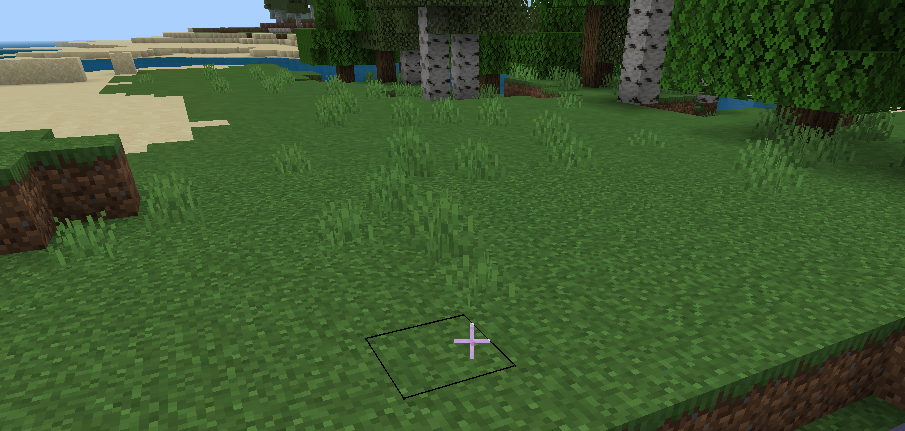
When the player looks at these grasses from a distance, they glow
我只是把我的描述改为英文,该问题应该解决了
If you look closely, the button above the inventory doesn't have a nine-square tile, it's stretched ugly and loses its transparency
If you look closely, the button at the top of the inventory doesn't have a nine-square tile, and it's stretched ugly, as if it's losing its transparency
If you look closely, the button above the inventory doesn't have a nine-square tile, it's stretched ugly, and it doesn't have transparency
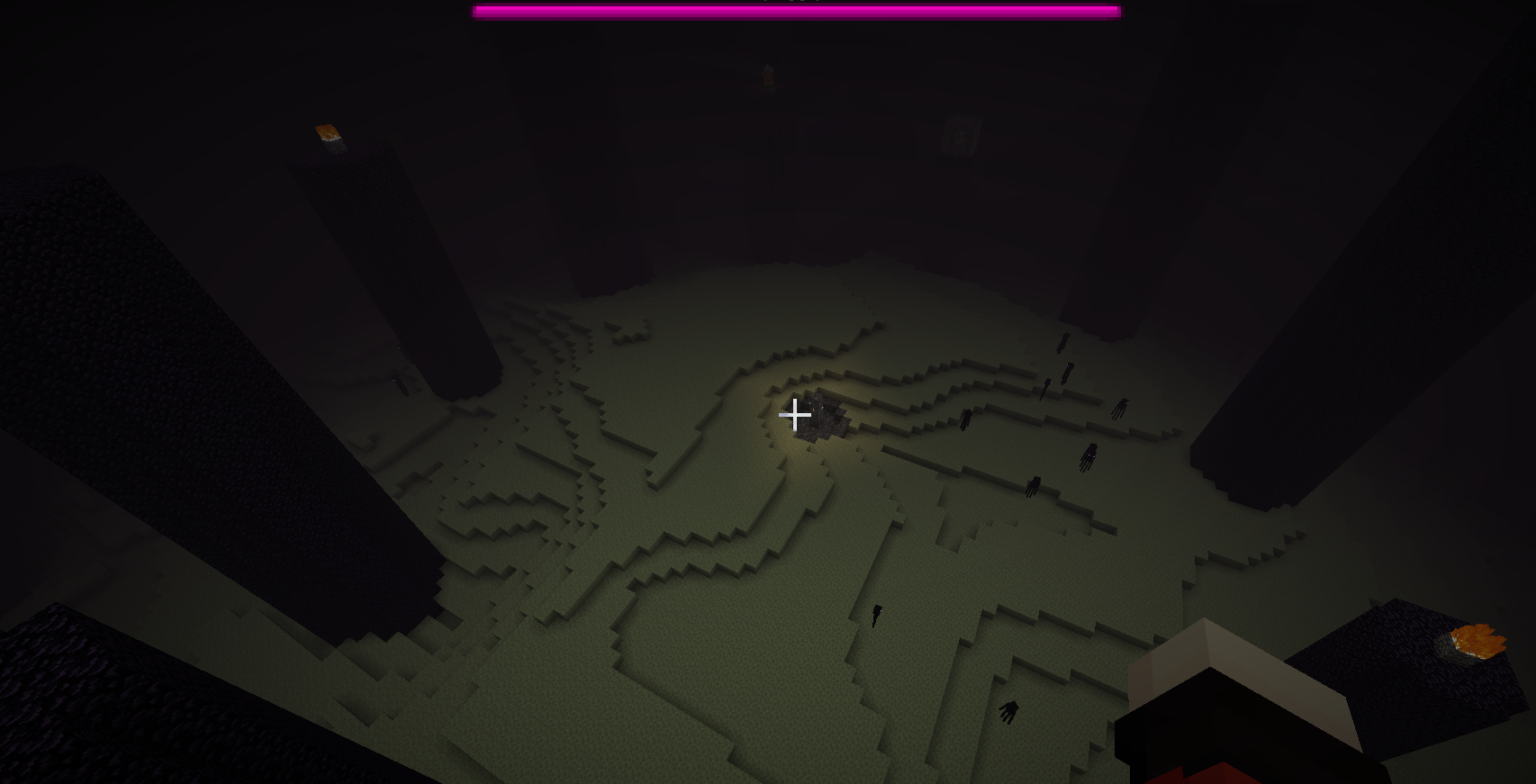
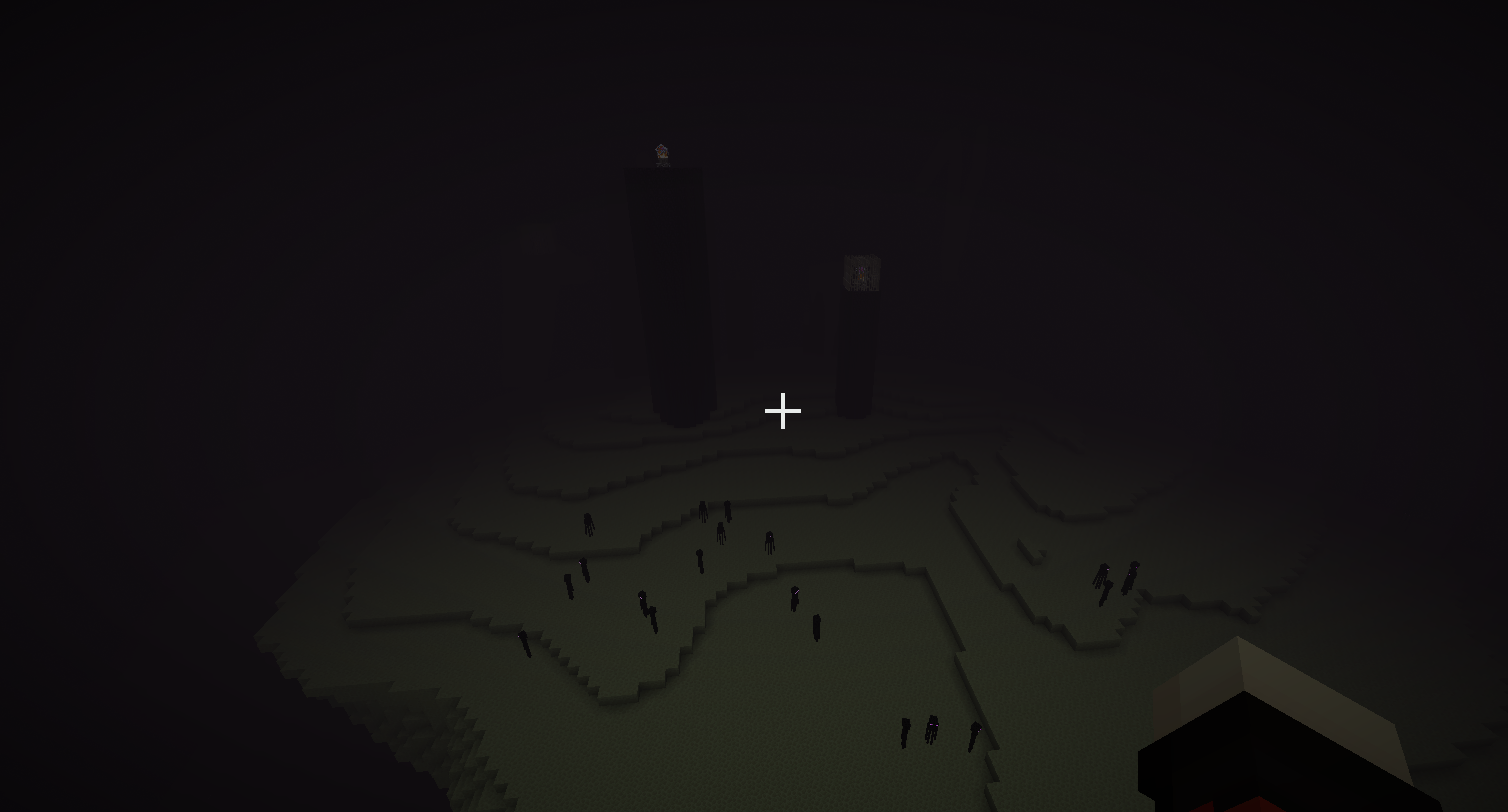
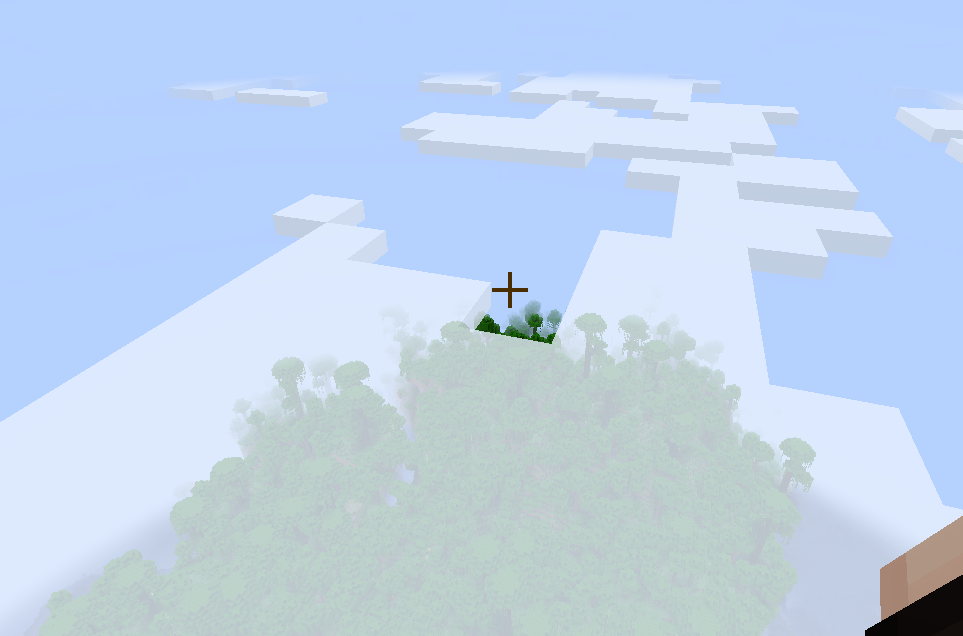
In Java Edition, when the ender dragon is present in the End, the main island will be covered in fog and the sky will appear to darken
Bedrock Edition of the End needs a "battle fog", just as the West can't afford to lose Jerusalem
Steps to Reproduce
- Open Minecraft Bedrock Edition, create a world, and enter the End
- Open Minecraft
BedrockEdition, create a new world, and enter the End- O
pen Minecraft Java Edition, create a new world, and enterthe End- Observe both versions of the End
Observed result
The End of Bedrock Edition is lazy, or rather lags behind Java,and it looks like a pirated game
Expected result
The end of Bedrock Edition should not be much different from Java Edition
Bedrock Edition of the End needs a "battle fog", just as the West can't afford to lose Jerusalem
Steps to Reproduce
- Open Minecraft Bedrock Edition, create a world, and enter the End
- Open Minecraft Java Edition, create a new world, and enter the End
- Observe both versions of the End
Observed result
The End of Bedrock Edition is lazy, or rather lags behind Java,and it looks like a pirated game
Expected result
The end of Bedrock Edition should not be much different from Java Edition
Bedrock Edition of the End needs a "battle fog", just as the West can't afford to lose Jerusalem
Steps to Reproduce
- Open Minecraft Bedrock Edition, create a world, and enter the End
- Open Minecraft Java Edition, create a new world, and enter the End
- Observe both versions of the End
Observed result
The End ofBedrock Edition islazy, or rather lags behind Java,and it looks like a pirated gameExpected result
The end of Bedrock Edition should not be much different from Java Edition
Bedrock Edition of the End needs a "battle fog", just as the West can't afford to lose Jerusalem
Steps to Reproduce
- Open Minecraft Bedrock Edition, create a world, and enter the End
- Open Minecraft Java Edition, create a new world, and enter the End
- Observe both versions of the End
Observed result
Bedrock Edition is behind Java Edition
Expected result
The end of Bedrock Edition should not be much different from Java Edition
存在于最新版本或开发版本的 Bedrock Edition 和 Java Edition 中
Whether or not the shroud of fog is related to the presence of the ender dragon, regardless of the distance the dragon is from the player
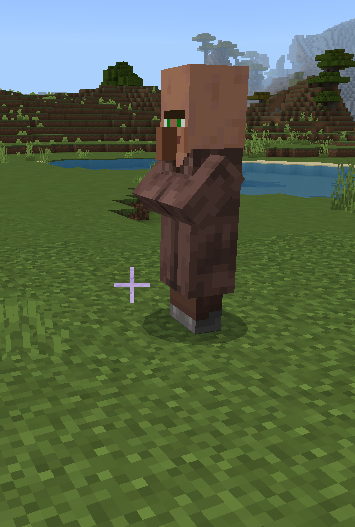
The noses of the villagers are so large thatthe crops in the village ripen instantlyThe noses of the villagers are so large that Crops are in a mature state
Thenoses of thevillagersare solargethat Crops are in a mature stateThe villagers have large noses, and the crops in the village fields are in a mature state after being generated
Thevillagers have large noses,and the crops in the village fields are in a mature state after being generatedThe noses of the villagers are massive,and the crops in the village fields are in a mature state after being generated
Is it fixed now?
Such a small question, have you fixed it now?
Reply from [Mod] Umija5895M:
Note that comments asking if a bug is "fixed" are not really helpful.
As explained in the Bug Tracker Guidelines, this report will be "Resolved" as "Fixed" when a version containing the fix is released.
However, if it appears to be fixed for you, please let us know.
If you would like to discuss bugs or the bug tracker, you are welcome to join the Mojira Discord.
Steps to Reproduce:
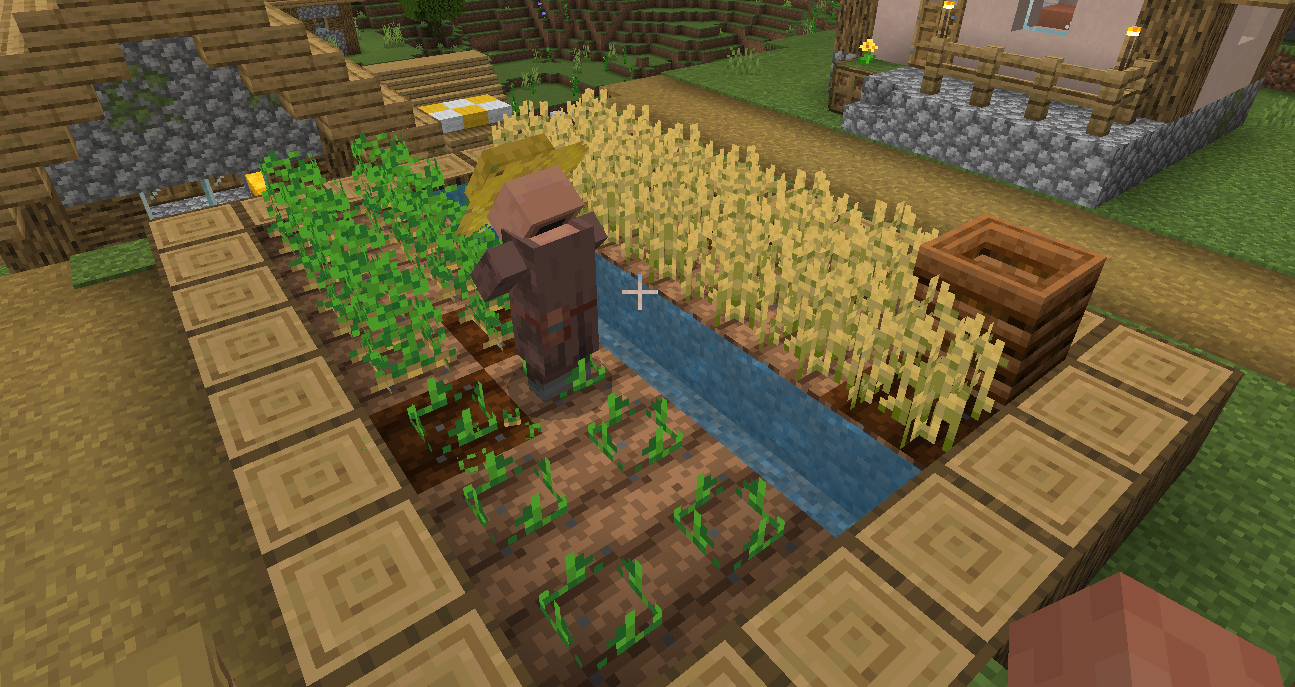
- Create a new world and find villages with crops, using Plains Villages as the standard
- Observe crops
Observed Results:
Look at picture 1
Expected Results:
Look at picture 2
The newly generated village crop
isin Java Edition,Look at picture "in java"
This satisfies parity because it is correct in Pocket Edition and Old Bedrock Edition
This satisfies parity because it is correct in Pocket Edition and Old Bedrock Edition
bug:
no bug:
Java Edition developers make it look positive and negative in any direction
错误:
没有错误:
Java 版开发人员使它在任何方向上看起来都是积极的和消极的
错误:
没有错误:
Java 版开发人员使它在任何方向上看起来都是积极的和消极的
错误:
没有错误:
Java 版开发人员使它在任何方向上看起来都是积极的和消极的
错误:
没有错误:
Java 版开发人员使它在任何方向上看起来都是积极的和消极的
错误:
没有错误:
Java Edition developers make it look positive and backward in any direction
错误:
没有错误:
Java Edition developers make it look
positive and backward in any direction错误:
没有错误:
Java Edition developers make it look flipped in any direction
错误:
没有错误:
Java Edition developers ma
ke it look flippedin any direction错误:
没有错误:
The Java Edition developers made it look like a face flip in any direction
错误:
没有错误:
The Java Edition developers made it look like a face flip in any direction
bug:
no bug:
The Java Edition developers have made it look like a surface is flipped in any direction
bug:
no bug:
The Java Edition developers
have made it look like asurfaceis flipped in any directionbug:
no bug:
The Java Edition developers made the peony flower look like it had one of the surfaces flipped in any direction
bug:
no bug:
The
Java Edition developers made the peony flower look like it had one of the surfaces flipped in any directionbug:
no bug:
The developers of Java Edition have made the player look at the peony flower in any direction, and what they see will be that there is a surface that is flipped horizontally
bug:
no bug:
The developers of Java Edition have made the player look at the peony flower in any direction, and what they see will be that there is a surface that is flipped horizontally
错误:
没有错误:
Java版的开发者让玩家从任何方向看牡丹花,他们看到的会是有一个水平翻转的表面
错误:
没有错误:
Java版的开发者让玩家从任何方向看牡丹花,他们看到的会是有一个水平翻转的表面
bug:
no bug:
The developers of Java Edition have made the player look at the peony flower in any direction, and what they see will be that there is a surface that is flipped horizontally
bug:
no bug:
The
developers ofJava Editionhavemade the player look at the peony flower in any direction, andwhat they see will be that there is a surface that is flipped horizontallybug:
no bug:
The Java Edition developers made the player look at the peony flower in any direction, and they would always see that one of the surfaces was flipped horizontally
I'm sure now give the steps to reproduce the bug that MCPE-40646 doesn't fully describe it
bug:
no bug:
The Java Edition developers made the player look at the peony flower in any direction, and they would always see that one of the surfaces was flipped horizontally
bug:
no bug:
The Java Edition developers made the player look at the peony flower in any direction, and they would always see that one of the surfaces was flipped horizontally,This report is in addition to MCPE-40646 detailing the bug
Steps to Reproduce:
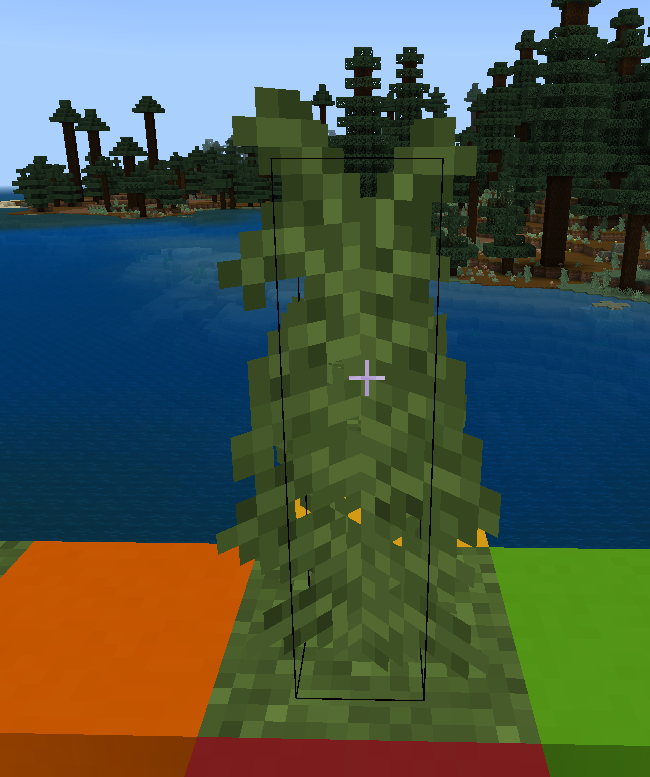
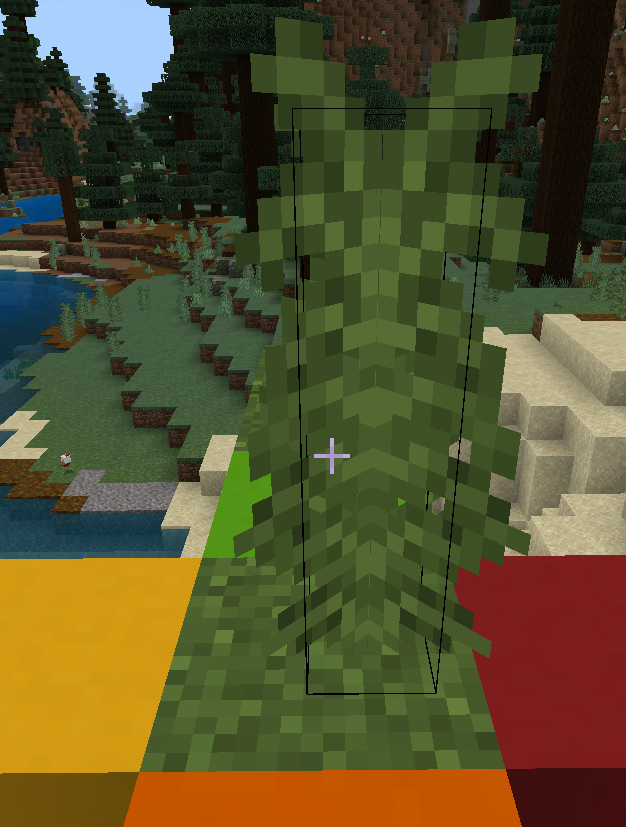
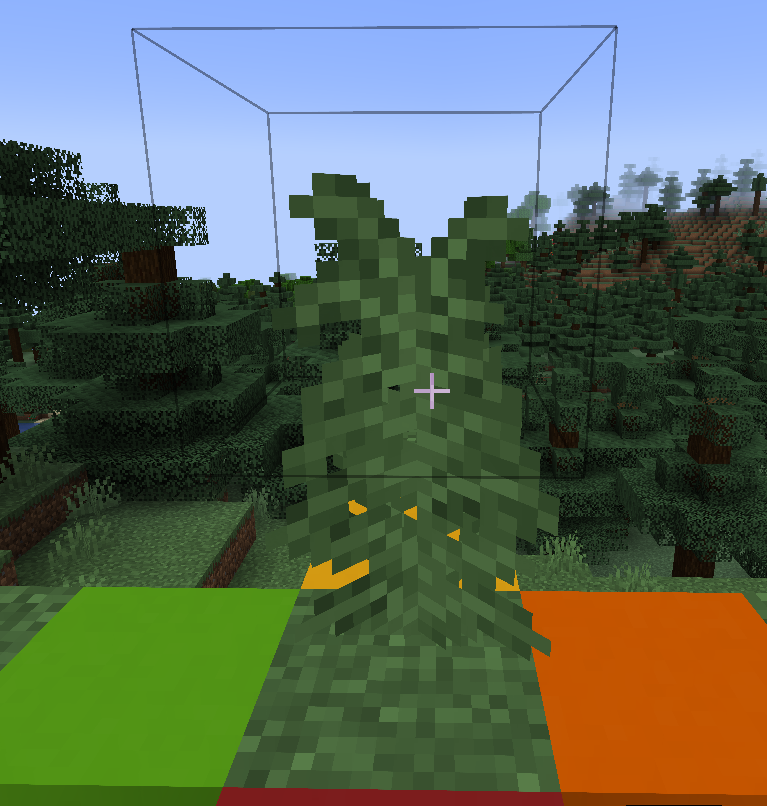
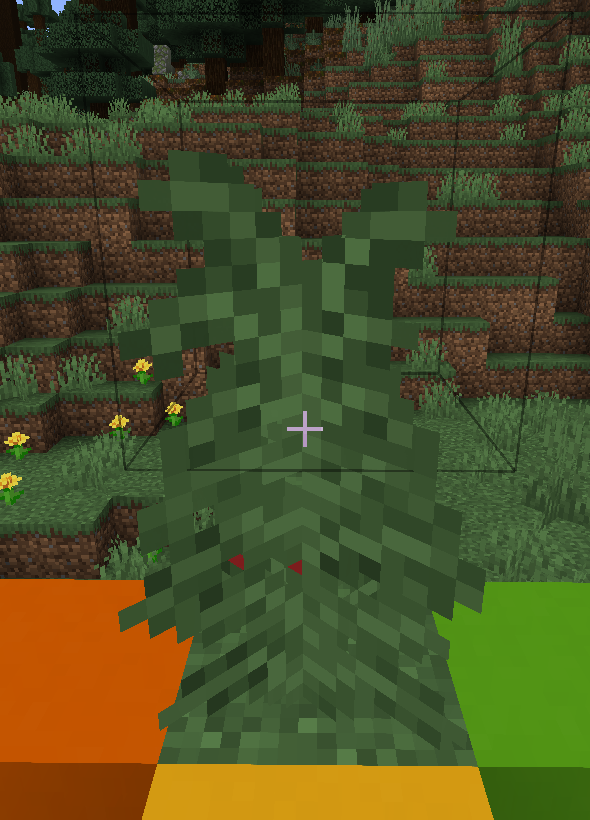
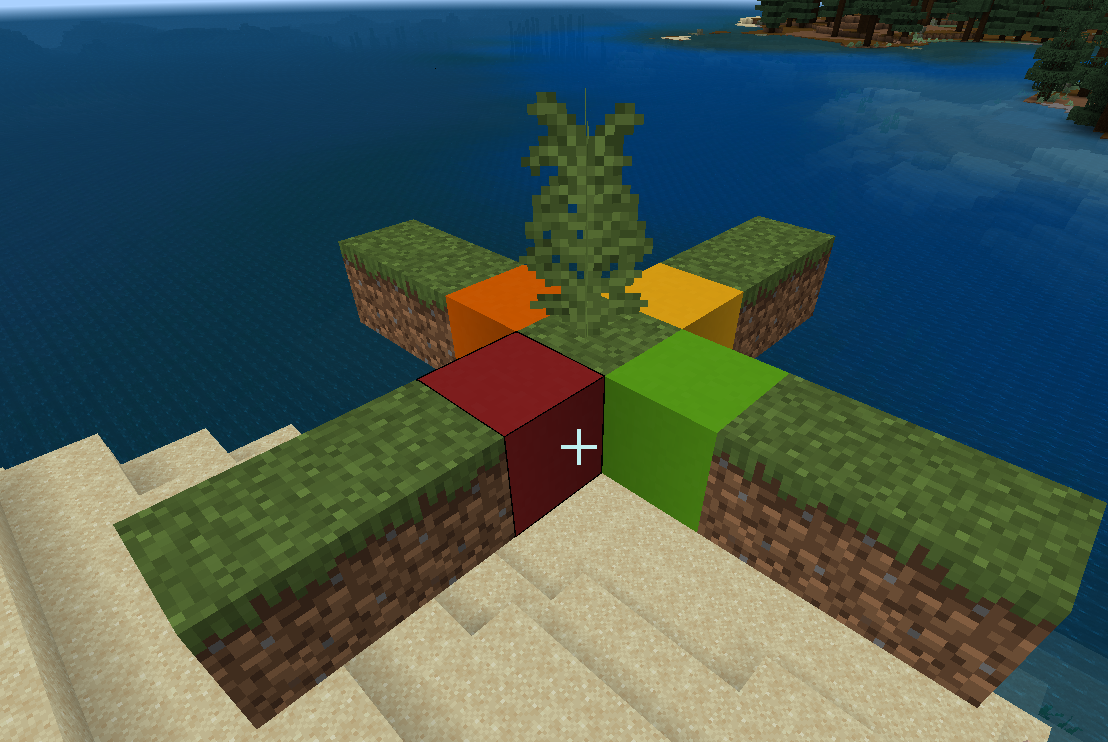
- In Bedrock Edition (as a counterexample), Java Edition (as a positive example). Make a simulation model for each one,This bug shouldn't be treated as parity, and that's where Bedrock Edition does the foliage rendering wrong,Most of the wrong blocks are rendered in a cross shape, and tall grass is used here to illustrate this bug
- Standing on the red, orange, yellow, and green blocks, looking at the tall grass,Try it in Bedrock Edition and Java Edition, respectively
bedrock:
Observed Results:
Bedrock Edition looks different when looking at tall grass from block to block{}
bug:
no bug:
The Java Edition developers made the player look at the peony flower in any direction, and they would always see that one of the surfaces was flipped horizontally,This report is in addition to MCPE-40646 detailing the bug
Steps to Reproduce:
- In Bedrock Edition (as a counterexample), Java Edition (as a positive example). Make a simulation model for each one,This bug shouldn't be treated as parity, and that's where Bedrock Edition does the foliage rendering wrong,Most of the wrong blocks are rendered in a cross shape, and tall grass is used here to illustrate this bug
- Standing on the red, orange, yellow, and green blocks, looking at the tall grass,Try it in Bedrock Edition and Java Edition, respectively
bedrock:
Observed Results:
Bedrock Edition looks different when looking at tall grass from block to block{}
bug:
no bug:
The Java Edition developers made the player look at the peony flower in any direction, and they would always see that one of the surfaces was flipped horizontally,This report is in addition to MCPE-40646 detailing the bug
Steps to Reproduce:
- In Bedrock Edition (as a counterexample), Java Edition (as a positive example). Make a simulation model for each one,This bug shouldn't be treated as parity, and that's where Bedrock Edition does the foliage rendering wrong,Most of the wrong blocks are rendered in a cross shape, and tall grass is used here to illustrate this bug
- Standing on the red, orange, yellow, and green blocks, looking at the tall grass,Try it in Bedrock Edition and Java Edition, respectively
bedrock:
Observed Results:
Bedrock Edition looks different when looking at tall grass from block to block{}
bug:
no bug:
The Java Edition developers made the player look at the peony flower in any direction, and they would always see that one of the surfaces was flipped horizontally,This report is in addition to MCPE-40646 detailing the bug
Steps to Reproduce:
- In Bedrock Edition (as a counterexample), Java Edition (as a positive example). Make a simulation model for each one,This bug shouldn't be treated as parity, and that's where Bedrock Edition does the foliage rendering wrong,Most of the wrong blocks are rendered in a cross shape, and tall grass is used here to illustrate this bug
- Standing on the red, orange, yellow, and green blocks, looking at the tall grass,Try it in Bedrock Edition and Java Edition, respectively
bedrock:
Observed Results:
Bedrock Edition looks different when looking at tall grass from block to block{}
bug:
no bug:
The Java Edition developers made the player look at the peony flower in any direction, and they would always see that one of the surfaces was flipped horizontally,This report is in addition to MCPE-40646 detailing the bug
Steps to Reproduce:
- In Bedrock Edition (as a counterexample), Java Edition (as a positive example). Make a simulation model for each one,This bug shouldn't be treated as parity, and that's where Bedrock Edition does the foliage rendering wrong,Most of the wrong blocks are rendered in a cross shape, and tall grass is used here to illustrate this bug
- Standing on the red, orange, yellow, and green blocks, looking at the tall grass,Try it in Bedrock Edition and Java Edition, respectively
bedrock:
java:
Observed Results:
Bedrock Edition looks different when looking at tall grass from block to block
Expected Results:
The correct rendering (like Java) looks the same, but it's definitely not parity, because Bedrock Edition is just wrong{}
bug:
no bug:
The Java Edition developers made the player look at the peony flower in any direction, and they would always see that one of the surfaces was flipped horizontally,This report is in addition to MCPE-40646 detailing the bug
Steps to Reproduce:
- In Bedrock Edition (as a counterexample), Java Edition (as a positive example). Make a simulation model for each one,This bug shouldn't be treated as parity, and that's where Bedrock Edition does the foliage rendering wrong,Most of the wrong blocks are rendered in a cross shape, and tall grass is used here to illustrate this bug
- Standing on the red, orange, yellow, and green blocks, looking at the tall grass,Try it in Bedrock Edition and Java Edition, respectively
bedrock:
java:
Observed Results:
Bedrock Edition looks different when looking at tall grass from block to block
Expected Results:
The correct rendering (like Java) looks the same, but it's definitely not parity, because Bedrock Edition is just wrong{}
bug:
no bug:
The Java Edition developers made the player look at the peony flower in any direction, and they would always see that one of the surfaces was flipped horizontally,This report is in addition to MCPE-40646 detailing the bug
Steps to Reproduce:
- In Bedrock Edition (as a counterexample), Java Edition (as a positive example). Make a simulation model for each one,This bug shouldn't be treated as parity, and that's where Bedrock Edition does the foliage rendering wrong,Most of the wrong blocks are rendered in a cross shape, and tall grass is used here to illustrate this bug
- Standing on the red, orange, yellow, and green blocks, looking at the tall grass,Try it in Bedrock Edition and Java Edition, respectively
bedrock:
java:
Observed Results:
Bedrock Edition looks different when looking at tall grass from block to block
Expected Results:
The correct rendering (like Java) looks the same, but it's definitely not parity, because Bedrock Edition is just wrong
Simulation model:
Reproduce:
1. Open the game and observe the sun
2. The crosshair is aimed at the sun. The same angle to the left and right respectivelyResults observed:
Looking to the left, the sky is getting lighter too early, indicating that the center of the sky's color change is not the sun, but a little to the rightExpected Results:
The center of the sky's color change is on the sunReproduce:
1. Open the game and observe the sun
2. The crosshair is aimed at the sun. The same angle to the left and right respectivelyResults observed:
Looking to the left, the sky is getting lighter too early, indicating that the center of the sky's color change is not the sun, but a little to the right
Expected Results:
The center of the sky's color change is on the sun
Reproduce:
1. Open the game and observe the sun
2. The crosshair is aimed at the sun. The same angle to the left and right respectivelyResults observed:
Looking to the left, the sky is getting lighter too early, indicating that the center of the sky's color change is not the sun, but a little to the right
Expected Results:
The center of the sky's color change is on the sunReproduce:
1. Open the game and observe the sun
2. The crosshair is aimed at the sun. The same angle to the left and right respectivelyResults observed:
Looking to the left, the sky is getting lighter too early, indicating that the center of the sky's color change is not the sun, but a little to the rightExpected Results:
The center of the sky's color change is on the sun
Reproduce
:
1. Open the game and observe the sun
2. The crosshair is aimed at the sun. The same angle to the left and right respectivelyResults observed:
Looking to the left, the sky is getting lighter too early, indicating that the center of the sky's color change is not the sun, but a little to the rightExpected Results:
The center of the sky's color change is on the sunSteps to Reproduce:
1. Open the game and observe the sun
2. The crosshair is aimed at the sun. The same angle to the left and right respectivelyResults observed:
Looking to the left, the sky is getting lighter too early, indicating that the center of the sky's color change is not the sun, but a little to the rightExpected Results:
The center of the sky's color change is on the sun
The old colorisstill used in the form of the bedobjectThe old colors are still used in the form of the bed items
Many itemsare illuminated incorrectlyMany items have the wrong lighting
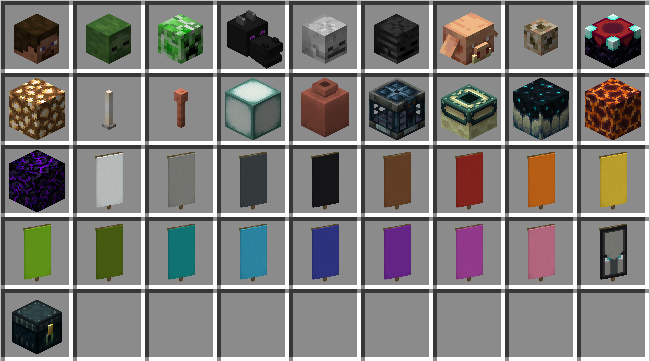
Look at the picture
Steps to Reproduce:
- Place the chest
Steps to Reproduce:
- Place the chest
Steps to Reproduce:
- Place the chest
- Take out all the items in the picture "bug" and put them in the box
- Take out square and irregularly shaped 3D items with proper lighting, such as "Red Concrete", "Chorus Plants", Bedrock Edition rarely finds 3D items that are not lumpy but have normal lighting,Many block-shaped 3D objects are properly lit, Block lighting with red concrete as the standard
- Try to compare a 3D item with proper lighting to an item placed in a chest
Observed Results:
Chaotic lighting, some reversed, some unilluminated
Expected Results:
My image "nobug" will not be reproduced in any version of Bedrock Edition, as this is the normal effect of the simulation, and the bug is a legacy of Pocket Edition, which has not been fixed in Bedrock Edition
Hope to reopen, and keep tracking, I will be grateful
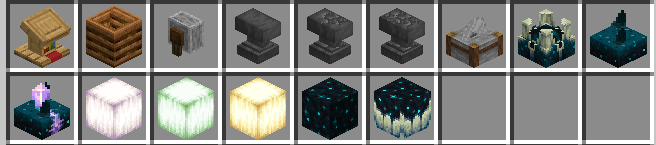
Please again!
A final warning? First of all, I have already corrected my mistakes, and I will not repeat the previous problems. Now my comment is about the game itself and the bugs, I didn't say anything about any developer, I love Mojang and love every developer who is serious about making games. Unless some developer thinks I'm talking about a game he makes. Some developers think I'm talking about him and think I'm cursing. You can't ban my account for cheating!
You're just sitting in the right seat, and you think I'm criticizing you, even though I still think you're being squeezed, or you don't like the game, or you don't have a good life
Or you don't plan well and always tell you to do something else. For example, the new UI that has only been completed a little bit, and... Are you an outsourced team?
Steps to Reproduce:
- Place the chest
- Take out all the items in the picture "bug" and put them in the box
- Take out square and irregularly shaped 3D items with proper lighting, such as "Red Concrete", "Chorus Plants", Bedrock Edition rarely finds 3D items that are not lumpy but have normal lighting,Many block-shaped 3D objects are properly lit, Block lighting with red concrete as the standard
- Try to compare a 3D item with proper lighting to an item placed in a chest
Observed Results:
Chaotic lighting, some reversed, some unilluminated
Expected Results:
My image "nobug" will not be reproduced in any version of Bedrock Edition, as this is the normal effect of the simulation, and the bug is a legacy of Pocket Edition, which has not been fixed in Bedrock Edition
Hope to reopen, and keep tracking, I will be grateful
The hollow block vault can be seen on the back
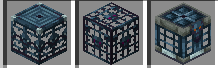
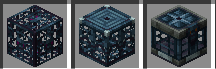
All surfaces of Bedrock Edition vault blocks are not shownMonster spawner,Trials spawner,vault.item form rendering bug
Monster spawner,Trials spawner,vault.item form rendering bugMonster spawner,Trials spawner,vault item form rendering bug
The
reproduction step isto open the game and look at the chests,nottotreatthemas blocks,whichwill make thembigger and their"locks" flattenedThe steps to reproduce are to open the game and look at the chest. Chests should not be treated as blocks, as this will make them larger and the "locks" will be flattened
T
he steps to reproduceare toopen the game andlook at the chest. Chests should not be treated as blocks, as this will make them larger and the "locks" will be flattenedTo reproduce, open the game and take out the chest from your backpack. Chests should not be treated as blocks, as this will make them larger and the "locks" will be flattened
Steps to Reproduce:
- Enter the locker room
- Create a character and choose classic skin
- click
- Do nothing and exit the locker room
Steps to Reproduce:
- Enter the locker room
- Create a character and choose classic skin
- click
- Do nothing and exit the locker room
Steps to Reproduce:
- Enter the locker room
- Create a character and choose classic skin
- click
- Do nothing and exit the locker room
Sample skinsare available in the wardryInstance skins can be obtained in the dressing room
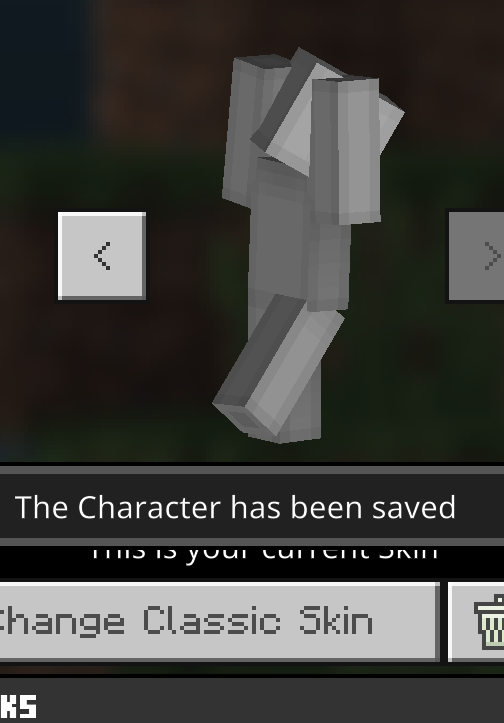
Instance skins can be obtained in the dressing roomExample skins can be obtained in the dressing room
The glowing block condits in Bedrock Edition are obscured by ambient light due to the code used in head , and the developers of the Bedrock Edition might as well change all the glowing items to be covered by the environment, which is beautiful and simple
是否存在环境光遮蔽
Java3D 发光项
Item form: Yes
Drops: Yes
Put on the ground: YesJava 版非照明 3D 项目都被环境光遮挡
基岩发光物品
Item form: No, and all things of any brightness look like level 15!
Drops: Yes
Put on the ground: No一些基岩版非照明 3D 物品具有环境光遮蔽,而另一些则具有 Bug 环境光遮蔽
Steps to Reproduce:
- Open the game, use survival mode, and jump into the water
- Wait for the oxygen strip to be depleted
- Observe the oxygen bar
Observed Results:{}
The oxygen bar has a "shrinking bubble pattern"
Expected Results:{}
This thing didn't exist in previous versions, and for some reason, it appeared
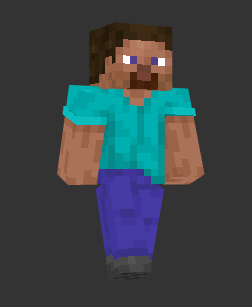





Bedrock Edition experience bar is something that updated textures, and he's a thing that did it wrong, and you can imagine the developer messing up the experience bar and then casually doing another one. How comfortable the experience bar texture looks in Java Edition, you don't have any parity to fix. Bedrock Edition now looks like a replica of Minecraft. Angel 96444 Have you ever played Java and you are calling everywhere
I don't understand why we should continue to develop with the Pocket Edition instead of the motherboard that has been well detailed. And to this day the Pocket Edition still looks prettier, it's not nostalgia, it's just not inferior, like Minecraft
angel96444I suggest you play my pirated games and see if they do better than bedrock
Steam 上的 Mini World: CREATA (steampowered.com)Note that this is not an advertisement, this is a detailed addition to the reported issue,Let's see how well they animate the player's hands, because their movements are plagiarized from the Pocket Edition
I think you just sympathize with the developers of Bedrock Edition, don't mess around


Angel 96444 Do you have nothing else to do but contradict you, do you move your hands like this when you walk on your own, this loophole makes me turn off the camera and shake, it's so ugly.
Angel 96444 on the bug report on this kind of problem is going to be in opposition, the taste is really unique, you

luojin573281, this does not happen in Java Edition (MC-136156).

luojin573281 Java clouds are shoddy, there is nothing wrong with Bedrock ones, they look exactly how they are supposed to look like, clouds are not supposed to have lines/gaps on them and weird fog which doesn't even make any sense at all, current Java clouds are obviously broken
luojin573281 Java clouds literally cut-off in distance without any fade and are covered with ugly broken fog, and on Bedrock they smoothly fade, if Java clouds are good then explain why every single shader makes them look like Bedrock ones, and even most popular optimization mod changes them to look like they do on Bedrock, this is surprising that someone actually likes these weird Java clouds, they are obviously broken, they literally don't have any smooth transition and just cut-off at distance
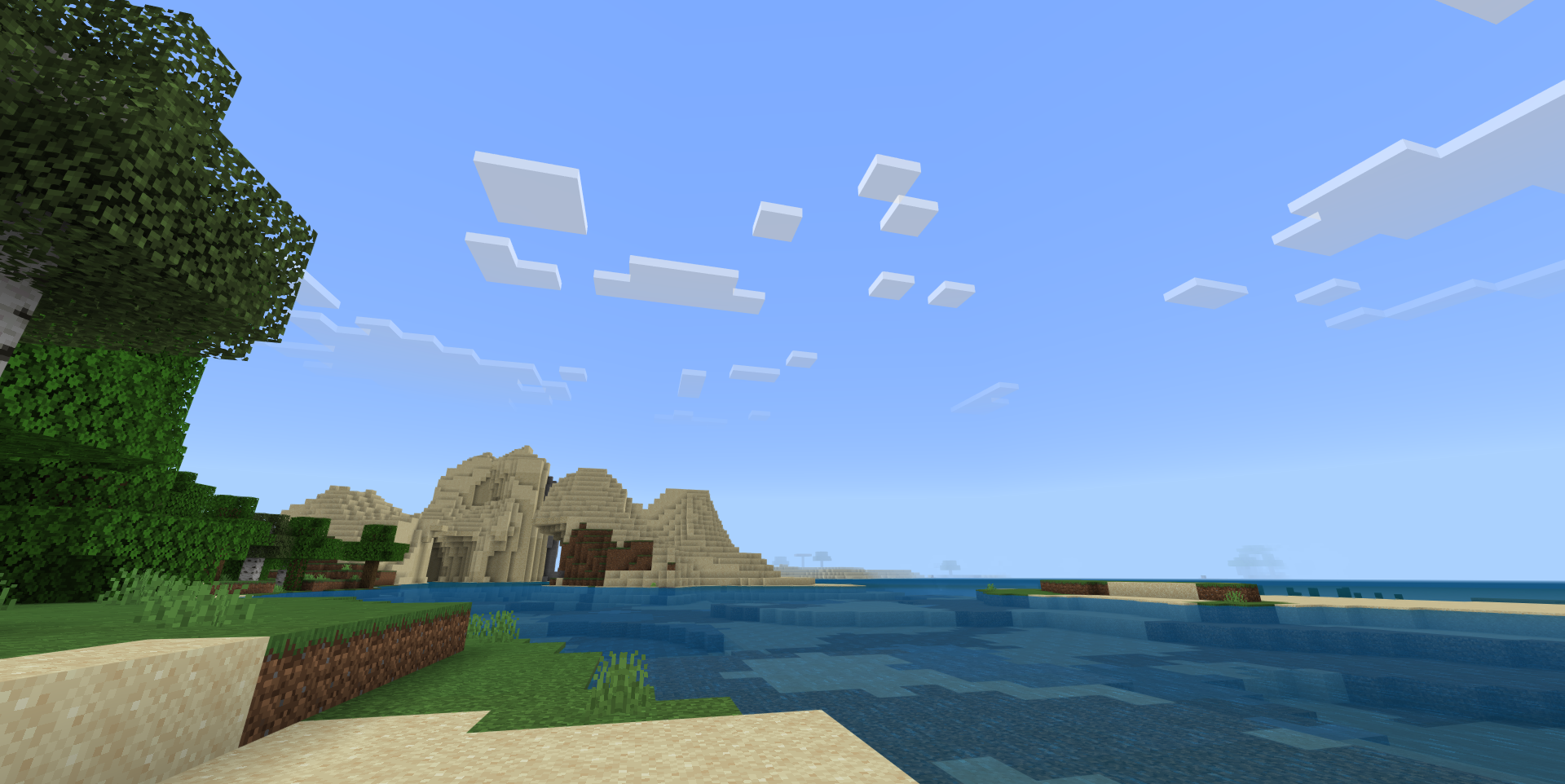

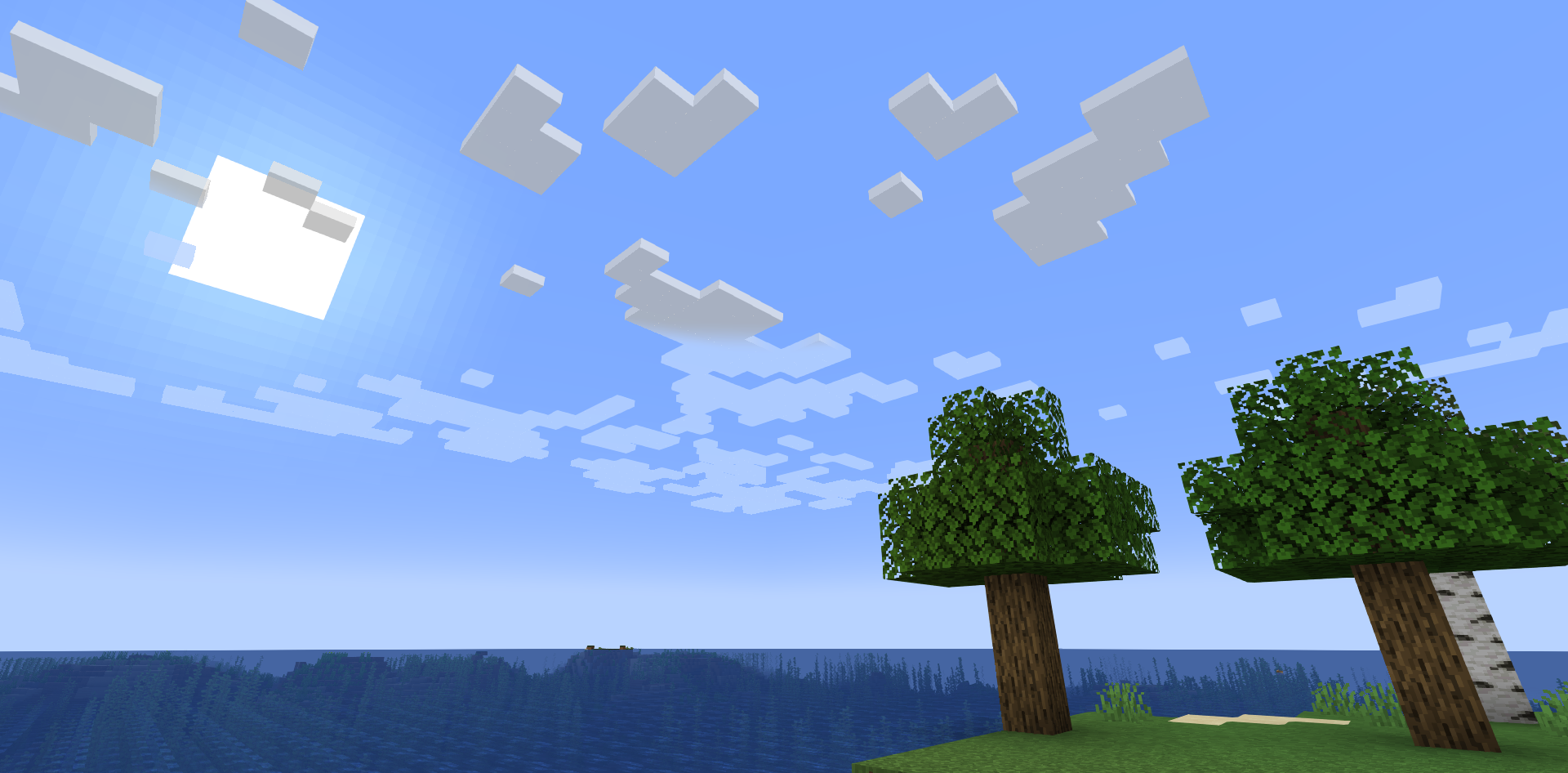
luojin573281 It is parity thing, nobody ever said that developers can't change texture in the game, Java XP bar texture looks silly and is literally the ugliest texture in the game after OG gravel, it's completely unfitting and looks like it was taken from a different game, before texture update it was ok because game didn't have any specific style at the time, but now it does, and Bedrock XP bar follows it and perfectly fits in the game, and instead of using random noise and ugly gradient it actually has pattern and uses limited color palette which matches game art style, and makes it match other HUD elements for example hearts, the only thing that is wrong with Bedrock's XP bar is that it's asymmetrical which easily can be fixed, and once that will be fixed it should be added to Java and horse jump bar also should be changed to match new texture, obviously this change is intended, it's impossible to accidentally draw perfect texture an overlay for it and make game use it by changing HUD code a little bit, thinking that this is actually a bug and Java XP bar is better (which is not) is just silly,

luojin573281 That ticket is for Android devices, This issue has IOS that could different issue.
I have a big opinion about the Bedrock Edition backpack, it's cheap and sloppy, and not as well designed as Java
Mobile phones and computers
Oops, I reversed the observed and expected results, thanks for the [Mod] Umija5895M change
I filled in the observed and expected results in reverse, and [Mod] Umija5895M changed the description for me
yes
Please change the description to English
这算什么bug,我还希望矿井在含水洞穴里生成呢
V-sync is on on most devices
This is optimized, but not good, which makes the Bedrock Edition foliage like plastic
The jungle in particular sucks, the trees are like wax figures, which is an optimization at the expense of aesthetics, and I don't think it improves much performance
open
yes
MCPE-170517The problem can be describedSuch an obvious bug has not been reported by anyone else!
1.21.10.24Unresolved
Eliminate a bug, create a bug
Could it be that what I posted before was really all in Chinese, and now it's finally right
The attachment is now normal, replaced with a screenshot
hi firsk
If you look closely, the button at the top of the inventory isn't done, it's stretched ugly, and there's no transparency
My translator always translates English to Chinese when I submit reports, sorry
I double-checked the bug and it didn't work out the same way as I described it before, and I modified the results I observed
Okay, I changed the translator to manual, I'm sorry, now there won't be any more problems
Present in the latest versions or development versions of Bedrock Edition and Java Edition, hopefully reopened
When the ender dragon is on the main island, if the player leaves the main island, the fog will disappear and will reappear when the player returns to the main island
Whether or not the fog gathers is related to the presence of the ender dragon, not the distance of the ender dragon from the player, and after the player revives the ender dragon, the fog will still gather due to the presence of the ender dragon
Chinese players can't open Minecraft Feedback Discord server,and if any parity before Bedrock Edition 1.14 doesn't bug tracker, then I can't communicate with Mojang
What the hell are they doing, this new UI has been doing it for so long, the progress is slow, and there are frequent bugs, so I hand it over to the community to do UI developers, and it's all done at once
It's not a problem, the sound is to tell you that you have interacted with this button, not to express that you have pressed this button, you are a player and not a developer, it is normal not to understand, let me tell you, let's say you press this button, but you don't want to interact with this button anymore, You can press this button to move the mouse out of the button and then lift it up, so that the program does not think that you want to interact with this button
json ui does this, I instead feel like it's a bug
The Bedrock Edition doesn't render as poorly as Pocket Edition 0.14.3, and these issues are even worse with the addition of the Render Dragon
The original console version was also made in C++, but it was just more Minecraft than Bedrock Edition
On the same seed, at the same time, the minimum brightness of 1.21.1 looks brighter than 1.18.12
In Bedrock Edition, this problem persists for a long time
While this isn't a parity issue, it does work better in Java Edition
If these old parity issues weren't tracked, Bedrock Edition would be difficult to thrive
I encountered this bug in the game, there was a creature in the corner of the screen with only the body rendered, I was recording the game, and when I played back the footage, I was scared into a cold sweat, and I thought it was some kind of supernatural event
hi mojang,Did you find that the Conduit does not have smooth lighting
In the beta version, although Mojang has made the heavy core larger, the heavy core should be a little smaller than a normal block and a little larger than a Conduit
Replication of
MCPE-174535Are you playing someone else's world?
Can you provide more content
Probably a copy of
MCPE-21416, which is a serious issuePlease provide a screenshot of the location of your death in the game
Ability to try uninstalling the game and reinstalling it to revert back to the default settings to see if the issue occurs
replication
It's not that you can't move south to north, it's that you can't move south or north with floating-point
Not all mobs spawn and drop the Void, such as mobs that can fly or mobs with large hitboxes
If Mojang says that it doesn't meet the parity conditions, then it's really speechless, those old parity problems are not solved, and Mojang doesn't do some unique and exclusive good gameplay features for the Bedrock Edition
no a bug
It's annoying, my friend Stitch stinks big evil wants to play Dream Hunter game with me, I readily agreed, and at the beginning of the game it ran to the village to get ripe wheat to make bread, and after I beat it into the cave, it beat me to the ground with a pre-hidden heavy core, which is very unfair!!
Please fix this as soon as possible
MCPE-166344 can't describe my problem
The wheat fields of the village ripen immediately after world generation, not in the seed stage, unlike previous versions, and unlike Java Edition
The bug needs to be private
This is to put water on the chest so that it can be opened, which is not a bug, but underwater ruins are generated on land
The smoke particles that the eye of ender put on the frame of the end portal are gone, have you noticed, Mojang?
Can be confirmed
Angel 96444, are you sure that the fog in the bedrock version is better than the java version, the fog and clouds in the bedrock version are shoddy, if you look closely
Angel 96444, this is completely a mistake of the Bedrock Edition, the clouds should fade away in the distance, the Bedrock Edition of the Java Edition does not behave in the same way in the latest version, stop quibbling
Java Edition clouds will gradually merge with the sky in the distance and then disappear. Bedrock version of the cloud simply disappears in the distance
[Mod] OcelotOnesie, but this feature in Bedrock Edition has a bug, its center is not the position of the sun, it is offset
Didn't work like
MC-1380MCPE-40646 doesn't accurately describe this bug, my trace is still informative
This vulnerability satisfies The feature behaves differently in one edition than in the other,
Everything rendered in a cross shape except Pointed Dripstone,pitcher plant,Glowing berries wrong, including flowers, shrubs, and so on
The Bedrock version of the torch flower is also wrong, which can be considered parity
The correct rendering method is to be mirrored in all directions
The flame rendering of the campfire is also wrong
Minecraft uses 3D Berlin noise to generate terrain, and there's not enough squeezing here. is normal, in order to increase playability. Not a bug
I think the glow block should have ambient occlusion
The most obvious ones are gray, orange, yellow, and purple, but practically all bed items have to be changed to a new color
MCPE-7311is completely incorrect, MCPE-41229 is incomplete, and all versions except Bedrock Edition, such as Java Edition and some that have stopped updating. A glowing block placed on the ground, which has ambient light, as do all glowing block items. Bedrock Edition is a special case in that it does not deal with glowing blocks. This is a related issue like MCPE-31392, the light block also has lighting treatment in the latest version of Java, this can be cheap, it includes the trial update block, think about it a little, the light produced by the block is lower than the ambient light, the correct thing to do is to let it have light treatment, The report also brings up some irregular blocks, it has lighting, but the left and right are reversedIt seems that the community has a resource pack to fix this bug. This bug caused some items to be harsh and unusual in the UI, affecting the look and feel of Bedrock Edition as a whole. As long as the author of the resource pack makes a luminous block, no matter what the brightness, it will be highlighted directly, and you don't think it's strange
Thanks to [Mod] Jarl-Penguin for organizing and supplementing,no lighting and fault lighting.Glowing blocks in the form of items,Will the developer be able to make them look more good?
Reopen the issue
in Java Edition. In the water and in the air, the brightness of the environment is the same, it does not brighten or darken, it does not change brightness depending on the distance from the water, it is the water block that reduces the light of the block's sky, and the visual effect seems to be only a blue filter on the screen and a thick fog in the distance, which can be solved by changing it like Java
Okay, I won't comment anymore and continue to report bugs
I'm sure it's parity, as it's after version 1.20 and is present in the latest version of Bedrock Edition
The end portal frame,Dragon eggs is actually a glowing block. It produces light at a magnitude of 1, but if you highlight it, it's ugly
There are a lot of light emitting blocks, and the light intensity it produces is different, and when all of them are highlighted, it will look uncoordinated and ugly in the UI. That's why Java Edition light emitting block doesn't emit light in the ui and lets them have ambient occlusion, I'll give you an example:
The enchantment table,Ender chests will only emit a level 7 light, and you highlighted it, which is not a simulation of the average player seeing a glowing block
The shield is not a light-emitting block, but it is not obscured by ambient light
These items with different lighting,.. This block is actually not so bright, it can't be look like 15 levels of brightness, it must be all not emit light and is obscured ambient light like the Java version, otherwise it won't look good, It won't look like it was on the ground
Luckily [Mod]Jarl-Penguin, you don't need to add the light level to the end, just put my comment up
It is worth mentioning that all glowing block drop items are obscured ambient light
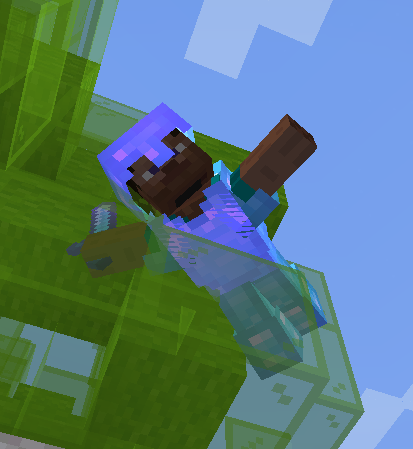
This is still a parity, new Steve in Bedrock Edition is not good as Java, and I hope to change the appearance of the head according to the Java version
This is not working as expected and should be reopened.
Every face of any block should be like
in the UI
It doesn't matter if you don't do that with a block that emits level 15 light, why do you want a block that only emits a faint light, light is not so strong make it have no dark side?
Java Edition takes this into account by making the glowing blocks in the UI not glow, so that they have a dark side. It also makes the glowing blocks placed on the ground have a dark side.
This keeps the game screen uniform.
Put it on the ground
Even if you make a glowing block with more than level 10 light have no dark side, and a glowing block with less than level 10 light has a dark side, it will still be ugly.
For example, beacon emits light is level 15. But there were still shadows under its feet, creating a strange picture of itself fully lit, and shadows near it.
You must press Java Edition so that all blocks have shadows, and the glowing blocks do not glow in the UI
If you place a particularly bright block on the ground, and you make it have no dark side, it will cause itself to glow very strongly, but the block next to it will still have a shadow
A block that doesn't have that much light (light level 7), you see how it looks in the UI
. It doesn't look like it's on the ground, it looks like there's a level 15 light
In the UI, glowing blocks have no dark side, and non-glowing blocks have dark sides. Such a treatment is wrong
In the UI, glowing blocks do not emit light, and all blocks have a dark side. This is the right thing to do
When placed on the ground, no matter how bright the glowing block is, it must have a dark side (the side facing away from the sun is a little darker) so that it can be unified with the picture
Re-step:
1. Open the game, create a new world, and enter the End
2. Kill the ender dragon
Results observed:
After the ender dragon is killed, there is no floating (upward displacement) animation, and the video "EnderDragon_Death_No_Bug" is the correct ender dragon death animation
Expected Results:
The ender dragon behaves the same as before when killed, the same as in Java Edition
Not texture update beta package
But I was wondering if this could be solved without setting the background of the TGA image to the top texture of the grass block
The parity that does not meet the parity check, I really hope it can be fixed, and the game will be much better
I think there should be two types of parity
About the interpretation of a feature in Java Edition:
1. Bedrock Edition has another interpretation of this feature, which is different from the Java Edition but is playable and players are satisfied
2. Bedrock Edition doesn't have this feature or doesn't do it well
About the interpretation of a feature in bedrock Edition:
1. Java Edition has another interpretation of this feature, which is different from the interpretation of Bedrock Edition but is playable and players are satisfied
2. Java Edition does not have this feature or does not do it well
1 is up to the community and developers
2 must be fixed
Some of the things in Bedrock Edition, while not Parity, are actually missing Minecraft features
Whether or not to include a piece of content in Java Edition in Bedrock Edition
Achievable
Compatible with play
performance
If you can achieve the above points, you can't say that is Java parity.The developer can't say it's not parity
This is Minecraft content that Bedrock Edition is missing
That's how I see it
1.21.2 exists, this problem is so serious that I often can't even see those white borders. experience bar texture is also wrong, you can take a look at the Pocket Edition 0.14.3.The current xp bar is suspected to be composed of three pictures. It's weird. Many resource pack developers will change the display code of the xp bar when designing the experience bar material, in order to port the java version of the material or make something more beautiful.
Can someone give a xp bar texture error report ?
I'm sure it came to the first version of Bedrock Edition
Good, reopened
1.21.2 Patch exists
horse's jumping bar is right
It's not parity, as it used to be correct in 0.14.3
Is 0.15.1 also correct? I forgot
Never work as intended. It hampers texture development work. Cumbersome and bad! If you've looked at its composition, will know that the developers misunderstood the XP bar
Creatures that spawn in a village are floating and then motionless, as if they first appeared in the world, unlike the Java version of the village that seems to have been running for a long time
Inside the crosshair is the inverse of the ambient color
It's right to sync your head with the camera,
Otherwise, you'll be treated by players who don't aim with the crosshair doing the following
"I don't seem to see you, but I can knock you over"
@kejuGorenk,It's not what you mean at all
A player who does not use a crosshair to aim
It can tap its finger elsewhere on the screen without seeing the player
This is even worse if you don't have your head in sync with the camera
If you can make your head look like it's not in sync with the camera, others can see that your head is in sync with the camera, and that's fine
What did the developer do to make this prompt go away?
This is a copy of
MCPE-175116It is still present in the latest beta and official version
This is just a bug, developers can take a look at the experience bar in Pocket Edition 0.14.3 and it is perfect. The current Horse Jump Bar is also perfect