 Josh Johnson
- snofox
- snofox
- America/Los_Angeles
- Yes
- No
 MC-3208
 Low
Low![[Mojang] Searge (Michael Stoyke)](../../../data/assets/gravatar/searge.png)
![[Mojang] Cory Scheviak](../../../data/avatars/users/92893.png)




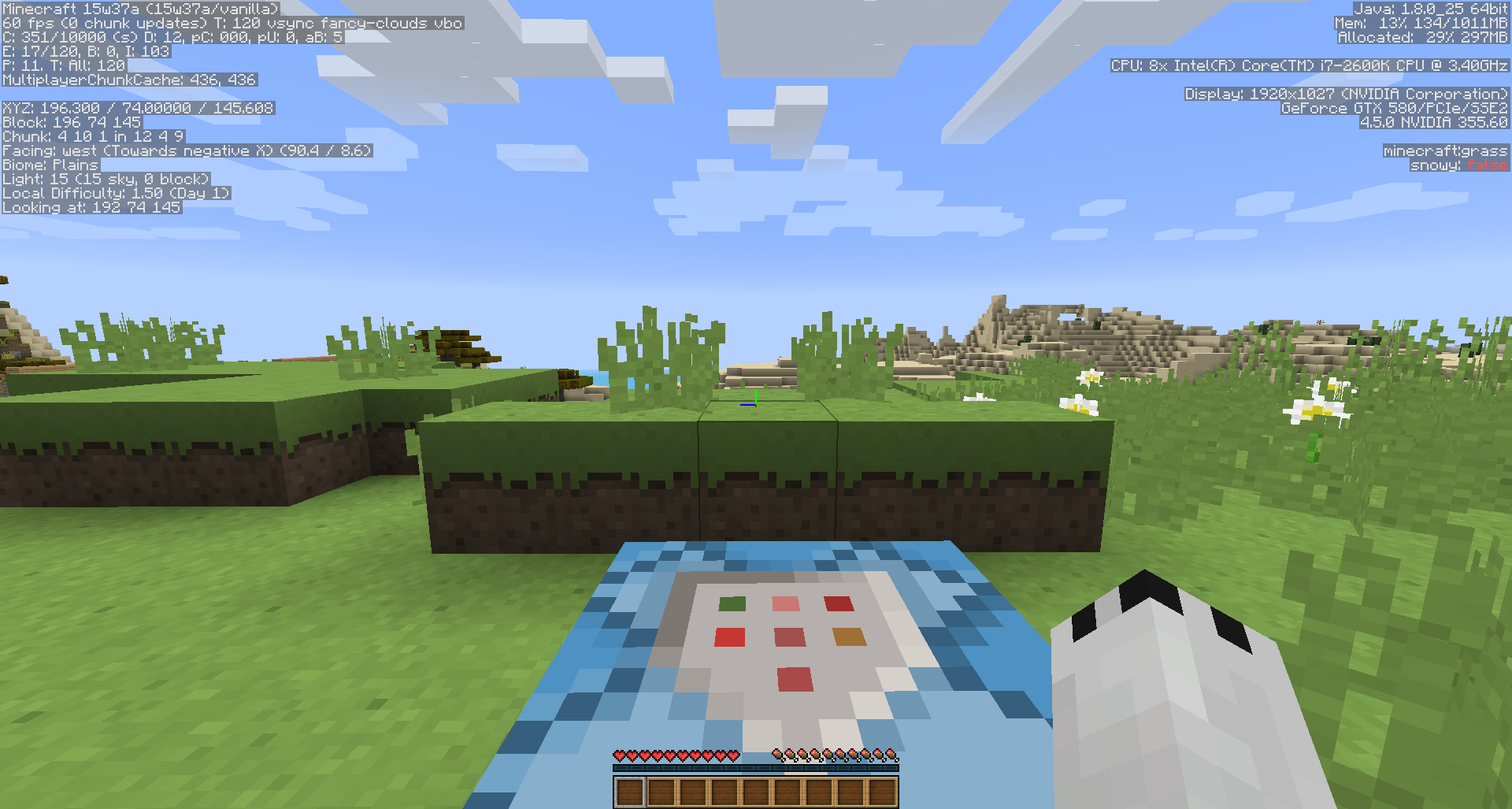
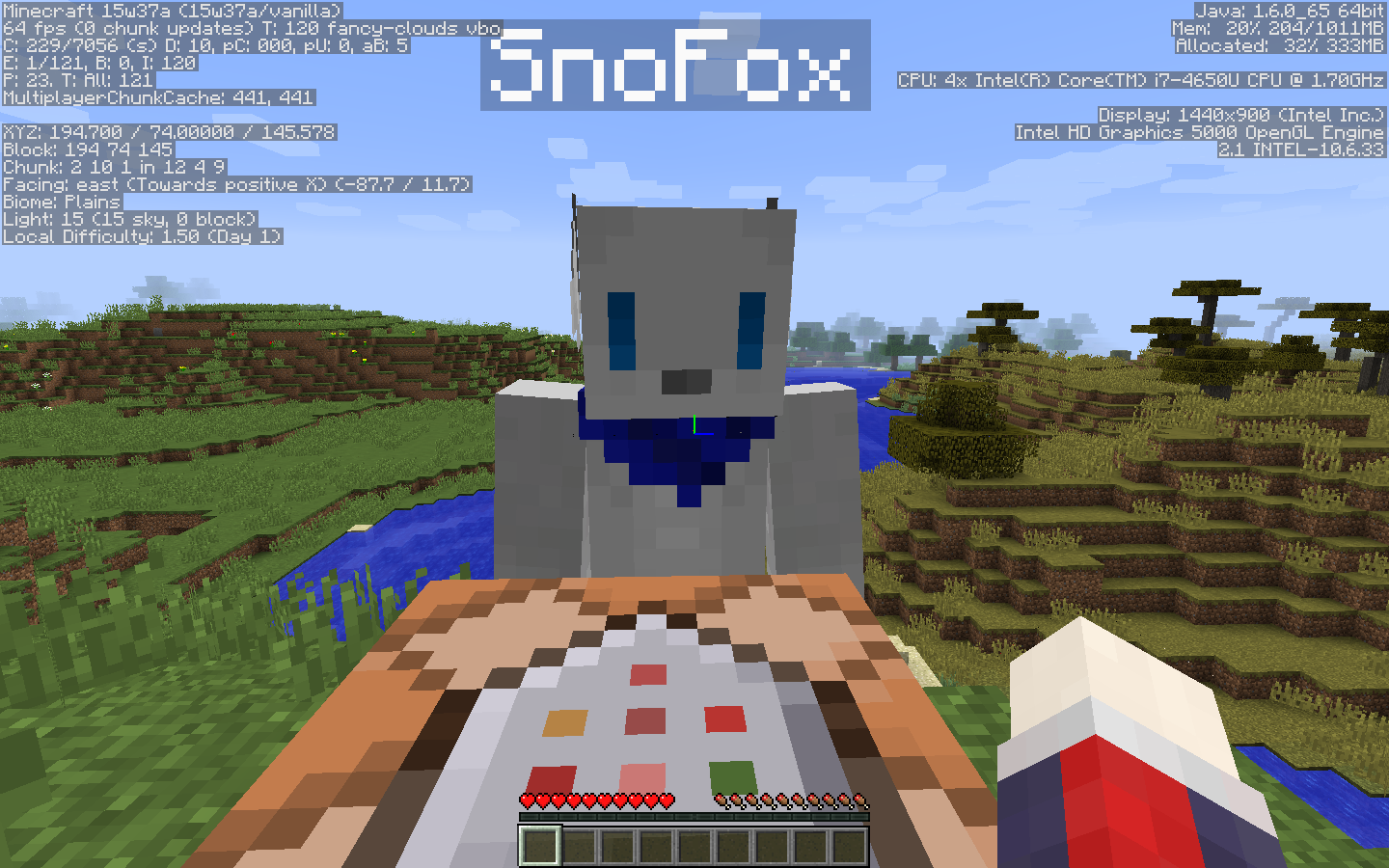
Confirmed in 1.4.2. Changing the sound effects and/or the music options fails to silence a playing jukebox.
While auto-save is turned off (/save-off command), the server still saves the inventories and position of players and Enderchests, but does not save the world or chest inventories (as expected). When the server is stopped, player positions are saved while the world is not saved.
*What I expected was*
The server would not save any data until instructed to do so.*What actually happened was*
The server saved player data and did not save world data.*Steps to reproduce*
1. Start your SMP server
2. Run the /save-off command
3. Move around, edit the world, place items in your chests and Enderchests,
4. Stop the server with the /stop command
5. Reboot the server normally
Result: Your position and items in your inventory are the same, but your changes to the world are gone.
The bug
While auto-save is turned off (/save-off command), the server still saves the inventories and position of players and
enderchests, as well as the world and chest inventories. When the server is stopped, player positions and the world are saved.What I
expectedwas
The server would not save any data until instructed to do so.What
actuallyhappenedwas
The server saved player data and world data.To reproduce
- Start your SMP server
- Run the /save-off command
- Move around, edit the world, place items in your chests and
enderchests- Stop the server with the /stop command
- Reboot the server normally
Result: Your position and items in your inventory, as well as your changes to the world, remain.The Bug
While auto-save is turned off (/save-off command), the server still saves the inventories and position of players and Ender Chests, as well as the world and chest inventories. When the server is stopped, player positions and the world are saved.What I Expected Was
The server would not save any data until instructed to do so.What Actually Happened Was
The server saved player data and world data.Steps To Reproduce
- Start your SMP server
- Run the /save-off command
- Move around, edit the world, place items in your chests and Ender Chests
- Stop the server with the /stop command
- Reboot the server normally
Result: Your position and items in your inventory, as well as your changes to the world, remain.
I tried mounting a horse bareback in SMP and the server kicks me: Internal Exception - NullPointerException.
There's no stacktrace on the server console, only me disconnecting and a single line of debug code.
2013-04-18 18:24:12 [INFO] SnoFox[/67.182.0.0:49634] logged in with entity id 1041 at (1026.2139547745503, 68.7000000178814, 600.816943866349)
[GC 339666K->164539K(1034048K), 0.1117042 secs]
2013-04-18 18:24:13 [SEVERE] Reached end of stream
2013-04-18 18:24:13 [INFO] SnoFox lost connection: disconnect.endOfStream
removing player mountI tried mounting a horse bareback in SMP and the server kicks me: Internal Exception - NullPointerException.
There's no stacktrace on the server console, only me disconnecting and a single line of debug code.
2013-04-18 18:24:12 [INFO] SnoFox[/67.182.0.0:49634] logged in with entity id 1041 at (1026.2139547745503, 68.7000000178814, 600.816943866349) [GC 339666K->164539K(1034048K), 0.1117042 secs] 2013-04-18 18:24:13 [SEVERE] Reached end of stream 2013-04-18 18:24:13 [INFO] SnoFox lost connection: disconnect.endOfStream removing player mount
When entities are set to ride a local player, they are raised far above the player when viewed in third person mode.
Is this intended?
Side note: This is a CLIENT-only issue. I'm aware this cannot happen in a vanilla server, but I think it should be pointed out.
Itemheld in 3rd person rendered incorrectlyBlock held in 3rd person rendered incorrectly
- Duplicate of
MC-404. Woops.Extremely minor bug .. When invisible, your arm isn't rendered. However, if you hold a map in your hand and look down at it, you can see both hands.
What I did was:
Held a map in my hands and looked down at while invisible (potion effect)What happened was:
I saw my hands holding the mapWhat I expected was:
My hands to be completely invisible to myself in first person view.PS: The player should be visible to himself in first and third person in a transparent, ghostly manner. A-la scoreboard's see friendly invisibles option.
SnoFox-1.8.png
Two players where just flying along in spectator mode at a reasonably quick pace.
It borked.
Not sure if these are reported via Hopper because dedicate server.
Edit: I don't see the head of the stacktrace in the crash report, so here it is... Yay threads!
java.util.ConcurrentModificationException
at java.util.TreeMap$PrivateEntryIterator.nextEntry(TreeMap.java:1115)
at java.util.TreeMap$KeyIterator.next(TreeMap.java:1169)
at qr.a(SourceFile:575)
at qr.a(SourceFile:555)
at bfr.a(SourceFile:258)
at bfr.a(SourceFile:113)
at qq.b(SourceFile:160)
at qq.a(SourceFile:203)
at qr.a(SourceFile:766)
at net.minecraft.server.MinecraftServer.a(SourceFile:359)
at net.minecraft.server.MinecraftServer.q(SourceFile:382)
at pc.run(SourceFile:714)
Two players where just flying along in spectator mode at a reasonably quick pace.
It borked.
Not sure if these are reported via Hopper because dedicated server.
Edit: I don't see the head of the stacktrace in the crash report, so here it is... Yay threads!
java.util.ConcurrentModificationException
at java.util.TreeMap$PrivateEntryIterator.nextEntry(TreeMap.java:1115)
at java.util.TreeMap$KeyIterator.next(TreeMap.java:1169)
at qr.a(SourceFile:575)
at qr.a(SourceFile:555)
at bfr.a(SourceFile:258)
at bfr.a(SourceFile:113)
at qq.b(SourceFile:160)
at qq.a(SourceFile:203)
at qr.a(SourceFile:766)
at net.minecraft.server.MinecraftServer.a(SourceFile:359)
at net.minecraft.server.MinecraftServer.q(SourceFile:382)
at pc.run(SourceFile:714)
I'm running a vanilla, public PvP server. Since 1.8 came out three days ago, I'm dubious to believe that someone has been able to modify their client. Disclaimer: this is a bug report. Not an appeal to get a player punished.
One of my staff members managed to record two players in PvP. In this case, the players involved are "Armored_Maniac" and "Justin526": https://www.youtube.com/watch?v=Bh2XY_sF-QM
0:00 - Justin526's potion effect particles are visible
0:07 - arrow spawns from invisible Armored_Maniac
0:40 - items being throwned from the bugged out, invisible Armored_Maniac (and no potion effect particles)
0:55 - watch chat. My staff member verified the invisibility of the player. Player TIDAG notes that Armored_Maniac is not in the tab list.Additionally, my staff team was able to verify Justin526 failing to render to clients sometime after.
How is the server software allowed to get into a state where it just forgets to tell the client about an entity? Can anyone shed some light on this long-standing bug? (I've known about it since at least 1.5, but they used to show up in the tab list. Now, how does this even happen?)
Summary
Firing the bow from the off-hand causes the item to nock an arrow, but the arms do not pull the bow back, similar to the primary hand.Steps to reproduce
1. Set own gamemode to creative
2. Spawn in a bow
3. Place bow in off-hand slot
4. Hit F5 twice to go into third person (can't really test if other players see this due toMC-88470)
5. Draw the bow backWhat I expect to happen
I expect the animation where the player draws a bow back (figure1.png)What actually happens
The player does not draw the bow back, yet the bow item nocks a bow and draws back (figure2.png)
Summary
When I join within render distance of another player, players within render distance upon spawn are invisible to me.Steps to reproduce
1. Player1 joins the server, moves to server spawn
2. Player1 signs out
3. Player2 joins the server, moves to server spawn
4. Player2 signs out
5. Player1 joins the server
6. Player2 joins the serverWhat I expect to happen
Player2 should be able to see Player1.
Player1 should be able to see Player2.What actually happens
Player2 is unable to see Player1, but Player1 can cause particles and collisions for Player2.Player1 can see Player2, and attack Player2, but Player2 cannot defend himself.
Two screenshots attached – two separate accounts. Player1 (figure1.png) joined first, followed by Player2 (figure2.png)
Notes
This applies to both a LAN server and a standalone multiplayer server.If it's at all relevant, I found this stacktrace in Player2's client:
[23:03:02] [Client thread/INFO]: Connecting to mc.legionofanarchy.co., 25565 [23:03:05] [Client thread/FATAL]: Error executing task java.util.concurrent.ExecutionException: java.lang.NullPointerException at java.util.concurrent.FutureTask.report(FutureTask.java:122) ~[?:1.8.0_25] at java.util.concurrent.FutureTask.get(FutureTask.java:192) ~[?:1.8.0_25] at g.a(SourceFile:46) [15w37a.jar:?] at azx.as(SourceFile:920) [15w37a.jar:?] at azx.a(SourceFile:377) [15w37a.jar:?] at net.minecraft.client.main.Main.main(SourceFile:125) [15w37a.jar:?] Caused by: java.lang.NullPointerException at bib.a(SourceFile:368) ~[15w37a.jar:?] at fo.a(SourceFile:68) ~[15w37a.jar:?] at fo.a(SourceFile:15) ~[15w37a.jar:?] at fh$1.run(SourceFile:13) ~[15w37a.jar:?] at java.util.concurrent.Executors$RunnableAdapter.call(Executors.java:511) ~[?:1.8.0_25] at java.util.concurrent.FutureTask.run(FutureTask.java:266) ~[?:1.8.0_25] at g.a(SourceFile:45) ~[15w37a.jar:?] ... 3 more [23:03:28] [Client thread/INFO]: [CHAT] SnoFox has just earned the achievement [Taking Inventory] [23:04:49] [Client thread/INFO]: [CHAT] [Server: Opped SnoFox] [23:05:21] [Client thread/INFO]: [CHAT] Saved screenshot as 2015-09-10_23.05.21.png
Summary
When I join within render distance of another player, players within render distance upon spawn are invisible to me.Steps to reproduce
1. Player1 joins the server, moves to server spawn
2. Player1 signs out
3. Player2 joins the server, moves to server spawn
4. Player2 signs out
5. Player1 joins the server
6. Player2 joins the serverWhat I expect to happen
Player2 should be able to see Player1.
Player1 should be able to see Player2.What actually happens
Player2 is unable to see Player1, but Player1 can cause particles and collisions for Player2.Player1 can see Player2, and attack Player2, but Player2 cannot defend himself.
Two screenshots attached – two separate accounts. Player1 (figure1.png) joined first, followed by Player2 (figure2.png)
Notes
This appliestoboth a LAN server and a standalone multiplayer server.If it's at all relevant, I found this stacktrace in Player2's client:
[23:03:02] [Client thread/INFO]: Connecting to mc.legionofanarchy.co., 25565 [23:03:05] [Client thread/FATAL]: Error executing task java.util.concurrent.ExecutionException: java.lang.NullPointerException at java.util.concurrent.FutureTask.report(FutureTask.java:122) ~[?:1.8.0_25] at java.util.concurrent.FutureTask.get(FutureTask.java:192) ~[?:1.8.0_25] at g.a(SourceFile:46) [15w37a.jar:?] at azx.as(SourceFile:920) [15w37a.jar:?] at azx.a(SourceFile:377) [15w37a.jar:?] at net.minecraft.client.main.Main.main(SourceFile:125) [15w37a.jar:?] Caused by: java.lang.NullPointerException at bib.a(SourceFile:368) ~[15w37a.jar:?] at fo.a(SourceFile:68) ~[15w37a.jar:?] at fo.a(SourceFile:15) ~[15w37a.jar:?] at fh$1.run(SourceFile:13) ~[15w37a.jar:?] at java.util.concurrent.Executors$RunnableAdapter.call(Executors.java:511) ~[?:1.8.0_25] at java.util.concurrent.FutureTask.run(FutureTask.java:266) ~[?:1.8.0_25] at g.a(SourceFile:45) ~[15w37a.jar:?] ... 3 more [23:03:28] [Client thread/INFO]: [CHAT] SnoFox has just earned the achievement [Taking Inventory] [23:04:49] [Client thread/INFO]: [CHAT] [Server: Opped SnoFox] [23:05:21] [Client thread/INFO]: [CHAT] Saved screenshot as 2015-09-10_23.05.21.pngSummary
When I join within render distance of another player, players within render distance upon spawn are invisible to me.Steps to reproduce
1. Player1 joins the server, moves to server spawn
2. Player1 signs out
3. Player2 joins the server, moves to server spawn
4. Player2 signs out
5. Player1 joins the server
6. Player2 joins the serverWhat I expect to happen
Player2 should be able to see Player1.
Player1 should be able to see Player2.What actually happens
Player2 is unable to see Player1, but Player1 can cause particles and collisions for Player2.Player1 can see Player2, and attack Player2, but Player2 cannot defend himself.
Notes
Two screenshots attached – two separate accounts. Player1 (figure1.png) joined first, followed by Player2 (figure2.png)This applies to both a LAN server and a standalone multiplayer server.
If it's at all relevant, I found this stacktrace in Player2's client:
[23:03:02] [Client thread/INFO]: Connecting to mc.legionofanarchy.co., 25565 [23:03:05] [Client thread/FATAL]: Error executing task java.util.concurrent.ExecutionException: java.lang.NullPointerException at java.util.concurrent.FutureTask.report(FutureTask.java:122) ~[?:1.8.0_25] at java.util.concurrent.FutureTask.get(FutureTask.java:192) ~[?:1.8.0_25] at g.a(SourceFile:46) [15w37a.jar:?] at azx.as(SourceFile:920) [15w37a.jar:?] at azx.a(SourceFile:377) [15w37a.jar:?] at net.minecraft.client.main.Main.main(SourceFile:125) [15w37a.jar:?] Caused by: java.lang.NullPointerException at bib.a(SourceFile:368) ~[15w37a.jar:?] at fo.a(SourceFile:68) ~[15w37a.jar:?] at fo.a(SourceFile:15) ~[15w37a.jar:?] at fh$1.run(SourceFile:13) ~[15w37a.jar:?] at java.util.concurrent.Executors$RunnableAdapter.call(Executors.java:511) ~[?:1.8.0_25] at java.util.concurrent.FutureTask.run(FutureTask.java:266) ~[?:1.8.0_25] at g.a(SourceFile:45) ~[15w37a.jar:?] ... 3 more [23:03:28] [Client thread/INFO]: [CHAT] SnoFox has just earned the achievement [Taking Inventory] [23:04:49] [Client thread/INFO]: [CHAT] [Server: Opped SnoFox] [23:05:21] [Client thread/INFO]: [CHAT] Saved screenshot as 2015-09-10_23.05.21.png
Hi there,
Just like
MC-90269, my client is crashing when I load the world. However, this only applies to more recent snapshots. On this same machine, 1.8.9 works fine.I consider this a bug as the game should refuse to launch if there is a
feature being used by the game that the driver/card doesn't support. However, it's crashing the JVM, which is a very impressiveoperation.Completely ignored arguments: [--nativeLauncherVersion, 286] [22:45:02] [Client thread/INFO]: Setting user: SnoFox [22:45:02] [Client thread/INFO]: (Session ID is token:<redacted>) [22:45:03] [Client thread/INFO]: LWJGL Version: 2.9.4 [22:45:04] [Client thread/INFO]: Reloading ResourceManager: Default [22:45:06] [Client thread/WARN]: Missing sound for event: minecraft:entity.snowman.ambient [22:45:06] [Sound Library Loader/INFO]: Starting up SoundSystem... [22:45:06] [Thread-5/INFO]: Initializing LWJGL OpenAL [22:45:06] [Thread-5/INFO]: (The LWJGL binding of OpenAL. For more information, see http://www.lwjgl.org) [22:45:06] [Thread-5/INFO]: OpenAL initialized. [22:45:06] [Sound Library Loader/INFO]: Sound engine started [22:45:07] [Client thread/INFO]: Created: 1024x512 textures-atlas [22:45:23] [Server thread/INFO]: Starting integrated minecraft server version 16w06a [22:45:23] [Server thread/INFO]: Generating keypair [22:45:24] [Server thread/INFO]: Preparing start region for level 0 [22:45:25] [Server thread/INFO]: Preparing spawn area: 7% [22:45:26] [Server thread/INFO]: Preparing spawn area: 13% [22:45:27] [Server thread/INFO]: Preparing spawn area: 22% [22:45:28] [Server thread/INFO]: Preparing spawn area: 33% [22:45:29] [Server thread/INFO]: Preparing spawn area: 42% [22:45:30] [Server thread/INFO]: Preparing spawn area: 52% [22:45:31] [Server thread/INFO]: Preparing spawn area: 60% [22:45:32] [Server thread/INFO]: Preparing spawn area: 71% [22:45:33] [Server thread/INFO]: Preparing spawn area: 85% [22:45:34] [Server thread/INFO]: Preparing spawn area: 98% [22:45:34] [Server thread/INFO]: Changing view distance to 12, from 10 [22:45:35] [Server thread/INFO]: SnoFox[local:E:6cbd0a7a] logged in with entity id 262 at (131.5, 72.0, 261.5) [22:45:35] [Server thread/INFO]: SnoFox joined the game [22:45:42] [Server thread/WARN]: Can't keep up! Did the system time change, or is the server overloaded? Running 7228ms behind, skipping 144 tick(s) # # A fatal error has been detected by the Java Runtime Environment: # # EXCEPTION_ACCESS_VIOLATION (0xc0000005) at pc=0x00007ffbd0796b37, pid=19044, tid=15384 # # JRE version: Java(TM) SE Runtime Environment (8.0_25-b18) (build 1.8.0_25-b18) # Java VM: Java HotSpot(TM) 64-Bit Server VM (25.25-b02 mixed mode windows-amd64 compressed oops) # Problematic frame: # C [ig8icd64.dll+0x16b37] # # Failed to write core dump. Minidumps are not enabled by default on client versions of Windows # # An error report file with more information is saved as: # C:\Users\Josh\AppData\Roaming\.minecraft\hs_err_pid19044.log # # If you would like to submit a bug report, please visit: # http://bugreport.sun.com/bugreport/crash.jsp # The crash happened outside the Java Virtual Machine in native code. # See problematic frame for where to report the bug. # AL lib: (EE) alc_cleanup: 1 device not closed Java HotSpot(TM) 64-Bit Server VM warning: Using incremental CMS is deprecated and will likely be removed in a future releaseHi there,
Just like
MC-90269, my client is crashing when I load the world. However, this only applies to more recent snapshots. On this same machine, 1.8.9 works fine.I consider this a bug as the game should refuse to launch if there is an operation being performed by the game that the driver/card doesn't support. However, it's crashing the JVM, which is a very impressive feat that shouldn't happen.
Completely ignored arguments: [--nativeLauncherVersion, 286] [22:45:02] [Client thread/INFO]: Setting user: SnoFox [22:45:02] [Client thread/INFO]: (Session ID is token:<redacted>) [22:45:03] [Client thread/INFO]: LWJGL Version: 2.9.4 [22:45:04] [Client thread/INFO]: Reloading ResourceManager: Default [22:45:06] [Client thread/WARN]: Missing sound for event: minecraft:entity.snowman.ambient [22:45:06] [Sound Library Loader/INFO]: Starting up SoundSystem... [22:45:06] [Thread-5/INFO]: Initializing LWJGL OpenAL [22:45:06] [Thread-5/INFO]: (The LWJGL binding of OpenAL. For more information, see http://www.lwjgl.org) [22:45:06] [Thread-5/INFO]: OpenAL initialized. [22:45:06] [Sound Library Loader/INFO]: Sound engine started [22:45:07] [Client thread/INFO]: Created: 1024x512 textures-atlas [22:45:23] [Server thread/INFO]: Starting integrated minecraft server version 16w06a [22:45:23] [Server thread/INFO]: Generating keypair [22:45:24] [Server thread/INFO]: Preparing start region for level 0 [22:45:25] [Server thread/INFO]: Preparing spawn area: 7% [22:45:26] [Server thread/INFO]: Preparing spawn area: 13% [22:45:27] [Server thread/INFO]: Preparing spawn area: 22% [22:45:28] [Server thread/INFO]: Preparing spawn area: 33% [22:45:29] [Server thread/INFO]: Preparing spawn area: 42% [22:45:30] [Server thread/INFO]: Preparing spawn area: 52% [22:45:31] [Server thread/INFO]: Preparing spawn area: 60% [22:45:32] [Server thread/INFO]: Preparing spawn area: 71% [22:45:33] [Server thread/INFO]: Preparing spawn area: 85% [22:45:34] [Server thread/INFO]: Preparing spawn area: 98% [22:45:34] [Server thread/INFO]: Changing view distance to 12, from 10 [22:45:35] [Server thread/INFO]: SnoFox[local:E:6cbd0a7a] logged in with entity id 262 at (131.5, 72.0, 261.5) [22:45:35] [Server thread/INFO]: SnoFox joined the game [22:45:42] [Server thread/WARN]: Can't keep up! Did the system time change, or is the server overloaded? Running 7228ms behind, skipping 144 tick(s) # # A fatal error has been detected by the Java Runtime Environment: # # EXCEPTION_ACCESS_VIOLATION (0xc0000005) at pc=0x00007ffbd0796b37, pid=19044, tid=15384 # # JRE version: Java(TM) SE Runtime Environment (8.0_25-b18) (build 1.8.0_25-b18) # Java VM: Java HotSpot(TM) 64-Bit Server VM (25.25-b02 mixed mode windows-amd64 compressed oops) # Problematic frame: # C [ig8icd64.dll+0x16b37] # # Failed to write core dump. Minidumps are not enabled by default on client versions of Windows # # An error report file with more information is saved as: # C:\Users\Josh\AppData\Roaming\.minecraft\hs_err_pid19044.log # # If you would like to submit a bug report, please visit: # http://bugreport.sun.com/bugreport/crash.jsp # The crash happened outside the Java Virtual Machine in native code. # See problematic frame for where to report the bug. # AL lib: (EE) alc_cleanup: 1 device not closed Java HotSpot(TM) 64-Bit Server VM warning: Using incremental CMS is deprecated and will likely be removed in a future release
Magma Block vortex sound playedgloballyMagma Block vortex sound played to all players within range
When playing on a multiplayer, the sound made when another visible player is being sucked into a vortex created by an underwater magma block is played to all players.
Steps to Reproduce
- Sign in Player1, master volume slider off
- Sign in Player2
- Place a magma block underwater
- Place Player2 within render distance of Player1
- Swim Player1 into the magma block vortex
What I Expected to Happen
No sound would be played from the unmuted, Player2 client
What Actually Happened Was
Very loud "Bubbles Zoom" sound is played on the unmuted, Player2 client.
When playing on a multiplayer, the sound made when another
visibleplayer is being sucked into a vortex created by an underwater magma block is played to all players.
Steps to Reproduce
- Sign in Player1, master volume slider off
- Sign in Player2
- Place a magma block underwater
- Place Player2 within render distance of Player1
- Swim Player1 into the magma block vortex
What I Expected to Happen
No sound would be played from the unmuted, Player2 client
What Actually Happened Was
Very loud "Bubbles Zoom" sound is played on the unmuted, Player2 client.
When playing on a multiplayer, the sound made when another player is being sucked into a vortex created by an underwater magma block is played to all players within render distance.
Steps to Reproduce
- Sign in Player1, master volume slider off
- Sign in Player2
- Place a magma block underwater
- Place Player2 within render distance of Player1
- Swim Player1 into the magma block vortex
What I Expected to Happen
No sound would be played from the unmuted, Player2 client
What Actually Happened Was
Very loud "Bubbles Zoom" sound is played on the unmuted, Player2 client.

Josh Johnson: In fact I didn't read your description carefully enough.
Please start 1.8.9 and force a crash by pressing F3 + C for 10 seconds while in-game and attach the crash report (minecraft/crash-reports/crash-<DATE>-client.txt) to this ticket.
Josh Johnson If you don't want to stop your server without saving your changes, use SIGKILL(forcekill).
This causes the OS to simply remove the server from memory without giving it a chance to save the map.
That being said, this is a narrow special case which should not endanger the maps of the 99% of players who want their changes saved.
Tested and confirmed.
Vanilla 1.4.2 SMP server has no spawn protection.
Jon's comment is confirmed. That's kind of a silly change but that means that this is not a bug.
This isn't a bug. This is an issue with the Minecraft skin service. Downtime there is noted and taken care of by Mojang.
I cannot reproduce this in 1.4.2.
I'm not on my desktop at the moment, but it should be running with an up-to-date Sun JRE 7 (Windows 7) – I can get a more exact JRE version in the morning.
Hm, I lied. I crashed it this time. Confirmed.
Open server, open client, connect, set gamemode to creative via console, open inventory, stop server from console.
Minecraft has crashed! ---------------------- Minecraft has stopped running because it encountered a problem; Unexpected error This error has been saved to C:\Users\Josh\AppData\Roaming\.vanilla\.minecraft\crash-reports\crash-2012-10-25_01.37.25-client.txt for your convenience. Please include a copy of this file if you report this crash to anyone. --- BEGIN ERROR REPORT 82627170 -------- Generated 10/25/12 1:37 AM - Minecraft Version: 1.4.2 - Operating System: Windows 7 (amd64) version 6.1 - Java Version: 1.7.0_06, Oracle Corporation - Java VM Version: Java HotSpot(TM) 64-Bit Server VM (mixed mode), Oracle Corporation - Memory: 78675120 bytes (75 MB) / 143196160 bytes (136 MB) up to 1905197056 bytes (1816 MB) - JVM Flags: 0 total; - AABB Pool Size: 5246 (293776 bytes; 0 MB) allocated, 225 (12600 bytes; 0 MB) used - LWJGL: 2.4.2 - OpenGL: GeForce GTX 580/PCIe/SSE2 GL version 4.2.0, NVIDIA Corporation - Is Modded: Probably not - Type: Client - Texture Pack: Default - Profiler Position: N/A (disabled) - Vec3 Pool Size: ~ERROR~ NullPointerException: null java.lang.NullPointerException at aud.b(SourceFile:256) at net.minecraft.client.Minecraft.a(SourceFile:433) at awr.a(SourceFile:484) at db.a(SourceFile:27) at bx.b(SourceFile:341) at awr.d(SourceFile:98) at awz.b(SourceFile:61) at net.minecraft.client.Minecraft.l(SourceFile:1282) at net.minecraft.client.Minecraft.J(SourceFile:582) at net.minecraft.client.Minecraft.run(SourceFile:534) at java.lang.Thread.run(Unknown Source) --- END ERROR REPORT 634c0a58 ----------I think this is caused by one of your modifier keys being stuck. Try tapping shift/ctrl/alt next time this happens? This never happens to me on Windows (decently powered machine), but happens often to me on my Linux laptop (very low-end machine).
I think this is intended.
It appears you've modded your Minecraft. Please try this again with a vanilla copy of Minecraft 1.4.2.
I think the "bug" being pointed out here is the fact that the 3rd-person render does not swing its arm while invisible and having an item equipped, but the first person view does show the equipped item swinging.
Is it possible it's just a texture pack issue? Also, is this Minecraft install patched with Optifine or some other mod that provides HD textures and/or random mobs?
Please post on the Minecraft Forums Support board for support-related requests – you will likely have better results.
http://www.minecraftforum.net/forum/155-support/
It appears to be happening on 1.4.5 as well.
Still happens in Minecraft 1.5.1. All of my lol. All of my how.
Uh, sorry. The search link on the MC dashboard yields all of three results for "Future Version - 1.6". Since the link is unlabeled, I had assumed it was existing issues. After scanning the descriptions for "horse", I decided the bug hadn't been reported yet. However, I didn't notice that the search query is for Resolved + Fixed bugs.
This is somewhat misleading to someone quickly trying to drop in a bug report. Perhaps the search should be labeled to reflect what the link actually leads to.
In that case, there shouldn't be any Fixed Bugs either. >.>
Duplicate of
MC-13754, but this is a better written report.I have this issue as well - I imagine it's because Minecraft is looking for an interaction with a fence post while you have a leash in your hand. Even though you don't need a second leash to wrap to the fence, it doesn't know that you want to tie up your animal otherwise.
I've been testing this for about 15 minutes now, and can't quite find a pattern but ...
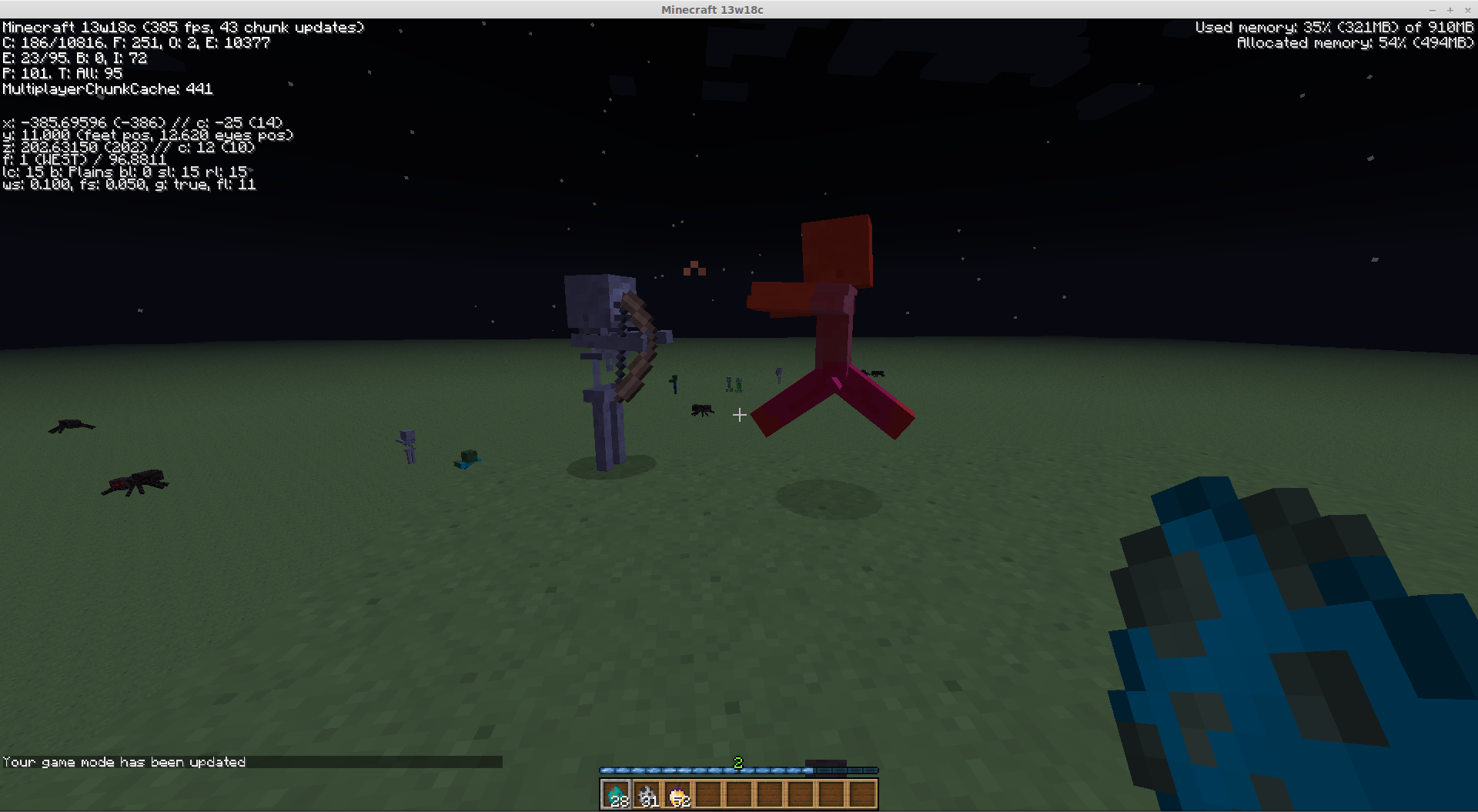
Tested this on 13w18c. Zombies seem to happily attack a tamed wolf. However!
Zombies seem to freeze in place and will not willingly move or aggro after they are shot by a skeleton.
Test case:
1. Spawn a skeleton in front of you
2. Spawn a zombie between you and the skeleton
3. Draw the zombie towards you so the skeleton can shoot it
4. The skeleton should shoot the zombie, causing the zombie to hold still.
I'm only noticing this behavior on occasion, and will continue trying to find a pattern.
I cannot confirm any sort of pattern, but repeating my test case above allows you to sometimes create completely docile zombies ... They stop chasing you nor go after the skeleton continuously shooting them. I can even hug the little guy and push him off a cliff!
But I can also confirm that it will usually aggro on skeletons.
Really? ¬.¬
... I thought this was intended behavior? Mobs will not aggro on a player in creative mode, even if you poke them. Personally, I like it this way.
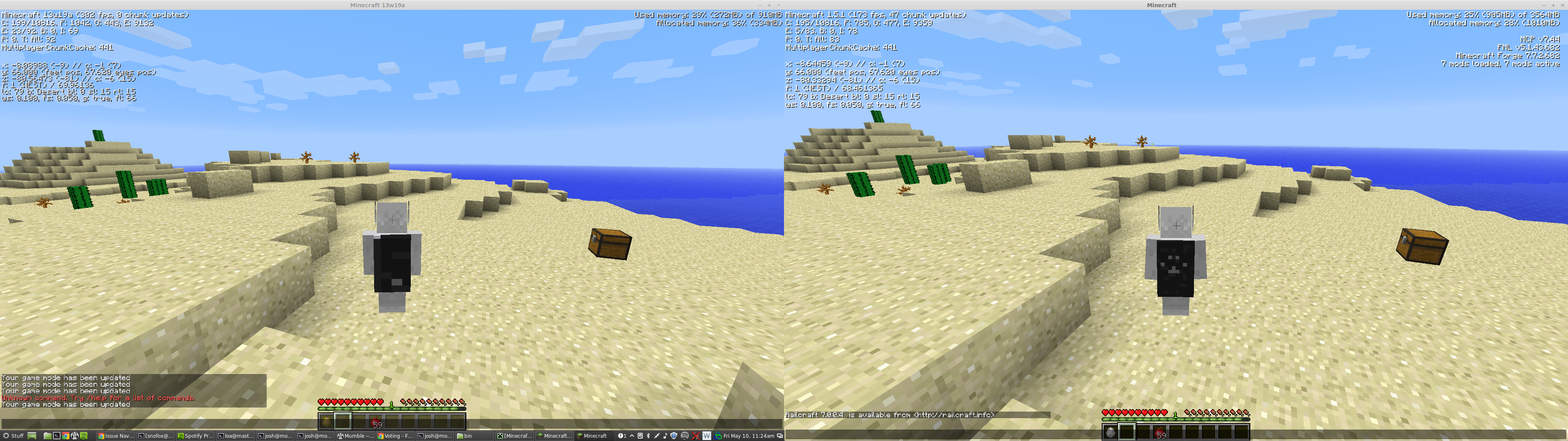
Grum, the issue appears on the vanilla Minecraft snapshot - the left half of the screenshot. I included a screenshot from 1.5.1 + FML because:
1) That is what I happened to have open at the time.
2) That is what the cape normally looks like, even when on a vanilla client.
The issue is in the snapshot.
I suppose that would be the bug, then.
I erm... O.o
Okay, sorry for wasting your time, then.
In creative mode, mobs should not aggro on you.
Creative mode users don't need Creepers aggroing when they're working on prototyping traps or creative builds; server administrators don't need mobs following them while they're watching players.
If you're looking to test how mobs act on you in survival mode without taking damage, run /effect SnoFox 11 65535 127. That will give you Resistance CXXVIII (128) for about 15 days of playtime. You won't take any damage, but will continue to get hit markers. You can also give yourself Regeneration 128 for extra not-dying-abilities.
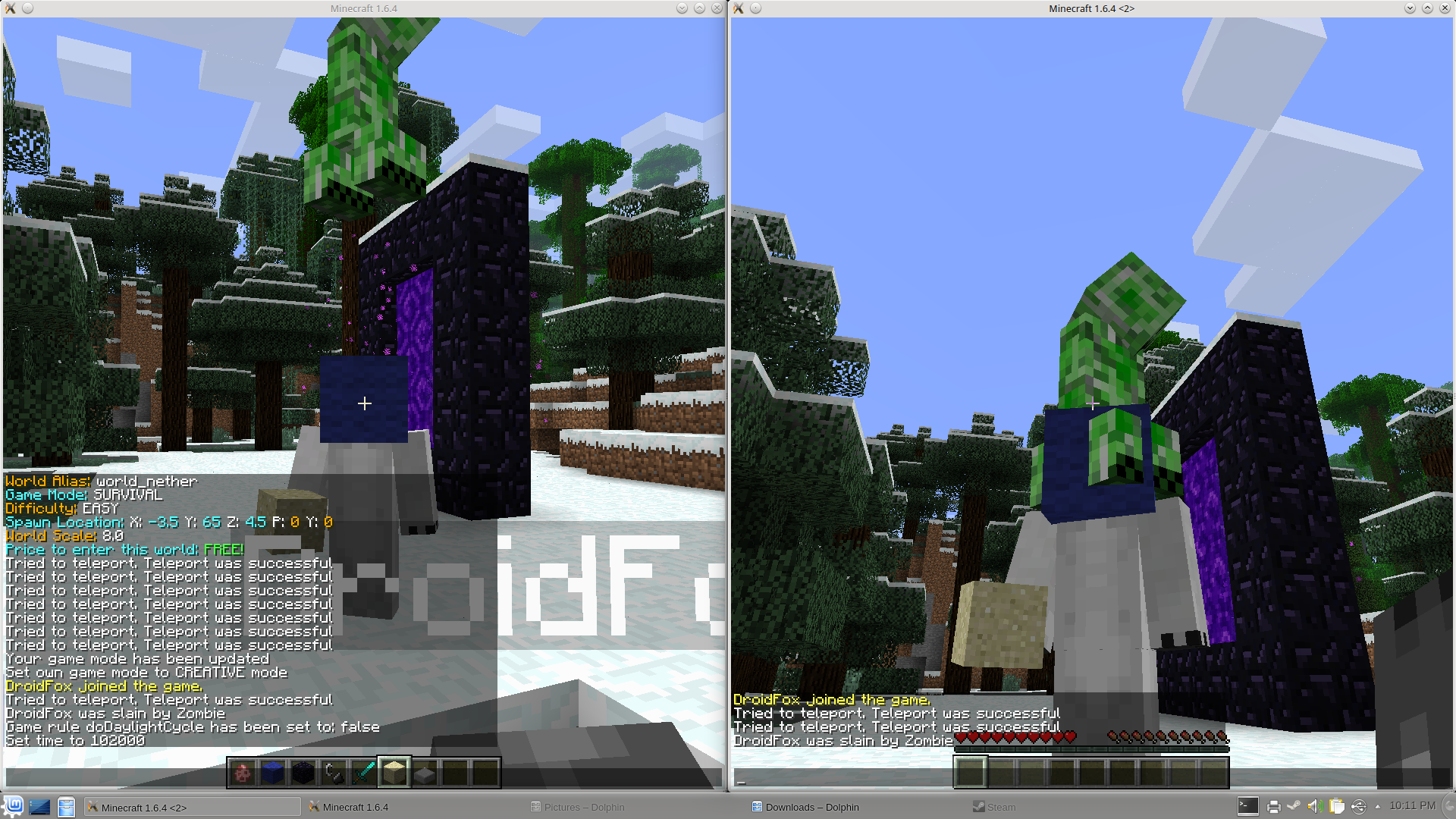
Are you sure this should be closed before Mojang takes a look at it? As I had pointed out, this is a client-only issue. While the vanilla server currently provides no method of letting entities ride the player, the client happily accepts the fact that a mob can be riding the local player. However, the vanilla client's hitbox for the local player is offset improperly, as seen by this screenshot taken from the unmodded, singleplayer client.
I believe this is the underlying issue of this bug.
I've added an additional screenshot, further explaining the underlying issue with the client. The server has no effect on the underlying bug; a modded server only facilitates the bug in the client.
I think it's worth mentioning that last time I used the snapshot, /give SnoFox minecraft:air also crashes the game.
Just change the title to "Doing stupid things with invalid items crashes the game" and the solution: Do bounds checking instead of blindly accepting user input.
mumbles something about receiving too many e-mails about this simple bug
Friends screenshot attached, showing rendering issue with water
This only appears to affect Stained Clay and Colored Wool. However, stained glass also acts funky when viewed from in front of a sign – Screenshot attached.
If Mojang gets around to this bug: The player should be visible to himself in first and third person in a transparent, ghostly manner. A-la scoreboard's see friendly invisibles option.
Just a suggestion.
Also, confirmed in 1.7 Pre-release.
Still applies to Minecraft 1.7.1 pre-release.
Confirmed similar issue in 1.7.1-Pre.
Steps to replicate:
When under the effects of a potion:
1. Obtain an item with the special inventory rendering that enchanted items get.
Note: I used a Potion of Night Vision to give myself both a potion effect and the shiny item required to replicate the bug.
2. Place the item in your hot bar.
3. While in survival mode, mouse over the hotbar. The status effects should appear properly.
4. Mouse off the inventory screen or into the top inventory. The status effect text and icon should disappear. "Crafting" also fades to white.
There are a wide range of variables in my above steps that you can change to achieve the same result.
A guess says that this is slightly related to
MC-36715andMC-36737.Still applies on Minecraft 1.7.2.
Duplicate of
MC-36705.Why am I still subscribed and receiving updates for a bug resolved a month ago? fixes
fixes
Still affects the latest versions of Minecraft.
Bah, I'm tired and Minecraft is doing different things when it goes into 1.8-compat mode. My mistake.
My test case from the comments still hold true; I'm able to create docile zombies by having them shot by a skeleton.
Hey.
This is still an issue in the latest version of Minecraft, snapshot 14w31a. Can we update the "affected versions" tag?
Thanks,
It's fairly obvious that this is intended. Nothing that I know of in Java will print strings or anything else surrounded in brackets. This wasn't an accident.
Not sure what spurred Mojang into adding the brackets – perhaps something to do with the spectator menu (note the lack of brackets on those tooltips)
If you ask me, it's such a minor cosmetic change that it doesn't warrant all the crying going on in this bug report. I even find it improves readability when the games' debug features are active – [Blue Wool] (#0035/11) much nicer looking.
Kumasasam,
I'm hesitant to agree with your classification of calling it a duplicate of
MC-65040due to the fact that the player does not appear on the tab list. As noted in the video, and my original report, the player does not appear in the tab list. To my understanding, the tab list is generated by a completely different code path than random entities being rendered. Thus, I feel as it should remain open for Mojang's attention.I cannot definitively prove that there was not a hack client in use, but I find it hard to believe that the script kiddies who make hack clients would be able to reverse engineer three hundred and twelve days of Mojang's work in as little as three days (considering the larger, open source communities even take several months to update.)
Back to the issue at hand, the server should not be allowed to get into a state where the client can conveniently tell the server not to display the name in the tab list – modded client or not. This will make normal server operations impossible due to having no visibility on players, in addition to the myriad of other problems that can likely occur from a player in this half-existing state.
Hey Kumasasa,
Thanks for checking in, but I've kinda lost interest in Minecraft. I don't care to further persue replicating the bug, nor do I have the resources. (It's marked as Resolved, anyway.) That all being said, I'm quite confident this style of bug will still manifest itself occasionally, but I no longer wish for the responsibility of tracking it.
Should I catch smell of the issue again during the 1.9 release and influx of players, I will happily re-open the bug.
Hi Kumasasa,
Please read my original description.
I did have the due diligance to search for the other bug you linked me, as I stated in the description, I had ensured my drivers are up to date before opening a new bug. I opened the bug due to the fact that the game now crashes the JVM on the latest Intel Drivers while the old version of the game still works. The JVM should not crash; if the game is using features unsupported by current drivers, it should refuse to run.
I understand you have thousands of bugs to manage, but please don't close them so hastily.
Func, http://i.imgur.com/WTDnnwE.gif
See second paragraph of https://bugs.mojang.com/browse/MC-15111?focusedCommentId=70377&page=com.atlassian.jira.plugin.system.issuetabpanels:comment-tabpanel#comment-70377
I'd argue that it's not fixed; in fact, it's made worse.
As null said, If saving is turned off, shutting down the server now saves both the world and player inventories; basically rendering /save-off useless.
Perhaps reopen with an updated title? Or does this warrant a new JIRA?
Still not resolved on 19w11a
This looks fairly terrible when added to the titles displayed to the screen.
Confirmed afflicting 19w11a.
This also affects spectating other players, but NOT horses nor pigs.
Confirmed as a problem in 19w11b. I've attached a video of a stack of scaffolding on top of Oak Stairs, however, they keep turning into entities. This also causes some fairly poor FPS drops due to the physics blocks.
+1, this is a problem in 19w12a
Re-confirmed as a problem in 19w12b.
Still an issue in 19w12b
Magma block as well. See
MC-146934