Attempting to place a door or 2-block plant one block below the height limit will not give an error message, despite still failing
Linked Issues
relates to6
 MC-278815Build limit warning shows when trying to place blocks which otherwise would not be placeable anywaysWon't FixMC-129886Trying to place a block underneath min_y does not give an error message
 LowMC-184430A structure block gives no warning when the structure would cut off outside the height limitCommunity ConsensusMC-184432There is no warning when plants are bonemealed, but cannot grow above or below world height limitsConfirmedMC-184433When applying bone meal to grass / ferns / nether fungi at the upper build limit, there is no warning, and the taller part of the plant is cut offCommunity ConsensusMC-11211Unable to perform many right click actions when targeting the top face of blocks placed at y=255Fixed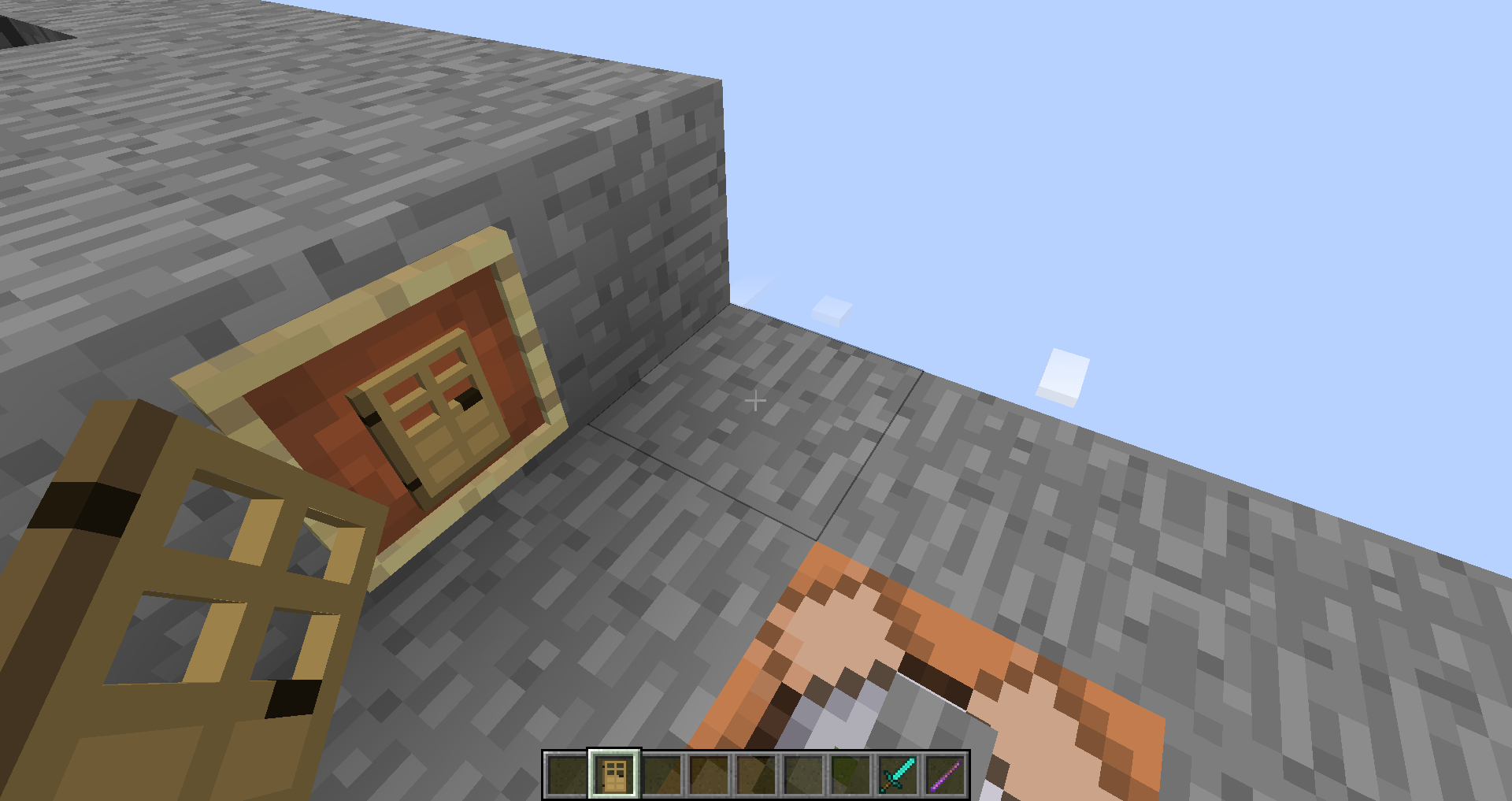
- Unresolved
 Connor Steppie
- 11
- 5
- Confirmed
- UI
- build-limit doors fern height-limit tall-flower tall_grass ui y-coordinate
1.13.2 - 24w20a
1.13.2 19w02a 19w03a 19w04a 19w07a 19w11a 19w12a 19w12b 19w13a 19w13b 19w14a 19w14b 1.14-pre2 1.14-pre5 1.14.2-pre3 1.14.3-pre3 1.14.3-pre4 19w34a 19w35a 19w36a 19w37a 19w38b 19w39a 19w40a 19w41a 19w42a 19w44a 19w46a 1.15-pre1 1.15-pre2 1.15-pre3 1.15-pre4 1.15-pre6 1.15-pre7 1.15.1-pre1 1.15.2-pre1 1.15.2-pre2 20w06a 20w07a 20w08a 20w09a 20w10a 20w11a 20w12a 20w18a 20w20b 20w21a 1.16-pre2 1.16-pre3 1.16-pre8 1.16.1 20w28a 20w29a 20w30a 1.16.2-pre1 1.16.2-pre2 1.16.2-pre3 20w45a 20w51a 21w03a 1.16.5 21w05b 21w06a 21w08b 21w18a 21w20a 1.17-pre1 1.17.1 21w44a 1.18-pre1 1.19.2 1.19.4 23w16a 1.20-pre1 1.20.1 1.20.4 1.20.6 24w20a
Created Issue:
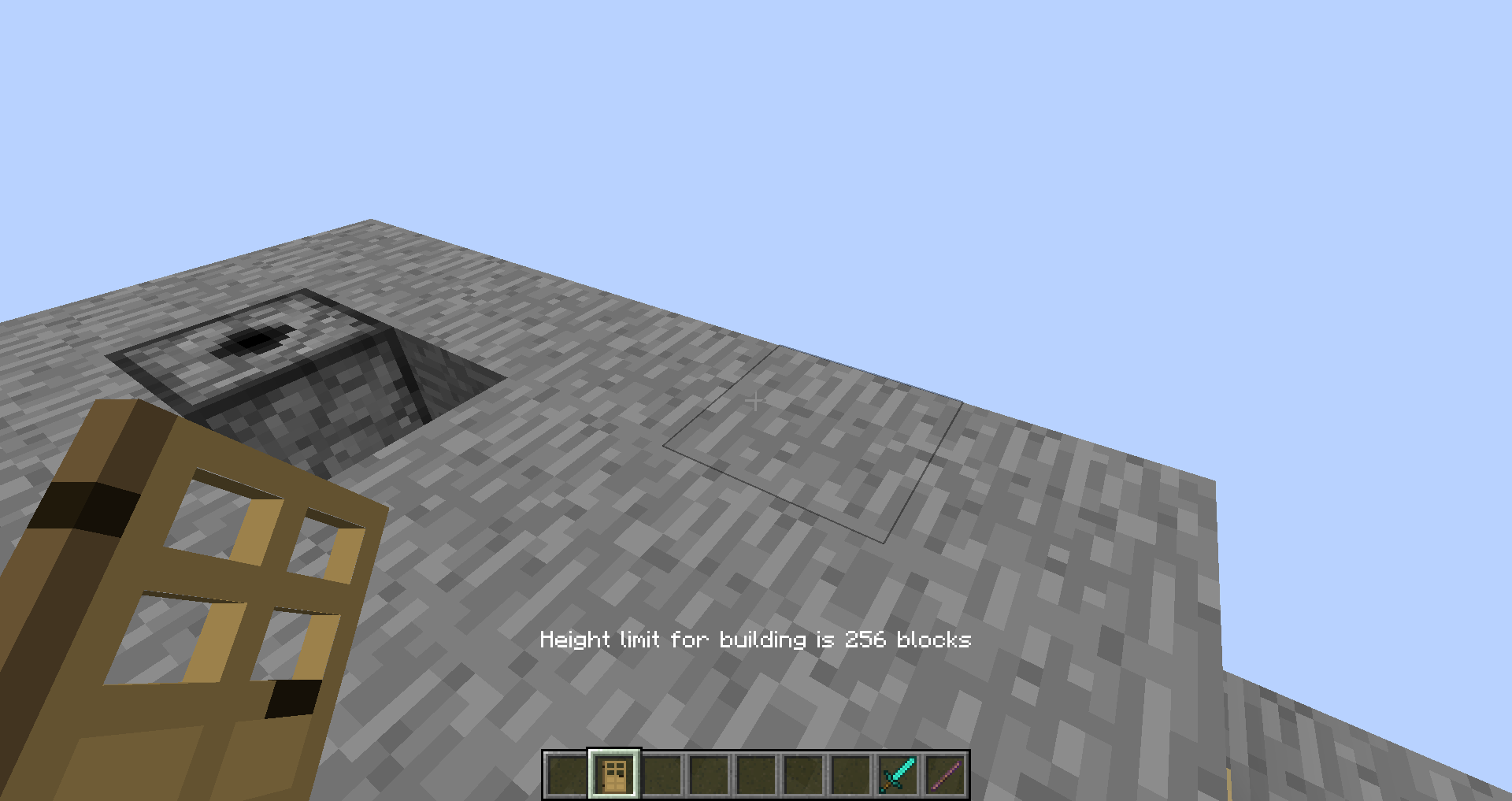
Attempting to place a door one block below the world build height limit will not give an error message despite still failing
Relates to MC-129886 and
MC-11211.When a door is placed so that the top half of it would be above the world build height, the door refuses to be placed, but the usual message about the world build height being there is not shown. Placing one so that both halves would be above the limit shows the error as usual.
Attachments2
![[Mojang] Nathan Adams](../../../data/assets/gravatar/dinnerbone.png)
![[Mod] Michael Wobst](../../../data/avatars/users/37868.png)
Relates to MC-129886 and
MC-11211.When a door is placed so that the top half of it would be above the world build height, the door refuses to be placed, but the usual message about the world build height being there is not shown. Placing one so that both halves would be above the limit shows the error as usual.
The bug
When a door is placed so that the top half of it would be above the world build height, the door refuses to be placed, but the usual message about the world build height being there is not shown. Placing one so that both halves would be above the limit shows the error as usual.
This probably also applies to double flowers but I havent tested.
[Placement] Attempting to place a door one block below the world build height limit will not give an error message despite still failing
[Missing message/Placement] Attempting to place a door one block below the world build height limit will not give an error message despite still failing
![[Mod] violine1101](../../../data/avatars/users/92858.png)
[Missing message/Placement]Attempting to place a door one block below the world build height limit will not give an error message despite still failing
[~Awesoman3000], please stop renaming your tickets.

Attempting to place a door one block below theworld buildheight limit will not give an error message despite still failingAttempting to place a door or 2-block plant one block below the height limit will not give an error message, despite still failing
The bug
When a door is placed so that the top half of it would be above the world build height, t
he doorrefuses to be placed, but the usual message about the world build height being there is not shown. Placing one so that both halves would be above the limit shows the error as usual.This probably also applies to double flowers but I havent tested.

relates to
![[Mojang] slicedlime](../../../data/assets/gravatar/slicedlime.jpeg)
![[Helper] Jack McKalling](../../../data/avatars/users/92859.png)
![[Mod] markderickson](../../../data/avatars/users/18946.svg)
![[Mod] ampolive](../../../data/avatars/users/18949.svg)
![[Mod] Avoma](../../../data/avatars/users/86198.png)
![[Mod] turbo](../../../data/avatars/users/92867.png)
![[Mod] Jiingy](../../../data/avatars/users/91802.png)
Relates to MC-142300
(This may have been reported before, I was unable to find it myself)
Double blocks like doors, beds, rose bush (among other flowers) cannot be placed from their top/front-most sides despite all necessary placement conditions being met.
Steps to Reproduce:
Vertical Blocks:
- Place two blocks vertically from floor level
- Aim at the top-most block
- Try and place a door, or flower
(for flowers, the block underneath must be valid for placement)
Horizontal Blocks:
- Place a block down at floor level
- Facing the block, try and place a bed directly next to it
Observed Behavior:
In both cases, the block will not be placed despite having the necessary space for placement.
Expected Result:
The blocks would be placed just as they would when aiming at the position of their bottom-most sides.
Screenshots/Videos:
Doors/Flowers:
2024-05-16_17-50-14.mp4
Beds:
2024-05-16_18-31-12.mp4
In 1.16, 1.16.1 and 20w27a
Can confirm in 20w51a.
Can confirm in 21w05b.
Can confirm in 1.16.5 and 21w08b.
Can confirm in 1.17.1.
Can confirm in 21w44a.
Can confirm in 1.19.2.
can confirm in 1.20 Pre-release 1.