 Tedstar (Curtis Anderson)
- Tedstar
- tedstar
- America/Phoenix
- Yes
- No
 MC-123812
![[Mojang] Bartosz Bok](../../../data/avatars/users/10122.svg)

![[Mojang] Nathan Adams](../../../data/assets/gravatar/dinnerbone.png)
![[Mojang] Georgii Gavrichev](../../../data/avatars/users/22428.png)




























Block States
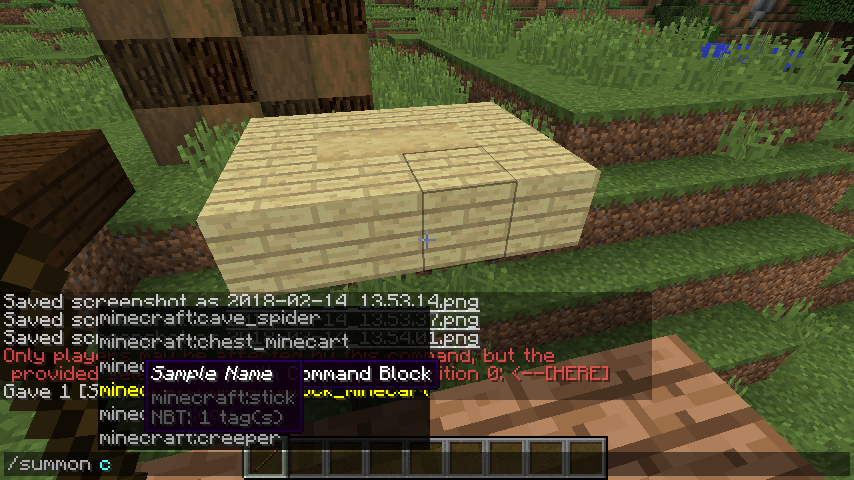
The first key in the block state suggestion list does not include the equals sign '=', where all following keys do.
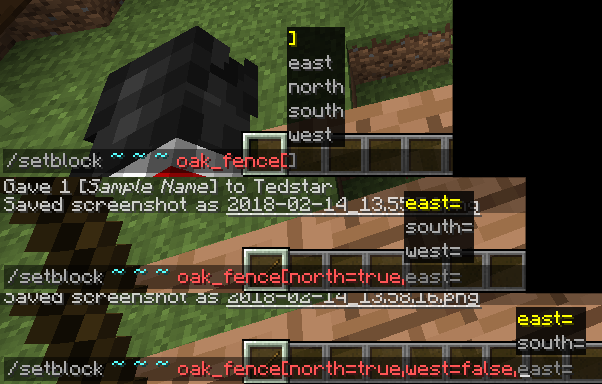
Entity Selectors
When a key is repeated in an entity
tag, the suggestions list appears again directly after the key.

Also, the already reported bug about the erroneous ,] suggestions after closing the entity selector.
Hover Text and Suggestions
Chat messages with hover effects fight the hover text of command suggestions, and can be seen through the suggestions menu.
Block States
The first key in the block state suggestion list does not include the equals sign '=', where all following keys do.
Entity Selectors
When a key is repeated in an entity selector, the suggestions list appears again directly after the key.
Also, the already reported bug about the erroneous ,] suggestions after closing the entity selector.
Hover Text and Suggestions
Chat messages with hover effects fight the hover text of command suggestions, and can be seen through the suggestions menu.
Problems with command suggestions of entity selectors and block states.Block state suggestor does not include = for first key.
Block States
The first key in the block state suggestion list does not include the equals sign '=', where all following keys do.
Hover Text and Suggestions
Chat messages with hover effects fight the hover text of command suggestions, and can be seen through the suggestions menu.
hover_fighting.png
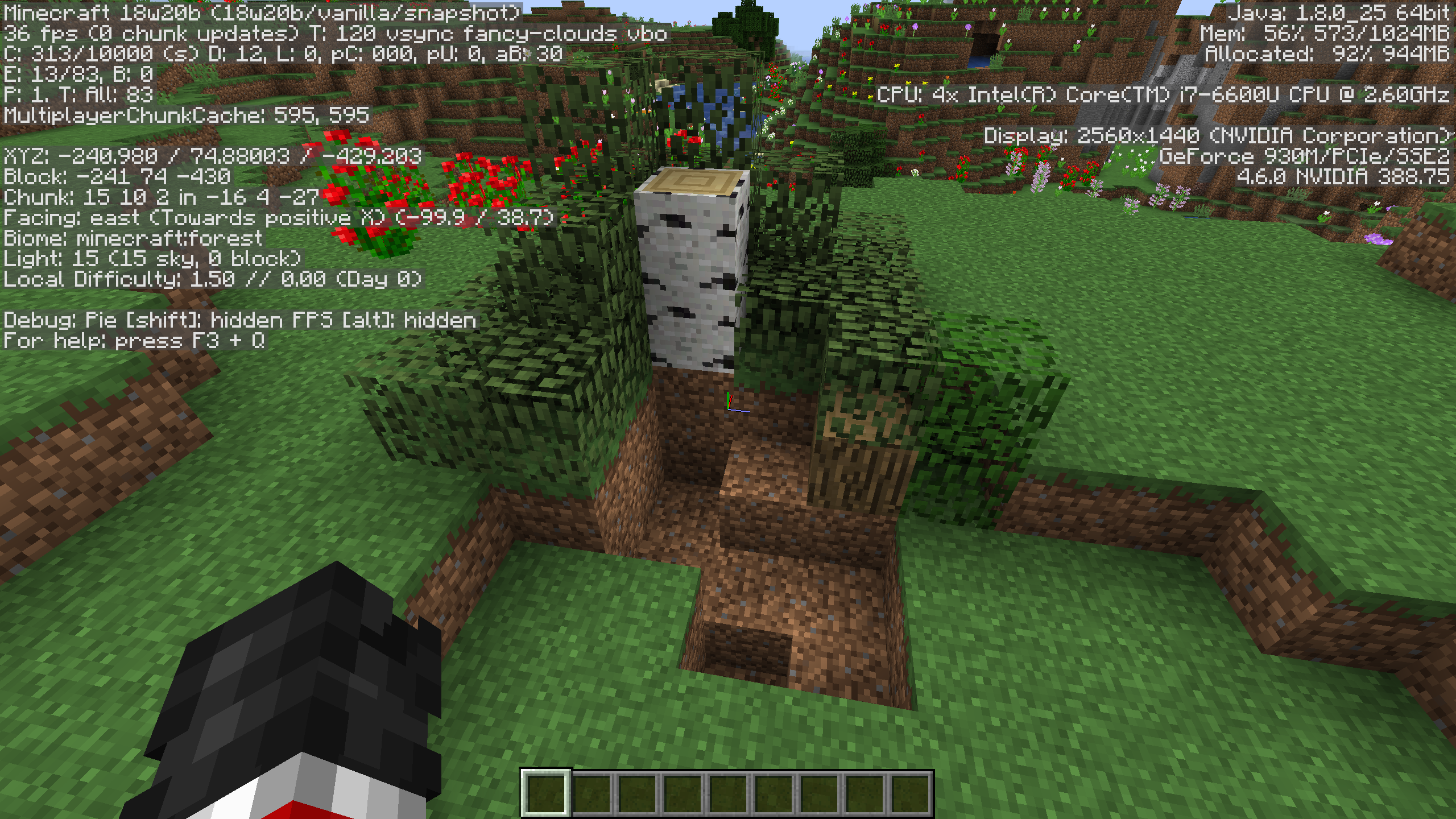
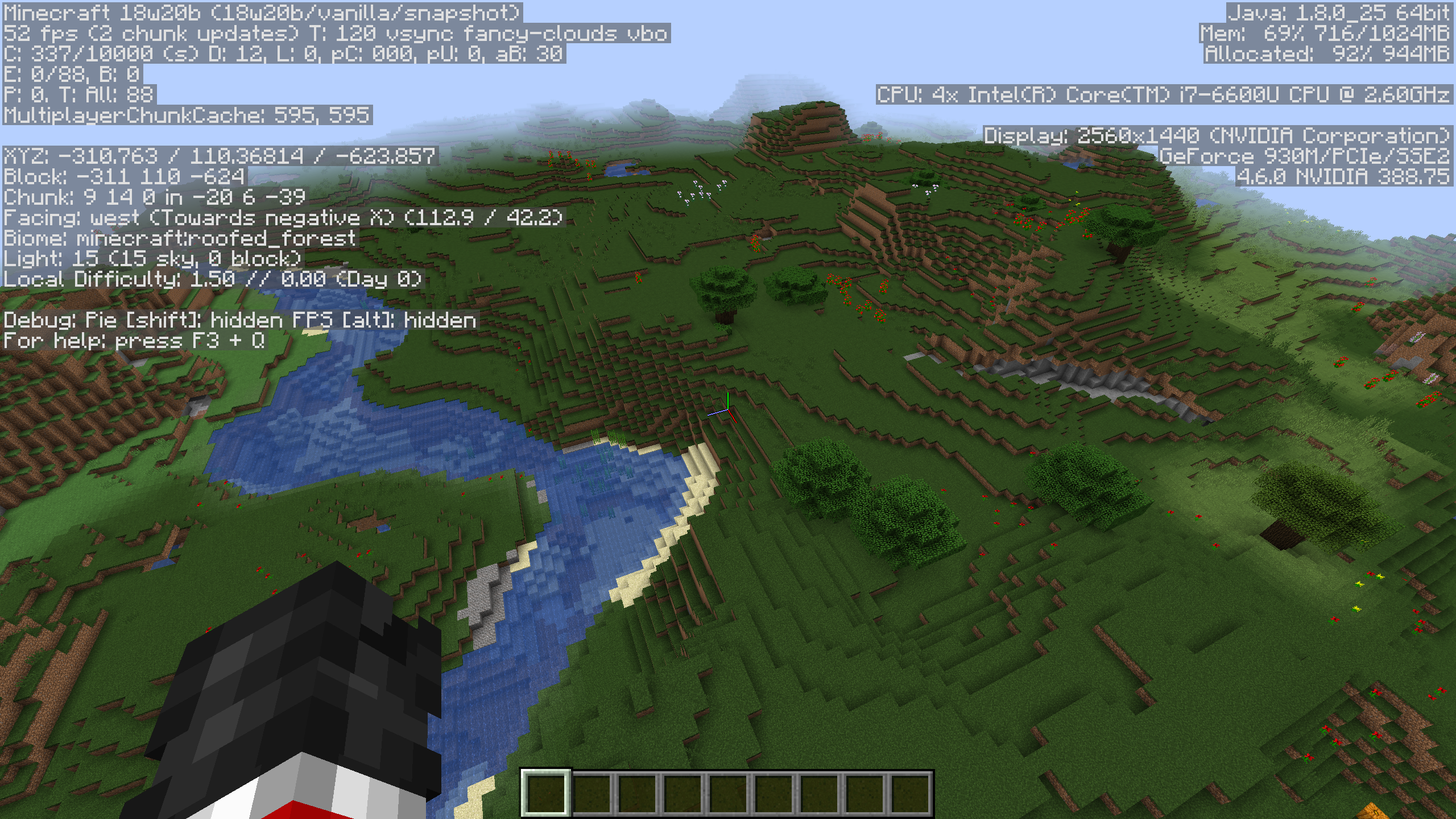
In 18w20b, trees are generating in the ground or not at all. Th
isbiome is supposed to be aforest.
The specific seed is: -6400733238810633415
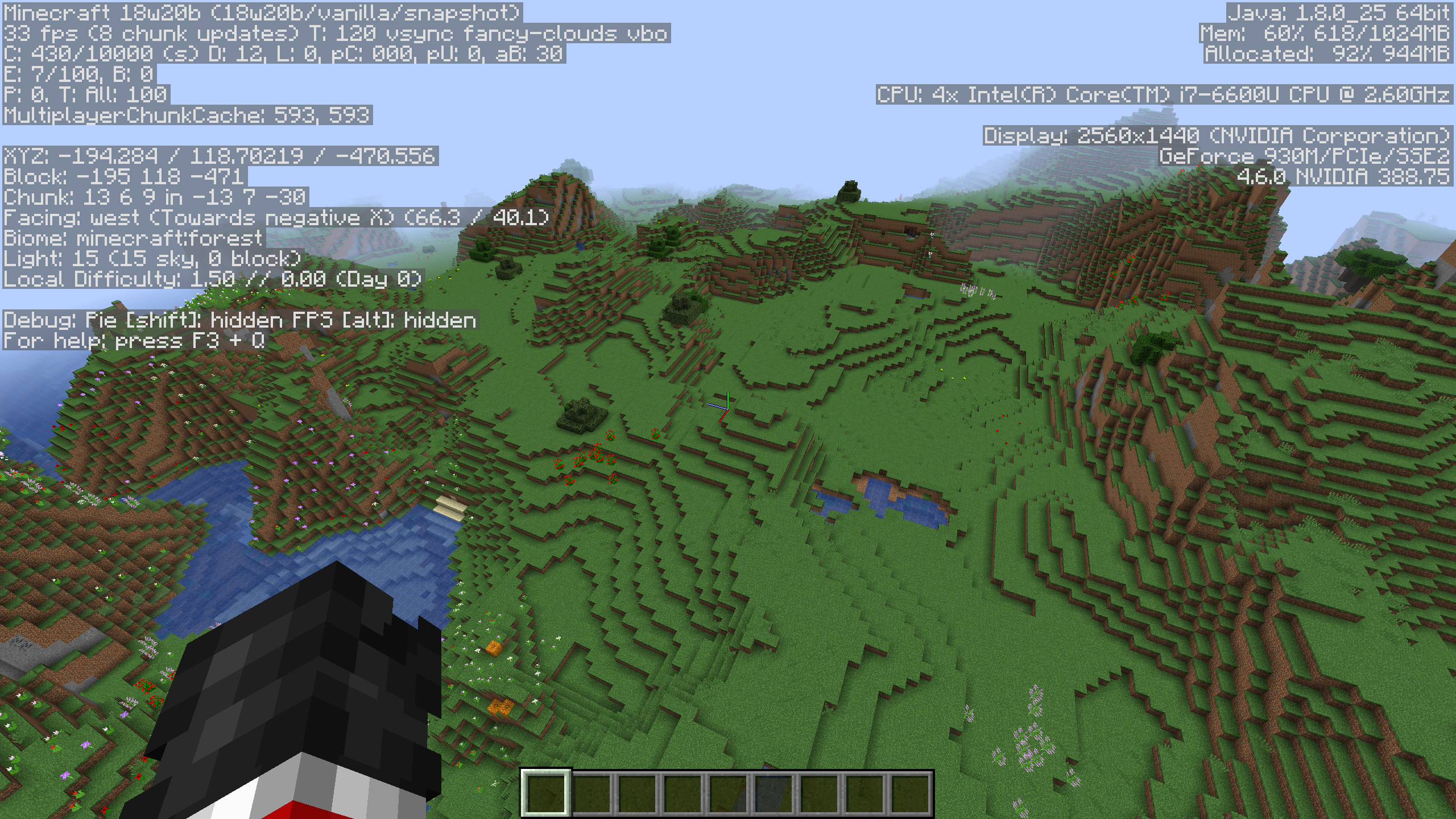
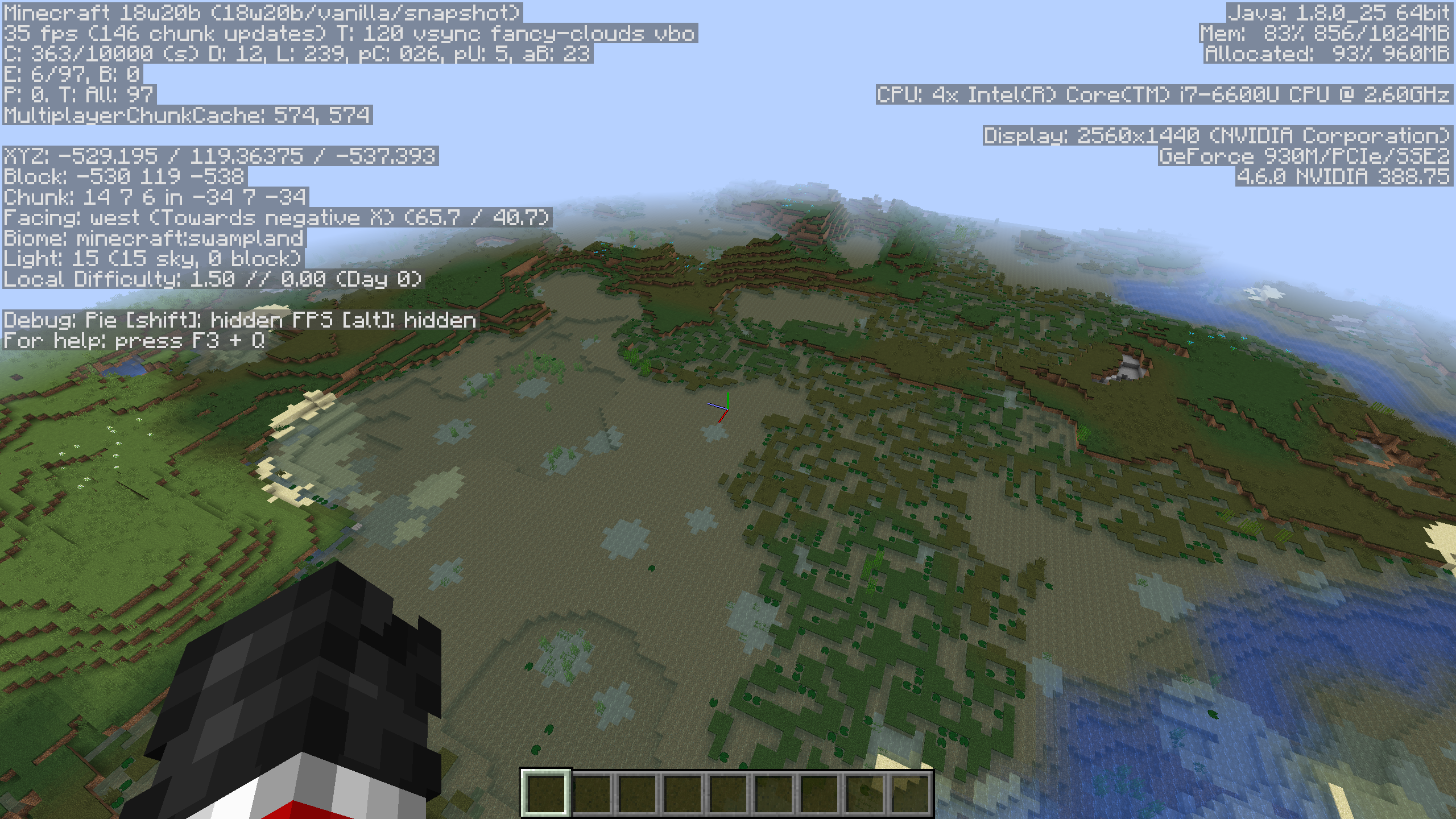
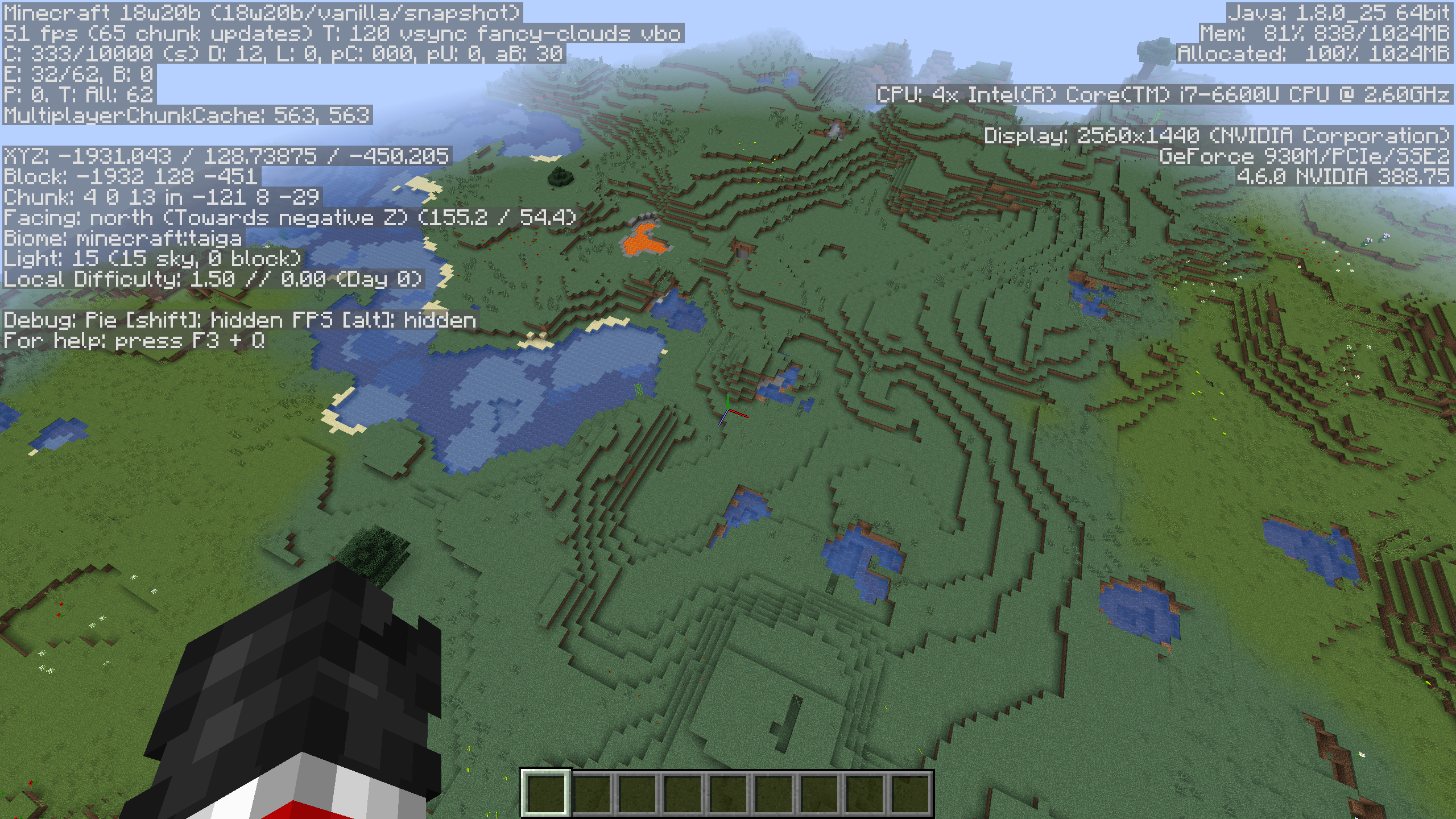
In 18w20b, trees are generating in the ground or not at all. The biome is shown in the screenshot. Affects forest, swamp, roofed forest, etc.
The specific seed is: -6400733238810633415
In 18w20b, trees are generating in the ground or not at all. The biome is shown in the screenshot. Affects forest, swamp, roofed forest, taiga, etc.
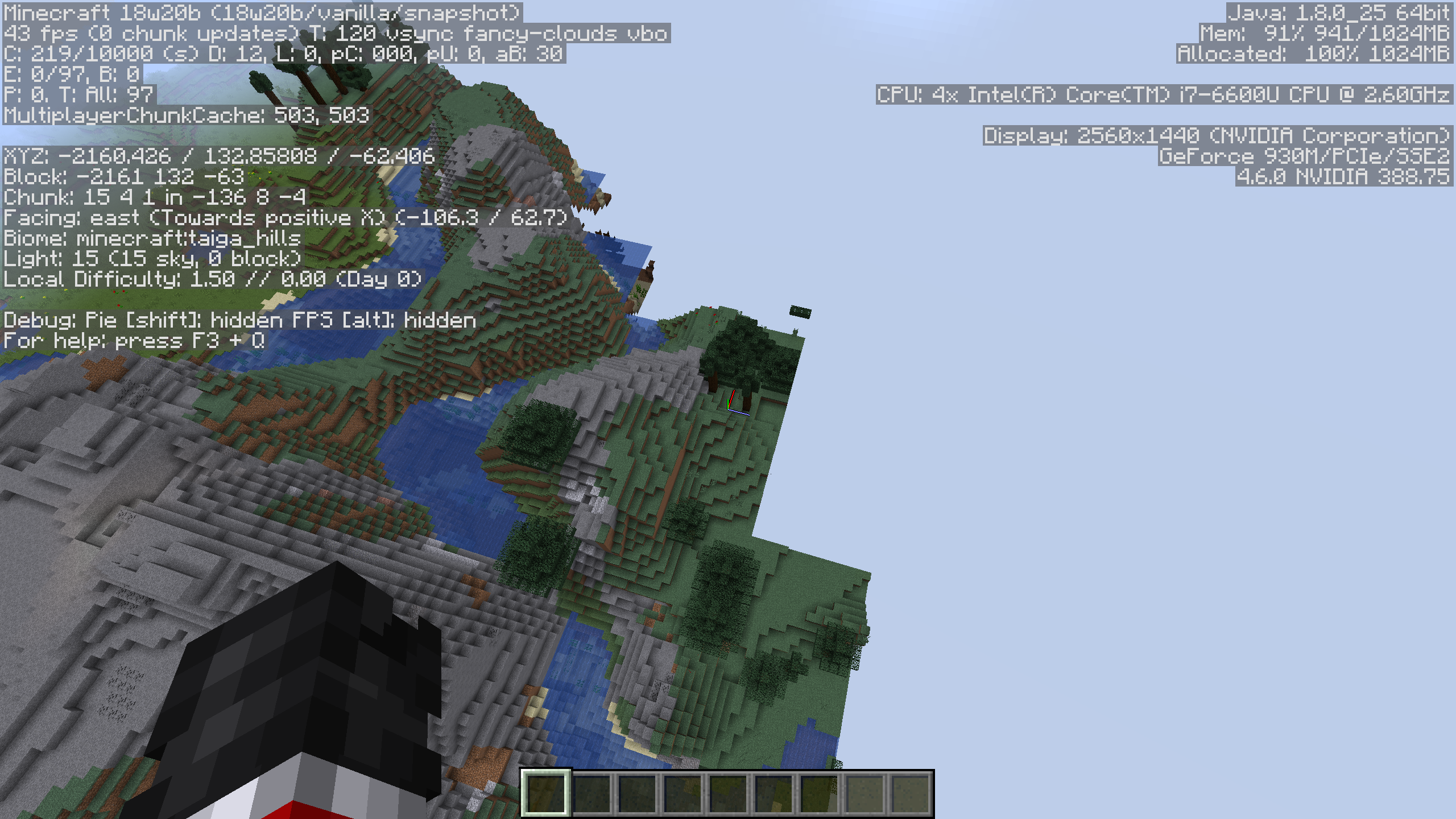
Either it does not affect extreme hills with trees, or trees randomly decide to generate. But when I am flying by trees that generate there is extreme generation lag.
The specific seed is: -6400733238810633415
In 18w20b, trees are generating in the ground or not at all. The biome is shown in the screenshot. Affects forest, swamp, roofed forest, taiga, etc.
Either it does not affect extreme hills with trees, or trees randomly decide to generate. But when I am flying by trees that generate there is extreme generation lag.
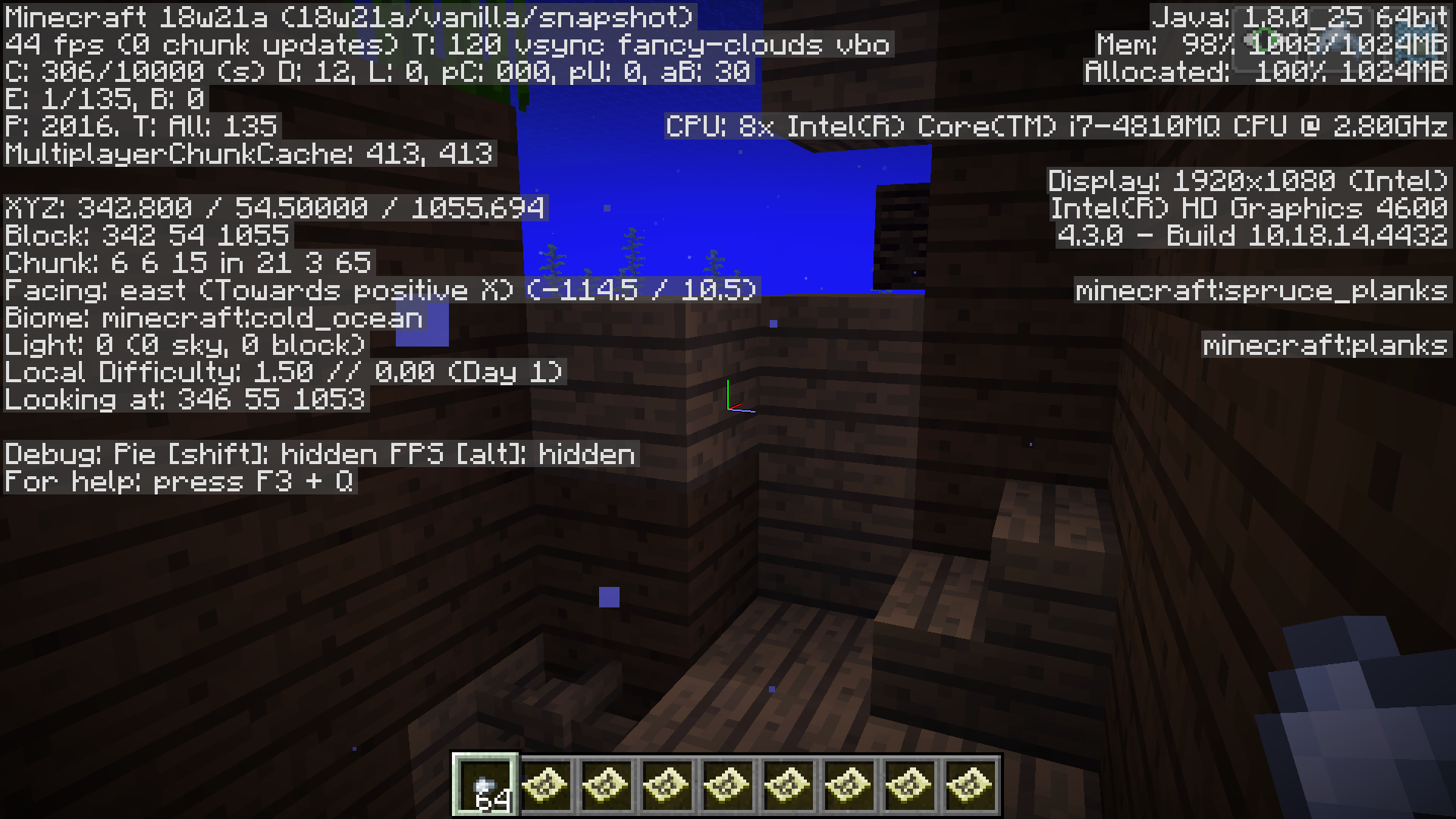
This also appears to affect underwater plants like kelp and sea grass.
The specific seed is: -6400733238810633415
Waterloggedchests trigger auto-jump even if it is disabled.Waterlogged blocks that are not full blocks trigger auto-jump even if it is disabled.
Any variant of
chestwith the property waterlogged=true will trigger auto-jump when being walked into from air, whether auto-jump is enabled or not.This only occurs when the
chestis being approached from a side out of which water is not flowing.(In the case of it going towards a cliff, etc.)I have
attachedlinked (the attach kept giving me an error) a screenshot that demonstrates paths (with arrows) which should recreate this bug.Any variant of non-full block with the property waterlogged=true will trigger auto-jump when being walked into from air, whether auto-jump is enabled or not. This is true for chests, fences, walls, etc.
This only occurs when the block is being approached from a side out of which water is not flowing. (In the case of it going towards a cliff, etc.)
I have
attachedlinked (the attach kept giving me an error) a screenshot that demonstrates paths (with arrows) which should recreate this bug.
Any variant of non-full block with the property waterlogged=true will trigger auto-jump when being walked into from air, whether auto-jump is enabled or not. This is true for chests, fences, walls, etc.
This only occurs when the block is being approached from a side out of which water is not flowing. (In the case of it going towards a cliff, etc.)I have
attachedlinked (the attach kept giving me an error) a screenshot that demonstrates paths (with arrows) which should recreate this bug.Any variant of non-full block with the property waterlogged=true will trigger auto-jump when being walked into from air, whether auto-jump is enabled or not. This is true for chests, fences, walls, etc.
In the case of fences, the player will continuously jump, since it is not possible to jump over a fence.
This only occurs when the block is being approached from a side out of which water is not flowing. (In the case of it going towards a cliff, etc.)
I have
attachedlinked (the attach kept giving me an error) a screenshot that demonstrates paths (with arrows) which should recreate this bug.
Any variant of non-full block with the property waterlogged=true will trigger auto-jump when being walked into from air, whether auto-jump is enabled or not. This is true for chests, fences, walls, glass panes, iron bars, slabs/stairs with walls next to them, etc.
In the case of fences, the player will continuously jump, since it is not possible to jump over a fence.
This only occurs when the block is being approached from a side out of which water is not flowing. (In the case of it going towards a cliff, etc.)
I have
attachedlinked (the attach kept giving me an error) a screenshot that demonstrates paths (with arrows) which should recreate this bug.
Expected output:
'Could not find that structure nearby.' (or whatever the command says when it fails)
Returned output:
'The nearest <structure> is [coords].'
The bug
The /locate command returns coordinates of structures even in worlds when structure generation is disabled.
To recreate
- Create a new world where generate-structures=false.
- Use /locate <structure> and observe the output.
- Click the coordinates to travel there.
- There is no structure because structure generation is disabled.
- Command should output there is no structure nearby.
Expected output:
'Could not find that structure nearby.' (or whatever the command says when it fails)
Returned output:
'The nearest <structure> is [coords].'
The bug
The /locate command returns coordinates of structures even in worlds when structure generation is disabled.
To recreate
- Create a new world where generate-structures=false.
- Use /locate <structure> and observe the output.
- Click the coordinates to travel there.
- There is no structure because structure generation is disabled.
- Command should output there is no structure nearby.
Invalid number messages for commands have the bounds and input reversedInput range bounds and limits are reversed in error messages
Input rangeboundsand limits are reversed in error messagesInput range entry and limits are reversed in error messages
Background
The command completion interface will warn the user when input is entered out of range for number types (integer, float, double).
The bug
The number that is invalid and the bound for the number range are reversed in the error messages telling the user that the number is invalid.
Expected Output:
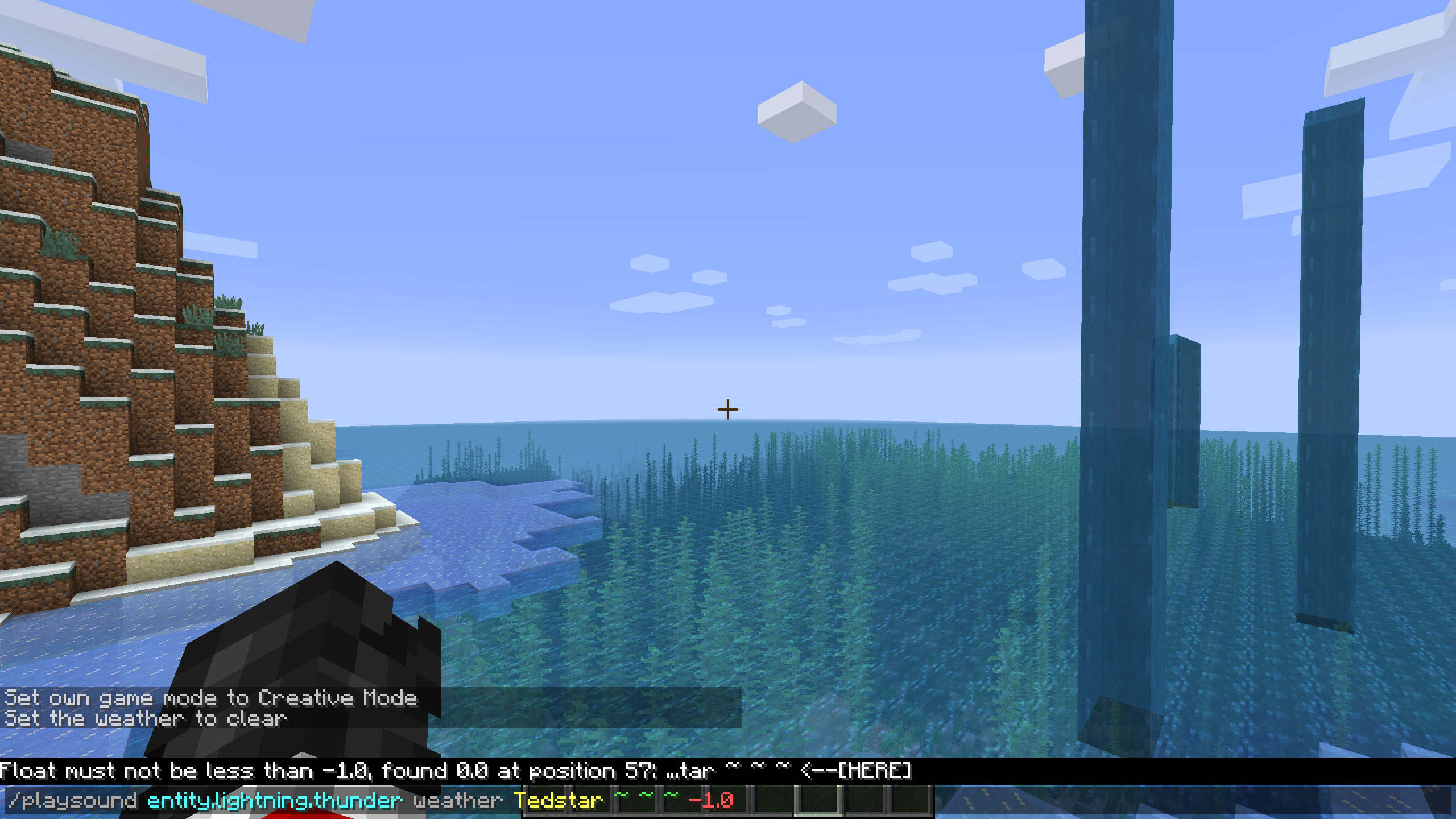
Float must not be less than 0.0, found -1.0 at position: ...
Integer must not be larger than 1000000, found 775849392 at position: ...Actual Output:
Float must not be less than -1.0, found 0.0 at position: ...
Integer must not be larger than 775849392, found 1000000 at position: ...Affected platforms
This translation string is only shown client side, above the text entry field during live command feedback, and although it is included in the server's language file, it does not appear to be used by the server for translations.
Furthermore, these translation strings do not appear to be present in snapshot 18w21b.
Causes
There are multiple possible sources. It could be created by the game building the message with the arguments in the wrong order, or it could be in the translation file where the arguments are specified in the string.
Translation File:
"argument.double.low": "Double must not be less than %s, found %s", "argument.double.big": "Double must not be more than %s, found %s", "argument.float.low": "Float must not be less than %s, found %s", "argument.float.big": "Float must not be more than %s, found %s", "argument.integer.low": "Integer must not be less than %s, found %s", "argument.integer.big": "Integer must not be more than %s, found %s"Solution
This problem can be fixed without even changing the code by updating the argument index of the translation strings to use the second argument first, and the first argument second.
Fixed Translation File:
"argument.double.low": "Double must not be less than %2$s, found %1$s", "argument.double.big": "Double must not be more than %2$s, found %1$s", "argument.float.low": "Float must not be less than %2$s, found %1$s", "argument.float.big": "Float must not be more than %2$s, found %1$s", "argument.integer.low": "Integer must not be less than %2$s, found %1$s", "argument.integer.big": "Integer must not be more than %2$s, found %1$s"Background
The command completion interface will warn the user when input is entered out of range for number types (integer, float, double).
The bug
The number that is invalid and the bound for the number range are reversed in the error messages telling the user that the number is invalid.
Expected Output:
Float must not be less than 0.0, found -1.0 at position: ...
Integer must not be larger than 1000000, found 775849392 at position: ...Actual Output:
Float must not be less than -1.0, found 0.0 at position: ...
Integer must not be larger than 775849392, found 1000000 at position: ...Affected platforms
This translation string is only shown client side, above the text entry field during live command feedback,
and although it is included in the server's language file, it does not appear to be used by the server for translations. The message is also shown server side when the input is a valid integer or float or double but still out of range.Furthermore, these translation strings do not appear to be present in snapshot 18w21b.
Causes
There are multiple possible sources. It could be created by the game building the message with the arguments in the wrong order, or it could be in the translation file where the arguments are specified in the string.
Translation File:
"argument.double.low": "Double must not be less than %s, found %s", "argument.double.big": "Double must not be more than %s, found %s", "argument.float.low": "Float must not be less than %s, found %s", "argument.float.big": "Float must not be more than %s, found %s", "argument.integer.low": "Integer must not be less than %s, found %s", "argument.integer.big": "Integer must not be more than %s, found %s"Solution
This problem can be fixed without even changing the code by updating the argument index of the translation strings to use the second argument first, and the first argument second.
Fixed Translation File:
"argument.double.low": "Double must not be less than %2$s, found %1$s", "argument.double.big": "Double must not be more than %2$s, found %1$s", "argument.float.low": "Float must not be less than %2$s, found %1$s", "argument.float.big": "Float must not be more than %2$s, found %1$s", "argument.integer.low": "Integer must not be less than %2$s, found %1$s", "argument.integer.big": "Integer must not be more than %2$s, found %1$s"
Background
The command completion interface will warn the user when input is entered out of range for number types (integer, float, double).
The bug
The number that is invalid and the bound for the number range are reversed in the error messages telling the user that the number is invalid.
Expected Output:
Float must not be less than 0.0, found -1.0 at position: ...
Integer must not be larger than 1000000, found 775849392 at position: ...Actual Output:
Float must not be less than -1.0, found 0.0 at position: ...
Integer must not be larger than 775849392, found 1000000 at position: ...Affected platforms
This translation string is only shown client side, above the text entry field during live command feedback,
and although it is included in the server's language file, it does not appear to be used by the server for translations. The message is also shown server side when the input is a valid integer or float or double but still out of range.Furthermore, these translation strings do not appear to be present in snapshot 18w21b.
Causes
There are multiple possible sources. It could be created by the game building the message with the arguments in the wrong order, or it could be in the translation file where the arguments are specified in the string.
Translation File:
"argument.double.low": "Double must not be less than %s, found %s", "argument.double.big": "Double must not be more than %s, found %s", "argument.float.low": "Float must not be less than %s, found %s", "argument.float.big": "Float must not be more than %s, found %s", "argument.integer.low": "Integer must not be less than %s, found %s", "argument.integer.big": "Integer must not be more than %s, found %s"Solution
This problem can be fixed without even changing the code by updating the argument index of the translation strings to use the second argument first, and the first argument second.
Fixed Translation File:
"argument.double.low": "Double must not be less than %2$s, found %1$s", "argument.double.big": "Double must not be more than %2$s, found %1$s", "argument.float.low": "Float must not be less than %2$s, found %1$s", "argument.float.big": "Float must not be more than %2$s, found %1$s", "argument.integer.low": "Integer must not be less than %2$s, found %1$s", "argument.integer.big": "Integer must not be more than %2$s, found %1$s"Background
The command completion interface will warn the user when input is entered out of range for number types (integer, float, double).
The bug
The number that is invalid and the bound for the number range are reversed in the error messages telling the user that the number is invalid.
Expected Output:
Float must not be less than 0.0, found -1.0 at position: ...
Integer must not be larger than 1000000, found 775849392 at position: ...Actual Output:
Float must not be less than -1.0, found 0.0 at position: ...
Integer must not be larger than 775849392, found 1000000 at position: ...Affected platforms
This translation string is shown client side, above the text entry field during live command feedback. The message is also shown server side when the input is a valid integer or float or double but still out of range.
Furthermore, these translation strings do not appear to be present in snapshot 18w21b.
Causes
There are multiple possible sources. It could be created by the game building the message with the arguments in the wrong order, or it could be in the translation file where the arguments are specified in the string.
Translation File:
"argument.double.low": "Double must not be less than %s, found %s", "argument.double.big": "Double must not be more than %s, found %s", "argument.float.low": "Float must not be less than %s, found %s", "argument.float.big": "Float must not be more than %s, found %s", "argument.integer.low": "Integer must not be less than %s, found %s", "argument.integer.big": "Integer must not be more than %s, found %s"Solution
This problem can be fixed without even changing the code by updating the argument index of the translation strings to use the second argument first, and the first argument second.
Fixed Translation File:
"argument.double.low": "Double must not be less than %2$s, found %1$s", "argument.double.big": "Double must not be more than %2$s, found %1$s", "argument.float.low": "Float must not be less than %2$s, found %1$s", "argument.float.big": "Float must not be more than %2$s, found %1$s", "argument.integer.low": "Integer must not be less than %2$s, found %1$s", "argument.integer.big": "Integer must not be more than %2$s, found %1$s"
Background
The command completion interface will warn the user when input is entered out of range for number types (integer, float, double).
The bug
The number that is invalid and the bound for the number range are reversed in the error messages telling the user that the number is invalid.
Expected Output:
Float must not be less than 0.0, found -1.0 at position: ...
Integer must not be larger than 1000000, found 775849392 at position: ...Actual Output:
Float must not be less than -1.0, found 0.0 at position: ...
Integer must not be larger than 775849392, found 1000000 at position: ...Affected platforms
This translation string is shown client side, above the text entry field during live command feedback. The message is also shown server side when the input is a valid integer or float or double but still out of range.
Furthermore, these translation strings do not appear to be present in snapshot 18w21b.
Causes
There are multiple possible sources. It could be created by the game building the message with the arguments in the wrong order, or it could be in the translation file where the arguments are specified in the string.
Translation File:
"argument.double.low": "Double must not be less than %s, found %s", "argument.double.big": "Double must not be more than %s, found %s", "argument.float.low": "Float must not be less than %s, found %s", "argument.float.big": "Float must not be more than %s, found %s", "argument.integer.low": "Integer must not be less than %s, found %s", "argument.integer.big": "Integer must not be more than %s, found %s"Solution
This problem can be fixed without even changing the code by updating the argument index of the translation strings to use the second argument first, and the first argument second.
Fixed Translation File:
"argument.double.low": "Double must not be less than %2$s, found %1$s", "argument.double.big": "Double must not be more than %2$s, found %1$s", "argument.float.low": "Float must not be less than %2$s, found %1$s", "argument.float.big": "Float must not be more than %2$s, found %1$s", "argument.integer.low": "Integer must not be less than %2$s, found %1$s", "argument.integer.big": "Integer must not be more than %2$s, found %1$s"A resource pack with the updated language strings is provided, which fixes the issue.
Background
All command feedback messages are now translatable.
The bug
There appears to be a missing translation string when the server has an error executing a command:
command.context.failed
Causes
The string does not appear in the translation file (for en_us at least).
Steps to reproduce
1. Open a server console and type a command with an incorrect bound.
2. Observe the output.
Example: /weather clear 9999999999999
Background
All command feedback messages are now translatable.
The bug
There appears to be a missing translation string when the server has an error executing a command:
command.context.failed
Causes
The string does not appear in the translation file (for en_us at least).
Steps to reproduce
1. Open a server console and type a command with an incorrect bound.
2. Observe the output.
Example: /weather clear 9999999999999
Analysis
When providing the translation string "command.context.failed": "1: %s, 2: %s, 3: %s, 4: %s, 5: %s" to see what arguments are provided, there are no arguments provided.
It appears that the entire command failed string is buggy or something. See the second screenshot for the updated output.
The bug
The syntax names of command arguments are no longer translatable to the user's chosen language.
History
In 1.12.2 and previously, commands were simple and provided a usage string along the lines of commands.me.usage when entered incorrectly. This provided easy translation of command usage arguments to the user's language.
In 1.13 and above, the overhaul of the command system changed usage strings so they are (presumably) automatically generated by Brigadier. Although simpler, this prevents argument translations, and they instead retain their internal English names in all translations.
Steps to Recreate
- Enter a world in 1.12.2 that allows commands.
- Type an incomplete command so the syntax usage will appear.
Ex: /me- Notice the syntax message.
Ex: Usage: /me <action ...>- Change language to something else (in this case es_es).
- Repeat the command. Note the new usage message.
Ex: Uso: /me <acción ...>- Enter a world in 1.13 that allows commands.
- Type an incomplete command, close the suggestion menu, and notice the argument prompt.
Ex. /me provides prompt <action>- Change language to something else (again es_es).
- Re-enter the command and notice the argument prompt.
Ex. /me provides prompt <action>- The prompt is no longer translated to the new language.
Suggested Fix
I could not perform a code analysis to determine how the argument names are provided, since MCP is not released for snapshots, but my very vague guess is that registering command arguments requires a name, with a list of names stored somewhere. If that is the case, then maybe the list of names could be replaced with a translation string of the list of names.
Example: (for /me and /effect give|clear)
{ "commands.me.usage": "action", "commands.effect.give.usage": "targets effect seconds" "commands.effect.clear.usage": "targets effect" }Complications
This fix would not be very elegant for commands that provide multiple argument groups, like /teleport, nor for commands that have lists of sub-commands, like /effect. There would need to be multiple translation strings for the separate argument groups. Likely it would be easier to provide names for the arguments that are just enumerations, such as /team option <team> (long|list|of|options...) would rather be team option value in the list. It wouldn't really matter if the option was ignored and the prompt not displayed; just to take up a position in the list.
The bug
The syntax names of command arguments are no longer translatable to the user's chosen language.
History
In 1.12.2 and previously, commands were simple and provided a usage string along the lines of commands.me.usage=/me <action ...> when entered incorrectly. This provided easy translation of command usage arguments to the user's language.
In 1.13 and above, the overhaul of the command system changed usage strings so they are (presumably) automatically generated by Brigadier. Although simpler, this prevents argument translations, and they instead retain their internal English names in all translations.
Steps to Recreate
- Enter a world in 1.12.2 that allows commands.
- Type an incomplete command so the syntax usage will appear.
Ex: /me- Notice the syntax message.
Ex: Usage: /me <action ...>- Change language to something else (in this case es_es).
- Repeat the command. Note the new usage message.
Ex: Uso: /me <acción ...>- Enter a world in 1.13 that allows commands.
- Type an incomplete command, close the suggestion menu, and notice the argument prompt.
Ex. /me provides prompt <action>- Change language to something else (again es_es).
- Re-enter the command and notice the argument prompt.
Ex. /me provides prompt <action>- The prompt is no longer translated to the new language.
Suggested Fix
I could not perform a code analysis to determine how the argument names are provided, since MCP is not released for snapshots, but my very vague guess is that registering command arguments requires a name, with a list of names stored somewhere. If that is the case, then maybe the list of names could be replaced with a translation string of the list of names.
Example: (for /me and /effect give|clear)
{ "commands.me.usage": "action", "commands.effect.give.usage": "targets effect seconds" "commands.effect.clear.usage": "targets effect" }Complications
This fix would not be very elegant for commands that provide multiple argument groups, like /teleport, nor for commands that have lists of sub-commands, like /effect. There would need to be multiple translation strings for the separate argument groups. Likely it would be easier to provide names for the arguments that are just enumerations, such as /team option <team> (long|list|of|options...) would rather be team option value in the list. It wouldn't really matter if the option was ignored and the prompt not displayed; just to take up a position in the list.
The bug
The syntax names of command arguments are no longer translatable to the user's chosen language.
History
In 1.12.2 and previously, commands were simple and provided a usage string along the lines of commands.me.usage=/me <action ...> when entered incorrectly. This provided easy translation of command usage arguments to the user's language.
In 1.13 and above, the overhaul of the command system changed usage strings so they are (presumably) automatically generated by Brigadier. Although simpler, this prevents argument translations, and they instead retain their internal English names in all translations.
Steps to Recreate
- Enter a world in 1.12.2 that allows commands.
- Type an incomplete command so the syntax usage will appear.
Ex: /me- Notice the syntax message.
Ex: Usage: /me <action ...>- Change language to something else (in this case es_es).
- Repeat the command. Note the new usage message.
Ex: Uso: /me <acción ...>- Enter a world in 1.13 that allows commands.
- Type an incomplete command, close the suggestion menu, and notice the argument prompt.
Ex. /me provides prompt <action>- Change language to something else (again es_es).
- Re-enter the command and notice the argument prompt.
Ex. /me provides prompt <action>- The prompt is no longer translated to the new language.
Suggested Fix
I could not perform a code analysis to determine how the argument names are provided, since MCP is not released for snapshots, but my very vague guess is that registering command arguments requires a name, with a list of names stored somewhere. If that is the case, then maybe the list of names could be replaced with a translation string of the list of names.
Example: (for /me and /effect give|clear)
{ "commands.me.usage": "action", "commands.effect.give.usage": "targets effect seconds" "commands.effect.clear.usage": "targets effect" }Complications
This fix would not be very elegant for commands that provide multiple argument groups, like /teleport, nor for commands that have lists of sub-commands, like /effect. There would need to be multiple translation strings for the separate argument groups. Likely it would be easier to provide names for the arguments that are just enumerations, such as /team option <team> (long|list|of|options...) would rather be team option value in the list. It wouldn't really matter if the option was ignored and the prompt not displayed; just to take up a position in the list.
The bug
The syntax names of command arguments are no longer translatable to the user's chosen language.
History
In 1.12.2 and previously, commands were simple and provided a usage string along the lines of commands.me.usage=/me <action ...> when entered incorrectly. This provided easy translation of command usage arguments to the user's language.
In 1.13 and above, the overhaul of the command system changed usage strings so they are (presumably) automatically generated by Brigadier. Although simpler, this prevents argument translations, and they instead retain their internal English names in all translations.
Steps to Recreate
- Enter a world in 1.12.2 that allows commands.
- Type an incomplete command so the syntax usage will appear.
Ex: /me- Notice the syntax message.
Ex: Usage: /me <action ...>- Change language to something else (in this case es_es).
- Repeat the command. Note the new usage message.
Ex: Uso: /me <acción ...>- Enter a world in 1.13 that allows commands.
- Type an incomplete command, close the suggestion menu, and notice the argument prompt.
Ex. /me provides prompt <action>- Change language to something else (again es_es).
- Re-enter the command and notice the argument prompt.
Ex. /me provides prompt <action>- The prompt is no longer translated to the new language.
Suggested Fix
I could not perform a code analysis to determine how the argument names are provided, since MCP is not released for snapshots, but my very vague guess is that registering command arguments requires a name, with a list of names stored somewhere. If that is the case, then maybe the list of names could be replaced with a translation string of the list of names.
Example: (for /me and /effect give|clear)
{ "commands.me.usage": "action", "commands.effect.give.usage": "targets effect seconds" "commands.effect.clear.usage": "targets effect" }Complications
This fix would not be very elegant for commands that provide multiple argument groups, like /teleport, nor for commands that have lists of sub-commands, like /effect. There would need to be multiple translation strings for the separate argument groups. Likely it would be easier to provide names for the arguments that are just enumerations, such as /team option <team> (long|list|of|options...) would rather be team option value in the list. It wouldn't really matter if the option was ignored and the prompt not displayed; just to take up a position in the list.
The bug
The syntax names of command arguments are no longer translatable to the user's chosen language.
History
In 1.12.2 and previously, commands were simple and provided a usage string along the lines of commands.me.usage=/me <action ...> when entered incorrectly. This provided easy translation of command usage arguments to the user's language.
In 1.13 and above, the overhaul of the command system changed usage strings so they are (presumably) automatically generated by Brigadier. Although simpler, this prevents argument translations, and they instead retain their internal English names in all translations.
Steps to Recreate
- Enter a world in 1.12.2 that allows commands.
- Type an incomplete command so the syntax usage will appear.
Ex: /me- Notice the syntax message.
Ex: Usage: /me <action ...>- Change language to something else (in this case es_es).
- Repeat the command. Note the new usage message.
Ex: Uso: /me <acción ...>- Enter a world in 1.13 that allows commands.
- Type an incomplete command, close the suggestion menu, and notice the argument prompt.
Ex. /me provides prompt <action>- Change language to something else (again es_es).
- Re-enter the command and notice the argument prompt.
Ex. /me provides prompt <action>- The prompt is no longer translated to the new language.
Suggested Fix
I could not perform a code analysis to determine how the argument names are provided, since MCP is not released for snapshots, but my very vague guess is that registering command arguments requires a name, with a list of names stored somewhere. If that is the case, then maybe the list of names could be replaced with a translation string of the list of names.
Example: (for /me and /effect give|clear)
{ "commands.me.usage": "action", "commands.effect.give.usage": "targets effect seconds" "commands.effect.clear.usage": "targets effect" }Complications
This fix would not be very elegant for commands that provide multiple argument groups, like /teleport, nor for commands that have lists of sub-commands, like /effect. There would need to be multiple translation strings for the separate argument groups. Likely it would be easier to provide names for the arguments that are just enumerations, such as /team option <team> (long|list|of|options...) would rather be team option value in the list. It wouldn't really matter if the option was ignored and the prompt not displayed; just to take up a position in the list.
The bug
The syntax names of command arguments are no longer translatable to the user's chosen language.
HistoryIn 1.12.2 and previously, commands were simple and provided a usage string along the lines of commands.me.usage=/me <action ...> when entered incorrectly. This provided easy translation of command usage arguments to the user's language.
In 1.13 and above, the overhaul of the command system changed usage strings so they are (presumably) automatically generated by Brigadier. Although simpler, this prevents argument translations, and they instead retain their internal English names in all translations.
Steps to Recreate
- Enter a world in 1.12.2 that allows commands.
- Type an incomplete command so the syntax usage will appear.
Ex: /me- Notice the syntax message.
Ex: Usage: /me <action ...>- Change language to something else (in this case es_es).
- Repeat the command. Note the new usage message.
Ex: Uso: /me <acción ...>- Enter a world in 1.13 that allows commands.
- Type an incomplete command, close the suggestion menu, and notice the argument prompt.
Ex. /me provides prompt <action>- Change language to something else (again es_es).
- Re-enter the command and notice the argument prompt.
Ex. /me provides prompt <action>- The prompt is no longer translated to the new language.
Suggested Fix
I could not perform a code analysis to determine how the argument names are provided, since MCP is not released for snapshots, but my very vague guess is that registering command arguments requires a name, with a list of names stored somewhere. If that is the case, then maybe the list of names could be replaced with a translation string of the list of names.
Example: (for /me and /effect give|clear)
{ "commands.me.usage": "action", "commands.effect.give.usage": "targets effect seconds" "commands.effect.clear.usage": "targets effect" }Complications
This fix would not be very elegant for commands that provide multiple argument groups, like /teleport, nor for commands that have lists of sub-commands, like /effect. There would need to be multiple translation strings for the separate argument groups. Likely it would be easier to provide names for the arguments that are just enumerations, such as /team option <team> (long|list|of|options...) would rather be team option value in the list. It wouldn't really matter if the option was ignored and the prompt not displayed; just to take up a position in the list.
The bug
The syntax names of command arguments are no longer translatable to the user's chosen language.
Cause
This is a side effect of the command graph structure, which can be read about at wiki.vg/Command_Data. The node name is sent for arguments and literals, and that is the name displayed by the command parser. While this is good, because the names of arguments from custom server commands can be displayed, it prevents them from being translated. (In theory, the server could get the user's language, then change the argument name that is sent on a per-player basis, but that makes the translations server-side not client-side.)
History
In 1.12.2 and previously, commands were simple and provided a usage string along the lines of commands.me.usage=/me <action ...> when entered incorrectly. This provided easy translation of command usage arguments to the user's language.
In 1.13 and above, the overhaul of the command system changed usage strings so they are (presumably) automatically generated by Brigadier. Although simpler, this prevents argument translations, and they instead retain their internal English names in all translations.
Steps to Recreate
- Enter a world in 1.12.2 that allows commands.
- Type an incomplete command so the syntax usage will appear.
Ex: /me- Notice the syntax message.
Ex: Usage: /me <action ...>- Change language to something else (in this case es_es).
- Repeat the command. Note the new usage message.
Ex: Uso: /me <acción ...>- Enter a world in 1.13 that allows commands.
- Type an incomplete command, close the suggestion menu, and notice the argument prompt.
Ex. /me provides prompt <action>- Change language to something else (again es_es).
- Re-enter the command and notice the argument prompt.
Ex. /me provides prompt <action>- The prompt is no longer translated to the new language.
Suggested Fix
I could not perform a code analysis to determine how the argument names are provided, since MCP is not released for snapshots, but my very vague guess is that registering command arguments requires a name, with a list of names stored somewhere. If that is the case, then maybe the list of names could be replaced with a translation string of the list of names.
Example: (for /me and /effect give|clear)
{ "commands.me.usage": "action", "commands.effect.give.usage": "targets effect seconds" "commands.effect.clear.usage": "targets effect" }Complications
This fix would not be very elegant for commands that provide multiple argument groups, like /teleport, nor for commands that have lists of sub-commands, like /effect. There would need to be multiple translation strings for the separate argument groups. Likely it would be easier to provide names for the arguments that are just enumerations, such as /team option <team> (long|list|of|options...) would rather be team option value in the list. It wouldn't really matter if the option was ignored and the prompt not displayed; just to take up a position in the list.
The bug
The syntax names of command arguments are no longer translatable to the user's chosen language.
Cause
This is a side effect of the command graph structure, which can be read about at wiki.vg/Command_Data. The node name is sent for arguments and literals, and that is the name displayed by the command parser. While this is good, because the names of arguments from custom server commands can be displayed, it prevents them from being translated. (In theory, the server could get the user's language, then change the argument name that is sent on a per-player basis, but that makes the translations server-side not client-side.)
History
In 1.12.2 and previously, commands were simple and provided a usage string along the lines of commands.me.usage=/me <action ...> when entered incorrectly. This provided easy translation of command usage arguments to the user's language.
In 1.13 and above, the overhaul of the command system changed usage strings so they are (presumably) automatically generated by Brigadier. Although simpler, this prevents argument translations, and they instead retain their internal English names in all translations.
Steps to Recreate
- Enter a world in 1.12.2 that allows commands.
- Type an incomplete command so the syntax usage will appear.
Ex: /me- Notice the syntax message.
Ex: Usage: /me <action ...>- Change language to something else (in this case es_es).
- Repeat the command. Note the new usage message.
Ex: Uso: /me <acción ...>- Enter a world in 1.13 that allows commands.
- Type an incomplete command, close the suggestion menu, and notice the argument prompt.
Ex. /me provides prompt <action>- Change language to something else (again es_es).
- Re-enter the command and notice the argument prompt.
Ex. /me provides prompt <action>- The prompt is no longer translated to the new language.
Suggested Fix
I could not perform a code analysis to determine how the argument names are provided, since MCP is not released for snapshots, but my very vague guess is that registering command arguments requires a name, with a list of names stored somewhere. If that is the case, then maybe the list of names could be replaced with a translation string of the list of names.
Example: (for /me and /effect give|clear)
{ "commands.me.usage": "action", "commands.effect.give.usage": "targets effect seconds" "commands.effect.clear.usage": "targets effect" }Complications
This fix would not be very elegant for commands that provide multiple argument groups, like /teleport, nor for commands that have lists of sub-commands, like /effect. There would need to be multiple translation strings for the separate argument groups. Likely it would be easier to provide names for the arguments that are just enumerations, such as /team option <team> (long|list|of|options...) would rather be team option value in the list. It wouldn't really matter if the option was ignored and the prompt not displayed; just to take up a position in the list.
The bug
The syntax names of command arguments are no longer translatable to the user's chosen language.
Cause
This is a side effect of the command graph structure, which can be read about at wiki.vg/Command_Data. The node name is sent for arguments and literals, and that is the name displayed by the command parser. While this is good, because the names of arguments from custom server commands can be displayed, it prevents them from being translated. (In theory, the server could get the user's language, then change the argument name that is sent on a per-player basis, but that makes the translations server-side not client-side.)
History
In 1.12.2 and previously, commands were simple and provided a usage string along the lines of commands.me.usage=/me <action ...> when entered incorrectly. This provided easy translation of command usage arguments to the user's language.
In 1.13 and above, the overhaul of the command system changed usage strings so they are (presumably) automatically generated by Brigadier. Although simpler, this prevents argument translations, and they instead retain their internal English names in all translations.
Steps to Recreate
- Enter a world in 1.12.2 that allows commands.
- Type an incomplete command so the syntax usage will appear.
Ex: /me- Notice the syntax message.
Ex: Usage: /me <action ...>- Change language to something else (in this case es_es).
- Repeat the command. Note the new usage message.
Ex: Uso: /me <acción ...>- Enter a world in 1.13 that allows commands.
- Type an incomplete command, close the suggestion menu, and notice the argument prompt.
Ex. /me provides prompt <action>- Change language to something else (again es_es).
- Re-enter the command and notice the argument prompt.
Ex. /me provides prompt <action>- The prompt is no longer translated to the new language.
Suggested Fix
Perhaps each unique command could define a usage translation string that lists command argument names. And fall back to the sent name?
Example: (for /me and /effect give|clear)
{ "commands.me.usage": "action", "commands.effect.give.usage": "targets effect seconds" "commands.effect.clear.usage": "targets effect" }Complications
This fix would not be very elegant for commands that provide multiple argument groups, like /teleport, nor for commands that have lists of sub-commands, like /effect. There would need to be multiple translation strings for the separate argument groups. Likely it would be easier to provide names for the arguments that are just enumerations, such as /team option <team> (long|list|of|options...) would rather be team option value in the list. It wouldn't really matter if the option was ignored and the prompt not displayed; just to take up a position in the list.
The bug
The syntax names of command arguments are no longer translatable to the user's chosen language.
Cause
This is a side effect of the command graph structure, which can be read about at wiki.vg/Command_Data. The node name is sent for arguments and literals, and that is the name displayed by the command parser. While this is good, because the names of arguments from custom server commands can be displayed, it prevents them from being translated. (In theory, the server could get the user's language, then change the argument name that is sent on a per-player basis, but that makes the translations server-side not client-side.)
History
In 1.12.2 and previously, commands were simple and provided a usage string along the lines of commands.me.usage=/me <action ...> when entered incorrectly. This provided easy translation of command usage arguments to the user's language.
In 1.13 and above, the overhaul of the command system changed usage strings so they are (presumably) automatically generated by Brigadier. Although simpler, this prevents argument translations, and they instead retain their internal English names in all translations.
Steps to Recreate
- Enter a world in 1.12.2 that allows commands.
- Type an incomplete command so the syntax usage will appear.
Ex: /me- Notice the syntax message.
Ex: Usage: /me <action ...>- Change language to something else (in this case es_es).
- Repeat the command. Note the new usage message.
Ex: Uso: /me <acción ...>- Enter a world in 1.13 that allows commands.
- Type an incomplete command, close the suggestion menu, and notice the argument prompt.
Ex. /me provides prompt <action>- Change language to something else (again es_es).
- Re-enter the command and notice the argument prompt.
Ex. /me provides prompt <action>- The prompt is no longer translated to the new language.
Suggested Fix
Perhaps each unique command could define a usage translation string that lists command argument names. And fall back to the sent name?
Example: (for /me and /effect give|clear)
{ "commands.me.usage": "action", "commands.effect.give.usage": "targets effect seconds" "commands.effect.clear.usage": "targets effect" }Complications
This fix would not be very elegant for commands that provide multiple argument groups, like /teleport, nor for commands that have lists of sub-commands, like /effect. There would need to be multiple translation strings for the separate argument groups. Likely it would be easier to provide names for the arguments that are just enumerations, such as /team option <team> (long|list|of|options...) would rather be team option value in the list. It wouldn't really matter if the option was ignored and the prompt not displayed; just to take up a position in the list.
The bug
The syntax names of command arguments are no longer translatable to the user's chosen language.
Cause
This is a side effect of the command graph structure, which can be read about at wiki.vg/Command_Data. The node name is sent for arguments and literals, and that is the name displayed by the command parser. While this is good, because the names of arguments from custom server commands can be displayed, it prevents them from being translated. (In theory, the server could get the user's language, then change the argument name that is sent on a per-player basis, but that makes the translations server-side not client-side.)
History
In 1.12.2 and previously, commands were simple and provided a usage string along the lines of commands.me.usage=/me <action ...> when entered incorrectly. This provided easy translation of command usage arguments to the user's language.
In 1.13 and above, the overhaul of the command system changed usage strings so they are (presumably) automatically generated by Brigadier. Although simpler, this prevents argument translations, and they instead retain their internal English names in all translations.
Steps to Recreate
- Enter a world in 1.12.2 that allows commands.
- Type an incomplete command so the syntax usage will appear.
Ex: /me- Notice the syntax message.
Ex: Usage: /me <action ...>- Change language to something else (in this case es_es).
- Repeat the command. Note the new usage message.
Ex: Uso: /me <acción ...>- Enter a world in 1.13 that allows commands.
- Type an incomplete command, close the suggestion menu, and notice the argument prompt.
Ex. /me provides prompt <action>- Change language to something else (again es_es).
- Re-enter the command and notice the argument prompt.
Ex. /me provides prompt <action>- The prompt is no longer translated to the new language.
Suggested Fix
Perhaps each unique command could define a usage translation string that lists command argument names. And fall back to the sent name?
Example: (for /me and /effect give|clear)
{ "commands.me.usage": "action", "commands.effect.give.usage": "targets effect seconds" "commands.effect.clear.usage": "targets effect" }Complications
This fix would not be very elegant for commands that provide multiple argument groups, like /teleport, nor for commands that have lists of sub-commands, like /effect. There would need to be multiple translation strings for the separate argument groups. Likely it would be easier to provide names for the arguments that are just enumerations, such as /team option <team> (long|list|of|options...) would rather be team option value in the list. It wouldn't really matter if the option was ignored and the prompt not displayed; just to take up a position in the list.
Confirmed 18w21a.
18w22a
1.13-pre3 still affected
Still affects 18w20a.
Still affects 18w07a; since it's still not fixed I'd say it's probably intentional.
Which makes translations in items a lot less useful.
18w10b affected
Affects release 1.13.1
wellp it's in release 1.13 no surprise there
Affects pre4
The bug
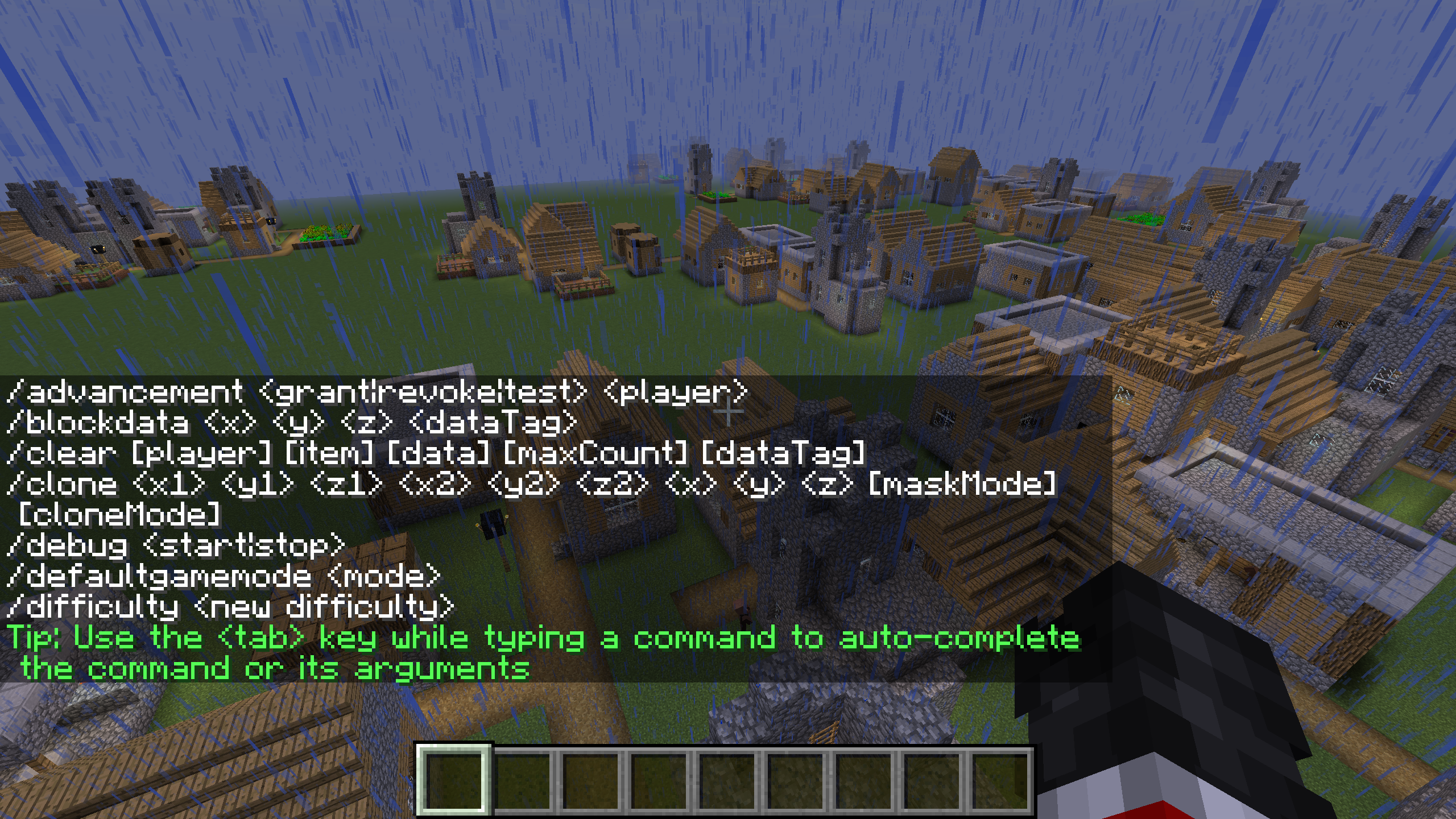
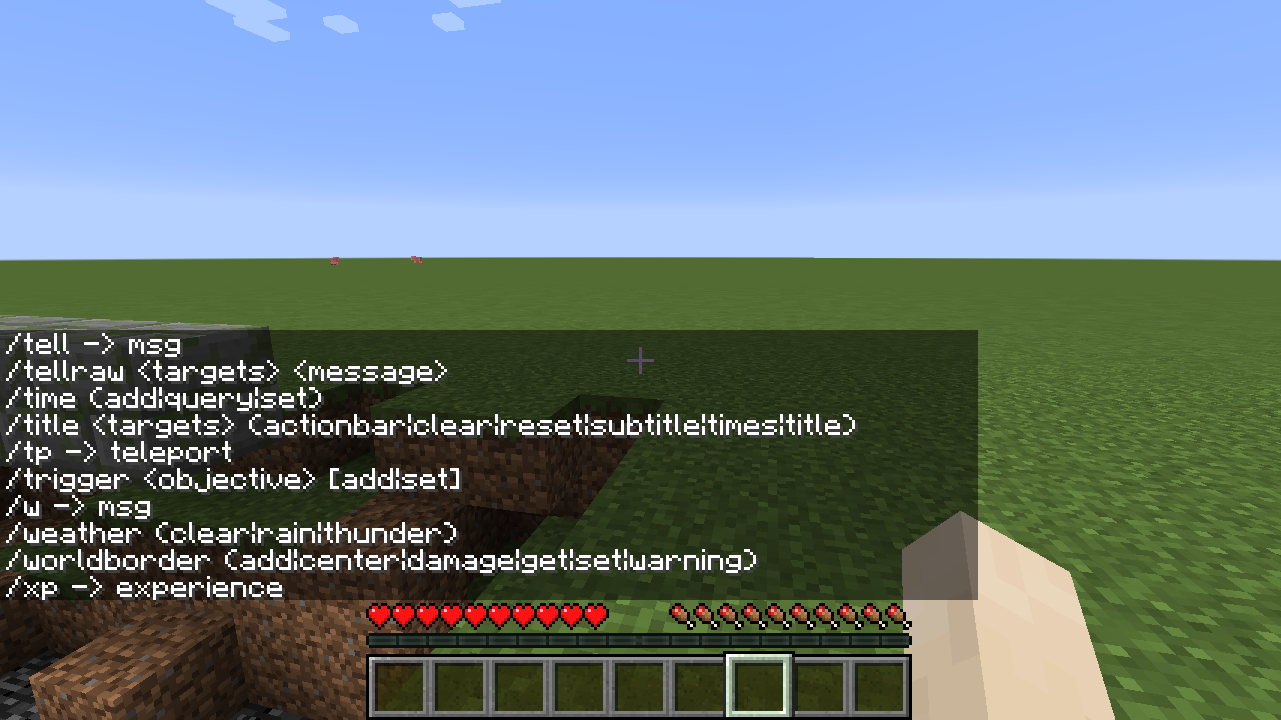
The outputs of the /help command are no longer paginated in the new command system. This has benefits and drawbacks; all commands are on one page, but in the case of chat and other messages, the items at the top can be quickly obscured.
Granted, the new command suggestions completely make this a moot point, but for users who have them disabled, the help output would be useful.
Previous output
New output
Possible solution
This would likely have an impact on the help command itself, to distinguish page numbers from command literals. Perhaps /help, /help command <command>, /help page <page>, and /help page <page> command <command> could remedy this issue.
The bug
The outputs of the /help command are no longer paginated in the new command system. This has benefits and drawbacks; all commands are on one page, but in the case of chat and other messages, the items at the top can be quickly obscured.
Granted, the new command suggestions completely make this a moot point, but for users who have them disabled, the help output would be useful.
Steps to recreate
#. Launch 1.12.2 and type /help, observe the output.
#. Launch 1.13 and type /help, observe the output.
Both do the same function but in different ways.Previous output
New output
Possible solution
This would likely have an impact on the help command itself, to distinguish page numbers from command literals. Perhaps /help, /help command <command>, /help page <page>, and /help page <page> command <command> could remedy this issue.
The bug
The outputs of the /help command are no longer paginated in the new command system. This has benefits and drawbacks; all commands are on one page, but in the case of chat and other messages, the items at the top can be quickly obscured.
Granted, the new command suggestions completely make this a moot point, but for users who have them disabled, the help output would be useful.
Steps to recreate
#. Launch 1.12.2 and type /help, observe the output.
#. Launch 1.13 and type /help, observe the output.
Both do the same function but in different ways.Previous output
New output
Possible solution
This would likely have an impact on the help command itself, to distinguish page numbers from command literals. Perhaps /help, /help command <command>, /help page <page>, and /help page <page> command <command> could remedy this issue.
The bug
The outputs of the /help command are no longer paginated in the new command system. This has benefits and drawbacks; all commands are on one page, but in the case of chat and other messages, the items at the top can be quickly obscured.
Granted, the new command suggestions completely make this a moot point, but for users who have them disabled, the help output would be useful.
Steps to recreate
- Launch 1.12.2 and type /help, observe the output.
- Launch 1.13 and type /help, observe the output.
Both do the same function but in different ways.Previous output
New output
Possible solution
This would likely have an impact on the help command itself, to distinguish page numbers from command literals. Perhaps /help, /help command <command>, /help page <page>, and /help page <page> command <command> could remedy this issue.
Also happens with glass panes, iron bars, fences, probably every waterlogged block as long as there is a water block or solid block below it.
Affects 18w22a
Affects 1.13-pre9
Bundled Java runtime, snapsho
g18w30a on WindowsBundled Java runtime, snapshot 18w30a on Windows
The bug
When an invalid value is entered for a
previously-validargument in the middle of a command string, the command is shown in red to indicate it is invalid, but the specific parse error message is not displayed unless the text cursor is placed at the end of the command.Steps to recreate
I used the /effect command since it has a lot of arguments.
- Enter a basic command with an invalid parameter at the end.
Example: /effect give @e[type=pig] levitation -1
- Notice the parse error message:
Integer must not be less than 1, found -1 at position ...- Enter the same command with correct arguments.
Example: /effect give @e[type=pig] levitation 100 255 true- Go back and change an argument to be invalid.
Example: /effect give @e[type=pig] levitation -1 255 true
- Notice the command turns red to indicate error, but no message is displayed like before.
- Now press <End> to move the cursor to the end of the command.
- Notice the error message again displays as expected.
The bug
When an invalid value is entered for an argument in the middle of a command string, the command is shown in red to indicate it is invalid, but the specific parse error message is not displayed unless the text cursor is placed at the end of the command.
Steps to recreate
I used the /effect command since it has a lot of arguments.
- Enter a basic command with an invalid parameter at the end.
Example: /effect give @e[type=pig] levitation -1
- Notice the parse error message:
Integer must not be less than 1, found -1 at position ...- Enter the same command with correct arguments.
Example: /effect give @e[type=pig] levitation 100 255 true- Go back and change an argument to be invalid.
Example: /effect give @e[type=pig] levitation -1 255 true
- Notice the command turns red to indicate error, but no message is displayed like before.
- Now press <End> to move the cursor to the end of the command.
- Notice the error message again displays as expected.
The bug
When an invalid value is entered for an argument in the middle of a command string, the command is shown in red to indicate it is invalid, but the specific parse error message is not displayed unless the text cursor is placed at the end of the command.
Steps to recreate
I used the /effect command since it has a lot of arguments.
- Enter a basic command with an invalid parameter at the end.
Example: /effect give @e[type=pig] levitation -1
- Notice the parse error message:
Integer must not be less than 1, found -1 at position ...- Enter the same command with correct arguments.
Example: /effect give @e[type=pig] levitation 100 255 true- Go back and change an argument to be invalid.
Example: /effect give @e[type=pig] levitation -1 255 true
- Notice the command turns red to indicate error, but no message is displayed like before.
- Now press <End> to move the cursor to the end of the command.
- Notice the error message again displays as expected.
The bug
When an invalid value is entered for an argument in the middle of a command string, the command is shown in red to indicate it is invalid, but the specific parse error message is not displayed unless the text cursor is placed at the end of the command.
Steps to recreate
I used the /effect command since it has a lot of arguments.
- Enter a basic command with an invalid parameter at the end.
Example: /effect give @e[type=pig] levitation -1
- Notice the parse error message:
Integer must not be less than 1, found -1 at position ...- Enter the same command with correct arguments.
Example: /effect give @e[type=pig] levitation 100 255 true- Go back and change an argument to be invalid.
Example: /effect give @e[type=pig] levitation -1 255 true
- Notice the command turns red to indicate error, but no message is displayed like before.
- Now press <End> to move the cursor to the end of the command.
- Notice the error message again displays as expected.
Bundled Java runtime
, snapshot 18w30a on Windows
I searched a lot but could not find a duplicating issue. So I created a new one.
Background
In 1.12 and earlier versions, it was "harder" to swim up a water stream that was flowing down. It took longer than a stream of source blocks. Downward speed was also faster in falling water.
The bug
In 1.13, now the player sink/swim up speed in downward flowing water is the same as in source blocks. The flowing property of the water has no effect. This also affects mobs.
I searched a lot but could not find a duplicating issue. So I created a new one.
Background
In 1.12 and earlier versions, it was "harder" to swim up a water stream that was flowing down. It took longer than a stream of source blocks. Downward speed was also faster in falling water.
The bug
In 1.13, now the player sink/swim up speed in downward flowing water is the same as in source blocks. The flowing property of the water has no effect. This also affects mobs.
In 1.13 release: The sink speed is fast as expected but swim up speed is still normal.
In 18w30a snapshot: The sink speed is slow again, so could be fixed by 18w30b as stated in release notes?
I searched a lot but could not find a duplicating issue. So I created a new one.
Background
In 1.12 and earlier versions, it was "harder" to swim up a water stream that was flowing down. It took longer than a stream of source blocks. Downward speed was also faster in falling water.
The bug
In 1.13, now the player sink/swim up speed in downward flowing water is the same as in source blocks. The f
lowing property of the water has no effect. This also affects mobs.In 1.13 release: The sink speed is fast as expected but swim up speed is still normal.
In 18w30a snapshot: The sink speed is slow again, so could be fixed by 18w30b as stated in release notes?I searched a lot but could not find a duplicating issue. So I created a new one.
Background
In 1.12 and earlier versions, it was "harder" to swim up a water stream that was flowing down. It took longer than a stream of source blocks. Downward speed was also faster in falling water.
The bug
In 1.13, now the player sink/swim up speed in downward flowing water is the same as in source blocks. The falling property of the water has no effect. This also affects mobs.
The 18w30b snapshot fixed the sink speed once again, but the swimming upward speed is still the same as source blocks.
I searched a lot but could not find a duplicating issue. So I created a new one.
Background
In 1.12 and earlier versions, it was "harder" to swim up a water stream that was flowing down. It took longer than a stream of source blocks. Downward speed was also faster in falling water.
The bug
In 1.13, now the player sink/swim up speed in downward flowing water is the same as in source blocks. The falling property of the water has no effect. This also affects mobs.
The 18w30b snapshot fixed the sink speed once again, but the swimming upward speed is still the same as source blocks.
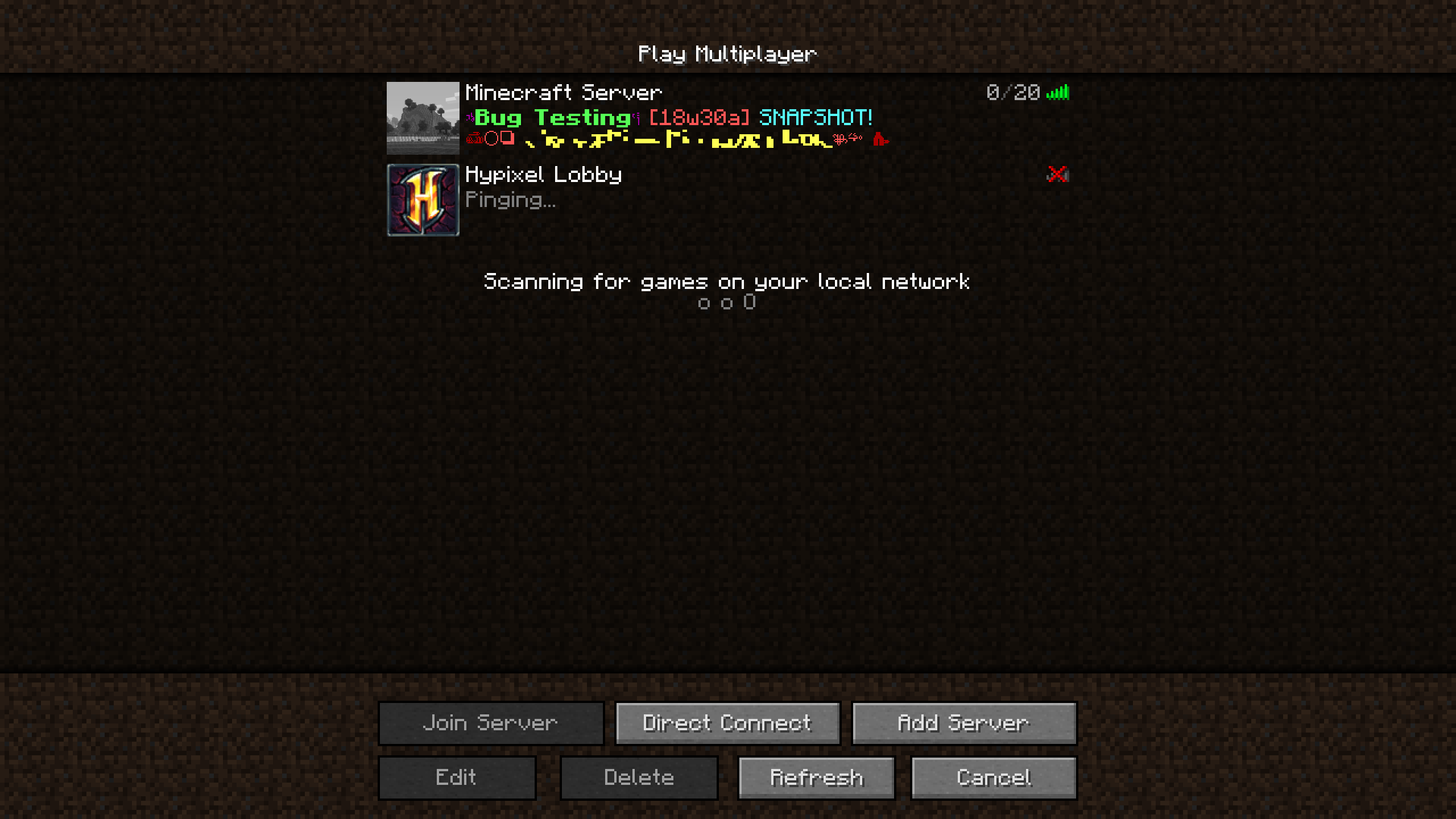
The bug
When a server MOTD is formatted with obfuscated text, normal text also appears to flash sometimes with random characters. It is flickering between normal and random characters.

However, note that server MOTD text is sent to the client as a JSON text component, but the server.properties file only allows adding color using the deprecated legacy section-sign symbol \u00A7. So this may be a side effect of that instead? In which case this would probably be an invalid report.
Cause
This issue could potentially have been produced by the fix to
MC-133260.The bug
When a server MOTD is formatted with obfuscated text, normal text also appears to flash sometimes with random characters. It is flickering between normal and random characters.
However, note that server MOTD text is sent to the client as a JSON text component, but the server.properties file only allows adding color using the deprecated legacy section-sign symbol \u00A7. So this may be a side effect of that instead? In which case this would probably be an invalid report.
Cause
This issue could potentially have been produced by the fix to
MC-133260.
The bug
When a server MOTD is formatted with obfuscated text, normal text also appears to flash sometimes with random characters. It is flickering between normal and random characters.
However, note that server MOTD text is sent to the client as a JSON text component, but the server.properties file only allows adding color using the deprecated legacy section-sign symbol \u00A7. So this may be a side effect of that instead? In which case this would probably be an invalid report.
Cause
This issue could potentially have been produced by the fix to
MC-133260.The bug
When a server MOTD is formatted with obfuscated text, normal text also appears to flash sometimes with random characters. It is flickering between normal and random characters.
However, note that server MOTD text is sent to the client as a JSON text component, but the server.properties file only allows adding color using the deprecated legacy section-sign symbol \u00A7. So this may be a side effect of that instead? In which case this would probably be an invalid report.
Cause
This issue could potentially have been produced by the fix to
MC-133260.
The bug
When a server MOTD is formatted with obfuscated text, normal text also appears to flash sometimes with random characters. It is flickering between normal and random characters.
However, note that server MOTD text is sent to the client as a JSON text component, but the server.properties file only allows adding color using the deprecated legacy section-sign symbol \u00A7.
So this may be a side effect of that instead? In which case this would probably be an invalid report.
CauseThis issue could potentially have been produced by the fix to
MC-133260.The bug
When a server MOTD is formatted with obfuscated text, normal text also appears to flash sometimes with random characters. It is flickering between normal and random characters.
However, note that server MOTD text is sent to the client as a JSON text component, but the server.properties file only allows adding color using the deprecated legacy section-sign symbol \u00A7. So this may be a side effect of that instead? In which case this would probably be an invalid report.
Steps to recreate
- Create a vanilla server.
- Edit the motd= in server.properties to add obfuscated characters and non-obfuscated characters.
Example:motd=\u00A75\u00A7k@@ \u00A7e\u00A7lSome text!! \u00A75\u00A7k@@
- Start the server.
- Add localhost to the server list and refresh to see the MOTD.
- Notice the flickering characters that should not be obfuscated.
Cause
This issue could potentially have been produced by the fix to
MC-133260.
The bug
When a server MOTD is formatted with obfuscated text, normal text also appears to flash sometimes with random characters. It is flickering between normal and random characters.
However, note that server MOTD text is sent to the client as a JSON text component, but the server.properties file only allows adding color using the deprecated legacy section-sign symbol \u00A7. So this may be a side effect of that instead? In which case this would probably be an invalid report.
Steps to recreate
- Create a vanilla server.
- Edit the motd= in server.properties to add obfuscated characters and non-obfuscated characters.
Example:motd=\u00A75\u00A7k@@ \u00A7e\u00A7lSome text!! \u00A75\u00A7k@@
- Start the server.
- Add localhost to the server list and refresh to see the MOTD.
- Notice the flickering characters that should not be obfuscated.
Cause
This issue could potentially have been produced by the fix to
MC-133260.The bug
When a server MOTD is formatted with obfuscated text, normal text also appears to flash sometimes with random characters. It is flickering between normal and random characters.
However, note that server MOTD text is sent to the client as a JSON text component, but the server.properties file only allows adding color using the deprecated legacy section-sign symbol \u00A7. So this may be a side effect of that instead? In which case this would probably be an invalid report.
Steps to recreate
- Create a vanilla server.
- Edit the motd= in server.properties to add obfuscated characters and non-obfuscated characters.
Example:motd=\u00A75\u00A7k@@ \u00A7e\u00A7lSome text!! \u00A75\u00A7k@@- Start the server.
- Add localhost to the server list and refresh to see the MOTD.
- Notice the flickering characters that should not be obfuscated.
Cause
This issue could potentially have been produced by the fix to
MC-133260.
The bug
When a server MOTD is formatted with obfuscated text, normal text also appears to flash sometimes with random characters. It is flickering between normal and random characters.
However, note that server MOTD text is sent to the client as a JSON text component, but the server.properties file only allows adding color using the deprecated legacy section-sign symbol \u00A7. So this may be a side effect of that instead? In which case this would probably be an invalid report.
Steps to recreate
- Create a vanilla server.
- Edit the motd= in server.properties to add obfuscated characters and non-obfuscated characters.
Example:motd=\u00A75\u00A7k@@ \u00A7e\u00A7lSome text!! \u00A75\u00A7k@@- Start the server.
- Add localhost to the server list and refresh to see the MOTD.
- Notice the flickering characters that should not be obfuscated.
Cause
This issue could potentially have been produced by the fix to
MC-133260.Obfuscated text is now using every possibly unicode character to cycle through. Even the ones that look bad. But possibly it is choosing characters that also need other characters after them to work correctly (like accent characters) and it is messing up the interpretation of the rest of the text?
The bug
When a server MOTD is formatted with obfuscated text, normal text also appears to flash sometimes with random characters. It is flickering between normal and random characters.
However, note that server MOTD text is sent to the client as a JSON text component, but the server.properties file only allows adding color using the deprecated legacy section-sign symbol \u00A7. So this may be a side effect of that instead? In which case this would probably be an invalid report.
Steps to recreate
- Create a vanilla server.
- Edit the motd= in server.properties to add obfuscated characters and non-obfuscated characters.
Example:motd=\u00A75\u00A7k@@ \u00A7e\u00A7lSome text!! \u00A75\u00A7k@@- Start the server.
- Add localhost to the server list and refresh to see the MOTD.
- Notice the flickering characters that should not be obfuscated.
Cause
This issue could potentially have been produced by the fix to
MC-133260.Obfuscated text is now using every possibly unicode character to cycle through. Even the ones that look bad. But possibly it is choosing characters that also need other characters after them to work correctly (like accent characters) and it is messing up the interpretation of the rest of the text?
The bug
When a server MOTD is formatted with obfuscated text, normal text also appears to flash sometimes with random characters. It is flickering between normal and random characters.
However, note that server MOTD text is sent to the client as a JSON text component, but the server.properties file only allows adding color using the deprecated legacy section-sign symbol \u00A7. So this may be a side effect of that instead? In which case this would probably be an invalid report.
Steps to recreate
- Create a vanilla server.
- Edit the motd= in server.properties to add obfuscated characters and non-obfuscated characters.
Example:motd=\u00A75\u00A7k@@ \u00A7e\u00A7lSome text!! \u00A75\u00A7k@@- Start the server.
- Add localhost to the server list and refresh to see the MOTD.
- Notice the flickering characters that should not be obfuscated.
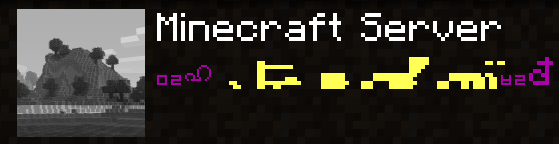
Cause
This issue could potentially have been produced by the fix to
MC-133260.Obfuscated text is now using every possibly unicode character to cycle through. Even the ones that look bad. But possibly it is choosing characters that also need other characters after them to work correctly (like accent characters) and it is messing up the interpretation of the rest of the text?
The bug
When text is formatted with obfuscated text, normal text also appears to flash sometimes with random characters. It is flickering between normal and random characters.
Steps to recreate
/title @a title [{"text":"A","obfuscated":true},{"text":" Test ","obfuscated":false},{"text":"A","obfuscated":true}]Cause
This issue could potentially have been produced by the fix to
MC-133260.Obfuscated text is now using every possibly unicode character to cycle through. Even the ones that look bad. But possibly it is choosing characters that also need other characters after them to work correctly (like accent characters) and it is messing up the interpretation of the rest of the text?
The bug
When text is formatted with obfuscated text, normal text also appears to flash sometimes with random characters. It is flickering between normal and random characters.
Steps to recreate
/title @a title [{"text":"@","obfuscated":true},{"text":" Test ","obfuscated":false},{"text":"@","obfuscated":true}]note: Using @ in place of A (different character widths) reproduces the bug much more visibly for me. I was unable to recreate using A.
Cause
This issue could potentially have been produced by the fix to
MC-133260.Obfuscated text is now using every possibly unicode character to cycle through. Even the ones that look bad. But possibly it is choosing characters that also need other characters after them to work correctly (like accent characters) and it is messing up the interpretation of the rest of the text?
The bug
When text is formatted with obfuscated text, normal text also appears to flash sometimes with random characters. It is flickering between normal and random characters.
Steps to recreate
/title @a title [{"text":"@","obfuscated":true},{"text":" Test ","obfuscated":false},{"text":"@","obfuscated":true}]note: Using @ in place of A (different character widths) reproduces the bug much more visibly for me. I was unable to recreate using A.
Cause
This issue could potentially have been produced by the fix to
MC-133260.Obfuscated text is now using every possibl
y unicode character to cycle through.Even the ones that look bad. But possiblyit is choosing characters that also need other characters after them to work correctly (like accent characters) and it is messing up the interpretation of the rest of the text?The bug
When text is formatted with obfuscated text, normal text also appears to flash sometimes with random characters. It is flickering between normal and random characters.
Steps to recreate
/title @a title [{"text":"@","obfuscated":true},{"text":" Test ","obfuscated":false},{"text":"@","obfuscated":true}]note: Using @ in place of A (different character widths) reproduces the bug much more visibly for me. I was unable to recreate using A.
Cause
This issue could potentially have been produced by the fix to
MC-133260.Obfuscated text is now using every possible Unicode character to cycle through. So perhaps it is choosing characters that also need other characters after them to work correctly (like accent characters) and it is messing up the interpretation of the rest of the text?
The bug
When text is formatted with obfuscated text, normal text also appears to flash sometimes with random characters. It is flickering between normal and random characters.
Steps to recreate
/title @a title [{"text":"@","obfuscated":true},{"text":" Test ","obfuscated":false},{"text":"@","obfuscated":true}]note:
Using @ in place of A (different character widths) reproduces the bug much more visibly for me. I was unable to recreate usingA.Cause
This issue could potentially have been produced by the fix to
MC-133260.Obfuscated text is now using every possible Unicode character to cycle through. So perhaps it is choosing characters that also need other characters after them to work correctly (like accent characters) and it is messing up the interpretation of the rest of the text?
The bug
When text is formatted with obfuscated text, normal text also appears to flash sometimes with random characters. It is flickering between normal and random characters.
Steps to recreate
/title @a title [{"text":"@","obfuscated":true},{"text":" Test ","obfuscated":false},{"text":"@","obfuscated":true}] /title @a title [{"text":"A","obfuscated":true},{"text":" Test ","obfuscated":false},{"text":"A","obfuscated":true}]note: It appears to stop happening for a certain character width after a while. So cycling through different widths of characters will cause it to keep appearing.
Cause
This issue could potentially have been produced by the fix to
MC-133260.Obfuscated text is now using every possible Unicode character to cycle through. So perhaps it is choosing characters that also need other characters after them to work correctly (like accent characters) and it is messing up the interpretation of the rest of the text?
Background
When a list of NBT values is displayed using the NBT component, the entries in the list are separated by commas, like so [<item 1>, <item 2>, <item 3>, ...].
The bug
When the items in the list are interpreted as text components using "interpret":true, the entries are no longer comma delimited: [<item 1><item 2><item 3>...].
Steps to Recreate
1. Give yourself 2+ items with custom names.
2. Place the items in a chest.
3. Use the NBT text component to display the names of the items in the chest.
4. Now use "interpret":true on the same items.
5. Notice how (3) has comma delimiters, and (4) doesn't.Disclaimer
Since interpret changes the nature of the text, I am unsure whether this is intended behavior.
Background
When a list of NBT values is displayed using the NBT component, the entries in the list are separated by commas, like so [<item 1>, <item 2>, <item 3>, ...].
The bug
When the items in the list are interpreted as text components using "interpret":true, the entries are no longer comma delimited: [<item 1><item 2><item 3>...].
Steps to Recreate
1. Give yourself 2+ items with custom names.
2. Place the items in a chest.
3. Use the NBT text component to display the names of the items in the chest.
4. Now use "interpret":true on the same items.
5. Notice how (3) has comma delimiters, and (4) doesn't.Disclaimer
Since interpret changes the nature of the text, I am unsure whether this is intended behavior.

Description
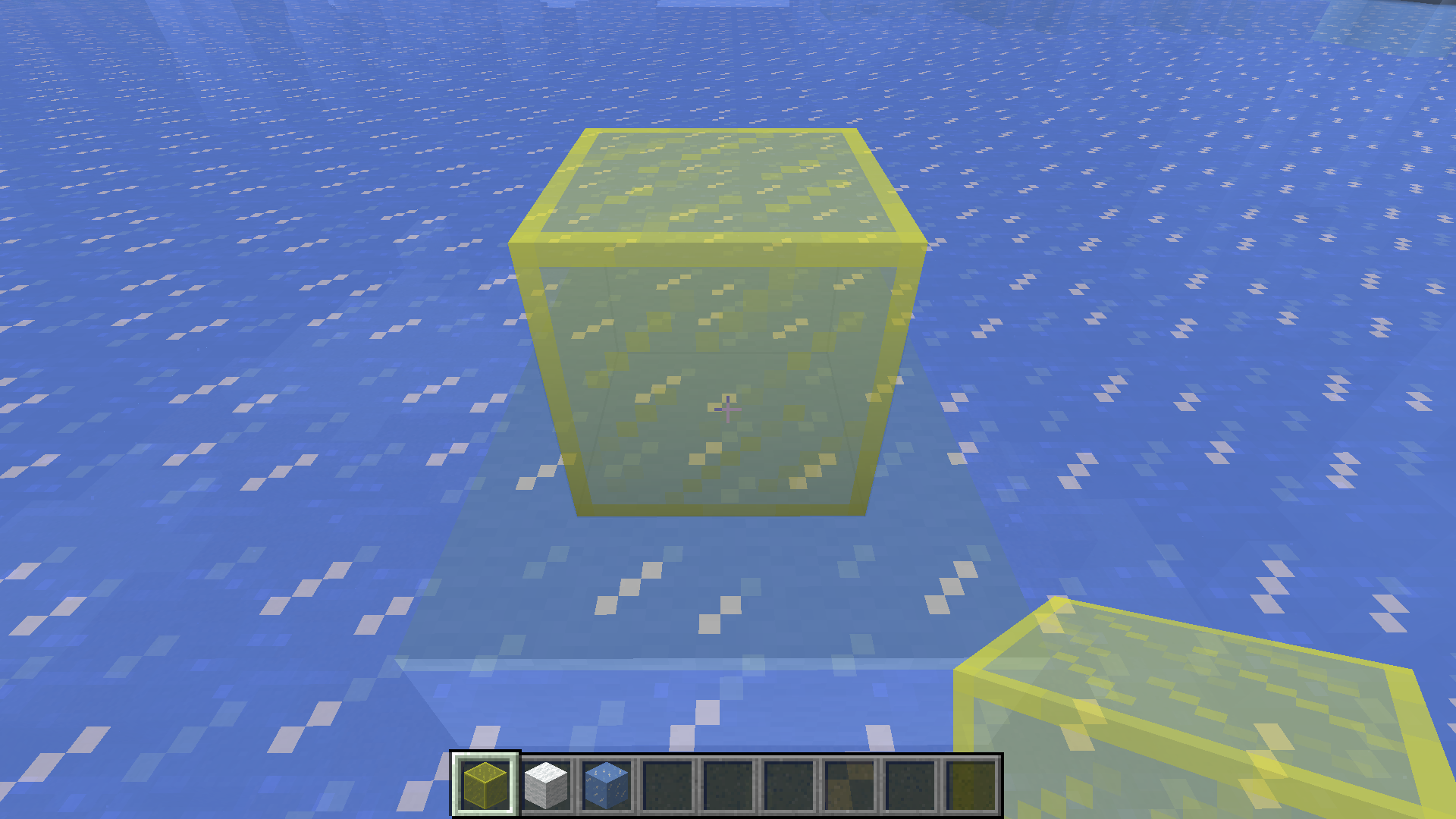
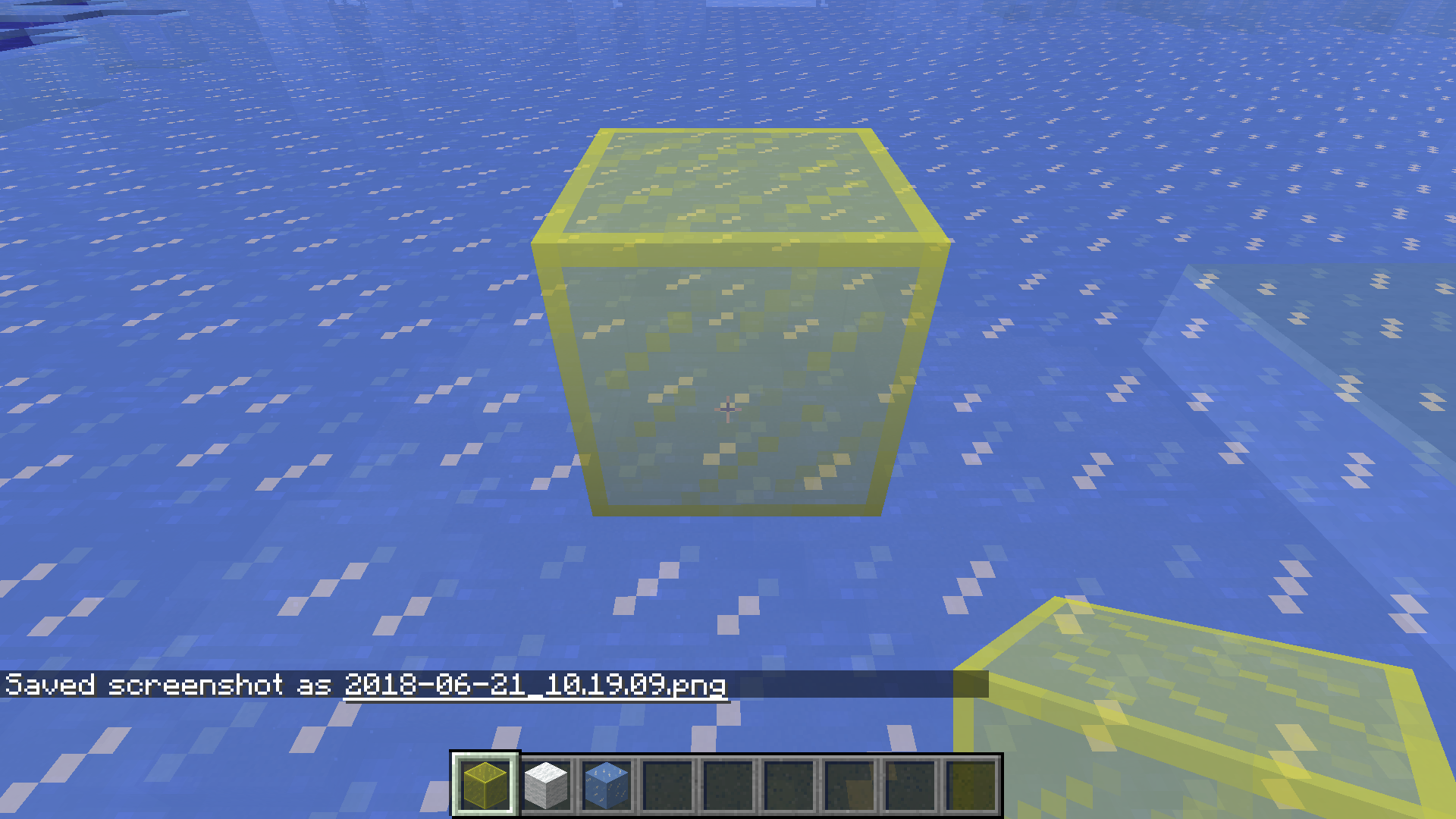
When viewed through certain faces, other faces of an item model with alpha channel transparency do not render.
Steps to Reproduce
The easiest way to view this bug is to summon an invisible armor_stand with a semi-transparent block in its head armor slot:
/summon minecraft:armor_stand ~ ~ ~ {ArmorItems:[{},{},{},{id:"minecraft:black_stained_glass",Count:1}],Marker:1,Invisible:1,NoGravity:1In this way, every face of the block can be observed independently of the others.
Affected Models
Any model with alpha channel transparency is affected in the exact same way. This currently includes:
- any stained_glass
- any stained_glass_pane
- minecraft:ice
- minecraft:slime_block
Models without alpha transparency (i.e.: only full transparency) are not affected:
- minecraft:glass
- minecraft:glass_pane
- minecraft:beacon
- minecraft:iron_bars
Model Rendering Issues
The following table shows the deficiencies in model rendering for semi-transparent textures.
Looking In Face Renders Top Renders Bottom Renders North Renders East Renders South Renders West Top N/A Yes No No No No Bottom No N/A No No No No North Yes Yes N/A No No No East Yes Yes Yes N/A Yes Yes South Yes Yes Yes No N/A No West Yes Yes Yes No Yes N/A Interestingly, this table exhibits a pattern. It is inverted symmetric along the diagonal.
Visual Evidence
Relative to the texture (when placed in the world) these are the assigned cardinalities of the faces:
When looking through the face in the Looking Through column, the other faces in the Render X column contain the render status of those faces. The entire table should be Yes.
Here is an example model showing the extent of the issues:
In the model cardinality, this is looking from South-East-Above.
Note: this is not a block in the world, it is a Head Item on an invisible armor_stand.

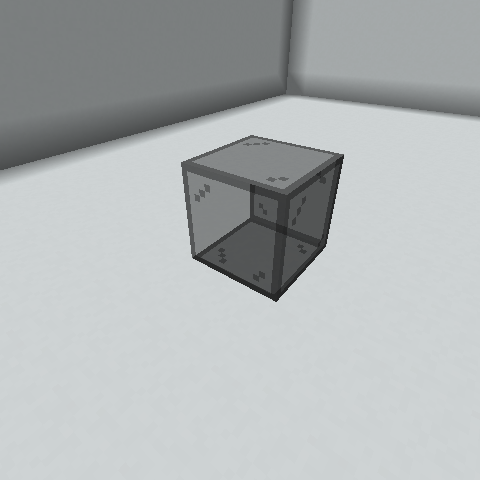
When viewed through certain faces, other faces of an item model with alpha channel transparency do not render.
Steps to Reproduce
The easiest way to view this bug is to summon an invisible armor_stand with a semi-transparent block in its head armor slot:
/summon minecraft:armor_stand ~ ~ ~ {ArmorItems:[{},{},{},{id:"minecraft:black_stained_glass",Count:1}],Marker:1,Invisible:1,NoGravity:1}In this way, every face of the block can be observed independently of the others.
Affected Models
Any model with alpha channel transparency is affected in
the exact sameway. This currently includes:
- any stained_glass
- any stained_glass_pane
- minecraft:ice
- minecraft:slime_block
Models without alpha transparency (i.e.: only full transparency) are not affected:
- minecraft:glass
- minecraft:glass_pane
- minecraft:beacon
- minecraft:iron_bars
Model Rendering Issues
The following table shows the deficiencies in model rendering for semi-transparent textures.
Looking In Face Renders Top Renders Bottom Renders North Renders East Renders South Renders West Top N/A Yes No No No No Bottom No N/A No No No No North Yes Yes N/A No No No East Yes Yes Yes N/A Yes Yes South Yes Yes Yes No N/A No West Yes Yes Yes No Yes N/A Interestingly, this table exhibits a pattern. It is inverted symmetric along the diagonal.
Visual Evidence
Relative to the texture (when placed in the world) these are the assigned cardinalities of the faces:
When looking through the face in the Looking Through column, the other faces in the Render X column contain the render status of those faces. The entire table should be Yes.
Here is an example model showing the extent of the issues:
In the model cardinality, this is looking from South-East-Above.
Note: this is not a block in the world, it is a Head Item on an invisible armor_stand.
When viewed through certain faces, other faces of an item model with alpha channel transparency do not render.
Steps to Reproduce
The easiest way to view this bug is to summon an invisible armor_stand with a semi-transparent block in its head armor slot:
/summon minecraft:armor_stand ~ ~ ~ {ArmorItems:[{},{},{},{id:"minecraft:black_stained_glass",Count:1}],Marker:1,Invisible:1,NoGravity:1}In this way, every face of the block can be observed independently of the others.
Affected Models
Any model with alpha channel transparency is affected in a similar way. This currently includes:
- any stained_glass
- any stained_glass_pane
- minecraft:ice
- minecraft:slime_block
- minecraft:slime (entity)
Models without alpha transparency (i.e.: only full transparency) are not affected:
- minecraft:glass
- minecraft:glass_pane
- minecraft:beacon
- minecraft:iron_bars
Model Rendering Issues
The following table shows the deficiencies in model rendering for semi-transparent textures. This table is relative to the stained glass Model Cardinality (see below).
Looking In Face Renders Top Renders Bottom Renders North Renders East Renders South Renders West Top N/A Yes No No No No Bottom No N/A No No No No North Yes Yes N/A No No No East Yes Yes Yes N/A Yes Yes South Yes Yes Yes No N/A No West Yes Yes Yes No Yes N/A Interestingly, this table exhibits a pattern. It is inverted symmetric along the diagonal.
This table does not appear to be the same for the stained glass pane model, though similar issues can be observed.
This table is the same for the slime entity model, but the faces are in a different orientation (see below).
Visual Evidence
Relative to the texture (when placed in the world) these are the assigned cardinalities of the faces for full blocks (stained_glass, ice, slime_block):
When looking through the face in the Looking Through column, the other faces in the Render X column contain the render status of those faces. The entire table should be Yes.
The slime model exhibits the same table, but in a different orientation, which can be seen here:
Here is an example model showing the extent of the issues:
In the model cardinality, this is looking from South-East-Above.
Note: this is not a block in the world, it is a Head Item on an invisible armor_stand.
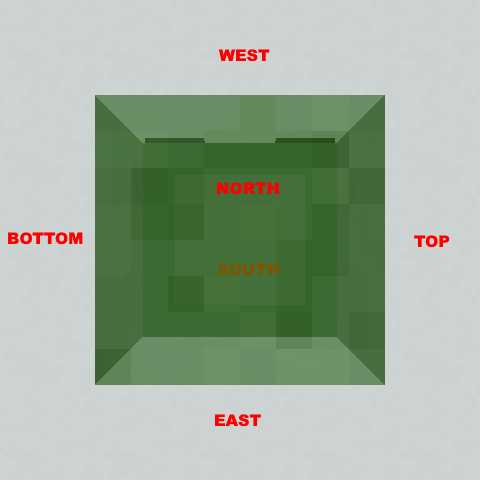
Item models with alpha channel do not render all faces consistentlyModels with alpha channel do not render all faces consistently
When viewed through certain faces, other faces of a
n itemmodel with alpha channel transparency do not render.
Steps to Reproduce
The easiest way to view this bug is to summon an invisible armor_stand with a semi-transparent block in its head armor slot:
/summon minecraft:armor_stand ~ ~ ~ {ArmorItems:[{},{},{},{id:"minecraft:black_stained_glass",Count:1}],Marker:1,Invisible:1,NoGravity:1}In this way, every face
of the blockcan be observed independently of the others.
Affected Models
Any model with alpha channel transparency is affected in a similar way. This currently includes:
- any stained_glass
- any stained_glass_pane
- minecraft:ice
- minecraft:slime_block
- minecraft:slime (entity)
Models without alpha transparency (i.e.: only full transparency) are not affected:
- minecraft:glass
- minecraft:glass_pane
- minecraft:beacon
- minecraft:iron_bars
Model Rendering Issues
The following table shows the deficiencies in model rendering for semi-transparent textures. This table is relative to the stained glass Model Cardinality (see below).
Looking In Face Renders Top Renders Bottom Renders North Renders East Renders South Renders West Top N/A Yes No No No No Bottom No N/A No No No No North Yes Yes N/A No No No East Yes Yes Yes N/A Yes Yes South Yes Yes Yes No N/A No West Yes Yes Yes No Yes N/A Interestingly, this table exhibits a pattern. It is inverted symmetric along the diagonal.
This table does not appear to be the same for the stained glass pane model, though similar issues can be observed.
This table is the same for the slime entity model, but the faces are in a different orientation (see below).
Visual Evidence
Relative to the texture (when placed in the world) these are the assigned cardinalities of the faces for full blocks (stained_glass, ice, slime_block):
When looking through the face in the Looking Through column, the other faces in the Render X column contain the render status of those faces. The entire table should be Yes.
The slime model exhibits the same table, but in a different orientation, which can be seen here:
Here is an example model showing the extent of the issues:
In the model cardinality, this is looking from South-East-Above.
Note: this is not a block in the world, it is a Head Item on an invisible armor_stand.
When viewed through certain faces, other faces of a model with alpha channel transparency do not render.
Steps to Reproduce
The easiest way to view this bug is to summon an invisible armor_stand with a semi-transparent block in its head armor slot:
/summon minecraft:armor_stand ~ ~ ~ {ArmorItems:[{},{},{},{id:"minecraft:black_stained_glass",Count:1}],Marker:1,Invisible:1,NoGravity:1}In this way, every face can be observed independently of the others.
Affected Models
Any model with alpha channel transparency is affected in a similar way. This currently includes:
- any stained_glass
- any stained_glass_pane
- minecraft:ice
- minecraft:slime_block
- minecraft:slime (entity)
Models without alpha transparency (i.e.: only full transparency) are not affected:
- minecraft:glass
- minecraft:glass_pane
- minecraft:beacon
- minecraft:iron_bars
Model Rendering Issues
The following table shows the deficiencies in model rendering for semi-transparent textures. This table is relative to the stained glass Model Cardinality (see below).
Looking In Face Renders Top Renders Bottom Renders North Renders East Renders South Renders West Top N/A Yes No No No No Bottom No N/A No No No No North Yes Yes N/A No No No East Yes Yes Yes N/A Yes Yes South Yes Yes Yes No N/A No West Yes Yes Yes No Yes N/A Interestingly, this table exhibits a pattern. It is inverted symmetric along the diagonal.
This table does not appear to be the same for the stained glass pane model, though similar issues can be observed.
This table is the same for the slime entity model, but the faces are in a different orientation (see below).
Visual Evidence
Relative to the texture (when placed in the world) these are the assigned cardinalities of the faces for full blocks (stained_glass, ice, slime_block):
When looking through the face in the Looking Through column, the other faces in the Render X column contain the render status of those faces. The entire table should be Yes.
The slime model exhibits the same table, but in a different orientation, which can be seen here:
Here is an example model showing the extent of the issues:
In the model cardinality, this is looking from South-East-Above.
Note: this is not a block in the world, it is a Head Item on an invisible armor_stand.
Here is an interactive example:

When viewed through certain faces, other faces of a model with alpha channel transparency do not render.
Steps to Reproduce
The easiest way to view this bug is to summon an invisible armor_stand with a semi-transparent block in its head armor slot:
/summon minecraft:armor_stand ~ ~ ~ {ArmorItems:[{},{},{},{id:"minecraft:black_stained_glass",Count:1}],Marker:1,Invisible:1,NoGravity:1}In this way, every face can be observed independently of the others.
Affected Models
Any model with alpha channel transparency is affected in a similar way. This currently includes:
- any stained_glass
- any stained_glass_pane
- minecraft:ice
- minecraft:slime_block
- minecraft:slime (entity)
Models without alpha transparency (i.e.: only full transparency) are not affected:
- minecraft:glass
- minecraft:glass_pane
- minecraft:beacon
- minecraft:iron_bars
Model Rendering Issues
The following table shows the deficiencies in model rendering for semi-transparent textures. This table is relative to the stained glass Model Cardinality (see below).
Looking In Face Renders Top Renders Bottom Renders North Renders East Renders South Renders West Top N/A Yes No No No No Bottom No N/A No No No No North Yes Yes N/A No No No East Yes Yes Yes N/A Yes Yes South Yes Yes Yes No N/A No West Yes Yes Yes No Yes N/A Interestingly, this table exhibits a pattern. It is inverted symmetric along the diagonal.
This table does not appear to be the same for the stained glass pane model, though similar issues can be observed.
This table is the same for the slime entity model, but the faces are in a different orientation (see below).
Visual EvidenceRelative to the texture (when placed in the world) these are the assigned cardinalities of the faces for full blocks (stained_glass, ice, slime_block):
When looking through the face in the Looking Through column, the other faces in the Render X column contain the render status of those faces. The entire table should be Yes.
The slime model exhibits the same table, but in a different orientation, which can be seen here:
Here is an example model showing the extent of the issues:
In the model cardinality, this is looking from South-East-Above.
Note: this is not a block in the world, it is a Head Item on an invisible armor_stand.
Here is an interactive example:
When viewed through certain faces, other faces of a model with alpha channel transparency do not render.
Steps to Reproduce
The easiest way to view this bug is to summon an invisible armor_stand with a semi-transparent block in its head armor slot:
/summon minecraft:armor_stand ~ ~ ~ {ArmorItems:[{},{},{},{id:"minecraft:black_stained_glass",Count:1}],Marker:1,Invisible:1,NoGravity:1}In this way, every face can be observed independently of the others.
Affected Models
Any model with alpha channel transparency is affected in a similar way. This currently includes:
- any stained_glass
- any stained_glass_pane
- minecraft:ice
- minecraft:slime_block
- minecraft:slime (entity)
Models without alpha transparency (i.e.: only full transparency) are not affected:
- minecraft:glass
- minecraft:glass_pane
- minecraft:beacon
- minecraft:iron_bars
Model Rendering Issues
The following table shows the deficiencies in model rendering for semi-transparent textures. This table is relative to the stained glass Model Cardinality (see below).
Looking In Face Renders Top Renders Bottom Renders North Renders East Renders South Renders West Top N/A Yes No No No No Bottom No N/A No No No No North Yes Yes N/A No No No East Yes Yes Yes N/A Yes Yes South Yes Yes Yes No N/A No West Yes Yes Yes No Yes N/A Interestingly, this table exhibits a pattern. It is inverted symmetric along the diagonal.
This table does not appear to be the same for the stained glass pane model, though similar issues can be observed.
This table is the same for the slime entity model, but the faces are in a different orientation (see below).
Possible Cause?
Considering the table, it may be that textures are only aware of the transparent textures added to the model before their own face is added. Assuming textures are added in the order (for blocks): bottom, top, north, west, south, east then each texture only shows the textures added before it.
Visual Evidence
Relative to the texture (when placed in the world) these are the assigned cardinalities of the faces for full blocks (stained_glass, ice, slime_block):
When looking through the face in the Looking Through column, the other faces in the Render X column contain the render status of those faces. The entire table should be Yes.
The slime model exhibits the same table, but in a different orientation, which can be seen here:
Here is an example model showing the extent of the issues:
In the model cardinality, this is looking from South-East-Above.
Note: this is not a block in the world, it is a Head Item on an invisible armor_stand.
Here is an interactive example:
When viewed through certain faces, other faces of a model with alpha channel transparency do not render.
Steps to Reproduce
The easiest way to view this bug is to summon an invisible armor_stand with a semi-transparent block in its head armor slot:
/summon minecraft:armor_stand ~ ~ ~ {ArmorItems:[{},{},{},{id:"minecraft:black_stained_glass",Count:1}],Marker:1,Invisible:1,NoGravity:1}In this way, every face can be observed independently of the others.
Affected Models
Any model with alpha channel transparency is affected in a similar way. This currently includes:
- any stained_glass
- any stained_glass_pane
- minecraft:ice
- minecraft:slime_block
- minecraft:slime (entity)
Models without alpha transparency (i.e.: only full transparency) are not affected:
- minecraft:glass
- minecraft:glass_pane
- minecraft:beacon
- minecraft:iron_bars
Model Rendering Issues
The following table shows the deficiencies in model rendering for semi-transparent textures. This table is relative to the stained glass Model Cardinality (see below).
Looking In Face Renders TopRenders BottomRenders North Renders EastRenders South Renders WestTopN/A YesNo No No No BottomNoN/A No No No No North Yes Yes N/A No No No EastYes Yes Yes N/A YesYesSouth Yes Yes Yes NoN/A No WestYes Yes Yes NoYes N/A Interestingly, this table exhibits a pattern. It is inverted symmetric along the diagonal.
This table does not appear to be the same for the stained glass pane model, though similar issues can be observed.
This table is the same for the slime entity model, but the faces are in a different orientation (see below).
Possible Cause?
Considering the table, it may be that textures are only aware of the transparent textures added to the model before their own face is added. Assuming textures are added in the order (for blocks): bottom, top, north, west, south, east then each texture only shows the textures added before it.
Visual Evidence
Relative to the texture (when placed in the world) these are the assigned cardinalities of the faces for full blocks (stained_glass, ice, slime_block):
When looking through the face in the Looking Through column, the other faces in the Render X column contain the render status of those faces. The entire table should be Yes.
The slime model exhibits the same table, but in a different orientation, which can be seen here:
Here is an example model showing the extent of the issues:
In the model cardinality, this is looking from South-East-Above.
Note: this is not a block in the world, it is a Head Item on an invisible armor_stand.
Here is an interactive example:
When viewed through certain faces, other faces of a model with alpha channel transparency do not render.
Steps to Reproduce
The easiest way to view this bug is to summon an invisible armor_stand with a semi-transparent block in its head armor slot:
/summon minecraft:armor_stand ~ ~ ~ {ArmorItems:[{},{},{},{id:"minecraft:black_stained_glass",Count:1}],Marker:1,Invisible:1,NoGravity:1}In this way, every face can be observed independently of the others.
Affected Models
Any model with alpha channel transparency is affected in a similar way. This currently includes:
- any stained_glass
- any stained_glass_pane
- minecraft:ice
- minecraft:slime_block
- minecraft:slime (entity)
Models without alpha transparency (i.e.: only full transparency) are not affected:
- minecraft:glass
- minecraft:glass_pane
- minecraft:beacon
- minecraft:iron_bars
Model Rendering Issues
The following table shows the deficiencies in model rendering for semi-transparent textures. This table is relative to the stained glass Model Cardinality (see below).
Looking In Face Renders Bottom Renders Top Renders North Renders West Renders South Renders East Bottom N/A No No No No No Top Yes N/A No No No No North Yes Yes N/A No No No West Yes Yes Yes N/A No No South Yes Yes Yes Yes N/A No East Yes Yes Yes Yes Yes N/A Interestingly, this table exhibits a pattern. It is inverted symmetric along the diagonal.
This table does not appear to be the same for the stained glass pane model, though similar issues can be observed.
This table is the same for the slime entity model, but the faces are in a different orientation (see below).
Possible Cause?
Considering the table, it may be that textures are only aware of the transparent textures added to the model before their own face is added. Assuming textures are added in the order (for blocks): bottom, top, north, west, south, east then each texture only shows the textures added before it.
Visual Evidence
Relative to the texture (when placed in the world) these are the assigned cardinalities of the faces for full blocks (stained_glass, ice, slime_block):
When looking through the face in the Looking Through column, the other faces in the Render X column contain the render status of those faces. The entire table should be Yes.
The slime model exhibits the same table, but in a different orientation, which can be seen here:
Here is an example model showing the extent of the issues:
In the model cardinality, this is looking from South-East-Above.
Note: this is not a block in the world, it is a Head Item on an invisible armor_stand.
Here is an interactive example:
When viewed through certain faces, other faces of a model with alpha channel transparency do not render.
Steps to Reproduce
The easiest way to view this bug is to summon an invisible armor_stand with a semi-transparent block in its head armor slot:
/summon minecraft:armor_stand ~ ~ ~ {ArmorItems:[{},{},{},{id:"minecraft:black_stained_glass",Count:1}],Marker:1,Invisible:1,NoGravity:1}In this way, every face can be observed independently of the others.
Affected Models
Any model with alpha channel transparency is affected in a similar way. This currently includes:
- any stained_glass
- any stained_glass_pane
- minecraft:ice
- minecraft:slime_block
- minecraft:slime (entity)
Models without alpha transparency (i.e.: only full transparency) are not affected:
- minecraft:glass
- minecraft:glass_pane
- minecraft:beacon
- minecraft:iron_bars
Model Rendering Issues
The following table shows the deficiencies in model rendering for semi-transparent textures. This table is relative to the stained glass Model Cardinality (see below).
Looking In Face Renders Bottom Renders Top Renders North Renders WestRenders SouthRenders East Bottom N/A No No No No No Top Yes N/A No No No No North Yes Yes N/A No No No WestYes Yes Yes N/A No No SouthYes Yes Yes Yes N/A No East Yes Yes Yes Yes Yes N/A
Interestingly, this table exhibits a pattern. It is inverted symmetric along the diagonal.This table
does not appear to be the same for the stained glass pane model, though similar issues can be observed.This table is the same for the slime entity model, but the faces are in a different orientation (see below).
PossibleCause?
Considering the table, it may be that textures are only aware of the transparent textures added to the model before their ownfaceis added. Assuming texturesare added in the order(for blocks):bottom,top, north, west, south, eastthen each texture only shows the textures added before it.
Visual Evidence
Relative to the texture (when placed in the world) these are the assigned cardinalities of the faces for full blocks (stained_glass, ice, slime_block):
When looking through the face in the Looking Through column, the other faces in the Render X column contain the render status of those faces.
The entire table should beYes.
The slime model exhibits the same table, but in a different orientation, which can be seen here:
Here is an example model showing the extent of the issues:
In the model cardinality, this is looking from South-East-Above.
Note: this is not a block in the world, it is a Head Item on an invisible armor_stand.
Here is an interactive example:
When viewed through certain faces, other faces of a model with alpha channel transparency do not render.
Steps to Reproduce
The easiest way to view this bug is to summon an invisible armor_stand with a semi-transparent block in its head armor slot:
/summon minecraft:armor_stand ~ ~ ~ {ArmorItems:[{},{},{},{id:"minecraft:black_stained_glass",Count:1}],Marker:1,Invisible:1,NoGravity:1}In this way, every face can be observed independently of the others.
Affected Models
Any model with alpha channel transparency is affected in a similar way. This currently includes:
- any stained_glass
- any stained_glass_pane
- minecraft:ice
- minecraft:slime_block
- minecraft:slime (entity)
Models without alpha transparency (i.e.: only full transparency) are not affected:
- minecraft:glass
- minecraft:glass_pane
- minecraft:beacon
- minecraft:iron_bars
Model Rendering Issues
The following table shows the deficiencies in model rendering for semi-transparent textures. This table is relative to the stained glass Model Cardinality (see below).
Looking In Face Renders Bottom Renders Top Renders North Renders South Renders West Renders East Bottom N/A No No No No No Top Yes N/A No No No No North Yes Yes N/A No No No South Yes Yes Yes N/A No No West Yes Yes Yes Yes N/A No East Yes Yes Yes Yes Yes N/A This table does not appear to be the same for the stained glass pane model, though similar issues can be observed.
This table is the same for the slime entity model, but the faces are in a different orientation (see below).
Cause
There are multiple locations in the code and model files where the faces are added/defined in the order DOWN, UP, NORTH, SOUTH, WEST, EAST, and this can be seen in the table.
Visual Evidence
Relative to the texture (when placed in the world) these are the assigned cardinalities of the faces for full blocks (stained_glass, ice, slime_block):
When looking through the face in the Looking Through column, the other faces in the Render X column contain the render status of those faces.
The slime model exhibits the same table, but in a different orientation, which can be seen here:
Here is an example model showing the extent of the issues:
In the model cardinality, this is looking from South-East-Above.
Note: this is not a block in the world, it is a Head Item on an invisible armor_stand.
Here is an interactive example:
The bug
Item models render their shadows differently, depending on at which angle the player is looking at them.
Specifically for dropped items, most block models render the East, West, and Up face brightness inverted from others (cannot verify Down). The faces get darker the more parallel their normal is to the camera, and brighten when more perpendicular to the camera. East and West brighten correctly.
Block models in general change shading based on the camera vector. When looking at a block on the head of an armor_stand, the shading changes drastically depending on how the camera is viewing it.
Steps to reproduce
Drop an item on the ground and watch the shading change as it rotates.
OR
Summon an armor stand with a stone head item and circle the cursor around it while staying still. Note the brightness changes./summon minecraft:armor_stand ~ ~ ~ {ArmorItems:[{},{},{},{id:"minecraft:stone",Count:1}],Marker:1,Invisible:1,NoGravity:1}Visual Evidence
Dropped Items
From next to:
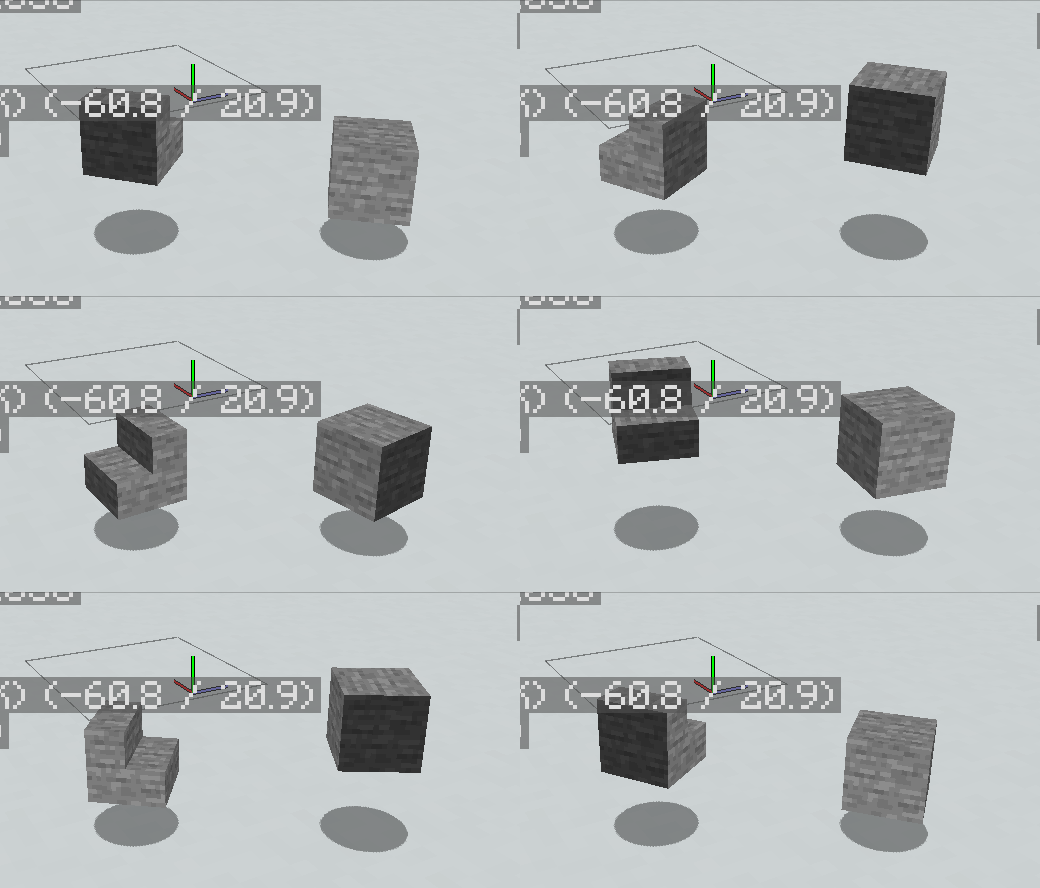
From above:
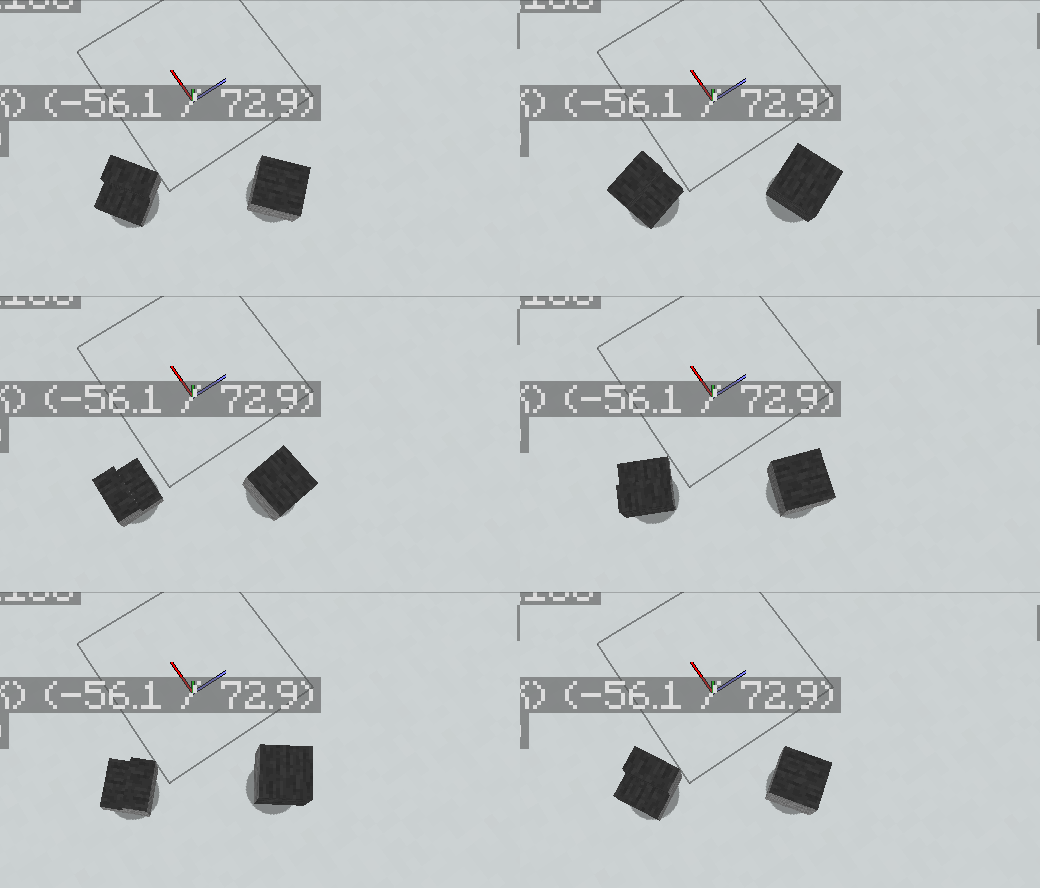
Note the top changes darkness based on the angle of the camera.
Block Model

Note that this is a stone block on the head of an armor_stand, so it is being rendered as an entity not a block in the world.
The bug
Item models render their shadows differently, depending on at which angle the player is looking at them.
Specifically for dropped items, most block models render the East, West, and Up face brightness inverted from others (cannot verify Down). The faces get darker the more parallel their normal is to the camera, and brighten when more perpendicular to the camera. East and West brighten correctly.
Block models in general change shading based on the camera vector. When looking at a block on the head of an armor_stand, the shading changes drastically depending on how the camera is viewing it.
Steps to reproduce
Drop an item on the ground and watch the shading change as it rotates.
OR
Summon an armor stand with a stone head item and circle the cursor around it while staying still. Note the brightness changes./summon minecraft:armor_stand ~ ~ ~ {ArmorItems:[{},{},{},{id:"minecraft:stone",Count:1}],Marker:1,Invisible:1,NoGravity:1}Visual Evidence
Dropped Items
From next to:
From above:
Note the top changes darkness based on the angle of the camera.
Block Model
Note that this is a stone block on the head of an armor_stand, so it is being rendered as an entity not a block in the world.
The bug
Item models render their shadows differently, depending on at which angle the player is looking at them.
Specifically for dropped items, most block models render the East, West, and Up face brightness inverted from others (cannot verify Down). The faces get darker the more parallel their normal is to the camera, and brighten when more perpendicular to the camera.
East and Westbrighten correctly.Block models in general change shading based on the camera vector. When looking at a block on the head of an armor_stand, the shading changes drastically depending on how the camera is viewing it.
Steps to reproduce
Drop an item on the ground and watch the shading change as it rotates.
OR
Summon an armor stand with a stone head item and circle the cursor around it while staying still. Note the brightness changes./summon minecraft:armor_stand ~ ~ ~ {ArmorItems:[{},{},{},{id:"minecraft:stone",Count:1}],Marker:1,Invisible:1,NoGravity:1}Visual Evidence
Dropped Items
From next to:
From above:
Note the top changes darkness based on the angle of the camera.
Block Model
Note that this is a stone block on the head of an armor_stand, so it is being rendered as an entity not a block in the world.The bug
Item models render their shadows differently, depending on at which angle the player is looking at them.
Specifically for dropped items, most block models render the East, West, and Up face brightness inverted from others (cannot verify Down). The faces get darker the more parallel their normal is to the camera, and brighten when more perpendicular to the camera. North and South brighten correctly.
Block models in general change shading based on the camera vector. When looking at a block on the head of an armor_stand, the shading changes drastically depending on how the camera is viewing it.
Steps to reproduce
Drop an item on the ground and watch the shading change as it rotates.
OR
Summon an armor stand with a stone head item and circle the cursor around it while staying still. Note the brightness changes./summon minecraft:armor_stand ~ ~ ~ {ArmorItems:[{},{},{},{id:"minecraft:stone",Count:1}],Marker:1,Invisible:1,NoGravity:1}Visual Evidence
Dropped Items
From next to:
From above:
Note the top changes darkness based on the angle of the camera.
Block Model
Note that this is a stone block on the head of an armor_stand, so it is being rendered as an entity not a block in the world.
The bug
Item models render their shadows differently, depending on at whichangle theplayer is looking at them.Specifically for dropped items, most block models render the East, West, and Up face brightness inverted from others (cannot verify Down). The faces get darker the more parallel their normal is to the camera, and brighten when more perpendicular to the camera. North and South brighten correctly.
Block models in general change shading based on the camera vector. When looking at a block on the head of an armor_stand, the shading changes drastically depending on how the camera is viewing it.
Steps to reproduce
Drop an item on the ground and watch the shading change as it rotates.
OR
Summon an armor stand with a stone head item and circle the cursor around it while staying still. Note the brightness changes./summon minecraft:armor_stand ~ ~ ~ {ArmorItems:[{},{},{},{id:"minecraft:stone",Count:1}],Marker:1,Invisible:1,NoGravity:1}Visual Evidence
Dropped Items
From next to:
From above:
Note the top changes darkness based on the angle of the camera.
Block Model
Note that this is a stone block on the head of an armor_stand, so it is being rendered as an entity not a block in the world.Changes in 19w42a
Since 19w42a, dropped items are no longer affected. Armor stand effects are essentially unchanged since the last snapshot.
The bug
Item models render their shadows differently, depending on at which angle the player is looking at them.
Specifically for dropped items, most block models render the East, West, and Up face brightness inverted from others (cannot verify Down). The faces get darker the more parallel their normal is to the camera, and brighten when more perpendicular to the camera. North and South brighten correctly.
Block models in general change shading based on the camera vector. When looking at a block on the head of an armor_stand, the shading changes drastically depending on how the camera is viewing it.
Steps to reproduce
Drop an item on the ground and watch the shading change as it rotates.
OR
Summon an armor stand with a stone head item and circle the cursor around it while staying still. Note the brightness changes./summon minecraft:armor_stand ~ ~ ~ {ArmorItems:[{},{},{},{id:"minecraft:stone",Count:1}],Marker:1,Invisible:1,NoGravity:1}Visual Evidence
Dropped Items
From next to:
From above:
Note the top changes darkness based on the angle of the camera.
Block Model
Note that this is a stone block on the head of an armor_stand, so it is being rendered as an entity not a block in the world.
Item models render shadows incorrectly andbased on camera vectorBlocks on armor stands render shadows based on camera vector
Changes in 19w42a
Since 19w42a, dropped items are no longer affected. Armor stand effects are essentially unchanged since the last snapshot.
The bug
Item models render their shadows differently, depending on at which angle the player is looking at them.
Specifically for dropped items, most block models render the East, West, and Up face brightness inverted from others (cannot verify Down). The faces get darker the more parallel their normal is to the camera, and brighten when more perpendicular to the camera. North and South brighten correctly.
Block models in general change shading based on the camera vector.When looking at a block on the head of an armor_stand, the shading changes drastically depending on how the camera is viewing it.Steps to reproduce
Drop an item on the ground and watch the shading change as it rotates.
OR
Summon an armor stand with a stone head item and circle the cursor around it while staying still. Note the brightness changes./summon minecraft:armor_stand ~ ~ ~ {ArmorItems:[{},{},{},{id:"minecraft:stone",Count:1}],Marker:1,Invisible:1,NoGravity:1}Visual Evidence
Dropped Items
From next to:
From above:
Note the top changes darkness based on the angle of the camera.
Block Model
Note that this is a stone block on the head of an armor_stand, so it is being rendered as an entity not a block in the world.Changes in 19w42a
Since 19w42a, dropped items are no longer affected. Armor stand effects are essentially unchanged since the last snapshot.
The bug
Item models render their shadows differently, depending on at which angle the player is looking at them.
When looking at a block on the head of an armor_stand, the shading changes drastically depending on how the camera is viewing it.
Steps to reproduce
Summon an armor stand with a stone head item and circle the cursor around it while staying still. Note the brightness changes.
/summon minecraft:armor_stand ~ ~ ~ {ArmorItems:[{},{},{},{id:"minecraft:stone",Count:1}],Marker:1,Invisible:1,NoGravity:1}Visual Evidence
Block Model
Note that this is a stone block on the head of an armor_stand, so it is being rendered as an entity not a block in the world.


Please do not attach any more images to this ticket.
For any new instances of this issue occurring (or similar), please perform a search on the bug tracker for reports, else create a new ticket for the specific issue being observed. To better address issues moving forward, individual problems will be tracked separately, instead of a "global" report such as this.
Affected cases
- Some particles render behind transparent blocks, hitboxes, breaking animations and transparent clouds, often making them barely visible. Particles known to have this issue: End rod, potion, fireowork, ink, rain and snow particles. In older versions, this was a general issue with all types of particles, some have been fixed since then.
- As of 13w41a, hitboxes render in front of transparent blocks - it simply looks weird when you can see the hitbox of blocks through the water surface (see water_hitbox.jpg
 ) or the rear (normally less visible) parts of the hitbox through a transparent block like ice or stained glass. As of 1.7, the behavior changed: Hitboxes now render behind transparent blocks!
 - Transparent clouds 1 always render in front of transparent blocks and hitboxes (looks pretty weird, see clouds_glass.jpg).
- The energy field around invisible charged creepers renders behind water and transparent clouds, but in front of hitboxes. Particles and other transparent blocks show no rendering order problems in this case. You can spawn invisible charged creepers with the following command:
/summon creeper ~ ~1 ~ {powered:1b,ActiveEffects:[{Id:14,Duration:2000000}]}


- The firework explosion light flash causes water and transparent clouds to always be rendered behind it, making them disappear.
- The outer, transparent part of the beacon beam, the transparent text overlay of named map markers (close to a map's edge) as well as the outer transparent part of Phantom wings render behind water, transparent clouds and transparent blocks, making them disappear.
- Ice blocks render incorrectly in third person
Notes
1 "Transparent clouds" means: Clouds turn transparent when you move above y=128 (MC-997). Before Jeb reverted the fix of MC-997, clouds were always transparent at all heights, which can be seen here 2013-02-27_21.46.57.png )
)
Code analysis
See this comment.
Mod edit: Added comment by Tedstar (Curtis Anderson)
Some updates from snapshot 18w22a (and possibly earlier)
Issues resolved in snapshot 18w22a:
- Hitboxes now render underwater and through water.
- Non-transparent particles render correctly in front of transparent blocks (ex breaking stone in front of water).
Issues new to 18w22a:
- Hitboxes render completely behind transparent blocks (ice, colored glass) making them hard to see.
Issues still present in 18w22a:
- Beacon beam outer aura renders behind transparent blocks at any height.
- Transparent particles render in place of transparent blocks. (Ex: break stained glass in front of ocean, squid ink looking upward in water, etc.)
- Charged creeper aura renders in place of transparency (water, ice, etc.)
- Phantom wings render in place of transparency.
- Ice still renders strangely at far distances.
- Clouds still render in front of transparent blocks/water when placed above the cloud height.
- Firework particles still render in behind transparent blocks.
I'm sure I forgot many of them, but these are the ones that are easily noticed to me.

@Tedstar (Curtis Anderson), there is a separate report for cases like this: MC-123529.

Tedstar (Curtis Anderson) This is a bug, water is not supposed to flow through the stairs / solid blocks. As you said, even Dinnerbone said that this will have to be fixed.

Tedstar (Curtis Anderson): According to your crash report, this is MC-130162

Tedstar (Curtis Anderson) Thanks. I've fixed these too and they should work in the next update!
Tedstar (Curtis Anderson) and Stef B: The ice issue is MC-38022, please move your comments and screenshots over there. This ticket is quite bloated already ...
This bug still exists in Minecraft 1.11.2, 1.12.1.
Here is a GIF of the phenomenon, which I created using two accounts on a local vanilla server in 1.12.1. (It was too large to upload here.)
Then just some other information.
If the player walks around without moving their head, it remains pointing south. (expected behavior)
If the player changes only the pitch of their head, it remains pointing south, though the pitch will change. (unexpected, as both yaw and pitch are sent in the entity look packet)
If the player changes the yaw of their head, it corrects to where it should be. (expected behavior)
Still occurs in 17w48a (not really surprising)
Would it be appropriate to add `commandblock_minecart` to this list? I would have thought it would be `command_block_minecart` since all other instances are `command_block`.
Still affects 18w07a, only in text above hotbar.
Comment removed by author because no longer applicable to report.
Reason: Separated multiple bugs into multiple reports.
This bug has been happening for me as well, since the early 18 snapshots. Exactly the same way in which [Mod] Michael Wobst described. Even though VSync is on, have to toggle it for the screen tearing to stop.
18w07a
The third bug has been separated and is now
MC-125335. Thank you for your help.The maximum light level of the underwater vision effect should match the maximum light level provided by the environment. Even if there is access to the sky, it should only ever be as bright as the surface at that time. So at night, underwater would get darker too, or in caves it would be dark, and elsewhere. Right now it is a surprise to swim to the surface and realize it is night time.
18w10b affected
This is just normal water physics, not a bug. Water always flows to the lowest point, and the outside edge of the stairs has a cliff, whereas the inside has the stair blocks next to it. So outside is lower.
Dinnerbone even mentioned in the changelog: "Right now it [the water] will flow out of all faces of the block - this will change".
Is this bug also the cause of auto-jumping when walking up to a waterlogged chest from open air?
Explained better:
1. Place any kind of chest where water will only flow off it in one direction (like going over a cliff).
2. Use a water bucket to add water to the chest.
3. Walk up to a side of the chest where water is not flowing out.
4. The player automatically jumps even when auto-jump is off.
I was going to create a new issue but maybe this is already covered by this issue?
Edit: Here's a screenshot of the setup: https://i.imgur.com/IIis8xB.png .
Ok I created issue
MC-127224Affects 18w20a.
Still occurs in 18w20b.
Affects 18w21a.
And (although unrelated in its effects - mainly stuff connecting/placed on sides of) the actual bounding box size reduction would be consistent with the resolution of
MC-128237which was for tall seagrass.Edit:
To be consistent since nearly all plants would no longer exhibit a full hitbox, perhaps we should add all crops to the list?
Affects 18w21a.
Affects 18w21a.
Conduits still connect to glass panes and iron bars in 18w21a.
It is definitely a bug because when the player is in air and looks at a block in water, there is an outline. But when the player is in water and looks at the same block, there is no outline. The water screen effect overwrites the block outline effect.
I'm also having extreme memory issues when exploring in singleplayer (which makes sense cause there is an integrated server).
I haven't crashed, but the world has stopped rendering and all mobs and block interactions are frozen. Memory is at about 98 % usage, then drops to 86 % from garbage collection most likely, rockets back up to 98% and repeats.
Edit: I cannot save and quit, it's no longer responding.
I'm assuming 'pseudo' here is the player name (pseudonym)? Maybe lost in translation... ?
Nonetheless, this is always how chat and /say, respectively, have worked. The format for chat has always been <%1$s> %2$s, and the format for /say has always been [%1$s] %2$s.
Similar to others in this thread, I started a creative world in 18w21a and was flying around generating chunks and exploring the huge amount of shipwrecks for fun. And as I explored, I started getting bad frames every few seconds, opened F3 and it was memory usage at 98%, world stops responding. Cannot save or quit. So I exit Java using task manager. Now whenever I open that world, after a couple seconds it crashes and gives me a crash report.
crash-2018-05-24_13.54.47-server.txt
18w22a
Do you have the 'vanilla' datapack disabled? That's what caused it for me in the late 17wXXx snapshots.
Edit: The cause of this is because the vanilla data pack adds a block tag that tells leaves they are by a log. The minecraft:log tag. The leaves search for a block from this tag to check if they should decay. When vanilla is disabled, there is no block tag, so the leaves say "Well, I will decay then." And this happens.
Some updates from snapshot 18w22a (and possibly earlier)
Issues resolved in snapshot 18w22a:
Issues new to 18w22a:
Issues still present in 18w22a:
I'm sure I forgot many of them, but these are the ones that are easily noticed to me.
Edit:
Also, the sea kelp bounding box takes up the full block, and to be consistent with sugar cane (the closest plant that is land-based) the bounding box should also be reduced to the size of sugar cane and other plants.
Affects 18w22a.
Perhaps if a namespace is not included, then the namespace of the suggestions list should also not be included. Like a more moderate version of the old way the suggestions were clipped as input was entered.
(Rather than suggesting minecraft:area_effect_cloud, minecraft:armor_stand, minecraft:arrow when an a is entered, then instead suggest area_effect_cloud, armor_stand, arrow.)
Part of this bug fix should be a change to how inversion (and by extension tags etc.) is handled by the suggestion engine.
Currently, every possible inversion is listed in the suggestion list. Instead, aside from the list of suggestions, a single suggestion at the top, ! (or in the case of tags, #) should be included. Then, after (if) the !}} (or #) is entered, the suggestion list should again appear, rather than the current behavior which attempts to parse the ! as the entire value, and generates an error which suppresses the list of suggestions.
Copy-pasta from
MC-124990:Part of this bug fix should be a change to how inversion (and by extension tags etc.) is handled by the suggestion engine.
Currently, every possible inversion is listed in the suggestion list. Instead, aside from the list of suggestions, a single suggestion at the top, ! (or in the case of tags, #) should be included. Then, after (if) the ! (or #) is entered, the suggestion list should again appear, rather than the current behavior which attempts to parse the ! as the entire value, and generates an error which suppresses the list of suggestions.
This bug also affects the 1.13 pre-release

Affects 1.13 pre-release 1
I was making a water tank and the second or higher layers of water do not automatically fill in like they used to.
ladders also act the same as coral fans
This also happens with the surface of the water when there is a large patch of solid blocks above the water.

@rherlitz
The text in the "Select a Preset" screen (Create New World > More World Options... > World Type: Superflat > Customize > Presets) reverts when the window changes size in pre2. It may be a separate issue though because it's perfectly fine for alt-tab out of and back into the window.
Also the recipe book search field goes blank on resize (but not alt-tab) for all three variants (inventory, crafting table, and furnace).
I think this issue is a result of the fix of
MC-130145.This appears to be happening because the item rarity color replaces the color of the first text component. Because having color in other places overrides the rarity color.
1. The items in a text component array after the first still show color.
2. Components in the "extra" array show their correct color.
Technically that means this effect can be overcome, but I think it is a bug. When the item rarity color is being added to the text component over the hotbar, it should check that it is not overriding another color already.
Example commands:
Work-around #1:
/give @s stick{display:{Name:"[{\"text\":\"This should be red.\",\"color\":\"red\"},{\"text\":\"This is blue.\",\"color\":\"blue\"}]"}}Work-around #2:
/give @s stick{display:{Name:"{\"text\":\"\",\"extra\":[{\"text\":\"Extra is red.\",\"color\":\"red\"},{\"text\":\"Extra is blue.\",\"color\":\"blue\"}]}"}}Awesome! Oh and I just though to check the structure block; the name field for all four versions of the GUI is also affected. Not sure about the controls, don't really know how the structure block works. ¯_(ツ)_/¯
Edit: Ok I was figuring out how the structure block works. Changing window size resets all modified text fields. It also appears to disable the text fields. Buttons keep their settings even when changed.
This bug (not being able to place structure void next to structure void) affects 1.13-pre2.
Yes, that is likely the issue I was experiencing. I am having difficulty recreating the extent of the screen tearing I was having back in February, but I was using fullscreen mode then also.
Edit: It is really easy to see screen tearing in a desert biome cause of the light/dark contrast. And yes, the issue for me is fullscreen mode only, so it is probably
MC-130374.Some more screenshots of certain issues:
Is there a bug that may be related to this just for generation of decorations? Or perhaps it is partially something to do with rendering transparency? Because I can start a buffet world at 32 render distance with the biome "Dark Forest" and without even moving it will induce lag spikes from GC which eventually make the game unplayable.
This is caused because italic rendering was changed.
The old rendering system added a constant italic slope to the rendered characters, the new rendering system adds a constant italic offset to the characters.
So shorter characters have a seemingly-higher slant because the top and bottom are separated by a constant width.
That is why the period is much more slanted than the quote, and C and c are different if you look closely as well.
Can confirm. Maybe it is a side effect of the fix for text inputs in
MC-258.As far as I can tell it only happens when there is one block distance to the "ground". Anything higher doesn't reproduce the issue.
And interestingly, it does not appear to be a water source because placing a slab in the flowing water part makes it disappear rather than place a waterlogged slab.
Ok cool I did not know that. Thank you for the info.
Affects pre-9 also doesn't go away when close and reopen world.
I was using /locate and teleporting ~2000 blocks so these may be extreme conditions, but I've seen the issue in pre10.



Do igloos normally generate like this because the underground portion is perfectly generated.
Duplicate of
MC-132061Duplicate of
MC-133947Affects release 1.13
confirmed release 1.13
Fixed in 18w30a.
Fixed in 18w30a.
Affects 18w30a
/playsound minecraft:music.menu master @s ~ ~ ~ 1.0 1.0 1.0 sounds as expected for me...
are you changing the pitch? (that'd be the second '1.0' in the above command)
Edit: change it to 2.0 for a faster/higher pitch version of the song
Affects 18w30a
Was able to recreate with Vanilla server by customizing MOTD in server.properties.


Possibly related to the fix of
MC-133260?Either way, the server MOTD is sent as JSON text component, and to get color using server.properties deprecated section-sign \u00A7 must be used. So it may be invalid still.
Edit: I've created
MC-134865Works as intended.
Modified server so invalid, but also a duplicate of vanilla
MC-134865Given the code piece calls a generic 'liquid' function I guess this is expected but it also happens with lava.
@Poslovitch
This issue is separate from
MC-123790.The problem in
MC-123790was that item names were given italic formatting in certain places, even when "italic":"false" was in the JSON.This issue is about item names being given "italic":"true" by default when no "italic" key is specified, which is inconsistent with JSON handling in other places, like the /title command. (Where when "italic" is not present, it is not set to true by default.)
My guess is this is caused by how renaming in anvils gives an italic name; and maybe a custom name in NBT is not properly differentiated from a custom name by an anvil.
Finally resolved in 18w43a/b
<3 <3 <3
Should this bug also cover the default style for lore (italic and color purple)? Or is that a separate issue / not an issue?
/give @s stick{display:{Lore:["{\"text\":\"The default style of lore.\"}"]}}Edit:
I suppose it may not be an issue since that is always how lore has been.
No, sorry it is multiple custom items each with a single component as their name.
It has to be multiple items to have a list of NBT values, and they must have custom names because otherwise the display.Name value won't exist and the NBT component will resolve to [].
/give @s stone{display:{Name:"\"Simple Stone\""}} /give @s oak_planks{display:{Name:"\"Pretty Planks\""}} /give @s birch_leaves{display:{Name:"\"Luscious Leaves\""}} /give @s fire_coral_block{display:{Name:"\"Capricious Coral\""}}/tellraw @a {"nbt":"Items[].tag.display.Name","block":{"x":<x>,"y":<y>,"z":<z>}}But of course replace the xyz values with the chest block coordinates.
The entries in the list of NBT values have ", " between the items and have [] around them.
/tellraw @a {"nbt":"Items[].tag.display.Name","interpret":true,"block":{"x":<z>,"y":<y>,"z":<z>}}And now this time it is just the raw name values without any ", " between them, but still with [] around them.
I colored the first item in the list and the color did not cascade to the other items, so if anything it may just be adding each item name as extra text to a text component. In which case it is intended insofar as text components do not delimit between children. But perhaps it is not intended for the command output.
Affects 1.13.2, 18w43a, 18w43b, 18w43c.
Affects 1.13.2, 18w43a, 18w43b, 18w43c.
This bug appears to affect more than just paths, as I have seen houses and other structures that are floating or submerged in the terrain. I found a particularly bad village in seed: -6751619097844995455




Coordinates: /tp @s 874.2 73.88 -469.22 46.6 39.7
I think this bug and




MC-140469are the same issue with village generation altogether being funky on uneven terrain, but either way here is a seed and coordinates with a particularly bad village. Seed: -6751619097844995455Coordinates: /tp @s 874.2 73.88 -469.22 46.6 39.7
Edit: Upon regeneration of the world, the paths have now molded to the terrain properly, and generated structures are not sunk into or floating above the ground. The only issue in the new world is with paths that intersect lakes. So this bug appears not always reproducible.
Can you reproduce the issue on an unmodified server? If not, that would be an issue to report to the developers of PaperSpigot.
If someone with the required permission would like to, I would be alright with transferring ownership to Connor Steppie.
This bug will likely be fixed once the transition to Blaze3D graphics library is complete, but it is still useful to keep track of problems that need to be tested once the library is released.
Would this relate to
MC-129481with the improper water culling?Although this issue is about the faces culling when they shouldn't, whereas the other issue is faces not culling.
I also cannot reproduce the issue. Between 1.14.4 and 19w40a, the code for getting a random character did not change, but there was a change in the string rendering method. So perhaps that fixed it.
This actually isn't fixed, the new shadows are just caused by
MC-163242.I'm unsure if the following was ever intended behavior but this bug also prevents the entire hitbox of a transparent block from being seen.
Ex: If you look at a block of ice in a lake, you see a square above the ice, but not the other sides of the hitbox, which used to be visible.
After analysis of the code changes between snapshot 19w38b and snapshot 19w39a, I have observed the following changes to the code structure.
The snapshot in which this bug first appeared introduced a reordering of the render order found in the level renderer code. The following table was created based on the render profiler strings (used to keep track of rendering time and which indicates the order in which elements are drawn) between the last unaffected version and the first affected version.
The draw order found in 19w39a does not appear to have changed much in newer snapshots, at least following analysis of 20w20a which has the same draw order as 19w39a.
The table shows that the translucent layer was moved from being drawn after particles to now be drawn before particles. This is problematic because any particles drawn behind the translucency will now be clipped by the depth test, which is what can be observed in this bug report.
As a test, I have recompiled snapshot 19w39a with the 4 lines of code that draw the translucent layer moved to be below the particle drawing code. As shown in the following screenshot, particles now render behind water again. This is a modified snapshot, and not reflective of the vanilla game.
